logo elektroda
logo elektroda
X
logo elektroda

I am looking for firmware tv grundig 22 vle 6320 bf does not light blue led

IMAXA 3696 11
ADVERTISEMENT
  • #1 19606017
    IMAXA
    Level 5  
    model 22 vle 6320 bp
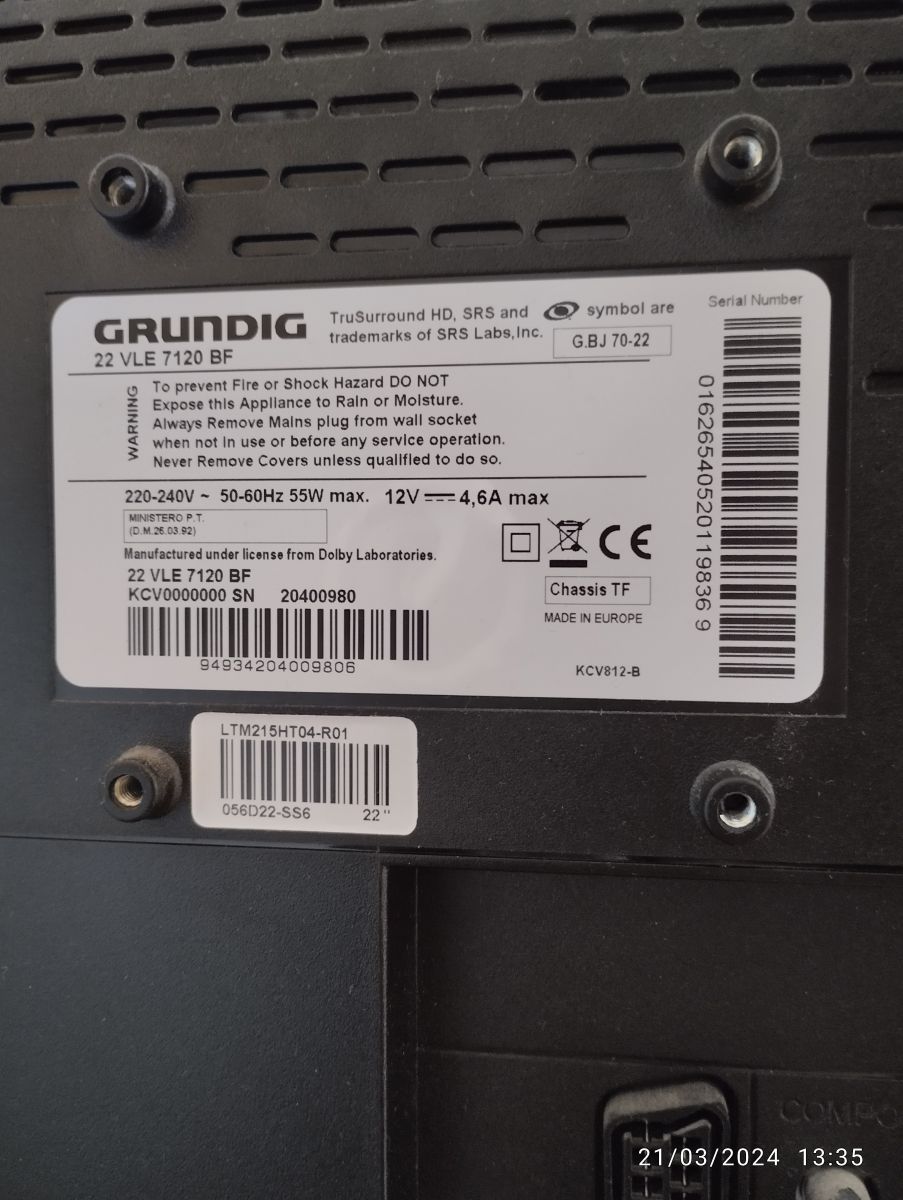
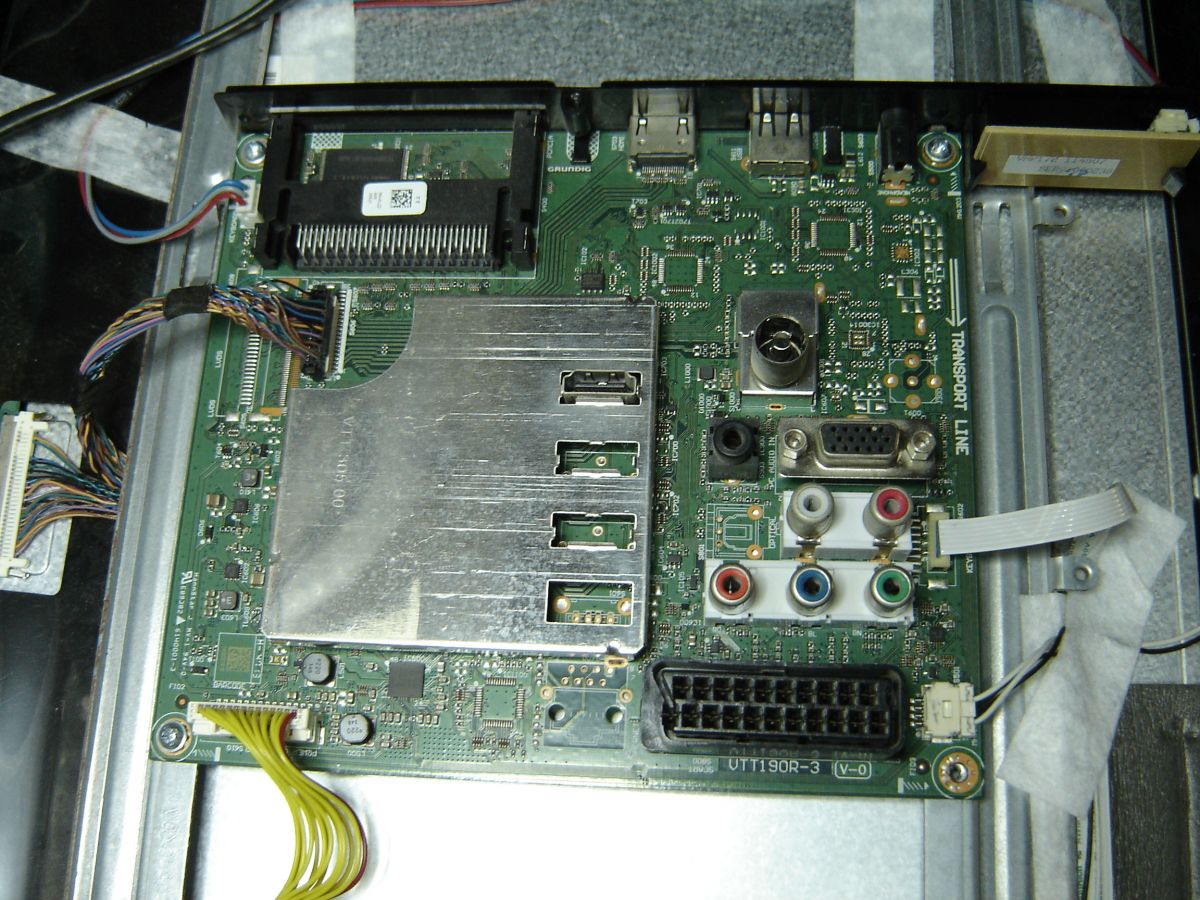
    main VTT190R-3 V-0
  • ADVERTISEMENT
  • #2 19627938
    IMAXA
    Level 5  
    With this firmware it turns on but the image and the sound fail me, I do not know if it has another fault
    Attachments:
    • firware tv grunding 22VLE6320BF.BIN (2 MB) You must be logged in to download this attachment.
  • #4 19639559
    IMAXA
    Level 5  
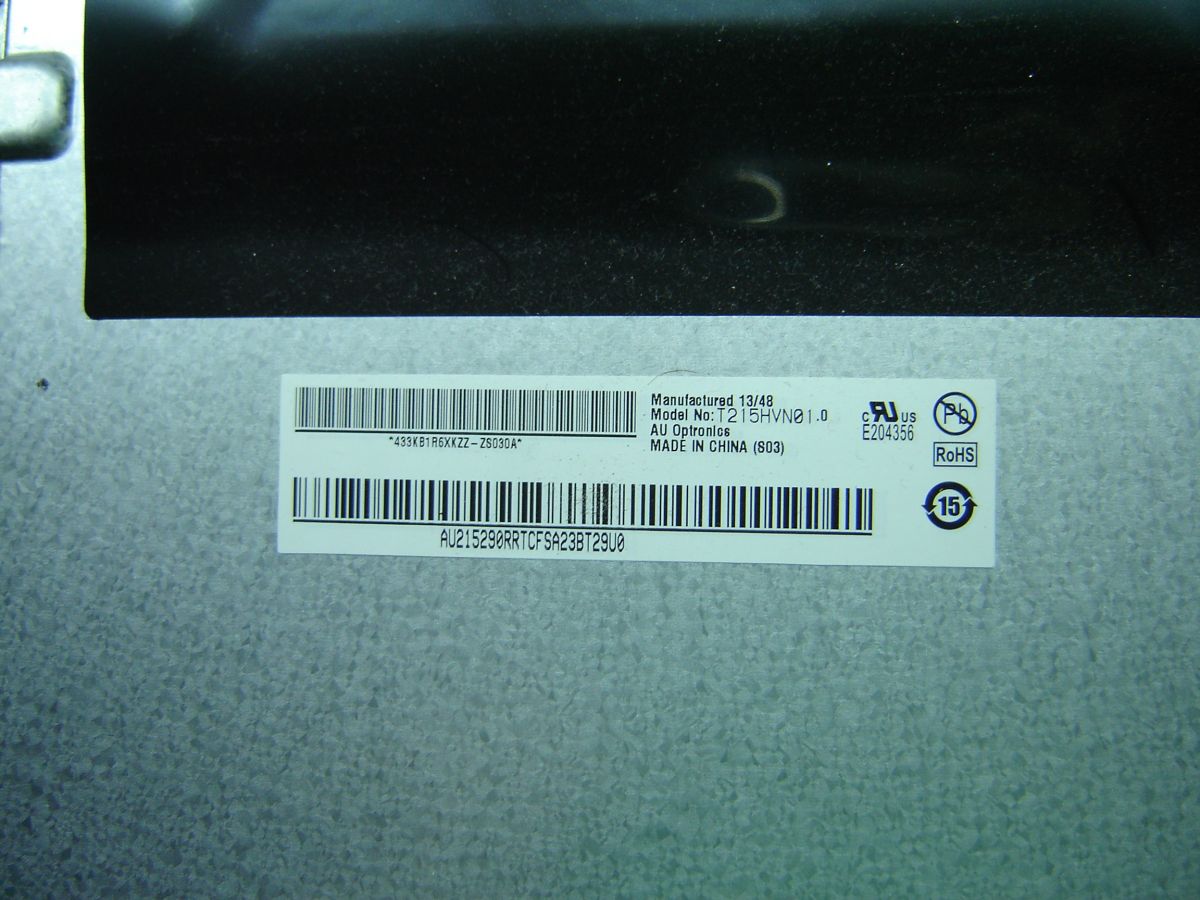
    pantalla T215HVN0 1.0

    Lo he probado y no me funciona.
    Después he instalado el bin directo a la memoria pero no enciende, se queda el led encendido fijo.
    Con su bin parpadea el led azul encendiendo hasta que se queda fijo y no se ve ni se oye nada.
  • ADVERTISEMENT
  • #5 19639635
    gulson
    System Administrator
    Can you upload here? Thank you.
  • ADVERTISEMENT
  • #7 19639996
    arizanotu
    Level 19  
    gulson wrote:
    Can you upload here? Thank you.


    Me?
  • ADVERTISEMENT
  • #8 19640905
    IMAXA
    Level 5  
    I am looking for firmware tv grundig 22 vle 6320 bf does not light blue led I am looking for firmware tv grundig 22 vle 6320 bf does not light blue led

    Con este firmware parpadea el led azul y se queda fijo y no enciende ni tiene sonido.
    Attachments:
    • firware tv grunding 22VLE6320BF.BIN (2 MB) You must be logged in to download this attachment.
  • #9 19873948
    IMAXA
    Level 5  
    No enciende ni tiene sonido solo led azul
  • #10 19876358
    IMAXA
    Level 5  
    ok este funciona
    Attachments:
    • Grundig 22VLE6320BF 25q16.bin (2 MB) You must be logged in to download this attachment.
  • #11 21013381
    albertscode
    Level 1  

    Hi i need firmware for 22 VLE 7120 BF.
    electrónicacalle@gmail.com.
    I working in a hotel maintaining person. The boss put a Code pin not generic and forget pin. I think if reprogrammed can solved or say me what can i do. Have between 25 & Photo of the label on the Grundig 22 VLE 7120 BF television. 30 TV
    Thanks
    Attachments:
    • I am looking for firmware tv grundig 22 vle 6320 bf does not light blue led IMG_20240321_133544.jpg (1.93 MB) You must be logged in to download this attachment.
    • VID_20240321_133210.mp4 (3.95 MB) You must be logged in to download this attachment.
  • #12 21013540
    yokoono51
    Level 28  
    You have software from the manufacturer for the TF chassis. Unzip and put on a stick formatted with FAT32. Insert the USB stick. Press and hold the P+ key on the TV. Plug in the TV. When the update bar appears, release the key.
    Attachments:
    • AlteSW-tf-05-009-00.zip (32.52 MB) You must be logged in to download this attachment.

Topic summary

✨ The discussion revolves around issues with the Grundig TV model 22 VLE 6320 BF, specifically regarding firmware updates and problems with the blue LED indicator. Users report that after attempting to update the firmware, the TV turns on but fails to produce sound or image. Various firmware links and update procedures are shared, including instructions for using USB sticks formatted in FAT32. Some users mention that the blue LED blinks before becoming fixed, indicating a potential fault. There are also inquiries about firmware for a different model, 22 VLE 7120 BF, related to a forgotten PIN code.
Generated by the language model.

FAQ

TL;DR: 25–30 TVs can need resets in hotels; "I working in a hotel maintaining person." This FAQ explains USB firmware updates, panel data loading, and PIN recovery for Grundig 22 VLE sets showing blue-LED/no-picture on TF chassis. [Elektroda, albertscode, post #21013381]

Why it matters: It gives techs and hotel staff a fast, repeatable path to revive these TVs without board swaps.
Quick Facts

How do I update firmware on a Grundig TF-chassis TV via USB?

Format a USB stick as FAT32 and unzip the manufacturer software to it. Insert the USB stick into the TV. Press and hold the P+ key on the TV. Plug in the TV’s power. Release the key when the update bar appears. This invokes the TV’s update mode and re-flashes the software. “Press and hold the P+ key on the TV.” [Elektroda, yokoono51, post #21013540]

Where can I download the firmware and panel files referenced in this thread?

A helper shared links to USB Firmware, the Software Update Procedure, and Panel Files in one post. Use those packages and follow the described steps to update software and, if needed, load panel data. The same post explains how to trigger the panel-data update with the TV’s keys. [Elektroda, arizanotu, post #19628743]

How do I load panel data (Panel.bin) after a firmware flash?

Use the Panel Data Update Procedure. 1) Extract Panel.bin to a USB in binfiles/keys. 2) Insert the USB. 3) Press and hold P- (joystick down) and plug in AC power to start the panel-data load. “Press and hold P- button (joystick down) and plugin ac cable.” [Elektroda, arizanotu, post #19628743]

What does the P+ startup combination do?

On TF chassis, holding P+ during power-on starts the USB software update routine. Keep holding until the update bar appears, then release. This is the manufacturer’s documented path for in-field software recovery using a FAT32 USB stick. [Elektroda, yokoono51, post #21013540]

What does the P- (joystick down) startup combination do?

It invokes the panel-data loader when a valid Panel.bin is present on the USB. Place Panel.bin under binfiles/keys. Hold P- (joystick down) while plugging AC, and the TV will load panel configuration from the stick. [Elektroda, arizanotu, post #19628743]

My TV shows a blue LED but no picture or sound. What should I try next?

This symptom was reported after flashing a certain firmware: the blue LED blinked, then stayed solid, with no image or audio. Re-run the USB update using a different known-good package, then apply the panel-data procedure if required. That sequence restored functionality for others in this thread. [Elektroda, IMAXA, post #19640905]

Does directly programming the memory (flash) fix the issue if USB fails?

One report installed a BIN directly into memory, but the set did not start. The blue LED stayed on solid with no image or audio. This edge case suggests that direct programming alone may not resolve boot problems without the correct dataset. [Elektroda, IMAXA, post #19639559]

It powers on after flashing, but image and sound still fail. What should I try?

Load the correct panel data via USB. Extract Panel.bin to binfiles/keys on a FAT32 stick. Hold P- (joystick down) while plugging AC to write the panel configuration. This step aligns display/audio parameters with the installed firmware. [Elektroda, arizanotu, post #19628743]

Was a working firmware package eventually confirmed here?

Yes. The original poster later confirmed success with a shared package. As they wrote, “ok este funciona.” That indicates at least one combination of firmware and panel data restored normal operation. [Elektroda, IMAXA, post #19876358]

I forgot the PIN on a 22 VLE 7120 BF. How can I recover the TV?

Use the manufacturer software for the TF chassis via USB. Unzip to a FAT32 stick, insert it, hold P+ on the TV, then plug in power. Release when the update bar appears to run the update. “Press and hold the P+ key on the TV.” [Elektroda, yokoono51, post #21013540]

Which panel model was mentioned in the 22-inch case here?

The set referenced used panel T215HVN0 1.0. If your unit uses a different panel, expect to load the corresponding panel data file after the firmware update. That ensures the TV matches its display hardware. [Elektroda, IMAXA, post #19639559]

What exact model and mainboard did the original poster report?

They reported a Grundig 22 VLE 6320 BP with main board VTT190R-3 V-0. Knowing the main board and variant helps you pick the correct software and panel data package for a successful restore. [Elektroda, IMAXA, post #19606017]

How should I format the USB and place files for a TF-chassis update?

Format the USB stick as FAT32. Unzip the manufacturer software onto the USB (root is typical). Insert the USB, hold P+, and then plug in AC power to start the update. Release the key when the progress bar appears on-screen. [Elektroda, yokoono51, post #21013540]

How will I know the update actually started?

You will see an on-screen update bar. Only release the P+ key once that bar appears. If no bar appears, recheck the FAT32 format and file placement, then try again. “When the update bar appears, release the key.” [Elektroda, yokoono51, post #21013540]

Can this process scale when servicing many hotel TVs?

Yes. One maintainer faced 25–30 TVs with PIN issues. The USB update method with P+ offers a repeatable workflow to refresh software and reset problematic states across multiple sets efficiently. Standardize your USB and steps to speed throughput. [Elektroda, albertscode, post #21013381]
Generated by the language model.
ADVERTISEMENT