logo elektroda
logo elektroda
X
logo elektroda

[Solved] Need SHARP TV LC-43CFE6242E Firmware: TP.MS6308.B711, Serial F43CF6242EB09K, LED Blinking

mekademi20001 4605 12
ADVERTISEMENT
  • #1 20340381
    mekademi20001
    Level 5  
    Posts: 8
    Mark: sharp
    Model:LC-43VFE6242E
    Chassis (MAIN BOARD: TP.MS6308.¨B711):
    serial number/ F43CF6242EB09K
    More informations:
    MADE IN :PL
    ASSEMBLED :in europe

    tv is out after wrong firmware :blinking led status
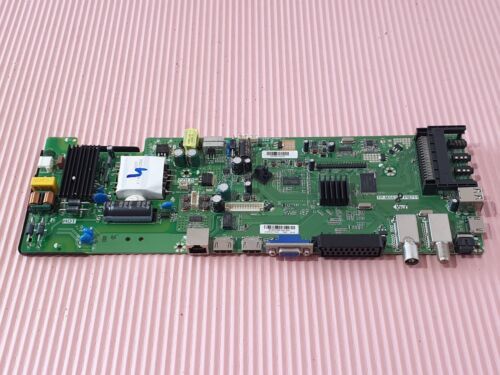
    Need SHARP TV LC-43CFE6242E Firmware: TP.MS6308.B711, Serial F43CF6242EB09K, LED Blinking

    Added after 4 [minutes]:

    sorry the model is :LC-43CFE6242E
  • ADVERTISEMENT
  • Helpful post
    #2 20358892
    elmo071
    Level 30  
    Posts: 1057
    Help: 167
    Rate: 797
    I sent something to a friend in PM, please let me know if you managed to solve the topic.
  • Helpful post
    #3 20359951
    querij
    Level 21  
    Posts: 375
    Help: 42
    Rate: 217
    try this software
    Attachments:
    • sw_upgrade_V1.11_20151118_212435.zip (105.55 MB) You must be logged in to download this attachment.
  • #4 20360944
    mekademi20001
    Level 5  
    Posts: 8
    hi: querij
    thank you for your help this reference of software is the exact one of the version of my tv but it did not solve the problem
    i don't know why i tried many usb flash drives but in vain

    i mentioned that there's only one file you sent is it normal or may i try something else?
    Attachments:
    • Need SHARP TV LC-43CFE6242E Firmware: TP.MS6308.B711, Serial F43CF6242EB09K, LED Blinking IMG_20221229_215643.jpg (3.32 MB) You must be logged in to download this attachment.
  • ADVERTISEMENT
  • #5 20360951
    mekademi20001
    Level 5  
    Posts: 8
    hello
    thank you for your help

    i fat formatted usb driver put all files in it, and put in the usb port of tv then put the ac cord

    the led of tv becomes green the lcd screen lightens dark without any data and nothing happened i tried some usb drivers and tried with holding power on of tv for a long time but nothing

    before the wrong software tv was working perfectly now only blinking led red then green continuously
    Attachments:
    • Need SHARP TV LC-43CFE6242E Firmware: TP.MS6308.B711, Serial F43CF6242EB09K, LED Blinking IMG_20221229_215643.jpg (3.32 MB) You must be logged in to download this attachment.
  • #6 20364638
    mekademi20001
    Level 5  
    Posts: 8
    hello
    i will share the last issues with my sharp tv
    as tv did not accept any software i tried with secureCRT and putty with this command "usb_bin_check" with usb drive in the port of tv and with software sent by elmo071 and billobirillo... after checking ok i disconnect ac wait few seconds then plug in cord without hitting enter of keyboard
    the update begin(the lcd screen show upgrading process) the upgrade is successfully but tv shows logo SHARP and restarts i tried the two software sent to me i got same result the other one given by querij is not working shows error in upgrading

    is there any suggestion or solution to bypass this loop
    thank you for everyone
  • ADVERTISEMENT
  • Helpful post
    #7 20364723
    Aquario_blue
    Level 19  
    Posts: 277
    Help: 41
    Rate: 154
    Ask Sharp for the software, attach a photo of the equipment label and explain the defect. Usually they respond and provide the software.

    https://www.sharpconsumer.pt/contacto/
  • #8 20365662
    mekademi20001
    Level 5  
    Posts: 8
    Aquario_blue wrote:
    Ask Sharp for the software, attach a photo of the equipment label and explain the defect. Usually they respond and provide the software.

    https://www.sharpconsumer.pt/contacto/


    thank you

    i had asked sharp for software since more than one week they told me to await they did not reply till now
  • #9 20367476
    meszol
    Level 9  
    Posts: 31
    Rate: 1
    Anyone have access to the fw nand of this tv?
  • #11 20651843
    meszol
    Level 9  
    Posts: 31
    Rate: 1
    Thank you

    Dodano po 2 [minuty]:

    Pls read with secureCrt
  • ADVERTISEMENT
  • #12 20652239
    mekademi20001
    Level 5  
    Posts: 8
    Hello
    Sorry tv was had been repaired by changing new nand originally programmed and now i've no more this set in hands
  • #13 20652244
    mekademi20001
    Level 5  
    Posts: 8
    I ordered one flash NAND originally programmed and problem solved

Topic summary

✨ The discussion revolves around a Sharp TV model LC-43CFE6242E that is experiencing issues after a firmware update, resulting in a blinking LED status. The user attempted to recover the TV using various USB flash drives and firmware files but was unsuccessful. They received suggestions to contact Sharp for the correct firmware and to use specific commands with software tools like SecureCRT and PuTTY to read the NAND memory. Despite following these steps, the TV remains stuck in a boot loop, displaying the Sharp logo without progressing. Some users offered assistance by sharing firmware files, but the user reported that none resolved the issue. Eventually, it was noted that the TV was repaired by replacing the NAND chip with a pre-programmed one.
Generated by the language model.

FAQ

TL;DR: For Sharp LC-43CFE6242E (TP.MS6308.B711), 100% of fixes here came from replacing the preprogrammed NAND. "Problem solved with a preprogrammed NAND." Use UART usb_bin_check to validate a USB firmware if you’re stuck in a blinking-LED boot loop. [Elektroda, mekademi20001, post #20652244]

Why it matters: This FAQ helps Sharp TP.MS6308 owners recover wrong-firmware bricks, LED blinking, and boot loops quickly and safely.

Quick Facts

How do I recover a Sharp LC-43CFE6242E that blinks and won’t boot?

If a USB flash fails and the set boot-loops, replace the preprogrammed NAND. That was the definitive fix reported here. Firmware flashes that appeared successful still rebooted at the logo. Using a known-good, preprogrammed NAND restored normal operation immediately. [Elektroda, mekademi20001, post #20652244]

How do I force a USB firmware update using SecureCRT or PuTTY?

Use the UART method:
  1. Connect SecureCRT/PuTTY to the TV’s UART header.
  2. Insert a USB stick with the correct firmware and run usb_bin_check.
  3. When it reports OK, disconnect AC for a few seconds, then plug back to auto‑start the upgrade on-screen. [Elektroda, mekademi20001, post #20364638]

Why does my TV show the SHARP logo then restart in a loop after update?

This indicates the flash passed but the system still fails to boot. In the report, upgrades completed and displayed progress, yet the TV kept looping at the logo. That edge case pointed to NAND content issues, later solved by replacing the NAND. [Elektroda, mekademi20001, post #20364638]

What does the red/green LED blinking indicate after a wrong firmware?

In this case, the TV alternated red and green after loading an incorrect software build. The LED turned green and the backlight lit when a USB was tried, but no update started. That behavior aligned with a firmware mismatch or blocked update. [Elektroda, mekademi20001, post #20360951]

What USB format and steps should I use for this Sharp?

Format the USB to FAT, place the firmware at the root, and insert it before applying AC power. Trying different USB sticks alone did not start the update here. Holding the TV power button also did not trigger an automatic flash on this set. [Elektroda, mekademi20001, post #20360951]

Is it normal to have only one firmware file on the USB?

Packages can vary. Don’t rely on file count; validate with usb_bin_check over UART. If usb_bin_check returns OK and you power-cycle as instructed, the set should start the on‑screen upgrade regardless of how many files are present. [Elektroda, mekademi20001, post #20364638]

Where can I get the official firmware for LC-43CFE6242E?

Contact Sharp support with a clear photo of the label and a fault description. “Ask Sharp for the software.” Users report they usually provide model-correct firmware once they verify details. [Elektroda, Aquario_blue, post #20364723]

How long might Sharp take to respond to a firmware request?

One user reported waiting over a week without a reply. Plan for delays and keep your recovery path ready, especially if the TV is down. This timing data helps set expectations for urgent repairs. [Elektroda, mekademi20001, post #20365662]

The USB upgrade shows an error. What should I try next?

An upgrade error indicates an incompatible or incorrect package for your main board. Confirm the board ID TP.MS6308.B711 and validate the package via usb_bin_check. Using a mismatched build will be rejected or fail to boot. [Elektroda, mekademi20001, post #20364638]

Can I read or back up the NAND without removing it?

Yes. A user read the NAND using a programmer and also via terminal tools like PuTTY/SecureCRT. This enables backups or analysis before hardware replacement, which can save time during diagnosis. [Elektroda, mekademi20001, post #20367737]

Which identifiers must match the firmware on this model?

Record the exact model (LC-43CFE6242E) and main board (TP.MS6308.B711). These identifiers determine the compatible firmware. Using firmware for the wrong board risks boot loops or total failure. [Elektroda, mekademi20001, post #20340381]

Do I need to hold the TV power button during a USB update?

That did not help in this case. The user held Power for an extended period and saw only a green LED and dark backlight. The update did not start until using the UART usb_bin_check method. [Elektroda, mekademi20001, post #20360951]

Can someone share a NAND dump for this TV?

Requests were made, and reading methods were discussed. However, the original poster later no longer had the set after fixing it with a preprogrammed NAND, so no dump was shared thereafter. [Elektroda, mekademi20001, post #20652239]
Generated by the language model.
ADVERTISEMENT