logo elektroda
logo elektroda
X
logo elektroda

Wi-Fi module in an electric kettle, what does it do? Interior and programming of Harmony 50

p.kaczmarek2 2052 30

TL;DR

  • The Harmony 50 Wi‑Fi electric kettle pairs with Tuya, offers boiling, keep-warm, scheduling, SMS notifications, and lets you choose target temperatures.
  • Inside, a bottom-mounted WBR3 module talks to an unspecified MCU over TuyaMCU via UART, with dpIDs controlling power, temperature, mode, and timers.
  • The board is marked GS-EK17C1 KH:2024.8.19, and the kettle can maintain heat for up to 12 hours.
  • After intercepting UART traffic and flashing OpenBeken, the kettle works locally without manufacturer servers and can be discovered by Home Assistant.
  • The main caveat is safety: the power supply appears uninsulated, so the UART lines cannot be connected directly to a computer.
Generated by the language model.
ADVERTISEMENT
This content has been translated flag-pl » flag-en View the original version here
📢 Listen (AI):
  • Wi-Fi module in an electric kettle, what does it do? Interior and programming of Harmony 50
    I invite you to a demonstration of a Wi-Fi enabled electric kettle. Here I'll show how it pairs, what its mobile app offers, how it's built inside, and see if it can be altered with firmware to free it from the manufacturer's servers and connect it locally to Home Assistant. This will be the second kettle I've presented on the forum, as I already showed some time ago Changing the firmware of the SMART06B , but the Wi-Fi + kettle connection is so curios and interesting to me that I couldn't deny myself the pleasure for Christmas.

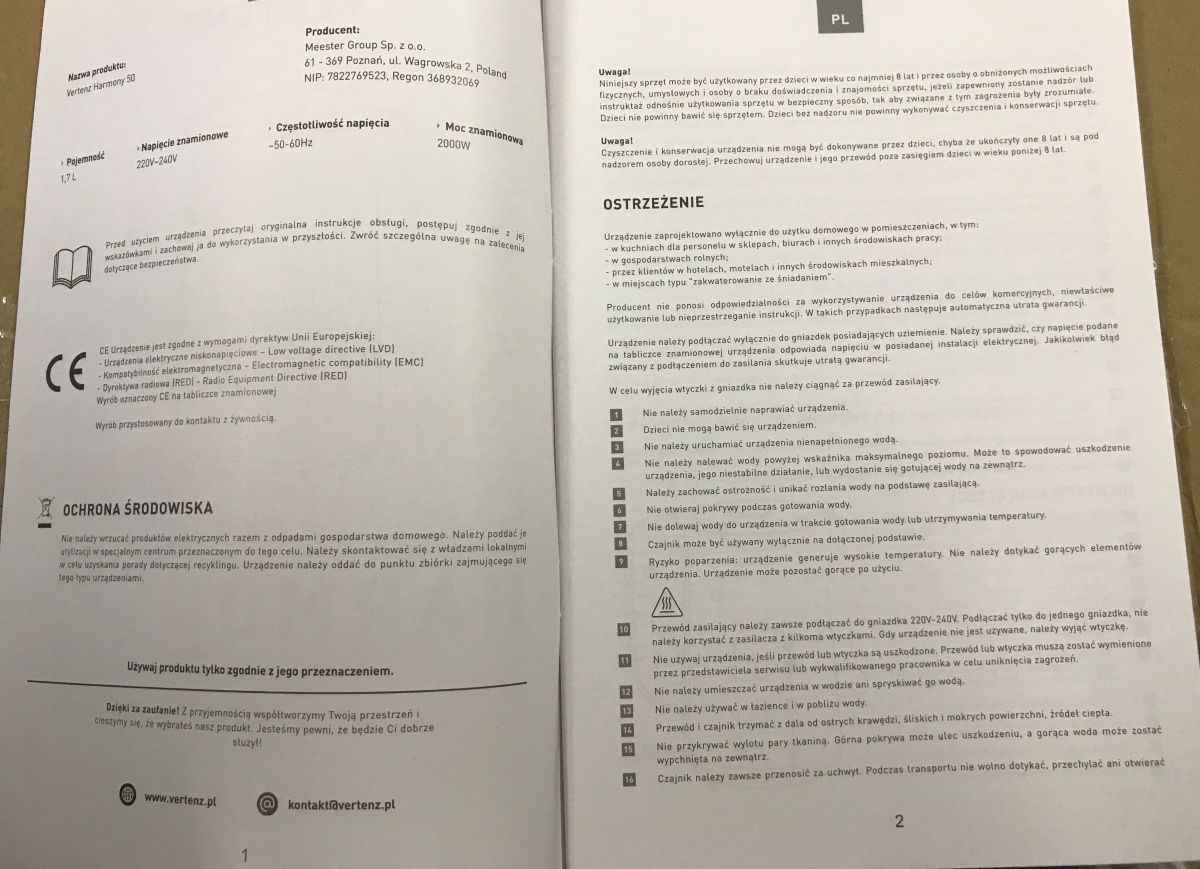
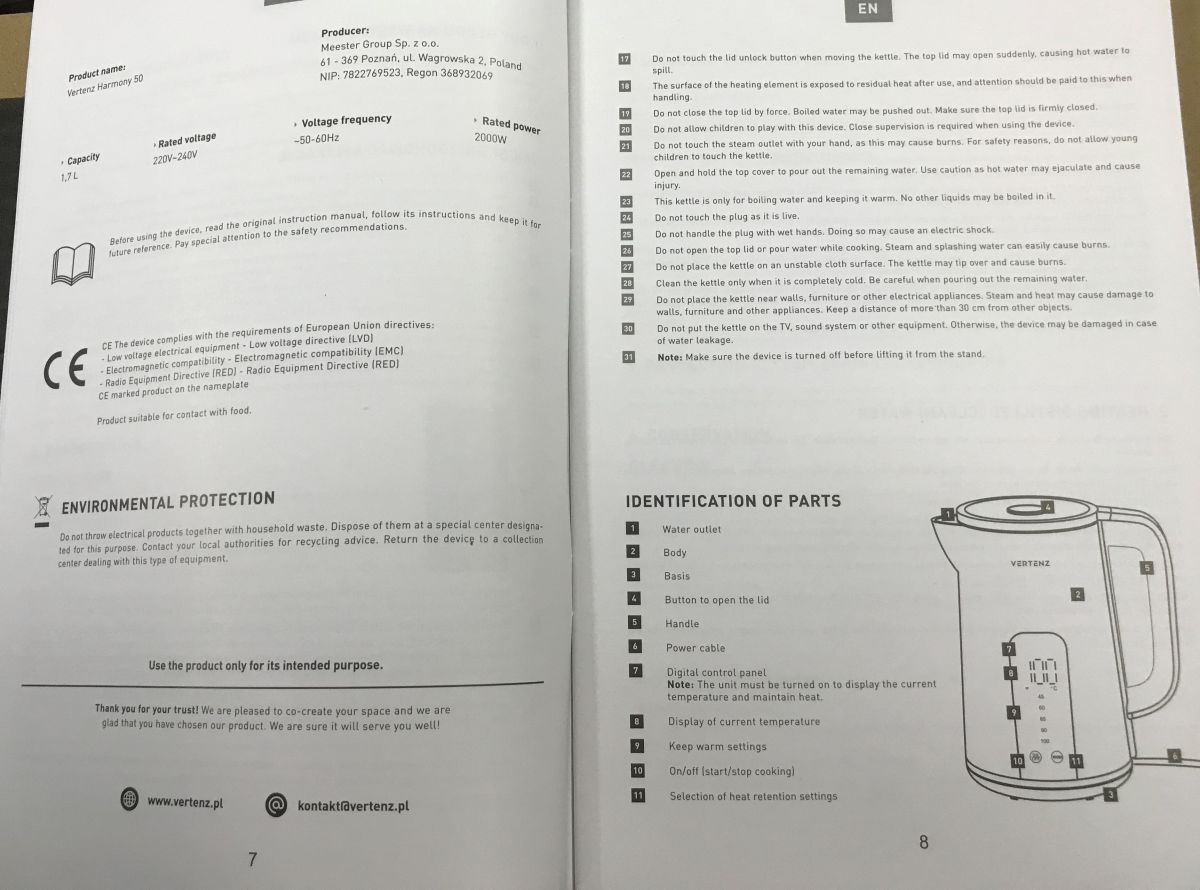
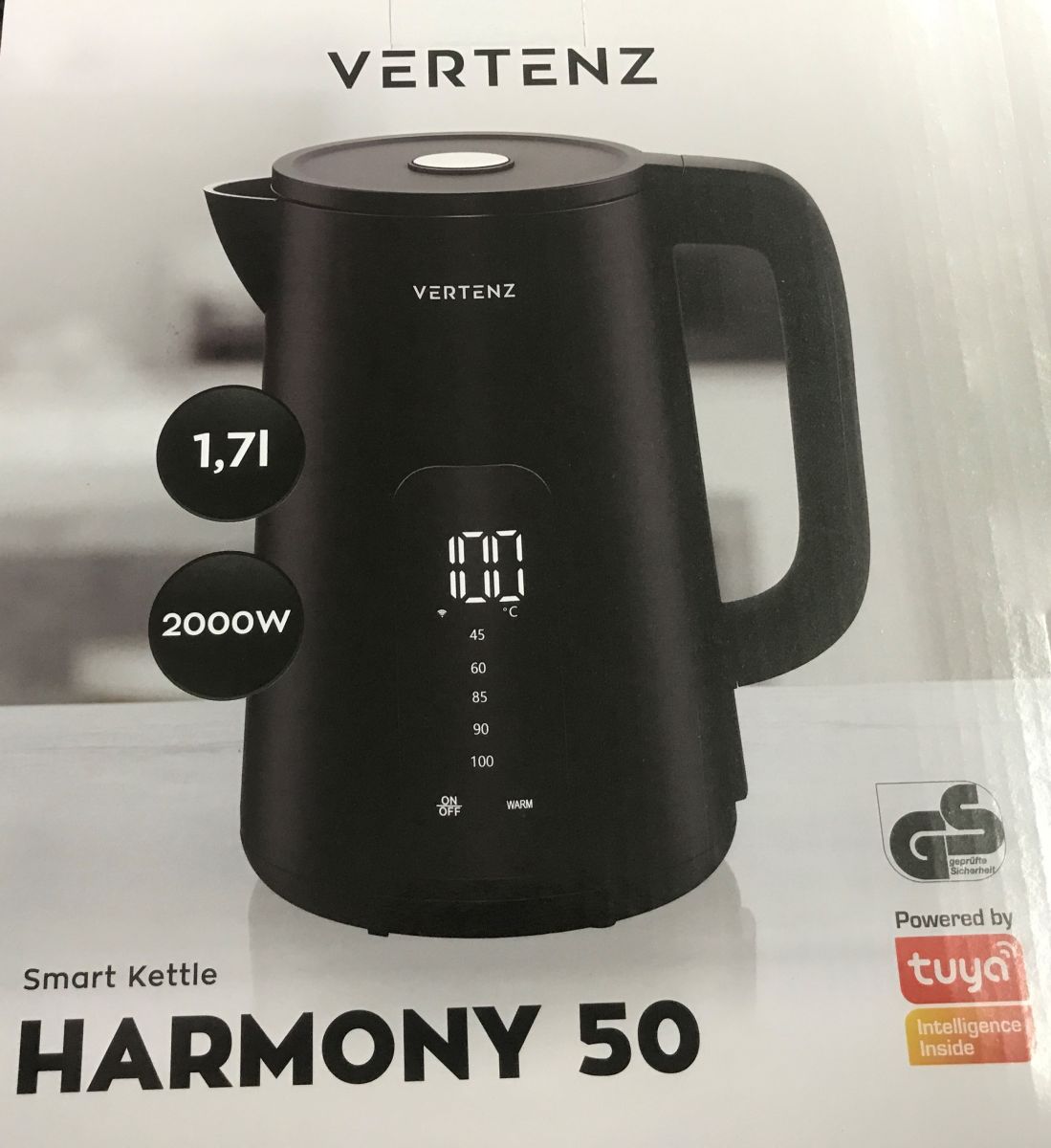
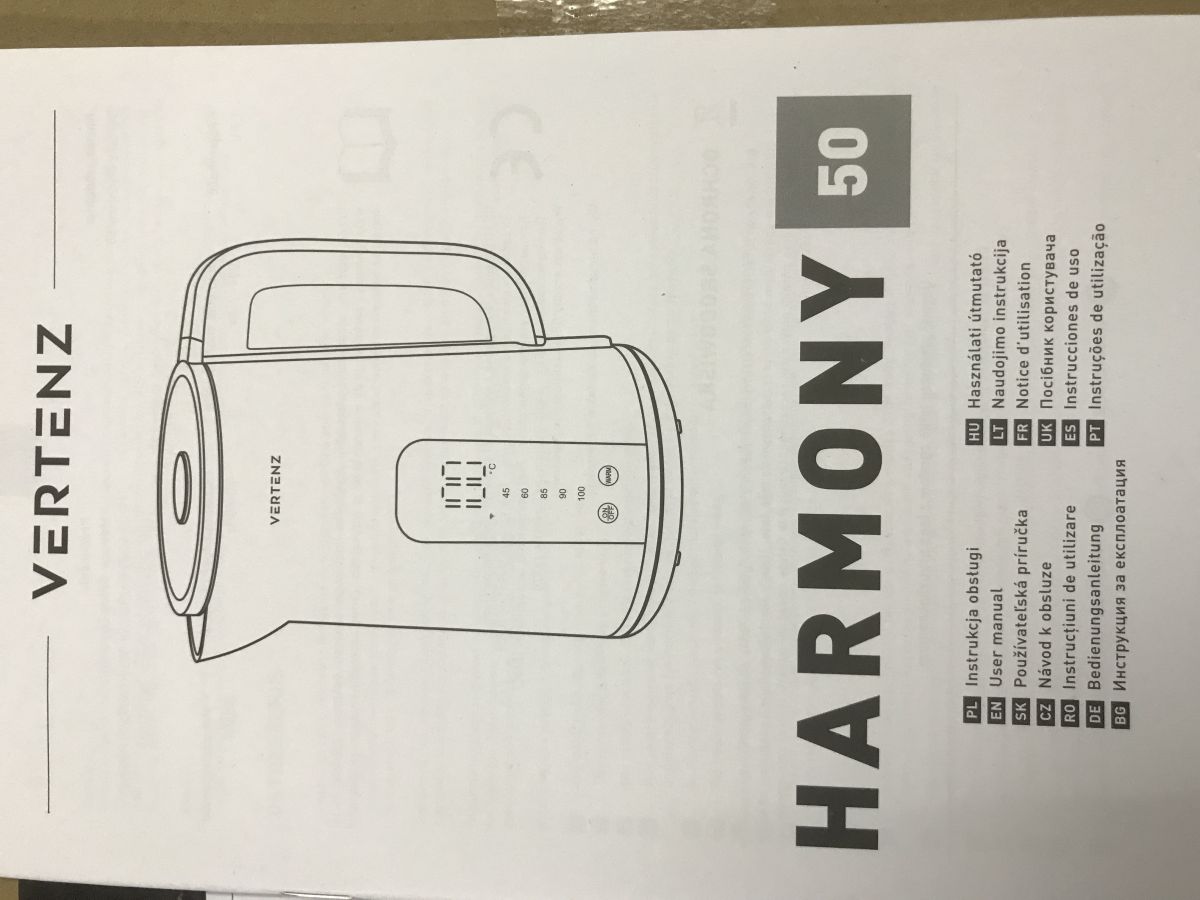
    The kettle itself is not expensive, you can buy one for as little as £120, it also depends on which shop. The equipment can be controlled by touch buttons on the casing or from the app. However, let us perhaps start with the instructions.
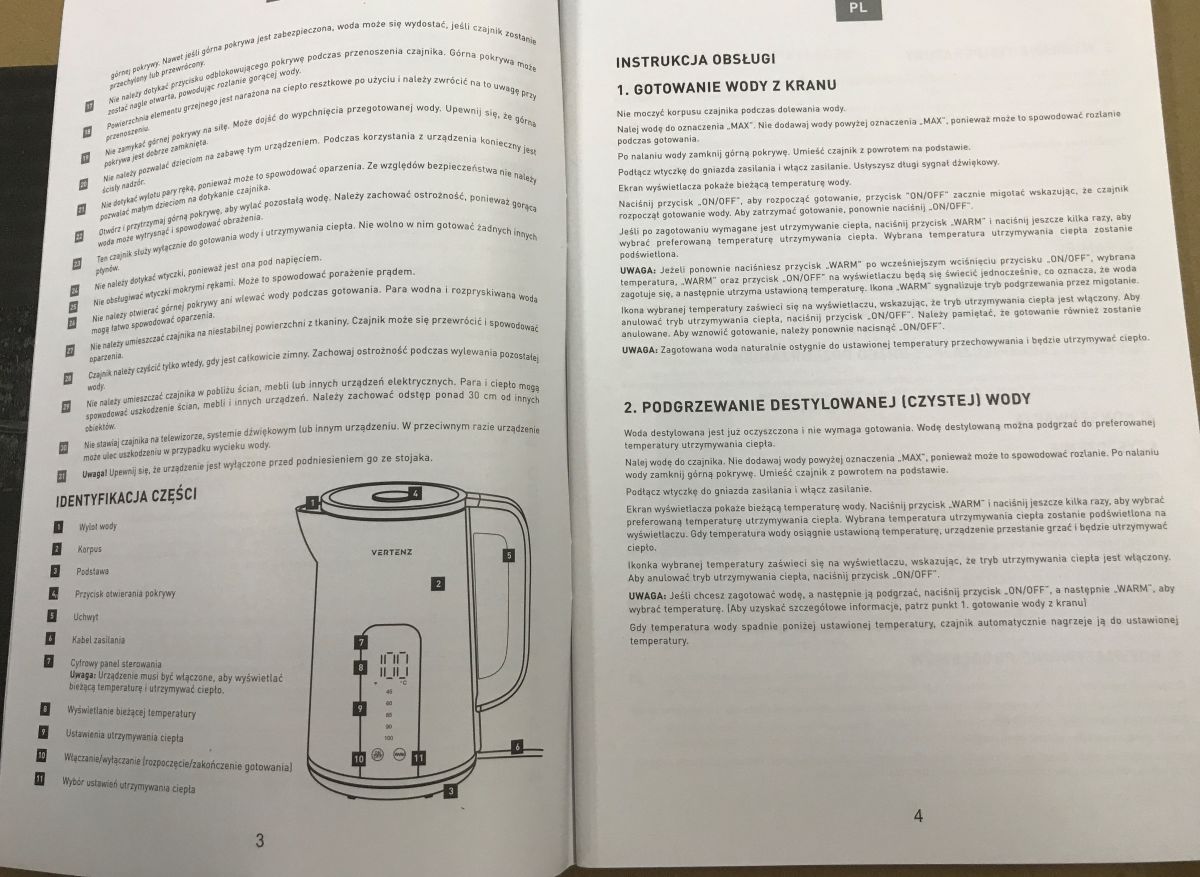
    Wi-Fi module in an electric kettle, what does it do? Interior and programming of Harmony 50 Wi-Fi module in an electric kettle, what does it do? Interior and programming of Harmony 50
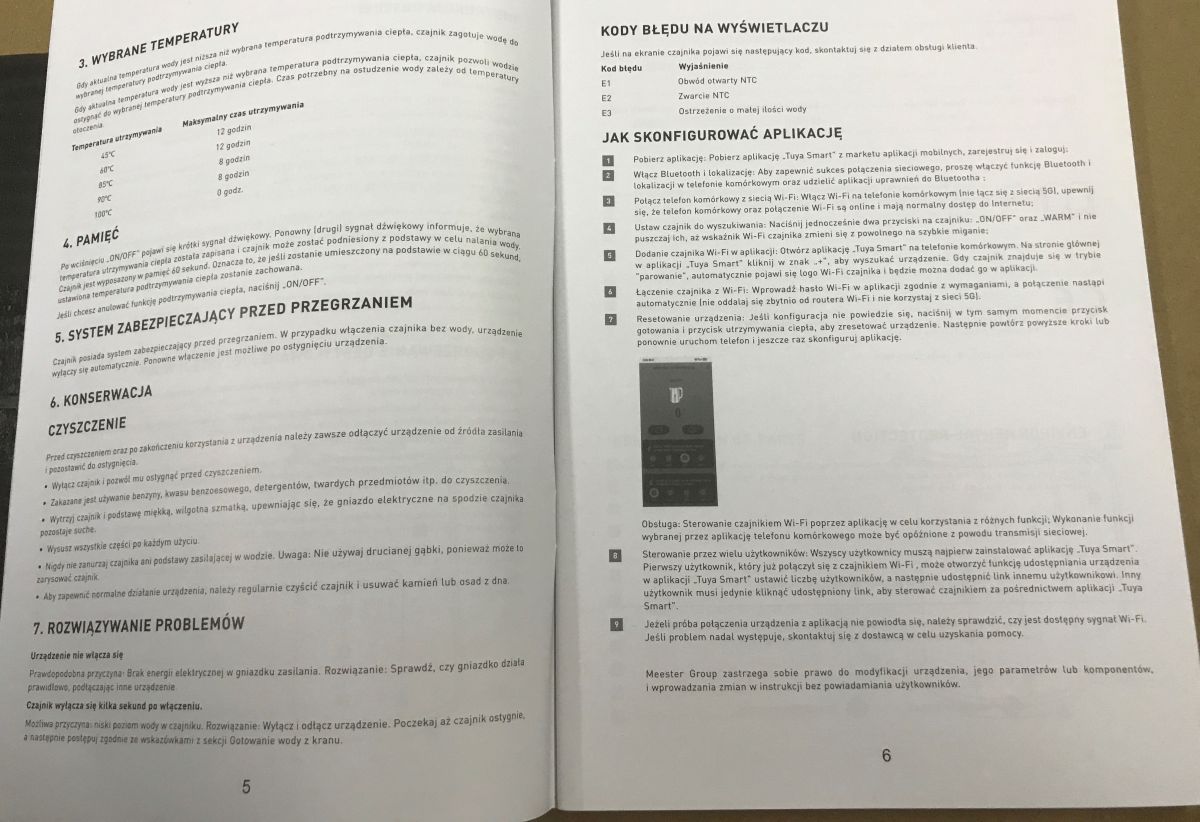
    Wi-Fi module in an electric kettle, what does it do? Interior and programming of Harmony 50 Wi-Fi module in an electric kettle, what does it do? Interior and programming of Harmony 50
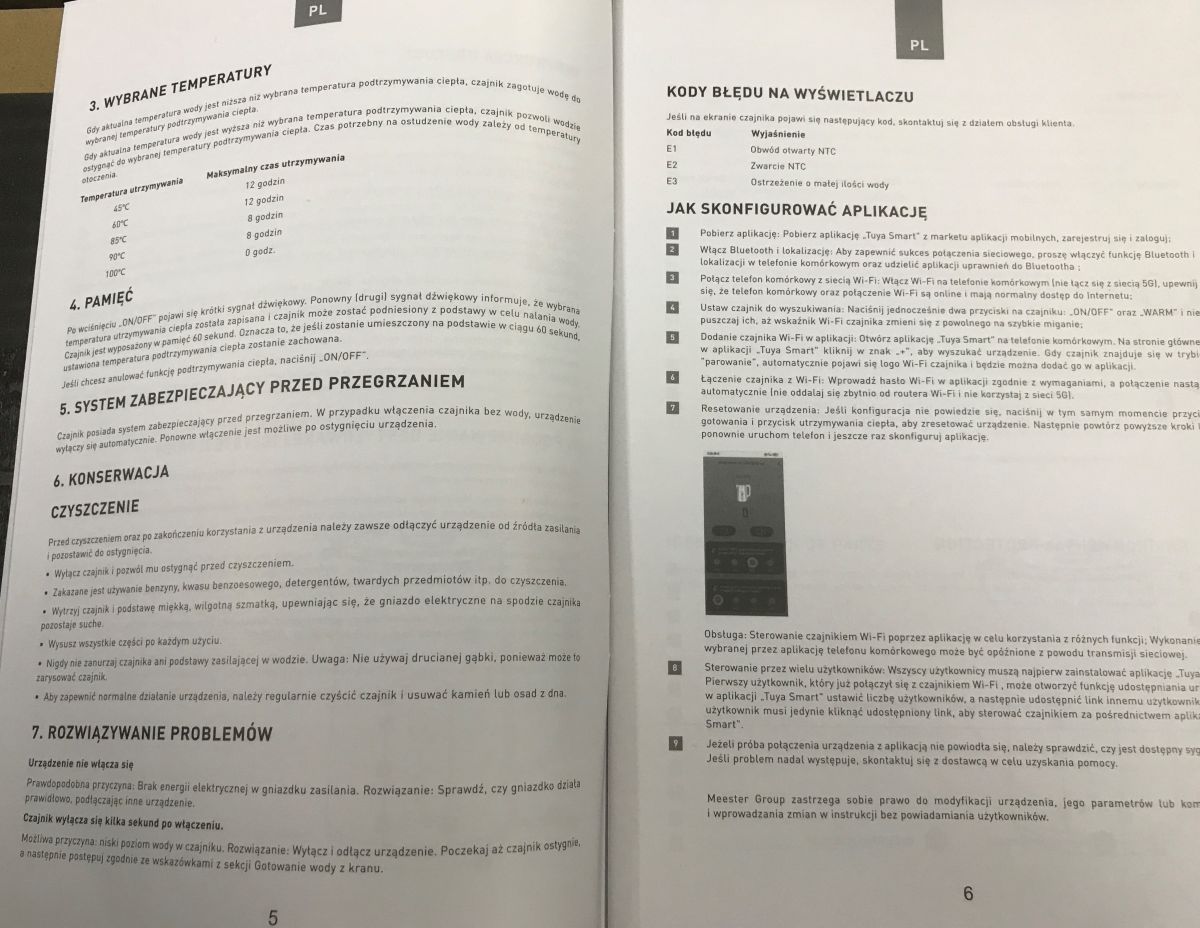
    Wi-Fi module in an electric kettle, what does it do? Interior and programming of Harmony 50 Wi-Fi module in an electric kettle, what does it do? Interior and programming of Harmony 50
    The first thing that catches the eye is the two modes of operation - boiling water and heating. That's what all the supposed 'intelligence' (the 'smart' of the title) is here for. This kettle allows you to set the temperature and then it can also maintain it - for up to 12 hours. The second curiosity is the error codes - someone has made an effort and even in such a cheap product there is a basic fault diagnosis mechanism. We can find out whether the NTC circuit is open or perhaps shorted. There is also a warning about too little water! Convenient.

    Test with the Tuya app
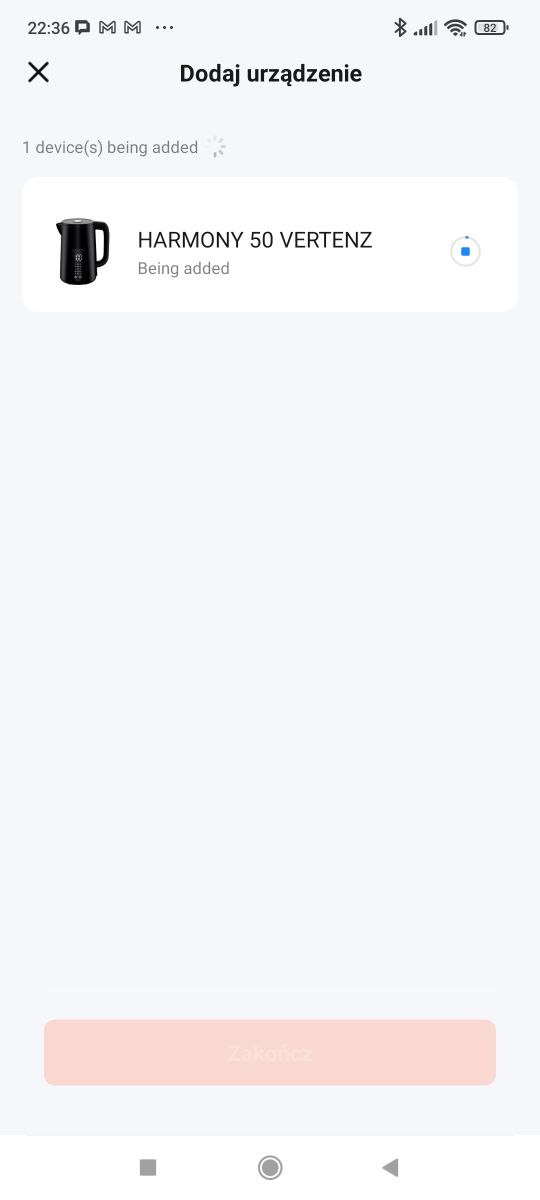
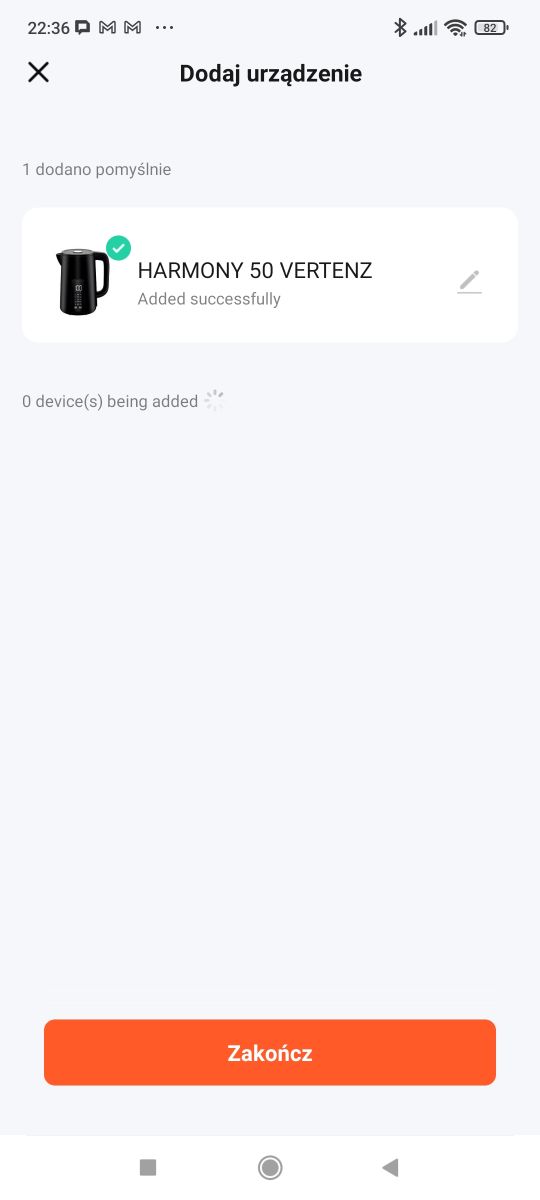
    We install the app, make sure we have 2.4 GHz Wi-Fi, turn on Bluetooth. We pair according to the instructions.
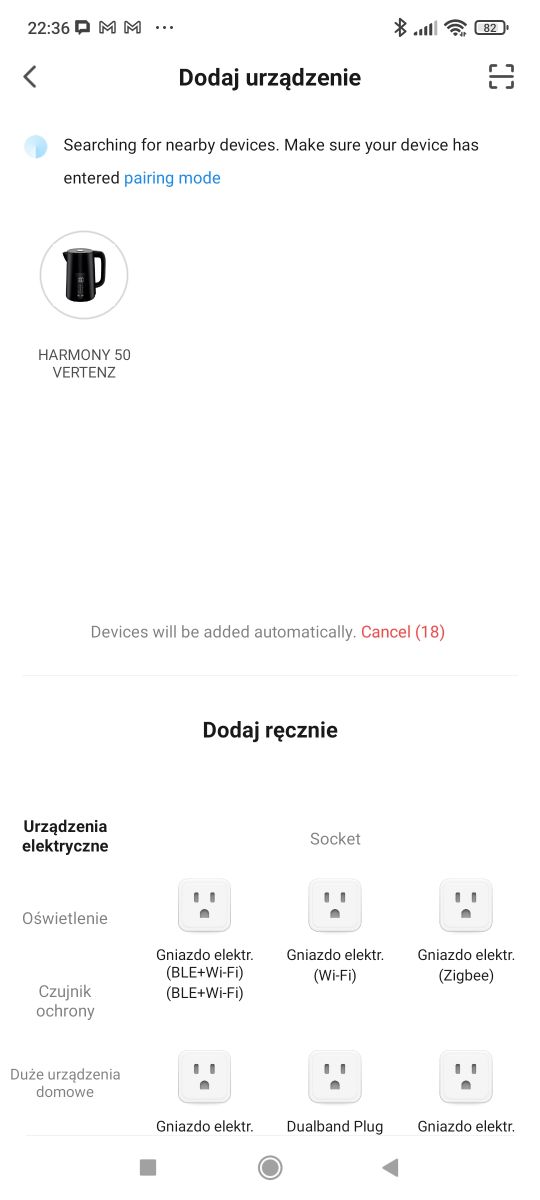
    Wi-Fi module in an electric kettle, what does it do? Interior and programming of Harmony 50 Wi-Fi module in an electric kettle, what does it do? Interior and programming of Harmony 50 Wi-Fi module in an electric kettle, what does it do? Interior and programming of Harmony 50
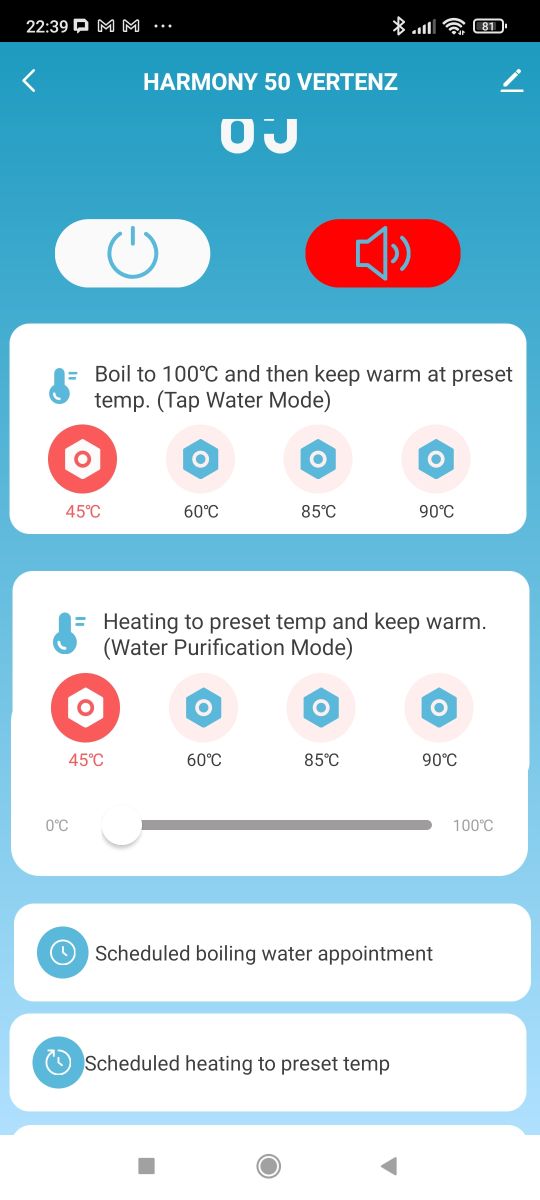
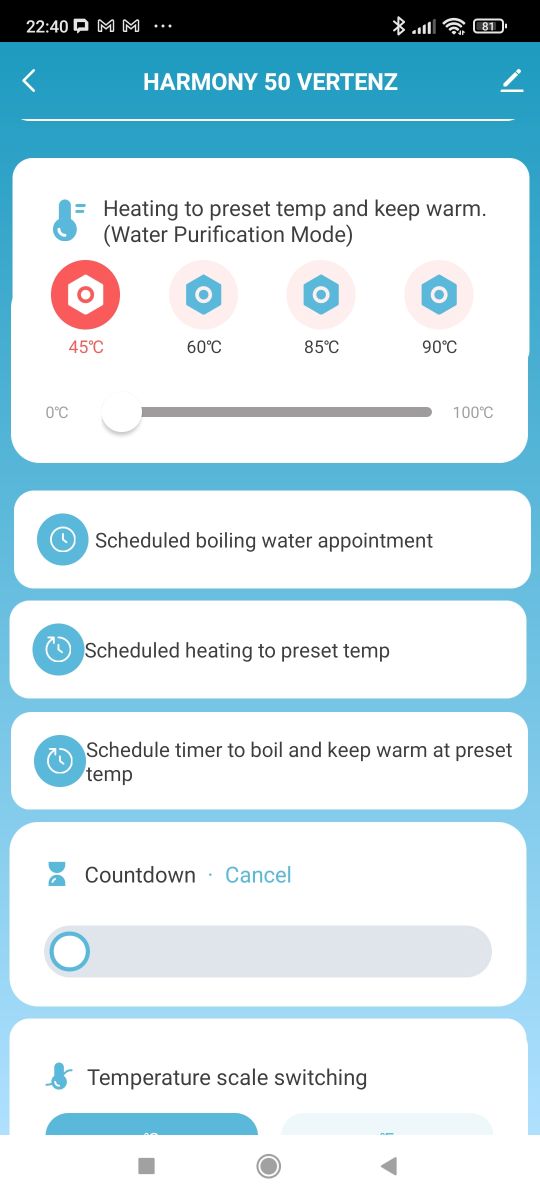
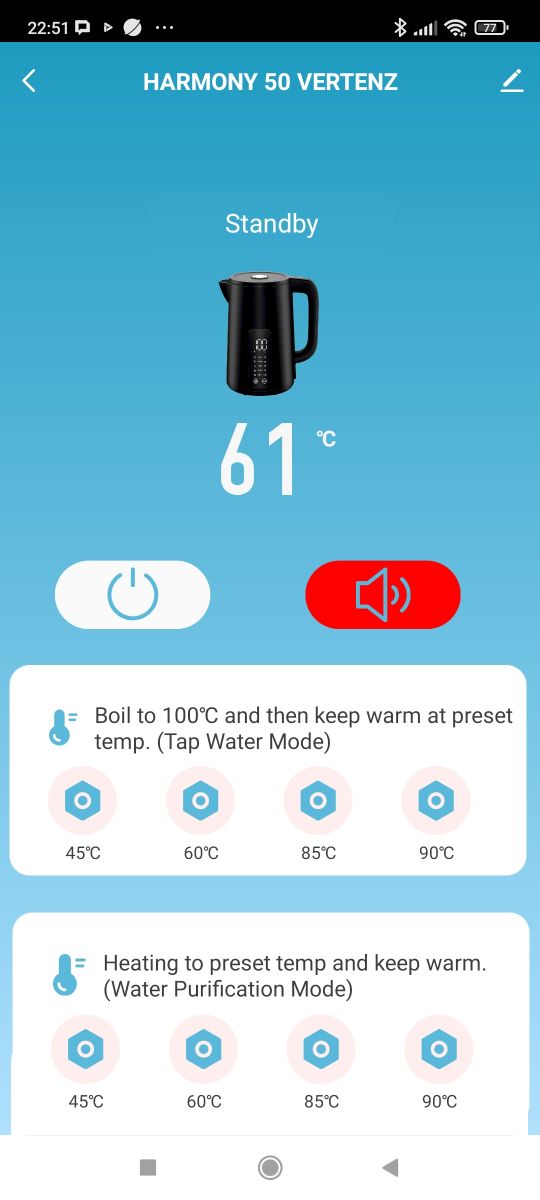
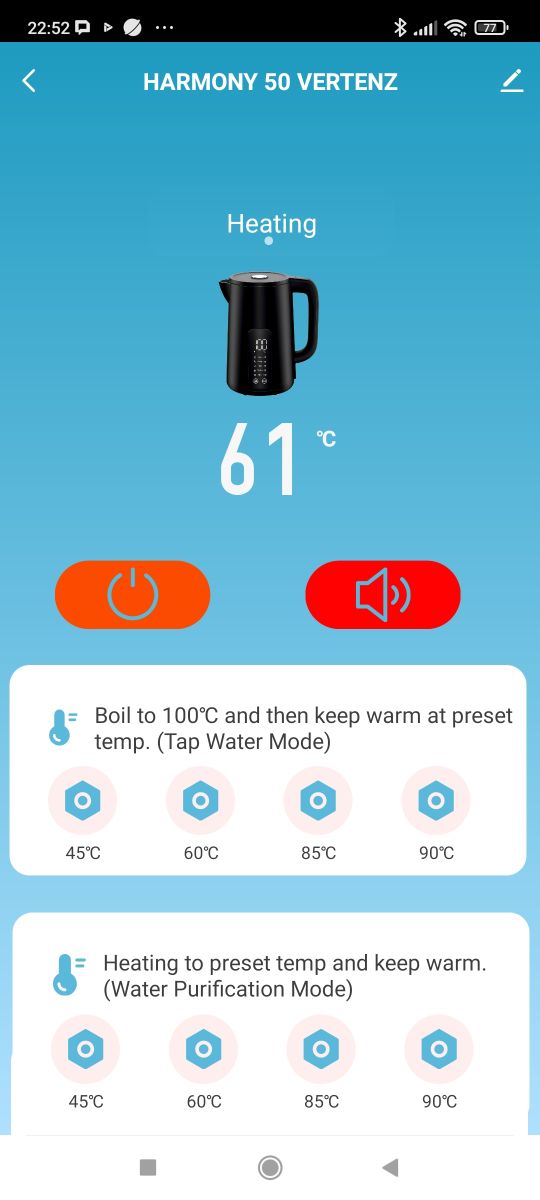
    In the menu, we have the two modes mentioned - either cooking and temperature maintenance or maintenance alone.
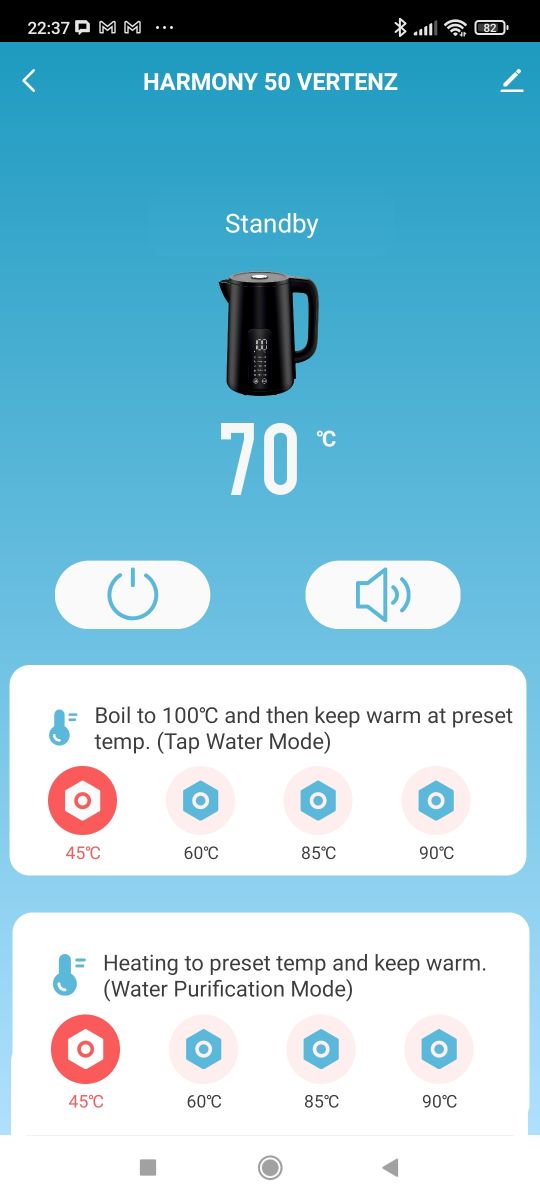
    Wi-Fi module in an electric kettle, what does it do? Interior and programming of Harmony 50 Wi-Fi module in an electric kettle, what does it do? Interior and programming of Harmony 50 Wi-Fi module in an electric kettle, what does it do? Interior and programming of Harmony 50
    We also have the option of scheduling a given action for a given time:
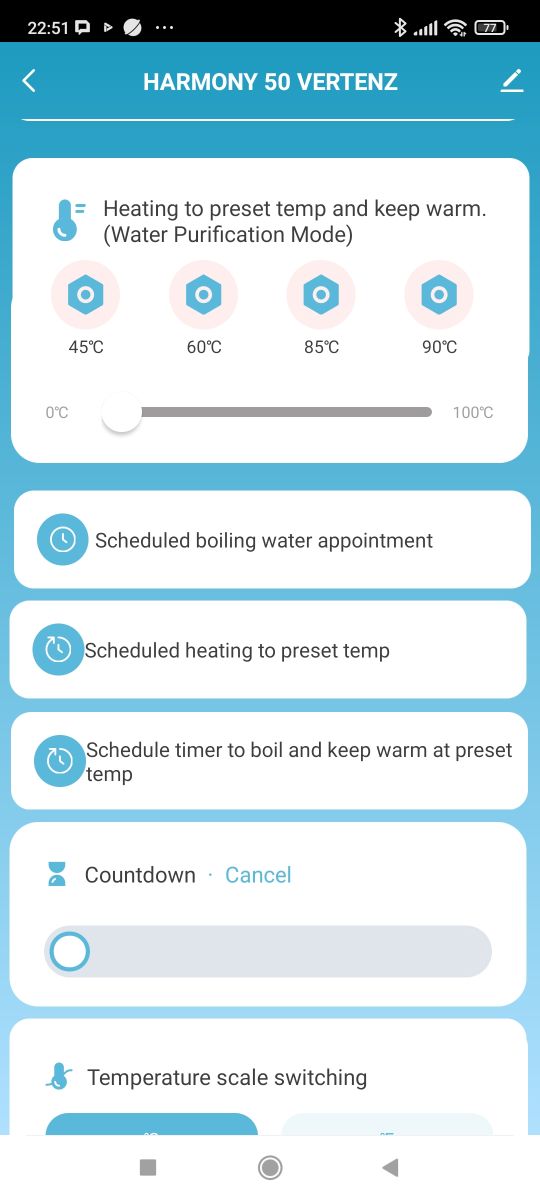
    Wi-Fi module in an electric kettle, what does it do? Interior and programming of Harmony 50 Wi-Fi module in an electric kettle, what does it do? Interior and programming of Harmony 50 Wi-Fi module in an electric kettle, what does it do? Interior and programming of Harmony 50
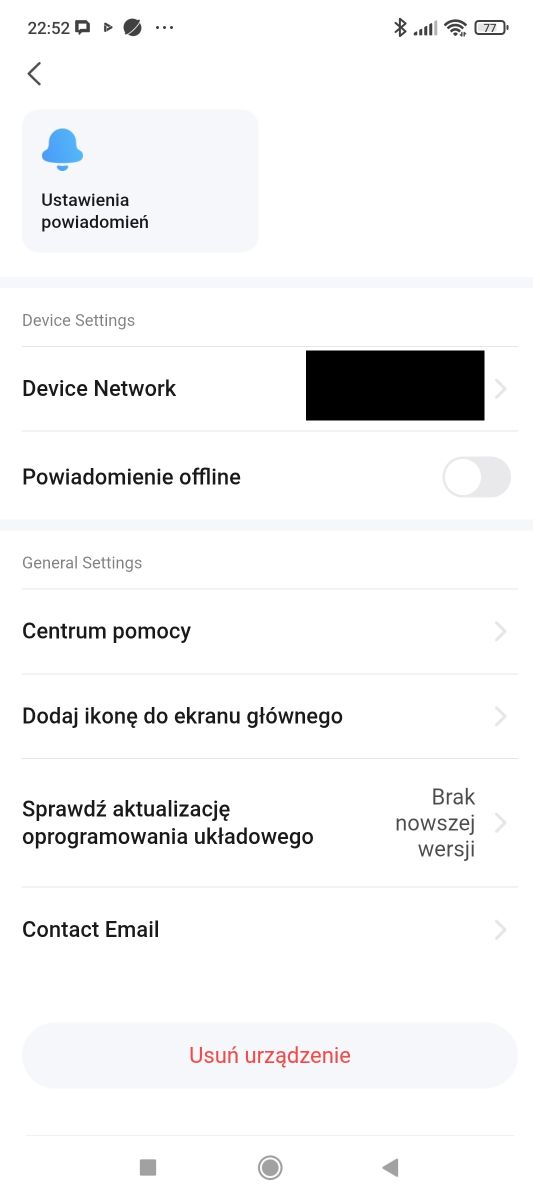
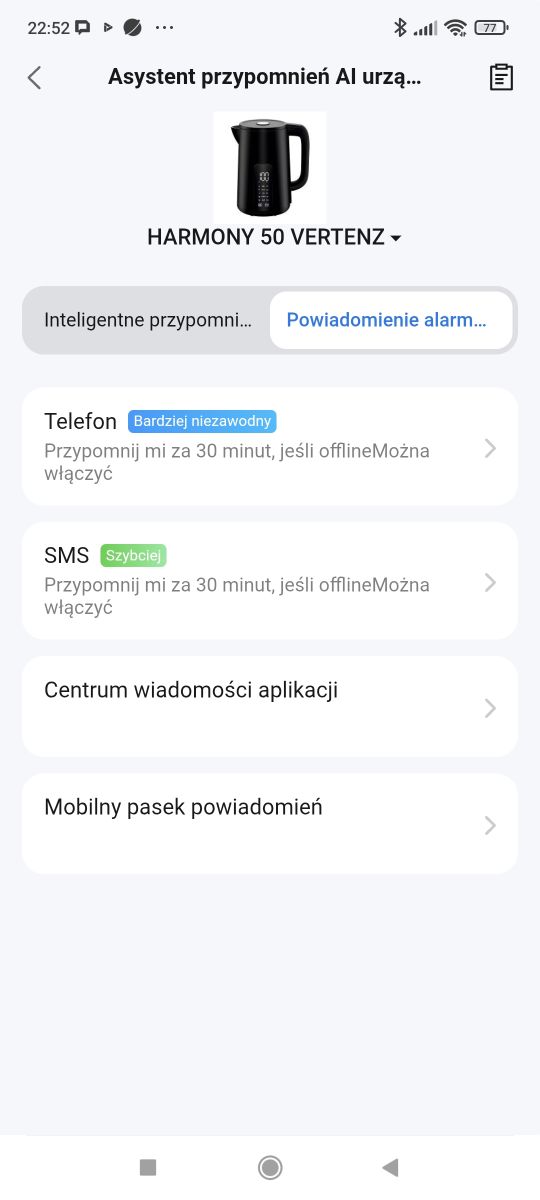
    Another interesting feature from the options is the possibility of notifications, including SMS:
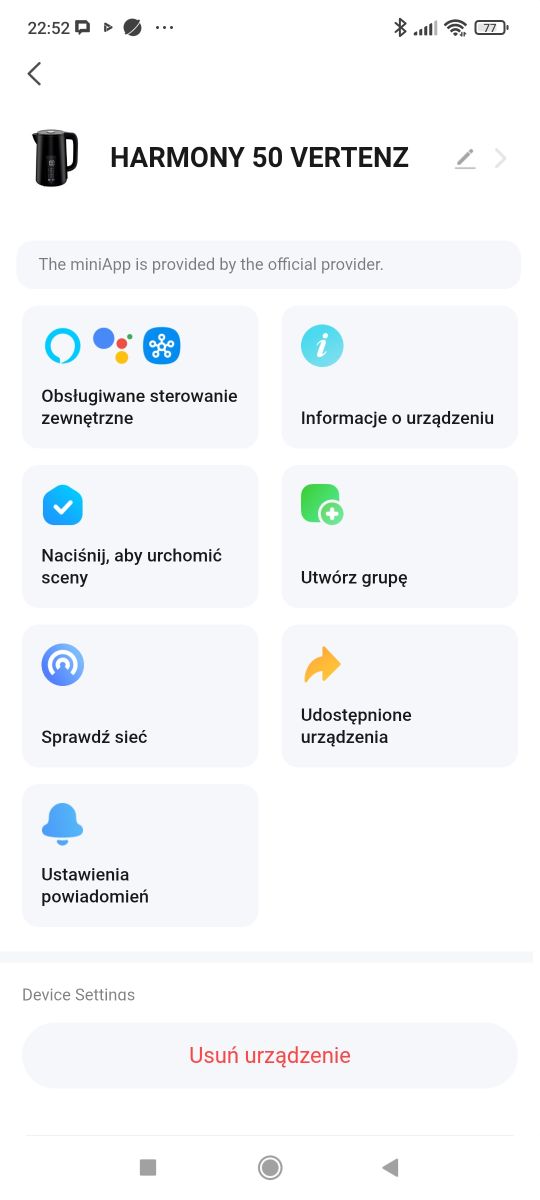
    Wi-Fi module in an electric kettle, what does it do? Interior and programming of Harmony 50 Wi-Fi module in an electric kettle, what does it do? Interior and programming of Harmony 50 Wi-Fi module in an electric kettle, what does it do? Interior and programming of Harmony 50

    Interior of the kettle
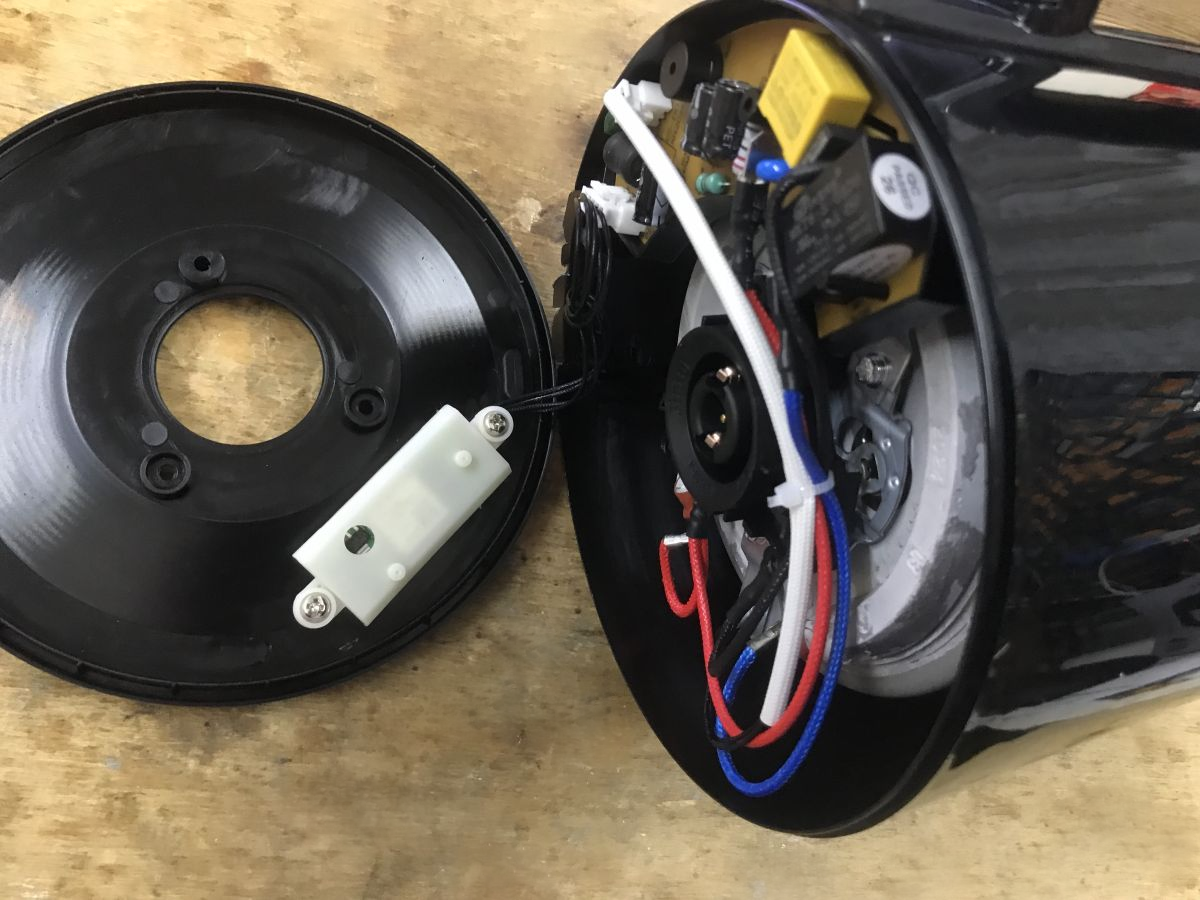
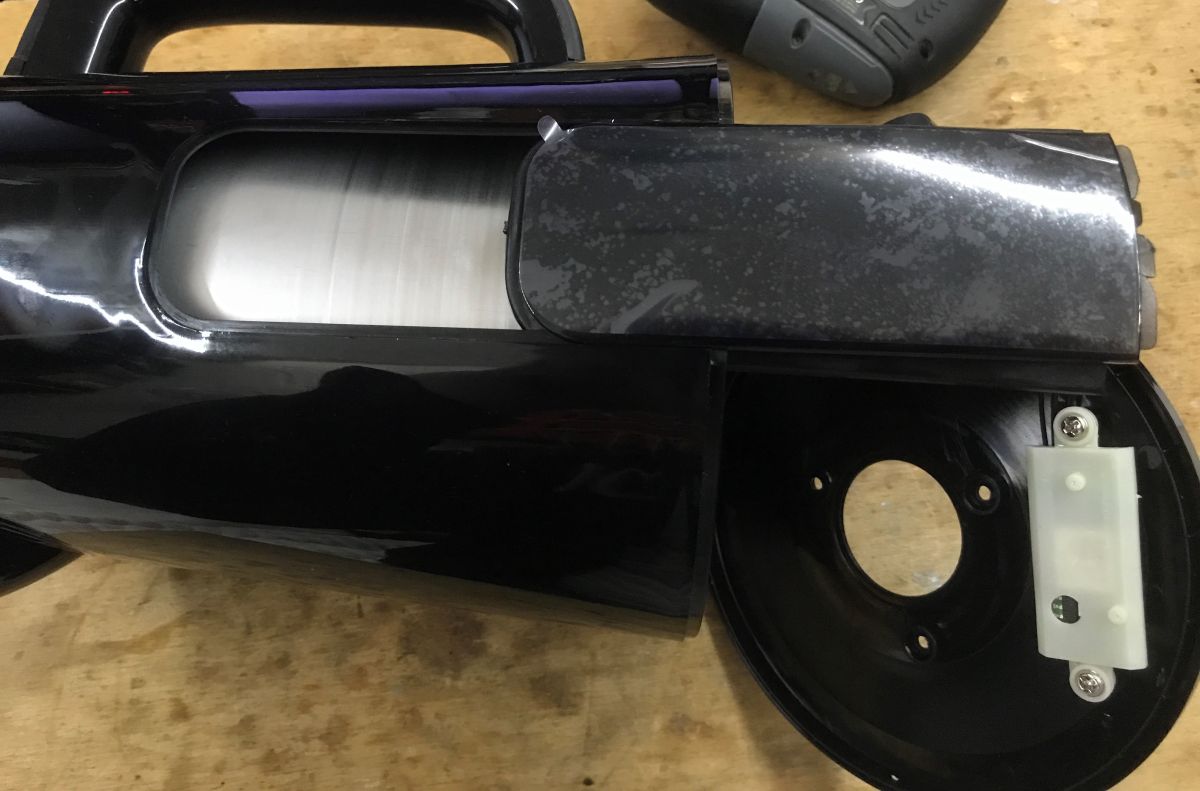
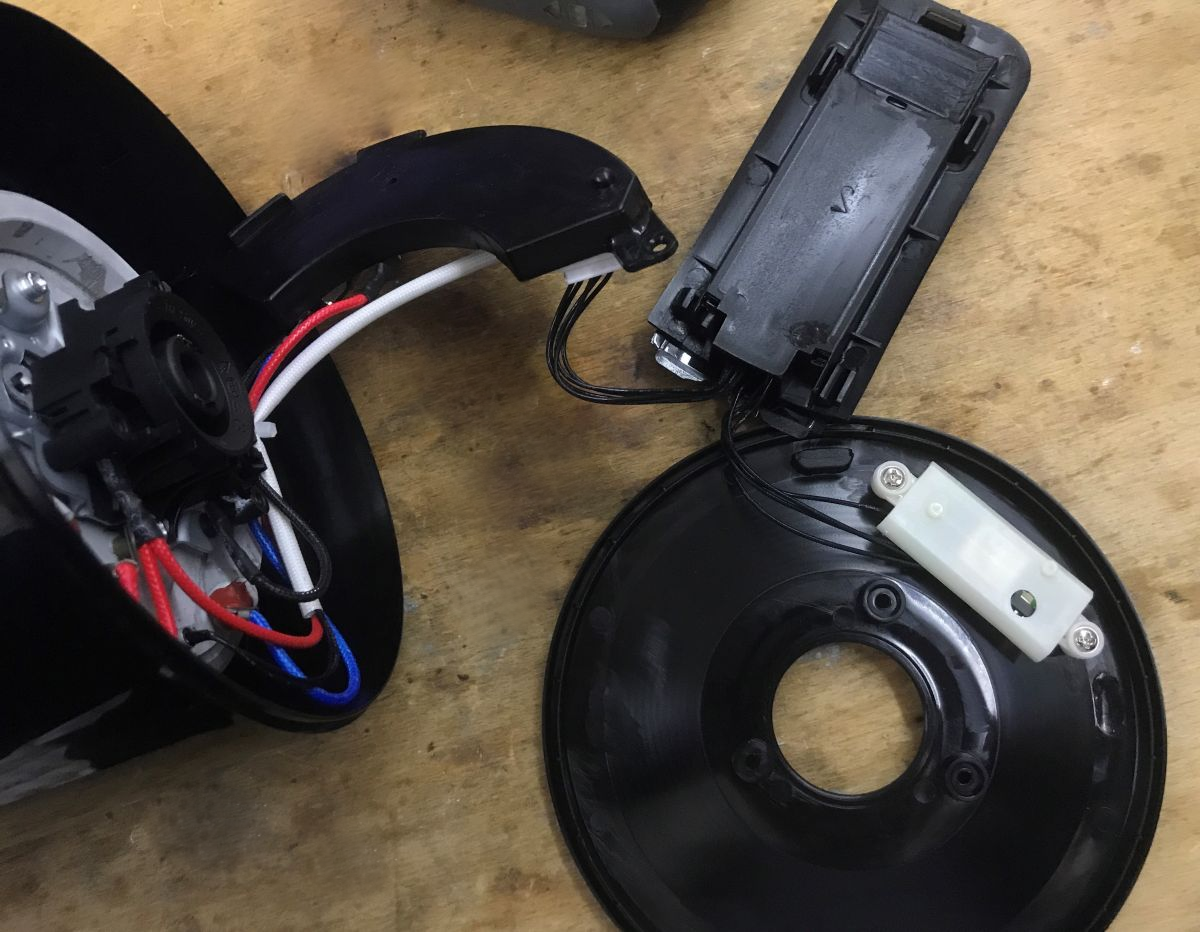
    Unlike the Svenson model shown earlier, here the Wi-Fi module is on the bottom, not in the handle. The screws are removed.
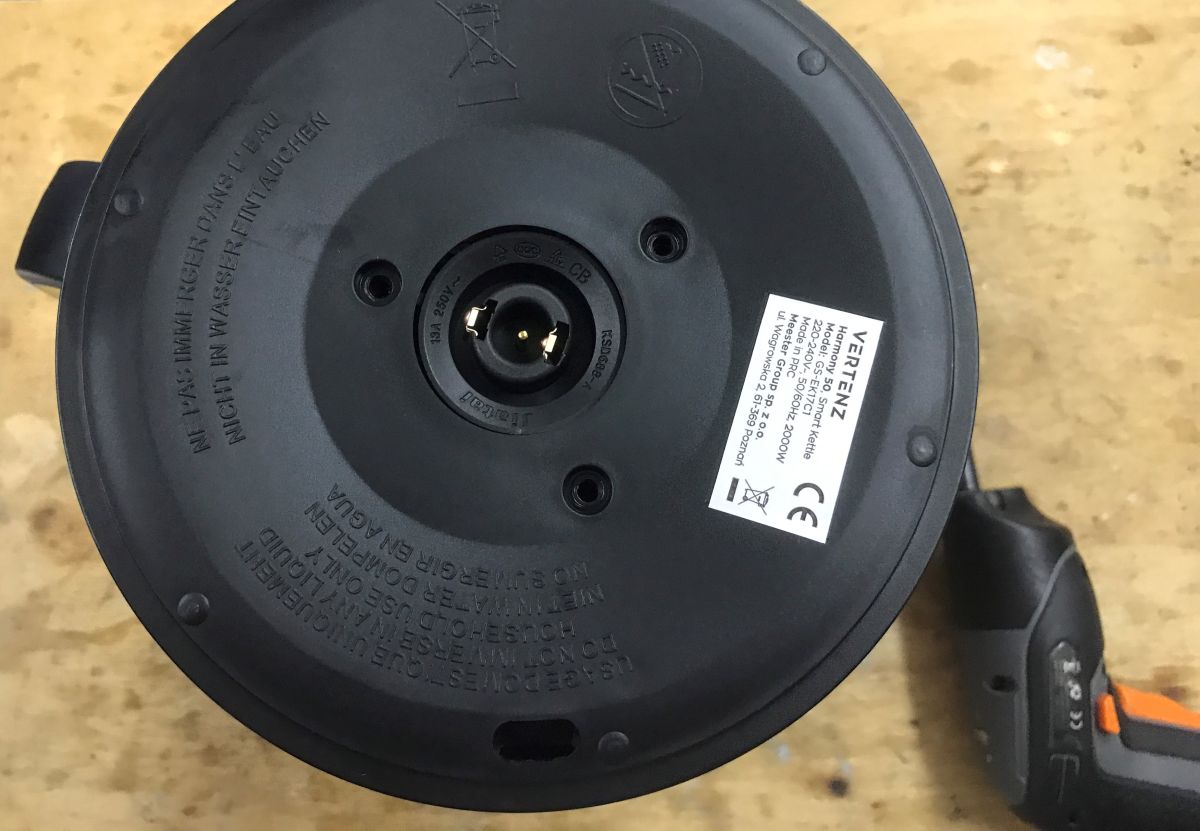
    Wi-Fi module in an electric kettle, what does it do? Interior and programming of Harmony 50 Wi-Fi module in an electric kettle, what does it do? Interior and programming of Harmony 50
    Wi-Fi module in an electric kettle, what does it do? Interior and programming of Harmony 50 Wi-Fi module in an electric kettle, what does it do? Interior and programming of Harmony 50

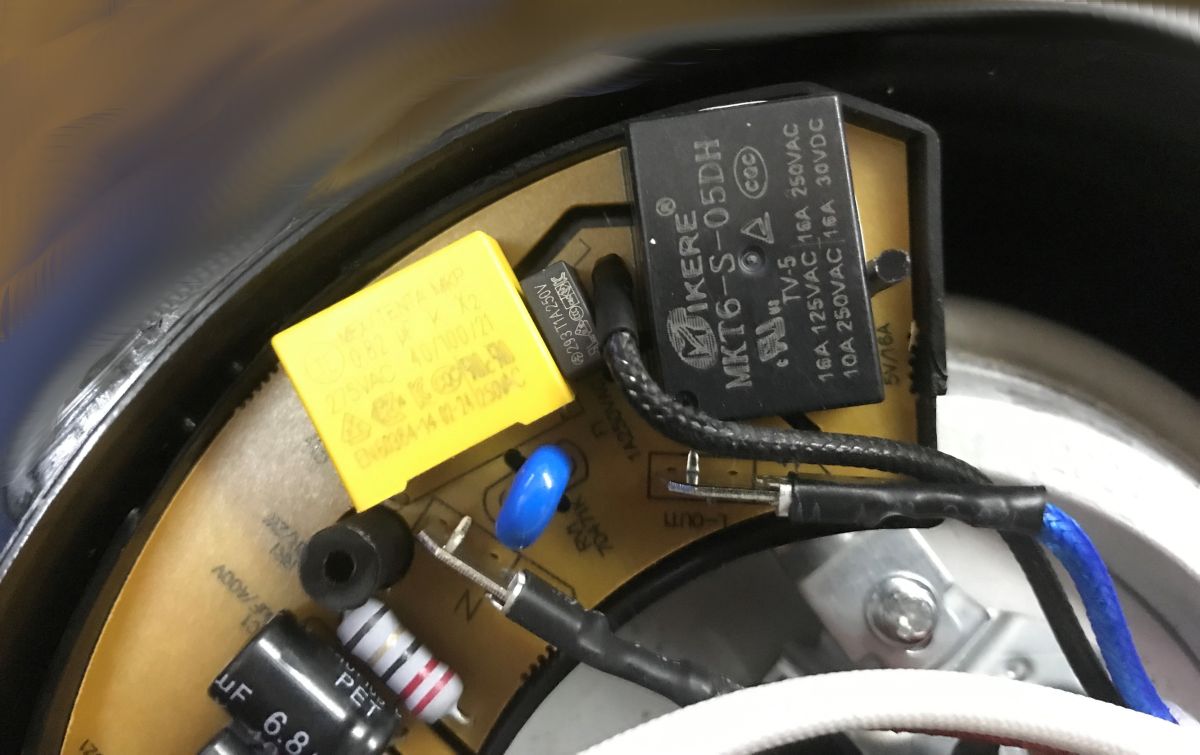
    The power supply appears to be uninsulated. There is also a buzzer on the PCB. The basic protection is there - I see a varistor.
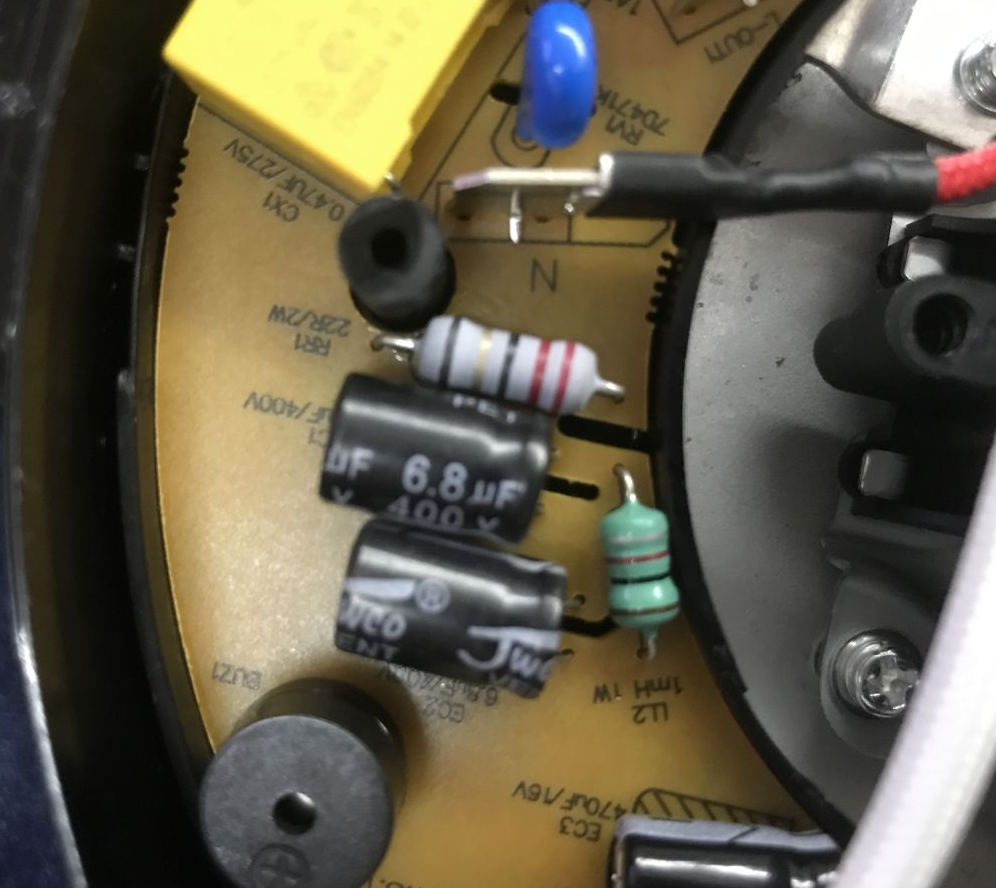
    Wi-Fi module in an electric kettle, what does it do? Interior and programming of Harmony 50 Wi-Fi module in an electric kettle, what does it do? Interior and programming of Harmony 50 Wi-Fi module in an electric kettle, what does it do? Interior and programming of Harmony 50
    PCB designation: GS-EK17C1 KH:2024.8.19
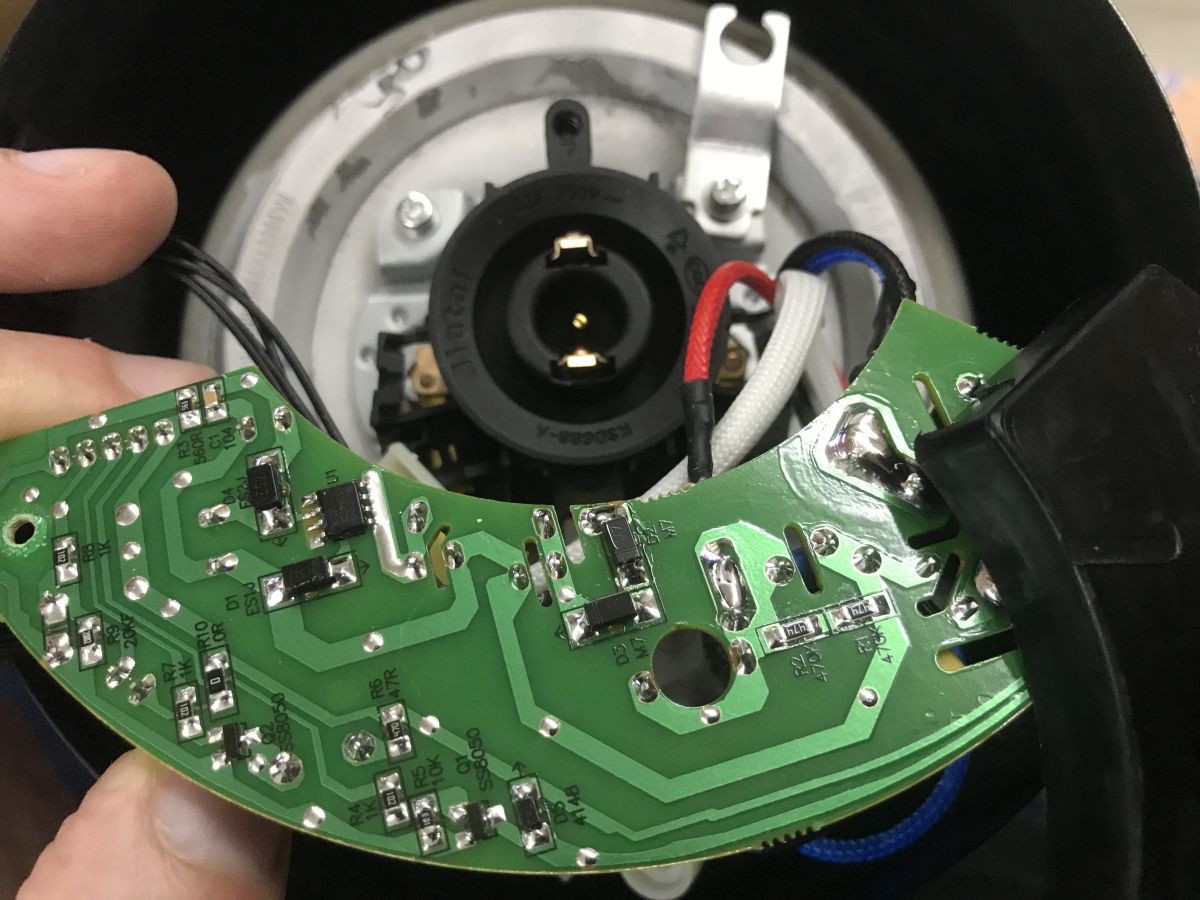
    Inside again is WBR3 - coincidence, or do they just make kettles based on Realtek?
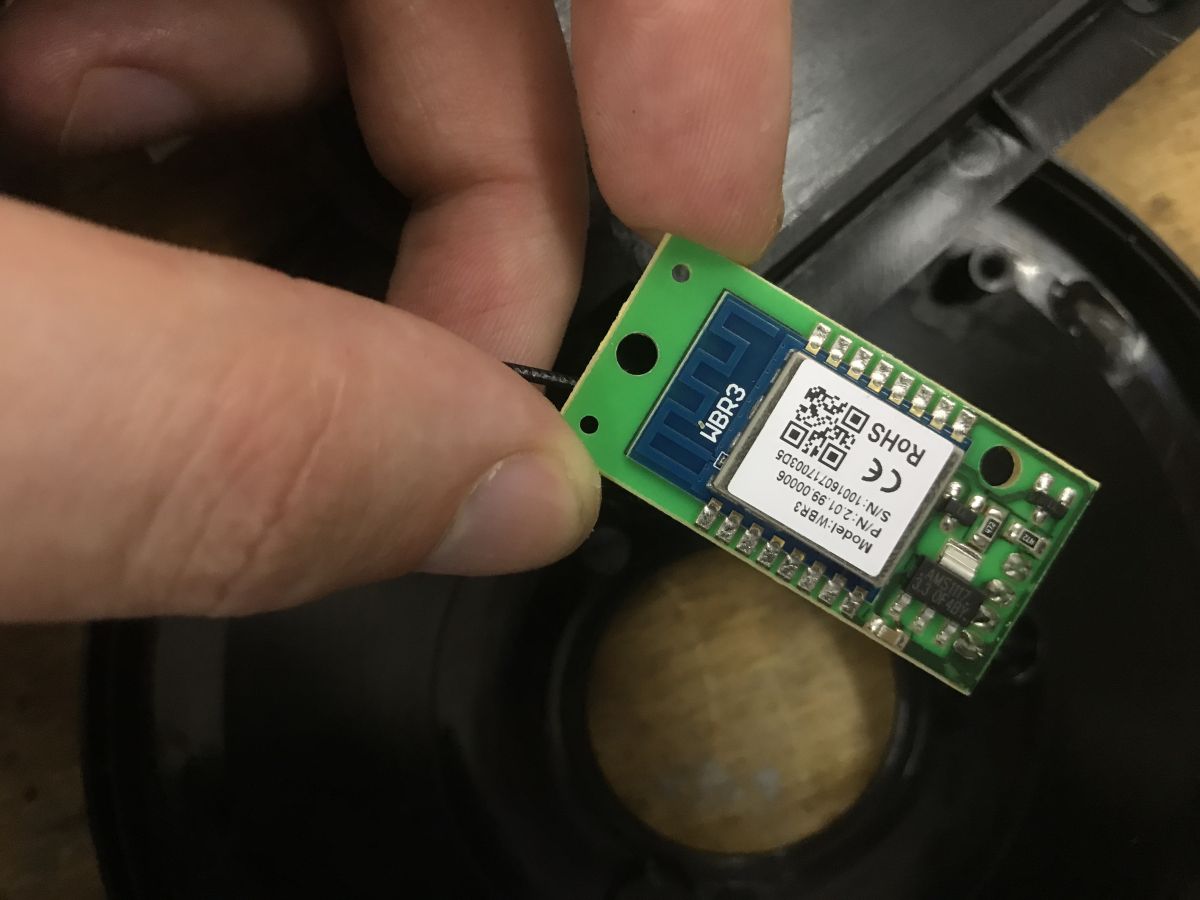
    Wi-Fi module in an electric kettle, what does it do? Interior and programming of Harmony 50
    WBR3 discussion:
    WBR2, WBR3, WBRU, W701-VA2-CG pinout, datasheet, flashing for Home Assistant
    WBR3 is on the mother board with a 3.3V LDO and transistors, perhaps to change UART logic levels. This device is based on the TuyaMCU. The WBR3 controls the kettle via TX and RX lines.
    TuyaMCU protocol - communication between microcontroller and WiFi module

    Communication analysis
    According to the aforementioned documentation of the TuyaMCU , the protocol used inside is based on variables identified by so-called dpIDs, i.e. unique indices corresponding to individual functions. Here we have to guess which dpID is responsible for what. Intercepting the UART communication can help us with this. We simply need to plug in with an additional device first on the RXmcu->TXwifi line and then TXmcu->RXwifi.
    I used a Wemos conversion on the CB3S as a 'listener'. I fired up a UART to TCP bridge driver on it so I could remotely view the packets. This is important, because many products like this kettle may have non-isolated inverters and network potential present on the MCU circuit. You can't connect them directly to the computer via the UART port, you could short circuit them.
    The analysis of such communication is that I start a record, perform some specific action in the application or on the product buttons, and then stop that record. I analyse the packets collected in this way in terms of which variable might relate to the action being taken, for example in which dpID is the target temperature, in which the current temperature, and so on.
    I use a program to do this:
    TuyaMCU analyser - UART packet decoder for Tuya devices - dpID detector
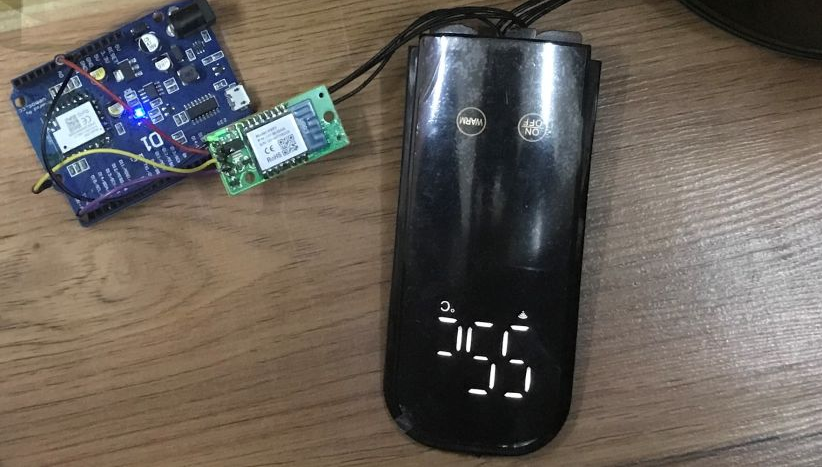
    Wi-Fi module in an electric kettle, what does it do? Interior and programming of Harmony 50

    Switching on with the On/Off button on the touch panel:
    
    22:26:17 55 AA 03 00 00 01 01 04
    22:26:18 55 AA 03 07 00 05 0F 04 00 01 00 22
    22:26:18 55 AA 03 07 00 05 0F 04 00 01 00 22
    22:26:21 55 AA 03 07 00 05 01 01 00 01 01 12
    22:26:21 55 AA 03 07 00 08 02 02 00 04 00 00 00 34 4D
    22:26:21 55 AA 03 07 00 05 04 04 00 01 04 1B
    22:26:21 55 AA 03 07 00 05 06 04 00 01 04 1D
    22:26:21 55 AA 03 07 00 05 65 01 00 01 04 79
    22:26:21 55 AA 03 07 00 05 0F 04 00 01 01 23
    22:26:21 55 AA 03 07 00 05 10 04 00 01 01 24
    22:26:21 55 AA 03 07 00 05 11 04 00 01 00 24
    22:26:22 55 AA 03 07 00 08 12 02 00 04 00 00 00 00 29
    22:26:22 55 AA 03 07 00 08 0E 02 00 04 00 00 00 00 25
    22:26:22 55 AA 03 07 00 05 13 05 00 01 00 27
    22:26:22 55 AA 03 07 00 05 0C 04 00 01 00 1F
    22:26:22 55 AA 03 07 00 08 08 02 00 04 00 00 00 00 1F
    22:26:22 55 AA 03 07 00 05 66 01 00 01 01 77
    22:26:22 55 AA 03 07 00 05 01 01 00 01 00 11
    22:26:22 55 AA 03 07 00 08 02 02 00 04 00 00 00 34 4D
    22:26:22 55 AA 03 07 00 05 04 04 00 01 04 1B
    22:26:22 55 AA 03 07 00 05 06 04 00 01 04 1D
    22:26:23 55 AA 03 07 00 05 65 01 00 01 04 7
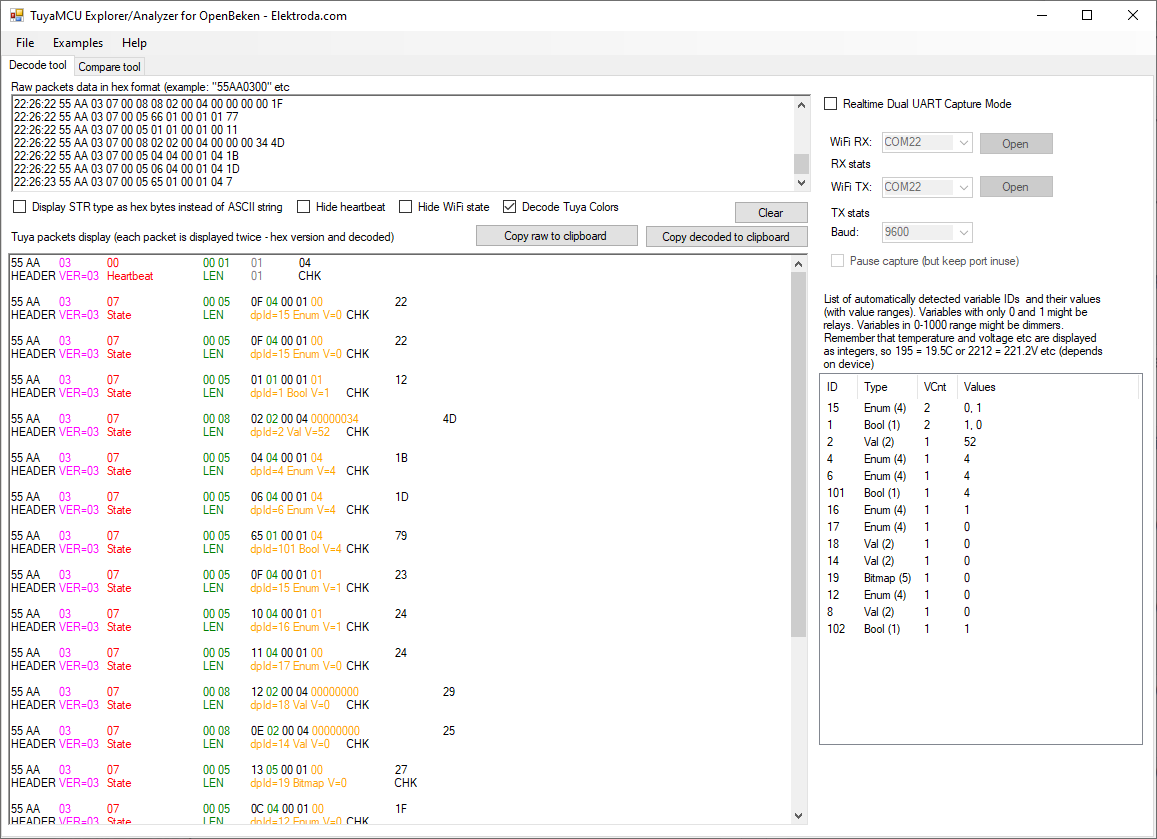
    

    Wi-Fi module in an electric kettle, what does it do? Interior and programming of Harmony 50

    Switching off with the On/Off button
    22:29:00 55 AA 03 07 00 05 01 01 00 01 00 11
    22:29:00 55 AA 03 07 00 08 02 02 00 04 00 00 00 35 4E
    22:29:00 55 AA 03 07 00 05 04 04 00 01 04 1B 55 AA 03 07 00 05 06 04 00 01 04 1D
    22:29:01 55 AA 03 07 00 05 65 01 00 01 04 79
    22:29:01 55 AA 03 07 00 05 0F 04 00 01 00 22 55 AA 03 07 00 05 10 04 00 01 01 24 55 AA 03 07 00 05 11 04 00 01 00 24
    22:29:01 55 AA 03 07 00 08 12 02 00 04 00 00 00 00 29
    22:29:01 55 AA 03 07 00 08 0E 02 00 04 00 00 00 00 25 55 AA 03 07 00 05 13 05 00 01 00 27 55 AA 03 07 00 05 0C 04 00 01 00 1F
    22:29:01 55 AA 03 07 00 08 08 02 00 04 00 00 00 00 1F 55 AA 03 07 00 05 66 01 00 01 01 77
    22:29:03 55 AA 03 00 00 01 01 04
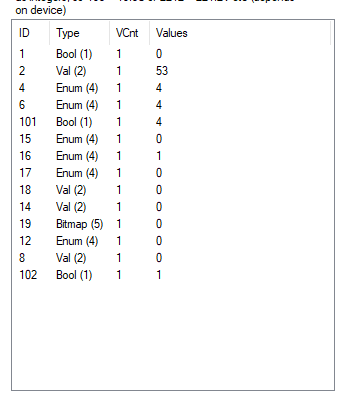
    Wi-Fi module in an electric kettle, what does it do? Interior and programming of Harmony 50
    Conclusion: dpID 1 of type bool is probably the on/off state. Additionally 53 looks like the current temperature.

    Warm pressed once - 45 appears on the display:
    
    22:30:28 55 AA 03 07 00 05 0F 04 00 01 00 22
    22:30:30 55 AA 03 07 00 05 01 01 00 01 01 12
    22:30:31 55 AA 03 07 00 08 02 02 00 04 00 00 00 3C 55
    22:30:31 55 AA 03 07 00 05 04 04 00 01 00 17
    22:30:31 55 AA 03 07 00 05 06 04 00 01 04 1D 55 AA 03 07 00 05 65 01 00 01 04 79
    22:30:31 55 AA 03 07 00 05 0F 04 00 01 02 24 55 AA 03 07 00 05 10 04 00 01 00 23
    22:30:31 55 AA 03 07 00 05 11 04 00 01 0C 30 55 AA 03 07 00 08 12 02 00 04 00 00 02 D0 FB
    22:30:32 55 AA 03 07 00 08 0E 02 00 04 00 00 1C 20 61 55 AA 03 07 00 05 13 05 00 01 00 27
    22:30:32 55 AA 03 07 00 05 0C 04 00 01 00 1F 55 AA 03 07 00 08 08 02 00 04 00 00 00 2D 4C
    22:30:32 55 AA 03 07 00 05 66 01 00 01 01 77
    22:30:32 55 AA 03 07 00 08 12 02 00 04 00 00 02 CF FA 55 AA 03 07 00 08 0E 02 00 04 00 00 1C 20 61
    22:30:33 55 AA 03 00 00 01 01 04
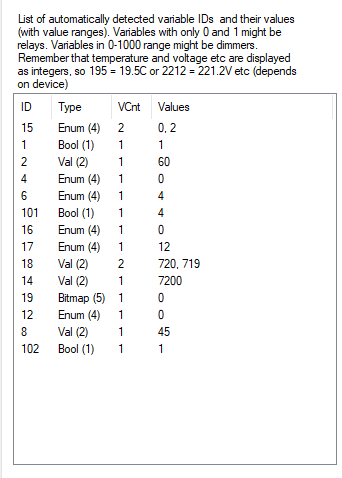
    

    Wi-Fi module in an electric kettle, what does it do? Interior and programming of Harmony 50
    the dpID 8 set to 45 is the target temperature. In addition, the enumerator dpID 15 looks like a mode. and dpID 14 and 18 look like some kind of time.

    Warm pressed twice - this switches to temperature 60:
    
    
    WArm 2x - 60 sie pojawia:
    :31:00 Connected to 192.168.0.139:8888
    22:31:02 55 AA 03 07 00 05 0F 04 00 01 00 22
    22:31:03 55 AA 03 00 00 01 01 04
    22:31:03 55 AA 03 07 00 05 0F 04 00 01 00 22
    22:31:06 55 AA 03 07 00 05 01 01 00 01 01 12
    22:31:06 55 AA 03 07 00 08 02 02 00 04 00 00 00 3C 55
    22:31:06 55 AA 03 07 00 05 04 04 00 01 01 18
    22:31:06 55 AA 03 07 00 05 06 04 00 01 04 1D
    22:31:06 55 AA 03 07 00 05 65 01 00 01 04 79
    22:31:06 55 AA 03 07 00 05 0F 04 00 01 03 25
    22:31:06 55 AA 03 07 00 05 10 04 00 01 00 23
    22:31:07 55 AA 03 07 00 05 11 04 00 01 0C 30
    22:31:07 55 AA 03 07 00 08 12 02 00 04 00 00 02 D0 FB
    22:31:07 55 AA 03 07 00 08 0E 02 00 04 00 00 1C 20 61
    22:31:07 55 AA 03 07 00 05 13 05 00 01 00 27
    22:31:07 55 AA 03 07 00 05 0C 04 00 01 00 1F
    22:31:07 55 AA 03 07 00 08 08 02 00 04 00 00 00 3C 5B
    22:31:07 55 AA 03 07 00 05 66 01 00 01 01 77
    22:31:07 55 AA 03 07 00 08 12 02 00 04 00 00 02 CF FA
    22:31:07 55 AA 03 07 00 08 0E 02 00 04 00 00 1C 20 61
    

    This confirms the previous findings.
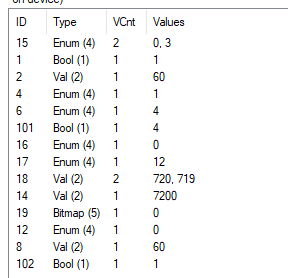
    Wi-Fi module in an electric kettle, what does it do? Interior and programming of Harmony 50

    Warm three times - 85 appears:
    22:32:33 55 AA 03 00 00 01 01 04
    22:32:33 55 AA 03 07 00 05 0F 04 00 01 00 22
    22:32:34 55 AA 03 07 00 05 0F 04 00 01 00 22
    22:32:35 55 AA 03 07 00 05 0F 04 00 01 00 22
    22:32:38 55 AA 03 07 00 05 01 01 00 01 01 12
    22:32:38 55 AA 03 07 00 08 02 02 00 04 00 00 00 3A 53
    22:32:38 55 AA 03 07 00 05 04 04 00 01 02 19
    22:32:38 55 AA 03 07 00 05 06 04 00 01 04 1D
    22:32:38 55 AA 03 07 00 05 65 01 00 01 04 79
    22:32:38 55 AA 03 07 00 05 0F 04 00 01 01 23
    22:32:38 55 AA 03 07 00 05 10 04 00 01 00 23
    22:32:38 55 AA 03 07 00 05 11 04 00 01 08 2C
    22:32:39 55 AA 03 07 00 08 12 02 00 04 00 00 01 E0 0A
    22:32:39 55 AA 03 07 00 08 0E 02 00 04 00 00 12 C0 F7
    22:32:39 55 AA 03 07 00 05 13 05 00 01 00 27
    22:32:39 55 AA 03 07 00 05 0C 04 00 01 00 1F
    22:32:39 55 AA 03 07 00 08 08 02 00 04 00 00 00 55 74
    22:32:39 55 AA 03 07 00 05 66 01 00 01 01 77
    22:32:39 55 AA 03 07 00 08 12 02 00 04 00 00 01 DF 09
    22:32:39 55 AA 03 07 00 08 0E 02 00 04 00 00 12 C0 F7


    Warm 4x - 90 sie appears
    22:33:39 Connected to 192.168.0.139:8888
    22:33:43 55 AA 03 07 00 05 0F 04 00 01 00 22
    22:33:43 55 AA 03 07 00 05 0F 04 00 01 00 22
    22:33:57 Connected to 192.168.0.139:8888
    22:33:57 E0 00 00 00 00 00 00 00 00 00 00 00 00 00 00 00 00 00 00 FE 00 00 00 00 00 00 00 00 F8 00 00 00 00 00 00 00 00 00 00 00 00 00 F8 00 00 00 E0 00 00 F8 55 AA 03 07 00 05 0F 04 00 01 00 22 55 AA 03 07 00 05 01 01 00 01 01 12 55 AA 03 07 00 08 02 02 00 04 00 00 00 3F 58 55 AA 03 07 00 05 04 04 00 01 03 1A 55 AA 03 00 00 01 01 04 55 AA 03 07 00 05 06 04 00 01 04 1D 55 AA 03 07 00 05 65 01 00 01 04 79 55 AA 03 07 00 05 0F 04 00 01 01 23 55 AA 03 07 00 05 10 04 00 01 00 23 55 AA 03 07 00 05 11 04 00 01 08 2C 55 AA 03 07 00 08 12 02 00 04 00 00 01 E0 0A 55 AA 03 07 00 08 0E 02 00 04 00 00 12 C0 F7 55 AA 03 07 00 05 13 05 00 01 00 27 55 AA 03 07 00 05 0C 04 00 01 00 1F 
    55 AA 03 07 00 08 08 02 00 04 00 00 00 5A 79 
    55 AA 03 07 00 05 66 01 00 01 01 77 


    Operation in app - speaker from red to white:
    22:38:30 55 AA 03 07 00 05 66 01 00 01 01 77
    22:38:30 55 AA 03 07 00 05 01 01 00 01 00 11
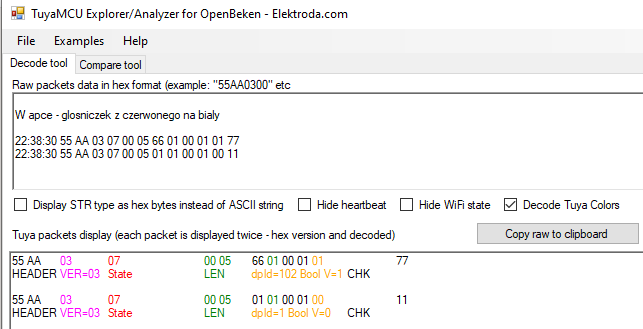
    Wi-Fi module in an electric kettle, what does it do? Interior and programming of Harmony 50
    dpID 1 we already know is the power on/off state, so dpID 102 is sound - the value true is off.

    From white to red:
    22:39:26 55 AA 03 07 00 05 66 01 00 01 00 76
    22:39:26 55 AA 03 07 00 05 01 01 00 01 00 11

    Off, i.e. change to false.

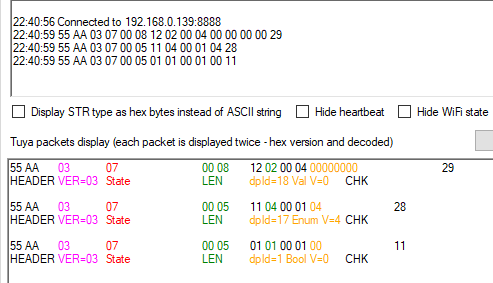
    Countdown to 18h in app:
    22:40:19 55 AA 03 00 00 01 01 04
    22:40:20 55 AA 03 07 00 08 12 02 00 04 00 00 00 00 29
    22:40:21 55 AA 03 07 00 05 11 04 00 01 12 36
    22:40:21 55 AA 03 07 00 05 01 01 00 01 00 11

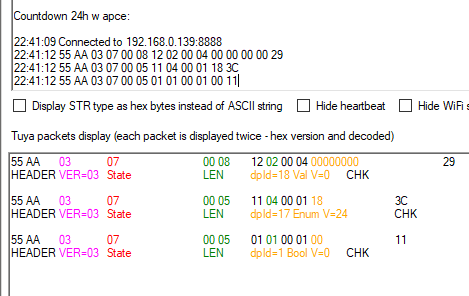
    This indicates that dpID 17, although of enumerator type, contains the number of countdown hours:
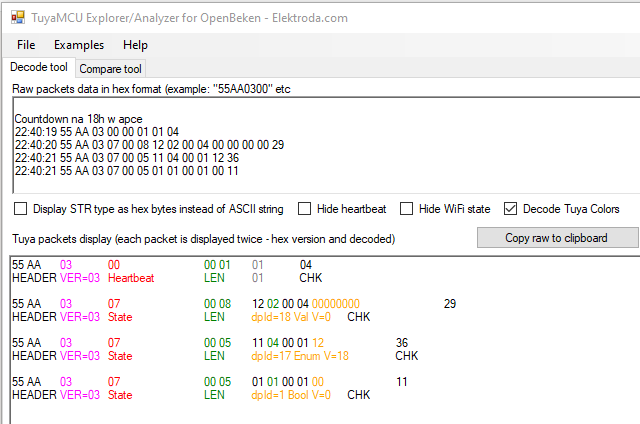
    Wi-Fi module in an electric kettle, what does it do? Interior and programming of Harmony 50
    Same - for 4h:
    Wi-Fi module in an electric kettle, what does it do? Interior and programming of Harmony 50
    24h:
    Wi-Fi module in an electric kettle, what does it do? Interior and programming of Harmony 50

    Operation "Boil to 100 and keep warm at 90":
    22:41:56 55 AA 03 00 00 01 01 04
    22:41:59 55 AA 03 07 00 05 0F 04 00 01 01 23
    HEADER	VER=03	State		LEN	dpId=15 Enum V=1	CHK	
    
    22:42:00 55 AA 03 07 00 05 01 01 00 01 01 12
    22:42:00 55 AA 03 07 00 08 02 02 00 04 00 00 00 3E 57
    22:42:00 55 AA 03 07 00 05 04 04 00 01 04 1B
    22:42:00 55 AA 03 07 00 05 06 04 00 01 03 1C
    22:42:00 55 AA 03 07 00 05 65 01 00 01 03 78
    22:42:00 55 AA 03 07 00 05 10 04 00 01 01 24
    22:42:00 55 AA 03 07 00 05 11 04 00 01 08 2C
    22:42:00 55 AA 03 07 00 08 12 02 00 04 00 00 01 E0 0A
    22:42:00 55 AA 03 07 00 08 0E 02 00 04 00 00 12 C0 F7
    22:42:00 55 AA 03 07 00 05 13 05 00 01 00 27
    22:42:01 55 AA 03 07 00 05 0C 04 00 01 00 1F
    22:42:01 55 AA 03 07 00 08 08 02 00 04 00 00 00 5A 79
    22:42:01 55 AA 03 07 00 05 66 01 00 01 00 76
    22:42:01 55 AA 03 07 00 08 12 02 00 04 00 00 01 DF 09
    22:42:01 55 AA 03 07 00 08 0E 02 00 04 00 00 12 C0 F7

    dpID 8 is the target temperature:
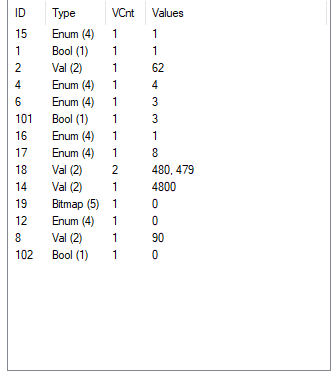
    Wi-Fi module in an electric kettle, what does it do? Interior and programming of Harmony 50

    Operation "Heating to present temp and keep warm 90":
    22:42:23 Connected to 192.168.0.139:8888
    22:42:24 55 AA 03 07 00 08 02 02 00 04 00 00 00 3F 58
    22:42:24 55 AA 03 07 00 05 0F 04 00 01 01 23
    22:42:24 55 AA 03 07 00 05 01 01 00 01 01 12
    22:42:24 55 AA 03 07 00 08 02 02 00 04 00 00 00 3F 58
    22:42:24 55 AA 03 07 00 05 04 04 00 01 03 1A
    22:42:24 55 AA 03 07 00 05 06 04 00 01 04 1D
    22:42:24 55 AA 03 07 00 05 65 01 00 01 04 79
    22:42:24 55 AA 03 07 00 05 10 04 00 01 00 23
    22:42:25 55 AA 03 07 00 05 11 04 00 01 08 2C
    22:42:25 55 AA 03 07 00 08 12 02 00 04 00 00 01 E0 0A
    22:42:25 55 AA 03 07 00 08 0E 02 00 04 00 00 12 C0 F7
    22:42:25 55 AA 03 07 00 05 13 05 00 01 00 27
    22:42:25 55 AA 03 07 00 05 0C 04 00 01 00 1F
    22:42:25 55 AA 03 07 00 08 08 02 00 04 00 00 00 5A 79
    22:42:25 55 AA 03 07 00 05 66 01 00 01 00 76
    22:42:25 55 AA 03 07 00 05 0F 04 00 01 01 23
    22:42:25 55 AA 03 07 00 08 12 02 00 04 00 00 01 DF 09
    22:42:25 55 AA 03 07 00 08 0E 02 00 04 00 00 12 C0 F7
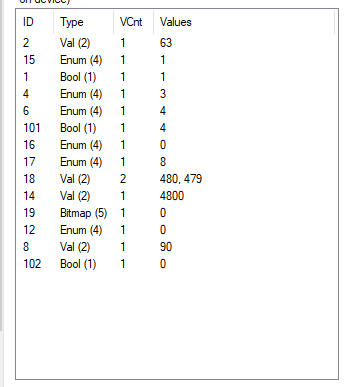
    Wi-Fi module in an electric kettle, what does it do? Interior and programming of Harmony 50
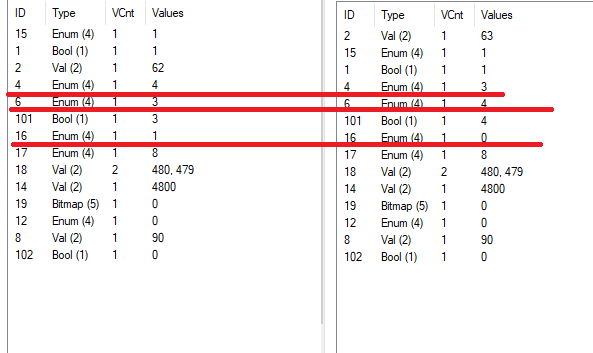
    You can now compare the values and assess which variables determine whether you are heating to 100 or just maintaining the temperature:
    Wi-Fi module in an electric kettle, what does it do? Interior and programming of Harmony 50


    OpenBeken upload and configuration
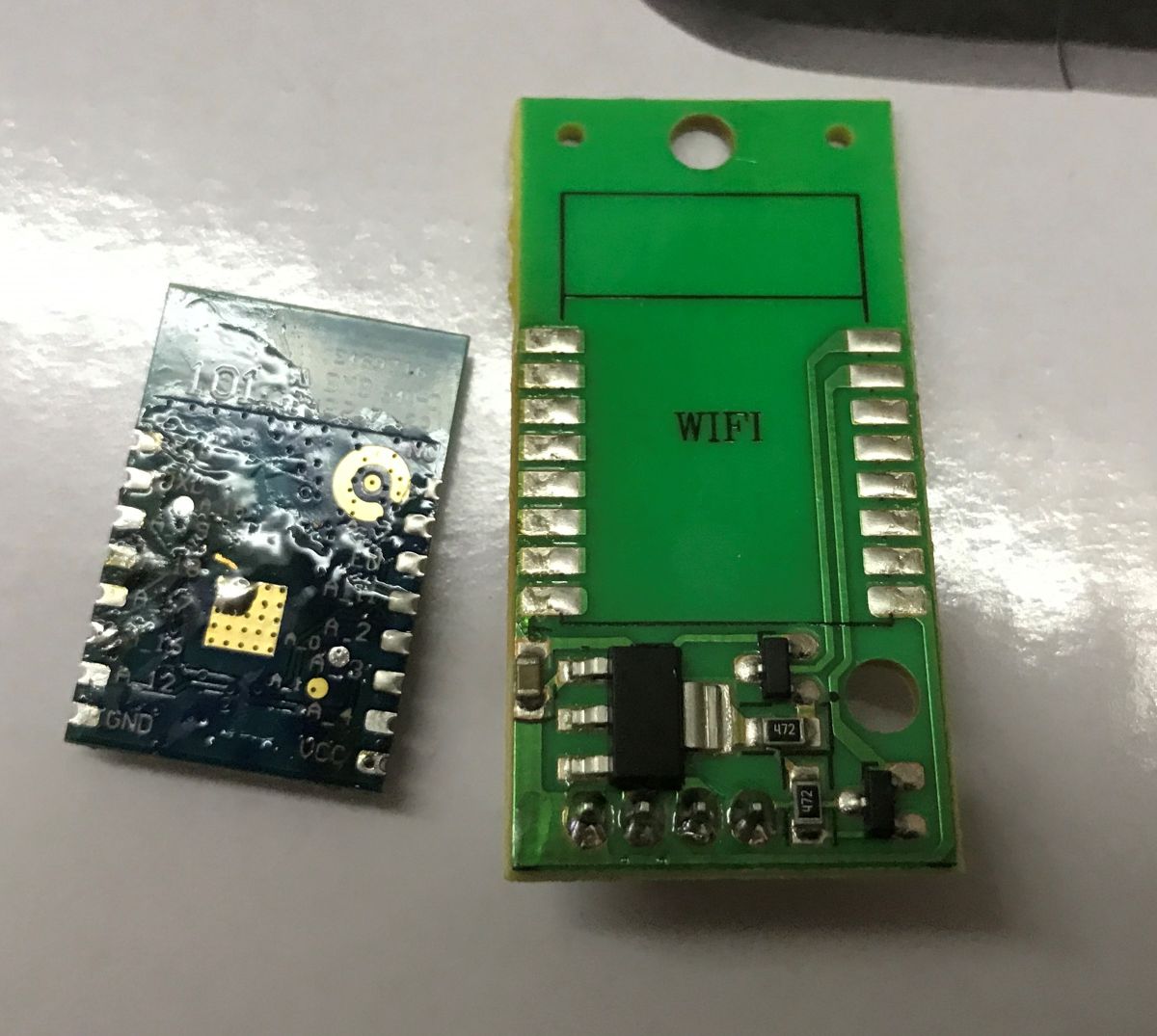
    The WBR3 has programming pads on the bottom, so it needs to be soldered out:
    Wi-Fi module in an electric kettle, what does it do? Interior and programming of Harmony 50
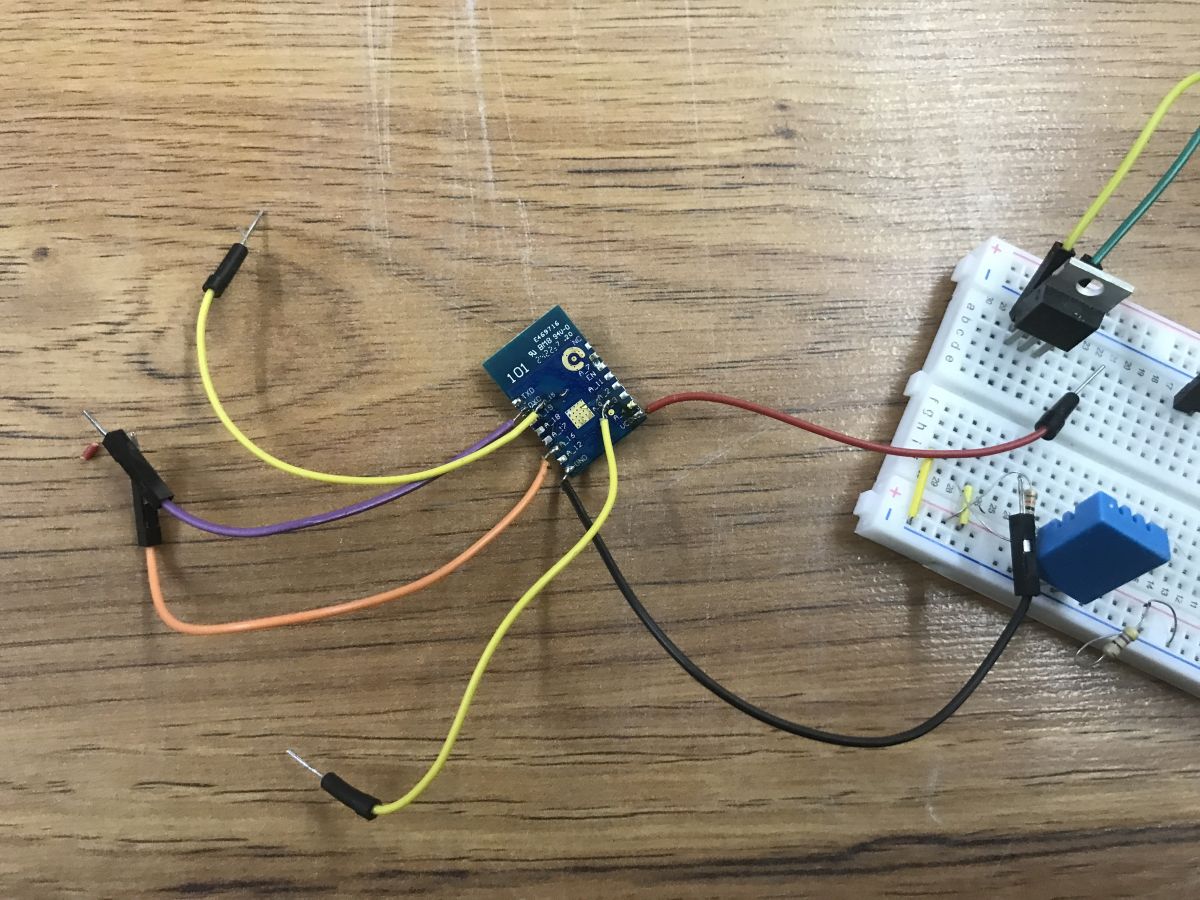
    Program according to the tutorial:


    My layout:
    Wi-Fi module in an electric kettle, what does it do? Interior and programming of Harmony 50
    Then according to the guide:
    TuyaMCU flashing, installation and configuration guide - configure dpID for Home Assistant
    Here I have taken the liberty of simplifying the work a little. I only prepared a control for classic heating, up to a set temperature of 100 degrees. It turned out to be enough to map three dpIDs in autoexec.bat with OBK:
    
    
    startDriver TuyaMCU
    
    tuyaMcu_defWiFiState 4
    
    setChannelType 1 Toggle
    
    linkTuyaMCUOutputToChannel 1 bool 1
    
    
    setChannelType 2 Temperature
    setChannelLabel 2 "Current Temperature"
    
    linkTuyaMCUOutputToChannel 2 val 2
    
    
    setChannelType 8 TextField
    setChannelLabel 8 "Target Temperature"
    
    linkTuyaMCUOutputToChannel 8 val 8


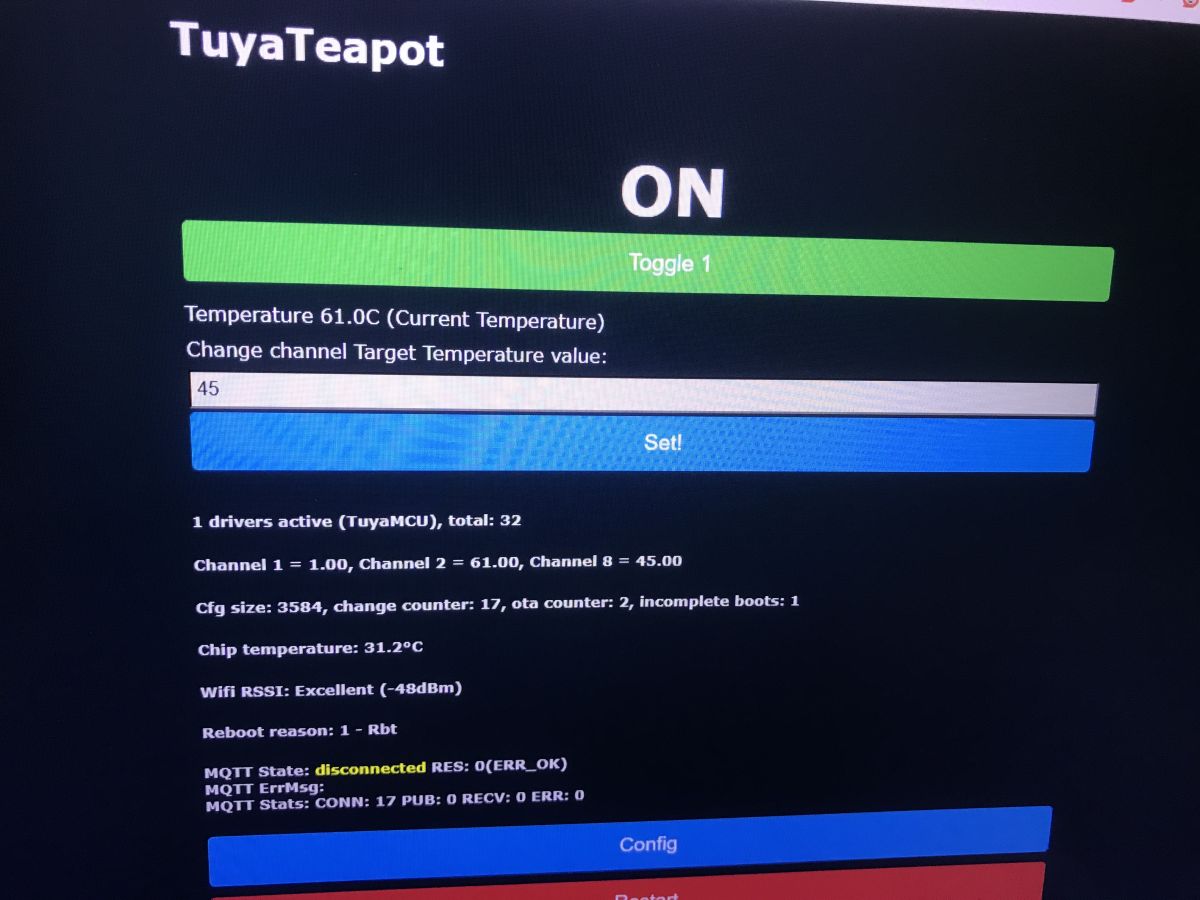
    Here's a picture of the menu - forgive this form, I was testing on short notice and didn't save a screenshot normally:
    Wi-Fi module in an electric kettle, what does it do? Interior and programming of Harmony 50
    That's basically it... the only thing I would add is that after entering and changing the target temperature value, the kettle starts itself. There is no need to separately set the boolean dpID 1 to true, it changes this state itself, although we can use it to turn the kettle off.
    Now you can run Home Assistant Discovery and pair like a pre-programmed device with the HA.

    Summary
    This was the second Wi-Fi controlled kettle and was also based on the WBR3 module. Its functions were also similar, although the menu appeared to be organised slightly differently and gave more prominence to the two modes of operation - heating to 100°C and maintaining the set temperature or just maintaining it.
    Internally, the kettle is controlled by an unspecified MCU, and the Wi-Fi module communicates with it via the TuyaMCU protocol, which is over the UART. I managed to intercept the communication and from this I determined the basic variables needed to control the kettle. I then changed the Wi-Fi module's firmware and scripted it to use these variables for control. This way, the product works without the cloud, without the manufacturer's servers and can be paired with Home Assistant.
    Of the additional pluses of this product, I can mention the buzzer (beep), the protection against overheating/starting without water and the basic error codes available on the display.
    Does such a product make sense for your kitchen or anywhere else? That's for you to decide. For me it was another curiosity to analyse from an electronic point of view and I rather succeeded in this analysis, or at least my goal was fulfilled - I uploaded the new firmware and the kettle continues to work.

    Cool? Ranking DIY
    Helpful post? Buy me a coffee.

    About Author
    p.kaczmarek2
    Moderator Smart Home
    Offline 
    p.kaczmarek2 wrote 14459 posts with rating 12468, helped 650 times. Been with us since 2014 year.
  • ADVERTISEMENT
  • #2 21889308
    divadiow
    Level 38  
    Posts: 4903
    Help: 429
    Rate: 871
    "TuyaTeapot" - love it.

    interesting to see another WBR3-based kettle. WBR3 seems to be a common choice for ovens/stoves/kettles/heater types of devices.
  • #3 21889332
    cranky
    Level 30  
    Posts: 2038
    Help: 68
    Rate: 375
    What a time. You can already hack into your kettle, you'll have to look after the antivirus in your tin opener and keep your vegetable planer up to date.
    Looking at the configuration menu - a massacre. The number of options and schemes available is such that it would take work until retirement to set up a house.
  • #4 21889349
    gregor124
    Level 28  
    Posts: 1493
    Help: 93
    Rate: 811
    I wonder if coffee expenses will increase as neighbours realise when it's time to visit ;)
    So many of these options everywhere, from the toothbrush to the kettle to the toilet, that you can go crazy and not have time for anything else. ;)
    And then such a young 'engineer' comes looking for a job and can't operate a photocopier from a desktop ;)

    I'd also like to add that, in general, such a kettle is a nice thing to have in the office, thanks to which the boss will know who drinks his coffee and when, and it will also be possible to "humanely" cut off access to the kettle for disliked people.
    I am waiting for a toilet paper dispenser that is just as functional ;)

    And seriously, do such gadgets by any chance restrict individual freedom rights ?
    Helpful post? Buy me a coffee.
  • ADVERTISEMENT
  • #5 21889581
    @GUTEK@
    Level 31  
    Posts: 1560
    Help: 163
    Rate: 367
    So partly off topic.
    WBR3 modules are also in Parkside mowing robots sold in Lidl. This also works with Tuya. Unfortunately tragically unstable, and Local Tuya is already a nightmare in general.
    Unfortunately no one has yet attempted to work out the communication and reprogram it.
    Here are pictures of the board, you can see the module: https://www.elektroda.pl/rtvforum/topic4121247.html
  • #6 21889629
    terminus
    Level 21  
    Posts: 415
    Help: 29
    Rate: 168
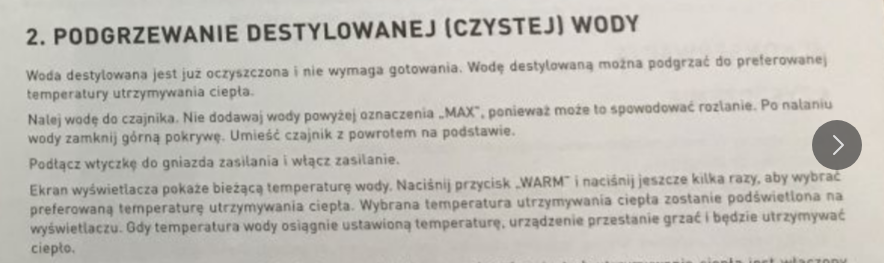
    Please explain to me why someone would heat distilled water in this contraption. To distil it?

    Wi-Fi module in an electric kettle, what does it do? Interior and programming of Harmony 50
  • #7 21889664
    gregor124
    Level 28  
    Posts: 1493
    Help: 93
    Rate: 811
    Another nonsense - why 85 C and not 80 C?
    A few years ago BOSCH came out with a nice kettle where you could set 2 temperatures: 80 and 100 C.
    Unfortunately the price was prohibitive on average.
    While 100 C is probably clear, 80 C is actually the best temperature for Japanese matcha tea, although some herbal teas should also be prepared at this temperature.
    i mean, 80 and 100 is really all you need from a good kettle, but 85 and no 80 is probably a mistake.
    Helpful post? Buy me a coffee.
  • #8 21889720
    MikeC
    Level 32  
    Posts: 1391
    Help: 201
    Rate: 969
    What a time, I'm waiting for a shovel or rake with wifi unless someone has already come up with such nonsense.
  • #9 21889738
    cranky
    Level 30  
    Posts: 2038
    Help: 68
    Rate: 375
    MikeC wrote:
    What a time, I'm waiting for a shovel or rake with wifi unless someone has already come up with such nonsense.

    Such a smart device can show you how many calories you've consumed, and give the supervisor a clear indication of whether your spade-waving pace deviates from the company average.
    And this is where toothbrush hacking techniques get quite sensible.
  • #10 21889804
    acctr
    Level 39  
    Posts: 4530
    Help: 389
    Rate: 1995
    terminus wrote:
    why would anyone heat distilled water in this contraption

    It is all about boiled water.

    MikeC wrote:
    I am waiting for a shovel or rake with wifi

    With GPS would come in handy to dig evenly like a string.
    Helpful post? Buy me a coffee.
  • #11 21889839
    misiek1111
    Level 37  
    Posts: 3990
    Help: 321
    Rate: 1053
    gregor124 wrote:
    that is, 80 and 100 is really all

    The most important thing is 40°C to pour Alka-Zeltzer in the morning.
  • #12 21890052
    krru
    Level 33  
    Posts: 1819
    Help: 230
    Rate: 214
    Since you were running this at home, where you presumably have "power" over the Wifi, wouldn't it be simpler to take over communications at the router/access point, without messing around inside?
  • #13 21890208
    szeryf3
    Level 30  
    Posts: 2046
    Help: 12
    Rate: 672
    I have a rather interesting device on WiFi.
    A coffee maker.
    You can turn it on and make coffee via the app.
    And it's cool.
    You lie down in bed in the morning, it's 4.30am, you open your eyes and you start the coffee machine with your phone.
    Well, and you have to get up and run to it because the first thing to do with the coffee machine is to clean the nozzles and then brew the coffee.
  • #14 21890277
    gulson
    System Administrator
    Posts: 29274
    Help: 148
    Rate: 5994
    szeryf3 wrote:
    You lie down in bed in the morning it is 4.30am you open your eyes and start the coffee machine with your phone.
    Well you have to get up and run to it because the first thing to do with the coffee machine is to clean the nozzles and then brew the coffee.

    Yes and you still need to be sure:
    - whether there is coffee in the hopper
    - whether there is water in the tank
    - whether there is milk in the reservoir

    And always these things end up ;)
  • ADVERTISEMENT
  • #15 21890864
    terminus
    Level 21  
    Posts: 415
    Help: 29
    Rate: 168
    acctr wrote:
    It's about boiled water.

    No, it's not about boiled water. It is about distilled water.
  • #16 21890998
    reaven22
    Level 31  
    Posts: 1496
    Help: 106
    Rate: 1331
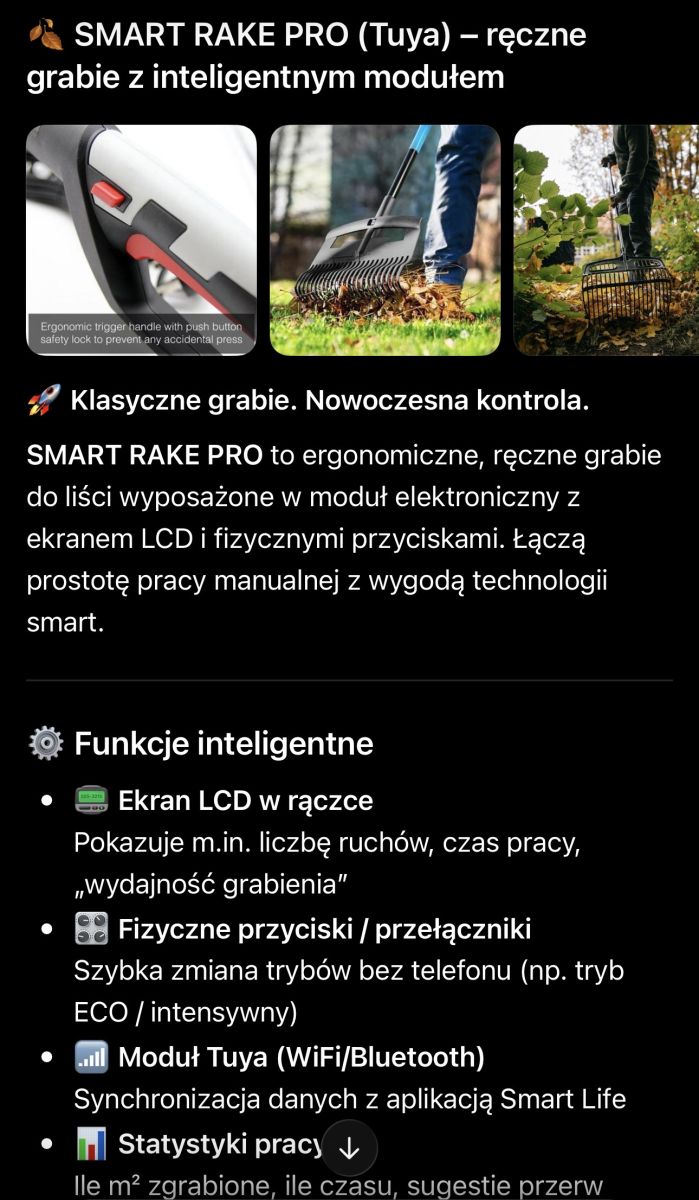
    All in all, you can already buy a rake from tuya ;)
    Screenshot about “SMART RAKE PRO (Tuya)” with rake photos and a bullet list of smart features.
  • #17 21891172
    elezibi
    Level 21  
    Posts: 607
    Help: 18
    Rate: 122
    There are quite a few such devices and others (that attach something and don't work locally)
    it would be interesting if at some point one or more cloud systems
    switched all their subordinate devices from OFF to ON?
    How would users react if all the gadgets around them got a life of their own e.g. at night?
    Secondly, would it affect the mains supply if such an action took place during a peak load on the network?
  • #18 21892613
    truten23
    Level 13  
    Posts: 85
    Rate: 34
    It depends what appliances would switch on.
    If a quarter of the country triggered resistive loads at the same time....
    At the same time, given the different response times, the load peak would rather stretch out over time.
  • #19 21894734
    PPK
    Level 30  
    Posts: 1933
    Help: 94
    Rate: 422
    Well, great. And he boils the water hard ?
  • ADVERTISEMENT
  • #20 21894771
    IC_Current
    Network and Internet specialist
    Posts: 9101
    Help: 1494
    Rate: 2495
    The awesome thing about these kettles is that they have electronic temperature measurement (not to mention Wifi-srifi).
    They all measure the temperature very precisely and turn off the boil when they measure around 99-100 degrees.
    Now, the best thing - in Zakopane you cannot boil water in such a kettle, because ... at this altitude the water boils sometimes already at 97 and usually at 98 degrees. The kettle boils until all the water is boiled off, but it will not turn off. There is no adjustment option based on atmospheric pressure.
    Tested several models from cheap Chinese to branded products.
    The brains of the engineers truly overkill.
    Helpful post? Buy me a coffee.
  • #21 21894798
    karolark
    Level 42  
    Posts: 14314
    Help: 701
    Rate: 2480
    Content over form 🐷
    Progress ok but not everywhere
    Measuring the weight of the stool and on fejsbunia next to a photo of zarelka 😸😸
  • #22 21895450
    Jogesh
    Level 28  
    Posts: 3671
    Help: 33
    Rate: 680
    IC_Current wrote:
    Weird are those kettles with electronic temperature measurement (I'm not talking about Wifi-srifi).
    They all measure the temperature very accurately and turn off cooking when measuring around 99-100 degrees.
    Now, the best thing - in Zakopane you cannot boil water in such a kettle, because ... at this altitude the water boils sometimes already at 97 and usually at 98 degrees. The kettle boils until all the water is boiled off, but it will not turn off. There is no adjustment option based on atmospheric pressure.
    Tested several models from cheap Chinese to branded products.
    Engineers' brains truly overkill.


    And it would have been enough to add an algorithm that if the temperature does not rise despite heating, it switches off after, say, a minute. But that's too difficult to come up with.
  • #23 21895500
    IC_Current
    Network and Internet specialist
    Posts: 9101
    Help: 1494
    Rate: 2495
    Jogesh wrote:
    It would be sufficient to add an algorithm that if the temperature does not rise despite heating, it switches off after, say, a minute. But that's too difficult to come up with.

    This is exactly what I was thinking of. A simple algorithm that counts the derivative of the temperature after time and the matter is settled. Plus the condition "low derivative vs temperature in the 95-100 degree range" and we reduce the cooking time to 5 seconds - works perfectly. The second option is to calibrate the boiling temperature. E.g. you start the kettle and when it comes to the boil press the 'start/stop' button for 5 seconds. The kettle then remembers the boiling temperature for the future. But implementing the solution is probably 30 cents more for the processor and flash memory, so (business-wise) there is no option even in a premium model to implement something like this ....
    Helpful post? Buy me a coffee.
  • #24 21895648
    @GUTEK@
    Level 31  
    Posts: 1560
    Help: 163
    Rate: 367
    IC_Current wrote:
    The second option is to calibrate the boiling temperature. E.g. you start the kettle and when it comes to the boil press the "start/stop" button for 5 seconds. The kettle remembers the boiling temperature for the future.

    I can already see the plankton embracing temperature calibration. Immediately there would be comments that it doesn't work, that you have to do some calibration, that it's difficult, and why, and for what.
    To the manufacturer, I suppose that this proxy of customers on some mountains who will return the product count as a cost.
  • #25 21895656
    IC_Current
    Network and Internet specialist
    Posts: 9101
    Help: 1494
    Rate: 2495
    @GUTEK@ wrote:
    There would be comments that it doesn't work, that you have to do some calibration, that it's difficult, and why, and for what.

    There could always be a default setting as at present, and for those who know how to read the manual a calibration option.
    But you're right - these days everything and everywhere equals downwards, to as it were quite a large, dumbest (but usually most profitable) group of consumers.
    Helpful post? Buy me a coffee.
  • #26 21896196
    truten23
    Level 13  
    Posts: 85
    Rate: 34
    @GUTEK@ wrote:
    I can already see the plankton embracing temperature calibration. Immediately there would be comments that it doesn't work, that you have to do some calibration, that it's difficult, and why, and for what.

    Well, except that it is, however, a piece of equipment clipped from Tuya, so a minimum of "subject grasping" has to occur anyway.
    But yes, I have no doubt that the manufacturer would have a mass of complaints about it....
  • #27 21896197
    IC_Current
    Network and Internet specialist
    Posts: 9101
    Help: 1494
    Rate: 2495
    truten23 wrote:
    No, except that it is, however, a piece of equipment spliced from Tuya, so a minimum of "grasping the subject"

    We just wrote about kettles without connectivity, but with electronic temperature setting.

    Added after 3 [minutes]:

    truten23 wrote:
    I don't doubt that the manufacturer would have a mass of complaints about this

    Why would he have more complaints? Precisely fewer. It defaults as it does now - to 100 degrees. The customer takes it out of the box and uses it. On the other hand, at the one where the kettle does not switch off, a calibration can be done. Right now, every such customer is complaining to the shop/manufacturer because the kettle is completely unusable. If the boiling point calibration option were introduced, at least some of those people now returning the equipment could manage this themselves.
    Helpful post? Buy me a coffee.
  • #28 21897439
    truten23
    Level 13  
    Posts: 85
    Rate: 34
    IC_Current wrote:
    Less than that. It defaults as it does now - to 100 degrees. The customer takes it out of the box and uses it. On the other hand, at the one where the kettle does not switch off, a calibration can be done. Right now, every such customer is complaining to the shop/manufacturer because the kettle is completely unusable. If the boiling point calibration option were introduced, at least some of those people now returning the equipment could manage this themselves.

    Bottom line.
  • #29 21899073
    krru
    Level 33  
    Posts: 1819
    Help: 230
    Rate: 214
    >>21895450 And not more simply classically - measuring the temperature but not of the water but of the steam in some nook. Only when the water is boiling there is a lot of hot steam that gets squeezed in everywhere.
  • #30 21899109
    m2606
    Level 34  
    Posts: 2688
    Help: 168
    Rate: 553
    truten23 wrote:
    No, except that it is, however, a piece of equipment spliced from Tuya, so a minimum of "subject matter comprehension" has to occur anyway.

    So not really. 99% will only read how to connect and skip the rest of the sections in the manual.
    I have such in my family and recently thought I was going to fall off laughing. They bought a washing machine and every day they hunted for the moment until it started spinning to sit on it because it was "running away".On the first page of the instructions (literally-right on the cover) it said like bull "remove the transport locks"

    krru wrote:
    And not simpler in the classic way - measuring the temperature but not of water but of steam in some nook.

    This would solve the problem of measuring when boiling,but for heating you would already need a second sensor.
    Two sensors for one water is too much of a financial burden for the manufacturer:-)
📢 Listen (AI):

FAQ

TL;DR: With 12-hour keep-warm and the expert observation "WBR3 seems to be a common choice," the Harmony 50 smart kettle suits Home Assistant users and hardware tinkerers who want app control or cloud-free local control. The thread shows Tuya pairing, internal teardown, UART dpID mapping, and OpenBeken flashing on the WBR3 Wi-Fi module. [#21889268]

Why it matters: This FAQ explains what the Wi-Fi hardware actually adds, what risks exist inside a mains-powered kettle, and how to replace cloud control with local automation.

Feature Harmony 50 Svenson SMART06B
Wi‑Fi module placement In the base In the handle
Menu emphasis Two clear modes: boil+hold or hold-only Similar functions, different menu layout
Hacking workflow Author simplified OpenBeken to 3 mapped dpIDs Earlier kettle required a separate prior walkthrough

Key insight: The Wi‑Fi module does not directly run the heater. It talks over TuyaMCU UART to the main controller, so local control becomes possible once the key dpIDs are mapped and the WBR3 firmware is replaced.

Quick Facts

  • The kettle costs about £120, pairs through 2.4 GHz Wi‑Fi with Bluetooth enabled, and can maintain temperature for up to 12 hours. [#21889268]
  • The touch and app interface expose target temperatures such as 45°C, 60°C, 85°C, 90°C, and 100°C, plus countdown examples of 4 h, 18 h, and 24 h. [#21889268]
  • The internal board is marked GS-EK17C1 KH:2024.8.19 and carries a WBR3 module, a 3.3 V LDO, transistors, a buzzer, and a varistor. [#21889268]
  • The author flags the power supply as uninsulated, which makes direct UART-to-PC probing unsafe on a live kettle and raises real electrical-risk concerns during analysis. [#21889268]
  • OpenBeken local control worked with just 3 mapped datapoints: channel 1 for power, 2 for current temperature, and 8 for target temperature, then Home Assistant discovery paired it as a local device. [#21889268]

What does the Wi-Fi module in the Harmony 50 electric kettle actually do in everyday use?

It adds remote control and automation rather than new heating physics. In daily use, you can start heating, choose a target temperature, keep water warm for up to 12 hours, schedule actions, and receive notifications from the Tuya app, while the kettle still works from touch buttons on the body. [#21889268]

How do you pair the Harmony 50 kettle with the Tuya app, and why does it require 2.4 GHz Wi-Fi and Bluetooth?

You pair it through the Tuya app using 2.4 GHz Wi‑Fi with Bluetooth turned on. 1. Install the app. 2. Confirm your phone is on a 2.4 GHz network and enable Bluetooth. 3. Start pairing exactly as shown in the kettle instructions. The thread states those two radio settings are required for the pairing process; it does not describe a 5 GHz path. [#21889268]

Which functions are available in the Tuya app for this kettle, such as boiling, temperature hold, scheduling, and notifications?

The app offers boiling, keep-warm, hold-only heating, timed scheduling, and notifications. It shows two main operating modes, lets you set a specific temperature, schedules a chosen action for a chosen time, and even exposes notification options including SMS alerts. [#21889268]

What is the difference between the two operating modes in the Harmony 50 kettle: boiling to 100°C with keep-warm versus heating/maintaining a selected temperature?

One mode first boils to 100°C, then holds the chosen temperature, while the other only heats or maintains to the selected setpoint. The author describes the menu as emphasizing exactly those two paths: full boil plus hold, or maintenance alone at values such as 45°C, 60°C, 85°C, or 90°C. [#21889268]

How long can the Harmony 50 kettle maintain water temperature, and how is that configured from the app or touch panel?

It can maintain temperature for up to 12 hours. You configure the target temperature from the app or by pressing the Warm touch control through preset values, and the app also shows countdown-style settings such as 4 hours, 18 hours, and 24 hours for timed actions. [#21889268]

What error codes and safety protections does the Harmony 50 kettle have for NTC faults, low water, or overheating?

It reports basic faults on the display and includes dry-run protection. The thread explicitly mentions error handling for an open NTC circuit, a shorted NTC circuit, a warning for too little water, and protection against overheating or starting without water. That gives the kettle more diagnostics than many cheap small appliances. [#21889268]

Where is the WBR3 Wi-Fi module located inside the Harmony 50 kettle, and how is its internal hardware laid out?

The WBR3 module sits in the base, not in the handle. The author removed the screws and found the Wi‑Fi section on the bottom board with a 3.3 V LDO and transistors, plus a buzzer, a varistor, and a board marked GS-EK17C1 KH:2024.8.19. He also notes the supply appears uninsulated. [#21889268]

What is the WBR3 module, and why does it appear so often in Tuya-based kettles, heaters, ovens, and similar appliances?

"WBR3 is a Wi‑Fi module that handles network communication for a Tuya-style appliance, and in this kettle it exchanges UART data with the main controller rather than driving the heater directly." The thread shows another WBR3-based kettle and a reply notes that WBR3 seems common across ovens, stoves, kettles, and heater-type products, making it a recurring target for firmware replacement. [#21889308]

What is the TuyaMCU protocol, and how do dpIDs map kettle functions like power, current temperature, target temperature, mode, timer, and sound?

"TuyaMCU is a serial control protocol that links a main appliance MCU with a Wi‑Fi module, using numbered dpIDs to represent functions such as switches, values, enums, and timers." In this kettle, the author intercepted UART traffic and matched dpIDs to features like power, current temperature, target temperature, operating mode, countdown hours, and buzzer state. [#21889268]

How do you safely sniff UART communication in a mains-powered kettle without risking a short circuit from a non-isolated power supply?

You avoid connecting the live kettle directly to a computer UART. 1. Tap the MCU-to-Wi‑Fi RX/TX lines with a separate listener device. 2. Use that listener as a UART-to-TCP bridge. 3. Capture packets remotely. The author chose this method because products like this may expose mains potential on the control circuit through a non-isolated supply. [#21889268]

Which dpIDs were identified in the Harmony 50 kettle for on/off state, current temperature, target temperature, mode selection, countdown hours, and buzzer control?

The mapped datapoints are clear enough for practical control: dpID 1 is on/off, dpID 2 is current temperature, dpID 8 is target temperature, dpID 15 is operating mode, dpID 17 carries countdown hours, and dpID 102 controls sound. The thread also shows dpID 102 set true as sound off, and false as sound on. [#21889268]

How do you flash OpenBeken onto a WBR3 module from the Harmony 50 kettle and configure it for local control with Home Assistant?

You must desolder the WBR3, flash it, then map the needed dpIDs in OpenBeken. 1. Remove the module because its programming pads are on the underside. 2. Flash it following the linked WBR3 tutorial. 3. In autoexec.bat, start TuyaMCU, set Wi‑Fi state 4, and map channels 1, 2, and 8 for power, current temperature, and target temperature. After that, Home Assistant discovery can pair it locally. [#21889268]

Why does changing the target temperature in OpenBeken start the kettle automatically without separately setting the power dpID?

Because this kettle treats a new target temperature as an implicit start command. The author states that after entering and changing the target temperature value, the kettle starts itself, so dpID 1 does not need a separate true command for start, although it still works for turning the kettle off. [#21889268]

Harmony 50 versus the earlier Svenson SMART06B kettle — what are the main differences in Wi-Fi module placement, menu layout, and firmware-hacking workflow?

Harmony 50 moves the Wi‑Fi module to the base, while the earlier Svenson model placed it in the handle. The Harmony 50 menu more clearly highlights two modes, and the author says he simplified the OpenBeken work here to only three mapped dpIDs for classic heating to a set temperature up to 100°C. [#21889268]

Why would someone heat distilled water in a smart kettle like this, and what practical use cases are there for that setting?

The thread does not give a practical justification for heating distilled water in this kettle. A commenter explicitly questions why someone would do it at all, so the screenshot reads more like a preset or labeling curiosity than a demonstrated real-world feature with a defined use case in this discussion. [#21889629]
Generated by the language model.
ADVERTISEMENT