

logo elektroda
logo elektroda
X
logo elektroda

Bluetooth One Click Translate – will it come in handy when travelling?

p.kaczmarek2 984 6

TL;DR

  • The G6 Bluetooth One Click Translate is a Chinese-made handheld translator that pairs with a phone app to translate speech by holding a button while talking.
  • Setup uses a QR-code app, Bluetooth pairing, language selection, and two push-buttons that fix source and target languages with no automatic detection.
  • The device costs under 80 zlotys, is model G6 with FCC ID 2A6DU-2501, and relies on cloud translation rather than local processing.
  • In practice, it translates simple sentences, but there is a short delay, weak microphone pickup, and translations often sound like Google Translate.
  • The shell also works as a Bluetooth speaker/microphone and plays music, while the internals use a single JieLi Technology chip seen in cheap Bluetooth speakers.
Summary generated by AI based on the discussion content.
ADVERTISEMENT
This content has been translated flag-pl » flag-en View the original version here
📢 Listen (AI):
  • Bluetooth One Click Translate – will it come in handy when travelling?
    Today I’m testing an unassuming gadget imported from China for just under 80 zlotys. It’s advertised as a universal translator that pairs with your phone – you select the languages in the app, then hold down the button and speak into the microphone. When you release the button, the device translates what you’ve said from the source language into the target language. This could be very useful when travelling, but will it really be as good as the seller describes? Let’s find out.
    Bluetooth One Click Translate – will it come in handy when travelling?
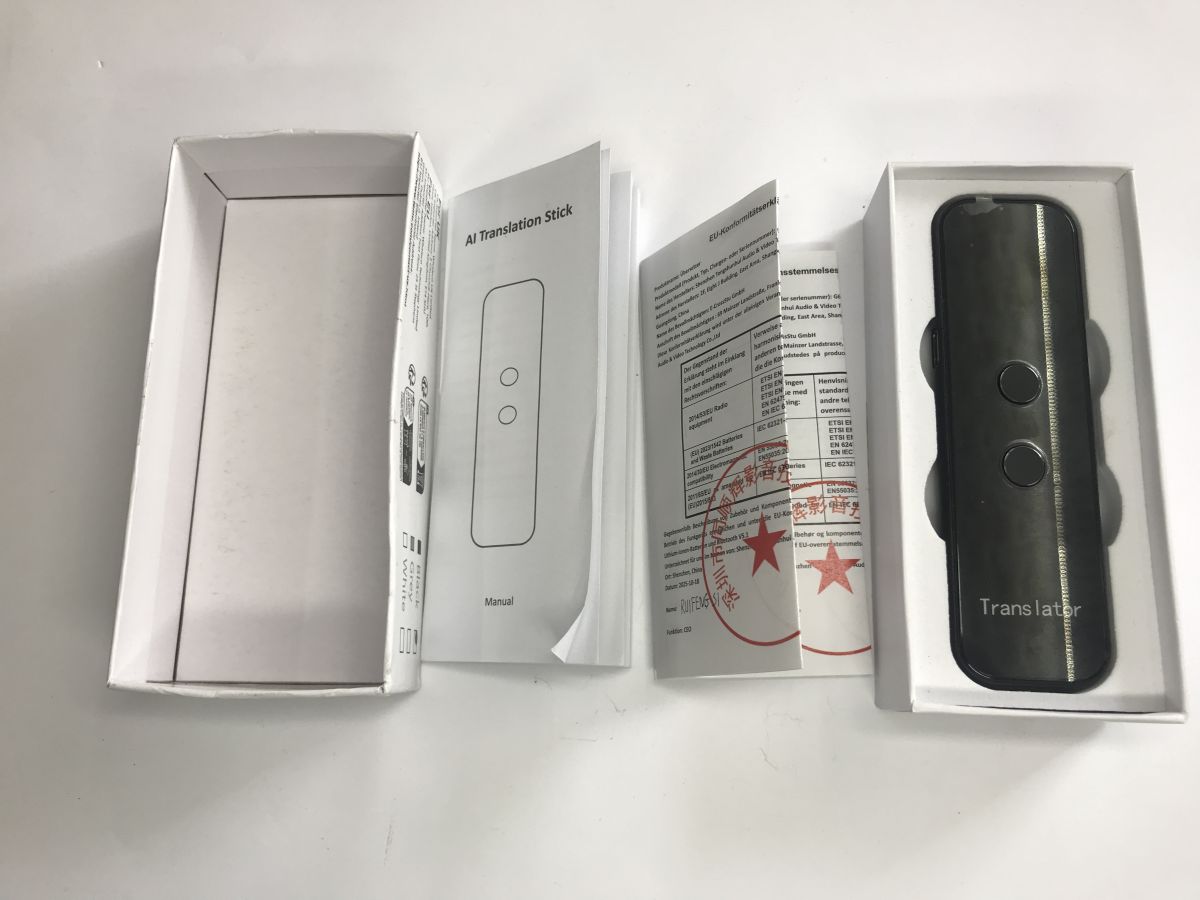
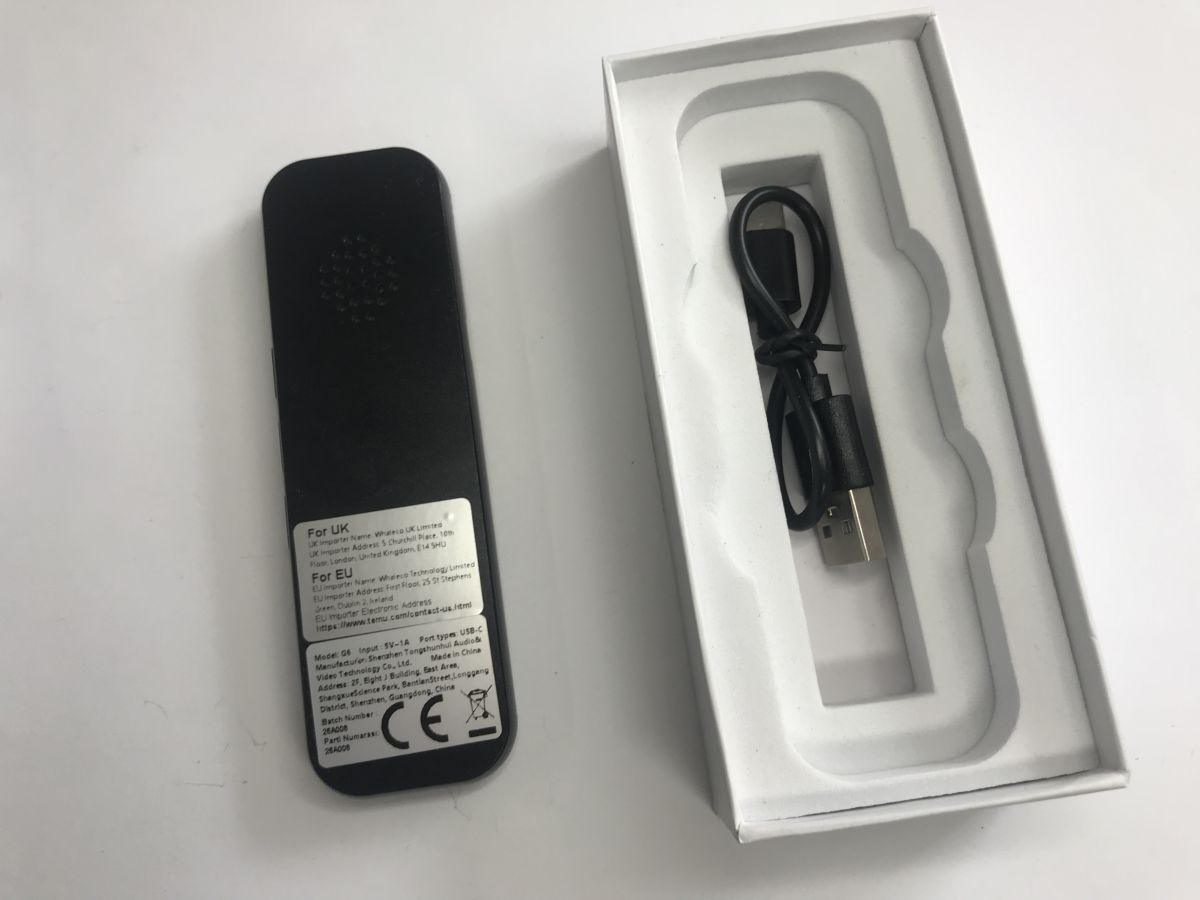
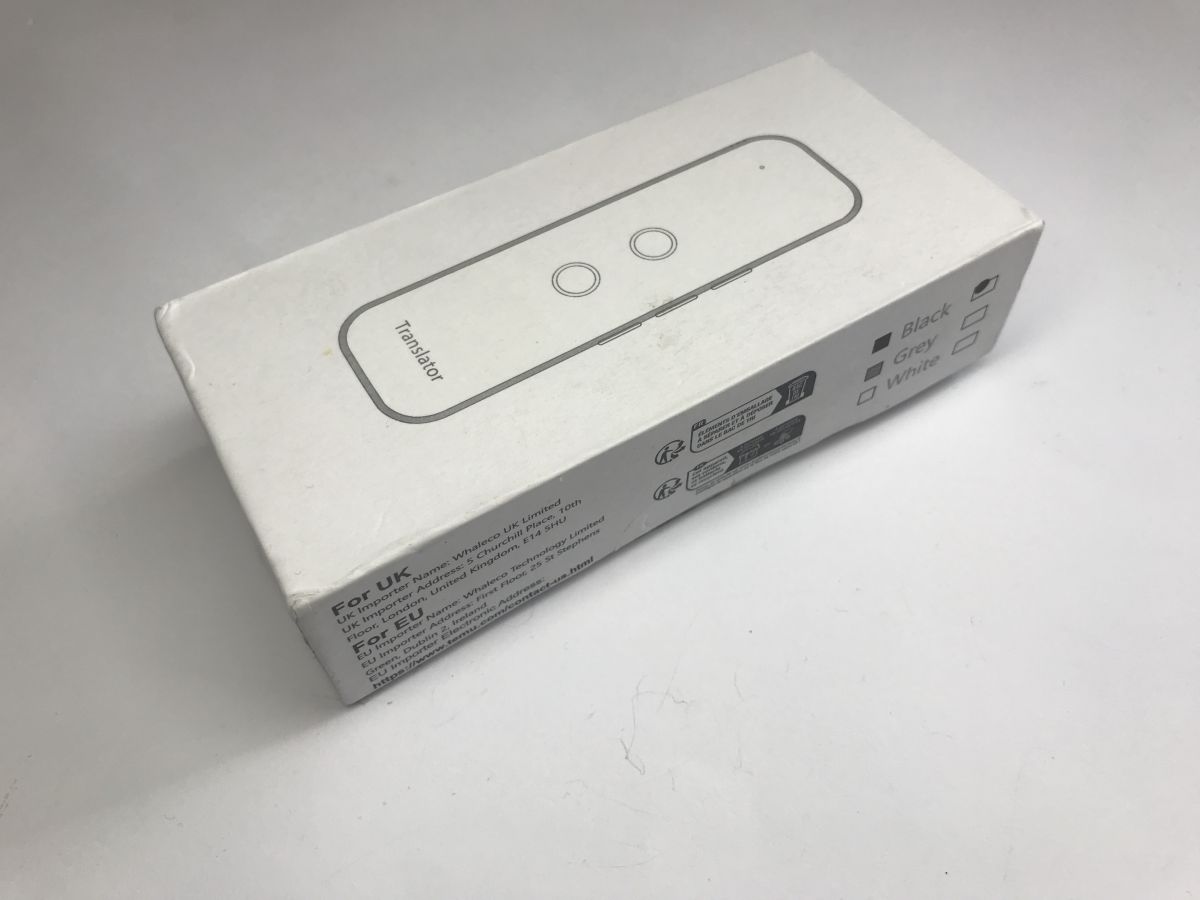
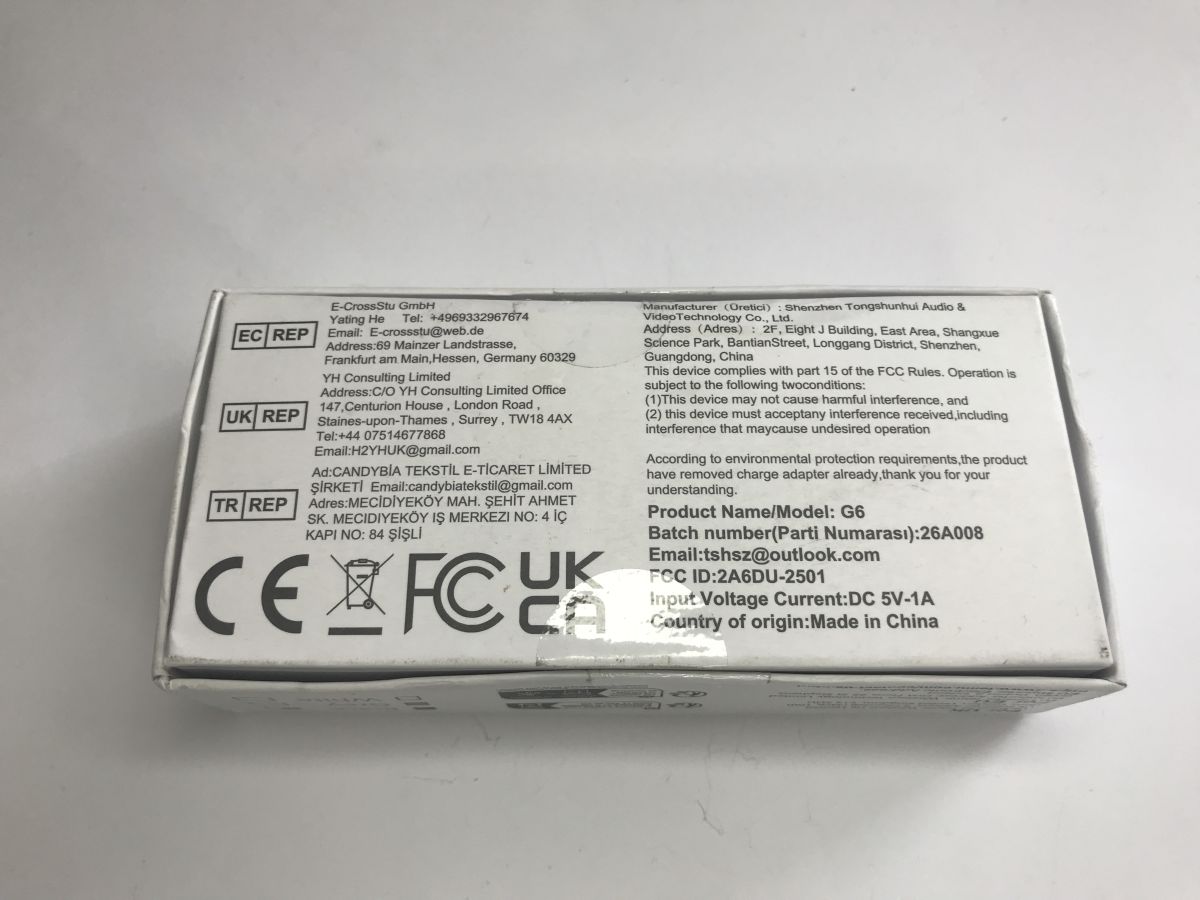
    The box is indeed quite sturdy. It reminds me a bit of buying a new phone – it’s not disposable packaging. The product model is G6, and the FCC ID is 2A6DU-2501.
    Bluetooth One Click Translate – will it come in handy when travelling?
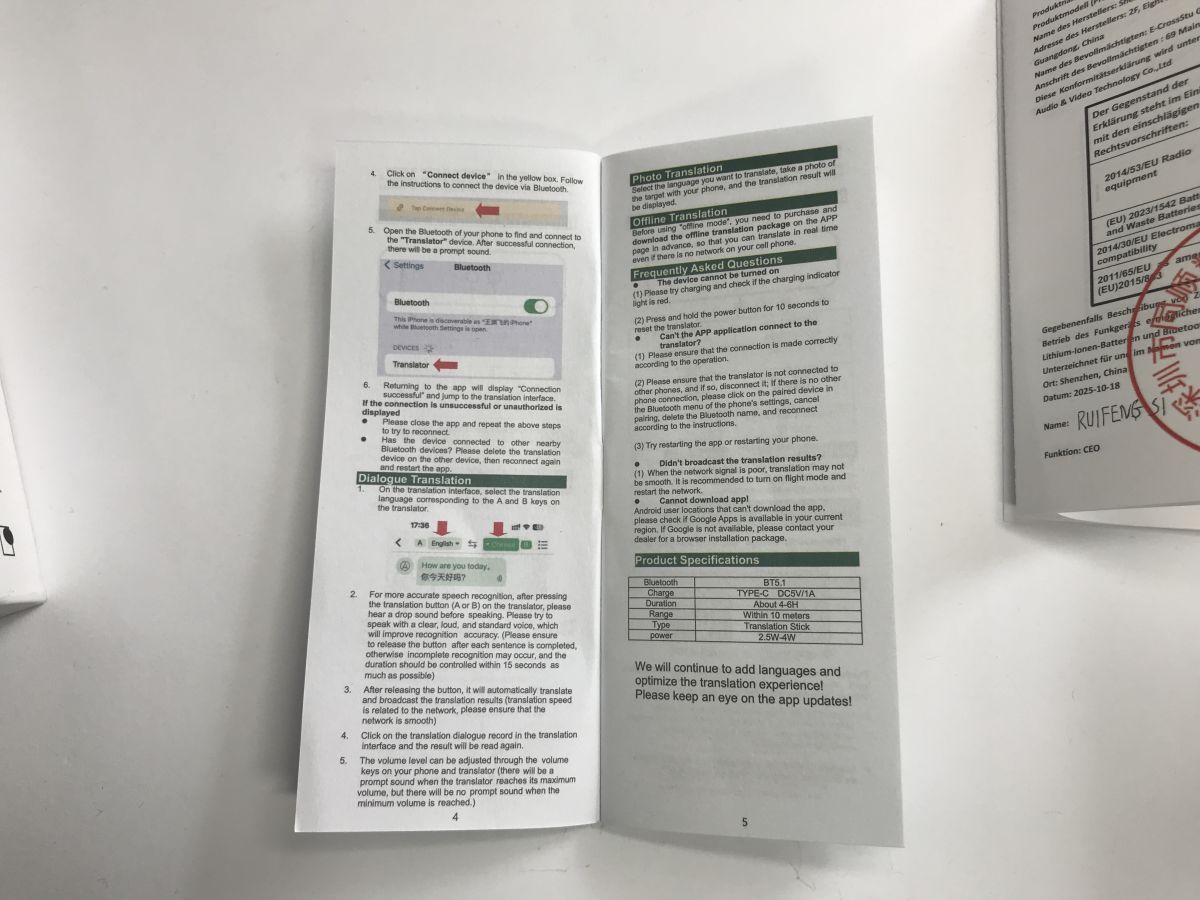
    Inside, we have the device, the manual and a USB-C cable:
    Bluetooth One Click Translate – will it come in handy when travelling? Bluetooth One Click Translate – will it come in handy when travelling? Bluetooth One Click Translate – will it come in handy when travelling?
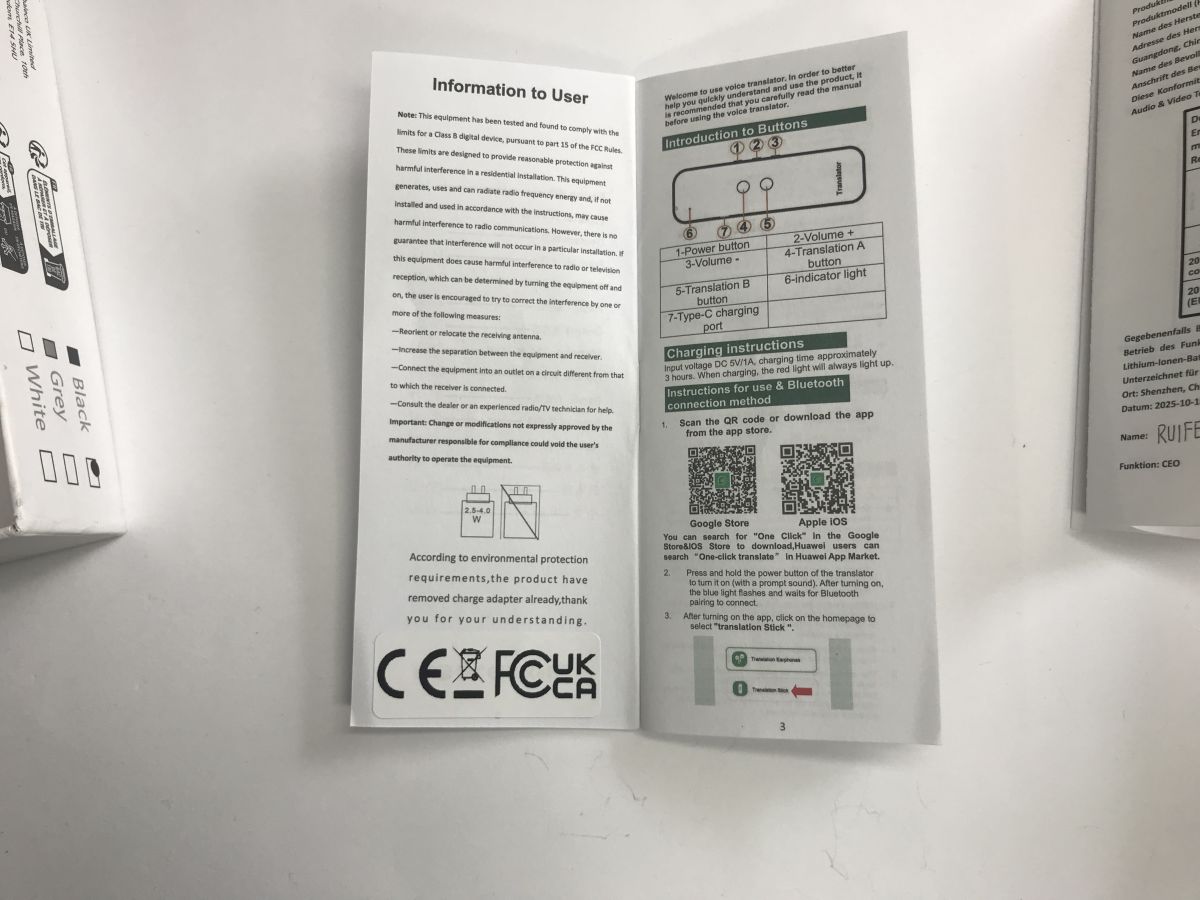
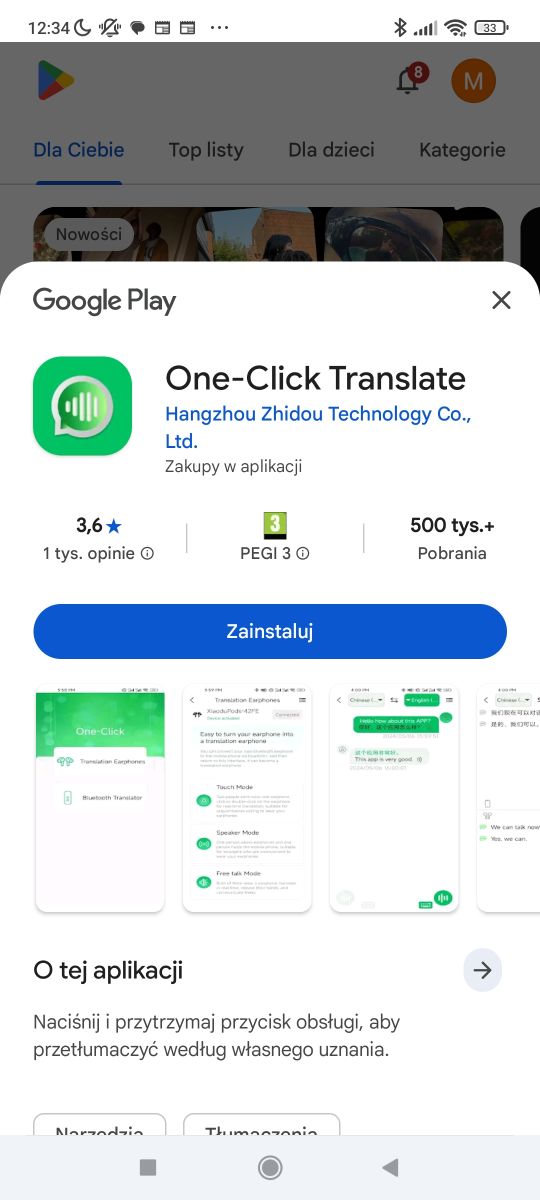
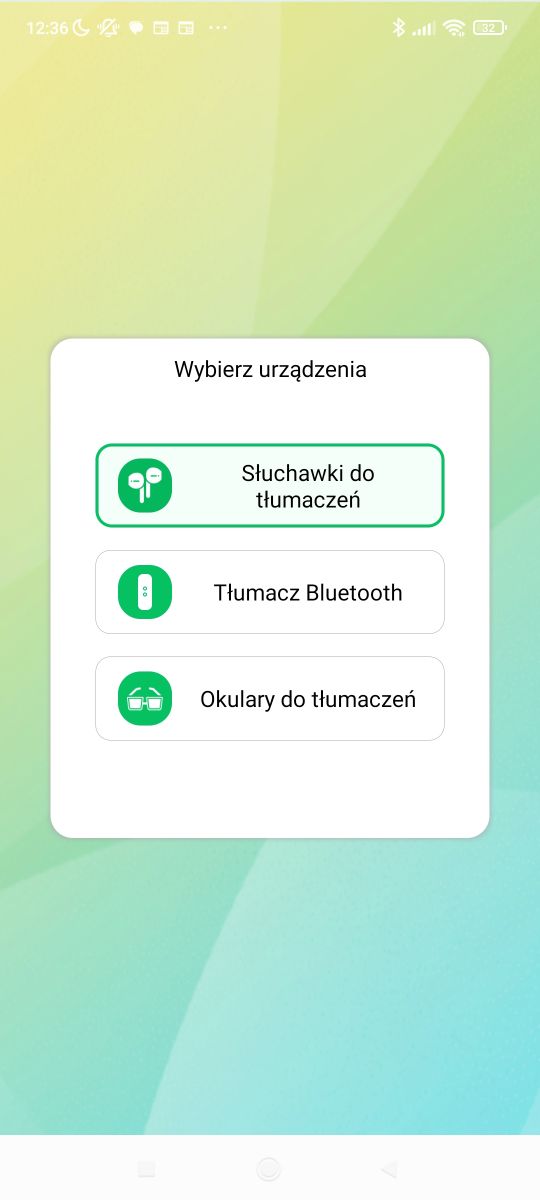
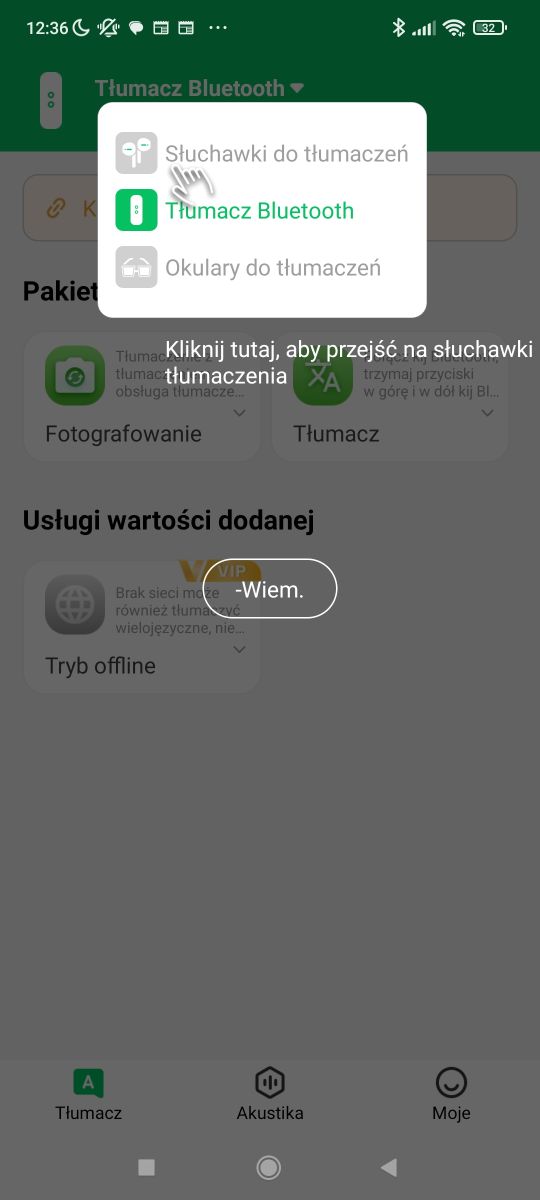
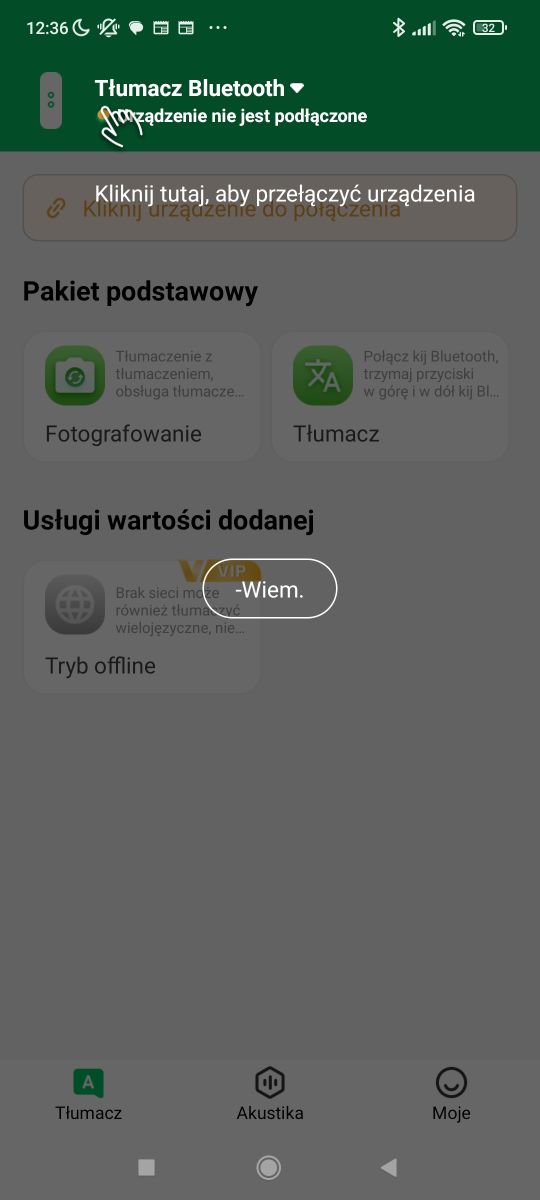
    To use it, you need to download the app – a QR code in the manual will take you there. The app supports several devices; in addition to the translator, there are also headphones and glasses.
    Bluetooth One Click Translate – will it come in handy when travelling? Bluetooth One Click Translate – will it come in handy when travelling? Bluetooth One Click Translate – will it come in handy when travelling?
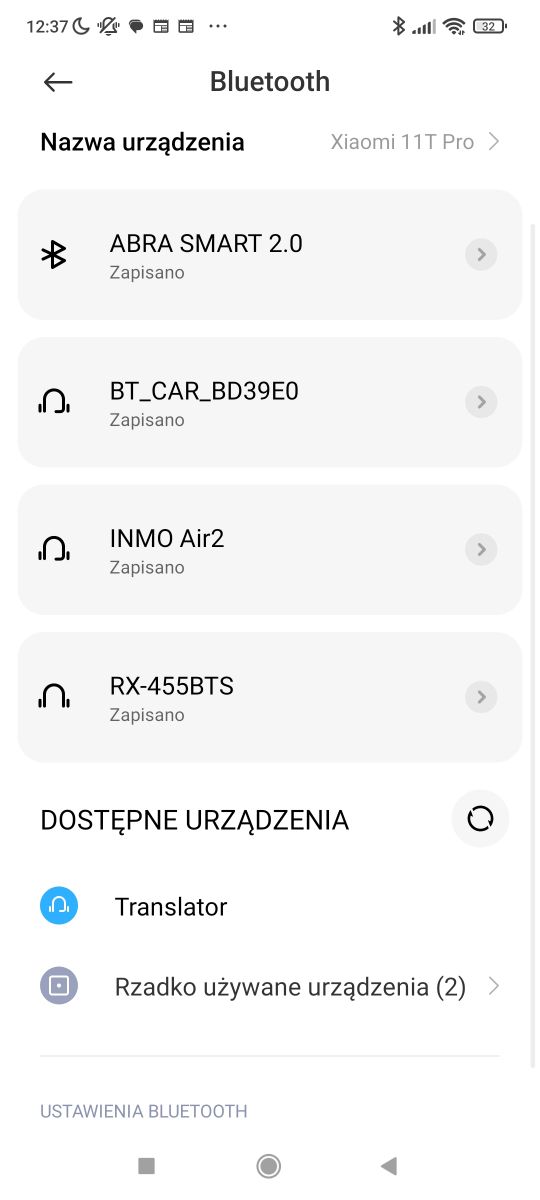
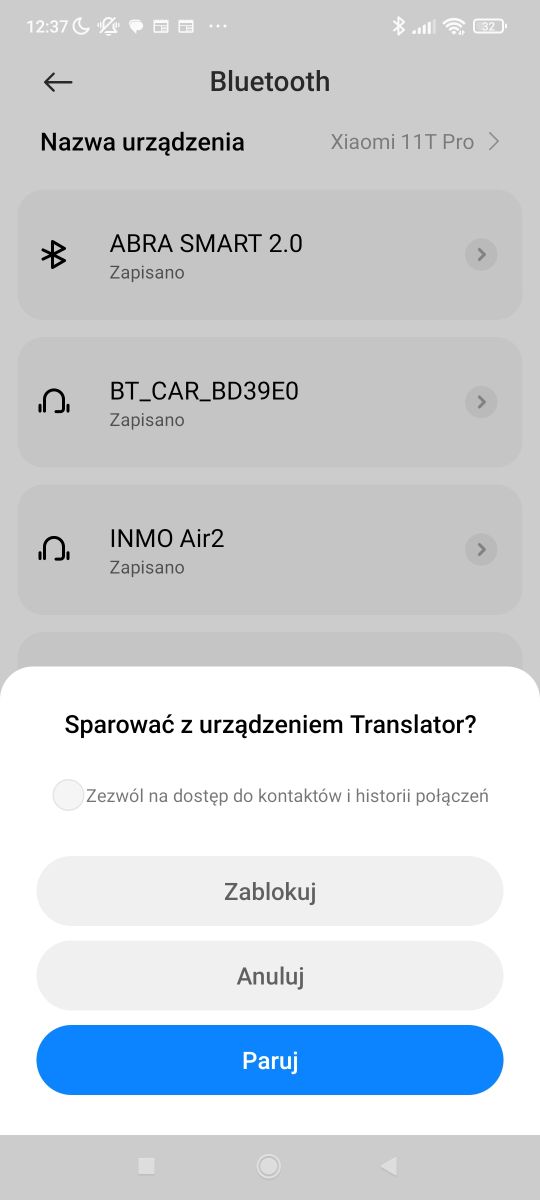
    Pairing requires you to turn on Bluetooth and select the device from the list.
    Bluetooth One Click Translate – will it come in handy when travelling? Bluetooth One Click Translate – will it come in handy when travelling? Bluetooth One Click Translate – will it come in handy when travelling?
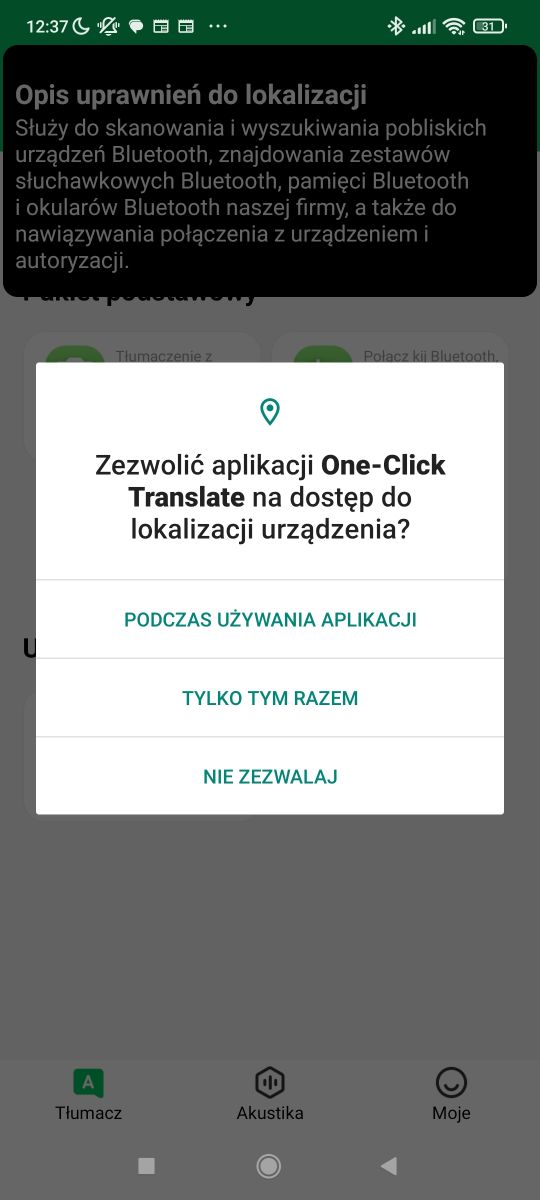
    You must also grant the necessary permissions to the app. From this point on, it’s simple:
    1. In the app, select the languages (between which you wish to translate)
    2. Press the side button to turn on the translator until the LED lights up
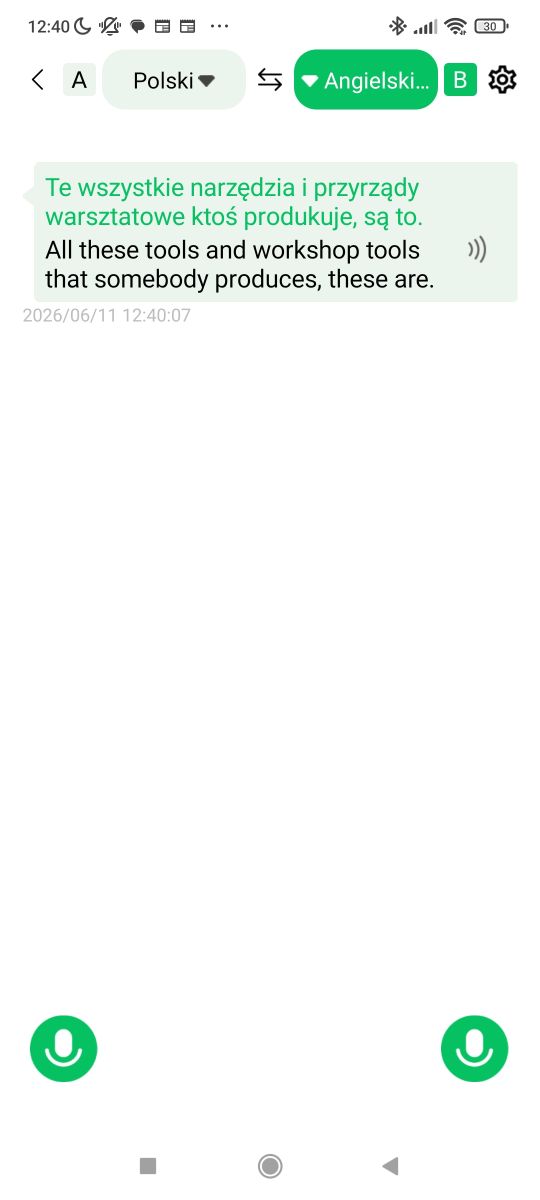
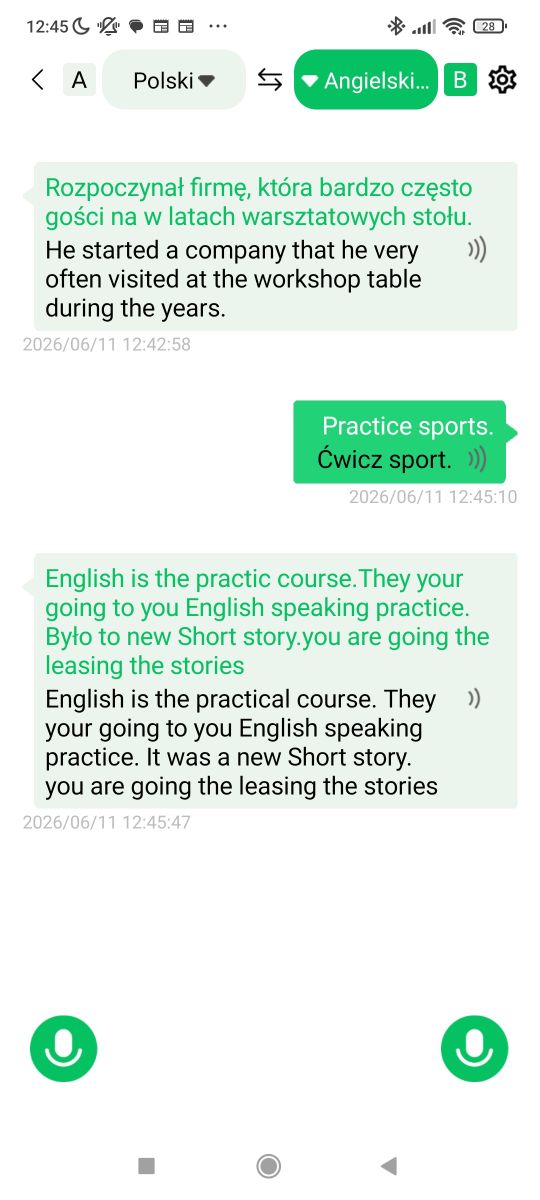
    3. To translate, press one of the two buttons and speak whilst it is held down. When you release the button, the translation into the target language begins
    Bluetooth One Click Translate – will it come in handy when travelling? Bluetooth One Click Translate – will it come in handy when travelling? Bluetooth One Click Translate – will it come in handy when travelling?
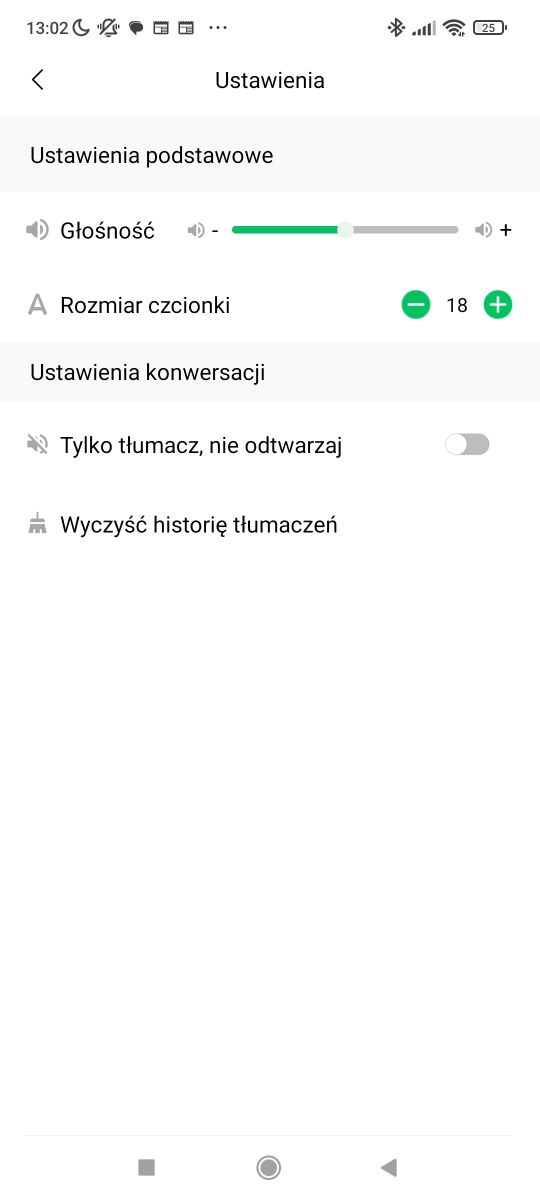
    The app also features a history of translated messages.

    That’s the theory – but what about in practice? Here is a video demonstration based on free English-language material from YouTube, actually just a short clip:


    The sound is from the translator. First I press the button, then I release it. After a moment, you can hear the translator. You can immediately spot a few issues:
    - there is a brief delay between the end of the utterance and the translation
    - the translation is not on a par with modern AI systems; it is more like Google Translate
    - the device often fails to pick up what is said; you have to speak loudly and clearly
    - the device has trouble with proper nouns – in this example, it failed to translate one of the names, though it is debatable whether it should have...
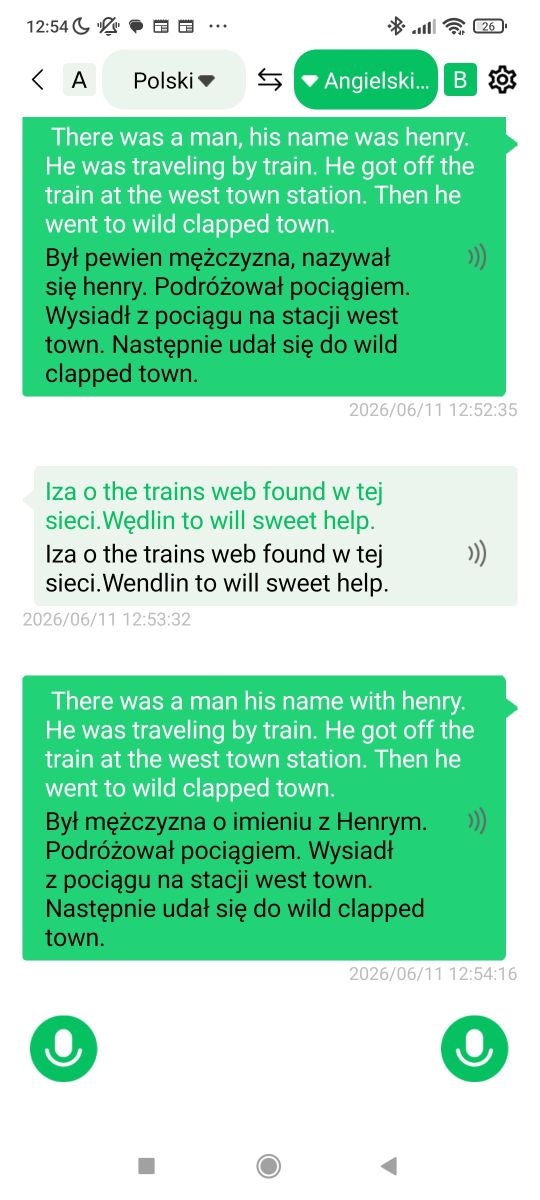
    Additionally, there is also an issue with which button corresponds to which language – you cannot make a mistake; the button you press determines the source and target languages. There is no automatic detection.
    Bluetooth One Click Translate – will it come in handy when travelling?
    I tested it a bit more, including with German, and quickly came to the conclusion that the system allows you to communicate with someone, but often twists phrases slightly.

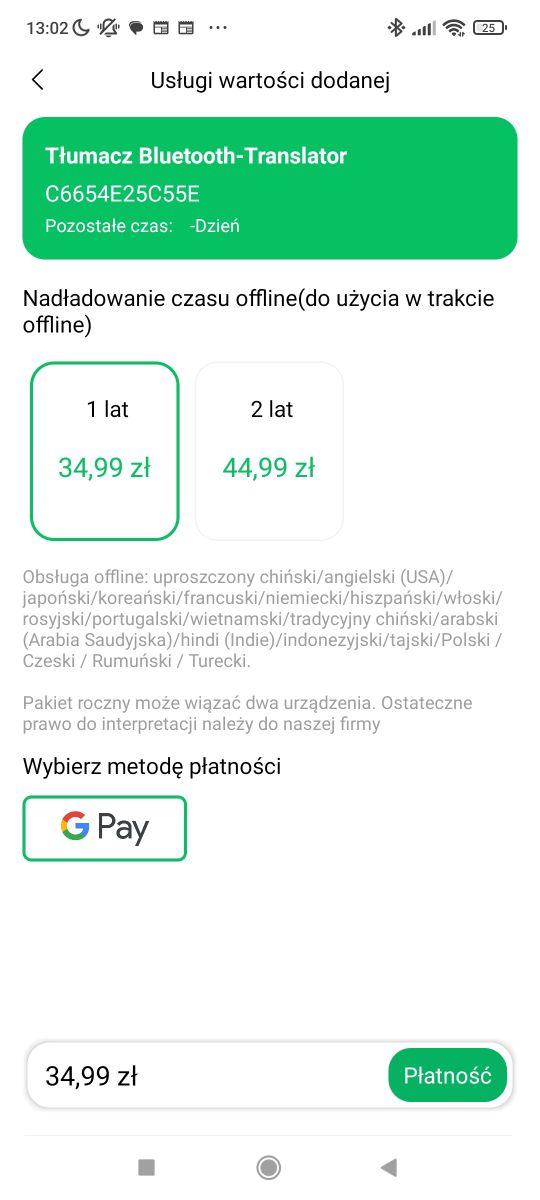
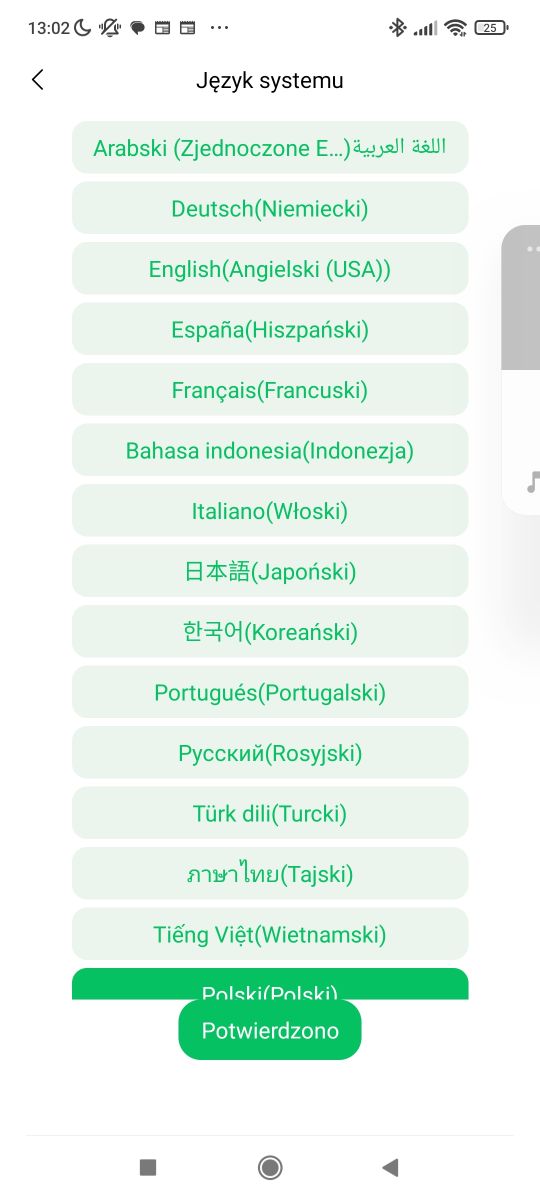
    Another issue is that translations are done in the cloud – there is potentially an offline version, but it’s a paid service, so I haven’t tested it:
    Bluetooth One Click Translate – will it come in handy when travelling? Bluetooth One Click Translate – will it come in handy when travelling? Bluetooth One Click Translate – will it come in handy when travelling?

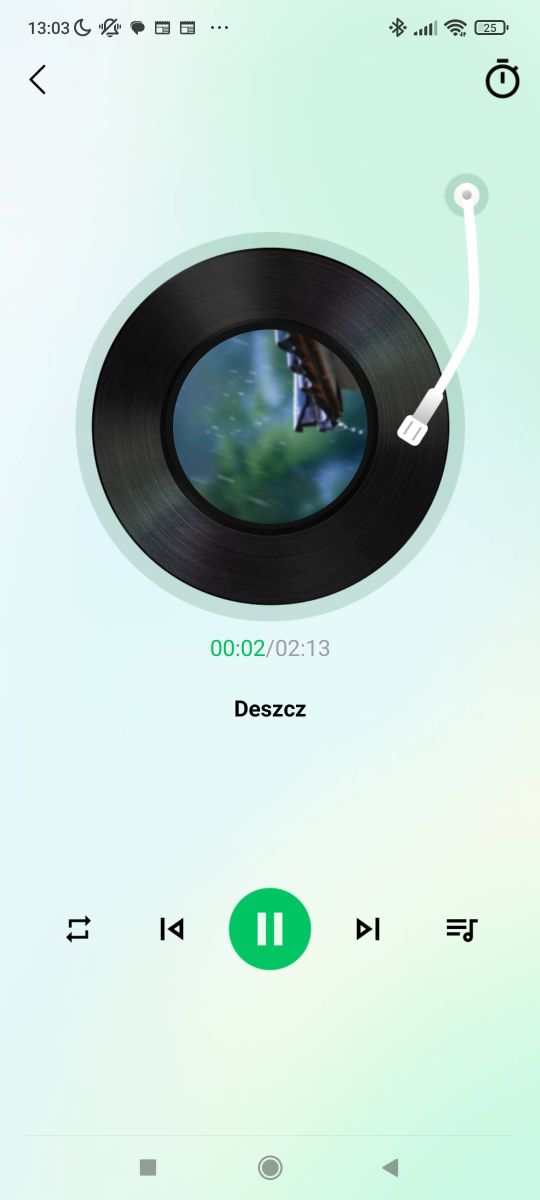
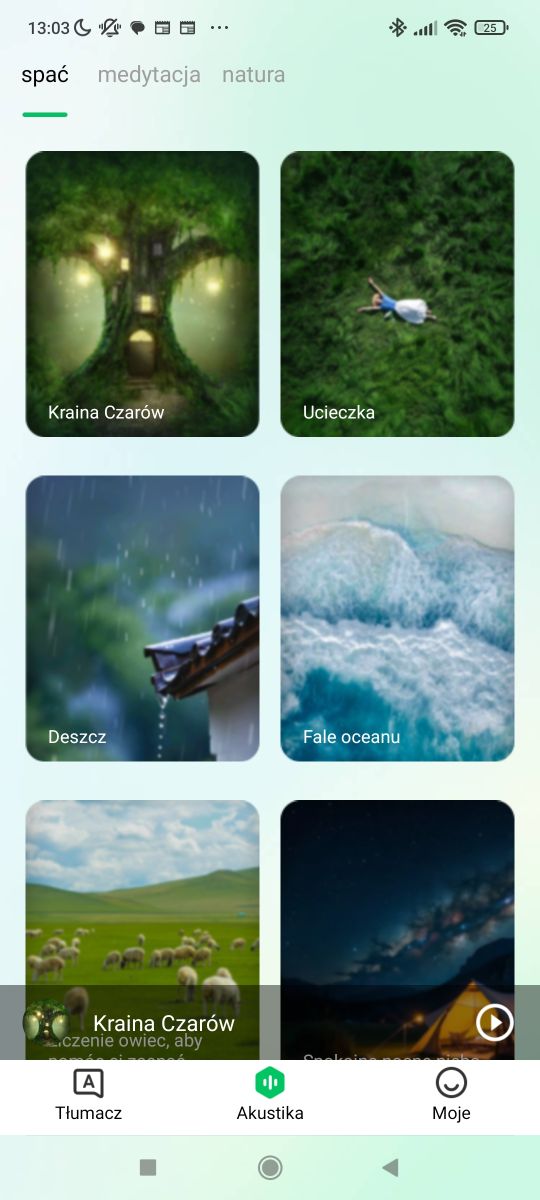
    Additionally, the app has some built-in sound effects – rain, etc. It’s essentially just a Bluetooth speaker/microphone; it’s also suitable for playing music, quite happily without the manufacturer’s app.
    Bluetooth One Click Translate – will it come in handy when travelling? Bluetooth One Click Translate – will it come in handy when travelling?

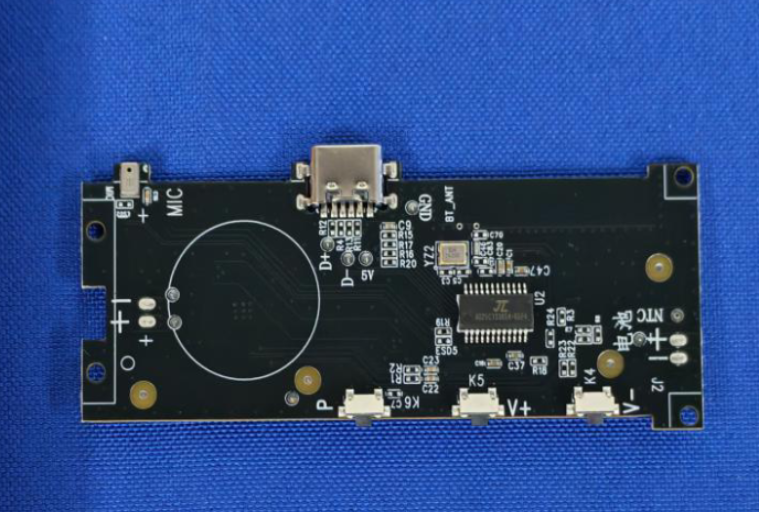
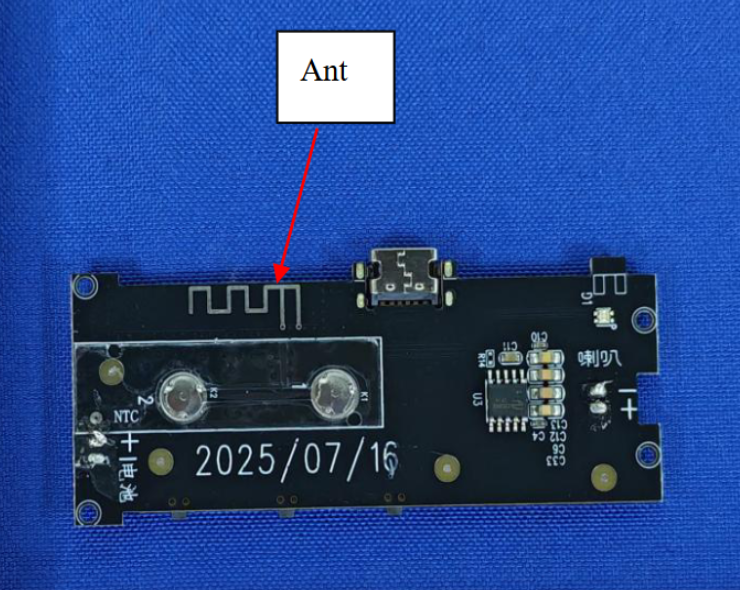
    Finally, a quick look inside - I didn’t want to damage my own unit, so I’ll just quote the photos from the publicly available FCC report:
    Bluetooth One Click Translate – will it come in handy when travelling? Bluetooth One Click Translate – will it come in handy when travelling?
    Source: https://fccid.io/2A6DU2501/Internal-Photos/Internal-photos-8653107

    Inside, I recognise a single chip from JieLi Technology, the same one I’ve seen in various Bluetooth speakers. This comes as no surprise.

    To sum up – provided we have internet access whilst travelling, this device is indeed capable of translating simple sentences; the only problem is that the whole process still takes place via a phone and the cloud, so essentially the gadget itself is just a superfluous gimmick, and the app could translate without it. On the plus side, however, by buying this translator we get a Bluetooth speaker/microphone, although we’re potentially paying a bit over the odds. Minor downsides include a poor microphone (you have to speak very loudly) and a way of using it that’s not intuitive (for me) – I get the buttons mixed up, not knowing which is which.
    Do you see the point of this type of translator?
    PS: Perhaps we could try running this device directly from an ESP32 in a separate section?

    Cool? Ranking DIY
    Helpful post? Buy me a coffee.

    About Author
    p.kaczmarek2
    Moderator Smart Home
    Offline 
    p.kaczmarek2 wrote 14699 posts with rating 12741, helped 656 times. Been with us since 2014 year.
  • ADVERTISEMENT
  • #2 21922239
    gulson
    System Administrator
    Posts: 29424
    Help: 150
    Rate: 6084
    They’ve just released:
    https://ai.google.dev/gemini-api/docs/models/gemini-3.5-live-translate-preview?hl=pl
    If it translated that quickly and accurately, it would be brilliant.
    I wonder if you could connect the device; then you wouldn’t need to take your phone out, as all queries would go via the API to the device, and the response and language switching would be automatic.
  • ADVERTISEMENT
  • Google Translate offline downloads reduce travel dependence

    #3 21922578
    sanfran
    Network and Internet specialist
    Posts: 9933
    Help: 958
    Rate: 2994
    Google Translate also has options for downloading files so you can translate offline.
    As for the concern that they’ll hijack your phone – you’re right, but let’s bear in mind that most Bluetooth speakers have a microphone and a hands-free calling function.
    The problem I see is the app itself. We don’t know what it might do, what data it might collect or what it might share.
    And since Google already knows my preferences anyway, knowing my translations is a piece of cake.
  • ADVERTISEMENT
  • #4 21923643
    p.kaczmarek2
    Moderator Smart Home
    Posts: 14699
    Help: 656
    Rate: 12741
    That’s a good idea, this gemini-3.5-live-translate-preview. I think I’ll give it a go – I wonder if it would be possible to connect it directly to a stick like the one mentioned in the thread, or better still, to an ESP32?
    Helpful post? Buy me a coffee.
  • #5 21925434
    jakubprazmowskibox
    Level 3  
    Posts: 267
    Rate: 7
    This thing doesn’t work at all, does it! Hehe. Oh… you need a special app? So what is it, then? A wireless microphone for your phone? LoL
📢 Listen (AI):

FAQ

TL;DR: For travellers considering an under-80-zloty Bluetooth translator, the thread’s verdict is clear: “the gadget itself is just a superfluous gimmick.” It can translate simple phrases, but it still needs a phone, cloud processing, and loud, clear speech, so this FAQ helps buyers judge whether convenience outweighs the limits. [#21922158]

Why it matters: Travel translators sound convenient, but this thread shows the real decision is not translation quality alone; it is whether a separate gadget adds enough value over the phone already in your pocket.

Option Needs phone Needs internet Translation quality in thread Extra function
G6 Bluetooth translator Yes Yes for tested mode Usable for simple sentences; weaker than newer AI Bluetooth speaker and microphone
Phone app alone Yes Yes for cloud use Can do the same translation without gadget No extra hardware
Google Translate offline packs Yes No after download Suggested as travel fallback Offline translation
Gemini live translate idea Yes or API bridge Yes Discussed as faster and more accurate Could automate switching

Key insight: The G6 is most useful as a push-to-talk remote for phone translation, not as a truly independent translator. If you already trust your phone app, the separate device mainly adds speaker-microphone convenience. [#21922158]

Quick Facts

  • Approximate purchase price was just under 80 zlotys, positioning the G6 as a low-cost travel gadget rather than a premium interpreter device. [#21922158]
  • The package included three items: the G6 unit, a manual, and a USB-C cable. [#21922158]
  • Setup uses a 3-step flow: choose two languages in the app, power on the unit until the LED lights, then hold one of two buttons while speaking. [#21922158]
  • The tested translation path was cloud-based, while an offline mode appeared in the app only as a paid option that was not tested. [#21922158]
  • Hardware identification is unusually clear for a budget gadget: the model is G6 and the FCC ID is 2A6DU-2501, which links to internal photos. [#21922158]

How do you set up the G6 Bluetooth One Click Translate device with a phone app and start translating between two languages?

You pair the G6 over Bluetooth, grant app permissions, and then use push-to-talk translation. 1. Open the app and choose the two languages. 2. Hold the side button until the LED lights. 3. Hold one of the two translation buttons, speak, then release to hear the result. The box included a USB-C cable, and pairing starts from the phone’s Bluetooth device list. [#21922158]

Why does the G6 translator need you to press and hold different buttons for each translation direction instead of detecting the language automatically?

It works that way because the G6 uses fixed button-based language direction, not automatic language detection. One button maps to one source-target path, and the other button reverses it. That means you must remember which side is which before every sentence. The reviewer calls this non-intuitive and says a wrong button press changes the translation direction immediately. [#21922158]

What causes the delay between finishing a sentence and hearing the translated speech on this Bluetooth translator?

The delay comes from a multi-step process that starts only after you release the button. The device must capture speech, send it through the phone app, process the translation in the cloud, and then play back synthesized audio. The reviewer observed a brief pause after each utterance in the video demo, which makes conversation slower than natural back-and-forth speech. [#21922158]

Why does the microphone on the G6 translator miss words unless you speak loudly and clearly?

The microphone appears to have limited pickup quality, so soft or unclear speech is not captured reliably. The reviewer says the device often fails to catch what was said and that you must speak loudly and clearly. That weakness matters more in travel settings with street noise, station announcements, or café background sound, because missed input produces wrong translation before playback even starts. [#21922158]

How accurate is the G6 Bluetooth translator compared with Google Translate and newer AI tools like Gemini live translate?

It is good enough for simple communication, but it does not match newer live AI translation tools. The reviewer says its output feels closer to Google Translate than to modern AI systems, and another post says Gemini live translate would be “brilliant” if it delivered faster and more accurate results. In this thread, the G6 is serviceable, not state of the art. [#21922239]

What problems can this type of translator have with proper nouns, names, and slightly more complex phrases?

It can mistranslate names, miss proper nouns, and slightly twist longer phrases. In the demo, one name was not translated correctly, and later testing in German suggested the system can communicate but often alters wording. That is a practical failure case: the listener may understand the topic but still miss a person, place, or exact meaning. [#21922158]

How useful is a cloud-based Bluetooth translator for travel if it still depends on a phone and internet access?

It is useful only when you have both your phone and working internet. The reviewer concludes it can translate simple sentences while travelling, but the app and cloud do the real work. “Cloud translation” is an online translation service that sends speech through a network for processing, its key characteristic is dependence on a live internet connection. That makes the G6 less useful in dead zones or expensive roaming conditions. [#21922158]

What is an FCC ID, and how can you use the FCC ID 2A6DU-2501 to find internal photos and hardware details of a device?

An FCC ID is a regulatory device identifier that lets you trace certification records and attached technical documents. “FCC ID” is a compliance identifier that links a radio device to public filing records, its key characteristic is searchable access to exhibits such as internal photos. In this thread, entering 2A6DU-2501 led to public internal photos that showed the hardware without opening the reviewer’s own unit. [#21922158]

What is JieLi Technology, and why is finding a JieLi chip inside the G6 translator not surprising?

JieLi Technology is a chip vendor commonly seen in low-cost Bluetooth audio products. “JieLi Technology” is a semiconductor maker that supplies integrated chips for Bluetooth audio devices, its key characteristic is frequent use in budget speakers and similar gadgets. The reviewer says the identified chip matches parts already seen in various Bluetooth speakers, so finding it inside the G6 was expected. [#21922158]

Google Translate offline packs vs a dedicated Bluetooth translator like the G6 — which works better when travelling without reliable internet?

Google Translate offline packs are the safer choice when internet is unreliable. One reply points out that Google Translate lets you download files for offline translation, while the tested G6 mode depends on cloud processing and the app’s offline option was paid and untested. For travel without stable data, the phone solution removes one failure point: the separate gadget. [#21922578]

What privacy and data-collection risks should you consider before installing a translation app from a QR code in a Chinese gadget manual?

You should assume the app may request broad permissions and may collect more data than the speaker hardware needs. The thread says setup requires granting permissions, and one reply warns that the real concern is the app because you do not know what it might do, collect, or share. That risk matters more than the microphone alone, since many Bluetooth speakers already support hands-free audio. [#21922578]

How can a device like this work as a regular Bluetooth speaker and microphone even without the manufacturer’s translation app?

It works because the hardware also behaves like a standard Bluetooth audio accessory. The reviewer says the G6 can play music and function happily without the maker’s app, which means the translation feature is only one use case layered on top. In practice, you are also buying a small Bluetooth speaker and microphone, not just a translator. [#21922158]

What is cloud translation, and how is it different from the paid offline translation option mentioned in the app?

Cloud translation processes speech online, while offline translation stores the language resources locally. In this thread, the tested mode used the cloud, and the offline option appeared only as a paid service that the reviewer did not test. The practical difference is simple: cloud mode needs internet every time, but offline mode is meant to keep working after connectivity disappears. [#21922158]

How could you connect a Bluetooth translation device to the Gemini API or another live translation API so you would not need to take your phone out?

You would use the device as the audio endpoint and route requests through an API-driven app. One reply suggests connecting the gadget so queries go through the API to the device, with spoken responses returned automatically and language switching handled in software. The same post links the idea to Gemini live translate and focuses on convenience: no need to take the phone out for each exchange. [#21922239]

What is the point of buying a one-click Bluetooth translator if the app on the phone can already do the translation by itself?

The main point is hands-on convenience, not better translation. The device gives you a physical push-to-talk control, speaker output, and microphone input in one unit. The reviewer still concludes the gadget is largely superfluous because the phone app and cloud already perform the real translation. That leaves one clear value: easier button-driven interaction if you prefer hardware over touching the phone screen. [#21922158]
Summary generated by AI based on the discussion content.
ADVERTISEMENT