





Recharger to charge the car battery
TL;DR
- Built an automatic transformer-rectifier car battery charger that enables charging when a battery is connected and switches off when the battery is charged or an error appears.
- It uses a 40 W TV-SAT transformer, relays to switch two secondary windings, a Nuvoton W79E2051 8051 clone, INA226 sensing, and MAX7219-driven displays.
- The firmware samples INA226 every 140 µs and reads voltage and current about 400 times in 100 ms, tracking U min, U max, I min, and I max.
- Bluetooth talk mode streams a status block every 100 ms, but the transmitter lowers the measurement loop from about 400× to about 360×.
AI summary based on the discussion. May contain errors.
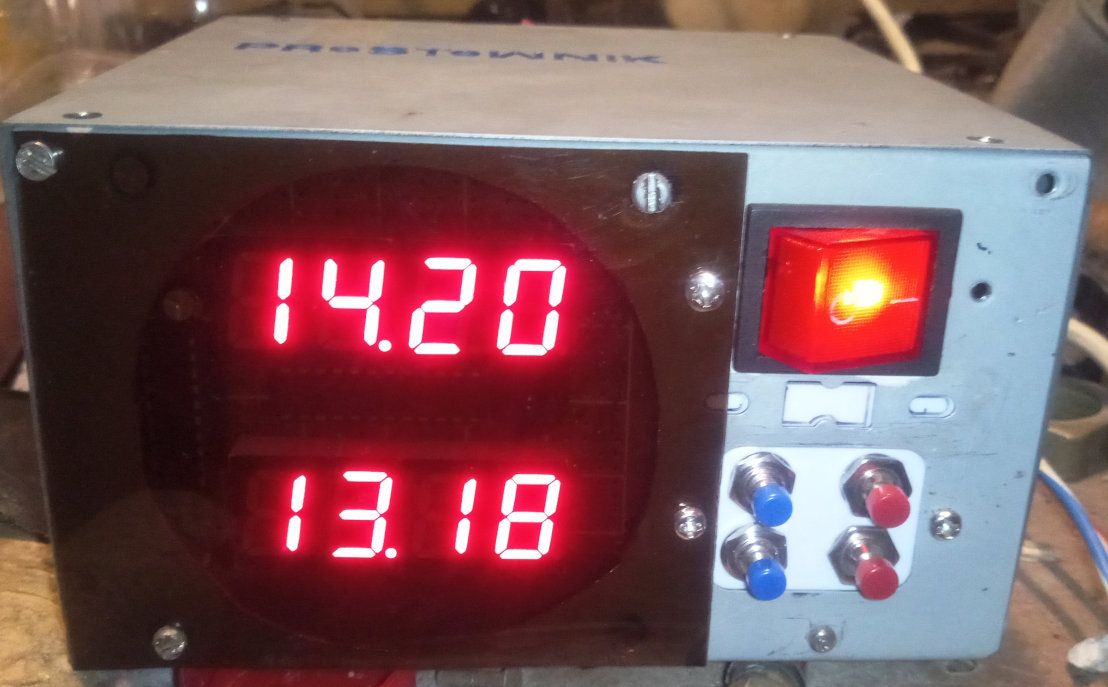
I have made myself a transformer rectifier to charge my car battery, with automatic charge control - on an on/off basis - so that charging can be left unattended for long periods. The circuit has two basic tasks:
- enable charging when the battery is connected
- switch off charging when the battery is charged or in an error situation
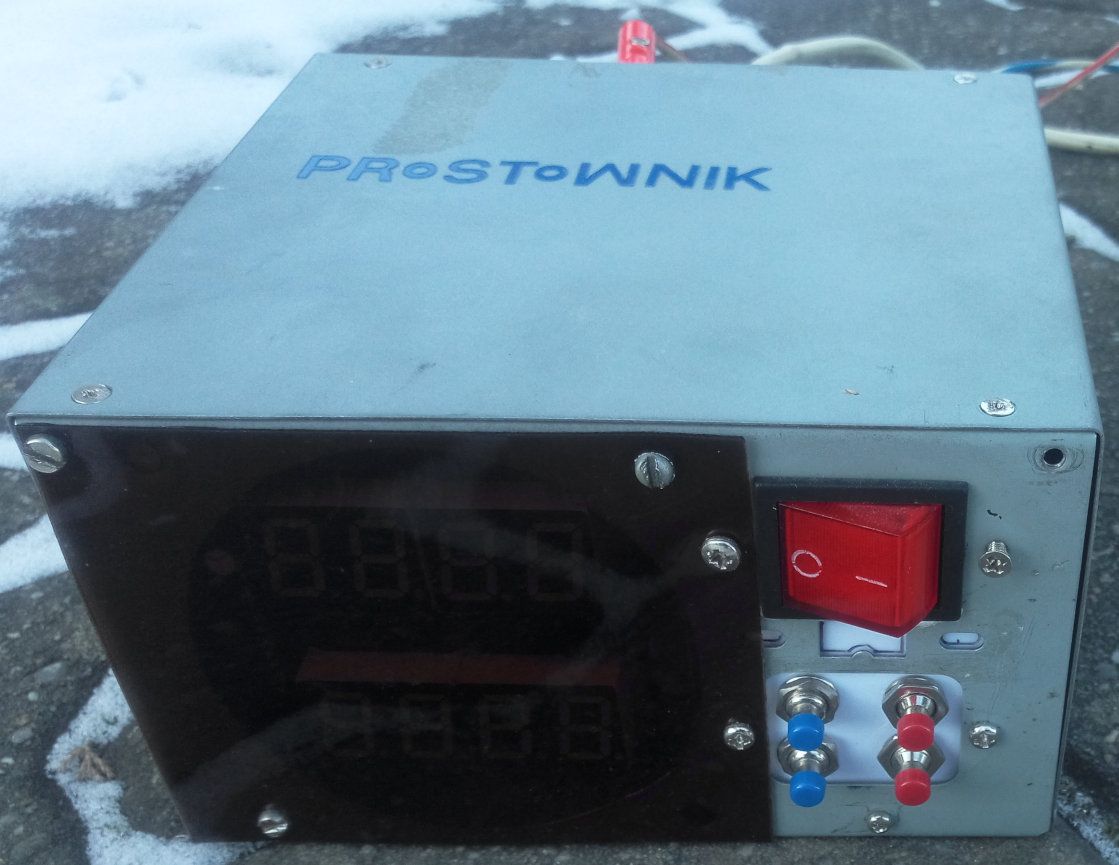
The garage aesthetics of the unit are provided by the casing after the ATX power supply.
However, I took care to at least divide the front and rear panels.
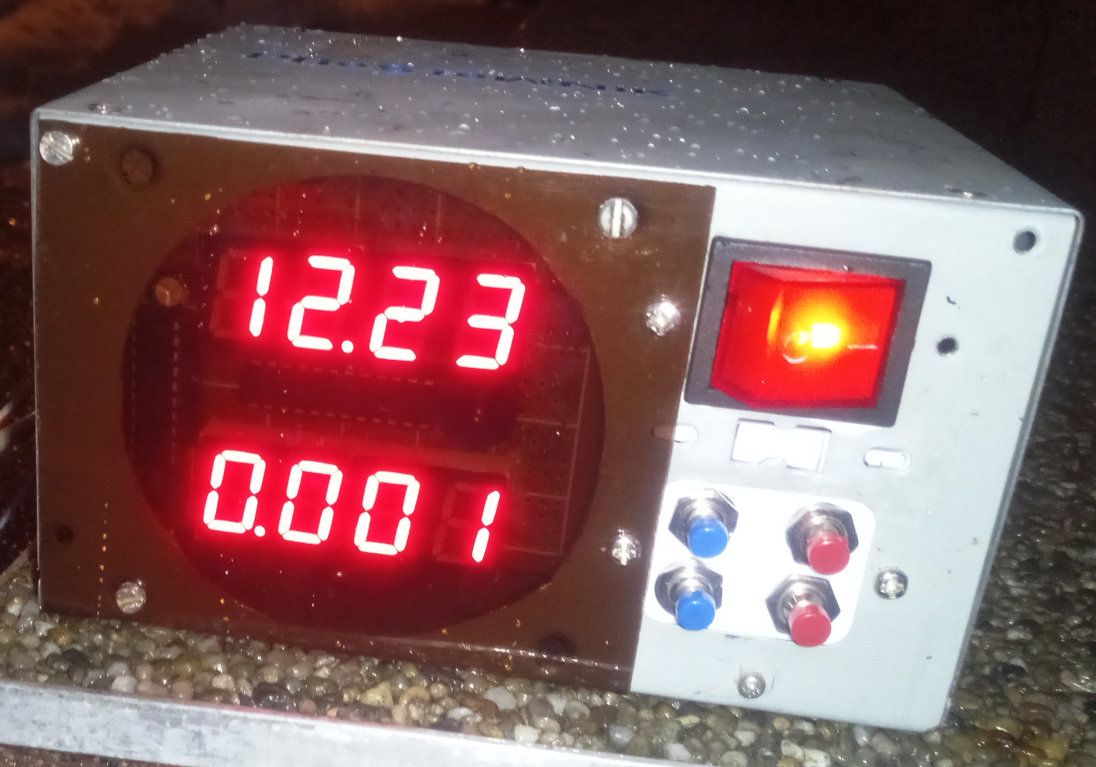
The side that was visible from the back of the computer is now the front panel. There is a red seven-segment LED display (2 rows of 4 digits with decimal points), a big red main switch and 4 momentary buttons - 2 blue on the left (closer to the display) and 2 red on the right.
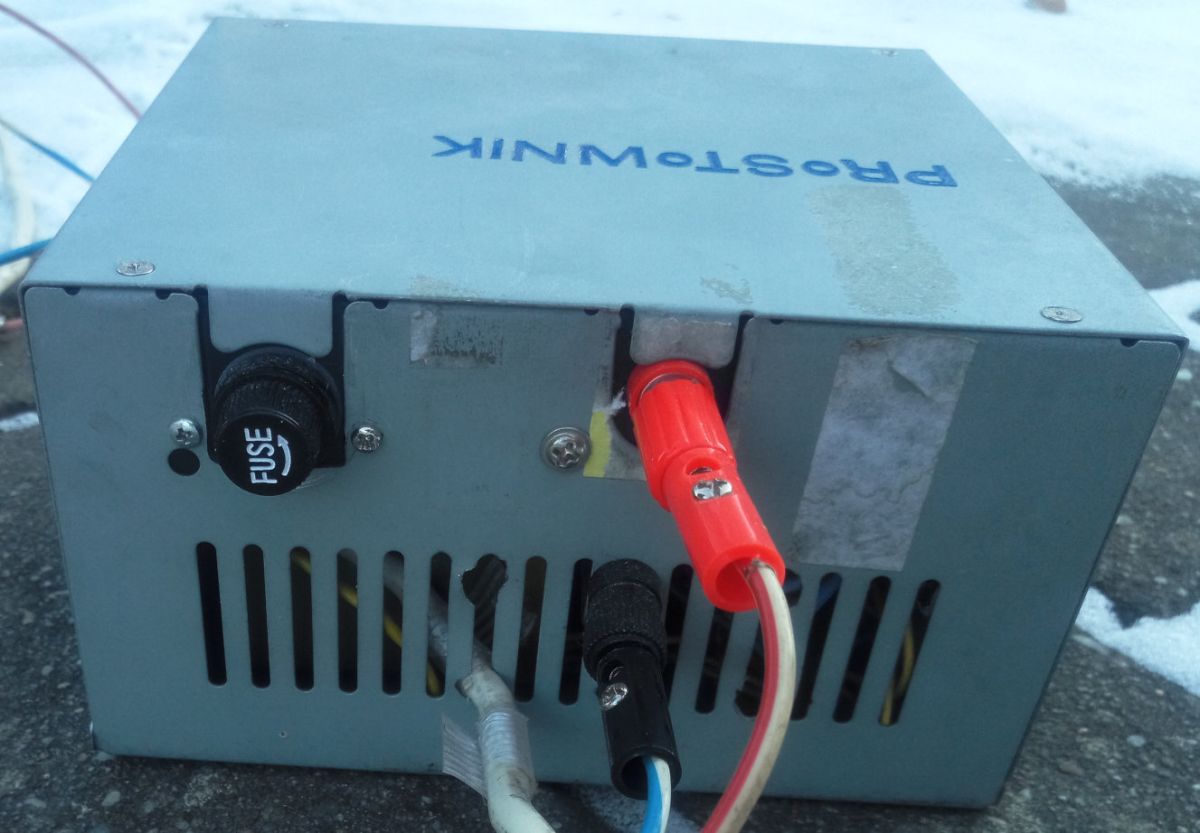
There is a fuse socket on the back, a positive and negative terminal, and a power cable sticking out.
Internal construction
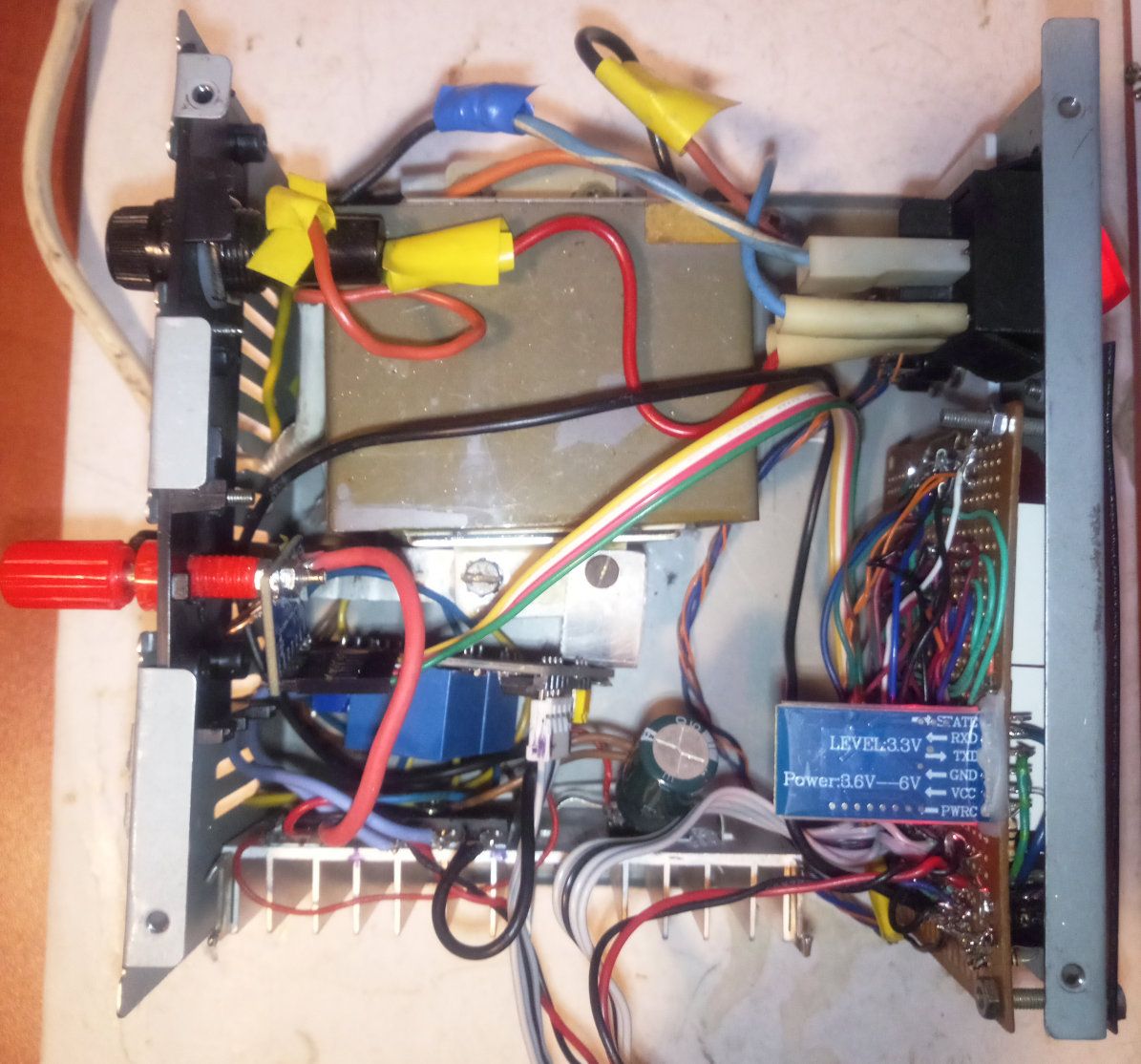
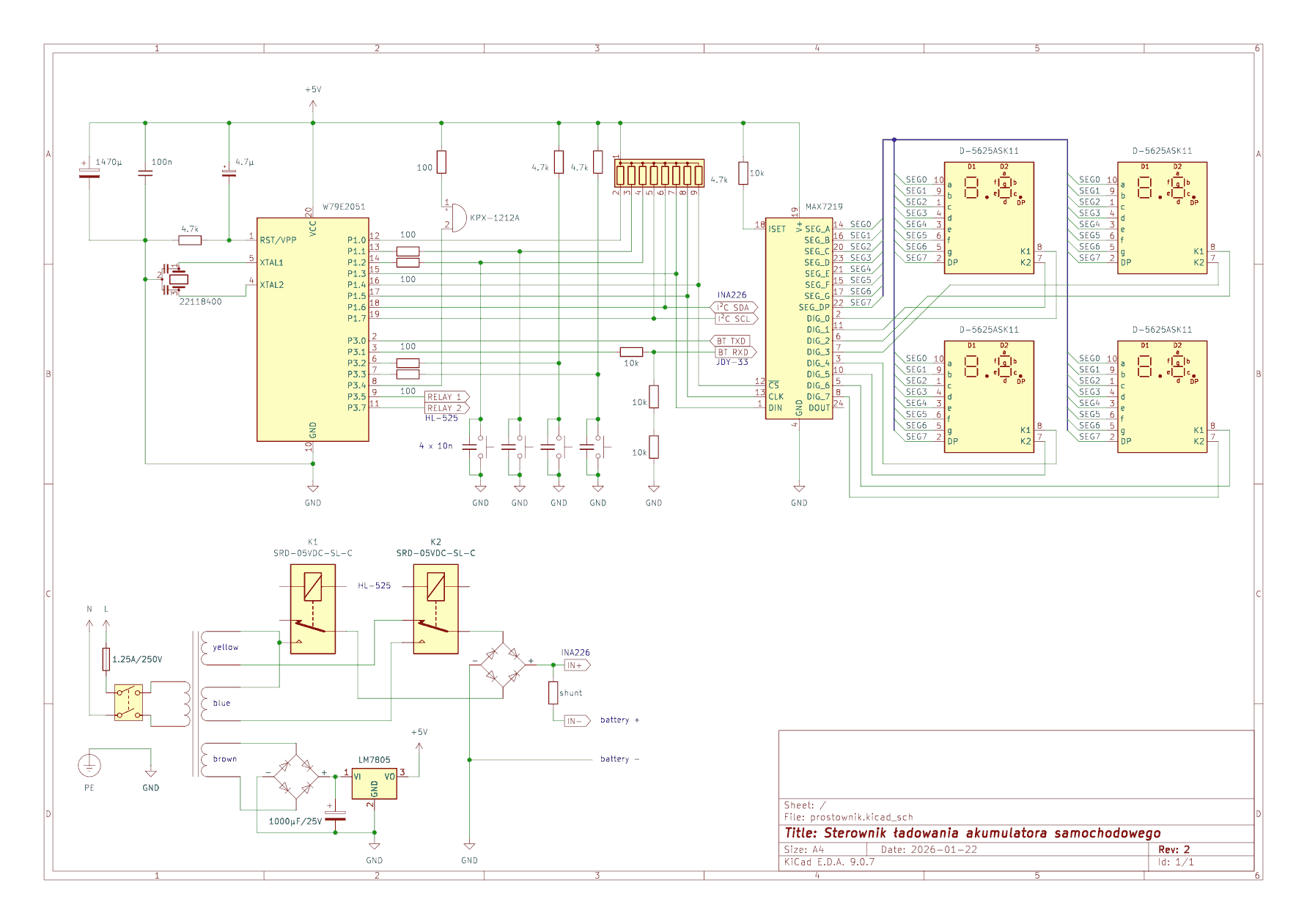
The transformer is from a very old TV-SAT receiver, has about 40 W and has 3 secondary windings with the following AC voltages (at ~240 V on the primary):
| Wire colour | Voltage | Application | Application
|
| brown | 7,95 V | Control electronics supply | |
| yellow | 15,39 V | the convolution referred to below the first | |
| blue | 22 V | bluethe convolution called below the second |
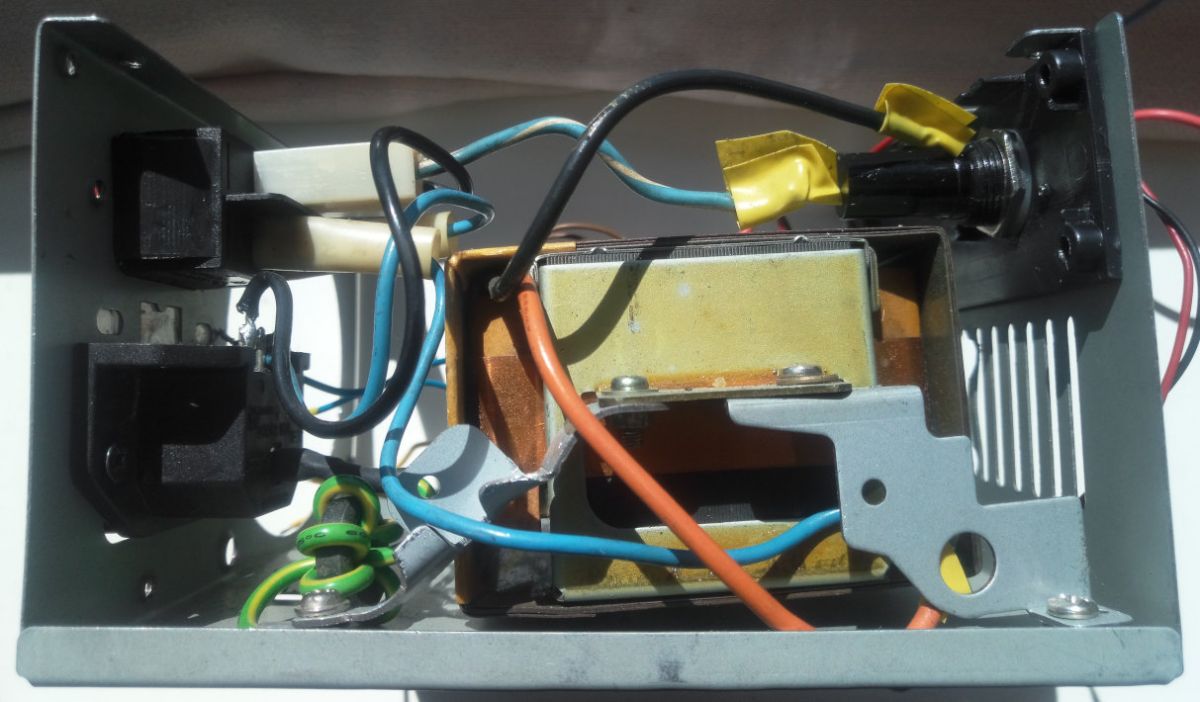
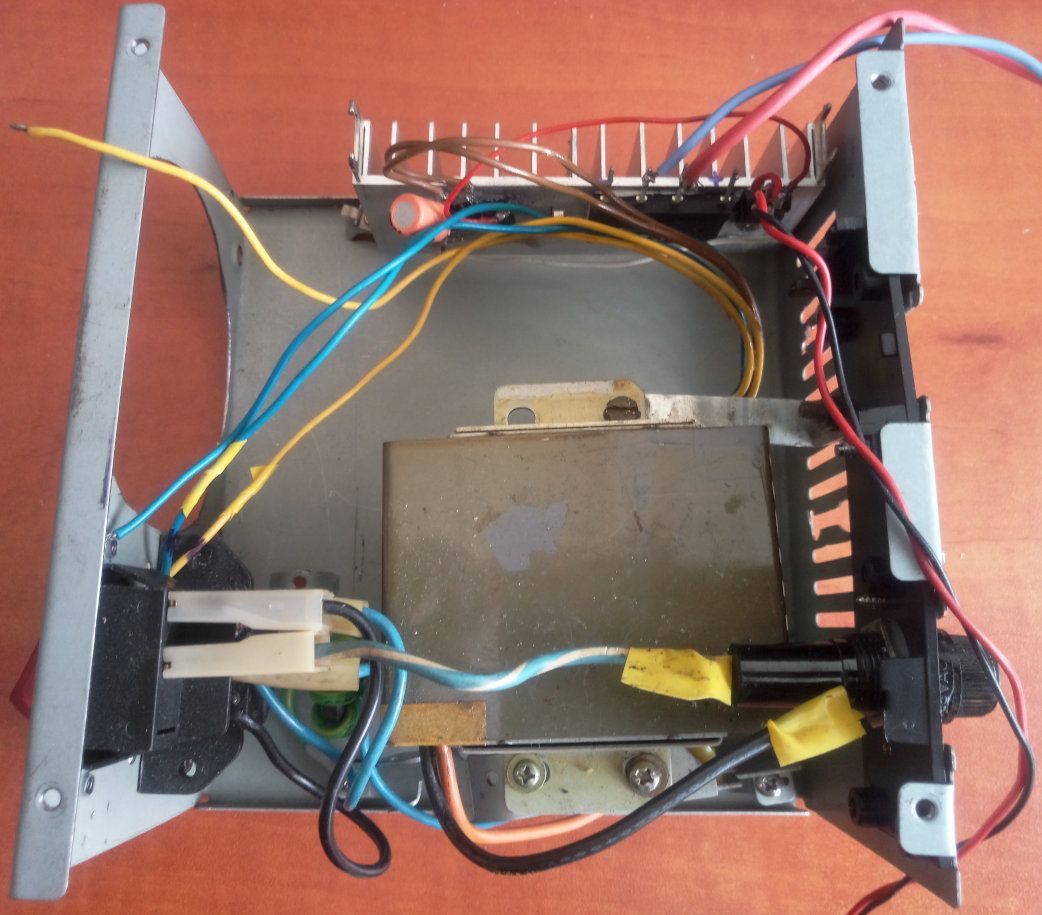
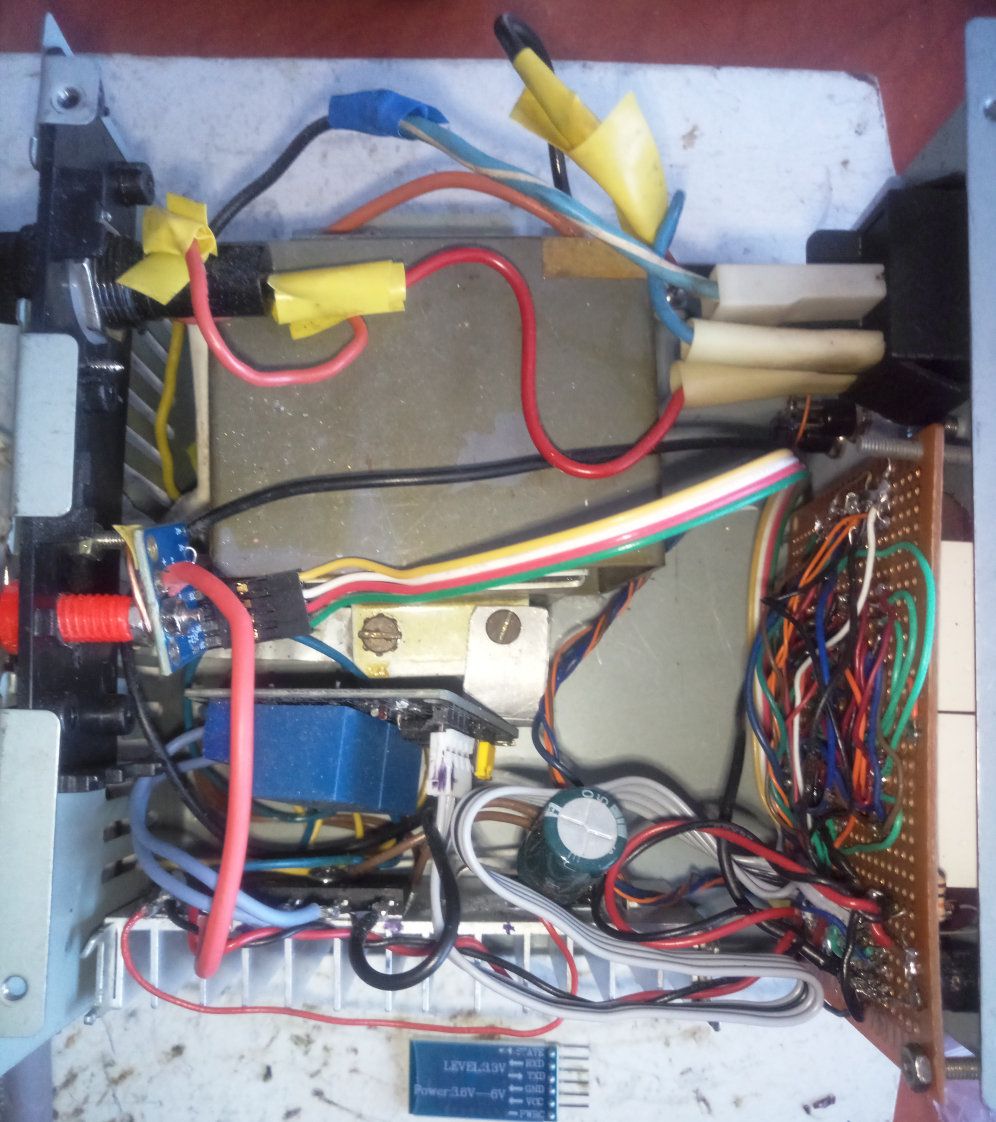
The electronics are powered by a separate small rectifier bridge and 7805 .
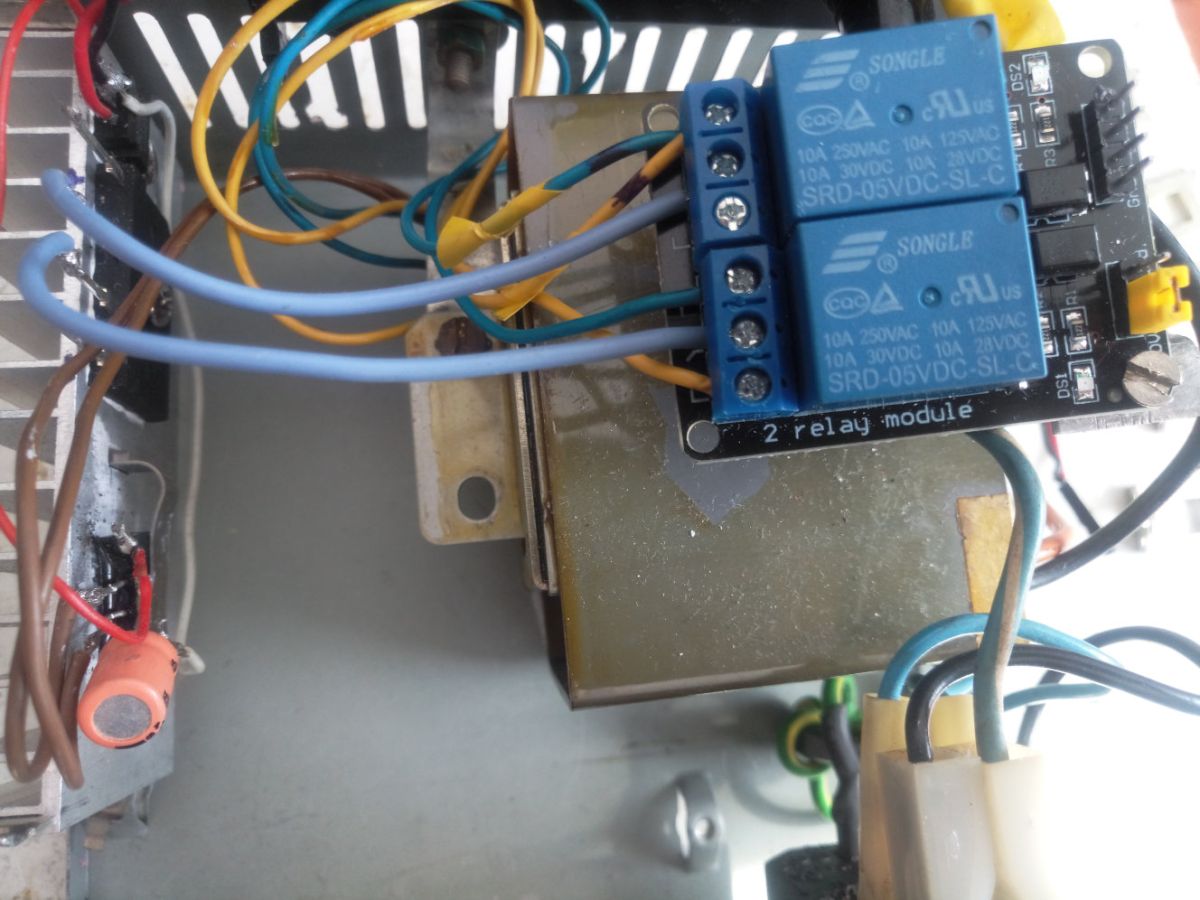
One of the other two windings is connected via relays to this second (larger) bridge, from which the rectified voltage exits via a shunt to the banana sockets on the rear.
Both bridges and 7805 are mounted on a heat sink.
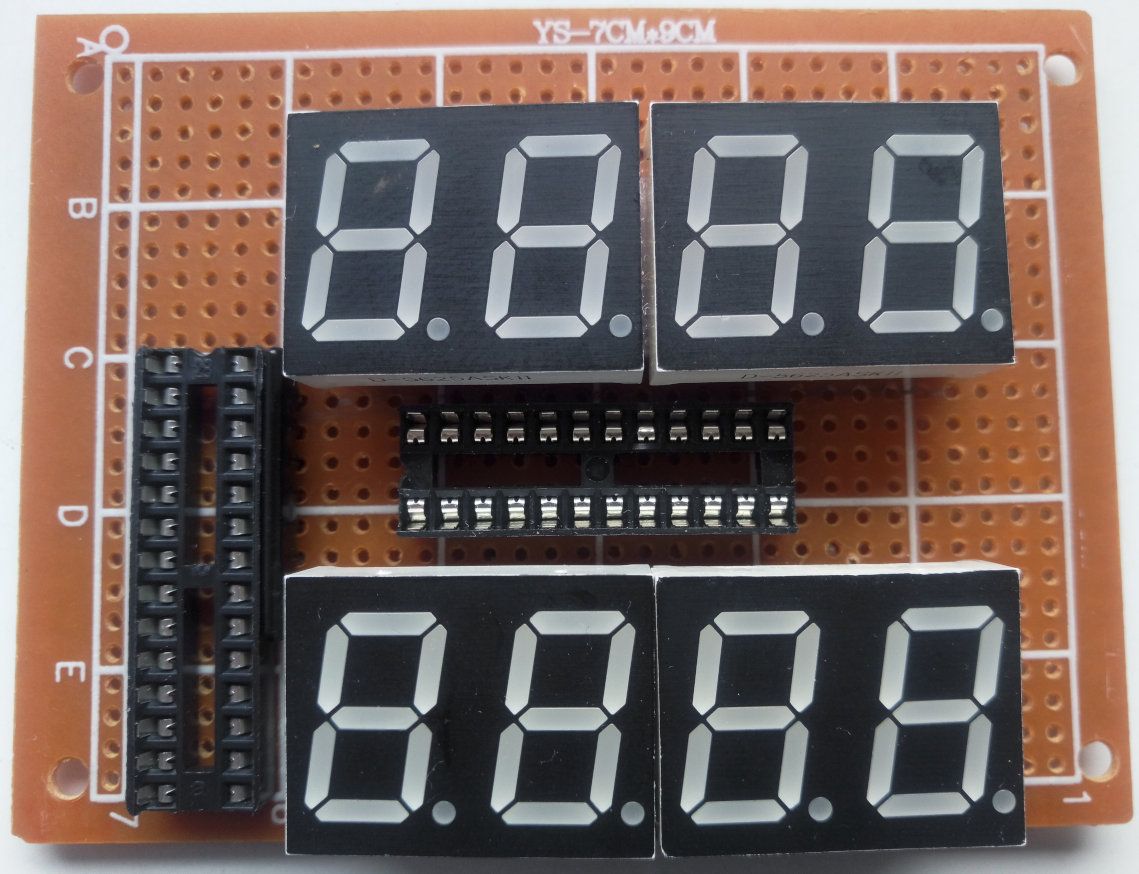
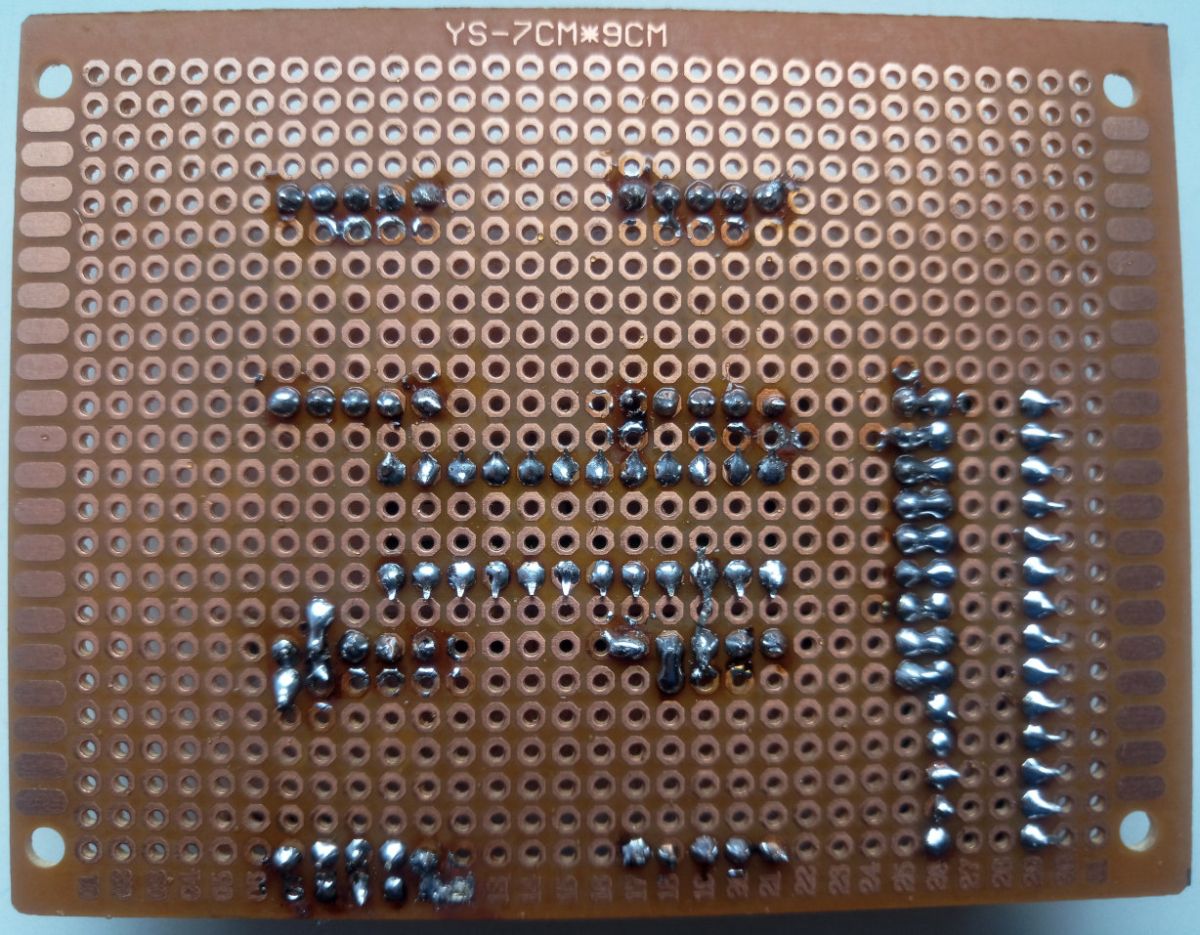
The main board is a 7x9 cm universal board. It already receives stabilised 5 V.
There is a socket for Atmel on the board AT89C2051 and EEPROM AT24C02 , but I replaced them with a clone: Nuvoton W79E2051 . Compared to the original, it has built-in non-volatile memory , watchdog a and brown-out reset , well it is 2x faster in this application.
Also: 4 double-digit displays D-5625ASK11 , which light up quite nicely, operated by MAX7219 ; and a squeaker.
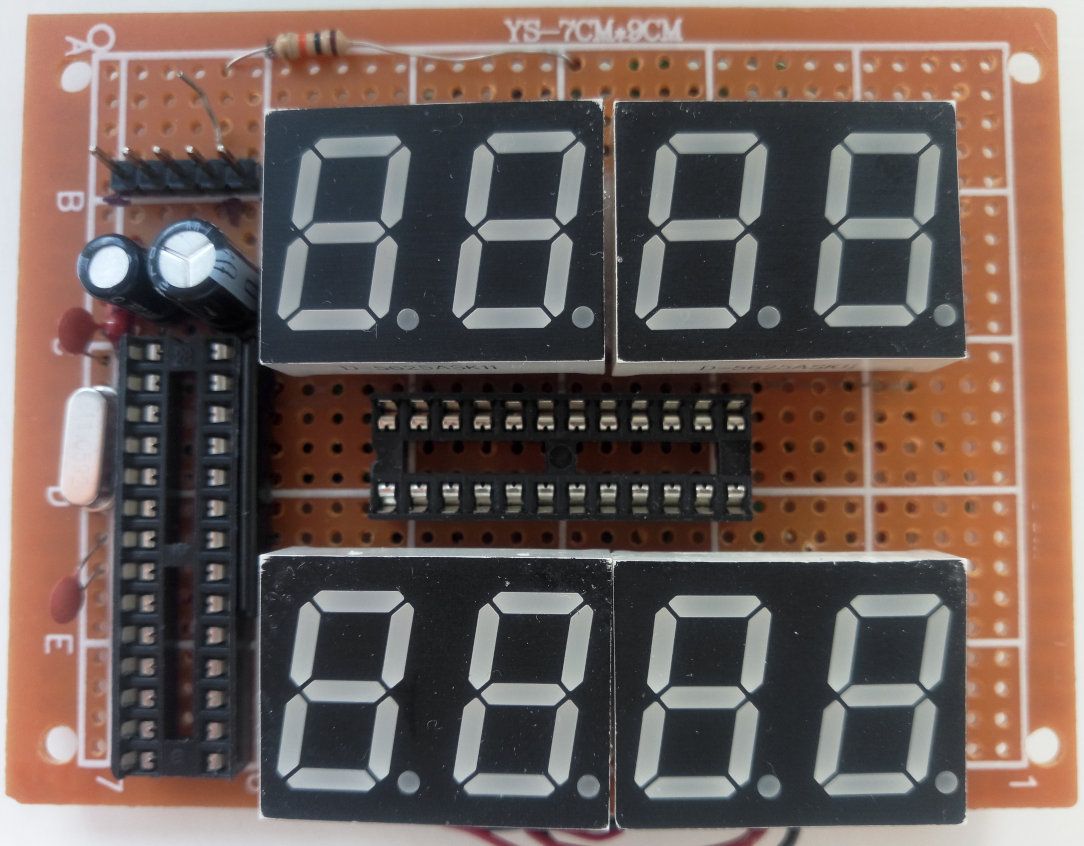
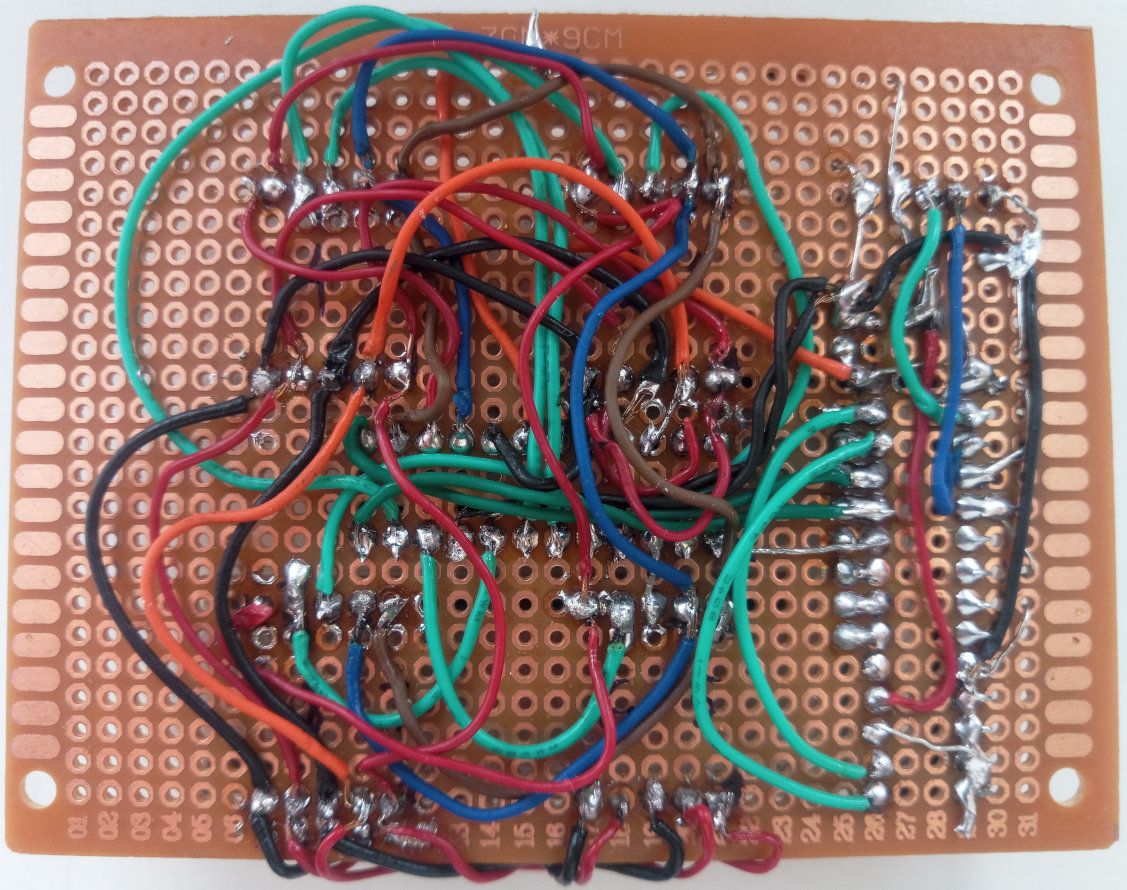
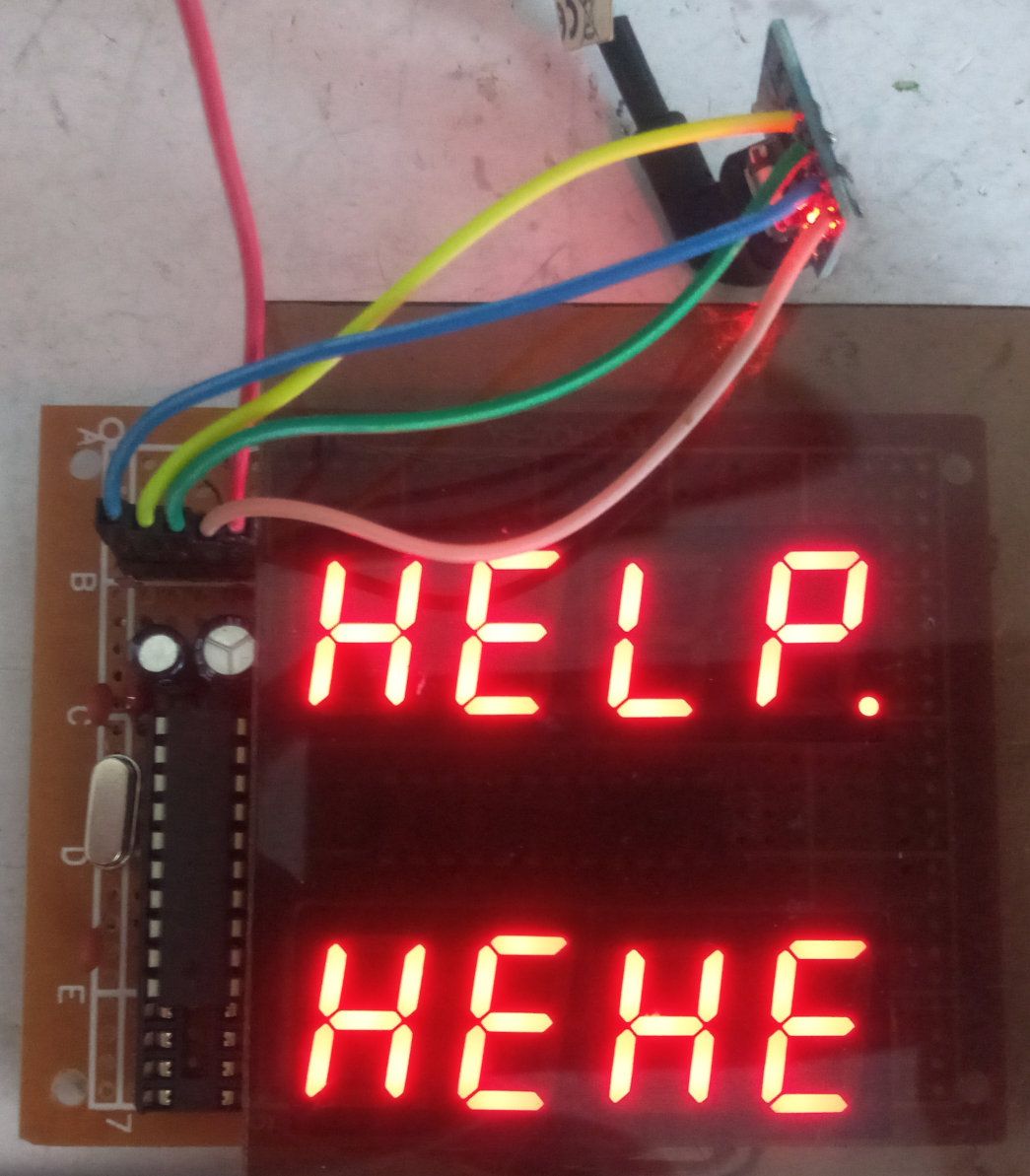
The following peripheral modules from Aliexpress are connected to the board:
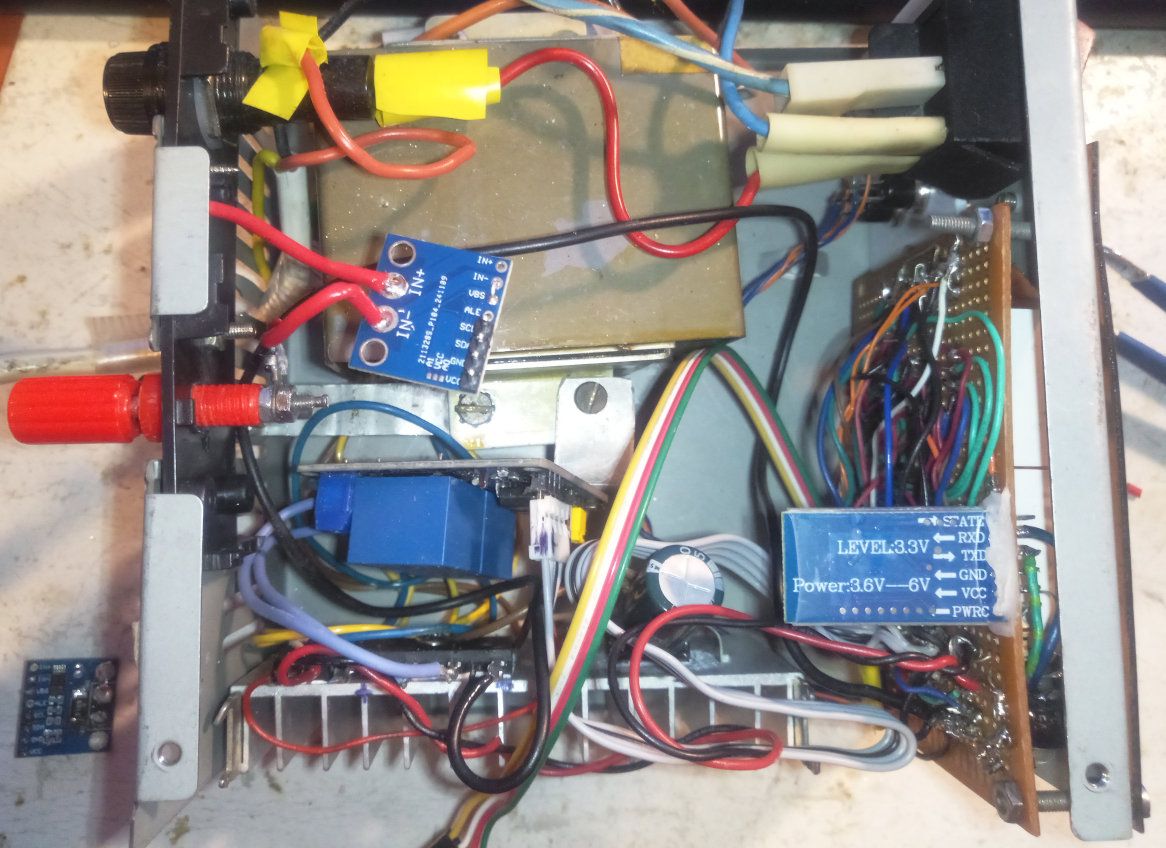
- 2 5 V SRD-05VDC-SL-C relay module with optoisolation HL-525 - one closes the circuit and the other switches the windings
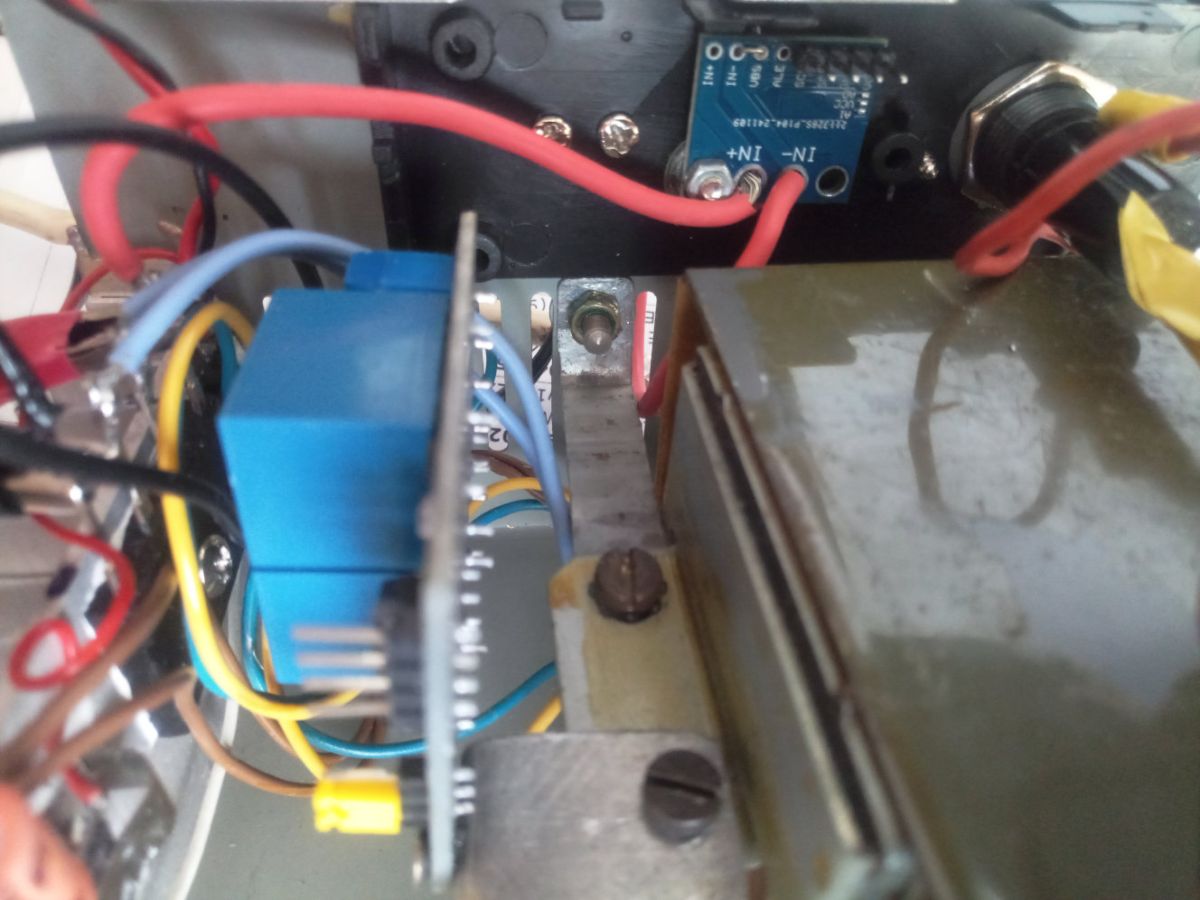
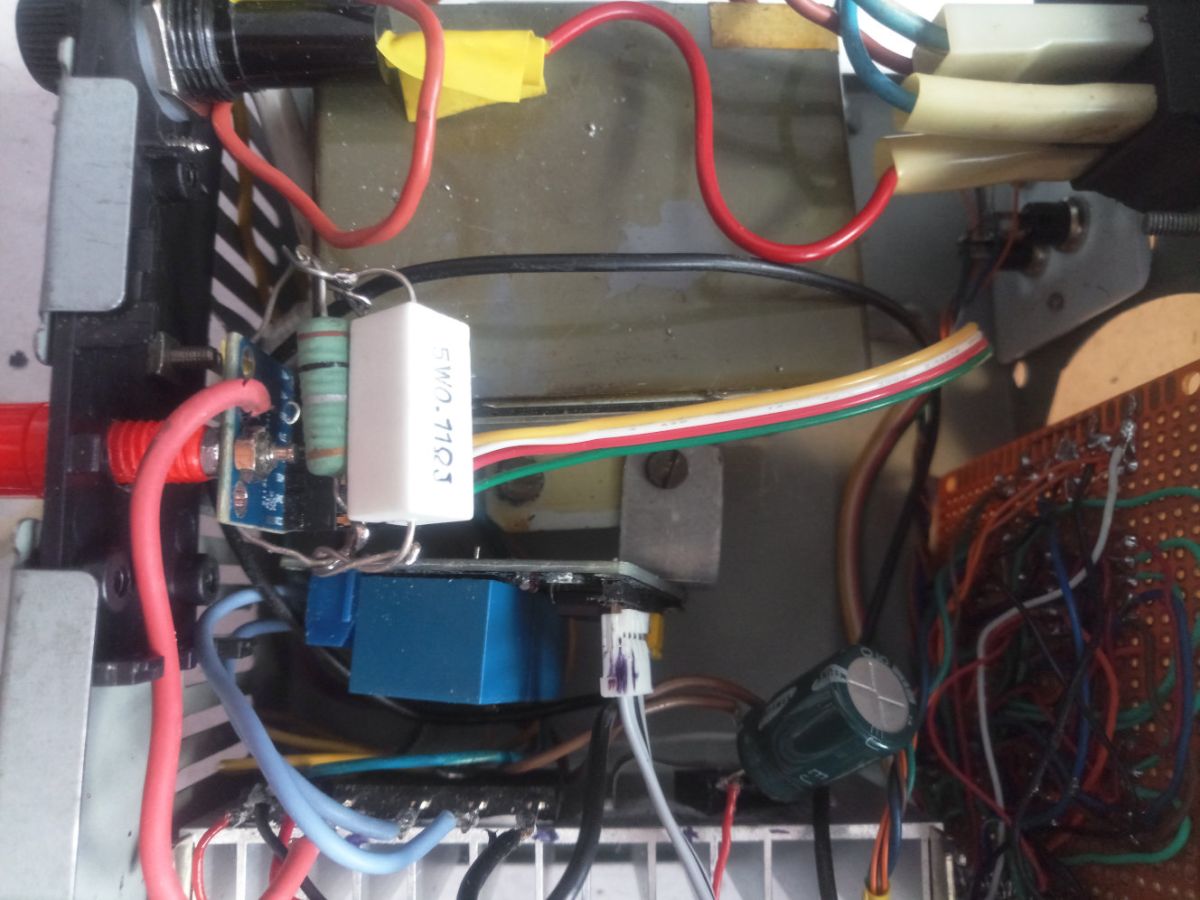
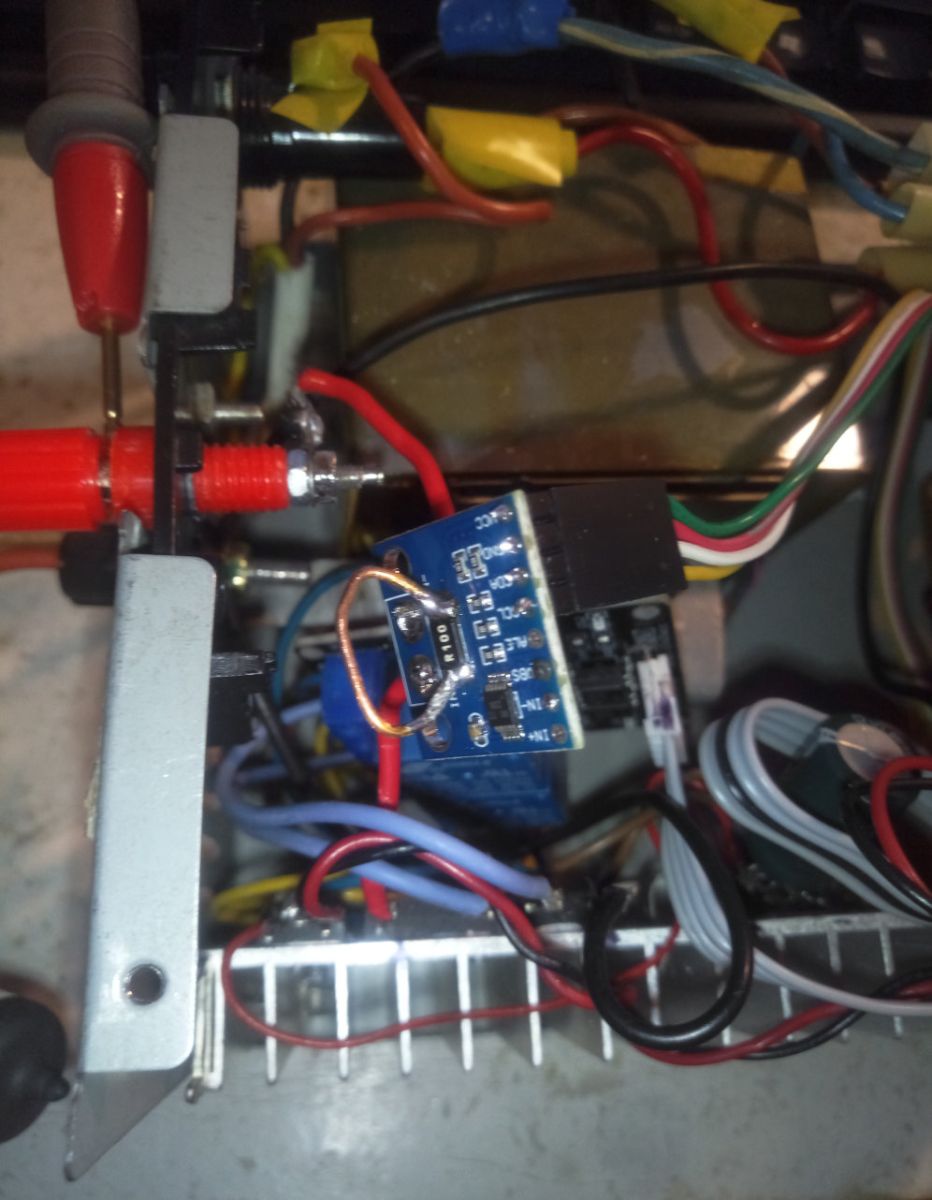
- via I²C: module INA226 for voltage and current measurement, with wire soldered in parallel to a 0.1 Ω shunt
- via UART: bluetooth module SPP JDY-33 - together with the rest enclosed in a metal box and maybe because of that it has a range similar to the display through the window
In the module INA226 I short-circuit the VBS with IN-, i.e. the voltage is measured between the plus and minus terminals, without a shunt.
The module has a built-in 0.1 Ω shunt to measure currents up to 0.8 A. To extend this range, I soldered a piece of wire in parallel. I don't know what resistance it has, but after calibrating with an H4 bulb (current about 4 A), with a calibration register value of 1345 the result in mA agrees with the meter on the 10 A range. I had previously tried with some 0.1 Ω resistors, but the range was then exceeded.
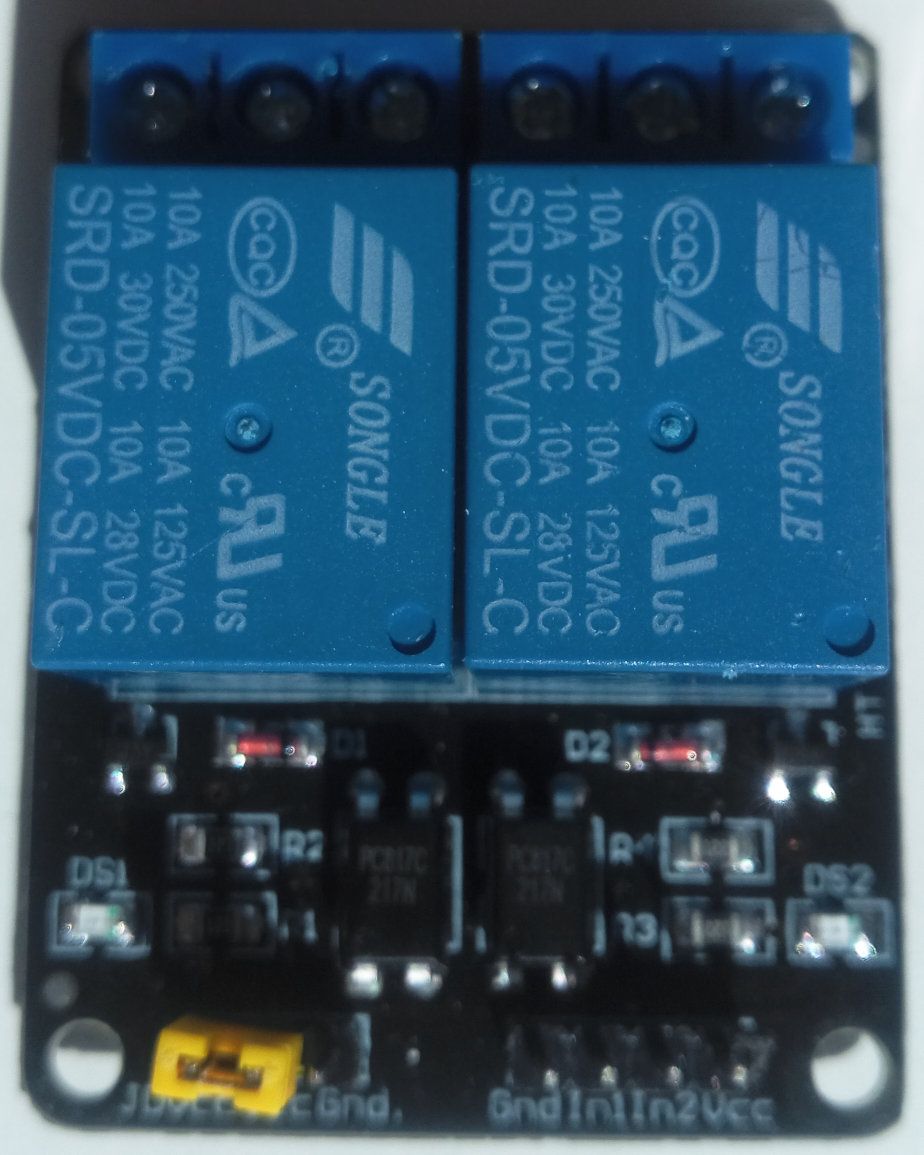
Algorithm
INA226 operates in the fastest possible mode i.e. without any averaging, 140 µs per measurement.
The processor reads the voltage and current for 100 ms in a tight loop and does the relaxation.
At the end we have 4 values: U min , U max , I min , I max .
I am counting on is that within 10 straightened halves of a sine wave it is possible to catch the extremes even without synchronisation with the zero crossing.
W79E2051 manages to read data from INA226 400x within these 100 ms, a AT89C2051 - 200x.
Then a state machine is flown which, based on the aforementioned 4 values and the charging time, changes the state and switches the relays.
This is followed by converting the parameters to decimal numbers and sending to the display, and possibly sending data to the UART (and further via bluetooth if paired) - and the cycle of measurements repeats.
Display
The upper and lower displays one of 7 values independently selectable by the blue button next to the respective display:
| 0 | State of automatic charge control as 2 spaces and 2 digits, or error code E-XX | |
| 1 | Charge time - in minutes, with one decimal digit | |
| 2 | Number of voltage and current samples read in 100 ms | |
| 3 | U min - in volts, with two decimal digits | |
| 4 | U max - in volts, with two decimal digits | |
| 5 | I min - in amperes, with three decimal digits | |
| 6 | I max - in amperes, with three digits after the decimal point |
[/table:3cc4fea521]
When the button is pressed, a single digit with the index of the newly selected parameter appears on the display. It disappears when the button is released.
If an error occurs, its code will be shown on the lower display instead of what the user requested. Unless, of course, he has enabled himself to show the status (index 0) on the upper display.
Buttons
The blue buttons are used to select what is to be displayed on the display next to it. (However, these changes will not be saved permanently until you enter and exit the menu.)
The lower red button switches loading on and off. It also clears the error status.
The upper red button enters the menu and then cycles through all options. The blue buttons are then used to set the value of the selected option (top=more, bottom=less). The lower red button exits the menu and saves the setting changes in non-volatile memory.
Autorepetition (30x/s) works on the blue buttons.
Menu
| Option | Range | Define | Description | ||
| bEEP | 0-1 | 1 | Whether or not it beeps when the button is pressed | ||
| LEd | 0-15 | 8 | Brightness of display as filling of multiplexing cycle from 1/32 to 31/32 in 2/32 increments.
Value entered in Intensity Register layout MAX7219 . | ||
| rCAL | 0000-9999 | 1345 | Current Current Factor - a number, by which the shunt voltage must be multiplied
(expressed in units of 2.5 µV) to give the result in milliamps when divided by 2048. Value entered in the Calibration Register layout INA226 . | ||
| CALI | Current factor calibration mode.
Pressing the lower or upper blue button switches INA226 into result averaging mode (so that they correspond to the universal meter) and enters a waiting state for the calibration start conditions. You need to connect e.g. a light bulb in series with the ammeter to the output connectors and correct with the blue buttons the measurement result displayed on the lower display. | ||||
| T 0 | 000.0-999.
| ||||
| I 0 | 0.000-9.999 | 0.200 | Bottom limit of peak charging current, in A.
Also the upper limit of current flowing when charging is switched off. | ||
| I 1 | 0.000-9.999 | 7,000 | Upper limit of peak charging current, in A. | ||
| I 2 | 0.000-9.999 | 5,000 | Upper limit of peak charging current of the first winding, in A,
below which it is possible to switch to the second winding. | ||
| U 0 | 00.00-99.99 | 10.00 | Bottom limit of minimum voltage required to start charging, in V. | ||
| U 1 | 00.00-99.99 | 13.20 | Upper limit of minimum voltage required to start charging, in V. | ||
| U 3 | 00.00-99.
| ||||
| U 4 | 00.00-99.99 | 14.40Upper limit of minimum charging voltage, in V. | |||
| U 5 | 00.00-99.99 | 13.80 | Upper limit of peak charging voltage, in V,
below which it is possible to switch to the second winding. | ||
| AuOn | <br/0-1 | 1 | Whether, when switched on, to enter immediately into a waiting state for charging conditions (1),
or not to switch on charging (0). | ||
| rECH | 0-1 | 0 | Whether, after charging, to return to wait for conditions to charge (1),
or not to switch on charging again (0). | ||
| bErr | 0-1 | ||||
| bEnd | 0-1 | 1 | Whether to signal the end of charging by beeping. | ||
| FACT | Upper blue button = return to factory settings.
Lower blue button = exit menu without saving changes. |
| State | Transmitters | Description | |
| 0 | Off | Uncharged. This is the state after switching on when the option AuOn =0. | |
| 1 | Off | Waiting for conditions to start charging (assumed - connecting the battery).
This is the state after switching on when the option AuOn =1. | |
| 2 | Included first winding | Charging the battery with normal current | |
| 3 | Included second winding | Charging the battery with increased current | |
| 4 | Off | Waiting conditions to start calibrating current measurement with the second winding | |
| 5 | Excluded | Waiting for conditions to start calibration of current measurement with first winding | |
| 6 | Included X winding | Calibration, and X depends on whether we have moved from state 4 or state 5 |
Diagram of states
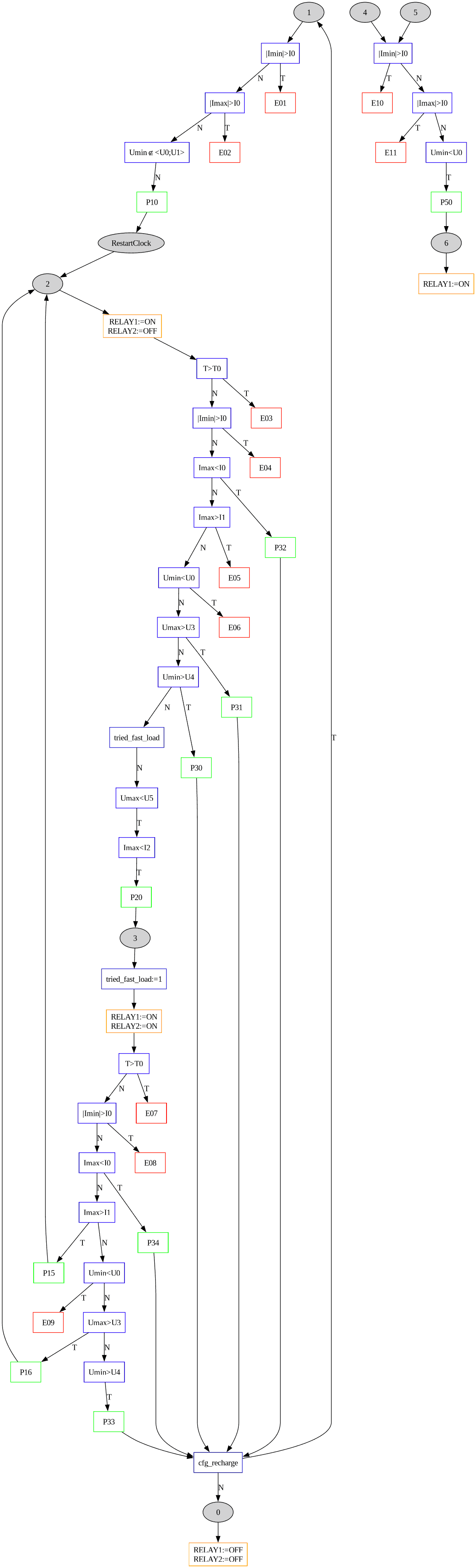
Error codes
| Code | State | Destination | ||||||||||||||
| E-01 | 1 | When the charge is turned off, a current of I min >= I 0 | ||||||||||||||
| E-02 | 1 | When the charge is turned off, a current of I max >= I 0 | ||||||||||||||
| E-03 | 2 | The set charging time T | has been exceeded charging time T 0 | |||||||||||||
| E-04 | 2 | In zero sine wave current module I
| E-05 | 2 | | Peak charging current charging current exceeds limit I 1 | | ||||||||||
| E-06 | 2 | In zero of the sine wave, the voltage dropped below U 0 (i.e., e.g. battery disconnected) | ||||||||||||||
| E-07 | 3 | The set charging time T | has been exceeded charging time T 0 | |||||||||||||
| E-08 | 3 | In zero sine wave current module I
| E-09 | 3 | | In zero of the sine wave, the voltage dropped below U 0 (i.e., e.g. battery disconnected) | E-10 | 4,5 | When the power is off, a current of I min >= I 0 | E-11 | 4,5 | When the power is off, a current of I max >= I 0 | E.226 | | | Communication error with INA226 (occurs regardless of state machine) | |
After the error E.226 the processor will go to sleep for those 100 ms and try to initialise INA226 again (over and over again).
Transition codes between states that are not considered an error:
| Code | Z | CodeTo | From | ||
| P-10 | 12 | Timer reset, start of charging with winding one | |||
| P-20 | 2 | 3 | 2Charging switch from winding one to winding two | ||
| P-15 | 3 | 2 | Charge reversal from winding two to winding one due to overcurrent | ||
| P-16 | 3 | 2 | Transfer of charge back from winding two to winding one due to voltage overshoot | ||
| P-30 | 2 | 0/1* | 2End of charge due to minimum voltage exceeded | ||
| P-31 | 2 | 0/1* | 2Completion of charge due to peak voltage exceedance | ||
| P-32 | 2 | 0/1* | End of charge due to failure to achieve minimum peak current | ||
| P-33 | 3 | 0/1* | 3End of charge due to minimum voltage exceeded | ||
| P-34 | 3 | 0/1* | 3Failure to charge due to minimum peak current not being reached | ||
| P-50 | 4/5 | 6 | 4/5Begin calibration with winding two/first |
*) Depends on whether option rECH : no
 0, yes 1.
Bluetooth 2
The device itself sends lines of text via bluetooth with an error or pass code, such as:
P-50 0015 0191 0000 0002 FFF8 0002
P-50 0017 0192 0000 0001 FFFA 0002
It is possible to send the letter v , which activates and deactivates the talk mode - that is, sending the above block of data after each measurement cycle (every 100 ms), in which case instead of an error/transition code - unless one or the other has occurred - there is only a two-digit status number, e.g.: 64d9678e3a :
00 0035 0168 0000 0002 FFF8 0003
00 0035 0167 0000 0001 FFF8 0002
P-50 0035 0156 0000 0002 FFF8 0002
06 0035 016A 0000 0000 FFFD FFFD
06 0035 016B 0000 0000 FFFD FFFD
06 0035 0170 0000 0297 FFFD 12D9
06 0035 016A 0297 0297 12D9 12D9
00 0035 0169 0000 058D FFE8 1951
00 0035 0165 0000 0002 FFF8 0003
...
00 0036 0162 0000 0001 FFF8 0003
P-50 0036 0165 0000 0001 FFFA 0002
06 0036 016F 0000 0000 0002 0002
06 0036 0170 0000 0000 0002 0002
06 0036 0167 0000 02D5 0002 1169
06 0036 0165 02D5 02D5 1169 1169
06 0036 016B 02D5 02D5 1169 1169
00 0036 0169 0000 0555 FFFB 18C0
00 0036 0169 0000 0001 FFF8 0002
The status/error/transition code is given in decimal and the rest of the parameters in hexadecimal and these are, in turn:
1. Charging (or non-charging, as the clock goes all the time) time
2. Number of circulations of the tight loop of measurements in 100 ms (as you can see, with the transmitter on, it no longer makes 400x but about 360x)
3. Minimum voltage
4. Maximum voltage
5. Minimum current
6. Maximum current
... which is the same as what can be shown on the display; only it's hexadecimal, the time is in deciminutes, the voltage in centivolts and the current in milliamps.
From this data you can draw yourself a graph:
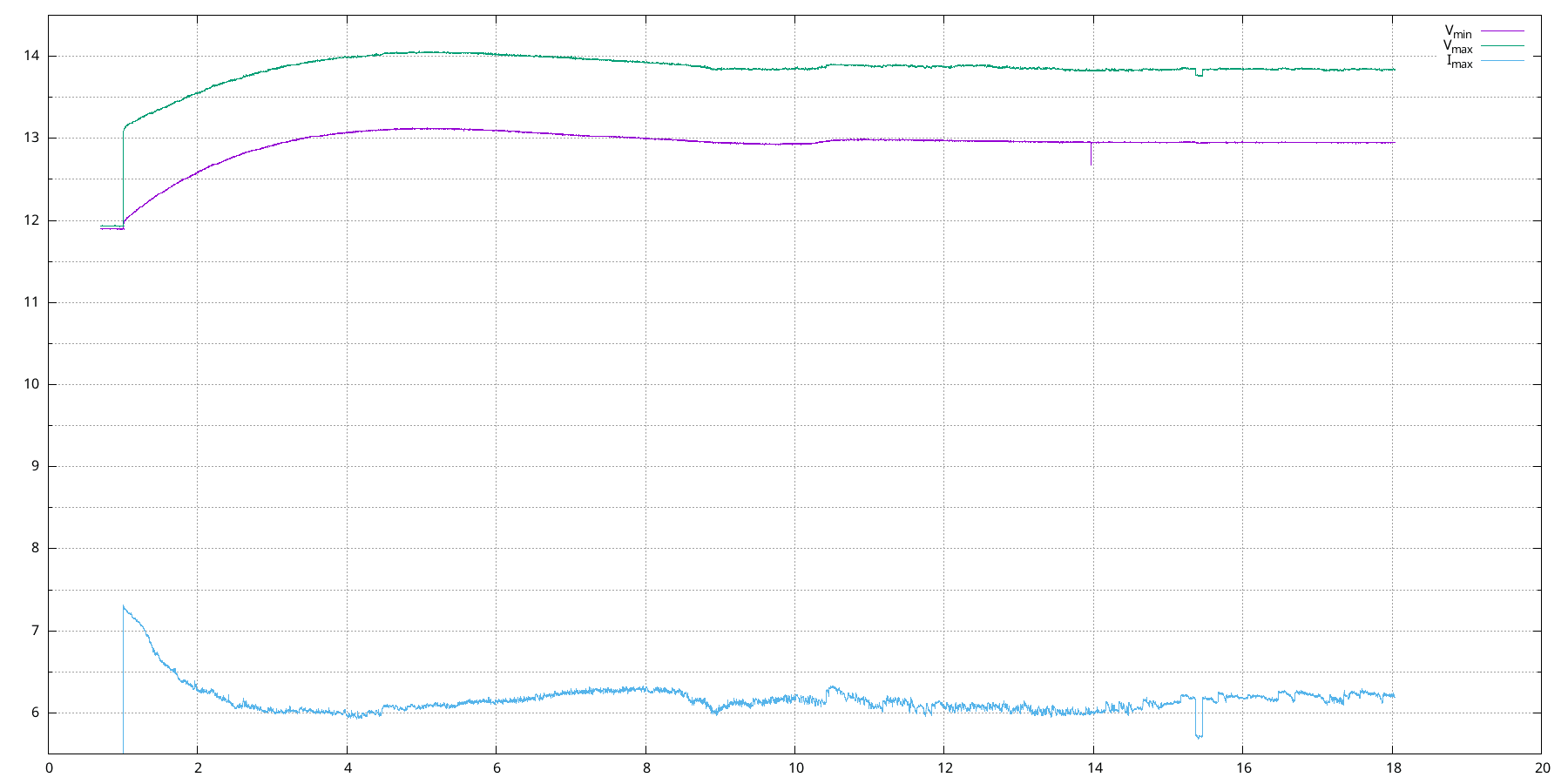
Commands accepted by Bluetooth
| v | Enables/disables talk mode | |
|
| ||
| c | Requests a block of configuration data.
In response, the loader sends a string of 23 hexadecimal bytes, e.g.: F843080541258000C81F4016A803E8052805B405A0058C and these are one by one: - flag byte - a byte selecting what to show on the upper and lower display - a byte with the brightness of the display (LEd) - a word with the current measurement calibration factor (rCAL) - 9 more words: T0, I0, I1, I2, U0, U1, U3, U4, U5 | |
| sNABCD | Changes the value of configuration word number N to ABCD:
- N is the word index from 0 to 9 (0 is the current measurement calibration factor) - ABCD is the new value given in hexadecimal capitals | |
| e | Writes a block of configuration data to the EEPROM |
The response to an unrecognised command is an exclamation mark.
Firmware
I guess it was only by using 8051 (CISC) and an assembler that I managed to stuff all the firmware into a 2 KiB ROM.
In version two, I added support for additional commands over Bluetooth (i.e. beyond v ):
I leave the first (old) version if necessary:
Filmish
Charging a charged battery:
Charging a dead battery in auto-recharge mode (which is why this option is the only one disabled by default):
Sam Sung wrote 2034 posts with
rating 605 , helped 227 times.
Been with us since 2005 year.
Comments
A useful thing these days! I've already heard "borrow a cable, borrow a cable" on the estate. Thanks! [Read more]
And importantly it has ICP, or on-chip programming. Developing something with the AT89Cx051 without using a hardware emulator is an ordeal, because on-chip programming they don't have. What would it... [Read more]
Is that white cable cut through the vents the power supply? If so, it's a rather poor and dangerous solution. It's a shame that you knocked out the connector connecting the power supply. This is one of... [Read more]
For me, I like the drippy look of this diva. [Read more]
Interesting solution. And making an inverter to supply power from another battery in a "portable" way? Would that be a lot of modifications? [Read more]
I don't know, maybe it's already the fault of my eyesight, but in the article I don't see the most important thing - a diagram of the rectifier, at least some block diagram. There is only the controller. Besides,... [Read more]
Interesting And haven't you thought about using a specialised chip like the LTC4162S ? [Read more]
I praise you for the amount of work you put into it. Fact, a necessary device, sometimes a lifesaver. I read it in a hurry, so I might have missed it - do you regulate the current somehow? Is the device... [Read more]
The idea of a battery charging device is interesting but the execution itself is disastrous. Regards [Read more]
I find it difficult to comment, everyone has their own vision. :) Personally, for me, a 13.6V backup power supply would be sufficient (with ambient temperature measurement to raise the voltage in winter,... [Read more]
Sculpting is always worthwhile. You have to train your grey cells because they will atrophy when not used.... ;) And the design - fact. It could have been more refined mechanically. [Read more]
Very good idea with temperature correction - I wonder how much Ah is consumed by such a backup. They keep an eye on the voltage in the better autocommercials - I once saw a parking lot attendant running... [Read more]
Such a correction has been used for a long time in buffer power supplies (where lead batteries work). This is so that in summer, when it is 30°C, the voltage is lowered to 13.3V (prevents drying out of... [Read more]
The question is whether this is hysteresis or proportional control? [Read more]
You're asking my idea or the author's , I'm not the author, I just got into the discussion ;) Because I think you got caught up .... , well maybe someone will benefit at ver.2.2 :lol: The standby voltage... [Read more]
Just asking - my charger supposedly has a correction and I was looking for something or are there algorithms for this? In the winter I always charge to 14.7V to make sure the battery warms up slightly... [Read more]
If the battery is in good working order then such an algorithm is sufficient. It is a different matter when it is discharged to 10-20% and in order to recover the electrolyte density you need to charge... [Read more]
I have such an old battery - supposedly it was already rubbish, but after 3 repair cycles to 16.2V it has stood its ground and the tester is already showing it pretty much as it fell once to 9.8V. The... [Read more]
I would still leave this corpse in standbay 1-2 weeks, and repeat the test :) p.s. These rapair cycles in "popular chargers last too short..." 16.2V [although more like barely 15.7V] and should be... [Read more]