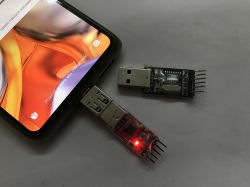
USB to UART converter - can it be operated from a browser or from an Android device via a USB OTG adapter? Here I will show a unified, multi-platform solution compatible with popular chips such as CH340, FT232, CP2102 etc. I will realise the whole thing in Flutter technology, which will allow me to use a single source code to build a native application for Android, Windows and a web version running in the Chrome browser, and then test it in practice on several devices.
Flutter environment and Dart language
Flutter is a modern framework from Google that allows you to create powerful, cross-platform applications using the Dart language. Its biggest advantage in this project is strong typing and built-in support for asynchronicity (Streams and Futures), which is ideal for continuously reading data from the serial port without blocking the user interface. This allows us to create a responsive terminal that behaves identically on phone, PC and browser, sharing most of the business logic.
The USB to UART abstraction layer
The biggest challenge here is the diversity of hardware access: the browser uses the Web Serial API, Android uses the USB Host API and Windows uses the system libraries. To manage this, I used an abstraction layer (interface) that hides these differences underneath, providing higher layers of the application with uniform methods such as connect or write. Thanks to Dart's 'conditional imports' mechanism, the compiler automatically selects the appropriate 'driver' depending on which platform we are building the application for.
This is what the serial port interface looks like:
It is implemented by three separate files, depending on the platform:
- serial_transport_web.dart - Web: Uses the native Web Serial API (via the package:web library). This is a modern browser-based solution that allows direct access to serial ports in Chrome/Edge without additional plugins. The code supports JavaScript Interop (dart:js_interop) to communicate with the browser API.
- serial_transport_desktop.dart - Desktop (Windows/Linux/macOS) - Uses the flutter_libserialport library. This is a wrapper for the C library libserialport, which automatically provides compiled binaries (e.g. serialport.dll for Windows) and supports low-level communication.
- serial_transport_android.dart - Android - Uses the usb_serial library. This is a fully Java/Cotlin implementation running over USB OTG, using the Android UsbManager to communicate with devices such as FTDI, CP210x, CH34x etc.
Presentation - Windows exe application
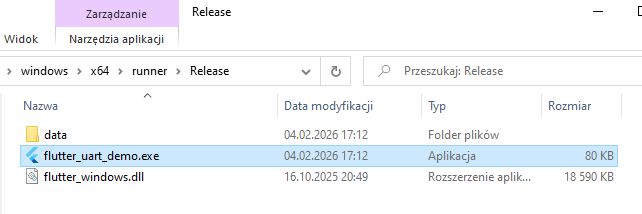
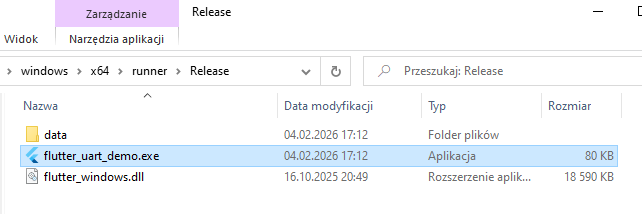
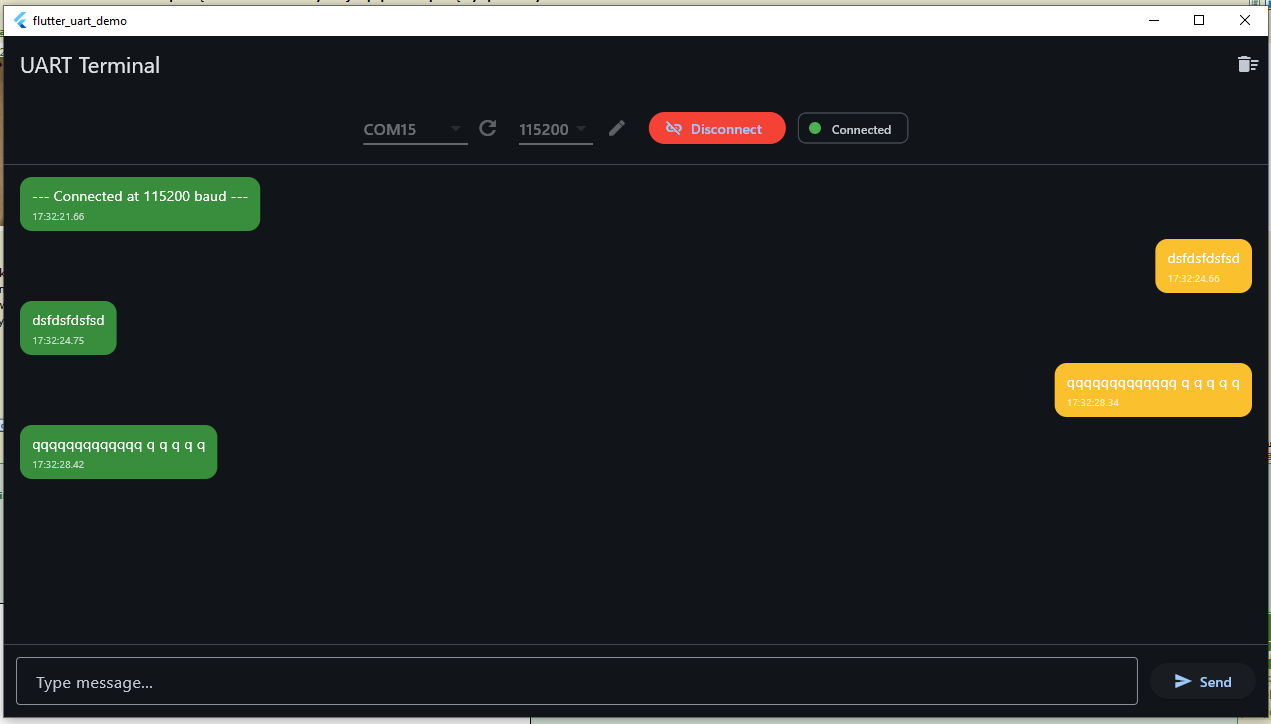
Let's start with the simplest one - Windows. The application is compiled to an exe and opens as a windowed application.
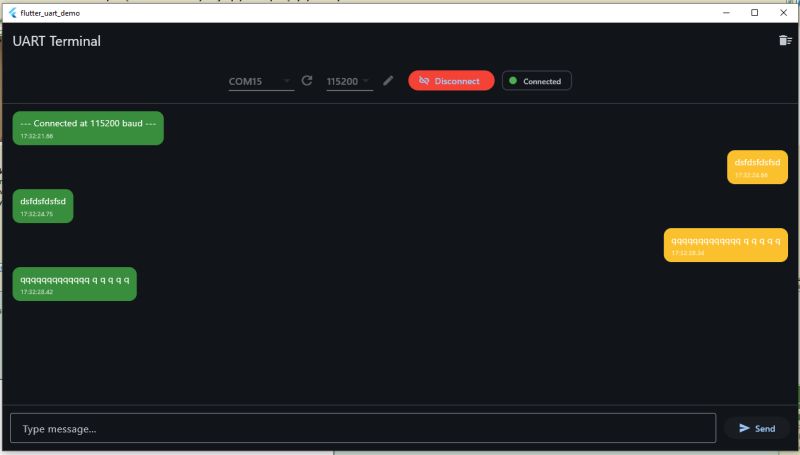
The application correctly detects the available COM ports and allows us to select one of them. For a test, I shorted the RX and TX pins to get an 'echo' effect, i.e. receiving what I sent.
 Presentation - web application in Chrome
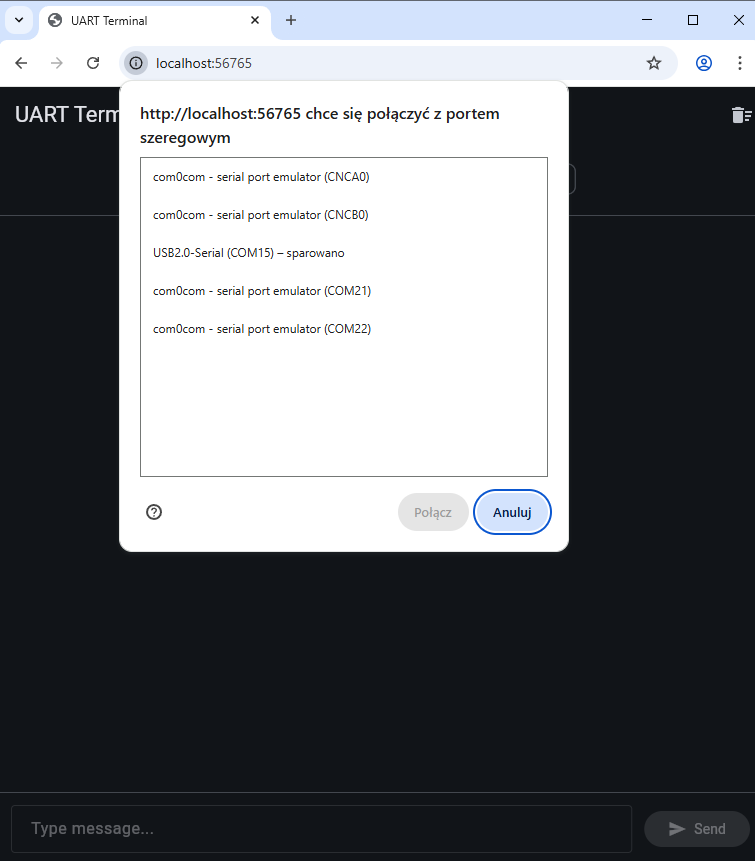
In Chrome (and other supported browsers) it is slightly different. There, the serial port is selected by a mechanism from the browser.
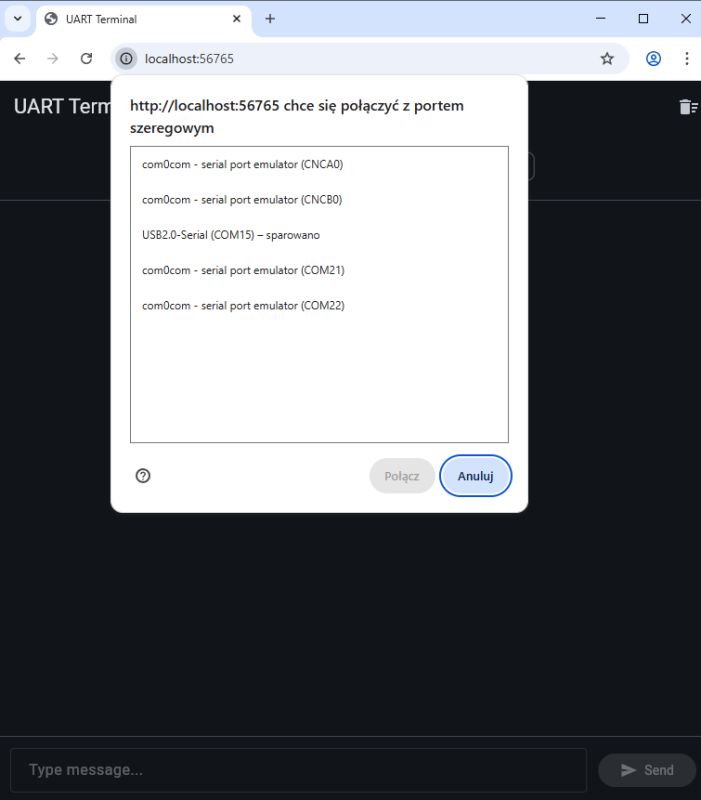
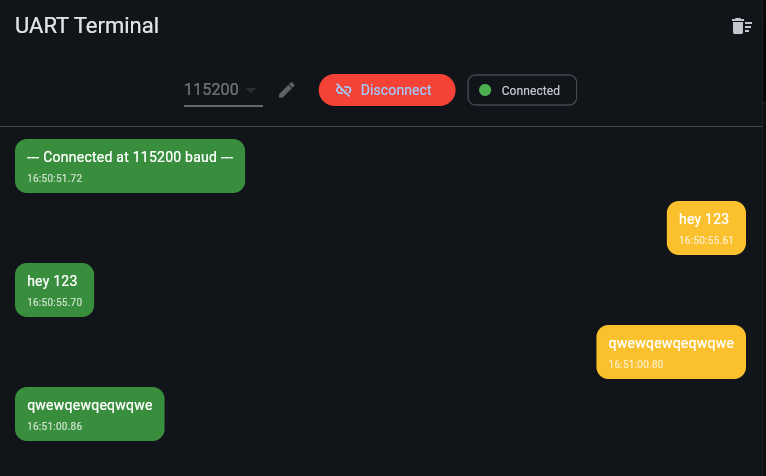
The rest is unchanged - the business logic is the same and the echo test gives the correct result.
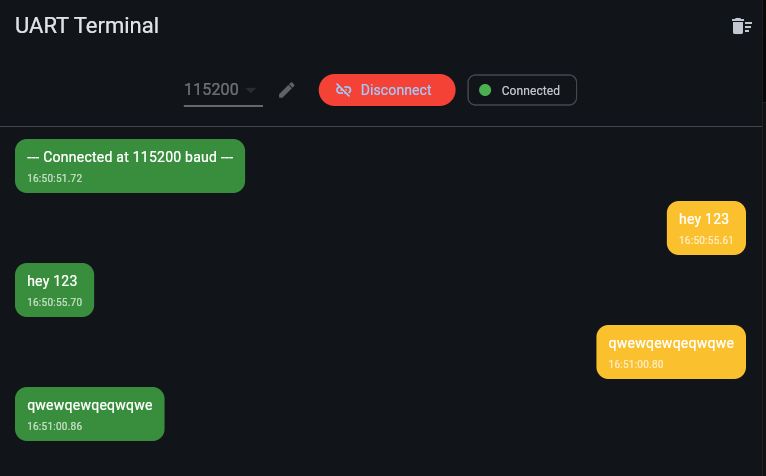 Presentation - .apk Android application
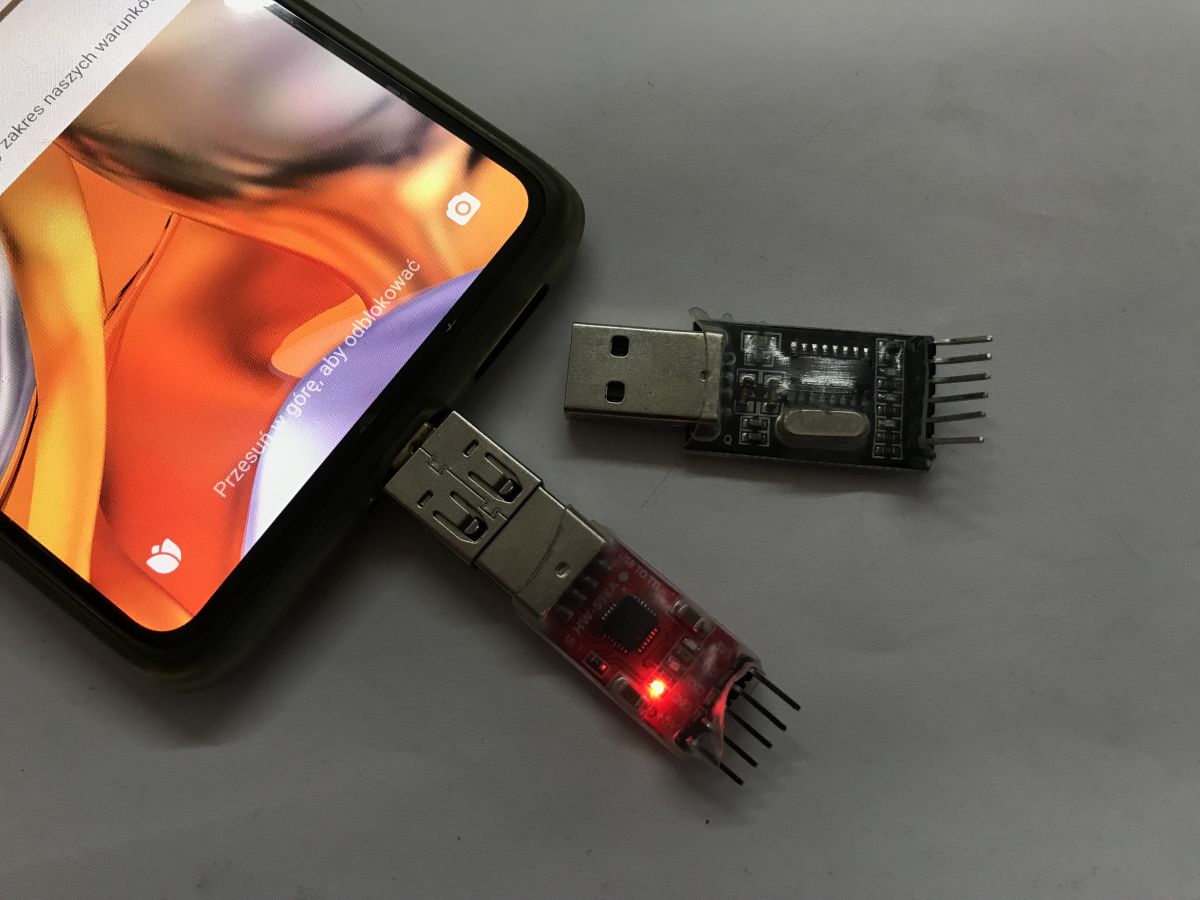
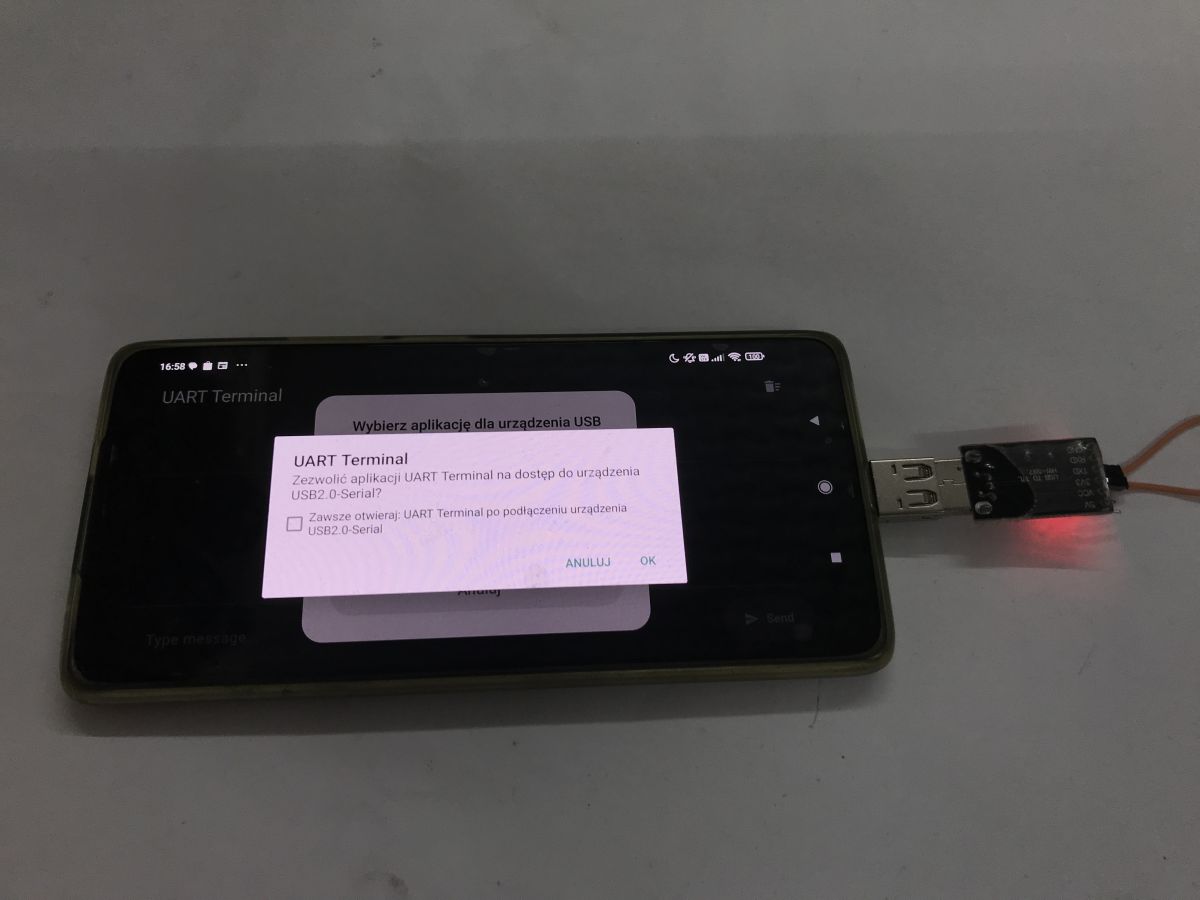
For this you will need an OTG adapter, this is because normally the phone is in the role of a USB device and not a host. Such an adapter has USB C on one side and a typical USB female A socket on the other.
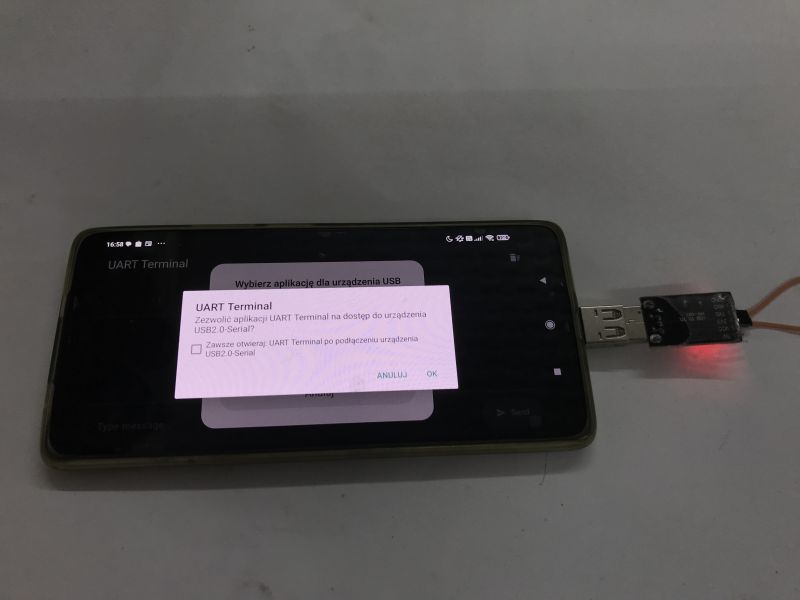
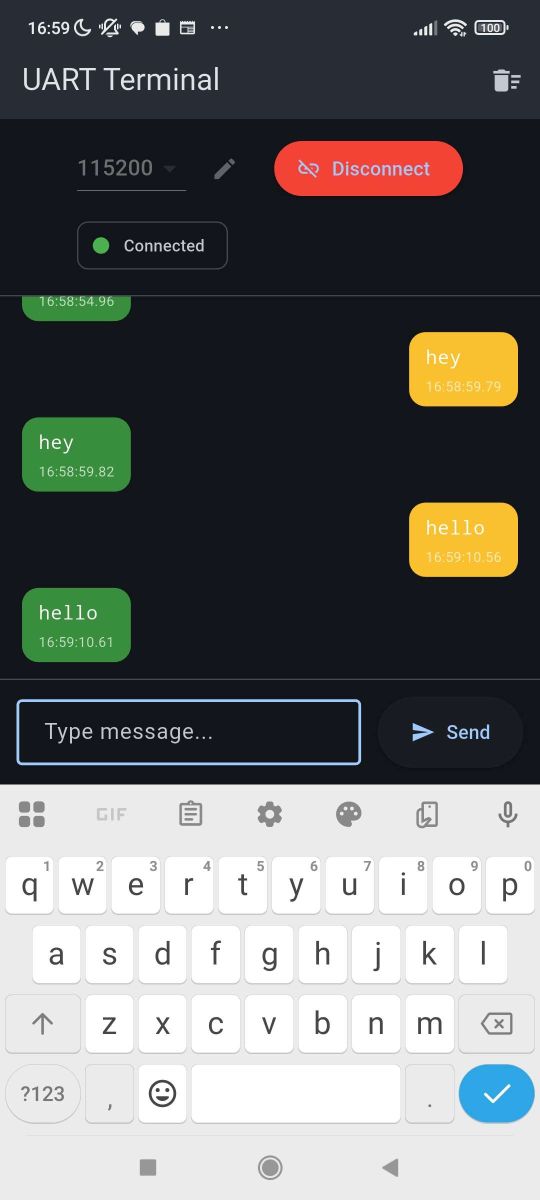
The phone asks for permission for device connections and you have to manually allocate them. The rest without problems. Communication works.
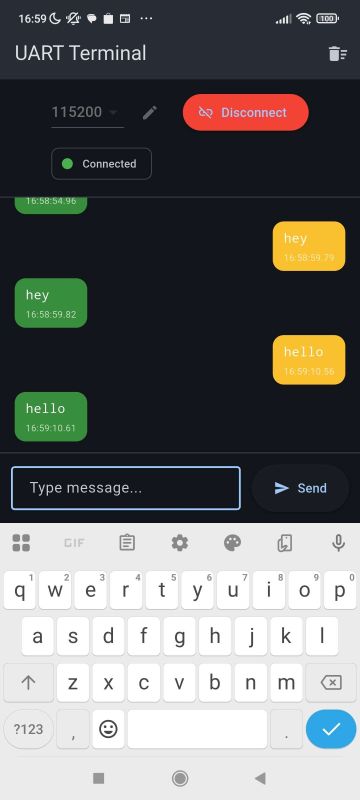 Summary
One programme - multiple platforms. I will be using this approach from now on. It all looks very promising, although I haven't yet checked what the stability of the communication is like and only then will I make a final decision.
I'm considering whether to port our Elektrod Flasher to this platform -
https://github.com/openshwprojects/BK7231GUIFlashTool
What do you think, @divadiow , @DeDaMrAz , @insmod , @max4elektroda ?
Have you used USB to UART converters e.g. from a browser or from Android?
I attach the full Flutter project.








Comments
It seems to me that all you had to do was make a PWA application / JavaScript and you would have the same thing automatically for all platforms. PWA is supported on Android, Windows, Mac, Linux and... [Read more]
Thanks for the suggestion, but I think you're missing something though, because on my Androids the solution from the first post sees the UART port, while your site doesn't: https://obrazki.elektrod... [Read more]
And that's interesting. Looks like I need to look for a usb-3 <-> usb adapter though and there's a problem because I can't remember when or where I last saw one. Added after 20 [minutes]: ... [Read more]
I've double-checked on my side still and it seriously doesn't see this port with me. Now the question is, for example with ESPConnect will it see it? ESPConnect - a convenient tool for ESP8266/ESP32... [Read more]
Well, because it turned out that under Android it has no right to see. I've already completed the post above so there's no messing about. I started reading why they don't implement this in Chrome on android... [Read more]
As for 'serial' communication, it might be interesting to use Bluetooth / Bluetooth Low Energy: https://developer.mozilla.org/en-US/docs/Web/API/Web_Bluetooth_API according to the documentation it should... [Read more]
Honestly this looks like a 2 day project with coffee in hand and prompting AI. Most time will go down to the "attachment" itself because making a WEB app that will receive data from serial / bluetooth... [Read more]
So which is simpler pwa or flutter ? And is there perhaps something better? Have you considered anything else ? i don't know about now but I used to prefer flutter because it's not so spoiled just type... [Read more]
There's nothing better here... These are two completely different approaches. PWA is not an environment but a type of application supported by different operating systems / browsers. You can make a PWA... [Read more]
Well, now rewrite the gui from openbeken and you can do the field ;) Edit: didn't even read that you suggested this. I use it on Linux and it works poorly. Also on win I have to practically every flash... [Read more]
DTR/RTS control also works, at least on web. I need to implement on Android: https://obrazki.elektroda.pl/6450923100_1771152957_bigthumb.jpg @override Future<void> setDTR(bool... [Read more]
It looks like Web Serial is finally supported on Chrome for Android. However, it seems to work only for serial communication over Bluetooth. https://caniuse.com/?search=serial [Read more]
Why do you think so? The serial driver is not "aware" about the data application it proceses. [Read more]
I agree that the serial driver itself is agnostic to the application. My point was about the Web Serial API implementation in the browser. Previously, Chrome for Android didn't expose serial port access... [Read more]
Always something. I personally, as I was writing a sample application, was surprised that this was not there at all. Also, there is a chance that in the not too distant future it will be possible to comfortably... [Read more]
Early experiments: Multi-platform BK7231 BK7238 Beken Flash Tool - Web, Android, Windows - First prototype https://openshwprojects.github.io/EasyGUIFlashTool/ Not all platforms are implemented,... [Read more]