Tests a Zenwire BYL-2009 USB-C 8-in-1 splitter/hub with a Xiaomi 11T phone to see whether smartphones can use Ethernet, storage, UART adapters, and HDMI.
The hub offers RTL8152 Ethernet, microSD/SD/TF slots, four USB ports including two C ports, one HDMI output, and USB Power Delivery up to 100 W.
The Xiaomi 11T recognized wired internet, a memory stick, and two USB-to-UART adapters: CH340 and CP210x.
HDMI monitor support failed, and charging through a separate OTG charger splitter still needs testing.
AI summary based on the discussion. May contain errors.
Lately I've been wondering whether a simple USB C hub can provide a wired connection for a phone or tablet to the internet, and whether it can handle multiple storage media or USB to UART converters at the same time. These types of capabilities will allow you to revive a tablet with broken Wi-Fi and turn it into your own home automation controller, and without worrying about the failure of the wireless connection. And maybe you can even connect a monitor? Let's find out!
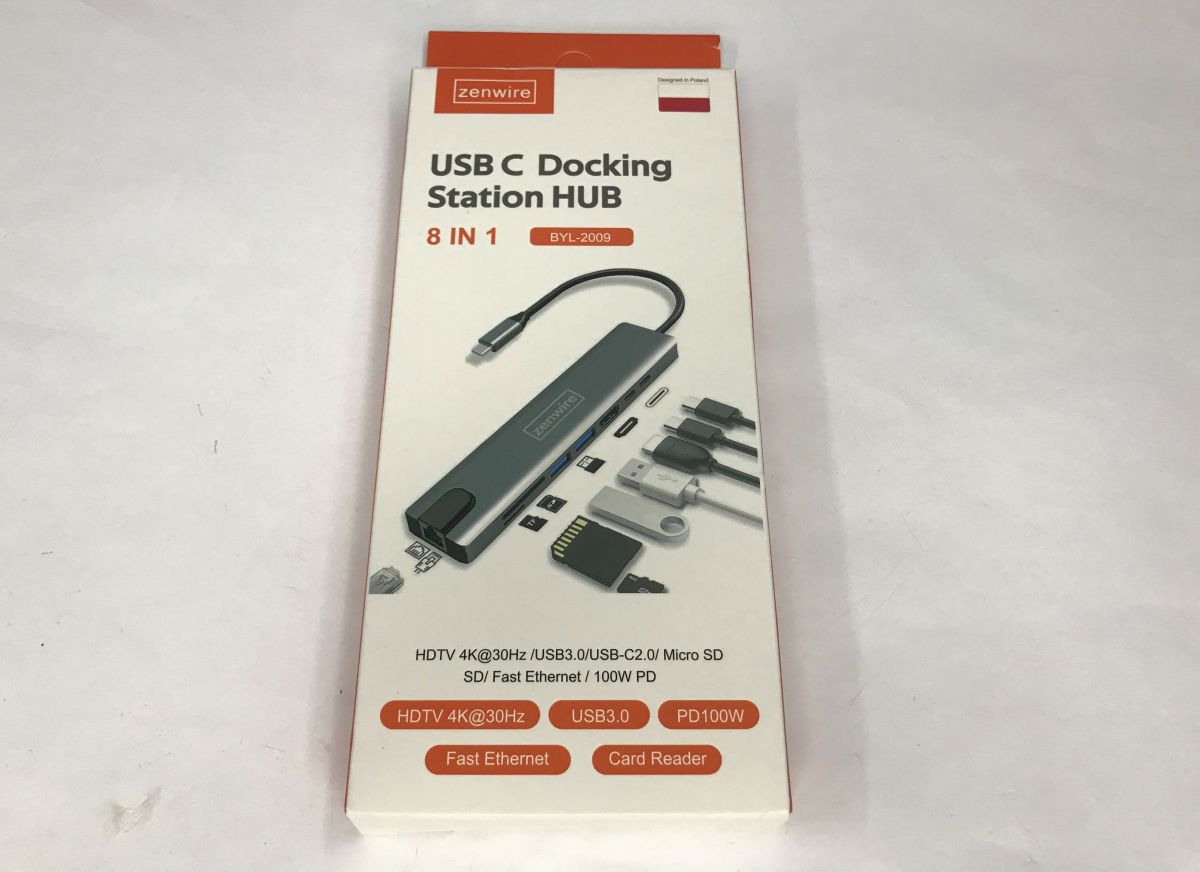
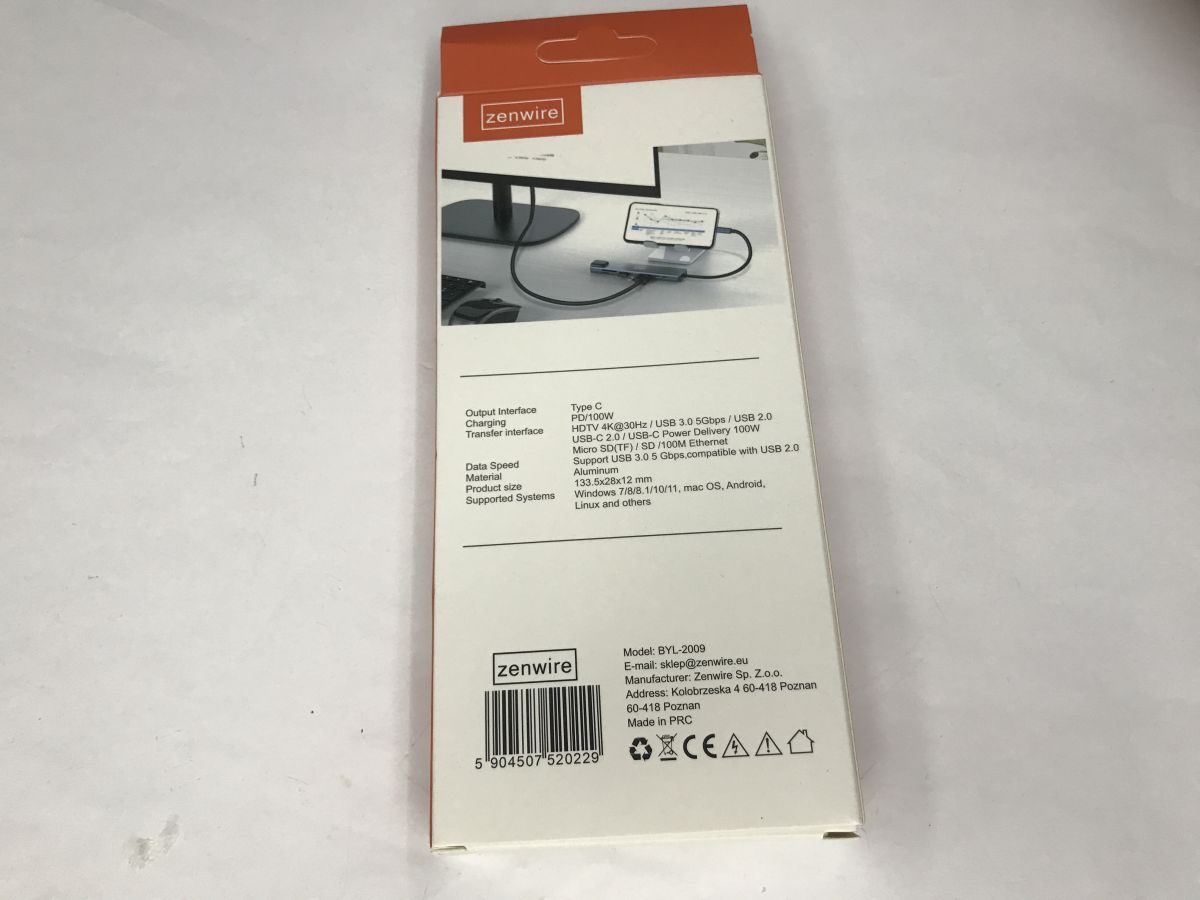
I bought the first better (actually, cheaper) USB C splitter, model BYL-2009 from Zenwire. It is advertised as 8-in-1 - Ethernet, microSD card, SD, TF, four USB (including two C) and one HDMI. The whole thing also supports PD up to 100 W.
Tests with Xiaomi I verified the hub with my old Xiaomi 11T phone - depending on the phone model, you may get different results. I used the Ultimate USB app to verify.
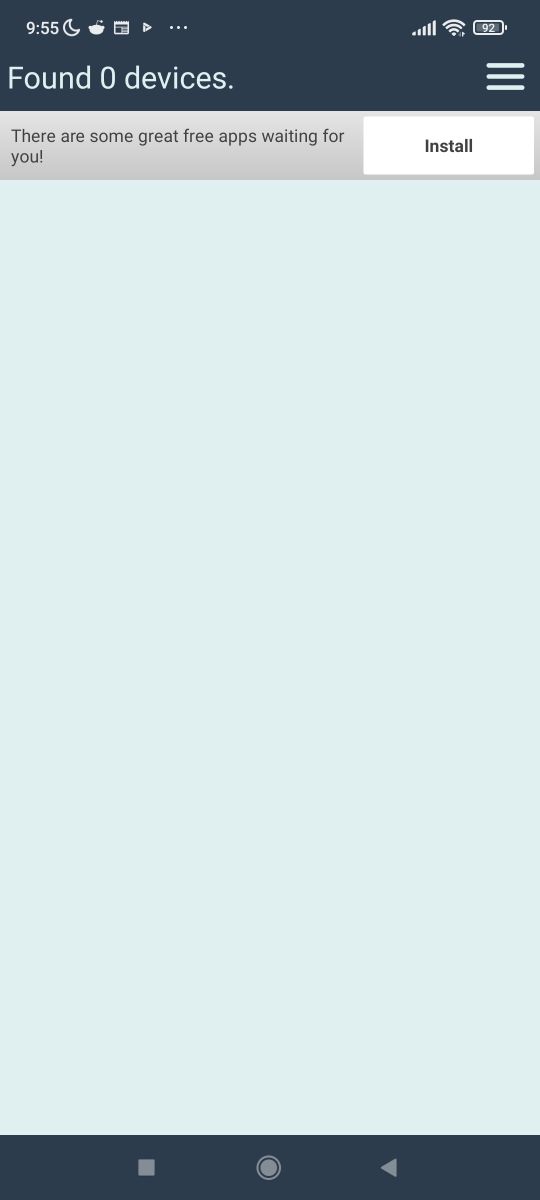
First a control test - 0 USB devices without the hub:
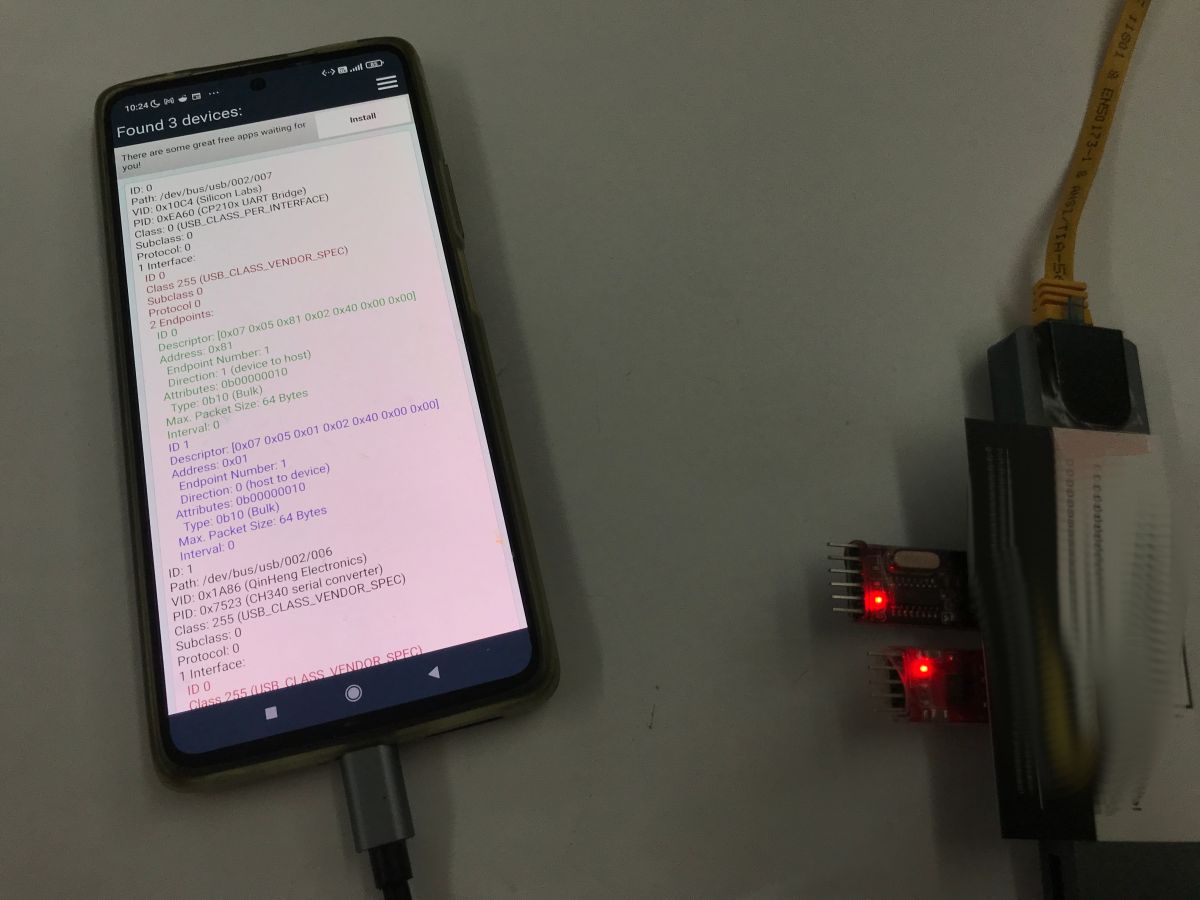
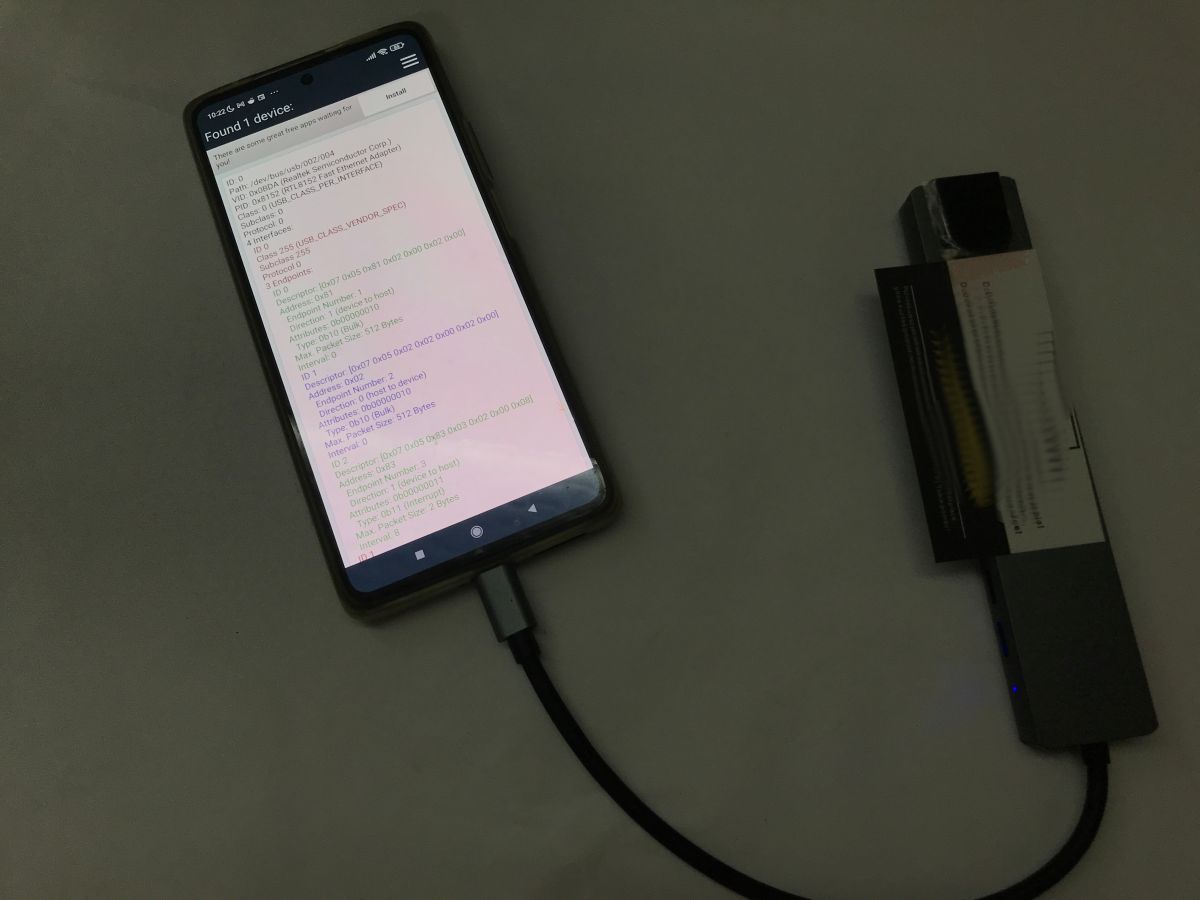
Now with hub:
The phone already sees the network controller - RTL8152, but will it work? I disabled the Wi-Fi before the test.
Internet is working - now maybe check the storage media.
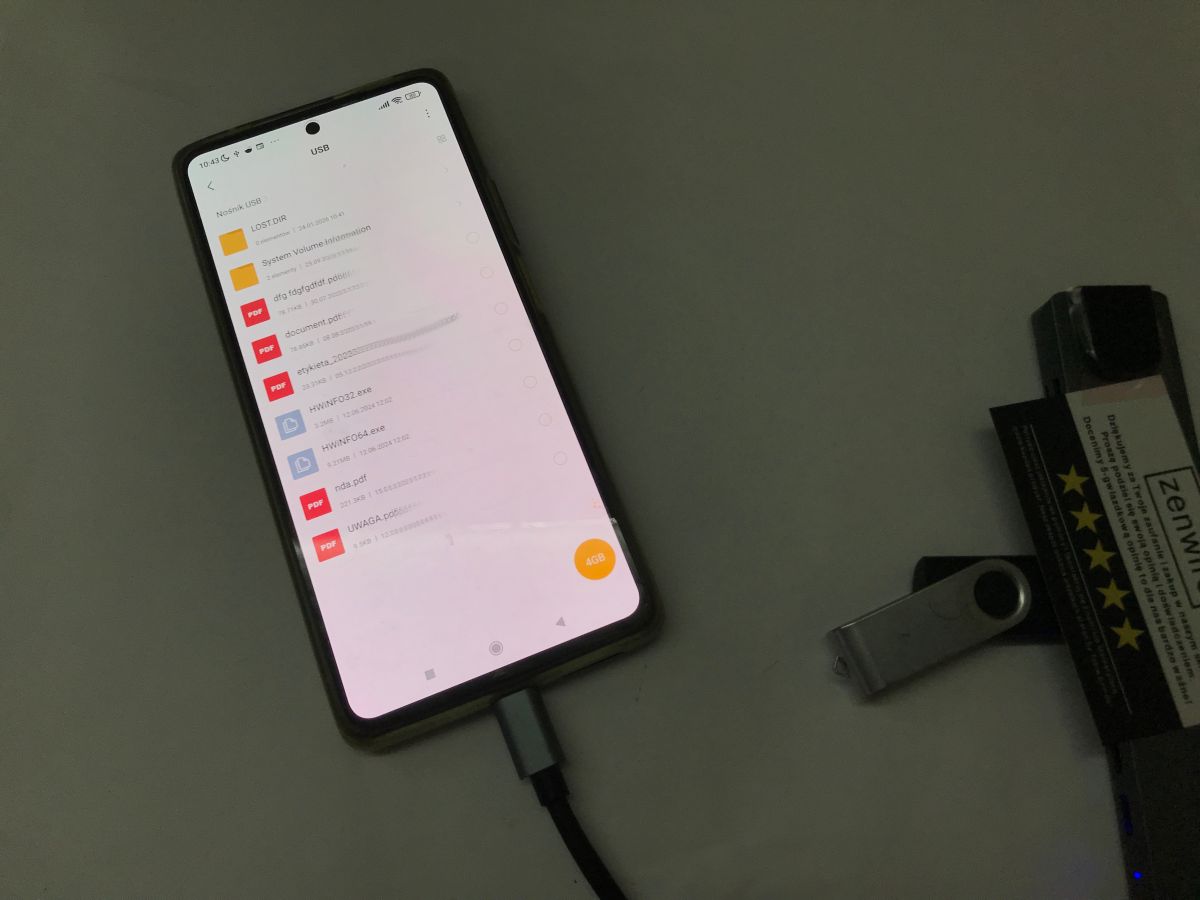
The memory stick is correctly seen and its contents are available on the phone.
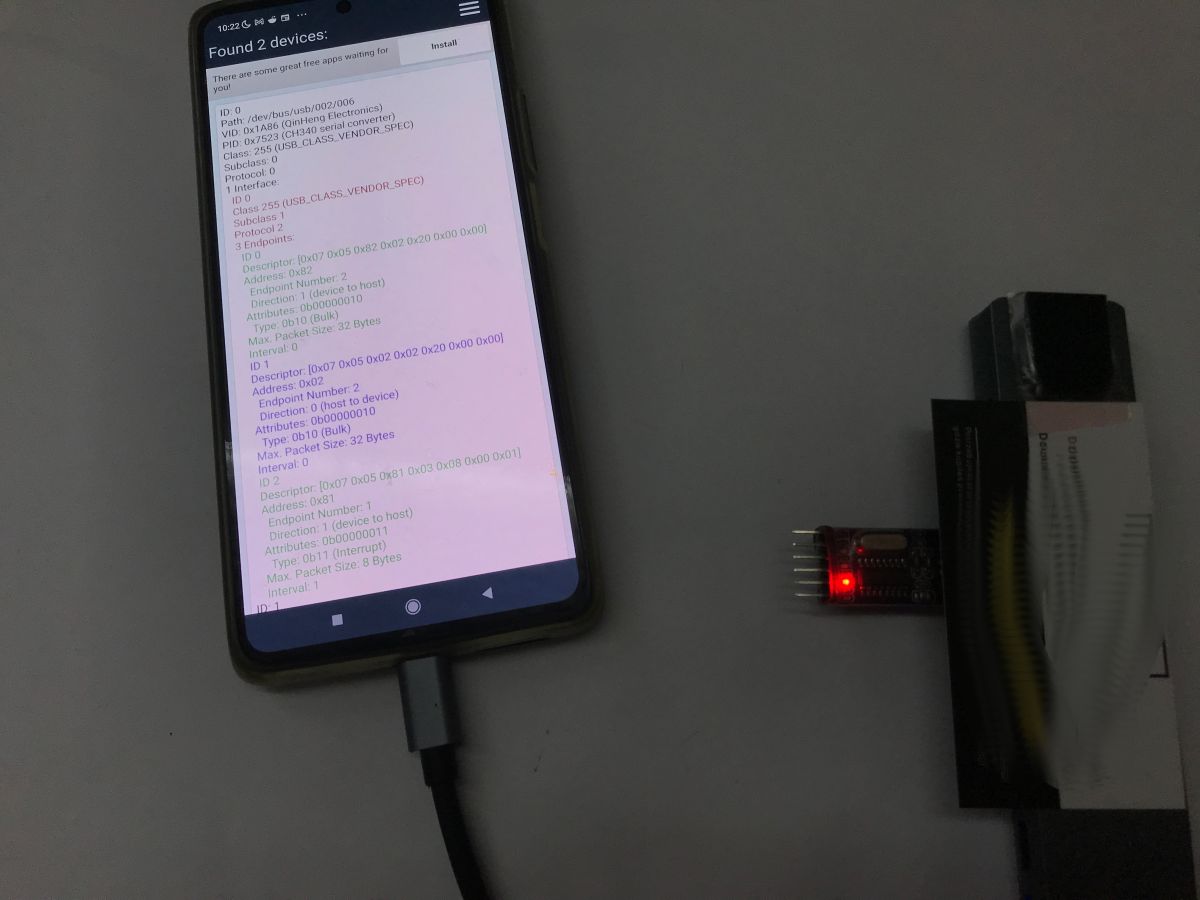
It remains to check the USB to UART converters - one converter, the number of devices found increases by 1, the device is correctly recognised as CH340:
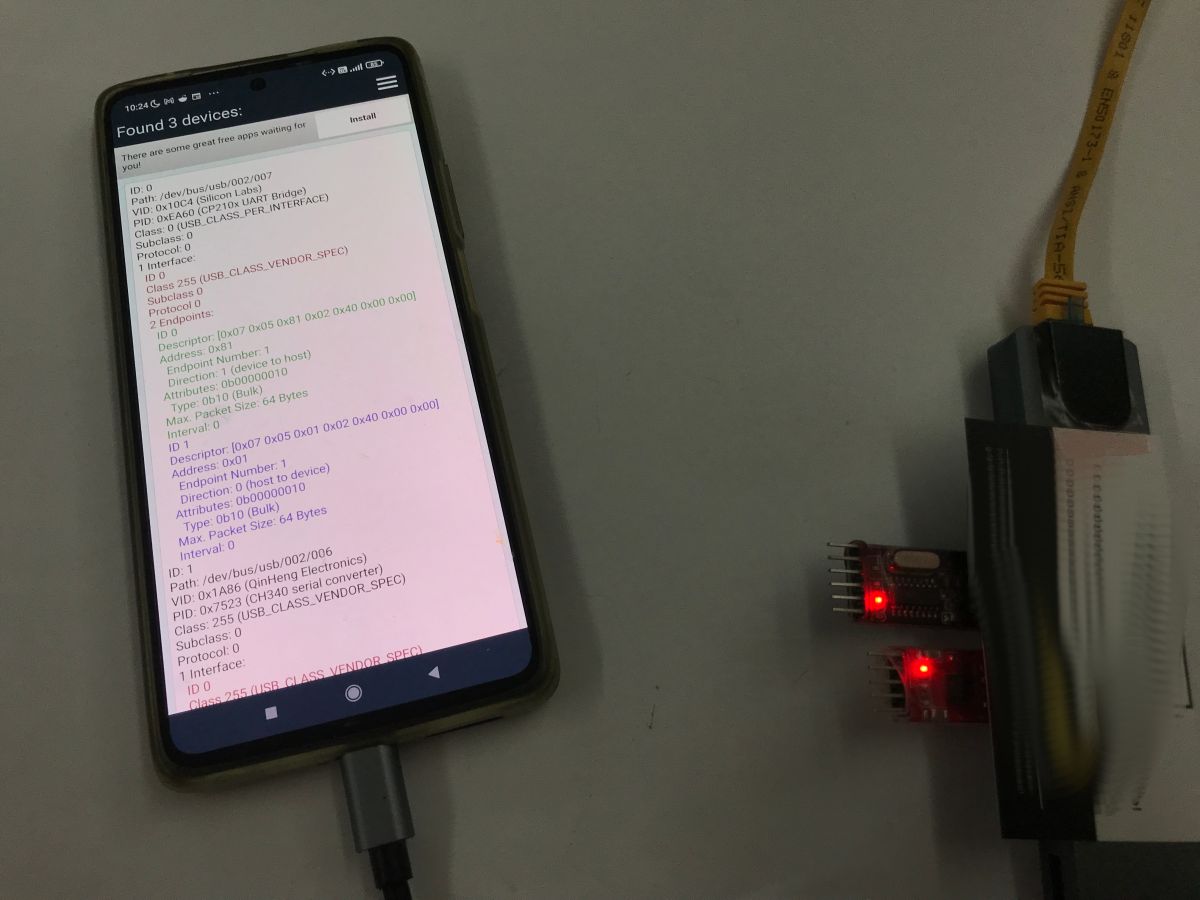
The second converter, CP210x, is also correctly seen:
In summary , I was able to run on this hub:
- wired internet access
- access to storage
- access to USB to UART converters (two types I checked)
My phone could not cope with:
- hDMI monitor
Your results may vary slightly, but I can still say here that there is as much potential as possible to convert the tablet into a controller for some kind of home automation or IoT devices.
PS: I have already tested the support of USB to UART converters from within the app - this is also possible, you can receive and send packets normally. I will present this in a separate topic. The charging issue will still have to be tested, but interestingly enough I have already seen separate adapters for this - the so-called "OTG charger splitter", although often these are not even needed at all.
Have you used USB splitters in the way I have shown?
About Author
p.kaczmarek2 wrote 14795 posts with
rating 12944 , helped 659 times.
Been with us since 2014 year.
I've been using the Ugreen USB-C OTG cable, for example to connect an adapter to an FT232, and more recently to program AVR processors from my phone (ZFlasher AVR, which I use with Atmel ICE). Just yesterday... [Read more]
chemik_16
11 Mar 2026 12:52
If you have one on a chip from DisplayLink, then
https://www.synaptics.com/products/displaylink-graphics/downloads/android [Read more]
DJ MHz
11 Mar 2026 13:51
Before testing the internet connection, turn on aeroplane mode, turn off WiFi and check in the web app what it is pulling the connection from ;) [Read more]
speedy9
11 Mar 2026 14:59
Which is not strange at all, because Mi 11T does not support DP Alt Mode [Read more]
MISIEK2018
11 Mar 2026 20:49
Samsung's S series and the now discontinued Note series support MHL (USB-C -> HDMI works). [Read more]
chemik_16
11 Mar 2026 22:54
This is not the problem here, because the HDMI on the cheap docks is not from the dp line, but from the USB 3.0/2.0 line. the problem is the lack of support for such devices in the android kernel. Connected... [Read more]
sq3evp
12 Mar 2026 08:58
The Nokia Lumia used to have such a docking station.
Now some smartphones have such a capability - USB-C also has HDMI support. [Read more]
panzewsi
12 Mar 2026 09:27
If the phone's touchscreen is damaged, the mouse can be connected via the hub, the cursor appears on the screen and data can be downloaded or transferred from it. [Read more]
I once managed to connect a Scarlett Focusrite 6i6 2gen audio interface via usb to a Samsung Galaxy S8+. At the time, I was recording video with the camera and the audio was going directly from the Shure... [Read more]
tesla97
12 Mar 2026 14:31
To connect a mouse, you don't even need a hub, just a USB C to USB A socket adapter. You can connect mice, keyboards, flash drives. [Read more]
A similar solution was used when one very important user was unable to put his laptop on the docking station. A USB hub took care of the problem. Connecting a USB cable doesn't require as much intelligence... [Read more]
FAQ
TL;DR: An 8-in-1 USB-C hub let one Xiaomi 11T use wired Ethernet, storage, and 2 USB-UART adapters at once; as one reply put it, "USB OTG." This FAQ helps phone and tablet users verify what works, what fails, and how to choose a hub for recovery, IoT, or programming tasks. [#21859603]
Why it matters: A cheap USB-C hub can turn a phone or tablet into a wired, serviceable tool, but video output and charging still depend on strict device support.
Option
Ethernet
Storage/UART
HDMI path
Best use
Cheap USB-C hub/dock
Yes on the tested Xiaomi 11T
Yes, including CH340 and CP210x
Failed on Xiaomi 11T
IoT, recovery, wired networking
DisplayLink dock
Mentioned as app-based video path on Android
Not detailed in the thread
Can work with DisplayLink support
Phone-to-monitor setups
Native USB-C/HDMI or MHL
Device-specific
Not the focus
Works only on supported phones
Direct external display
Key insight: USB-C hub support on Android is not one feature. Ethernet, storage, UART, charging, and HDMI each succeed or fail independently on the same phone.
Quick Facts
The tested Zenwire BYL-2009 was sold as an 8-in-1 hub with Ethernet, microSD, SD/TF, 4 USB ports, HDMI, and PD up to 100 W. [#21859603]
On the Xiaomi 11T, one hub exposed three useful classes at once: RTL8152 Ethernet, USB storage, and 2 USB-UART families, CH340 and CP210x. [#21859603]
A DIY USB-C OTG cable needed a 5.1 kΩ resistor from pin A5 to GND; wiring it elsewhere did not work. [#21859784]
A ready-made USB-C to micro-USB OTG cable was described as costing about PLN10, while delivery could take roughly 2 weeks. [#21859784]
One Android recording setup used a Focusrite Scarlett 6i6 2nd gen with a Samsung Galaxy S8+ and a Shure SM58 for direct camera audio capture. [#21860615]
How well does a USB-C hub like the Zenwire BYL-2009 work with a smartphone for Ethernet, USB storage, and USB-to-UART adapters at the same time?
It worked well in the posted Xiaomi 11T test. The Zenwire BYL-2009 exposed wired Ethernet, a flash drive, and two USB-UART adapter families at the same time. The phone detected the RTL8152 network controller, mounted storage, and saw both CH340 and CP210x adapters. HDMI was the only tested function that failed on that phone. [#21859603]
What is USB OTG, and how does it let a phone connect to mice, keyboards, flash drives, and programmers?
USB OTG lets a phone act as the USB host instead of the accessory. "USB OTG" is a USB host mode that lets a phone power and enumerate attached peripherals, changing the phone from device role to controller role. In the thread, people used OTG for mice, keyboards, flash drives, FT232-based tools, and AVR programming hardware from a phone. [#21861574]
Why did the Xiaomi 11T detect the RTL8152 Ethernet controller through the hub, and how can you verify that Android is really using wired internet instead of Wi-Fi or mobile data?
It detected RTL8152 because the hub exposed the Ethernet controller as a USB device that Android could see. To verify real wired use, follow this 3-step check: 1. Turn on airplane mode. 2. Turn off Wi‑Fi. 3. Open a web app and confirm traffic still works. That removes the two common false positives mentioned in the thread. [#21859900]
How do you test on Android whether a USB-C hub is exposing devices like CH340, CP210x, and storage media correctly?
Use a USB device inspection app and verify each class separately. The thread used Ultimate USB on a Xiaomi 11T, first without the hub and then with it. After connecting the hub, the phone showed CH340, then CP210x, and also exposed a memory stick whose contents could be opened. That combination confirms both enumeration and practical access. [#21859603]
What is DP Alt Mode, and why does its absence matter when trying to use HDMI output from a USB-C phone such as the Xiaomi 11T?
DP Alt Mode is the native USB-C display path, and its absence blocks simple USB-C-to-HDMI video output. "DP Alt Mode" is a USB-C video mode that reassigns high-speed pins to carry DisplayPort signals, enabling direct monitor output without USB graphics conversion. One reply stated that the Mi 11T does not support DP Alt Mode, so HDMI failure was not surprising. [#21859953]
Why does HDMI work on some Samsung S and Note phones but fail on other Android phones when using a cheap USB-C dock?
HDMI works only when the phone and dock match the required video method. One reply said Samsung S series and the discontinued Note series support MHL, so USB-C to HDMI works there. The Xiaomi 11T test failed with HDMI, which shows that USB-C shape alone does not guarantee monitor output on Android. [#21860257]
How does DisplayLink differ from native USB-C video output or MHL when connecting an Android phone to HDMI monitors?
DisplayLink uses a USB graphics path with software support, while native USB-C video or MHL depends on the phone's built-in display output. "DisplayLink" is a USB graphics system that sends compressed video over ordinary USB data lines, requiring compatible hardware and an Android app rather than native display signaling. The thread pointed to Synaptics DisplayLink downloads for Android and said supported stations can transfer video through the app. [#21859828]
Which is better for phone-to-monitor use on Android: a cheap USB-C dock, a DisplayLink-based docking station, or a native USB-C to HDMI solution?
A native USB-C to HDMI or MHL solution is best when the phone supports it. A cheap dock is best for Ethernet, storage, and serial tools, but it failed for HDMI on the Xiaomi 11T. A DisplayLink dock is the fallback when native output is absent, because the thread says its app can enable video on supported hardware. [#21860363]
How do you build a USB-C OTG cable correctly with a 5.1 kΩ resistor on pin A5, and why does wiring it to GND matter?
Build it by tying USB-C pin A5 through a 5.1 kΩ resistor to GND. One user first tried other wiring and got no result, even after changing the resistor value to 5.1 kΩ. He reported that only A5-to-GND created a working OTG cable. That grounding tells the phone to enter host mode instead of staying in a passive device role. [#21859784]
What are the practical ways people use USB-C splitters or hubs with phones and tablets for home automation, IoT control, or recovery of devices with broken Wi-Fi?
They use them to add stable wired networking, removable storage, and serial access. The thread's main example was reviving a tablet with broken Wi‑Fi and turning it into a home automation controller, without depending on wireless stability. The same hub also exposed USB-UART adapters, which makes it useful for IoT devices that need serial consoles or packet exchange from Android. [#21859603]
How can a USB-C hub help recover data from a phone with a damaged touchscreen by connecting a mouse or keyboard?
It can restore basic control long enough to copy data. One reply said that when a phone's touchscreen is damaged, you can connect a mouse through the hub, get a visible cursor on the screen, and then download or transfer files. Another reply added that even a simple USB-C to USB-A adapter is often enough for a mouse, keyboard, or flash drive. [#21860571]
What should you check before buying a USB-C hub for Android if you want Ethernet, SD or microSD readers, UART access, charging, and possible monitor support?
Check each function separately, not the connector alone. In the tested case, the hub advertised Ethernet, microSD, SD/TF, four USB ports, HDMI, and PD up to 100 W, but the phone still failed at HDMI. Verify host support for OTG, video support for HDMI, and whether your specific Android device actually sees Ethernet chips and serial adapters such as CH340 or CP210x. [#21859603]
How reliable is programming AVR chips from a phone with ZFlasher AVR and Atmel ICE through a USB-C OTG adapter compared with using FT232, CH340, or CP210x adapters?
It was reliable enough for real programming in the reported setup. One user said he used a Ugreen USB-C OTG cable with ZFlasher AVR and Atmel ICE to program AVR processors from his phone. That is a stronger test than simple serial enumeration through FT232, CH340, or CP210x, because it exercises active programming rather than just detection. [#21859784]
What charging limitations or workarounds should you expect when using a phone in OTG mode with a hub, PD power input, or an OTG charger splitter?
Expect charging to remain uncertain until you test your exact phone and hub. The main post noted that charging still needed verification, even though the hub advertised PD up to 100 W. It also mentioned separate accessories sold as an "OTG charger splitter," while adding that some setups may not need one at all. That makes charging the biggest unresolved variable in the thread. [#21859603]
How well do external USB audio interfaces like the Focusrite Scarlett 6i6 2nd gen work with Android phones for recording video with external microphones?
They can work well enough for direct camera recording. One user connected a Focusrite Scarlett 6i6 2nd gen to a Samsung Galaxy S8+ over USB and recorded video while taking audio from a Shure SM58 microphone. That example shows Android can accept an external USB interface as a practical recording front end, not just as a detected accessory. [#21860615]
AI summary based on the discussion. May contain errors.








Comments
I've been using the Ugreen USB-C OTG cable, for example to connect an adapter to an FT232, and more recently to program AVR processors from my phone (ZFlasher AVR, which I use with Atmel ICE). Just yesterday... [Read more]
If you have one on a chip from DisplayLink, then https://www.synaptics.com/products/displaylink-graphics/downloads/android [Read more]
Before testing the internet connection, turn on aeroplane mode, turn off WiFi and check in the web app what it is pulling the connection from ;) [Read more]
Which is not strange at all, because Mi 11T does not support DP Alt Mode [Read more]
Samsung's S series and the now discontinued Note series support MHL (USB-C -> HDMI works). [Read more]
This is not the problem here, because the HDMI on the cheap docks is not from the dp line, but from the USB 3.0/2.0 line. the problem is the lack of support for such devices in the android kernel. Connected... [Read more]
The Nokia Lumia used to have such a docking station. Now some smartphones have such a capability - USB-C also has HDMI support. [Read more]
If the phone's touchscreen is damaged, the mouse can be connected via the hub, the cursor appears on the screen and data can be downloaded or transferred from it. [Read more]
This is also the way. [Read more]
I once managed to connect a Scarlett Focusrite 6i6 2gen audio interface via usb to a Samsung Galaxy S8+. At the time, I was recording video with the camera and the audio was going directly from the Shure... [Read more]
To connect a mouse, you don't even need a hub, just a USB C to USB A socket adapter. You can connect mice, keyboards, flash drives. [Read more]
USB OTG. [Read more]
A similar solution was used when one very important user was unable to put his laptop on the docking station. A USB hub took care of the problem. Connecting a USB cable doesn't require as much intelligence... [Read more]