





ESP32 board with Wi-Fi, wired Ethernet and PoE power supply – ESP32-PoE2 Olimex
TL;DR 
- Olimex ESP32-PoE2 is an open-source ESP32 board with Wi‑Fi, wired Ethernet via LAN8720, and PoE support.
- The design adds TPS2378PW PoE power, a CH340 USB-to-UART interface, microSD, LiPo charging, UEXT connectors, and PlatformIO-ready Ethernet examples.
- The tested version uses ESP32-WROVER-E-N4R8 with 4 MB Flash and 8 MB PSRAM, and Olimex rates external output power up to 25 W.
- Ethernet setup obtained a DHCP address, resolved google.com, sent an HTTP request, and received a 301 Moved Permanently response.
- The board lacks galvanic isolation on the Ethernet power path, so ground loops are possible; disconnect Ethernet during USB programming if PoE is active.
AI summary based on the discussion. May contain errors.
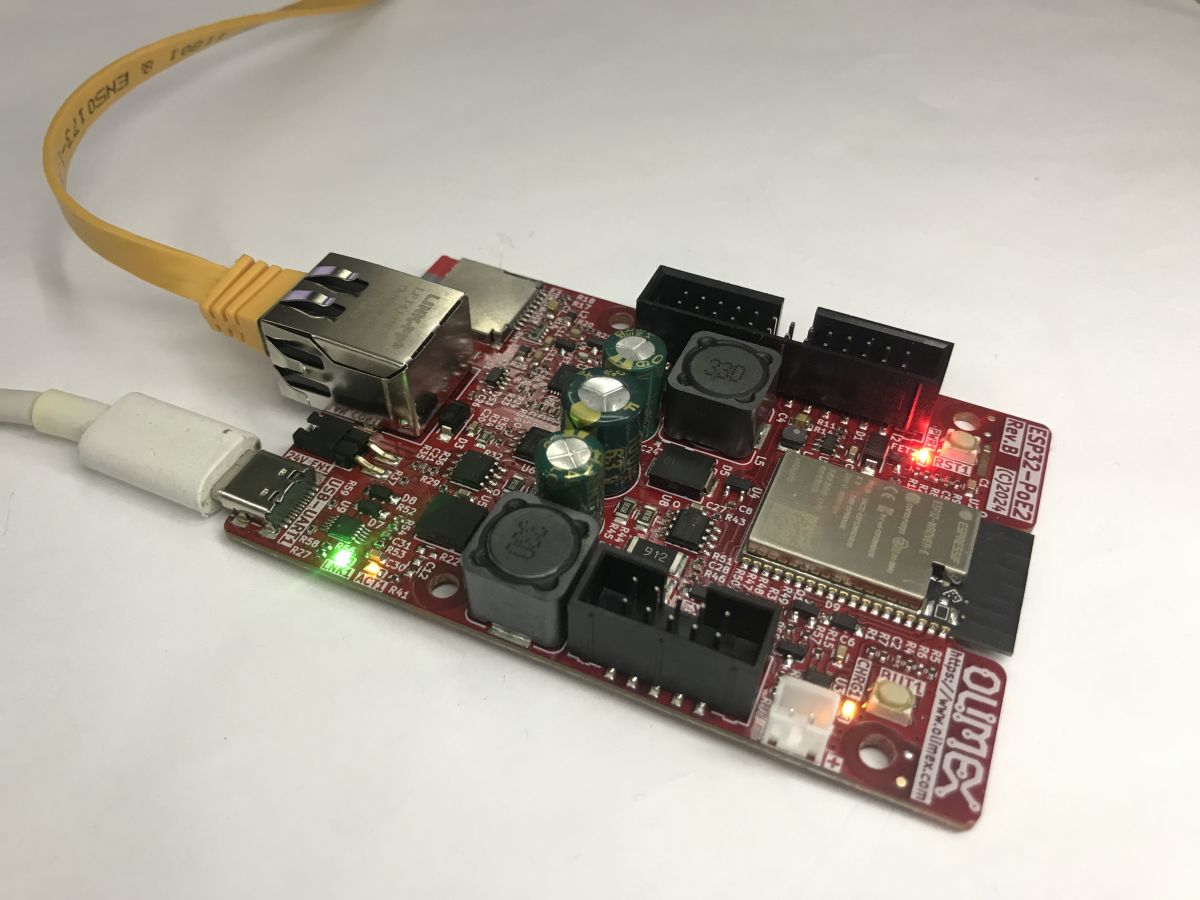
PoE (Power over Ethernet) is a standard that allows both data and power to be transmitted via a single Ethernet cable. The ESP32-PoE2 from Olimex is a board compliant with this standard, offering two types of connectivity: wireless (Wi-Fi) and wired (Ethernet, via the LAN8720 chip). It is this board that I would like to showcase here.
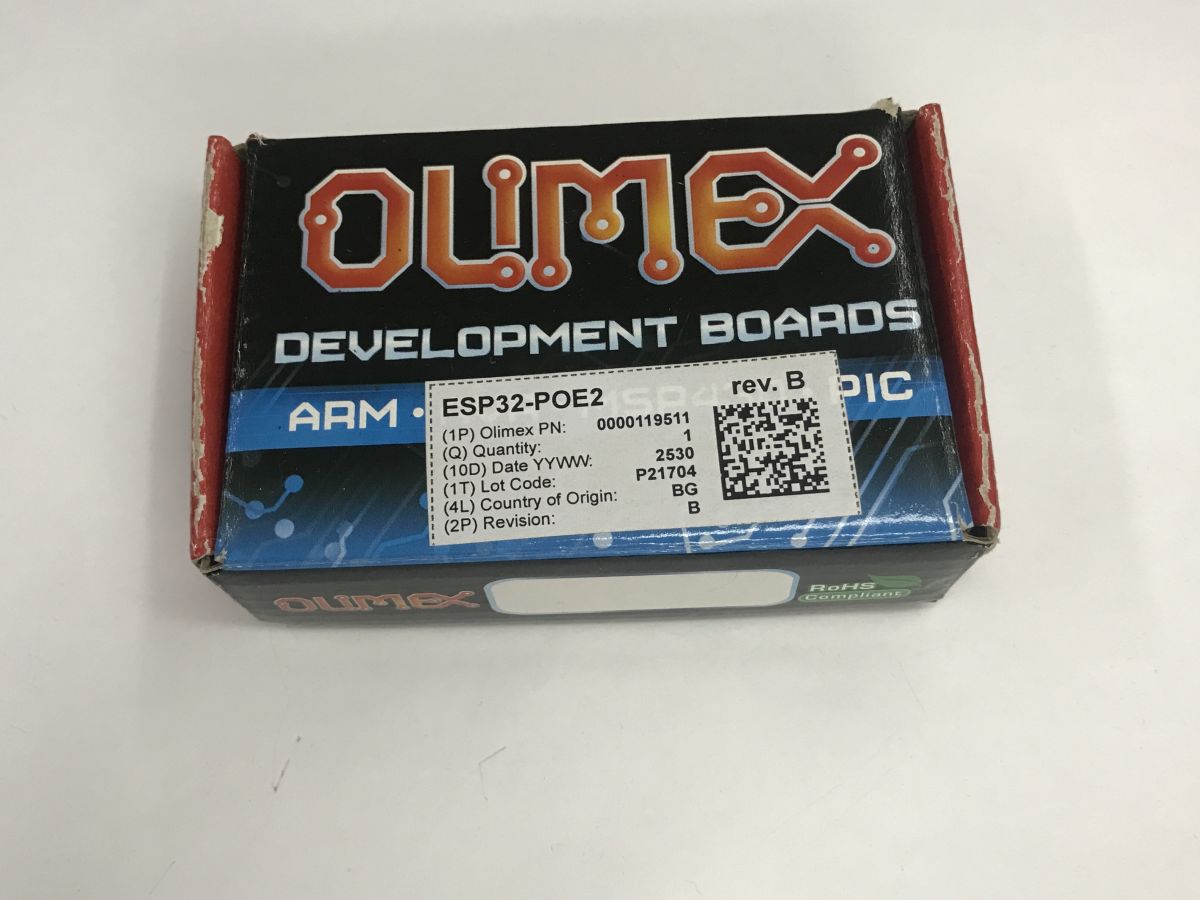
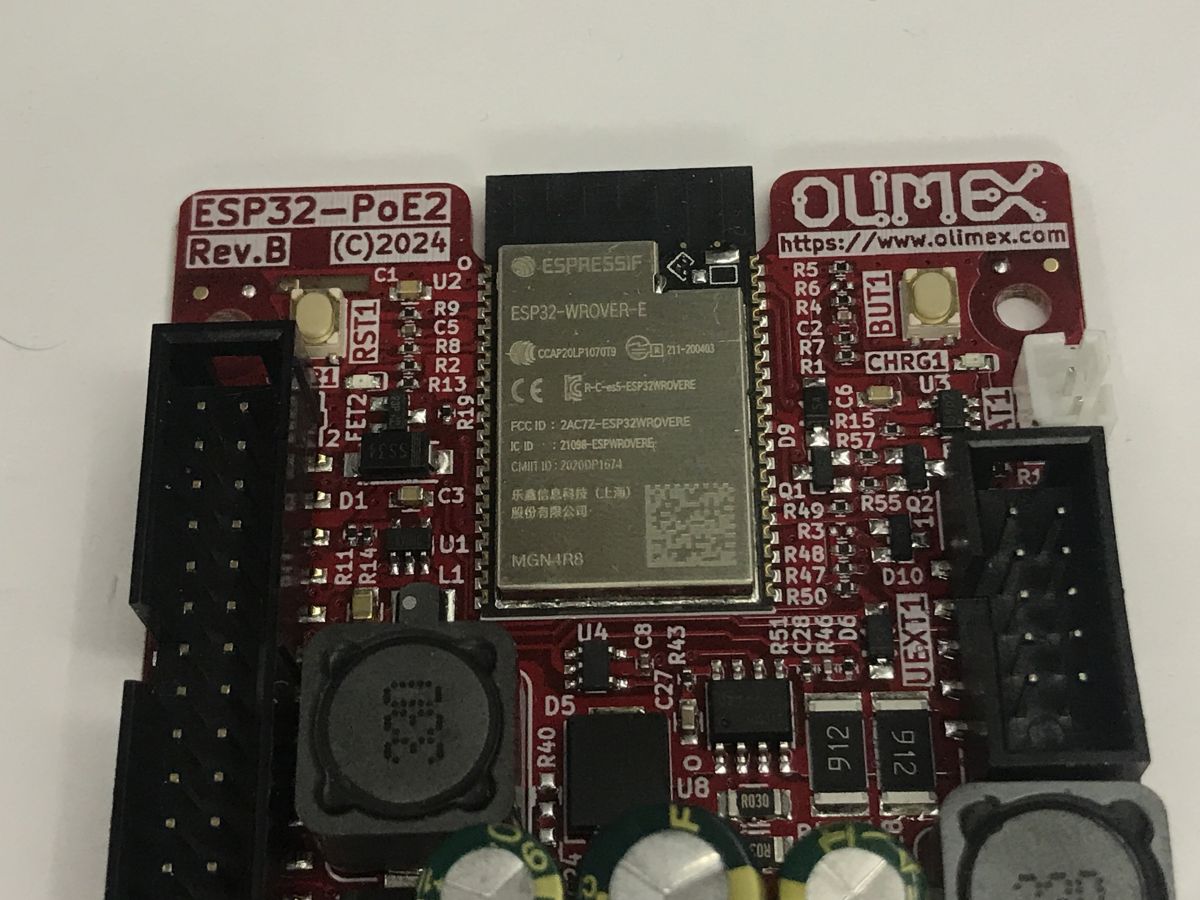
The ESP32-PoE2 is an open-source and open-hardware project from Olimex. The full project sources (including the PCB in KiCad) are available on GitHub . I bought my unit for 120 zł. I chose the version with extra memory, i.e. the one based on the ESP32-WROVER-E-N4R8 with 4 MB Flash and 8 MB PSRAM.
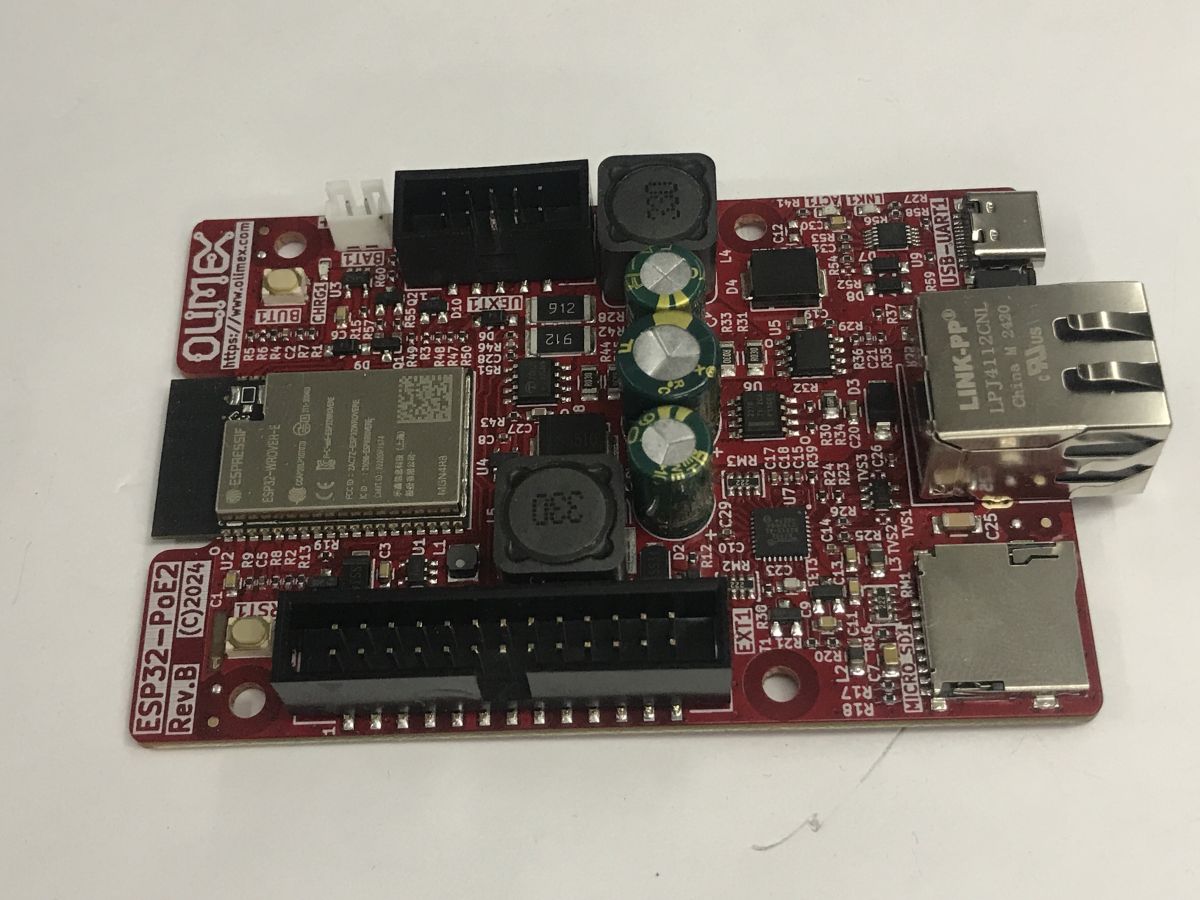
The TPS2378PW provides PoE power and complies with the IEEE 802.3 standard. An input voltage of at least 37 V is required. The board itself is capable of powering external circuits – it has 24 V / 0.75 A or 12 V / 1.5 A, as well as 5 V / 1.5 A and 3.3 V / 1 A, with a total output power of up to 25 W.
Note: The ESP32-POE2 does not have galvanic isolation from the Ethernet power supply, which may cause ground loops. When programming via USB, disconnect the Ethernet cable (if PoE is active). Connecting an external power supply may be dangerous – it is recommended to use the Olimex USB-ISO to protect your computer and the board.
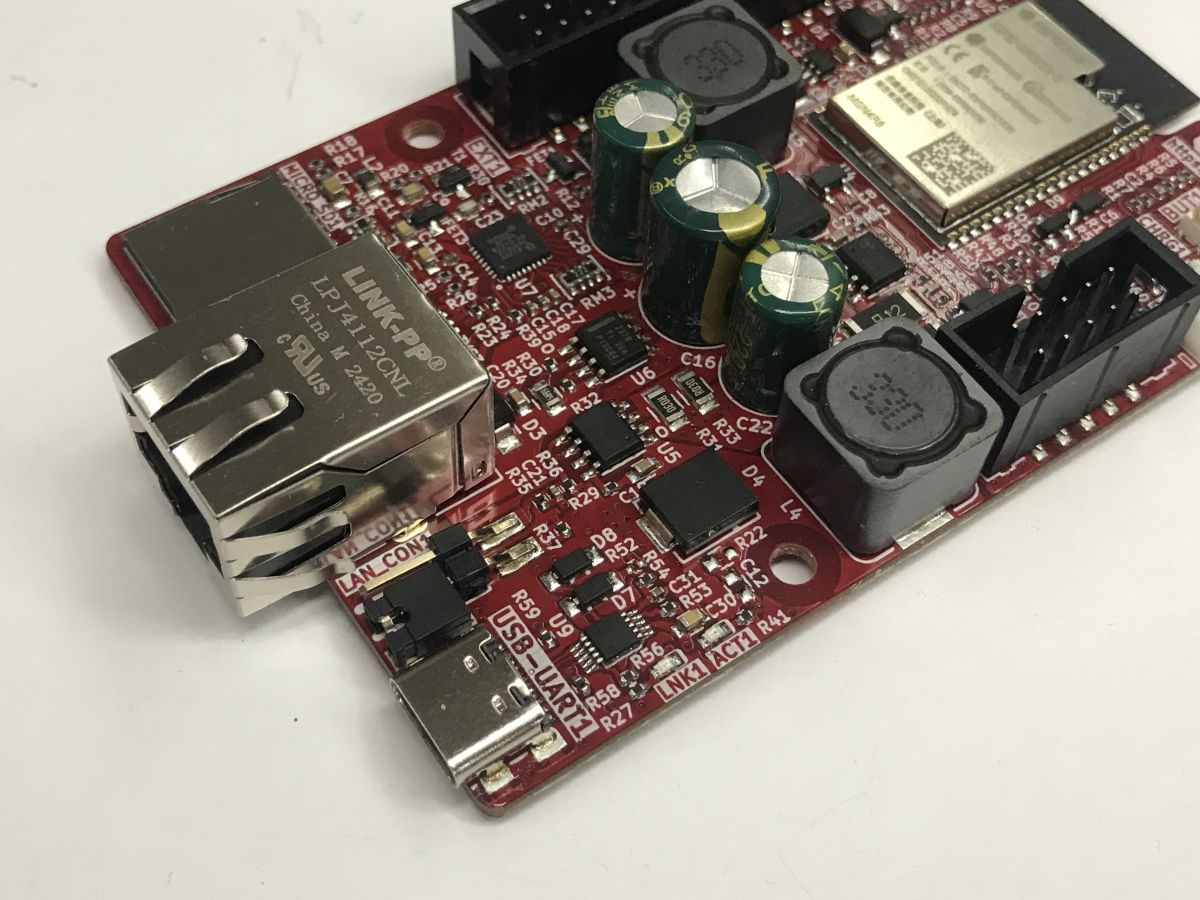
Additional peripherals include a microSD card slot, a built-in USB-to-UART converter for programming (CH340), a BL4054 controller for working with LiPo batteries, and a wide range of connectors, including Olimex’s UEXT.
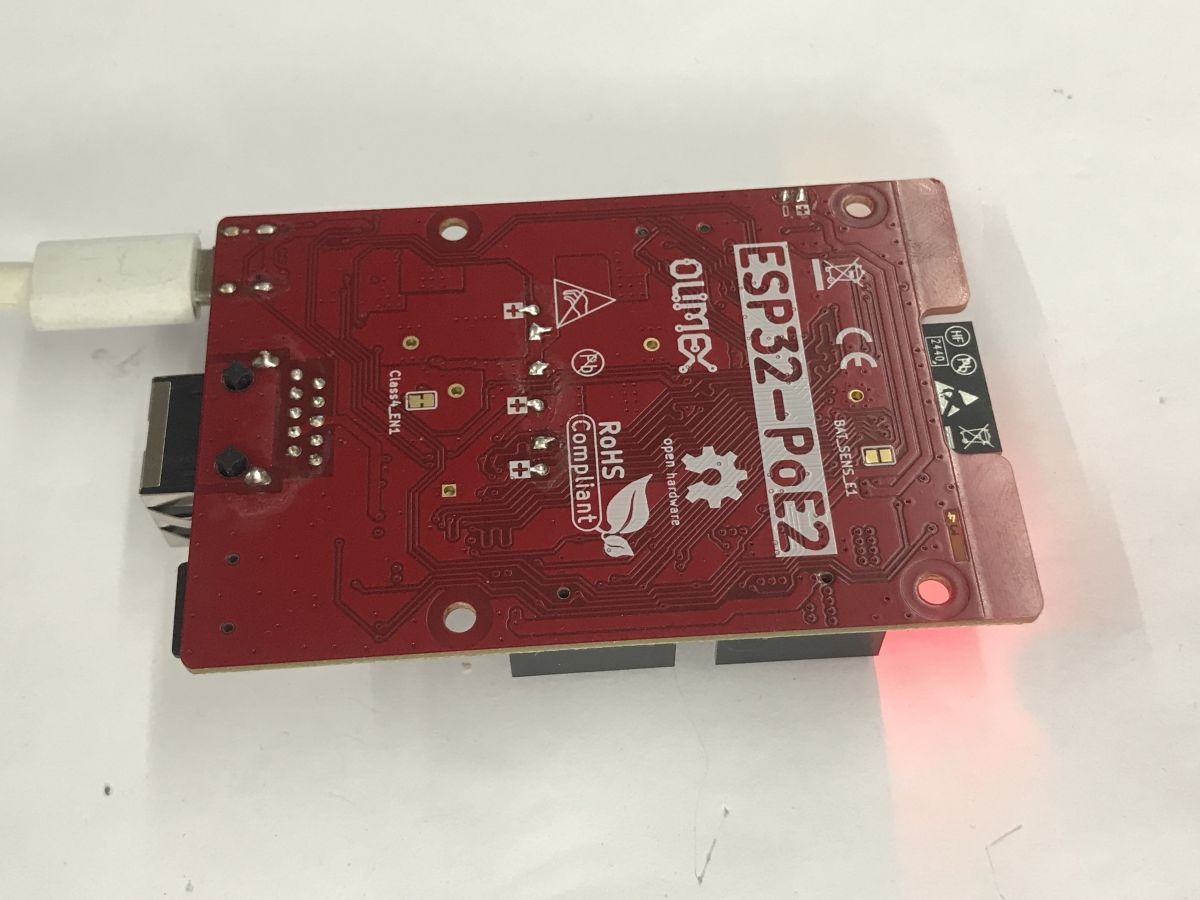
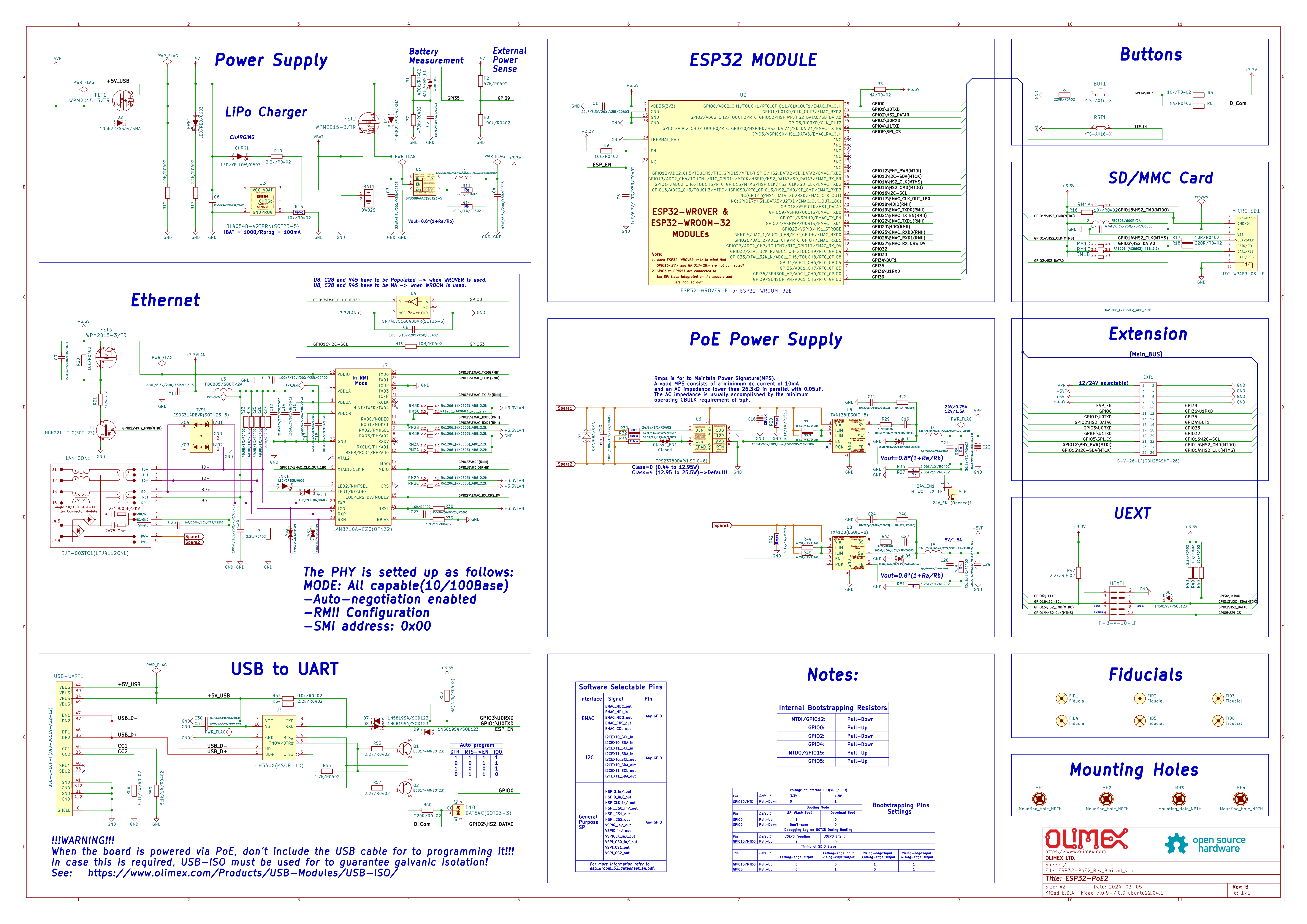
Schematic:
The board is programmed in PlatformIO, and I’ll demonstrate a few examples within this environment.
Hello World LAN8720
The LAN8720 is what makes this board stand out the most, and that is what I will focus on here. First, platformio.ini – the PIO libraries already have a profile for this board (esp32-poe-iso), and there is also a ready-made library for the LAN8720.
[env:esp32-poe-iso]
platform = espressif32
board = esp32-poe-iso
framework = arduino
monitor_speed = 115200

build_flags =
	-D ETH_PHY_TYPE=ETH_PHY_LAN8720
	-D ETH_PHY_ADDR=0
	-D ETH_PHY_MDC=23
	-D ETH_PHY_MDIO=18
	-D ETH_PHY_POWER=12
	-D ETH_CLK_MODE=ETH_CLOCK_GPIO0_OUT
	-D BOARD_HAS_PSRAM
	-mfix-esp32-psram-cache-issue
In the main source file, main.cpp, you need to include the ETH.h header; you can then add a callback to handle events, and even connect a socket to the target host. This will allow you to check whether connectivity is available:
Code: C / C++
I checked the response for the domain name google.com – the connect function automatically converts it to an IP address.
Result:
  ets Jul 29 2019 12:21:46
rst:0x1 (POWERON_RESET),boot:0x1b (SPI_FAST_FLASH_BOOT)
configsip: 0, SPIWP:0xee
clk_drv:0x00,q_drv:0x00,d_drv:0x00,cs0_drv:0x00,hd_drv:0x00,wp_drv:0x00
mode:DIO, clock div:2
load:0x3fff0030,len:184
load:0x40078000,len:12680
load:0x40080400,len:2908
entry 0x400805c4
Olimex ESP32-POE2 Ethernet Test (v2.x compat)...
ETH Started
ETH Connected
ETH Got IP
ETH IP: 192.168.0.137

 Connecting to google.com

HTTP/1.1 301 Moved Permanently

Location: http://www.google.com/

Content-Type: text/html; charset=UTF-8

Content-Security-Policy-Report-Only: object-src 'none';base-uri 'self';script-sr
c 'nonce-rvcm1L9GDkZjYCPWad4kQw' 'strict-dynamic' 'report-sample' 'unsafe-eval'
'unsafe-inline' https: http:;report-uri https://csp.withgoogle.com/csp/gws/other
-hp

Date: Thu, 29 Jan 2026 18:19:25 GMT

Expires: Sat, 28 Feb 2026 18:19:25 GMT

Cache-Control: public, max-age=2592000

Server: gws

Content-Length: 219

X-XSS-Protection: 0

X-Frame-Options: SAMEORIGIN


<HTML><HEAD><meta http-equiv="content-type" content="text/html;charset=utf-8">

                                                                               <
TITLE>301 Moved</TITLE></HEAD><BODY>

                                     <H1>301 Moved</H1>

                                                        The document has moved

                                                                               <
A HREF="http://www.google.com/">here</A>.

</BODY></HTML>


 Closing connection
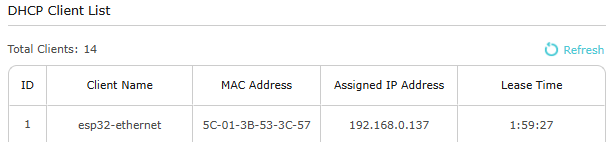
The board successfully obtains an IP address via DHCP from the router, and is then able to convert the hostname to an IP address and send a simple HTTP packet there. The response is also received; we can see here that Google is attempting to redirect us. The ESP also appears in the router’s list of DHCP clients.
HTTP server
I was also wondering whether it was possible to do the opposite – not establishing a connection, but waiting for one. So I set up a simple server that listens on port 80 (HTTP) and receives packets via the LAN cable:
#include <Arduino.h>
#include <ETH.h>
#include <WebServer.h>
#include <WiFi.h>


WebServer server(80);

static bool eth_connected = false;

// In v2.x, the event handler uses WiFiEvent_t and the signature is slightly
// different
void onEvent(WiFiEvent_t event) {
  switch (event) {
  case ARDUINO_EVENT_ETH_START:
    Serial.println("ETH Started");
    ETH.setHostname("esp32-ethernet");
    break;
  case ARDUINO_EVENT_ETH_GOT_IP:
    Serial.println("ETH Got IP");
    Serial.print("ETH IP: ");
    Serial.println(ETH.localIP());
    eth_connected = true;
    server.begin();
    Serial.println("HTTP server started");
    break;
  case ARDUINO_EVENT_ETH_DISCONNECTED:
    Serial.println("ETH Disconnected");
    eth_connected = false;
    break;
  case ARDUINO_EVENT_ETH_STOP:
    Serial.println("ETH Stopped");
    eth_connected = false;
    break;
  default:
    break;
  }
}

void handleRoot() {
  String html = "<!DOCTYPE html><html><head><title>ESP32-POE2</title>";
  html += "<style>body { font-family: Arial; text-align: center; margin-top: "
          "50px; }";
  html += "h1 { color: #0066cc; }</style></head><body>";
  html += "<h1>Hello World from ESP32-POE2!</h1>";
  html += "<p>Ethernet connection is stable and server is running.</p>";
  html += "<p>Uptime: " + String(millis() / 1000) + " seconds</p>";
  html += "</body></html>";
  server.send(200, "text/html", html);
}

void setup() {
  Serial.begin(115200);
  Serial.println("Olimex ESP32-POE2 Ethernet Test (v2.x compat)...");

  WiFi.onEvent(onEvent);
  server.on("/", handleRoot);

  // PHY address: 0
  // Power pin: 12
  // MDC pin: 23
  // MDIO pin: 18
  // PHY type: ETH_PHY_LAN8720
  ETH.begin(0, 12, 23, 18, ETH_PHY_LAN8720, ETH_CLOCK_GPIO0_OUT);
}

void loop() {
  if (eth_connected) {
    server.handleClient();
  }
}
The libraries handle everything – the server is accessible without Wi-Fi:
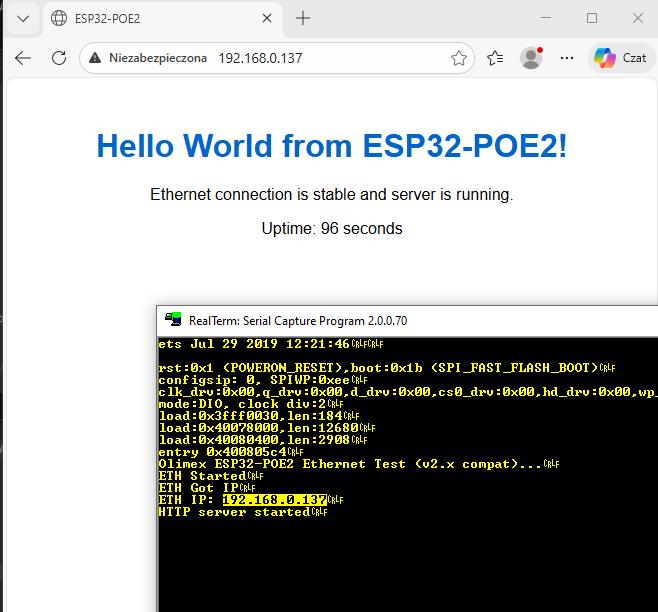
Summary
This is undoubtedly an interesting board, especially if you intend to use PoE. The inclusion of PSRAM is also a plus. What’s more, it’s all very easy to get up and running – there are ready-made libraries available, so all you need to do is configure the pins. I had no trouble mapping wired Ethernet to an HTTP server or establishing a connection with the outside world.
I haven’t tested PoE itself, as I don’t have a suitable power supply, but I may well come back to that.
Have you used PoE in your projects yet? Do you see potential for a board like this?

p.kaczmarek2 wrote 14770 posts with
rating 12913 , helped 659 times.
Been with us since 2014 year.
Comments
I would see this board as an IoT hub/gateway, connected via a wired Ethernet link, capable of communicating with devices and sensors via wired buses, as well as, for example, via ESP-NOW or through attached... [Read more]
For 170 zł, you can get an RPi3 with 1GB of RAM. I know – it doesn’t have PoE, but I mentioned it as an example. It’s just that the price of 120 zł seems disproportionately high to me. [Read more]
It’s true that the price is high, though I suppose Olimex has always been expensive. It’s also a shame it doesn’t come with a casing. I’ll have to look around for something similar but in a DIN rail housing.... [Read more]
This is a prototyping board; later on, you’ll be able to order something similar on your own board for around 50 zł, including assembly by a Chinese supplier for 10 pieces [Read more]
Strictly speaking, this isn’t a complete device but rather a breadboard for experiments. PoE in this version is simplified. It does not provide galvanic isolation. [Read more]
This is precisely the board on which the software runs; it must be made from the right components and be tested. That way, when you later order the finished device from a Chinese supplier, if something... [Read more]
Take a look at this Link . Their website also has lower prices (though I’m not sure about VAT): Link . As for DIN-rail mounting, I usually attach a DIN-rail bracket (these used to be included with... [Read more]
But why spend so much money on this when, as usual, an ESP32C3 SuperMini connected via a USB cable will make just as good an IoT gateway? :) Since there’s no separation, I think this is a major drawback,... [Read more]
I’ve always had a different view on prototype PCBs. If you buy a test PCB for a converter, they give you a 4-layer PCB straight away – a huge PCB with massive ground planes and loads of vias on the thermal... [Read more]
But you’ve just confirmed exactly what I was saying. Thanks to a good reference design, you know that it’s possible to build a working, high-quality and reliable device using those components, and if... [Read more]