





Inside the SG1008 eight-port gigabit switch, power measurements, comparison with an old router
TL;DR
- Compares an SG1008 eight-port Gigabit switch with an old TP-Link WR841N router repurposed as a switch.
- Inside the SG1008, the RTL8370N chipset uses minimal parts, plus an LN3492P6MR regulator and HY1801D-BX isolation transformers on each port.
- Measured power draw was 1.4 W to 1.7 W in normal traffic and 2.4 W under heavy rclone traffic.
- The router is fine for a temporary, low-cost port expansion, but the dedicated switch is better for permanent use, gigabit speeds, and eight ports; stability remains uncertain.
AI summary based on the discussion. May contain errors.
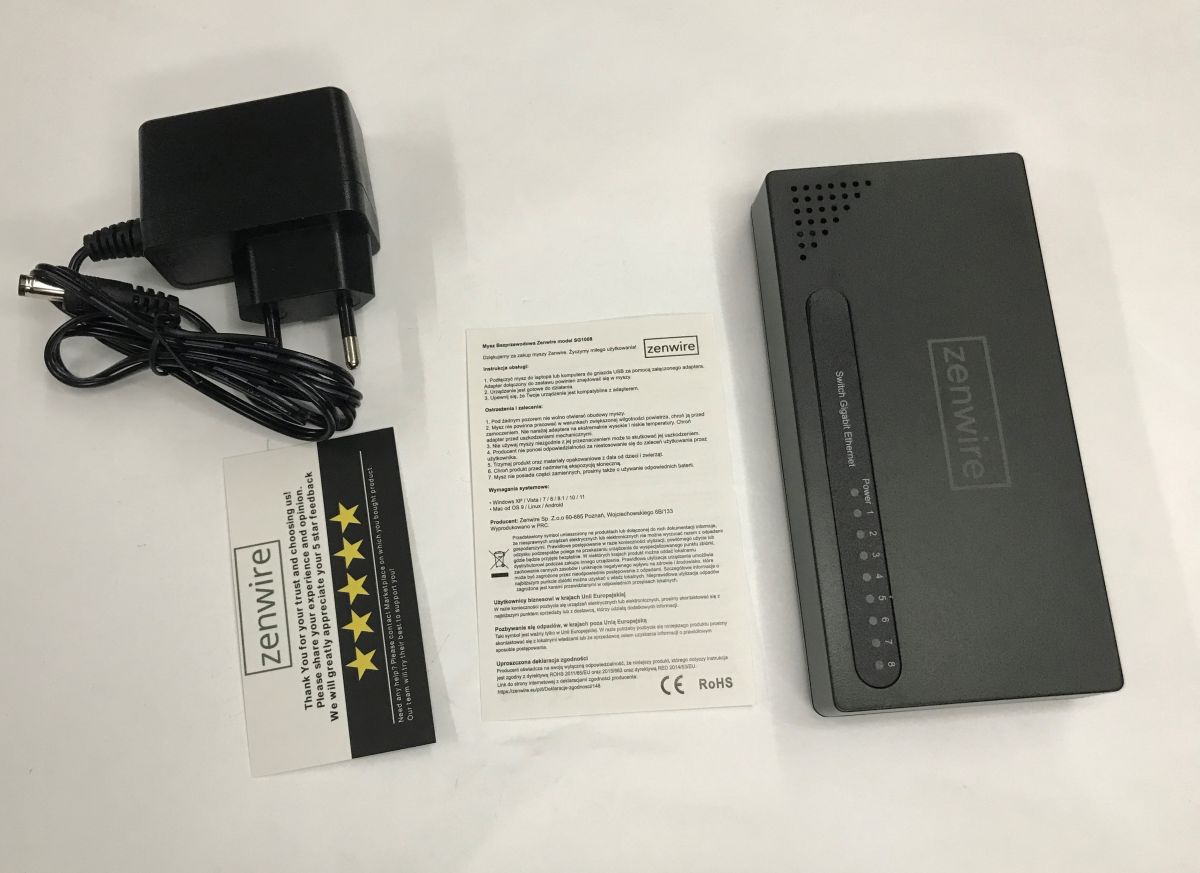
Is it worth using an old router as a switch, or would it be better to buy a brand-new, factory-made product? I’ll try to find out here. First, I’ll show you the inside of the SG1008 eight-port Gigabit switch, take a look at its build, and then compare its power consumption to my makeshift solution built using an old four-port TP-Link WR841N. Which solution will come out on top? Let’s find out!
Previous post in the series:
An old router as a switch – how to connect more devices to a router? Expanding the network
SG1008 switch
We bought the SG1008 for 85 zł; we got the Zenwire-branded version. I shan’t comment on the ‘designed in Poland’ bit:
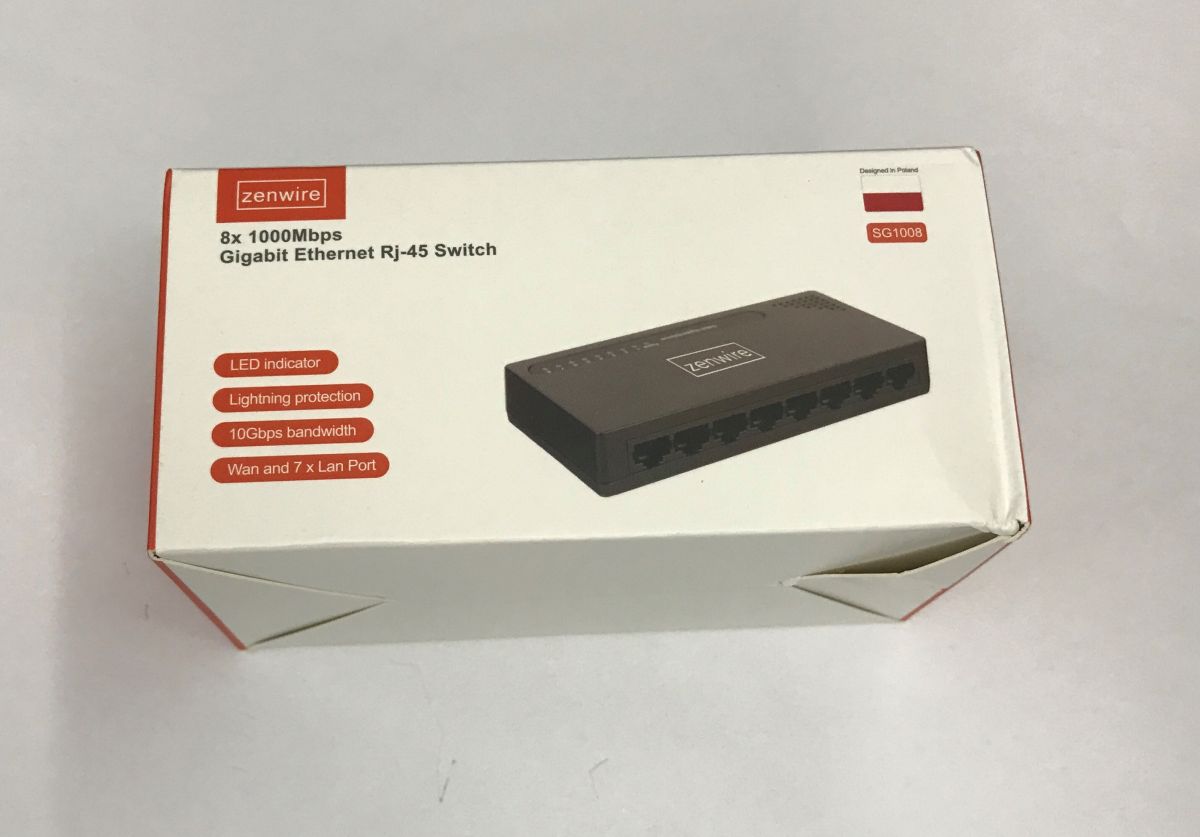
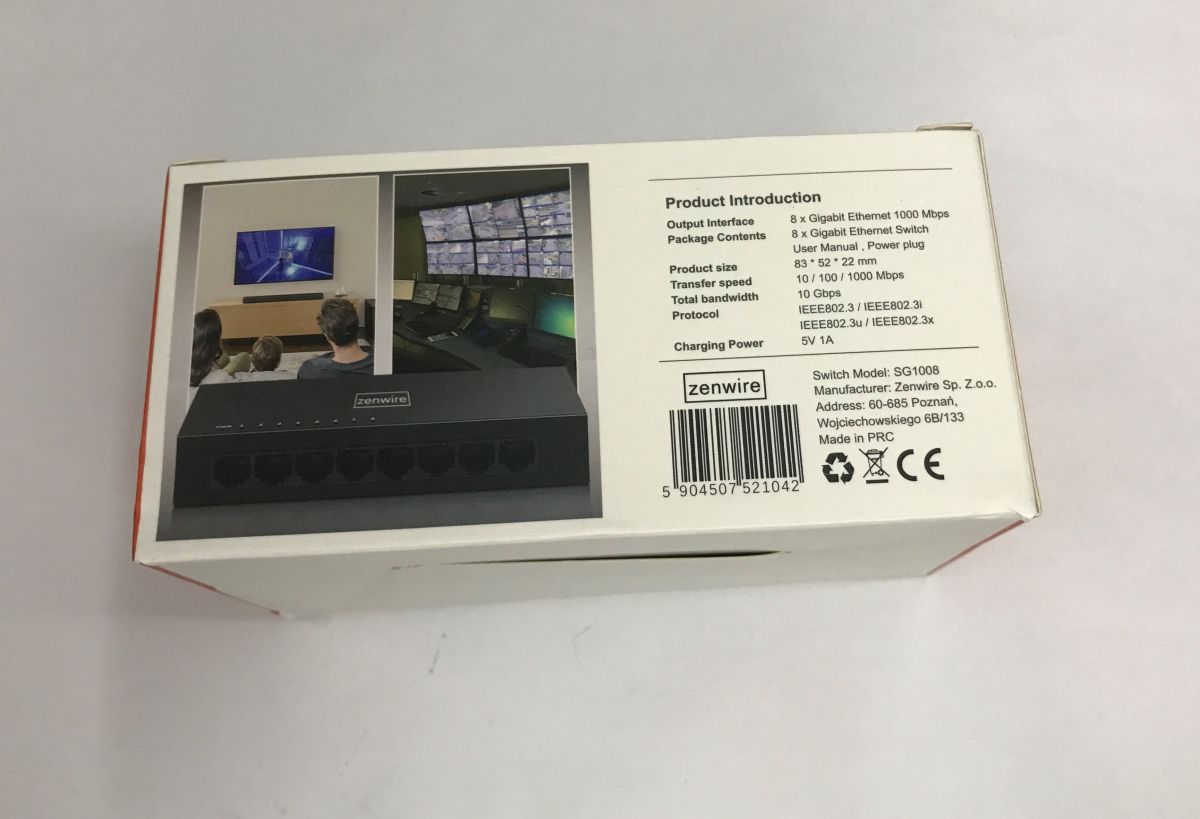
The pack includes a switch, a brief manual and a 5 V 1 A power supply, which gives us a good idea of the performance we can expect.
The importer has got something mixed up, because although the manual is in Polish, it relates to a mouse, not the switch:
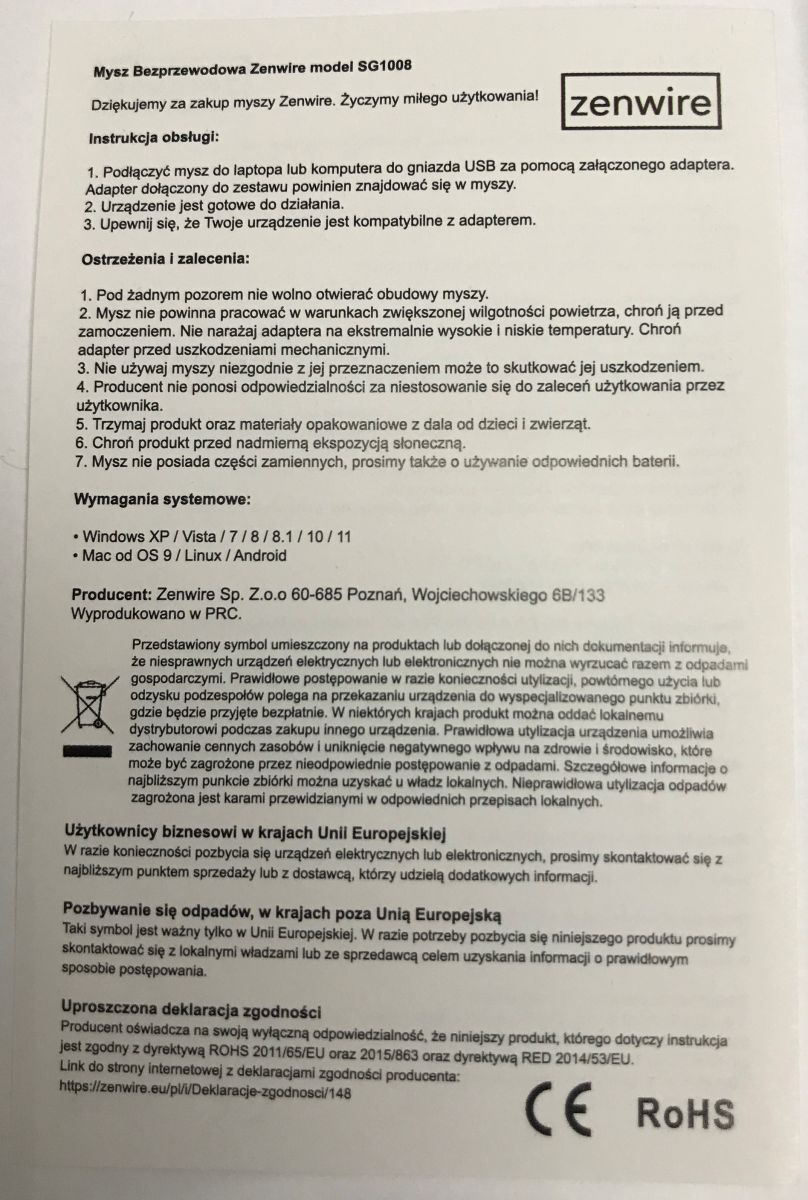
The warning not to “open under any circumstances” is also interesting, but I’ll probably leave that unverified.
Let’s move on to the switch itself:
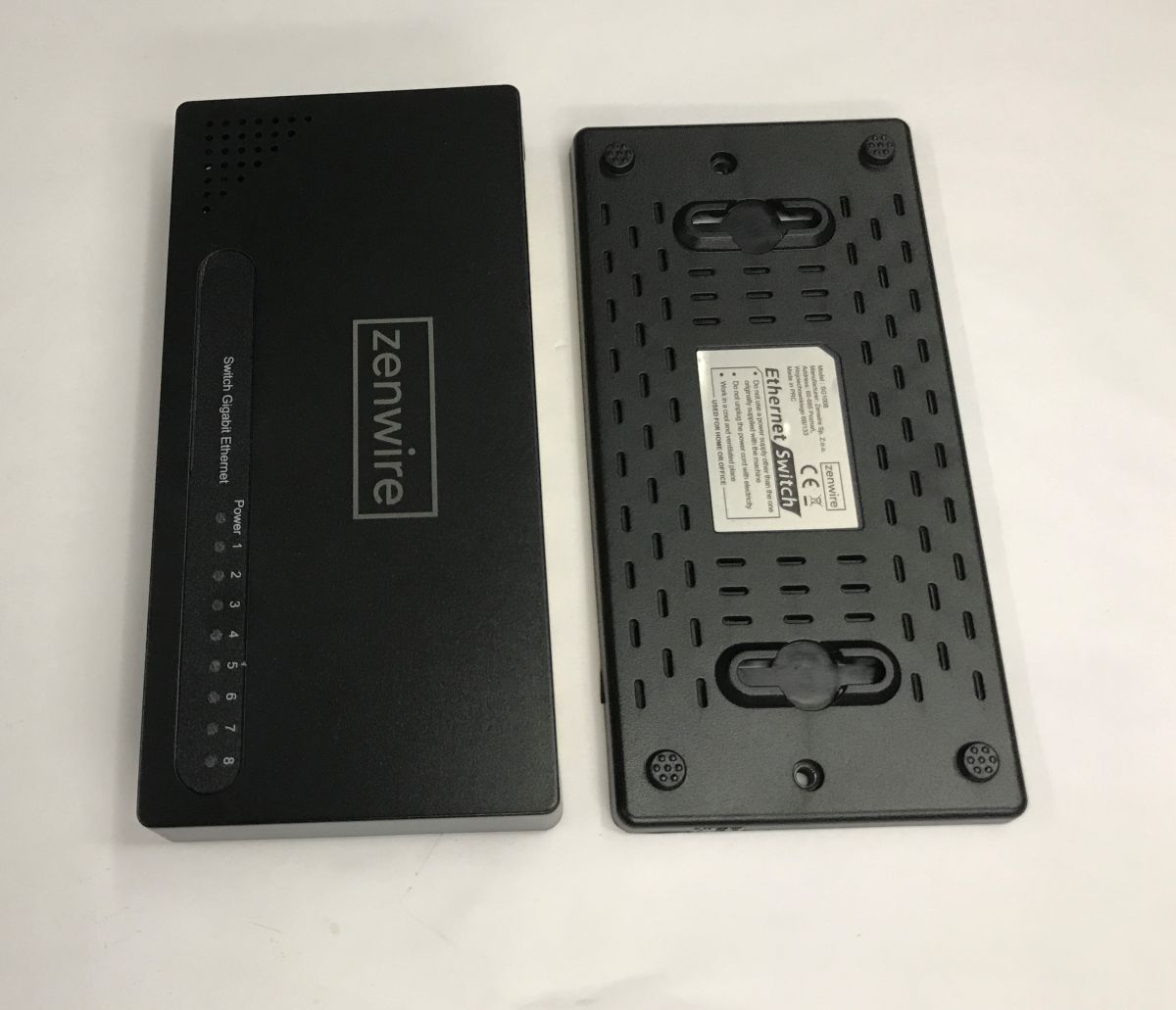
All it takes is two screws to see how it’s put together. There isn’t much inside, though:
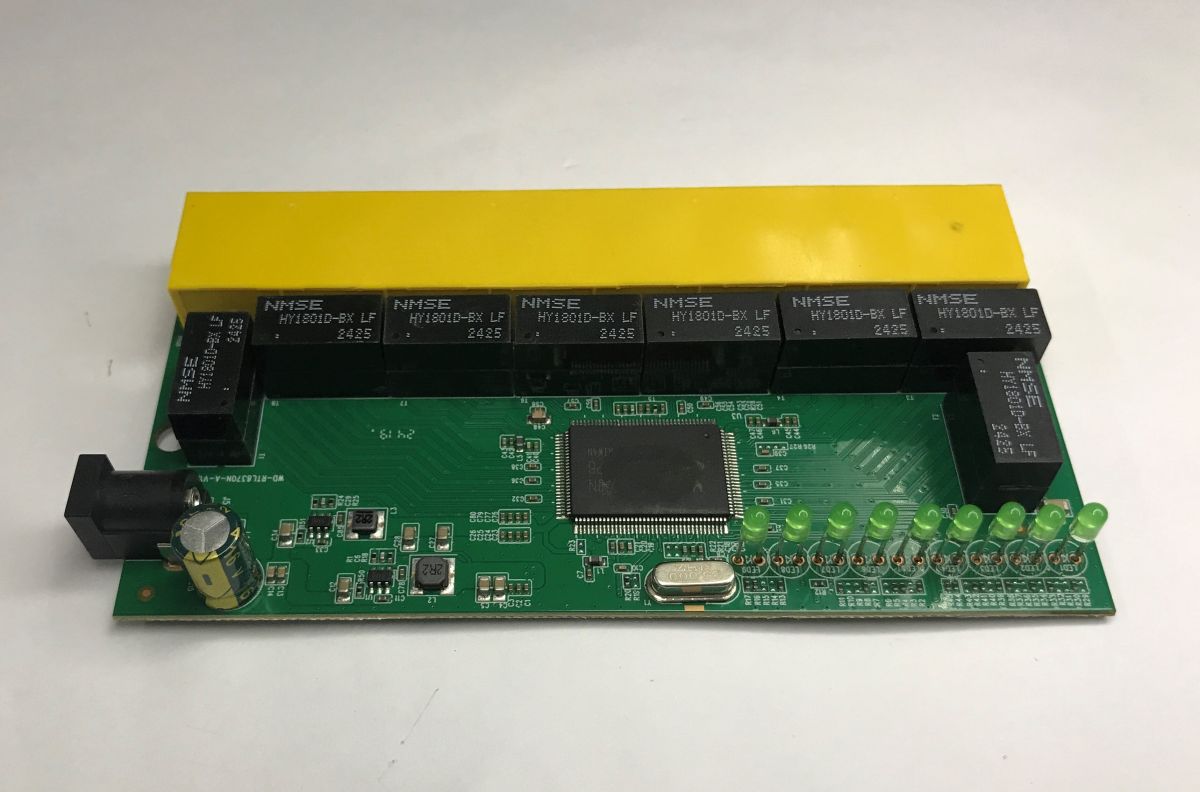
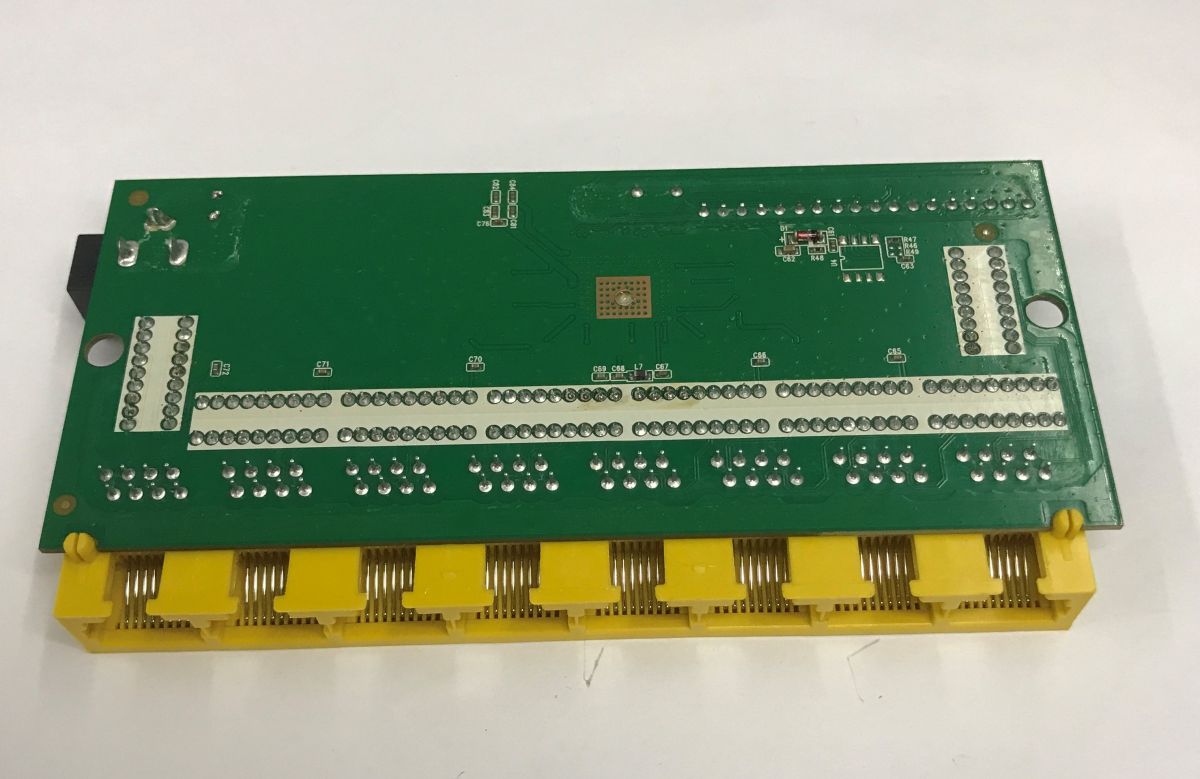
The whole thing is based on the RTL8370N. This chip requires a minimum of external components to operate. However, it runs at lower voltages, so a voltage regulator is needed at the input. Does anyone recognise these chips – 8A6D?
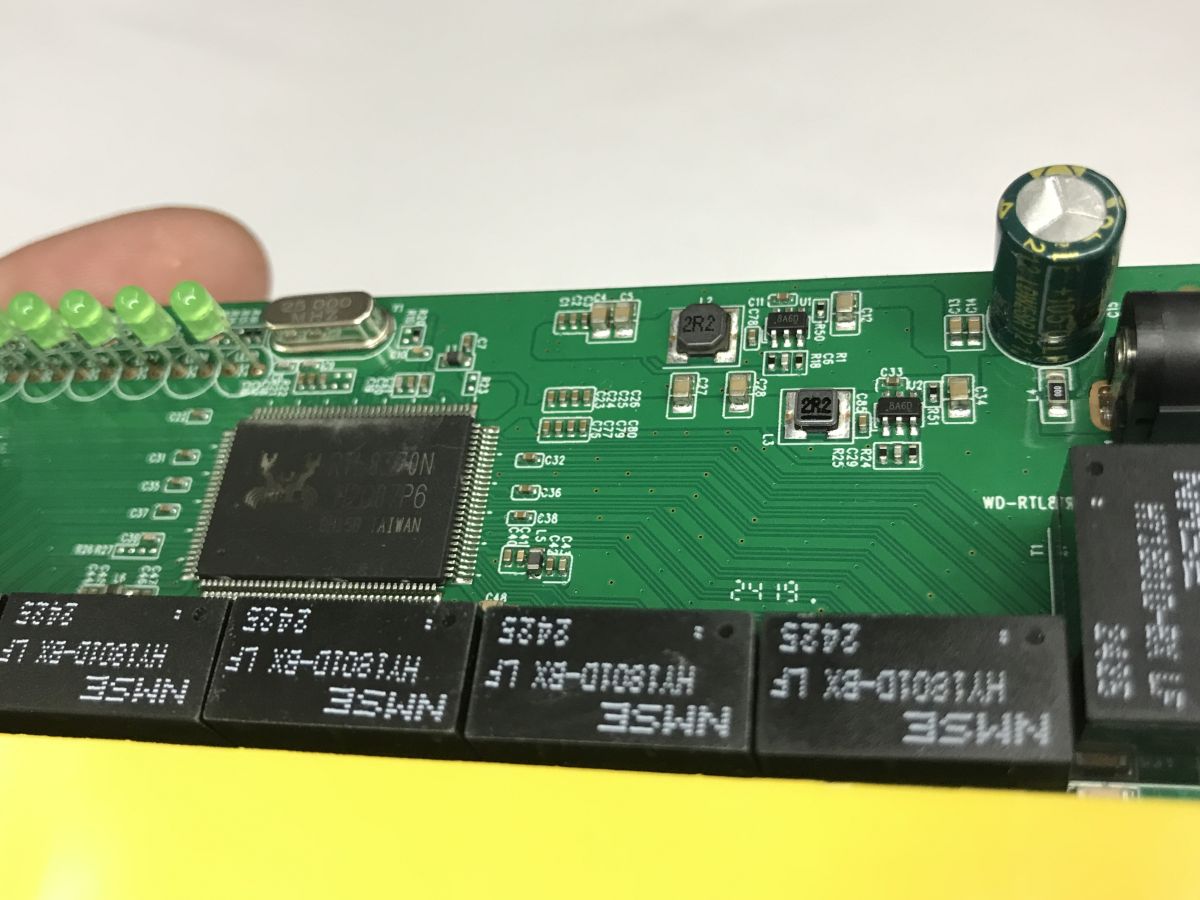
A quick search shows that this is the LN3492P6MR.
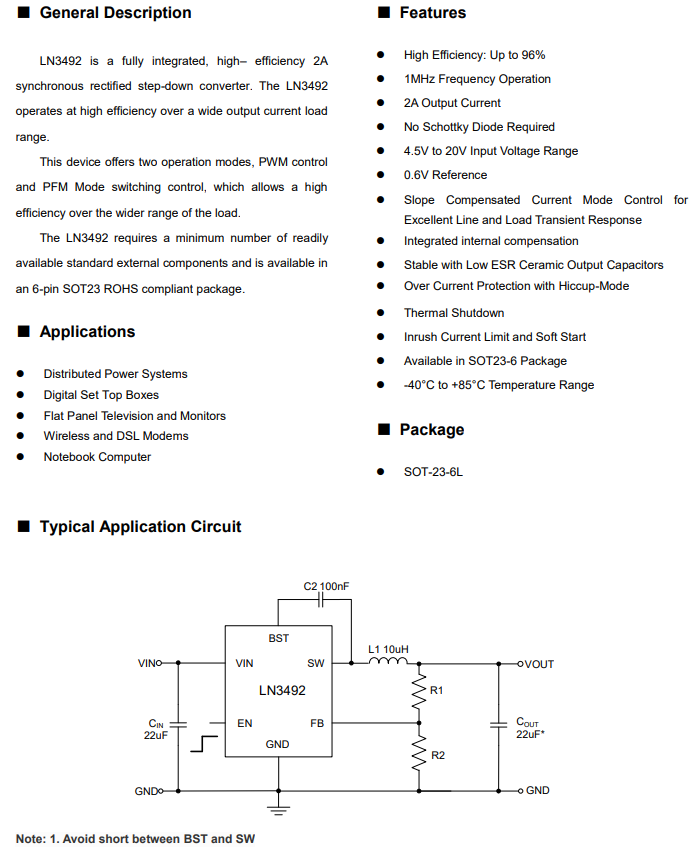
Apart from that, we only have HY1801D-BX signal isolation transformers, one per port.
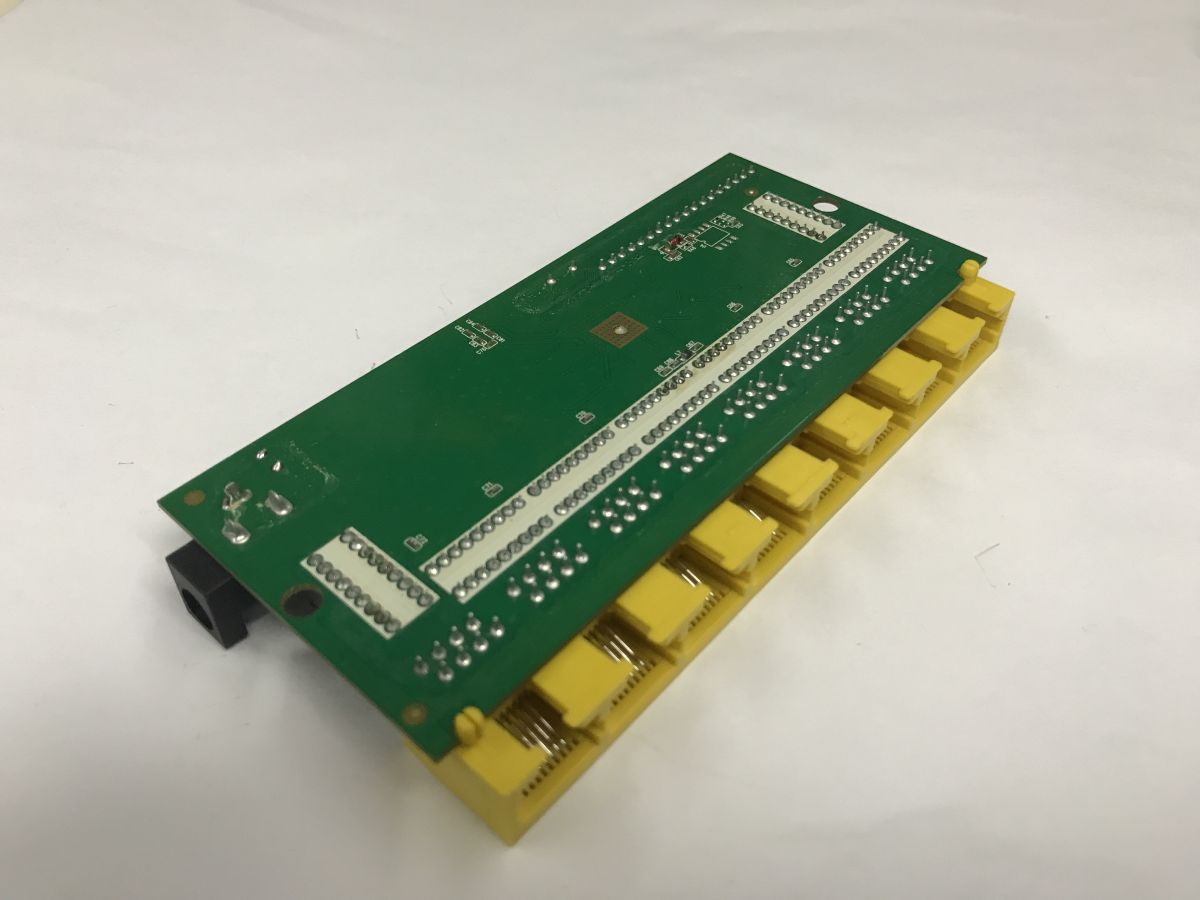
There is space on the underside for a Flash memory chip, but none is soldered in here.
A quick test and measurements
Time for a field test. The switch will eventually be in a different location, but I’ve quickly connected it in place of my router, which I’m using as a switch. As mentioned in a previous article, I don’t connect anything to the WAN port on my router; I only have four cables (one to the actual router, three to the hosts) plugged into the LAN ports. Please excuse the makeshift setup – it’s the results that matter:
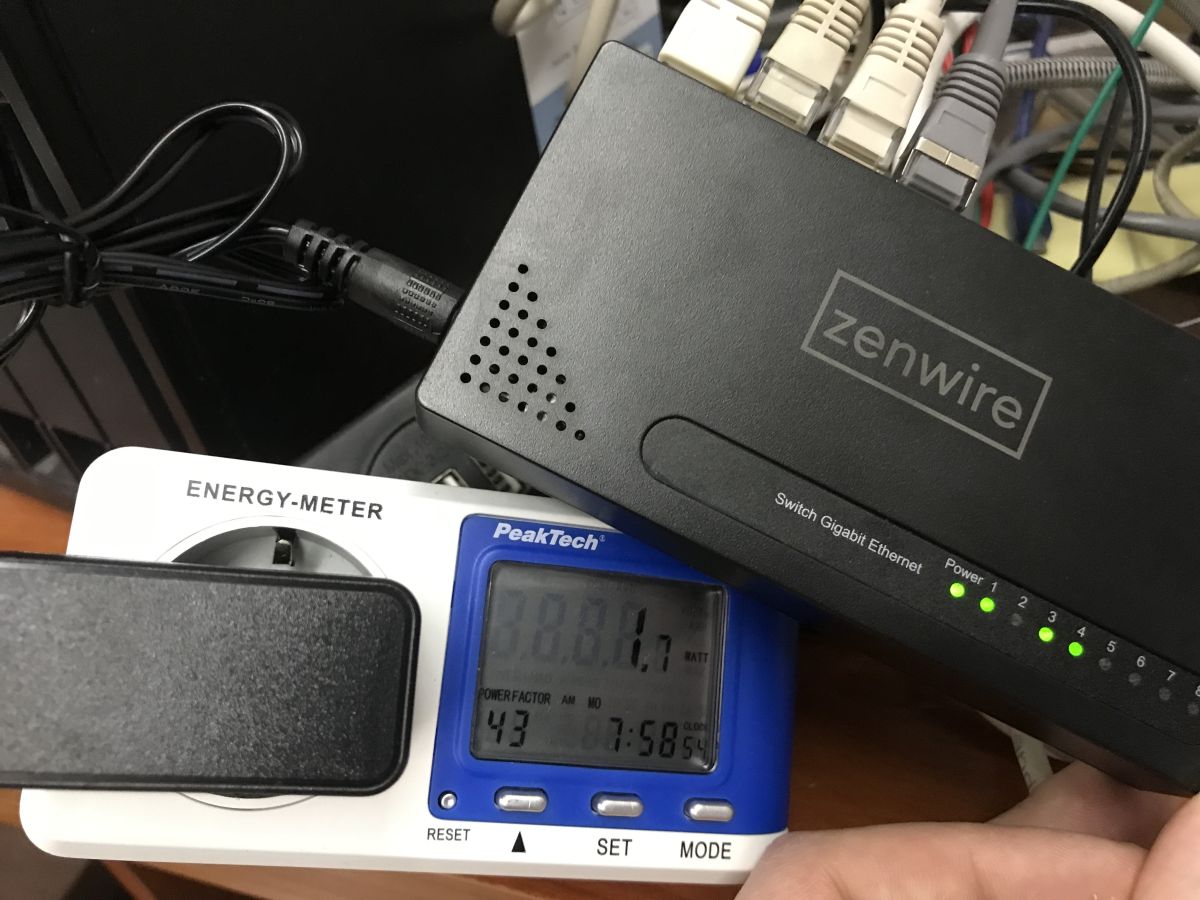
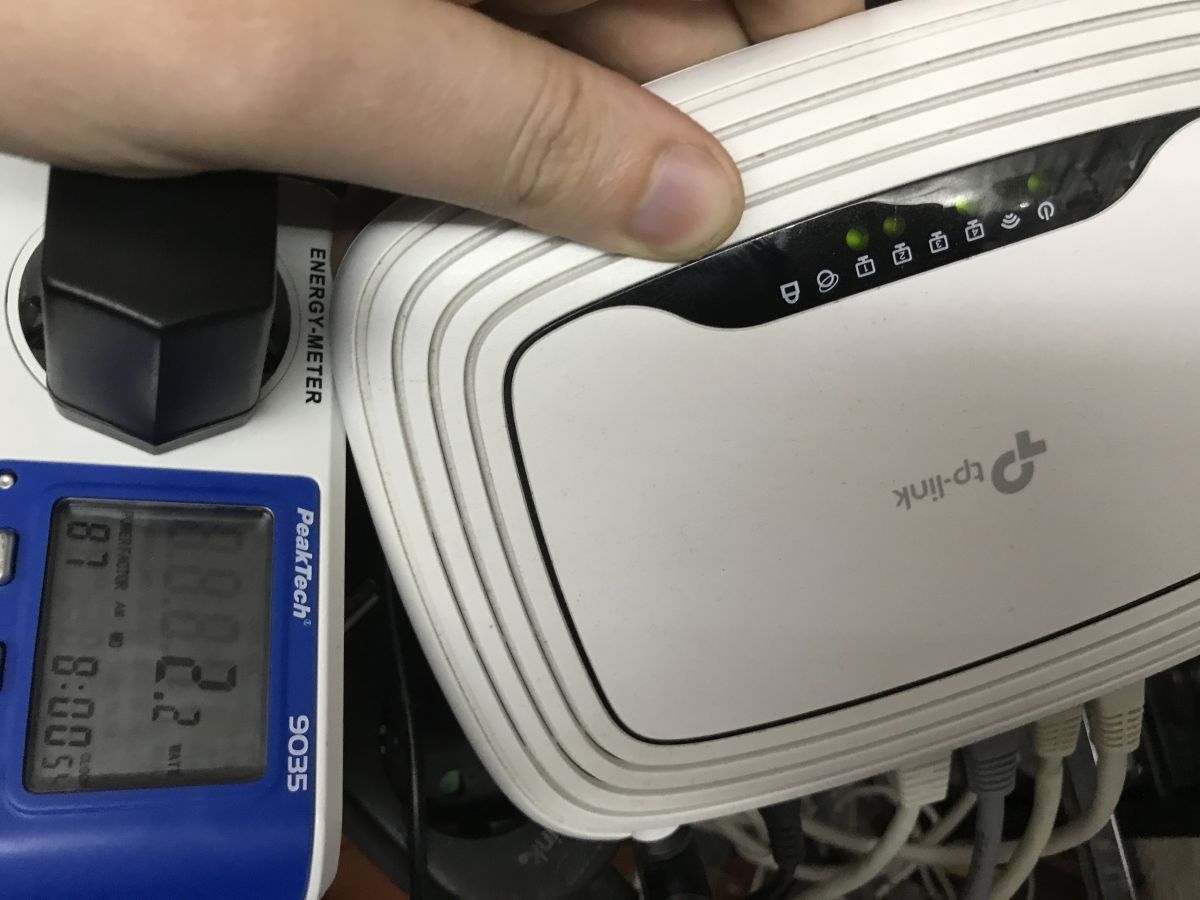
SG1008 switch:
- normal traffic – 1.4 W to 1.7 W
- heavy traffic (rclone on NAS) – 2.4 W
Old WR841N router:
- normal traffic – 2.1 W
- heavy traffic (rclone on NAS) – 2.3 W
Summary
It seems that power consumption is actually very similar in both cases. The WR841N seems to draw slightly more power under lighter loads, but with heavier traffic the power consumption is actually very similar, although this by no means implies that the old TP-Link is a good replacement for the new switch.
First and foremost, the WR841N has 10/100 Mb/s ports, whilst the SG1008 has gigabit ports. This can be significant in many applications. Secondly, the SG1008 offers 8 ports, whilst the WR841N has only four. I’m not sure about the stability either.
To sum up, if you’ve got an old router to hand and need a few extra ports temporarily, using it as a switch is a perfectly sensible and virtually cost-free solution. The differences in power consumption are minimal and, in a domestic setting, are unlikely to be noticeable on your electricity bill.
However, if you’re planning a permanent network expansion and require more ports, higher speeds and ease of installation, a dedicated switch is obviously the better choice. Even the one shown here already offers gigabit interfaces, no unnecessary features, a more compact design and, as a rule, a higher performance class.
What switches do you use at home or at work?

p.kaczmarek2 wrote 14767 posts with
rating 12905 , helped 659 times.
Been with us since 2014 year.
Comments
This ‘designed in Poland’ bit is getting a bit ridiculous… It should say ‘ordered in Poland’. [Read more]
No, I don’t think it would have helped; I was more wondering whether anyone had used something like Gargoyle on it before, or something along those lines. Besides, modern OpenWRT won’t flash onto this... [Read more]
The amounts of energy consumed are negligible and practically insignificant in the budget of an average household. At the same time, this comparison raises the important issue of the router’s ability... [Read more]