logo elektroda
logo elektroda
X
logo elektroda

Inside the SG1008 eight-port gigabit switch, power measurements, comparison with an old router

p.kaczmarek2 864 5

TL;DR

  • Compares an SG1008 eight-port Gigabit switch with an old TP-Link WR841N router repurposed as a switch.
  • Inside the SG1008, the RTL8370N chipset uses minimal parts, plus an LN3492P6MR regulator and HY1801D-BX isolation transformers on each port.
  • Measured power draw was 1.4 W to 1.7 W in normal traffic and 2.4 W under heavy rclone traffic.
  • The router is fine for a temporary, low-cost port expansion, but the dedicated switch is better for permanent use, gigabit speeds, and eight ports; stability remains uncertain.
Summary generated by AI based on the discussion content.
ADVERTISEMENT
This content has been translated flag-pl » flag-en View the original version here
📢 Listen (AI):
  • Inside the SG1008 eight-port gigabit switch, power measurements, comparison with an old router
    Is it worth using an old router as a switch, or would it be better to buy a brand-new, factory-made product? I’ll try to find out here. First, I’ll show you the inside of the SG1008 eight-port Gigabit switch, take a look at its build, and then compare its power consumption to my makeshift solution built using an old four-port TP-Link WR841N. Which solution will come out on top? Let’s find out!

    Previous post in the series:
    An old router as a switch – how to connect more devices to a router? Expanding the network

    SG1008 switch
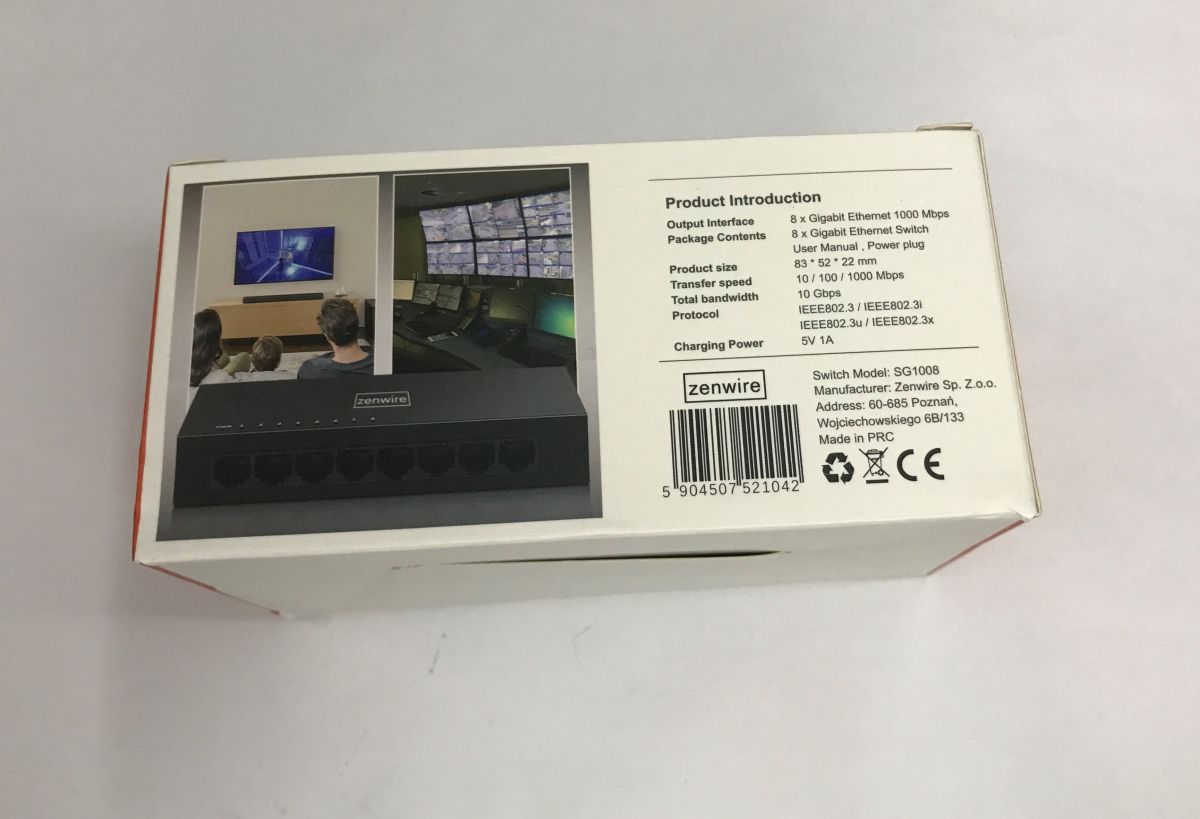
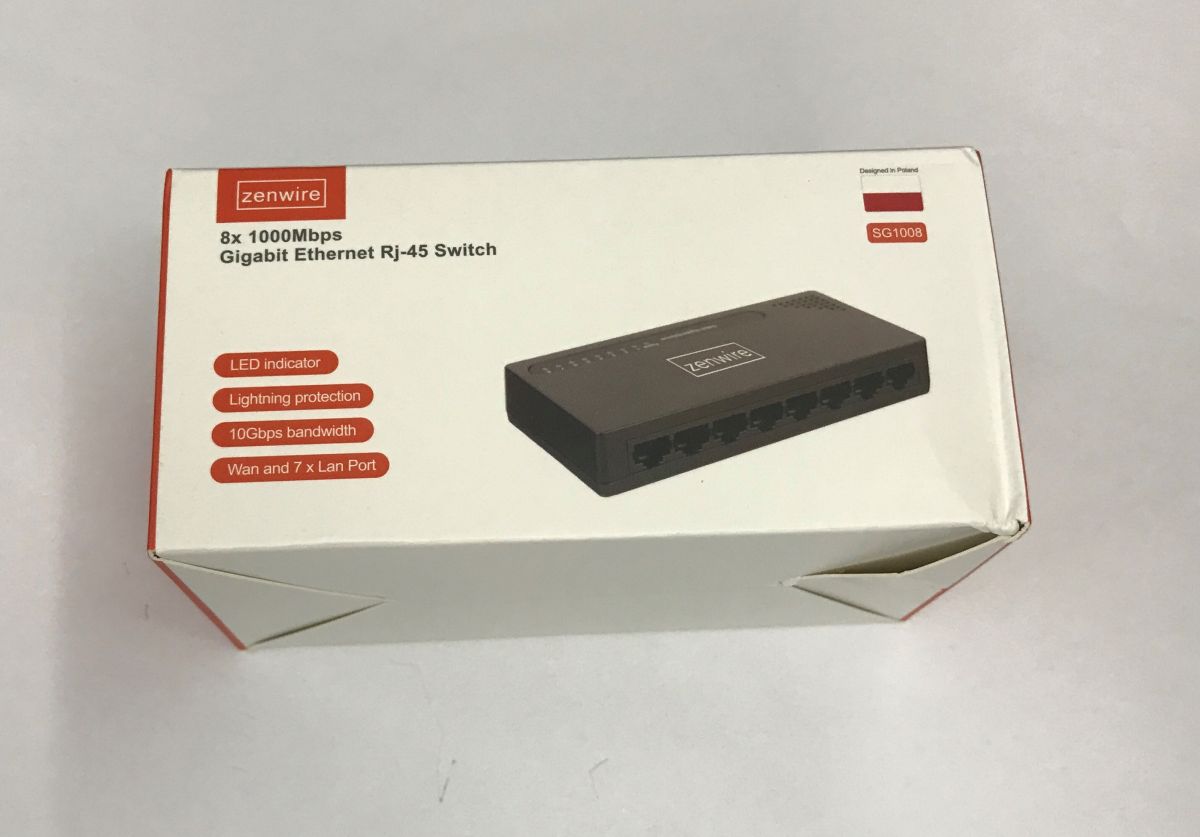
    We bought the SG1008 for 85 zł; we got the Zenwire-branded version. I shan’t comment on the ‘designed in Poland’ bit:
    Inside the SG1008 eight-port gigabit switch, power measurements, comparison with an old router Inside the SG1008 eight-port gigabit switch, power measurements, comparison with an old router
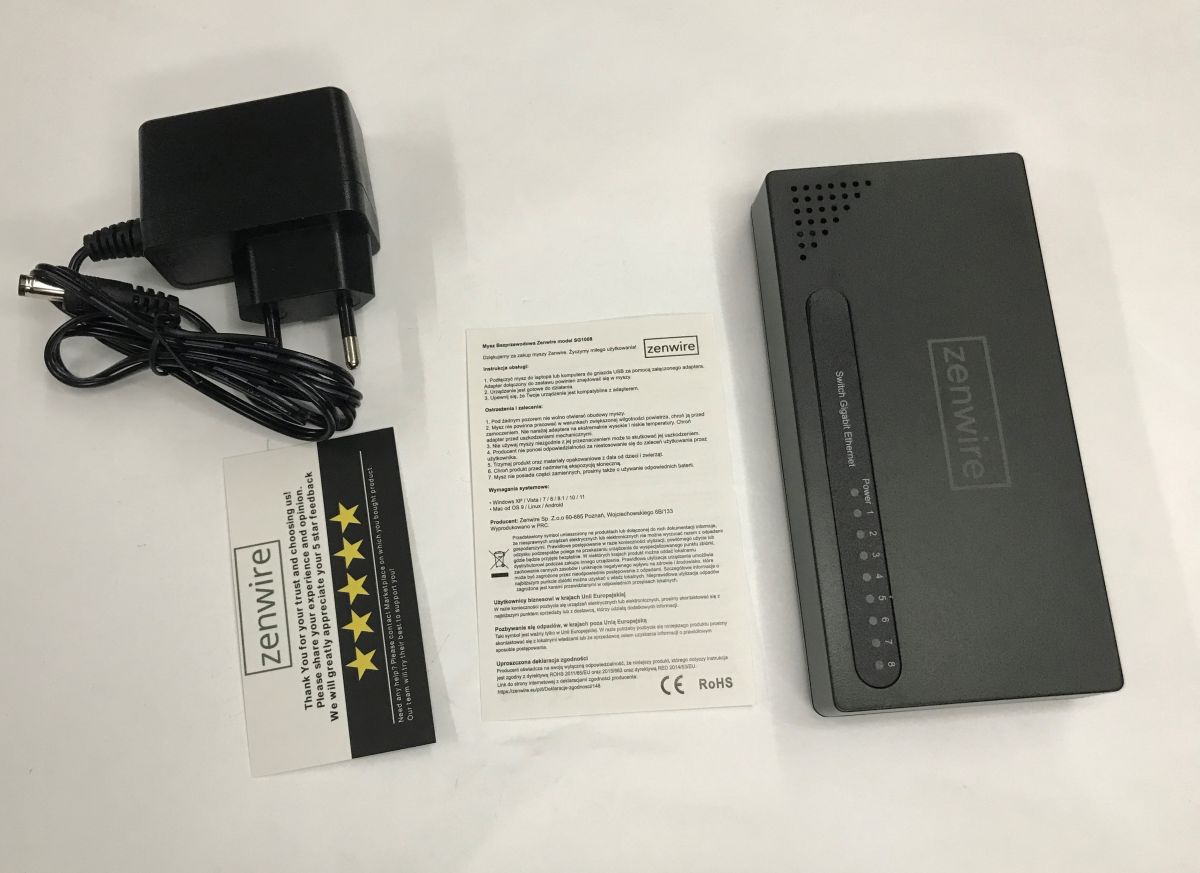
    The pack includes a switch, a brief manual and a 5 V 1 A power supply, which gives us a good idea of the performance we can expect.
    Inside the SG1008 eight-port gigabit switch, power measurements, comparison with an old router
    The importer has got something mixed up, because although the manual is in Polish, it relates to a mouse, not the switch:

    Inside the SG1008 eight-port gigabit switch, power measurements, comparison with an old router
    The warning not to “open under any circumstances” is also interesting, but I’ll probably leave that unverified.
    Let’s move on to the switch itself:
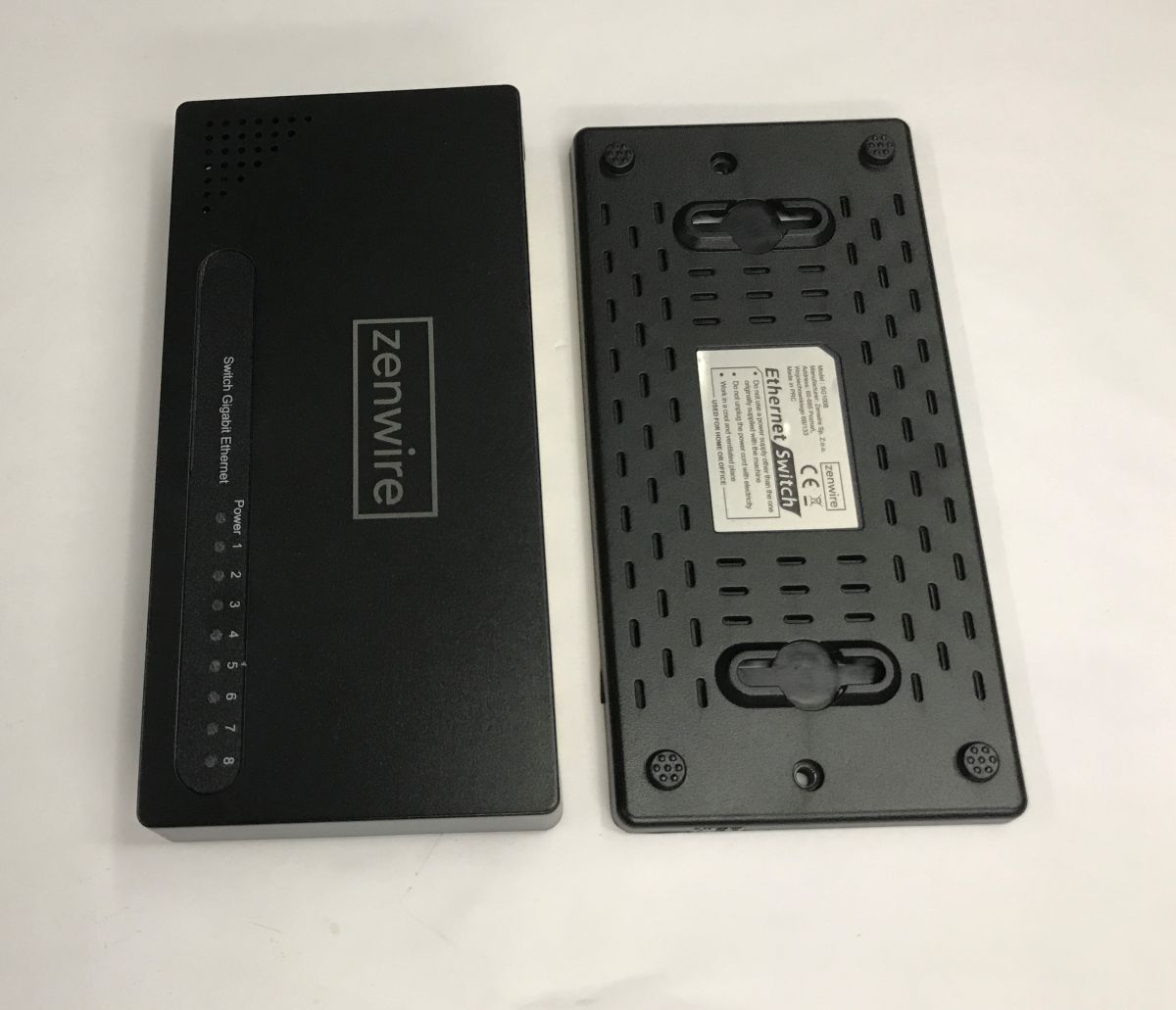
    Inside the SG1008 eight-port gigabit switch, power measurements, comparison with an old router
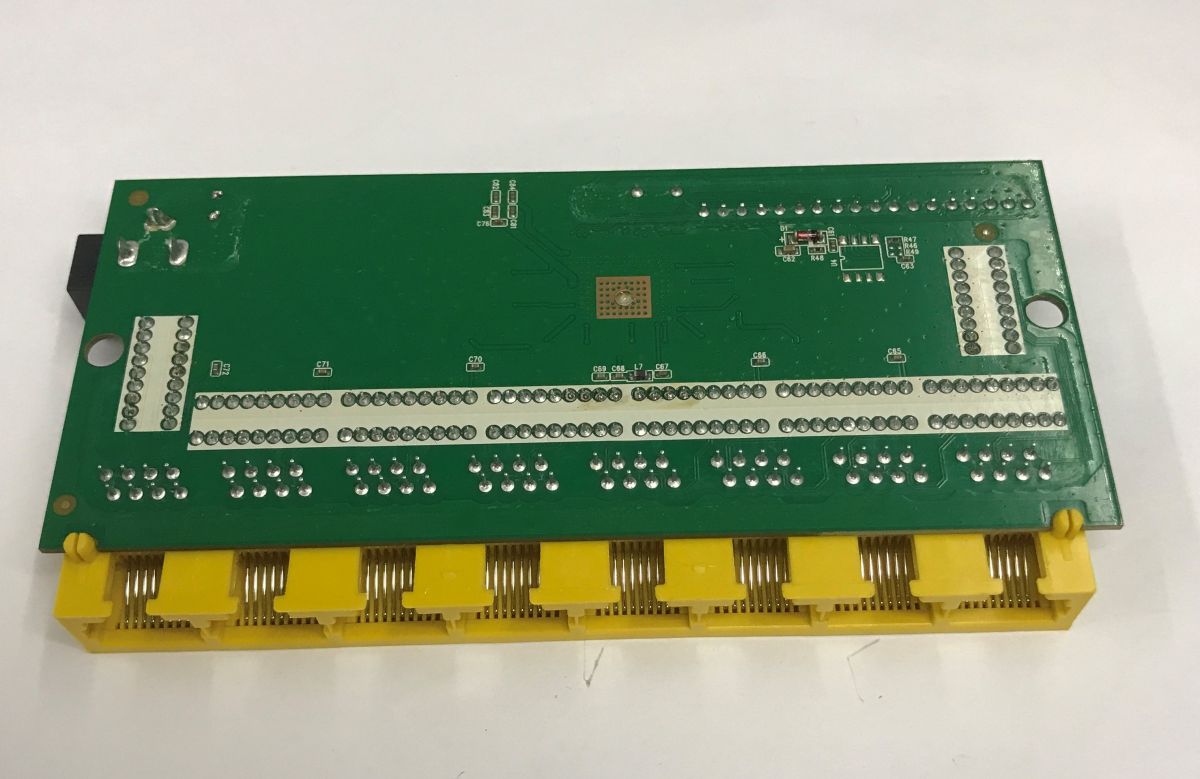
    All it takes is two screws to see how it’s put together. There isn’t much inside, though:
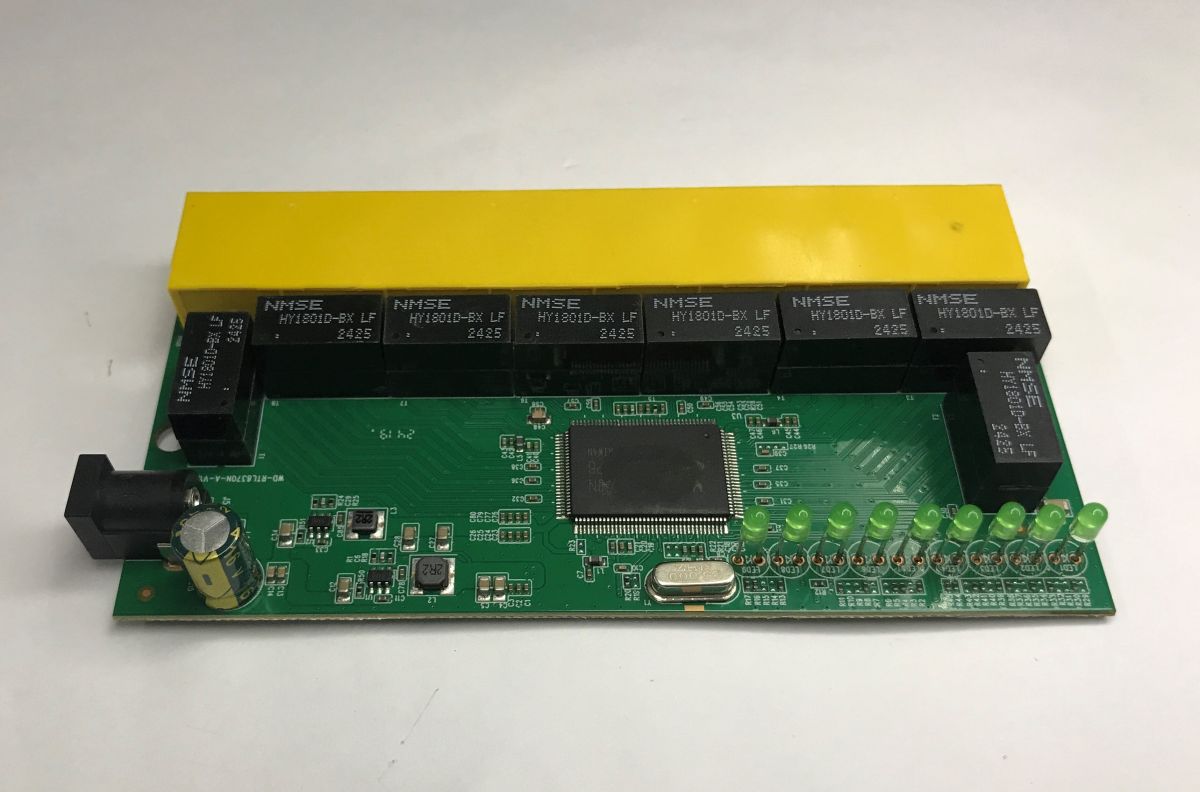
    Inside the SG1008 eight-port gigabit switch, power measurements, comparison with an old router
    Inside the SG1008 eight-port gigabit switch, power measurements, comparison with an old router
    The whole thing is based on the RTL8370N. This chip requires a minimum of external components to operate. However, it runs at lower voltages, so a voltage regulator is needed at the input. Does anyone recognise these chips – 8A6D?
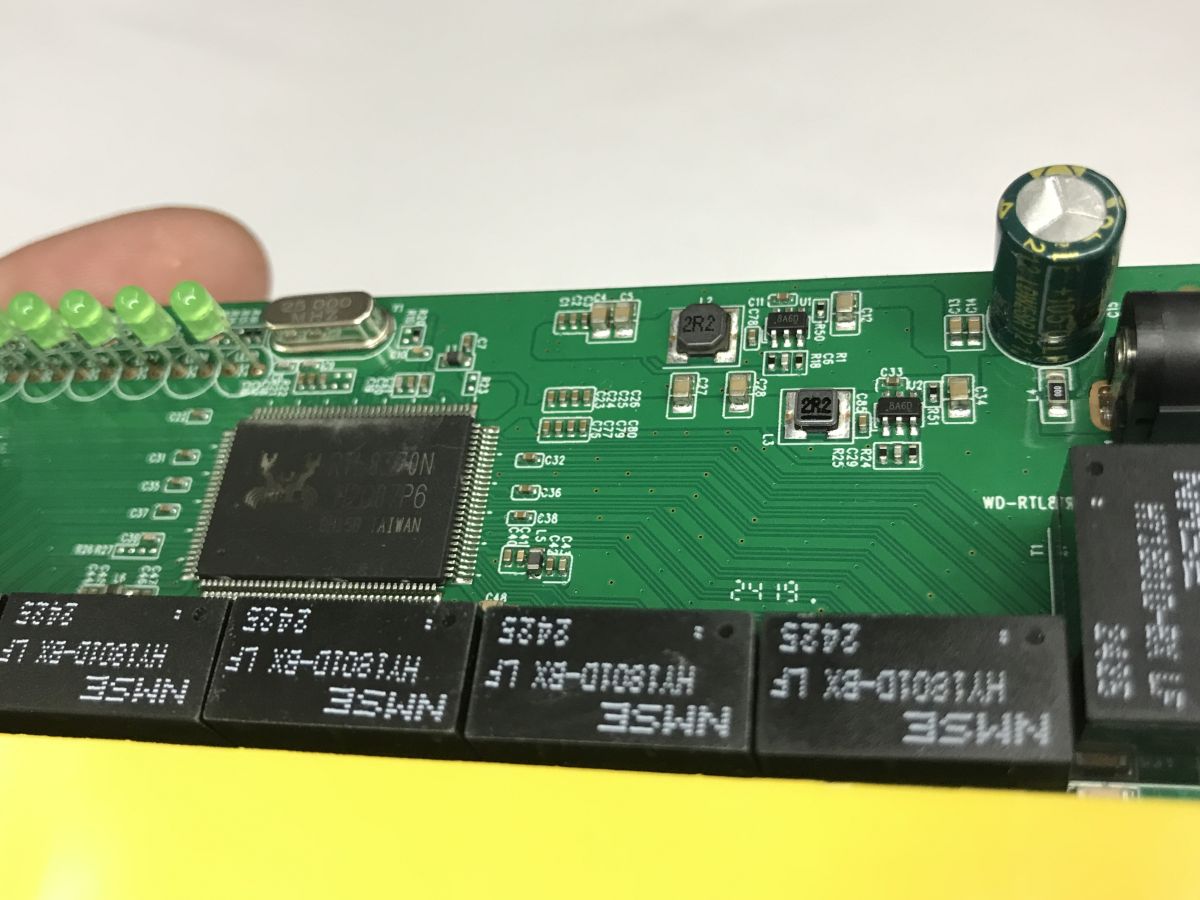
    Inside the SG1008 eight-port gigabit switch, power measurements, comparison with an old router
    A quick search shows that this is the LN3492P6MR.
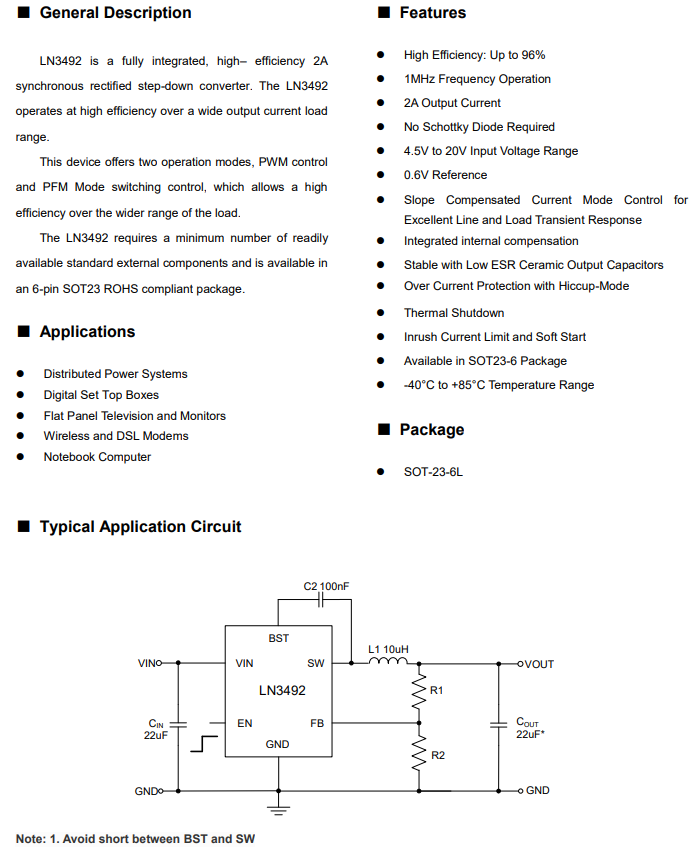
    Inside the SG1008 eight-port gigabit switch, power measurements, comparison with an old router
    Apart from that, we only have HY1801D-BX signal isolation transformers, one per port.
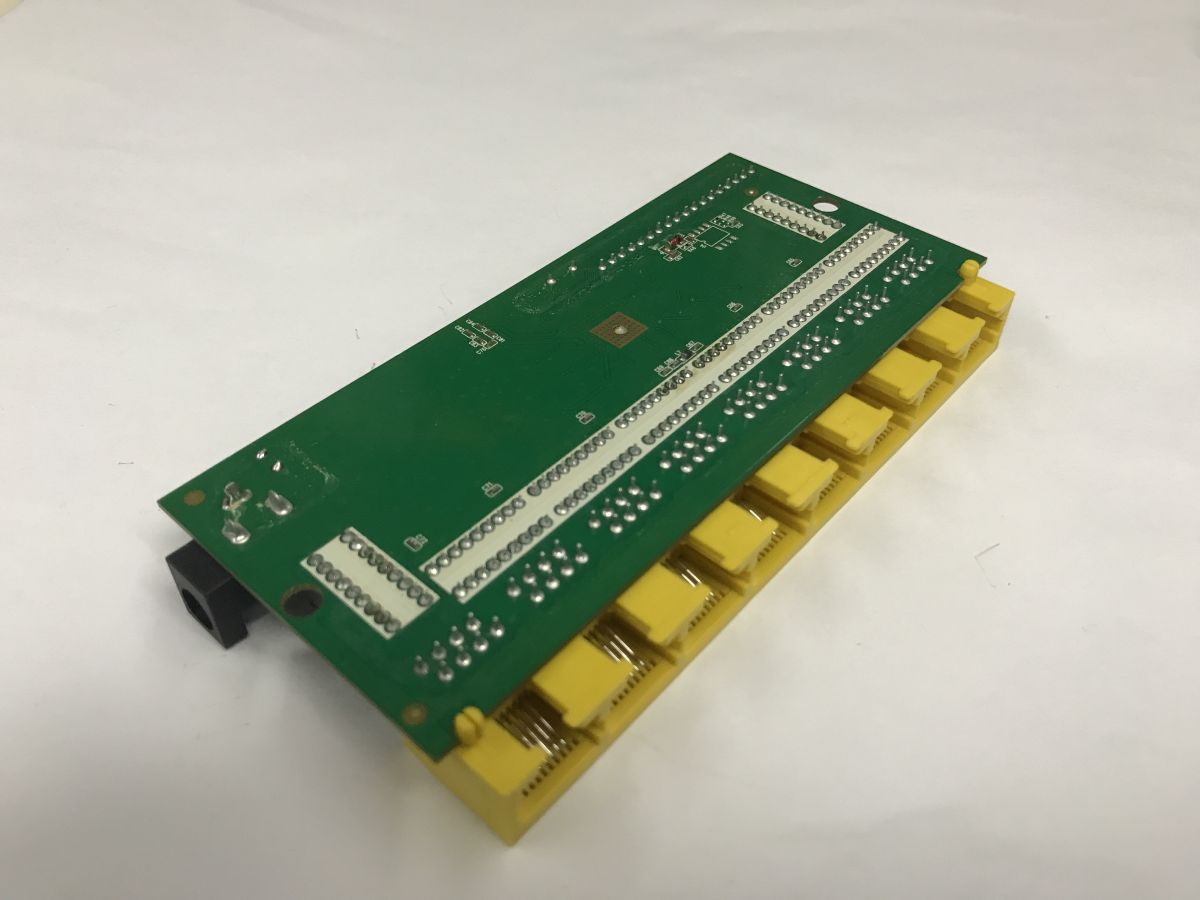
    Inside the SG1008 eight-port gigabit switch, power measurements, comparison with an old router
    There is space on the underside for a Flash memory chip, but none is soldered in here.


    A quick test and measurements
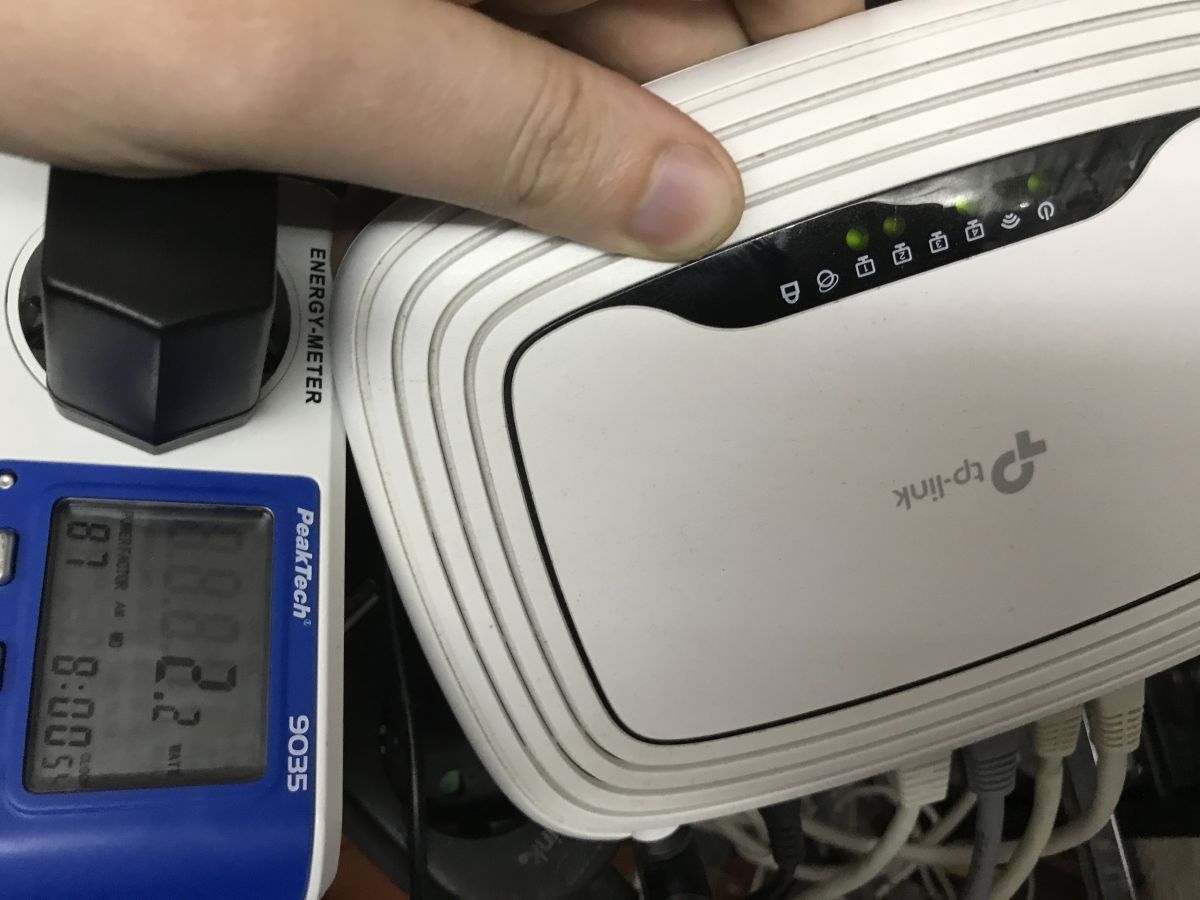
    Time for a field test. The switch will eventually be in a different location, but I’ve quickly connected it in place of my router, which I’m using as a switch. As mentioned in a previous article, I don’t connect anything to the WAN port on my router; I only have four cables (one to the actual router, three to the hosts) plugged into the LAN ports. Please excuse the makeshift setup – it’s the results that matter:
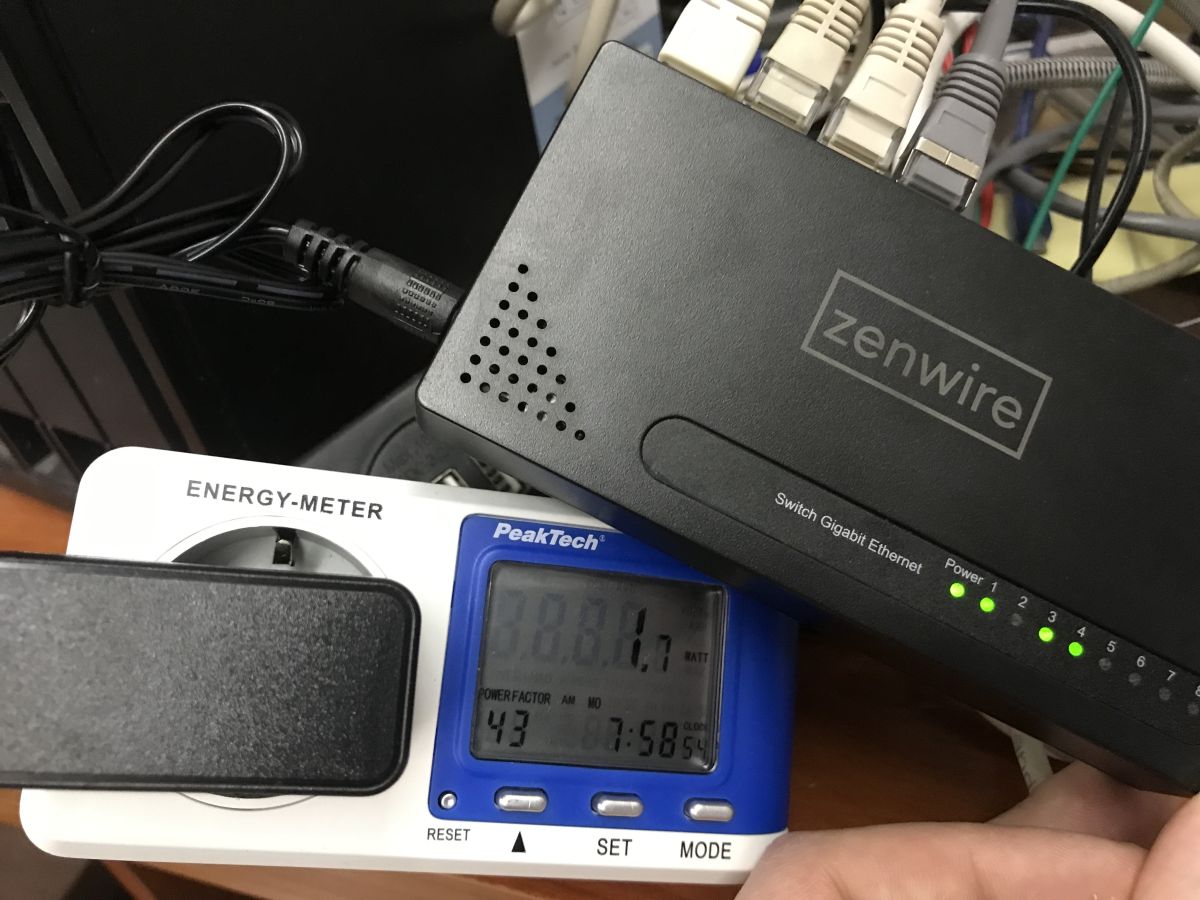
    Zenwire network switch with Ethernet cables on an energy meter showing 1.1 W
    Hand on a TP-Link router connected to an energy meter; green LEDs on, Ethernet cables plugged in at the bottom.
    SG1008 switch:
    - normal traffic – 1.4 W to 1.7 W
    - heavy traffic (rclone on NAS) – 2.4 W
    Old WR841N router:
    - normal traffic – 2.1 W
    - heavy traffic (rclone on NAS) – 2.3 W

    Summary
    It seems that power consumption is actually very similar in both cases. The WR841N seems to draw slightly more power under lighter loads, but with heavier traffic the power consumption is actually very similar, although this by no means implies that the old TP-Link is a good replacement for the new switch.
    First and foremost, the WR841N has 10/100 Mb/s ports, whilst the SG1008 has gigabit ports. This can be significant in many applications. Secondly, the SG1008 offers 8 ports, whilst the WR841N has only four. I’m not sure about the stability either.
    To sum up, if you’ve got an old router to hand and need a few extra ports temporarily, using it as a switch is a perfectly sensible and virtually cost-free solution. The differences in power consumption are minimal and, in a domestic setting, are unlikely to be noticeable on your electricity bill.
    However, if you’re planning a permanent network expansion and require more ports, higher speeds and ease of installation, a dedicated switch is obviously the better choice. Even the one shown here already offers gigabit interfaces, no unnecessary features, a more compact design and, as a rule, a higher performance class.
    What switches do you use at home or at work?

    Cool? Ranking DIY
    Helpful post? Buy me a coffee.
    About Author
    p.kaczmarek2
    Moderator Smart Home
    Offline 
    p.kaczmarek2 wrote 14699 posts with rating 12741, helped 656 times. Been with us since 2014 year.
  • ADVERTISEMENT
  • #2 21925244
    forest1600
    Level 21  
    Posts: 626
    Help: 10
    Rate: 172
    This ‘designed in Poland’ bit is getting a bit ridiculous… It should say ‘ordered in Poland’.
  • ADVERTISEMENT
  • Measure power on the 12V side for better comparison

    #3 21925416
    MiG25
    Level 23  
    Posts: 543
    Help: 35
    Rate: 98
    p.kaczmarek2 wrote:
    I didn’t do anything else; I didn’t flash OpenWRT – do you think that would have helped?

    No, I don’t think it would have helped; I was more wondering whether anyone had used something like Gargoyle on it before, or something along those lines. Besides, modern OpenWRT won’t flash onto this hardware (not enough RAM and not enough flash space…), so you’d have to look for archived releases…

    It might be more helpful to compare using a single power supply (as the approaches to losses could be completely different), or simply measuring the power on the 12V side and taking into account the power supply’s losses and efficiency....

    And a more modern router (even one with 1Gbps ports) wouldn’t necessarily have higher power losses either (thanks to newer technology).
  • Gigabit switch uses less power than 10/100 router

    #4 21925487
    Mateusz_konstruktor
    Level 37  
    Posts: 4267
    Help: 270
    Rate: 1106
    The amounts of energy consumed are negligible and practically insignificant in the budget of an average household.
    At the same time, this comparison raises the important issue of the router’s ability to monitor and block traffic typical of so-called malware and various types of intrusions into the internal network. The router in question already has built-in security features, which, by their very nature, also consume a small amount of electricity. This is a very rough estimate and a highly simplified comparison. In practice, one would need to: reset the router to its factory settings, switch off Wi-Fi, and disable all functions apart from the switch function itself. Furthermore, this exact model of router has, I believe, undergone seven revisions of its internal electronics, involving significant changes whilst retaining the same model number and, in most cases, an identical external appearance. In practice, this is a topic that requires many hours of research and exploration into the intricacies that are virtually imperceptible to the average home network user.

    p.kaczmarek2 wrote:
    SG1008 switch:
    - normal traffic – 1.4 W to 1.7 W
    - heavy traffic (rclone on NAS) – 2.4 W
    Old WR841N router:
    - normal traffic – 2.1 W
    - heavy traffic (rclone on NAS) – 2.3 W

    p.kaczmarek2 wrote:
    First and foremost, the WR841N has 10/100 Mb/s ports, whilst the SG1008 has gigabit ports.

    With ten times the data transfer speed and similar power consumption, this switch will be the device that uses less electricity.
📢 Listen (AI):
ADVERTISEMENT