






Overview and interior - Sonoff POW Ring CT - energy meter with LCD display and relay
TL;DR
- Sonoff POW Ring CT is a Wi‑Fi energy meter with an LCD, external antenna, CT transformer, and relay for monitoring high currents in hard-to-reach places.
- It pairs with eWeLink for history, exports, automation, and scheduling, while the display shows live power and total energy without opening the app.
- The CT transformer measures currents up to 100 A, the device costs 150 zł, and the built-in relay is rated at 2 A.
- Inside, it uses an ESP32, CSE7761 energy meter, TM1621 display driver, and a fully isolated flyback PSU with fuse, varistor, and filter capacitor.
- Pairing worked immediately, secure boot is not enabled, and the 2 A relay is too weak for heavier loads, so a contactor is needed.
Summary generated by AI based on the discussion content.
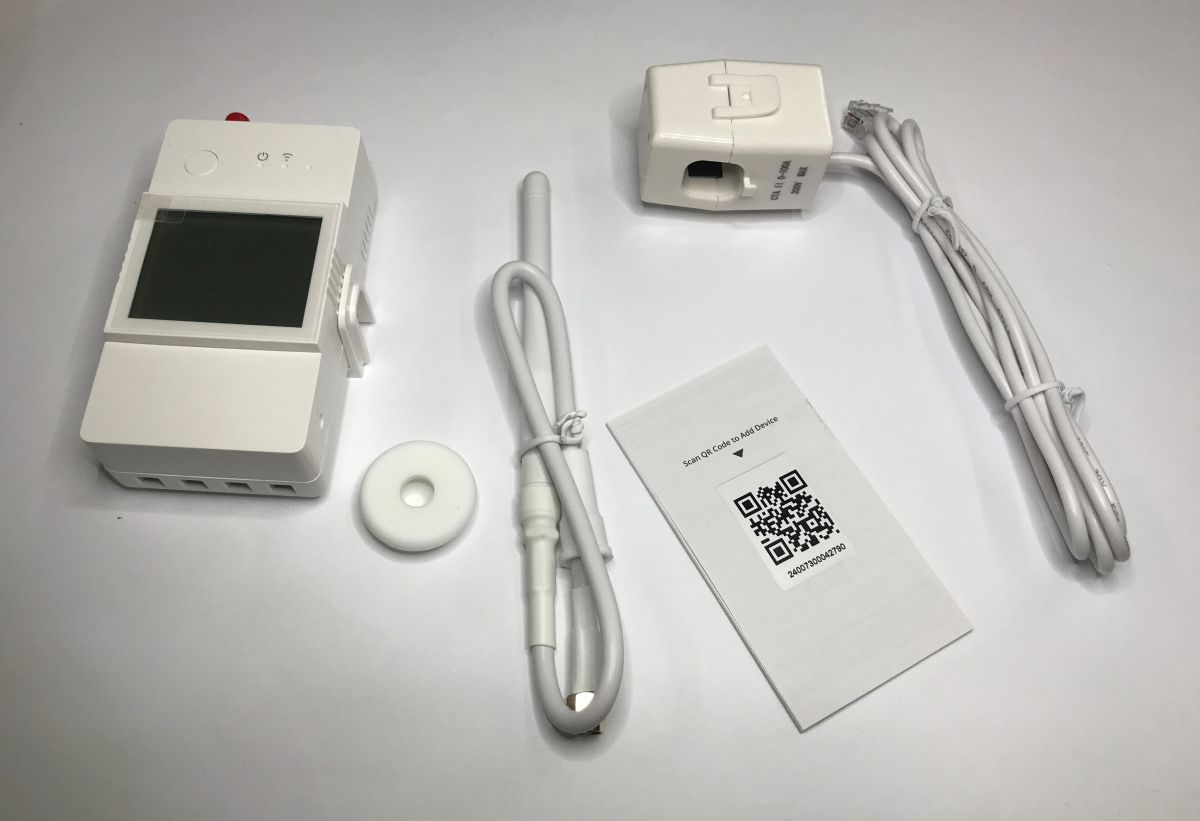
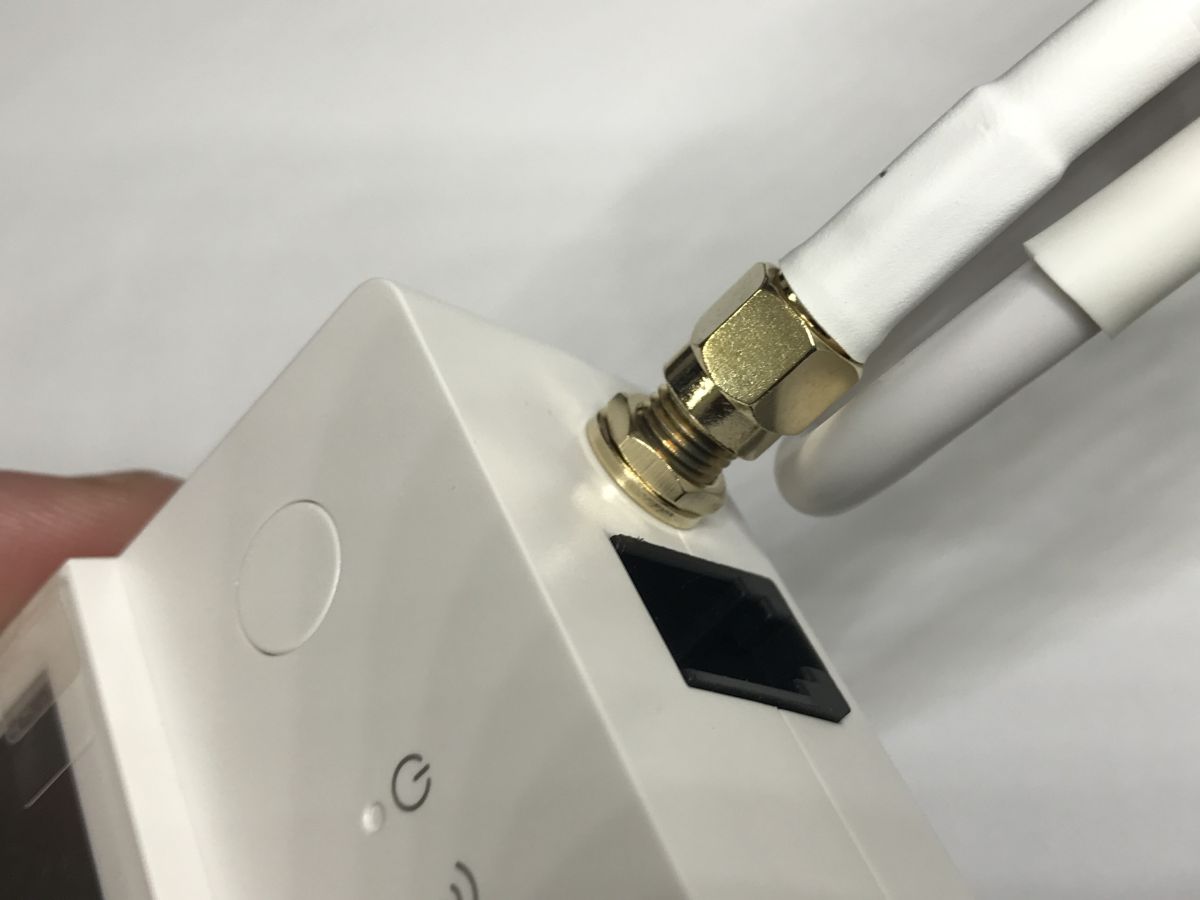
Which Wi-Fi meter is best for measuring high currents and power in hard-to-reach places? An interesting option could be the Sonoff POW CT, which stands out thanks to its external antenna that improves wireless range, a screen displaying measurements without the need to check the app, and a CT transformer capable of measuring currents up to 100 A. It’s quite expensive at 150 zł, but is it worth it?
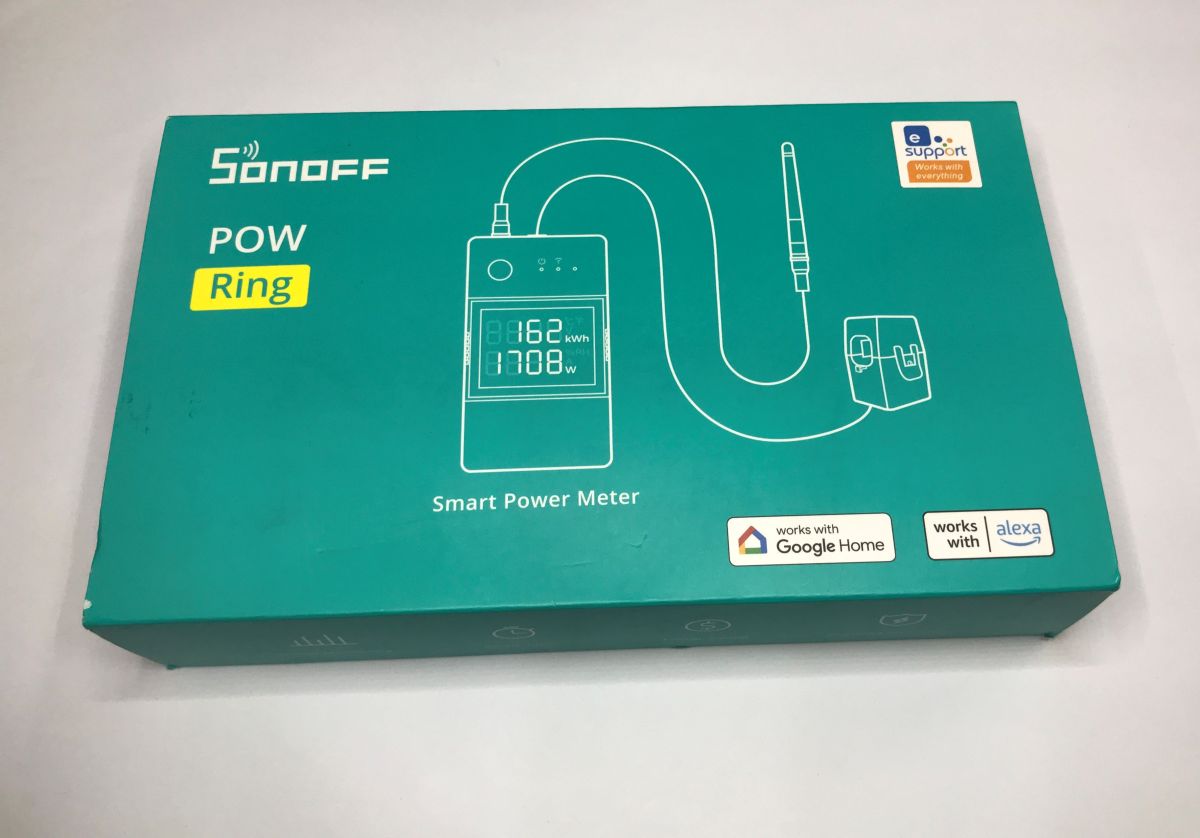
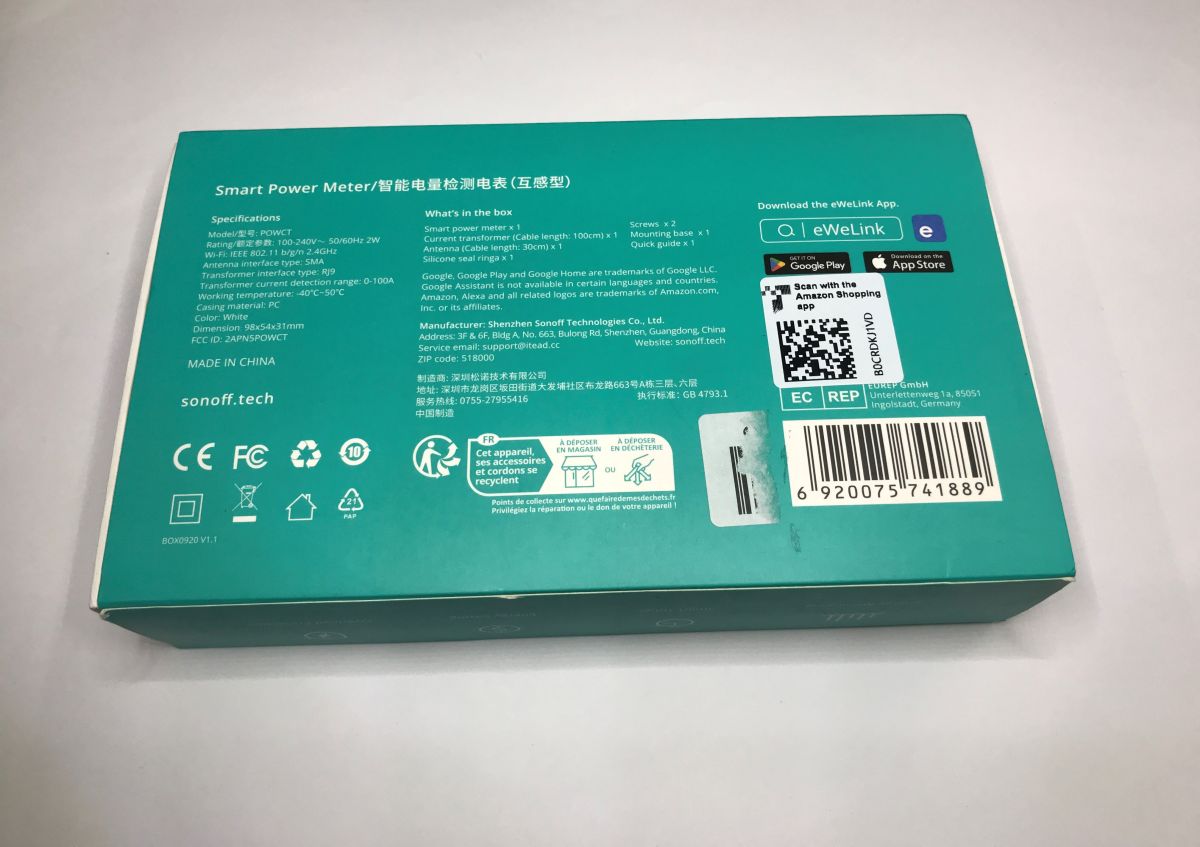
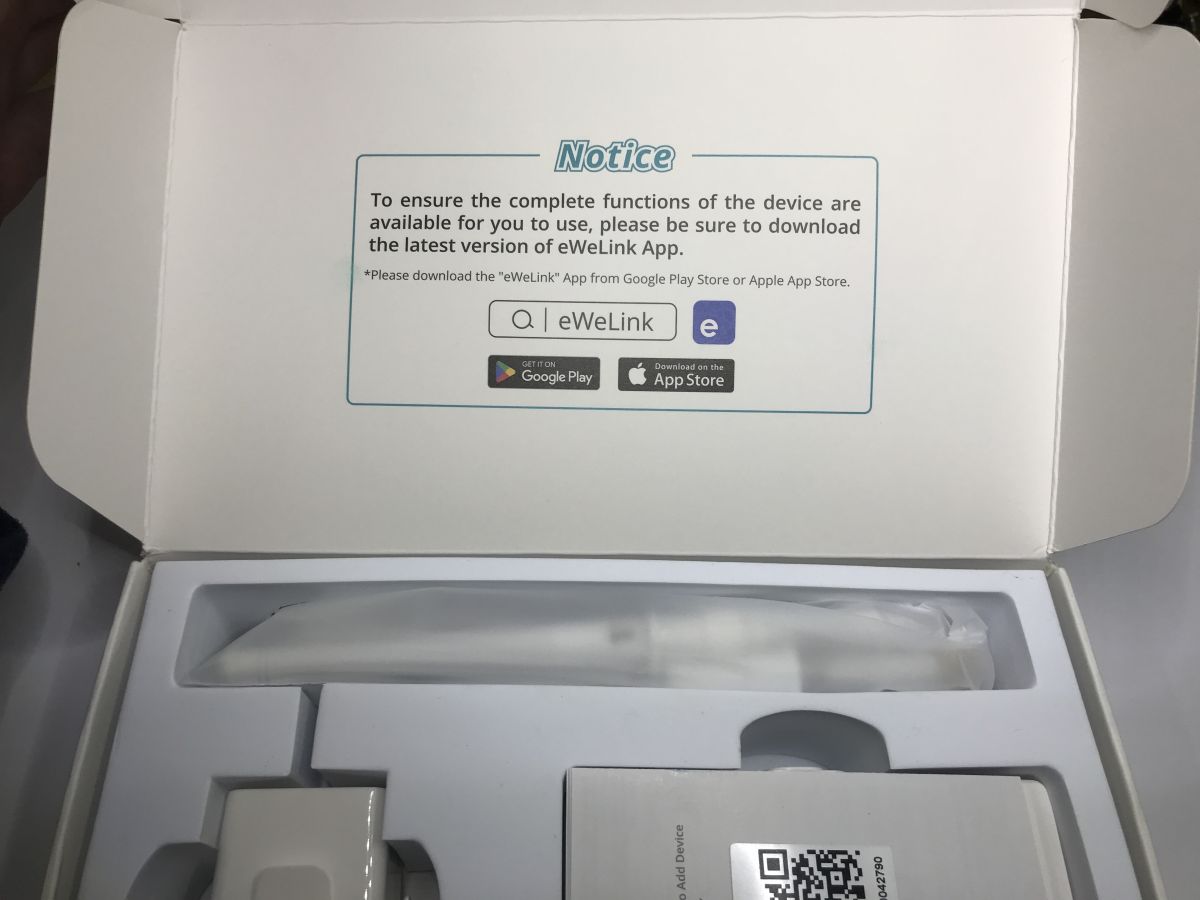
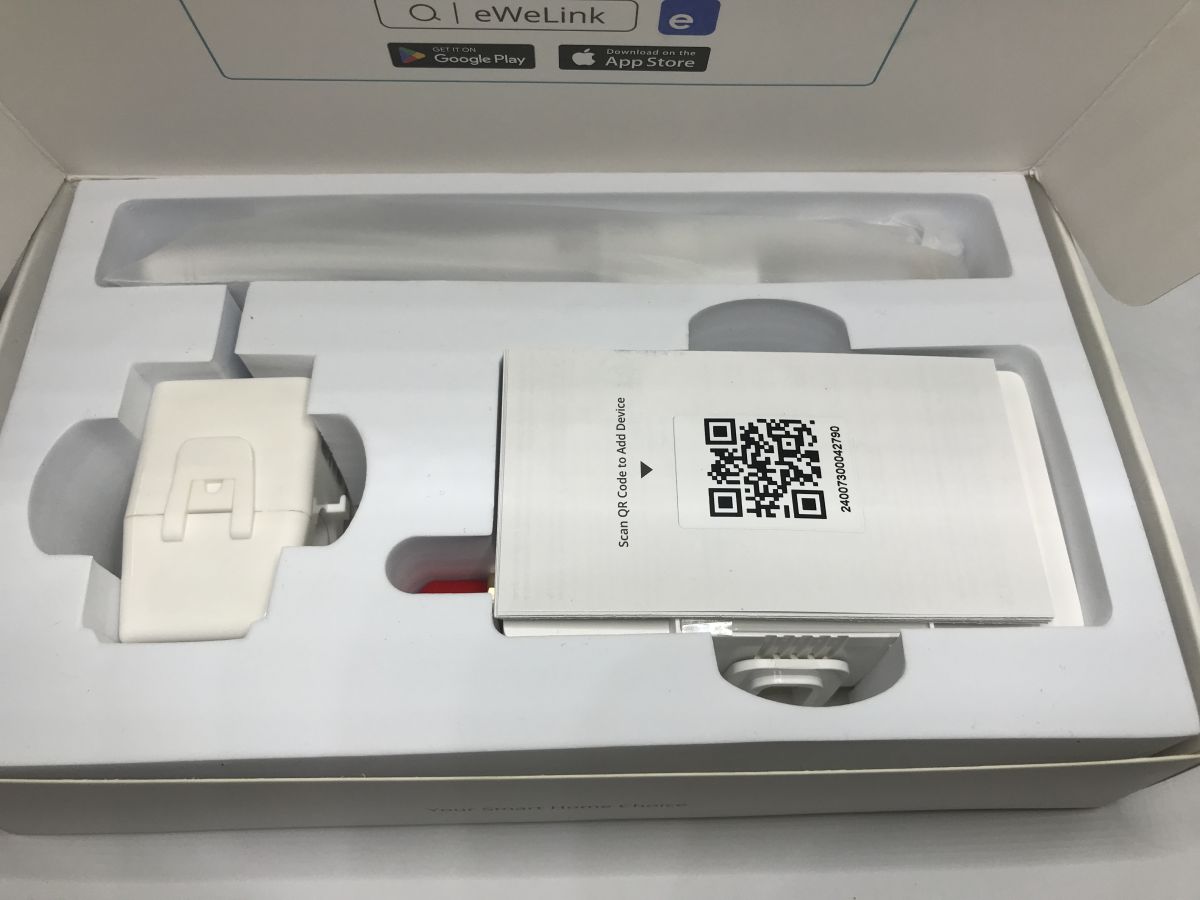
The whole system is compatible with the eWeLink app, where you can view measurement history and export data. It supports automation and scheduling. It also features a small 2 A relay for controlling lighter loads. For heavier loads, however, a contactor must be used.
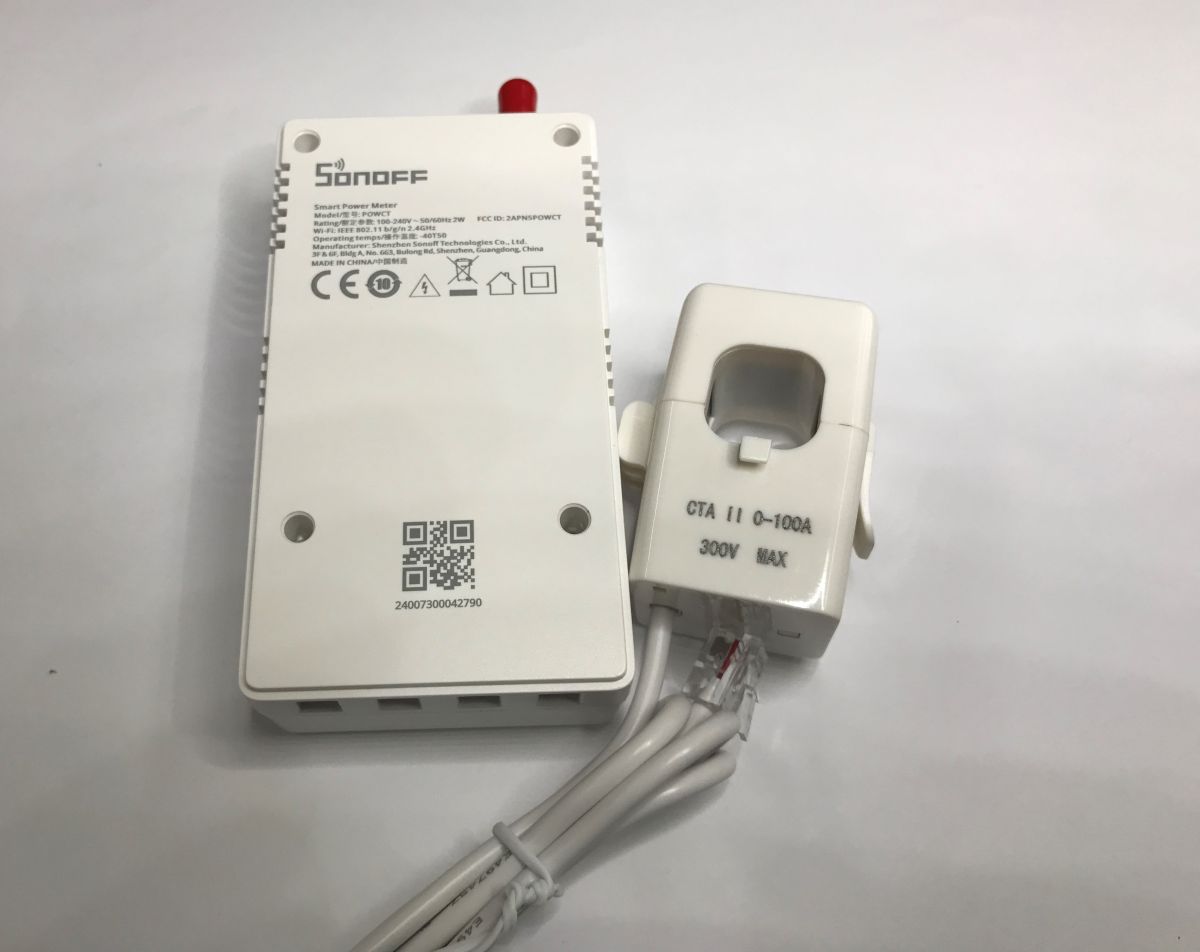
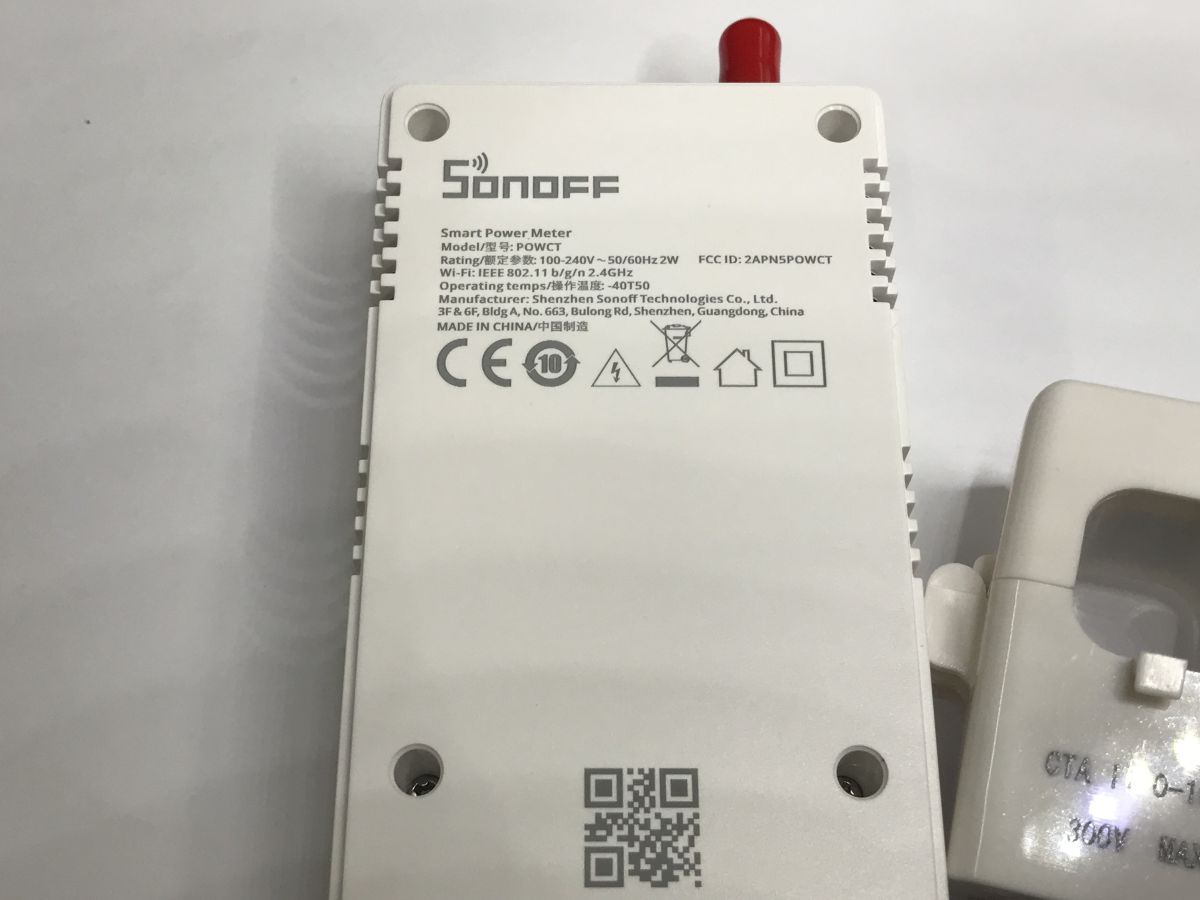
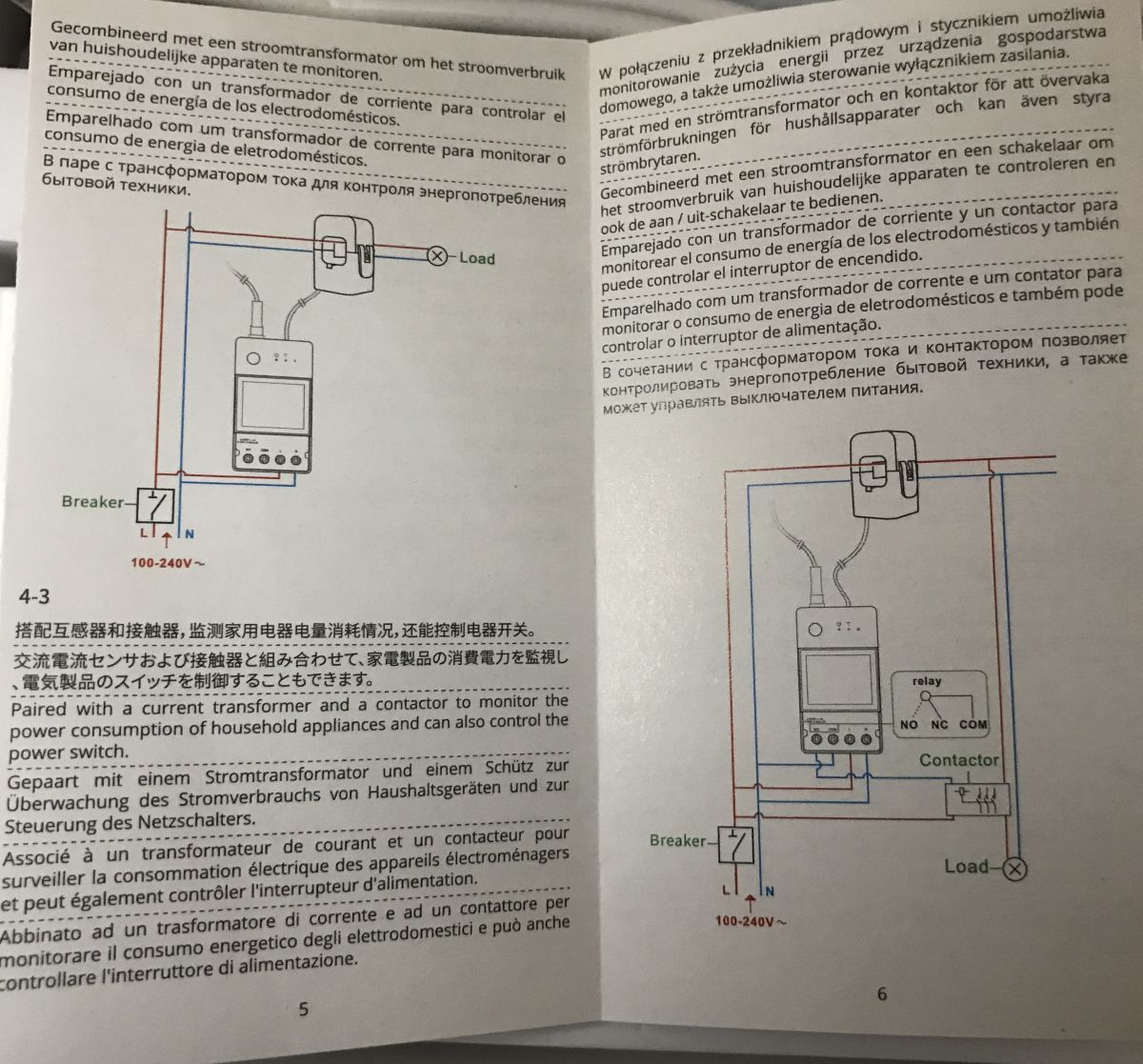
The device’s FCC ID is 2APN5POWCT; this isn’t just another no-name product from China. User manual and wiring diagram:
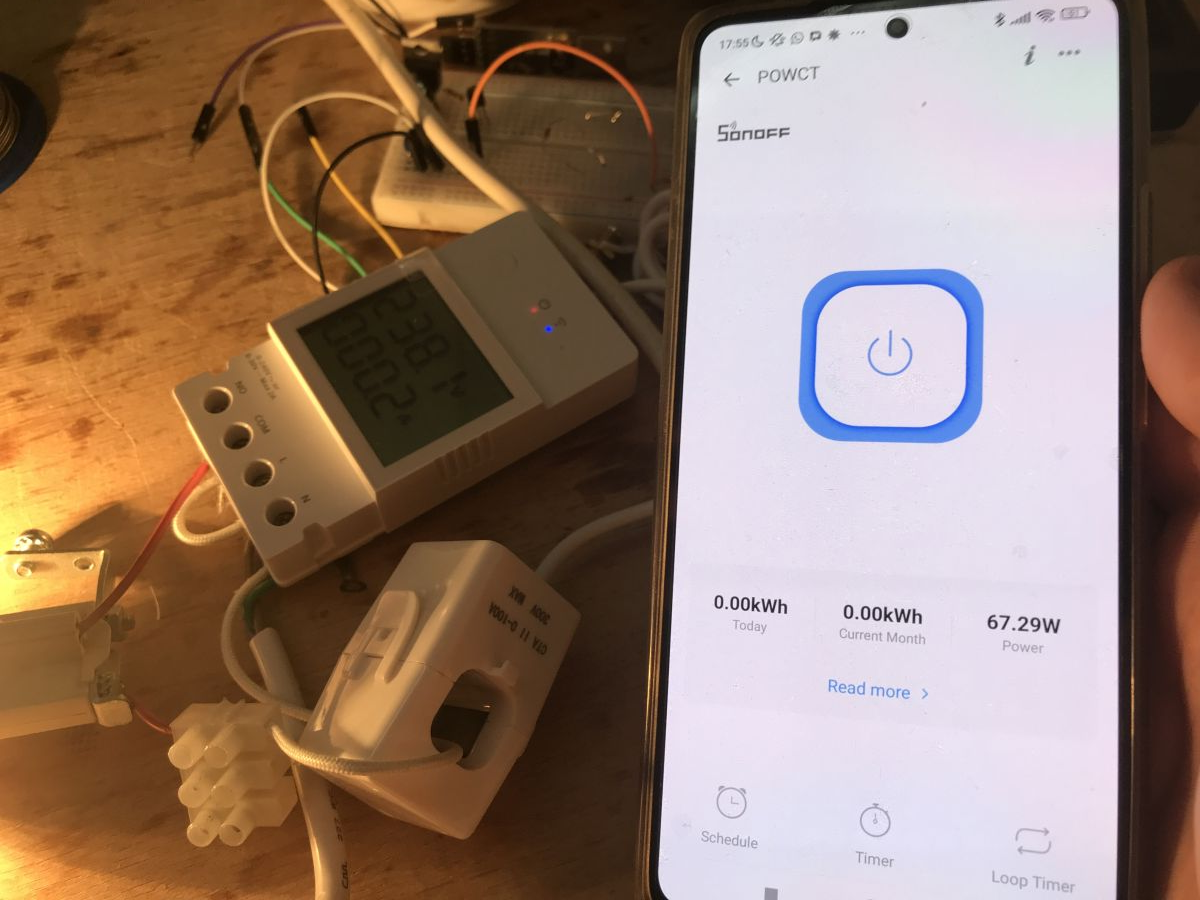
Pairing went smoothly, and the readings were available in the app a moment later. You can also see some information on the display – it shows the current power reading and total energy consumption, which can be reset in the app.
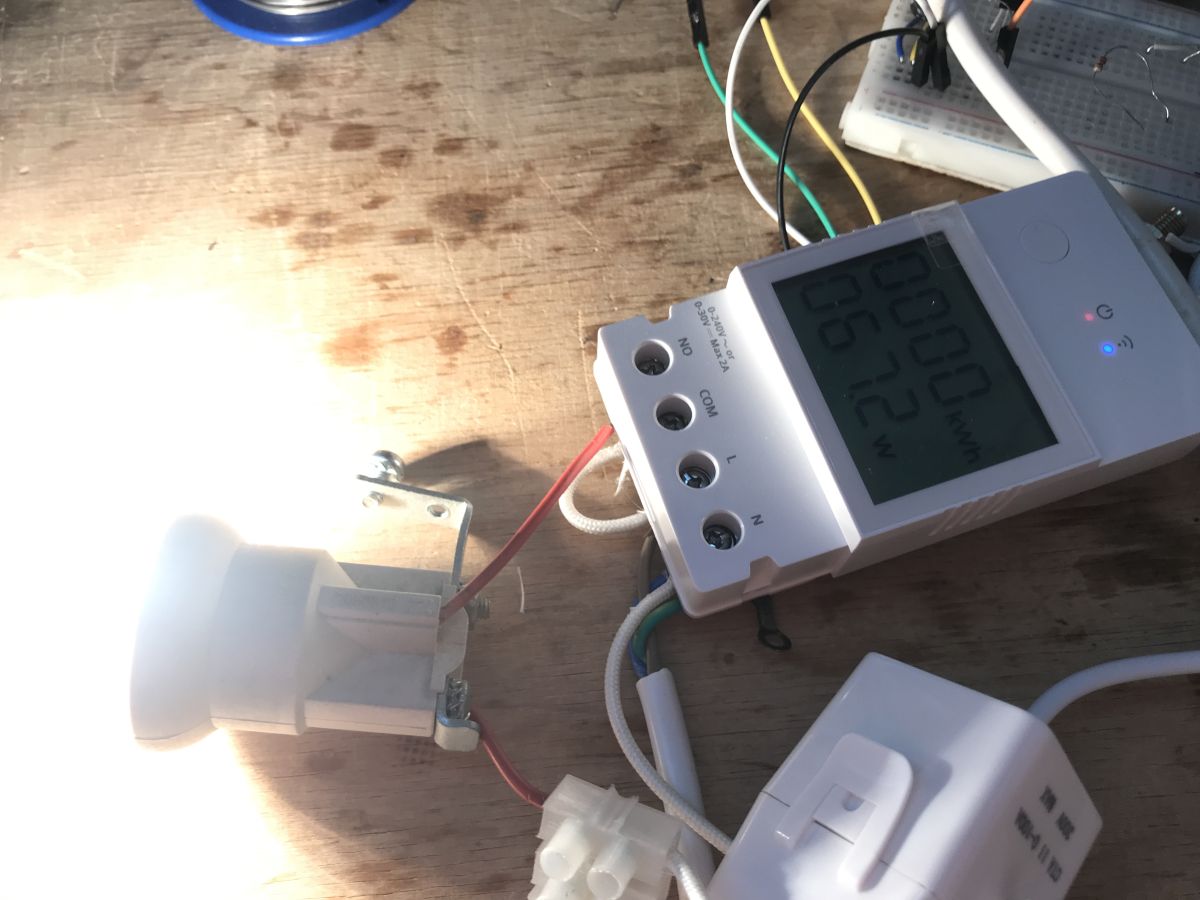
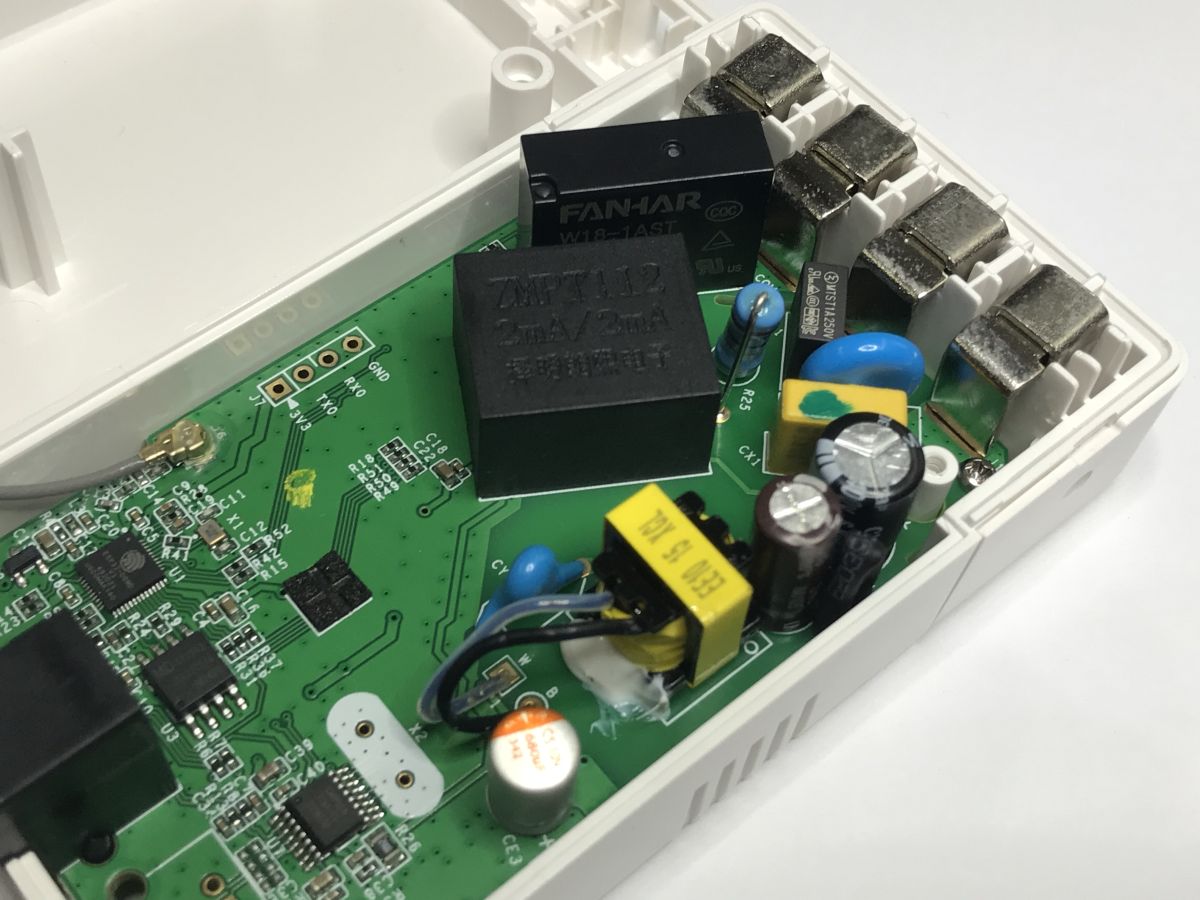
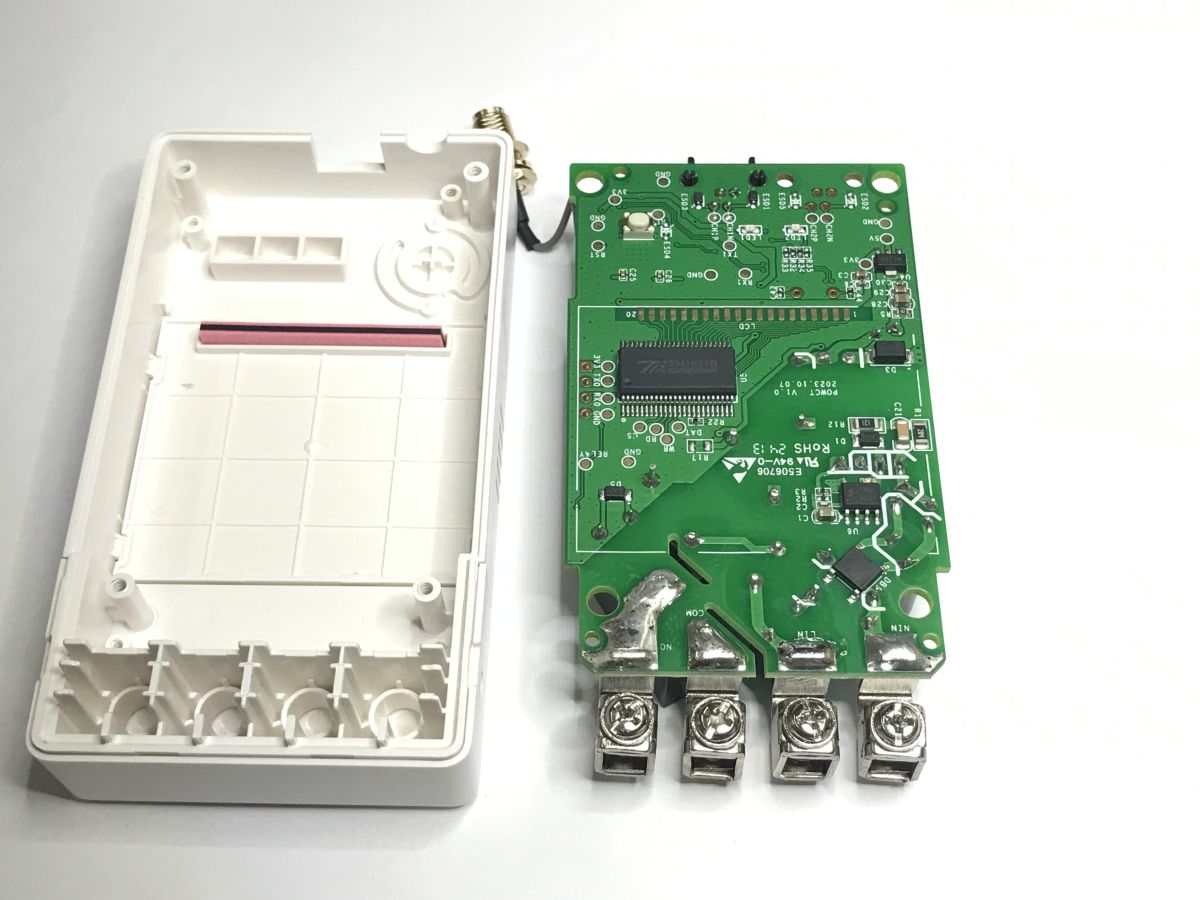
Finally, I decided to have a look inside. There are screws here, so there’s no need to damage the casing. Everything is neat and tidy.
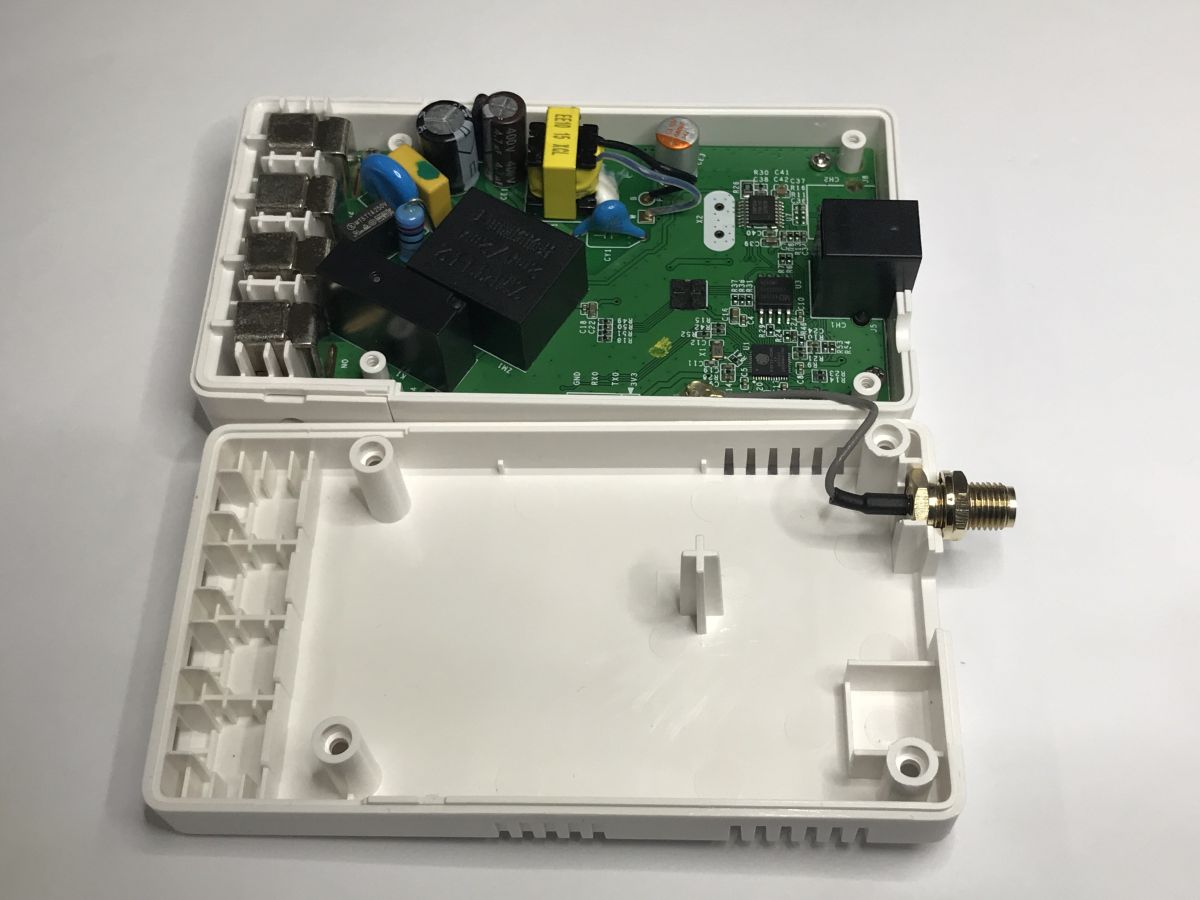
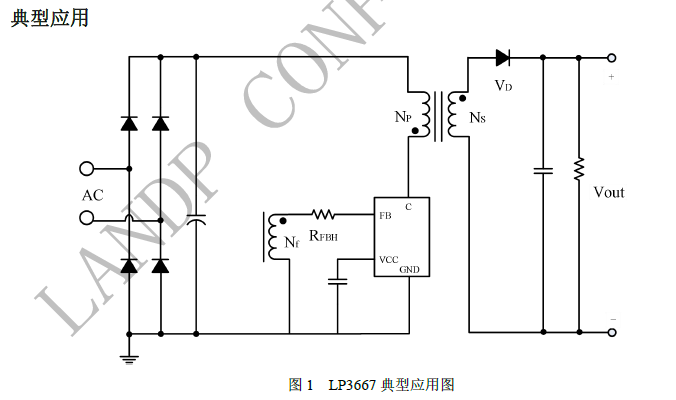
The device’s design is somewhat surprising. A fuse, a varistor, a filter capacitor? I’m seeing this less and less often. What’s more, inside there’s a full-fledged flyback power supply providing galvanic isolation from the mains. Cheaper products tend to use step-down converters – non-isolated ones, meaning that the live wire could potentially end up at earth on the ESP32 or BK.
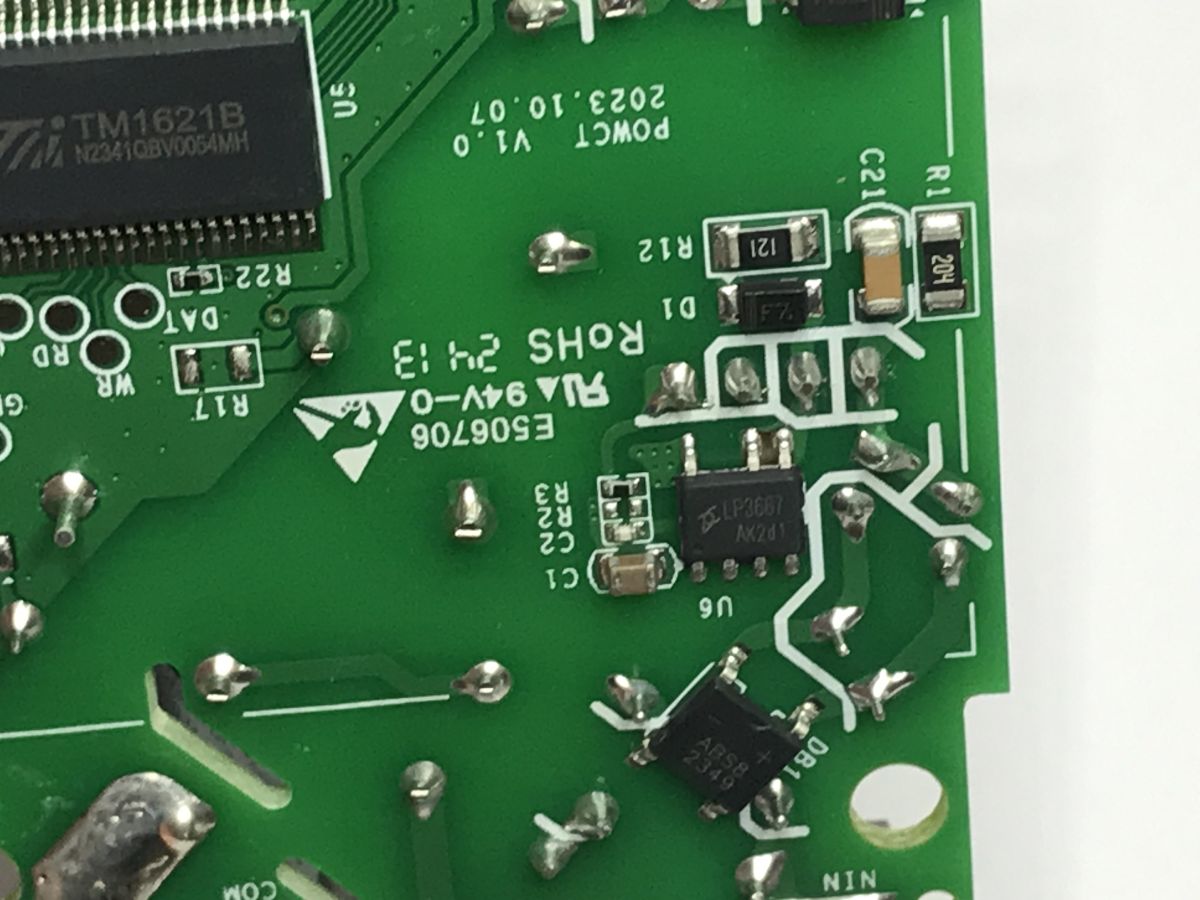
This is handled by the surface-mounted LP3667.
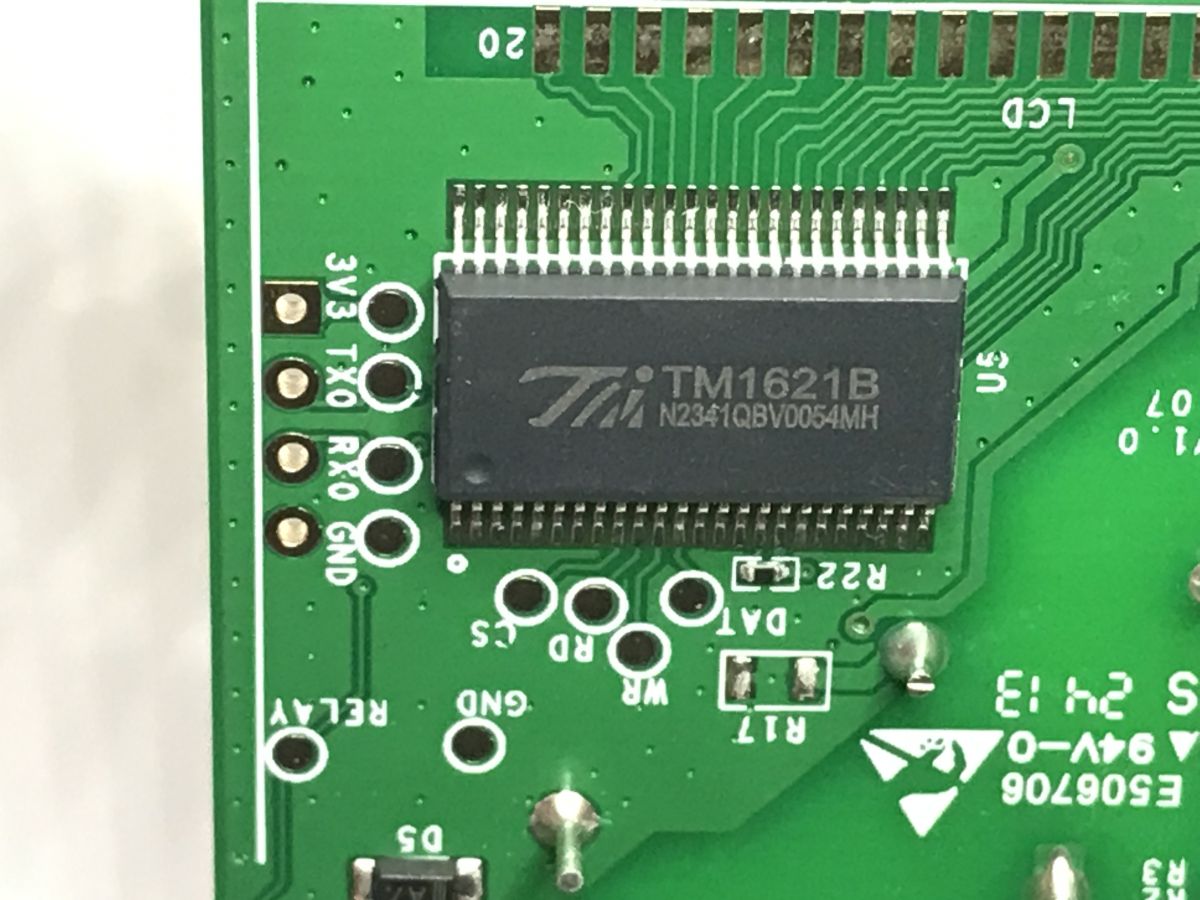
Next comes the low-voltage section. At the heart of the device is the ESP32, a microcontroller supporting Wi-Fi and Bluetooth wireless communication. The CSE7761 is used for energy measurement, whilst the display is handled by the TM1621.
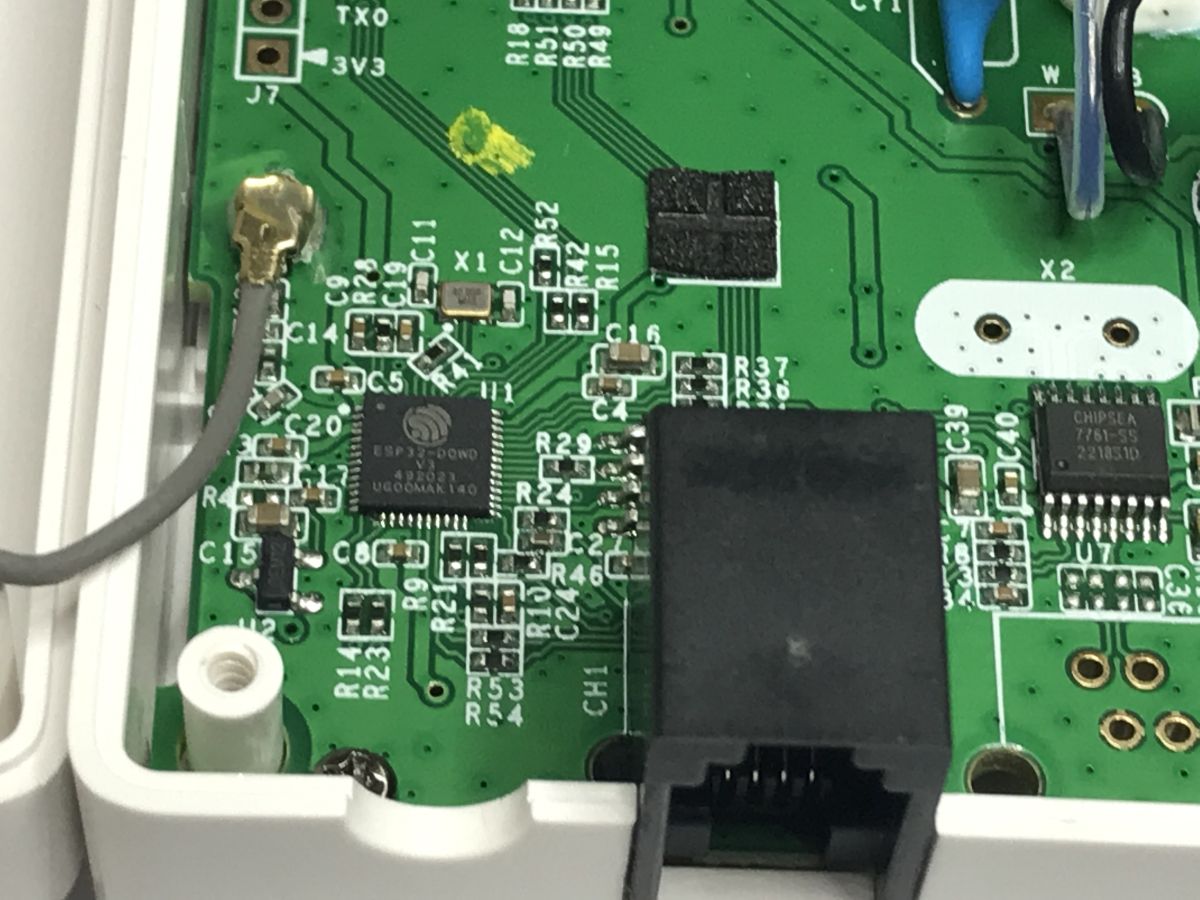
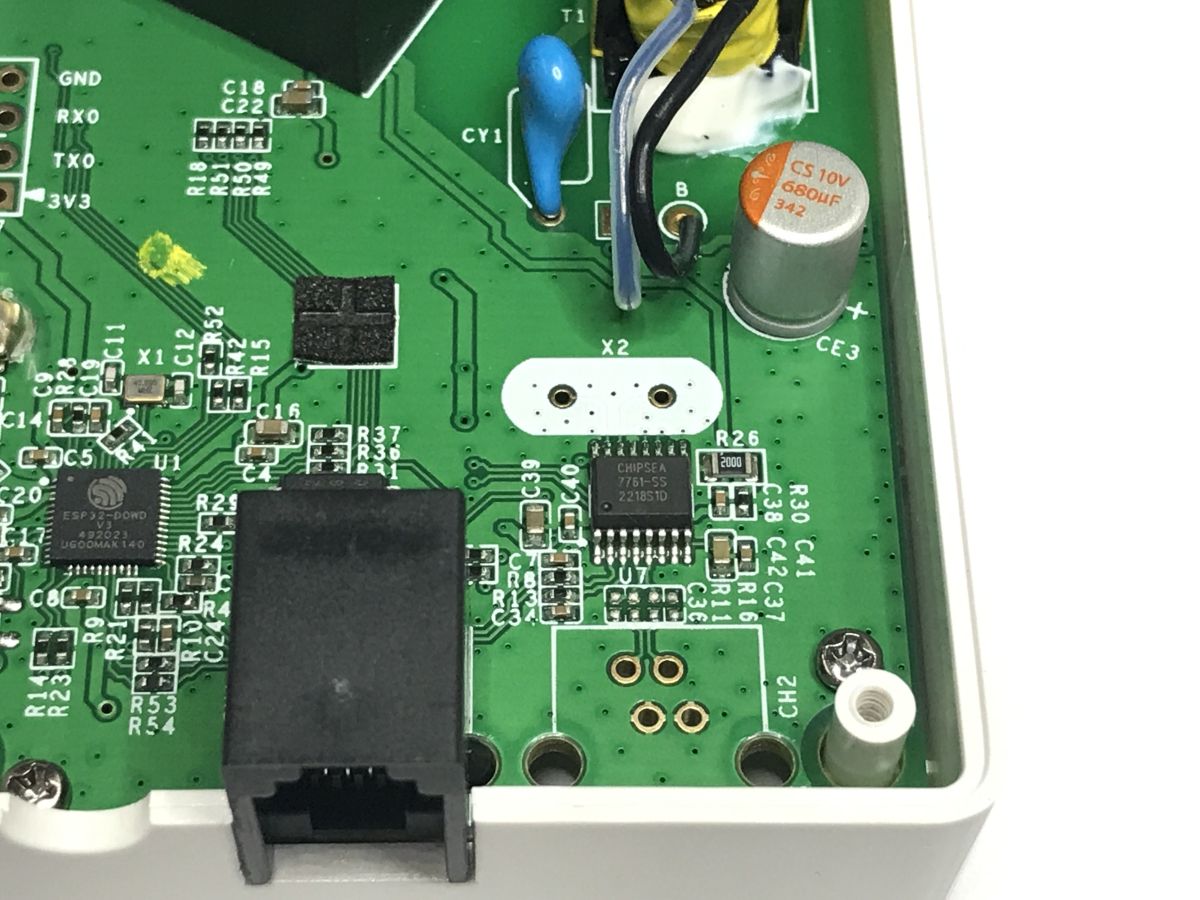
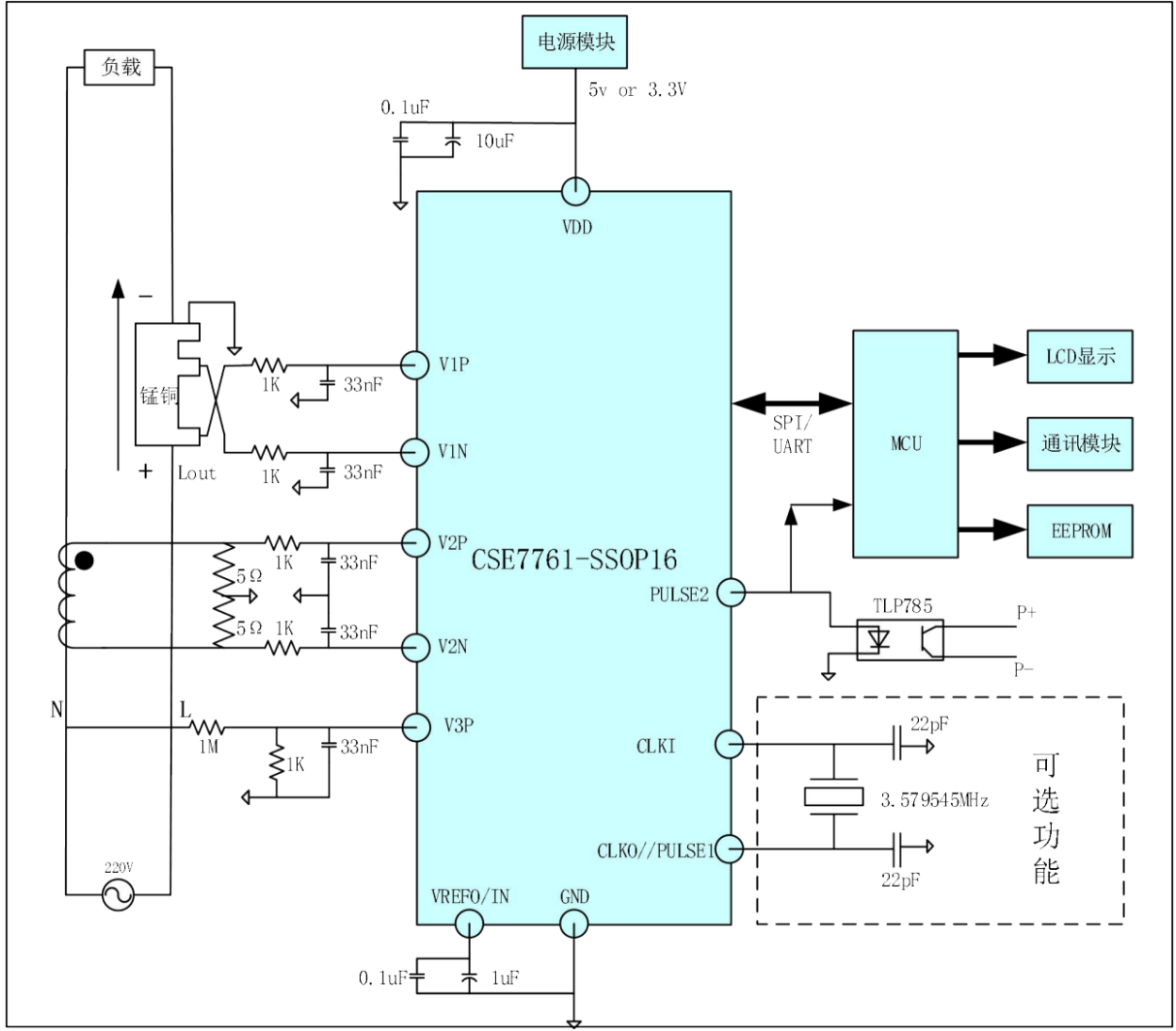
The CSE communicates with the ESP via UART, although it also supports SPI:
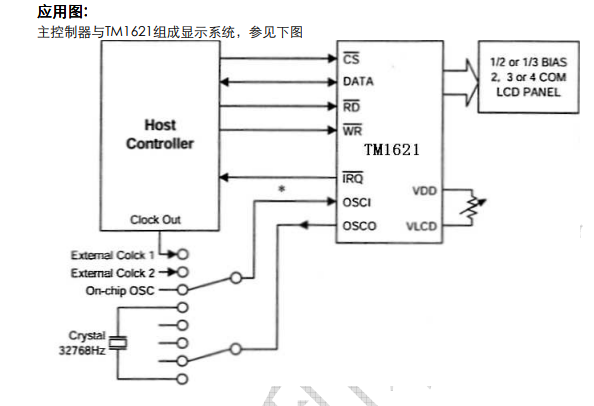
The TM1621 is controlled via a four-wire bus – the CS (chip select), data, read and write pins.
In addition, there is a large number of test pads:
I’ve collected a log from the ESP32’s TX pin – it indicates that secure boot is not enabled, so it is potentially possible to flash new firmware:
ets Jul 29 2019 12:21:46
rst:0x1 (POWERON_RESET),boot:0x13 (SPI_FAST_FLASH_BOOT)
configsip: 0, SPIWP:0xee
clk_drv:0x00,q_drv:0x00,d_drv:0x00,cs0_drv:0x00,hd_drv:0x00,wp_drv:0x00
mode:DIO, clock div:2
load:0x3fff0030,len:4
load:0x3fff0034,len:6976
ho 0 tail 12 room 4
load:0x40078000,len:13100
load:0x40080400,len:3884
entry 0x40080688
[0;32mI (31) boot: ESP-IDF v4.1.1-351-g935deb4082-dirty 2nd stage bootloader[0m
[0;32mI (31) boot: compile time 15:23:31[0m
[0;32mI (32) boot: chip revision: 3[0m
[0;32mI (36) boot_comm: chip revision: 3, min. bootloader chip revision: 0[0m
[0;32mI (43) boot.esp32: SPI Speed : 40MHz[0m
[0;32mI (48) boot.esp32: SPI Mode : DIO[0m
[0;32mI (52) boot.esp32: SPI Flash Size : 4MB[0m
[0;32mI (57) boot: Enabling RNG early entropy source...[0m
[0;32mI (62) boot: Partition Table:[0m
[0;32mI (66) boot: ## Label Usage Type ST Offset Length[0m
[0;32mI (73) boot: 0 nvs WiFi data 01 02 00009000 00010000[0m
[0;32mI (80) boot: 1 reserve WiFi data 01 02 00019000 00004000[0m
[0;32mI (88) boot: 2 otadata OTA data 01 00 0001d000 00002000[0m
[0;32mI (95) boot: 3 phy_init RF data 01 01 0001f000 00001000[0m
[0;32mI (103) boot: 4 ota_0 OTA app 00 10 00020000 001f0000[0m
[0;32mI (110) boot: 5 ota_1 OTA app 00 11 00210000 001f0000[0m
[0;32mI (118) boot: End of partition table[0m
[0;32mI (122) boot_comm: chip revision: 3, min. application chip revision: 0[0m
[0;32mI (129) esp_image: segment 0: paddr=0x00020020 vaddr=0x3f400020 size=0x2f8d0 (194768) map[0m
[0;32mI (213) esp_image: segment 1: paddr=0x0004f8f8 vaddr=0x3ffbdb60 size=0x00720 ( 1824) load[0m
[0;32mI (214) esp_image: segment 2: paddr=0x00050020 vaddr=0x400d0020 size=0xfd334 (1037108) map[0m
[0;32mI (614) esp_image: segment 3: paddr=0x0014d35c vaddr=0x3ffbe280 size=0x03bbc ( 15292) load[0m
[0;32mI (621) esp_image: segment 4: paddr=0x00150f20 vaddr=0x40080000 size=0x00404 ( 1028) load[0m
[0;32mI (621) esp_image: segment 5: paddr=0x0015132c vaddr=0x40080404 size=0x1561c ( 87580) load[0m
[0;32mI (680) boot: Loaded app from partition at offset 0x20000[0m
[0;32mI (680) boot: Disabling RNG early entropy source...[0m
[BUILD TIME]: 20240319.152300.515
[0;33mW (1343) BT_BTM: BTM_BleWriteAdvData, Partial data write into ADV[0m
[0;33mW (1702) BT_APPL: bta_dm_disable BTA_DISABLE_DELAY set to 200 ms[0m
ìÿÿœþ¯„ü[0;33mW (6480) BT_APPL: bta_dm_disable BTA_DISABLE_DELAY set to 200 ms[0m
[0;33mW (98144) BT_APPL: bta_dm_disable BTA_DISABLE_DELAY set to 200 ms[0m
eu-dispd.coolkit.cc
tmp ip = 18.197.22.118
server_fd.fd:49
connect ret = 0
ssl dst 18.197.22.118 errno 119
tcp conncet noblock
colinkTcpSslDisconnect
server_fd.fd:49
connect ret = 0
ssl dst 18.196.15.196 errno 119
tcp conncet noblock
mark, index_start_tmp: 0
mark, index_start_tmp: 0
mark, index_start_tmp: 0
mark, index_start_tmp: 0
mark, index_start_tmp: 0
mark, index_start_tmp: 0
mark, index_start_tmp: 0
mark, index_start_tmp: 0
The GPIO pin assignments for this Sonoff model are generally known:
| GPIO00 | Push Button (HIGH = off, LOW = on) |
| GPIO05 | TM1621 DA |
| GPIO13 | Status LED (HIGH = off, LOW = on) |
| GPIO15 | Wifi_LED |
| GPIO17 | TM1621 CS |
| GPIO18 | TM1621 WR |
| GPIO21 | Relay1 |
| GPIO23 | TM1621 RD |
| GPIO25 | CSE7761 Rx |
| GPIO26 | CSE7761 Tx |
Programming pins are available on the PCB – UART and power supply. GPIO0 is on a button, so in principle you can press it whilst supplying power from your own safe power supply, and you don’t even need to solder.
To sum up , this isn’t just any old budget Tuya meter. You can even tell from the electronics that it’s built to a slightly higher standard. Furthermore, the antenna connector and current transformer make installation easier in various hard-to-reach places, including inside a cupboard; the antenna can be easily routed outside. Some might complain that the on-board relay is too weak – after all, 2 A isn’t enough for a single phase – but there’s nothing to stop you from connecting your own contactor to it. Do you use this type of Sonoff device?

p.kaczmarek2 wrote 14682 posts with
rating 12709 , helped 656 times.
Been with us since 2014 year.
Comments