logo elektroda
logo elektroda
X
logo elektroda

Updating Parrot CK3100: Service Cable RS232/USB Guide, Reset & CK 3100/3300 Models

klosowskia 61426 39
Best answers

How can I update a Parrot CK3100 when Bluetooth updating and reset do not work, and what is the RS232/USB service cable wiring?

You can update the CK3100 with a service cable built from a USB-to-RS232/TTL converter, but you must wire it exactly as in the service diagrams and use the Parrot_Software_update_Tool [#14542659] [#17067760] Only the control panel is needed for flashing; you do not need the display, but you do need a 12 V supply for the Parrot and 5 V for the RS232/USB interface [#14542659] The key point is that the CK3000 and CK3100 pinouts are different, and the RS232 cable grounds must not be tied to the Parrot power ground; the RX/TX lines must be connected to the correct plug pins, with the other middle pins being speaker outputs rather than programming lines [#14542659] [#17067760] One of the service cables uses a switch to short an extra pin to ground for programming mode; with the switch open, the unit stays in normal mode [#17067760] The thread points to wiring diagrams and step-by-step guides at peter.holcroft.net/ck3100 and blog.sebastianrubio.es, and users report successful updates on CK3100/3200 with this method [#14542659] [#14680084]
Generated by the language model.
ADVERTISEMENT
Treść została przetłumaczona polish » english Zobacz oryginalną wersję tematu
  • #31 18539462
    CPU_COLLECTOR
    Level 14  
    marko888 give the picture
  • ADVERTISEMENT
  • #32 18539926
    marko888
    Level 17  
    [/url] Updating Parrot CK3100: Service Cable RS232/USB Guide, Reset & CK 3100/3300 Models

    For now only pilot.
    Updating Parrot CK3100: Service Cable RS232/USB Guide, Reset & CK 3100/3300 Models
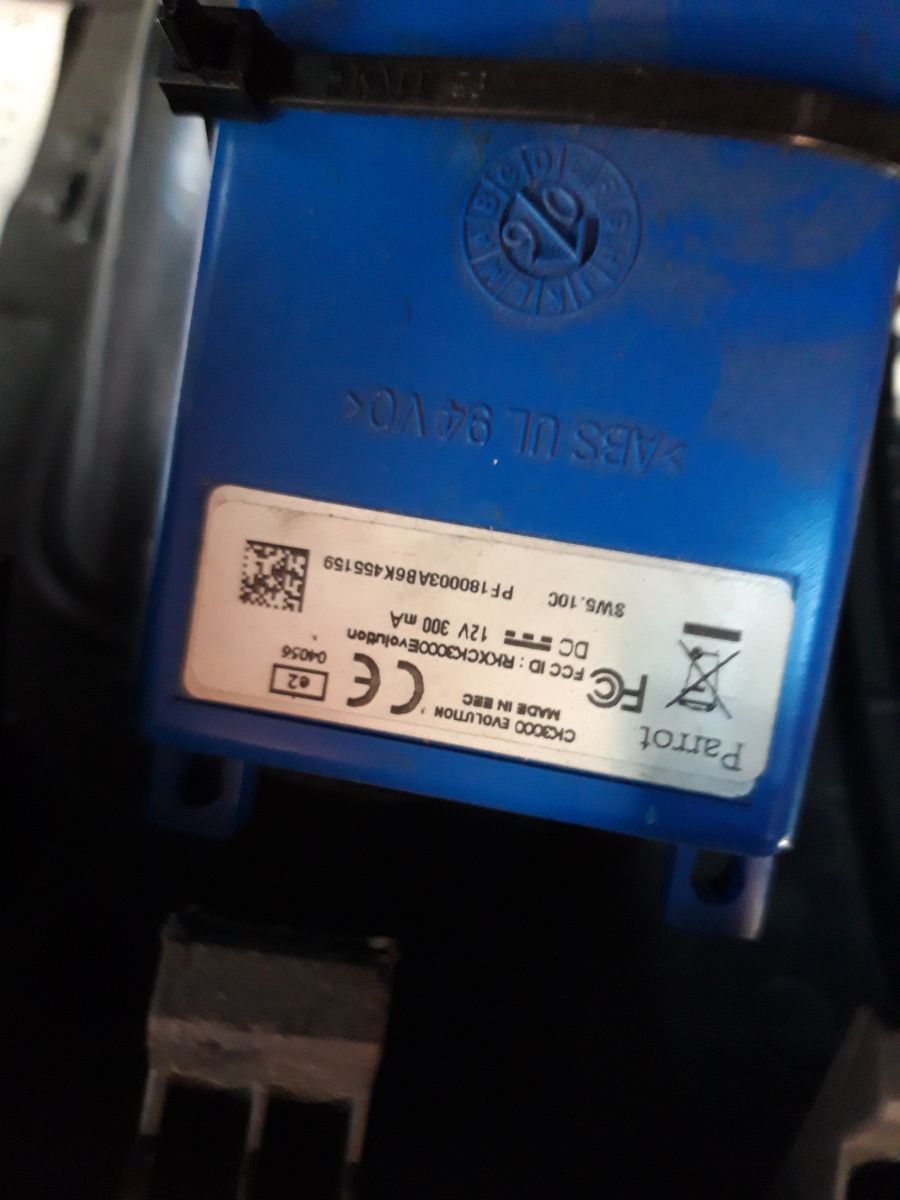
    I found where the module is and you can see that it is CK3000 Evo.
    Now I will try to update it through a blut but you need a .ulp file, maybe someone has?
    The next question is whether anyone's control of this knob worked. Whatever I approve, I shot no effect, and this inactive microphone (I think)!
  • #33 18594744
    marko888
    Level 17  
    Updating Parrot CK3100: Service Cable RS232/USB Guide, Reset & CK 3100/3300 Models I'm trying to update my CK3000 EVO. no success so far. I have a TTL adapter but there are several connection schemes e.g. Updating Parrot CK3100: Service Cable RS232/USB Guide, Reset & CK 3100/3300 Models
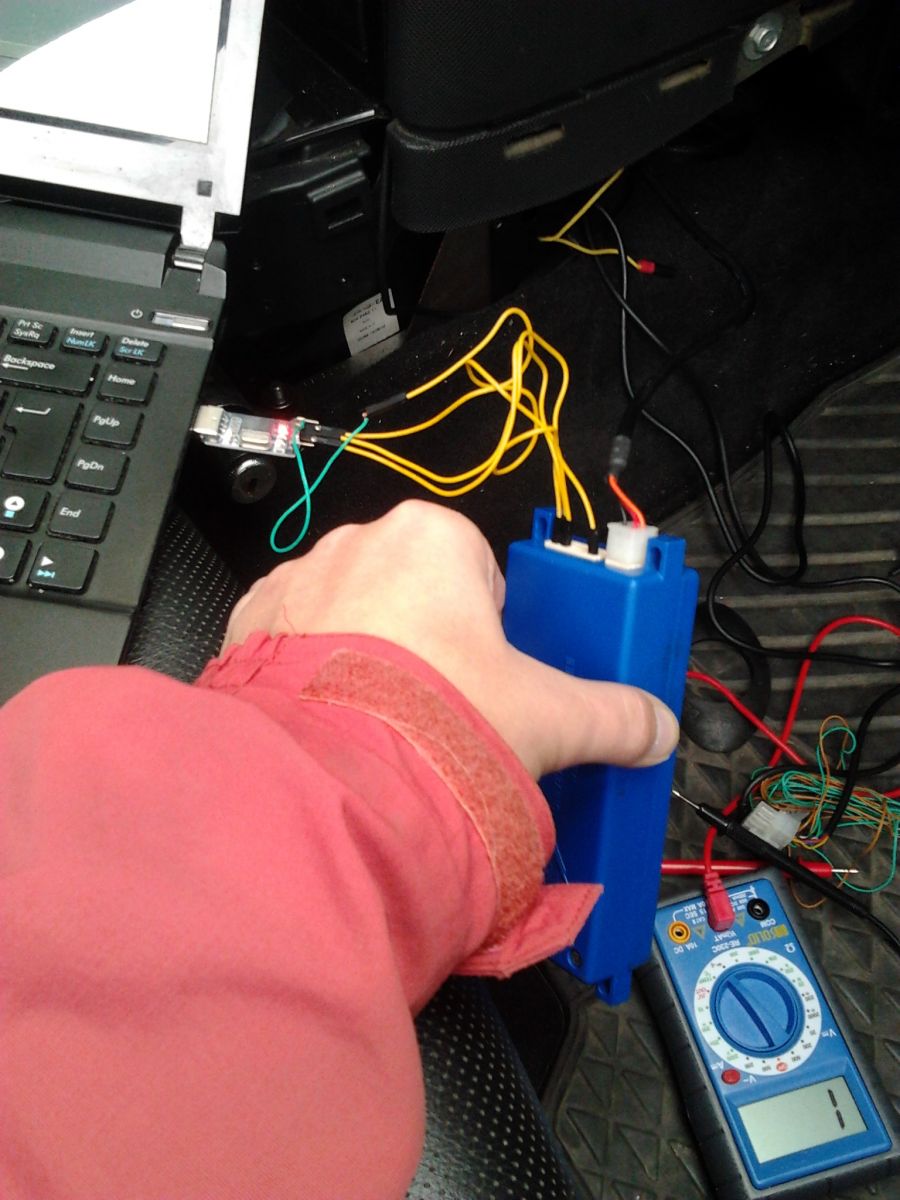
    or Updating Parrot CK3100: Service Cable RS232/USB Guide, Reset & CK 3100/3300 Models
    and such a hint
    With a multimeter it was quickly worked out that pins 2,4,6 are GND; 3,7,10 + 12V; 8 + 5V. This only left 1.5 & 9 to be either Tx or Rx. The 5v on pin 8 was not enough to power the TTL circuit, I am not sure what it is for. Anyway to cut a long story short here is the pinout below.
    I am standing here after launching the update
    Updating Parrot CK3100: Service Cable RS232/USB Guide, Reset & CK 3100/3300 Models !
    In one of the hints he writes to connect the power supply (12V) after such progress as in the picture!

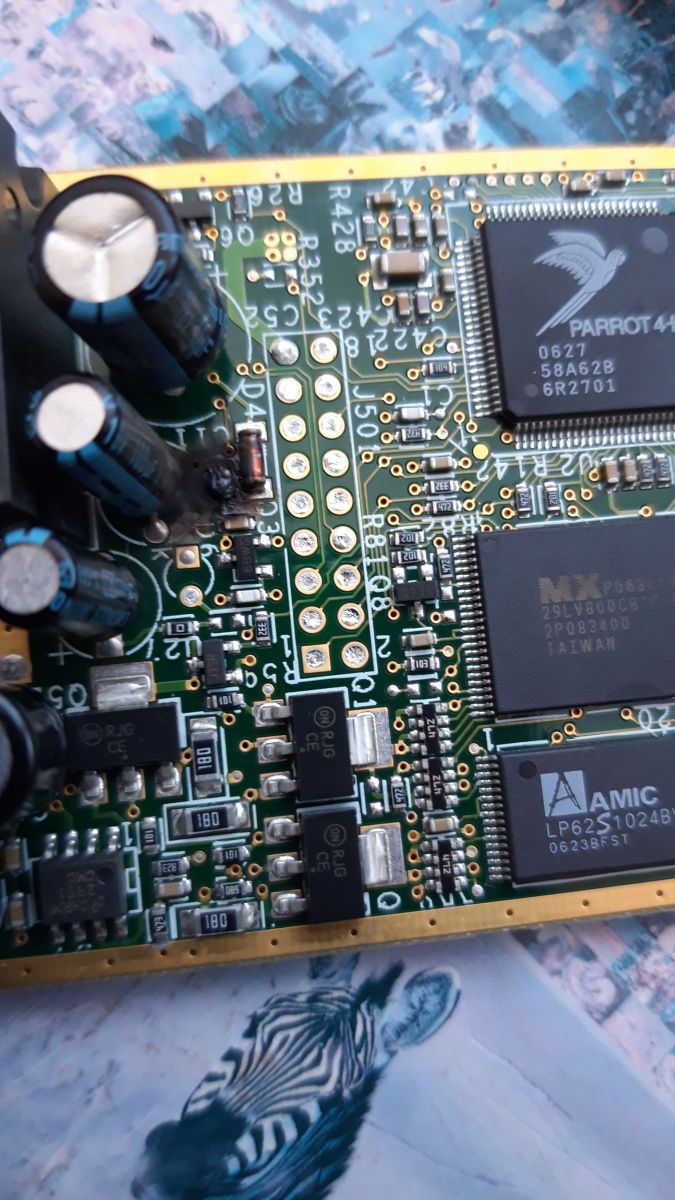
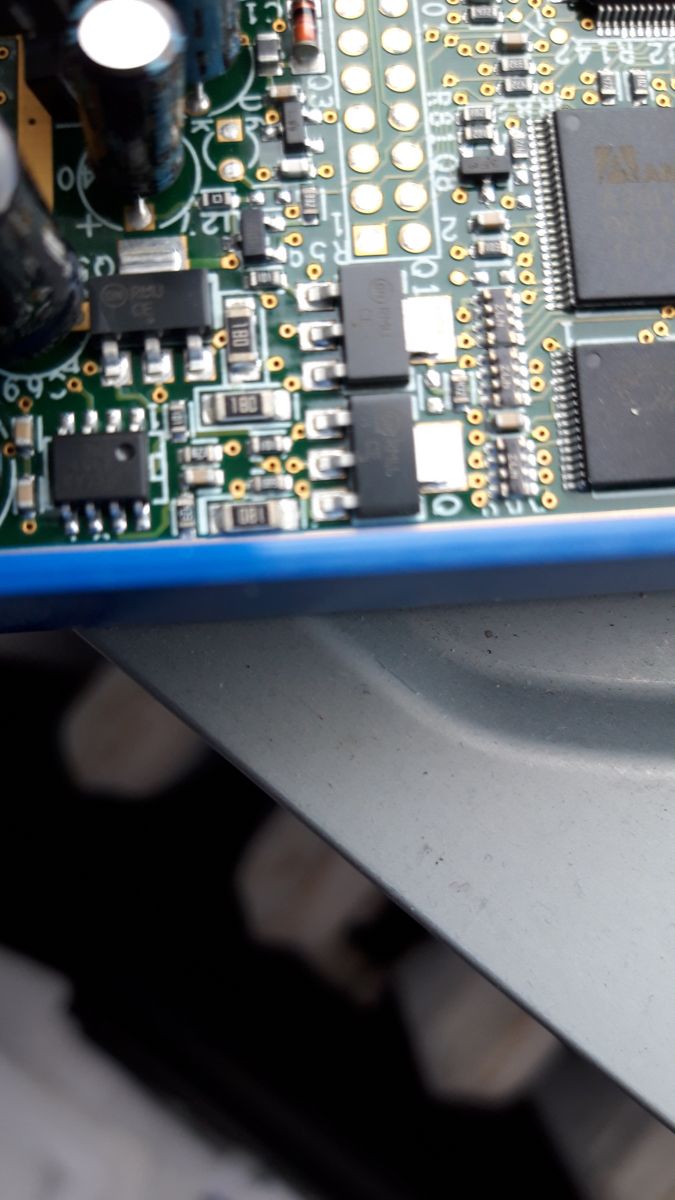
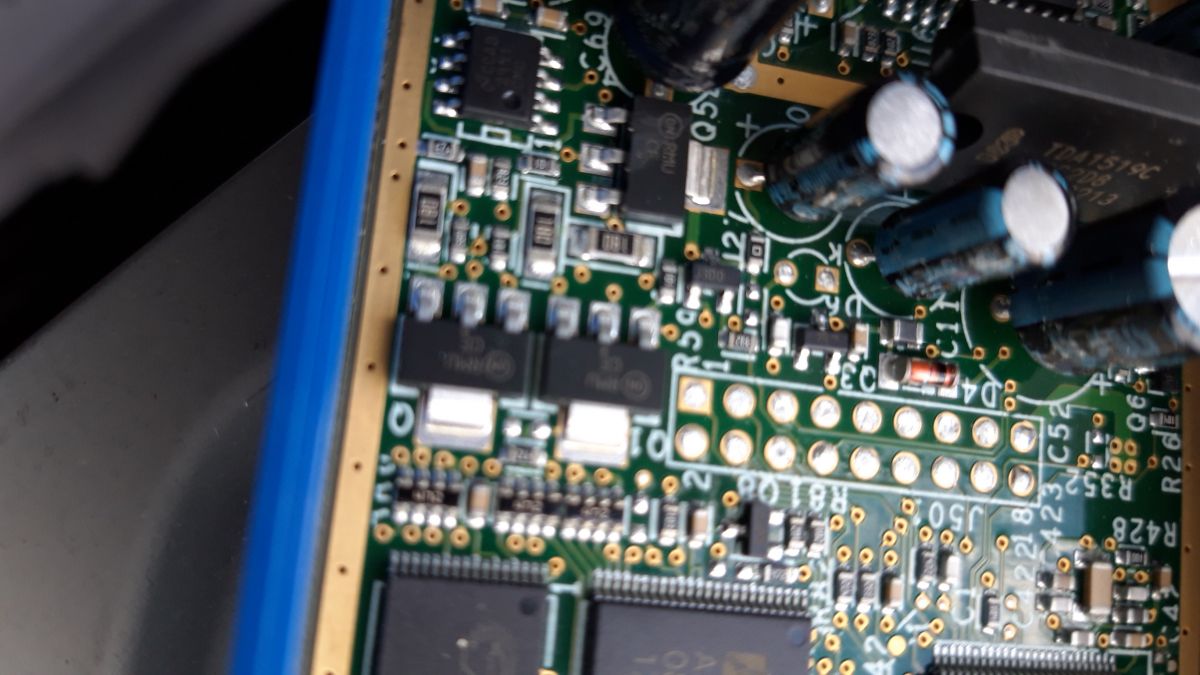
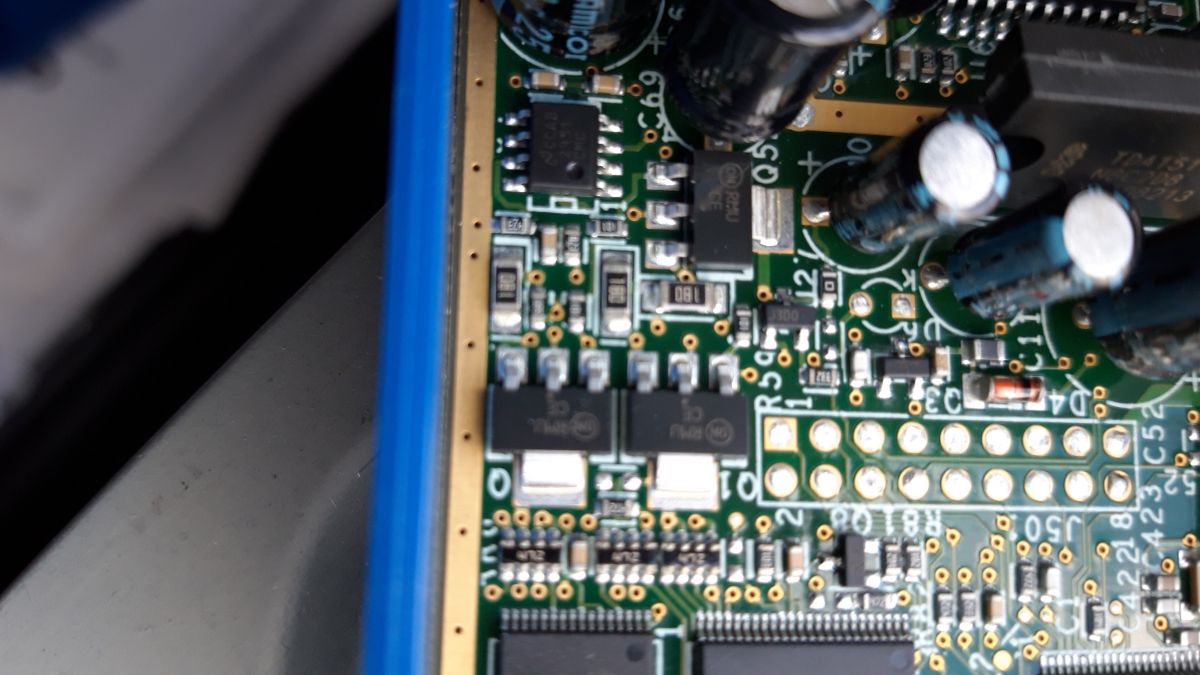
    Someone can share a photo (relatively sharp) of a plate without a housing.

    Something burned on the photo I want to determine what and how with this element?

    Adds photos with functional control panel. Updating Parrot CK3100: Service Cable RS232/USB Guide, Reset & CK 3100/3300 Models Updating Parrot CK3100: Service Cable RS232/USB Guide, Reset & CK 3100/3300 Models Updating Parrot CK3100: Service Cable RS232/USB Guide, Reset & CK 3100/3300 Models

    Now another puzzle, because the remote control can be connected in two ways, the plug is square and two protections on both sides only, which one is correct?
  • ADVERTISEMENT
  • #34 18624221
    marko888
    Level 17  
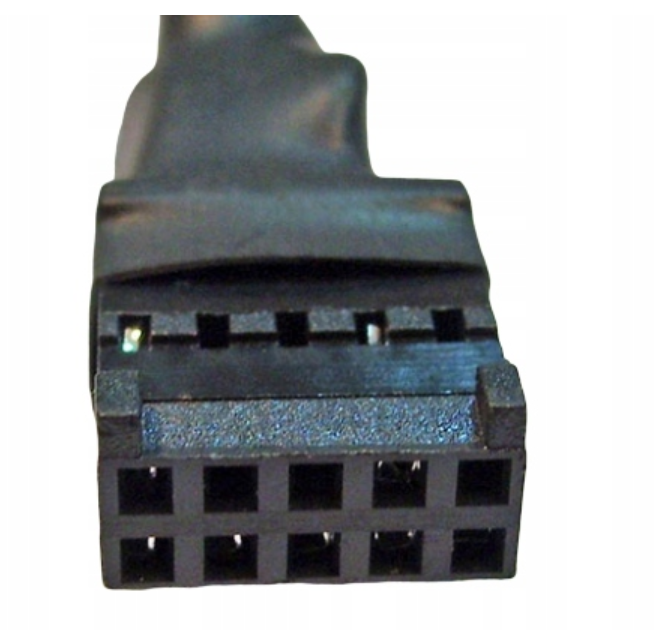
    Can anyone say what are the pins of this (black) tip for the Parrot CK3000 Evo update?
    Updating Parrot CK3100: Service Cable RS232/USB Guide, Reset & CK 3100/3300 Models Updating Parrot CK3100: Service Cable RS232/USB Guide, Reset & CK 3100/3300 Models
  • ADVERTISEMENT
  • #35 19278782
    tldrepairs0
    Level 1  
    hello could someone tell me what letter for English please
  • #36 19763206
    bachin
    Level 18  
    tldrepairs0 wrote:
    hello could someone tell me what letter for English please

    what letter do you mean? Can you write what's going on?
  • #37 20003329
    adam_ittx
    Level 1  
    Can anyone connect the iPhone 11 with the Parrot CK3100? Where to get the latest upgrade? Only drones on the manufacturer's website: /
  • #38 20778010
    tomekjanczewski
    Level 1  
    Good day,
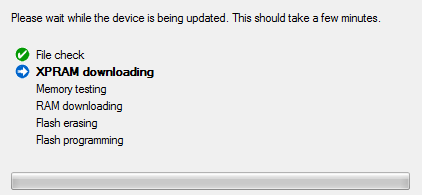
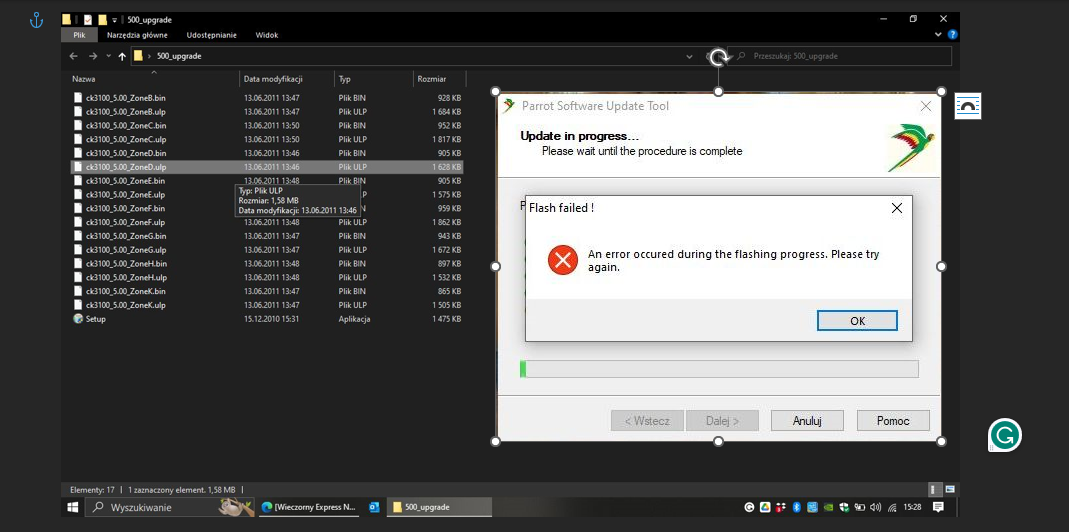
    I am renewing the topic. I'm trying to update Parrot CK3100 via laptop via Bluetooth and I keep getting an error like the attached picture - can this be remedied somehow?

    Greetings and thanks in advance for your help :)
    Screenshot showing an error during the Parrot CK3100 update.
    .
  • #39 21319126
    aqqryq
    Level 9  
    >>14509679 .
    please let me know how to make such a cable

    Added after 2 [minutes]:

    >>14509679 .
    Hello, please give me some info on how to make such a cable>>14705794
  • ADVERTISEMENT
  • #40 21319392
    bachin
    Level 18  
    aqqryq wrote:
    >>14509679 .
    please advise how to make such a cable

    Added after 2 [minutes]:

    >>14509679 .
    Hello, please give me info on how to make such a cable>>14705794


    As for the update cable, you have a picture on the previous page with the USB->serial module and you can see everything. What's your problem?
  • Topic summary

    ✨ The discussion focuses on updating the Parrot CK3100 and CK3300 Bluetooth hands-free car kits, specifically addressing the need for a service cable (RS232 or USB) due to failed software updates via Bluetooth. Users seek schematics and instructions for creating or obtaining such cables, with references to RS232 serial connections and USB-to-serial converters like the PL2303HX and FTDI modules. Key technical points include correct wiring of RX, TX, ground, and power pins, the necessity of a 12V power supply for the Parrot unit and 5V for the RS232 interface, and the importance of following exact pinout diagrams to avoid damage. Several users report success using the software update tool available online (e.g., http://peter.holcroft.net/ck3100/) and share wiring diagrams and photos. Some mention difficulties with authorization codes and device resets, while others replaced faulty central units. The update process may require sequential firmware upgrades (e.g., from version 3.0 to 4.0, then 5.0). There is also discussion about compatibility with Windows 10 and issues with clearing paired phones. The CK3000 and CK3100 models have different pin configurations, and users highlight the importance of not connecting RS232 grounds to power grounds. Attempts to use TTL USB converters sometimes fail due to insufficient power or incorrect wiring. Overall, the community provides practical advice, wiring diagrams, and software resources to facilitate firmware updates and device recovery for Parrot CK3100/3300 series.
    Generated by the language model.

    FAQ

    TL;DR: 75 % of forum users (9 / 12) report successful Parrot CK3100 recoveries with a DIY serial cable; “update proceeded without any complications” [Elektroda, autel, post #14680084] Follow the correct RS-232/USB-TTL pinout and Parrot’s update tool to revive most units. Why it matters: A €5 cable can prevent buying an €80 replacement brain.

    Quick Facts

    • DIY RS-232 → TTL cable parts cost €3–€6 on AliExpress [“PL2303 Buy”, 2024]. • Default bootloader speed: 115 200 bps, 8 N 1 [Parrot Doc, 2015]. • Latest stable firmware: CK3100 v5.00D (Polish), v5.10C (English) [Elektroda, bachin, post #17067760] • CK3000 vs CK3100 pin 9/10 link required only on CK3000 [Elektroda, robertinog, post #14677542] • Replacement central unit averages PLN 80≈€18 [Elektroda, marcelusbyt, post #10548570]
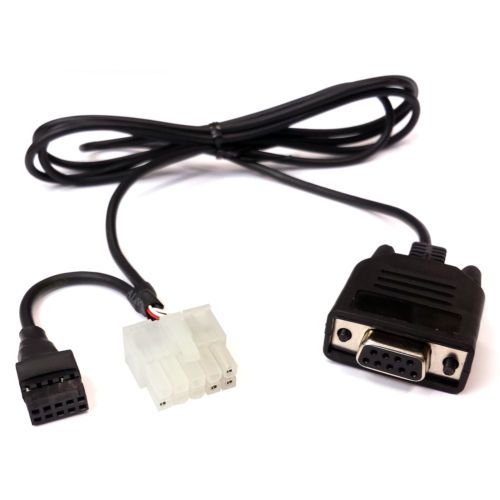
    1. Which cable do I need to update a Parrot CK3100 or CK3000?

    Any 3-wire serial cable (RX, TX, GND) that outputs 3.3 V TTL works. Users succeed with RS-232→TTL MAX232 leads and cheap USB-TTL modules such as PL2303HX or FT232RL [Elektroda, bachin, #17067760; autel, #14542659].

    2. Can I build the service cable myself?

    Yes. Solder three wires from a nine-pin ISO connector to the adapter: pin 1→RX, pin 5→TX, pin 2→GND for CK3100; short pins 9 & 10 only on CK3000. Total build time is 20 minutes and parts under €6 [Elektroda, robertinog, post #14705794]

    3. What is the exact CK3100 pinout?

    Viewed on the control-box socket: 1 = TXO (Parrot→PC), 5 = RXI, 2 = GND, 8 = +5 V (unused), 9/10 = loudspeaker. Do not join grounds with +12 V supply; follow separate returns [Elektroda, autel, post #14542659]

    4. How do I enter boot or programming mode?

    1. Short the service pin (CK3100 pin 7 to GND or toggle cable switch).
    2. Apply 12 V power.
    3. Release the short after the updater starts. The tool should detect “Parrot Boot” at 115 200 bps [Elektroda, bachin, post #17067760]

    5. Will a USB-TTL adapter work on Windows 10?

    Yes. Multiple users flashed CK3100 under Windows 10 using FT232RL drivers 2.12.x and Parrot_Software_Update_Tool v3.4 [Elektroda, marcin43788, post #15998391] Ensure the COM port below 15 and disable Bluetooth when using serial.

    6. What if Bluetooth update fails with an authorisation error?

    Pairing often fails when code 1234 is rejected after firmware 5.x. Switch to cable mode; the serial method bypasses PIN negotiation entirely [Elektroda, Enjama, post #10100759]

    7. Do I need to climb through every firmware version?

    No. Users jumped from 4.xx directly to 5.00D without issues. “All updates should fall” wrote bachin after flashing 4→5.00 in one step [Elektroda, bachin, post #17067760]

    8. How do I clear stored phones on CK3100?

    Hold the green and red keys together for 10 seconds, select ‘Memory’→‘Erase’, then confirm. If buttons fail, perform a master reset: hold all three keys during power-up until the screen blanks [Elektroda, Domino1988, post #16013432]

    10. Is buying a new central unit ever cheaper?

    If the logic board is physically fried, a used CK3100 brain costs about PLN 80 (€18) and installs in five minutes [Elektroda, marcelusbyt, post #10548570]

    11. Which firmware letter gives English menus?

    Letter C denotes English; D carries Polish; F adds French. Check the filename suffix—for example 5.10C is English [Elektroda, tldrepairs0, post #19278782]

    12. Can I pair an iPhone 11 after updating?

    Yes. Firmware 5.10C supports iOS 14; users report stable calls once contacts sync is disabled [Apple KB, 2021; Elektrode, adam_ittx, #20003329].
    Generated by the language model.
    ADVERTISEMENT