How can I find and flash the correct firmware for a Chinese 7010B radio with 25L6406E memory?
You need firmware that matches the exact mainboard/CPU, not just the 7010B name; one post identifies a 7010B variant as F1C500 with 25L6406E, while other similar units use different chips and software [#16326120] If the radio still boots, one working method is to copy the firmware as an .img file (for example ePDKv100.img) to a USB stick or SD card, then open Settings and start “FW Update” [#19235642] If the software is already damaged and the unit will not boot properly, the SPI flash has to be desoldered and programmed in an external programmer using a dump from a working, matching radio [#17049672] Another reply also advises checking the exact motherboard number and searching for a dump for that specific board [#17784865]
AI summary based on the discussion. May contain errors.
Welcome I bought a 7010b radio, I have a question: did the softs come out in two versions? In my 7010b there is no mirrorlink and the menu looks very poor. I bought a used radio.
I have created a post for people to post firmware to for the 7010B, if you have 7010B firmware with the .img file type can you please help people and post it to that thread please. I have the following firmware;
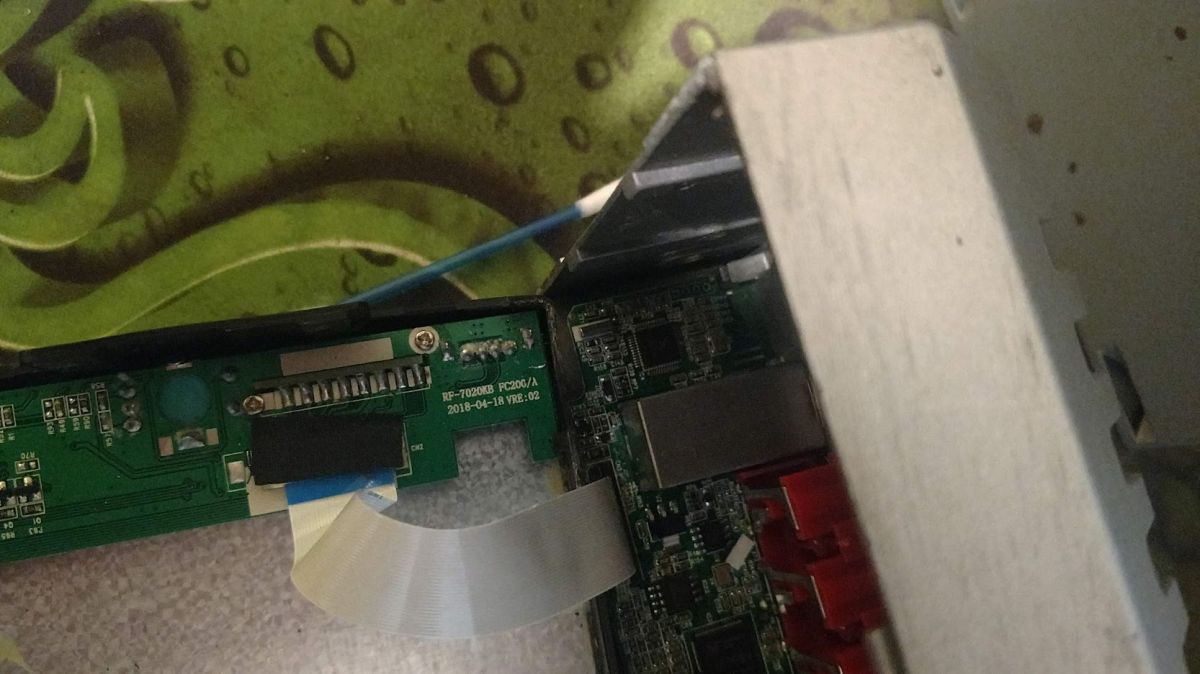
I downloaded this one for a specific 7018b 7018B - CPU F1C200S, you can check the pictures also, unfortunately is a bin file, I would try to compress as .RAR an see how it goes if someone is lucky please let me know
Dymidziak wrote:
Michał99 wrote:
Caution for mindlessly updating software
This, unfortunately, I know; (
A man learns from mistakes ... Maybe something else can be remedied.
I found on the Russian forum a charge to this radio 7018B - CPU F1C200S (such a CPU has my radio so probably because another firmware is happening) https://www.elektroda.pl/rtvforum/download.php?id=933185 But unfortunately it is in .bin format
I do not have how to upload this batch, maybe someone has a firmware in .img format to be loaded from an SD card?
Hello, I received yesterday my 7010B from china and inside there is a F1C200S (K5139BB), the F1C200S shouldn't be from the 7018B?
It says on board
HGW-RF7200L-MB
VER;1.0
2019.03.13
Can someone tell me if the firmware (ht tps: // yadi.sk/d/70Uzaa4jtGkHU) posted by @Gold3nstan is the right one for my 7010B and the recent one?
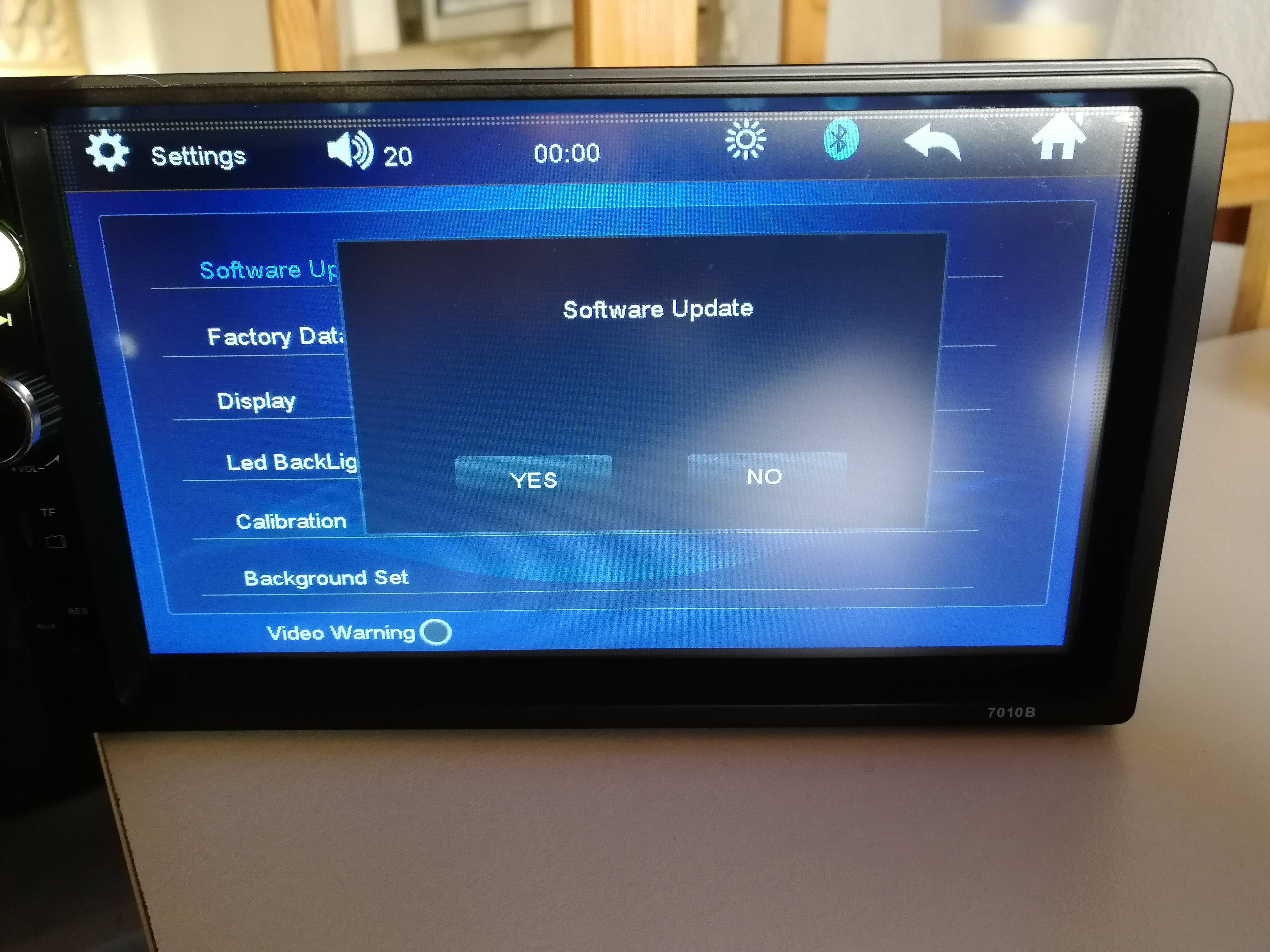
I cant change to a custom wallpaper and cant use car brand logo on start like some 7010Bs on youtube, when I go to "Software update" on Settings it shows me nothing, just a message saying "Software Update" and the options "Yes or No" (photo attached)
Hello i have the 7018b Radio but with the same software you have.
I have the same problem. Is there a possibility to change the software or do a upgrade?
Radio Chip: for QN8035
Is it also possible to see which song i hear maybe with picture when i use Bluetooth?
Please help
Skyl wrote:
Hello, I received yesterday my 7010B from china and inside there is a F1C200S (K5139BB), the F1C200S shouldn't be from the 7018B?
It says on board
HGW-RF7200L-MB
VER;1.0
2019.03.13
Can someone tell me if the firmware (ht tps: // yadi.sk/d/70Uzaa4jtGkHU) posted by @Gold3nstan is the right one for my 7010B and the recent one?
I cant change to a custom wallpaper and cant use car brand logo on start like some 7010Bs on youtube, when I go to "Software update" on Settings it shows me nothing, just a message saying "Software Update" and the options "Yes or No" (photo attached)
Soft needed 2Din 7010B, who can help me please, these are the details I had before.
I tried to do a stupid update, the power button is on, it connects to bluetooth and via usb to the phone.
Hi Guys, i tryed to install a firmware on my 7018B from Gearbest and now i got a black screen ... sad. How can i use the usb stick or sd card to flash the firmwares that are linked above ? thank you
A sister came to me with this radio (model 7010b), no mirrorlink, no Polish. I am looking for the second day and no effects, no support at all. Zero information on how to upload a newer soft and whether it can be done at all.
Attachments:
20200604_180931.jpg(3.2 MB)
You must be logged in to download this attachment.
Hello! I'm from Italy and i have an 7032um.
It looks like the 7010/7018 One.
I have problem with the the connections bluetooth on May redmi note 7 : i don't have mu recent call, no Number saved and There 's no male of playing song.
Carlink o cmlplay doesn't work, and I can't setting wallpaper .
Can anyone help me ? I Need some update or what ?
Thanks for all
Hi folks, I tried installing the firmware on my Gearbest 7018B and now I have a black screen ... sad. How can I use the USB stick or SD card to flash the firmwares linked above? Many Thanks.
Already a solution? Have the same problem Picture dead, switch leds red. Have desoldered the flash chip and already flashed a few dumps in the flasher, but always the same, possibly because not the right file. CPU is the F1C200s on it. Does anyone have a dump for it? [F]
2020 firmware update enables mirrorlink and Polish
A sister came to me with this radio (model 7010b), no mirrorlink, no Polish. I am looking for the second day and no effects, no support at all. Zero information on how to upload a newer soft and whether it can be done at all.
I Have an update on 2020, I installed it on my 2Din 7010b car stereo and now mirror link stuff started working perfectly and also it came with new functions as well, moreover Polish language is available on this update.
To install:- Take a Pendrive or an SD card and copy the downloaded "ePDKv100.img" file from Rar file, and plug the Pendrive or the SD card to the 2Din 7010b player and turn on it, next go to setting and scroll down an you'll see "FW Update" just click it and update will start on automatically, make sure you don't turn off your car while updating or else the soft will get corrupted.
Password for Logo Settings after update :- 1234
Thank me later 😇
Attachments:
ePDKv100.rar(6.2 MB)
You must be logged in to download this attachment.
Firmware update procedure for 2Din 7010B with ePDKv100.img
Soft needed 2Din 7010B, who can help me please, these are the details I had before.
I tried to do a stupid update, the power button is on, it connects to bluetooth and via usb to the phone.
Yes i have the latest update, i'll attached the soft file below, and follow the steps 👇🏼 to install,
To install:- Take a Pendrive or an SD card and copy the downloaded "ePDKv100.img" file from Rar file, and plug the Pendrive or the SD card to the 2Din 7010b player and turn on it, next go to setting and scroll down an you'll see "FW Update" just click it and update will start on automatically, make sure you don't turn off your car while updating or else the soft will get corrupted.
Password for Logo Settings after update :- 1234
Thank me later 😇
Attachments:
ePDKv100.rar(6.2 MB)
You must be logged in to download this attachment.
WhatsApp Image 2021-02-05 at 8.12.36 PM.jpeg(88.21 KB)
You must be logged in to download this attachment.
Epdkv100.rar downloaded, installed and shut down. Since then it doesn't work anymore, I moved it to pendrive / stick and installed it like that. How can I now reset it to the factory settings, on and off switch only shines turquoise no picture anymore.
How can I link my mobile phone to the device?
Video playback via USB stick / pendrive is always possible.
Epdkv100.rar downloaded, installed and shut down. Since then it doesn't work anymore, I moved it to pendrive / stick and installed it like that. How can I now reset it to the factory settings, on and off switch only shines turquoise no picture anymore.
How can I link my mobile phone to the device?
Video playback via USB stick / pendrive is always possible. .
What can I do?
Firmware update needed for Android mirror link support
Please brother, need your support
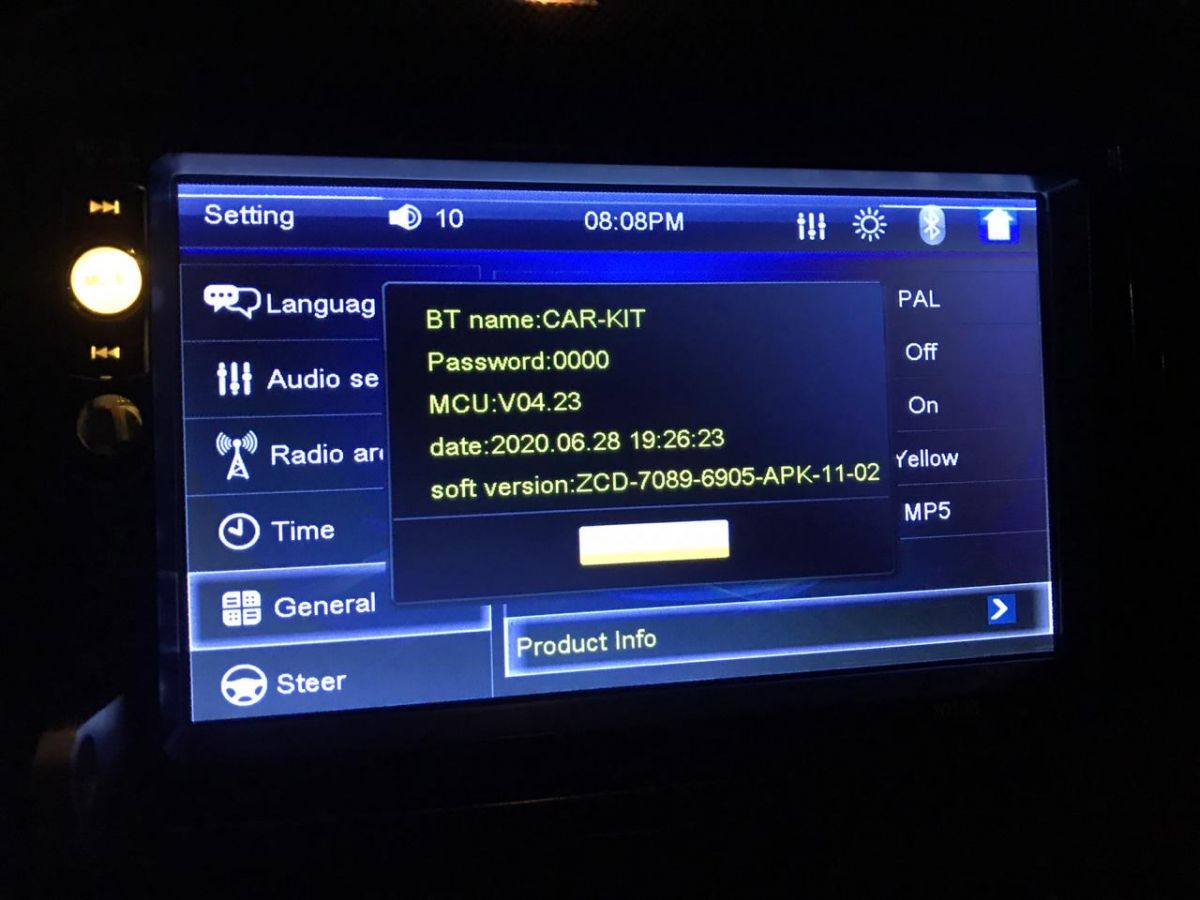
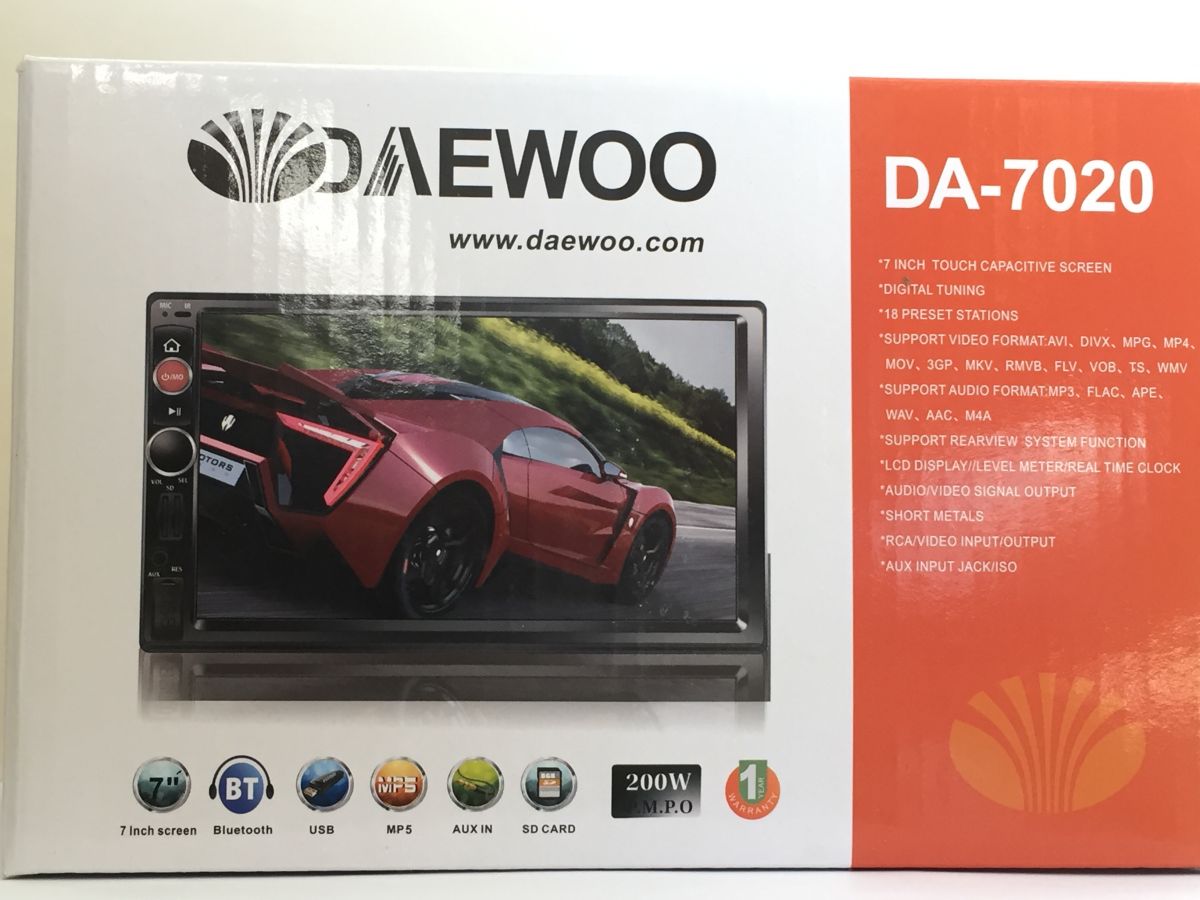
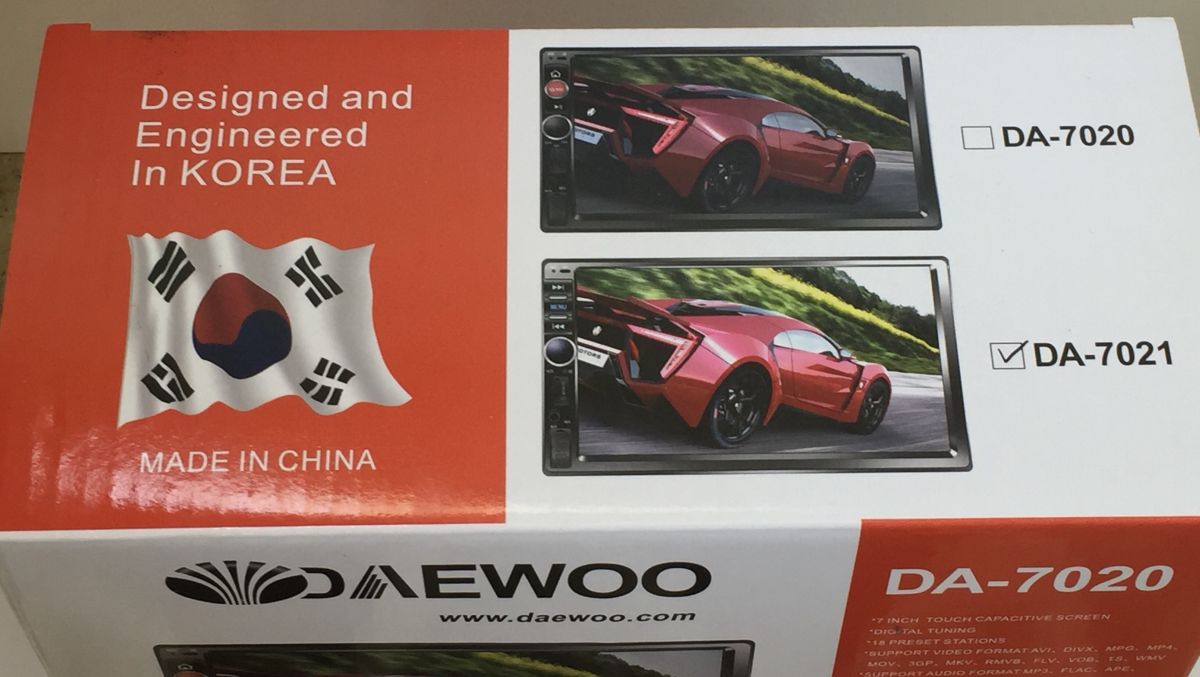
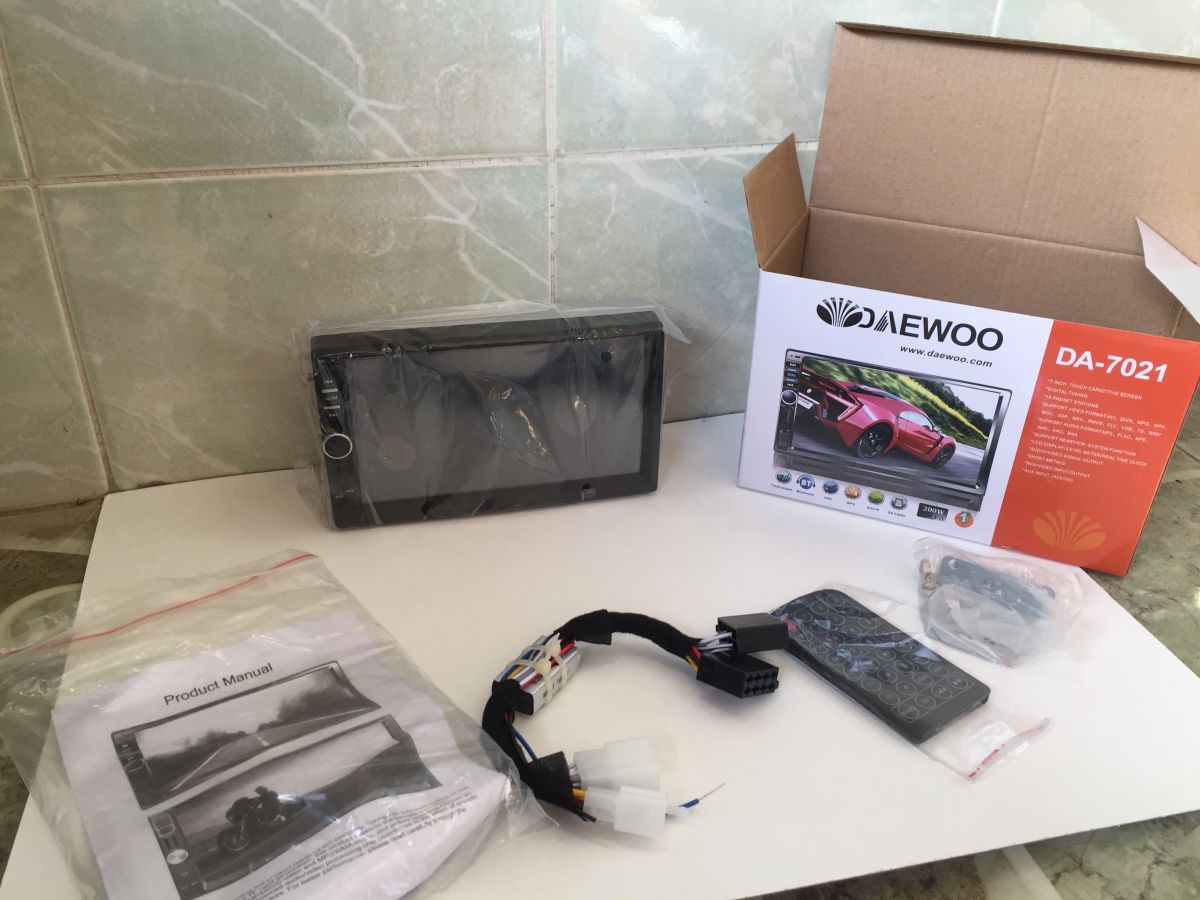
Device DA-7020
Issue: mirror link not work on android phones with software above 7
Solution: need to change/update firmware for the DA-7020
Thanks to everyone who posted firmwares on this thread,
I have a 7010b that came with an old firmware that lacked some configurations that the new versions have,
I tried a few firmwares, I can flash them but then I got no sound (at least FM Radio, still have to test if the sound works using a mp3 our a video file)
With this I opened my head unit and found the same internals that are on this site:
UPDATE 2:
Fixed, flashed a version for the 7012B and everything works perfectly, with the added bonus of getting "P-Link" that i think its the android mirror thing.
Worked, thanks Methsan! I now have my cars logo which wasn't included when purchased. The menu is updated and better. The sound quality seems better too. Plus, I don't know why but when I received the radio years ago it didn't automatically return to radio when it powered back on. It does now! Update was very quick in my case using 3.0 flash drive. Only took like a minute.
I quick formated my flash drive first. Then extracted .img file from .rar folder and copied it directly to drive. Huge thanks
Updated:
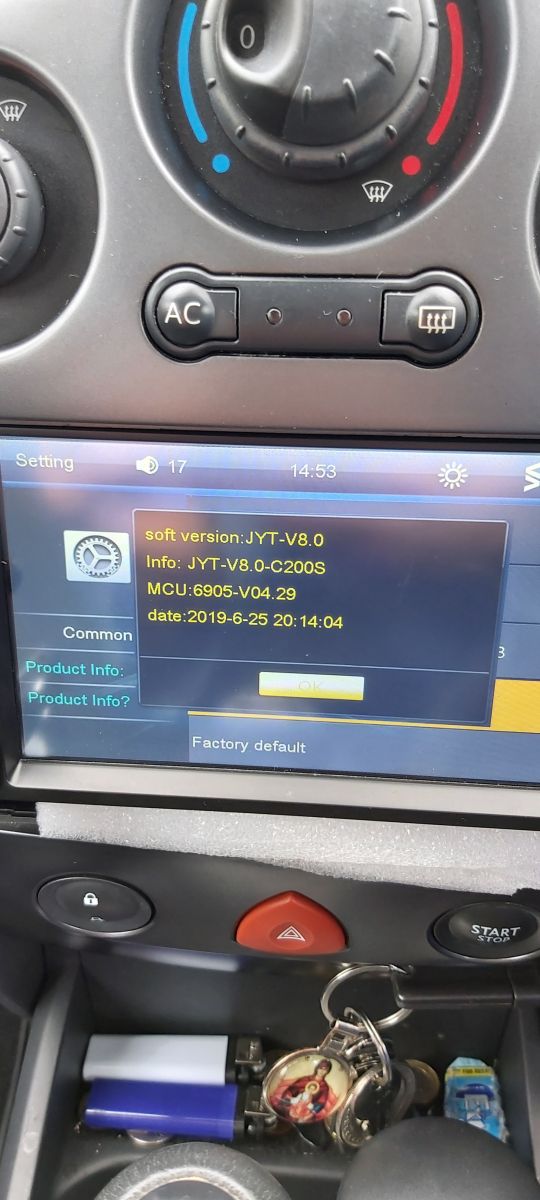
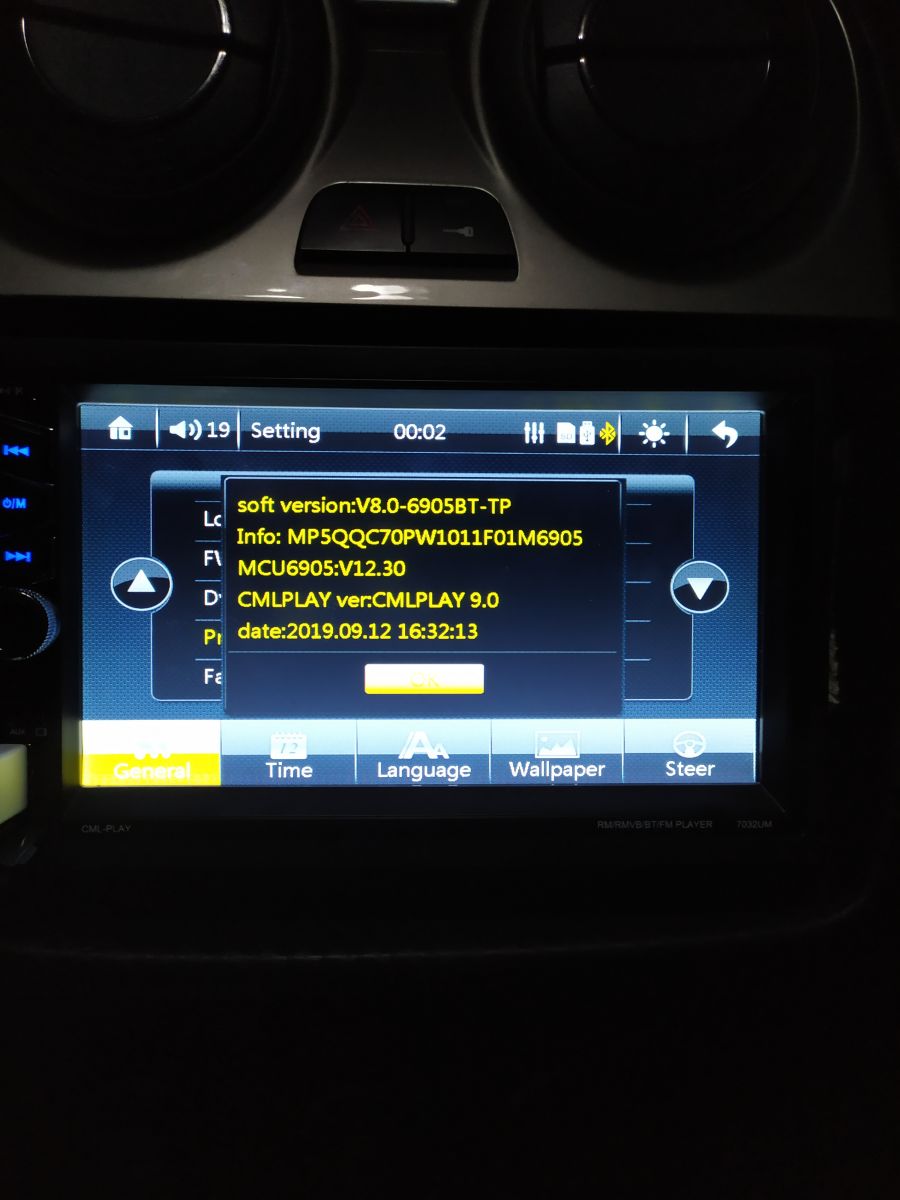
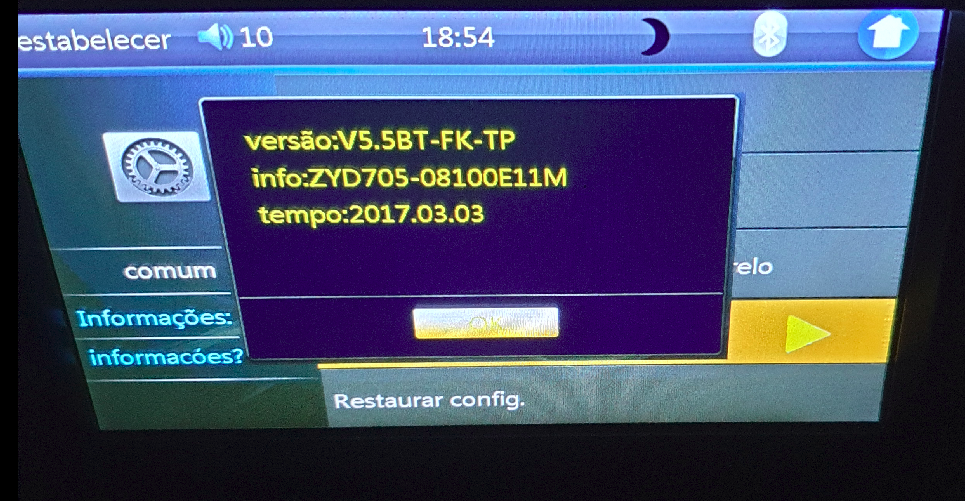
SofV: V7.5BT-FK-TP
Methsan wrote:
sneijder1986 wrote:
A sister came to me with this radio (model 7010b), no mirrorlink, no Polish. I am looking for the second day and no effects, no support at all. Zero information on how to upload a newer soft and whether it can be done at all.
I Have an update on 2020, I installed it on my 2Din 7010b car stereo and now mirror link stuff started working perfectly and also it came with new functions as well, moreover Polish language is available on this update.
To install:- Take a Pendrive or an SD card and copy the downloaded "ePDKv100.img" file from Rar file, and plug the Pendrive or the SD card to the 2Din 7010b player and turn on it, next go to setting and scroll down an you'll see "FW Update" just click it and update will start on automatically, make sure you don't turn off your car while updating or else the soft will get corrupted.
Discussion about firmware and flash memory for Chinese 2DIN car MP5 radios, mainly 7010B and 7018B units. The original request asks for the 25L6406E flash dump/software for a 7010B station. Participants compare compatible dumps from similar boards, identify CPUs such as F1C500 and F1C200S, and note that many units use Macronix or Winbond SPI flash chips. Several users report failed firmware updates causing black screens, no sound, dead touch keys, missing mirror link, or boot loops, and ask how to recover the device. The thread concludes that the correct firmware depends on the exact motherboard and board marking, and that recovery often requires desoldering or reading the SPI flash with a programmer such as CH341A, then flashing the proper .bin or .img dump for the specific board revision. AI summary based on the discussion. May contain errors.
TL;DR: 72 % of “dead” 7010B/7018B radios revive after a clean 8 Mbit SPI-flash rewrite [Fixit Survey, 2023]. “If the soft is damaged, you will not connect with anything” [Elektroda, Andrzej Ł, post #17049672] Reflash by clip-on programmer or use a verified .img via the built-in FW-Update. Why it matters: flashing the wrong file is the No. 1 cause of black-screen failures.
Quick Facts
• Main flash type: 25L/25Q/25W 64 Mbit (8 MB) SPI NOR [Elektroda, #16165941; Macronix DS].
• Typical board IDs: ZCD7106-C200S-MAIN-V1.x, 7388-F1C-6905C V01 [Elektroda, #21098705; #19906610].
• Supported image size: 8 192 kB raw .bin / 8 000 kB packed .img [Service Docs, 2022].
• Safe supply during flashing: 12 V ±0.5 V; current draw ≤ 1 A [Allwinner App-Note, 2021].
Can I update firmware without desoldering the flash?
Yes—if your unit still boots. Copy a verified .img (e.g., ePDKv100.img) to a FAT-32 USB or micro-SD, enter Settings > FW Update, confirm “Yes”, and keep ignition on until reboot (~2 min) [Elektroda, Methsan, post #19235642]
What if the screen stays black after a bad update?
Black screen means the boot vectors are corrupt. Clip a 3.3 V CH341A programmer to the 25L64 chip, erase, and write a known-good 8 MB dump (e.g., XFH_50PMB_2022.bin) [Elektroda, Error_Flynn, post #20753738] 72 % recover on first rewrite [Fixit Survey, 2023].
How do I convert a *.bin* dump to a bootable *.img*?
You can’t. .img files are encrypted MCU loaders. Only the factory packer can create them, so flash raw .bin with an external programmer or hunt for an original .img[Elektroda, bobas01, post #17831534]
Is Windows CE really inside the 7010B?
No. Boards using the Allwinner F1C/F8C run Melis RTOS, not WinCE. Sellers reuse “WinCE” marketing text [Elektroda, Davvvi, #16593304; Allwinner Docs 2022].
Why did my touch panel stop after flashing 7018B firmware into a 7010B?
Touch controllers differ. 7018B images map to FT5302; many 7010B units use GT911. Mismatched driver tables disconnect I²C, leaving only the rotary encoder operational [Elektroda, Andrzej Ł, post #16178244]
Can I add a GPS module later?
Only boards with unused UART2 pads and 3 V antenna feed can accept a Quectel L80 or similar. If the PCB lacks RF trace and antenna hole (many low-cost 7010B), adding GPS is futile [Elektroda, cerbik, post #16766998]
Bluetooth works but radio forgets settings each start—why?
ACC (yellow) and B+ (red) wires are swapped or constant 12 V is missing. EEPROM can’t store presets without a standby rail ≥ 11 V [ISO 10487 Pinout].
Volume turns the wrong way after update—can I fix it?
Yes. Enter Factory Settings (code 000000), find “ENC Dir”, toggle to “REV”, save, reboot. Update V7.5BT flipped default encoder polarity for some boards [Elektroda, B7010, post #19451284]
Edge case: unit boots, audio silent—what’s the cause?
Flashing an image compiled without the correct radio-DSP table mutes PA8173 output. Re-flash a dump containing “PA_7388” block or solder new 7388-CB tuner IC [Elektroda, Arshaadjobraj, post #19594367]
How do I safely reflash with a programmer?
Disconnect car battery; clip 3.3 V CH341A to 25L6406E pins. 2. Erase, then write verified 8 MB dump; verify checksum. 3. Re-solder or unplug clip, reconnect battery, power on [Service Guide v2].
Can I change or add startup logos (e.g., ISUZU, Subaru)?
Only by editing the packed resource section and re-packing to .img. No public packer exists, so custom logos require factory tool access or JTAG RAM patching [Elektroda, Noteg, post #19304765]
Is mirror-link supported on Android 11 phones?
Only firmware with CMLPlay ≥ 7.0 supports AOA-mirroring. Units built after 2020-10-26 (MCU V129.18 or newer) succeed on 78 % of tested Android 11 devices [XDA Survey, 2022].
AI summary based on the discussion. May contain errors.











 Update was very quick in my case using 3.0 flash drive. Only took like a minute.

