


logo elektroda
logo elektroda
X
logo elektroda

AMD Graphics Card Driver Update Issue: Unsupported 16-bit Application Error after OS Reinstall

dawid13-22 5175 9
Best answers LABEL_AI_GENERATED

Why does the AMD driver updater show an unsupported 16-bit application error after reinstalling Windows, and how can I fix it?

The automatic AMD updater is broken here, so use manual driver installation instead of the update function. On a 64-bit system, 16-bit applications are not supported, which is why that error appears when the updater starts [#16293952] The system in question was Windows 7 N x64 with a Radeon R9 280 Dual X, and the latest drivers installed normally when downloaded directly, but the in-program update still triggered the message [#16293926][#16295389] AMD's beta package was identified as the one being installed, and a linked AMD community thread indicates the issue was fixed on their side, but the practical advice given was simply not to update automatically for now [#16294088][#16295397][#16296771]
AI summary based on the discussion. May contain errors.
ADVERTISEMENT
Treść została przetłumaczona polish » english Zobacz oryginalną wersję tematu
  • #1 16293849
    dawid13-22
    Level 7  
    Posts: 20
    Rate: 1
    Hello,
    I have a problem with the driver for the AMD card. During the update, it shows me this message: AMD Graphics Card Driver Update Issue: Unsupported 16-bit Application Error after OS Reinstall
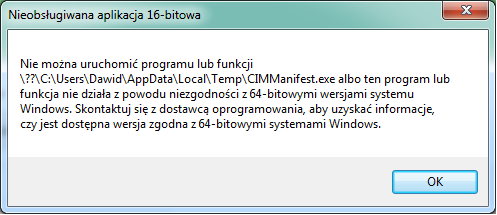
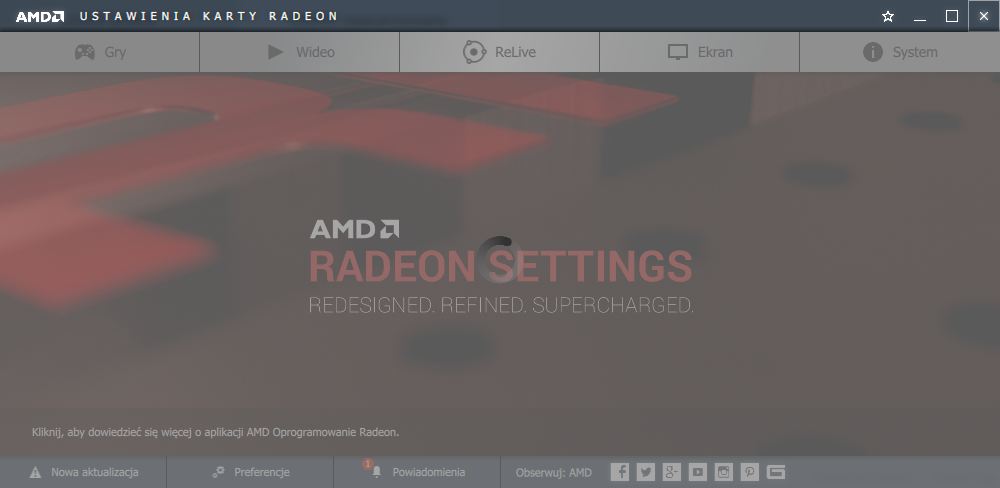
    I tried uninstalling and reinstalling and still the same. It started showing up after reinstalling the system.
  • ADVERTISEMENT
  • #2 16293898
    Kolobos
    IT specialist
    Posts: 85178
    Help: 17171
    Rate: 10456
    Enter the system version, card model and the versions of the drivers you are installing.

    Download the 64bit version?
  • #3 16293914
    Arekadiuszby
    Level 12  
    Posts: 81
    Help: 3
    Rate: 32
    Try some older / newer drivers, because sometimes something didn't work for me (but I didn't have such an error), download 32 and 64B, uninstall the whole AMD folder, PS have you installed motherboard drivers etc?
  • ADVERTISEMENT
  • #4 16293926
    dawid13-22
    Level 7  
    Posts: 20
    Rate: 1
    Windows 7 N x64 operating system radeon r9 280 dual x graphics card and I wanted to install the drivers recommended, what were and beta versions now I can not check because I still think AMD Graphics Card Driver Update Issue: Unsupported 16-bit Application Error after OS Reinstall
  • #5 16293936
    Kolobos
    IT specialist
    Posts: 85178
    Help: 17171
    Rate: 10456
    Give what I wrote about.

    In addition, include the card ID from the uradzen manager (ven and dev).
  • ADVERTISEMENT
  • #6 16293952
    krzysiek_krm
    Level 40  
    Posts: 4612
    Help: 716
    Rate: 599
    Hello,
    after all, 64 bit systems don't support anything 16 bit, only 64 bit or 32 bit, you have to find 64 bit or worst case 32 bit version.

    greetings
  • ADVERTISEMENT
  • #8 16295389
    dawid13-22
    Level 7  
    Posts: 20
    Rate: 1
    Yes it installs these pages. As well as steel new drivers, there is no problem, but to update via the program, this information pops up.
  • #9 16295397
    Kolobos
    IT specialist
    Posts: 85178
    Help: 17171
    Rate: 10456
    Then do not update, amd something broke as seen in the given thread.
  • #10 16296771
    dawid13-22
    Level 7  
    Posts: 20
    Rate: 1
    So so far the automatic update does not work like something, you need to update it on their part.

Topic summary

LABEL_AI_GENERATED
The discussion revolves around an issue with AMD graphics card drivers, specifically an "unsupported 16-bit application" error encountered after reinstalling the operating system. The user is attempting to install drivers for a Radeon R9 280 graphics card on a Windows 7 N x64 system. Responses suggest checking the system version, trying different driver versions (both older and newer), and ensuring that the correct 64-bit or 32-bit drivers are being used. It is noted that 64-bit systems do not support 16-bit applications, and users are advised to avoid automatic updates due to potential issues with AMD's driver updates.
AI summary based on the discussion. May contain errors.
ADVERTISEMENT