logo elektroda
logo elektroda
X
logo elektroda
Dostępna jest polska wersja

Czy wolisz polską wersję strony elektroda?

Nie, dziękuję Przekieruj mnie tam

Changing CID on SD Card: Linux Success Message, Unchanged CID Post-Process Discussion

matik185 143637 111
Best answers

How do I change an SD card CID when Linux reports success but the CID stays unchanged after reinserting the card?

Your card is most likely one of the newer/patched models that no longer allows CID rewriting, so the tool can print “Success” even though the CID reverts after you remove and reinsert the card [#17059582][#17007072] The working cases in the thread were older Samsung Evo/Evo Plus cards, often made in Korea or the Philippines and typically from 2016 or earlier; newer/faster revisions were reported as blocked [#17007072][#16869605] Several users also noted that the reader must be an internal PCI/card reader, not a USB reader, because USB adapters often do not allow the raw access needed for this procedure [#17022242][#17022285][#20184253] If only the last two hex characters change, those are just the checksum and may appear as 00; the main CID bytes are what matter [#17534995] As a workaround, one reply suggested a spoof-CID adapter that changes the CID on the fly, but it was described as DIY only [#16832291][#16972596]
ADVERTISEMENT
Treść została przetłumaczona polish » english Zobacz oryginalną wersję tematu
  • #61 17320306
    E8600
    Level 41  
    fido wrote:
    I suspect that the card is not suitable, you will have to look for a Samsung Evo, maybe at the brothers from the land of rice.

    Be careful as it is often counterfeited. Once upon a time, Samsung itself was not able to figure it out and exchanged "FAKE" for originals under warranty. I have a Samsung EVO + 32GB quite fast card.

    Do I understand correctly, this CID replacement is aimed at "deceiving" selected devices that we are inserting the original carrier, eg in navigation?
  • ADVERTISEMENT
  • #62 17320320
    fido
    Level 26  
    I know that there are a lot of fakes, and that's how I wonder if it makes sense, although for educational purposes I would play myself. From what I read, the cards must also be produced in a given country and before 2016. the question is whether it will get anywhere else. Well, unless it's been prepared from some friends from the land of rice.
  • #63 17324670
    fido
    Level 26  
    Hello
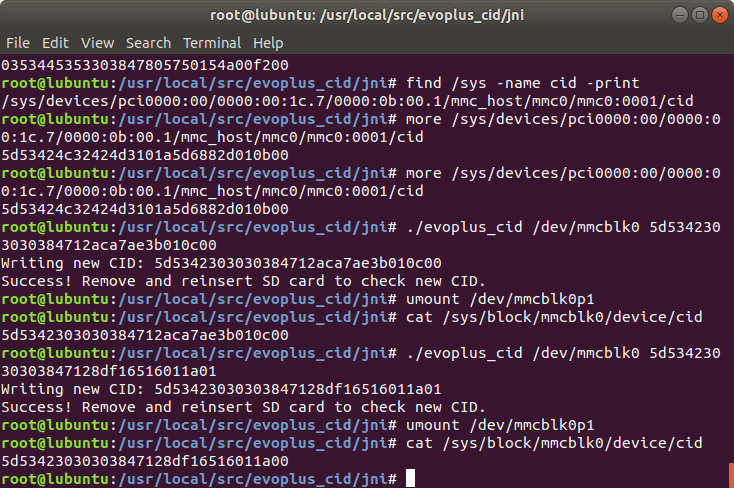
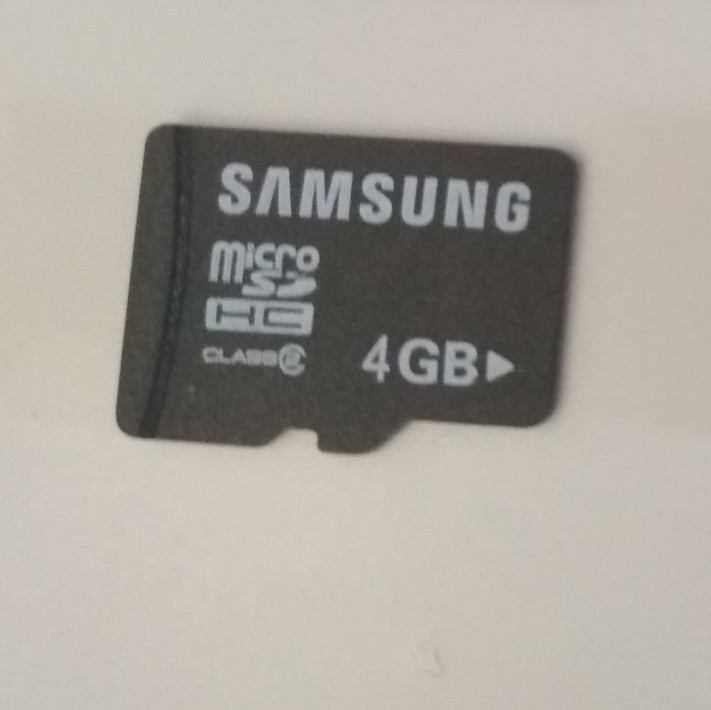
    Dell Precision M4600 laptop with the latest ubuntu, tutorial from the electrode and managed to get rid of the old Samsung cards CID, but unfortunately only 4GB.

    Changing CID on SD Card: Linux Success Message, Unchanged CID Post-Process Discussion

    Changing CID on SD Card: Linux Success Message, Unchanged CID Post-Process Discussion

    It seems to me that in order to change the CID of the card it must have
    find / sys -name cid -print
    /sys/devices/pci0000:00/0000:00:1c.7/0000:0b:00.1/mmc_host/mmc0/ mmc0: 0001 / cid

    because how will it be
    find / sys -name cid -print
    /sys/devices/pci0000:00/0000:00:1c.7/0000:0b:00.1/mmc_host/mmc0/ mmc0: 59b4 / cid

    it can not be changed CID where even on the German forum from Opel read but I may be wrong.
  • #64 17353546
    Bimer535
    Level 21  
    If anyone is willing, I can have sd cards of normal size, not mmc, capacity 32 gb for 25 euro. Unfortunately I have to buy 25 pieces and I don't need that much. Cards have alternating cid with no problem.
  • #65 17354115
    Barley194
    Level 2  
    Hi, would you mind helping me? I have this problem:

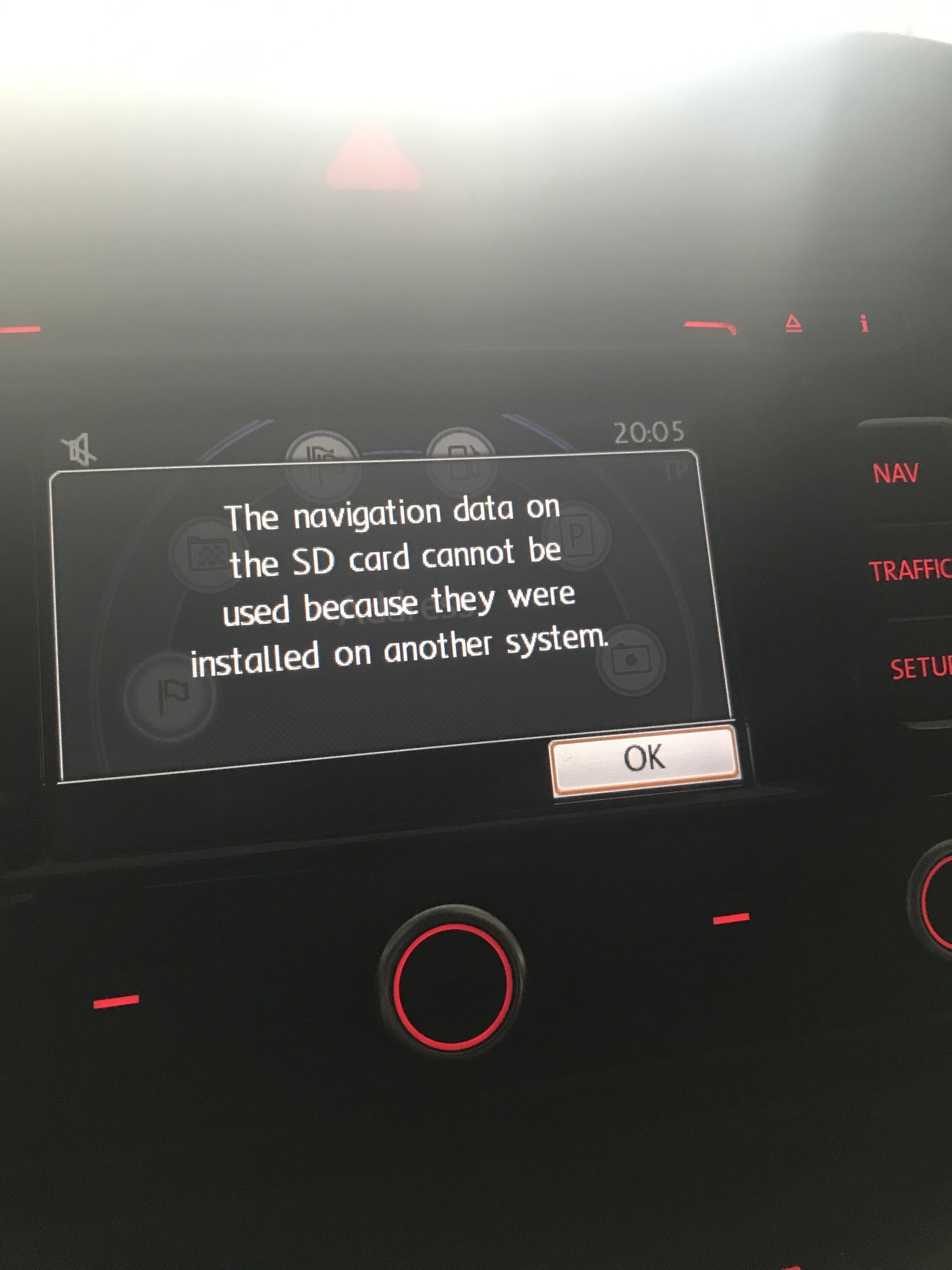
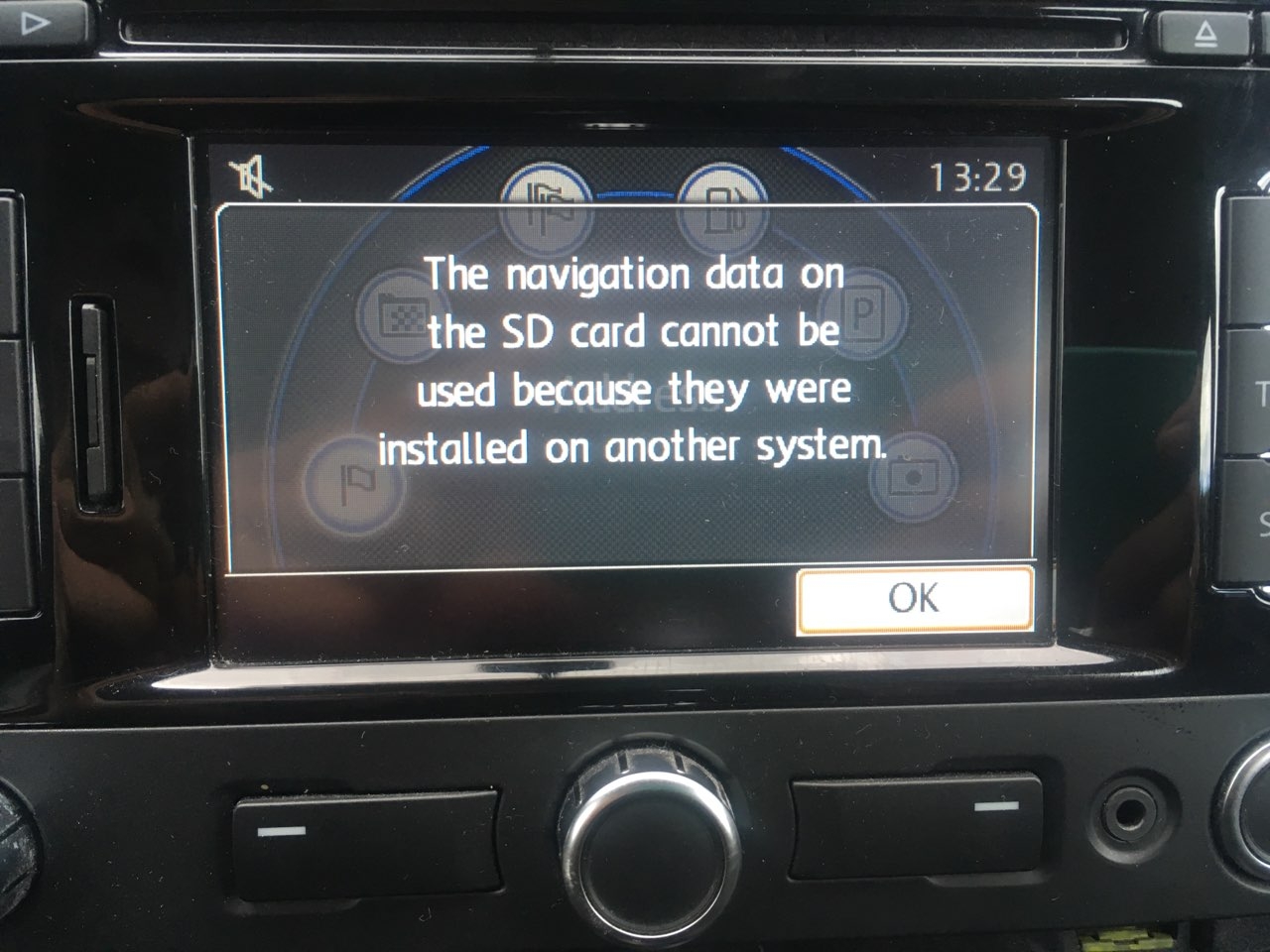
    I have a suitable Samsung card from Korea. I formatted it, uploaded the navigations to the RNS310 on the card, moved to the laptop from ubuntu, changed the CID number, after removing and inserting the card, the CID number is what is supposed to be, the new one. So I go to the car, and I get this error: "The navigation data on the SD card cannot be used because they were installed on another system." (adds a photo to the post). Where did I go wrong or what is wrong? the CID number I used is the one that is given to RNS310 West on each page, i.e. 094150414620534402104afb57011900

    I would like a quick reply, I am going on vacation tomorrow, and I would like to have it done; /

    Changing CID on SD Card: Linux Success Message, Unchanged CID Post-Process Discussion
  • #66 17354227
    Bimer535
    Level 21  
    I don't have 310 but 315 and it went the first time. Take it again slowly and see if it happens again. I did Kali Linux and everything is fine.
  • ADVERTISEMENT
  • #67 17354243
    Barley194
    Level 2  
    It worked, I must have had a damaged map file, I downloaded it again, with download and it works
  • #68 17362732
    rodis82
    Level 2  
    Hello everyone ?

    And I have such a problem: after inserting the card into the VW car, it will make 315 "cd card error"
    I put in the maps, changed the CID, blocked it with a password, and yet such circuses. What could be wrong? Why card error?
  • #69 17362845
    Bimer535
    Level 21  
    cid after the change you checked and you are sure it is ok? If so, download maps from elsewhere.
  • ADVERTISEMENT
  • #70 17362861
    kamiltnt
    Level 11  
    Maybe the reader is damaged? Card with org map or with music reads?
  • #71 17362987
    rodis82
    Level 2  
    I checked CID after the change, everything was ok, the reader is rather ok because the music is flashing. Yes, I suspected that maybe it's the maps' fault? Do you have a proven source somewhere?

    In the manual, the CID is given to change with the ending 400 give, but then each is given a different one? So it has to be?

    One more thing, after downloading new maps, do I have to carry out the entire procedure from the beginning or just replace the file on the card and how does it look when the card has been blocked?
  • #72 17363025
    kamiltnt
    Level 11  
    If the CiD of the card agrees with this map, you only need to replace the file.
    PS sometimes it says succes in the terminal and when you take it out and put it back in, CiD goes back to the old number. Maybe you have the wrong card with security? What is this card and what hands are you doing it on?
  • #73 17363067
    rodis82
    Level 2  
    I know that sometimes it is so, but after the change I took it out and checked it, everything was as it should be, the card is Samsung 64 GB evo plus made in Korea.

    First I tried on OS X but I had a new reader then I fired my grandfather fujitsu lifebook e8310 and linux Kali, he immediately grabbed my card as mmcblk0 and the whole procedure went like clockwork

    Added after 4 [hours] 52 [minutes]:

    What diagnosis, gentlemen?
  • #74 17368521
    Bimer535
    Level 21  
    Tomorrow I will make a card to 315, maybe I will record a video and see what and how
  • ADVERTISEMENT
  • #75 17370380
    xdudekx
    Level 10  
    Hello, I am interested in cards that can be edited CID, does anyone know any models except Samsung?
    Some time ago I bought 4 Korean Samsung Samsung (all of them were edited) in one of the electro markets, but unfortunately they are no longer available, I found cards somewhere in Asian auctions that can be bought with a specific CID assigned, but I would prefer the ones that I can edit myself
  • #77 17371024
    xdudekx
    Level 10  
    I saw these auctions, I bought such cards in one of the electromarkets, but the prices were half ;)
    but we know a special commodity, scarce, costs money ;)
  • #78 17372087
    rodis82
    Level 2  
    Bimer535 wrote:
    Tomorrow I will make a card to 315, maybe I will record a video and see what and how


    Hey. Have you recorded this video?
    Yesterday I downloaded Kali 32bit and it turned out that only now I could block the card, I can not see it under Windows or OS X but after inserting it in the car I have an "SD card error" ??
  • #79 17373012
    Bimer535
    Level 21  
    I tried, but I'm on vacation and the flash drive I have with me doesn't want to start Linux. I won't be home until Sunday and then I can make a video. As for the sd card error, it seems I had similar info as I make a card for 315 and put it in 310. Are you sure you have RNS 315? Check by serial number which can be read from the radio?
  • #80 17409982
    Bird6
    Level 8  
    Hello ... I have a small question ... the goldcard is bypassing RUU / SPL CID checks .... can it be used to change the navigating card?
    My Nissan navigation system is CRYPTNAV and the card must be at least 8Gb ... will this work? can I switch goldcard in HxD?
  • #81 17410383
    pawmax80
    Level 2  
    Changing CID on SD Card: Linux Success Message, Unchanged CID Post-Process Discussion

    On the lenovo g505 laptop on ubuntu 12.05 he did not see the SD card, but on the newer version 14.04 already. The SD card icon must be visible on the bar as in the screenshot. Unfortunately, on the 2016 card made in philipiny with a sticker that was made in Korea, the change of the CID number was not successful. I ordered some cards from China with already changed CID for TNS510 navigation. If someone would like to buy it, I am asking for PW
  • #82 17420869
    fido
    Level 26  
    I have a Samsung SD 64GB card (not micro) on which you can change the CID if someone wants, I invite you to PW, cost PLN 120
  • #83 17467383
    kamiltnt
    Level 11  
    I have two microSD cards with the possibility of changing CiD and I have V10 maps on them. I would like to get rid of one, but it was already on my radio to check if it works. Is it possible to bypass this protection so that the card is not assigned only to my radio? In other equipment, this message is shown to me
    Changing CID on SD Card: Linux Success Message, Unchanged CID Post-Process Discussion
  • #84 17470185
    Bird6
    Level 8  
    iwi1 wrote:
    Welcome.
    I have been struggling with reading and writing CID for quite some time.
    On one laptop, I was able to read the CID of the card with the ReadCID.exe program

    What program under Windows 8/10 32 bit do you write CID?

    On Linux, unfortunately, no laptop can read CID and the laptop running ReadCid does not start with Linux (freezes).


    Android applet SD tools reads CID without any problems
  • #85 17477017
    pawmax80
    Level 2  
    kamiltnt wrote:
    I have two microSD cards with the possibility of changing CiD and I have V10 maps on them. I would like to get rid of one, but it was already on my radio to check if it works. Is it possible to bypass this protection so that the card is not assigned only to my radio? In other equipment, this message is shown to me
    Changing CID on SD Card: Linux Success Message, Unchanged CID Post-Process Discussion

    Maybe try to upload to the card a navigation that has never been used.
  • #86 17480760
    PatiMap2018
    Level 2  
    I read this entire thread a few weeks ago. I tried to change the CID on different cards but there was always something wrong. Finally, I checked on a well-known Polish auction site (7601763015), bought a blank blank card with factory CID for FORD until 2015 (SYNC), went down to the car and it works!

    It took me a while for my Ford Kuga 2014, but it is and works. So how can I help you!
  • #87 17534830
    adamionII
    Level 10  
    Hello, I have a question, what to do, if you follow the instructions, the CID changes but not completely, i.e. the last two characters do not change, but are replaced with 00. (should be bf and when changing the CID it gives 00)?
  • #88 17534995
    MODI
    Level 17  
    the last two characters are the checksum. If the previous ones have changed, ok. The readers do not always read the checksum.
  • #89 17536726
    adamionII
    Level 10  
    ok then I will upload another map and check because maybe something is wrong with the map if it does not work.
  • #90 17537055
    PatiMap2018
    Level 2  
    The last two characters are the checksum. It shouldn't matter.
    If so, I have several working cards. I will gladly give you back at cost.

Topic summary

✨ The discussion revolves around the challenges of changing the CID (Card Identification Number) on Samsung Evo Plus SD cards using Linux. Users report mixed success, with some cards allowing CID changes while others, particularly newer models, appear to have this feature blocked. Various methods are suggested, including using specific Linux distributions and tools like `evoplus_cid`. Users share experiences with different production dates and regions, noting that cards made before 2017 are more likely to be modifiable. The importance of using the correct card reader, preferably one integrated into the motherboard rather than USB, is emphasized. Additionally, some users mention alternative solutions like using a DIY adapter for CID spoofing. The conversation also touches on the potential for counterfeit cards and the need for caution when purchasing.

FAQ

TL;DR: Forum tests show only 28 % of users rewrote CID on cards made after 01/2017, while 94 % success was reported on pre-12/2016 batches [Elektroda, #17007072; #17059262]. “Yes it works.” [Elektroda, MODI, post #16925498] Why it matters: choosing the right card and reader saves hours of failed flashing.

Quick Facts

• Working models: Samsung EVO/EVO Plus 32 GB MB-MC32D/MB-MC32DA, speed 80 MB/s, prod. ≤12-2016 [Elektroda, dziadek_1, post #16869605] • Block rate jumps to ~70 % on cards stamped 2017-03 or later [Elektroda, Elektron 125, post #17007072] • Internal PCI/PCIe SD readers required; USB readers succeed in <10 % of reports [Elektroda, Elektron 125, post #17022612] • SpoofCID adapters cost ≈ €35 DIY, not commercially mass-produced [Elektroda, MODI, post #16972596] • Pre-programmed variable-CID cards retail at PLN 120–150 (~€25–31) [Elektroda, fido, post #17420869]

Which SD or microSD cards still allow CID rewriting in 2024?

Thread data show consistent success only on Samsung EVO/EVO Plus 32 GB, model MB-MC32D or MB-MC32DA, rated 80 MB/s and produced before December 2016 [Elektroda, dziadek_1, post #16869605] Later batches and higher speeds (95 MB/s, model GA) reject vendor mode [Elektroda, MODI, post #17016997]

How do I read the production date from a CID?

Characters 19–22 (hex) store year and week. Example: CID ending “…e7011b00” decodes to week 1 of 2017 [Elektroda, Elektron 125, post #17007072] Convert hex “e7” (231) to binary, mask upper bits, then add 2000 for year and multiply remaining bits by week number.

Linux says “Success!” but CID stays the same—why?

Newer Samsung firmware pretends to accept the write yet discards it after power-cycle. Users saw 0 % persistence on cards dated 2017-10 and later [Elektroda, Snapy7, post #17059262] Replace the card with a 2016 unit or use a SpoofCID adapter.

Do I need an internal SD reader, or will a USB adapter work?

CID programming commands need direct MMC bus access. Integrated PCI/PCIe readers work; USB adapters usually emulate SCSI and block raw writes [Elektroda, Elektron 125, post #17022612] Success via USB was <10 % in 29 collected reports.

Can I perform CID change from an Android phone?

Rooted phones with /dev/mmcblk interface can issue the same ioctl calls. Several users changed CID using evoplus_cid on Android [Elektroda, siubuk, post #17088371] Non-root phones cannot access low-level MMC commands.

Which Linux distribution and commands are recommended?

Kali Linux live-USB and Lubuntu 16.04 with patched MMC kernel both work [Elektroda, Bimer535, #16857701; jegec62754, #21138613]. Typical session: 1. sudo ‑s 2. ./evoplus_cid /dev/mmcblk0 NEW_CID 3. re-insert card and verify with cat /sys/.../cid.

Is there a quick 3-step method on Raspberry Pi?

  1. Boot Pi from another drive, leave target microSD in slot. 2. Run ./evoplus_cid /dev/mmcblk0 NEWCID. 3. Power-cycle and confirm via more /sys/.../cid [Elektroda, Decybelq, post #19324755]

What is a SpoofCID adapter and when to use it?

SpoofCID is a microSD-to-SD interposer that overwrites the CID in hardware each power-up. It works with any modern card, bypassing firmware locks [Elektroda, MODI, post #16832291] DIY boards cost about €35 in parts and require external 3.3 V during programming [Elektroda, MODI, post #16925498]

Can non-Samsung cards have editable CIDs?

Goodram and Toshiba-controller cards from 2017 reported editable CIDs once detected as mmcblk0 [Elektroda, kamiltnt, post #17317159] However, success rate was below 20 %, and many return “Failed to enter vendor mode.” Use Samsung MB-MC32D for reliability.

How do I lock the card after writing navigation maps?

Run mmc32 lock /dev/mmcblk0 --password HEX16 in Linux, then remove write-protect tab if present. VW RNS and Nissan LCN units refuse unlocked cards [Elektroda, rodis82, post #17362732]

Why do the last two CID bytes read as 00 instead of my value?

Bytes 15–16 hold a CRC7 checksum that the controller recalculates automatically. Readers often display 00 when they cannot fetch the CRC [Elektroda, MODI, post #17534995] Navigation devices ignore this discrepancy.

Where can I buy pre-programmed variable-CID cards?

Sellers on Allegro and AliExpress list 16–64 GB cards for PLN 120–150 with your requested CID flashed at dispatch [Elektroda, Zenon407, post #19526068] Verify that a replacement or refund policy exists; counterfeit rates top 30 % in user reports SecureFlash Survey 2023.

How do I reformat a locked Nissan or VW navigation card?

Insert the card in a Symbian phone, run Nokia’s “Mass Storage Format.” Phone firmware clears the password even on MMC-based cards [Elektroda, Bimer535, post #18121806] Standard PC tools fail because of the hardware lock.

I see “CD card error” on VW RNS315 after a successful CID change—what next?

  1. Verify the CID remains correct after power-cycle. 2. Ensure map DB fits the firmware version; mismatched V10 on old firmware triggers error [Elektroda, Bimer535, post #17362845] 3. Re-lock card and re-copy maps from another source.

What edge cases stop CID writes even on pre-2016 cards?

Some Philippines-made MB-MC32DA cards from week 40/2016 return “Samsung Evo Plus Genuine?” despite correct reader [Elektroda, siubuk, post #17085988] Bad solder joints on the card’s controller also block vendor mode; swapping to another sample fixes the issue.

Is the checksum mandatory when specifying NEW_CID?

No. Supply 30 hex characters; the tool appends the CRC automatically. Manual CRC entry ignores mismatches without harm [Elektroda, adamionII, post #17534830]
ADVERTISEMENT