logo elektroda
logo elektroda
X
logo elektroda

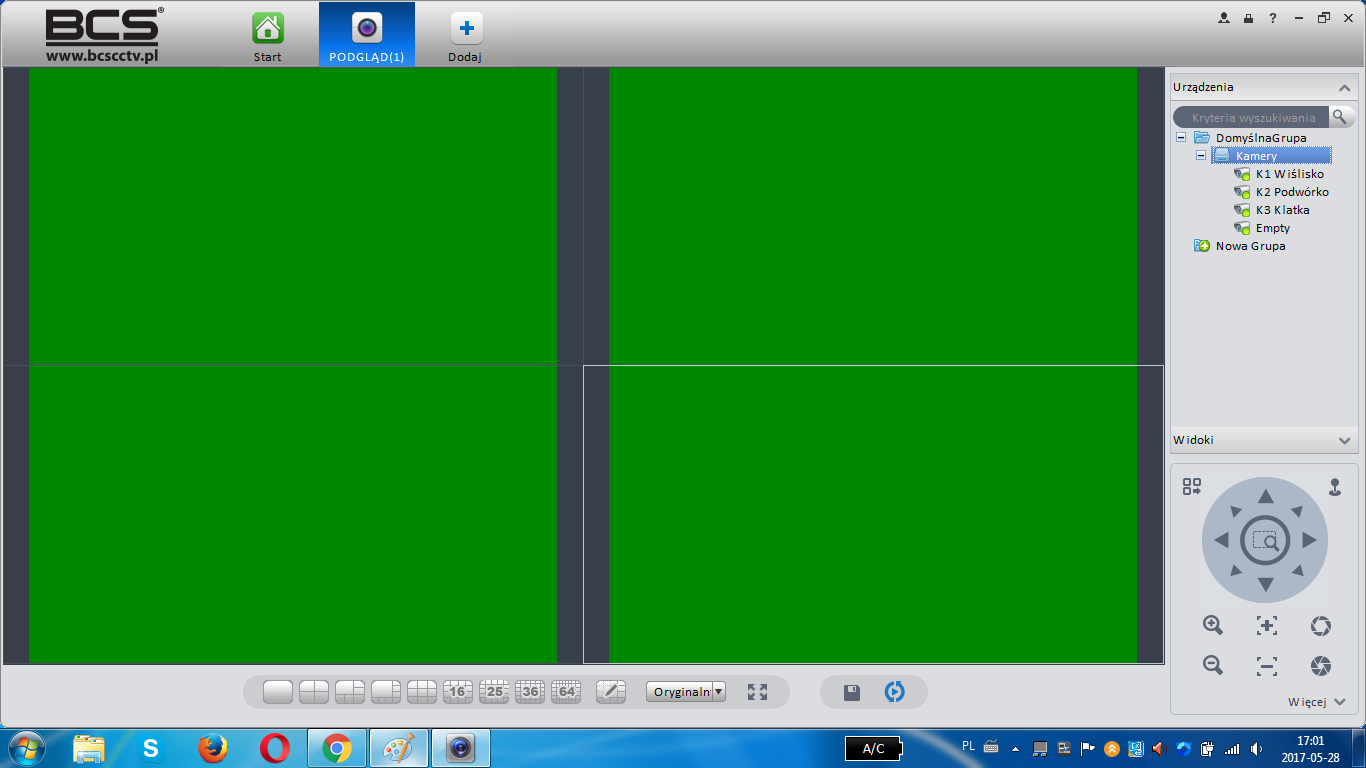
Smart PSS program on a laptop instead of previewing the camera image green image

gustaw85 7149 12
ADVERTISEMENT
Treść została przetłumaczona polish » english Zobacz oryginalną wersję tematu
  • #1 16515169
    gustaw85
    Level 8  
    Posts: 26
    Rate: 2
    Hello. I have a problem on my laptop with the Smart PSS program. The Windows 7 64 operating system. Instead of viewing live camera images or previewing recordings, instead of image from cameras there is only a static green image, such as green screen. This program worked for some time on this laptop. Image preview on another computer, another laptop and in the BCS Viewer Lite mobile application everything works without any problem. I am asking for help and support. best regards
    Smart PSS program on a laptop instead of previewing the camera image green image
  • ADVERTISEMENT
  • #3 16516106
    marek216
    Level 43  
    Posts: 17983
    Help: 1076
    Rate: 923
    It probably won't help.
    There can be several problems: from the firmware of the recorder to the conflict between PSS and graphics card drivers.
    I struggled with such a problem with the HQvision recorder.
    So you worked with the problem on the side of the recorder we reject - it remains to check the drivers of graphics.
  • ADVERTISEMENT
  • #4 16516437
    gustaw85
    Level 8  
    Posts: 26
    Rate: 2
    Hello. Thank you very much for the hints and technical support. It is possible that the problem is with the graphics card drivers. Some time ago I updated them using nVidia GeForce Experience. I also switched the graphics card in the laptop from an integrated Intel to an external nVidia. Maybe here lies the reason for this technical problem with a preview ??
  • #5 16518151
    rdt
    Level 25  
    Posts: 789
    Help: 29
    Rate: 38
    so the problem is in codecs but i never had it on 7 do you have homa or prof ??
    I had such problems quite often during service exchanges.
    Try changing the resolution.
    In any case, switching to 7 (PROF) helped. I have 7 codec that once helped me if you want I can insert.

    Provide info on what resolution you work - if it is a small 16x9 laptop, I would not agree there, too - the transition to a standard resolution helped - as part of the VGA laptop test, connect the monitor - add a screen to the second one or display as basic
  • #7 16518225
    raffin
    Level 25  
    Posts: 588
    Help: 86
    Rate: 109
    Graphics card codec
  • ADVERTISEMENT
  • #9 16520779
    gustaw85
    Level 8  
    Posts: 26
    Rate: 2
    Hello. Thank you for suggestions and hints. The operating system is Windows 7 64 Home Premium. Changing the resolution to a lower one did not cause any change in the operation of the program in the camera preview. Is the codec from the graphics the same as the driver ?? Why only on this laptop this codec caused the program to crash ?? How does it affect the operation of this program, since all other games and applications work without a problem ?? best regards
  • ADVERTISEMENT
  • #11 16521258
    treborsz
    Industrial cameras specialist
    Posts: 937
    Help: 124
    Rate: 237
    gustaw85 wrote:
    Is the codec from the graphics the same as the driver ??
    Codec and driver are two different things. of thumb:
    - the codec is used to decode the video / audio data stream so that it is displayed correctly (e.g., reproduced in Windows);
    - the driver is responsible for the correct operation of the device in the system (e.g. graphic card operation in a computer operating in the Windows environment).
  • #12 16529618
    gustaw85
    Level 8  
    Posts: 26
    Rate: 2
    Sorry for the question, but how do you install these codecs for Windows 7 64 bit ??
  • #13 16529984
    wexors
    Level 19  
    Posts: 303
    Help: 22
    Rate: 39
    gustaw85 wrote:
    Sorry for the question, but how do you install these codecs for Windows 7 64 bit ??


    type in google K-lite Codec pack 64 choose from which page you want to download it
    e.g. such

    https://www.dobreprogramy.pl/KLite-Codec-Pack,Program,Windows,13137.html

    or such
    [url=]http://aopdg.com/klcp/9.9.9/x64[/url]


    It installs like a regular program.

Topic summary

✨ The user is experiencing a problem with the Smart PSS program on a Windows 7 64-bit laptop, where instead of live camera images, only a static green screen is displayed. The program previously functioned correctly on this laptop, and the camera preview works on other devices and applications. Suggestions from the community include uninstalling the old version of Smart PSS and installing the latest version, checking graphics card drivers, and considering codec issues. The user has updated their graphics drivers via nVidia GeForce Experience and switched from an integrated Intel graphics card to an external nVidia card. Further recommendations include changing display resolution and installing the K-Lite Codec Pack to resolve potential codec conflicts.
Generated by the language model.
ADVERTISEMENT