FAQ
TL;DR: If your Huawei B593s-12 on Play only loads Facebook/Google, you may have crossed a policy threshold (100GB)—"100GB guaranteed, then 1 Mb/s." Re‑seat the SIM, test the SIM in a phone, and check Play24 usage. [Elektroda, matek451, post #16632082]
Why it matters: This FAQ helps Play/Huawei users quickly diagnose selective internet access and restore full browsing.
Quick Facts
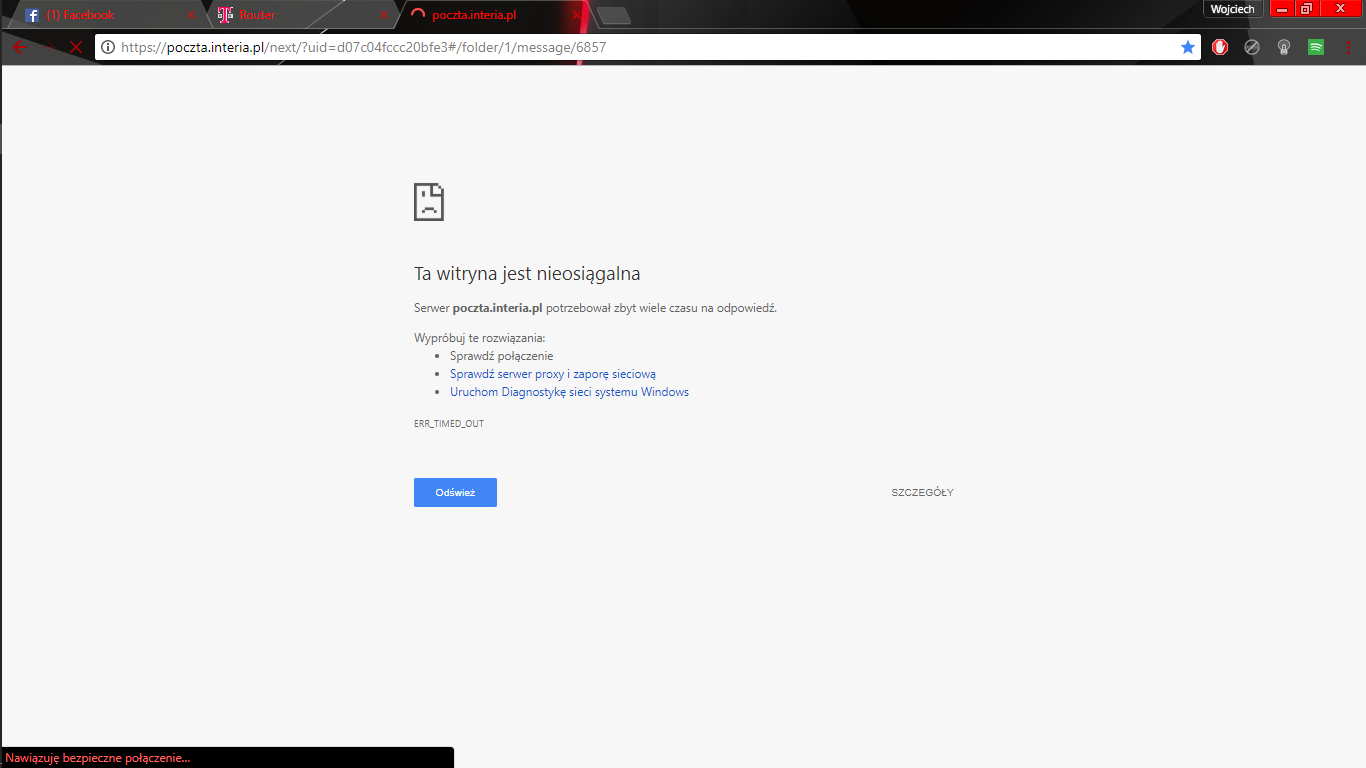
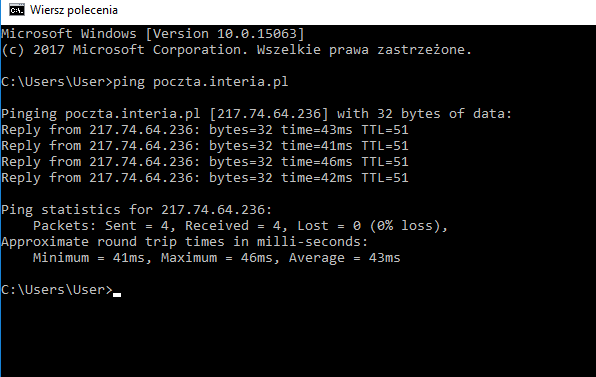
- Symptom pattern: only Facebook/Google work, pings succeed, other sites fail; lasted 4 days in one case. [Elektroda, wojtas5631, post #16630116]
- Play plans: 100GB at full speed, then 1 Mb/s; DIL on RBM5 can funnel at 2 Mb/s. [Elektroda, matek451, post #16632082]
- Proven fix: re-seating/cleaning the SIM restored normal browsing on B593s‑12. [Elektroda, wojtas5631, post #16631821]
- Intermittent outages happen; one report cleared after ~18:00 the same day. [Elektroda, wojtas5631, post #16632149]
- Fast triage: move SIM to a phone, run a speed test, and verify usage in Play24. [Elektroda, matek451, post #16631801]
Why do only Facebook and Google work on my Play mobile internet?
Zero‑rated social apps may bypass caps, so they keep working when the general data pool is exhausted. That looks like a partial internet outage, but it’s policy‑driven shaping. “Social media do not use the limit and work the same even when the data limit is completely exhausted.” Try other social platforms to confirm the pattern, then check your usage. [Elektroda, pawelr98, post #16632123]
Could this happen on an “unlimited” plan?
Yes. Unlimited often includes a high‑speed allowance and then slows traffic afterward. Billing cycles may not match calendar months, so a new month does not always reset limits. Verify your plan details and billing period before replacing hardware. [Elektroda, salmon, post #16630789]
What throttling should I expect on Play after using a lot of data?
Typical pattern: 100GB at full LTE speed, then a 1 Mb/s funnel on subscription. On DIL with RBM5, shaping can be 2 Mb/s. This still loads social apps, but complex sites and streams may struggle. “100GB guaranteed, then 1 Mb/s.” [Elektroda, matek451, post #16632082]
How do I tell if it’s the router or the network? (3‑step check)
- Put the Play SIM into a smartphone and browse the same sites.
- Run a speed test and note LTE/3G indicators (use Network Cell Info if available).
- Open Play24 to confirm data usage and plan status.
If the phone works, focus on router/SIM seating. [Elektroda, matek451, post #16631801]
Pings work but websites don’t. What does that mean?
It suggests routing, shaping, or MTU issues rather than a total disconnection. In one case, users could ping any site while only Facebook/Google loaded. That points to policy shaping or fragment issues, not loss of connectivity. Check plan usage, then test MTU and DNS. [Elektroda, wojtas5631, post #16630116]
Can a loose or dirty SIM really cause selective access?
Yes. Poor contacts can create unstable sessions that appear as partial access. One fix was simple: re‑seat the new SIM repeatedly to burnish contacts, then service fully returned. If a phone sometimes shows “no SIM,” clean and re‑insert before replacing hardware. [Elektroda, wojtas5631, post #16631821]
Which DNS settings should I try on the Huawei B593s‑12?
Set public resolvers such as 8.8.8.8 and 8.8.4.4 on the router or device, then reboot and retest. If resolution improves, keep them. If nothing changes, revert to automatic and continue with SIM and usage checks. DNS alone won’t bypass throttling. [Elektroda, gavron, post #16632192]
Could this be a temporary Play network issue?
Yes. One report showed total browsing returning shortly after 18:00 the same day without local changes. If your usage is fine and SIM tests pass, wait through the window and retry. Log the times to compare with billing or maintenance. [Elektroda, wojtas5631, post #16632149]
What subscription details should I verify first?
Confirm your billing cycle dates and the high‑speed allowance. Unlimited plans still enforce thresholds and cycles may not reset on the 1st. Check Play24 for usage and any speed‑reduction notices before buying a new modem or router. [Elektroda, salmon, post #16630789]
How do I test for MTU/fragment issues on this link?
Run a don’t‑fragment ping with a payload near 1100 bytes from a PC. For example, use “ping -f -l 1100 example.com.” If packets drop, lower the size until they pass, then adjust MTU in your router if supported. Re‑test browsing afterward. [Elektroda, salmon, post #16630789]
Only images in some apps work (e.g., Snapchat) but sites fail—why?
Media uploads may use different endpoints or CDNs that remain reachable under shaping, giving the impression of partial internet. One case reported Snapchat images and Instagram uploads working while normal sites failed. Confirm usage limits and test the SIM in a phone. [Elektroda, wojtas5631, post #16630116]
What is Play24 and why should I use it here?
Play24 is Play’s account self‑care portal/app. It shows plan details, billing period, data used, and add‑ons. Use it to confirm whether you crossed the 100GB threshold or if shaping is active before troubleshooting hardware or cabling. [Elektroda, matek451, post #16631801]
Does forcing LTE vs. 3G help when sites won’t load?
It can clarify whether the issue is radio‑specific. Check the router status to ensure LTE is active, then compare results on 3G. If both fail similarly, suspect plan limits or DNS. If LTE fails but 3G works, investigate LTE signal and MTU. [Elektroda, salmon, post #16630789]
What edge cases should I watch for before buying a new modem?
Look for SIM contact faults and intermittent SIM detection messages in phones. Reseating may resolve it. Track specific times of failure; one case recovered after 18:00, pointing to network timing rather than hardware. Replace gear only after these checks. [Elektroda, wojtas5631, post #16631821]
How long can selective access last if it’s plan‑related?
It can persist until the billing cycle resets or you purchase add‑ons. One user experienced four days of limited access where only specific services worked. Verifying usage and cycle dates can prevent repeated downtime. [Elektroda, wojtas5631, post #16630116]