FAQ
TL;DR: Build a small C# app for 1,000+ records; “I think that it would be best for me to write in C#.” [Elektroda, rudyroman, post #16674889]
Why it matters: You’ll get a fast, color-coded, one-click database tool your team can actually use.
Quick Facts
- Core fields to start: ID, name, measuring range, next inspection date; add print/export later as needed. [Elektroda, rudyroman, post #16674687]
- Desktop-first is fine for 1–2 users; add simple server storage for shared access. [Elektroda, Jawi_P, post #16674988]
- Web option: host the app on the server and use a WWW client (e.g., PHP). [Elektroda, Jawi_P, post #16674758]
- Fastest UI path: C# .NET WinForms gives quick tables, buttons, and easy DB hookup. [Elektroda, cjancik, post #16675125]
- Attach PDFs/XLS as BLOBs, though storing files on a server share may simplify backups. [Elektroda, tzok, post #16695945]
What’s the simplest stack to build a small searchable equipment database?
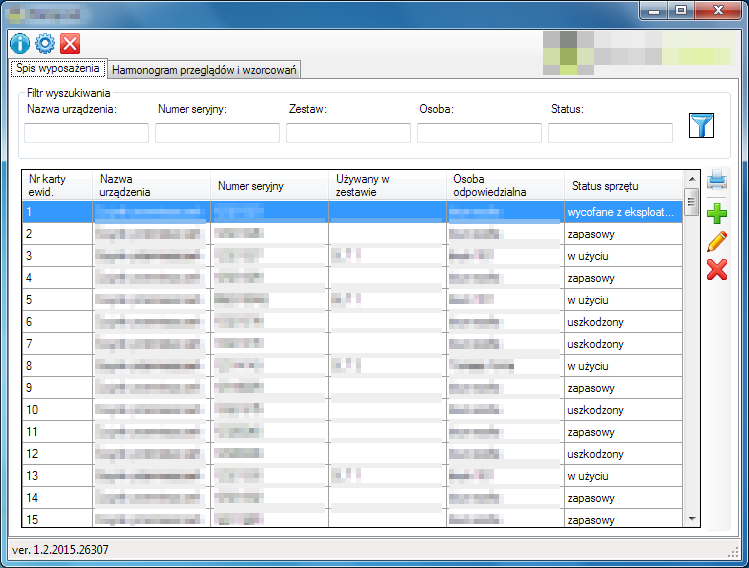
Use C# .NET with WinForms for the GUI and start with your existing Access or migrate to SQL Server. This stack gives quick tables, big buttons, and straightforward database connections. You can extend later with printing and new columns without rewriting the core. [Elektroda, cjancik, post #16675125]
Should I build desktop or web if a few people will use it?
For one or two users, a local desktop app stored on the company server works well. If you later need broader access, serve it via WWW to avoid distributing clients. “Access from any computer via WWW” sums it up for multi-user reach. [Elektroda, Jawi_P, post #16674988]
How do I color‑code upcoming reviews (green/yellow/red)?
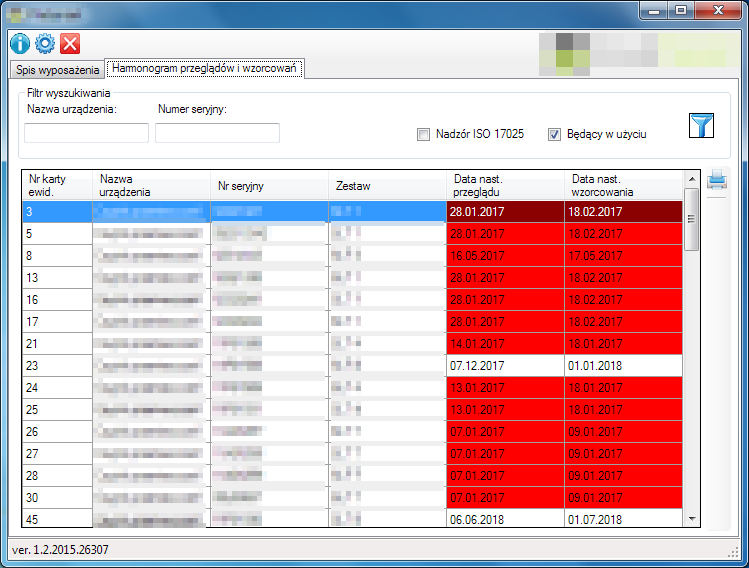
Define rules: green = OK, yellow = due this month, red = overdue. In your grid, compute status from the next inspection date and apply row styles or cell colors accordingly. Start with ID, name, measuring range, and next inspection date fields for filtering. [Elektroda, rudyroman, post #16674687]
What database engine fits this use case?
Begin with your current Access file if it’s already populated. If you outgrow it, move to Microsoft SQL Server and keep the same C# front end. SQL scales better and supports attachments and multi-user usage cleanly. [Elektroda, tzok, post #16693778]
How can I give partners read‑only access while we edit records?
Keep the main app on the company server for internal editing. Provide a second, restricted view for the rental partner that lists device status only. This reduces calls and keeps control of edits in-house. [Elektroda, rudyroman, post #16675021]
Is WinForms outdated compared with WPF?
Opinions vary. One view is “winforms is a bygone era,” favoring WPF or web stacks. However, WinForms remains fast for simple CRUD tools and shines for quick delivery. Choose WPF if you need richer styling and MVVM from day one. [Elektroda, Anonymous, post #16693847]
What’s a BLOB, and should I store PDFs in the DB?
A BLOB stores binary files (e.g., PDF certificates or XLS calibration tables) inside the database. It simplifies linking but can bloat backups. An alternative is a server share or FTP, though that adds code complexity for paths and permissions. [Elektroda, tzok, post #16695945]
How do I connect C# to SQL for this app?
Use ADO.NET or an ORM to connect your C# WinForms app to SQL Server. Bind your grid to queries and add forms for insert, update, and delete. This pattern supports multi-user scenarios and network operation without per‑PC installs. [Elektroda, tzok, post #16695945]
Quick 3‑step: How do I build the MVP in C# WinForms?
- Create a WinForms project; add a DataGridView and large filter buttons.
- Implement ADO.NET queries for search, add, edit, delete.
- Add conditional formatting for dates and a simple form to insert records.
[Elektroda, cjancik, post #16675125]
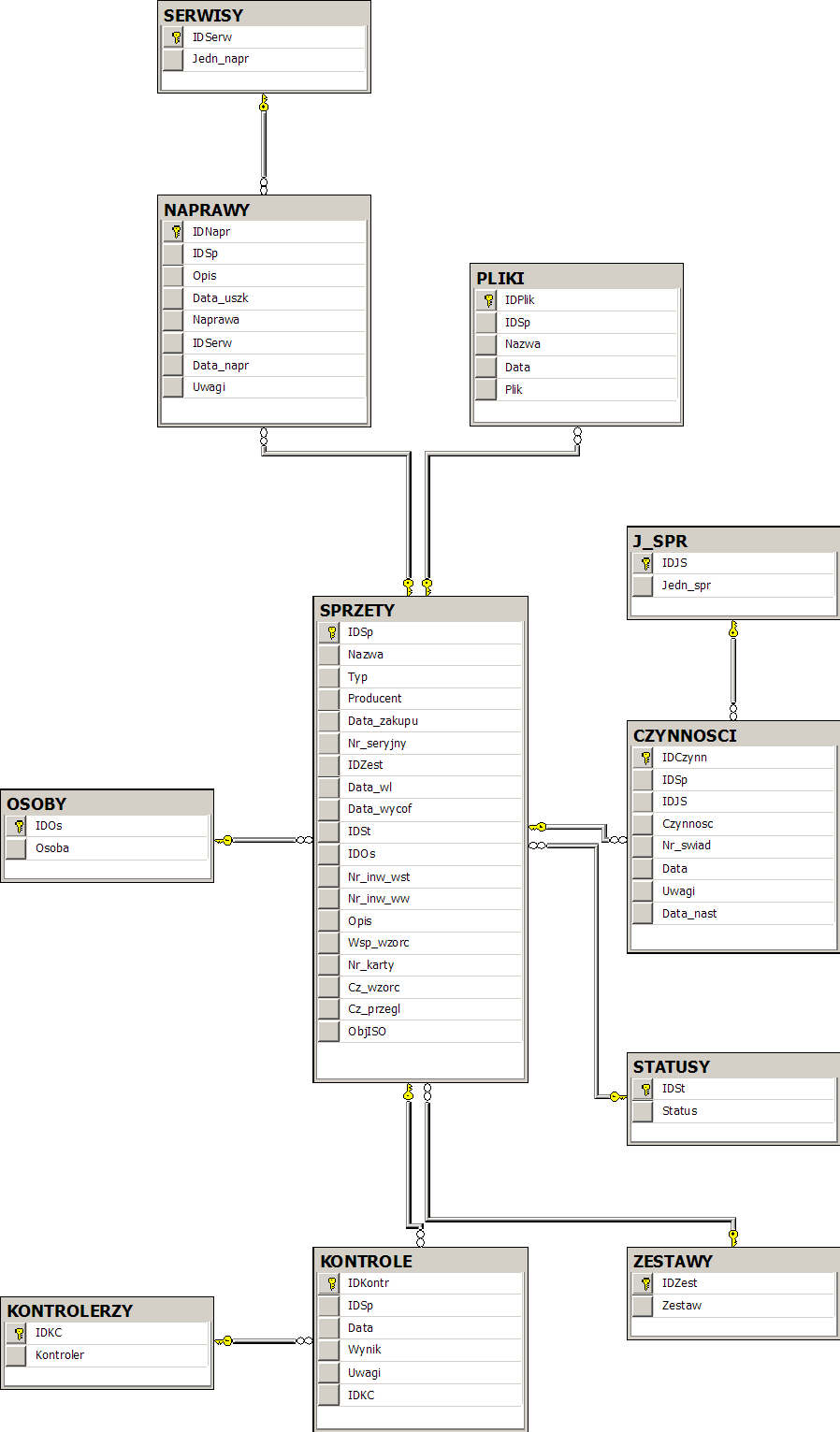
What fields should my first schema include?
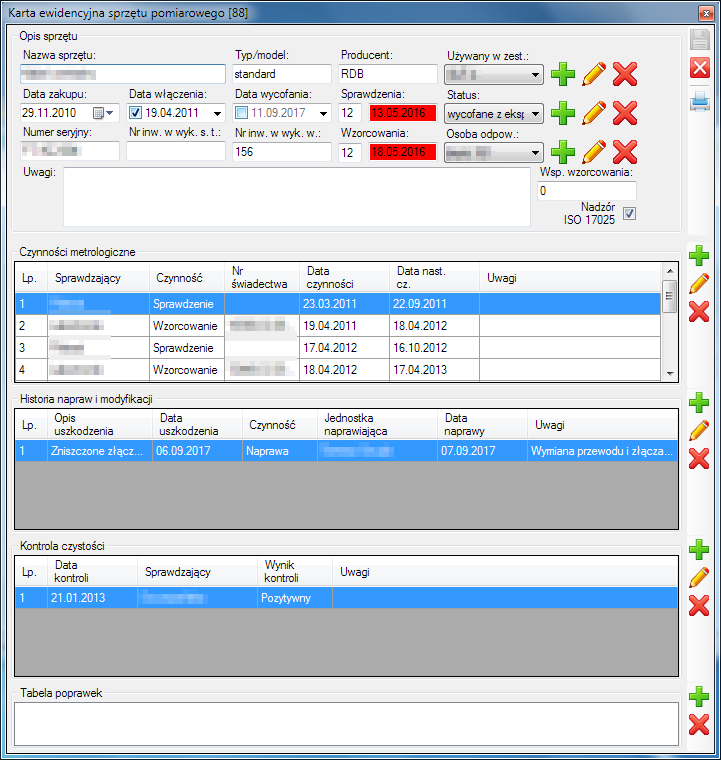
Start with: reference/ID number, device name, measuring range, and next inspection date. Add columns like holder or printable reports later. Keep names clear so non‑technical users navigate easily. [Elektroda, rudyroman, post #16674687]
Can Access work as a front end with a simpler UI?
Yes. Access lets you design a custom GUI and forms over a table. It’s viable for quick prototypes. You can later port logic to C# while keeping algorithms and SQL. [Elektroda, tzok, post #16695945]
How many records can this approach handle to start?
It has been planned around 1,000+ rows without performance issues for basic filtering. That’s a solid starting point for hand tools and inspection logs before scaling further. [Elektroda, rudyroman, post #16674889]
What is WinForms in simple terms?
WinForms is a .NET UI framework for building desktop apps with buttons, grids, and dialogs quickly. It’s well-suited to CRUD tools and simple admin panels. Developers often choose it for speed of delivery. [Elektroda, cjancik, post #16675125]
What is PDO, and when would I pick PHP + MySQL instead?
PDO is PHP’s database abstraction layer. If you deploy on a server for browser clients, PHP + PDO + MySQL is a straightforward stack with wide hosting support. It fits multi-user access without desktop installs. [Elektroda, Anonymous, post #16693847]
Can my app run over the network without installing on every PC?
Yes. A well-designed C# app can run from a network share and work across the LAN. This keeps deployment simple and centralizes updates. “The program requires no installation and works over the network.” [Elektroda, tzok, post #16695945]
Any edge cases I should plan for early?
If you embed large PDFs as BLOBs, backups grow fast and restores slow down. Storing files on a server share keeps the DB lean but needs path validation and permissions to avoid broken links. [Elektroda, tzok, post #16695945]