FAQ
TL;DR: Use an HDMI‑to‑DVI video link and 3.5 mm audio; set the decoder to 1280×720. “The monitor will operate at maximum with HD 1280×720 resolution.” [Elektroda, E8600, post #16736297]
Why it matters: This turns an old DVI/VGA LCD into a simple TV using a DVB‑T set‑top box.
Quick Facts
- Video: HDMI→DVI for picture; 3.5 mm aux for sound from the set‑top box. [Elektroda, E8600, post #16735688]
- Resolution: Expect 720p output on a 1280×1024 monitor; 16:9 broadcasts add top/bottom bars. [Elektroda, E8600, post #16736297]
- Antenna path: Connect the antenna directly to the DVB‑T decoder’s RF input. [Elektroda, leszekpo59, post #16735715]
- Placement: Indoor antenna can work in cities; weak areas need an external mast. [Elektroda, E8600, post #16735732]
- Risk: Lack of HDCP support or decoder quirks can cause no picture. [Elektroda, KOCUREK1970, post #16737511]
How do I connect a set‑top box to a DVI/VGA monitor?
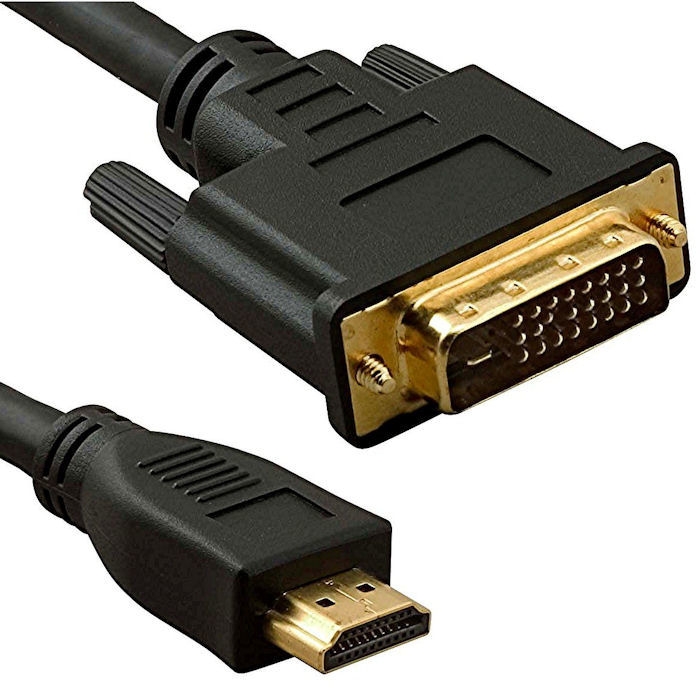
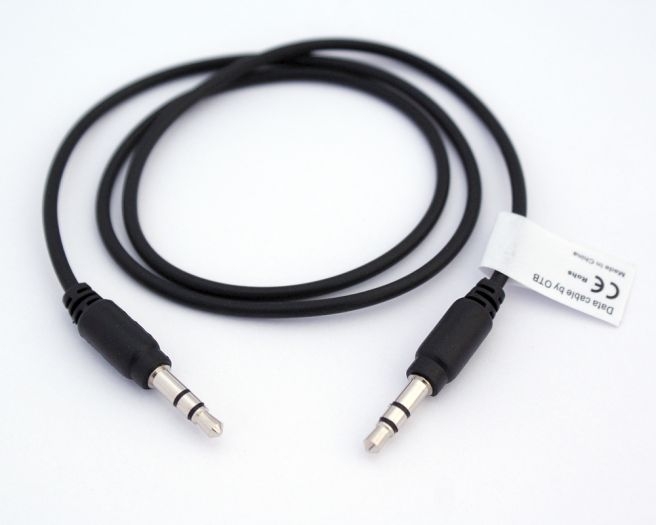
Run HDMI from the set‑top box to the monitor’s DVI using an HDMI‑to‑DVI cable or adapter. Route audio separately with a 3.5 mm aux lead from the decoder’s audio out to the monitor’s audio in or speakers. This delivers digital video and analog sound reliably. [Elektroda, E8600, post #16735688]
Will a Philips Brilliance 170P work as a TV with a WIWA HD90 MC?
Yes. The thread’s author reported the setup working after using the recommended connections. Expect 720p video scaled on the 1280×1024 panel and separate audio cabling. This combination provides basic TV viewing without tuner inside the monitor. [Elektroda, pytam32, post #16741407]
Should I use an HDMI‑DVI cable or a small adapter?
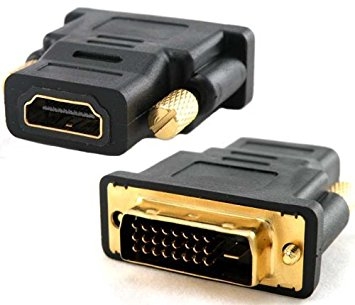
A direct HDMI‑to‑DVI cable is preferred for fewer contact points and better reliability. Adapters can work, but budget versions vary in quality and may fit poorly. Keep audio on a separate 3.5 mm lead regardless of which you choose. [Elektroda, E8600, post #16735688]
How do I get audio if my monitor has no speakers or no audio‑in?
Feed the decoder’s analog audio to external speakers, a soundbar, or an old stereo using 3.5 mm or RCA inputs. Users report built‑in monitor speakers sound weak, so external speakers improve clarity and volume significantly. "Normal TV acoustically blinks the dvbt‑monitor decoder combination." [Elektroda, karter, post #16739019]
Where do I connect the antenna in this setup?
Plug the terrestrial antenna into the set‑top box’s RF input. The decoder contains the DVB‑T tuner, so the monitor only handles the video signal. "You connect the antenna to the decoder, because you have a DVB‑T tuner there." [Elektroda, leszekpo59, post #16735715]
Do I need an indoor or outdoor antenna?
City locations often manage with an indoor antenna. Weak or obstructed areas benefit from an outdoor or mast‑mounted antenna for stronger reception. If channels drop or pixelate, upgrade to an external antenna and good coax. [Elektroda, E8600, post #16735732]
Can I get internet apps with this decoder and monitor?
Only if the decoder supports a USB Wi‑Fi module and has built‑in apps. Even then, functions remain limited to what the decoder’s firmware provides. Many basic DVB‑T boxes lack robust smart features. [Elektroda, E8600, post #16735688]
What resolution should I set on the decoder?
Set 720p (1280×720). The Philips 170P is a 1280×1024 panel, and 720p maps cleanly with letterboxing for 16:9 broadcasts. Most decoders let you adjust output resolution in settings. [Elektroda, E8600, post #16735895]
Why do I see black bars on the top and bottom of the screen?
Most TV channels are 16:9, while the 170P is 5:4. The decoder outputs 720p, so you’ll see horizontal bars to preserve aspect ratio. This is normal and avoids stretching faces or graphics. [Elektroda, E8600, post #16736297]
Could HDCP block the picture on this monitor?
Yes. Some older DVI monitors lack HDCP. Certain decoders or content may then refuse to show video, producing a blank screen. "So you may find that nothing will come out." This is an edge case, but be aware. [Elektroda, KOCUREK1970, post #16737511]
What is HDCP?
HDCP is copy‑protection for digital video links like HDMI and DVI. If a display lacks HDCP support, protected content can fail to play. Older monitors, including some 1280×1024 models, often omit HDCP support. [Elektroda, Polon_us, post #16735830]
My monitor’s native resolution is 1280×1024—will that work?
Yes. The decoder can output 720p, which the 1280×1024 monitor scales. Expect letterboxing due to 16:9 content. The monitor itself does not support HD resolutions beyond its panel and may lack HDCP. [Elektroda, Polon_us, post #16735830]
Which F‑connector size should I buy for the antenna cable?
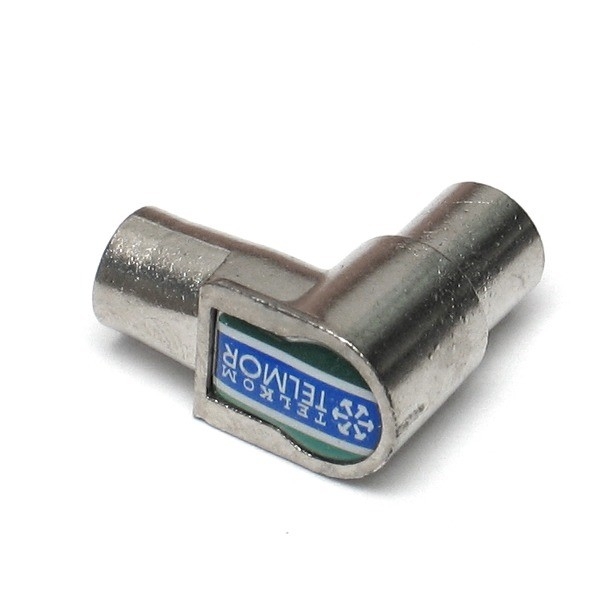
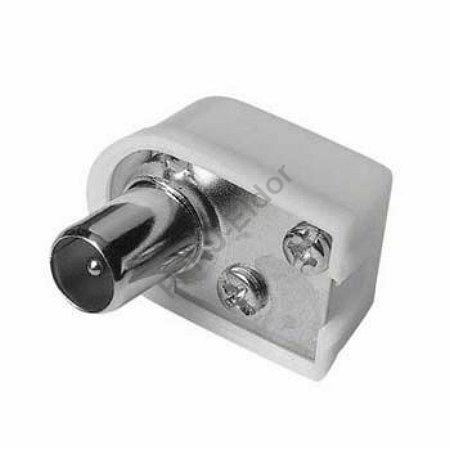
Choose an F‑connector that matches your coax diameter (e.g., 6.8 mm or 7 mm). Tool‑less screw‑type F‑connectors accommodate varying cable sizes and simplify installation for beginners. Keep runs short to reduce noise. [Elektroda, E8600, post #16736579]
Does DVI 18+1 vs 24+1 matter for HDMI‑to‑DVI?
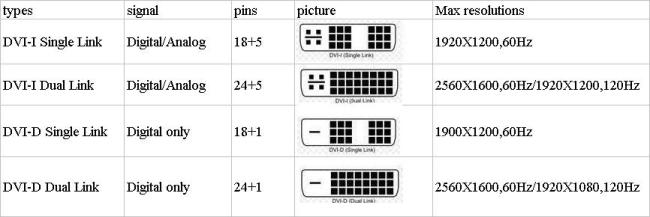
Either can work. Many low‑cost cables use the 24+1 shell, but extra pins may not be wired to HDMI. For future flexibility, 24+1 is a reasonable pick, though signal quality varies by maker. [Elektroda, E8600, post #16736501]
How can I improve the sound quality quickly?
Bypass weak monitor speakers. Connect the decoder’s audio out to powered desktop speakers, a soundbar, or an old stereo. Users noted large improvements in dynamics and loudness with even basic external speakers. [Elektroda, karter, post #16739019]
Quick 3‑step setup: monitor as TV with a DVB‑T box
- Connect HDMI from the decoder to the monitor’s DVI using an HDMI‑to‑DVI cable.
- Connect a 3.5 mm audio cable from the decoder to speakers or the monitor’s audio‑in.
- Power on, select DVI input on the monitor, and scan channels on the decoder. [Elektroda, E8600, post #16735688]