logo elektroda
logo elektroda
X
logo elektroda

[Solved] Drop in Minecraft FPS on i3 3220, GTX 470 after Windows 7 Reinstall

RC1212RCXD 18963 14
ADVERTISEMENT
Treść została przetłumaczona polish » english Zobacz oryginalną wersję tematu
  • #1 17482432
    RC1212RCXD
    Level 6  
    Hello, yesterday I reinstalled win 7 when I wanted to play today
    in Minecraft, it was cutting and reaching max 60FPS before reinstallation, it was 120-300FPS. What could be the problem?

    My pc configuration:
    CPU:I3 3220 3.30GhZx4
    Ram:10GB 1800MhZ
    Graphics Card: GTX 470 1.2GB 320bit
  • ADVERTISEMENT
  • #2 17482840
    enhanced
    Level 43  
    the rest of the configuration?

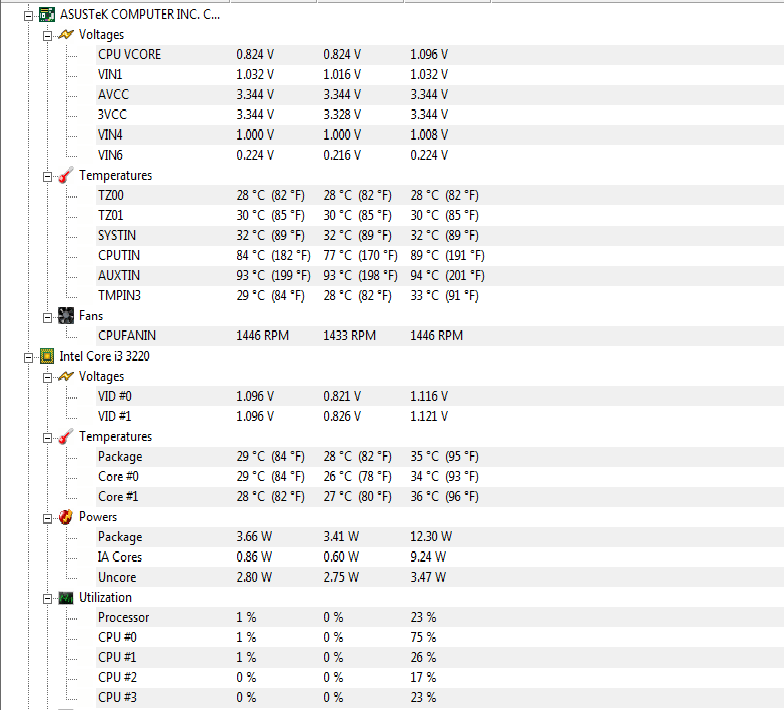
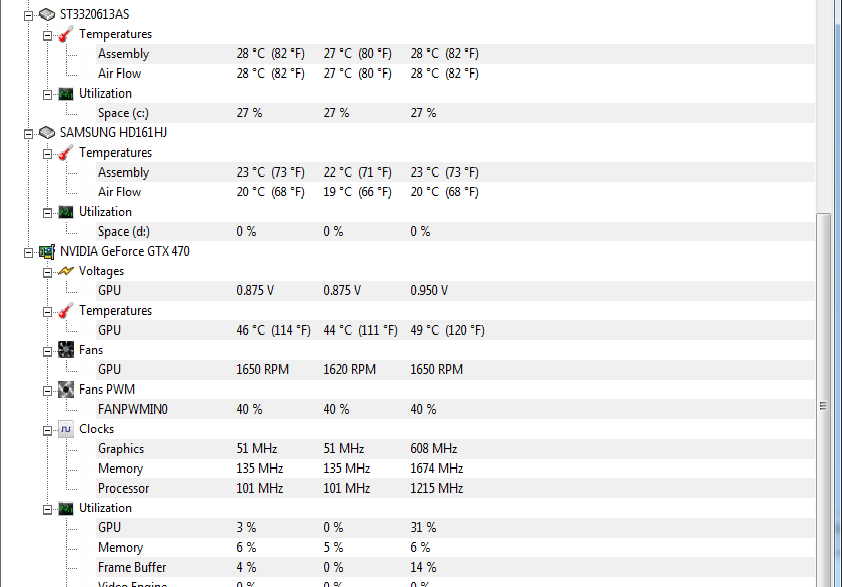
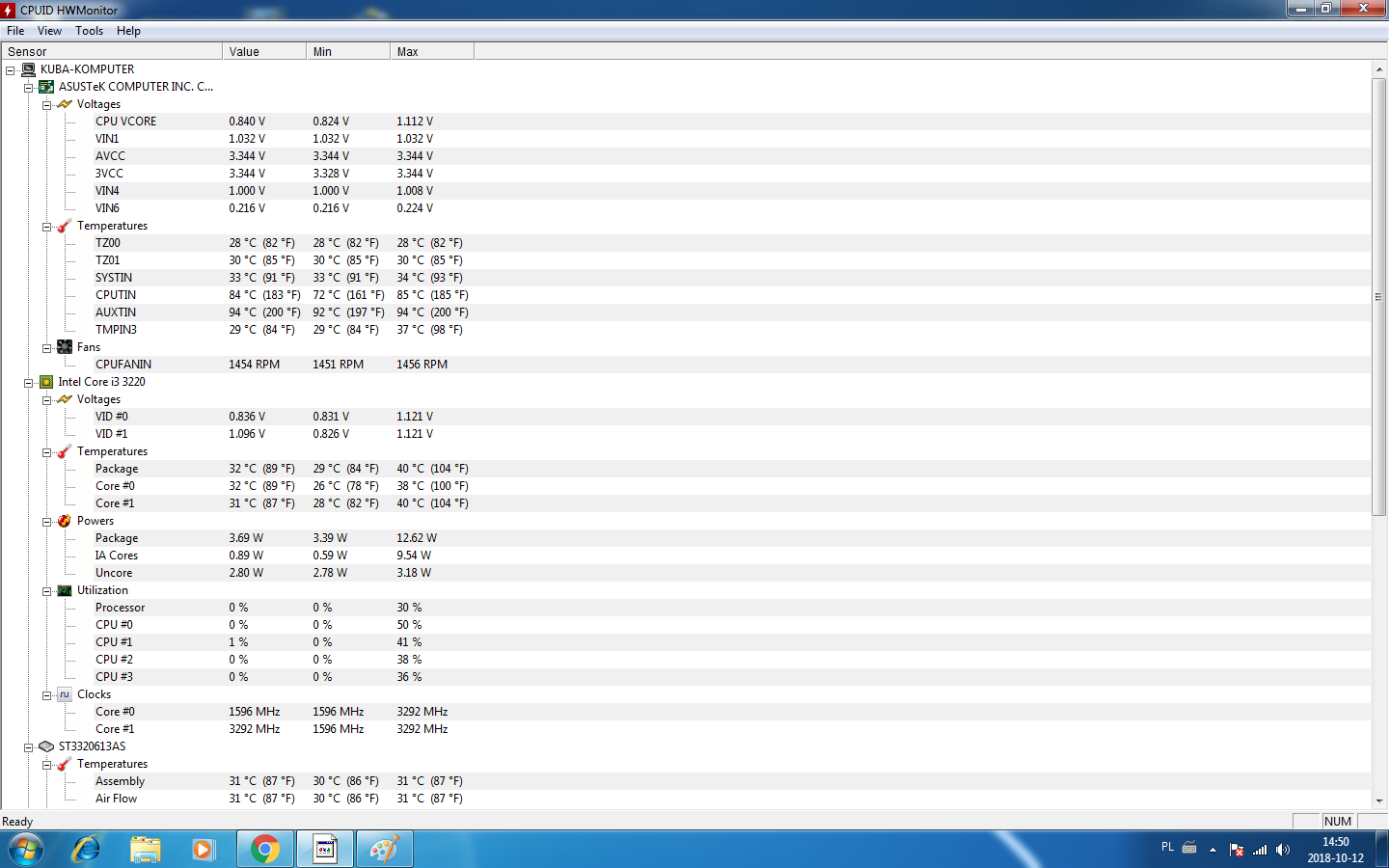
    What temperatures from hwinfo sensors only while playing. How are other games running?
  • #3 17492433
    RC1212RCXD
    Level 6  
    sorry for not replying for so long but I was in the hospital already writing the whole configuration
    Motherboard: Asus P8H61-M PRO
    Processor: i3 3220 3.30GhzX4 socket 1155
    Ram:10GB=HyperX 8GB 1800MHZ+GoodRam 2GB 1800MhZ DDR3
    Graphics Card: Gigabyte GTX470 1.2GB
    Power Supply :O CZ 600W
    Disk: 2xHDD Samsung 160GB + Seagate BARACUDA 320GB


    Drop in Minecraft FPS on i3 3220, GTX 470 after Windows 7 Reinstall

    Drop in Minecraft FPS on i3 3220, GTX 470 after Windows 7 Reinstall


    Added after 1 [minutes]:

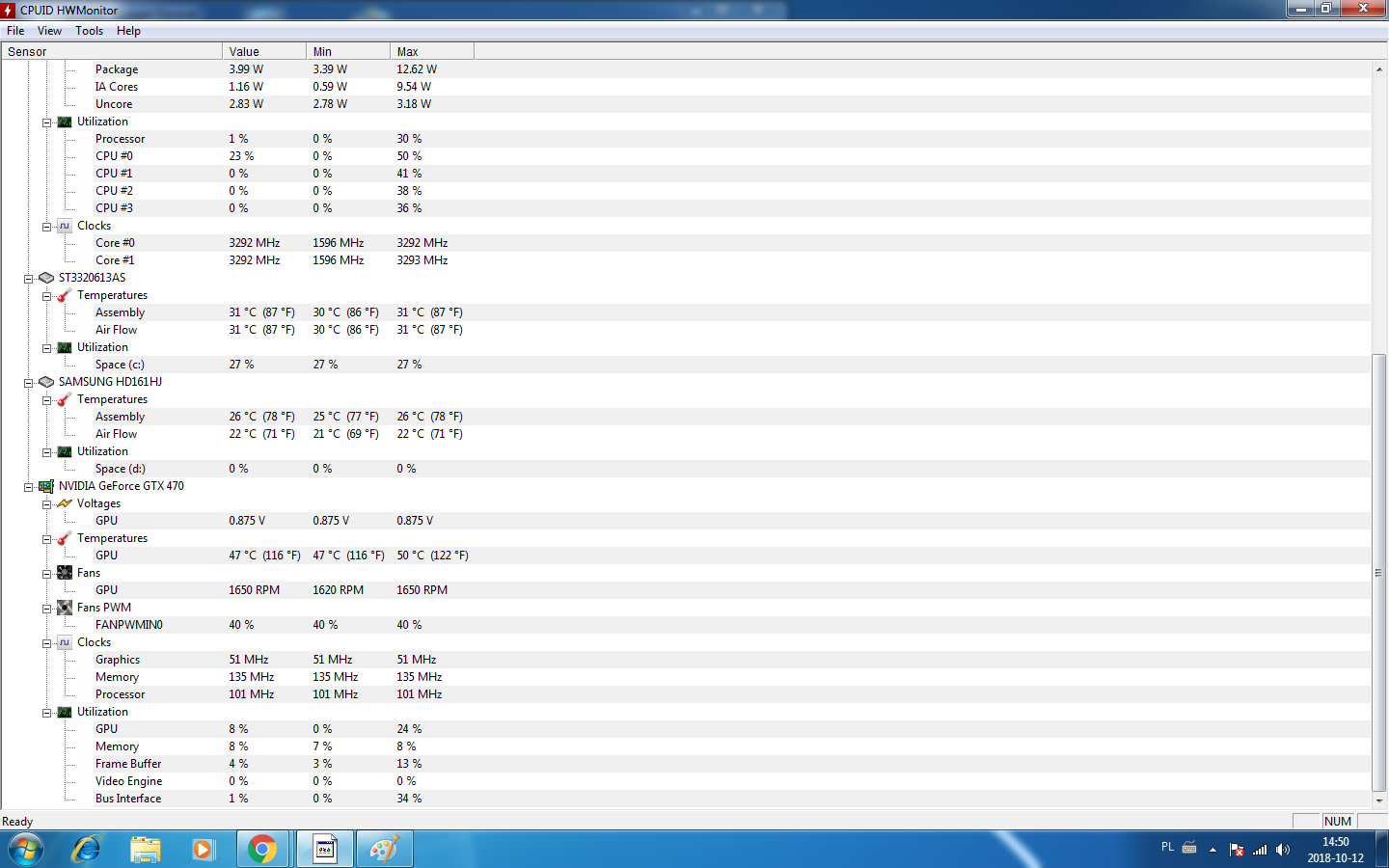
    oh it's been a bit Drop in Minecraft FPS on i3 3220, GTX 470 after Windows 7 Reinstall Drop in Minecraft FPS on i3 3220, GTX 470 after Windows 7 Reinstall

    Added after 4 [minutes]:

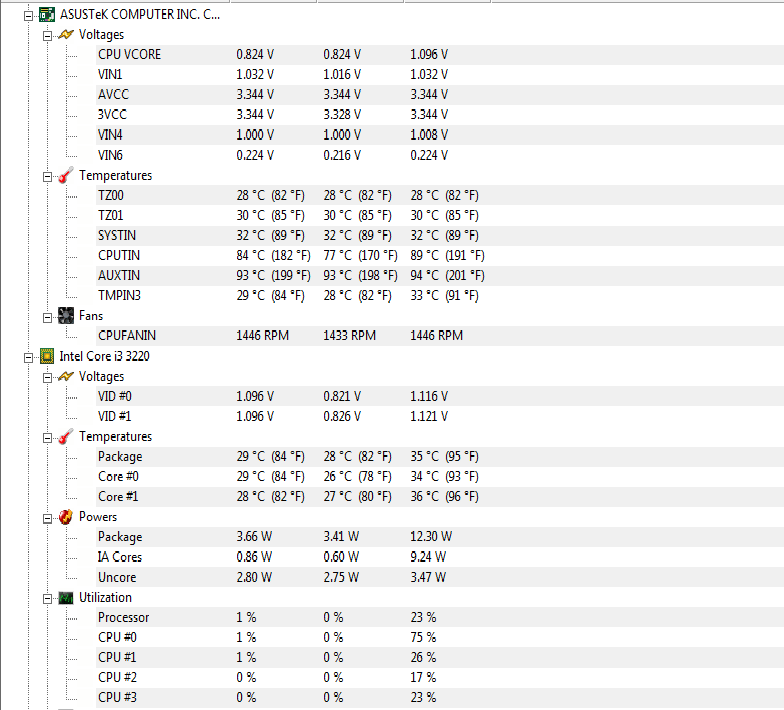
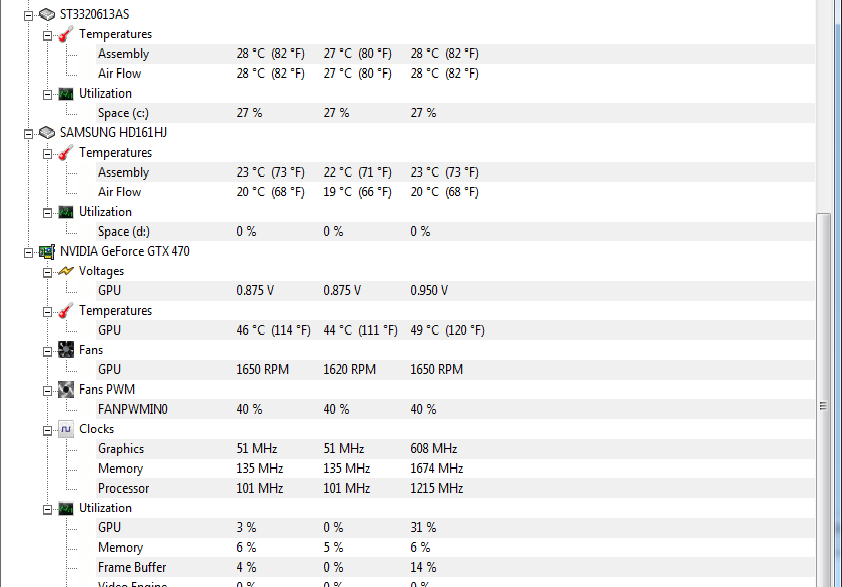
    Drop in Minecraft FPS on i3 3220, GTX 470 after Windows 7 Reinstall Drop in Minecraft FPS on i3 3220, GTX 470 after Windows 7 Reinstall

    Added after 1 [hours] 19 [minutes]:

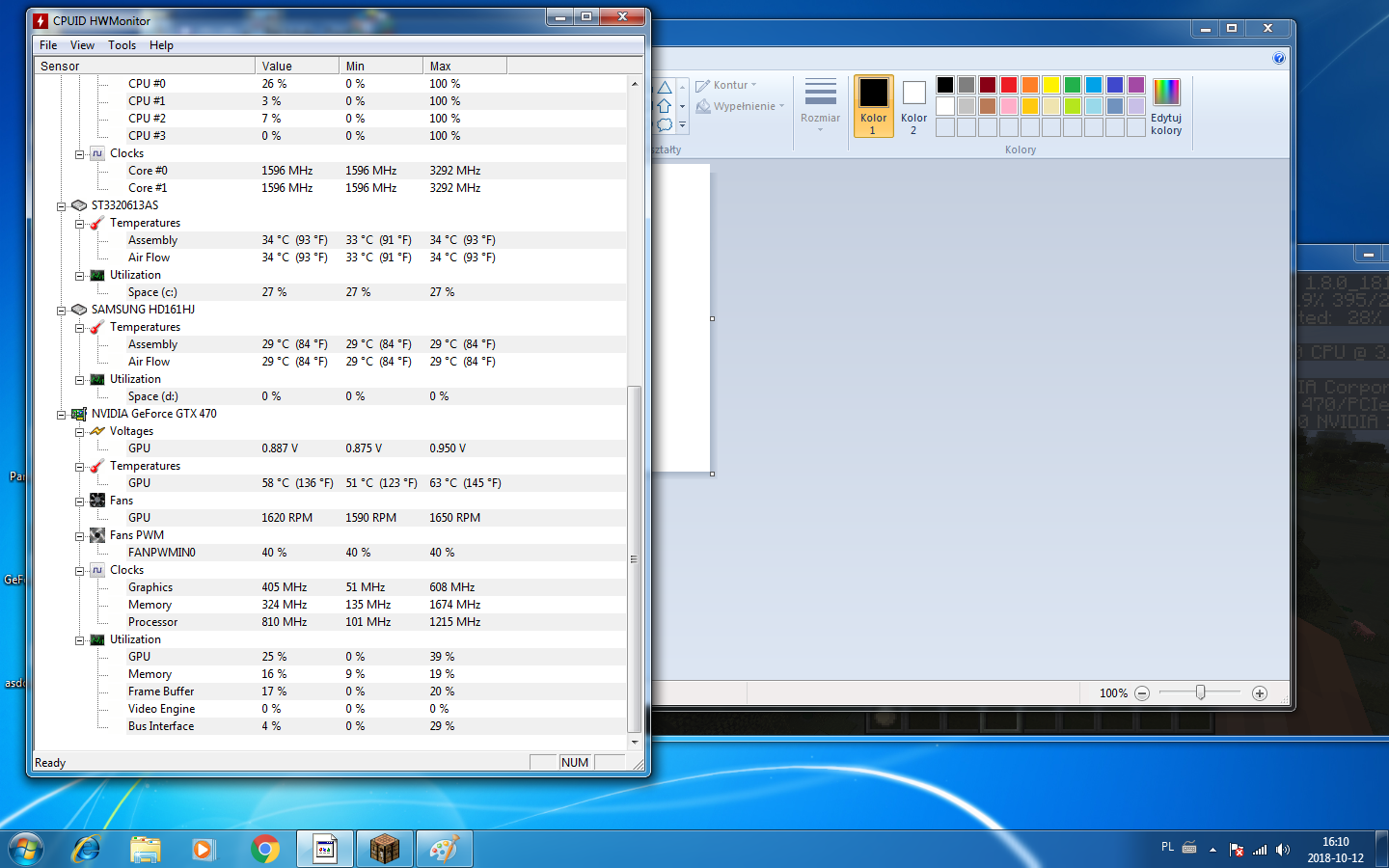
    Drop in Minecraft FPS on i3 3220, GTX 470 after Windows 7 Reinstall Drop in Minecraft FPS on i3 3220, GTX 470 after Windows 7 Reinstall
  • #4 17492593
    enhanced
    Level 43  
    Once you get to inserting screenshots from Hwinfo, tell me.
  • ADVERTISEMENT
  • #5 17492602
    RC1212RCXD
    Level 6  
    they're all XD
  • ADVERTISEMENT
  • #7 17492623
    RC1212RCXD
    Level 6  
    Well, unfortunately in HWMonitor because I can't turn on HWInfo because it crashes all the time
  • #8 17492625
    enhanced
    Level 43  
    What mistake?

    3dmark11 passes the benchmark correctly? Submit the result means link after testing.
  • #9 17492661
    RC1212RCXD
    Level 6  
    And also 3d Mark 11 does not start, it crashes that a file is missing

    Added after 37 [seconds]:

    I downloaded and installed 2 more times
  • #10 17492768
    enhanced
    Level 43  
    But which one? Dude, give specifics - insert screenshots with errors, otherwise you don't know something forgot to install.
  • ADVERTISEMENT
  • #11 17492813
    RC1212RCXD
    Level 6  
    A bit strange but on the older version 200-350FPS works for me, i.e. minecraft 1.12.2
    and when I run 1.13 it cuts like that
  • #12 17492844
    enhanced
    Level 43  
    And how about the CPU load because it will be based on the CPU. Apparently, they introduced something interesting. Do you have java updated?
  • #13 17492852
    RC1212RCXD
    Level 6  
    Okay, the end of checking, because I accidentally fixed XD I changed the Launcher to another and it works normally on the new version, so none of your comments were useful, but they will be useful in the future if something like this happened to me what you described
  • #14 17493347
    icosie
    Level 34  
    If you had some kind of modified Luncher, it's possible that you were digging someone's currency in the process. That's why there were cuts.
  • #15 17494210
    RC1212RCXD
    Level 6  
    I solved the problem :D :D :D :D :D

Topic summary

✨ After reinstalling Windows 7, a user experienced a significant drop in Minecraft FPS, from 120-300 FPS to a maximum of 60 FPS. The user's PC configuration includes an Intel i3 3220 CPU, 10GB RAM, and a GTX 470 graphics card. Various troubleshooting steps were suggested, including checking temperatures with HWInfo, ensuring Java is updated, and verifying the performance of other games. The user later discovered that switching to a different launcher resolved the FPS issue, indicating that the original launcher may have been problematic. Concerns were raised about potential malware if a modified launcher was used.

FAQ

TL;DR: 60 FPS after reinstall vs 120–300 FPS before; switching to a different Minecraft Launcher fixed it: “I changed the Launcher to another and it works normally.” [Elektroda, RC1212RCXD, post #17492852]

Why it matters: This FAQ helps Windows 7 Minecraft players on older i3/GTX 470 rigs fix sudden 1.13 stutter or a 60 FPS cap.

Quick Facts

Why did Minecraft FPS tank after my Windows 7 reinstall?

Two common shifts cause this: moving to Minecraft 1.13, which is more CPU‑bound, and outdated Java/runtime. Check CPU load first. If the CPU pegs high on a few threads, you’re CPU‑limited. Update Java and retest. As one helper said, “it will be based on the CPU.” [Elektroda, enhanced, post #17492844]

What fixed it for the original poster (i3‑3220, GTX 470)?

They switched to a different Minecraft Launcher. After changing the launcher, Minecraft 1.13 returned to normal performance on the same hardware. This points to a launcher/runtime issue rather than failing components or drivers. [Elektroda, RC1212RCXD, post #17492852]

Does 1.12.2 run faster than 1.13 on this hardware?

Yes. The user saw about 200–350 FPS on 1.12.2, while 1.13 exhibited significant stutter. This indicates 1.13’s higher CPU demands on older processors. Testing both versions helps isolate version‑related slowdowns. [Elektroda, RC1212RCXD, post #17492813]

How do I log temps and usage during gameplay to diagnose stutter?

Use HWiNFO and capture a sensors log.
  1. Open HWiNFO and go to Sensors.
  2. Start logging to a file before launching Minecraft.
  3. Play 5–10 minutes, stop logging, and review or share the CSV. [Elektroda, enhanced, post #17492606]

HWiNFO crashes on my PC—what should I do?

Acknowledge the crash and try again after a reboot. If it still fails, temporarily use HWMonitor for basic readings. Then return to HWiNFO for proper logs when possible. Note the crash details for helpers. [Elektroda, RC1212RCXD, post #17492623]

Why run 3DMark11, and what should I share?

A quick GPU benchmark confirms if the graphics card performs within expectations. Run 3DMark11 and submit the result link after testing. Helpers can compare your score to typical baselines. [Elektroda, enhanced, post #17492625]

3DMark11 says a file is missing—how do I proceed?

Capture and share the exact error message or a screenshot. Without specifics, it’s unclear which dependency you missed. Post the details so others can advise the correct fix. [Elektroda, enhanced, post #17492768]

Could a modified launcher cause the lag—or worse?

Yes. A modified launcher can include unwanted processes, like cryptominers. As one user warned, “you were digging someone’s currency in the process.” Use the official launcher to rule this out. [Elektroda, icosie, post #17493347]

Should I update Java for Minecraft 1.13 on Windows 7?

Yes. Update Java to the latest supported build and retest. Outdated Java can worsen CPU‑bound behavior and stability. “Do you have java updated?” was a key troubleshooting prompt in this case. [Elektroda, enhanced, post #17492844]

Could mixed RAM (8+2 GB) or a 600W PSU be the cause here?

Unlikely in this scenario. The issue disappeared after switching launchers, which points to software, not PSU or RAM configuration. Keep them in mind only if problems persist. [Elektroda, RC1212RCXD, post #17492852]

How can I quickly test if my slowdown is version‑specific?

Install and run Minecraft 1.12.2, then 1.13, with similar settings and scenes. Compare FPS and smoothness. Large differences suggest a version/runtime issue, not failing hardware. [Elektroda, RC1212RCXD, post #17492813]

What should I do right after a fresh Windows install to avoid game FPS issues?

Follow a structured diagnostic: install proper drivers, then log CPU/GPU sensors during gameplay. Share logs instead of static screenshots. Work through a step‑by‑step guide before changing hardware. [Elektroda, enhanced, post #17492606]
ADVERTISEMENT