logo elektroda
logo elektroda
X
logo elektroda

VCDS Interface Not Detected: Solutions for Original Cable & USB Driver Issues

DopieroZaczynam1 99510 15
ADVERTISEMENT
Treść została przetłumaczona polish » english Zobacz oryginalną wersję tematu
  • #1 18474476
    DopieroZaczynam1
    Level 4  
    Hello.

    I have a problem with VCDS.

    DelphiCars and PolskiVAG work but VCDS won't work.
    I have a dedicated original cable but there is a problem shown in the picture.

    VCDS Interface Not Detected: Solutions for Original Cable & USB Driver Issues20200216_1..450.jpg (5.81 MB)You must be logged in to download this attachment.

    After installing the program on another computer, connecting the cable (windows recognizes and installs the drivers) the same error pops up.

    The latest USB drivers from laptop manufacturers' websites.

    Please help.
  • ADVERTISEMENT
  • #2 18474530
    szymitsu21
    VIP Meritorious for electroda.pl
    DopieroZaczynam1 wrote:
    I have a dedicated original cable


    Then write to the manufacturer / seller. And they will definitely help.
  • ADVERTISEMENT
  • #3 18474536
    badyl00
    Level 30  
    The interface must be connected to the car (voltage 12V) otherwise it will not be detected.
  • #4 18475081
    grala1
    VAG group specialist
    badyl00 wrote:
    The interface must be connected to the car (voltage 12V) otherwise it will not be detected.

    I suggest not to speak up if you have no idea.
    The interface will be detected after connecting to USB. It does not need to be climbed in OBD.
    There will be a message that the interface has been detected, the type of interface and its status will be given - whether it is connected to the car or not.

    It's a bit weird that you have a dedicated cable and an old version of the program. It stinks a fake.

    Show what you can see in the device manager because from what you are writing you either have the wrong drivers or the Chinese has fallen out.
    Show what is the VID and PID in the manager.
    I hope you are not trying to fire up the Polish VAG on it.
    I do not know what the latest drivers are for and that laptop manufacturers' websites install themselves after the end of the program.
  • #5 18475174
    repcak11
    Level 13  
    If you downloaded the software from the adako website, you need to connect the cable from adako or ROSS-TECHA and everything will work
  • #6 18475203
    marfur30
    Level 28  
    A friend has rather an original from China, he installed a newer VCDS than what he got with the cable and the atmega162 went on vacation.
  • #7 18475862
    DopieroZaczynam1
    Level 4  
    I will illuminate the situation brighter.

    Car repair shop:
    Quite old and old laptop + VCDS + cable = everything works

    A repair shop employee has a cable at his disposal in the absence of the owner (and an old laptop).
    So on another (newer and less old laptop) a VCDS was installed from the workshop owner board, a cable was plugged in and ... nothing. Mistake

    After checking the cable on the owner's laptop, everything works.
  • ADVERTISEMENT
  • #8 18476146
    rosak
    Car dashboards specialist
    DopieroZaczynam1 wrote:
    VCDS is installed from the Workshop Owner Board


    Install VCDS from the manufacturer's website:

    https://www.ross-tech.com/vcds/download/current.php

    If it still doesn't work then

    szymitsu21 wrote:
    write to the manufacturer / seller. And they will definitely help.
  • #9 18476668
    DopieroZaczynam1
    Level 4  
    The computer sees the interface before connecting it to OBD.
    After connecting and trying to connect again, the error mentioned above pops up. Same situation for two cars (audi a6 and vectra b)
    VCDS Interface Not Detected: Solutions for Original Cable & USB Driver Issues20200217_1..728.jpg (6.53 MB)You must be logged in to download this attachment.
    VCDS Interface Not Detected: Solutions for Original Cable & USB Driver Issues20200217_1..842.jpg (6.94 MB)You must be logged in to download this attachment.
    VCDS Interface Not Detected: Solutions for Original Cable & USB Driver Issues20200217_1..823.jpg (2.38 MB)You must be logged in to download this attachment.
  • ADVERTISEMENT
  • #10 18476697
    rosak
    Car dashboards specialist
    You did not follow the instructions above.

    I'm not 100% sure because I can't reach that far with my memory, but from what I can see you have HEX-USB without CAN.
    You are trying to connect to the car:

    DopieroZaczynam1 wrote:
    audi a6

    and that tells us nothing. If it is A6 C6 4F or later, there is no K-line there anymore, everything goes on CAN.

    DopieroZaczynam1 wrote:
    vectra b


    Opel belongs to VAG ..?

    VCDS Interface Not Detected: Solutions for Original Cable & USB Driver Issues
  • #11 18478161
    DopieroZaczynam1
    Level 4  
    Audi A6 C5 1998 with 1.8T AJL engine

    I do not know if the Opel belongs to VAG. I just wanted to check if there is the same symptom in another car and that I have only one at my disposal at the time of "combining" it.

    Temporarily, the subject of "I fall asleep" because I had to return the computer to the workshop, so for now, thank you for your commitment and all help. Next weekend I will have access to the computer again and I suspect a few cars because I will be at the workshop, then I will see if the same is happening on other vehicles.
  • #12 19171901
    Croos13
    Level 11  
    You solved the problem, buddy?
  • #13 20637544
    przemkohej
    Level 7  
    I have the same problem

    Cable bought from AliExpress
    The installation was done according to the instructions and unfortunately the cable did not work

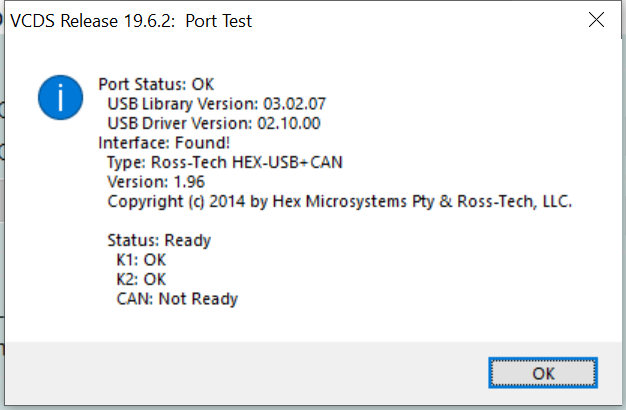
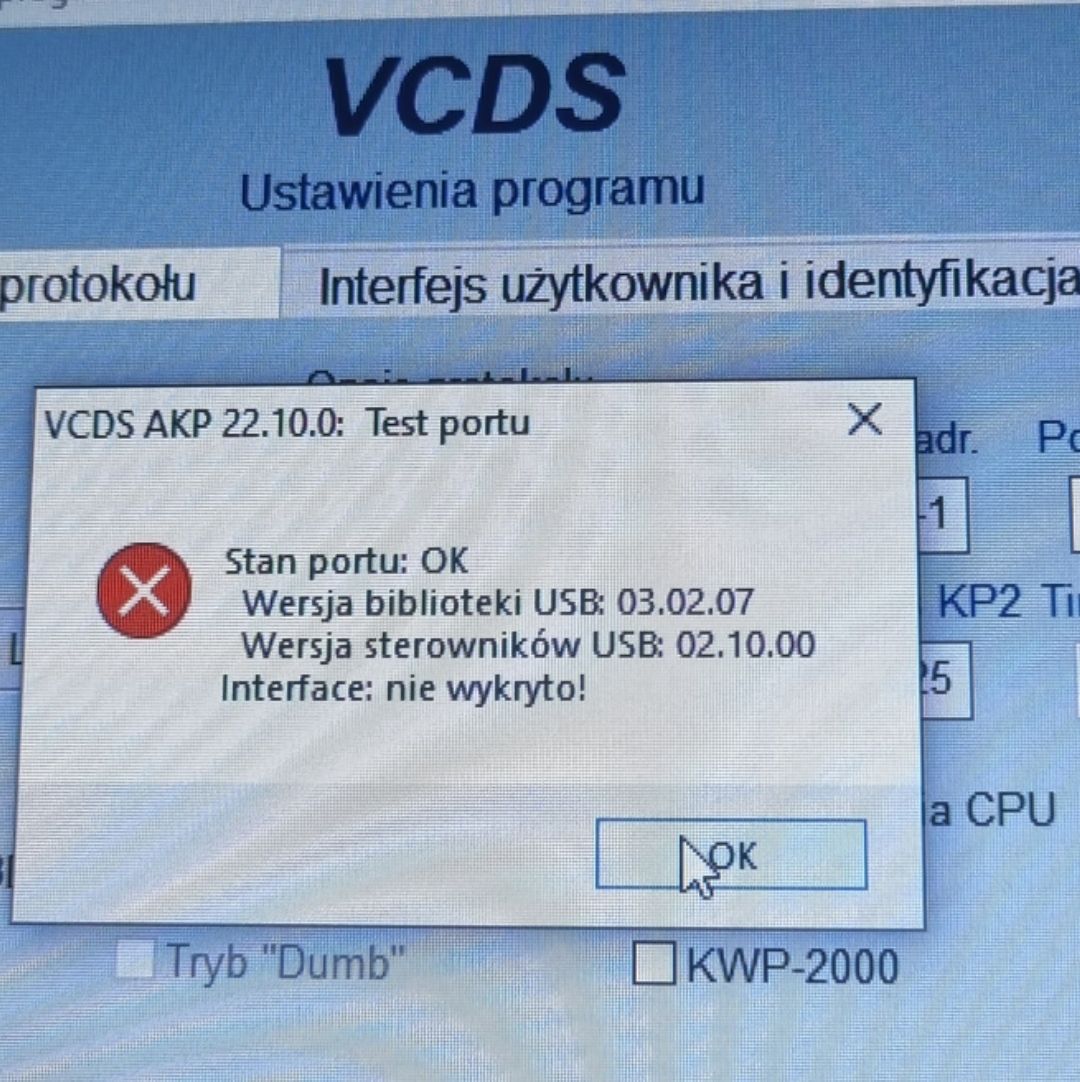
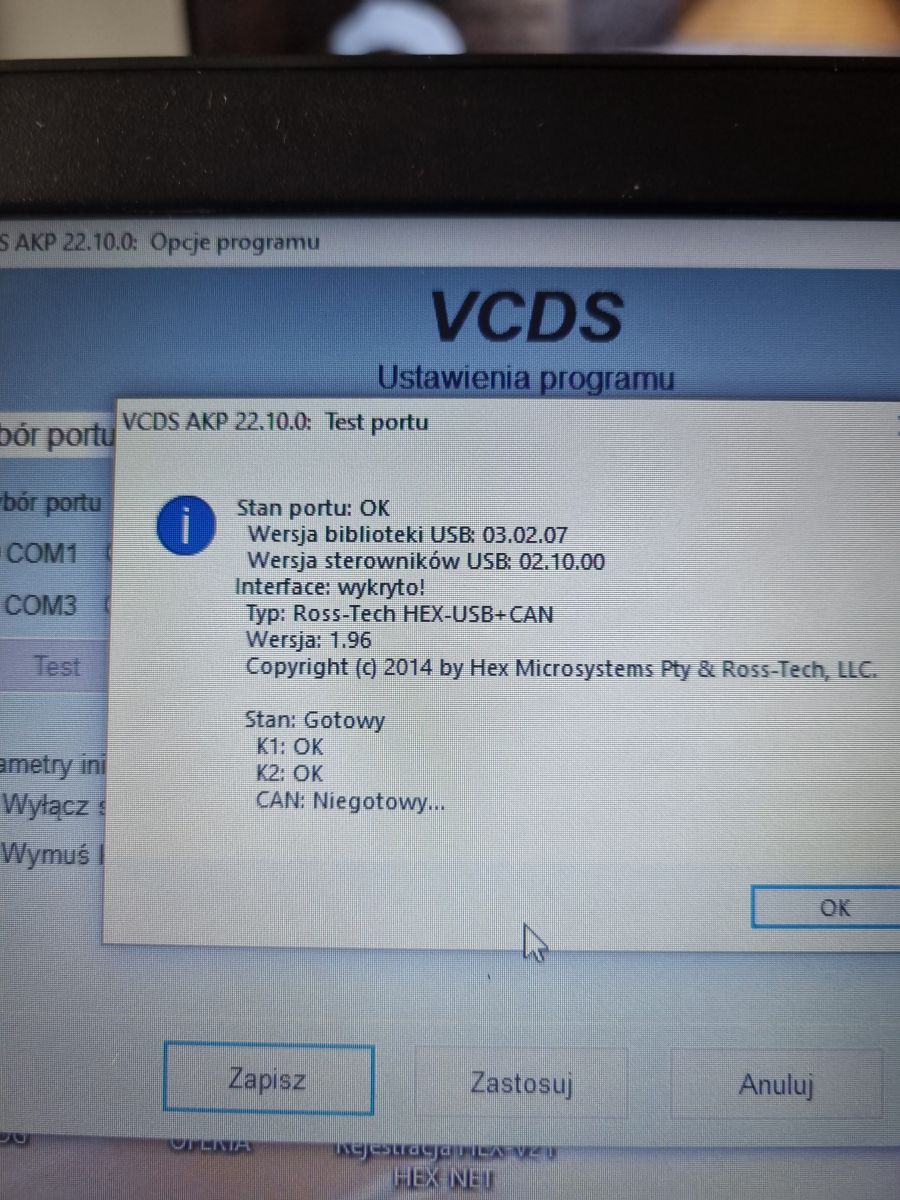
    Port test completed
    Port condition ok
    USB library version 03.02.07
    USB driver version 02.10.00
    Interface not detected
    VCDS Interface Not Detected: Solutions for Original Cable & USB Driver Issues

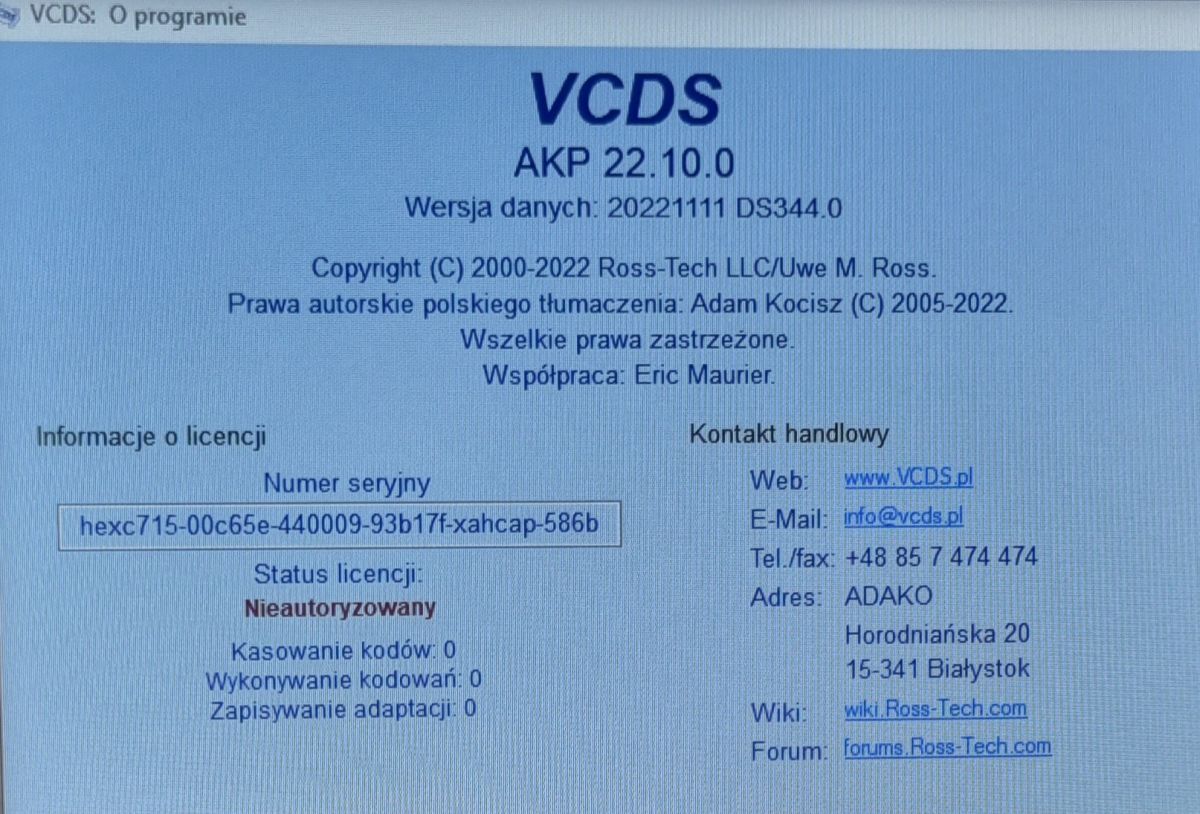
    License status UNAUTHORIZED

    VCDS Interface Not Detected: Solutions for Original Cable & USB Driver Issues

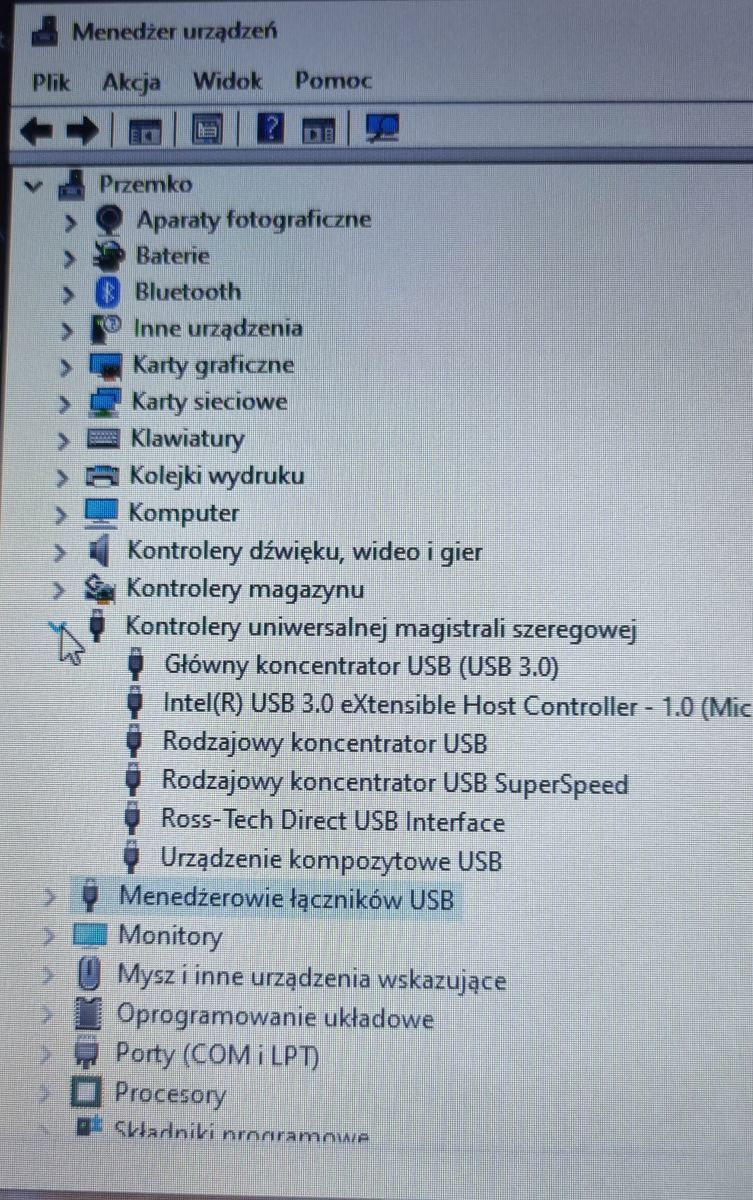
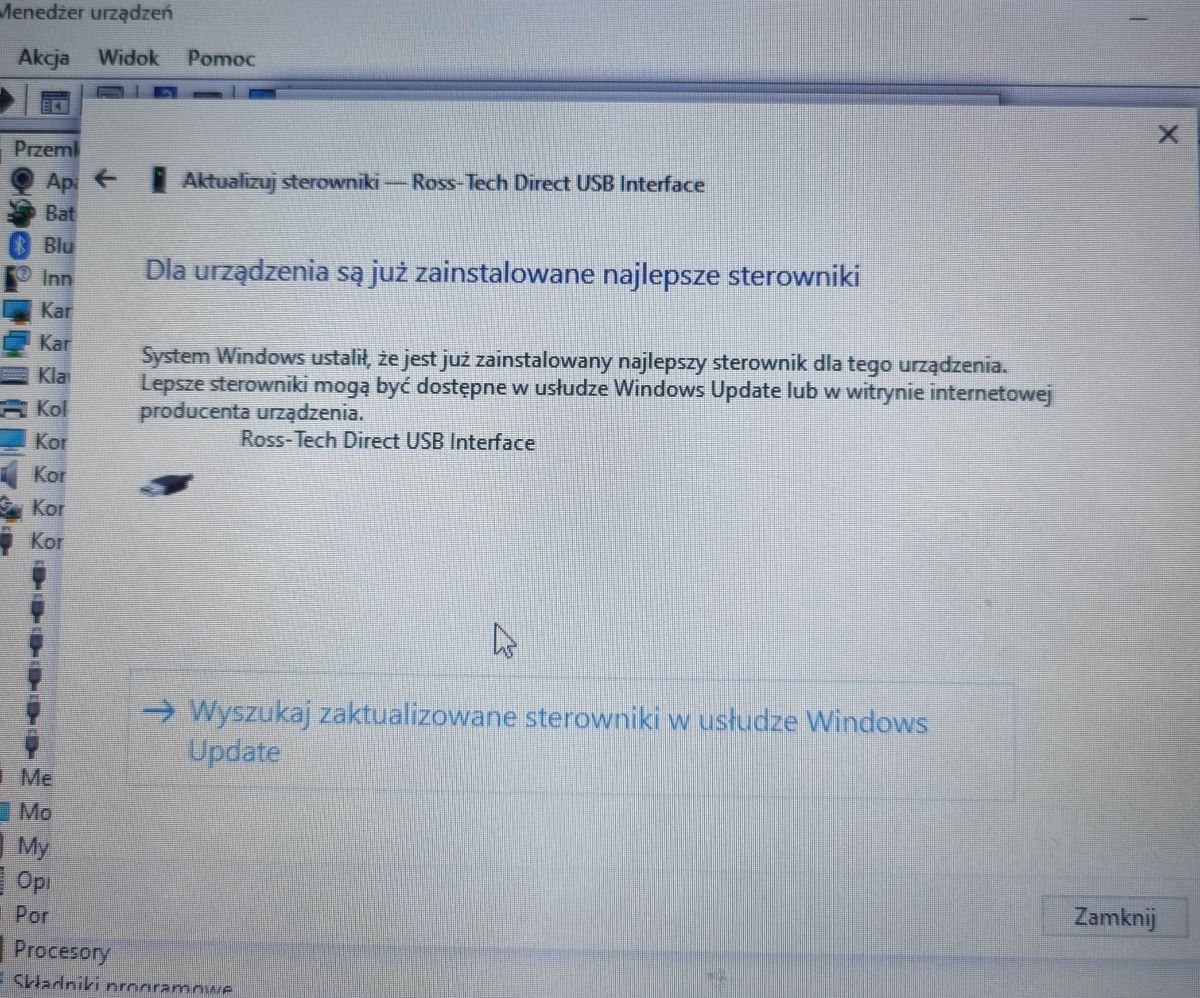
    Device manager
    Ross Tech Direct USB Interface (best drivers)
    VCDS Interface Not Detected: Solutions for Original Cable & USB Driver Issues
    VCDS Interface Not Detected: Solutions for Original Cable & USB Driver Issues

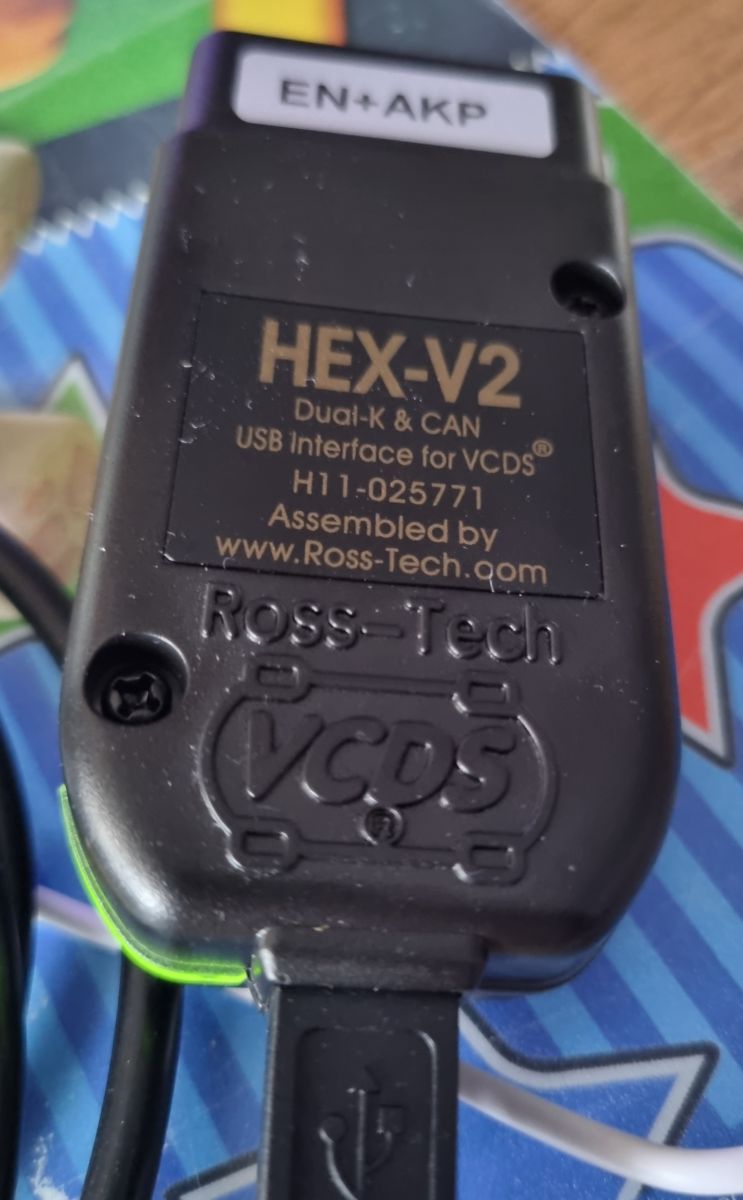
    The wire glows green
    VCDS Interface Not Detected: Solutions for Original Cable & USB Driver Issues

    Antivirus and internet turned off
    And the cable didn't work
  • #15 20637632
    przemkohej
    Level 7  
    Now it is
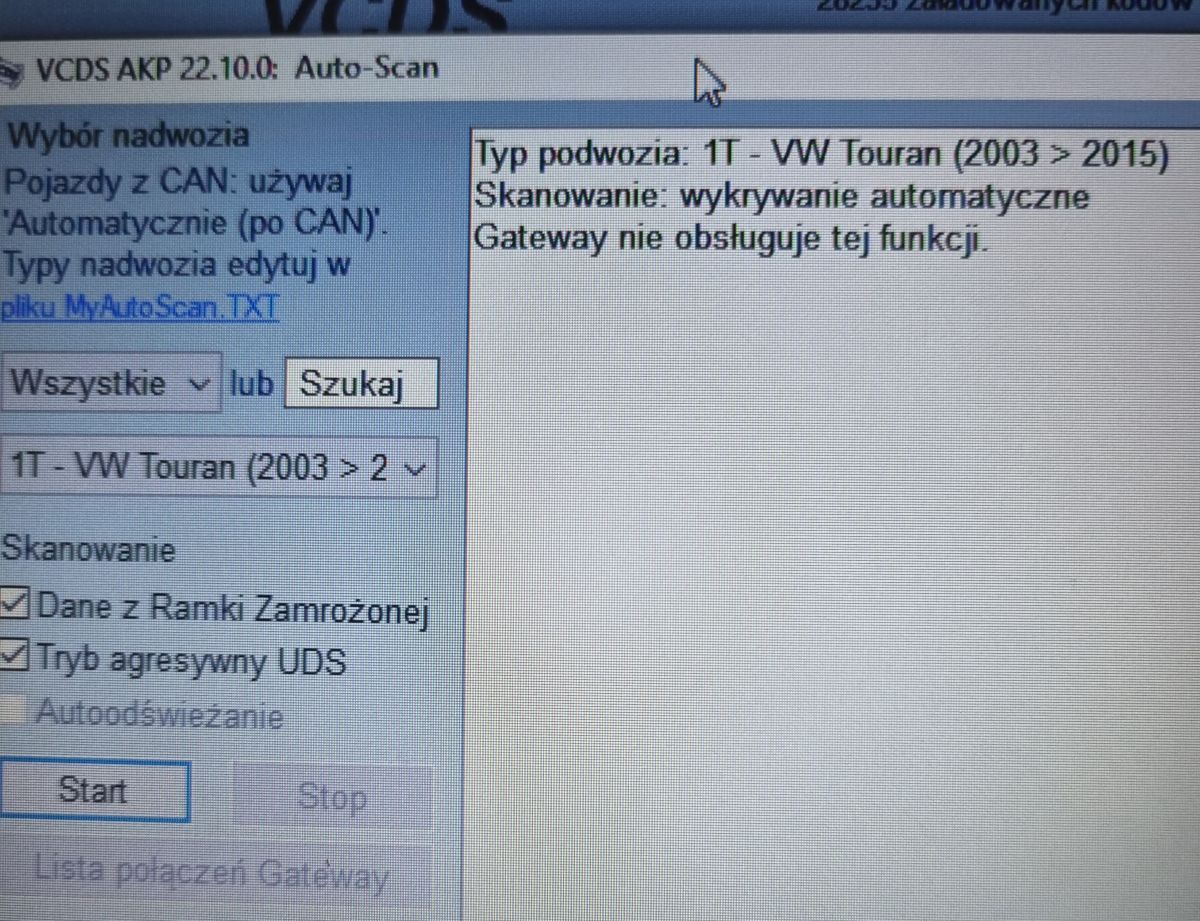
    Yes test as com

    VCDS Interface Not Detected: Solutions for Original Cable & USB Driver Issues

    VCDS Interface Not Detected: Solutions for Original Cable & USB Driver Issues

    VCDS Interface Not Detected: Solutions for Original Cable & USB Driver Issues
  • #16 20638725
    rosak
    Car dashboards specialist
    przemkohej wrote:
    License status UNAUTHORIZED


    przemkohej wrote:
    Cable bought from aliexpress


    I don't think Aliexpress will join the official distribution of Ross Tech. How much did the interface cost?
    Wasn't it easier for you to buy locally?

Topic summary

✨ The discussion revolves around issues with the VCDS interface not being detected despite using an original cable. Users suggest various troubleshooting steps, including ensuring the interface is connected to a vehicle with 12V power, checking for correct USB drivers, and verifying the cable's authenticity. Some users report success with older laptops and original cables, while others face issues with cables purchased from AliExpress. Recommendations include downloading the latest VCDS software from the official Ross-Tech website and checking device manager settings for proper driver installation. The conversation highlights the importance of using genuine hardware and software for compatibility.
Generated by the language model.

FAQ

TL;DR: USB driver 02.10.00 with "License status UNAUTHORIZED" points to a clone or driver mismatch. Fix "Interface not detected" by using the official installer, a genuine interface, and verifying VID/PID. For Windows users troubleshooting VCDS cables. [Elektroda, przemkohej, post #20637544]

Why it matters: This helps you quickly isolate driver, cable, and protocol issues so you can get VCDS working without wasting shop time.

Quick Facts

How do I fix “Interface not detected” in VCDS fast?

Install the current VCDS from Ross‑Tech, then test the interface. “Install VCDS from the manufacturer’s website.” If it still fails, contact the seller or Ross‑Tech support. How‑To: 1. Download and install the current VCDS. 2. Connect the interface via USB and run Options > Test. 3. If detection still fails, contact the seller/manufacturer. [Elektroda, rosak, post #18476146]

Does the interface need to be plugged into the car to be detected?

No. VCDS detects the interface over USB alone, then shows car connection status separately. “The interface will be detected after connecting to USB.” If it reports not connected to the car, that only means no OBD power yet. [Elektroda, grala1, post #18475081]

Will a HEX‑USB without CAN work on my Audi A6?

Check the generation. If it’s A6 C6 4F or later, it’s CAN‑only and a non‑CAN interface won’t talk to it. Earlier models with K‑line can work with K‑line‑only hardware, so focus on drivers and software there. [Elektroda, rosak, post #18476697]

Can VCDS scan an Opel/Vauxhall?

No. VCDS is for VAG platforms. As one expert hinted, “Opel belongs to VAG ..?”—it doesn’t. Use Opel/Vauxhall‑specific diagnostics instead of VCDS for those cars. [Elektroda, rosak, post #18476697]

My AliExpress cable shows “License status UNAUTHORIZED”. What now?

That indicates an unauthorized clone, which often fails VCDS detection. Replace it with a genuine Ross‑Tech or local distributor cable. “I don’t think Aliexpress will join the official distribution of Ross Tech.” Buying locally simplifies support and returns. [Elektroda, rosak, post #20638725]

VCDS shows USB driver 02.10.00 and USB library 03.02.07. Is that normal?

Those versions appeared alongside “Interface not detected” and “UNAUTHORIZED” in a clone case. Numbers alone don’t confirm a working setup. Confirm Device Manager shows “Ross‑Tech Direct USB Interface” and check license status in VCDS Options > Test. [Elektroda, przemkohej, post #20637544]

Device Manager shows “Ross‑Tech Direct USB Interface”. What should I do next?

That is the expected driver entry. Open VCDS, go to Options, and click Test. If it still reports “Interface not detected” or “UNAUTHORIZED,” the cable is not supported or the driver/software pairing is wrong. [Elektroda, przemkohej, post #20637544]

How do I check VID and PID to diagnose a cable?

Open Device Manager > right‑click the interface > Properties > Details tab > Hardware IDs. Read the VID and PID and share them for support review. “Show what is the VID and PID in the manager.” Odd IDs often point to clones or wrong drivers. [Elektroda, grala1, post #18475081]

Can installing a newer VCDS brick my cable?

Yes, many clones use an ATmega162 microcontroller that can be rendered unusable by newer VCDS releases. As one user put it, “the atmega162 went on vacation.” Stay with authentic hardware or the bundled software version. [Elektroda, marfur30, post #18475203]

Could running PolskiVAG on my VCDS cable cause detection issues?

Yes. Mixing tools and drivers can disrupt VCDS communication. “I hope you are not trying to fire up the Polish VAG on it.” Keep one toolchain per interface and avoid cross‑installing driver packages. [Elektroda, grala1, post #18475081]

Should I set the USB interface as a COM port in VCDS?

Only if your interface enumerates as a virtual COM, which some clones do. If you select COM mode, match the COM number in VCDS Options and run Test. The shared screenshots show COM testing was attempted for troubleshooting. [Elektroda, przemkohej, post #20637632]

The LED is green but VCDS says “Interface not detected”. What does it mean?

A green LED only shows the interface has power. VCDS also verifies USB comms and license status. In the clone example, the LED was green, yet VCDS showed “Interface not detected” and “License status UNAUTHORIZED.” [Elektroda, przemkohej, post #20637544]

I have a dedicated original cable; who should I contact if it still won’t detect?

Contact the manufacturer or the seller for support. They can validate the hardware and guide driver or firmware fixes under warranty. “Write to the manufacturer / seller. And they will definitely help.” [Elektroda, szymitsu21, post #18474530]
Generated by the language model.
ADVERTISEMENT