logo elektroda
logo elektroda
X
logo elektroda

Zgemma h9s Satellite Receiver: Issue with Program Reception and Screen Resolution Display

Mietrzej 14295 11
ADVERTISEMENT
Treść została przetłumaczona polish » english Zobacz oryginalną wersję tematu
  • #1 18614449
    Mietrzej
    Level 7  
    Posts: 5
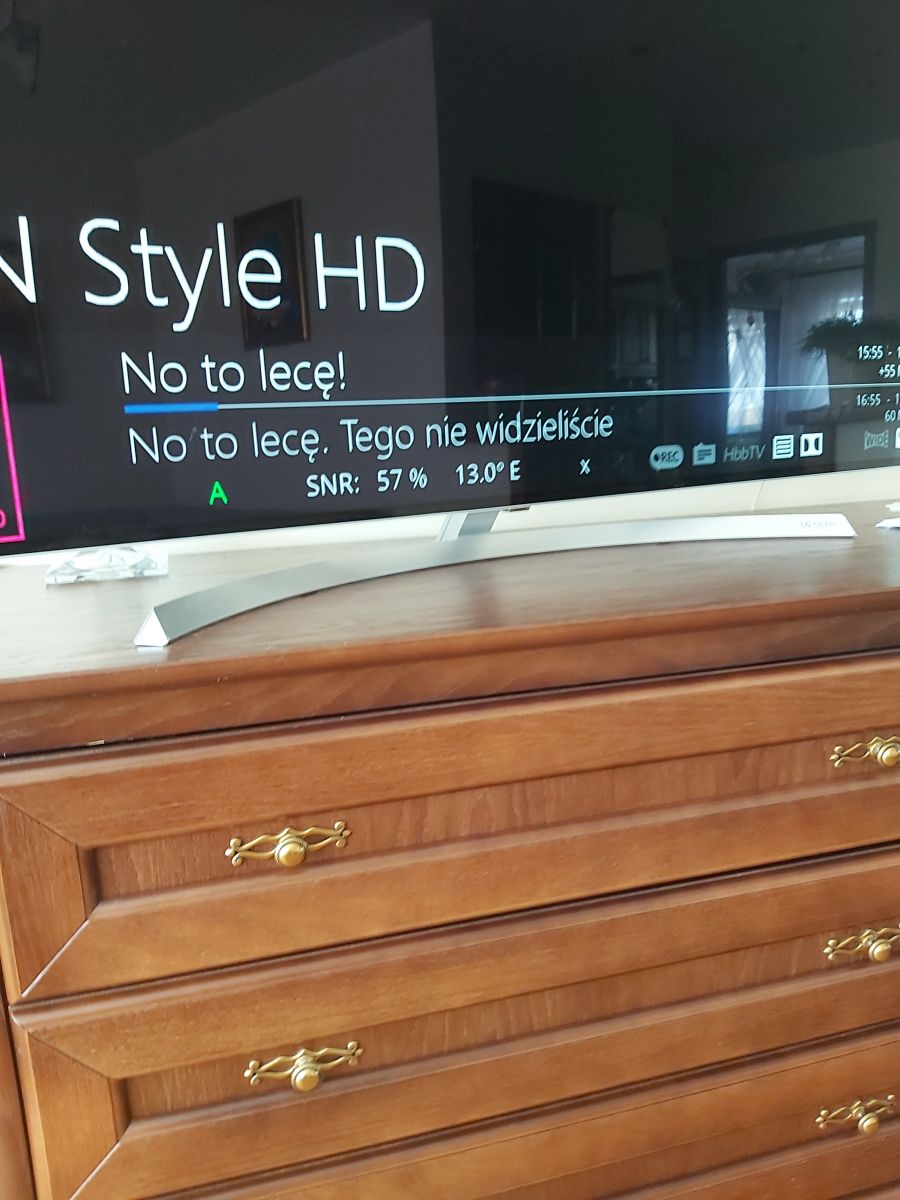
    Zgemma h9s. Does not receive programs on the list. They are all connections. (internet, satellite). The view on the screen is as shown in the picture. Snr is 57-65%. Does not display screen resolution. This is where X is. Zgemma h9s Satellite Receiver: Issue with Program Reception and Screen Resolution Display
  • ADVERTISEMENT
  • #2 18615396
    kameleon11116
    Level 26  
    Posts: 899
    Help: 72
    Rate: 129
    Hello
    First, advice on how to make a screen from the decoder: decoder IP // grab
    e.g. 192.168.1.101//grab
    You don't have to show furniture and TV type ;) .
    How do you want to watch it? check FTA, eg Tele5 if it is on.
  • #3 18615703
    Mietrzej
    Level 7  
    Posts: 5
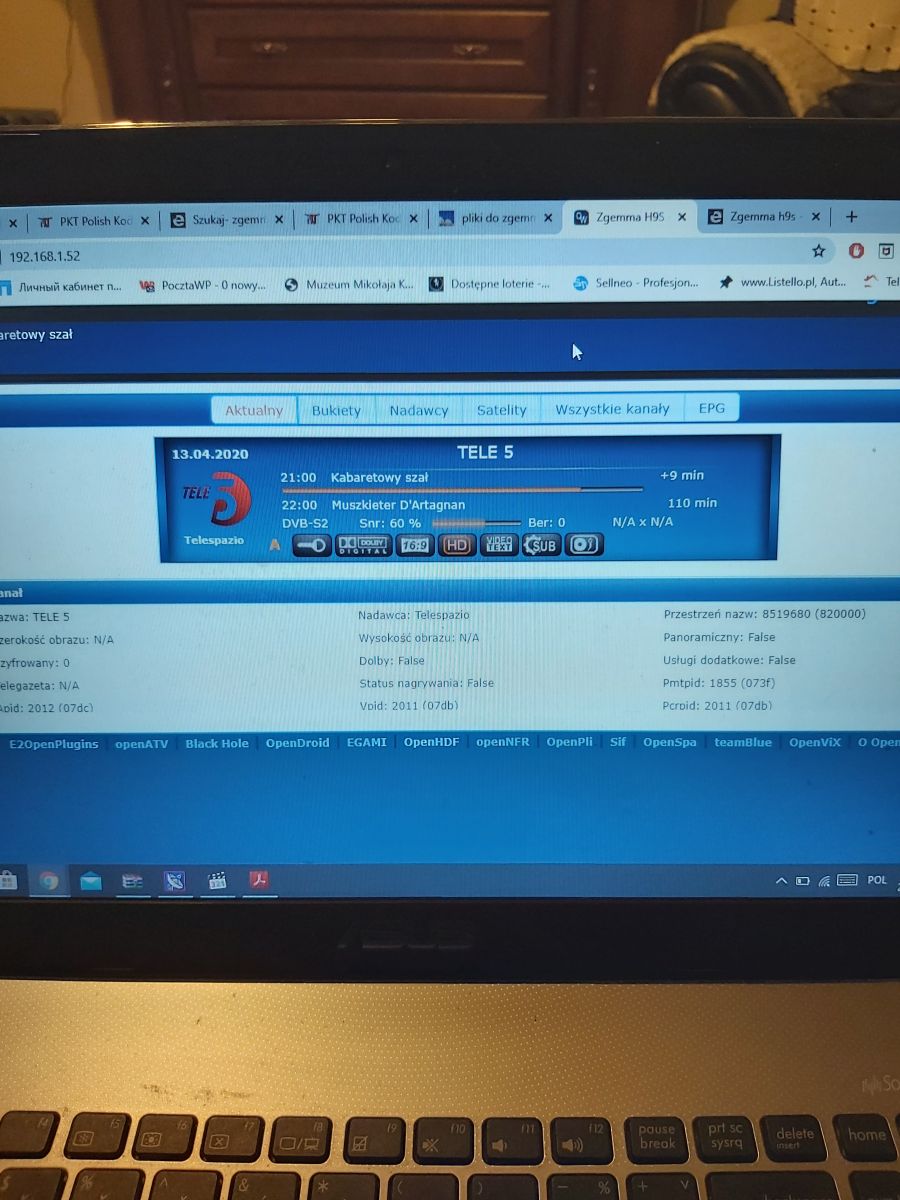
    Tele5 does not shine. It acts like the rest.

    Added after 10 [minutes]:

    Screen from Tele5 Zgemma h9s Satellite Receiver: Issue with Program Reception and Screen Resolution Display

    Added after 2 [minutes]:

    This screen clearly
    Attachments:
    • Zgemma h9s Satellite Receiver: Issue with Program Reception and Screen Resolution Display 20200413_215118.jpg (1.14 MB) You must be logged in to download this attachment.
    • Zgemma h9s Satellite Receiver: Issue with Program Reception and Screen Resolution Display 20200413_215118.jpg (1.14 MB) You must be logged in to download this attachment.
  • #4 18615845
    kameleon11116
    Level 26  
    Posts: 899
    Help: 72
    Rate: 129
    Channel list new?
    Okay, first come the screenshots lesson :) .
    This is a paste in the browser
    192.168.1.52//grab

    We don't need OpenWebif :D
    Once you have the dump made, it is PrtSc on the computer :) , you open Paint - paste,
    after pasting - select and frame the fragment you are interested in :) , after selecting -trim, save as and preferably whatever you look for you give the path to the desktop.
    Now for the electrode, you add this file from the desktop, not the screenshot of your paw ;) why do you show what pages etc. Show what it takes :D unless you want everyone to know everything about you.
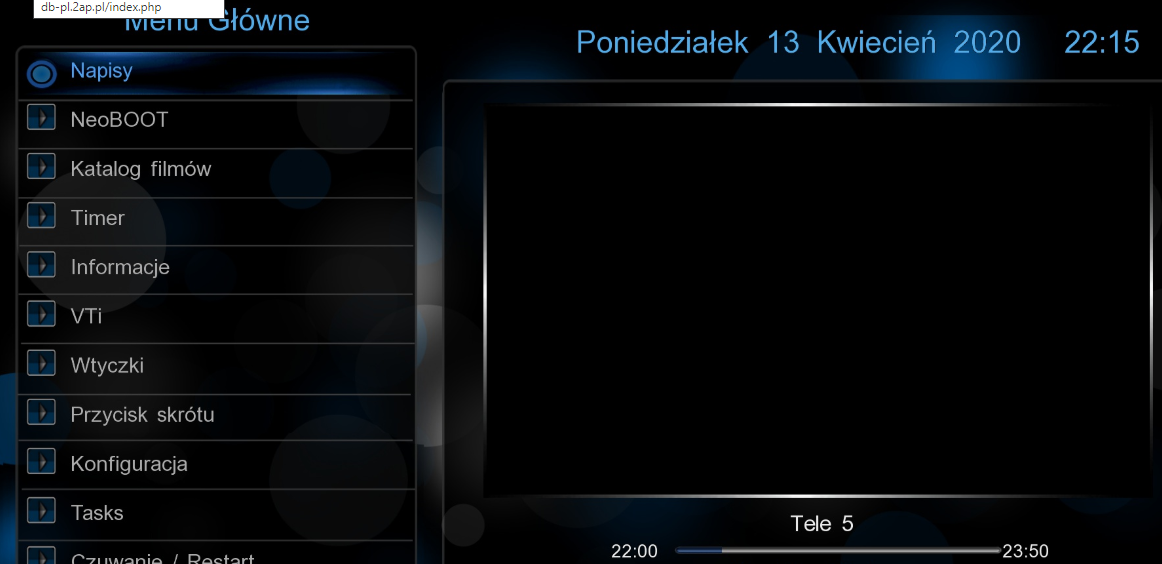
    Example
    Zgemma h9s Satellite Receiver: Issue with Program Reception and Screen Resolution Display

    Check the correct alignment of the antenna. Was it illuminated earlier at this signal level?
  • ADVERTISEMENT
  • #5 18615868
    Mietrzej
    Level 7  
    Posts: 5
    So it shone.
  • #6 18615884
    kameleon11116
    Level 26  
    Posts: 899
    Help: 72
    Rate: 129
    This is a bit too little ;) , you have a friend, neighbor, what to check on his antenna installation?

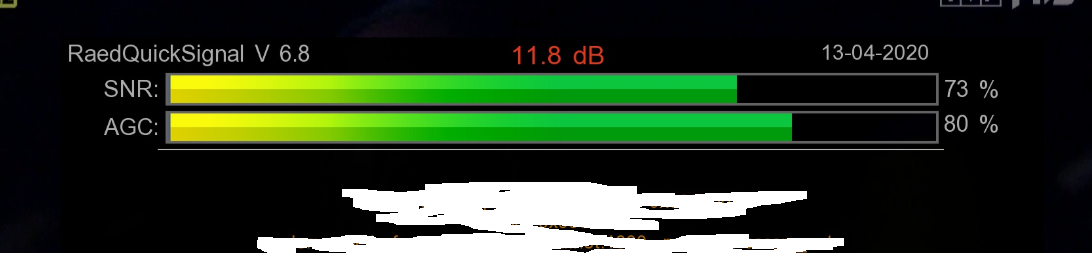
    Show screen from such plugin
    Zgemma h9s Satellite Receiver: Issue with Program Reception and Screen Resolution Display
  • #7 18616034
    Mietrzej
    Level 7  
    Posts: 5
    But where to look for it in zgemma h9s?
  • ADVERTISEMENT
  • #9 18616335
    LeDy
    Level 43  
    Posts: 19003
    Help: 1981
    Rate: 2899
    What happened, what were you doing that stopped receiving?
  • ADVERTISEMENT
  • #10 18616346
    Mietrzej
    Level 7  
    Posts: 5
    Thread. It didn't work in the morning. I'll check the antenna settings. I'm in work. I'll be home tomorrow or on Fri.

    Added after 7 [hours] 15 [minutes]:

    I won a plugin. Antenna as in the photo.
    Attachments:
    • Zgemma h9s Satellite Receiver: Issue with Program Reception and Screen Resolution Display 20200414_163115.jpg (656.56 KB) You must be logged in to download this attachment.
  • #11 18617505
    kameleon11116
    Level 26  
    Posts: 899
    Help: 72
    Rate: 129
    Mietrzej wrote:
    Thread. It didn't work in the morning. I'll check the antenna settings. I'm in work. I will be home tomorrow or on Fri.

    Added after 7 [hours] 15 [minutes]:

    I won a plugin. Antenna as in the photo.


    Hello
    This photo is not from the plug-in, but from the tuning head settings ;) Nevertheless, at this level, something should shine, it could chop. To be sure, check whether the plate can be corrected.
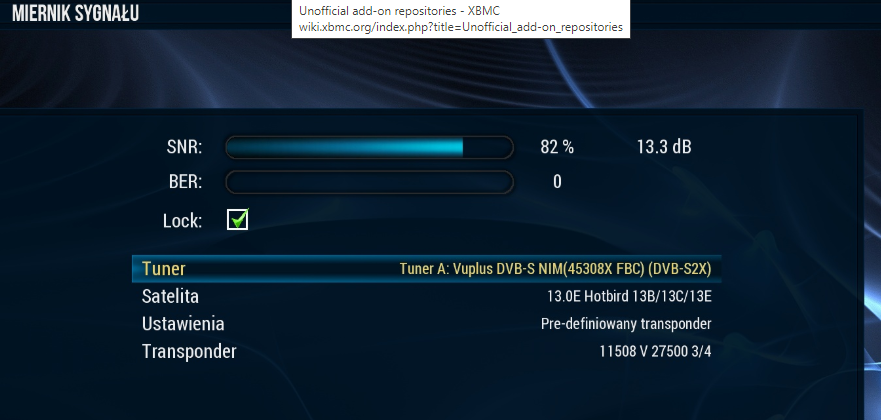
    Something you insisted on taking pictures :?: :?: :D
    Do you have the opportunity to check with someone?

    My head is set this way, but it's a different decoder

    Zgemma h9s Satellite Receiver: Issue with Program Reception and Screen Resolution Display
  • #12 18617560
    LeDy
    Level 43  
    Posts: 19003
    Help: 1981
    Rate: 2899
    At this signal it should receive.

Topic summary

✨ The discussion revolves around issues with the Zgemma H9S satellite receiver, specifically regarding program reception and screen resolution display. The user reports that the device does not receive any channels despite having proper internet and satellite connections, with a signal-to-noise ratio (SNR) of 57-65%. Various suggestions are made, including checking the alignment of the antenna, ensuring the channel list is updated, and using specific plugins to diagnose the signal. The user is advised to verify antenna settings and consider testing with a neighbor's setup to rule out installation issues. Screenshots of the receiver's interface are shared for better diagnosis.
Generated by the language model.

FAQ

TL;DR: Zgemma H9S stuck with 57–65% SNR yet no picture? “At this signal it should receive.” Start by testing FTA Tele5, aligning the dish, checking tuner settings, and grabbing screenshots via /grab; RaedQuickSignal 6.0 helps confirm lock. [Elektroda, LeDy, post #18617560]

Why it matters: This FAQ helps Zgemma H9S/Enigma2 users quickly fix no‑picture and “resolution X” issues with practical, proven checks.
Quick Facts

Why are channels listed but nothing plays on my Zgemma H9S?

If channels are listed but blank, verify signal path and configuration. Start by checking dish alignment and cabling. Then confirm tuner/LNB settings match your installation. Test a free-to-air service to remove CA doubts. Provide a /grab screenshot to expose on‑screen diagnostics. "Check the correct alignment of the antenna." [Elektroda, kameleon11116, post #18615845]

Is 57–65% SNR enough to get a picture?

Yes, helpers note that near 60% SNR should still produce video. One expert said, "At this signal it should receive." If nothing appears at 57–65%, suspect dish alignment or tuner configuration. Use a known FTA service for a quick lock test. Confirm with a signal plugin. [Elektroda, LeDy, post #18617560]

How do I quickly test with a free-to-air channel like Tele5?

Tune to Tele5 on your usual satellite. If Tele5 fails, encryption or card issues are unlikely. Focus on dish alignment, cabling, and tuner setup. This single test rapidly narrows the fault domain. Document the result with a /grab screenshot for clarity. [Elektroda, kameleon11116, post #18615396]

How do I take a clean screenshot from my decoder without photographing the TV?

Use the built-in grab endpoint. 1) In a browser, enter http://your_decoder_ip//grab. 2) Press PrtSc, paste into Paint, crop the relevant area. 3) Save and upload the file to your post. "We don't need OpenWebif." This shows exact on‑screen info and hides room details. [Elektroda, kameleon11116, post #18615845]

Where do I get and start the RaedQuickSignal plugin on H9S?

Install the enigma2-plugin-extensions-raedquicksignal_6.0 .ipk on your box. On first run it may prompt for an update; accept it. Launch the plugin using the TXT button on your remote. Use it to verify lock, SNR, and quality live on the service. [Elektroda, kameleon11116, post #18616074]

Why does my info bar show an 'X' instead of the screen resolution?

Enigma2 shows resolution when an active service is decoded. If reception fails, the info bar can display an unknown indicator like “X.” Restore service lock first; then the resolution string will populate automatically. If needed, review Video/Audio settings afterwards. [Elektroda, Mietrzej, post #18614449]

Could wrong tuner/LNB settings block all channels even with SNR present?

Yes. Incorrect tuner head parameters can prevent lock while bars still move. Verify LNB type, LOF, and any DiSEqC settings against your hardware. "This photo is not from the plug‑in, but from the tuning head settings." Fixing tuner config often restores picture immediately. [Elektroda, kameleon11116, post #18617505]

How can I check if the dish alignment is off?

Compare on a known-good installation to isolate alignment. Ask a neighbor or friend to connect your receiver to their dish. If it works there, your dish likely needs adjustment. Small offsets can block weaker transponders entirely. Re-align until the plugin shows a stable lock. [Elektroda, kameleon11116, post #18615884]

What should I share to get faster help on the forum?

Post a /grab screenshot of the service info and signal bars. Add results from an FTA Tele5 test. Include tuner configuration screenshots. This data lets helpers spot misconfigurations instantly. Avoid room photos; share only the on‑screen details. [Elektroda, kameleon11116, post #18615845]

It worked yesterday but not this morning—what should I check first?

Re-check your antenna settings and alignment. Confirm connectors are tight and the LNB feed is intact. Repeat the FTA Tele5 test and capture a /grab. Sudden loss often points to dish movement or settings changes. Document findings to guide next actions. [Elektroda, Mietrzej, post #18616346]

If Tele5 also fails, what does that tell me?

Failure on an FTA channel removes card or network concerns. Focus on the RF chain and tuner configuration. Inspect dish alignment, cabling, and LNB power. Verify tuner head settings precisely match your installation. Retest and share a /grab output. [Elektroda, kameleon11116, post #18615396]
Generated by the language model.
ADVERTISEMENT