logo elektroda
logo elektroda
X
logo elektroda

How to silence a loud intercom and change the ringtone?

ptaszynka84 24222 19
Best answers

How can I lower or mute a loud intercom and make it beep when someone enters the door code?

The simplest fix is to replace the existing uniphone with a model that has a ring-volume control, because this one does not have a factory mute option [#18948561] In the thread, a matching replacement with volume adjustment was identified as the Wekta TK7, and after installation the volume could be turned down from outside the unit without opening it [#18948826][#18958569] For the door-code beep, no extra wiring is needed: the confirmation sound is configured in software on this uniphone, and if it is not enabled you must activate it using the procedure in the manual, referenced as function 11 [#18958976]
Generated by the language model.
ADVERTISEMENT
Treść została przetłumaczona polish » english Zobacz oryginalną wersję tematu
  • #1 18948416
    ptaszynka84
    Level 5  
    Posts: 10
    Rate: 7
    Hello. I`ll warn you in advance, I`m green when it comes to electronics. I have a problem that my intercom rings very loudly. My baby wakes me up all the time, not to mention the dog howling when he rings the bell. How can I silence it? Is there a chance that, for example, it will play one sound when you enter the code at the bottom to let you know that someone is entering? Is it possible to change the ringtone? And above all, how to turn it down. Thank you in advance for your help. How to silence a loud intercom and change the ringtone? How to silence a loud intercom and change the ringtone?
  • ADVERTISEMENT
  • #2 18948462
    CYRUS2
    Level 43  
    Posts: 17639
    Help: 1221
    Rate: 3451
    What type of intercom is it? It`s written on the panel.
    ptaszynka84 wrote:
    And above all, how to turn it down.
    Cover 80-90% of the earpiece opening with tape.
  • #3 18948473
    ptaszynka84
    Level 5  
    Posts: 10
    Rate: 7
    He just doesn`t write anything at all
  • ADVERTISEMENT
  • #4 18948476
    CYRUS2
    Level 43  
    Posts: 17639
    Help: 1221
    Rate: 3451
    ptaszynka84 wrote:
    He just doesn`t write anything at all
    Post a photo of the panel - someone will recognize it.
  • #5 18948485
    ptaszynka84
    Level 5  
    Posts: 10
    Rate: 7
    How to silence a loud intercom and change the ringtone?
  • #6 18948561
    Ircys
    Intercoms specialist
    Posts: 6933
    Help: 1334
    Rate: 2053
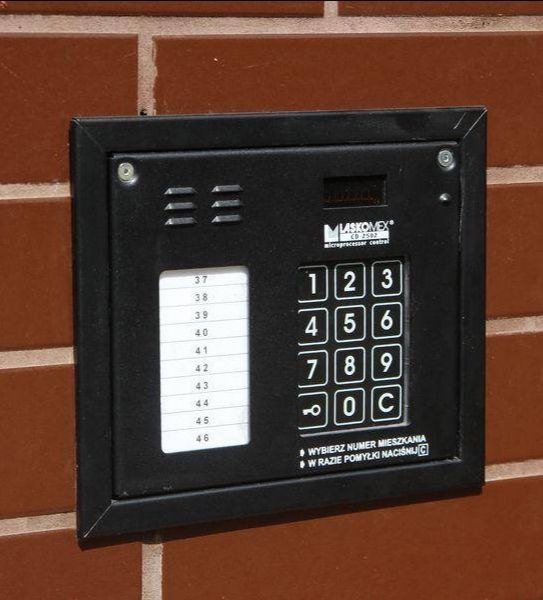
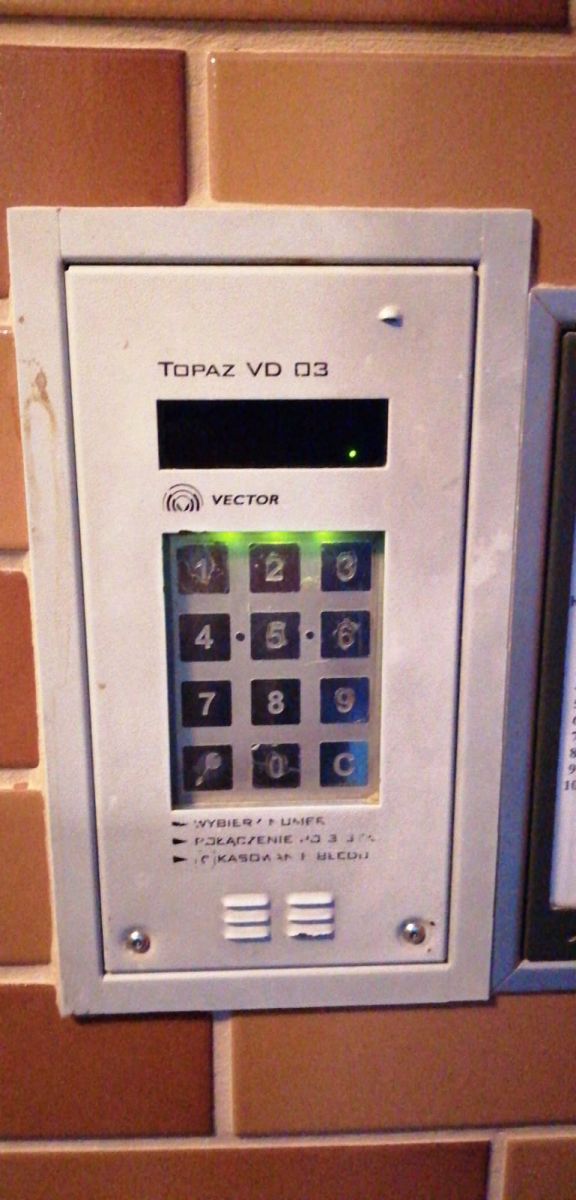
    This uniphone does not have the factory option to mute the bell. The easiest way is to buy a uniphone with this option.
    Give us a photo of the cassette at the front door from which you are called, and we will tell you what to buy.

    Regards
  • ADVERTISEMENT
  • #7 18948574
    ptaszynka84
    Level 5  
    Posts: 10
    Rate: 7
    This is the type of panel like the attached photo. How to silence a loud intercom and change the ringtone?
  • ADVERTISEMENT
  • #8 18948588
    Ircys
    Intercoms specialist
    Posts: 6933
    Help: 1334
    Rate: 2053
    ptaszynka84 wrote:
    This is the type of panel like the attached photo.


    It`s not about the type, because we know the types. It`s about taking down YOUR tape.

    Regards
  • #9 18948619
    ptaszynka84
    Level 5  
    Posts: 10
    Rate: 7
    Ok, ok, I`ll do it in the morning

    Added after 7 [hours] 55 [minutes]:

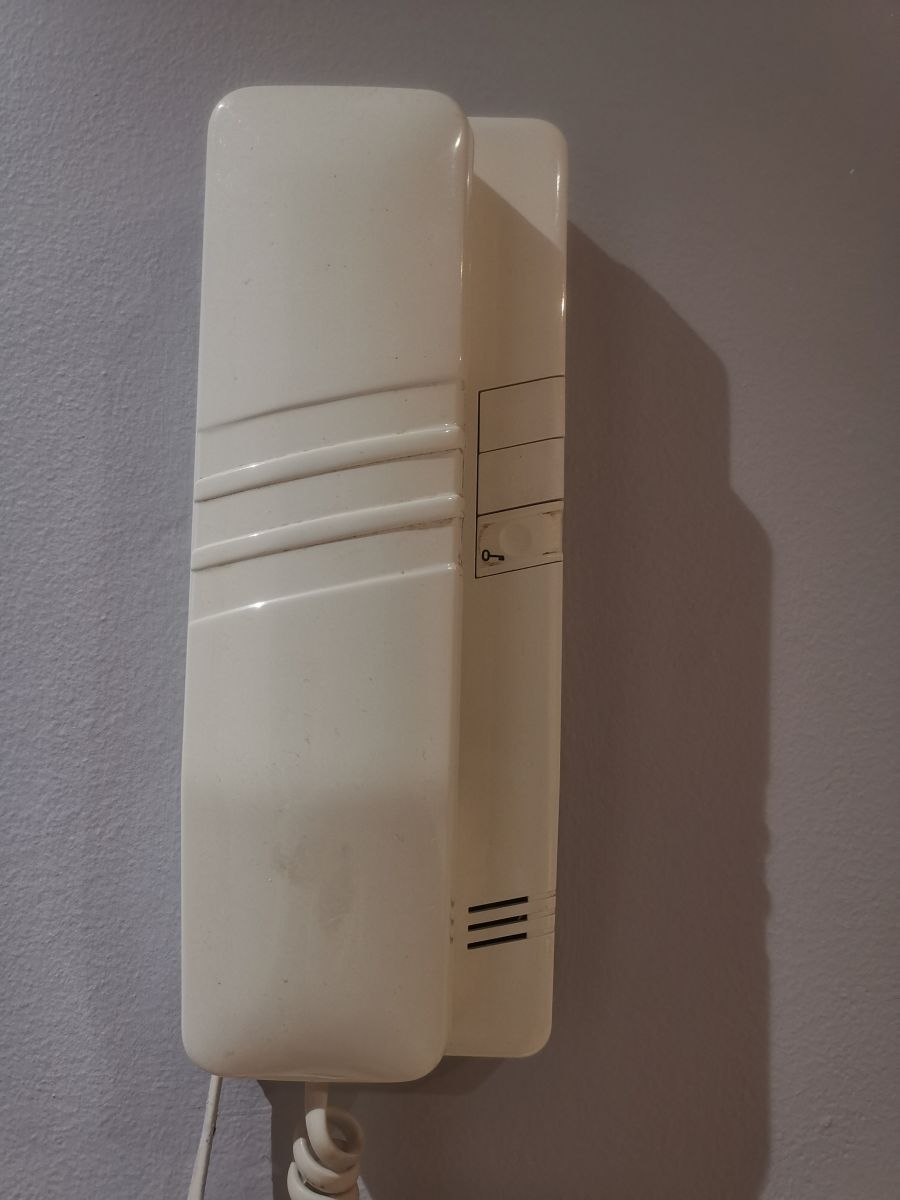
    This is my intercom

    How to silence a loud intercom and change the ringtone?
  • #11 18958569
    ptaszynka84
    Level 5  
    Posts: 10
    Rate: 7
    Thank you very much for your help. The intercom came and works and you can finally turn down the volume. A nice solution is that the mute is outside the intercom and you don`t have to unscrew it :)

    I have an additional question: can it be additionally connected to this intercom so that it produces sound when someone enters the code into the intercom downstairs? The cable coming out of the wall has 4 wires, green, blue, brown and white. Blue is connected to F- and green to + and two are loose. Can they be connected somewhere to make a sound when the code is entered?
  • #12 18958976
    Ircys
    Intercoms specialist
    Posts: 6933
    Help: 1334
    Rate: 2053
    ptaszynka84 wrote:

    I have an additional question: can it be additionally connected to this intercom so that it produces sound when someone enters the code into the intercom downstairs? The cable coming out of the wall has 4 wires, green, blue, brown and white. Blue is connected to F- and green to + and two are loose. Can they be connected somewhere to make a sound when the code is entered?


    In this intercom, confirmation of code use is set programmatically, so no additional connections are needed.
    If you don`t have it turned on, to run it you need to perform a somewhat annoyingly complicated procedure described in the manual: https://www.elektroda.pl/rtvforum/topic2573702.html#12334189
    It`s about the point. 11 function

    Regards
  • #13 18959306
    ptaszynka84
    Level 5  
    Posts: 10
    Rate: 7
    It works great :)
    Thank you very much for your help :)
    Regards
  • #14 21322050
    Slowiczek44
    Level 2  
    Posts: 2
    >>18948561 Hello, I have the same problem as the colleague above. Please help!
  • #15 21322080
    Ircys
    Intercoms specialist
    Posts: 6933
    Help: 1334
    Rate: 2053
    Slowiczek44 wrote:
    I have the same problem as the colleague above.
    .

    what is it?
  • #16 21322092
    Slowiczek44
    Level 2  
    Posts: 2
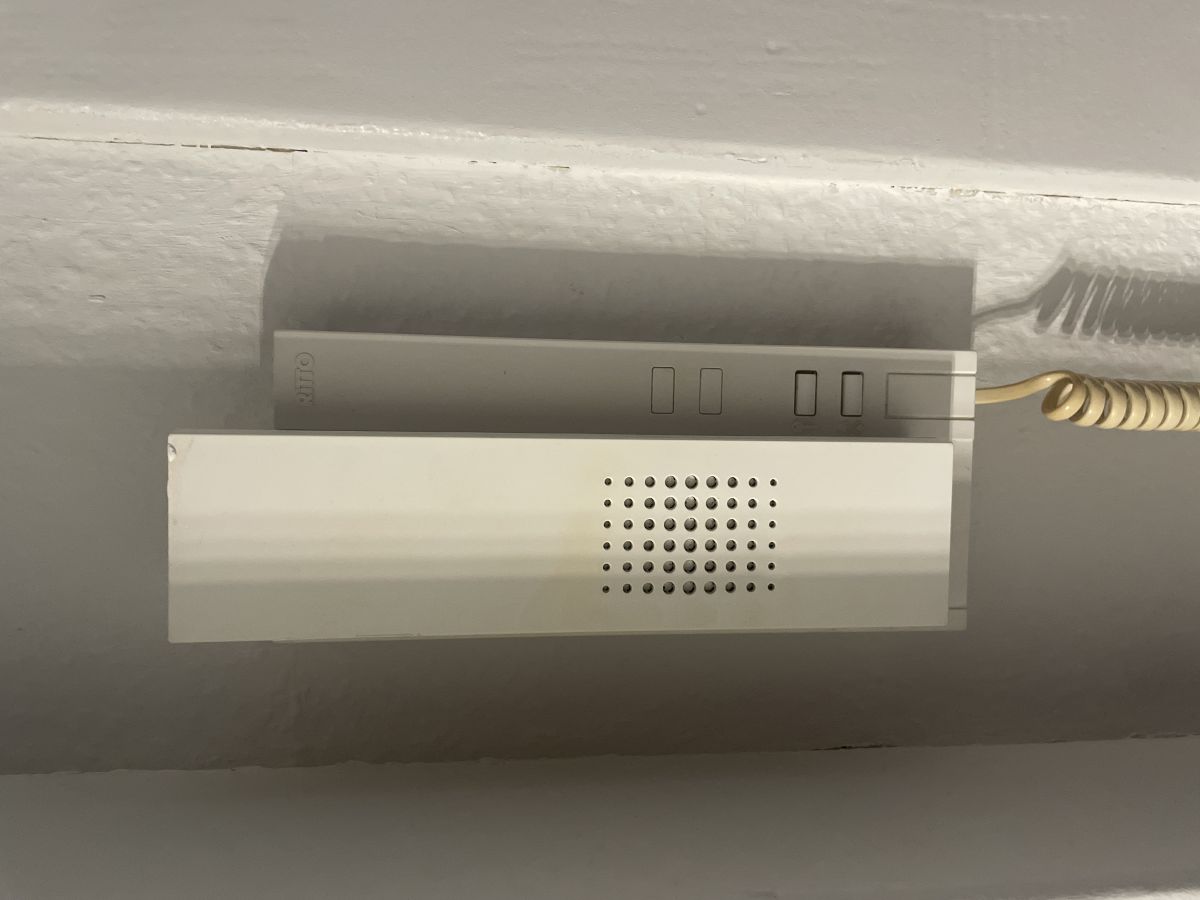
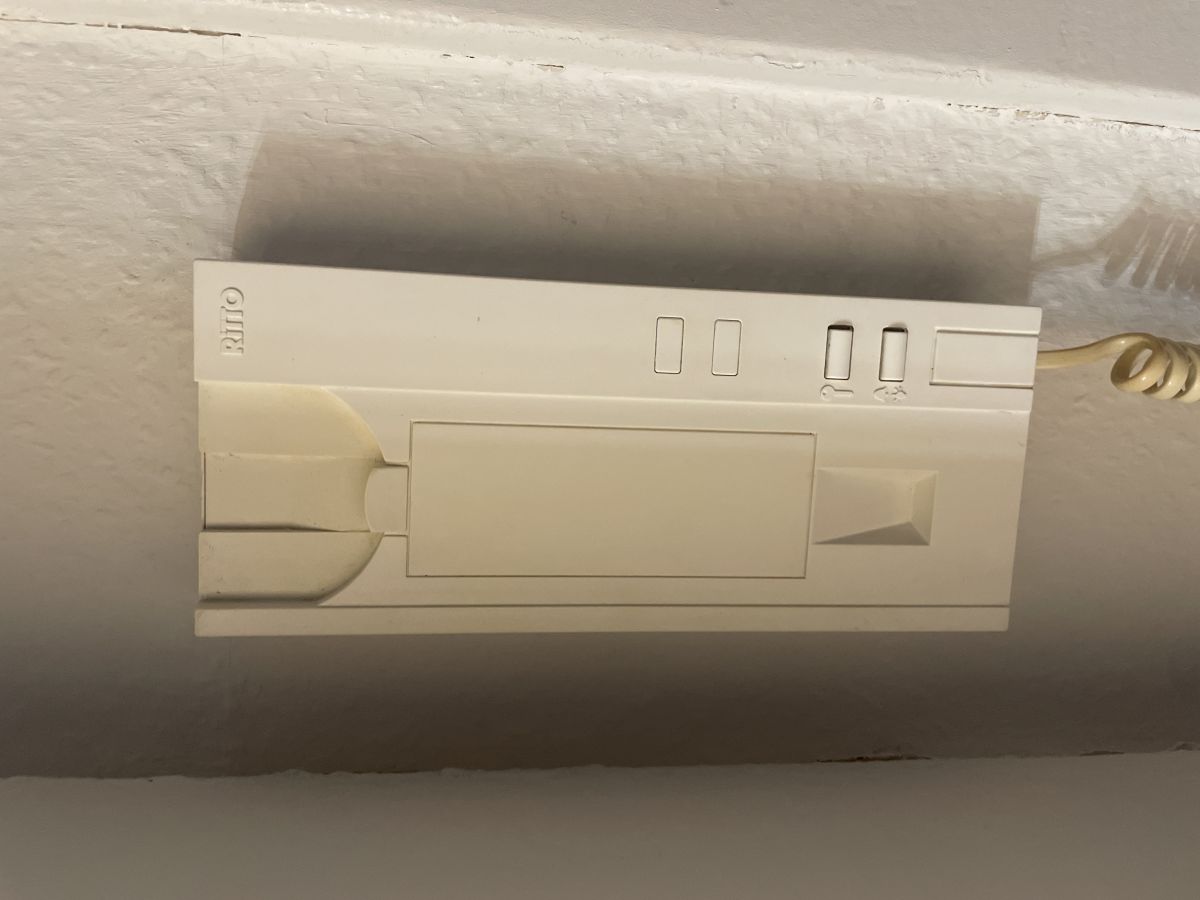
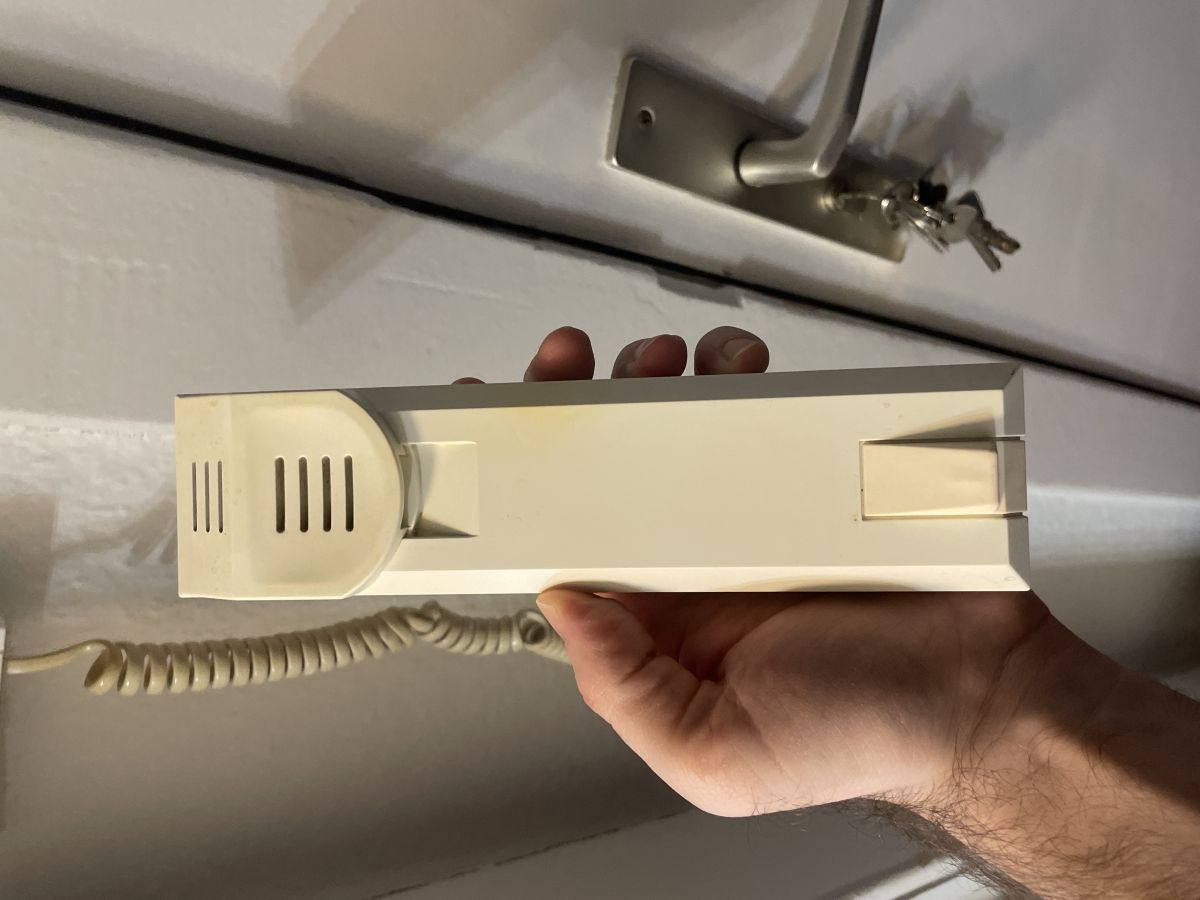
    The intercom is terribly loud and frightens my child. White intercom mounted on a wall with a visible handset. .

    Added after 1 [minute]:

    White intercom on a wall with several buttons and a coiled cable on the side. .

    Added after 57 [seconds]:

    A person holding a light-colored intercom handset with a visible coiled cord. .
  • #17 21322128
    Ircys
    Intercoms specialist
    Posts: 6933
    Help: 1334
    Rate: 2053
    Slowiczek44 wrote:
    The intercom is terribly loud and frightens my child.
    .

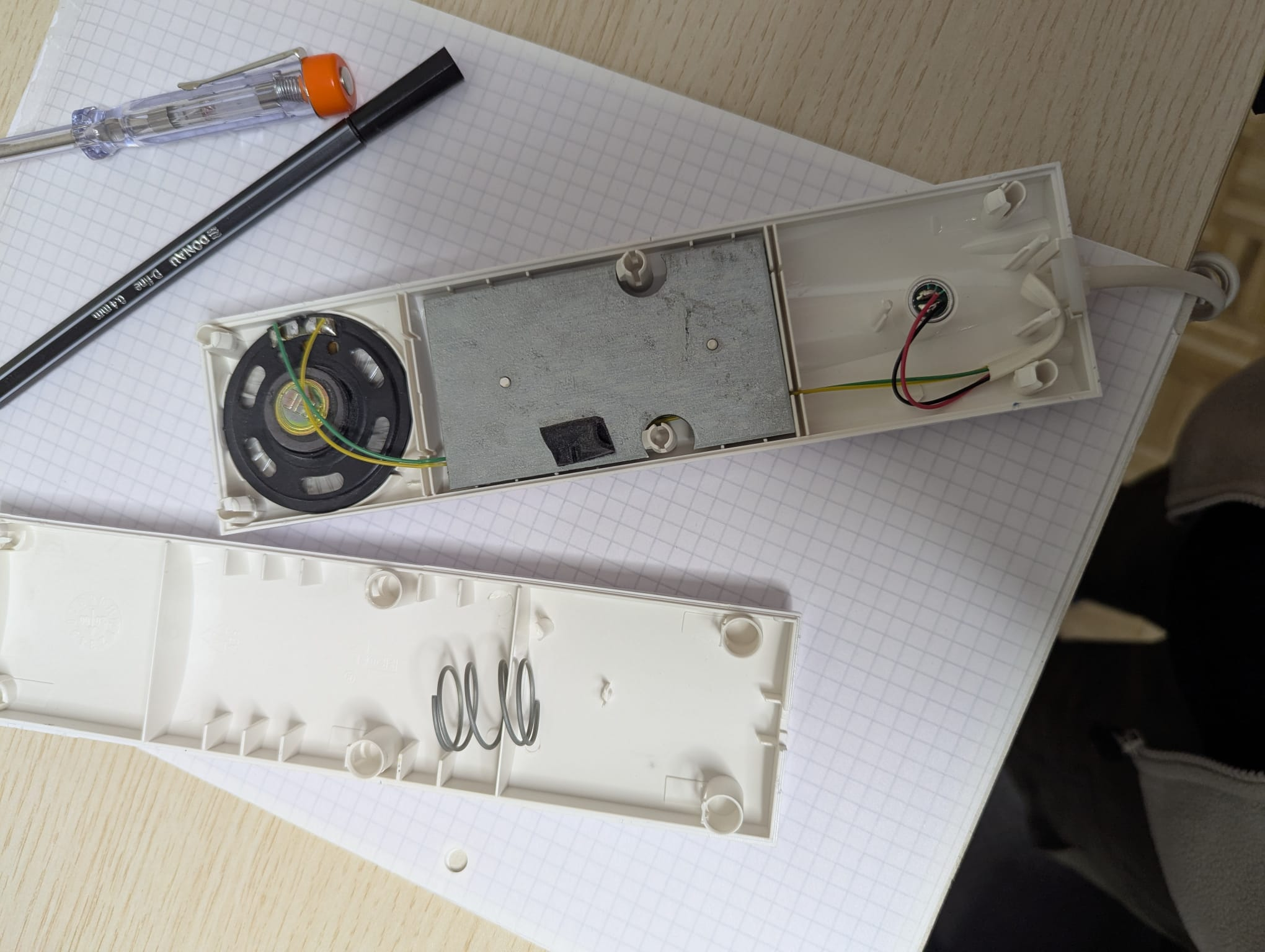
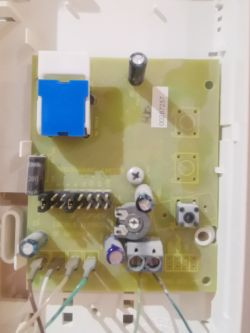
    Please remove the uniphone top casing and take a picture of the insides so you can see the connections.
  • #18 21762820
    dast04
    Level 1  
    Posts: 1
    Hello,
    My question is similar - how do you mute the beeping sound when someone opens the door to the building.
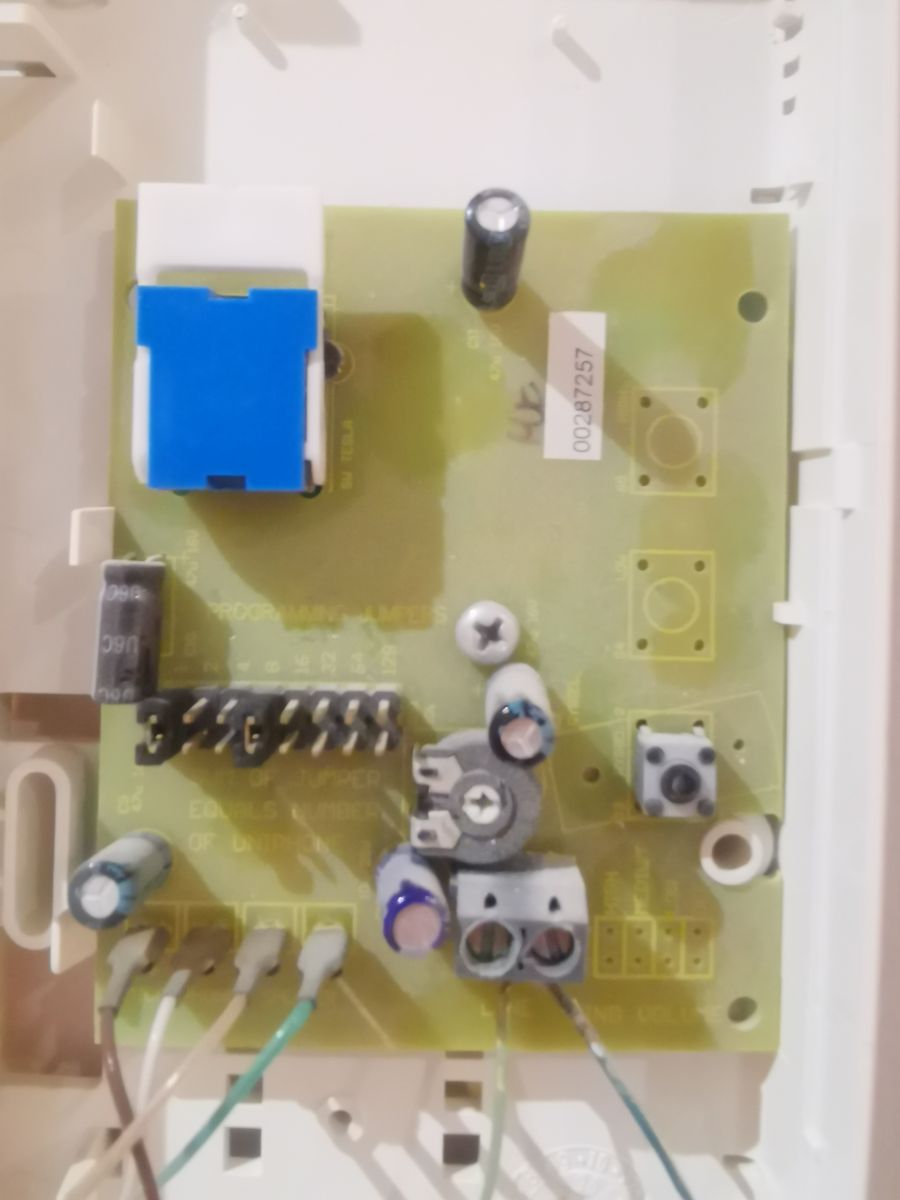
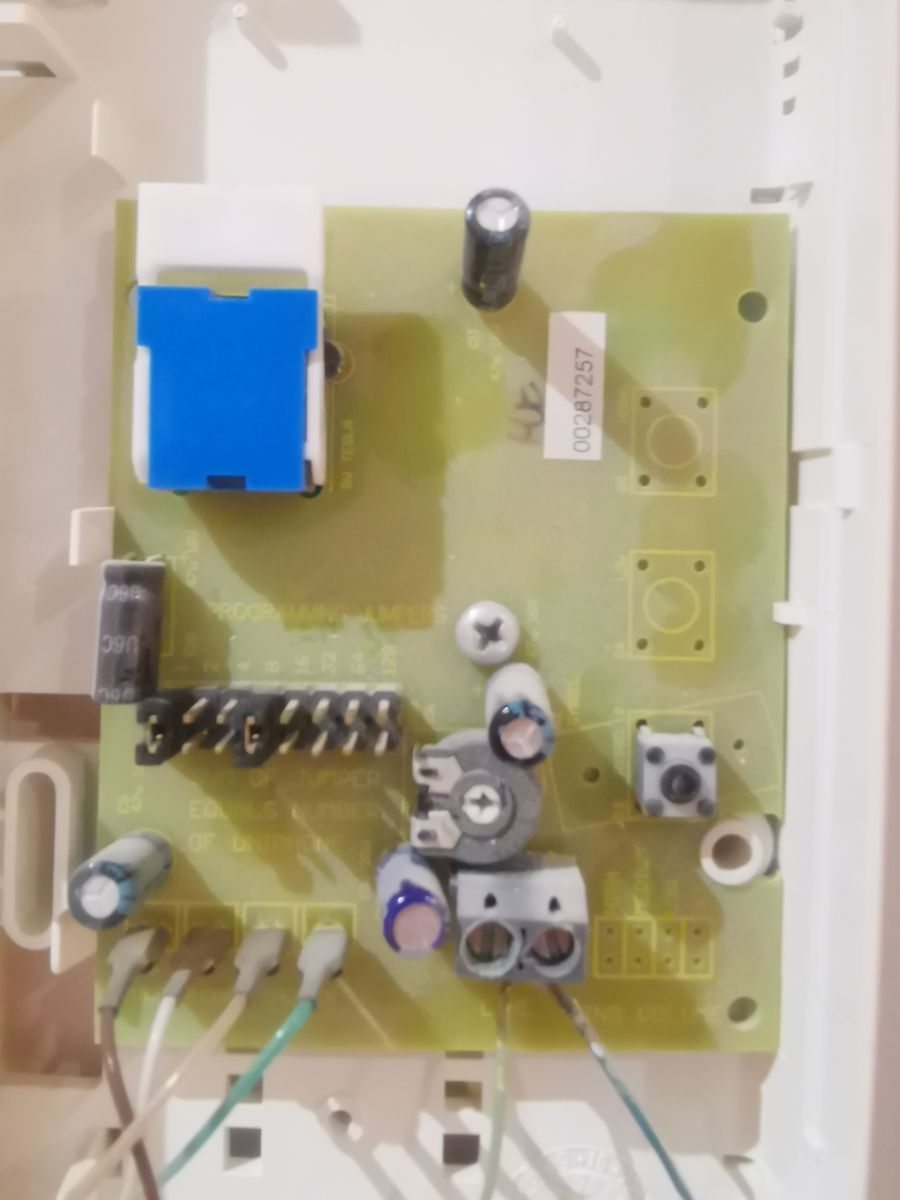
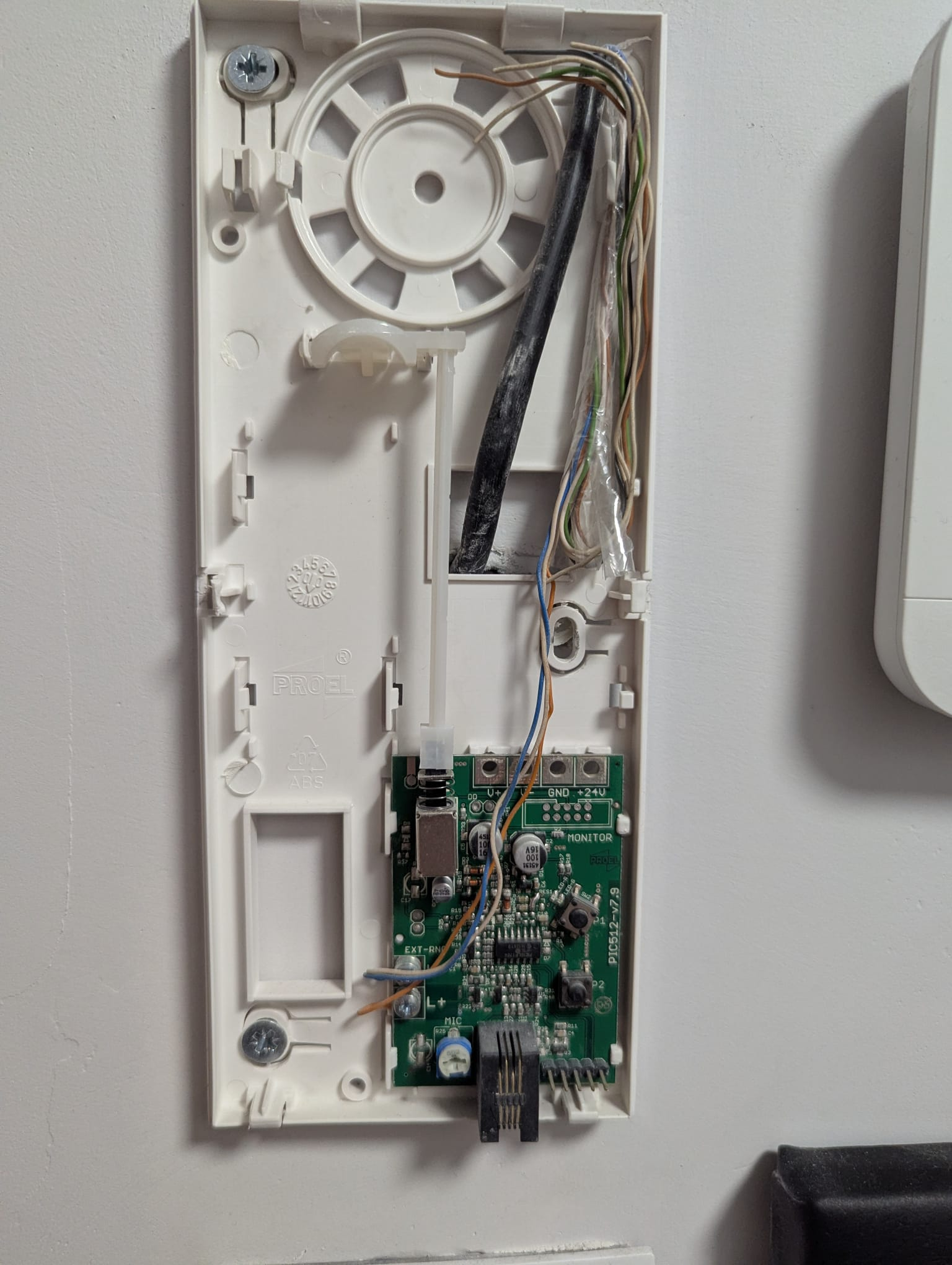
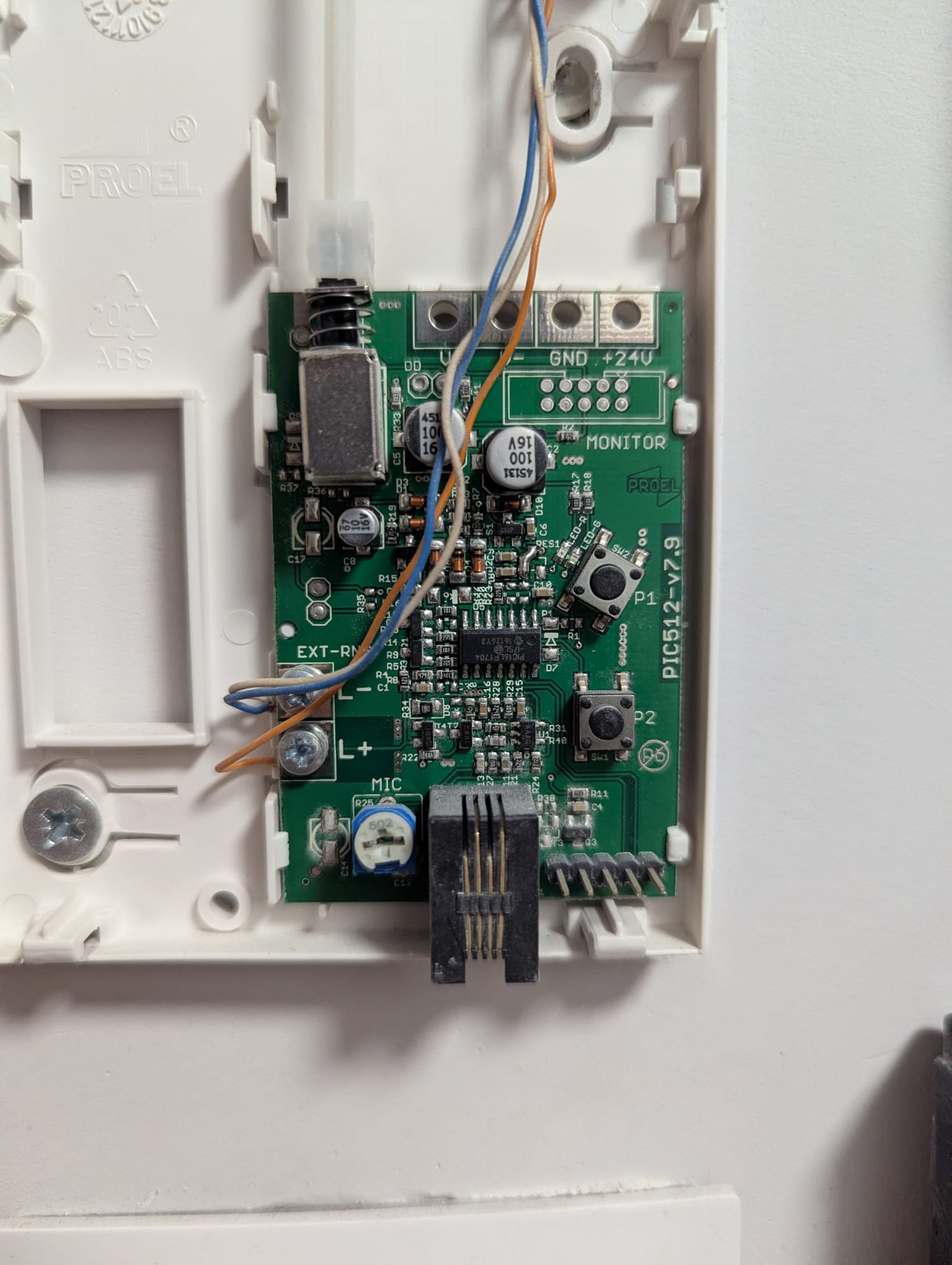
    I see that there is a MIC control - I'm guessing this is the microphone volume control.
    Even if there is no such adjustment on this model, where is the sound coming from? Worst case scenario, I'll put a piece of sponge in to dampen the sound.

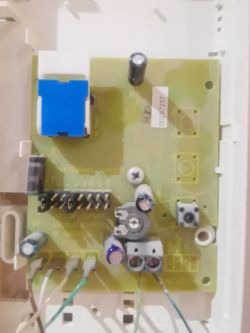
    Plastic device casing opened to reveal speaker and internal electronics

    Disassembled intercom housing showing PCB and connected wires

    Intercom circuit board with visible connectors, microphone, and MIC potentiometer
  • #19 21762865
    Ircys
    Intercoms specialist
    Posts: 6933
    Help: 1334
    Rate: 2053
    The confirmation of code usage can be deactivated programmatically on this uniphone.
    Extract from the instructions:
    2.5 Disabling lock code confirmation
    To disable the confirmation of the lock code, press and hold down the P1 and P2 buttons (for approx
    4 seconds) until a single beep is heard. At this point, release
    p1 and P2 buttons and press P1 briefly. Pressing P1 must occur no later than 1 second
    after releasing the P1 and P2 buttons.
    The deactivation of the lock code confirmation will be signalled by a double beep.
    https://proel.pl/main_libs/files/assets/1/Ins...slugi/Instrukcja%20obslugi%20PC512%20v302.pdf
  • #20 21762968
    CYRUS2
    Level 43  
    Posts: 17639
    Help: 1221
    Rate: 3451
    dast04 wrote:
    Even if there is no such adjustment on this model, where is the sound coming from? In the worst case I will put in a piece of sponge to dampen the sound.
    In this telephone the volume of the ringer is set by the user.
    It is possible to lower the ringer volume robustly.
    https://proel.pl/main_libs/files/assets/1/Ins...slugi/Instrukcja%20obslugi%20PC512%20v302.pdf

Topic summary

✨ The discussion addresses how to reduce the loud volume of an intercom and change its ringtone. The original intercom model lacks a factory mute option or volume control. A practical temporary solution suggested is partially covering the earpiece opening with tape to lower the sound. For a permanent fix, replacing the intercom with a model that includes volume control and mute functionality is recommended. A specific replacement model with adjustable ring volume was identified. Additionally, the possibility of enabling a sound notification when a code is entered on the external panel was explored. This feature is controlled programmatically via the intercom’s firmware and can be activated by following a specific procedure outlined in the manual (function F104). Wiring details were discussed, noting four wires (green, blue, brown, white) with blue connected to F- and green to +, while brown and white remain unused. The solution avoids additional hardware connections for code entry confirmation sounds. The discussion also includes requests for photos of the intercom and external panel to assist with identification and advice.
Generated by the language model.

FAQ

TL;DR: Quick fix: "Cover 80–90% of the earpiece opening with tape" to slash ring volume. This FAQ helps apartment intercom users lower loud rings, enable code-entry tones, and choose replacements. Start by identifying your model for best options. [Elektroda, CYRUS2, post #18948462]

Why it matters: A calmer, configurable intercom prevents waking babies and pets while keeping you aware of visitors.

Quick Facts

How do I quickly make my intercom ring quieter without tools?

Use the tape trick. Cover 80–90% of the earpiece opening to cut acoustic output. It is fast and reversible. Adjust or remove the tape to tune the loudness. This non-invasive hack reduces startling rings immediately. [Elektroda, CYRUS2, post #18948462]

My uniphone has no volume knob—can it be muted?

Expert response: "This uniphone does not have the factory option to mute the bell." The practical route is replacing it with a uniphone that includes ring volume or mute. That saves time versus modifying the old unit. [Elektroda, Ircys, post #18948561]

Which replacement has adjustable ring volume?

The thread recommends the Wekta TK‑7 uniphone. It includes ring volume control, solving loud‑ring complaints. Check compatibility with your building’s system before purchase. This upgrade offers a cleaner, supported path than DIY damping. [Elektroda, Ircys, post #18948826]

How do I enable a tone when someone opens the door with a code?

On this system, the code‑entry confirmation tone is set in the door panel programming. No extra wires are needed. Use function F104 as described in the manual’s point 11. How‑To: 1. Enter panel programming. 2. Navigate to function F104 per point 11. 3. Enable the confirmation tone and exit. [Elektroda, Ircys, post #18958976]

Do I need to connect extra wires for the code‑entry tone?

No. The confirmation sound is a programmable feature of the entrance panel. The expert clarified it requires no additional apartment wiring. Enable it in the panel settings using function F104 per the manual reference. [Elektroda, Ircys, post #18958976]

What wiring did the OP have in the wall?

The OP reported four conductors: green, blue, brown, and white. Blue connected to F‑, green to +, with two wires unused. This shows a 4‑wire cable with two active lines in that installation. Document your own wiring before changes. [Elektroda, ptaszynka84, post #18958569]

Can I change the ringtone melody on this kind of unit?

In the discussed unit, advanced ring options were not available. The expert advised replacement instead of modification. Upgrading to a uniphone with ring controls is the practical approach. It avoids hacking a fixed‑function device. [Elektroda, Ircys, post #18948561]

How can I identify my system to choose a compatible uniphone?

Remove the uniphone’s top casing and photograph the internals so connections are visible. Share that photo when asking for help. It helps others confirm wiring type and compatibility before recommending a model. [Elektroda, Ircys, post #21322128]

Do I need to unscrew the unit to mute it after upgrading?

The OP noted a nicer solution with the replacement: mute control is accessible without unscrewing. That makes daily use simpler and quicker. It confirms the benefit of choosing a unit with external controls. [Elektroda, ptaszynka84, post #18958569]

Will the forum help me choose what to buy if I post photos?

Yes. "Give us a photo of the cassette at the front door from which you are called, and we will tell you what to buy." Clear photos speed up accurate recommendations. [Elektroda, Ircys, post #18948561]

Is the tape method safe to keep for weeks?

It is a simple attenuation hack for loud rings. Apply tape over most of the earpiece opening and monitor results. Adjust coverage as needed. Replace with a proper volume‑control unit when convenient. This keeps the change reversible. [Elektroda, CYRUS2, post #18948462]

I enabled F104 but still hear no tone—what now?

Recheck the programming steps carefully. The expert called the procedure a "somewhat annoyingly complicated" manual sequence. It is easy to miss a step. Repeat the steps from the manual’s point 11 and confirm settings saved. [Elektroda, Ircys, post #18958976]
Generated by the language model.
ADVERTISEMENT