


logo elektroda
logo elektroda
X
logo elektroda

[Solved] Overmax Camspot 4.9: Inconsistent Live View Access in Control App (Wired & WiFi)

polako10 35091 9
Best answers LABEL_AI_GENERATED

Why does the Overmax Camspot 4.9 live view in the control app work only sometimes, even on wired and Wi‑Fi connections?

The intermittent live view is most likely caused by the camera’s cloud/p2p connection through the manufacturer’s servers, not by your wired or Wi‑Fi link. If you add the camera with the QR code, the app connects outside via the manufacturer’s server, so a working preview depends on those servers behaving properly [#19352689] One reply says that if it works once and not the next time, the problem is the manufacturer’s servers “working as they please” [#19352718] The same discussion concludes that Overmax is not a top-tier brand and suggests replacing it with a Dahua IMOU camera instead [#19352732]
AI summary based on the discussion. May contain errors.
ADVERTISEMENT
Treść została przetłumaczona polish » english Zobacz oryginalną wersję tematu
  • Intermittent live view suggests external IP issue

    #1 19352633
    polako10
    Level 9  
    Posts: 12
    Rate: 14
    Hello,
    I bought an outdoor IP camera overmax camspot 4.9.
    The problem is that in the overmax control application I sometimes have access to the live view and sometimes I don't. I've tried wired and wifi and it's the same. I called tech support and ISP. Ports 80 and 81 are unblocked. The internet provider claims that I need to have an external IP assigned, and I would have to pay PLN 5 monthly. But why does it sometimes hit the live preview and this preview is? Please help. Pictures add working preview and not working. Overmax Camspot 4.9: Inconsistent Live View Access in Control App (Wired & WiFi)
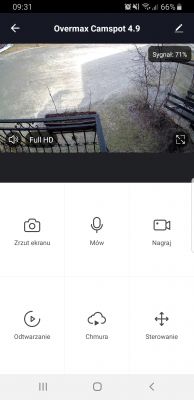
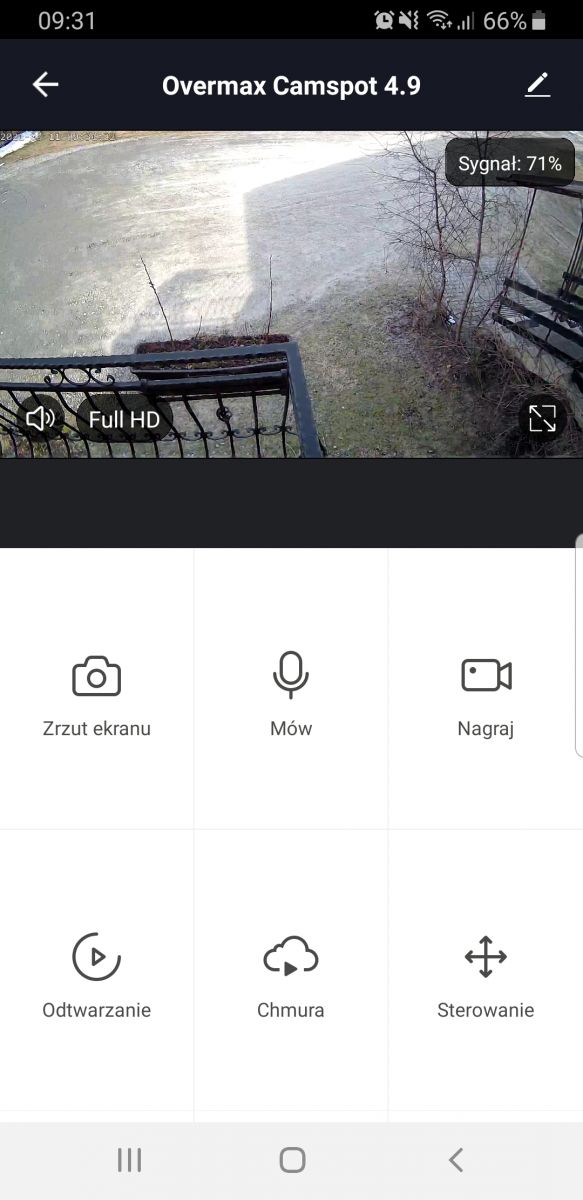
    Attachments:
    • Overmax Camspot 4.9: Inconsistent Live View Access in Control App (Wired & WiFi) Screenshot_20210331-151538_Overmax Control.jpg (118.17 KB) You must be logged in to download this attachment.
    • Overmax Camspot 4.9: Inconsistent Live View Access in Control App (Wired & WiFi) Screenshot_20210311-093124_Overmax Control.jpg (653.51 KB) You must be logged in to download this attachment.
  • ADVERTISEMENT
  • #2 19352646
    sosarek

    Level 43  
    Posts: 83875
    Help: 9320
    Rate: 15532
    How did you add the camera in the application using the QR code?
    Company Account:
    Z
    Pka, Poznań, 60-850
    Helpful post? Buy me a coffee.
  • ADVERTISEMENT
  • #3 19352655
    polako10
    Level 9  
    Posts: 12
    Rate: 14
    If the cable is autoscan. If on wifi then via qr code. So I think it's correct.
  • #4 19352689
    sosarek

    Level 43  
    Posts: 83875
    Help: 9320
    Rate: 15532
    To have a preview from the outside, did you add it using a QR code? If so, it connects to the cloud (p2p) through the manufacturer's server.
    Company Account:
    Z
    Pka, Poznań, 60-850
    Helpful post? Buy me a coffee.
  • ADVERTISEMENT
  • #5 19352711
    polako10
    Level 9  
    Posts: 12
    Rate: 14
    Now I have it back on the cable and gave it through the scan. Yesterday I was on wifi and scanned the qr code and the same thing happens.
    Once I had a cable and qr I scanned and it worked once, once not.

    Added after 37 [seconds]:

    You know what I gotta do? what do you advise?

    Added after 5 [minutes]:

    So I have to buy a cloud subscription to have a live view of what's going on?
  • #6 19352718
    sosarek

    Level 43  
    Posts: 83875
    Help: 9320
    Rate: 15532
    polako10 wrote:
    Once I had a cable and qr I scanned and it worked once, once not.

    So the problem is the manufacturer's servers that work as they please.
    polako10 wrote:
    You know what I gotta do? what do you advise?

    Take a look at Dahua IMOU.
    Company Account:
    Z
    Pka, Poznań, 60-850
    Helpful post? Buy me a coffee.
  • #7 19352723
    polako10
    Level 9  
    Posts: 12
    Rate: 14
    So it turns out that overmax is a crap company, i.e. I would have to buy another camera ... Because I can't do anything with this one?

    Added after 3 [minutes]:

    So if I bought a camera from this company Dahua IMOU, it should flash without a problem? And orllo company outdoor cameras would be good too?
  • ADVERTISEMENT
  • Helpful post
    #8 19352732
    sosarek

    Level 43  
    Posts: 83875
    Help: 9320
    Rate: 15532
    Unfortunately - Overmax is not a top-flight company.
    Dahua is one of the largest companies on the market and I am not the only one who installs them on a daily basis.
    Orllo is another invention like Overmax...
    Company Account:
    Z
    Pka, Poznań, 60-850
    Helpful post? Buy me a coffee.
  • #9 19352736
    polako10
    Level 9  
    Posts: 12
    Rate: 14
    Ok, I close the topic. Thanks for the advise.
  • #10 19352737
    polako10
    Level 9  
    Posts: 12
    Rate: 14
    Ok, I close the topic. Thanks for the advise.

    Added after 1 [minutes]:

    Camera change

Topic summary

LABEL_AI_GENERATED
The discussion revolves around issues with the Overmax Camspot 4.9 outdoor IP camera, specifically inconsistent access to the live view feature via the Overmax control application, regardless of whether the connection is wired or wireless. Users have suggested that the problem may stem from the manufacturer's servers, which could be unreliable. The original poster inquired about the necessity of a cloud subscription for consistent live view access and expressed frustration with the camera's performance. Recommendations were made to consider alternative brands like Dahua and Orllo, which are perceived to offer more reliable products.
AI summary based on the discussion. May contain errors.
ADVERTISEMENT