FAQ
TL;DR: One out of one cases here ended with a defective Smart‑5P; “the device was indeed defective!” Check wiring/jumpers first, then test the old handset, and replace if mic stays silent. [Elektroda, rexxodus, post #21722569]
Why it matters: This FAQ helps apartment owners troubleshoot a silent microphone after swapping a Fermax for a Cyfral Smart‑5P.
Quick Facts
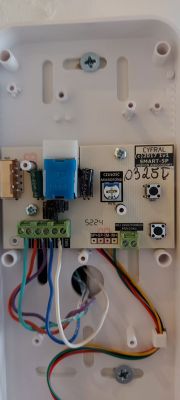
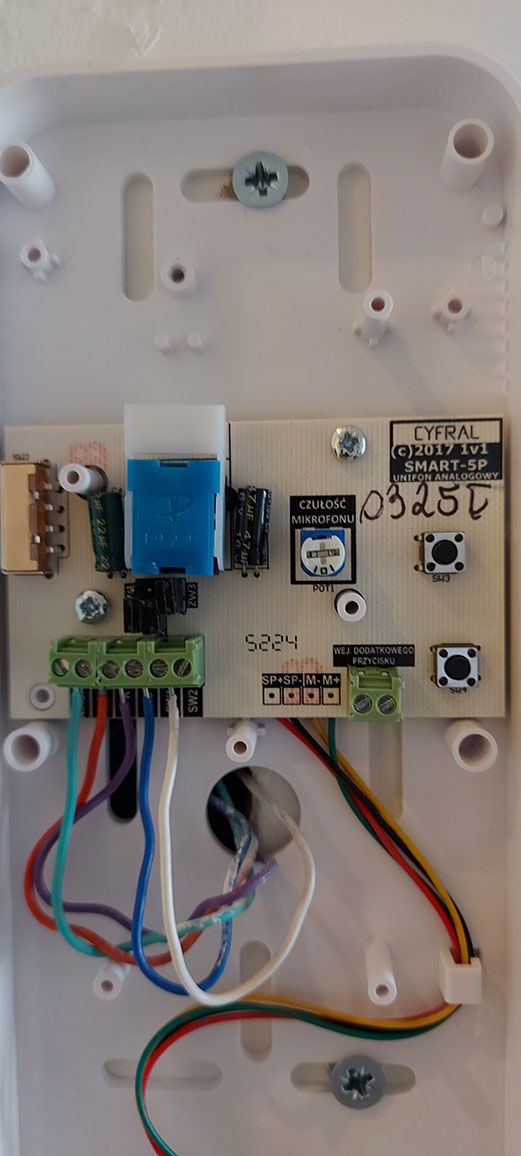
- Suggested wiring map used: Ring→4 (red), SPK→6 (violet), MIC→2 (blue), GND→3 (green), SW1→1 (white). [Elektroda, barrrrrman, post #21694434]
- Jumper setup reported: ZW1 and ZW2 down; ZW3 on. [Elektroda, barrrrrman, post #21694434]
- The installation in this thread had 5 conductors available. [Elektroda, rexxodus, post #21693748]
- Final resolution: unit replacement, confirmed faulty Smart‑5P by an electrician. [Elektroda, rexxodus, post #21722569]
How do I fix a Cyfral Smart‑5P mic that doesn’t work after replacing a Fermax?
Start by applying the shared wiring map and jumper positions. Then test call audio both ways. If still silent, proceed:
- Verify Ring, SPK, MIC, GND, and SW1 connections match the map.
- Set ZW1 and ZW2 down; set ZW3 on.
- Retest; if no change, continue with handset checks. [Elektroda, barrrrrman, post #21694434]
What wiring map worked for Fermax to Cyfral Smart‑5P in this thread?
Use this mapping: Ring to terminal 4 (red), SPK to 6 (violet), MIC to 2 (blue), Ground to 3 (green), SW1 to 1 (white). Tighten screws and retest audio. [Elektroda, barrrrrman, post #21694434]
Do I need to change jumper settings on the Smart‑5P for Fermax replacements?
Yes. Set ZW1 and ZW2 to the lower position and fit ZW3. This pairing produced working audio paths in the shared guidance. Recheck after every change. [Elektroda, barrrrrman, post #21694434]
I swapped Ring and SPK and the mic still fails—what next?
A commenter suggested swapping the red and purple positions to test signaling paths. If swapping does not restore the microphone, revert to the recommended map and continue diagnostics like handset testing. “Swap red <-> purple in place.” [Elektroda, Ircys, post #21694604]
How can I quickly confirm whether my previous wiring was correct?
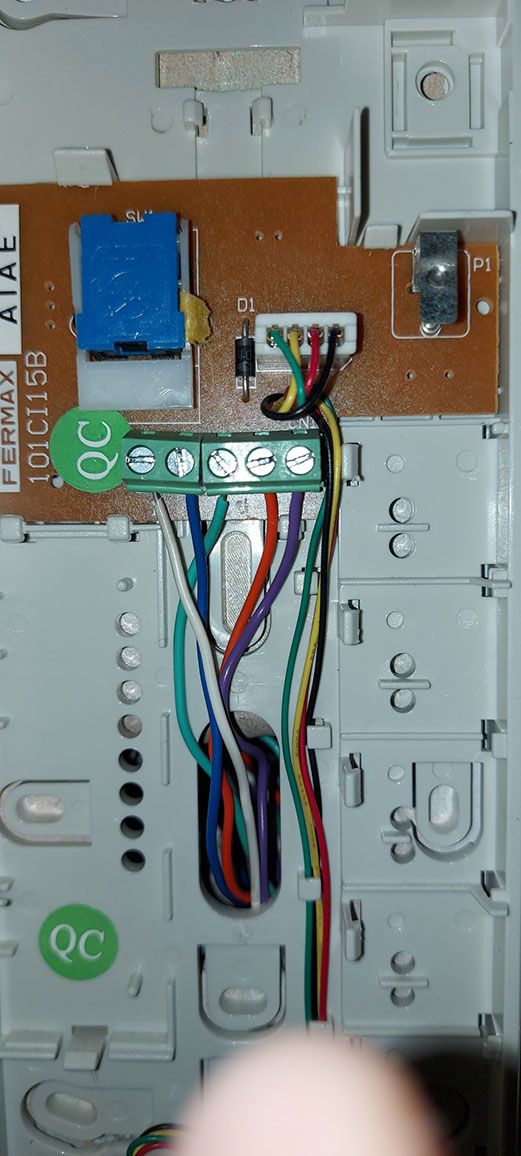
Reconnect the old Fermax handset if you still have it. Place a test call to verify talkback. If the old unit works, the issue is likely with the new handset or its setup. This isolates cabling and riser wiring from the fault. [Elektroda, Ircys, post #21695801]
What did people mean by “uniphone” here?
They used “uniphone” to mean the apartment’s intercom handset. A participant asked for a photo of the old Fermax uniphone with visible connections to analyze terminal assignments. Provide clear images when seeking help. [Elektroda, Ircys, post #21693834]
How many wires are typical in the setup discussed?
In this thread, the installer reported five conductors present. That aligns with common analog handsets that separate mic, speaker, call, ground, and switch lines. “I count 5 wires.” [Elektroda, rexxodus, post #21693748]
Could a brand‑new Smart‑5P be faulty out of the box?
Yes. The reported case ended with a confirmed defective handset. As the user put it, “the device was indeed defective!” If wiring and jumpers check out, request a replacement under warranty. This is an important edge case to consider. [Elektroda, rexxodus, post #21722569]
What quick neighbor check can I do before calling an electrician?
Ask a neighbor with the same system which wire colors go to their handset terminals. Compare your Ring, SPK, MIC, GND, and SW1 connections. Color parity can quickly reveal miswires or swapped pairs. Photograph both for reference. [Elektroda, barrrrrman, post #21696933]
How do I prove the fault is the handset and not the building wiring?
If the old Fermax works and the Smart‑5P still has no mic after correct mapping and jumpers, the handset is suspect. In this thread, an electrician confirmed a defective Smart‑5P and replacement solved it. Document tests before requesting RMA. [Elektroda, rexxodus, post #21722569]
Which terminals carry the microphone and speaker in the shared map?
Microphone goes to terminal 2 (blue in the shared example). Speaker goes to terminal 6 (violet in the shared example). Ensure a solid ground on terminal 3. Then recheck call and talkback. [Elektroda, barrrrrman, post #21694434]
I followed the map and jumpers, but still no mic—what’s the final step?
Treat it as a handset failure after verifying with the old unit or a known‑good check. The case here concluded with replacing a defective Smart‑5P, restoring microphone audio immediately after swap. Seek warranty service. [Elektroda, rexxodus, post #21722569]