Hi everyone,
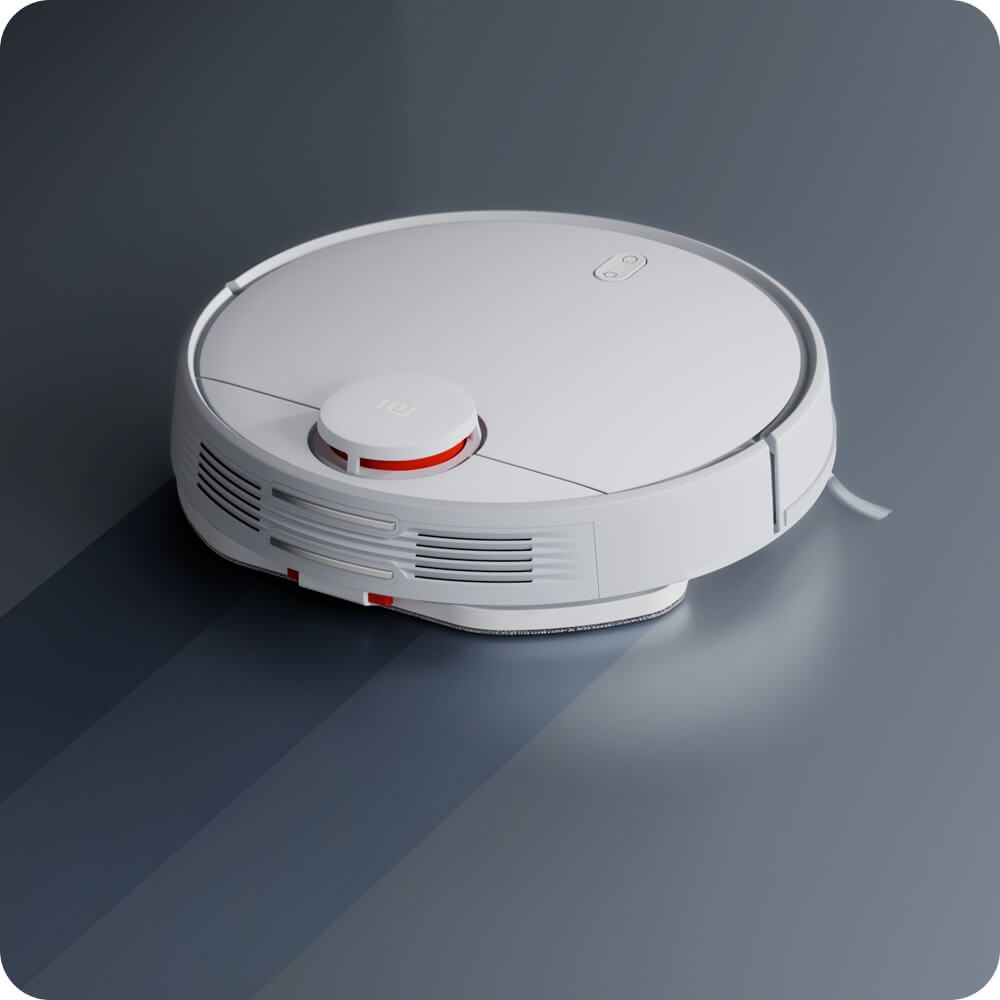
I own a Xiaomi Vacuum Mop 2S. The robot vacuum no longer responds to commands and is no longer reachable via the app after sitting idle and charging for about a year.
When I connected it to my computer via USB, I managed to access fastboot mode. Running
gave me the following output:
From what I can tell, the bootloader is locked, so reflashing any firmware isn’t possible.
If possible, I’d like to dump the NAND memory to recover the stored calibration data and user parameters.
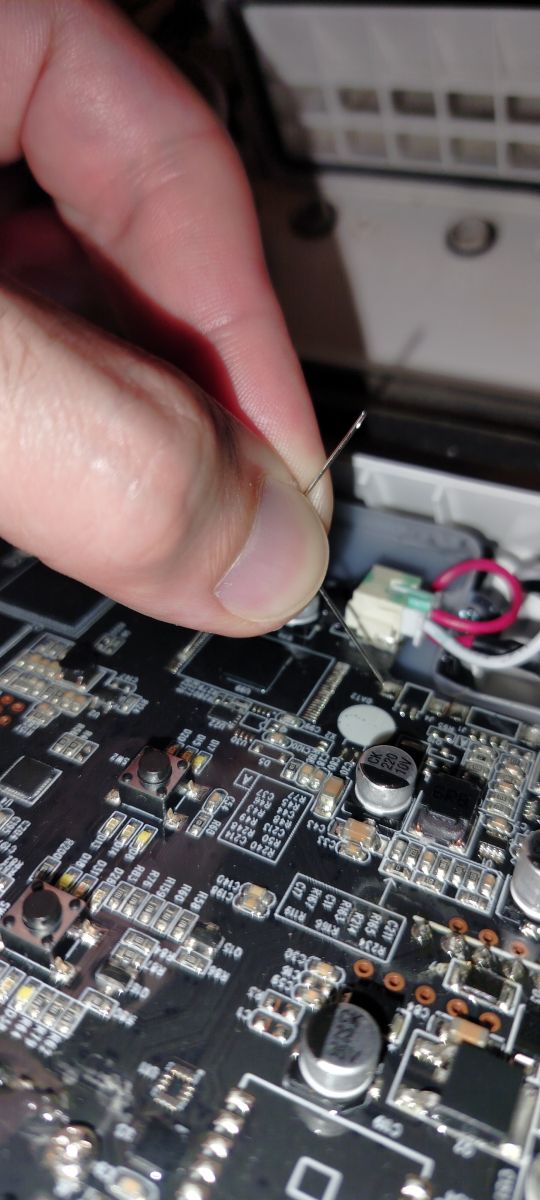
I haven’t been able to locate a UART interface on the motherboard, not even using an oscilloscope. However, after gaining access to the NAND, I managed to boot the device in maskrom mode.
In this mode, though, I can’t read the NAND because I don’t have a proper loader to boot the robot in emergency mode.
Here are the main component codes I’ve identified:
RAM: NT5CC128M16JR-EK
SoC: RK3308B
NAND: XTX PN27G02BBGITG
I’ve tried several loaders using rkDevTool, but the writing process always fails.
Any suggestions?
Oh, and I’ve also purchased a second identical robot, hoping to clone its firmware to bring the first one back to life.
Thanks in advance for any help!

I own a Xiaomi Vacuum Mop 2S. The robot vacuum no longer responds to commands and is no longer reachable via the app after sitting idle and charging for about a year.
When I connected it to my computer via USB, I managed to access fastboot mode. Running
fastboot getvar allgave me the following output:
C:\Users\emiliano>fastboot getvar all
(bootloader) version:0.4
(bootloader) version-bootloader:U-Boot 2017.09-g7b42f99-dirty
(bootloader) version-baseband:N/A
(bootloader) product:evb_rk3308
(bootloader) serialno:3*******4
(bootloader) secure:yes
(bootloader) max-download-size:0x04000000
(bootloader) logical-block-size:0x200
(bootloader) erase-block-size:0xffffffff
(bootloader) partition-type:uboot:U-Boot
(bootloader) partition-type:trust:U-Boot
(bootloader) partition-type:security:U-Boot
(bootloader) partition-type:misc:U-Boot
(bootloader) partition-type:boot_a:U-Boot
(bootloader) partition-type:boot_b:U-Boot
(bootloader) partition-type:system_a:U-Boot
(bootloader) partition-type:system_b:U-Boot
(bootloader) partition-type:vbmeta_a:U-Boot
(bootloader) partition-type:vbmeta_b:U-Boot
(bootloader) partition-type:userdata:U-Boot
(bootloader) partition-size:uboot:0x200000
(bootloader) partition-size:trust:0x200000
(bootloader) partition-size:security:0x200000
(bootloader) partition-size:misc:0x100000
(bootloader) partition-size:boot_a:0xa00000
(bootloader) partition-size:boot_b:0xa00000
(bootloader) partition-size:system_a:0x2600000
(bootloader) partition-size:system_b:0x2600000
(bootloader) partition-size:vbmeta_a:0x100000
(bootloader) partition-size:vbmeta_b:0x100000
(bootloader) partition-size:userdata:0x617be00
(bootloader) unlocked:no
(bootloader) off-mode-charge:not implemented
(bootloader) battery-voltage:not implemented
(bootloader) variant:userdebug
(bootloader) battery-soc-ok:no
(bootloader) is-userspace:no
(bootloader) slot-count:2
(bootloader) has-slot:uboot:no
(bootloader) has-slot:trust:no
(bootloader) has-slot:security:no
(bootloader) has-slot:misc:no
(bootloader) has-slot:boot:yes
(bootloader) has-slot:system:yes
(bootloader) has-slot:vbmeta:yes
(bootloader) has-slot:userdata:no
(bootloader) current-slot:a
(bootloader) slot-suffixes:a,b
(bootloader) slot-successful:a:no
(bootloader) slot-successful:b:no
(bootloader) slot-unbootable:a:yes
(bootloader) slot-unbootable:b:yes
(bootloader) slot-retry-count:a:0
(bootloader) slot-retry-count:b:0
From what I can tell, the bootloader is locked, so reflashing any firmware isn’t possible.
If possible, I’d like to dump the NAND memory to recover the stored calibration data and user parameters.
I haven’t been able to locate a UART interface on the motherboard, not even using an oscilloscope. However, after gaining access to the NAND, I managed to boot the device in maskrom mode.
In this mode, though, I can’t read the NAND because I don’t have a proper loader to boot the robot in emergency mode.
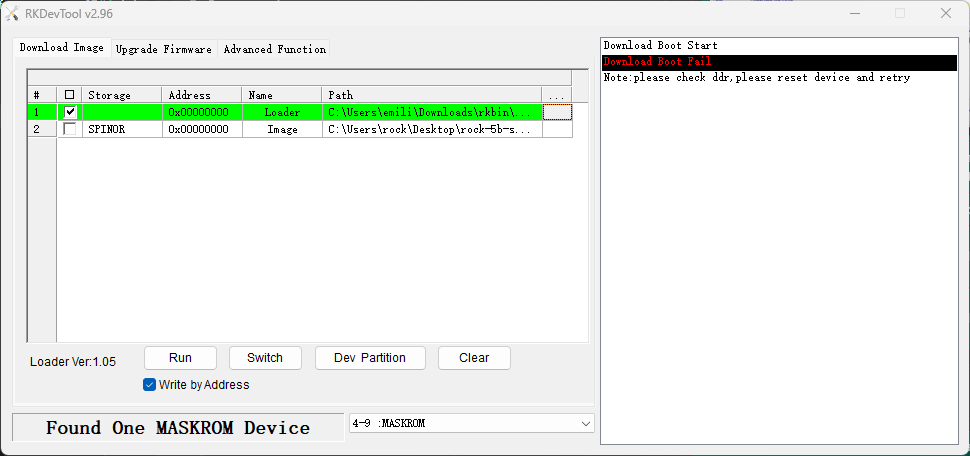
Here are the main component codes I’ve identified:
RAM: NT5CC128M16JR-EK
SoC: RK3308B
NAND: XTX PN27G02BBGITG
I’ve tried several loaders using rkDevTool, but the writing process always fails.
Any suggestions?
Oh, and I’ve also purchased a second identical robot, hoping to clone its firmware to bring the first one back to life.
Thanks in advance for any help!