logo elektroda
logo elektroda
X
logo elektroda

Multi-platform support for USB to UART converter - Android, Web, Windows

p.kaczmarek2 1509 16

TL;DR

  • A Flutter-based USB to UART terminal targets Android, Windows, and Chrome browser with one codebase for chips like CH340, FT232, and CP2102.
  • Conditional imports hide platform differences behind one serial interface, selecting Web Serial API, flutter_libserialport, or usb_serial for browser, desktop, and Android.
  • The browser path uses Web Serial API, desktop uses flutter_libserialport, and Android runs over USB OTG with UsbManager.
  • Tests showed correct COM-port detection in Windows, browser-port selection in Chrome, and working echo communication on Android.
  • Android requires a USB OTG adapter and manual device permission, and communication stability still needs further checking.
ADVERTISEMENT
Treść została przetłumaczona polish » english Zobacz oryginalną wersję tematu
📢 Listen (AI):
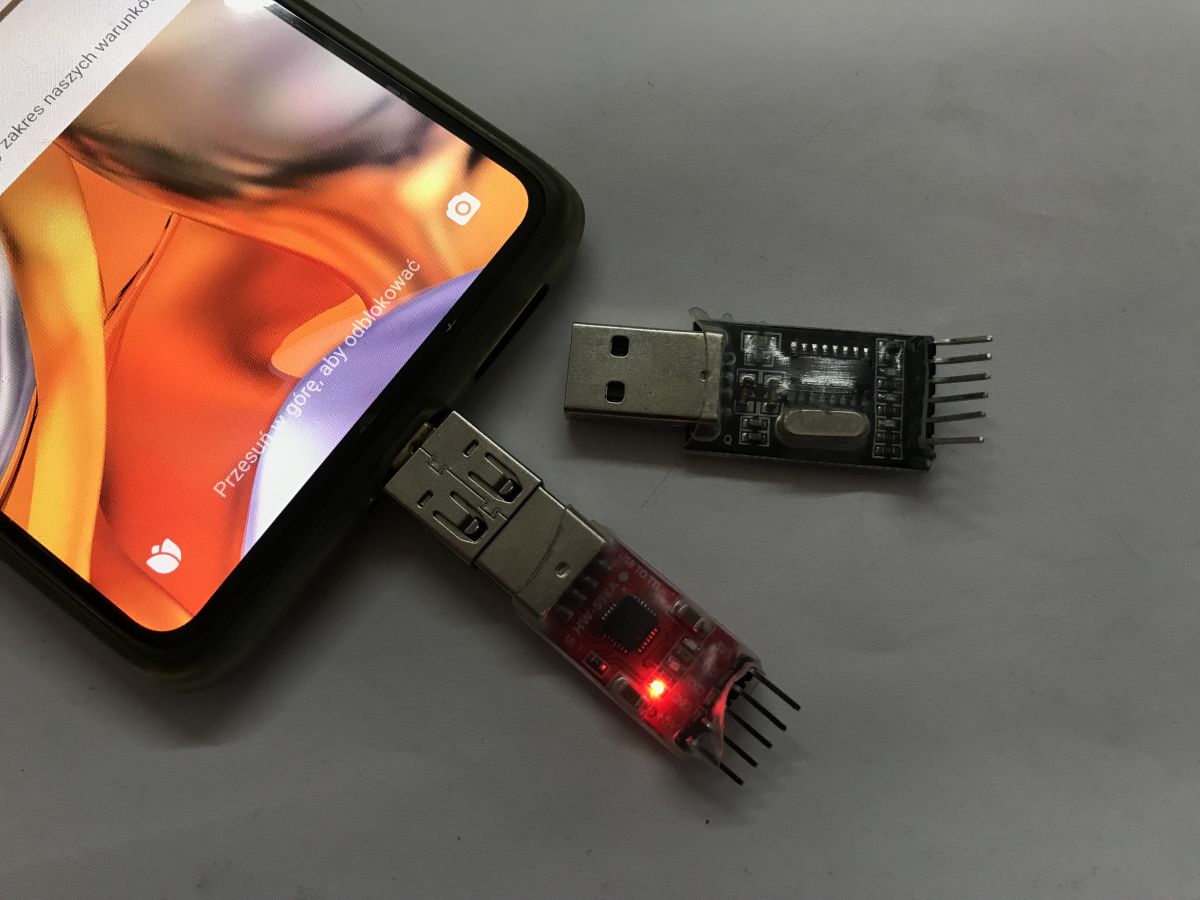
  • Smartphone and two USB‑to‑UART adapters on a gray surface, one with a red LED lit
    USB to UART converter - can it be operated from a browser or from an Android device via a USB OTG adapter? Here I will show a unified, multi-platform solution compatible with popular chips such as CH340, FT232, CP2102 etc. I will realise the whole thing in Flutter technology, which will allow me to use a single source code to build a native application for Android, Windows and a web version running in the Chrome browser, and then test it in practice on several devices.

    Flutter environment and Dart language
    Flutter is a modern framework from Google that allows you to create powerful, cross-platform applications using the Dart language. Its biggest advantage in this project is strong typing and built-in support for asynchronicity (Streams and Futures), which is ideal for continuously reading data from the serial port without blocking the user interface. This allows us to create a responsive terminal that behaves identically on phone, PC and browser, sharing most of the business logic.

    The USB to UART abstraction layer
    The biggest challenge here is the diversity of hardware access: the browser uses the Web Serial API, Android uses the USB Host API and Windows uses the system libraries. To manage this, I used an abstraction layer (interface) that hides these differences underneath, providing higher layers of the application with uniform methods such as connect or write. Thanks to Dart's 'conditional imports' mechanism, the compiler automatically selects the appropriate 'driver' depending on which platform we are building the application for.

    This is what the serial port interface looks like:
    Code: text
    Log in, to see the code

    It is implemented by three separate files, depending on the platform:
    - serial_transport_web.dart - Web: Uses the native Web Serial API (via the package:web library). This is a modern browser-based solution that allows direct access to serial ports in Chrome/Edge without additional plugins. The code supports JavaScript Interop (dart:js_interop) to communicate with the browser API.
    - serial_transport_desktop.dart - Desktop (Windows/Linux/macOS) - Uses the flutter_libserialport library. This is a wrapper for the C library libserialport, which automatically provides compiled binaries (e.g. serialport.dll for Windows) and supports low-level communication.
    - serial_transport_android.dart - Android - Uses the usb_serial library. This is a fully Java/Cotlin implementation running over USB OTG, using the Android UsbManager to communicate with devices such as FTDI, CP210x, CH34x etc.


    Presentation - Windows exe application
    Let's start with the simplest one - Windows. The application is compiled to an exe and opens as a windowed application.
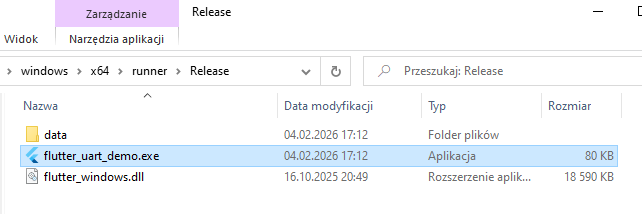
    Windows File Explorer showing flutter_uart_demo.exe selected in the Release folder
    The application correctly detects the available COM ports and allows us to select one of them. For a test, I shorted the RX and TX pins to get an 'echo' effect, i.e. receiving what I sent.
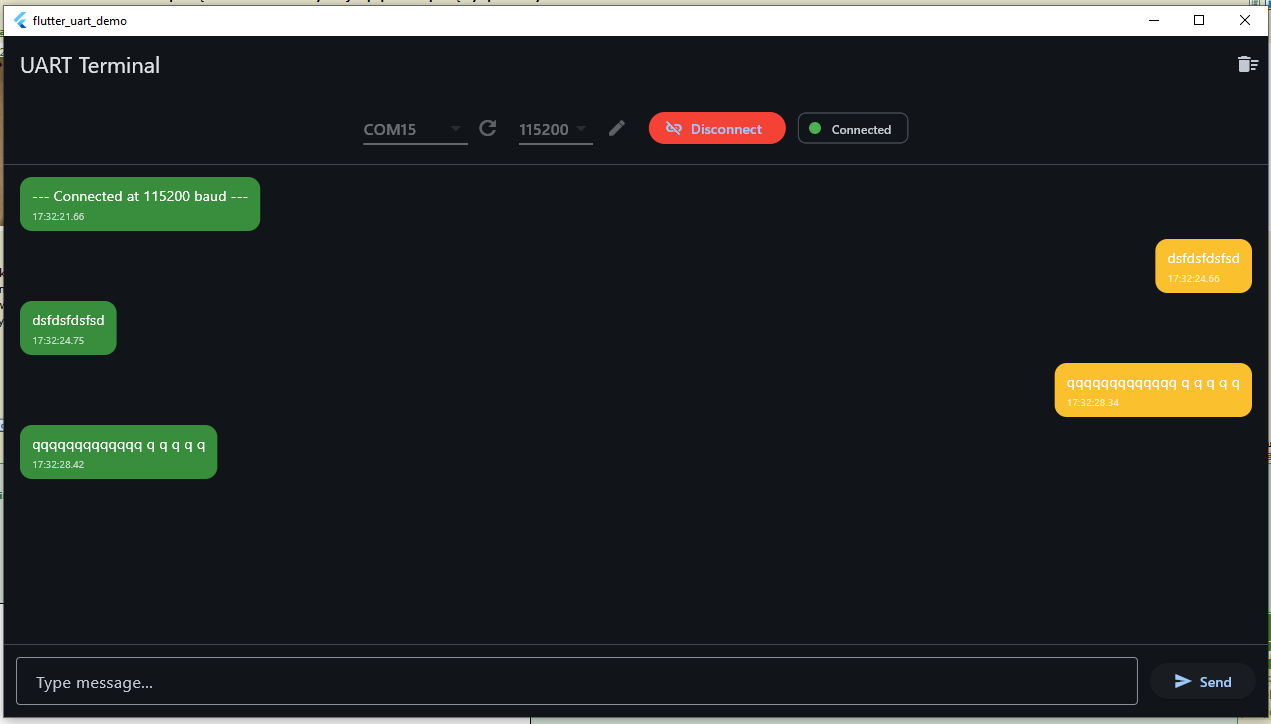
    Screenshot of a UART terminal showing COM15 connected at 115200 and chat-style sent/received message bubbles


    Presentation - web application in Chrome
    In Chrome (and other supported browsers) it is slightly different. There, the serial port is selected by a mechanism from the browser.
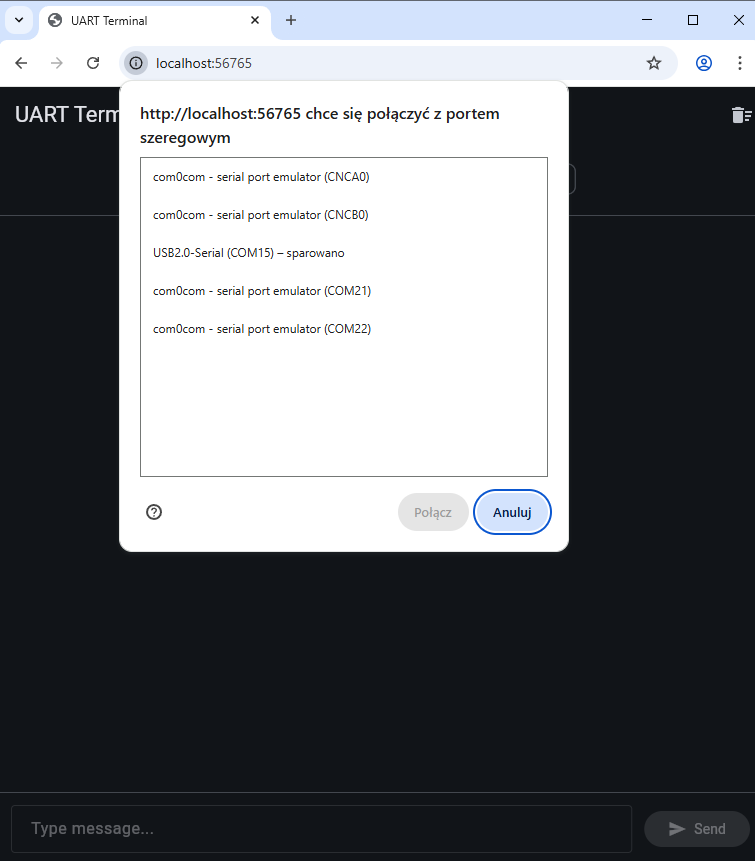
    Chrome dialog asking to select a serial port for http://localhost:56765, with Connect and Cancel buttons
    The rest is unchanged - the business logic is the same and the echo test gives the correct result.
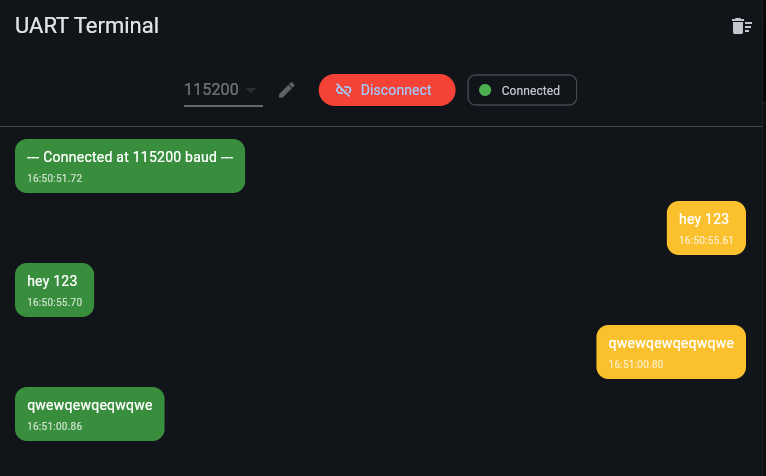
    Screenshot of “UART Terminal” app with chat bubbles, Connected status, and message “hey 123”.

    Presentation - .apk Android application
    For this you will need an OTG adapter, this is because normally the phone is in the role of a USB device and not a host. Such an adapter has USB C on one side and a typical USB female A socket on the other.
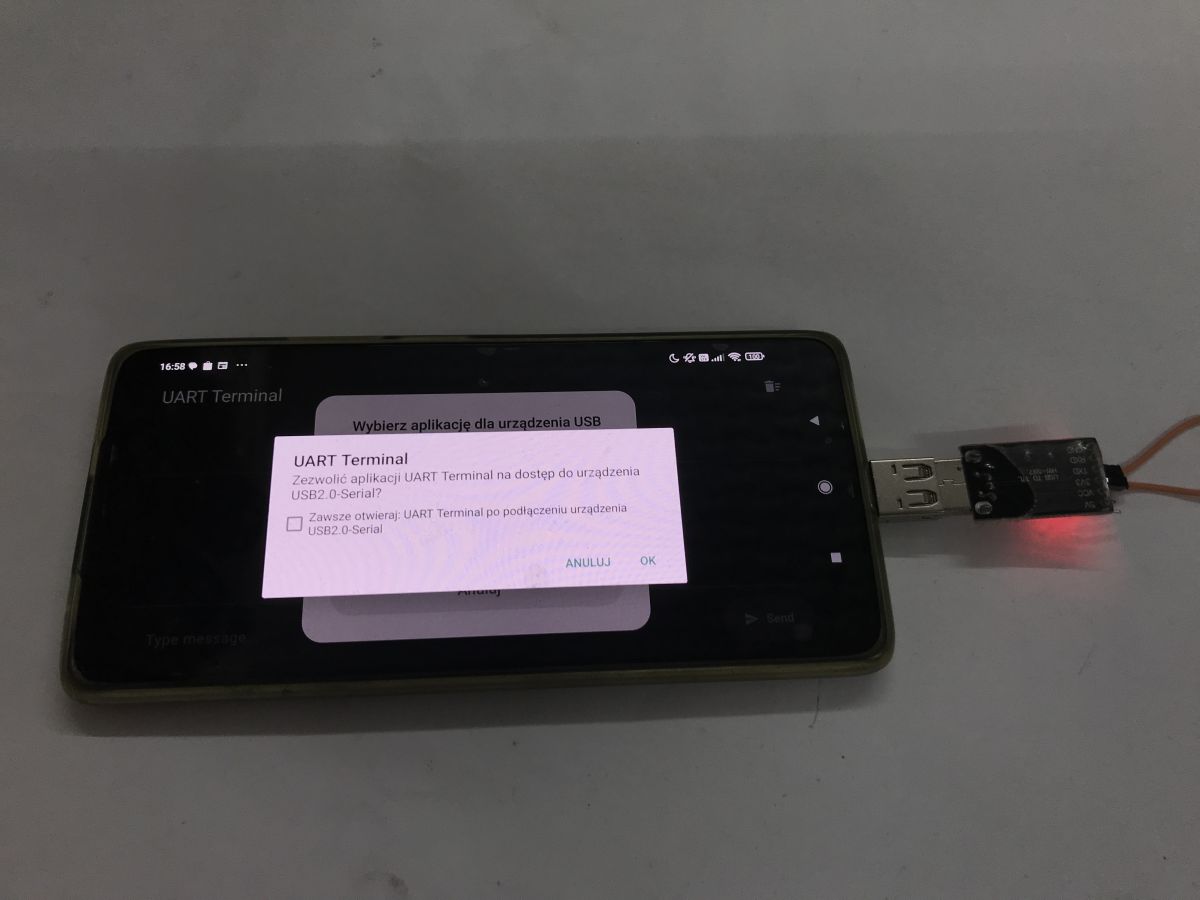
    Smartphone showing a USB permission dialog in “UART Terminal” with a USB-to-UART adapter plugged in
    The phone asks for permission for device connections and you have to manually allocate them. The rest without problems. Communication works.
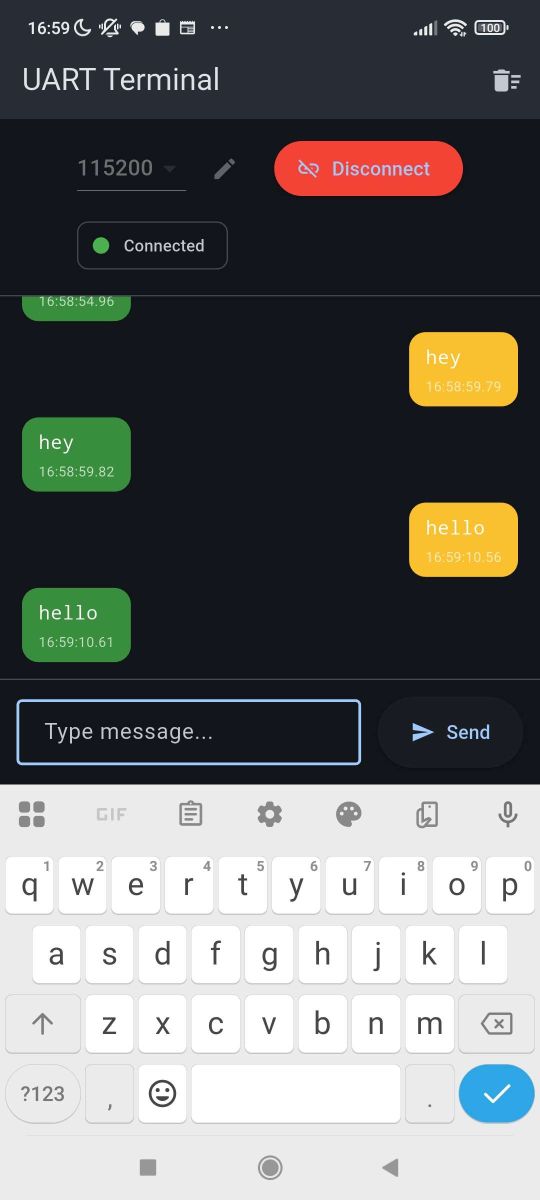
    Android screenshot of “UART Terminal” app showing Connected status and “hey/hello” message bubbles


    Summary
    One programme - multiple platforms. I will be using this approach from now on. It all looks very promising, although I haven't yet checked what the stability of the communication is like and only then will I make a final decision.
    I'm considering whether to port our Elektrod Flasher to this platform - https://github.com/openshwprojects/BK7231GUIFlashTool
    What do you think, @divadiow , @DeDaMrAz , @insmod , @max4elektroda ?

    Have you used USB to UART converters e.g. from a browser or from Android?

    I attach the full Flutter project.
    Attachments:
    • FlutterUARTDemo.rar (331.89 KB) You must be logged in to download this attachment.

    Cool? Ranking DIY
    Helpful post? Buy me a coffee.

    About Author
    p.kaczmarek2
    Moderator Smart Home
    Offline 
    p.kaczmarek2 wrote 14221 posts with rating 12114, helped 647 times. Been with us since 2014 year.
  • ADVERTISEMENT
  • #2 21829852
    katakrowa
    Level 23  
    It seems to me that all you had to do was make a PWA application / JavaScript and you would have the same thing automatically for all platforms.
    PWA is supported on Android, Windows, Mac, Linux and more....

    The API documentation for the serial port https://developer.mozilla.org/en-US/docs/Web/API/Web_Serial_API?utm_source=chatgpt.com indicates what it works on.

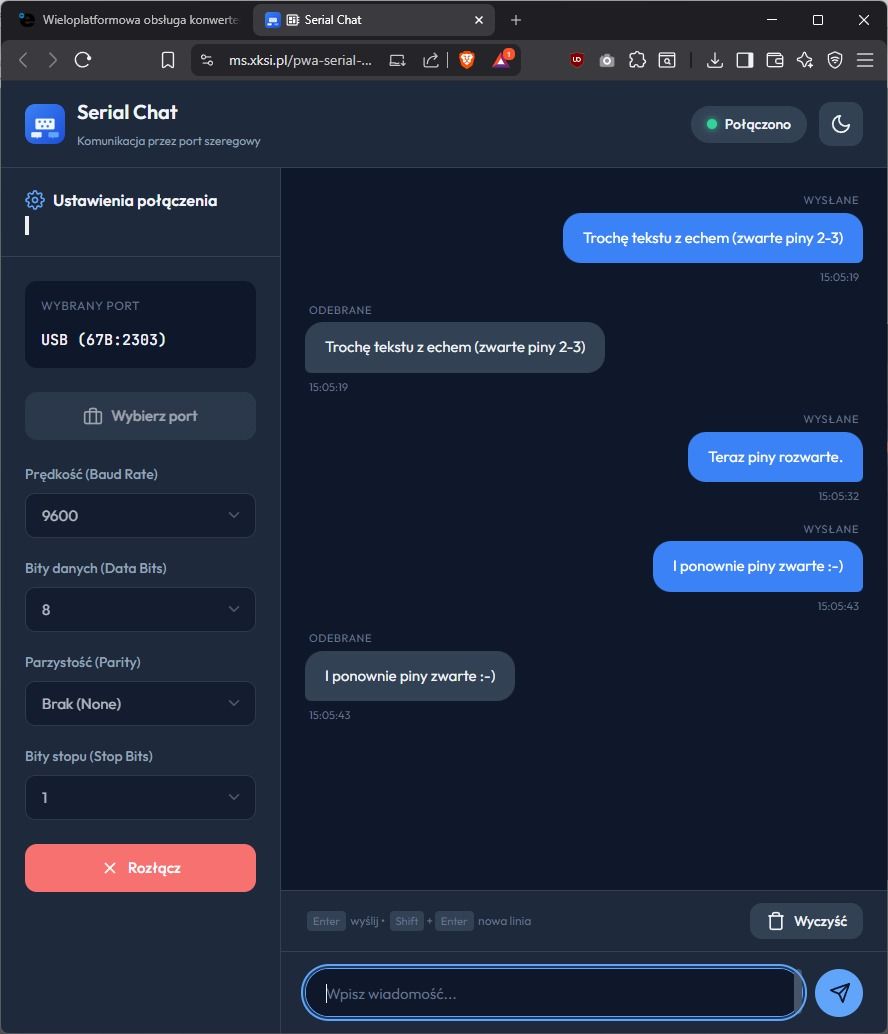
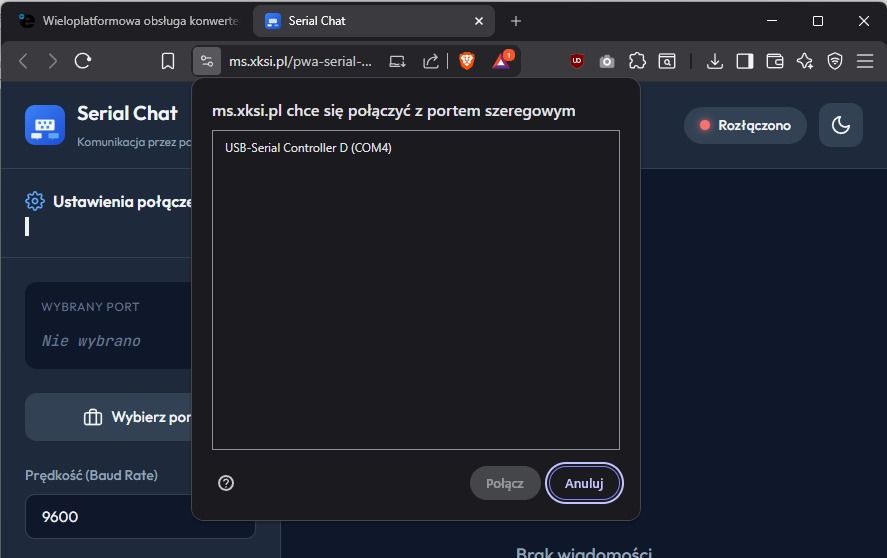
    And here is just such an application: https://ms.xksi.pl/pwa-serial-port/
    And the sources in the appendix.
    * AI-generated code.


    In this approach you have one code for all platforms, apart from notepad you don't need any tools to write, you have debugging tools in every browser....
    I think that for the purposes of playing with electronics, this is today the most convenient way to write auxiliary tools or small applications.


    Browser screenshot of “Serial Chat” web app with USB port settings and chat messages Browser window with “Serial Chat” app and a dialog to select a USB‑Serial port (COM4)
    Attachments:
    • _PWA_SerialPort.zip (16.03 KB) You must be logged in to download this attachment.
  • #3 21829858
    p.kaczmarek2
    Moderator Smart Home
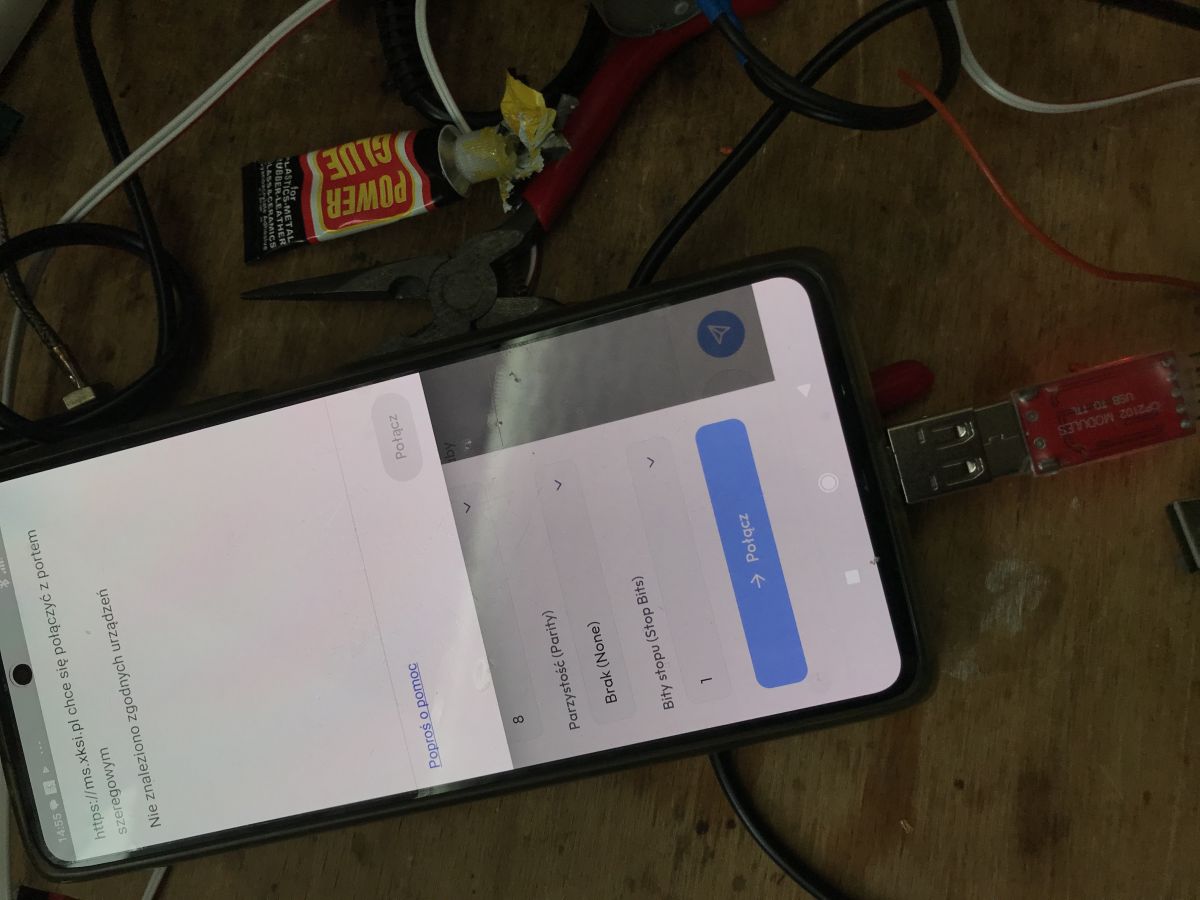
    Thanks for the suggestion, but I think you're missing something though, because on my Androids the solution from the first post sees the UART port, while your site doesn't:
    Phone on a workbench showing UART connection settings with a blue “Connect” button
    Helpful post? Buy me a coffee.
  • #4 21829883
    katakrowa
    Level 23  
    And that's interesting. Looks like I need to look for a usb-3 <-> usb adapter though and there's a problem because I can't remember when or where I last saw one.

    Added after 20 [minutes]:

    It seems that if I had read the documentation carefully, which I pointed out myself: https://developer.mozilla.org/en-US/docs/Web/API/Web_Serial_API then I would have seen that Chrome on Android does not support Web Serial API .
    So you have to compile... I was convinced that such a trivial thing as a serial port would also be implemented under Android.
    By the way, I wonder why they didn't make this available.
  • ADVERTISEMENT
  • #5 21829910
    p.kaczmarek2
    Moderator Smart Home
    I've double-checked on my side still and it seriously doesn't see this port with me.

    Now the question is, for example with ESPConnect will it see it?
    ESPConnect - a convenient tool for ESP8266/ESP32 in the browser - Flash, partitions, information

    Added after 16 [minutes]:

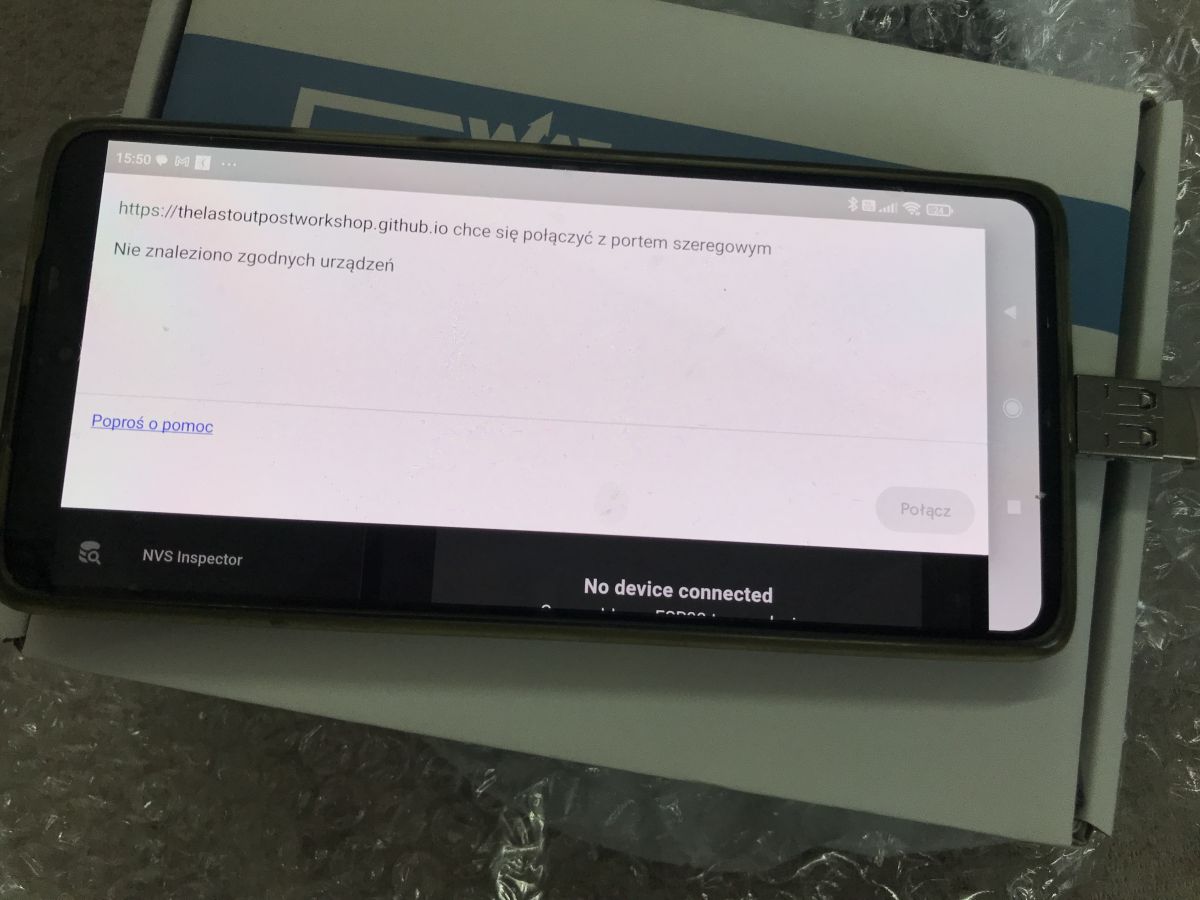
    No, ESPConnect won't work either:
    Phone on a box showing a browser message: no compatible devices found for a serial port

    So there is something to fight for.
    Helpful post? Buy me a coffee.
  • #6 21829924
    katakrowa
    Level 23  
    p.kaczmarek2 wrote:
    I've double-checked on my side and it seriously doesn't see this port with me.


    Well, because it turned out that under Android it has no right to see. I've already completed the post above so there's no messing about. I started reading why they don't implement this in Chrome on android and it turns out that they don't, because they don't, and in detail it's probably because they don't want to give chrome permissions to serial ports, because these are "somehow connected" to files and a serious vulnerability could arise.

    So if you want serial ports in the browser then on a Windows / Linux / Mac machine there is no problem and on Android no .
  • #7 21830012
    Damian_Max
    Level 21  
    As for 'serial' communication, it might be interesting to use Bluetooth / Bluetooth Low Energy: https://developer.mozilla.org/en-US/docs/Web/API/Web_Bluetooth_API
    according to the documentation it should also work on android, except that:
    - the transfer can be unsatisfactory (for ble)
    - does not work on iPhone
    On the plus side, it does not require connecting converters to the phone.

    I used to think about building a prototype of a substitute for a wireless voltage meter (*), with a graph (kind of like an oscilloscope xD), all in the browser.
    (*) The measurement itself done by an attachment on some ESP, battery powered.
    Well, but no time xD (although now could strongly help AI); and I am an iPhone user.
    By the way, I'm surprised there isn't an app of some sort; that would 'add' such a bluetooth API for iOS; and allow you to enter a website address and the scripts from that website would have the bluetooth api available as it were.
    There are solutions; but they require compiling an iOS app, and even though it's executable; publishing the app requires a paid developer license :/ (although if you valued the time it would take to do that project; say ~a week, then the cost of an apple license would not be the highest xD)
  • ADVERTISEMENT
  • #8 21830061
    katakrowa
    Level 23  
    >>21830012
    Honestly this looks like a 2 day project with coffee in hand and prompting AI.
    Most time will go down to the "attachment" itself because making a WEB app that will receive data from serial / bluetooth / wifi / or any other source and present it in the browser is a few hours of clicking at most.
    Assuming that such an ESP can serve WEB API/REST +WebSocket, the matter becomes quite trivial because the only thing that needs to be well thought out is the sheer scope of functionality that such an ESP can give.
  • #9 21831693
    kamil3211
    Level 10  
    So which is simpler pwa or flutter ? And is there perhaps something better? Have you considered anything else ? i don't know about now but I used to prefer flutter because it's not so spoiled just type flutter dart and everything is there.
    Google supposedly wants to make a system for pc again to compete with windows and probably android applications will run on it, I wonder what will come out, it was supposed to be fuchsia but nothing came out because they preferred to focus on profitable projects and not so experimental.
  • ADVERTISEMENT
  • #10 21831973
    katakrowa
    Level 23  
    kamil3211 wrote:
    What is simpler pwa or flutter ? And is there perhaps something better ? Have you considered something else ? i don't know about now but I used to prefer flutter because it's not so fleshed out just type flutter dart and everything is there.


    There's nothing better here... These are two completely different approaches.
    PWA is not an environment but a type of application supported by different operating systems / browsers.
    You can make a PWA application in fluter too. And the PWA app itself can be written in different languages - of course JavaSciprit is the least demanding choice (tool-wise) but you can use: TypeScript, Angular, React, Kotlij/JS and even C++, Rust or Pascal as long as you use webAssembly.
  • #11 21832234
    chemik_16
    Level 27  
    Well, now rewrite the gui from openbeken and you can do the field ;)
    Edit: didn't even read that you suggested this. I use it on Linux and it works poorly. Also on win I have to practically every flash restart the application ;) because it does not detect the chip or just closes.
  • #12 21839213
    p.kaczmarek2
    Moderator Smart Home
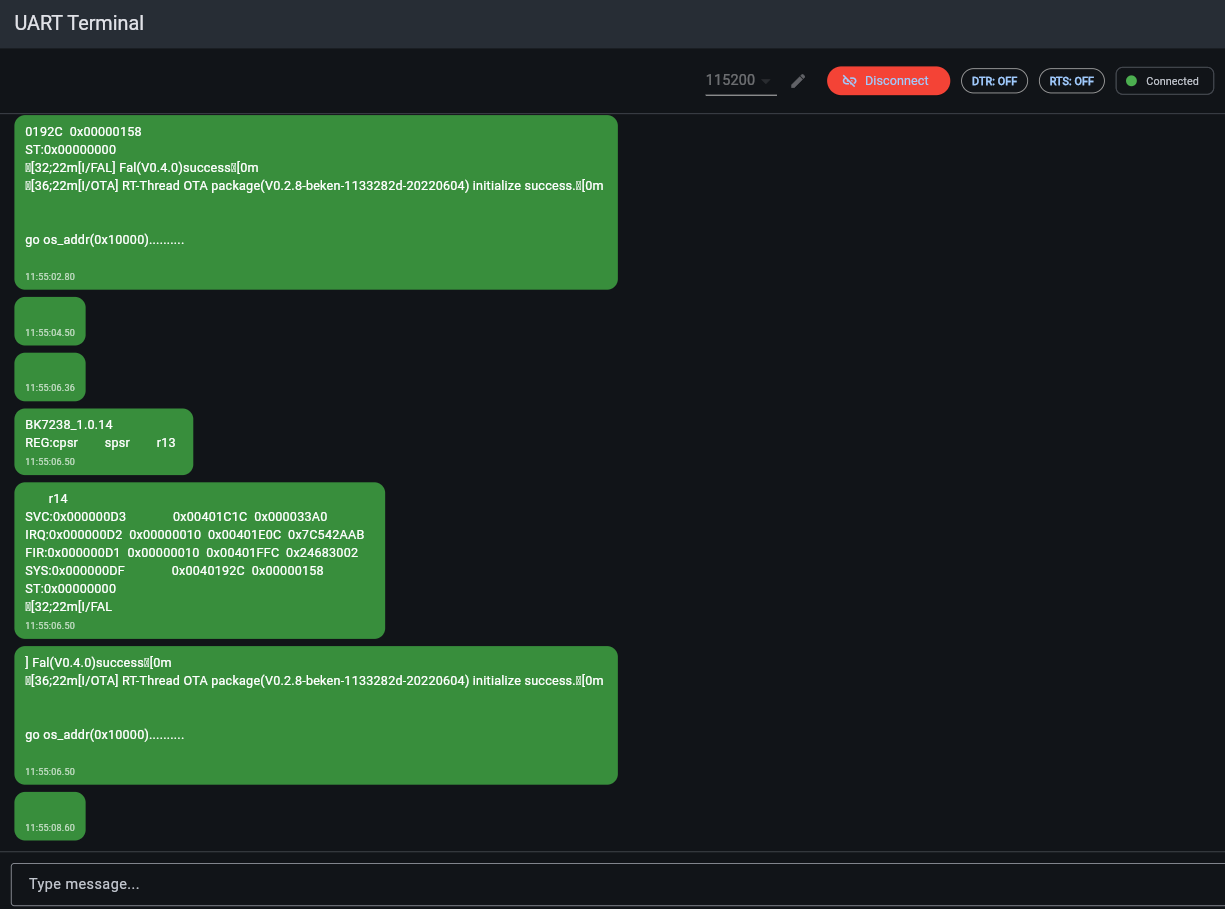
    DTR/RTS control also works, at least on web. I need to implement on Android:
    Screenshot of UART Terminal with green logs, DTR/RTS buttons, and Connected status
    
    
      @override
      Future<void> setDTR(bool value) async {
        if (_port == null) return;
        try {
          final signals = JSObject();
          signals.setProperty('dataTerminalReady'.toJS, value.toJS);
          await (_port!.callMethod('setSignals'.toJS, signals) as JSPromise).toDart;
        } catch (e) {
          debugPrint('setDTR error: $e');
        }
      }
    
      @override
      Future<void> setRTS(bool value) async {
        if (_port == null) return;
        try {
          final signals = JSObject();
          signals.setProperty('requestToSend'.toJS, value.toJS);
          await (_port!.callMethod('setSignals'.toJS, signals) as JSPromise).toDart;
        } catch (e) {
          debugPrint('setRTS error: $e');
        }
      }
    
    
    Helpful post? Buy me a coffee.
  • #14 21857233
    p.kaczmarek2
    Moderator Smart Home
    Why do you think so? The serial driver is not "aware" about the data application it proceses.
    Helpful post? Buy me a coffee.
  • #15 21857296
    momom33
    Level 2  
    >>21857233
    I agree that the serial driver itself is agnostic to the application. My point was about the Web Serial API implementation in the browser.

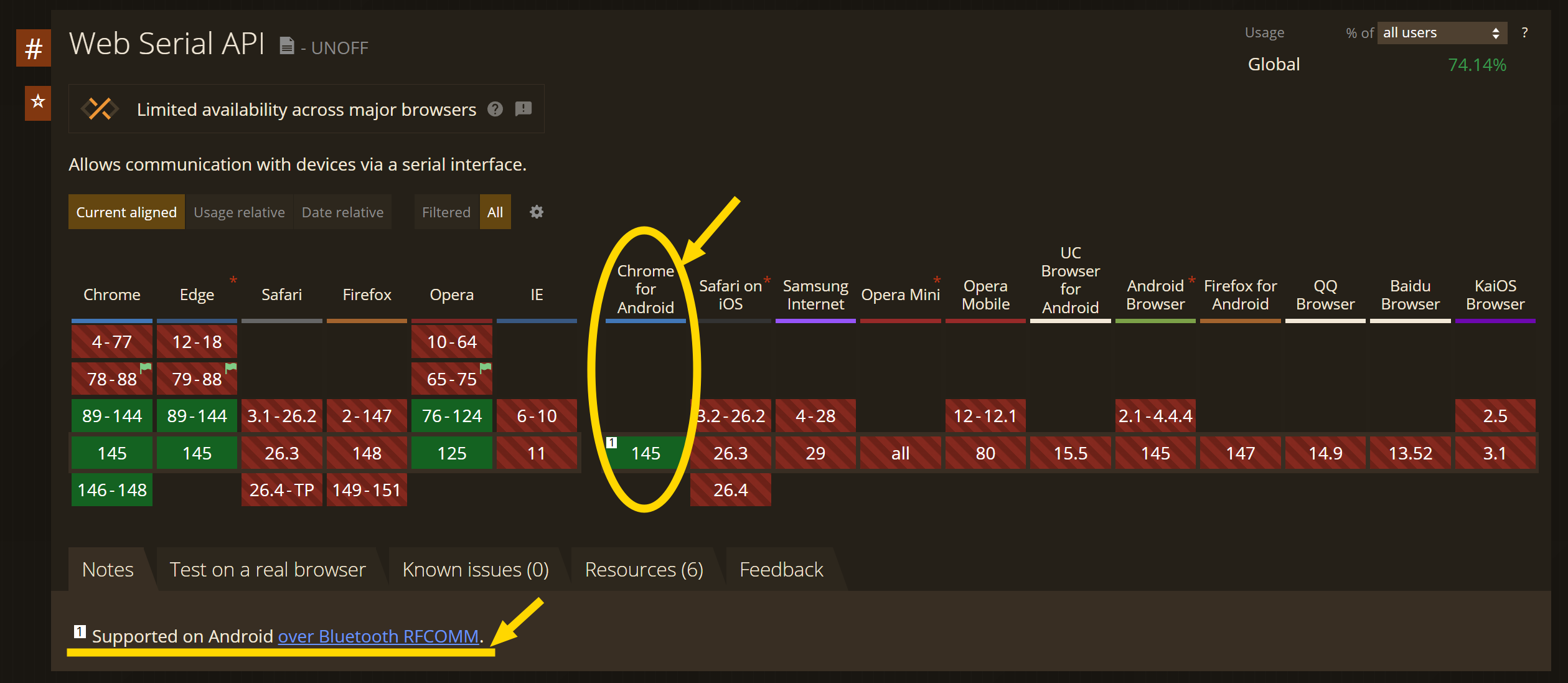
    Previously, Chrome for Android didn't expose serial port access to web apps at all. However, as shown in the following link, Chrome has recently added support for serial communication at Version145 , specifically focusing on Bluetooth RFCOMM.

    https://caniuse.com/?search=serial

    Screenshot of a “Web Serial API” browser support chart, with yellow highlight on Chrome for Android.

    This means the browser now acts as a bridge, allowing web applications to request user permission and communicate with serial devices directly via the browser's internal stack, without needing a native wrapper app.
  • #16 21858040
    katakrowa
    Level 23  
    >>21857296

    Always something. I personally, as I was writing a sample application, was surprised that this was not there at all. Also, there is a chance that in the not too distant future it will be possible to comfortably write tools in JS. Let's hope so...
  • #17 21858068
    p.kaczmarek2
    Moderator Smart Home
    chemik_16 wrote:
    Well, now rewrite the gui from openbeken on this and you can do the field ;)
    Edit: didn't even read that you suggested this. I use it on Linux and it works poorly. Also on win I have to restart the application practically every flash ;) because it doesn't detect the chip or just closes.

    Early experiments:
    Multi-platform BK7231 BK7238 Beken Flash Tool - Web, Android, Windows - First prototype
    https://openshwprojects.github.io/EasyGUIFlashTool/
    Not all platforms are implemented, but should be able to cope with BK78231, ESP32 (and versions), BL602....
    Helpful post? Buy me a coffee.
📢 Listen (AI):

FAQ

TL;DR: One codebase in Flutter drives 3 platforms and 3 USB‑UART chip families; “One programme – multiple platforms.” [Elektroda, p.kaczmarek2, post #21829568]

Why it matters: This FAQ helps makers and testers decide the fastest, lowest-friction way to talk to serial devices from Android, Web, and Windows, without rewriting tools.

Quick Facts

Can I use a USB‑to‑UART adapter from Chrome on Android?

No. Chrome on Android does not expose the Web Serial API, so adapters are invisible to browser apps. Use a native Android build with USB Host APIs instead. “Browser serial on Android is unavailable.” [Elektroda, katakrowa, post #21829924]

Which USB‑UART chips does the Flutter approach target?

The reference project covers popular families: CH340/CH34x, FT232 (FTDI), and CP210x (Silicon Labs). It works via usb_serial on Android and libserialport on desktop, plus Web Serial on supported browsers. [Elektroda, p.kaczmarek2, post #21829568]

How does the abstraction layer keep one codebase working everywhere?

A SerialTransport interface exposes init, connect, write, disconnect, and a data stream. Dart conditional imports swap platform drivers at build time: web, desktop, and Android. UI and business logic stay identical. [Elektroda, p.kaczmarek2, post #21829568]

Do I need extra drivers on Windows?

No extra app drivers are required for the tool itself. flutter_libserialport bundles libserialport binaries (e.g., serialport.dll). You still need your USB‑UART device driver installed by Windows. [Elektroda, p.kaczmarek2, post #21829568]

How do I connect a USB‑UART adapter to Android with OTG?

  1. Plug a USB‑C OTG adapter into the phone, then the USB‑UART dongle.
  2. When prompted, grant permission to the app for the device.
  3. Select the port in‑app and open the connection. [Elektroda, p.kaczmarek2, post #21829568]

Will ESPConnect see my serial device on Android?

If ESPConnect uses the Web Serial API, it will not see the port on Android Chrome. It will work on desktop browsers that support Web Serial. [“Web Serial API”]

Is a PWA enough for cross‑platform serial tools?

A PWA works on desktop browsers that implement Web Serial. It can’t access serial on Android Chrome. Compile a native Android build when mobile serial access is required. [Elektroda, katakrowa, post #21829924]

What quick test proves the serial link works?

Short the adapter’s RX and TX pins and open the port. Typed characters should echo back in the terminal. This verifies TX/RX and app handling. [Elektroda, p.kaczmarek2, post #21829568]

Could Bluetooth/BLE replace a cable for browser‑based data?

Yes. Web Bluetooth can stream data on Android without cables. It doesn’t work on iPhone Safari, and BLE throughput may feel limited for continuous streams. [Elektroda, Damian_Max, post #21830012]

How long would a browser telemetry viewer take to prototype?

One forum estimate suggests “a 2 day project with coffee,” assuming an ESP exposes REST/WebSocket and limited scope. That excludes hardware time. [Elektroda, katakrowa, post #21830061]

Why doesn’t Google enable Web Serial on Android?

Forum discussion notes security concerns around exposing file‑like device access in Chrome on Android. Native USB Host keeps permissions scoped per app. [Elektroda, katakrowa, post #21829924]

What is a USB OTG adapter?

It lets a phone act as a USB host. Typical units have USB‑C male to USB‑A female; required for attaching USB‑UART dongles to Android. [Elektroda, p.kaczmarek2, post #21829568]

What is Arduino Nano?

Arduino Nano is a compact Arduino board based on ATmega microcontrollers, commonly used for breadboard projects and serial prototyping. [“Arduino Nano”]

What is Tuya?

Tuya is an IoT platform and ecosystem for smart devices, offering cloud services, apps, and embedded SDKs used in many consumer products. [“Tuya”]

What is OpenBeken?

OpenBeken is an open‑source firmware for certain IoT chips, providing alternative features and local control versus vendor firmware. [“OpenBeken”]

What is CAN bus?

CAN bus is a robust multi‑master serial bus for automotive and industrial control, enabling reliable communication between ECUs and nodes. [“CAN bus”]
ADVERTISEMENT