logo elektroda
logo elektroda
X
logo elektroda
Dostępna jest polska wersja

Czy wolisz polską wersję strony elektroda?

Nie, dziękuję Przekieruj mnie tam

Simple controller for a 128x32 OLED display from scratch - software I2C with SSD1306

p.kaczmarek2 1713 3

TL;DR

  • A simple SSD1306 driver for a 128x32 OLED runs from scratch over software I2C inside BK7238-based IoT firmware.
  • The driver scans I2C for 0x3C, sends SSD1306 init commands, and writes directly to the controller’s page memory without a full framebuffer.
  • Text output uses a 5x7 ASCII font stored in Flash; each character takes 5 bytes, and the set is about 300 bytes total.
  • Page-addressed drawing supports rectangles, on/off blinking, and string printing, and the demos confirm the display works correctly.
  • Advanced single-pixel graphics are still awkward, because page-based updates suit simple text and shapes better than arbitrary images.
ADVERTISEMENT
Treść została przetłumaczona polish » english Zobacz oryginalną wersję tematu
📢 Listen (AI):
  • OLED display on a breadboard with wires attached, showing the text “OPENBEKEN IOT DEVICE”.
    In this topic I will show how to step-by-step run a simple driver for a 128x32 OLED without using off-the-shelf libraries, relying solely on software-based I2C. I will test how difficult it is to display text on such a display and how many bytes of RAM and Flash it requires. Will it be possible to run the text drawing without holding the image buffer in memory? Let's find out!
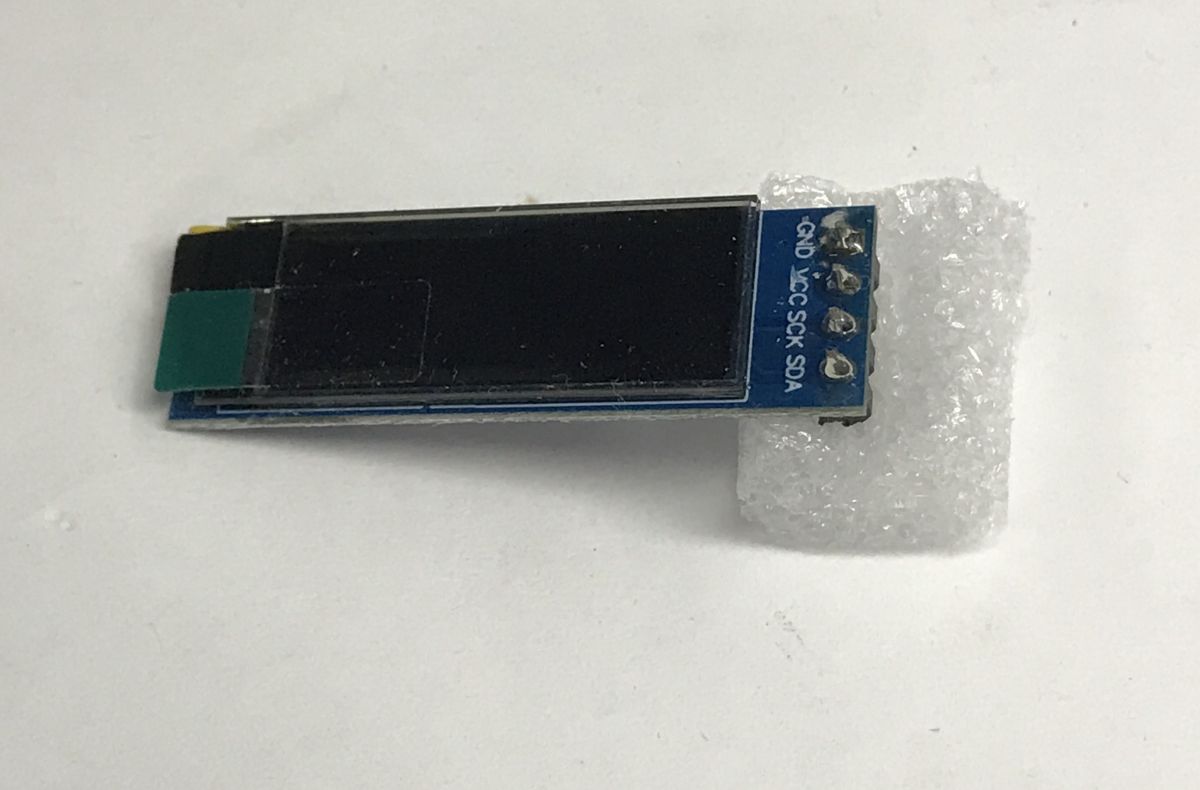
    Small OLED display module on a board with pin labels GND, VCC, SCK, SDA, on a white background
    I've shown the SSD1306 before, but I was running it with an Arduino . I described its connection and capabilities there. I was quite happy with the results, for this reason I also decided to add support for this display to my IoT firmware supporting up to 32 platforms .
    I prototyped the driver on a BK7238, but due to the use of software I2C it should work on any supported platform.
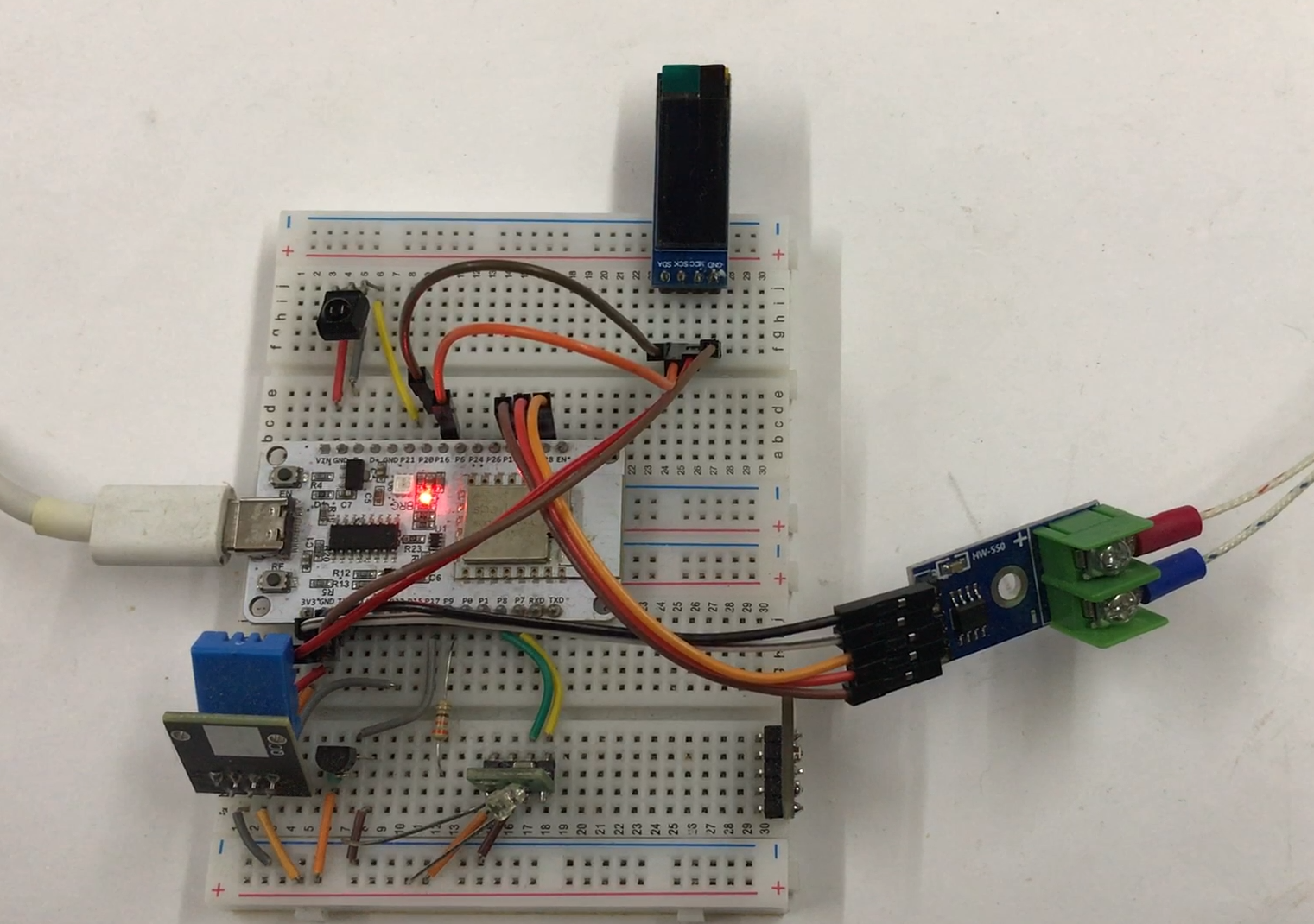
    Development board on a breadboard with a small OLED display and a measurement module on the right


    I2C scan
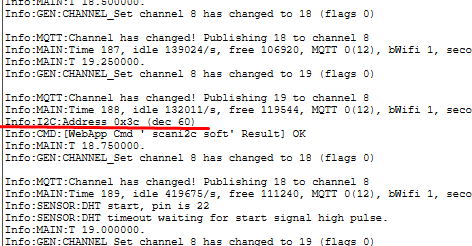
    The first thing I run in such cases is an I2C address scan. It allows me to check that everything is well connected and that I have the address of the target device well defined. In my firmware there is a ready command for this - scanI2C . It displays the addresses of the devices found:
    Console log screenshot showing MQTT and DHT sensor messages and a “Result: OK” line for soft I2C.
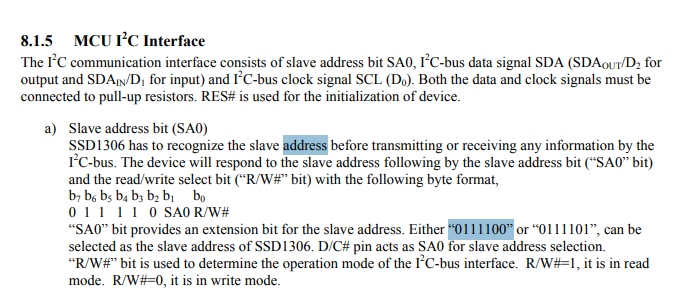
    The address 0x3C is consistent with the catalogue note, you can proceed to the next step.
    Screenshot of SSD1306 datasheet section about MCU I²C interface and slave address bit (SA0).


    First flashing
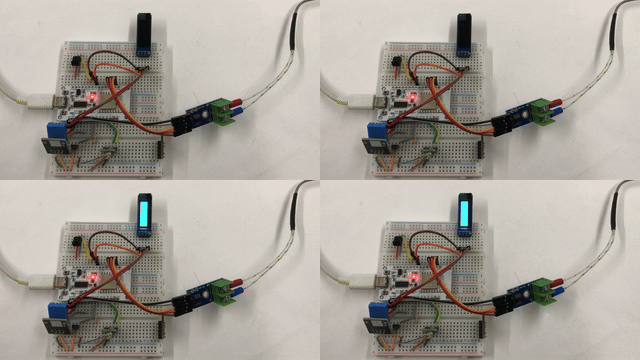
    The second step is always to run the simplest set of operations, the result of which is visible and verifiable. Here I wanted to try blinking the display.
    In this case, however, this requires a full configuration of the display and an understanding of its protocol.
    Here we have:
    - commands for the display - code 0x00
    - access to the pixel memory - code 0x40
    A bit of stuff needs to be set up at the beginning, fortunately my 128x32 module is popular enough that I could just follow the ready-made libraries. According to the catalogue note - contrast, remapping, scan direction, inversion, offset, frequency, RAM. As far as I can see, most drivers also have this implemented as static commands executed once at module start.
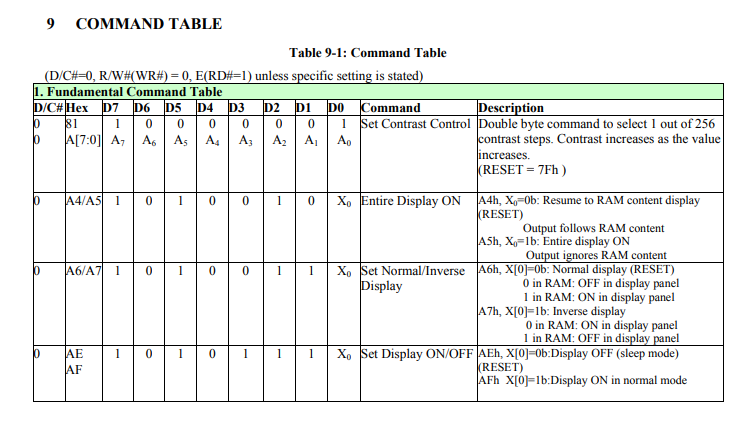
    Screenshot of a datasheet command table, with a green-highlighted section header
    In addition to this, I added a pixel send (WriteData), lit all of them for a test (0xFF - all bits lit) and alternated on/off commands, i.e. 0xAE and 0xAF, in a loop.
    Code: C / C++
    Log in, to see the code

    Of course, here it is important to remember that, for example, if we fill the pixel RAM with 0x00 bytes, the 0xAF command (turning the display on) will not do us any good, because every pixel will be off anyway.
    I ran the program from my firmware command line:
    backlog stopdriver SSD1306 ; startDriver SSD1306 16 20 120

    Result:
    Breadboard with an OLED module on top and wires connected to a small board with screw terminals
    This confirms that, at least in some form, the commands are correctly executed and you can move on to the next stage.

    First rectangles
    Now let's consider how the display refresh is implemented.
    The simplest and the least efficient solution would be to keep the full bitmap in RAM on the microcontroller and send it all over with every change.
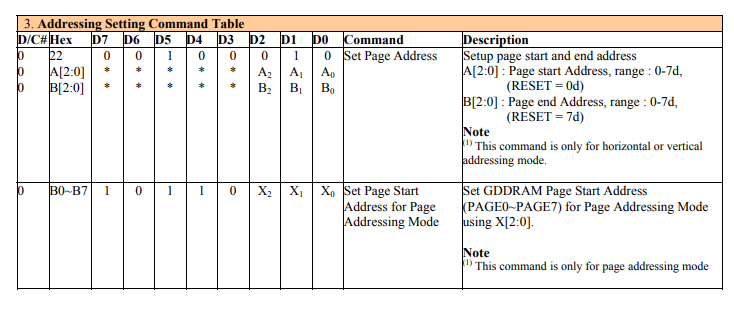
    Here, fortunately, there is a cleverer method - we can draw on an area of pages of our choice, and the display remembers this itself.
    We have 8 pages - from Page0 to Page7. In the version with a display height of 32, 4 pages are used. Each page is 128 bytes. Pages are groups of pixels, where successively we have vertical lines of 8 pixels. So by setting the first, for example, 16 bits, we create a 2x8 rectangle. If we skip every eighth bit, we create a 2x7 rectangle, and so on. The display also has the ability to change the segment mapping.
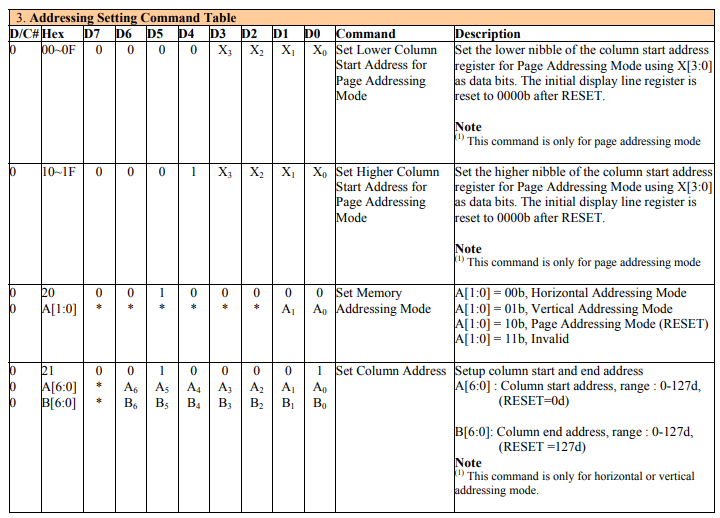
    SSD1306 addressing command table showing D7–D0 bit fields and descriptions
    SSD1306 command table excerpt for page addressing and setting page start/page address
    A function was created to set the position of the cursor on a given byte on one of the eight sides:
    Code: C / C++
    Log in, to see the code

    Auto-incrementing the target address, however, does not allow us to jump freely between rows and columns, so when drawing a rectangle we set the cursor separately N times. Basically, we draw it from separate lines, here aligned to memory pages (for simplicity - operation >> 3, bit-shifting 3 bits to the right, i.e. dividing by 8 to get the page index).
    Code: C / C++
    Log in, to see the code

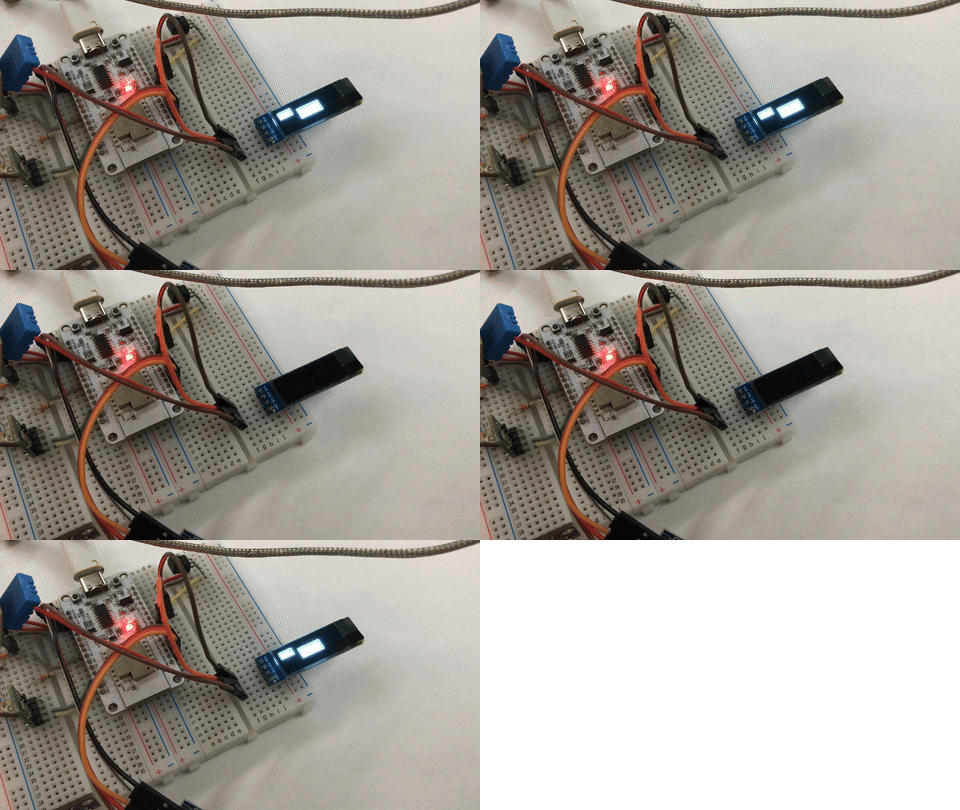
    In addition, I take into account two filling modes - full and border, in border mode I simply test if we are at the 'edge' pixels.
    Full demo:
    Code: C / C++
    Log in, to see the code

    Result:
    Breadboard with a microcontroller module and a small OLED display showing bright rectangles

    First characters
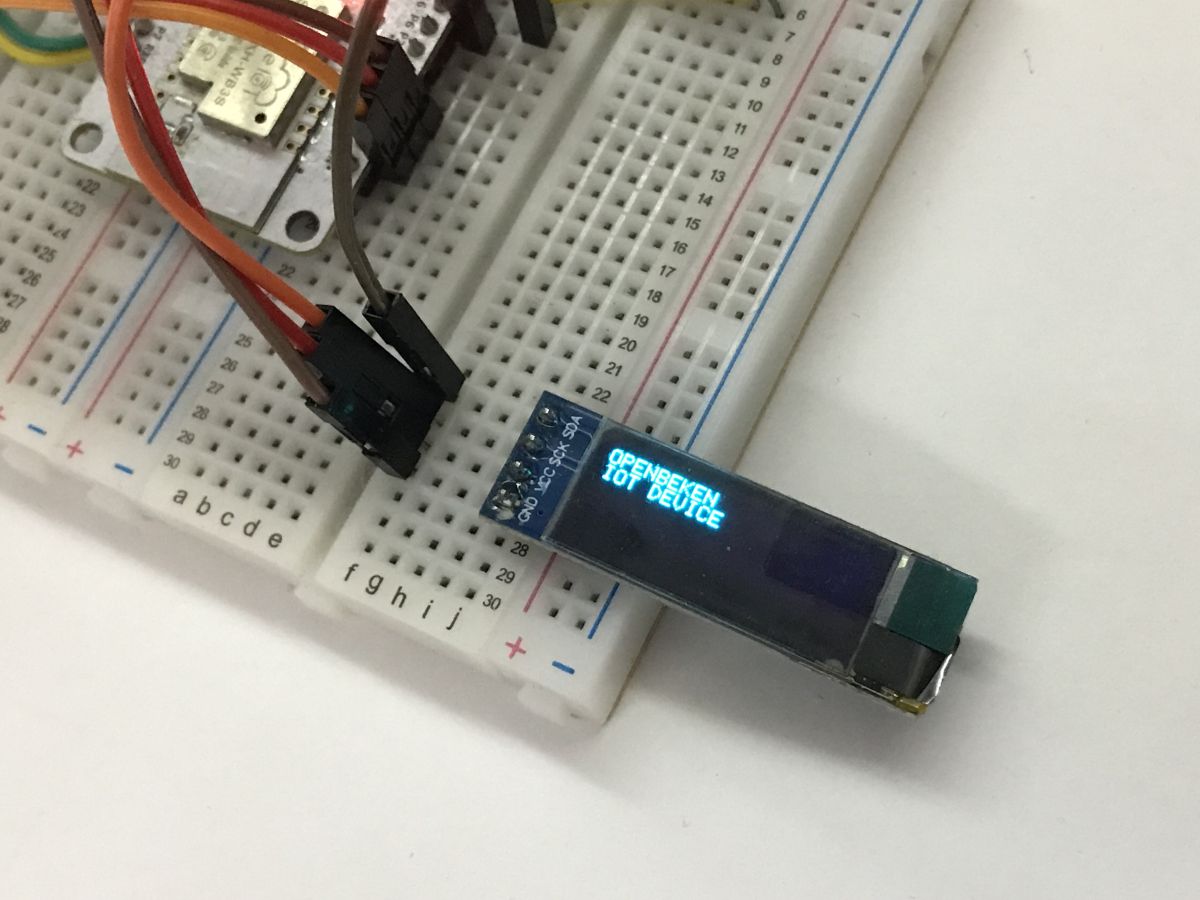
    The next step is to display the text. Here again, you can take advantage of this division of memory into 8 pages and assume that you only ever draw characters on one of them. This in turn allows us to encode the characters as strings of bytes, which we send linearly to the controller, only setting the position on the selected one of the pages beforehand (SSD1306_SetPos).
    For the demonstration, I used a standard 5x7 ASCII font, with no lowercase letters. The whole thing is encoded in an array:
    Code: C / C++
    Log in, to see the code

    The SSD1306_WriteChar function sends one character to the controller, this character consists of five bytes of data. Nothing more needs to be done, as we have auto-incremented the address within the selected page.
    Code: C / C++
    Log in, to see the code

    Then you can add an auxiliary function SSD1306_String, which sends consecutive characters separately.
    Code: C / C++
    Log in, to see the code

    The function for presentation remains:
    Code: C / C++
    Log in, to see the code

    Result:
    OLED display on a breadboard with wires attached, showing the text “OPENBEKEN IOT DEVICE”.


    Countdown Countdown
    This paragraph is no longer essentially about the SSD1306, but it is still worth including here because it shows that the mechanism developed does indeed work. I first "freed" the SSD1306 by adding supporting commands to it, so that scripts from my environment could display arbitrary data on it.
    Code: C / C++
    Log in, to see the code

    I deliberately separated ssd1306_print as a function with one argument (text) and ssd1306_goto as a function with two arguments (position x y), in order to be able to assemble a longer string from multiple repeated calls to ssd1306_print. The position is incremented automatically, so everything looks nice, and even moving to the next line works by itself.

    Yes looks like a demonstration script to test this display in my environment:
    
    
    backlog stopdriver SSD1306 ; startDriver SSD1306 16 20 0x3C
    ssd1306_clear 0
    ssd1306_on 1
    setChannel 12 0
    again:
    delay_s 1
    ssd1306_goto 0 0
    ssd1306_print "Hello "
    ssd1306_print  $CH12
    addChannel 12 1
    goto again


    Result:


    Summary
    Operating the SSD1306 display need not be complicated at all. For basic applications, a simple software I2C is sufficient. There is also no need for a full image buffer in RAM - pixels can be written directly to the controller's internal memory. Thanks to the ability to set the write address at the level of individual screen pages, only those areas that actually change can be refreshed. An additional advantage is the controller's built-in functions, such as quickly switching the display on and off without having to clear the memory contents.
    The situation becomes slightly more complex when you want to display text. Then it is necessary to have the font data, but it still does not need to occupy RAM - it can be placed in Flash memory. In the example, I have used a simple 5x7 ASCII font, where each character takes up 5 bytes, and the whole set covers about 60 characters, giving a total of about 300 bytes of memory. This is not much, although it may be a limitation for the smallest microcontrollers.
    In summary, the SSD1306 is a very good option for projects where we want to display text, simple shapes and uncomplicated graphics. With more advanced graphics operations, however, the situation starts to get complicated and then it usually becomes necessary to use a pixel buffer in RAM, especially if you want to draw with single-pixel accuracy and not just within whole pages of memory. However, this is, in my opinion, unnecessary in many cases - from my demos you can't see that the pages dictate the positioning of the text, at first glance everything is natural and ready for production.

    Have you already used displays based on the SSD1306? If so - for what applications?

    Cool? Ranking DIY
    Helpful post? Buy me a coffee.

    About Author
    p.kaczmarek2
    Moderator Smart Home
    Offline 
    p.kaczmarek2 wrote 14223 posts with rating 12119, helped 647 times. Been with us since 2014 year.
  • ADVERTISEMENT
  • #2 21835090
    RomanWorkshop
    Level 14  
    I have also written routines to handle such displays in my own projects, but in the assembler of ATtiny/ATmega microcontrollers: using the hardware TWI module or completely software (bit-bang) .

    Often, displays described as having the SSD1306 driver will include the newer SSD1315 driver, which, apart from the commands to move the screen contents in hardware, is completely compatible with the SSD1306.

    Attempted software detection of driver type in OLED displays with I2C bus: link .
    Helpful post? Buy me a coffee.
  • ADVERTISEMENT
  • #3 21835555
    error105
    Level 14  
    And what about burn-in? After playing with these displays for a few months, I find that the burn-in effect is at the level that Samsung convinced us it was at when it had no competition for OLED displays from LG :)
  • #4 21847103
    coberr
    Level 20  
    >>21835555
    that much of a tragedy with these displays?
    I didn't even think...
    @p.kaczmarek2 great respect for this particular article - which will certainly clarify a lot of ambiguities and complexities on the footnote of these displays.
📢 Listen (AI):

FAQ

TL;DR: A 128×32 SSD1306 screen maps to 512 bytes, and “Operating the SSD1306 display need not be complicated at all.” Build a working text/graphics driver over software I2C using page writes, no full RAM buffer. [Elektroda, p.kaczmarek2, post #21834552]

Why it matters: This helps makers quickly display text and UI elements on tiny OLEDs without heavy libraries or memory overhead, answering how-to questions like “how do I print text over I2C?” and “what’s the best minimal init?” for embedded projects.

Quick Facts

How do I find the SSD1306 I2C address on my board?

Run an I2C scan and confirm the device responds at 0x3C. In the example firmware, the scanI2C command lists detected addresses. Once 0x3C appears, proceed with initialization and drawing. This step validates wiring and avoids chasing logic bugs caused by a wrong address. [Elektroda, p.kaczmarek2, post #21834552]

Can I drive a 128×32 OLED without a full frame buffer in MCU RAM?

Yes. Write directly to the controller’s pages and refresh only the regions you change. The display stores pixels in its 512-byte RAM (4 pages × 128 bytes). This avoids large MCU buffers while still enabling text and simple graphics. “Only those areas that actually change can be refreshed.” [Elektroda, p.kaczmarek2, post #21834552]

What is the minimal initialization sequence for SSD1306 over software I2C?

Send 0xAE (off), timing and geometry setup (e.g., 0xD5, 0xA8, 0xD3, 0x40), charge pump 0x8D/0x14, addressing mode 0x20/0x00, segment/COM remap 0xA1/0xC8, COM pins 0xDA/0x02, contrast 0x81/0x8F, pre-charge 0xD9/0xF1, VCOM 0xDB/0x40, normal display 0xA6, then 0xAF (on). [Elektroda, p.kaczmarek2, post #21834552]

How do SSD1306 pages and addressing work on 128×32?

The screen uses pages of 8 vertical pixels. A 128×32 panel uses 4 pages (0–3), each 128 bytes. Set cursor with 0xB0 | page and low/high column commands, then stream bytes; the address auto-increments horizontally. This enables per-page updates and simple region writes. [Elektroda, p.kaczmarek2, post #21834552]

How can I draw rectangles without a frame buffer?

Compute page_start = y>>3 and page_end = (y+h−1)>>3. For each page row, set position, then emit a mask per column. Use 0xFF for fill, or border logic for outlines. Repeat per page since auto-increment doesn’t jump rows. This achieves boxes and UI panels efficiently. [Elektroda, p.kaczmarek2, post #21834552]

What’s the quickest way to print 5×7 text?

Load a 5×7 ASCII table in Flash. Call SSD1306_SetPos(x,page), then stream each character as 5 bytes plus a 1‑pixel spacer. The sample converts lowercase to uppercase and relies on page-aligned rendering. This produces clean labels and menus with minimal code. [Elektroda, p.kaczmarek2, post #21834552]

How much memory do fonts and screen data use?

A basic 5×7 ASCII set (~60 glyphs) needs about 300 bytes in Flash. The 128×32 display RAM is 512 bytes on the controller. Together, you avoid large MCU RAM use while enabling readable text. This is ideal for tiny MCUs. [Elektroda, p.kaczmarek2, post #21834552]

Why does turning the display on (0xAF) show nothing sometimes?

If GDDRAM holds zeros, 0xAF enables the panel but pixels remain off. Write data first (for example, 0xFF patterns or your glyphs), then toggle on. The example shows this gotcha and uses fill functions to verify output. [Elektroda, p.kaczmarek2, post #21834552]

Is software I2C fast and portable enough for basic UI?

Yes for text and simple shapes. The demo uses a software I2C driver on BK7238 and notes it should work across supported platforms. Page writes limit traffic, keeping updates snappy without hardware TWI. [Elektroda, p.kaczmarek2, post #21834552]

What is OpenBeken in this context?

OpenBeken is the author’s IoT firmware that supports up to 32 platforms and exposes CLI commands (ssd1306_print, _goto, _rect) to script the OLED. It makes display logic easy to automate. [Elektroda, p.kaczmarek2, post #21834552]

Are SSD1315 modules compatible with SSD1306 code?

Often yes. Many modules labeled SSD1306 actually use SSD1315. It is command-compatible and adds hardware scroll features. Software detection approaches exist, but your SSD1306 code typically works unchanged. [Elektroda, RomanWorkshop, post #21835090]

Show me a 3‑step “Hello counter” over CLI (no libraries).

  1. Start driver and clear: backlog stopdriver SSD1306 ; startDriver SSD1306 16 20 0x3C; ssd1306_clear 0; ssd1306_on 1.
  2. Initialize a channel to count: setChannel 12 0.
  3. Loop: delay_s 1; ssd1306_goto 0 0; ssd1306_print "Hello "; ssd1306_print $CH12; addChannel 12 1; goto loop. [Elektroda, p.kaczmarek2, post #21834552]
ADVERTISEMENT