











How do you recognise the architecture of an unknown microcontroller from a Flash memory dump? What microprocessor is an old HP printer based on? Will it be possible to revive the memory dump so that it displays something on the UART with proper emulation of its registers on a Windows PC? That's what I'll try to test here. The neighbours threw out the old printer and I took it in for analysis.
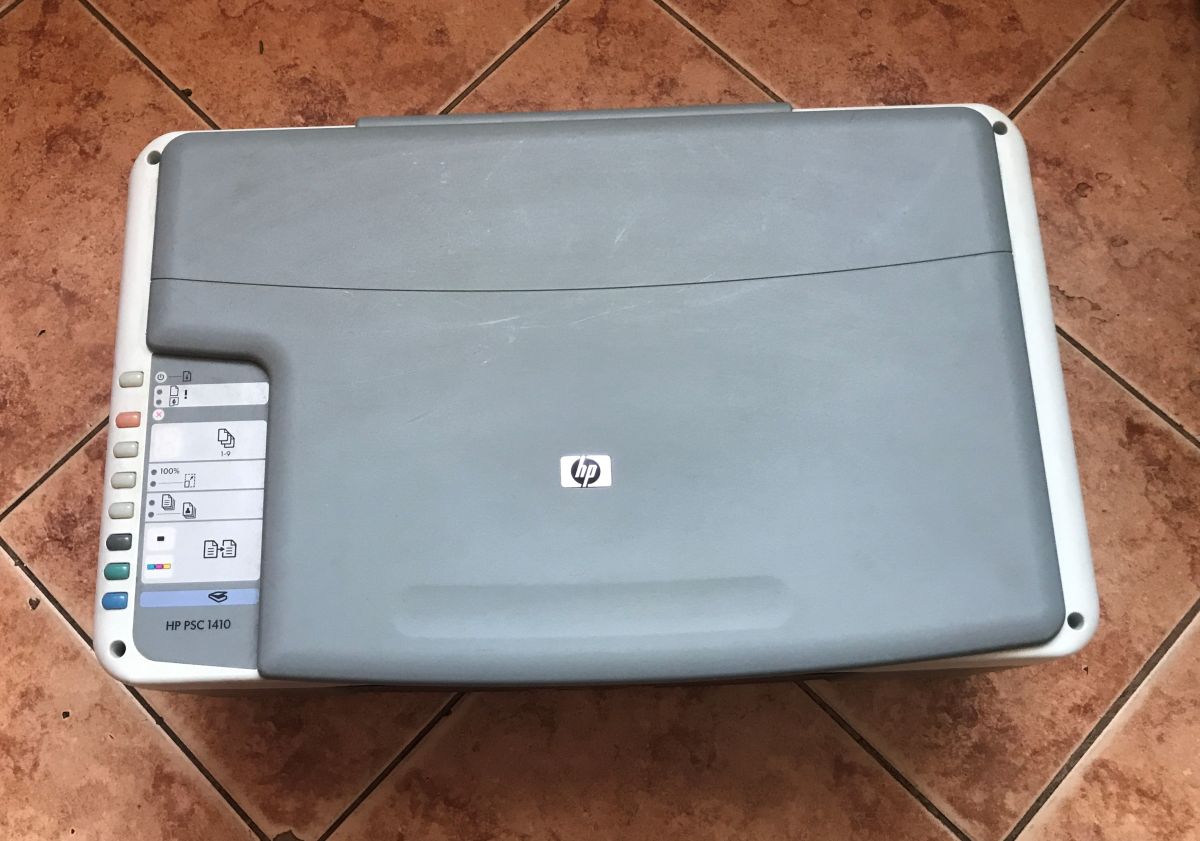
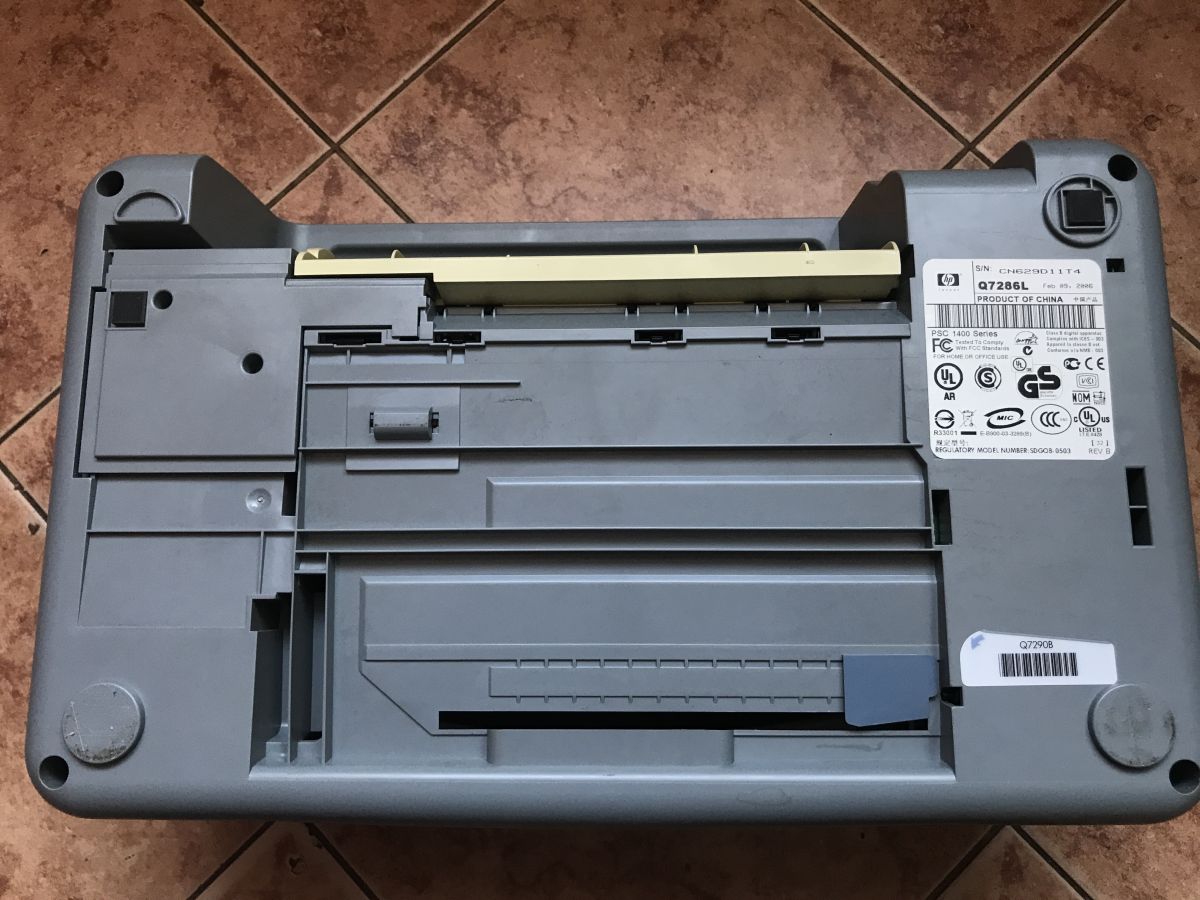
This printer has essentially just knocked 20 years off its age - it's a 2006 piece of hardware, a PSC 1400 series. The kit is pretty poor, as even the power supply didn't come with it, but maybe it's worth taking a look inside anyway?
Look in vain for stepper motors inside, everything is based on DC motors and encoders, I presented this in detail the other day:
Teardown of an HP Deskjet D1360 printer and an example of using its parts with an Arduino
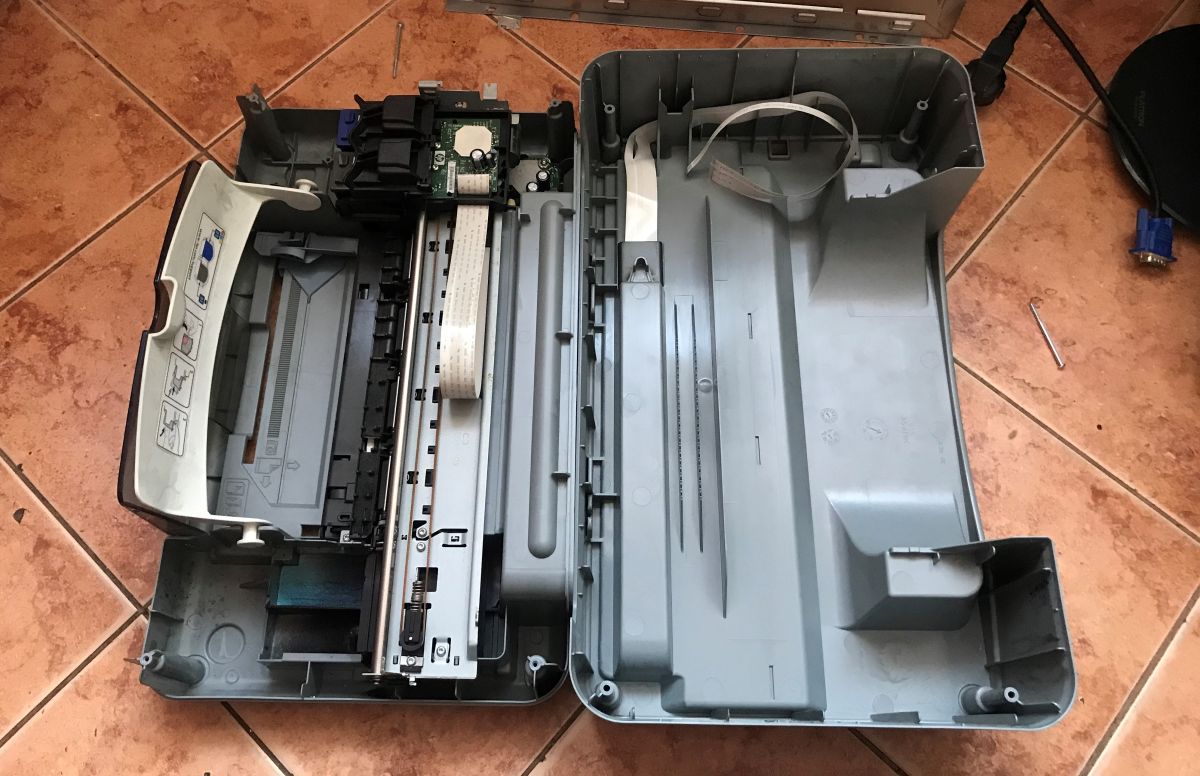
The motherboard is small, in the corner of the printer:
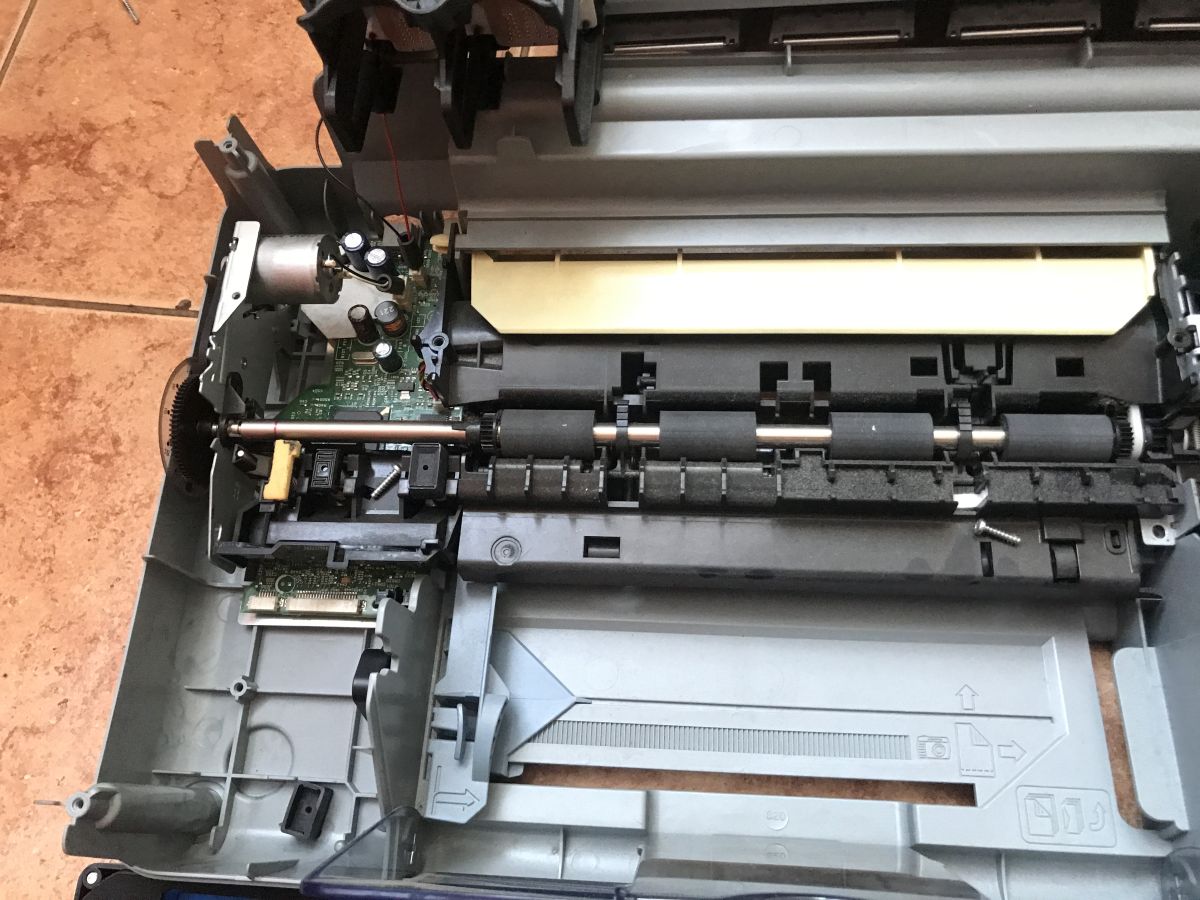
Here another photo of one of the dials for the encoders (the carriage also has its own bar):
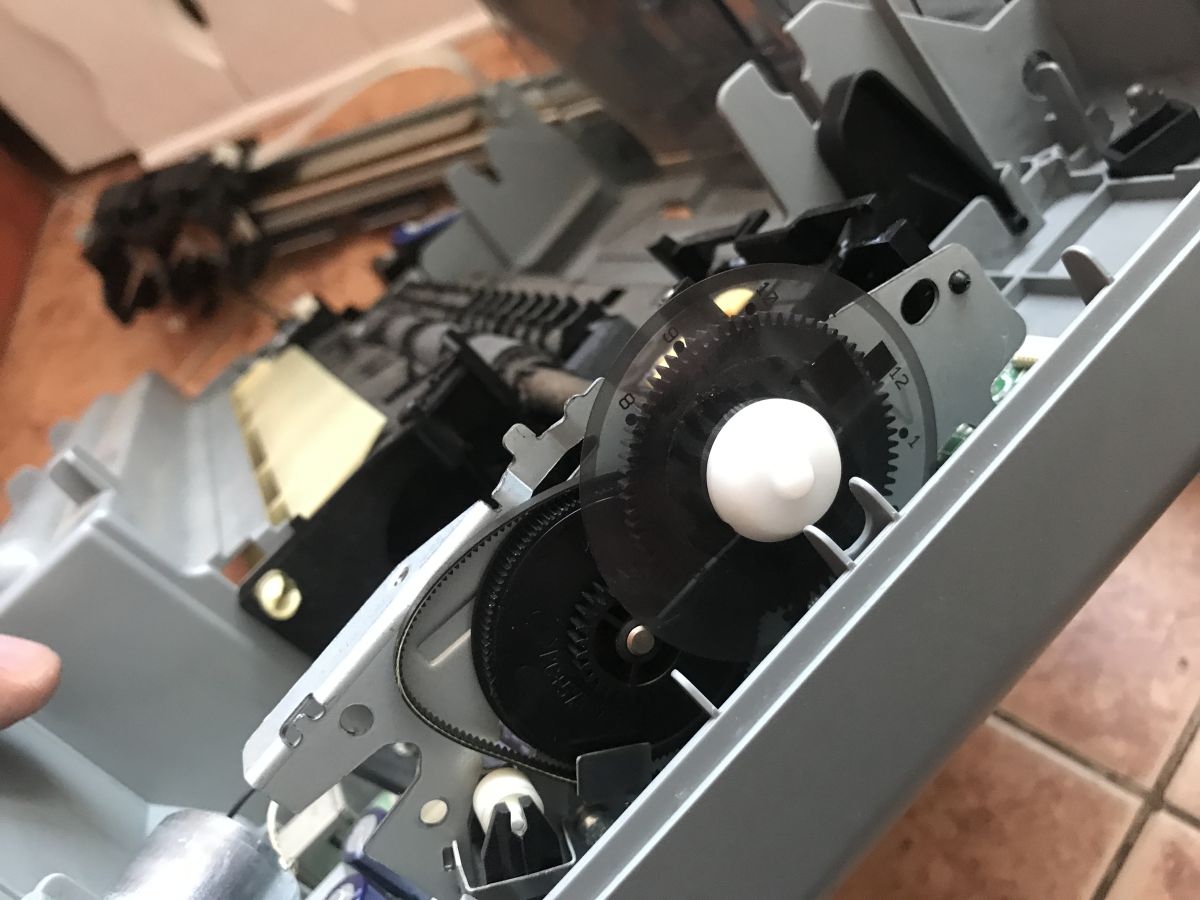
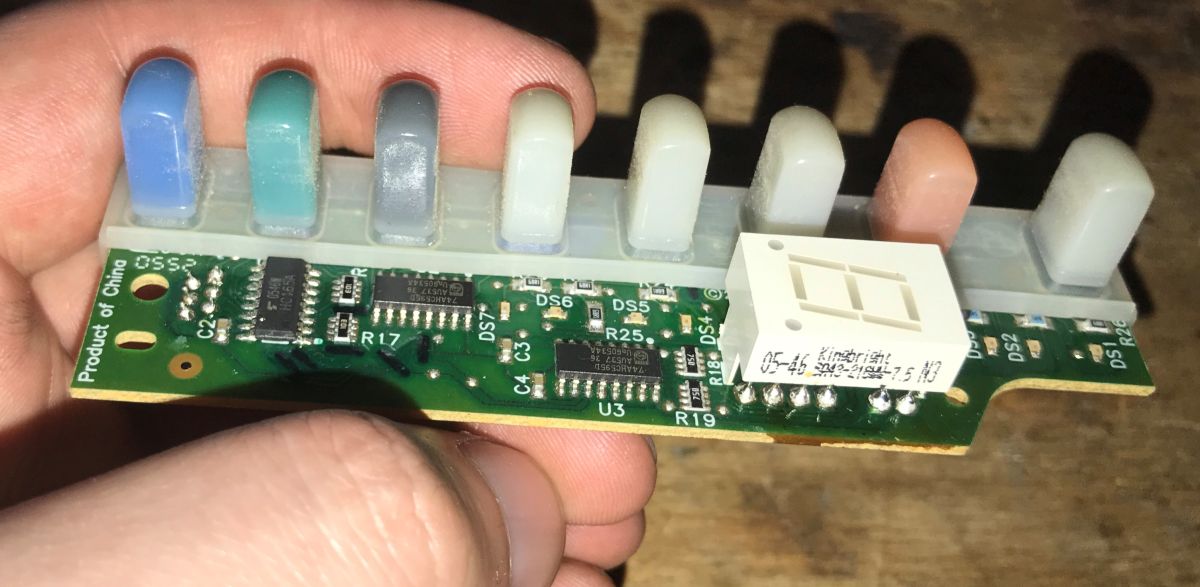
Basically I recovered two boards - the one from the buttons, based on the sliding registers, with one display segment:
And the motherboard:
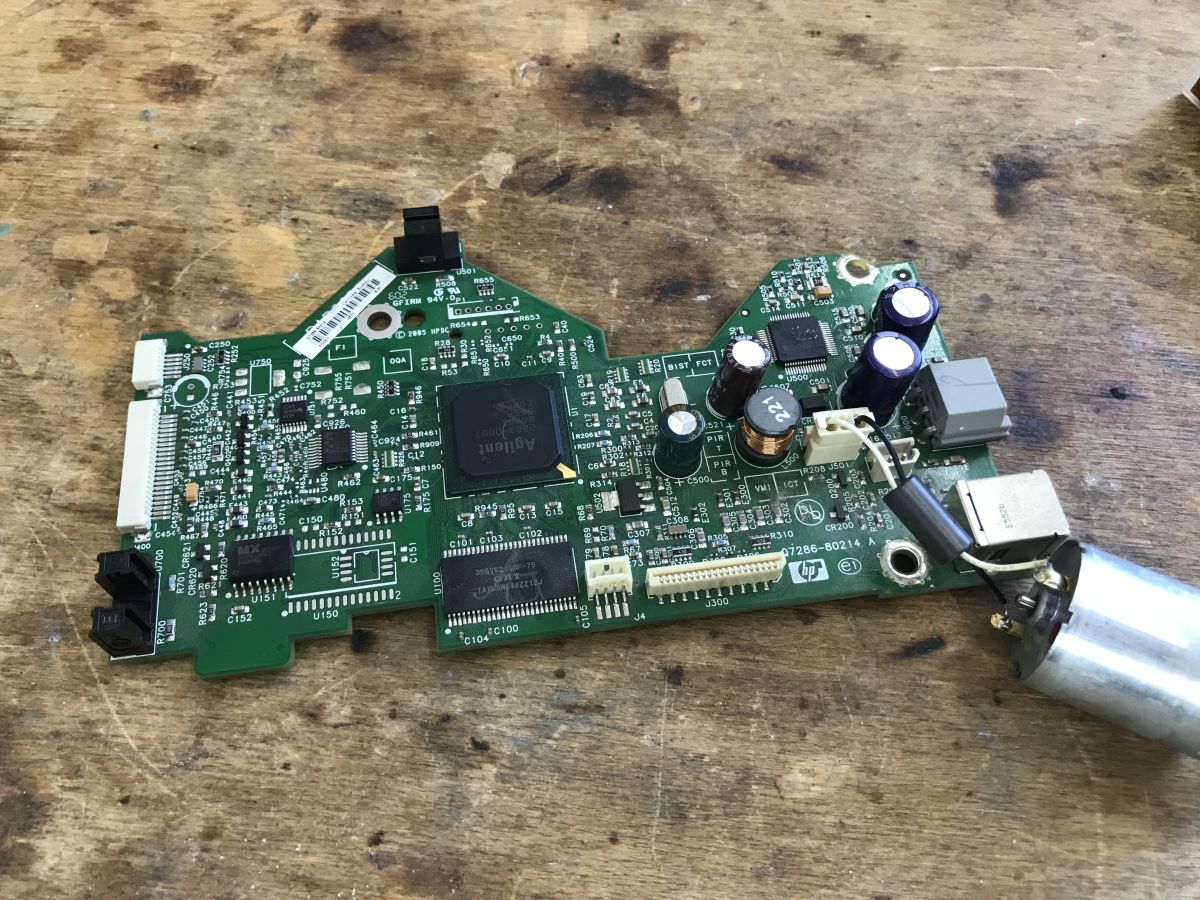
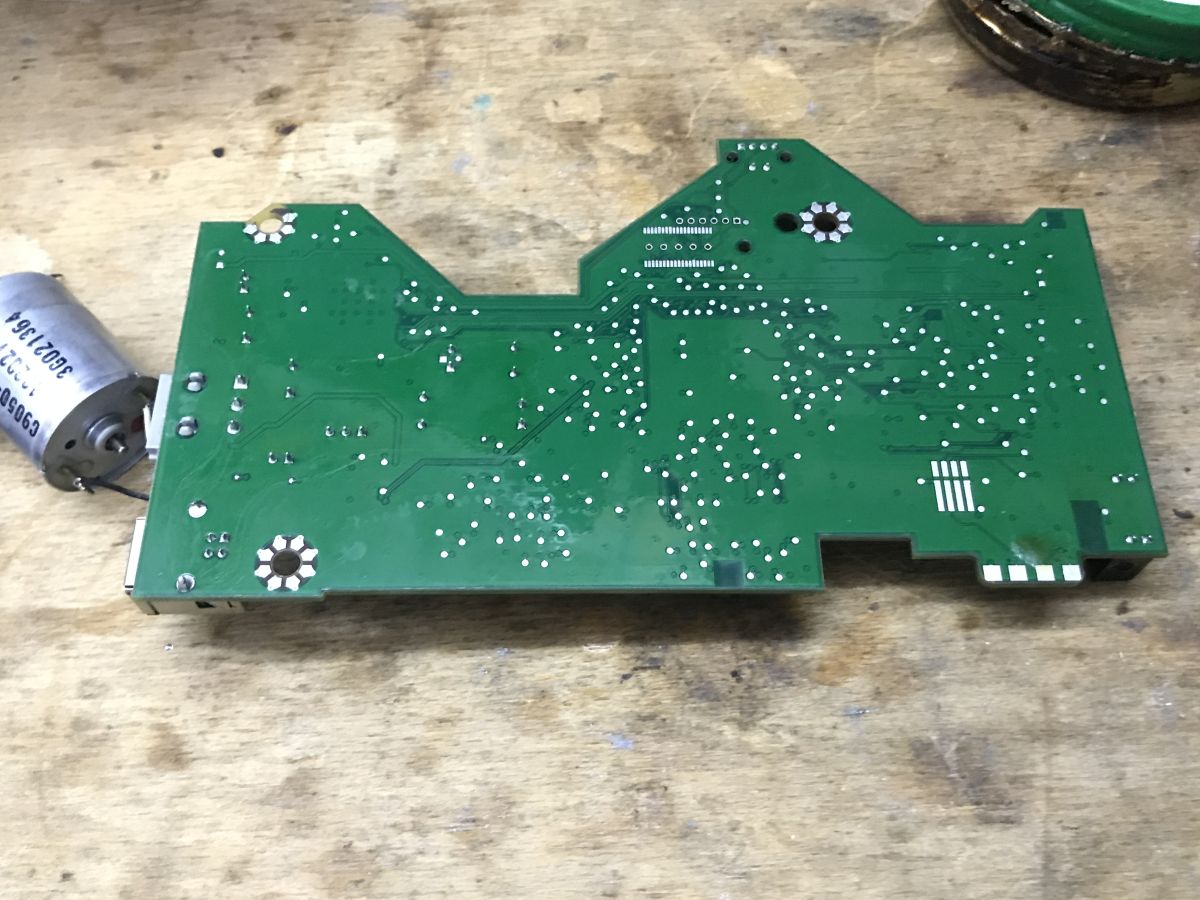
You can see the really big savings and design simplifications here. The motherboard has encoders on it, and is matched throughout the mechanical design.
The date on the board indicates 2005.
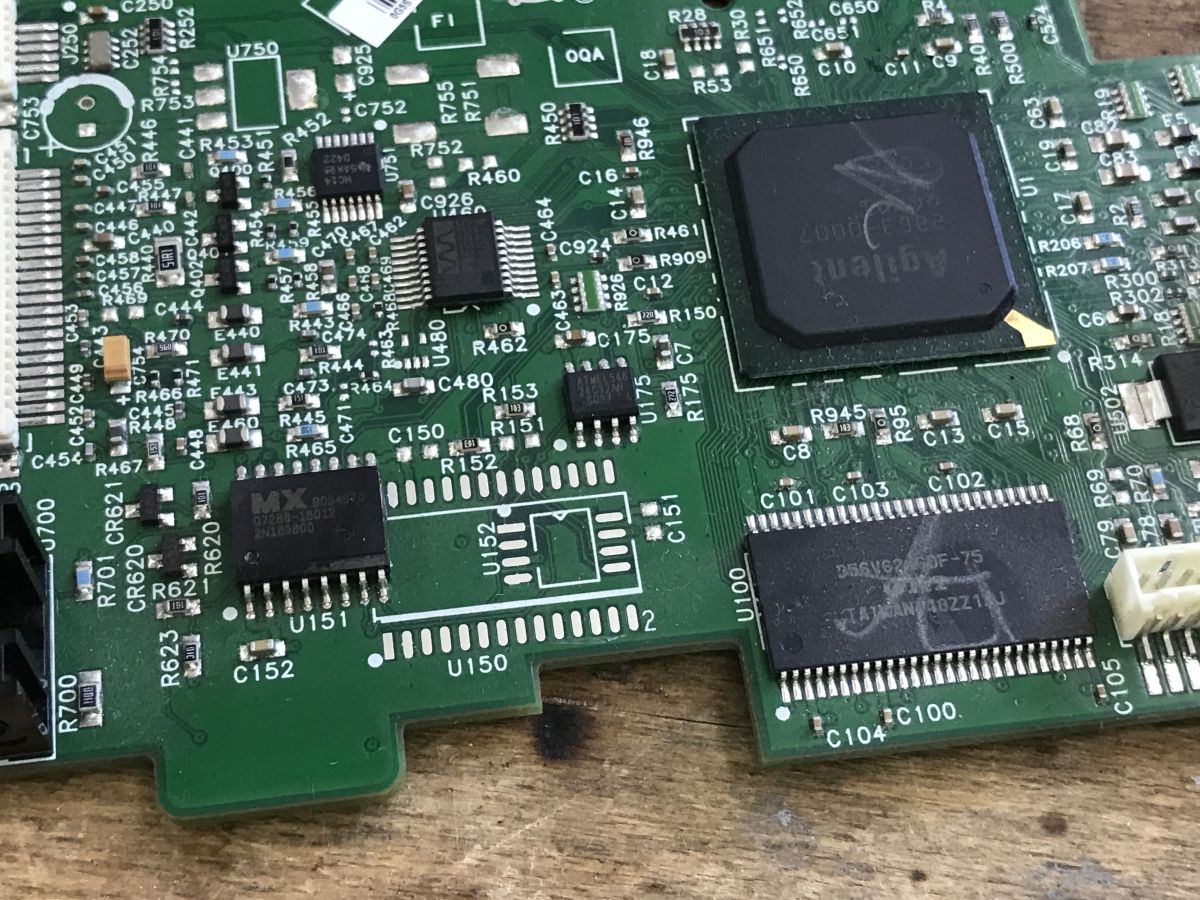
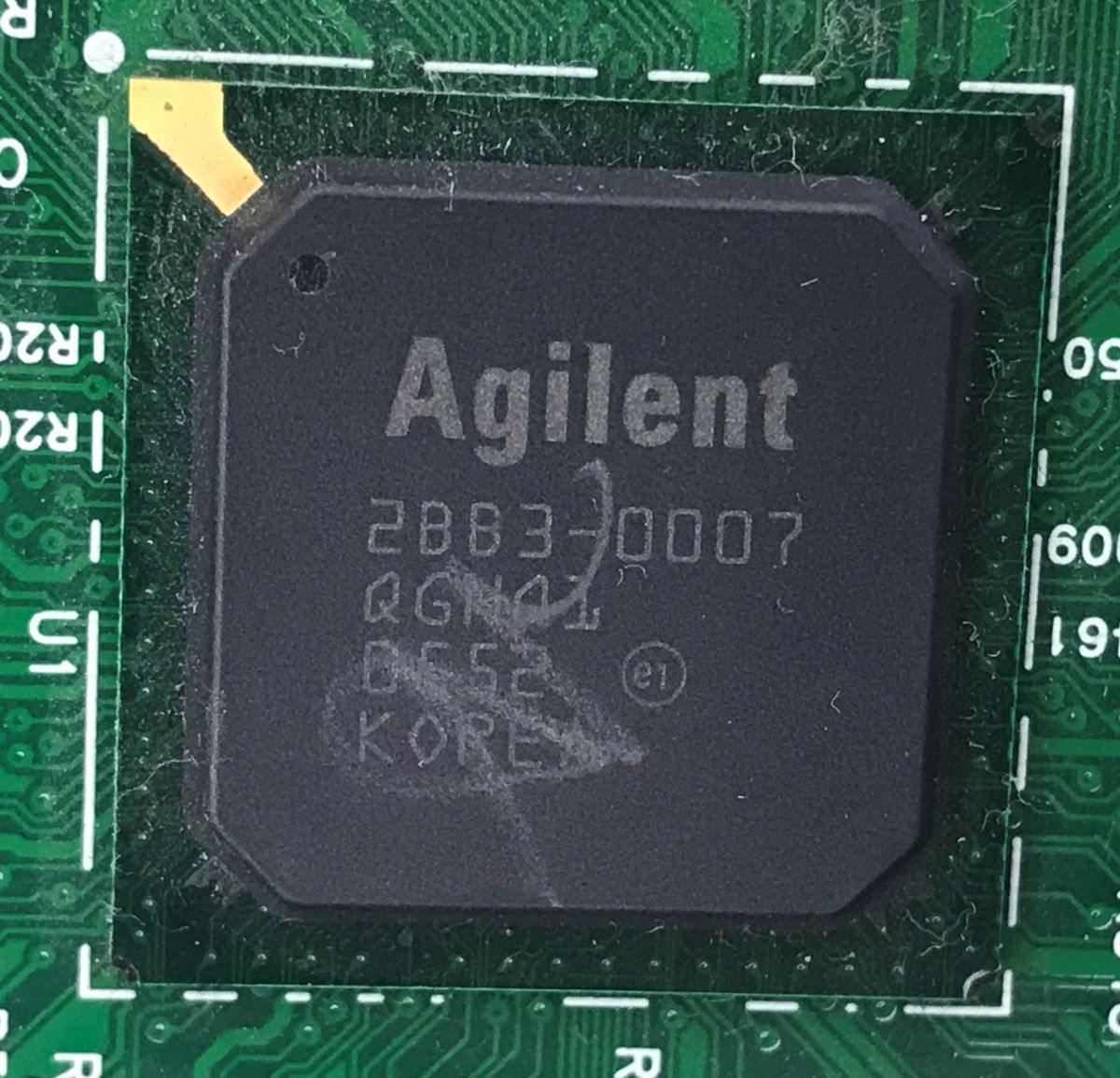
The main MCU is an Agilent 2BB3-007 QGNQL - I can't find anything about it. The D56V62160 is a 2*512K*16 bit DRAM. The MX chip is probably a program flash memory.
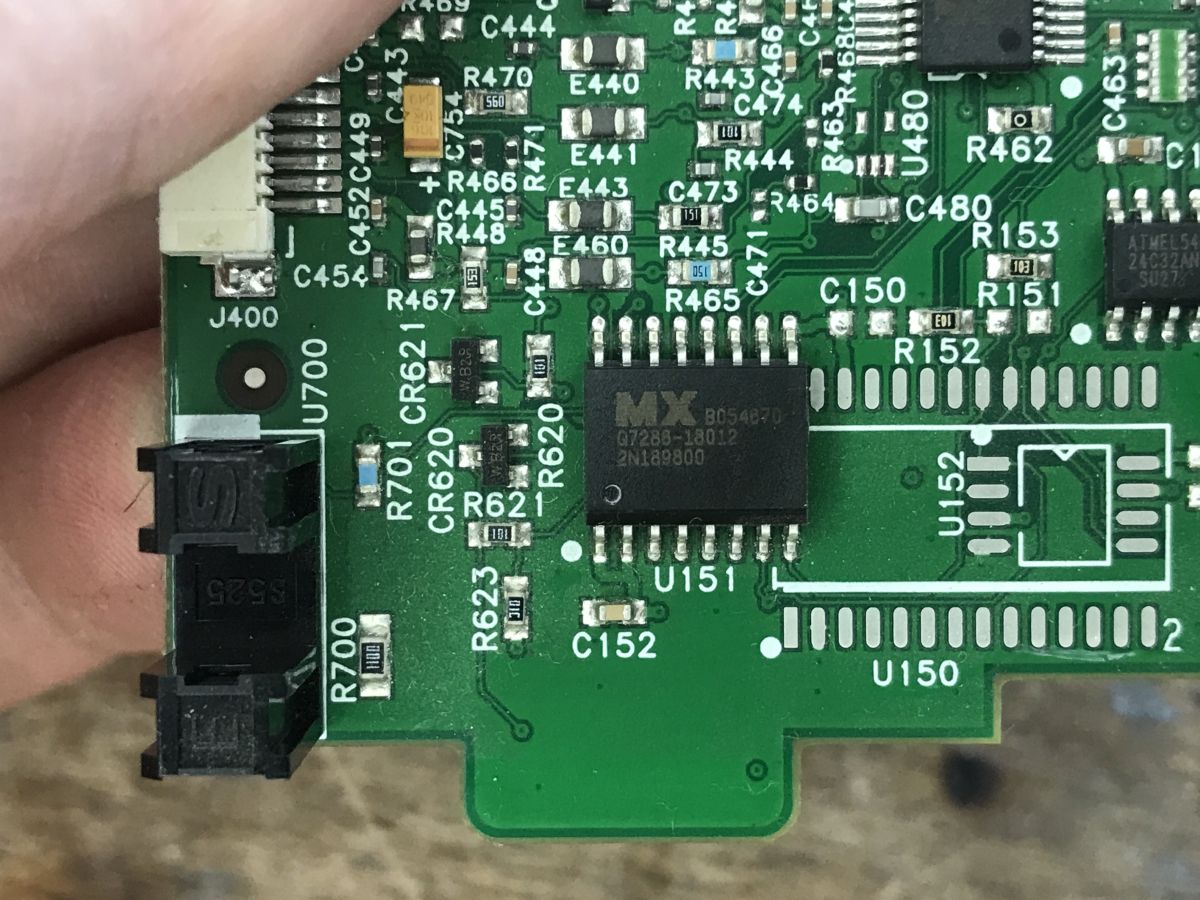
Flash was successfully soldered and ripped out using CH341:
Flash memory connected but programmer does not see it? Solution to CH341 NeoProgrammer problem
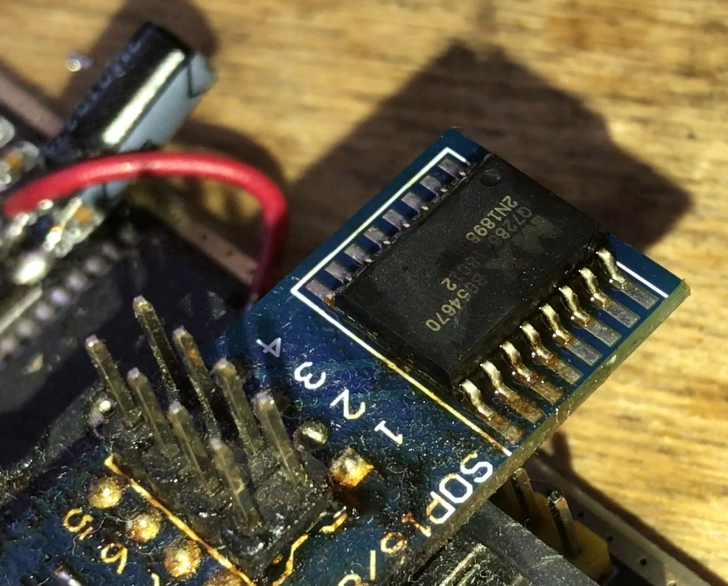
I have placed a copy of the batch on my repository: https://github.com/openshwprojects/FlashDumps/commit/c183ec39e092d085d77f4b822aa392a94090270a
I started with an analysis in a simple hex editor. You can see the ASCII captions.
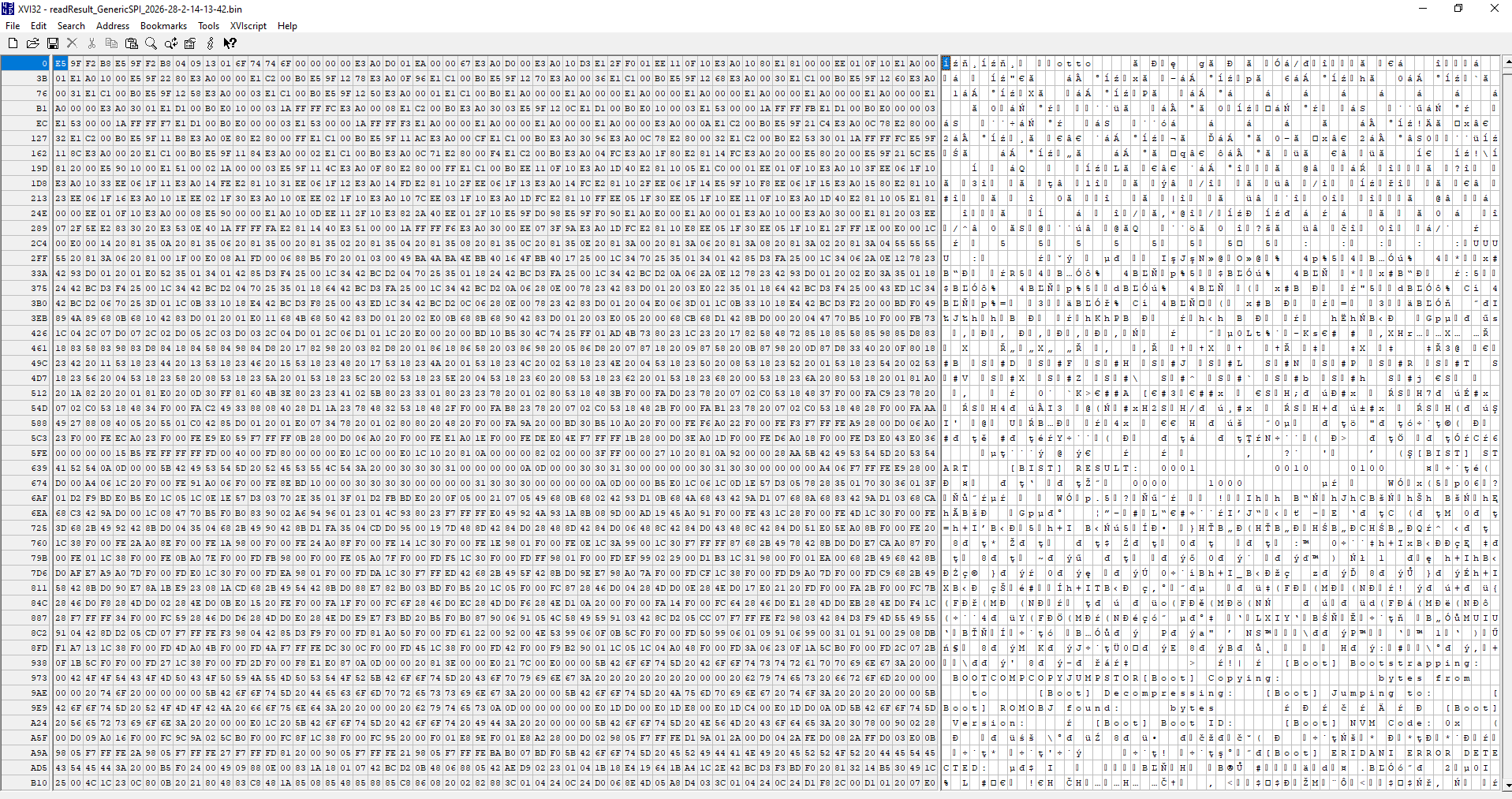
Among them, quite a lot of text related to initialisation and errors is striking, but the most important is probably the code name of the whole chip (SoC): "Eridani".
0x000630	[BIST] START
0x000640	[BIST] RESULT:
0x00095C	[Boot] Bootstrapping:
0x0009B8	[Boot] Decompressing:
0x0009D0	[Boot] Jumping to:
0x0009E8	[Boot] ROMOBJ found:
0x000A1E	[Boot] Version:
0x000A33	[Boot] Boot ID:
0x000A48	[Boot] NVM Code: 0x
0x000ABC	[Boot] ERIDANI ERROR DETECTED:
0x000F68	[Boot] Header record data: '
0x000F98	[Boot] Downloaded Program ID: '
0x0011AC	[Boot] Bad Download type:
0x0011D0	[Boot] Download address:
0x0011EE	[Boot] Download length :
0x001218	[Boot] Downloads complete
0x001292	[Boot] To execute program you must type '
0x0012C2	[Boot] Continuing to execute program
0x0012EC	[Boot] Jumping to downloaded program
0x001334	[Boot] Downloading s-records over USB
0x001AA0	[Boot] Something very bad happened in USB code (1)
0x001AF0	[Boot] USB disconnected
0x001B10	[Boot] USB re-connected
0x001B2C	[Boot] USB connected
0x001B8C	[Boot] USB re-disconnected
You can also hit the USB device descriptor:
MFG:HEWLETT-PACKARD;MDL:OFFICEJET REFLASH;CLASS:PRINTER;DESCRIPTION:Hewlett-Packard OfficeJet Reflash;SERN:000000000011;
A version of the ThreadX system is also thrown up, which suggests to us an ARM9 architecture:
Copyright (c) 1996-2001 Express Logic Inc. * ThreadX ARM9/Green Hills Version G4.0.4.0
ARM9 - which means we have a clue! This makes it a lot easier, because there are different architectures and instruction sets, I don't need to check them here anymore, I know that for example it's not MIPS, etc.... now let's check the first bytes of the file:
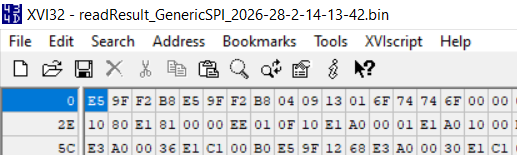
0xE5 0x9F 0xF2 0xB8 is repeated twice. This looks like an ARM interrupt table, LDR PC instruction, [PC, #0x2B8]. Jumps to the memory value from PC offset + 0x2B8.
https://developer.arm.com/documentation/dui03.../ARM-and-Thumb-Instructions/LDR--PC-relative-
https://www.macs.hw.ac.uk/~hwloidl/Courses/F2...0406C_C_arm_architecture_reference_manual.pdf
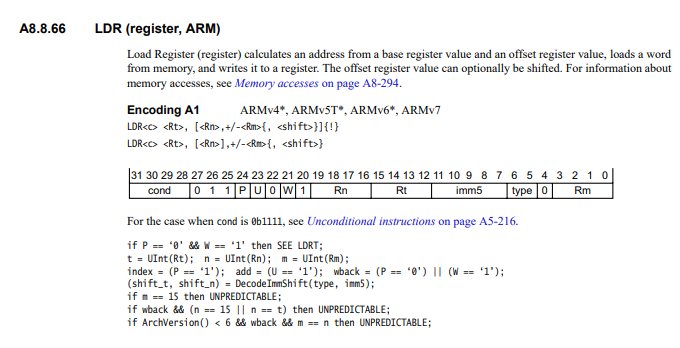
I also helped myself with this converter to instructions from ARM:
![Screenshot of a disassembly tool showing E59FF2B8 and the result “ldr pc, [pc, #0x2b8]”](https://obrazki.elektroda.pl/5499532700_1772483887.png "ARM disassembler output: “ldr pc, [pc, #0x2b8]”")
The PC is already on next instruction, so at offset 8, after adding 0x2B8 we come out with offset 0x2C0, there is 0xE0001C.
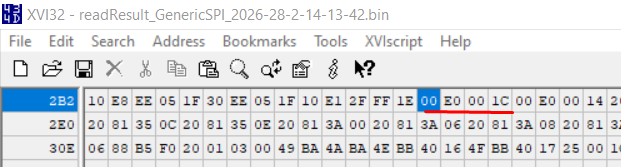
The second instruction in that case is at offset 0x00E0001C. It looks like a flash memory mirror to me, because it's too big an index for a 1 MB program, so I looked at the file at offset 0x1C. There it is in turn E3 A0 D0 00:
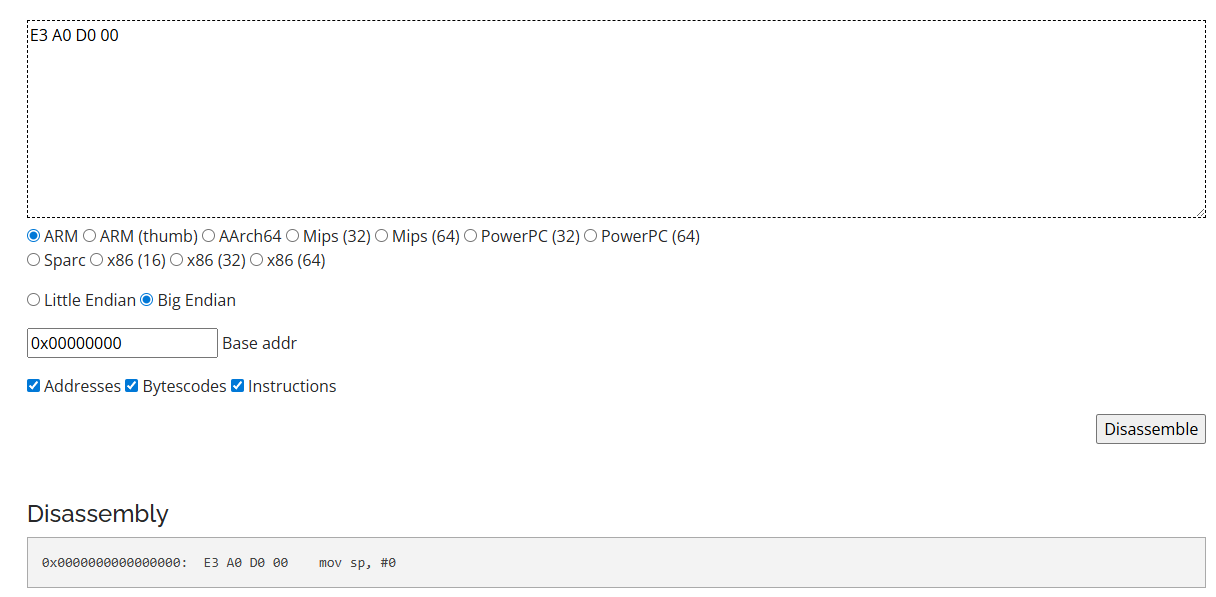
Setting the stack pointer to 0 undoubtedly looks like something that might be done at the start of the program.... i think all went well, you can emulate.
This is how I started to make a simple ARM emulator complete with condition and jump support. Each instruction changes the state of registers, memory and the program counter accordingly.
Code: Python
This is how one instruction is handled - it is broken down into bits, which then allow you to determine what to execute. Let's take the example of those LDRs mentioned:
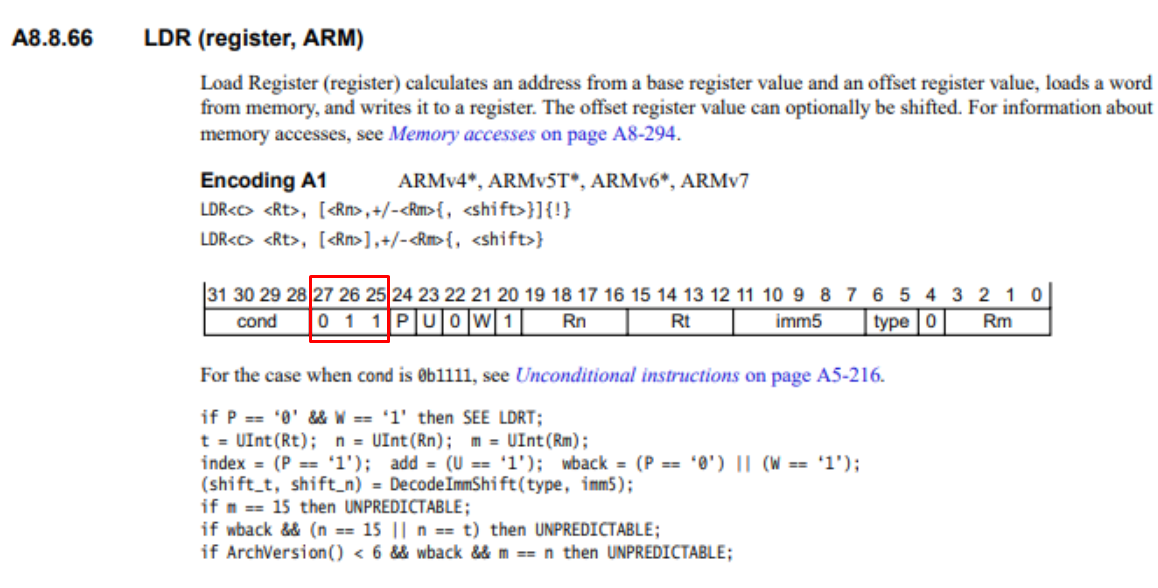
We detect bits 25-27.
Code: Python
I managed to do the first jumps and quickly discovered that either I was miscounting addresses or the flash memory has a mirror in the range 0x00E00000 - 0x00EFFFFF. For now, I took the liberty of defining the latter. This is what the first steps of the simulator looked like:
[     0] 0x00000000: E59FF2B8
[     1] 0x00E0001C: E3A0D000
[     2] 0x00E00020: E3A010D3
[     3] 0x00E00024: E12FF001
[     4] 0x00E00028: EE110F10
[     5] 0x00E0002C: E3A01080
[     6] 0x00E00030: E1810000
[     7] 0x00E00034: EE010F10
Then I developed the memory accesses, i.e. write32 helper functions etc.
Code: Python
Code: Python
Along the way I hit transition to Thumb mode . What is Thumb mode? Thumb are abbreviated 16-bit instructions designed to save and speed up Flash memory. They involve the same addresses, registers and memory, but are coded slightly differently. They do not support some of the operations, so they represent a compromise between code size and flexibility.
A transition to Thumb is recognised by the fact that the jump target, the youngest PC bit, is lit.
  592 | 0x00E0026C | E59FD098 |  ARM | LDR SP, [PC, #0x98]
  593 | 0x00E00270 | E59FF090 |  ARM | LDR PC, [PC, #0x90]
Instruction 593 loads offset 0x00E008A1 into the PC, and the value 0x00E008A1 has the youngest bit lit:
Code: Python
I include this later in the function that performs the simulator step:
Code: Python
Of course, there is a separate set of instructions for Thumb and this also needs to be implemented. Arithmetic operations, logical operations, memory accesses, jumps....
Here one could stop here, but I wanted to add something else that could demonstrate that there is indeed something working in this emulation. I decided to find the UART register. I tried my luck and the force approach, that is, I simply plugged in the memory access and collected the performed operations on the individual registers, grouping them into pages. I hoped to execute enough code to catch something that looked like ASCII.
The results (truncated):
[inContentAd]

  +-- Page 0x20812300 -------------------------------------
  |  Total: 2 writes, 0 reads
  |  Registers touched:
  |    +0x00 (1W)
  |          written: 0xBCBC
  |    +0x02 (1W)
  |          written: 0xBCBC
  +--------------------------------------------------

  +-- Page 0x20812900 -------------------------------------
  |  Total: 11 writes, 122583 reads
  |  Registers touched:
  |    +0x00 (1W)
  |          written: 0x0000
  |    +0x02 (1W)
  |          written: 0x0000
  |    +0x04 (1W)
  |          written: 0xFFFF
  |    +0x06 (7W)
  |          written: 0x000A, 0x000D, 0x005B, 0x0042, 0x006F, 0x006F, 0x0074
  |    +0x08 (1W)
  |          written: 0x0000
  |    +0x0C (6R)
  |    +0x0E (122577R)
  |
  |  >>> ASCII from +0x06 lo_byte: "\n\n[Boot"
  +--------------------------------------------------

  +-- Page 0x20813500 -------------------------------------
  |  Total: 9 writes, 6 reads
  |  Registers touched:
  |    +0x00 (1W)
  |          written: 0x0036
  |    +0x02 (1W)
  |          written: 0x0030
  |    +0x04 (1W)
  |          written: 0x0031
  |    +0x06 (1W)
  |          written: 0x0258
  |    +0x08 (1W)
  |          written: 0x0003
  |    +0x0A (3W)
  |          written: 0x0000, 0x0008, 0x000A
  |    +0x0C (1R, 1W)
  |          written: 0x0001
  |    +0x0E (5R)
  +--------------------------------------------------

  +-- Page 0x20813A00 -------------------------------------
  |  Total: 156 writes, 0 reads
  |  Registers touched:
  |    +0x00 (152W)
  |          written: 0x7832, 0x7832, 0x7832, 0x7832, 0x7832, 0x7832, 0x7832, 0x7832, 0x7832, 0x7832 ... (152 total)
  |    +0x02 (1W)
  |          written: 0x0020
  |    +0x04 (1W)
  |          written: 0x0002
  |    +0x06 (1W)
  |          written: 0x08FF
  |    +0x08 (1W)
  |          written: 0x00CF
Right away we have a candidate - 0x20812900+0x06, well you can see that the bytes stored there look like ASCII codes! Now this can be sorted out... this is how I added the UART peripheral. My script simply catches the writes to that offset and adds them to the UART buffer.
Code: Python
The result after firing:
[UART] [Boot] Version:  04091301
[UART] [Boot] Boot ID:  otto
![Screenshot of a hex editor showing ASCII text “[Boot] Version:” within memory data](https://obrazki.elektroda.pl/4574426100_1772468735.png "Flash dump snippet in a hex editor with “[Boot] Version:” text")
I couldn't believe it was working. I changed two letters in "otto" to "qq" in the source dump to verify this, but the program still correctly displayed what I expected:
![Console screenshot with UART bootloader logs, including “[Boot] Version” and “ERIDANI ERROR DETECTED”.](https://obrazki.elektroda.pl/4133479800_1772324650.png "UART boot log output for “Eridani” shown in a console")
Finally, the full log from the emulator:
PS W:\GIT\EridaniEmulator> python .\emulator.py
Loading firmware from readResult_GenericSPI_2026-28-2-14-13-42.bin...
  Loaded 8,388,608 bytes (8192 KB)
  Memory map:
    Flash:  0x00000000 - 0x007FFFFF (8 MB)
    Mirror: 0x00E00000 - 0x00EFFFFF (1 MB boot mirror)
    SRAM:   0xFC000000 - 0xFEFFFFFF (8+8+4 MB)
  Peripherals:
    CLK0:   0x20813500 (Clock/PLL controller 0)
    CLK1:   0x20813A00 (Clock/PLL controller 1)
    UART:   0x20812900 (Debug UART)
    GPIO:   0x20813200 (GPIO/misc)

============================================================
  HP OfficeJet 'Eridani' ARMv5 Emulator
  Starting execution at PC=0x00000000
============================================================

[UART] [Boot] Version:  04091301
[UART] [Boot] Boot ID:  otto
[UART] [Boot] NVM Code: 0xFE
[UART] [Boot] ERIDANI ERROR DETECTED: 7
[UART] [BIST] START
[UART] [BIST] RESULT: 0100
[UART] [Boot] Bootstrapping: 0x00f0217c
[UART] [Boot] ROMOBJ found:  0x00042d68 bytes
[UART] [Boot] Copying:       0x00008944 bytes from 0x00f450c4 to 0xfd1ae5a4
[UART] [Boot] Copying:       0x00000040 bytes from 0x00f4da18 to 0xfd2620a0
[UART] [Boot] Copying:       0x00001408 bytes from 0x00f4da68 to 0xfd2620e0
[UART] [Boot] Decompressing: 0x0007d288 bytes from 0x00f4ee80 to 0xfe0d8fc0
[UART] [Boot] Decompressing: 0x00012bf8 bytes from 0x00fcc118 to 0xfe1850ec
[UART] [Boot] Copying:       0x00000144 bytes from 0x00fded20 to 0xfe1ae420
[UART] [Boot] Copying:       0x00000004 bytes from 0x00fdee74 to 0xfe1ae564
[UART] [Boot] Jumping to:    0xfe15fed4

[CPU] Max instructions (500000) reached

============================================================
  Emulation stopped after 500,000 instructions
  ARM: 594  Thumb: 499,406
  Elapsed time: 7.897s
  Speed: 63,315 instructions/sec
You can see here the messages from the early bootloader, the chip and program identifications ("otto"?), the logs from copying the instructions to RAM and the jump to the actual program. It's hard to say if all the offsets are correct at all, because all it takes is one badly emulated register and everything in turn "falls over like dominoes", but still the result for me is satisfactory.
In summary , despite initial problems with the flash , it managed to make a copy of the program memory from the printer and then identify it, as 32-bit ARM machine code. It was then possible to run a simple ARM emulator, which was then enhanced to support 16-bit Thumb instructions. Finally, it was possible to locate the UART registers, a force method was used to do this (I collected all write operations into one place and checked which bytes looked like text). The developed emulator seems to correctly simulate the messages sent which really do look like the device is booting.
There were a few other problems along the way, but I didn't want to get so deep into the description already. Perhaps I will come back to it again.
Of the tasks that remain to be done:
- locate this UART on the PCB and verify that it also displays messages there
- try to simulate most of the firmware
- try to locate the GPIO registers
- try to compile something of your own and upload it to this Flash
Project repository: https://github.com/openshwprojects/EridaniEmulator
Copy of the batch: https://github.com/openshwprojects/FlashDumps/commit/c183ec39e092d085d77f4b822aa392a94090270a
Cool? Ranking DIY Helpful post? Buy me a coffee.

