







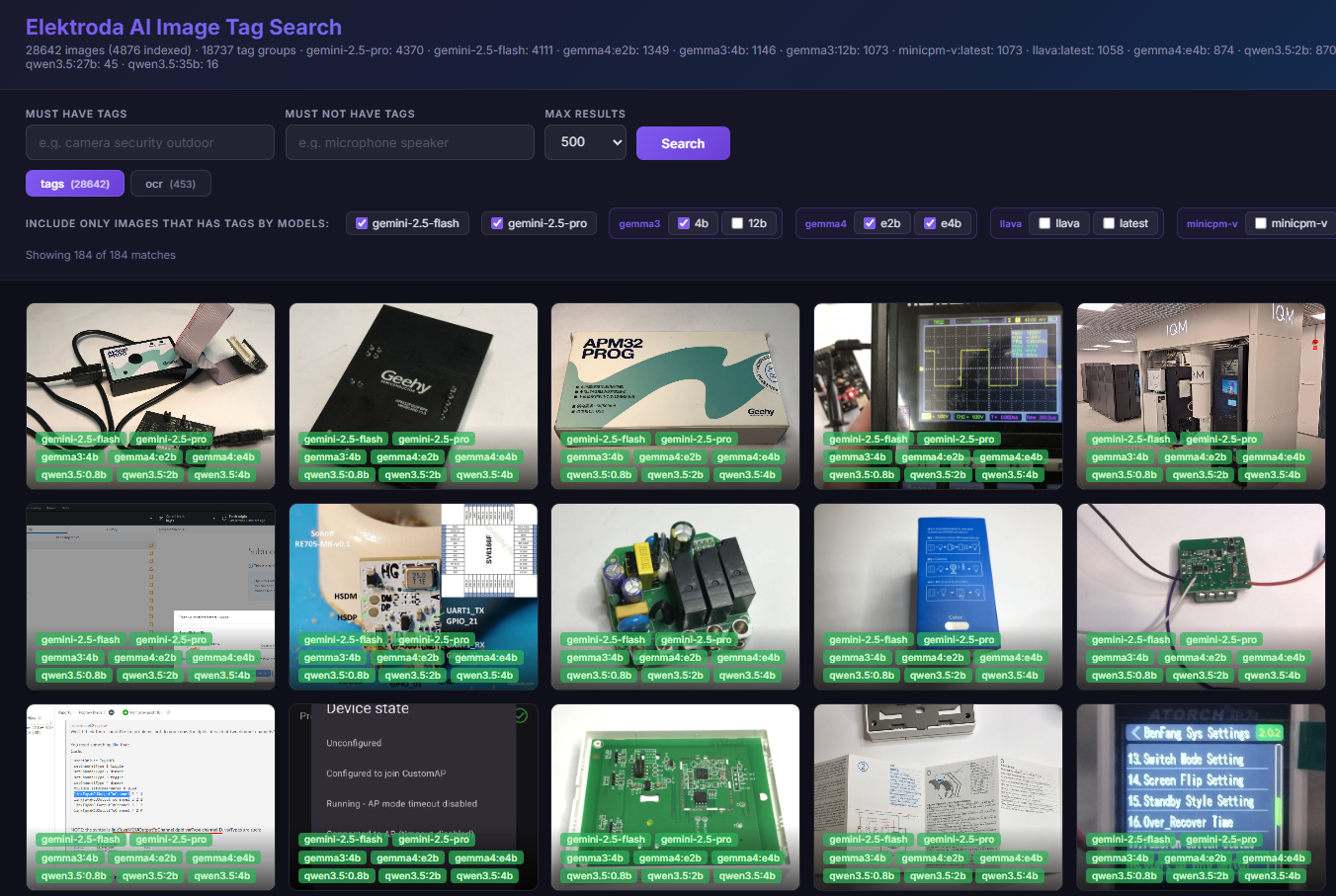
Are modern LLM models run locally, on an old gaming laptop, able to meaningfully tag photos? Are modern models suitable for OCR and correctly recognise electronic circuits? I invite you to the Electrode test of artificial intelligence, this time enriched by the locally run model Gemma 4 and by the paid models gemini-2.5-pro and gemini-2.5-flash run via API.
I'll check out a wide selection of newer and older LLM models here, based on two prompts - one for tagging and one for OCR.
Let's start with the definitions.
Tagging is the process of automatically assigning to an image a set of descriptive keywords (tags) that define what is in the image.
Prompt used for tagging:
Choose more than 25 generic tags for this image, sorted from most matching to less matching. Reply just with tags, separated by ;
OCR (Optical Character Recognition) is a technique for recognising text in an image. An algorithm analyses the graphic and attempts to read the visible characters, converting them into further processable text.
Prompt used for OCR:
Detect text on the image and write it down. Do not write anything else.
Tested models with number of described images (at the time of topic publication): gemini-2.5-pro (4370), gemini-2.5-flash (4111), gemma4:e2b (1349), gemma3:4b (1146), gemma3:12b (1073), minicpm-v:latest (1073), llava:latest (1058), gemma4:e4b (874), qwen3.5:2b (870), qwen3.5:4b (858), qwen3.5:0.8b (836), llava (379), minicpm-v (379), qwen3.5:9b (300), qwen3.5:27b (45), qwen3.5:35b (16).
The photo database will be updated , so the number of photos described will also grow. By force, the larger models take longer to process the photos, so the described ones have fewer examples.
Previous presentations in the series:
Intelligence has described over 1000 images from the Elektroda forum. How do you assess the results?
Is Qwen3.5 suitable for image description and OCR? Practical tests on your own computer
Image database preview.
Old UI version: https://openshwprojects.github.io/IndexingElektrodaImages/search.html
New UI version: https://openshwprojects.github.io/IndexingElektrodaImages/search2.html
You can now move on to the results.
OCR - something simple - Sonoff packaging:
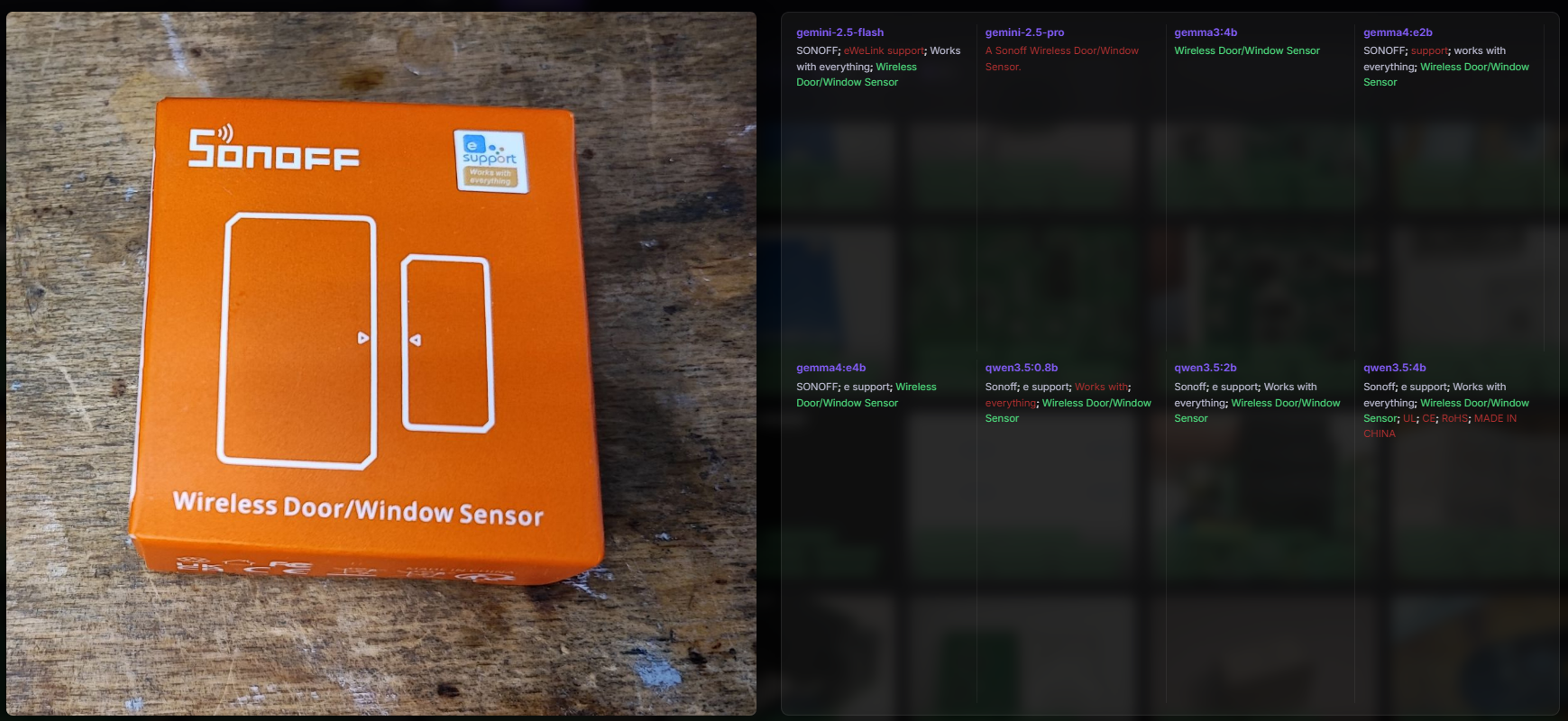
The main inscription "Wireless Door/Window Sensor" decoded every model tested - both the gemma4 and the professional gemini 2.5, as well as the slightly older qwen 3.5. It also went well with "Sonoff", but the gemma3 version 4b lost it. In addition, the other subtitles were also reasonably translated, although the eWeLink logo made the e itself.
OCR - CC2530 chip:
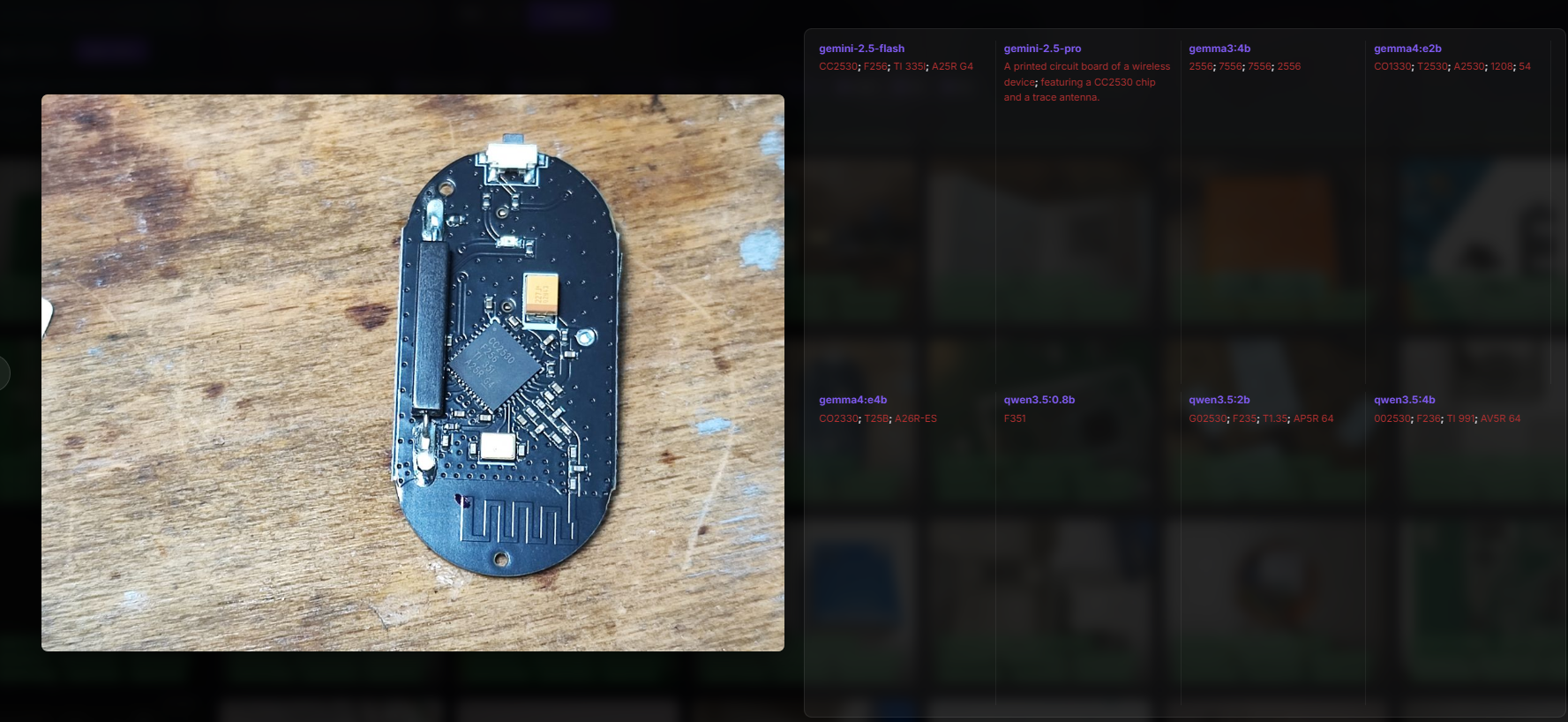
Gemini coped with this. The other models had a problem. Gemma 4 was close, CO2330 came out, qwen too - G02530. Probably too poor quality, or these smaller models internally operate on too small graphics.
OCR - 25Q32CSIG memory on the board:
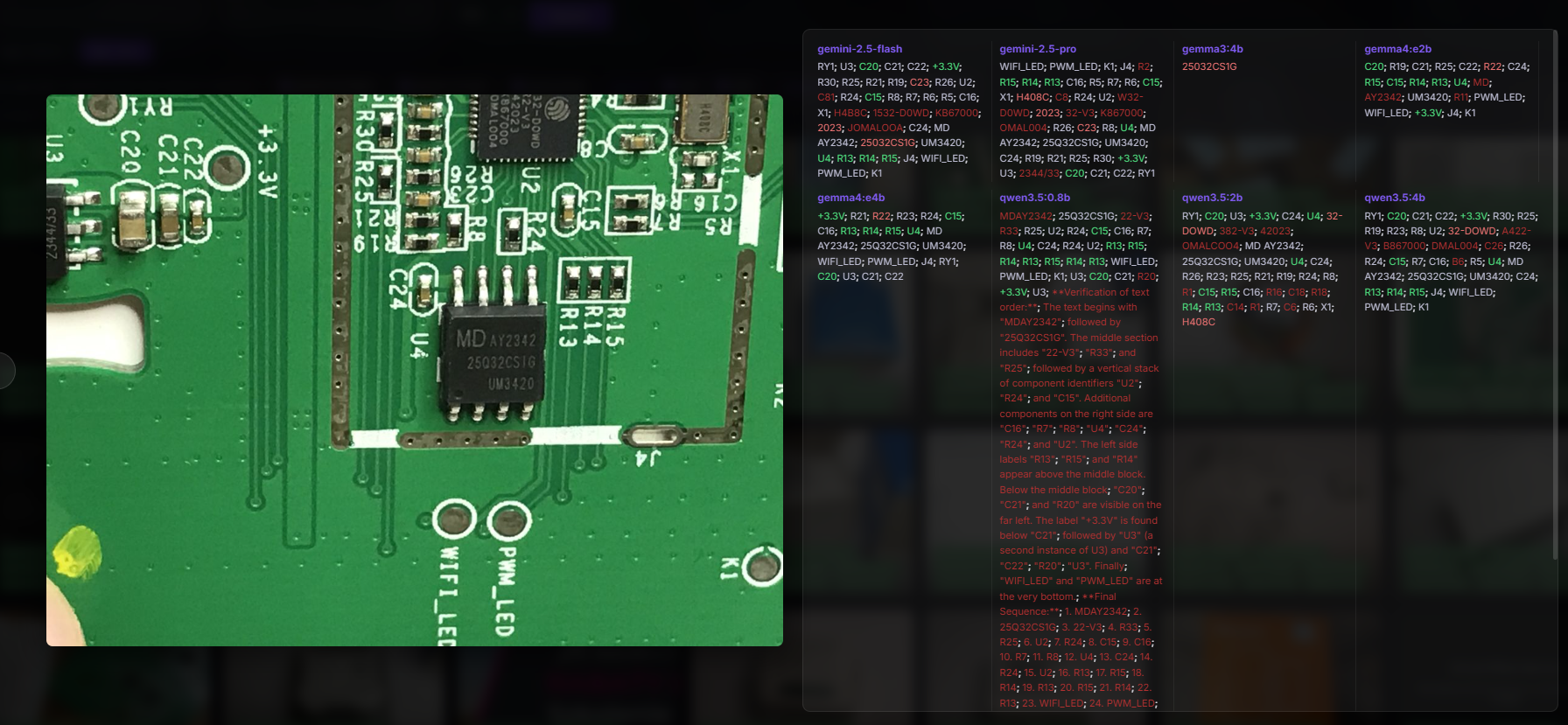
Most models have made this 25Q32CS1G, i.e. the letter "I" has changed to "1". Gemini 2.5 flash did even worse. Older gemma 3 also - "25032CS1G". Many models also read the description layer of the board, and qwen 3.5 version 0.8b started adding its descriptions against the prompt.
OCR - the name of the switch:
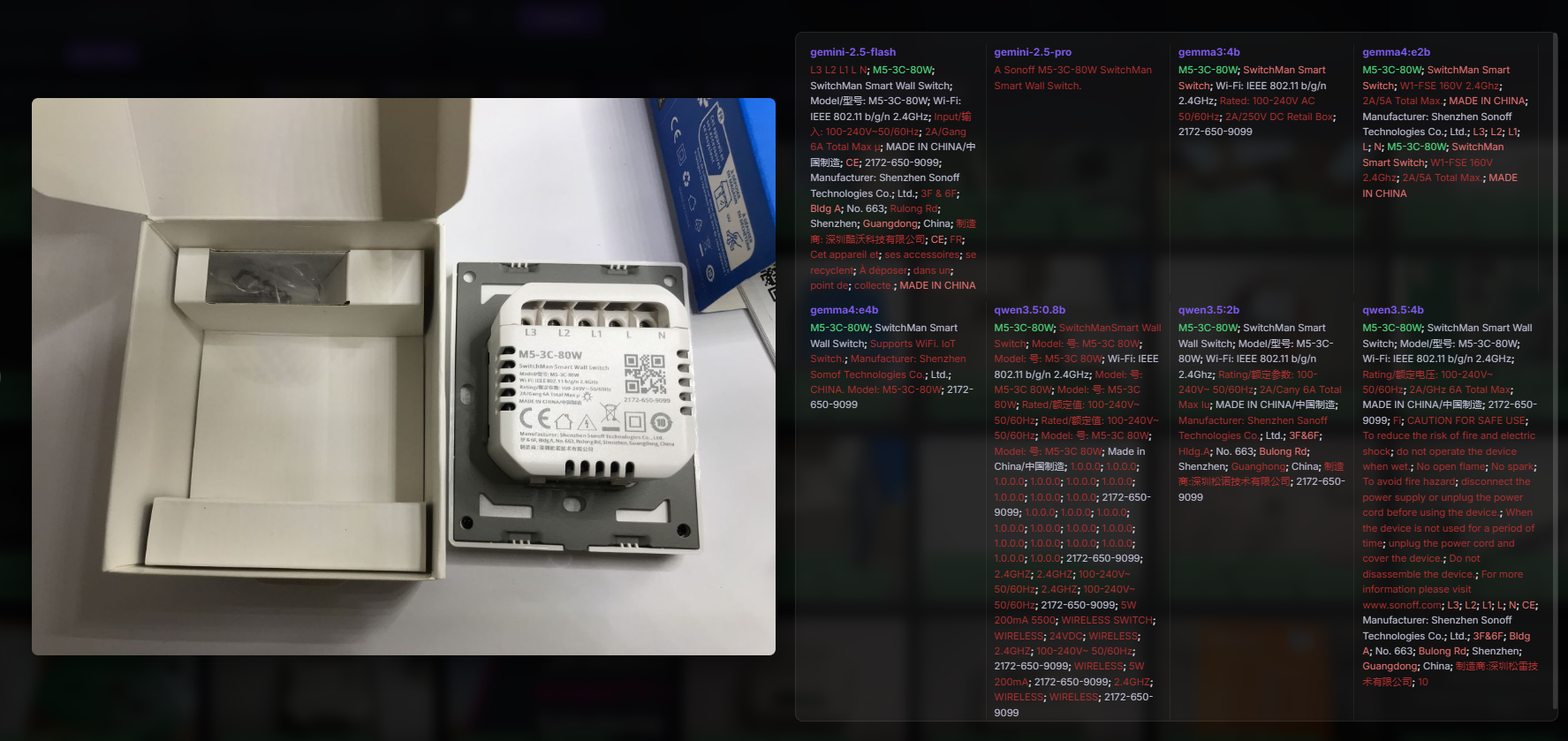
The product name is M5-3C-80W and it decoded every model. Not bad! The models also decoded the inscriptions in smaller print, such as "SwitchMan".
OCR - IRFP460LC transistor:
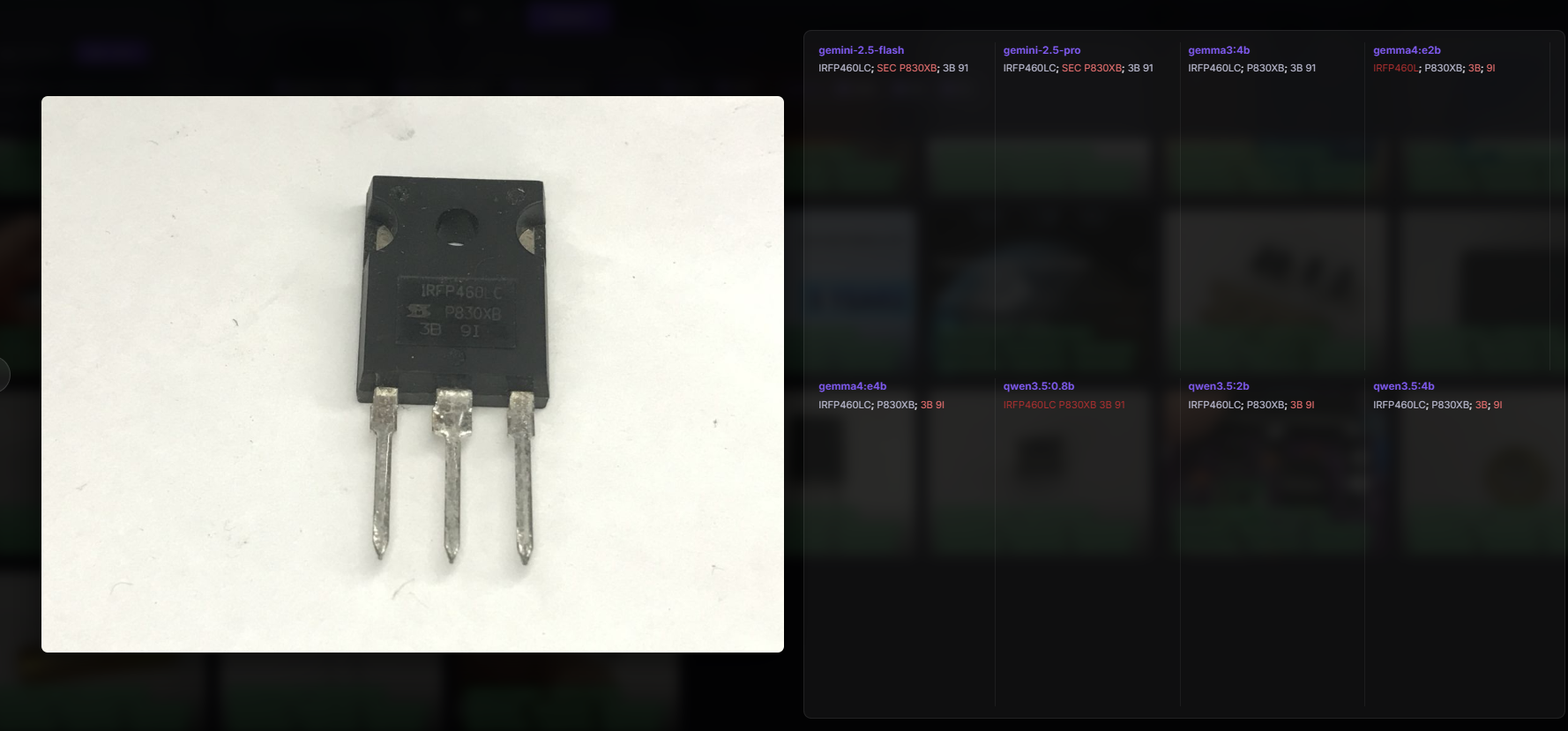
Every model correctly decoded the IRFP460L, only the gemma4 in the e2b version lost the 'C'.
OCR - TDA2822M audio amplifier:
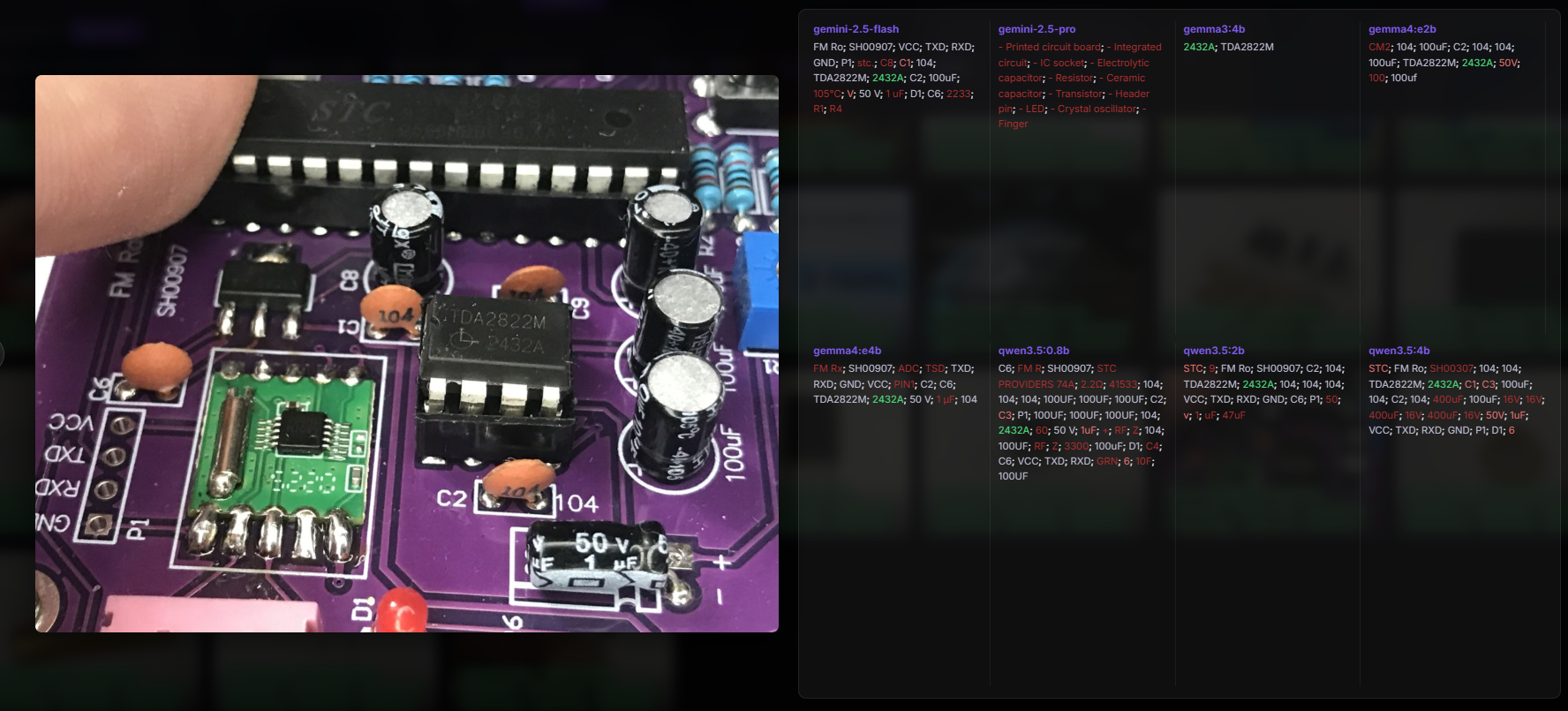
Virtually every model read the TDA2822M, the exception being the gemini 2.5 pro, which by some miracle started to list tags instead of reading subtitles. A large proportion of models also read more information from the board, RXD pads, TXD pads, etc.
OCR - electrolytic capacitors:
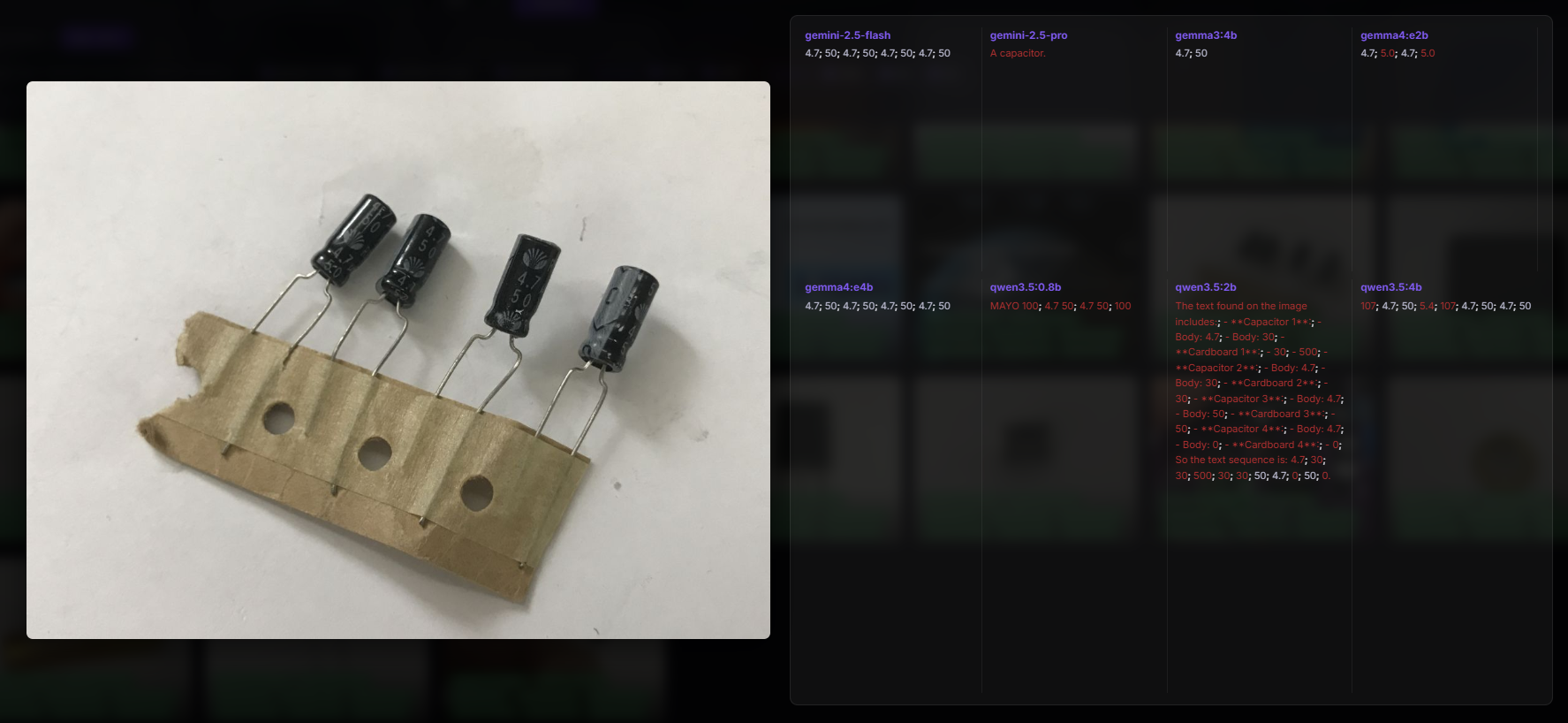
The values 4.7 and 50 were read correctly, but are without units. In addition, gemma4, for example, misrepresented one of the values and the result was 5.0. All in all, however, the lack of units is understandable, as the photo does not show them either.
OCR - SA612AN with NXP logo.
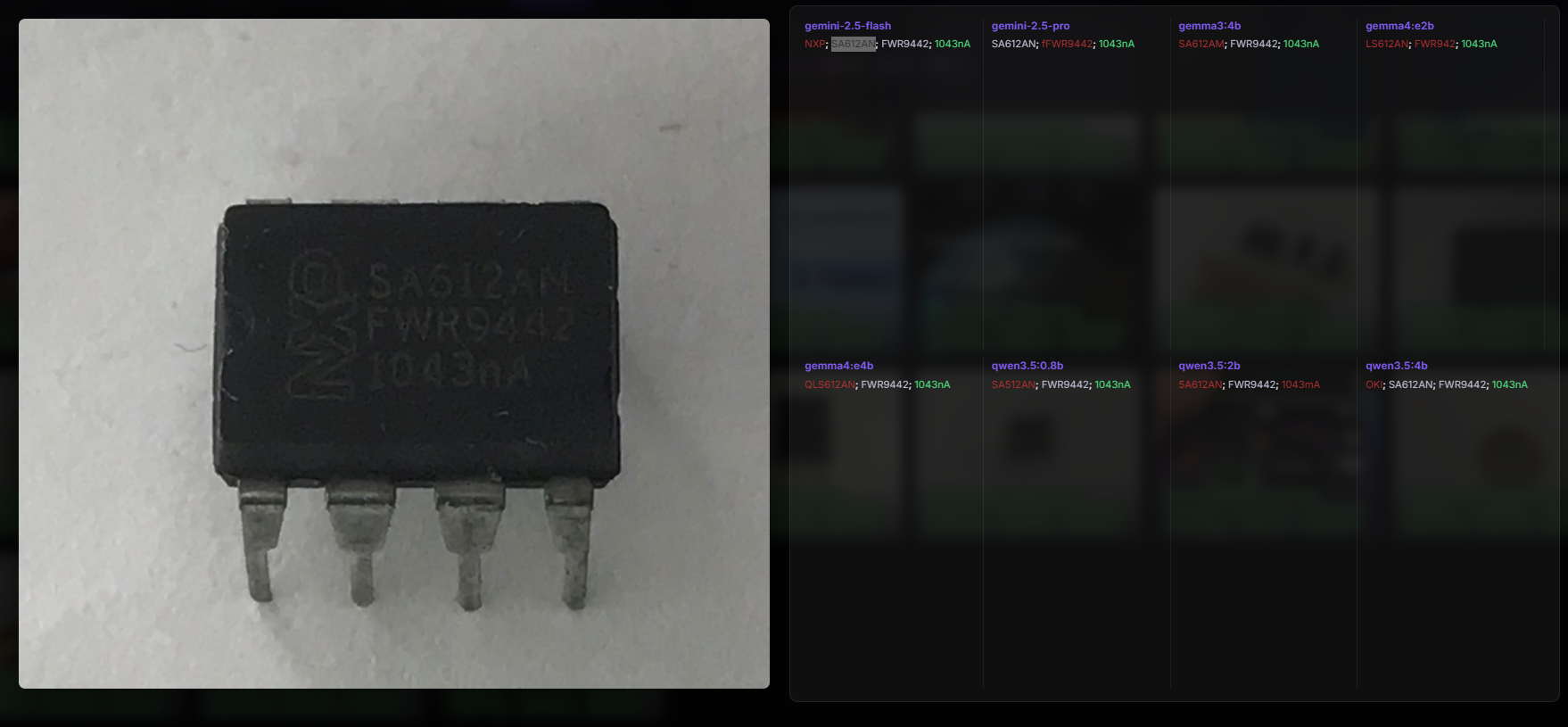
It went quite well, although there are some hypocrisies, e.g. qwen3.5 rebranded as 5A612AN. Gemini 2.5 Flash was the only one to decode the NXP logo.
Tags - board:
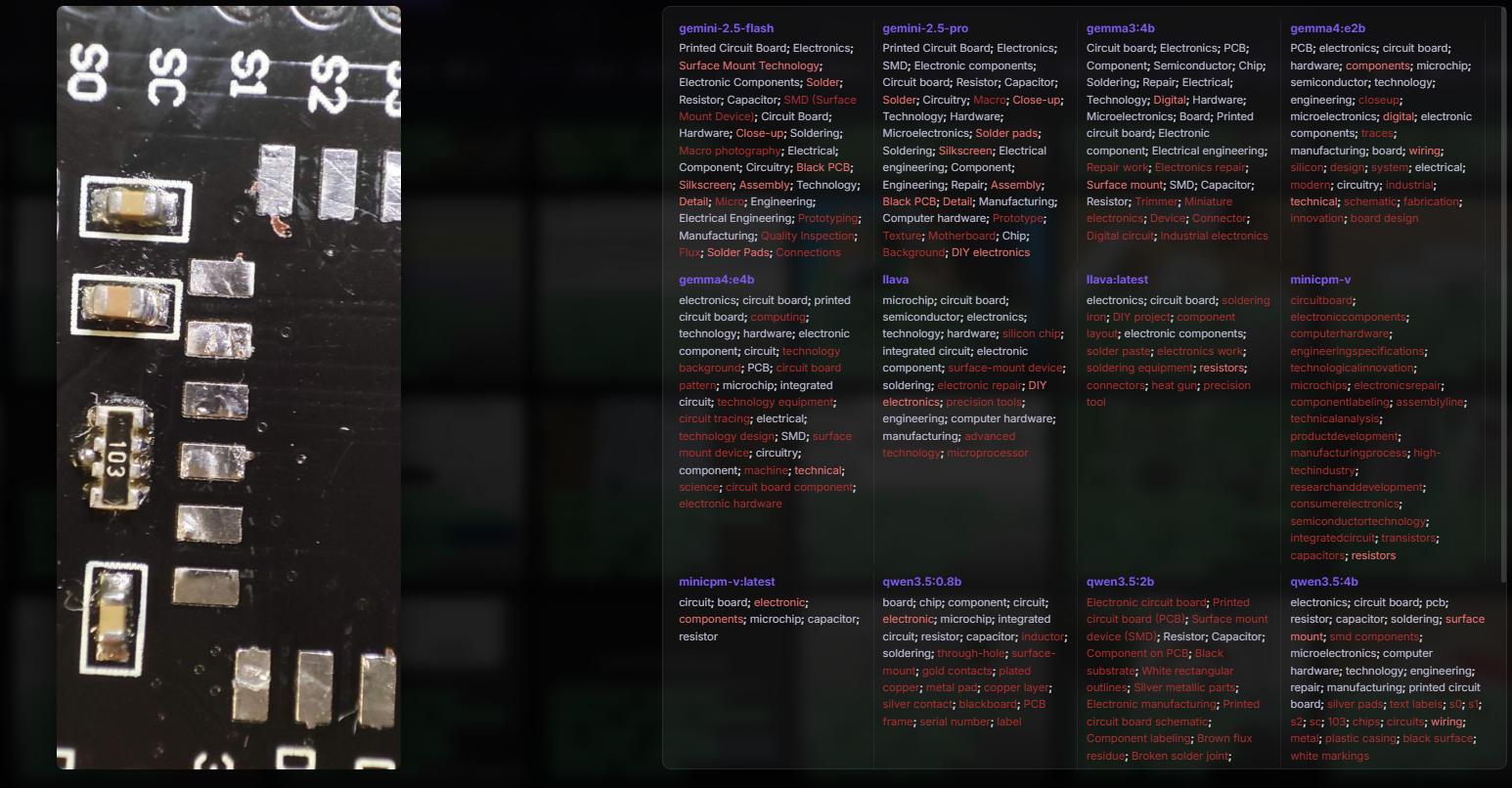
You can see here how the newer and newer models are doing better. The old minicpm-v doesn't have precise keywords, but the new gemma does. It's only a pity about the keywords added by force, for example "heat gun" should rather not be here, but again, it's an older model - llava.
Tags - IRFP460LC:
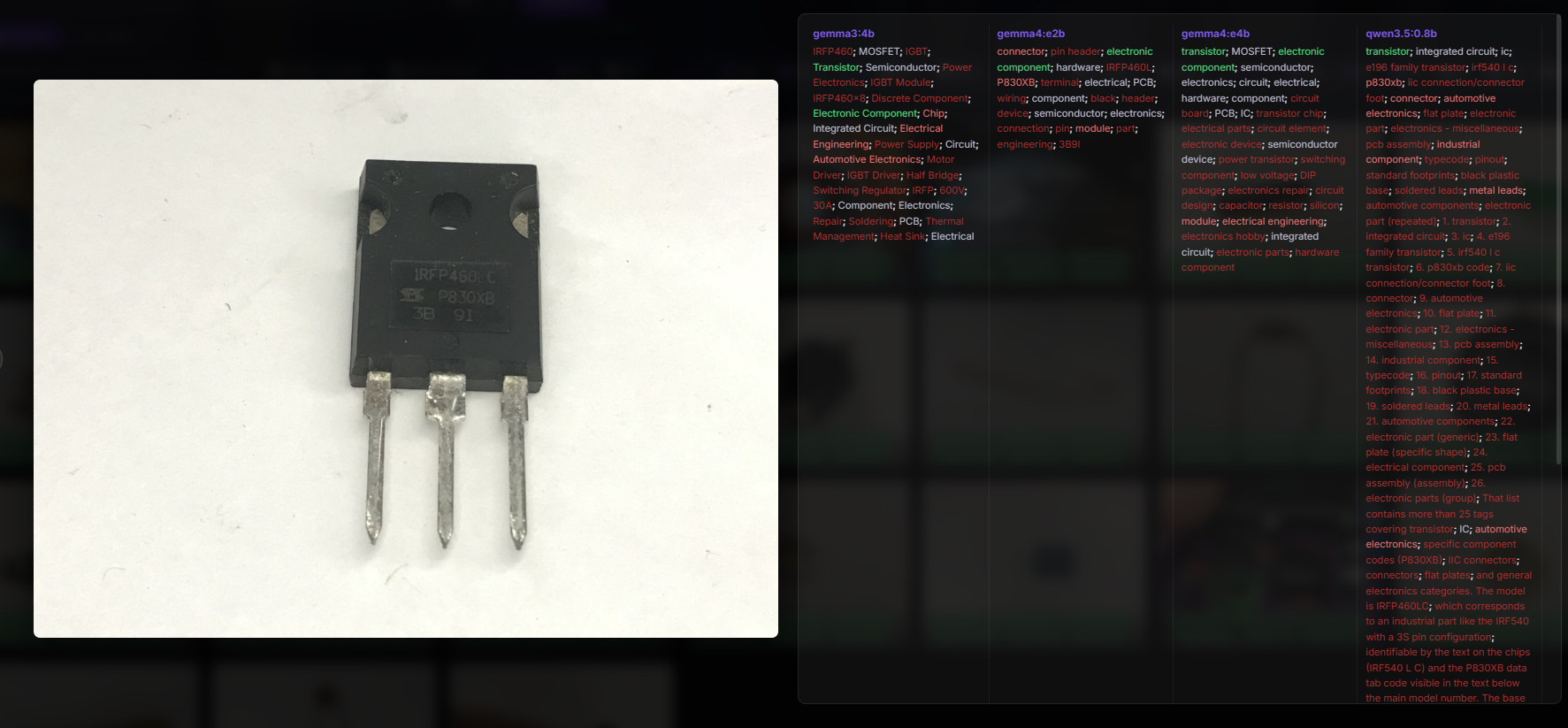
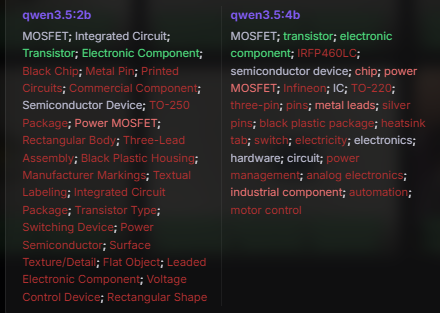
This time the prompt was about the tags, but some models intelligently deciphered that it was an IRFP460 anyway, and even added MOSFET and IGBT tags. This is a MOSFET transistor with an N-type channel, so IGBT is not correct here, which makes me hesitate how to judge it. I was also surprised by this 600V and 30A at gemma3. This is not from its datasheet, so it must have been adjusted by force. Too bad qwen3.5 too guessed and even added some IRF540. Another qwen added the word Infineon, but it's not that manufacturer after all?
Tags - LED:
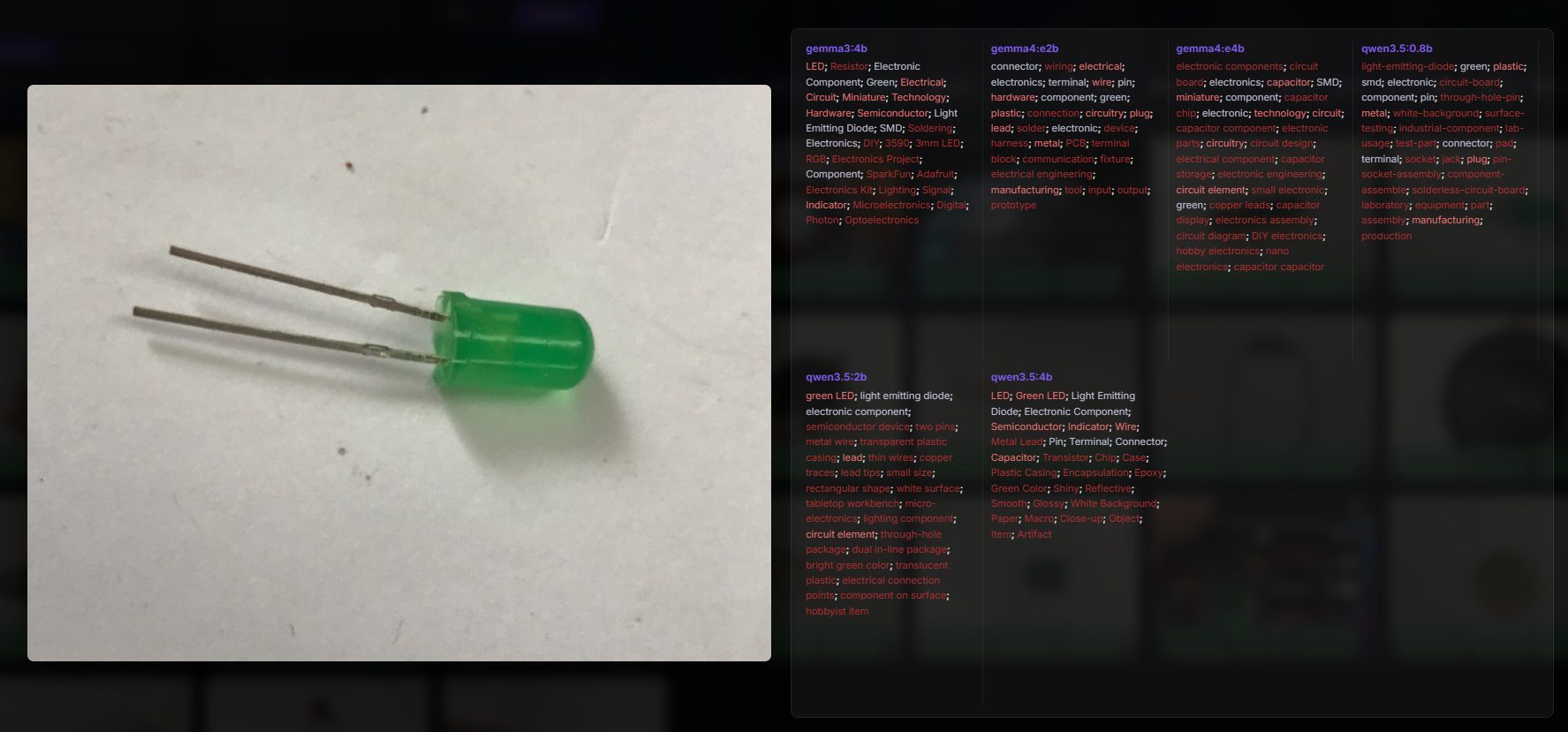
This was fairly straightforward, although surprisingly some of the models did not detect the word LED. That's too bad, especially as two of them are the newer Gemma 4 family. What's more, the term SMD appeared in Gemma4, which is total nonsense here. This raises some doubts about the use of these models for parts sorting.
Tags - microswitch button:
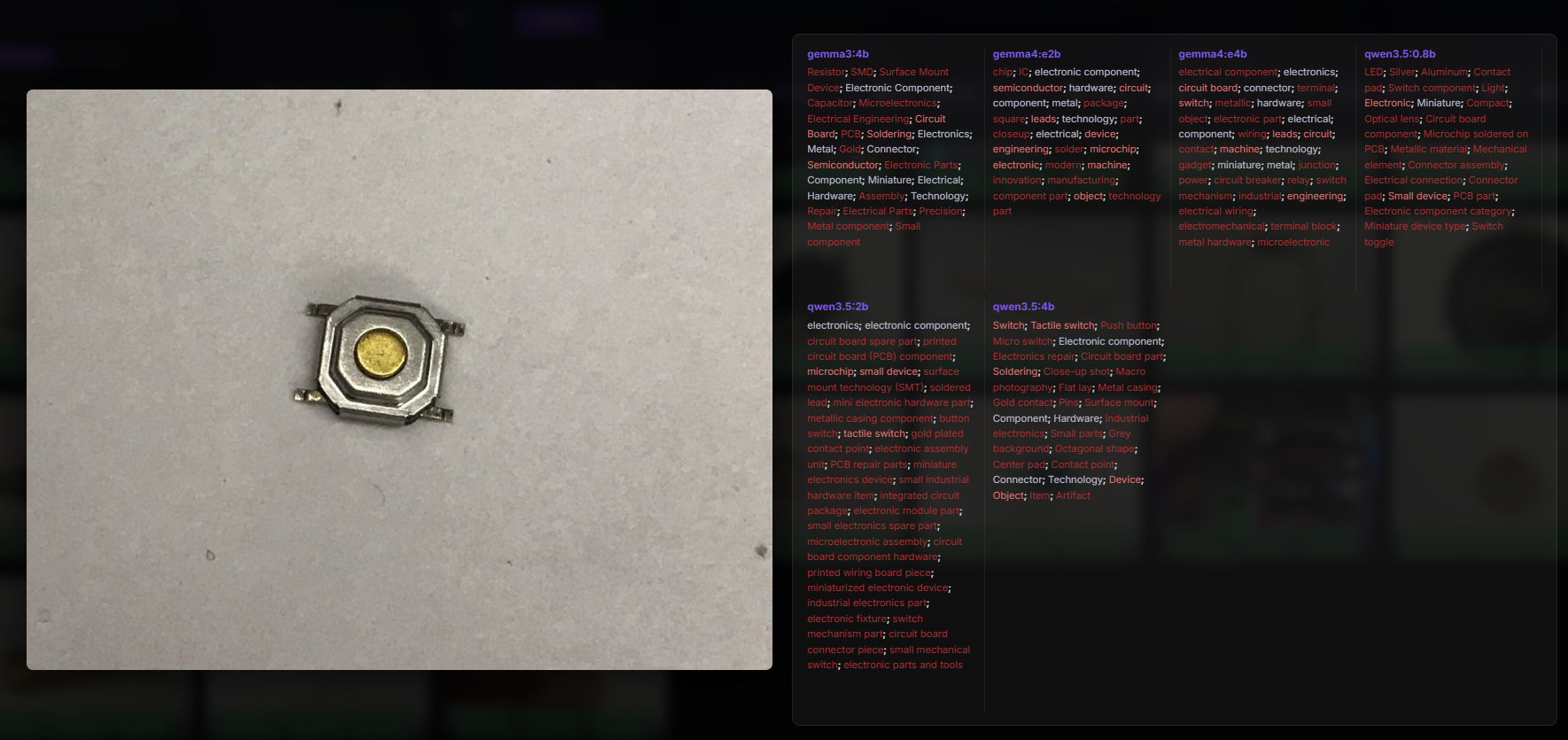
Same here - seemingly related tags, but also meaningless. In gemma 3 the term resistor appears, in qwen 3.5 on the other hand LED.... "Switch" also appears, but with a lot of noise.
Tags - USB:
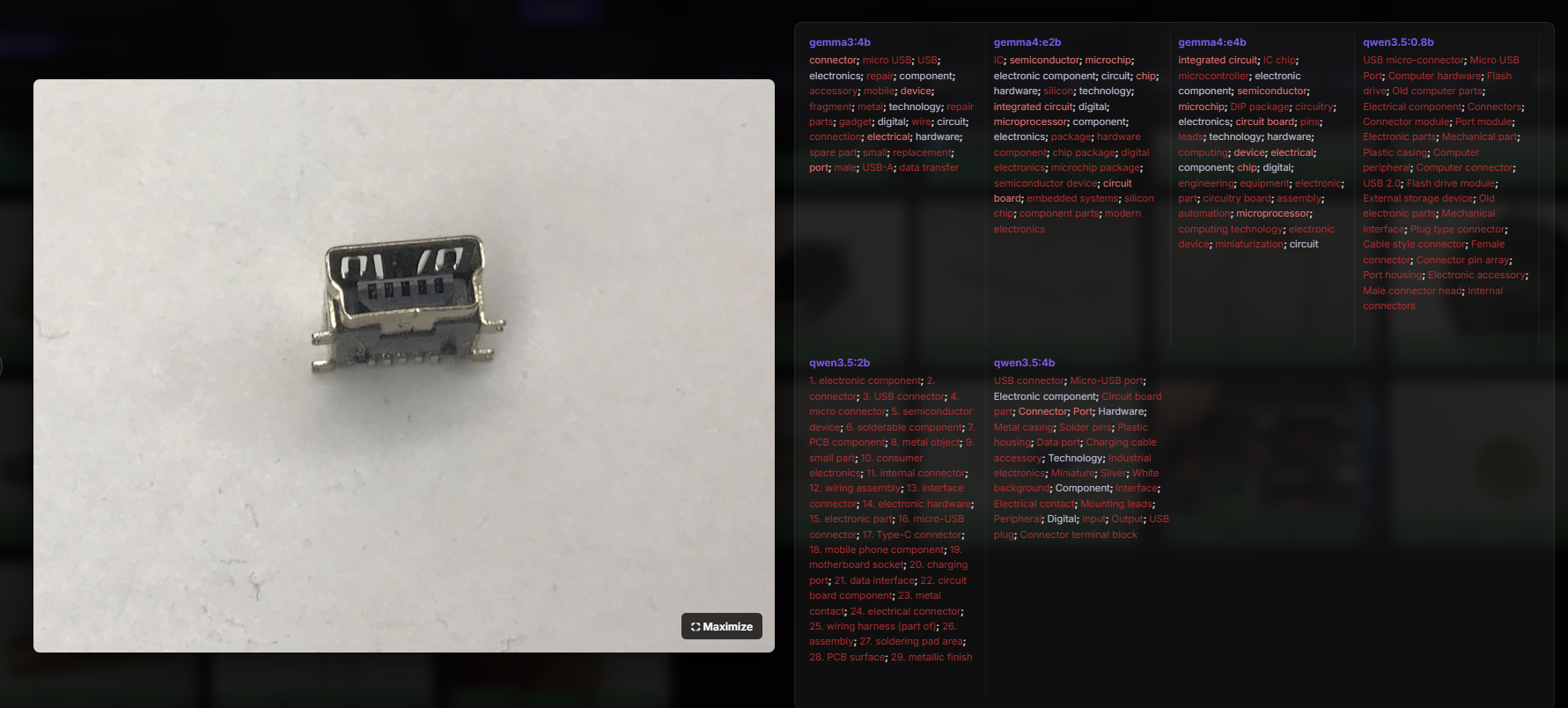
Similar situation, although here it looks like it's the gemma4 that doesn't know the USB connector. The other models recognised.
Tags - battery:
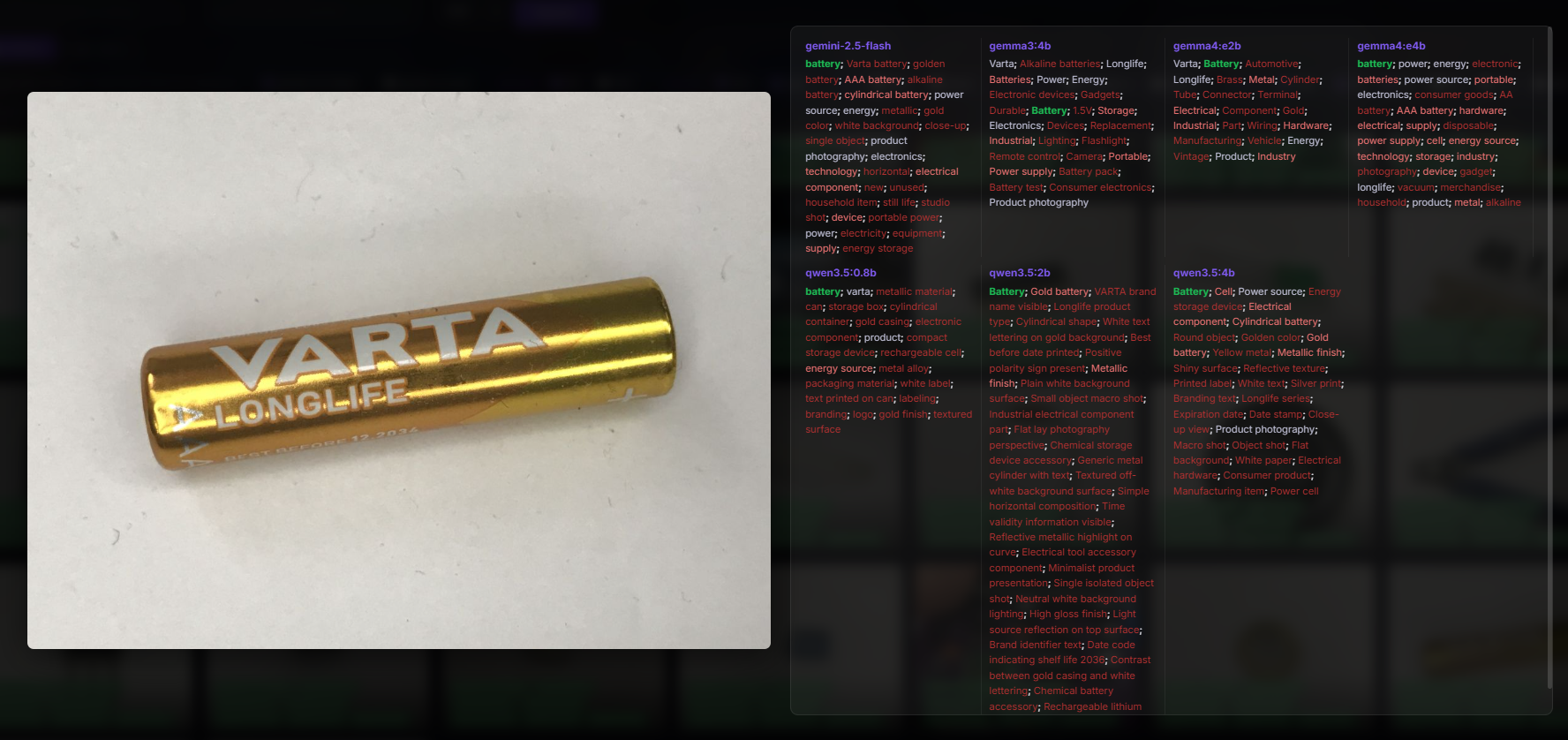
Not bad, although too much. I think the prompt needs to be changed. Even that gemini 2.5 - "still life"? Interesting that gemma3 has added the 1.5V tag and Gemini no longer. Qwen3.5 on the other hand caught the expiry date - 2036.
Tags - TL431:
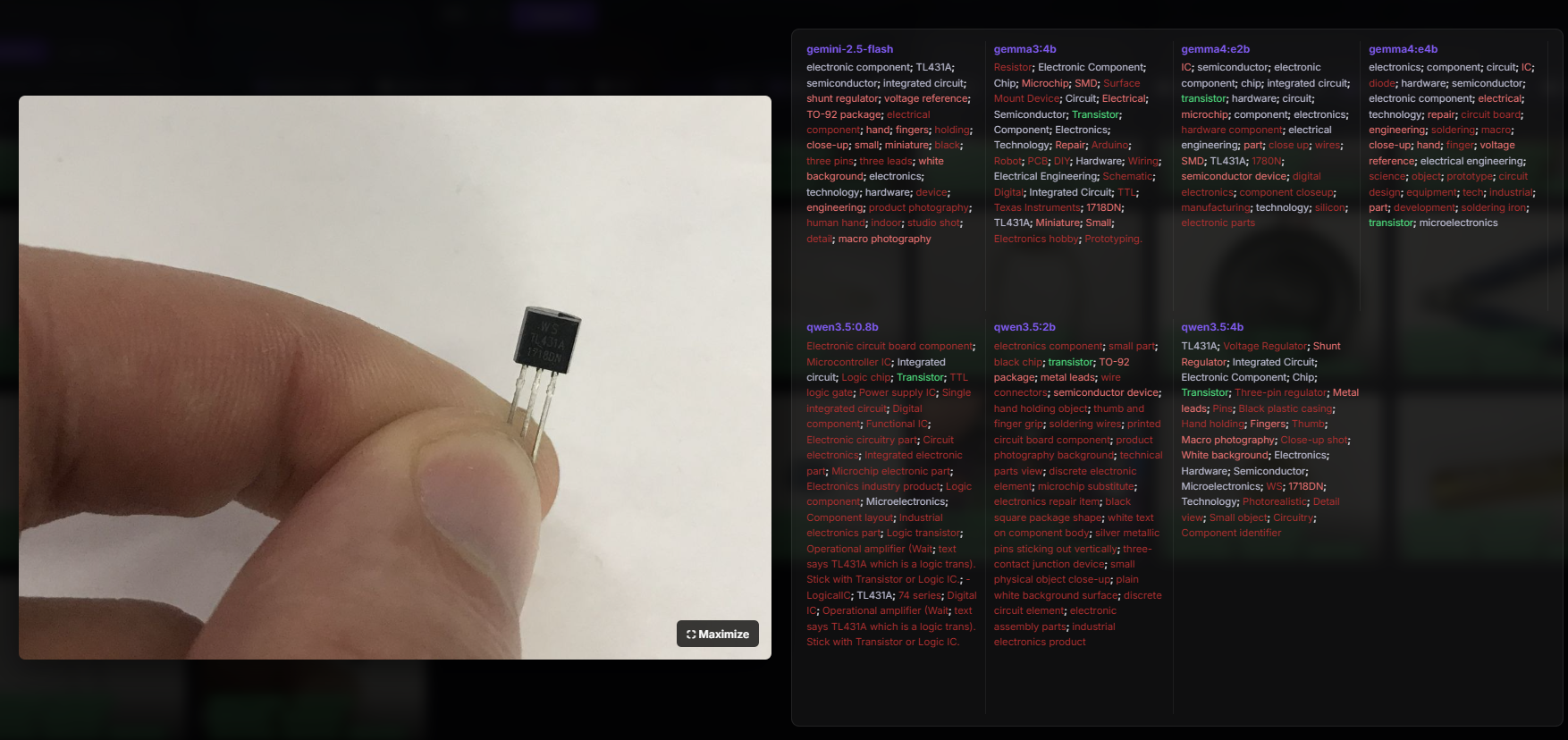
Some models read the tagging, but not all. In addition, a part specified a TO-92 enclosure. Again, in response one of them came up with some form of "thought", and I quote "Operational amplifier (Wait; text says TL431A which is a logic trans). Stick with Transistor or Logic IC.". This is also incorrect - it is not an amplifier or transistor.
Tags - remote control:
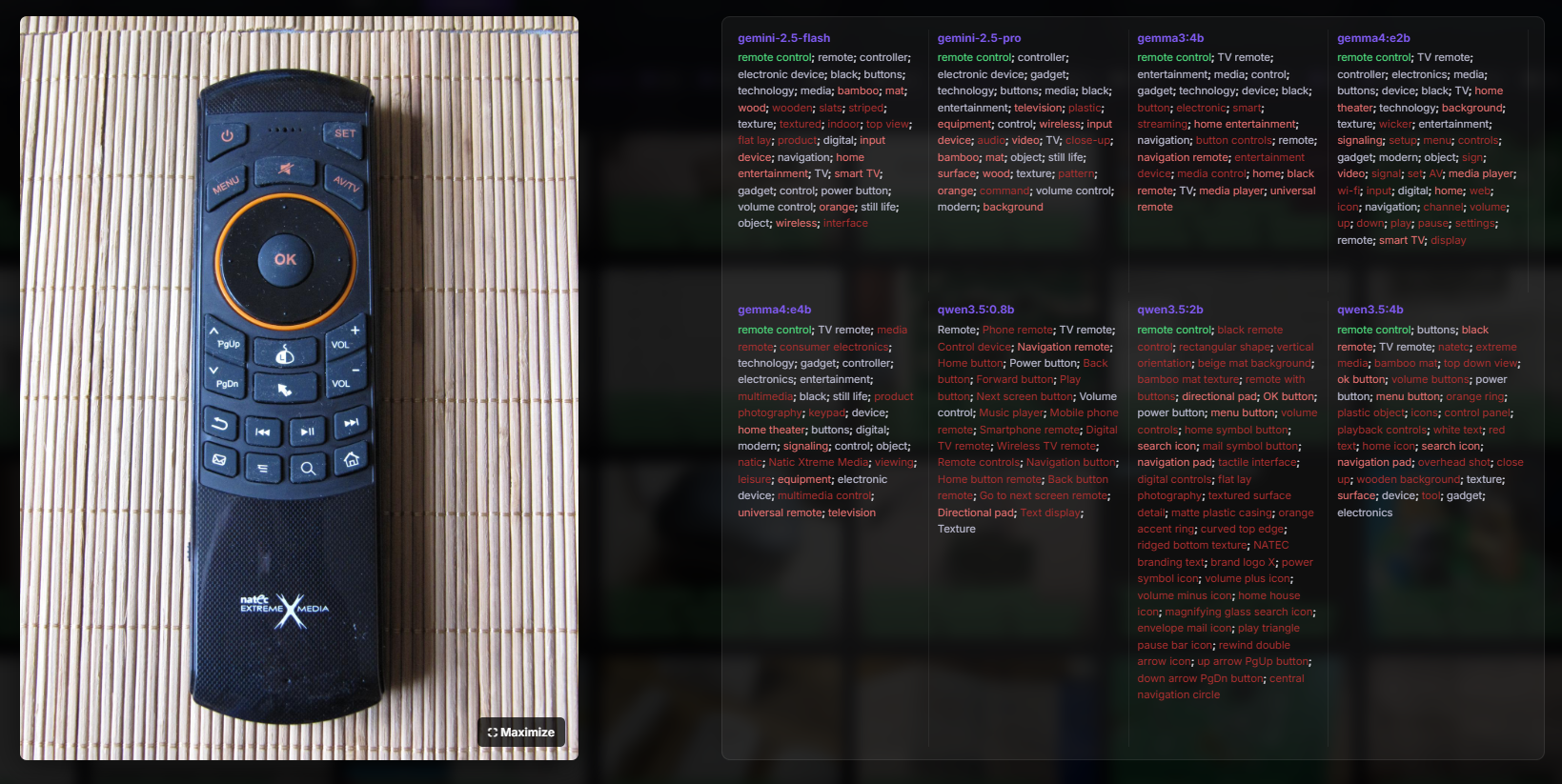
The consensus of the models is for the "remote control" tag, then the stairs begin. Gemini 2.5 Flash detected the colour orange and gave the tag "orange". It even described the mat as 'bamboo'. The other models are also fine, although some tags don't seem all that practical, such as 'text display', it doesn't fit in my opinion. Interestingly, only the qwen3.5 2b decoded the Natec logo.
Tags - OBK simulator:
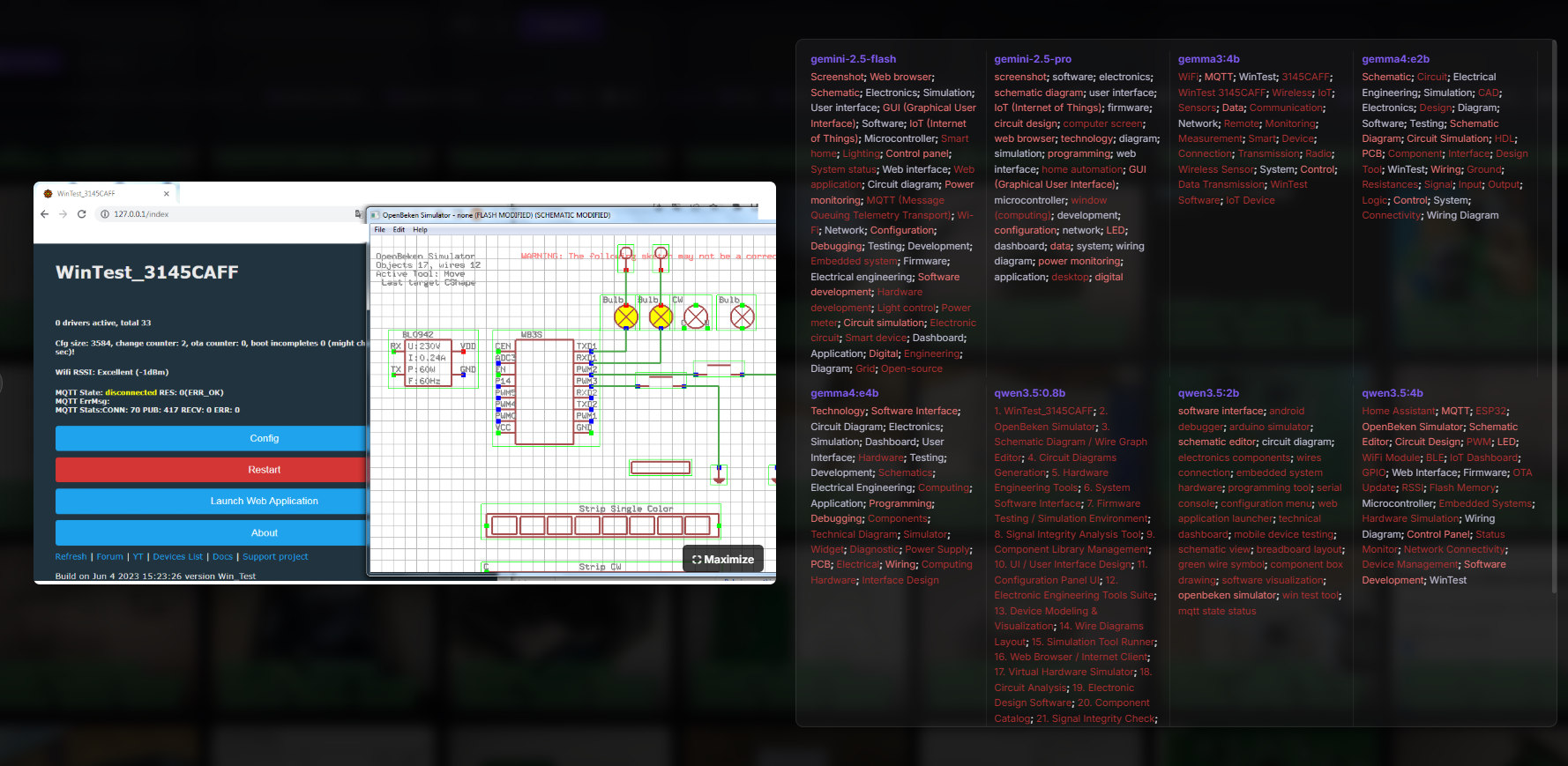
They did pretty well here, but where did qwen3.5 4b get the ESP32 from? Version 2b referred correctly as "openbeken simulator", not bad.
Finally, a few words about performance. The hardware used was a laptop with an Intel(R) Core(TM) i7-6700HQ CPU @ 2.60GHz, 48GB RAM, GeForce GTX 1060.
I have collected tagging times for Gemma4 version e2b and for models from Google called by the API:
gemma4:e2b
  Images: 120
  Min:    23,42s
  Max:    313,52s
  Avg:    37,21s

=== Model Stats ===

gemini-2.5-flash
  Images: 175
  Min:    0,57s
  Max:    40,42s
  Avg:    3,76s

gemini-2.5-pro
  Images: 442
  Min:    1,99s
  Max:    89,52s
  Avg:    12,44s
The API is quite fast, although it can take up to 10 seconds. Tagging locally on my hardware averages just under 40 seconds per image with the model used. As you can see, with a large database of images this can drag on, although the computer is potentially usable for tagging. It's clear that for more hardware-intensive activities it won't be suitable, but you can browse the internet in the process.
You could go on for a long time, but everyone has access to the results on GitHub, so I'll get to the conclusions. It seems that modern models both perform moderately well at tagging photos and simple OCR tasks. Interestingly, I did not feel that the closed models available through the API (gemini 2.5 flash and gemini 2.5 pro) were somehow significantly better in terms of tagging my photos. Even they, too, made occasional errors or omitted something, although probably with more testing one would have to concede their superiority. The biggest problem with such tagging and OCR, in my opinion, is still the uncertainty of the results and the unpredictability of the generated tags. It seems to me that one has to wait a few more generations of LLMs to get more reliable results.
I invite you to evaluate the results yourself on my page on GitHub:
https://openshwprojects.github.io/IndexingElektrodaImages/search.html
https://openshwprojects.github.io/IndexingElektrodaImages/search2.html
Have you tested Gemma 4 in practice yet?
Cool? Ranking DIY Helpful post? Buy me a coffee.

