logo elektroda
logo elektroda
X
logo elektroda

Analysis of the inside of the router, memory ripping, bootloader, custom program for UART

p.kaczmarek2 1377 2

TL;DR

  • Teardown of the Cyfrowy Polsat LT-6408n, an Edimax-based LTE/HSPA+ router built around the RTL8196C and RTL8192CE.
  • Inside are a W9825G6JH 32 MB RAM chip, a 25L6406E 8 MB flash chip, UART pads, and a 3.3 V power section.
  • A CH341 programmer and UART capture exposed the bootloader, and pressing Escape at boot unlocked Realtek commands like D, IPCONFIG, AUTOBURN, LOADADDR, J, and FLW.
  • Binwalk found LZMA boot fragments and a SquashFS filesystem containing web sources, modem support, iPhone tethering tools, and init.sh, but boot stops at 'Initialize AP MIB failed!'.
Generated by the language model.
ADVERTISEMENT
This content has been translated flag-pl » flag-en View the original version here
📢 Listen (AI):
  • Analysis of the inside of the router, memory ripping, bootloader, custom program for UART
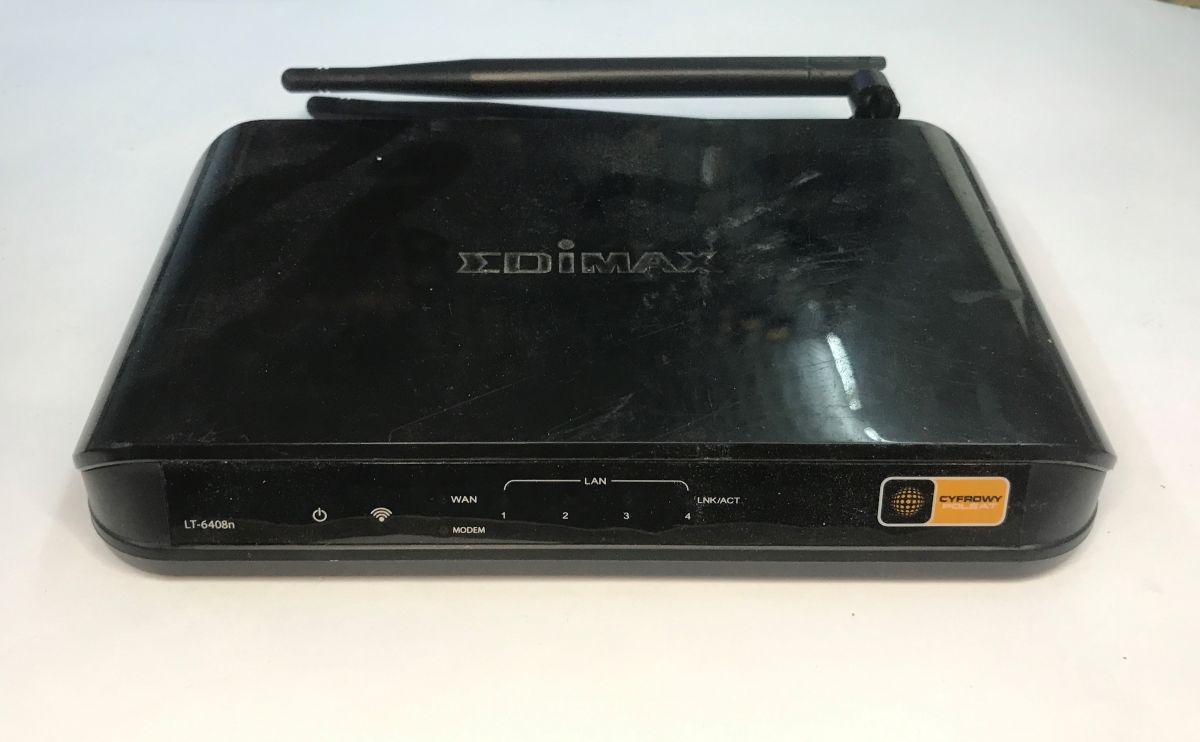
    This time we take a look inside the Cyfrowy Polsat LT-6408n router. This is actually a model manufactured by Edimax and sold to the operator as the Edimax LT-6408n with its branding. The router was primarily developed to share internet from LTE or HSPA+ modems connected via USB.
    Analysis of the inside of the router, memory ripping, bootloader, custom program for UART
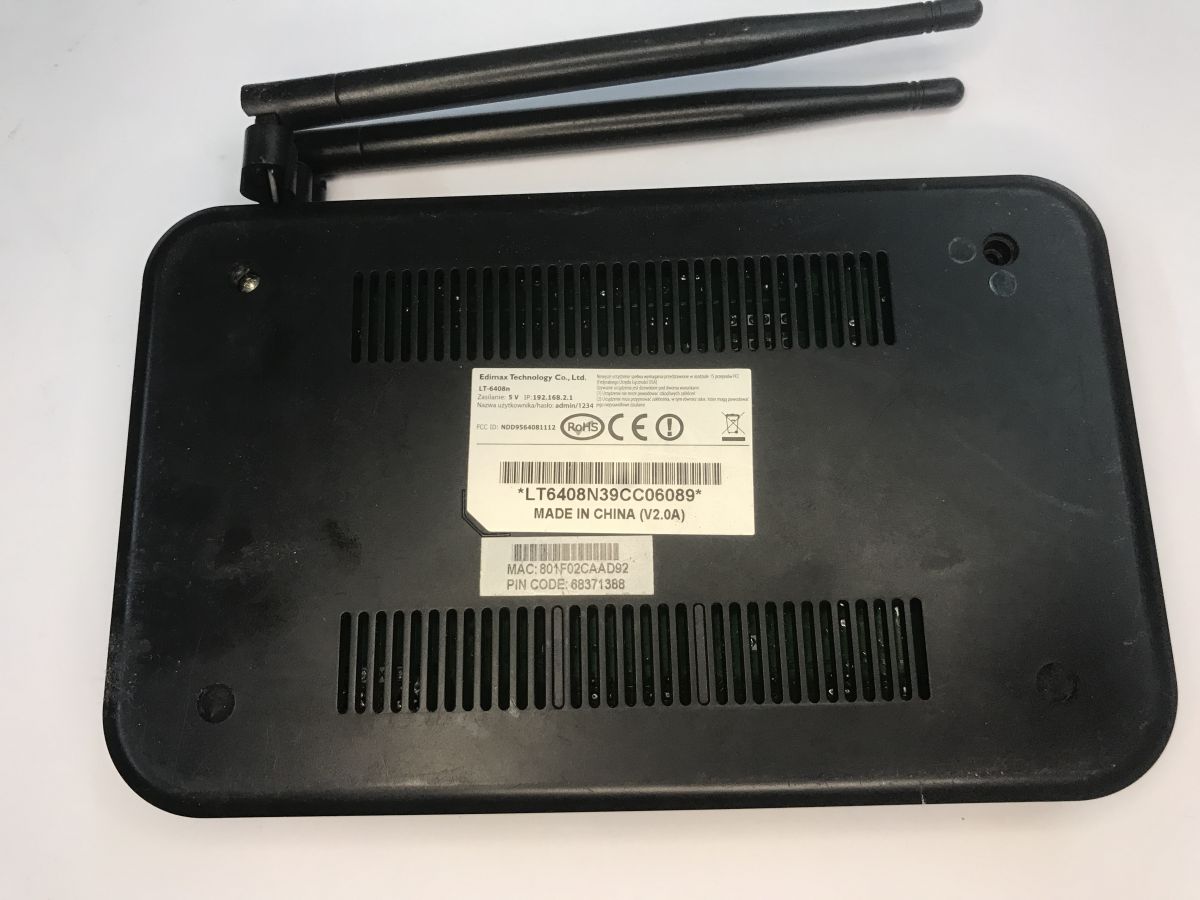
    The whole thing works with a 5 V power supply, which is typical of slightly newer hardware already. The bottom sticker shows the default IP, name and administrative password. The FCC ID of the device is NDD9564081112.
    Analysis of the inside of the router, memory ripping, bootloader, custom program for UART
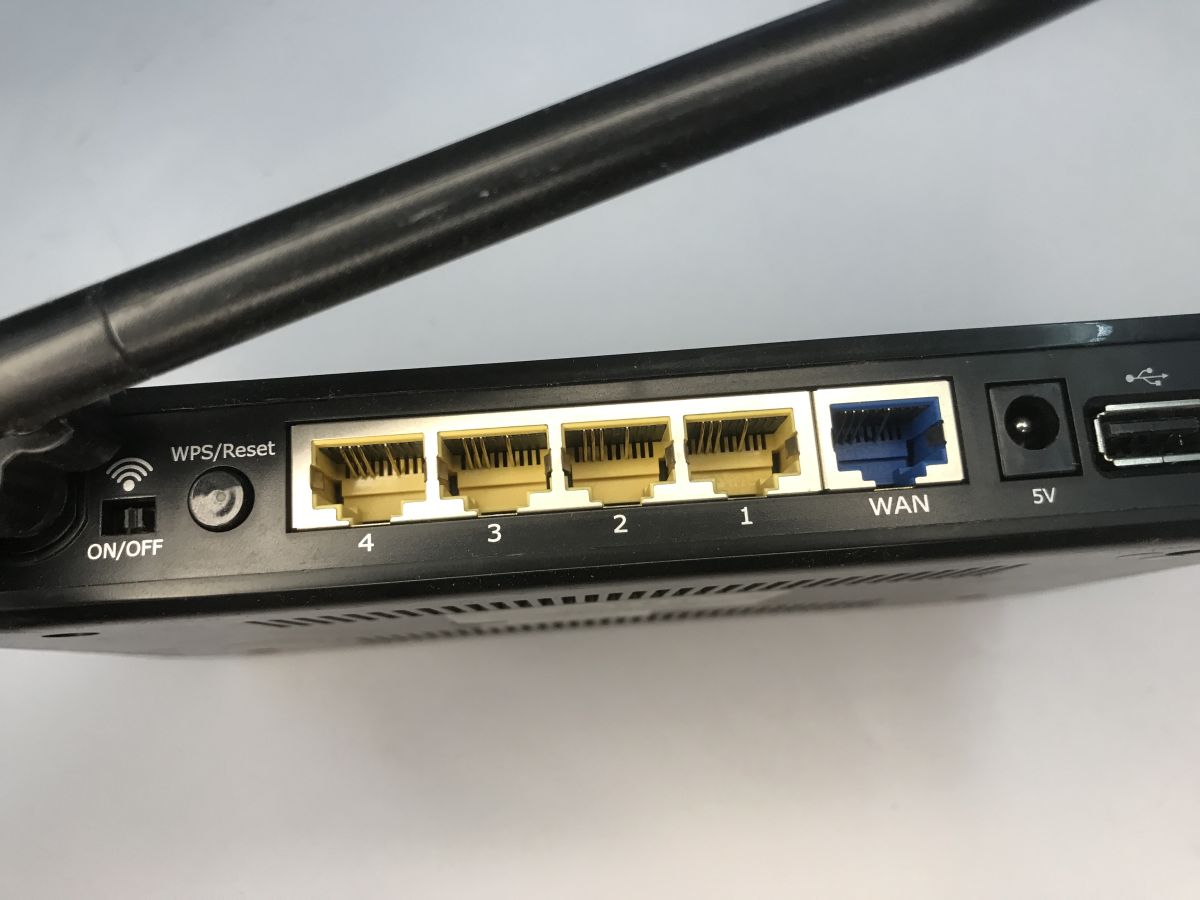
    On the back we have an On/Off button, WPS/Reset, four LAN ports, one WAN port, a power supply input (DC Jack) and a USB port, this is often used to connect the aforementioned LTE/4G modem (Huawei E3372s-153 as an example).

    Interior of the router
    Simply unscrew the screws on the underside. These can be hidden under the feet.
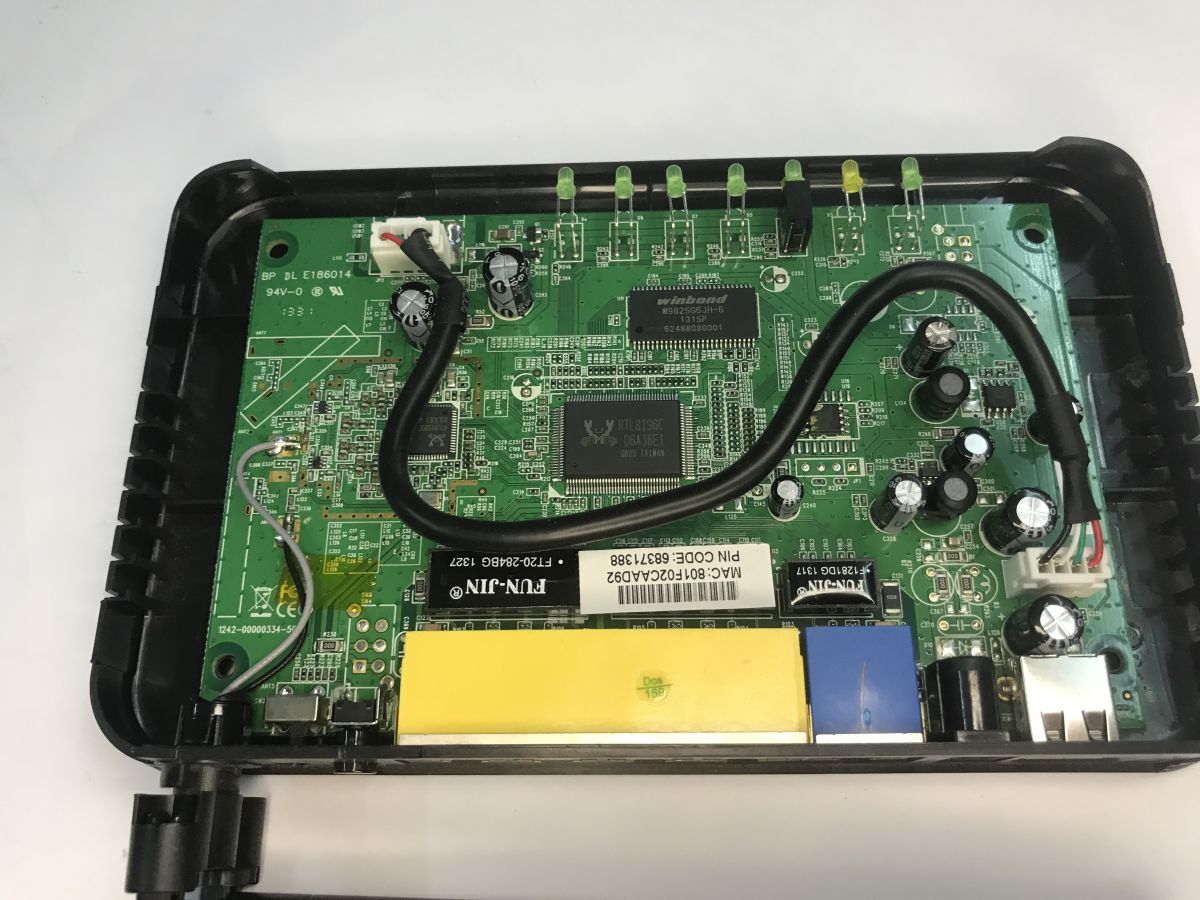
    Analysis of the inside of the router, memory ripping, bootloader, custom program for UART
    The first thing that catches the eye is the USB cable routed through the centre of the board. Someone seems to have changed their mind about the location of the port. It was supposed to be on the front, but has been moved to the back.
    The router is based on the RTL8196C together with the W9825G6JH memory (4194304 words * 4 banks * 16 bits, or 32 MB).
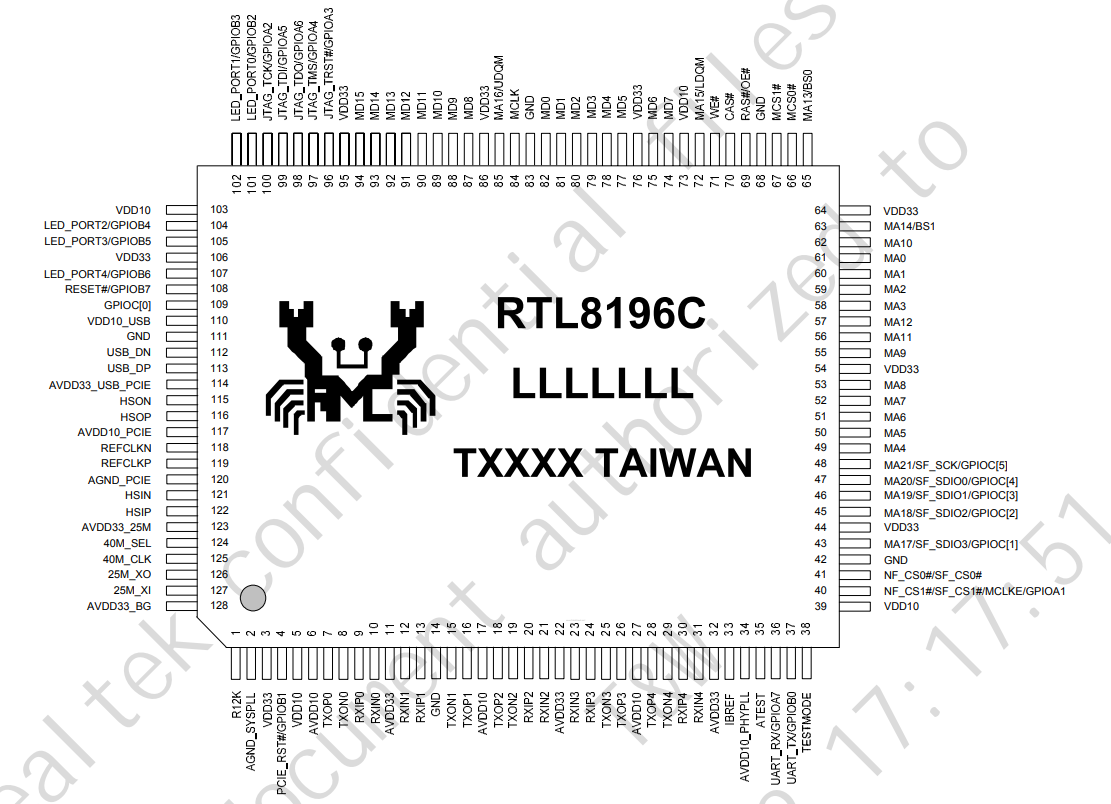
    Analysis of the inside of the router, memory ripping, bootloader, custom program for UART
    The memory connects to the main controller via a 16-bit interface. The whole unit additionally has GPIO, USB 2.0, EJTAG, UART and Switch and PCIE controllers.
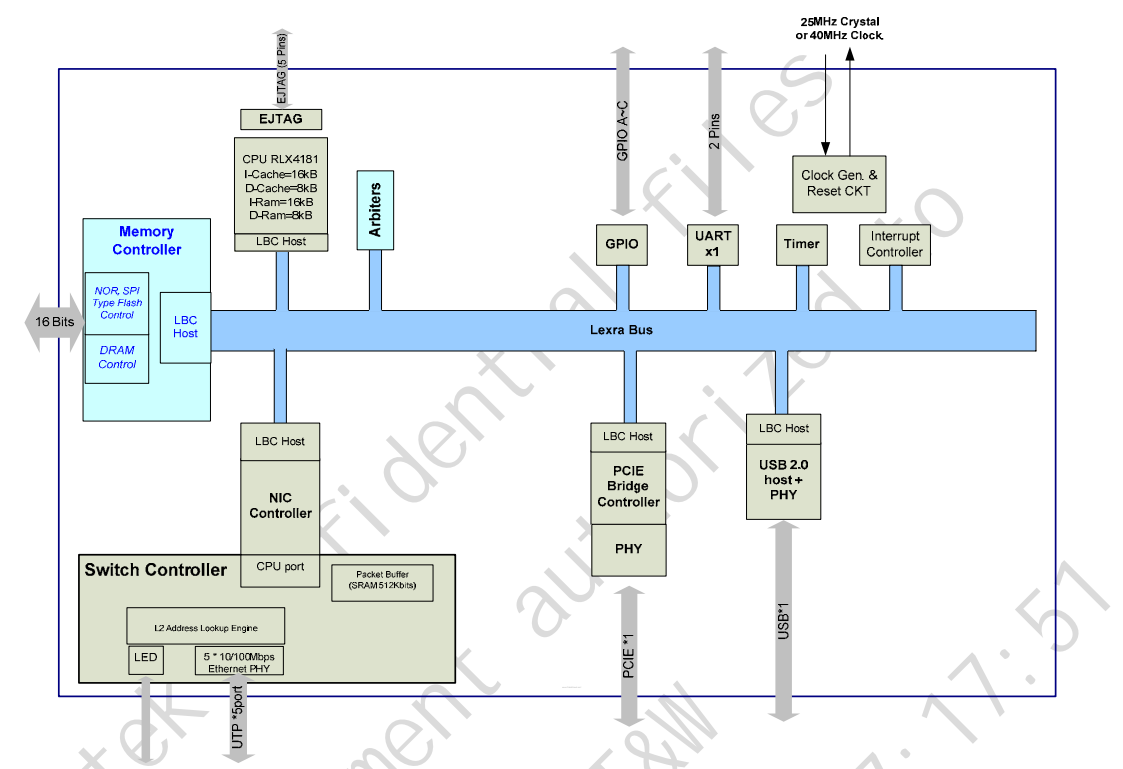
    Analysis of the inside of the router, memory ripping, bootloader, custom program for UART
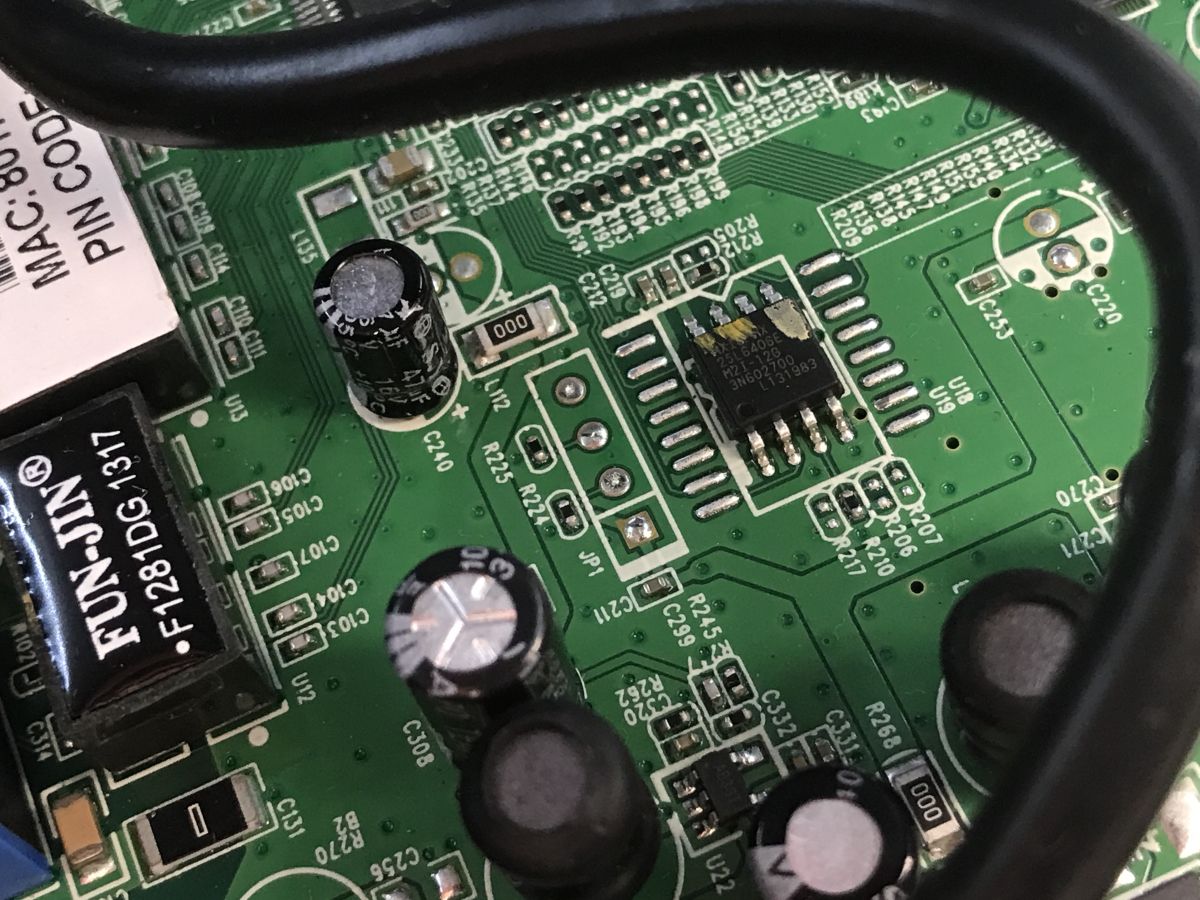
    The actual program is on a separate flash memory, the 25L6406E. The 64 in the name suggests a large size - 64 megabits, or 8 megabytes.
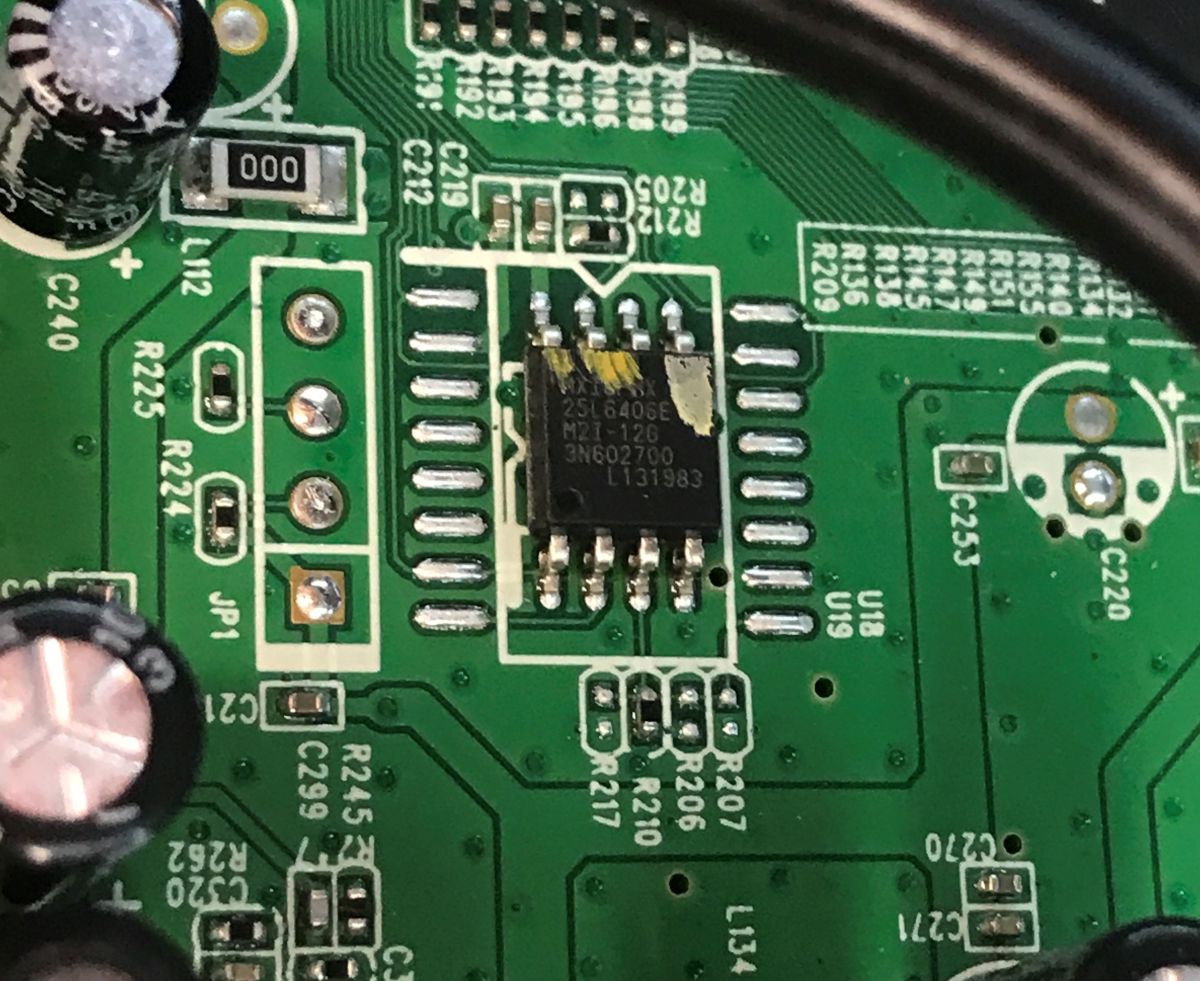
    Analysis of the inside of the router, memory ripping, bootloader, custom program for UART
    Next to the memory are four pads, which look like a UART-derived location.
    Analysis of the inside of the router, memory ripping, bootloader, custom program for UART
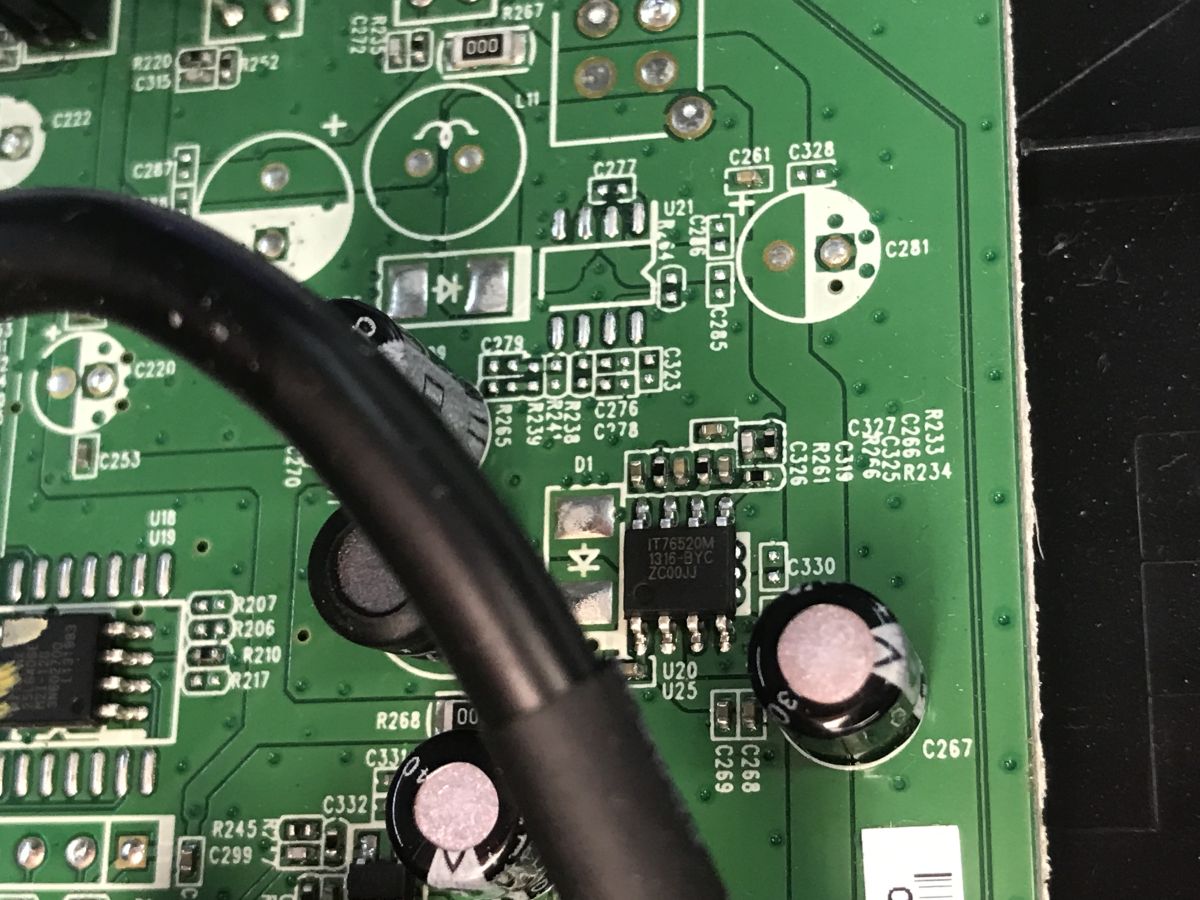
    In the power section, I can see the IT76520M voltage drop inverter. There is also room for a second inverter, but it is not soldered in. One would think that the whole thing runs on a single voltage.
    Analysis of the inside of the router, memory ripping, bootloader, custom program for UART
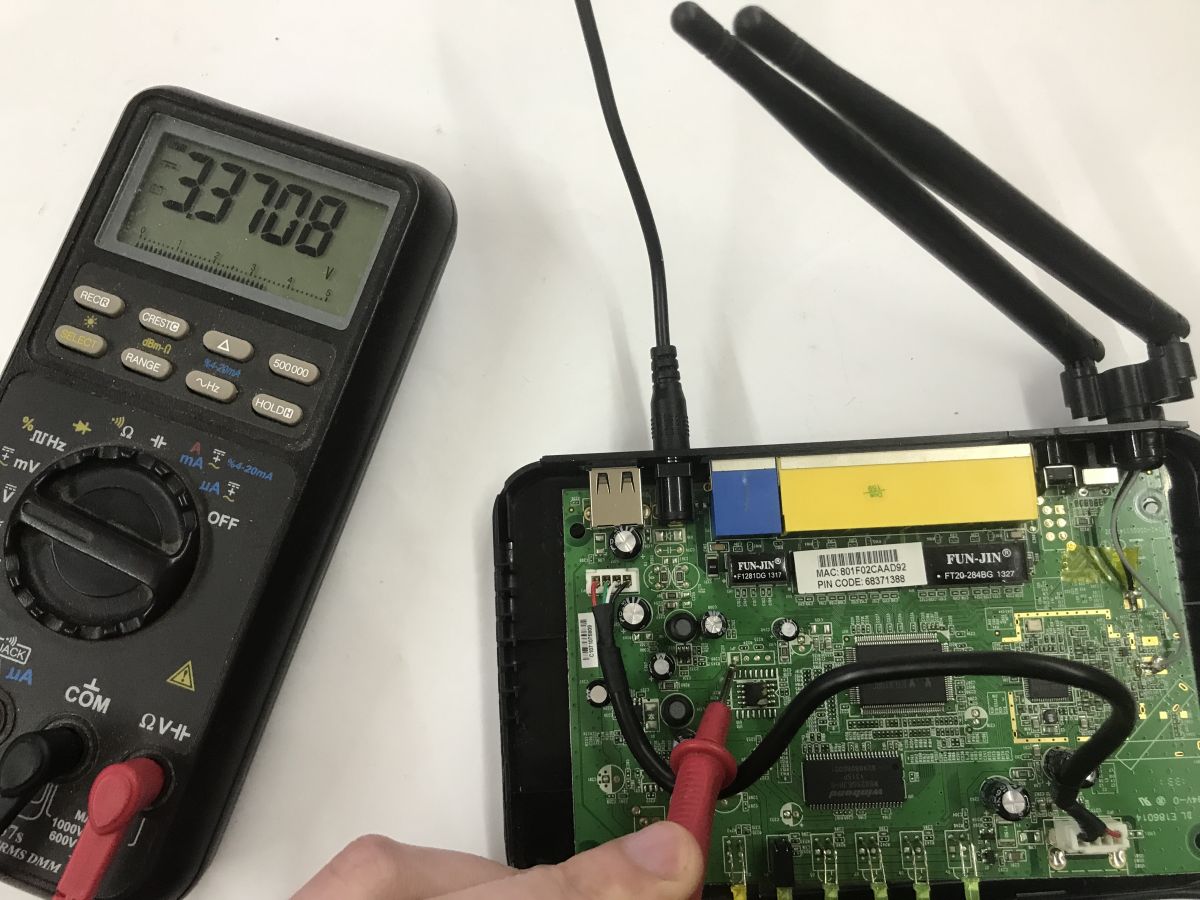
    Measurement confirms that the whole thing is running at 3.3 volts:
    Analysis of the inside of the router, memory ripping, bootloader, custom program for UART
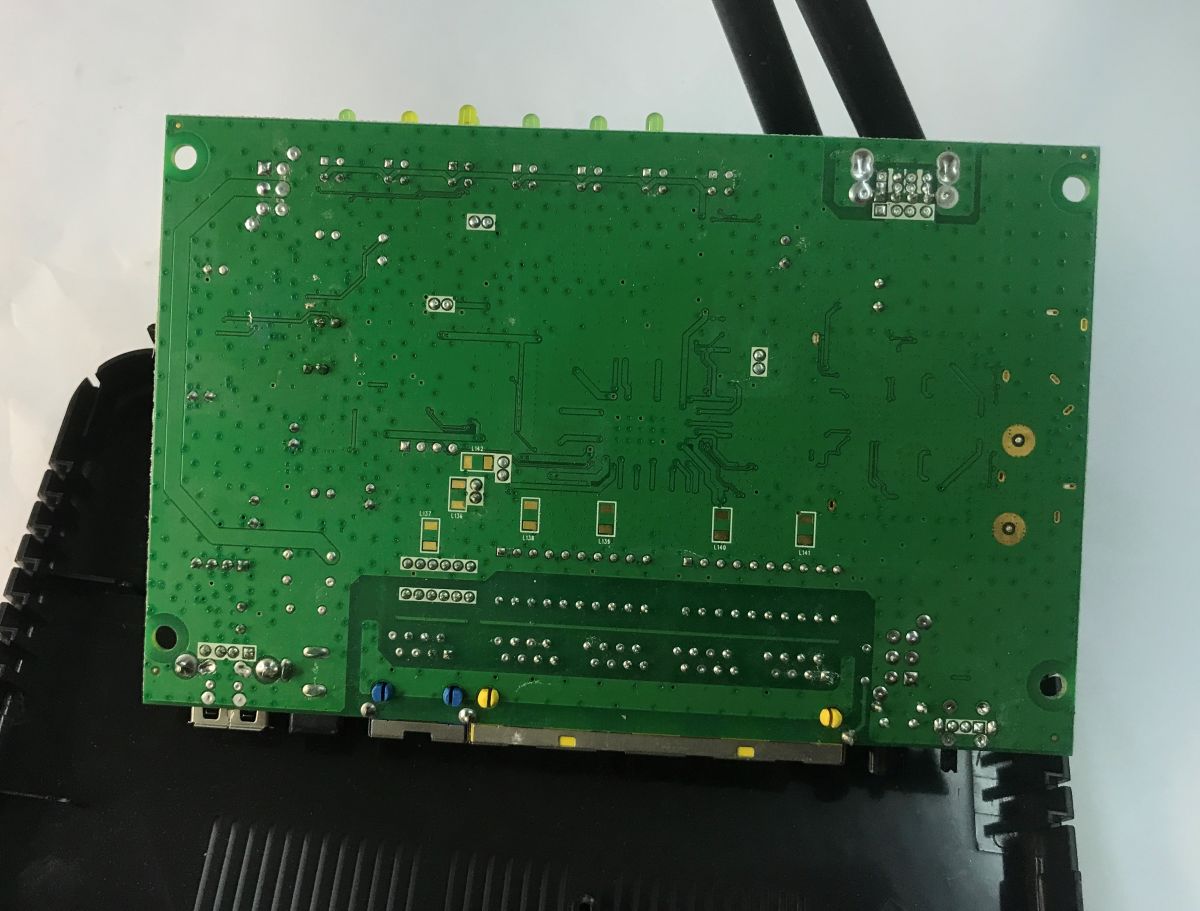
    There are no additional components on the bottom of the board, although you can see that someone planned to put coils there.
    Analysis of the inside of the router, memory ripping, bootloader, custom program for UART
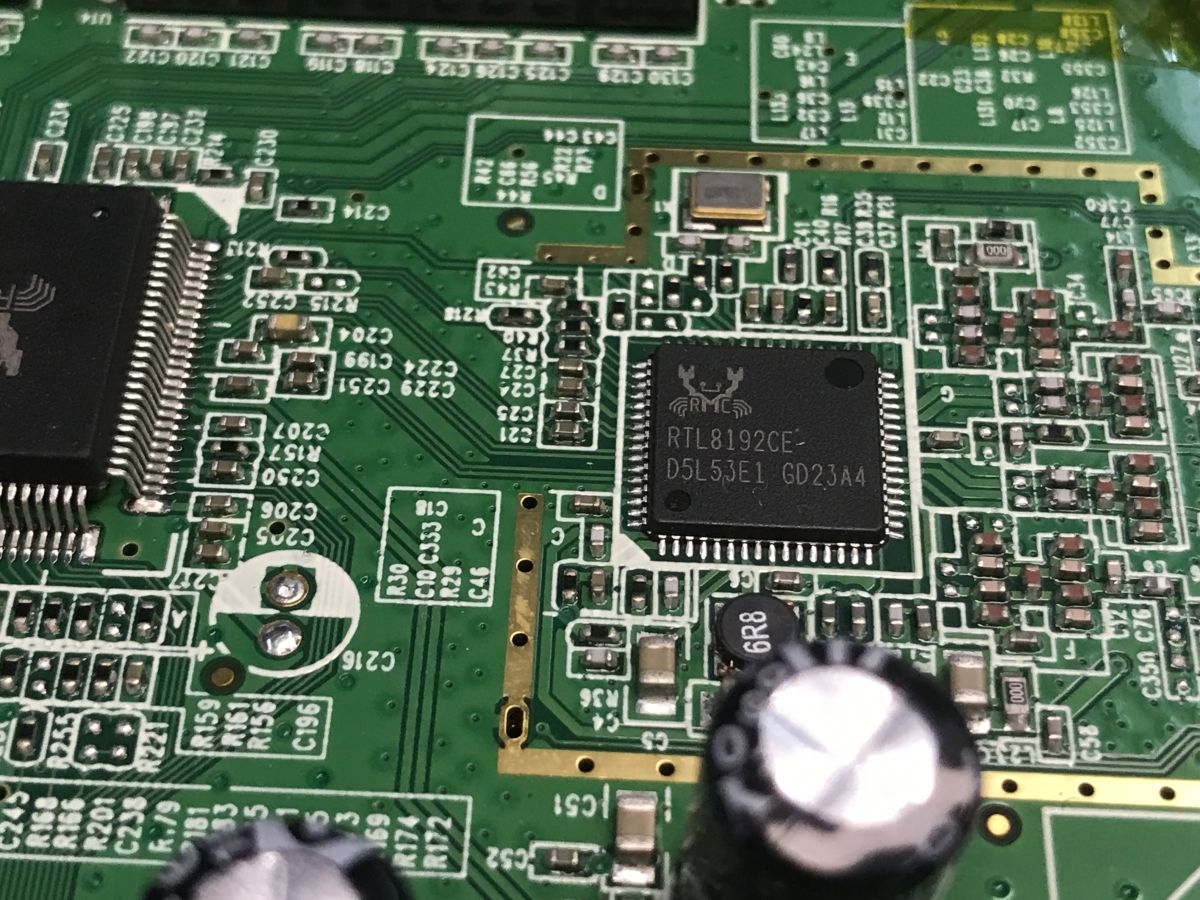
    That leaves the RTL8192CE - a WLAN controller with PCI-Express miniCard, or Wi-Fi. Interestingly, despite a border suggesting a screen, that screen is not there.
    Analysis of the inside of the router, memory ripping, bootloader, custom program for UART


    Reading Flash memory via CH341

    The first thing I always do is a full fair copy of the Flash memory via the CH341 programmer. I don't use a clip, it's not reliable, I think I find it fails more often than it works, so I prefer to solder the chip with flux and hot air instead. Then I still remove the lead-free solder from the pads and re-solder it with lead, then subsequent soldering operations will be easier. For subsequent operations I don't even clean the pads anymore, I just use the binder what is there.


    I used to remove such circuits with a regular soldering iron, but now I have hot air on hand all the time.
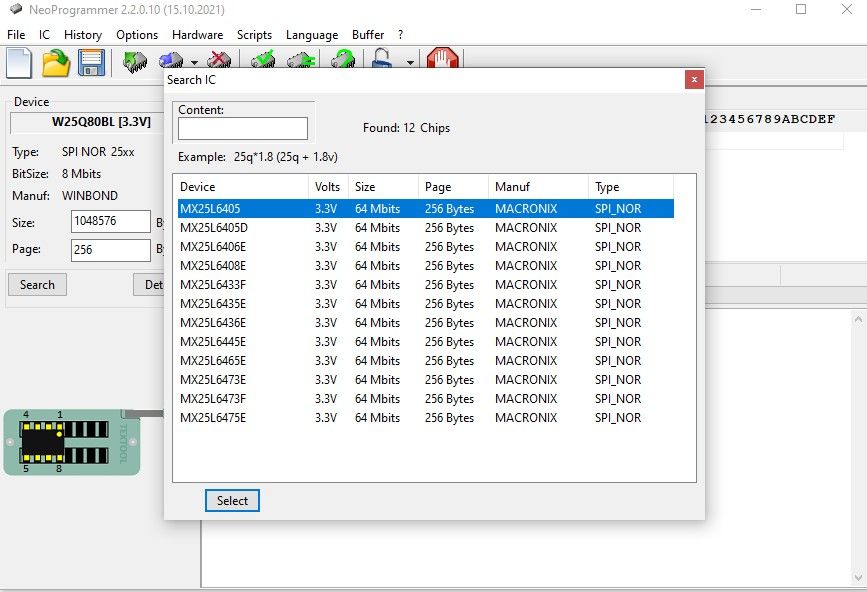
    NeoProgrammer recognises the memory:
    Analysis of the inside of the router, memory ripping, bootloader, custom program for UART
    The reading is carried out without any problems. To be sure, I still performed the verify operation. I saved a copy on my repository:
    https://github.com/openshwprojects/FlashDumps/commit/823f9895317a5984cb99fcc468382662b3e52137


    UART connection - boot log
    You can now connect to the UART and view the router boot log. First you need to find the pins - there are usually four pads next to the main CPU. Most commonly these are: GND, TX, RX and VCC (3.3 V). For communication, I used a USB-UART converter (CH340) set to 3.3 V. There is no need to connect VCC, three wires are enough: GND, TX, RX (TX from router to RX of the converter and vice versa).
    I selected the baud experimentally. In routers, the most common values are the same, such as 57600, 38400, less often 115200 - in the case of Realtek chips, the 38400 8N1 is very common.
    This is how I managed to pick up the first characters. I saved them to a file via "Capture to file" in Realterm.
    
    
    Booting... 
    
    ========== SPI =============


    ---RealTek(RTL8196C)at 2013.05.22-07:15+0800 version v1.1f [16bit](390MHz)
    
    
    DRAM Spreading Spectrum: [ON] TRX Timing: [T:4 R:6]
    
    
    <=== GPIOA4 off/on 9/1 2197619 times ===>
    
    Jump to image start=0x80500000...
    
    decompressing kernel:
    Uncompressing Linux... done, booting the kernel.
    done decompressing kernel.
    start address: 0x80003770
    Dentry cache hash table entries: 4096 (order: 2, 16384 bytes)
    Inode-cache hash table entries: 2048 (order: 1, 8192 bytes)
    Memory: 26632k/32768k available (2696k kernel code, 6136k reserved, 697k data, 108k init, 0k highmem)
    Calibrating delay loop... 388.30 BogoMIPS (lpj=1941504)
    Mount-cache hash table entries: 512
    net_namespace: 528 bytes
    NET: Registered protocol family 16
    bio: create slab <bio-0> at 0
    SCSI subsystem initialized
    usbcore: registered new interface driver usbfs
    usbcore: registered new interface driver hub
    usbcore: registered new device driver usb
    NET: Registered protocol family 2
    IP route cache hash table entries: 1024 (order: 0, 4096 bytes)


    The log shows information about the boot process of the device, including decompression of the Linux kernel. After that, however, the router limps on:
    
    WEBS Restarting !
    Initialize AP MIB failed!
    

    It appears to fail to correctly initialise the configuration stored in flash memory (the so-called MIB - Management Information Base in Realtek's implementation).

    ADVERTISEMENT


    UART connection - command line
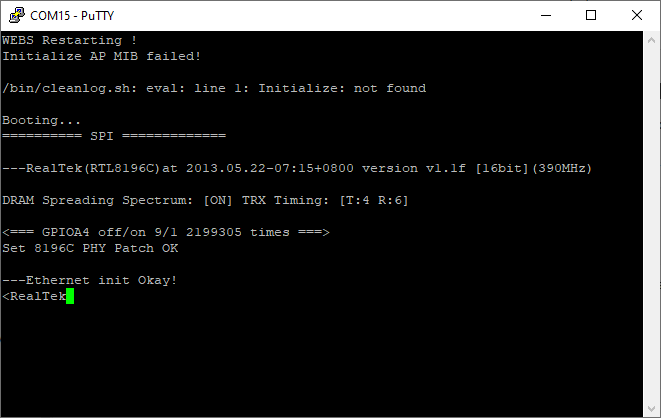
    After the MIB message, the process stalls and the router does not start. It also does not respond to commands. Could it be that the command line is blocked? Nothing could be further from the truth. I quickly discovered that pressing the Escape key at boot time locks the process and frees the command line:
    Analysis of the inside of the router, memory ripping, bootloader, custom program for UART
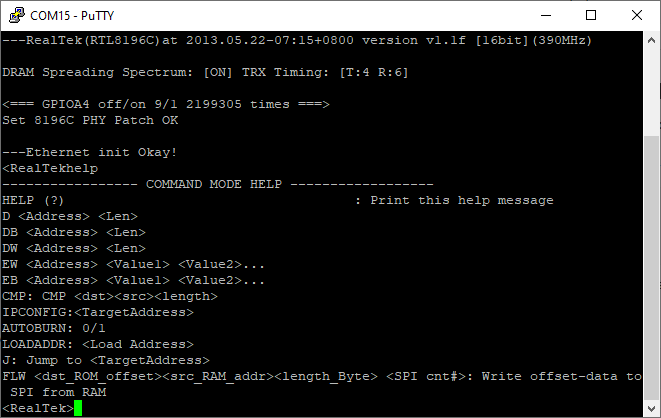
    Furthermore, the help command works - it provides us with a list of commands:
    Analysis of the inside of the router, memory ripping, bootloader, custom program for UART
    The commands seem to be already known, I see that the OpenWRT guys have documented them:
    https://openwrt.org/docs/techref/bootloader/realtek
    In a nutshell, here we have:
    - D <Address> <Len> - memory dump (preview of RAM/flash area)
    - DB <Address> <Len> - byte dump
    - DW <Address> <Len> - word dump
    - EB <Address> <Value1> ... - writing bytes into memory
    - EW <Address> <Value1> ... - word write
    - CMP <dst> <src> <length> - comparison of two memory areas
    - IPCONFIG <TargetAddress> - IP configuration (e.g. for TFTP / recovery)
    - AUTOBURN 0/1 - enables/disables automatic flash programming (so called "autoflash")
    - LOADADDR <Load Address> - sets the address to which the data is loaded (e.g. from the network or the UART)
    - J <TargetAddress> - jumps to the address (starting the code in RAM)
    - FLW ... - write to flash via SPI (from RAM to SPI flash)

    Satisfied with the results, I started testing the commands on my own. IPCONFIG was the first to go:
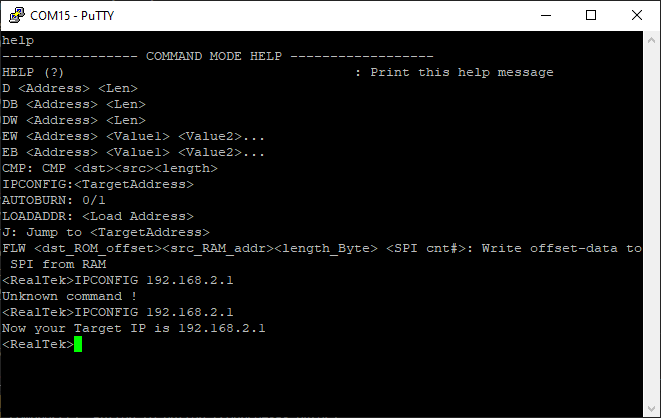
    Analysis of the inside of the router, memory ripping, bootloader, custom program for UART
    From what I understand, it sets the destination IP of the router where the firmware can be uploaded via a PUT request. Interestingly, this IP doesn't even respond to pings, but arp seems to see it:
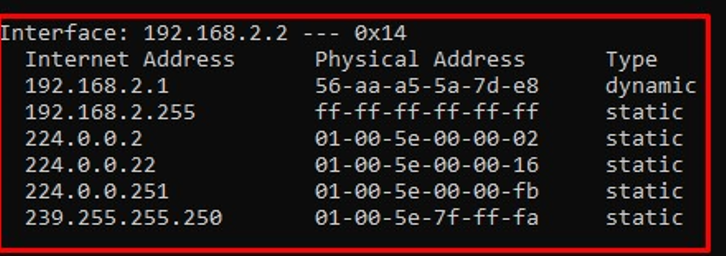
    Analysis of the inside of the router, memory ripping, bootloader, custom program for UART
    I then started testing the D - dump command, which is a memory preview. I quickly realised that it would be possible to go one step further here, and automate the flash reading just by such a primitive command. It won't be efficient, but it will allow us to verify that we have a good understanding of how it works.

    UART connection - custom flash dumper
    The dump command response consists of the data address and the contents of consecutive 32-bit words in hexadecimal format:
    
    80008000:       00001021        0800200D        00000000        8FA40014
    

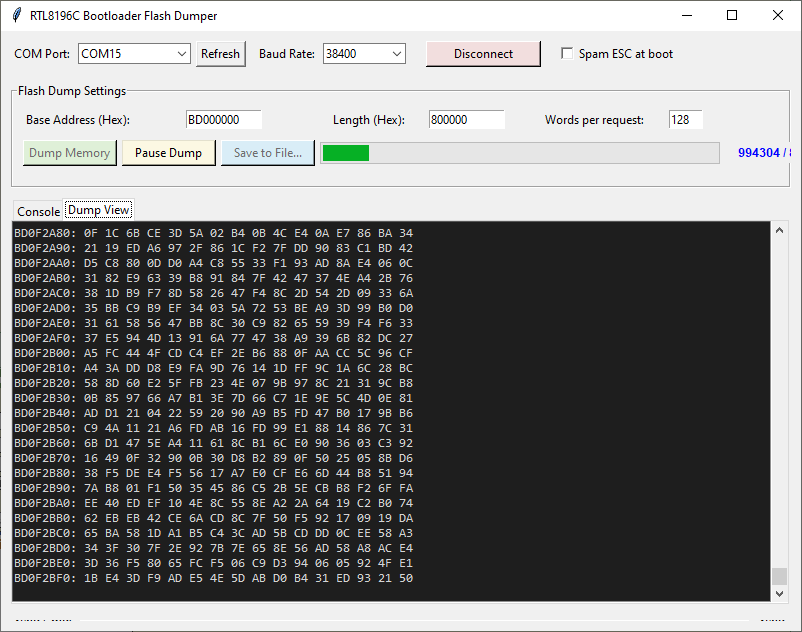
    This can be easily parsed and saved to a file. The only puzzle remains the offset - where is the flash memory mapped? I checked this experimentally, with a script. The batch read from CH341 starts at 0xBD000000. In this way I was able to develop a simple tool to read data over the UART:
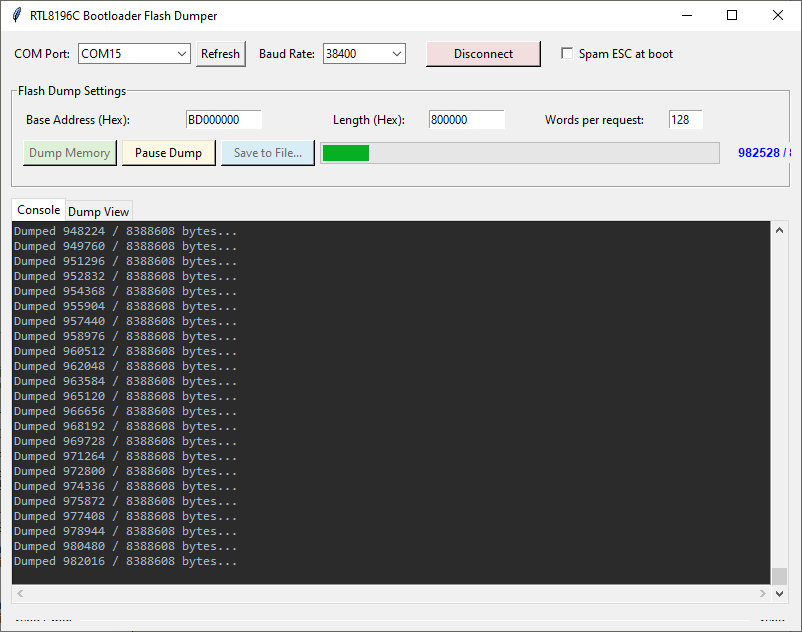
    Analysis of the inside of the router, memory ripping, bootloader, custom program for UART
    Analysis of the inside of the router, memory ripping, bootloader, custom program for UART
    The screenshot shows the offset $F2A80 with the data available there. What is in the ripped file under this offset?
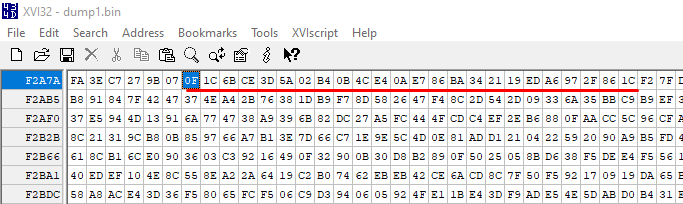
    Analysis of the inside of the router, memory ripping, bootloader, custom program for UART
    The data matches and the ripped memory is 1:1 compatible with the contents of the Flash.

    Further search - firmware analysis by binwalk
    Having a snapshot of the 8 MB Flash memory, it can be analysed with the tool binwalk , which automatically looks for known signatures in the binary file. Here is what binwalk found:
    
    DECIMAL       HEXADECIMAL     DESCRIPTION
    --------------------------------------------------------------------------------
    5344          0x14E0          LZMA compressed data, properties: 0x5D, dictionary size: 8388608 bytes, uncompressed size: 52128 bytes
    76824         0x12C18         LZMA compressed data, properties: 0x5D, dictionary size: 8388608 bytes, uncompressed size: 3586380 bytes
    1179648       0x120000        Squashfs filesystem, little endian, version 4.0, compression:lzma, size: 4942768 bytes, 744 inodes, blocksize: 131072 bytes, created: 2038-04-12 00:51:12
    

    We see three key fragments:
    - under offset 0x14E0 there is a small compressed LZMA fragment (probably part of the bootloader or recovery)
    - at offset 0x12C18 there is a compressed Linux kernel (LZMA) - it is the bootloader that decompresses it and runs it at address 0x80003770
    - at offset 0x120000 the SquashFS file system version 4.0 starts
    In theory this should extract the switch -e, but in my case it dumps with a sasquatch compression error:
    
    DECIMAL       HEXADECIMAL     DESCRIPTION
    --------------------------------------------------------------------------------
    5344          0x14E0          LZMA compressed data, properties: 0x5D, dictionary size: 8388608 bytes, uncompressed size: 52128 bytes
    76824         0x12C18         LZMA compressed data, properties: 0x5D, dictionary size: 8388608 bytes, uncompressed size: 3586380 bytes
    
    WARNING: Extractor.execute failed to run external extractor 'sasquatch -p 1 -le -d 'squashfs-root-0' '%e'': [Errno 2] No such file or directory: 'sasquatch', 'sasquatch -p 1 -le -d 'squashfs-root-0' '%e'' might not be installed correctly
    
    WARNING: Extractor.execute failed to run external extractor 'sasquatch -p 1 -be -d 'squashfs-root-0' '%e'': [Errno 2] No such file or directory: 'sasquatch', 'sasquatch -p 1 -be -d 'squashfs-root-0' '%e'' might not be installed correctly
    1179648       0x120000        Squashfs filesystem, little endian, version 4.0, compression:lzma, size: 4942768 bytes, 744 inodes, blocksize: 131072 bytes, created: 2038-04-12 00:51:12
    

    In addition, and even more interestingly, the antivirus was responding at the same time:
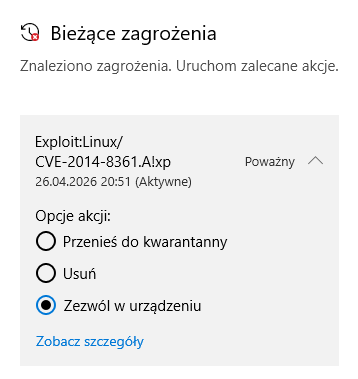
    Analysis of the inside of the router, memory ripping, bootloader, custom program for UART
    I tackled it with a Python script:
    Code: Python
    Log in, to see the code

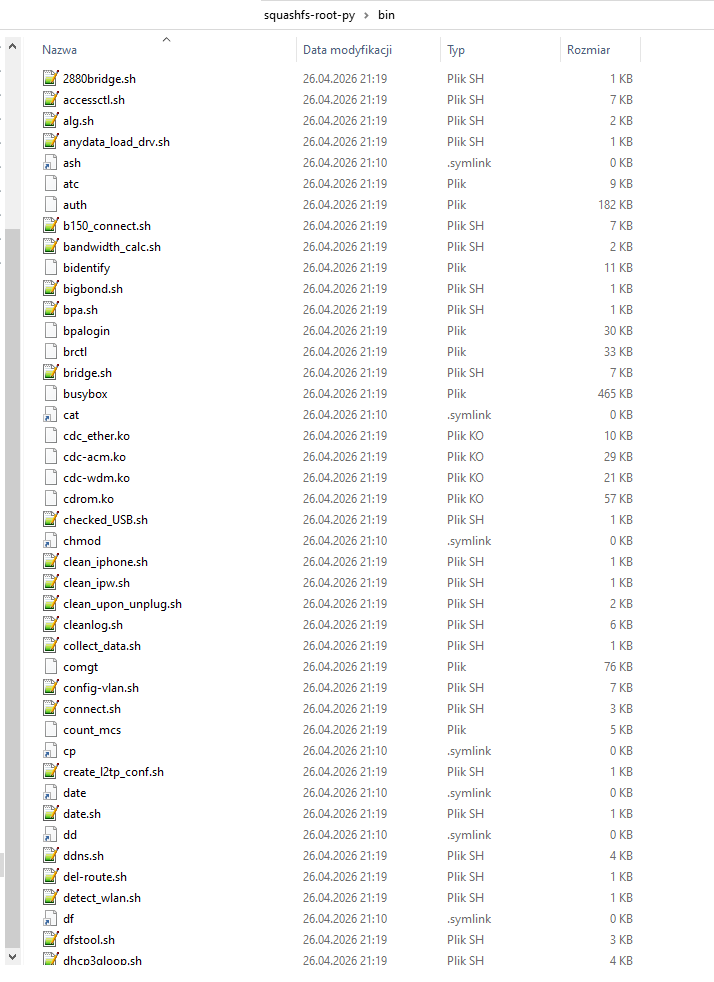
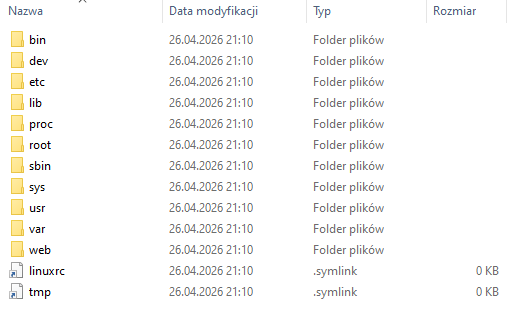
    The extracted system turned out to be.... quite rich:
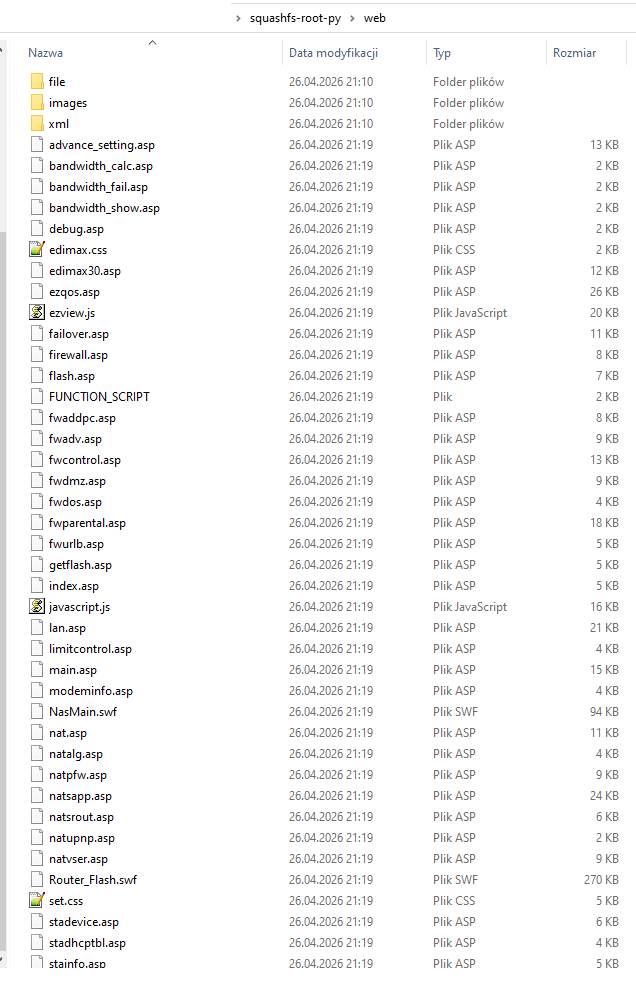
    Analysis of the inside of the router, memory ripping, bootloader, custom program for UART Analysis of the inside of the router, memory ripping, bootloader, custom program for UART Analysis of the inside of the router, memory ripping, bootloader, custom program for UART
    In /bin itself we have interesting files such as:
    - scripts to manage the router (e.g. firewall.sh, init.sh)
    - files and drivers for 3G/LTE modem support (cdc-acm.ko, cdc-wdm.ko, usb_modeswitch, qmicli, comgt, bpalogin)
    - and even scripts and daemons designed for tethering from iOS devices (iPhones)! These include iphone_connect.sh, ipheth-pair, usbmuxd or ideviceinfo
    - the webserver, which is the main process responsible for the configuration and communication side
    The second interesting directory is /web, there are the server sources themselves. Immediately striking:
    - an overabundance of .asp files - at first I thought this was Active Server Pages (ASP) technology from Microsoft, but it doesn't look like it - it's a different solution, also containing HTML, Javascript, but also special tags, retrieving variables from the system. For example:
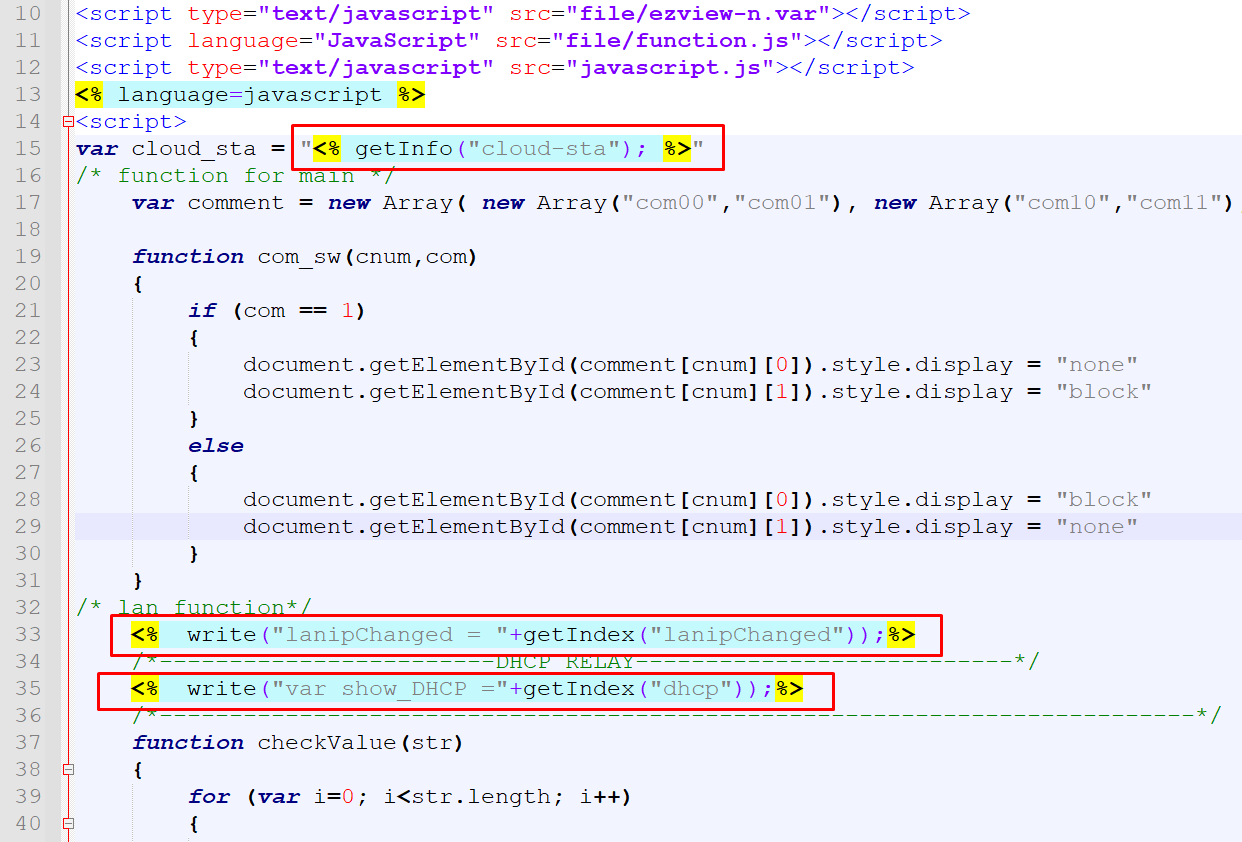
    Analysis of the inside of the router, memory ripping, bootloader, custom program for UART
    - among the .asp I see the command interface:
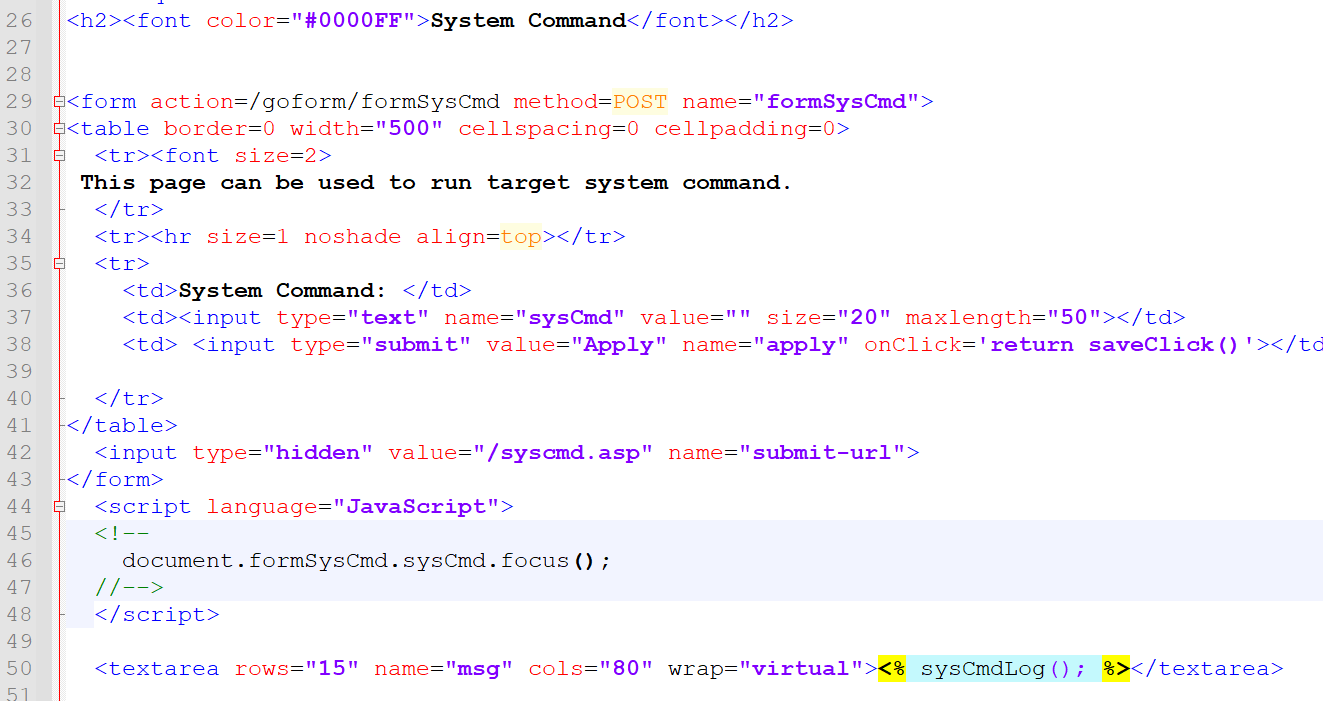
    Analysis of the inside of the router, memory ripping, bootloader, custom program for UART
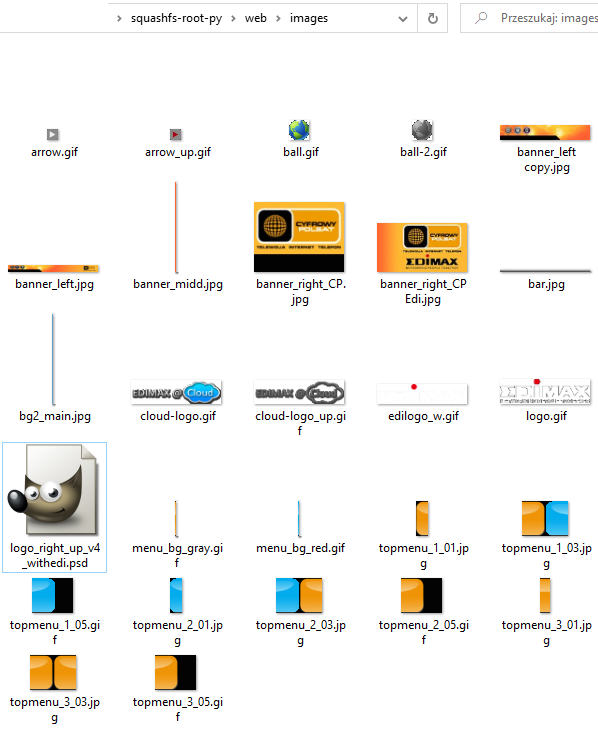
    - image files - gif, jpg and even by some miracle also PSD:
    Analysis of the inside of the router, memory ripping, bootloader, custom program for UART
    - in the file directory I also see variables - var files, including translations:
    
    var alertFunctionRule=new Array
    (
    "Rule Name ",
    "Regelname ",
    "Nombre de la regla ",
    "Nom de la règle ",
    "Nome regola ",
    "Regelnaam ",
    "Nome da regra ",
    "Název pravidla ",
    "Nazwa reguły",
    "Nume Regula",
    "Имя правила",
    "Názov pravidla",
    "規則名稱",
    "规则名称",
    "ชื่อกฎ",
    "Regelnavn ",
    "Regelnamn ",
    "Kural Adı"
    );
    

    Looking in the /etc directory, on the other hand, one comes across the default passwd account file. In addition to root and network services, there are some strange account names in there, "john", "dliu", "odysseus", "ygtai" or "hcjong", could they belong to developers?
    The compilation date of all software appearing in the compiler_date file - Thu Jan 2 09:13:20 CST 2014 - indicates 2 January 2014.

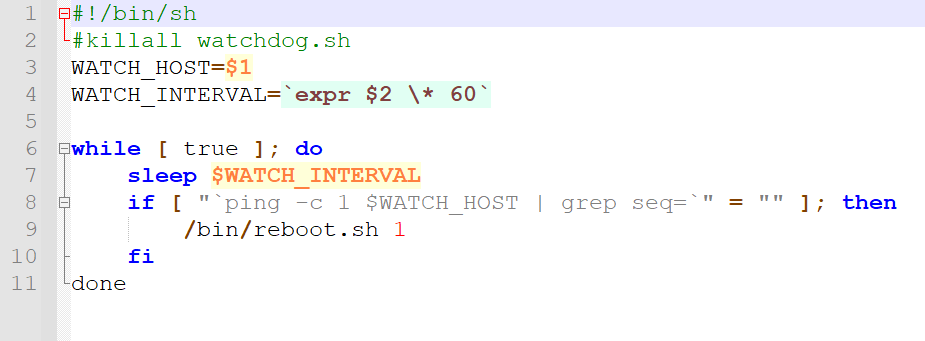
    The main boot script operating on all these systems is /bin/init.sh. This is a very comprehensive file dealing with initialising network interfaces, loading settings (including MIB configurations using calls to the built-in system flash utility, e.g. flash test-hwconf) and running a whole range of services - from dhcpd, to the pppoe client, to WPS and watchdog support ("wps_daemon", "watchdog.sh").
    Analysis of the inside of the router, memory ripping, bootloader, custom program for UART
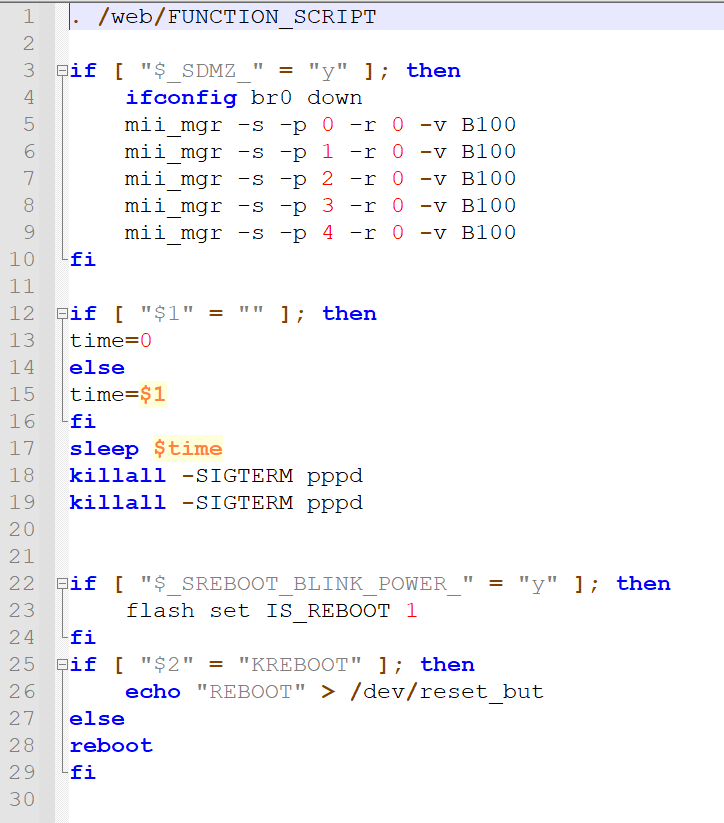
    The screenshot shows the watchdog - when a particular host does not respond, the router is rebooted. Below is the reboot script:
    Screenshot of a code editor showing a shell script fragment in /web/FUNCTION_SCRIPT

    Summary
    The adventure turned out to be more interesting than I thought. The router, although already quite old, could still be useful for hobbyist and educational purposes as well. There is a lot of potential for changing the batch and running a program uploaded to RAM. I'll try to show this in a separate topic, although I don't know yet how successful it will be. I've seen some of the sources from Realtek on GitHub, but will they really fit on this board? We'll find out! The whole thing doesn't look officially supported by OpenWRT, but that doesn't mean you have to cross it off straight away.
    Do you see any use for the old router? Feel free to discuss.
    Attachments:
    • realtek_dumper_draft_202605.zip (4.87 KB) You must be logged in to download this attachment.

    Cool? Ranking DIY
    Helpful post? Buy me a coffee.

    About Author
    p.kaczmarek2
    Moderator Smart Home
    Offline 
    p.kaczmarek2 wrote 14604 posts with rating 12620, helped 654 times. Been with us since 2014 year.
  • ADVERTISEMENT
  • #2 21905453
    p.kaczmarek2
    Moderator Smart Home
    Posts: 14604
    Help: 654
    Rate: 12620
    I was able to get this router to execute simple machine code, including displaying text on the UART and flashing LEDs. I also managed to get GCC to compile a program for me, which is then uploaded via the bootloader to RAM. I have, however, problems with the stability of the whole thing, and it's not clear what's wrong. Anyway, the rest of the adventures will be in a separate topic.
    Helpful post? Buy me a coffee.
  • #3 21905477
    gregor124
    Level 28  
    Posts: 1544
    Help: 97
    Rate: 827
    This RTL8196 is based on the MIPS RLX4181 processor and documentation is available.
    It is compatible with the MIPS-1, MIPS16 specification.
    So you can develop software on it without any problem.
    I add the documentation where its registers are described, with addresses and description of functions.
    Opcodes:
    https://student.cs.uwaterloo.ca/~isg/res/mips/opcodes
    Attachments:
    • A 16-bit MIPS Based Instruction Set Architecture.pdf (146.77 KB) You must be logged in to download this attachment.
    • RTL8196C.pdf (599.12 KB) You must be logged in to download this attachment.
    Helpful post? Buy me a coffee.
📢 Listen (AI):

FAQ

TL;DR: With 32 MB RAM and 8 MB flash, this FAQ shows how to open the Edimax/Cyfrowy Polsat LT-6408n, reach its UART, back up firmware, and parse Realtek bootloader data. As the author notes, "three wires are enough" for UART work. It helps router modders, repairers, and reverse-engineers recover, inspect, or repurpose this LTE-sharing device. [#21903591]

Why it matters: The thread turns one old LTE-capable router into a practical case study in hardware teardown, flash backup, UART recovery, and filesystem extraction.

Method Hardware contact Reliability in the thread Main trade-off
SOIC clip on SPI flash No desoldering Described as unreliable Fast setup, weaker contact
Hot-air desolder + CH341 Chip removed Preferred and repeatable More work, better read quality
UART bootloader dump TX/RX/GND only Works, but slower No flash removal, low throughput

Key insight: The safest path is to make a full SPI flash backup first, then use UART to inspect boot logs and bootloader memory maps. On this Realtek board, the bootloader exposes enough commands to read memory, set network parameters, and even launch code from RAM. [#21903591]

Quick Facts

  • The board uses a Realtek RTL8196C main SoC, W9825G6JH 32 MB RAM, and a separate 25L6406E 64 Mbit SPI flash, which equals 8 MB of firmware storage. [#21903591]
  • Power input is 5 V, but the measured board operating rail is 3.3 V, which also matches the required UART logic level for a CH340 USB-UART adapter. [#21903591]
  • The boot log reports 390 MHz CPU operation and 26632k/32768k available memory, confirming a 32 MB class design with part of RAM reserved during boot. [#21903591]
  • Binwalk found three key firmware regions: 0x14E0 small LZMA data, 0x12C18 LZMA-compressed Linux kernel, and 0x120000 a SquashFS 4.0 filesystem with LZMA compression. [#21903591]

How do I open the Cyfrowy Polsat LT-6408n / Edimax LT-6408n router and identify its main chips on the PCB?

Open it by removing the bottom screws, including any hidden under the feet. Inside, the main chips are the Realtek RTL8196C SoC, W9825G6JH RAM, 25L6406E SPI flash, and RTL8192CE Wi-Fi controller. The post also notes a rerouted USB cable across the PCB, suggesting the USB port location changed during development. [#21903591]

What is the Realtek RTL8196C used for inside the LT-6408n router, and what hardware blocks does it integrate?

The RTL8196C is the router’s main controller and executes the bootloader and Linux system. The thread says it connects to memory over a 16-bit interface and integrates GPIO, USB 2.0, EJTAG, UART, switch, and PCIe controllers. The boot log also shows the Realtek bootloader running at 390 MHz. [#21903591]

What is MIB in Realtek router firmware, and why would "Initialize AP MIB failed!" stop the router from booting properly?

"MIB" is a configuration store that keeps router settings in flash, using Realtek’s firmware-specific implementation for management data. Here, the boot log prints "Initialize AP MIB failed!" and the system stalls afterward. That failure likely blocks loading required wireless or system settings, so the router cannot complete startup or accept normal commands. [#21903591]

Which UART settings work for Realtek RTL8196C routers like the LT-6408n, and how do I find the correct TX, RX, GND, and 3.3 V pins?

The working UART setting here is 38400 8N1 at 3.3 V logic. The post says four pads near the main CPU usually carry GND, TX, RX, and VCC, but you only need three wires: GND, TX, and RX. 1. Find the 4-pad header near the SoC. 2. Confirm the board rail is 3.3 V. 3. Test common baud rates until boot text appears clearly. [#21903591]

Why does pressing the Escape key during boot unlock the bootloader command line on this router?

Pressing Escape interrupts the automatic boot flow and drops the router into the Realtek bootloader console. In this case, the router otherwise stalls after the MIB error, but Escape exposes a working command line and the help command. That gives access to recovery and memory tools even when normal boot does not finish. [#21903591]

How can I dump the 25L6406E SPI flash from an Edimax LT-6408n with a CH341 programmer step by step?

Use a CH341 after removing the 25L6406E from the board. 1. Desolder the SPI flash with flux and hot air. 2. Read it in NeoProgrammer and run verify. 3. Save the full dump before any other modification. The chip is a 64 Mbit part, so the backup size is 8 MB. [#21903591]

CH341 clip vs desoldering with hot air for SPI flash reading: which method is more reliable for router firmware backup?

Desoldering with hot air is presented as the more reliable method. The author explicitly says the clip fails more often than it works, so he prefers removing the chip, cleaning the lead-free solder from pads, and resoldering with leaded solder for easier later work. For a first backup, reliability matters more than speed. [#21903591]

What do the Realtek bootloader commands D, DB, DW, EB, EW, IPCONFIG, LOADADDR, J, and FLW actually do?

They are low-level memory, network, and flash commands in the Realtek bootloader. D, DB, and DW dump memory in normal, byte, or word views. EB and EW write bytes or words. IPCONFIG sets network parameters for firmware upload, LOADADDR sets the RAM load address, J jumps to an address to start code, and FLW writes from RAM to SPI flash. [#21903591]

How can I read flash memory over UART on an RTL8196C router by parsing the bootloader dump command output?

You can automate flash reading by sending the bootloader dump command and parsing each returned line. The thread shows output in 32-bit hexadecimal words, such as an address followed by four values. A script can capture those words, strip formatting, and write bytes to a file. It is slower than CH341, but it verifies the flash mapping and bootloader access path. [#21903591]

Where is SPI flash mapped in memory on the RTL8196C, and how do I match UART dump addresses like 0xBD000000 to file offsets?

In this router, the flash dump aligns with memory starting at 0xBD000000. The author verified it experimentally by comparing UART dump data with the CH341 backup. To match an address to a file offset, subtract 0xBD000000 from the UART address. For example, data shown at offset 0xF2A80 matched the same location inside the flash file. [#21903591]

What is SquashFS with LZMA compression, and why would binwalk detect it but fail to extract it without sasquatch?

"SquashFS" is a compressed read-only filesystem that packs many files into firmware images, using block compression to save flash space. Binwalk detected a SquashFS 4.0 image at 0x120000 with LZMA compression, but extraction failed because the external tool sasquatch was missing or not installed correctly. Detection and extraction are separate steps. [#21903591]

How do I extract the SquashFS filesystem from an LT-6408n flash dump using Python and PySquashfsImage when binwalk extraction fails?

Use Python to open the dump directly at the SquashFS offset and register an LZMA decompressor for method 2. In the thread, the script loads dump1.bin, opens SquashFsImage(..., offset=1179648), walks the root tree, and writes files into an output directory. That bypasses binwalk’s failed external extraction path and successfully recovers the filesystem. [#21903591]

Why would antivirus react during firmware extraction from a router image, and how can I safely analyze the dump?

Antivirus can react because firmware dumps contain packed binaries, scripts, and executable blobs that resemble malware signatures during extraction. The thread shows an antivirus alert appearing while the image was being unpacked. A safer workflow is to keep the dump unchanged, extract in an isolated analysis environment, and compare recovered files against the original 8 MB flash image before trusting any result. [#21903591]

What interesting files and services are stored in the LT-6408n firmware, such as LTE modem support, iPhone tethering tools, web ASP pages, and watchdog scripts?

The firmware is unusually rich for a 2014-era router. /bin contains LTE and 3G support tools like usb_modeswitch, qmicli, comgt, bpalogin, and modem drivers. It also includes iPhone tethering tools such as iphone_connect.sh, ipheth-pair, usbmuxd, and ideviceinfo. /web holds many .asp pages, images, and translation files, while /bin/init.sh starts services like DHCP, PPPoE, WPS, and watchdog logic. [#21903591]

What practical hobby or educational uses does an old Edimax LT-6408n router still have if OpenWrt support is uncertain?

It is still useful as a reverse-engineering, UART, and firmware-analysis platform. The router gives access to a Realtek bootloader console, RAM execution paths, full flash backup, and a Linux-based filesystem dated Thu Jan 2 09:13:20 CST 2014. Even without confirmed OpenWrt support, it works well for learning boot recovery, flash mapping, script analysis, and embedded Linux internals. [#21903591]
Generated by the language model.
ADVERTISEMENT