logo elektroda
logo elektroda
X
logo elektroda

The inside of an old ISDN/DSL DI-304 router. Recalling the Internet of the 2000s

p.kaczmarek2 1116 1

TL;DR

  • The DI-304 is an early-2000s ISDN router for home and small offices, combining a router, ISDN terminal, and four-port Fast Ethernet switch.
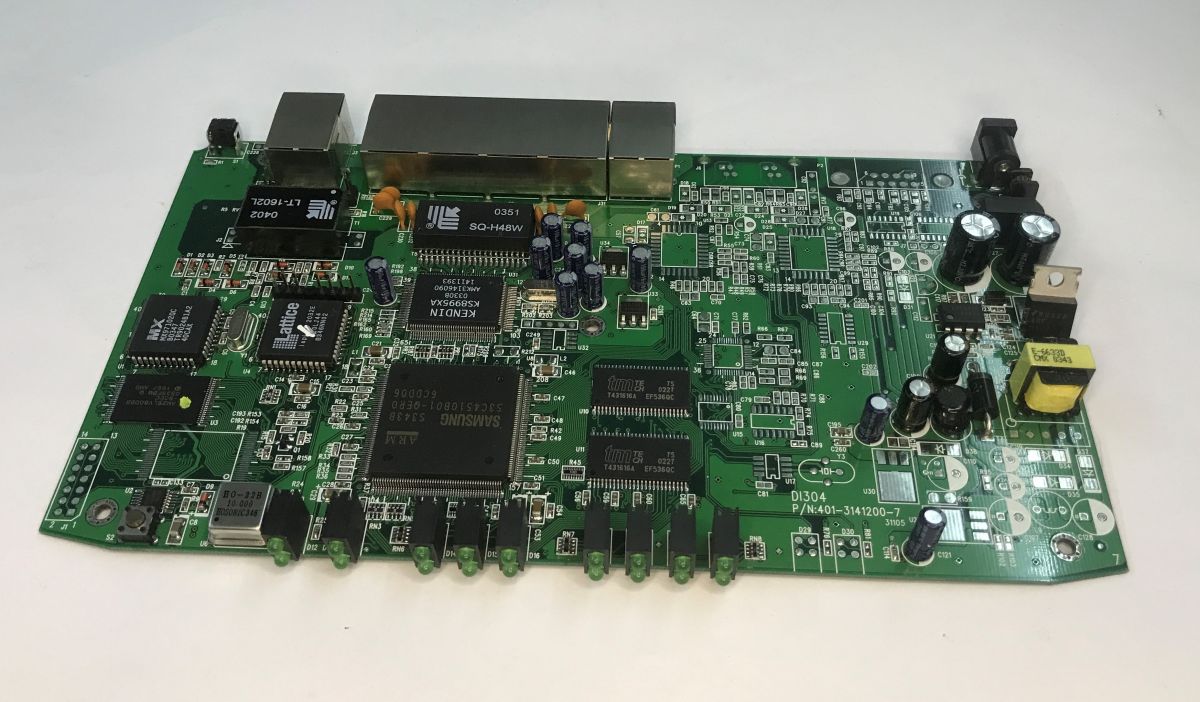
  • Inside, it uses separate building blocks: Samsung S3C4510B01 ARM processor, Kendin KS8995XA Layer 2 switch, MX97102QC ISDN line controller, and a Lattice ispLSI 2032E CPLD.
  • The ISDN side offers two 64 kbps channels that can bond to about 128 kbps, while the LAN provides four 100 Mbps Fast Ethernet ports.
  • The power input is 17 VAC through a DC jack, which can be dangerous if someone plugs in the wrong adapter and reverses polarity.
AI summary based on the discussion. May contain errors.
ADVERTISEMENT
Treść została przetłumaczona polish » english Zobacz oryginalną wersję tematu
📢 Listen (AI voice):
  • The inside of an old ISDN/DSL DI-304 router. Recalling the Internet of the 2000s
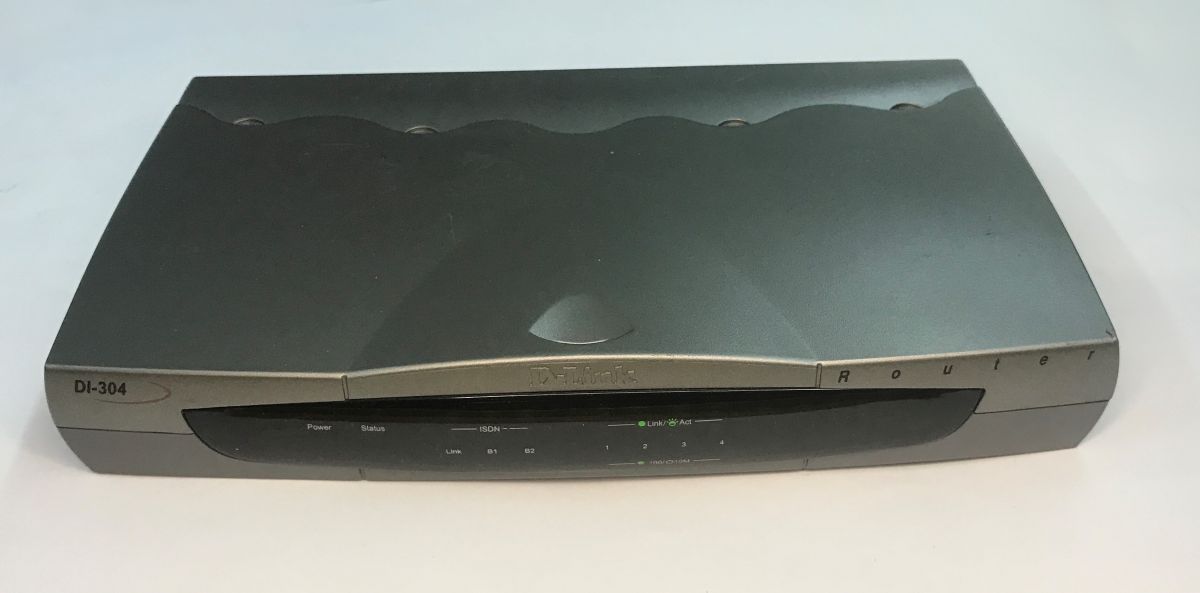
    I'd like to invite you to a presentation of the inside of another old network equipment. Today we're taking a look inside the DI-304, an ISDN router designed for home networks and small offices from the early 2000s. The device combines the function of a router, ISDN terminal and four-port Ethernet switch, allowing several computers to share a single Internet connection. For ISDN, there are two channels of 64 kbps each, which can be combined for a maximum of around 128 kbps. For the local network, on the other hand, the device offers four 100 Mbps Fast Ethernet ports, which at the time provide much faster communication between computers than an Internet connection alone.
    The inside of an old ISDN/DSL DI-304 router. Recalling the Internet of the 2000s
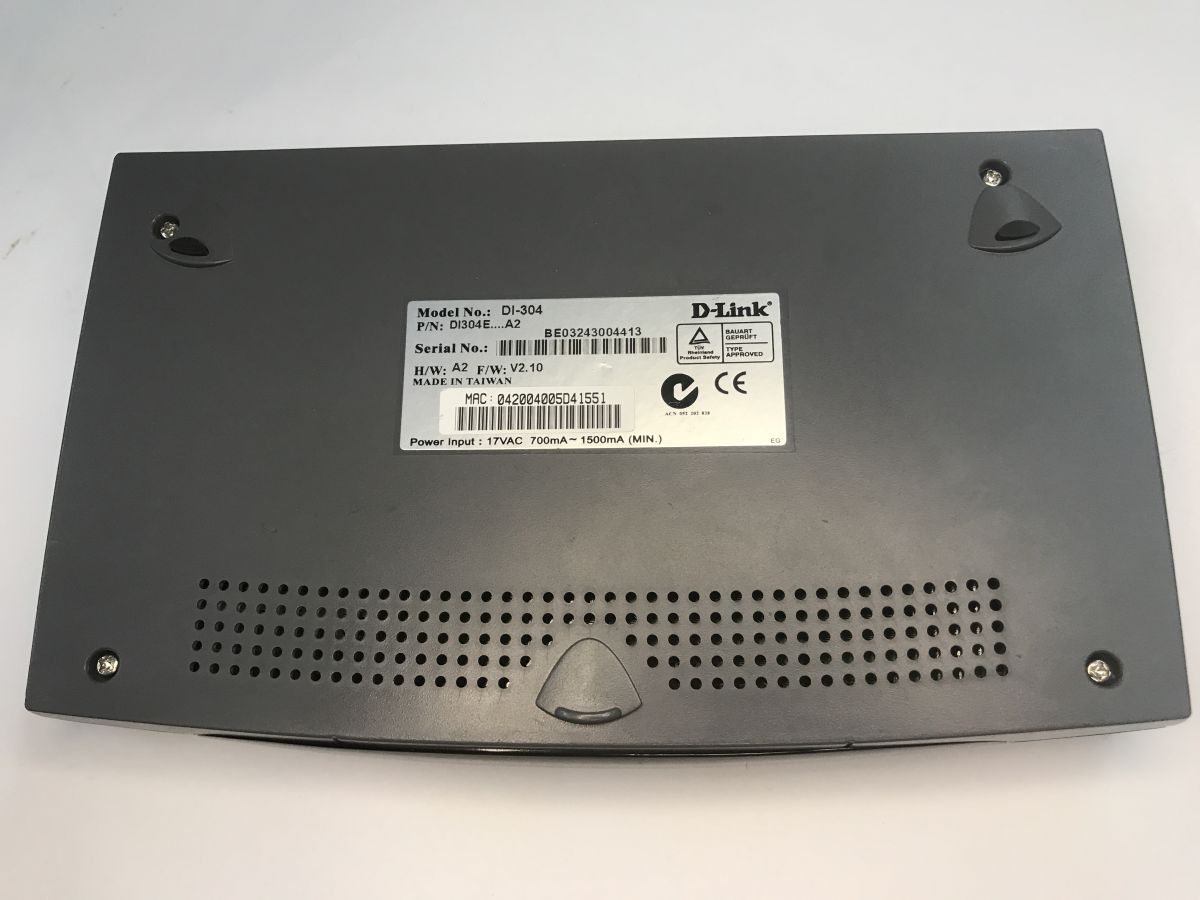
    The first curiosity strikes the eye right from the rating sticker - a 17 VAC 700mA-1500mA input. An AC power supply with a classic DC Jack type connector, i.e. in my eyes a potential killer of other equipment. Not every piece of equipment with a DC jack is protected against reverse polarity, so someone not reading the labels with such an AC adapter poses a serious risk of damaging other equipment.
    The inside of an old ISDN/DSL DI-304 router. Recalling the Internet of the 2000s
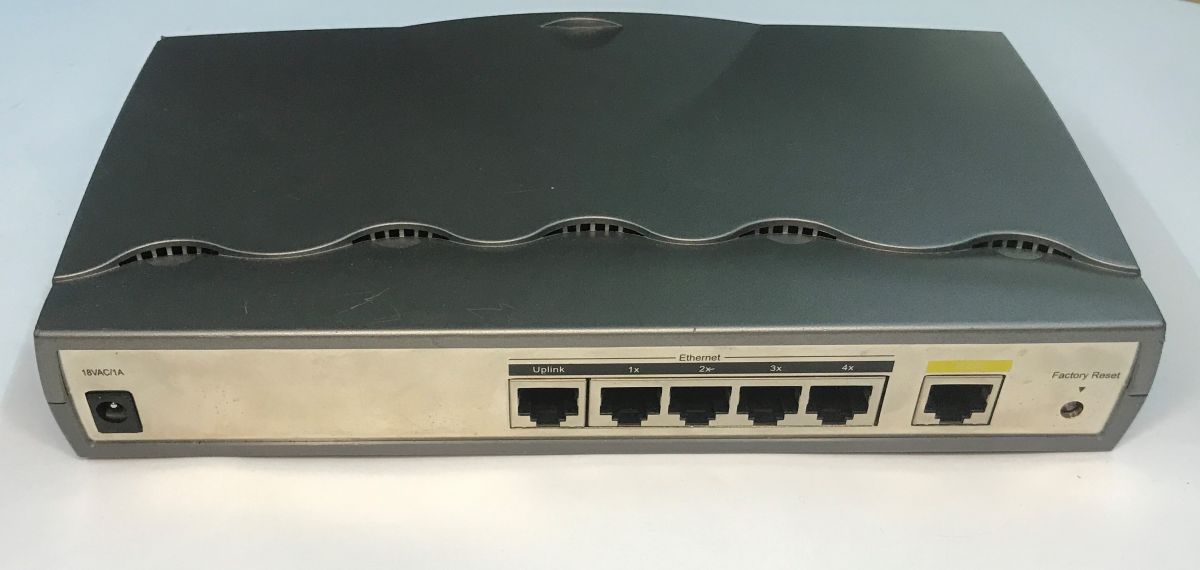
    The back of the device is quite modest, but what more is needed? It's not yet the days when every router had an extra USB connector, for example. The reset button is there and that's enough for us.
    The inside of an old ISDN/DSL DI-304 router. Recalling the Internet of the 2000s
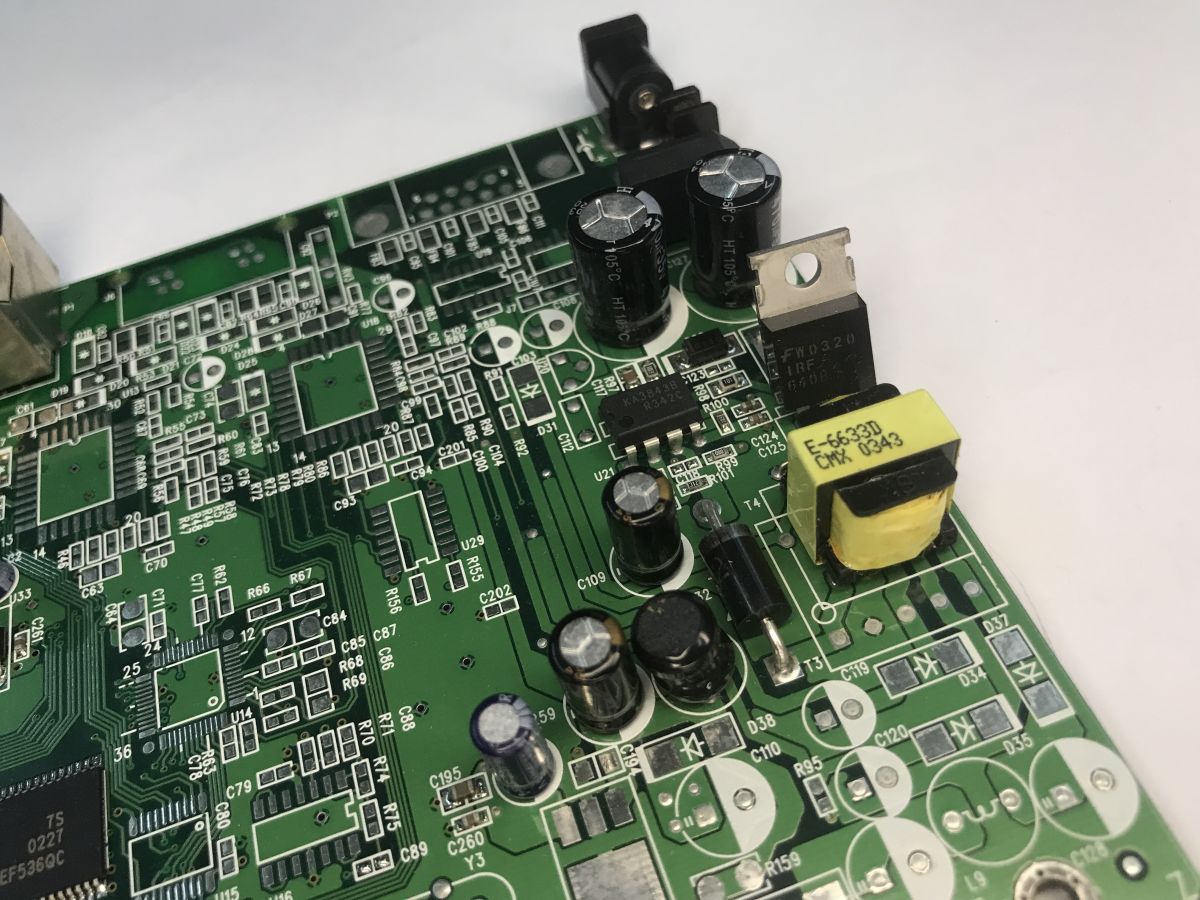
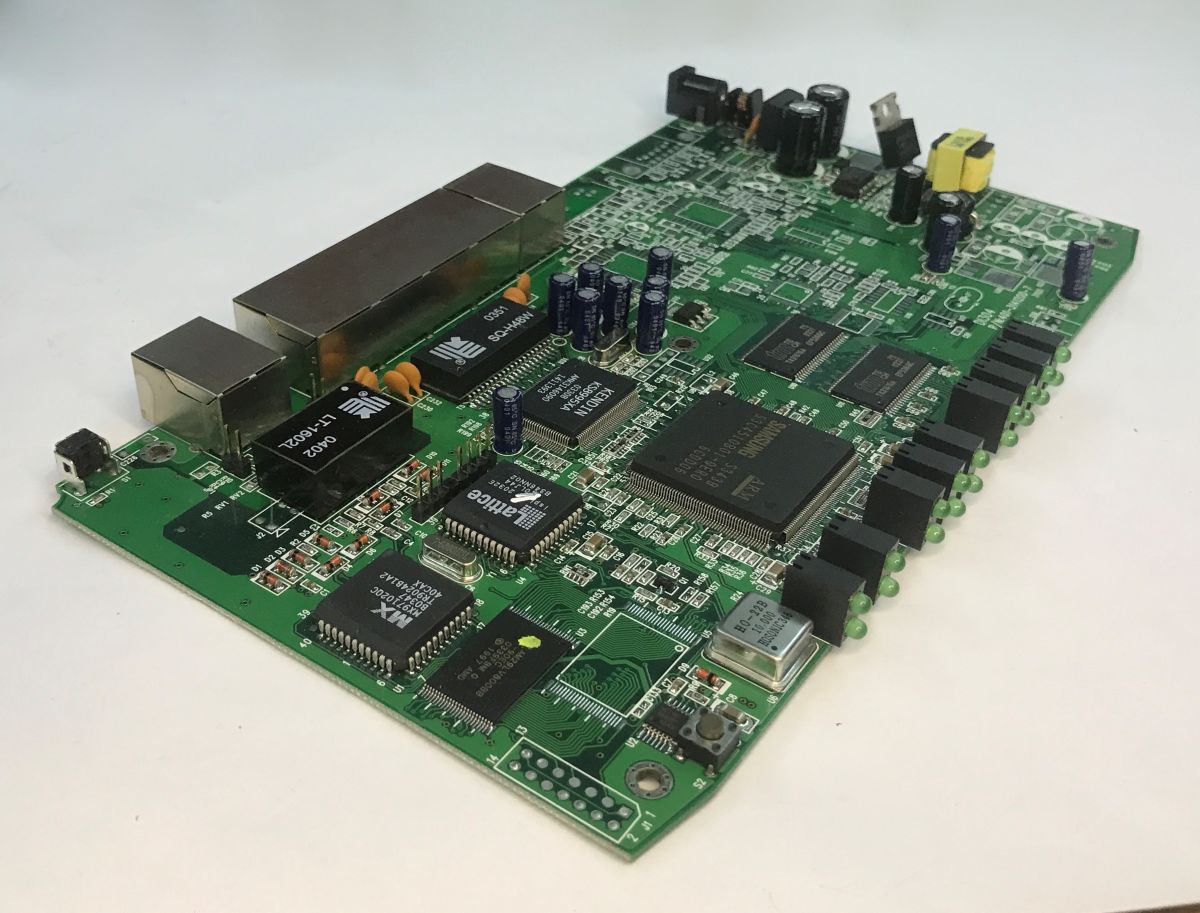
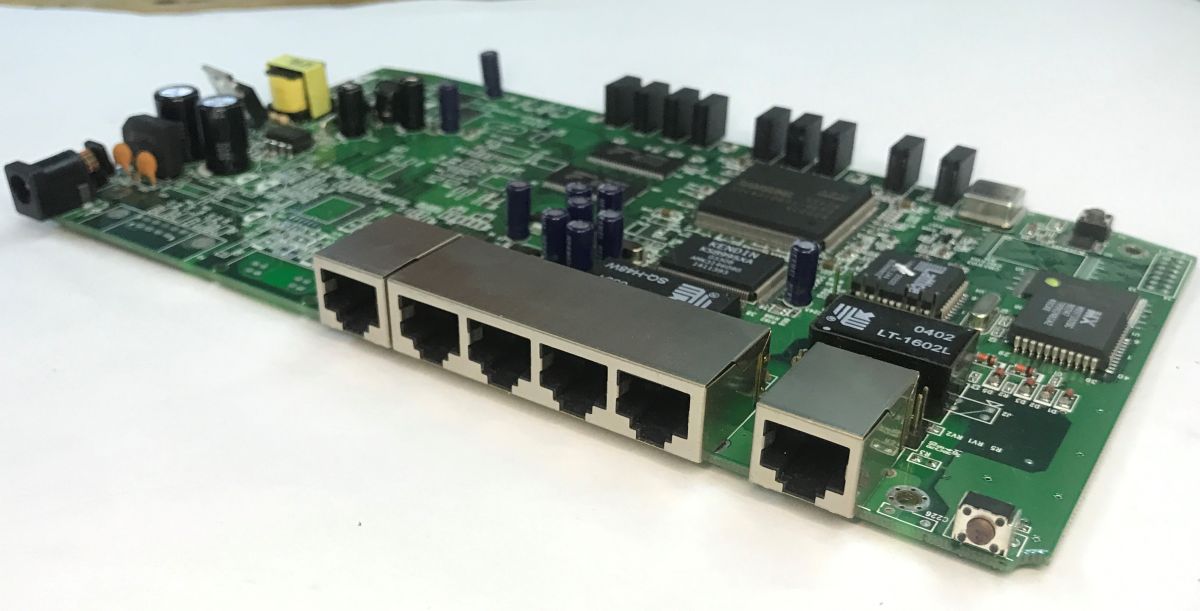
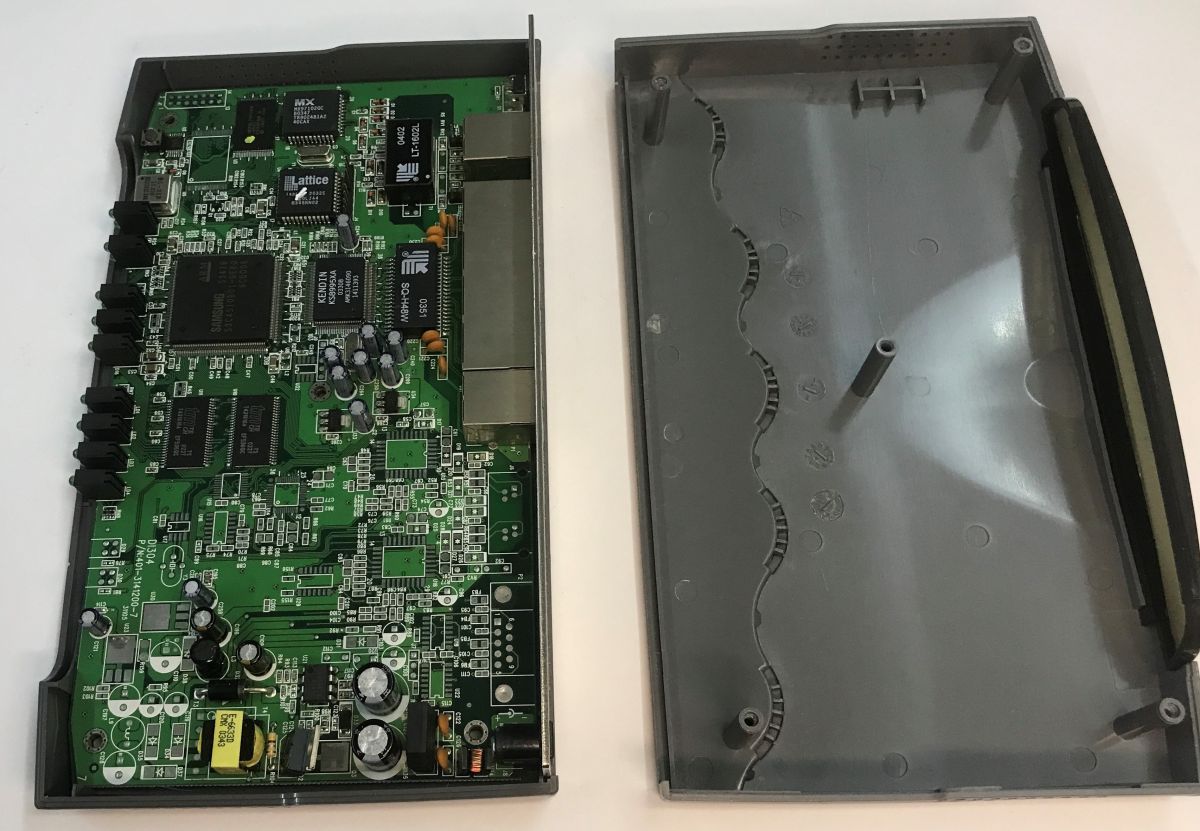
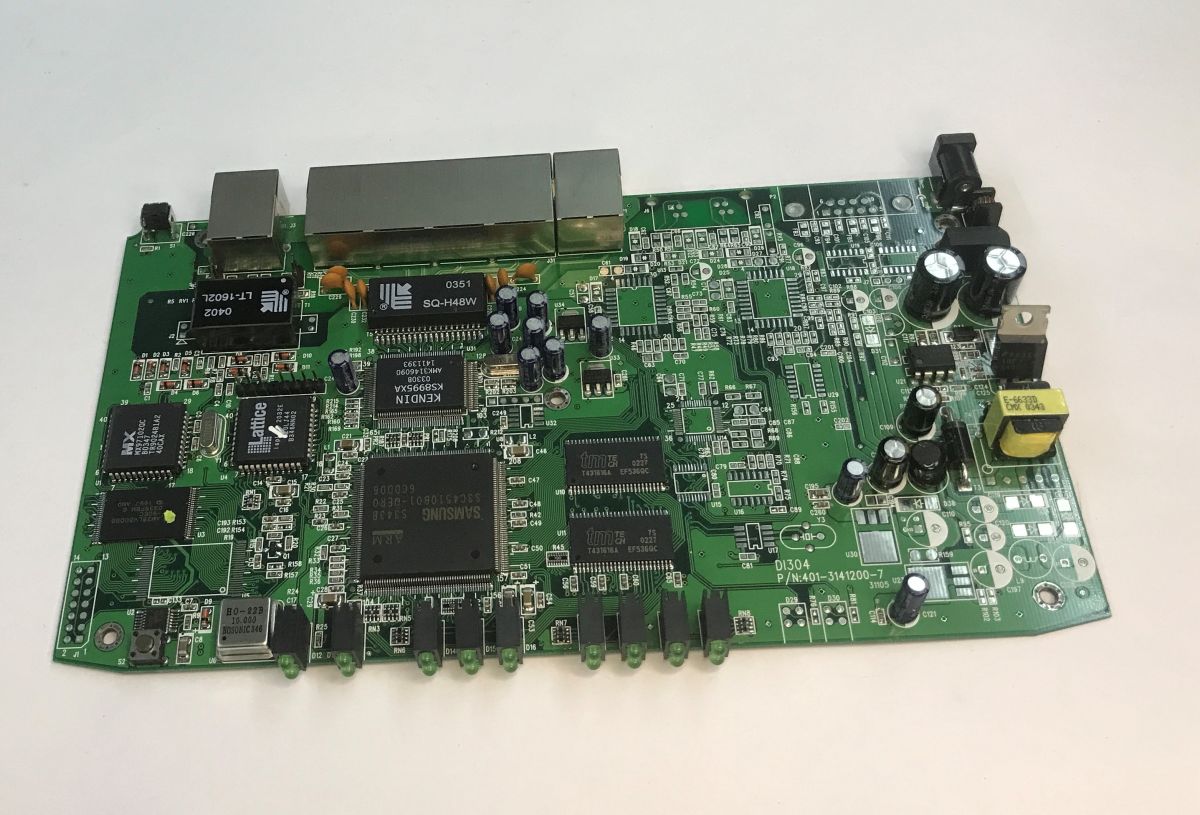
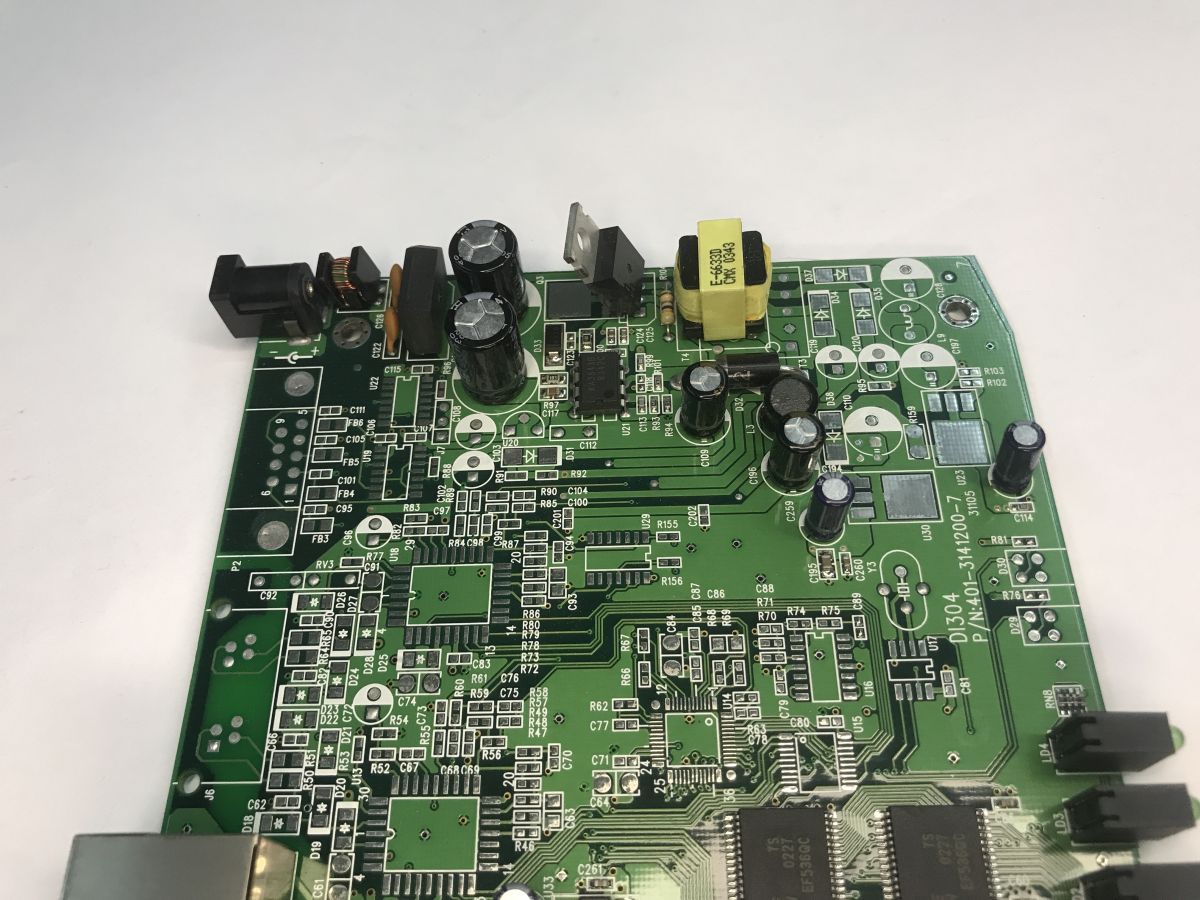
    By the lesser degree of integration of components on the board, it is well apparent that this is not modern hardware. The power supply section is predominantly through-hole assembly and the rest of the router is largely surface-mounted.
    The inside of an old ISDN/DSL DI-304 router. Recalling the Internet of the 2000s
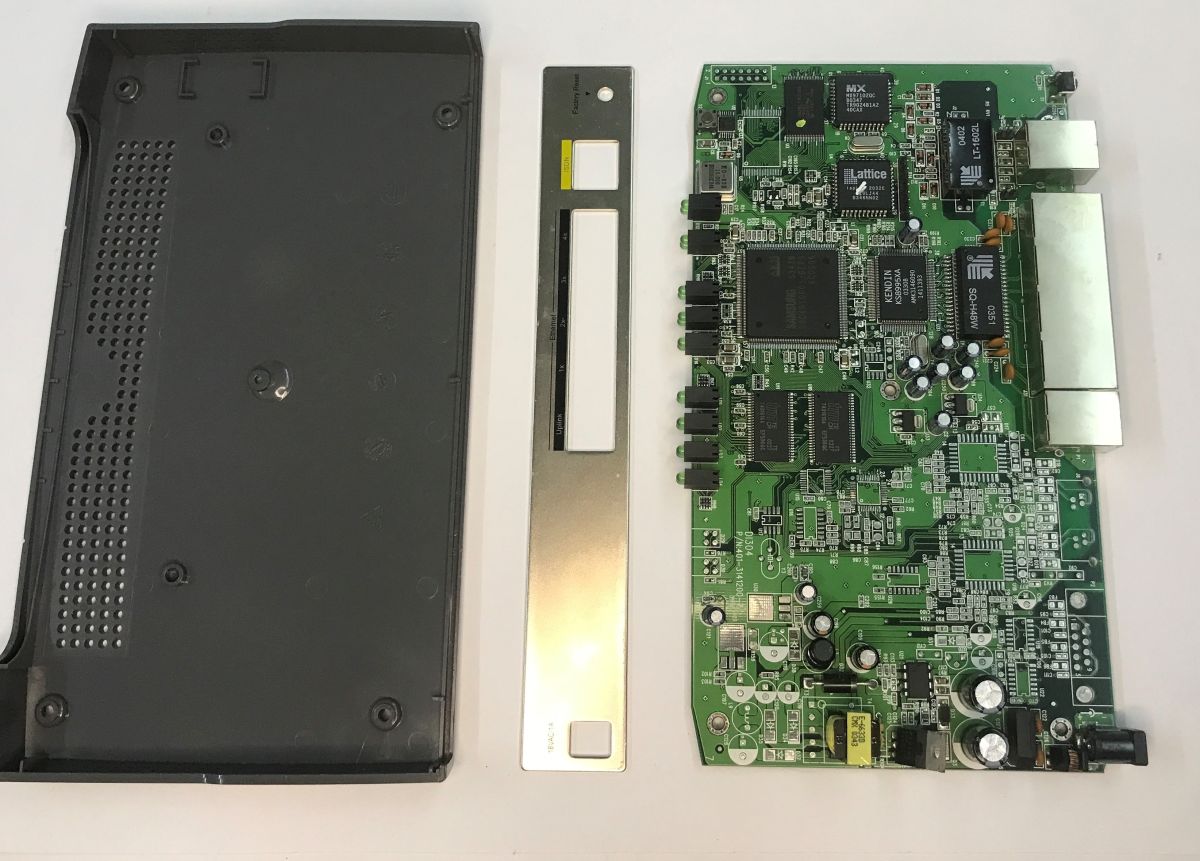
    I was most surprised by the solid metal backs anyway. Still their thickness... in modern equipment they would rather not allow this, plastic is cheaper.
    The inside of an old ISDN/DSL DI-304 router. Recalling the Internet of the 2000s
    Let's take a look at the PCB. Many components are not present. For example, I can see the footprint of the RS232 connector. Right next to it probably sat a MAX232 or similar transceiver chip.
    The inside of an old ISDN/DSL DI-304 router. Recalling the Internet of the 2000s
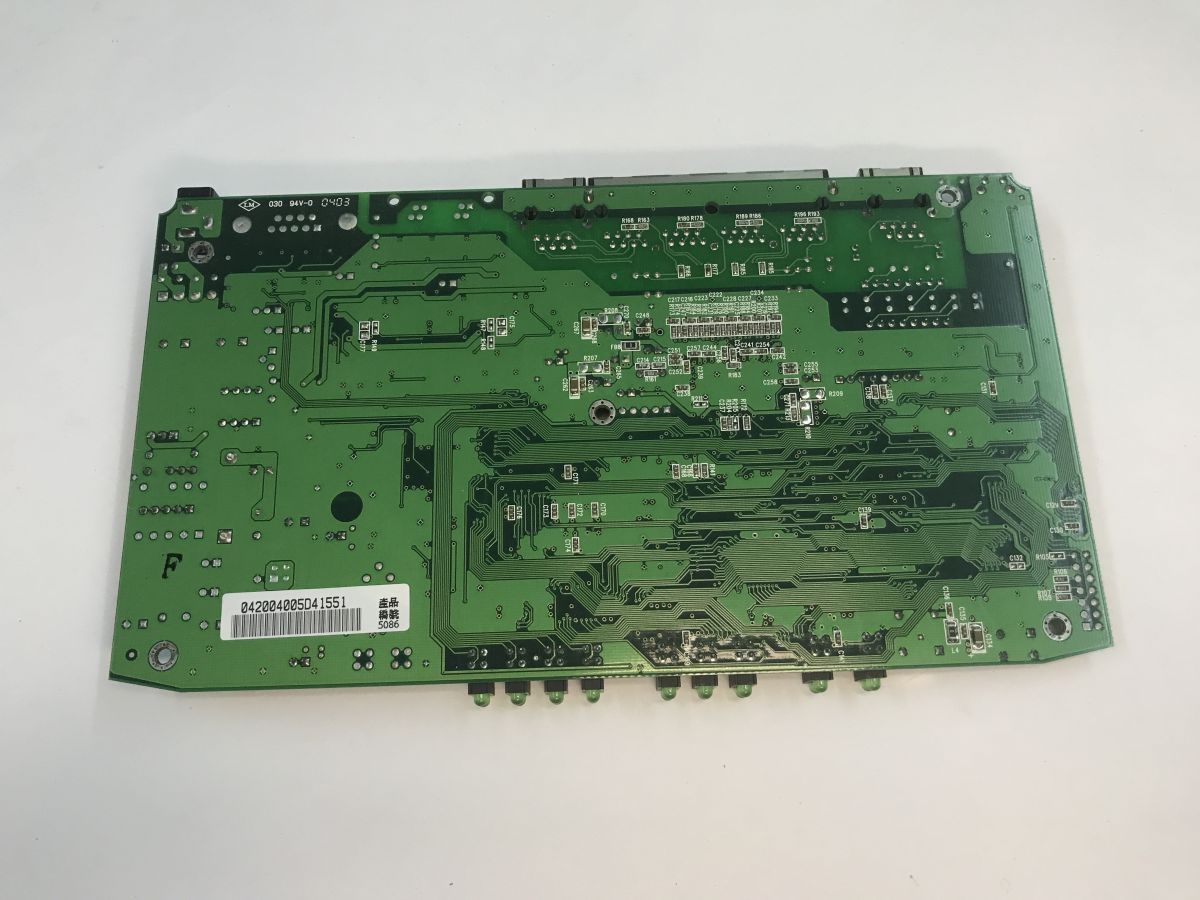
    The PCB is double-layered, but on the underside we find only a few components in small enclosures such as the 0603. These are mainly resistors and capacitors.
    The inside of an old ISDN/DSL DI-304 router. Recalling the Internet of the 2000s The inside of an old ISDN/DSL DI-304 router. Recalling the Internet of the 2000s The inside of an old ISDN/DSL DI-304 router. Recalling the Internet of the 2000s
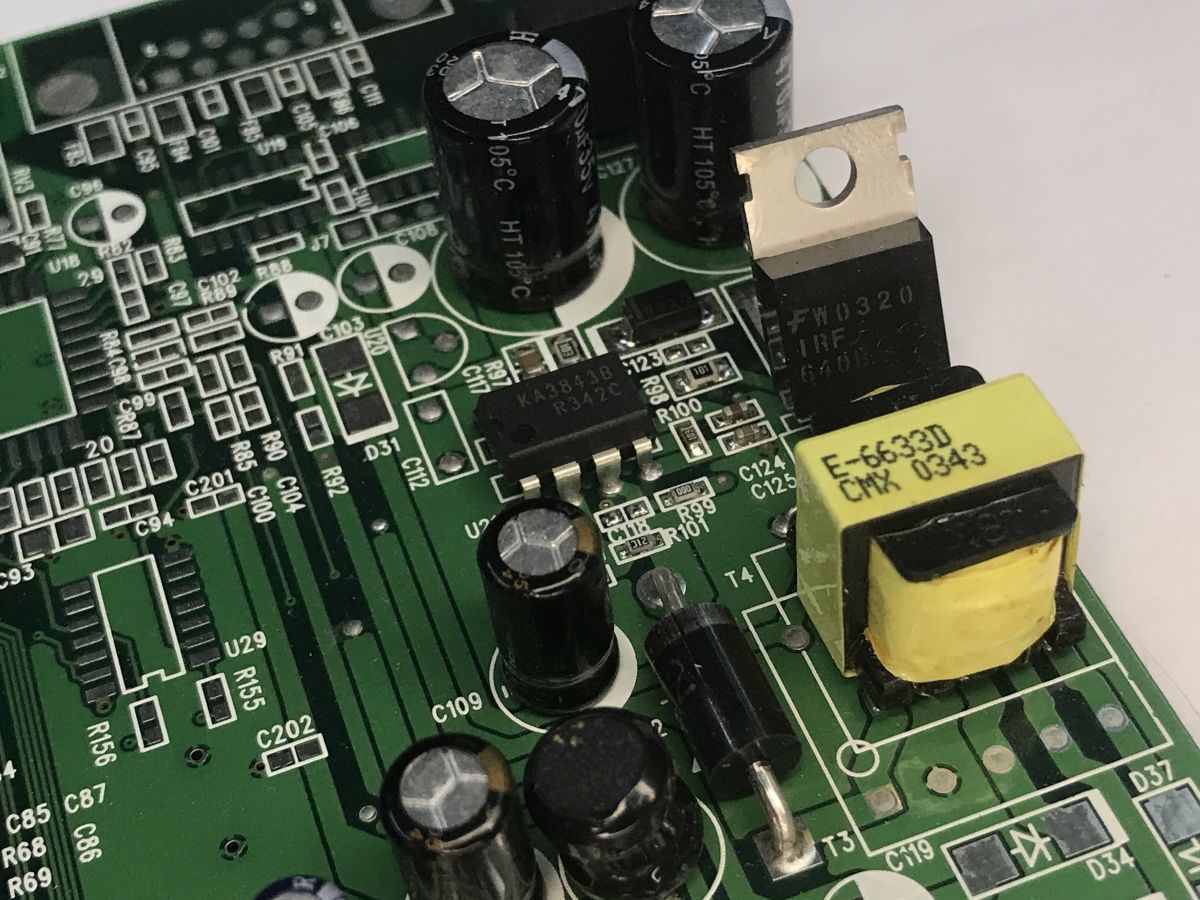
    The input inverter is based on a KA3843B PWM controller and an IRF640 N-channel MOSFET.
    The inside of an old ISDN/DSL DI-304 router. Recalling the Internet of the 2000s
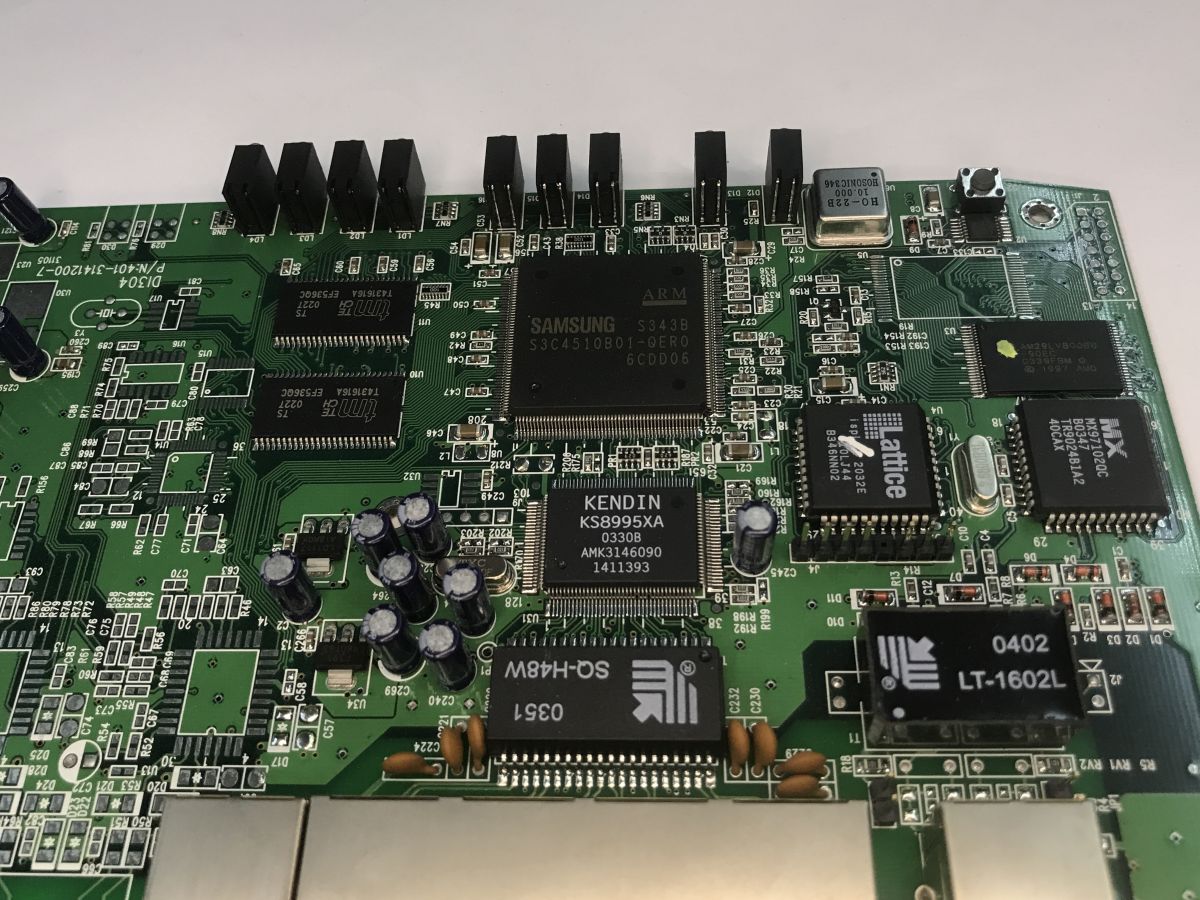
    At the heart of the router appears to be a Samsung ARM chip - the S343B S3C4510B01-QERO. It is a 16/32-bit RISC designed for networking systems based on the ARM7TDMI core with rich peripherals.
    The inside of an old ISDN/DSL DI-304 router. Recalling the Internet of the 2000s
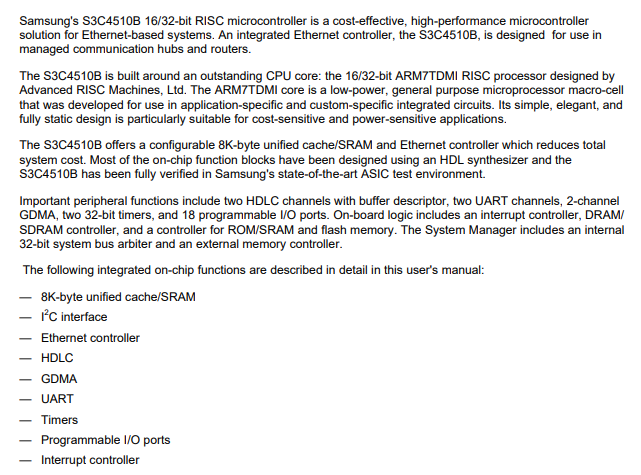
    Right next door is the Kendin KS8995XA, which is a highly integrated 5-port Layer 2 switch with dual MII interface. Speed up to 100BaseTX/100BaseFX.
    The inside of an old ISDN/DSL DI-304 router. Recalling the Internet of the 2000s
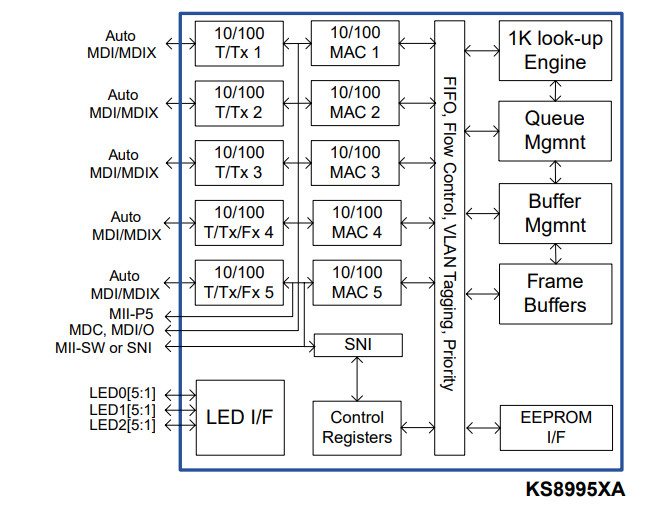
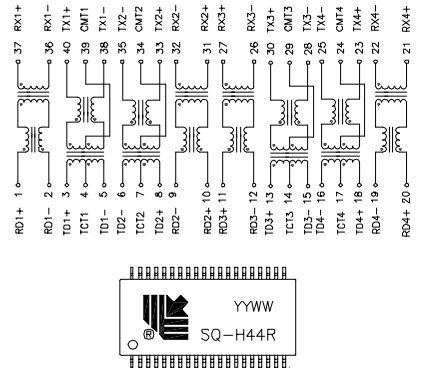
    The Ethernet ports are connected to it via separate signal transformers, here in the form of a single SQ-H48W element, this primarily provides galvanic separation between the router's electronics and the Ethernet cables, as well as improving immunity to noise and surges occurring on the twisted-pair cable.
    The inside of an old ISDN/DSL DI-304 router. Recalling the Internet of the 2000s
    Now, more often I see magjack connectors (with an integrated transformer), but here we have everything separately.
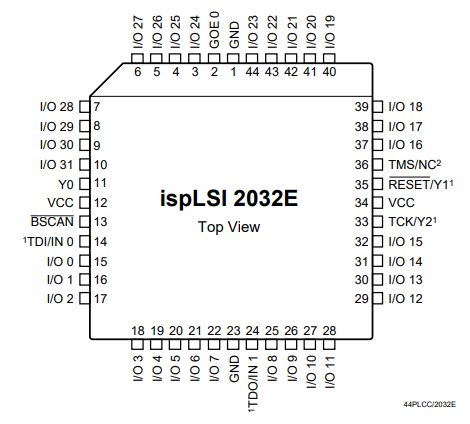
    Right next to it we have the Lattice ispLSI 2032E - a bit of a surprise to me, but it's a Complex Programmable Logic Device (CPLD), so 32 GPIOs, 32 registers and 1000 programmable PLD gates.
    The inside of an old ISDN/DSL DI-304 router. Recalling the Internet of the 2000s
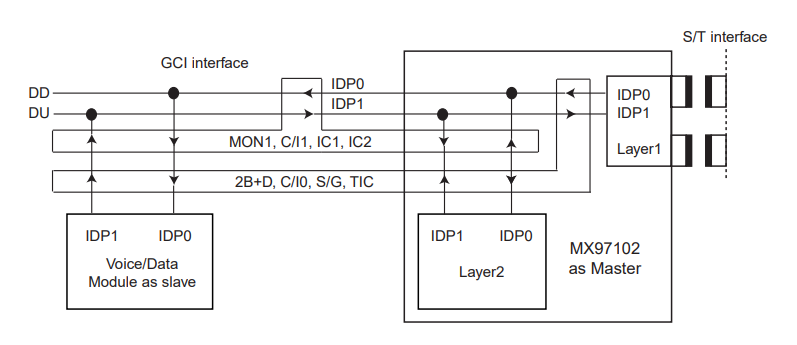
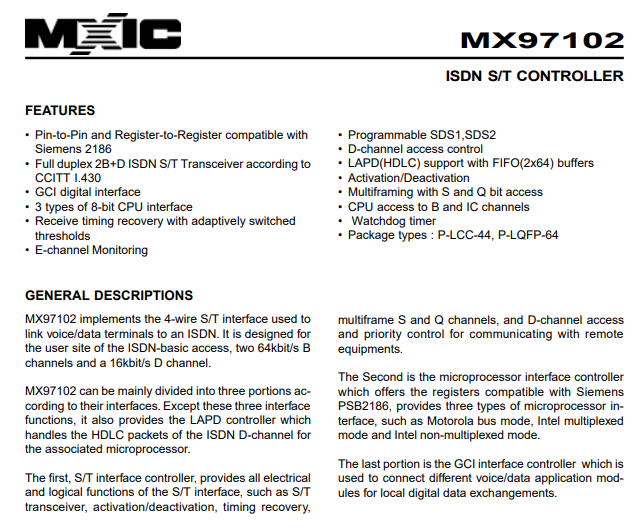
    At the CPLD a separate component is the MX97102QC, which is a specialised S/T line controller from ISDN.
    The inside of an old ISDN/DSL DI-304 router. Recalling the Internet of the 2000s
    The inside of an old ISDN/DSL DI-304 router. Recalling the Internet of the 2000s
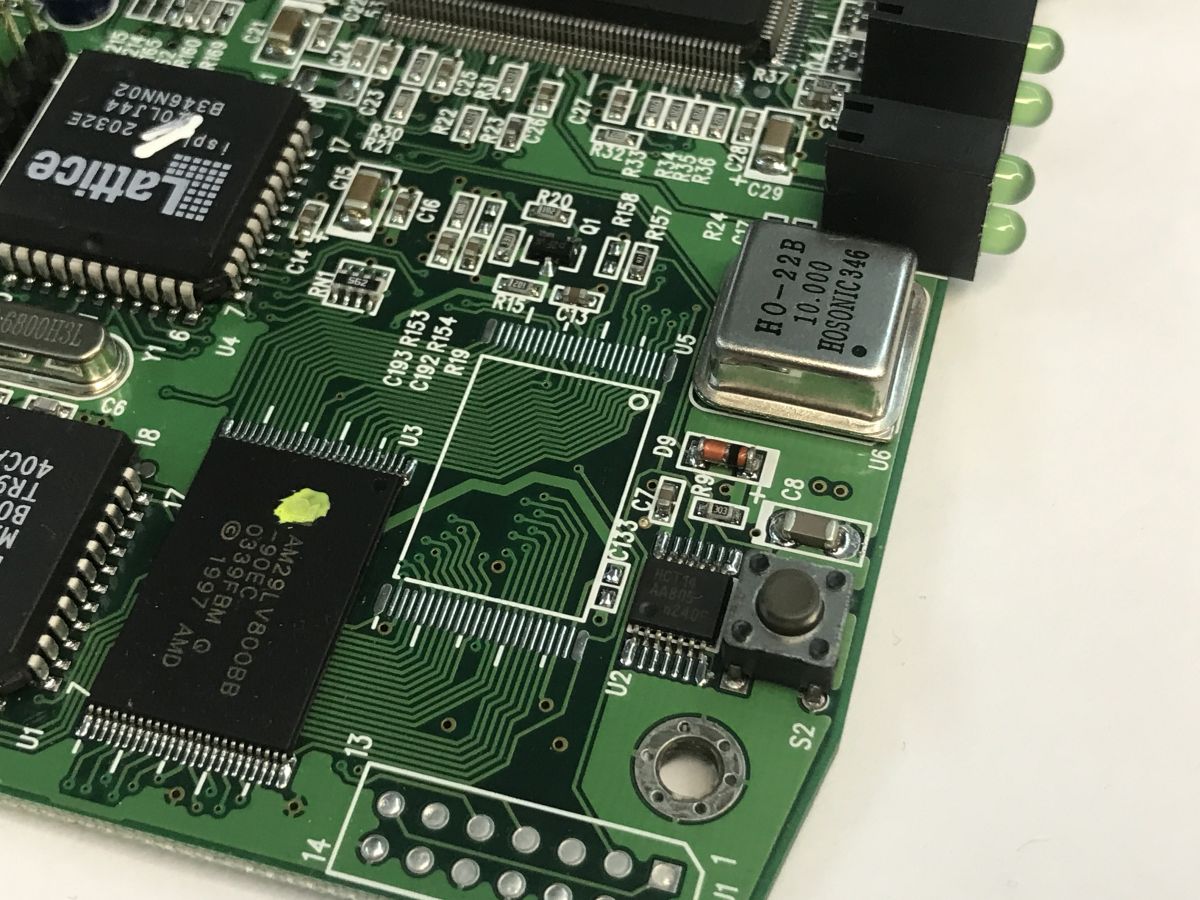
    That leaves the AM29LV2800BB, which is an 8 megabit flash memory (1 M x 8-Bit/512 K x 16-Bit). It's a shame that this is the format, with a parallel interface, because if there had been a serial SPI there, I could have played it through the CH341.
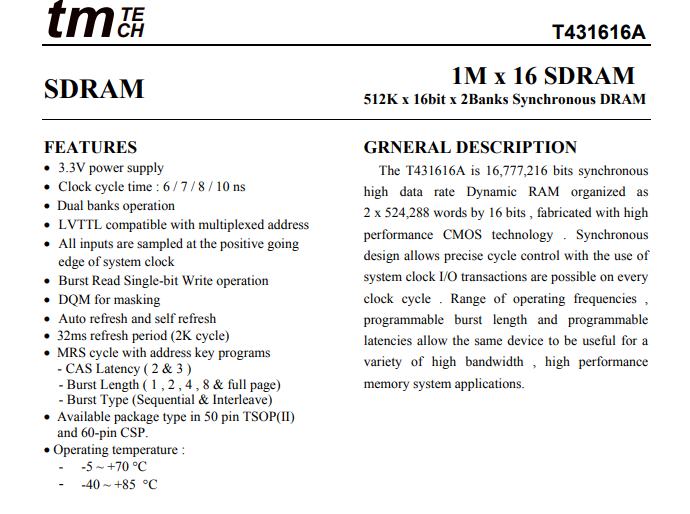
    Next to the main processor, there's the RAM - two copies, T431616A, 16,777,216 bits, a gross 2 megabytes....
    The inside of an old ISDN/DSL DI-304 router. Recalling the Internet of the 2000s
    A button tucked away on the side and an HCT14 chip still caught my eye, but I did not specify their use:
    The inside of an old ISDN/DSL DI-304 router. Recalling the Internet of the 2000s
    That will be about it. Now for an additional gallery:
    The inside of an old ISDN/DSL DI-304 router. Recalling the Internet of the 2000s The inside of an old ISDN/DSL DI-304 router. Recalling the Internet of the 2000s The inside of an old ISDN/DSL DI-304 router. Recalling the Internet of the 2000s
    Manual: https://ftp.dlink.de/di/di-304/documentation/DI-304_man_reva_Manual_en.pdf

    In summary, the router appeared to be based on a 16/32-bit ARM Samsung S3C4510 chip, which acts as the main processor managing network traffic and interfaces. Switching support is provided by a dedicated Kendin KS8995XA switch, which relieves the CPU of Ethernet support. The whole is complemented by an ISDN controller and, surprisingly for me, a Lattice CPLD programmable logic chip. You can clearly see the separate building block approach here, where functions are performed by multiple specialised chips instead of a single SoC. The design is thus heavier and more complex, but also characteristic of the era in which it was created.

    Cool? Ranking DIY
    Helpful post? Buy me a coffee.
    About Author
    p.kaczmarek2
    Moderator Smart Home
    Offline 
    p.kaczmarek2 wrote 14734 posts with rating 12823, helped 659 times. Been with us since 2014 year.
  • ADVERTISEMENT
  • Traffic-triggered dial-up could rack up charges

    #2 21918283
    TechEkspert
    Editor
    Posts: 7289
    Help: 17
    Rate: 5667
    After ISDN BRI (BRA) I associate dial-up connections where charges were billed for the duration of the dial-up connection.
    If the modem of this router set up a connection every time it detected traffic outside the LAN, then on the one hand this was convenient, but on the other hand a large bill could be run up by a computer left switched on overnight that was pinging something, checking for updates or the weather forecast or activity in an instant messenger.
📢 Listen (AI voice):

FAQ

TL;DR: With 2 × 64 kbps ISDN channels and four 100 Mbps Ethernet ports, the DI-304 shows a modular 2000s router design: “separate building blocks” handled routing, switching, ISDN, and logic. This FAQ is for retro-networking and repair readers who want to identify the DI-304’s chips, power risks, and practical limits before restoring or reusing one. [#21917890]

Why it matters: Old network gear can hide non-obvious hazards, especially when an AC adapter uses a standard-looking DC barrel plug.

Design choice DI-304 implementation Practical effect
Ethernet isolation Separate SQ-H48W transformer block More discrete parts and visible signal isolation
Ethernet alternative MagJack with integrated transformer Fewer parts in newer designs
System architecture Multiple specialized chips Heavier, more complex board design
Modern alternative Single SoC-style integration Cheaper and usually more compact

Key insight: The DI-304 is not just an old router; it is a clear example of pre-SoC network design. One ARM chip managed the system, while separate chips handled switching, ISDN, programmable logic, memory, and power conversion.

Quick Facts

  • The DI-304 combines an ISDN router, terminal function, and a 4-port Fast Ethernet switch, so several PCs can share one Internet link while talking locally at up to 100 Mbps. [#21917890]
  • Its external supply is labeled 17 VAC, 700 mA to 1500 mA, even though it uses a common DC barrel jack; that mismatch creates a real risk if someone assumes the plug must be DC. [#21917890]
  • The board uses a Samsung S3C4510B01-QERO ARM7TDMI as the main processor and a Kendin KS8995XA 5-port Layer 2 switch to offload Ethernet switching. [#21917890]
  • Storage and working memory are separate chips: an AM29LV2800BB 8-megabit flash plus two T431616A RAM chips, each marked 16,777,216 bits. [#21917890]
  • The power section uses a KA3843B PWM controller with an IRF640 N-channel MOSFET, showing a discrete internal conversion stage rather than a simple low-voltage DC input design. [#21917890]

1. What hardware is inside the D-Link DI-304 ISDN router, and what does each major chip do?

The DI-304 uses separate chips for routing, switching, ISDN, memory, logic, and power conversion. The Samsung S3C4510B ARM7TDMI is the main CPU, the Kendin KS8995XA handles 5-port Layer 2 switching, the Lattice ispLSI 2032E provides programmable logic, the MX97102QC handles the ISDN S/T line, the AM29LV2800BB stores firmware, and two T431616A chips provide RAM. The power section uses a KA3843B plus an IRF640. [#21917890]

2. Why does the DI-304 use a 17 VAC power supply with a DC barrel jack, and what safety risks does that create?

The DI-304 expects a 17 VAC input because its board contains an internal conversion stage built around a KA3843B PWM controller and an IRF640 MOSFET. The risk is the connector: it uses a standard barrel jack that many people associate with DC. The thread warns that plugging this AC adapter into other barrel-jack equipment can damage hardware that lacks protection against wrong input type or reverse polarity. [#21917890]

3. How can you safely identify whether an old router power adapter outputs AC or DC before plugging it into other equipment?

Check the label first and treat the barrel plug as untrusted until the markings confirm the output type. 1. Read the device sticker for the expected input, such as 17 VAC. 2. Read the adapter label and look for VAC versus a DC marking. 3. Do not connect it to any other barrel-jack device unless both the output type and rating match exactly. That matters here because the DI-304 uses an AC adapter with a classic DC-style plug. [#21917890]

4. What is ISDN BRI/BRA, and how did it work in home or small office Internet connections in the early 2000s?

ISDN BRI/BRA was the small-site form of ISDN used to connect homes and small offices through two 64 kbps channels. “ISDN BRI/BRA is a digital access service that provides two bearer channels for data or voice, with per-connection dialing behavior and small-office use.” In the thread, the DI-304 uses those two channels for Internet sharing, and a commenter links BRI/BRA with dial-up-style billing based on connection duration. [#21918283]

5. How did the DI-304 combine two 64 kbps ISDN channels to reach about 128 kbps, and what was that like in real use?

The DI-304 could use both 64 kbps ISDN channels together, giving a maximum of about 128 kbps. In practice, that let several computers share one connection while still getting much faster local transfers over the four 100 Mbps Ethernet ports. The contrast was sharp: LAN traffic inside the office or home could be far faster than the Internet uplink itself. That made the router useful for sharing access, not for making the ISDN line feel fast by modern standards. [#21917890]

6. What is the Samsung S3C4510B ARM7TDMI chip used for in routers like the DI-304?

The Samsung S3C4510B serves as the DI-304’s main processor. The thread identifies it as a 16/32-bit RISC networking chip based on the ARM7TDMI core with rich peripherals. In this router, it manages network traffic and interfaces, while other dedicated chips handle switching, ISDN, memory, and programmable logic. That split design is a hallmark of older network hardware built from specialized building blocks instead of one SoC. [#21917890]

7. How does the Kendin KS8995XA 5-port Layer 2 switch help the main CPU in the DI-304?

The Kendin KS8995XA offloads Ethernet switching from the main CPU. The thread describes it as a highly integrated 5-port Layer 2 switch with dual MII support and speeds up to 100BaseTX or 100BaseFX. In the DI-304, that means the Samsung ARM processor does not have to handle all port-to-port Ethernet switching directly. This division reduces CPU load and fits the router’s modular architecture. [#21917890]

8. What is a CPLD such as the Lattice ispLSI 2032E, and why would an old router need one?

A CPLD is a programmable logic chip used for glue logic and custom hardware control. “CPLD is programmable logic that implements fixed hardware functions in reconfigurable logic, offering GPIOs, registers, and gate resources for device-specific control.” The thread lists the Lattice ispLSI 2032E with 32 GPIOs, 32 registers, and 1000 PLD gates. In an older router, that kind of chip can coordinate signals and interface logic that newer designs might fold into one SoC. [#21917890]

9. Separate Ethernet transformers vs MagJack connectors: what are the practical differences in router design?

Separate transformers make the Ethernet path more modular, while a MagJack integrates the transformer into the connector. In the DI-304, the Ethernet ports use a separate SQ-H48W transformer block, which provides galvanic isolation and improves resistance to noise and surges on twisted-pair cable. The author notes that newer equipment more often uses MagJacks instead. The practical difference is visible part count and board integration, not a change in the need for isolation itself. [#21917890]

10. How would you dump firmware from a parallel flash chip like the AM29LV2800BB when CH341 tools are mainly used for SPI memories?

You would not use the easy SPI workflow the author expected with a CH341 setup. The thread states the AM29LV2800BB uses a parallel interface and explicitly notes that this is “a shame” because a serial SPI chip would have been simpler to read with CH341 tools. For this router, the limitation is the memory type itself: the flash is 8 megabits, but it is not wired as SPI. That makes firmware extraction less convenient from the start. [#21917890]

11. Why do some DI-304 PCB footprints appear unpopulated, like the missing RS232 connector and transceiver area?

Those empty footprints suggest D-Link reused one PCB design across multiple variants or feature sets. The thread points to the RS232 connector footprint and a likely nearby MAX232-class transceiver position, but the parts are not fitted on this unit. That kind of omission is common in cost-controlled hardware: manufacturers leave optional functions off lower-feature versions while keeping the same base board. Here, the missing serial section is visible evidence of that approach. [#21917890]

12. What role does the MX97102QC ISDN S/T line controller play in an ISDN router?

The MX97102QC handles the router’s ISDN S/T line interface. “An ISDN S/T line controller is a dedicated interface chip that manages signaling and electrical connection between router hardware and the ISDN line side.” In the DI-304, it sits near the CPLD as a separate specialized part, reinforcing the board’s building-block design. That separation lets the main ARM CPU focus on routing and management instead of line-level ISDN handling. [#21917890]

13. How did automatic dial-up on ISDN routers affect phone bills when a PC kept generating background traffic overnight?

Automatic dial-up could quietly increase the bill if a PC kept producing background traffic. A commenter describes the risk clearly: if the router established a connection whenever it saw traffic outside the LAN, then overnight pings, update checks, weather queries, or instant-messenger activity could keep dialing and extend chargeable connection time. The convenience was real, but so was the billing trap for unattended machines. [#21918283]

14. What does the KA3843B plus IRF640 power supply section do inside the DI-304, and how does it convert the 17 VAC input?

The KA3843B and IRF640 form the router’s input inverter and power-conversion stage. The thread identifies the KA3843B as the PWM controller and the IRF640 as the N-channel MOSFET. Together, they show that the DI-304 does not run directly from a simple low-voltage DC feed at the barrel jack. Instead, it accepts 17 VAC and converts that input internally for the rest of the board. [#21917890]

15. If you wanted to restore or repurpose a D-Link DI-304 today, what troubleshooting steps and limitations should you expect from its old hardware?

Expect power checks, missing-feature surprises, and hard limits from early-2000s hardware. Start by confirming the adapter is 17 VAC, not DC. Then inspect for unpopulated options such as the absent RS232 area and identify the main parts: ARM CPU, KS8995XA switch, MX97102QC, flash, and RAM. The main limitations are obvious from the board: ISDN tops out around 128 kbps, the flash is parallel rather than SPI, and the design relies on many separate chips instead of one modern SoC. [#21917890]
AI summary based on the discussion. May contain errors.
ADVERTISEMENT