



logo elektroda
logo elektroda
X
logo elektroda

A giant screen from days gone by – the interior of a 29-inch Sony Trinitron KV-29X5K CRT television

p.kaczmarek2 2991 56

TL;DR

  • A 29-inch Sony Trinitron KV-29X5K CRT television is opened and photographed inside, showing its layout, tube, boards, speakers, and service documentation.
  • The set uses a Super Trinitron tube with 110-degree deflection, a separate standby converter, a STR-F6654 main supply, and a 2SD2539 horizontal output transistor.
  • Rear and front connectivity includes two SCART sockets, RGB, S-Video, composite input, RCA audio, and a headphone jack, alongside 2×20 W speakers.
  • The service manual exposes exploded views, circuit schematics, pinouts, waveforms, and voltage points, making repair-oriented disassembly much easier than modern TV documentation.
AI summary based on the discussion. May contain errors.
ADVERTISEMENT
Treść została przetłumaczona polish » english Zobacz oryginalną wersję tematu
📢 Listen (AI voice):
  • Schneider LasVegas 70 had Digit 2000 tuners

    #31 21939435
    kotbury
    Gantry automation specialist
    Posts: 9588
    Help: 2100
    Rate: 3628
    Towards the end of the CRT era, I used a Schneider LasVegas 70 TV. It was one of the very few to feature Digit 2000 digital tuners.
    A 30W subwoofer in the cabinet, stereo tweeters in the feet, and best of all – a remote control with an encoder and a knob.
    The 32-inch picture tube was slightly inferior to that of Trinitron models – a fairly standard Thomson with a standard delta mask, except that it was black and fitted with filters.
    It was a pleasure to watch until the audio decoder chip failed (due to a power surge after a storm) – the Secam chassis version was impossible to get hold of. It sat with an electronics technician until he passed away, and everything, including my Schneider, ended up as electronic waste. I might even have shed a tear, but it was replaced by a Sharp Aquos Full HD, and that marked the end of the CRT era for me.
  • ADVERTISEMENT
  • #32 21939468
    1maniekx1
    Level 16  
    Posts: 164
    Help: 15
    Rate: 46
    My slightly smaller Sharp 21HS-50C lasted 25 years without any faults until last month :) (the original remote stopped working – I was using a universal one).
    These 29-inch Trinitron TVs do consume quite a lot of power.
  • CRT flicker and refresh rate affect eye strain

    #33 21939471
    kris8888
    Level 41  
    Posts: 7049
    Help: 536
    Rate: 1927
    rosomak19 wrote:
    I used to have a 17" CRT monitor with a flat picture tube on my computer; it’s a good thing technology has moved on, because, unfortunately, spending a few hours in front of a CRT really strained my eyes. These days, I use an LCD TV as my monitor and can stare at it for over a dozen hours without feeling tired or experiencing any eye strain.

    My last Sony Trinitron TV already had a 100Hz refresh rate, which meant that not only was the picture very stable and there was no visible flickering, but it also didn’t strain my eyes as much during prolonged viewing. It even had a VGA input and could be used as a monitor.

    Top-of-the-range CRT computer monitors had a refresh rate of 120Hz, and there were even some that reached 240Hz. Of course, if someone had set the refresh rate incorrectly on their graphics card, they’d still only get 60Hz or 85Hz, even though the monitor and card were capable of more, which could strain the eyes.

    In fact, it was only the potential effect of screen flicker that meant CRTs could be more tiring on the eyes than LCDs, because with both CRTs and LCDs you’re staring at an artificial light source for many hours, which is something very unnatural and harmful to the human eye. Over the course of years of evolution, the human eye has adapted primarily to observing light reflected from objects – and, ideally, mainly sunlight.
    That is why, for example, it is much more pleasant and less tiring to watch an image projected onto a wall (screen) at home or at the cinema. This is because it is reflected light, rather than a direct light source such as a CRT, LED or CFL.
  • LCD upscaling limits make CRT effects hard to emulate

    #34 21939569
    andrzejlisek
    Level 32  
    Posts: 3646
    Help: 82
    Rate: 712
    Karaczan wrote:
    As for games, particularly those from the 8- and 16-bit eras, it could be said that CRT monitors provided both dithering and anti-aliasing in one, at a hardware level.
    It is practically impossible to emulate this effect correctly on an LCD screen using any sensible techniques.
    The same applies to the light gun; here, the trick lay in the way the CRT refreshed the image.


    In my opinion, the problem is slightly different. There has never been an LCD or even a plasma TV with a resolution of 720x576 or, for example, 1440x1152, so whatever SD signal I fed in, it was always subject to imperfect upscaling, and that always spoils the picture, particularly a ‘computer-generated’ image from a console or an 8-bit computer.

    The best possible picture on an LCD, plasma, OLED or other screen when connected to an SDTV console is achievable, but certainly not with a genuine old console. This can only be done using an emulator on a computer, and only in two scenarios:
    1. The game’s image is exactly a multiple of the original resolution. If the NES had a resolution of 256x240, then, for example, on an FHD screen the image could be 1536x960, and whilst maintaining the aspect ratio, it would be 1024x960
    2. The TV’s resolution is many times greater than the console’s resolution. In this case, the image can be freely stretched, but with the ‘nearest neighbour’ algorithm, some pixels will be stretched to three pixels, and some to four. And the higher the TV’s resolution, the less noticeable these differences will be, particularly on a 4K screen.

    I’ve tested both scenarios and the image is ‘as sharp as a razor’, with clear pixels. It isn’t blurred or distorted by any filters. Of course, the guns won’t work; emulators simulate a gun using the mouse or other methods.
  • #35 21939728
    Sam Sung
    Level 33  
    Posts: 2023
    Help: 227
    Rate: 602
    Karaczan wrote:
    It is virtually impossible to emulate this effect correctly on an LCD screen using any reasonable techniques.
    However, there have been attempts – and rather advanced ones at that – for example in the RetroArch project: https://docs.libretro.com/shader/crt/

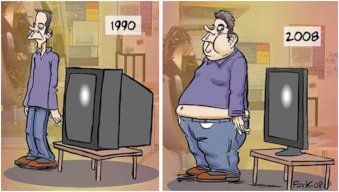
    Two-panel cartoon: man next to a CRT TV labeled 1990 and next to a flat-screen labeled 2008
  • CRT pixels were softened for a more pleasing image

    #36 21939922
    Karaczan
    Level 42  
    Posts: 6743
    Help: 868
    Rate: 1125
    andrzejlisek wrote:
    I’ve tested both scenarios and the image is ‘as sharp as a razor’, with clear pixels. It isn’t blurred or distorted by any filters. Of course, the guns won’t work; emulators simulate a gun using the mouse or some other method.


    And that’s exactly what I’m talking about – that razor-sharp image, with individual pixels clearly visible.
    Or perhaps that’s not the point at all…
    The ‘blending’ of these dots made the graphics more pleasing to the eye. To achieve this, techniques were used – something along the lines of ClearType font rendering, for example. And today you see ‘hard’ pixels.
    The shortcomings of those displays were turned into advantages.

    Personally, I don’t like the look of razor-sharp pixels on LCD/OLED screens in old games.


    On a different note…
    Could you tell just by listening that a CRT TV was switched on in the room?
    That strange sound – not everyone could hear it
  • ADVERTISEMENT
  • #37 21939982
    James596
    Level 30  
    Posts: 1873
    Help: 140
    Rate: 574
    Yes, 15,625 Hz. It was immediately clear that the TV was on, whilst my parents couldn’t hear it.
  • #38 21940020
    carrot
    Moderator of Cars
    Posts: 8480
    Help: 1314
    Rate: 3598
    You could hear the whirring of the horizontal deflection coils – a sound just on the verge of being audible
  • LCD TV causes no eye strain at 60 Hz

    #39 21940114
    rosomak19
    Level 23  
    Posts: 1090
    Help: 2
    Rate: 399
    kris8888 wrote:
    Top-of-the-range CRT computer monitors had a refresh rate of 120Hz, and there were even some that reached 240Hz. Of course, if someone had set the refresh rate incorrectly on their graphics card, they’d still only get 60Hz or 85Hz, even though the monitor and card were capable of more, which could strain the eyes.

    That’s not the case, because at the moment I also have a 60Hz refresh rate from my graphics card on my LCD TV, and I can tell you, it doesn’t strain my eyes at all. Perhaps Toshiba has used a particularly good LED panel. By the way, this TV has been running for so many years, often for over a dozen hours at a time, and I’ve had no problems with it so far.
  • #40 21940152
    sq3evp
    Level 39  
    Posts: 6665
    Help: 224
    Rate: 897
    James596 wrote:
    Yes, 15,625 Hz. It was immediately clear that the TV was on, whilst my parents couldn’t hear it.

    Yes, as we get older, our hearing loses sensitivity, particularly to high frequencies.
  • CRT flicker comes from full-frame blanking, not LCD refresh

    #41 21940229
    kris8888
    Level 41  
    Posts: 7049
    Help: 536
    Rate: 1927
    rosomak19 wrote:
    That’s not it, because at the moment, my LCD TV also has a 60Hz refresh rate

    Yes, but you’re misunderstanding something here. In an LCD, the refresh rate relates only to a possible cyclical change in the polarisation angle by a group of LCD pixels (implying a change to all pixels and even the entire displayed image), whilst the LCD panel’s backlight itself operates at a constant level at all times.

    In CRT displays, the refresh cycle involved extinguishing all the lines currently displayed on the cathode-ray tube’s phosphor and then reigniting them. The electron beam is completely switched off whilst travelling from the bottom to the top of the screen. Even lines and odd lines are alternately extinguished and drawn; nevertheless, this involves the cyclical, complete extinction of the entire image for a very brief moment. And it is precisely this that is perceived as the image flickering.

    This does not happen with LCDs. Even if you had a refresh rate of 10 Hz, there would be no flickering of the LCD image.
  • #42 21940321
    carrot
    Moderator of Cars
    Posts: 8480
    Help: 1314
    Rate: 3598
    Simply wave your hand in front of a CRT or LCD screen; with a CRT, you’ll see a stroboscopic effect. Furthermore, older LCD monitors had a rather slow-responding display panel, so even setting the refresh rate to 60Hz on the graphics card did not cause any flickering.
  • LCD refresh rate affects pixel polarization, not backlight

    #43 21940492
    rosomak19
    Level 23  
    Posts: 1090
    Help: 2
    Rate: 399
    kris8888 wrote:
    Yes, but you’re getting one thing wrong here. In an LCD, the refresh rate only relates to a possible cyclical change in the polarisation angle by a group of LCD pixels (which implies a change to all pixels and even the entire displayed image), whilst the LCD panel’s backlight itself operates at a constant level at all times.

    Yes, you’re right, thanks for the explanation. By the way, there’s a cool video on YouTube showing in slow motion how an image is formed on a CRT.
  • #44 21941248
    bosman
    Level 17  
    Posts: 179
    Help: 11
    Rate: 34
    My 29, which I bought together with the 25 in Antwerp in ’86, had a third bass ‘speaker’ mounted on the back. I think they were the KV-2985 and KV-2586.I think I paid just over 600 for the 29, and 400-something for the 25. A Sony 8mm camera cost about 700 in the duty-free shop.
  • Question about safely discharging CRT high voltage for repair

    #45 21941911
    ken-wawa
    Level 12  
    Posts: 930
    Help: 1
    Rate: 140
    What a lovely telly! And such a detailed description! A huge thank you for this post! :) ))

    My childhood dream was to build a TV from scratch. Although maybe… it’s just as well I didn’t, given those high voltages and accelerators… :P But how come – surely a talented ten-year-old like me would have managed it!? What do you mean?! Who else but me?! :P I remember collecting magazines with circuit diagrams, pestering company service departments for TV schematics (some sent them, whilst others probably assumed that some adult pretending to be a kid was trying to get something out of them and refused :P ). I also bought parts that were ultimately intended to be used to build my dream TV. Oh, those were the days…

    And at one point, my wonderful Mum bought a Trinitron like that for an exorbitant price at Pewex. But it was a simpler model, with just an aerial socket, so it wasn’t really suitable for connecting 8-bit computers... (no other sockets). I think it also had a smaller picture tube, but I can’t quite remember exactly. I seem to recall it was 20 inches. Unfortunately, it broke down quite regularly, until finally a repair shop took it in for about two weeks, I think, and it turned out there was probably an integrated circuit in there that wasn’t working properly, which meant that something else kept ‘firing up’ every now and then. Once they’d got to the root of the problems, the telly became reliable. Later, in a bit of a ‘clear-out’ of ‘old junk’, I sold it for next to nothing. It’s a shame… :( It’d be nice to have a CRT telly, but these days I’d probably just ‘cuddle’ something small... :P But having a Trinitron back then was something else! It was like a badge of nobility! Ha, ha! :P

    By the way, has anyone seen a detailed description anywhere of how to prepare these CRTs for repair once you’ve opened the casing? I mean, how to discharge those high voltages so you can then safely tinker with the innards? :P
  • ADVERTISEMENT
  • CRT discharge procedure using grounded multimeter lead

    #46 21942044
    carrot
    Moderator of Cars
    Posts: 8480
    Help: 1314
    Rate: 3598
    ken-wawa wrote:
    My childhood dream was to build a television set from scratch. Although perhaps… it’s just as well I didn’t, given those high voltages that accelerate…

    Back when I was at technical college, I used to assemble ‘Helios’ sets to sell; the hardest parts to get hold of were the casing and the picture tube, whilst the rest of the components were readily available, either from the second-hand market or from Bomis. Of course, after buying them, I had to repair some of them or replace missing components. I also used to assemble small, portable ‘Neptune 150’ models – black-and-white ones, or green ones to use as computer monitors.
    ken-wawa wrote:
    By the way, has anyone come across a detailed description of how to prepare these CRTs for repair once the casing has been opened? I’m talking about discharging those high voltages

    Take the cable from the multimeter; attach the end that plugs into the multimeter to the external braided earth shield (the graphite coating of the picture tube) using a crocodile clip, and slide the test probe under the cap of the high-voltage connector, the anode of the cathode-ray tube; you will hear a discharge, wait a moment and repeat the procedure
  • Cable TV stereo failed without NICAM or A2 support

    #47 21942208
    kaem
    Level 29  
    Posts: 2617
    Help: 66
    Rate: 295
    Pan.Kropa wrote:
    >>21938465 And there, Nicam worked perfectly via the terrestrial aerial.

    The problem was that my Daewoo didn’t have Nicam at all, nor did it have any 6.25 MHz filters. The result: no stereo at all (from cable TV). And once I’d added A2 stereo using a Rymi converter, it turned out there was interference from the Nicam carrier. My ‘problem’ was the lack of stereo on a TV that was theoretically capable of stereo, receiving a cable signal that was theoretically broadcasting in stereo (and in two systems: Nicam and A2). The TV wouldn’t accept either of these systems.
  • #48 21942310
    Pan.Kropa
    Level 35  
    Posts: 4130
    Help: 252
    Rate: 1173
    Oh, right. Sorry. I don’t know where I got the idea that your TV had a problem with Nicam reception.
  • Sony TV speakers offer high efficiency and durable 10W rating

    #49 21943388
    398216 Usunięty
    Level 43  
    Posts: 34301
    Help: 3925
    Rate: 9435
    p.kaczmarek2 wrote:
    and the speakers are also housed in enclosures designed to improve their acoustic performance.

    It might seem that a single speaker – especially one with a rectangular diaphragm in a plastic enclosure with a hole in it – is nothing more than a gimmick. That’s right, it might seem that way... - I thought so too, until, for want of anything better to hand, I connected a couple of these little speakers to the amplifier I was repairing... Then I searched through the whole warehouse and, from the Sony TVs that were sitting there waiting for possible ‘part recovery’, I removed all the ones I could find (in several Sony TV models, they used exactly the same little speakers with the same drivers). I’d used them (the speakers themselves, that is) quite a while ago for a DIY sound system I was building for a friend who needed something for his classes. He was pleased because, despite the relatively low power output (eight such speakers in a single enclosure plus a 60W amplifier), the speaker was able to provide solid sound coverage for a room of about 40 people, whilst practically never operating at full power.
    What can be said about these speakers? Firstly, they were manufactured at a time when, if the manufacturer wrote ‘10W’ (which is the power of a single speaker), that’s actually what it delivers, and it can operate at that power for years (in fact, the TVs they came from were fitted with amplifiers that drove them) without any issues such as loss of suspension stiffness or damage to the diaphragm itself. On top of that, they have really high efficiency – I had no way of measuring it, nor could I find any relevant specifications anywhere (at Sony they were listed only by part number), but from what I could compare with other speakers of known efficiency, they had at least 90–92 dB. Admittedly, the frequency response wasn’t particularly impressive (the bass started at around 70 Hz – which, for a speaker of that size, wasn’t a bad result at all – of course, I’m talking about the ‘bare’ speaker – without an enclosure; in a dedicated ‘TV’ cabinet it certainly went lower – down to around 60 Hz for sure) and the treble extended reasonably well up to around 14–15 kHz – admittedly with an audible (albeit slight) roll-off, but still. All in all, it was simply a solid full-range speaker with decent specifications. One could compare it to the Tonsil GD31/21/5, except that this SONY model had twice the power, whilst having a diaphragm area almost a third the size. Of course, they were produced in different eras (this Sony model was at least 15 years newer), but if Tonsil had been able to continue focusing on its own designs rather than buying licences from (I’m sure many will curse me now) a manufacturer little known on the market (as far as loudspeaker manufacturing is concerned), it might still be producing its own loudspeakers and selling them to others today... But that’s just a digression on my part.
  • Sony tvs used good built-in speakers

    #50 21943545
    James596
    Level 30  
    Posts: 1873
    Help: 140
    Rate: 574
    But are you talking about that rectangular speaker visible in the TV shown in the title, or the round full-range speakers also fitted into Sony TV cabinets?

    Sony usually provided decent sound in its TVs. Even simple mono models with a single small elliptical speaker were capable of producing a fairly loud and clear sound. The KV-A29** and KV-A25** models sounded best – inside were two large built-in ‘speakers’ featuring 13 cm British Goodmans full-range drivers. Although I do know of an exception – I once had an older model, the KV-X2521D, which had 7x13 cm elliptical speakers inside; without the enclosures, they sounded loud but a bit ‘thin’ in terms of bass.
  • #51 21943637
    398216 Usunięty
    Level 43  
    Posts: 34301
    Help: 3925
    Rate: 9435
    As per the quoted excerpt about the loudspeaker from the thread.
  • Sony used multiple external speaker designs

    #52 21943648
    kazikszach
    Level 39  
    Posts: 4019
    Help: 513
    Rate: 1101
    Various companies used their own designs.
    I had speakers taken from some German designs, dating back to the era of wooden cabinets; the bass driver was enclosed in a cabinet with a bass-reflex port positioned on the side, with the port of this speaker at the front, and above it an elliptical mid-range driver and, higher up still, a tweeter.
    Sony also used external speakers; there were versions that were bolted to the side, as well as ones where the TV stood on top of the speakers.
  • #53 21943972
    DJ_KLIMA
    Level 25  
    Posts: 665
    Help: 67
    Rate: 222
    I liked the quality (Sony Trinitron) of these TVs and monitors, but I hated repairing them :)
  • Built-in subwoofer and angled speakers in Schneider Las Vegas 70

    #54 21944061
    kotbury
    Gantry automation specialist
    Posts: 9588
    Help: 2100
    Rate: 3628
    I’ll just add, regarding the speakers, that the Schneider Las Vegas 70 I mentioned earlier had a sound system with a subwoofer. In fact, the subwoofer enclosure (40x40x40cm, 30W) was built into the centre of the structure; all the electronics were mounted on it, the speaker ‘faced’ downwards and the audio output was routed to the rear. The midrange/tweeter units were built into the massive ‘legs’ and were angled slightly outwards. The TV was advertised in brochures as having Hi-Fi sound. It actually sounded quite good – ah, the good old days…
  • #55 21944096
    James596
    Level 30  
    Posts: 1873
    Help: 140
    Rate: 574
    kazikszach wrote:
    Sony also used external speakers; there were versions where they were bolted onto the side, as well as models where the TV stood on top of the speakers.


    Kiepski had ones like that. :D
  • ADVERTISEMENT
  • #56 21944140
    kazikszach
    Level 39  
    Posts: 4019
    Help: 513
    Rate: 1101
    James596 wrote:
    kazikszach wrote:
    Sony also used external speakers; there were versions where they were bolted onto the side, as well as ones where the TV stood on the speakers.


    Kiepski had models like that. :D

    I can confirm that.
    There were Grundig TVs with Hi-Fi sound, where you could switch off the video signal and dim the screen, turning it into nothing more than an amplifier.
  • TDA failure in green circuit repaired

    #57 21944466
    DJ_Opornik
    Level 21  
    Posts: 735
    Help: 33
    Rate: 77
    My CRT TV at home is a Grundig SE7287 (29-inch), which I used right up until around the time of the first Covid outbreak (late 2019). It had a lovely picture that even the most expensive LCDs can only come close to.

    Of course, around the start of the second decade of the 21st century, it once lay on its side on a blanket and there was a bit of a show with the filament and the capacitor blowing. I had to do it because the TDA in the green circuit had failed; the multimeter was already showing a short circuit. I managed it. It kept going right to the end, before being replaced by a Panasonic plasma TV because the DVB-T tuner had broken down.
📢 Listen (AI voice):
ADVERTISEMENT