logo elektroda
logo elektroda
X
logo elektroda

DIY 3D printer - CoreXY from plywood

Mrxnnx  20 7935 Cool? (+12)
📢 Listen (AI):

TL;DR

  • DIY CoreXY 3D printer with a plywood chassis and enclosure, built from home-sourced parts and printed components.
  • The frame uses 33mm and 18mm plywood, laser-marked in Inventor for instant assembly, with PETG/PLA printed mounts, 8mm rollers on LM8UU, and a T8-screw bed.
  • The build cost about 200zl with parts already on hand, while a full Chinese-parts estimate reaches about 550zl.
  • Test prints ran from 45mm/s to 120mm/s, with 30mm/s first layers and 45mm/s outer walls, and print quality was satisfactory.
  • Marlin 1.1.9 setup is still being tuned, and the extruder currently feeds too much filament despite proper calibration.
Generated by the language model.
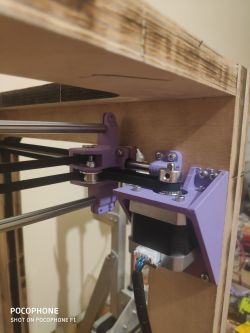
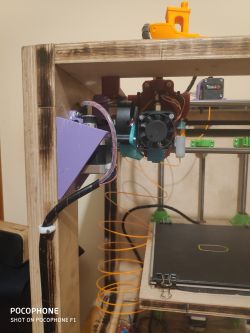
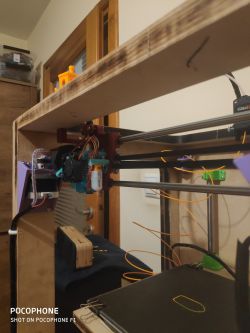
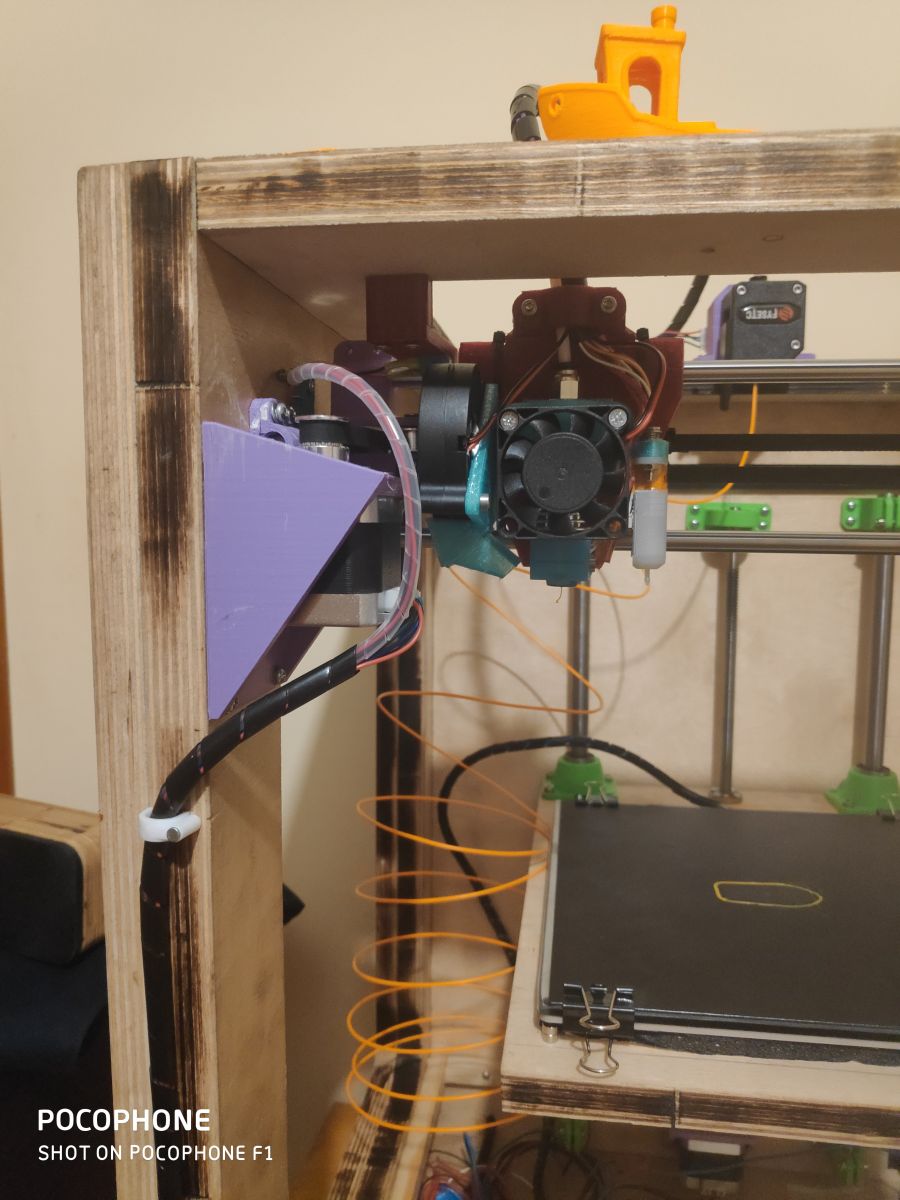
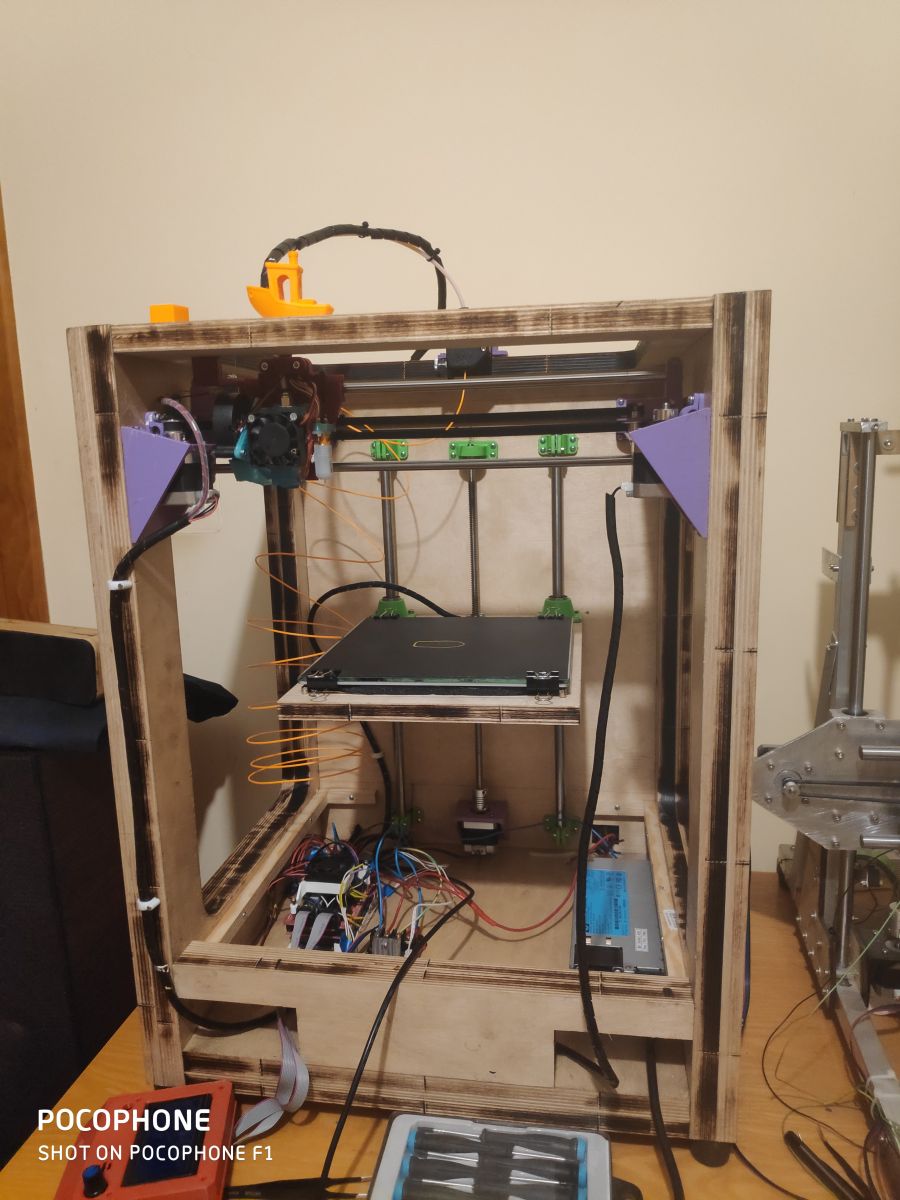
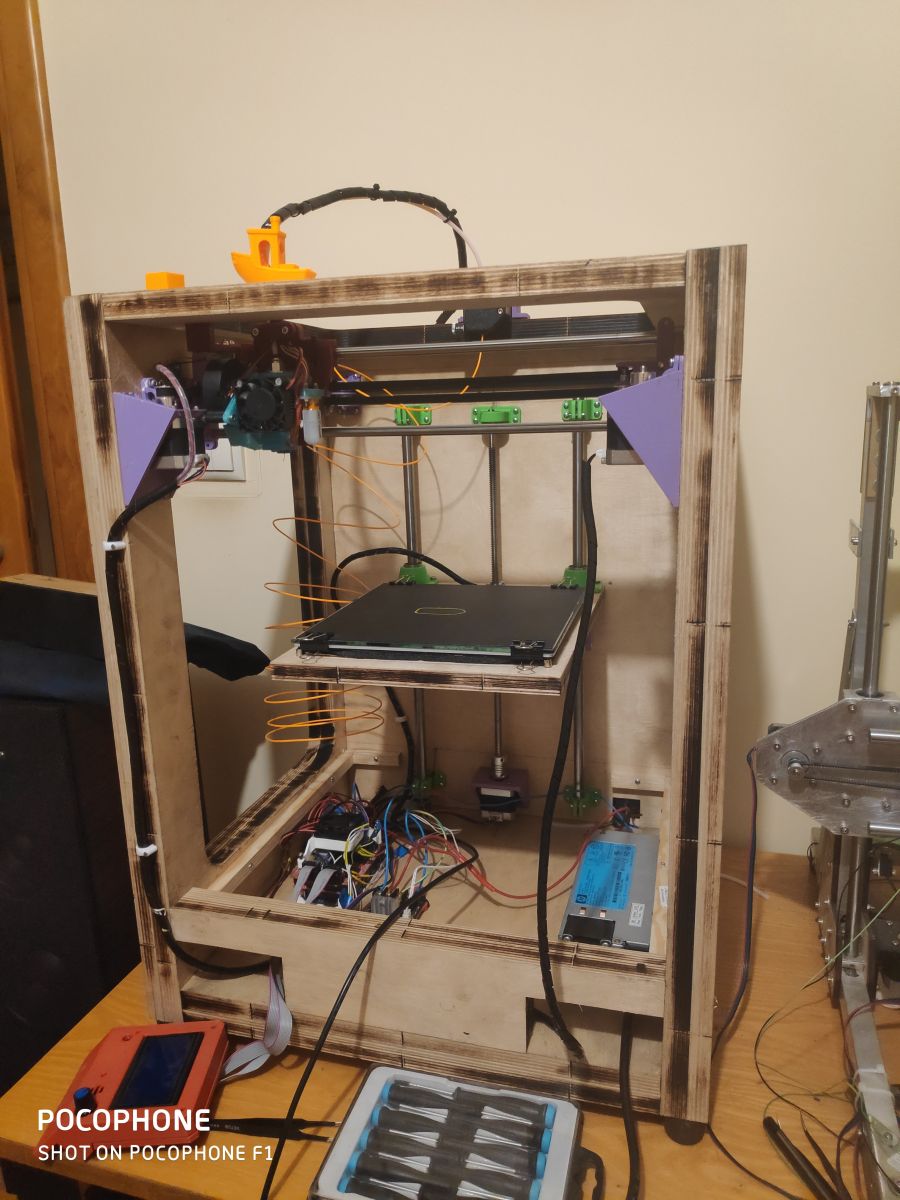
Howdy! I present to you another 3D printer project that I made at home at little cost, as I had most of the components at home. This time the CoreXY

My first printer: Link

By using printed components, the cost of the printer is definitely reduced.

The example I have built now is still in the process of configuration and customisation of the software settings (currently Marlin 1.1.9)
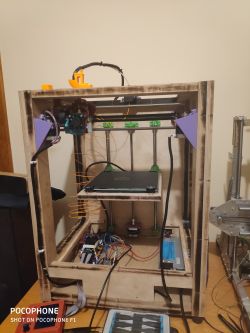


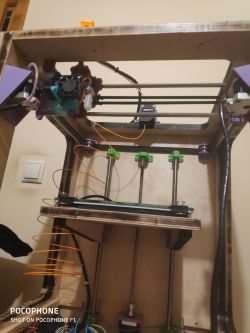
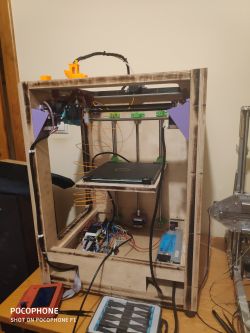
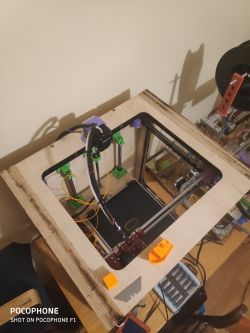
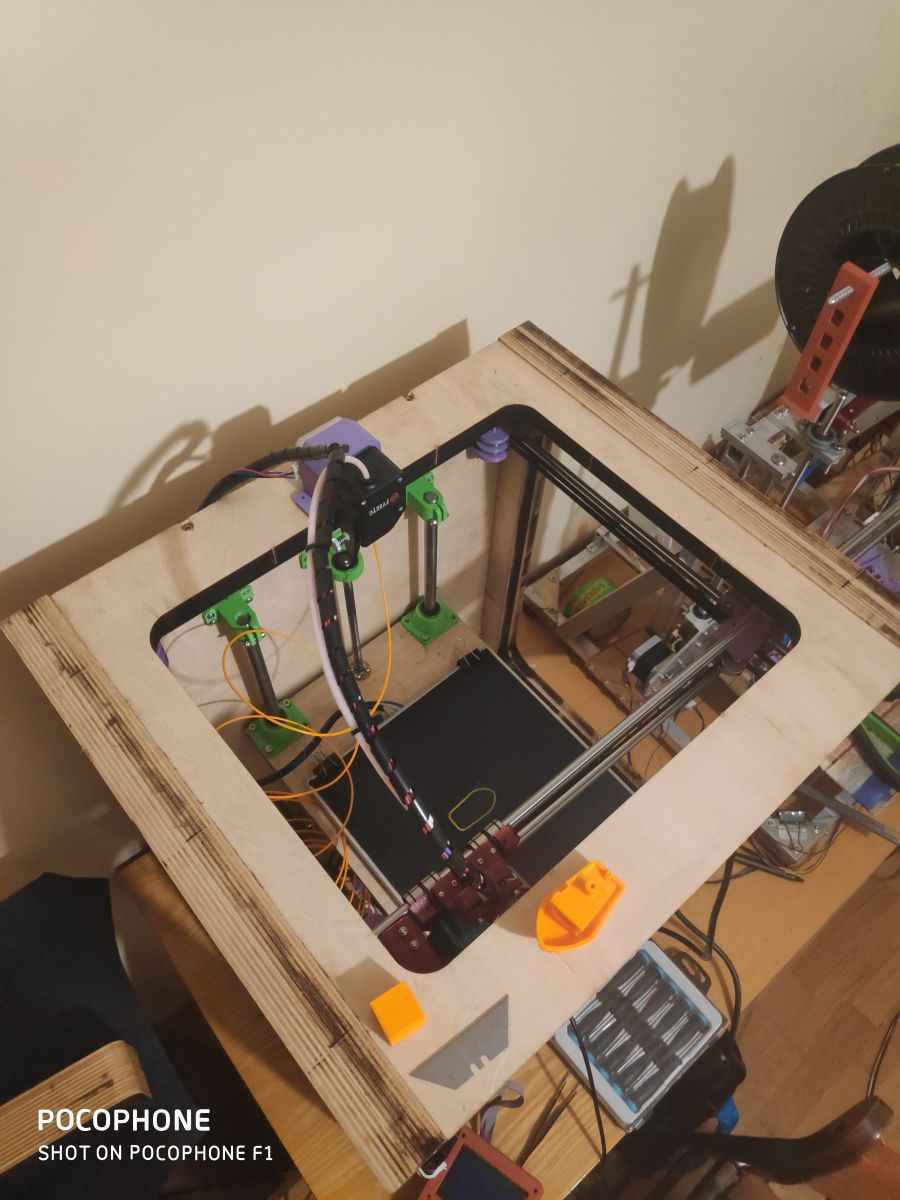
Housing made from 33mm (18+15mm plywood) and 18mm plywood. The enclosure was drawn in Autocad Inventor and burned on a laser I have access to for free (I don't count the price of the plywood or the laser work towards the construction costs). The case panels are screwed together with screws. The weight of the printer is about 15kg, fortunately I don't have to carry it anywhere.

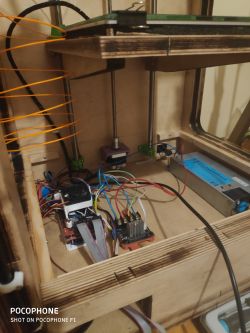
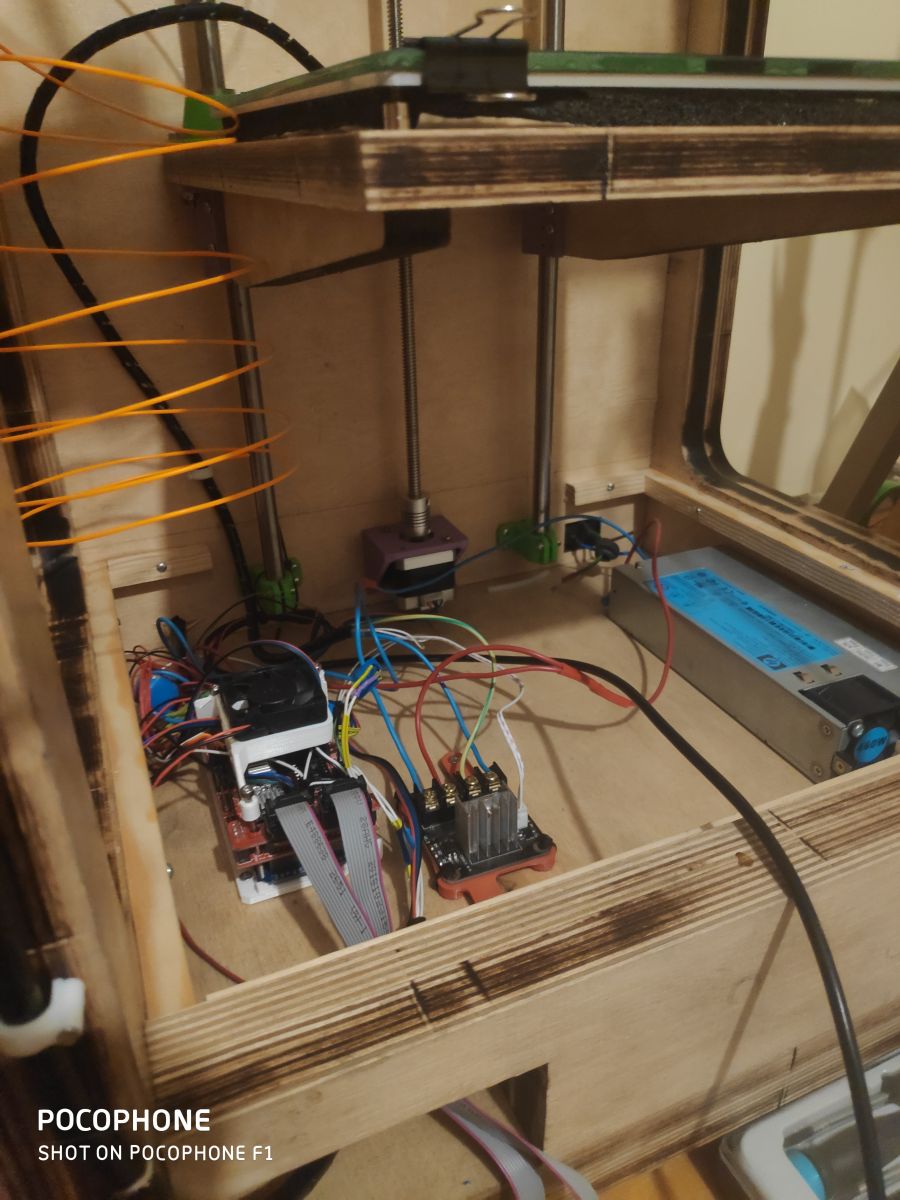
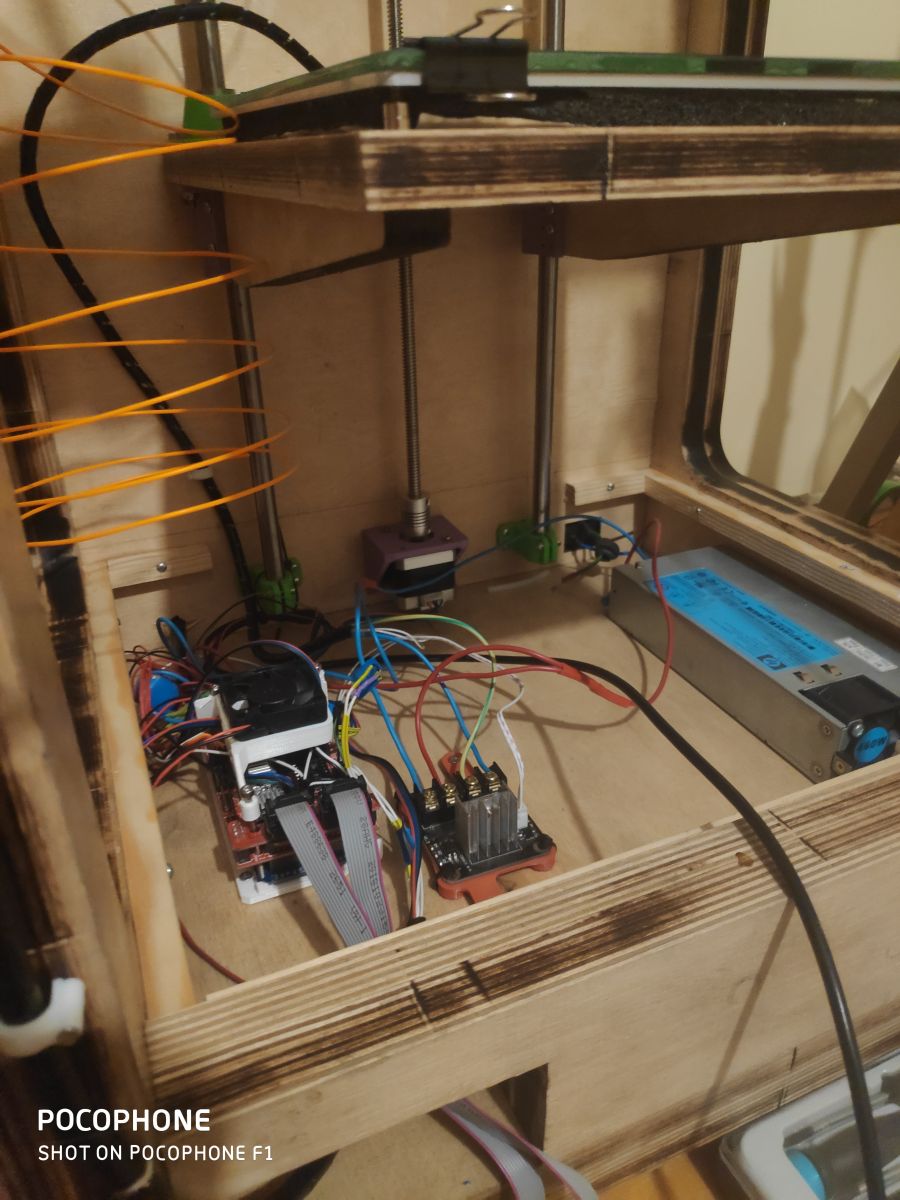
Electronics at the moment are Arduino Mega2560 + Ramps 1.4 + DRV8825, server power supply (12v 40A) from my dad at work :) ))
Ultimately I am changing the electronics to a Duet 2 WiFi which is already waiting to be fitted.
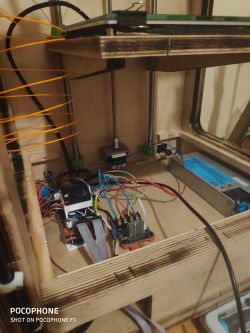
)

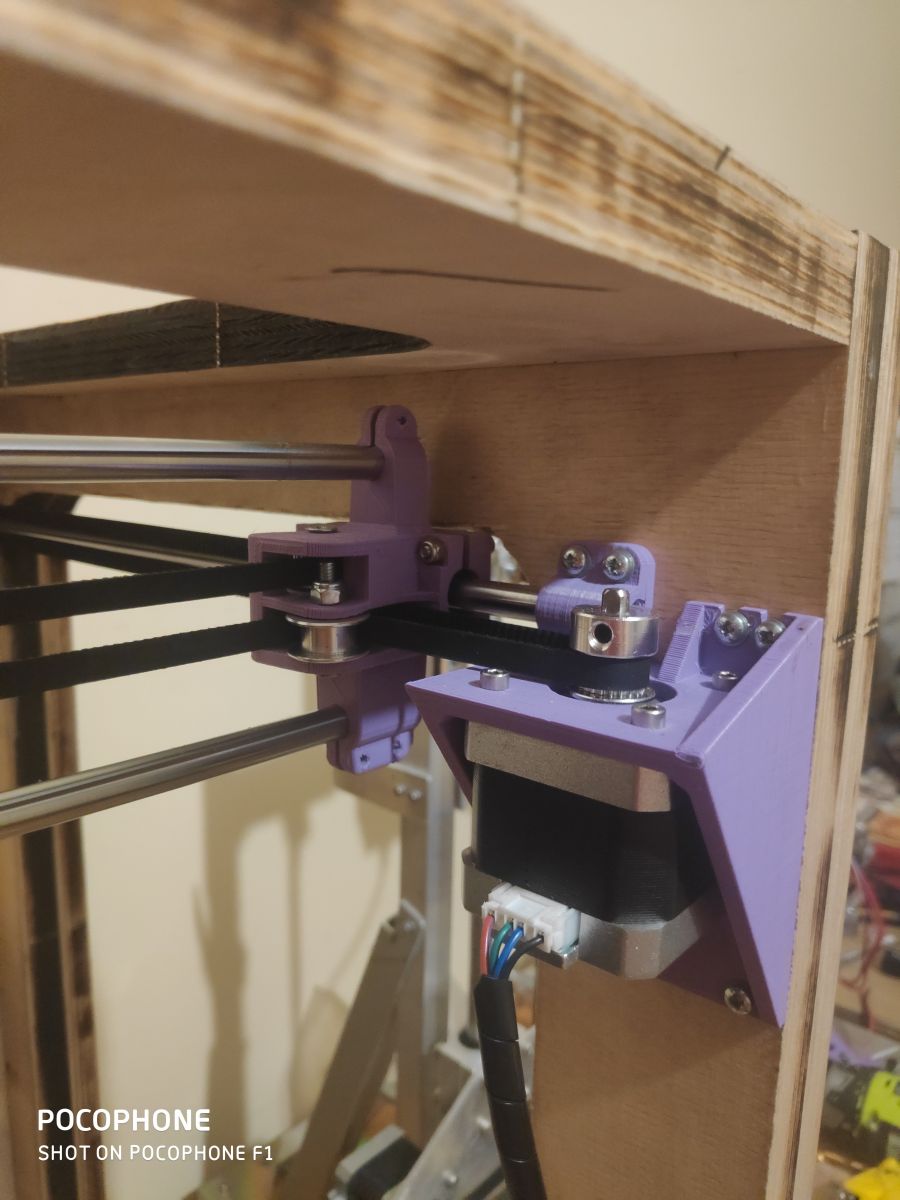
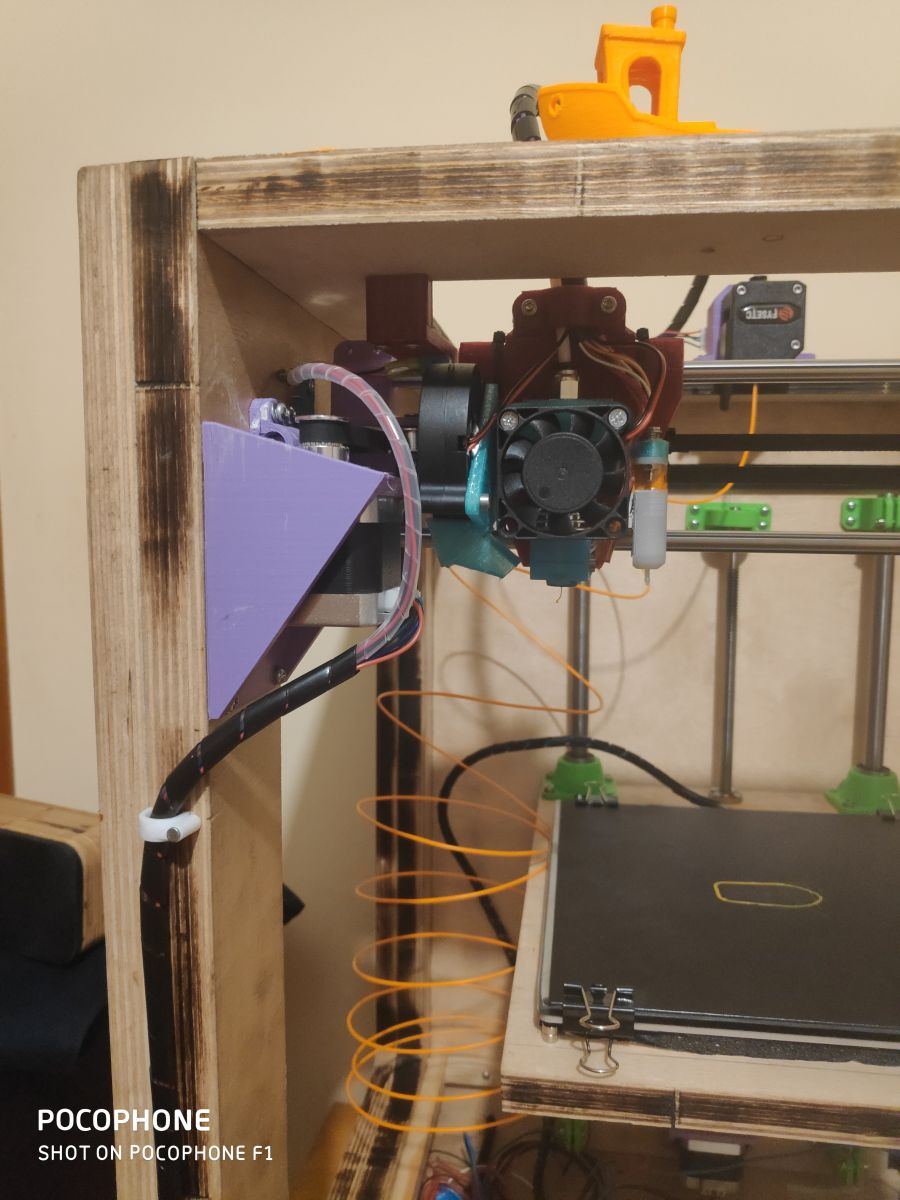
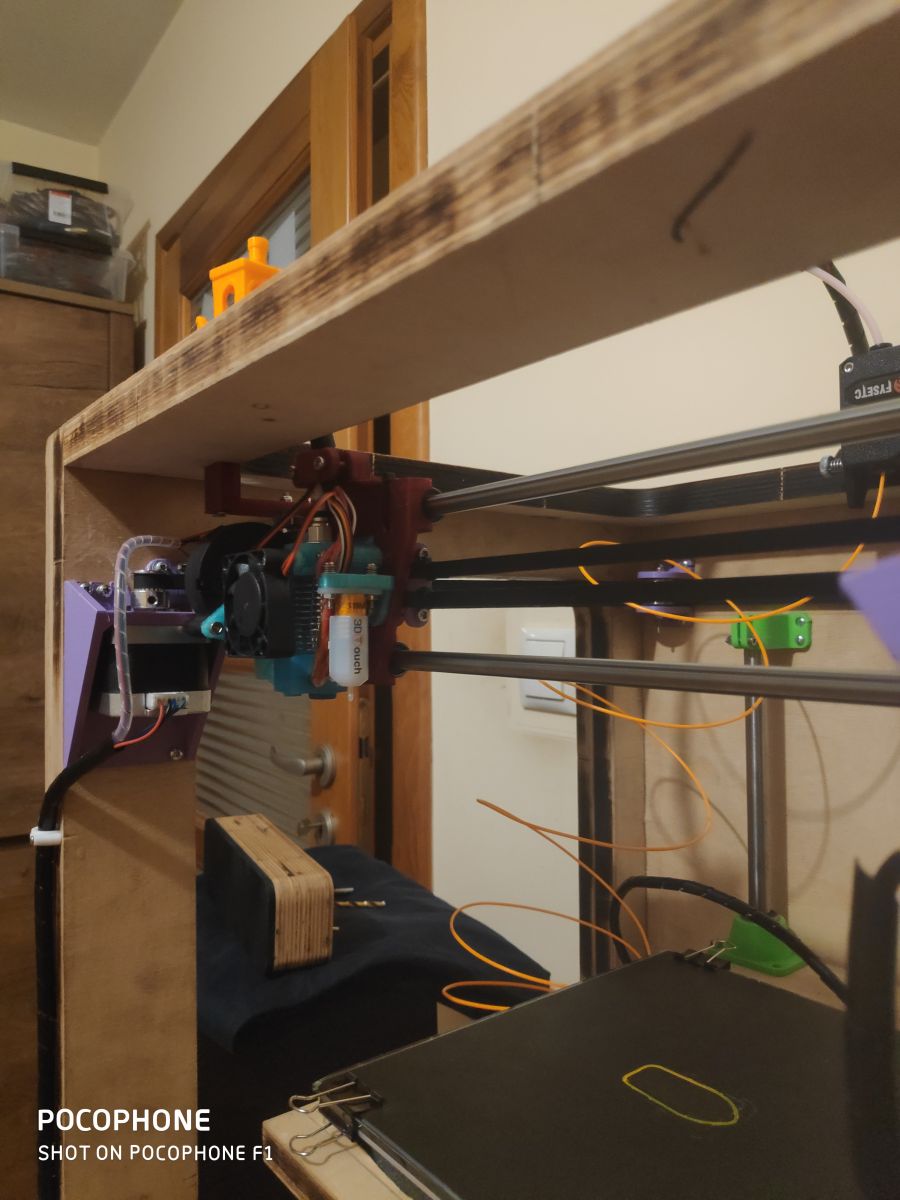
Engines are the usual nema 17 (200kph per revolution), head is an e3d V6 clone, extruder is a bondtech clone from fystec, BLTouch from Trianglelab (the auto-leveling thing is wonderful)
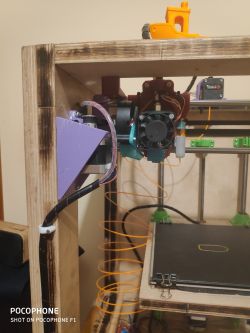


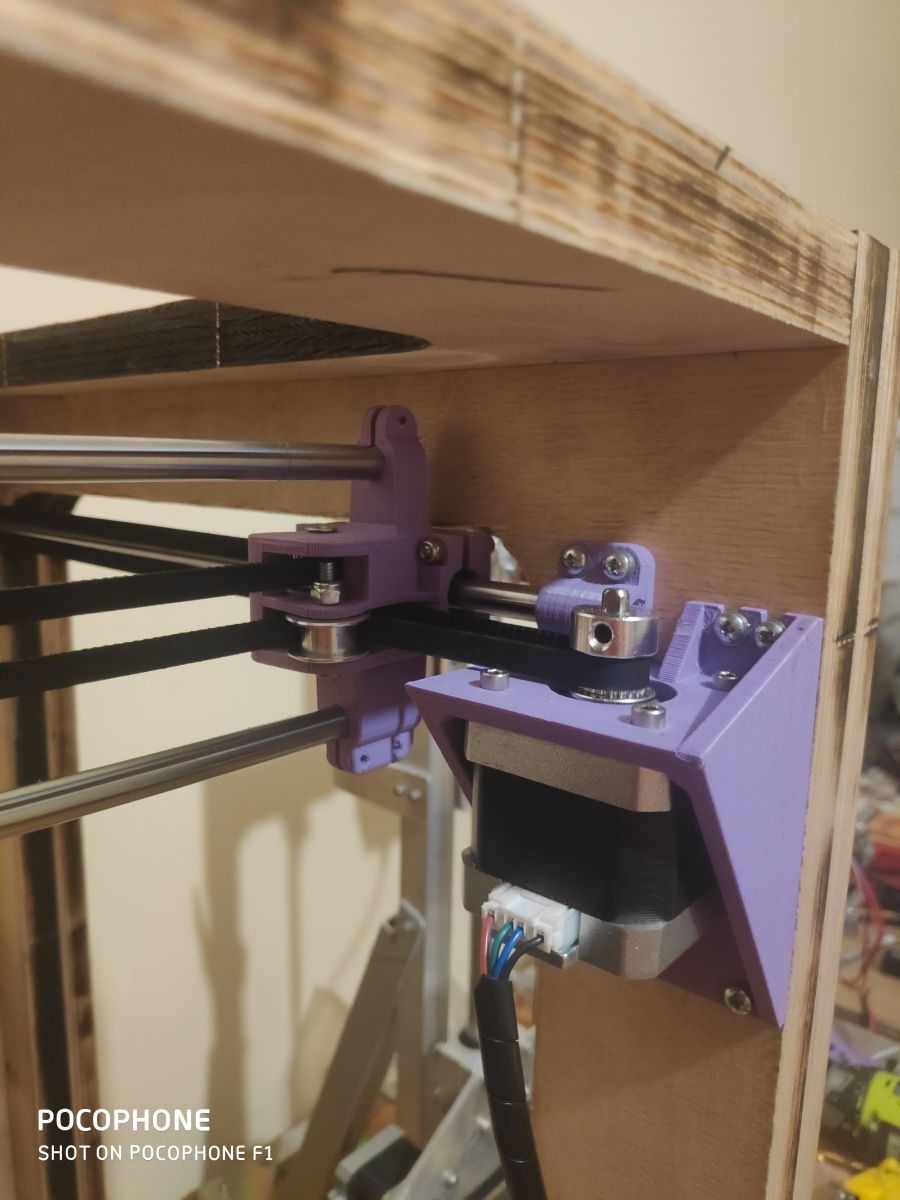
With the chassis drawn in inventor, I also laser burned all the mounting locations for the motor mounts, shafts, T8 screw into the plywood so the assembly was instantaneous. (I am referring here to the laser marking of the places where the screws should be)
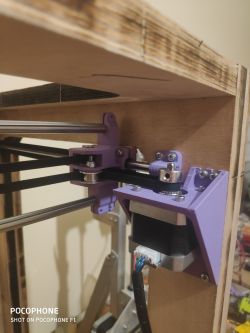


The parts are printed from petG or PLA, all parts were printed on my earlier printer to which the link is at the beginning of the post.

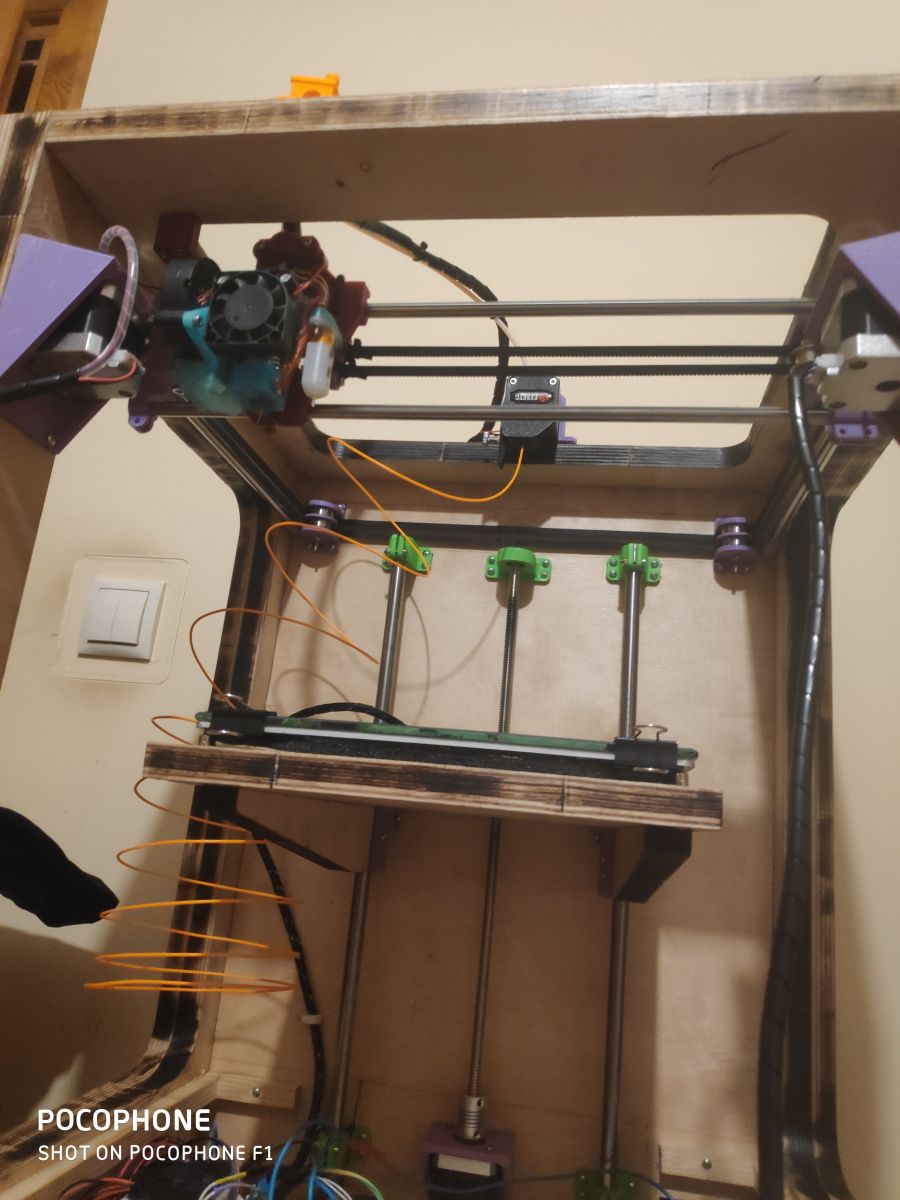
The head is attached to a chuck which rides on 8mm rollers on lm8uu bearings, the table is on a T8 screw and 12mm rollers on lm12uu bearings

After the initial setup of the Marlin, I ran some test prints at speeds from 45mm/s to 120mm/s including the first layer at 30mm/s and the outer walls at 45mm/s. The quality is satisfactory, although I am still struggling with the extruder which feeds too much filament (despite proper calibrations)

I do not know what more to say, the assembly thanks to the previous model in inventor was child's play and the price for such a device is not great. The total cost of this equipment is about 200zl, because I had motors, heads, belts, zebatki, electronics and some other things at home. I will calculate how much such equipment costs for a person who does not own anything. Most of the prices will be given taking into account purchases from the Chinese


Engines 4 pcs - 100zl
Maple head - 20zl
BlTouch - 50zl
Bondtech clone extruder - 90zl
T8 screw - 15zl
Shafts 8mmx500mm 4pcs - 40zl
Shafts 12mmx500mm 2pcs - 20zl
Bearings lm8uu 5pcs - 10zl
Bearings lm12uu 4pcs - 12zl
Gears gt2 - 15zl
Belts gt2 - 10zl
Skr v1.3 + TMC2208 - 130zl (I don't include ramps with Arduino because unfortunately it's not worth to take this kit anymore, but skr v1.3 board is still worth attention)
Heatebed MK3 - 45zl

Which gives us a total of about 550zl, of course I might have forgotten something (I'm not including the price of the plywood/burnings, the price of the power supply and the cost of the material from which I printed the handles)

For this money really very cool equipment, but above all learning what and how it works, great fun and satisfaction.

I still have some work ahead of me on this equipment to if you have any questions, please do not hesitate to ask, if you think I have done something wrong or if there is something I can improve, please write! Greetings and good night !

I will upload the test prints in a few days, here are some more photos !
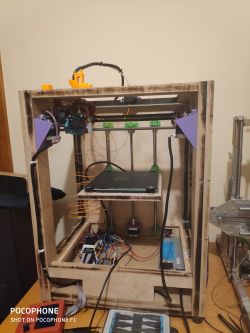

About Author
Mrxnnx wrote 61 posts with rating 88 . Live in city Warszawa. Been with us since 2018 year.

Comments

ArturAVS 30 Dec 2019 07:35

Z-axis supported on one side only does not result in crooked prints? [Read more]

Mrxnnx 30 Dec 2019 09:23

I checked the level of the table while the printer was still being built and it is indeed slightly angled, but I knew I would have BLTouch so that the Z-axis motor makes subtle corrections during the printing... [Read more]

LA72 30 Dec 2019 10:14

Print yourself a chimney of about 10cm and see if it looks like a tower in Pisa. I don't like the location of the motor for feeding the filament. The input is at the table support. What kind of... [Read more]

error105 30 Dec 2019 11:45

And the table doesn't wobble when the table has a quick down and up departure on retraction ? I have mixed feelings about this. [Read more]

LA72 30 Dec 2019 11:46

Retraction is done with an extruder. [Read more]

Mrxnnx 30 Dec 2019 12:04

With retraction, you can set the Z-axis stroke, which I have disabled because I find it unnecessary. [Read more]

error105 30 Dec 2019 12:07

Not only as you can see. And you can turn it on and see the effect ? I basically only have with the stroke because I was getting the best results, and basically zero threads. [Read more]

LA72 30 Dec 2019 12:10

It is easier and safer to withdraw the filament from the nozzle than to move the table. That's why there are mostly such solutions. [Read more]

error105 30 Dec 2019 12:23

When bouncing the filament is withdrawn from the nozzle in the same way, it's a technique where you do both at once, and as I say, it was only with this setting that the threads disappeared - there's a... [Read more]

Mrxnnx 30 Dec 2019 13:35

I will be printing a benchmark tower soon. The extruder will eventually be moved from the side Working area 200x200x300mm What do you mean did I manage to change the displayed values? I am displaying... [Read more]

LA72 30 Dec 2019 13:48

I'm building a new version of the printer based on Marlin and with me it doesn't want to show as in the original Prusa. Instead of 000.0 I have 000, without decimal values. This makes it impossible to... [Read more]

Tomekob 30 Dec 2019 13:54

In my opinion BLtoutch will not solve your problem with a crooked table. Yes, the correction will be made in the first stage of printing , but note that with more layers the weight of the print increases... [Read more]

Sareph 30 Dec 2019 16:57

This would have to be a very weak table, or an extremely heavy print (for a print). I myself have the table propped up on one side and no strange problems, the surface doesn't change alignment even after... [Read more]

error105 31 Dec 2019 08:46

Chickens, I didn't know prints were so heavy :D Mostly the biggest ones are 50-80g, but to bend the table that much ? :D [Read more]

Tomekob 31 Dec 2019 14:41

Oh you cling :D that was just my impression. :) Looking at a table with dimensions of at least Anteta 220x220, and seeing the fixing only in one side I have the irresistible impression that with a larger... [Read more]

error105 31 Dec 2019 15:04

I'm going to give the table at my place three supports, but I'm aiming for a 300x300 or 350x350 table in general ;) So a single NEMA motor is unlikely to cope :) [Read more]

Sareph 31 Dec 2019 15:05

You say? Because I have a 320x320 on a single nema17 motor and ball screw. But if you are short of nema17, you can always use nema42. :D [Read more]

Mrxnnx 24 Jan 2020 00:10

The printer is slowly undergoing further modifications. I am finally changing the electronics to SKR v1.3 with TMC2208 (Duet 2 WiFi remains in the other printer), the bearings will be changed to igusy... [Read more]

myownhyperloop 25 Apr 2020 18:08

Hi. Which endstops/contactors did you use? NO or NC? [Read more]

FAQ

TL;DR: DIY CoreXY plywood build costs about 550 zł and runs 45–120 mm/s; “the auto‑leveling thing is wonderful.” [Elektroda, Mrxnnx, post #18368673]

Why it matters: This FAQ helps makers build, tune, and troubleshoot a low-cost plywood CoreXY with real-world settings and upgrades.

Quick Facts

What is a CoreXY printer, and why use plywood for the frame?

CoreXY kinematics keep the toolhead light and fast by moving X/Y with crossed belts. Plywood is inexpensive, stiff in thick laminations, and easy to laser cut and screw together. The showcased build uses 33 mm laminated and 18 mm panels, yielding a rigid ~15 kg chassis. [Elektroda, Mrxnnx, post #18368673]

What parts list and cost should I expect for this build?

Expect NEMA17 motors, GT2 belts/pulleys, T8 Z screw, LM8UU/LM12UU bearings, MK3 heatbed, hotend (e.g., V6 clone), and a controller (e.g., SKR). The poster’s tally was about 550 zł, excluding plywood, laser cutting, PSU, and filament for printed brackets. It’s a budget-friendly way to learn CoreXY mechanics and firmware. [Elektroda, Mrxnnx, post #18368673]

How fast can it print with acceptable quality?

Initial tests ran at 45–120 mm/s, with 30 mm/s first layer and 45 mm/s outer walls. Quality was satisfactory, though over‑extrusion required tuning. Calibrate steps/mm and extrusion multiplier, then adjust acceleration and jerk conservatively. Keep cooling adequate for PLA and PETG. [Elektroda, Mrxnnx, post #18368673]

Does a single‑side Z support cause leaning or crooked prints?

The builder measured slight tilt but relies on BLTouch mesh to compensate during printing. Another user warned heavier prints can increase tilt while compensation stays constant, an edge case to watch on large parts. Reinforce the bed or add supports if you see progressive leaning. [Elektroda, Tomekob, post #18369373]

Should I enable Z‑hop during retraction to fight stringing?

Yes, try Z‑hop plus retraction. One user reported that combining both eliminated threads and noted Prusa’s use of this approach. Start with modest Z‑hop (e.g., 0.2–0.4 mm) and tune retraction length/speed to your Bowden or direct setup. [Elektroda, error105, post #18369162]

How do I turn on Z‑hop in my slicer (3 steps)?

  1. Open slicer Print Settings and locate Retraction or Travel.
  2. Enable Z‑hop (Z lift) and set 0.2–0.4 mm to start.
  3. Re-slice a small tower and iterate retraction speed/length with Z‑hop on. [Elektroda, error105, post #18369162]

What is BLTouch and how does it help here?

BLTouch is an auto‑bed‑level sensor that probes points and builds a mesh to correct Z height in real time. The builder calls it “the auto‑leveling thing is wonderful,” citing reliable first layers despite a slightly angled bed. It’s ideal for plywood frames and DIY beds. [Elektroda, Mrxnnx, post #18368673]

Which endstops should I use: NO or NC, and can I go sensorless?

The builder used NC endstops initially. After upgrading to TMC2209 drivers, they enabled sensorless homing and also used Linear Advance. Sensorless homing eliminates physical switches; set driver sensitivity carefully to avoid false triggers. [Elektroda, Mrxnnx, post #18648071]

How can I make the motion quieter at high travel speeds?

Swap LM ball bearings for polymer bushings (e.g., IGUS). The poster notes ball bearings get loud above 100 mm/s, while IGUS were barely audible at 150 mm/s in a comparable setup. Ensure shafts are clean and aligned for polymer bushings. [Elektroda, Mrxnnx, post #18423029]

What controller and firmware choices worked well?

A proven path is SKR 1.4 Turbo with TMC2209 and a TFT35 v3.0 touchscreen with Wi‑Fi. This combo enabled sensorless homing and Linear Advance. It simplifies operation and allows remote control from devices around the house. [Elektroda, Mrxnnx, post #18648071]

What motors, hotend, and extruder were used?

Standard NEMA17 steppers (200 steps/rev) drive CoreXY belts and Z. The hotend is an E3D V6‑style clone, and the extruder is a Bondtech‑style clone. BLTouch handles probing. Printed PETG parts replaced weak PLA brackets during upgrades. [Elektroda, Mrxnnx, post #18368673]

How heavy is the finished printer and what PSU is suitable?

The plywood CoreXY weighs about 15 kg. A 12 V, 40 A server PSU powered the build reliably. Secure the PSU, route wiring safely, and verify bed current capacity. Statistic: 12 V × 40 A equals up to 480 W available headroom. [Elektroda, Mrxnnx, post #18368673]

Where should I mount the extruder for best filament path?

Side mounting worked but drew criticism due to filament input near the bed support. The builder planned to relocate the extruder for a cleaner path. Keep the path short and avoid sharp bends; consider top‑rear mounting with a guide. [Elektroda, Mrxnnx, post #18369334]

What is Linear Advance, and does it help on Bowden setups?

Linear Advance compensates pressure in the nozzle to sharpen corners and reduce blobbing. The builder enabled it after moving to TMC2209; they noted limited gains on Bowden, yet kept it active. Direct drive benefits more, but Bowden can still see cleaner corners. [Elektroda, Mrxnnx, post #18648071]

Will a single NEMA17 lift a larger bed (e.g., 320–350 mm)?

One user runs a 320 × 320 mm bed on a single NEMA17 with a ballscrew. For heavier beds, reduce acceleration or add supports. If upgrading, use dual Z or a geared stepper, but start by optimizing lubrication and counterweighting. [Elektroda, Sareph, post #18371910]

How do I reduce over‑extrusion on this build?

Calibrate extruder steps/mm, then tune flow/extrusion multiplier with a single‑wall cube. Verify filament diameter and hotend temperature. The builder saw over‑extrusion despite calibration; switching to quality PETG parts improved mechanics and consistency. [Elektroda, Mrxnnx, post #18423029]
Generated by the language model.
%}