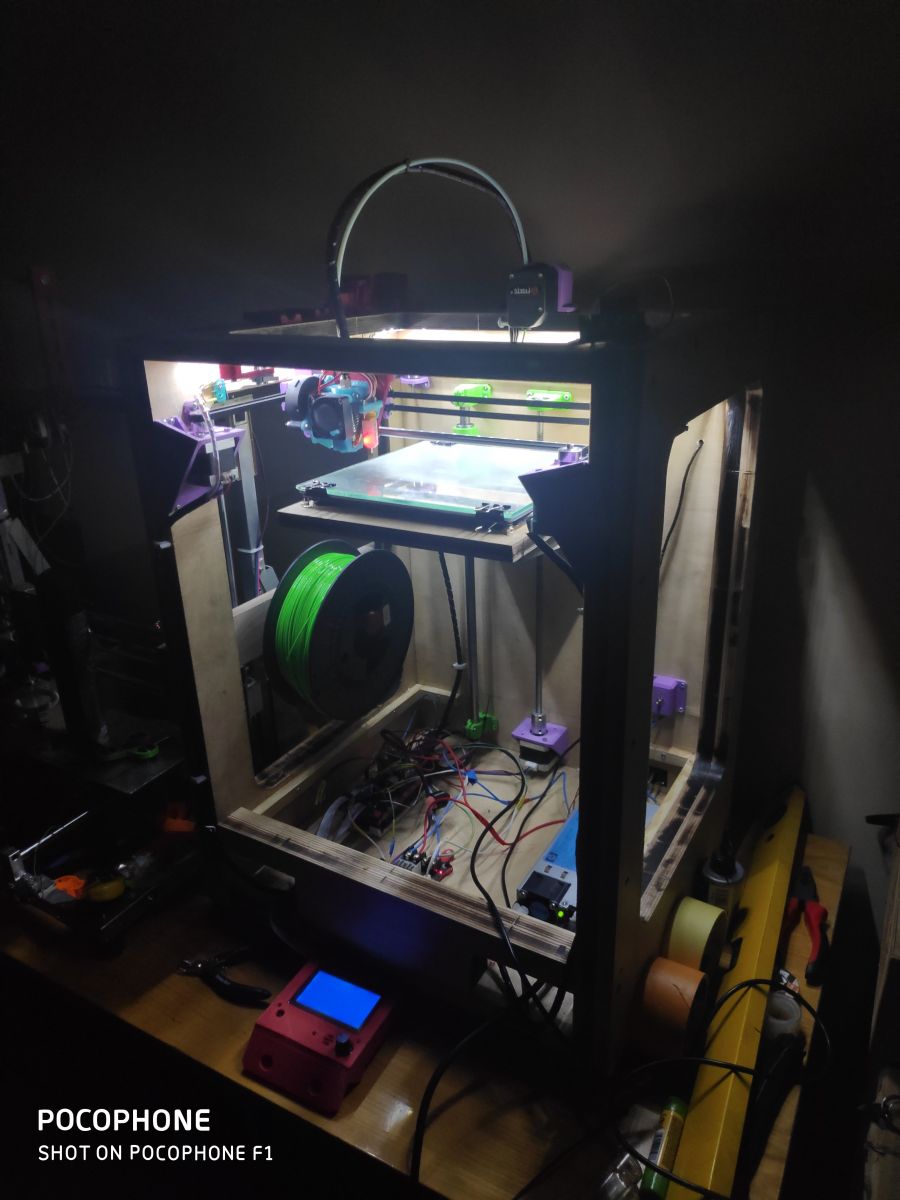
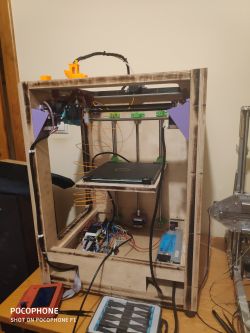
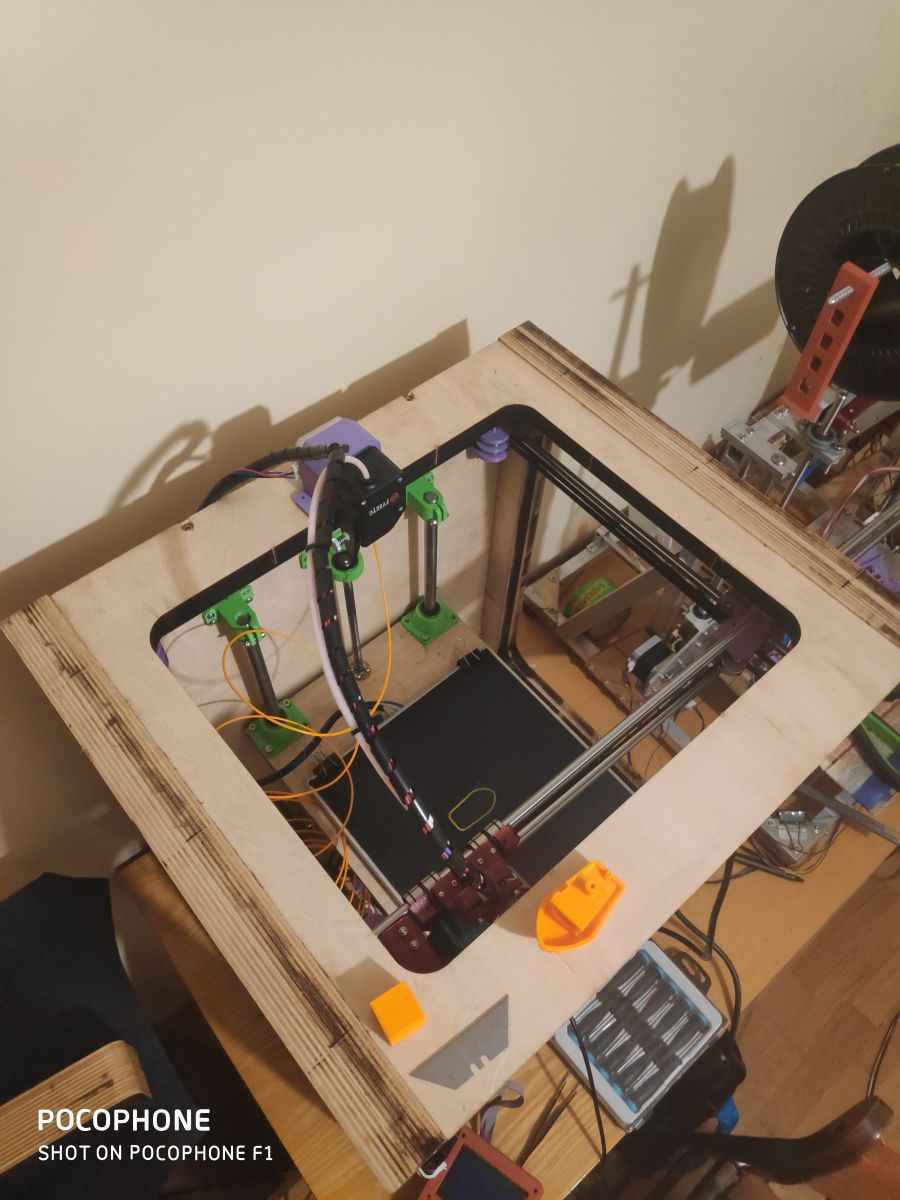
Howdy! I present to you another 3D printer project that I made at home at little cost, as I had most of the components at home. This time the CoreXY
My first printer: Link
By using printed components, the cost of the printer is definitely reduced.
The example I have built now is still in the process of configuration and customisation of the software settings (currently Marlin 1.1.9)
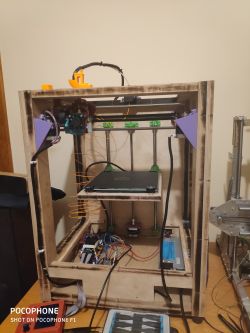
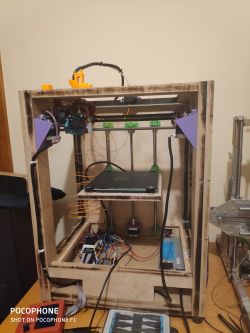
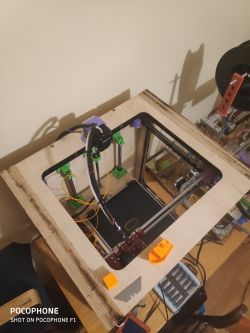
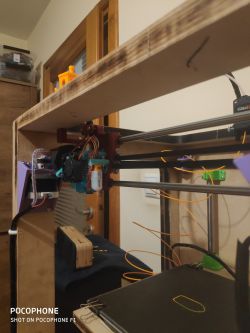
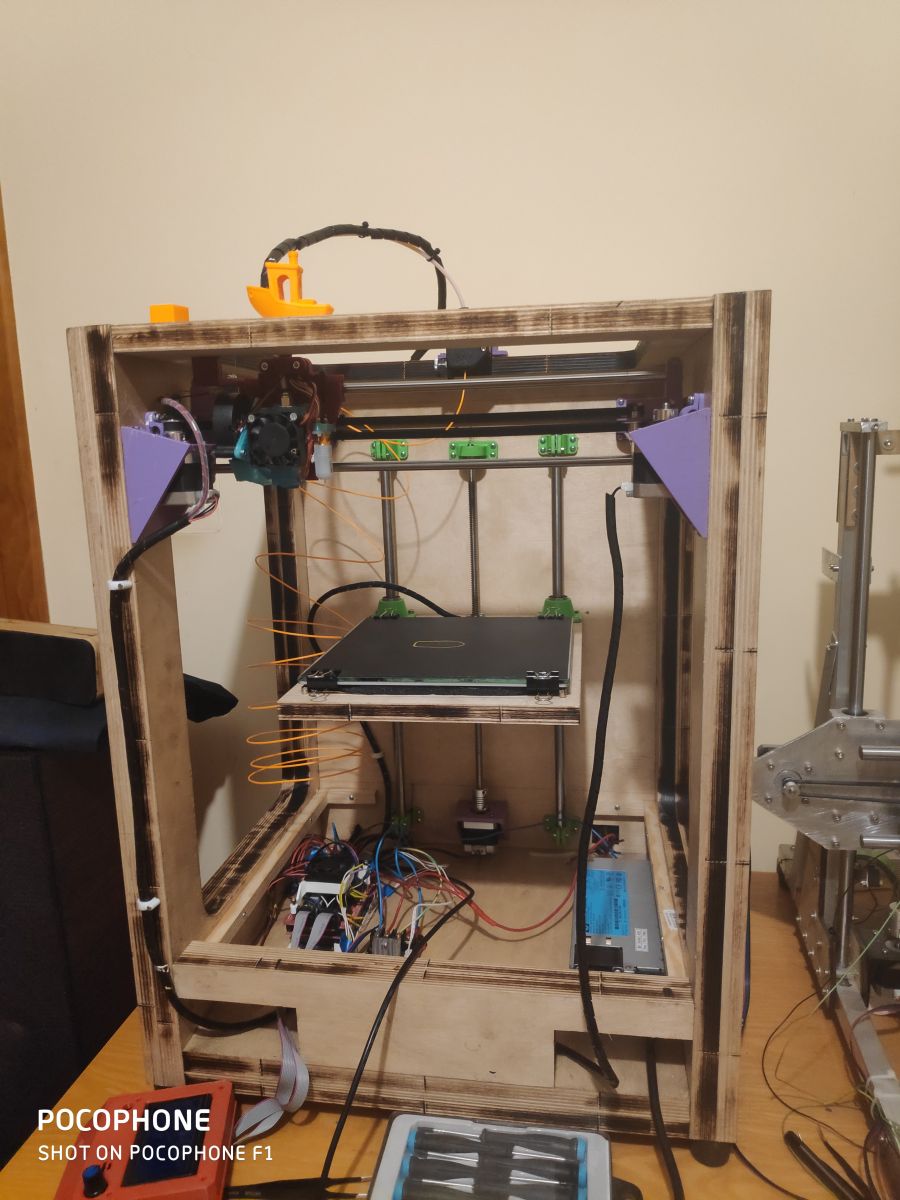
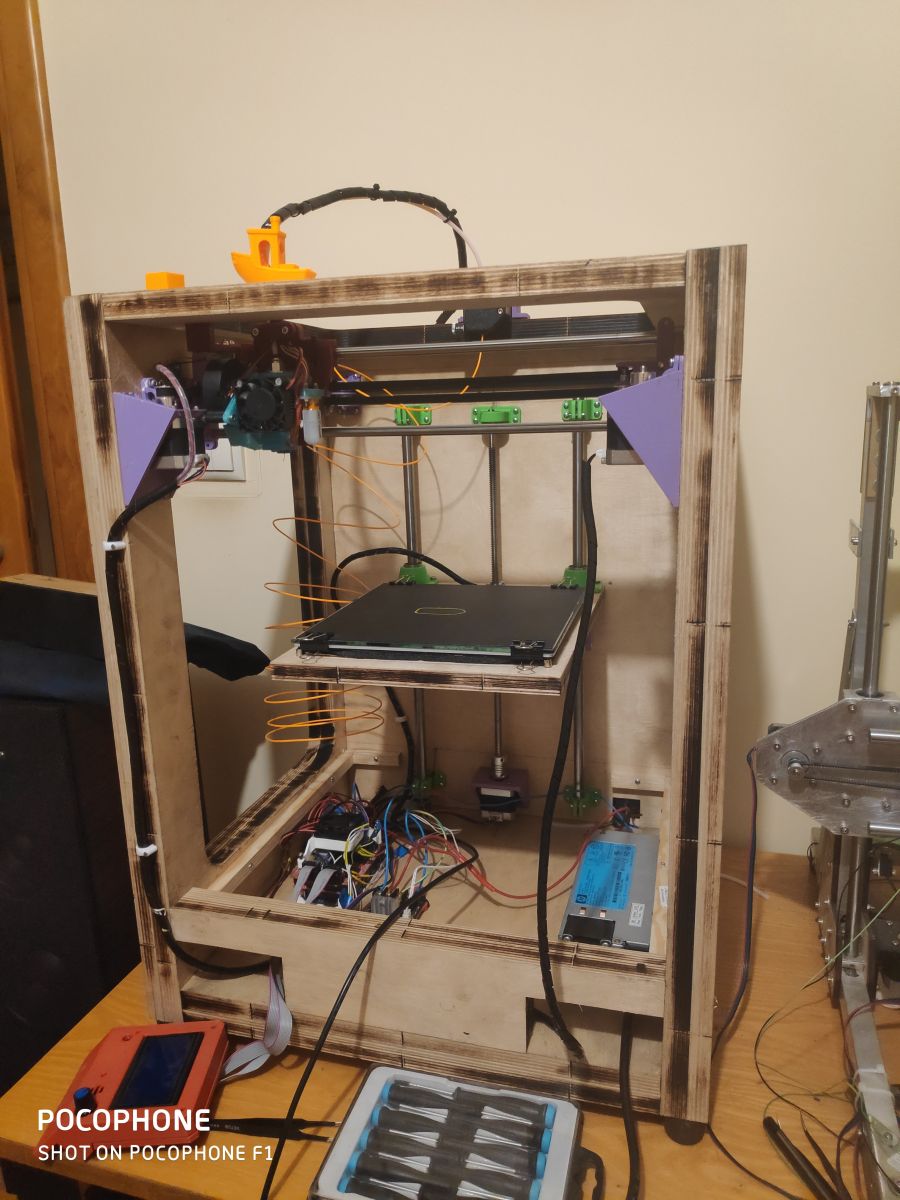
Housing made from 33mm (18+15mm plywood) and 18mm plywood. The enclosure was drawn in Autocad Inventor and burned on a laser I have access to for free (I don't count the price of the plywood or the laser work towards the construction costs). The case panels are screwed together with screws. The weight of the printer is about 15kg, fortunately I don't have to carry it anywhere.
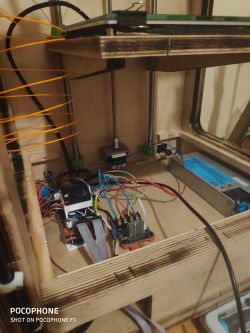
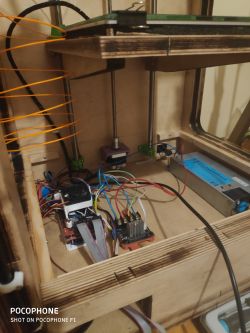
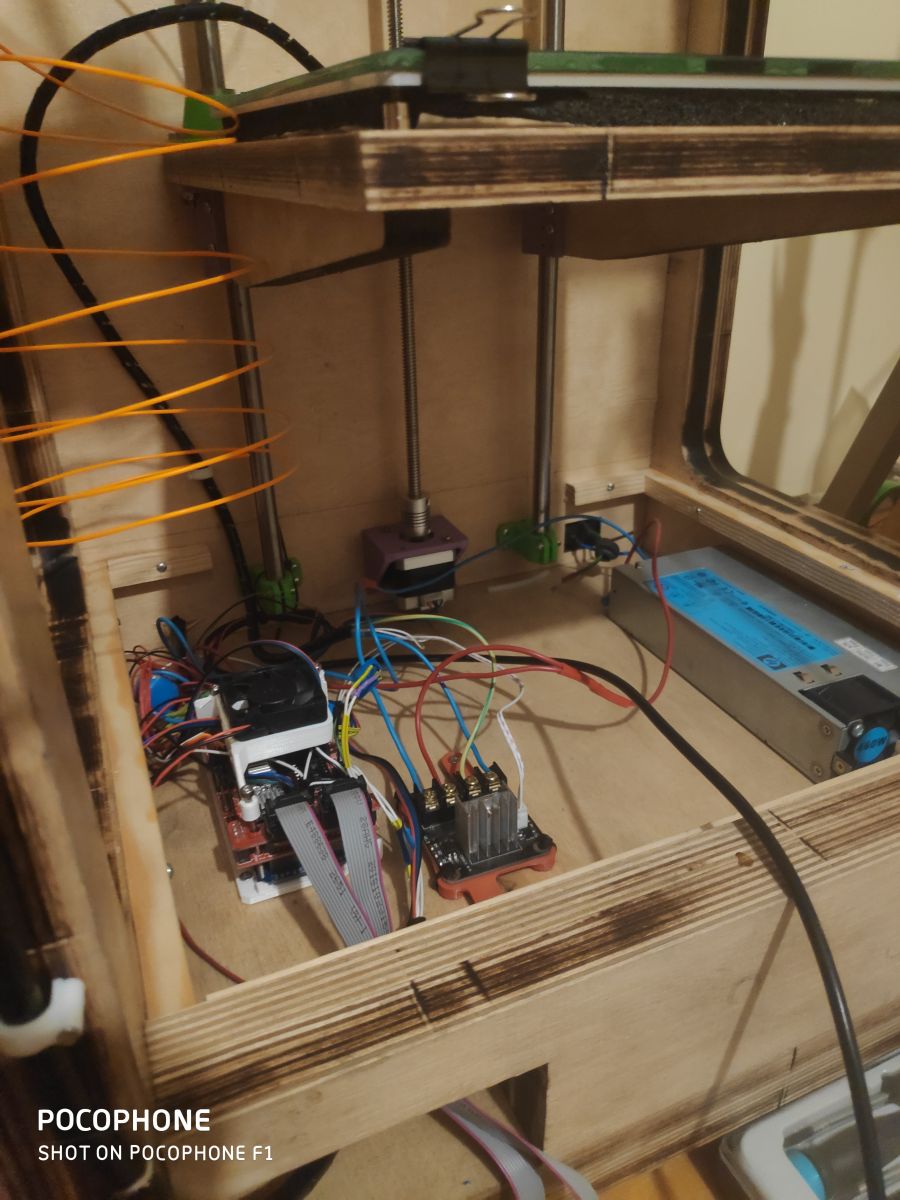
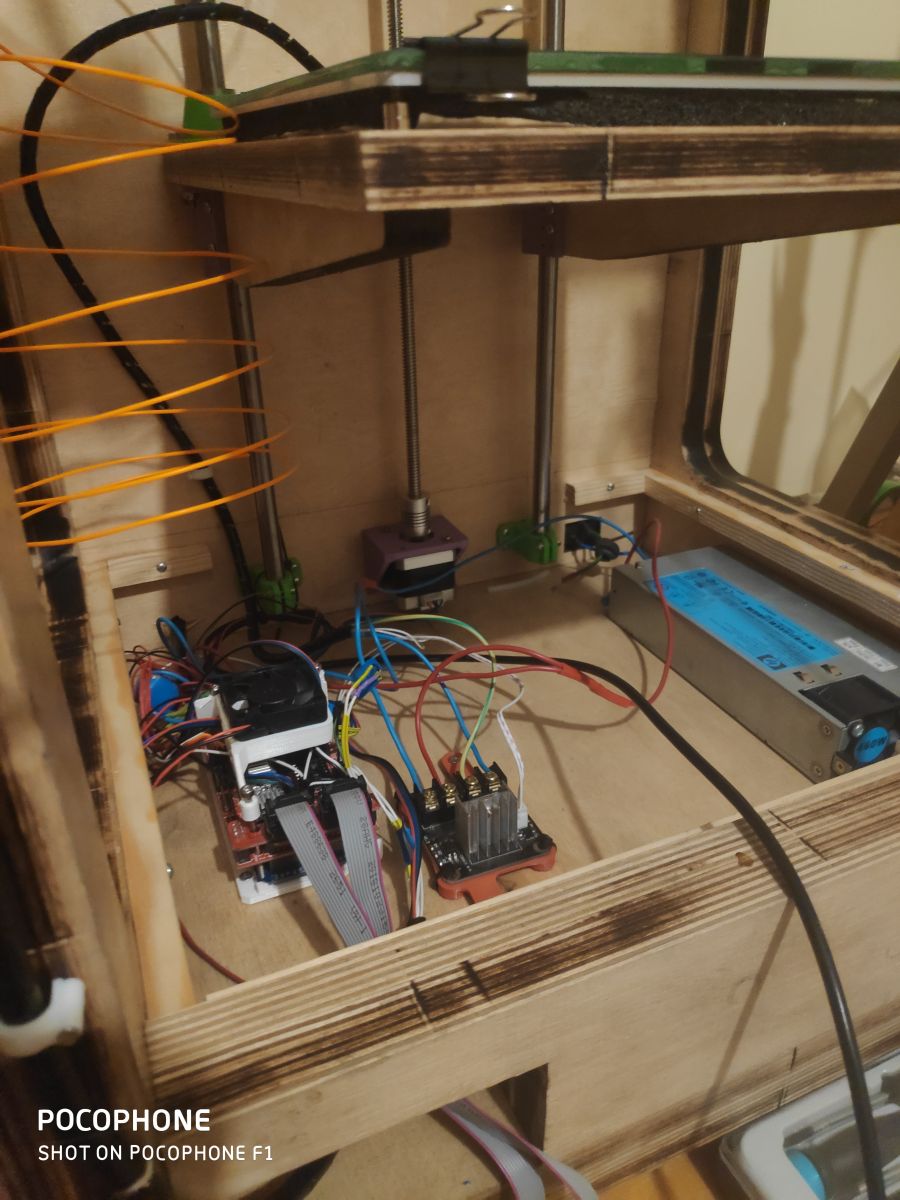
Electronics at the moment are Arduino Mega2560 + Ramps 1.4 + DRV8825, server power supply (12v 40A) from my dad at work ))
))
Ultimately I am changing the electronics to a Duet 2 WiFi which is already waiting to be fitted.
 )
)
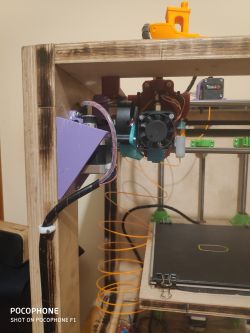
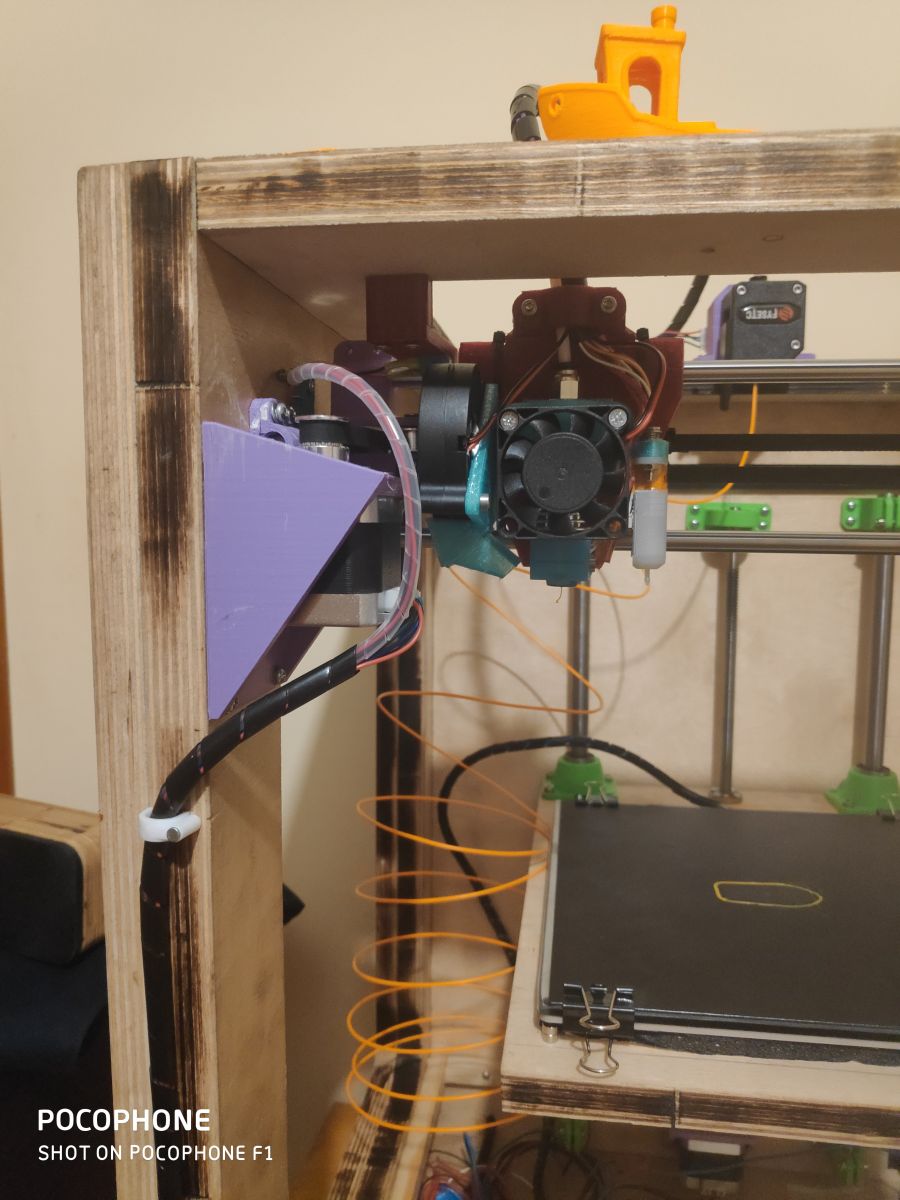
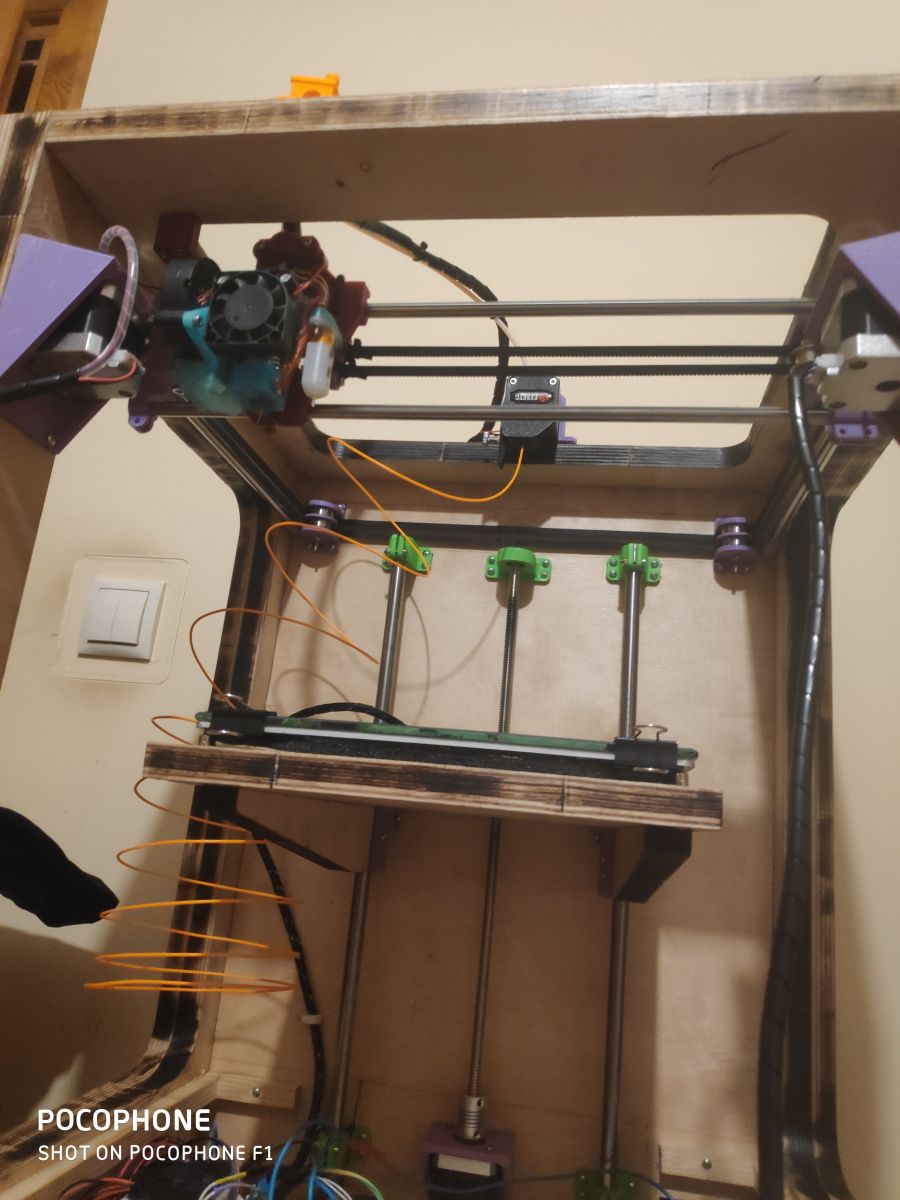
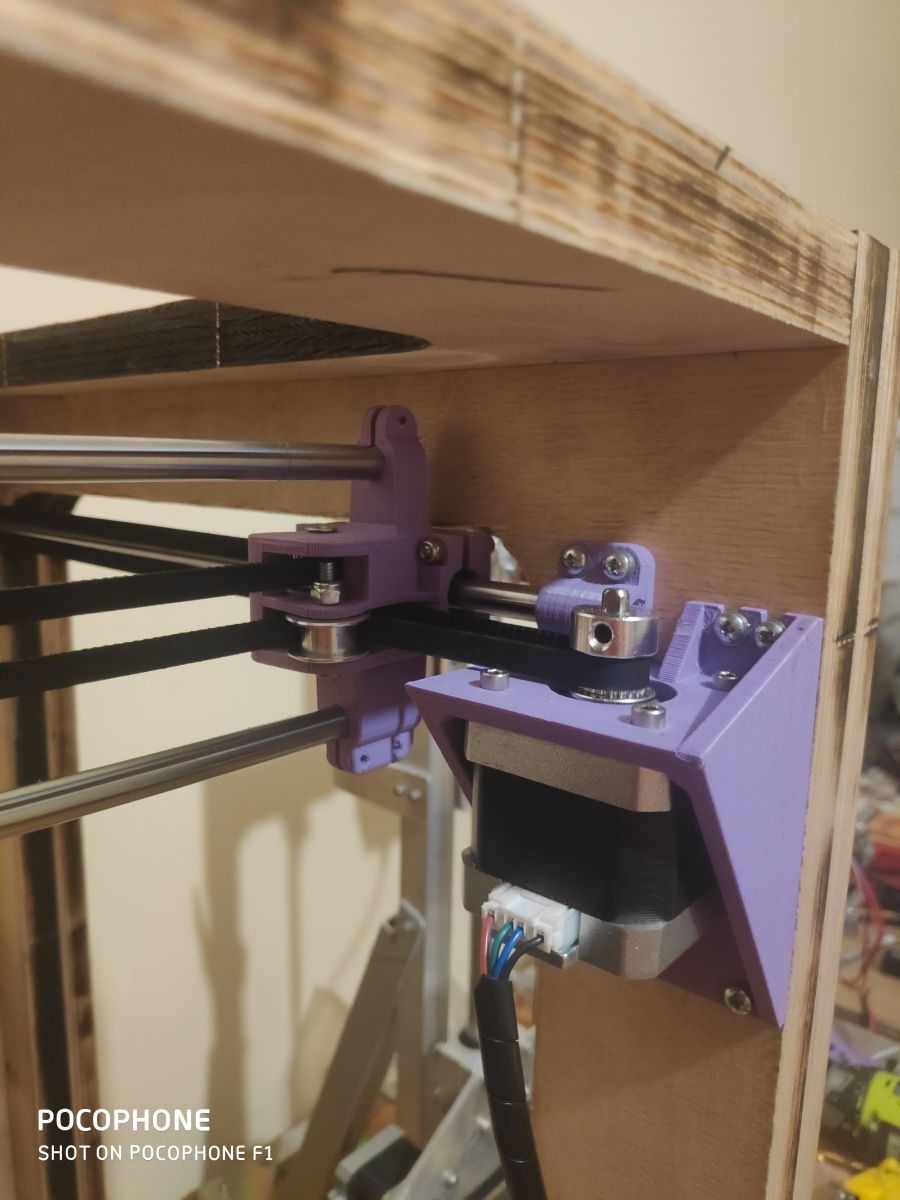
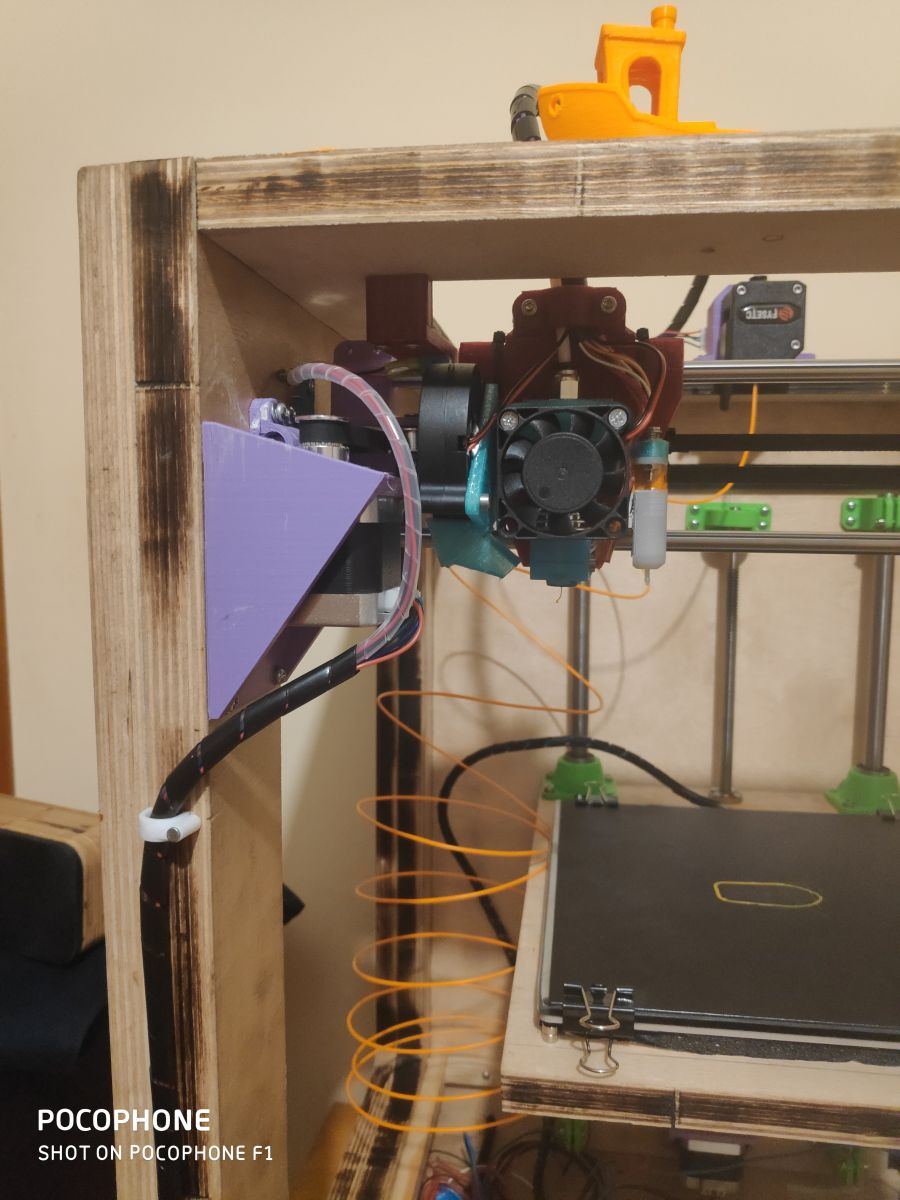
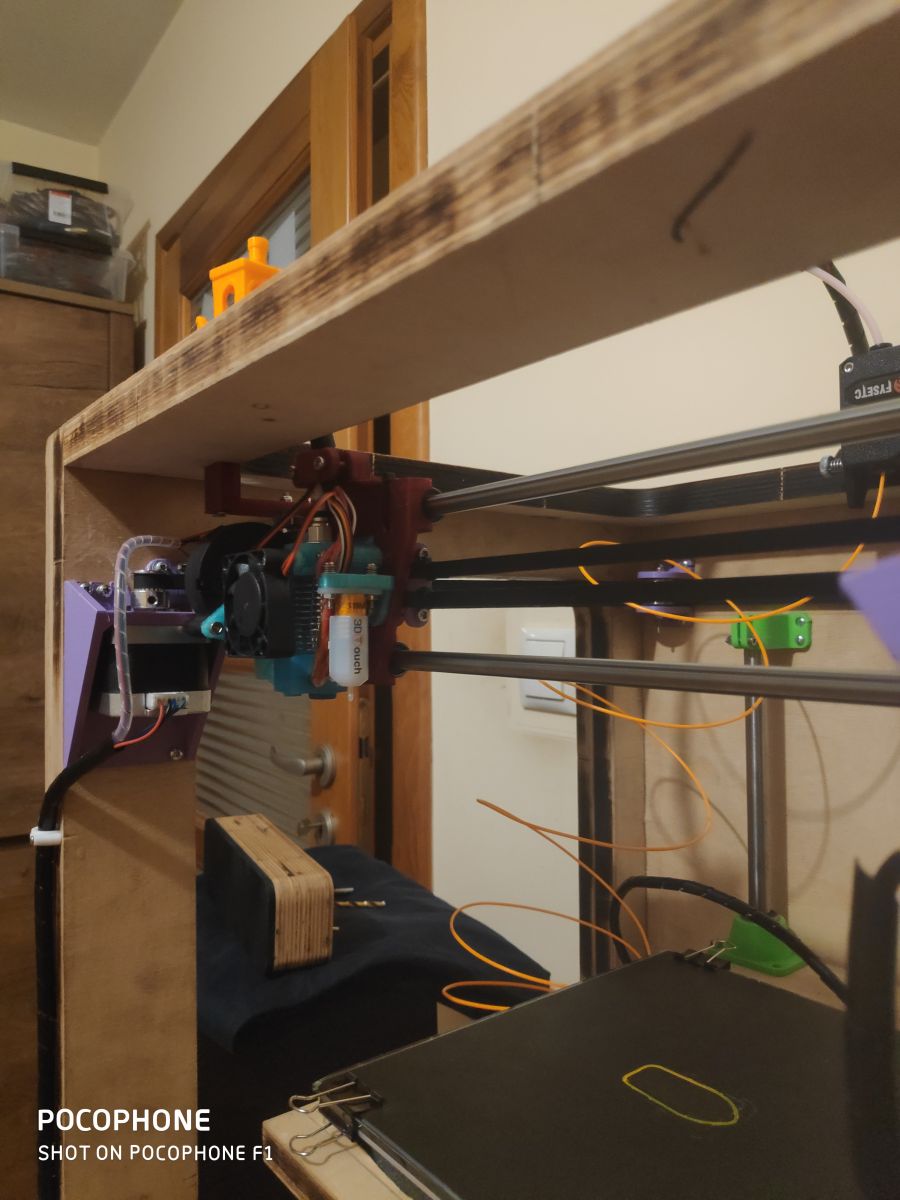
Engines are the usual nema 17 (200kph per revolution), head is an e3d V6 clone, extruder is a bondtech clone from fystec, BLTouch from Trianglelab (the auto-leveling thing is wonderful)
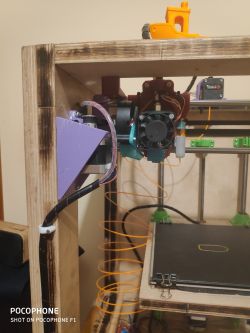
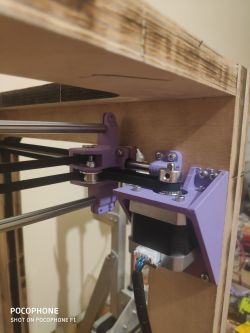
With the chassis drawn in inventor, I also laser burned all the mounting locations for the motor mounts, shafts, T8 screw into the plywood so the assembly was instantaneous. (I am referring here to the laser marking of the places where the screws should be)
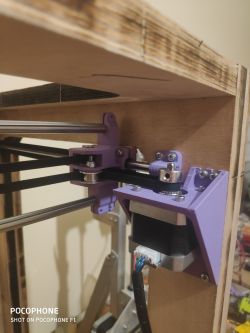
The parts are printed from petG or PLA, all parts were printed on my earlier printer to which the link is at the beginning of the post.
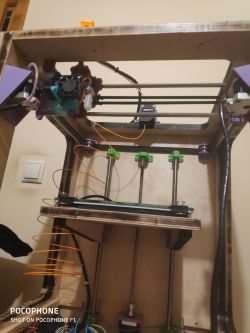
The head is attached to a chuck which rides on 8mm rollers on lm8uu bearings, the table is on a T8 screw and 12mm rollers on lm12uu bearings
After the initial setup of the Marlin, I ran some test prints at speeds from 45mm/s to 120mm/s including the first layer at 30mm/s and the outer walls at 45mm/s. The quality is satisfactory, although I am still struggling with the extruder which feeds too much filament (despite proper calibrations)
I do not know what more to say, the assembly thanks to the previous model in inventor was child's play and the price for such a device is not great. The total cost of this equipment is about 200zl, because I had motors, heads, belts, zebatki, electronics and some other things at home. I will calculate how much such equipment costs for a person who does not own anything. Most of the prices will be given taking into account purchases from the Chinese
Engines 4 pcs - 100zl
Maple head - 20zl
BlTouch - 50zl
Bondtech clone extruder - 90zl
T8 screw - 15zl
Shafts 8mmx500mm 4pcs - 40zl
Shafts 12mmx500mm 2pcs - 20zl
Bearings lm8uu 5pcs - 10zl
Bearings lm12uu 4pcs - 12zl
Gears gt2 - 15zl
Belts gt2 - 10zl
Skr v1.3 + TMC2208 - 130zl (I don't include ramps with Arduino because unfortunately it's not worth to take this kit anymore, but skr v1.3 board is still worth attention)
Heatebed MK3 - 45zl
Which gives us a total of about 550zl, of course I might have forgotten something (I'm not including the price of the plywood/burnings, the price of the power supply and the cost of the material from which I printed the handles)
For this money really very cool equipment, but above all learning what and how it works, great fun and satisfaction.
I still have some work ahead of me on this equipment to if you have any questions, please do not hesitate to ask, if you think I have done something wrong or if there is something I can improve, please write! Greetings and good night !
I will upload the test prints in a few days, here are some more photos !
My first printer: Link
By using printed components, the cost of the printer is definitely reduced.
The example I have built now is still in the process of configuration and customisation of the software settings (currently Marlin 1.1.9)

Housing made from 33mm (18+15mm plywood) and 18mm plywood. The enclosure was drawn in Autocad Inventor and burned on a laser I have access to for free (I don't count the price of the plywood or the laser work towards the construction costs). The case panels are screwed together with screws. The weight of the printer is about 15kg, fortunately I don't have to carry it anywhere.
Electronics at the moment are Arduino Mega2560 + Ramps 1.4 + DRV8825, server power supply (12v 40A) from my dad at work
))
Ultimately I am changing the electronics to a Duet 2 WiFi which is already waiting to be fitted.
 )
)
Engines are the usual nema 17 (200kph per revolution), head is an e3d V6 clone, extruder is a bondtech clone from fystec, BLTouch from Trianglelab (the auto-leveling thing is wonderful)
With the chassis drawn in inventor, I also laser burned all the mounting locations for the motor mounts, shafts, T8 screw into the plywood so the assembly was instantaneous. (I am referring here to the laser marking of the places where the screws should be)
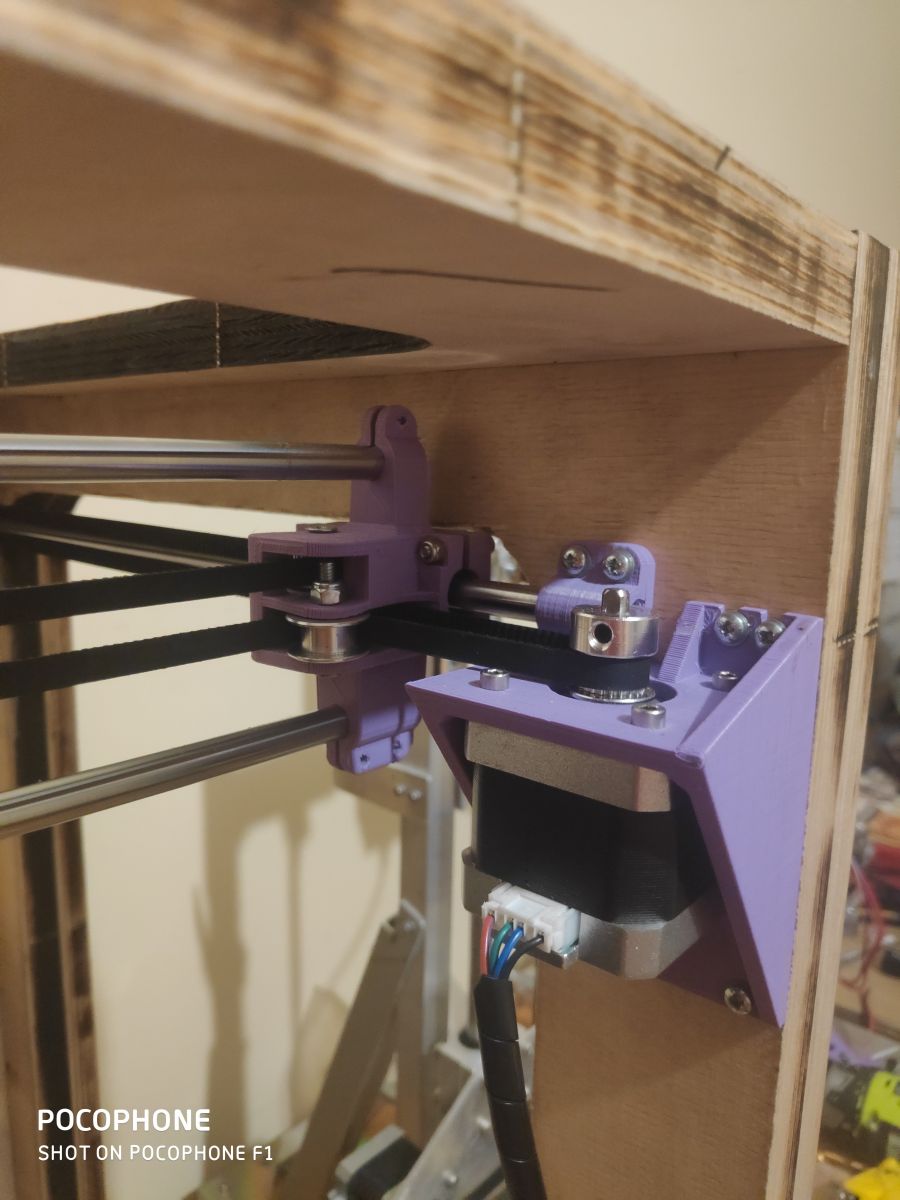
The parts are printed from petG or PLA, all parts were printed on my earlier printer to which the link is at the beginning of the post.
The head is attached to a chuck which rides on 8mm rollers on lm8uu bearings, the table is on a T8 screw and 12mm rollers on lm12uu bearings
After the initial setup of the Marlin, I ran some test prints at speeds from 45mm/s to 120mm/s including the first layer at 30mm/s and the outer walls at 45mm/s. The quality is satisfactory, although I am still struggling with the extruder which feeds too much filament (despite proper calibrations)
I do not know what more to say, the assembly thanks to the previous model in inventor was child's play and the price for such a device is not great. The total cost of this equipment is about 200zl, because I had motors, heads, belts, zebatki, electronics and some other things at home. I will calculate how much such equipment costs for a person who does not own anything. Most of the prices will be given taking into account purchases from the Chinese
Engines 4 pcs - 100zl
Maple head - 20zl
BlTouch - 50zl
Bondtech clone extruder - 90zl
T8 screw - 15zl
Shafts 8mmx500mm 4pcs - 40zl
Shafts 12mmx500mm 2pcs - 20zl
Bearings lm8uu 5pcs - 10zl
Bearings lm12uu 4pcs - 12zl
Gears gt2 - 15zl
Belts gt2 - 10zl
Skr v1.3 + TMC2208 - 130zl (I don't include ramps with Arduino because unfortunately it's not worth to take this kit anymore, but skr v1.3 board is still worth attention)
Heatebed MK3 - 45zl
Which gives us a total of about 550zl, of course I might have forgotten something (I'm not including the price of the plywood/burnings, the price of the power supply and the cost of the material from which I printed the handles)
For this money really very cool equipment, but above all learning what and how it works, great fun and satisfaction.
I still have some work ahead of me on this equipment to if you have any questions, please do not hesitate to ask, if you think I have done something wrong or if there is something I can improve, please write! Greetings and good night !
I will upload the test prints in a few days, here are some more photos !
Cool? Ranking DIY
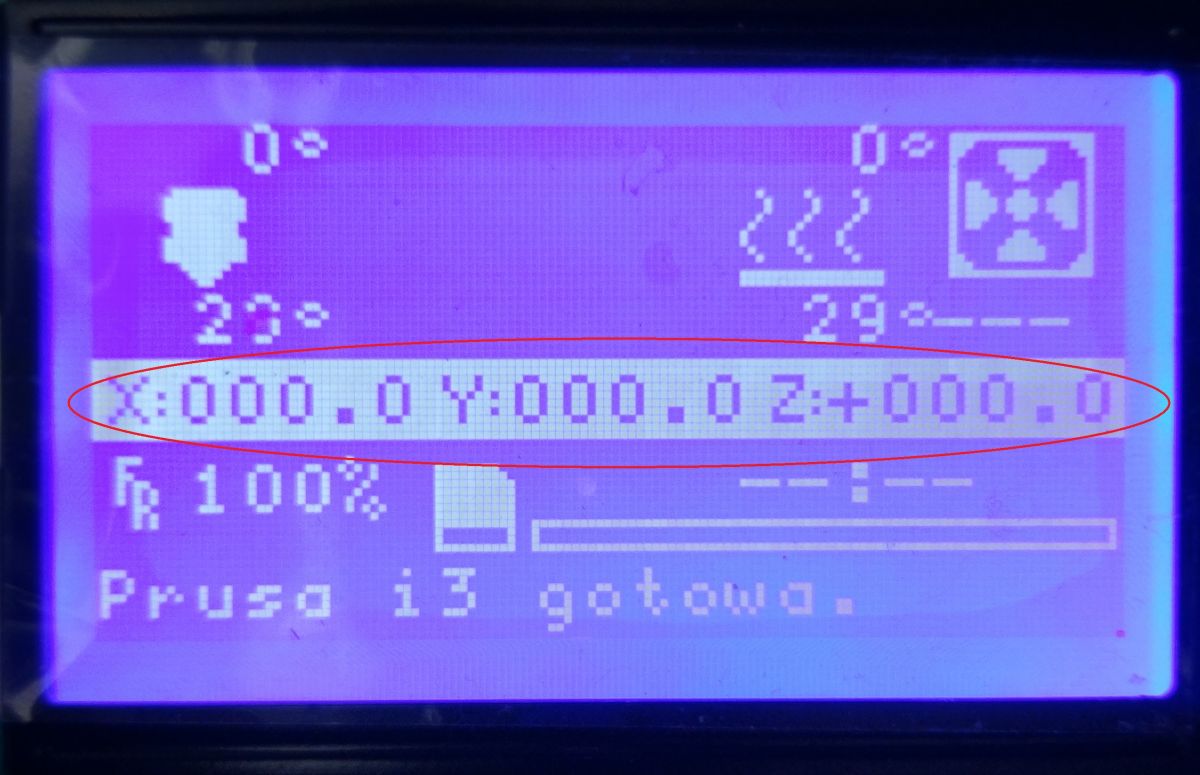
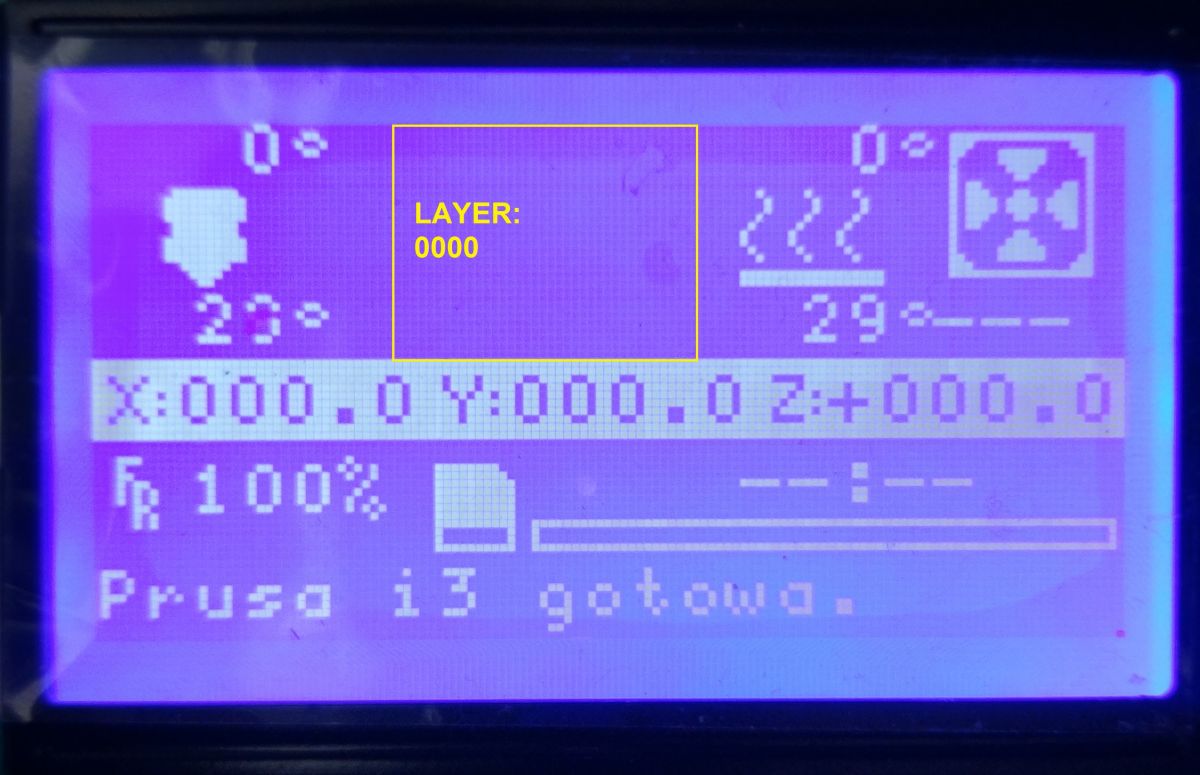


 Mostly the biggest ones are 50-80g, but to bend the table that much ?