logo elektroda
logo elektroda
X
logo elektroda

Design and printing of an adapter/cap for the Makita BL1830 18V battery pack

p.kaczmarek2  1 6537 Cool? (+15)
📢 Listen (AI):

TL;DR

  • A 3D-printed Makita BL1830 18V battery cap/adapter was designed to match the pack’s guide rails, clip recess, and electrical contacts.
  • The model was built in Blender 2.79 with the Mirror modifier, Bevel tool, Extrude, hand-built edges, and Boolean holes for a single screw-mounted sheet-metal contact plate.
  • Printing used an Ender 3 Pro and PLA filament, targeting the Makita BL1830 18V Li-ion 3.0Ah battery.
  • The printed adapter fit the battery firmly, and the contacts were cut from an old soldering iron stand; the next application was a Makita-to-Skil 12V adapter with a step-down converter.
  • The design is presented as cheap and practical, but the battery work requires common sense because a wrong connection can cause fire or damage the cells.
Generated by the language model.

Hello my dears.
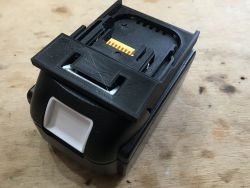
Here I will present an idea for practical 3D printing: the Makita BL1830 18V battery adapter. This topic will cover the design and printing of an overlay compatible with the contacts of the BL1830 18V battery pack and will form the basis for further projects, primarily involving a Makita->Skil (12V) adapter, and perhaps an LED torch or Makita-powered power bank.
I will design the model in Blender, print it on Ender 3 Pro from PLA filament and finally give the STL and .blend sources for download.

Makita BL1830
This topic is about the quite popular Makita BL1830 18VLi-ion 3.0Ah battery. The battery is designed for various types of equipment, screwdrivers, etc. It is produced by various manufacturers and you can also get cheap (and at the same time low quality) clones of it.
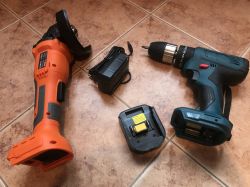
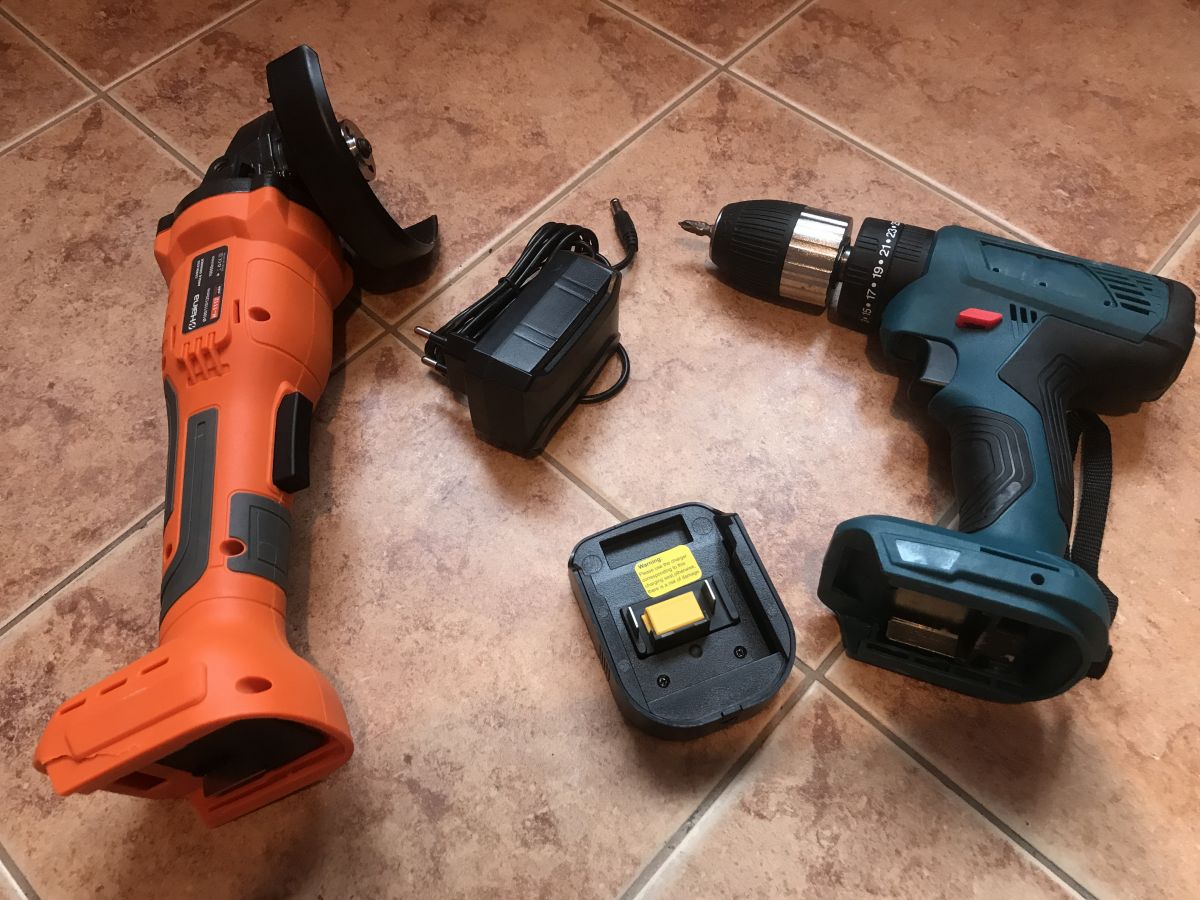
A set of inexpensive cordless power tools: an angle grinder, a drill driver, a charger, and a battery on light brown tiles.
The possibility of having one type of battery compatible with all tools is very convenient, for this reason, in this topic I will try to extend this compatibility further.

How does the connection to the battery look like?
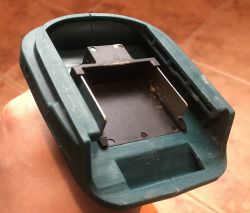
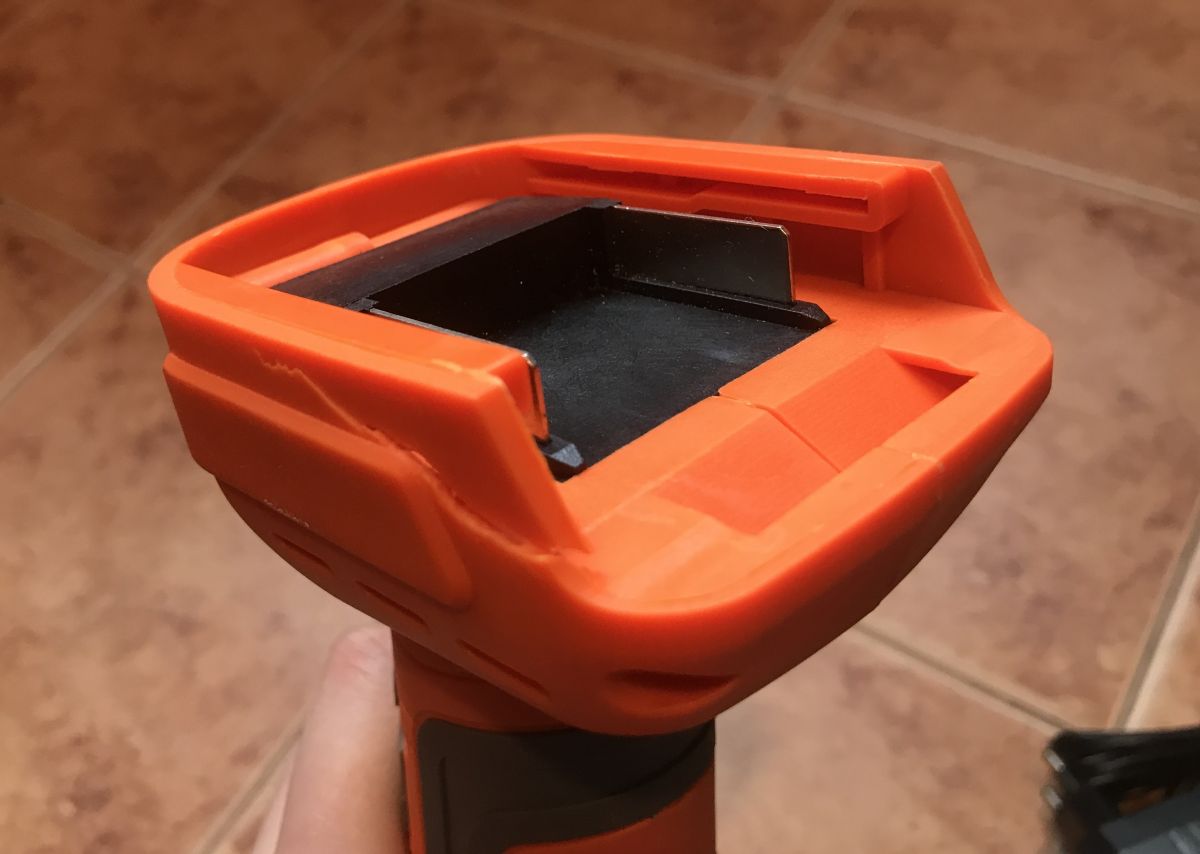
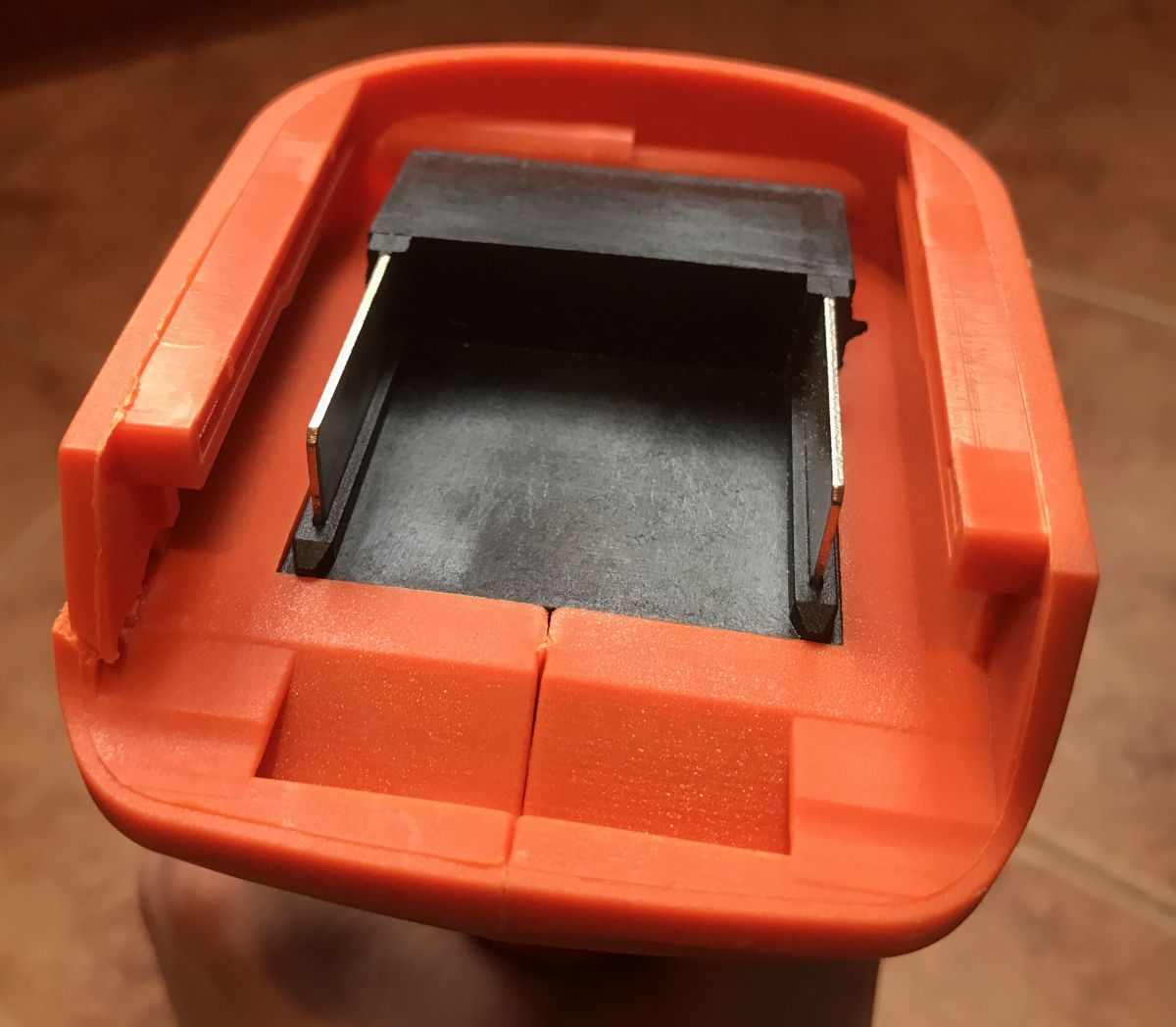
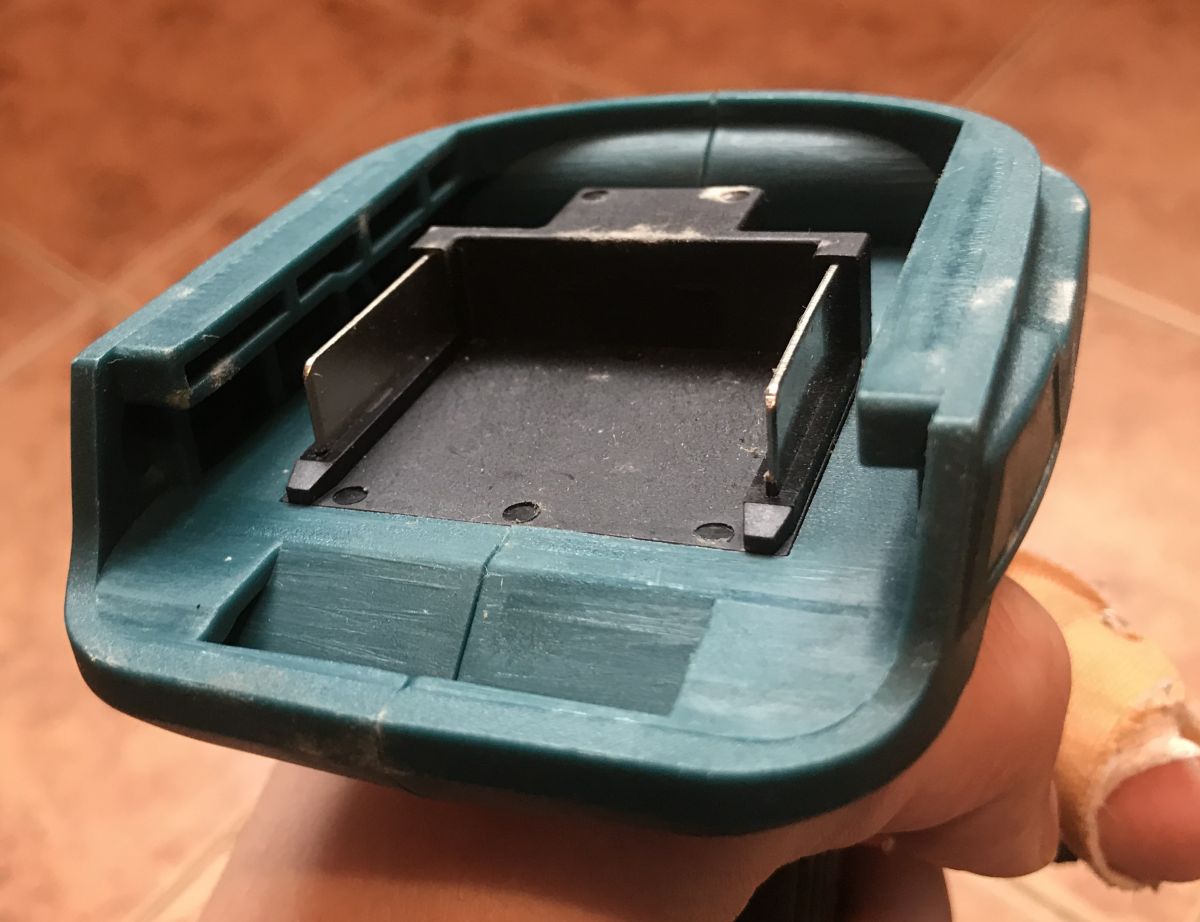
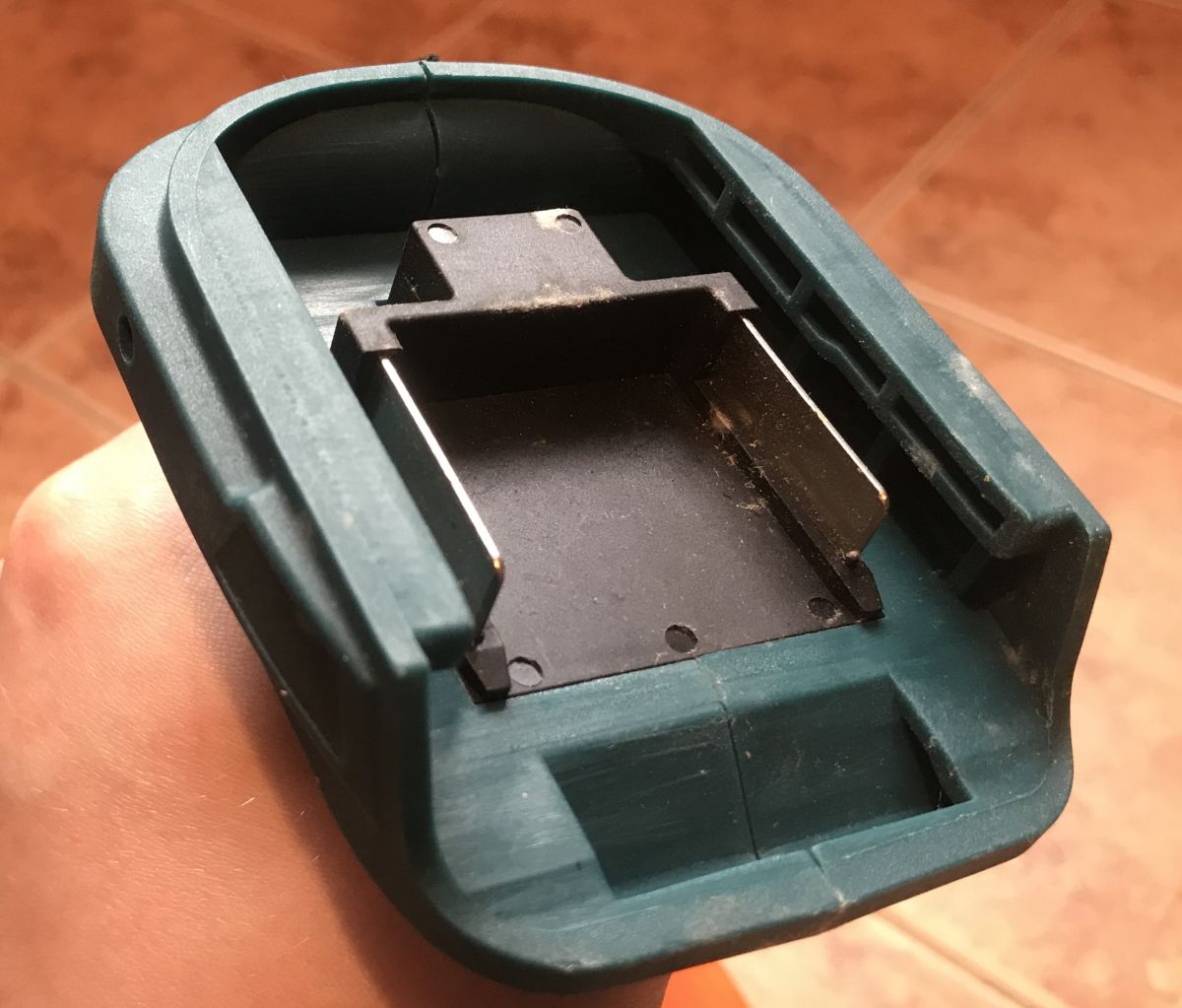
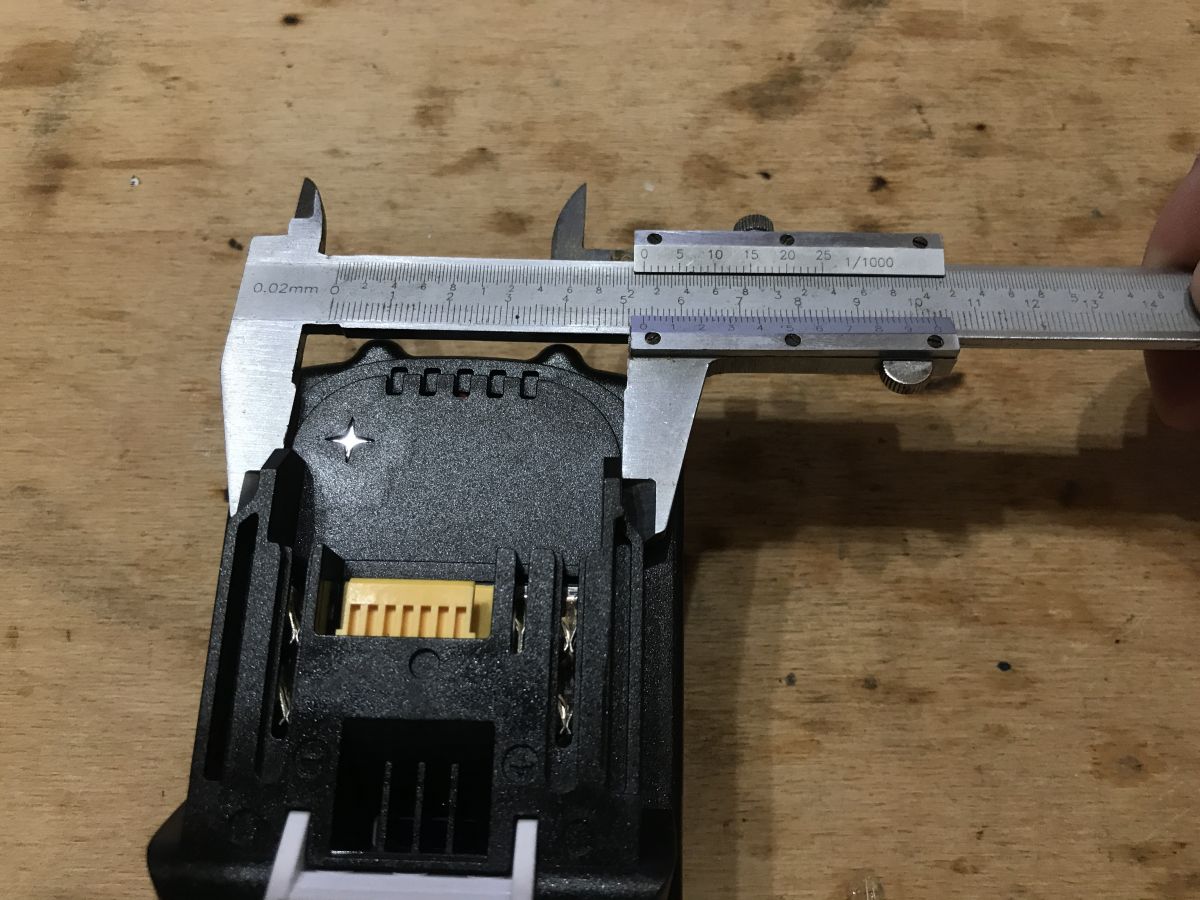
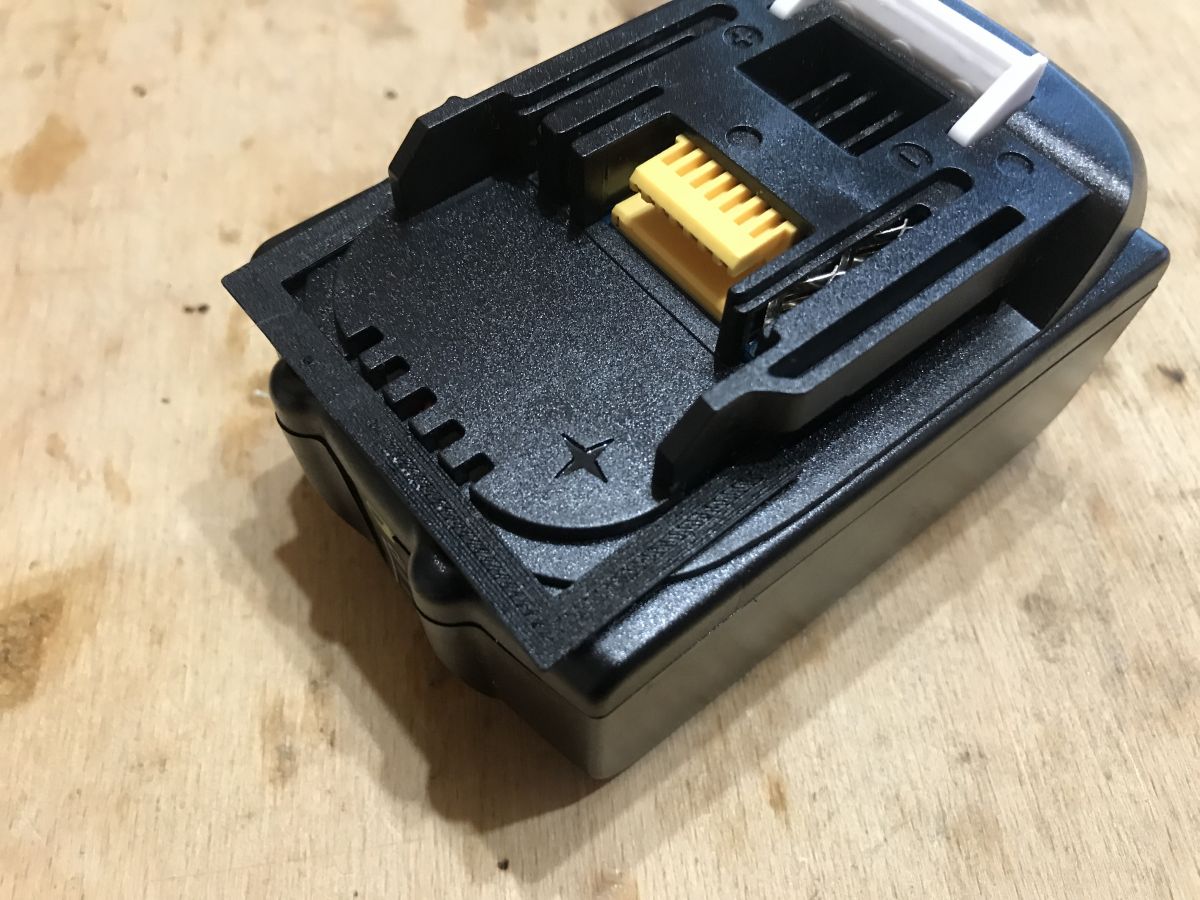
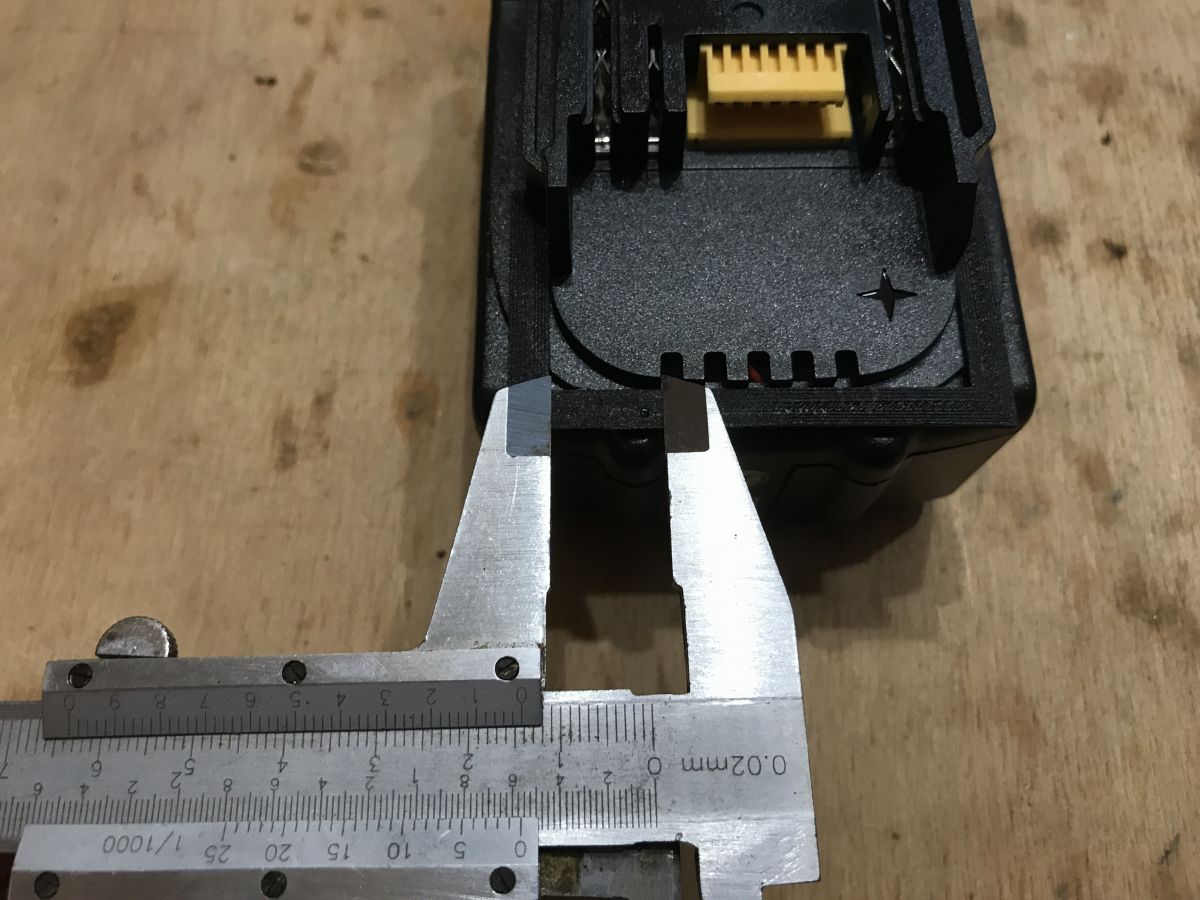
The connection is very simple. The battery slides into the two guides, the screwdriver has two metal contacts and a recess for the clip:
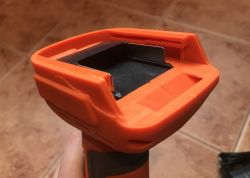
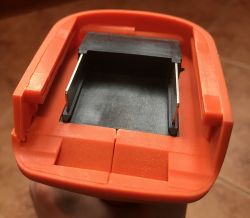
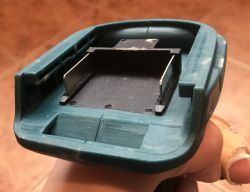
We will need to design our 3D object so that it has these guides of the correct dimensions, so that it can be fitted with contacts (cut from sheet metal of a certain thickness) and so that it has an indentation for the battery clip.

Design the adapter in Blender
I designed the adapter from 0 in Blender 2.79.
I will show the steps here with a short commentary.
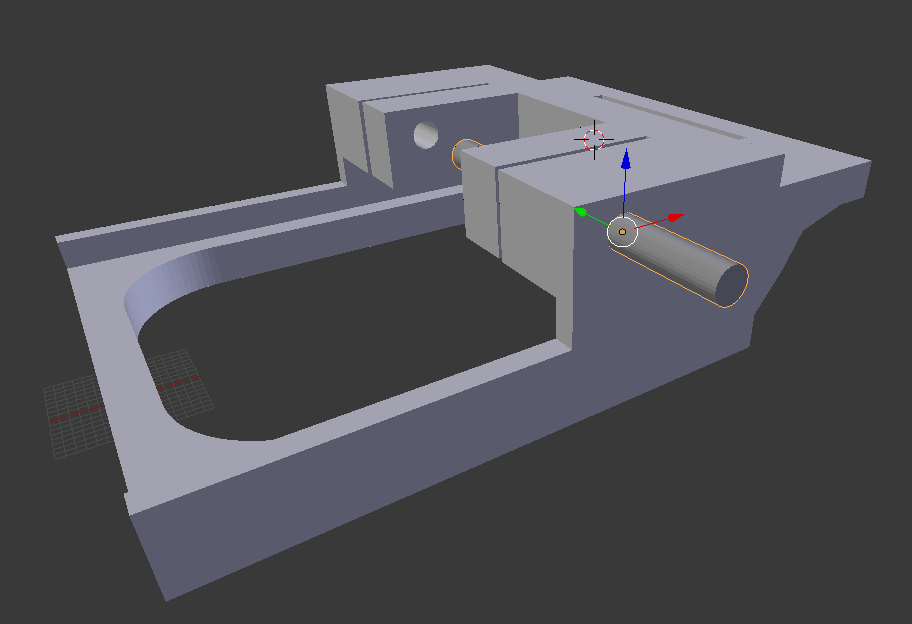
I did the whole project with the Mirror modifier (mirror image), as both sides of the adapter are symmetrical.
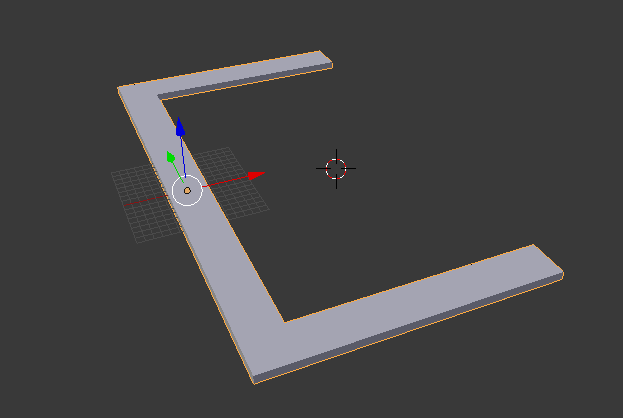
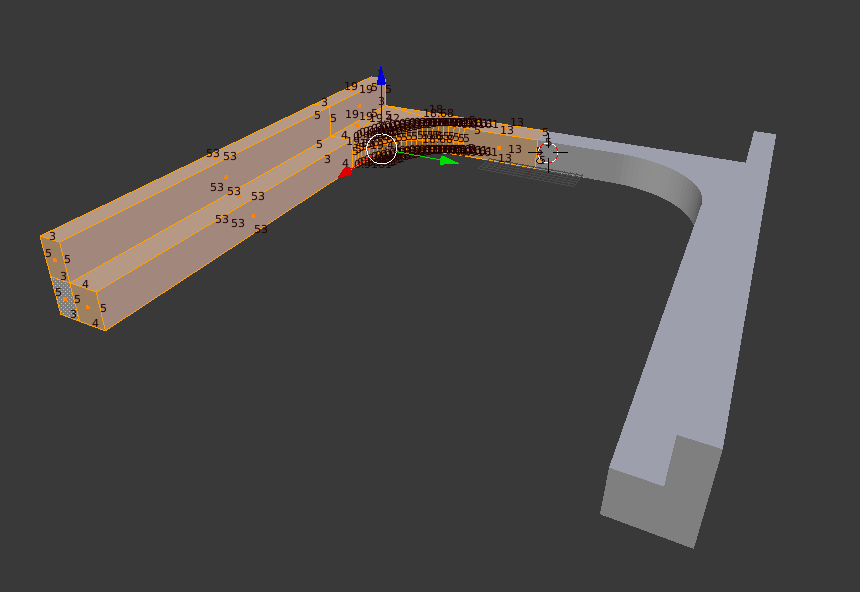
I started with this section:
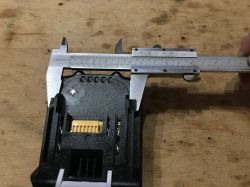
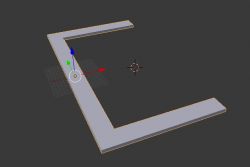
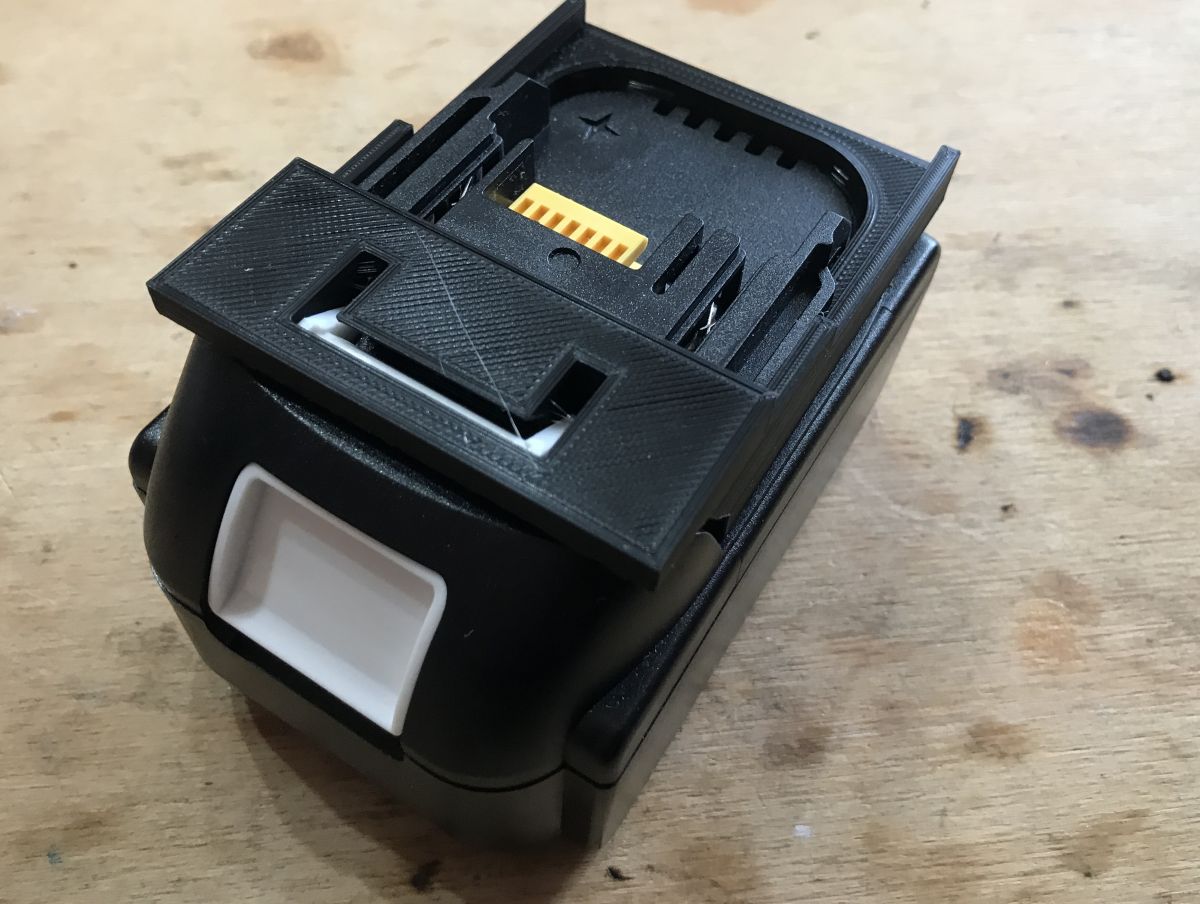
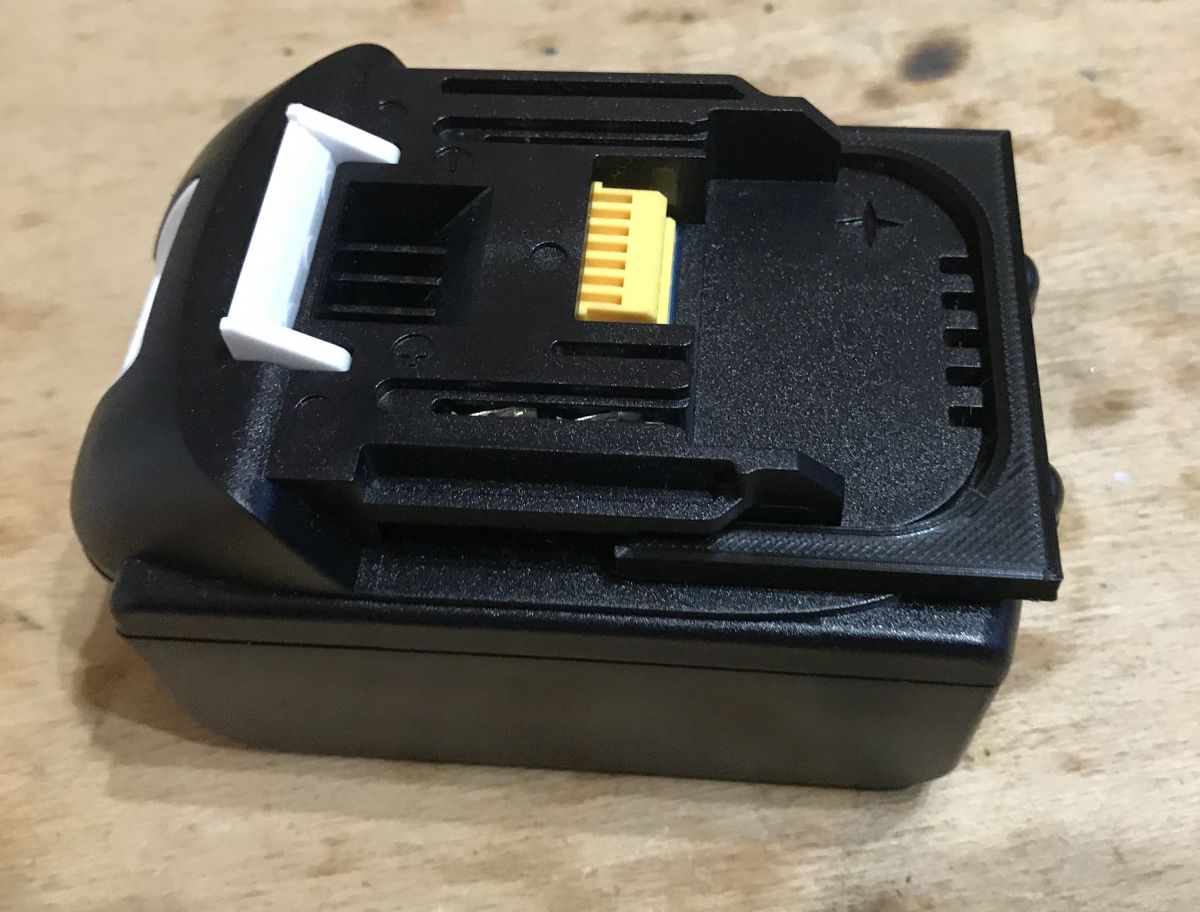
Fitment. The hitch works, the printed adapter holds solidly to the battery.
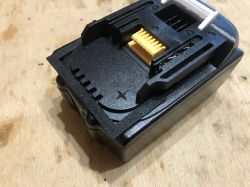
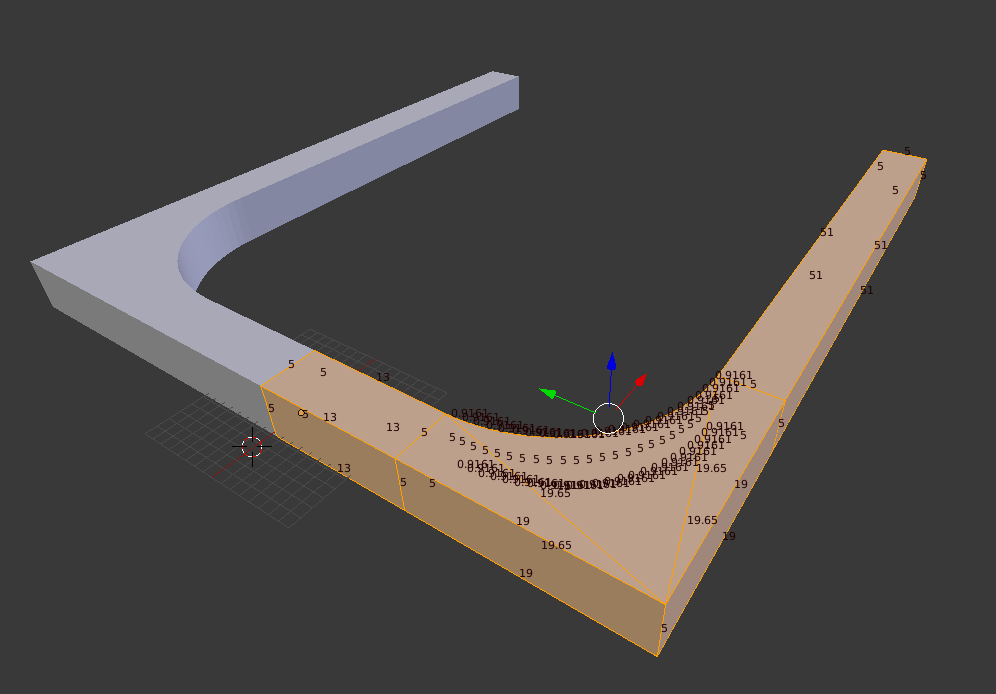
I did the rounding using the Bevel tool:
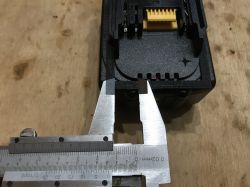
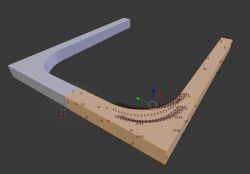
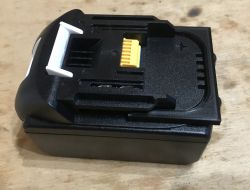
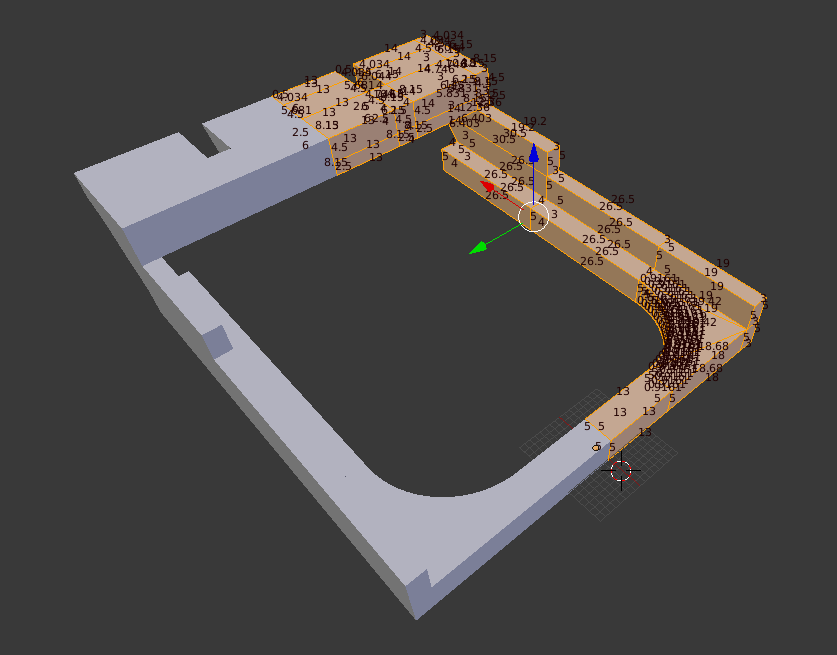
Guides (I use Extrude to build the model, also I often add walls/edges by hand using F):
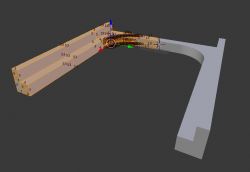
The build-up and space for the abutment:
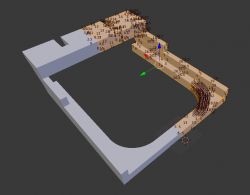
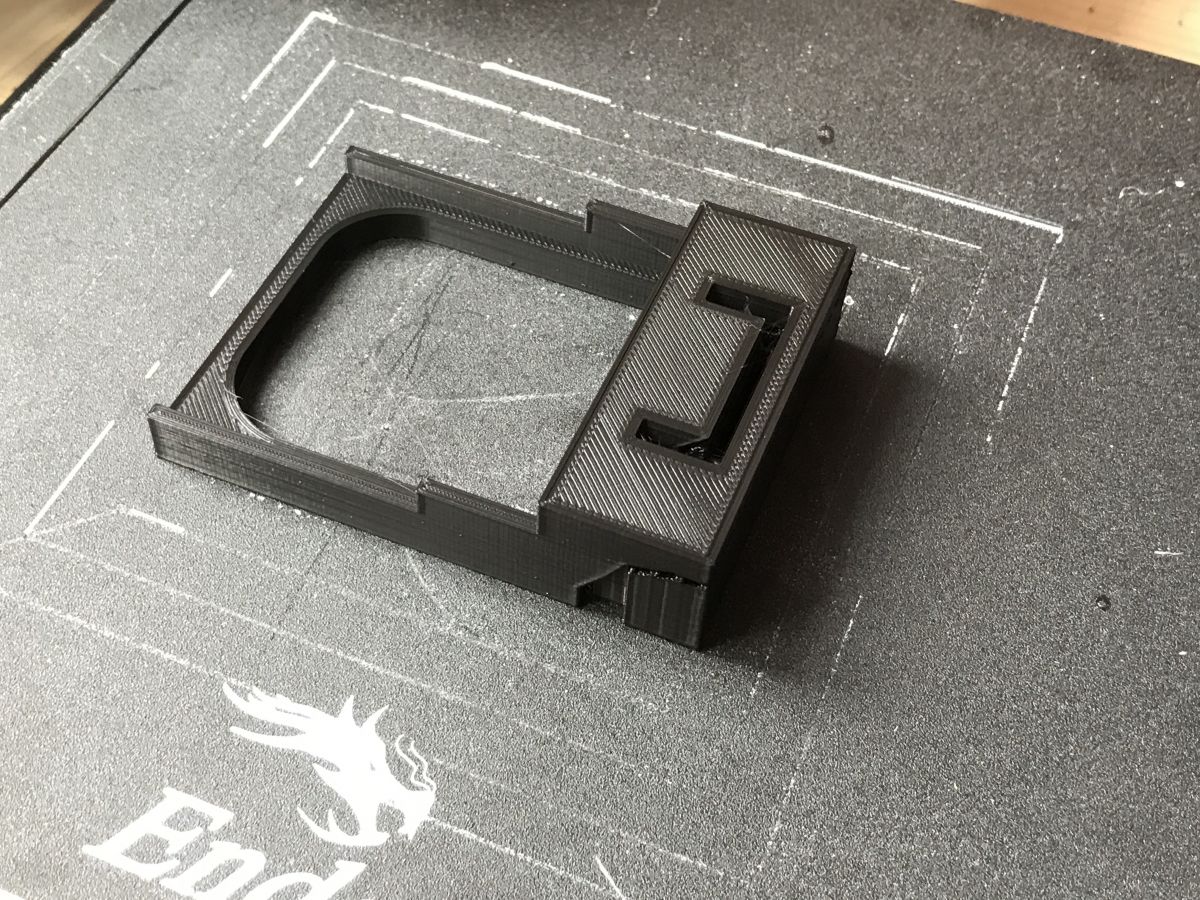
Print:
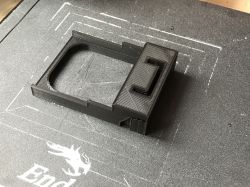
Fitting:

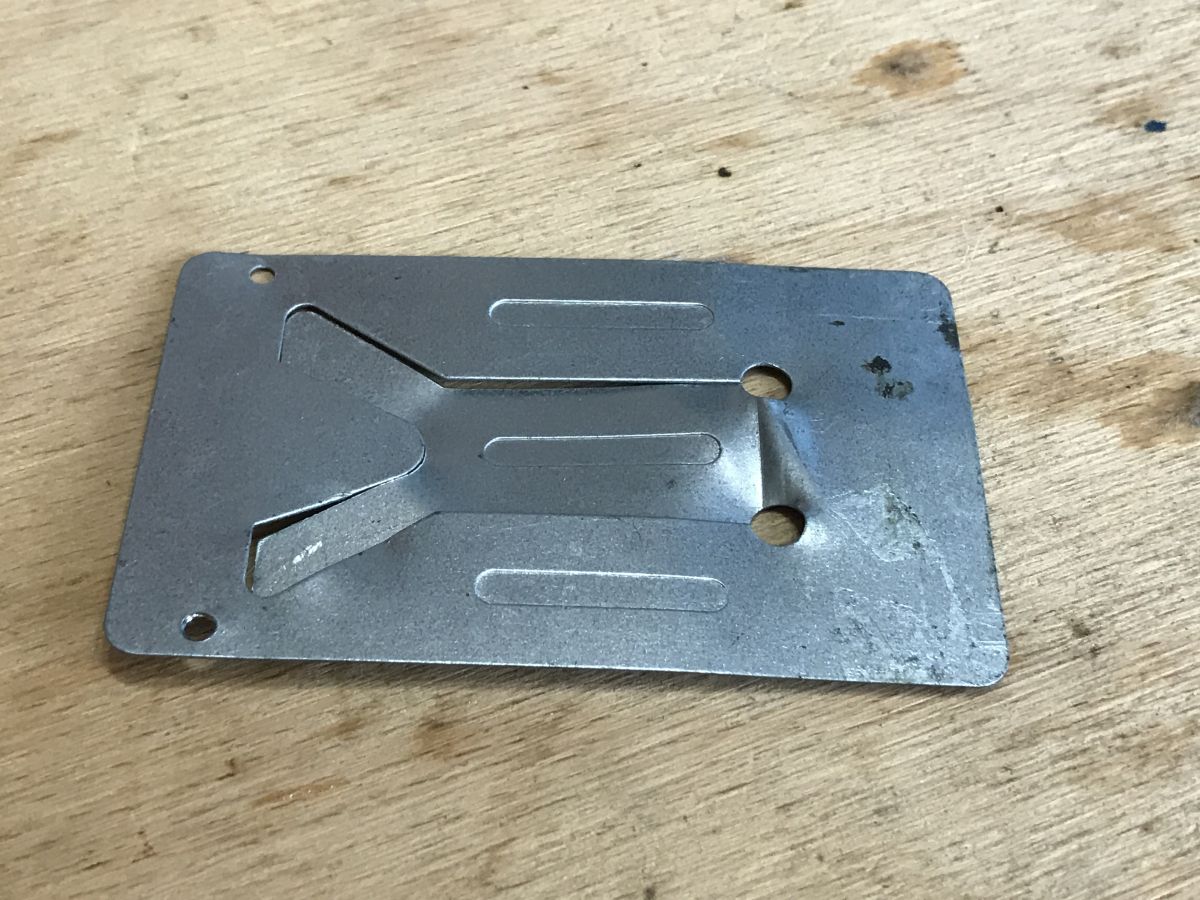
Now the contacts have to be made. I only had an old (cheapest possible) soldering iron stand at hand:
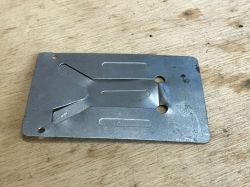
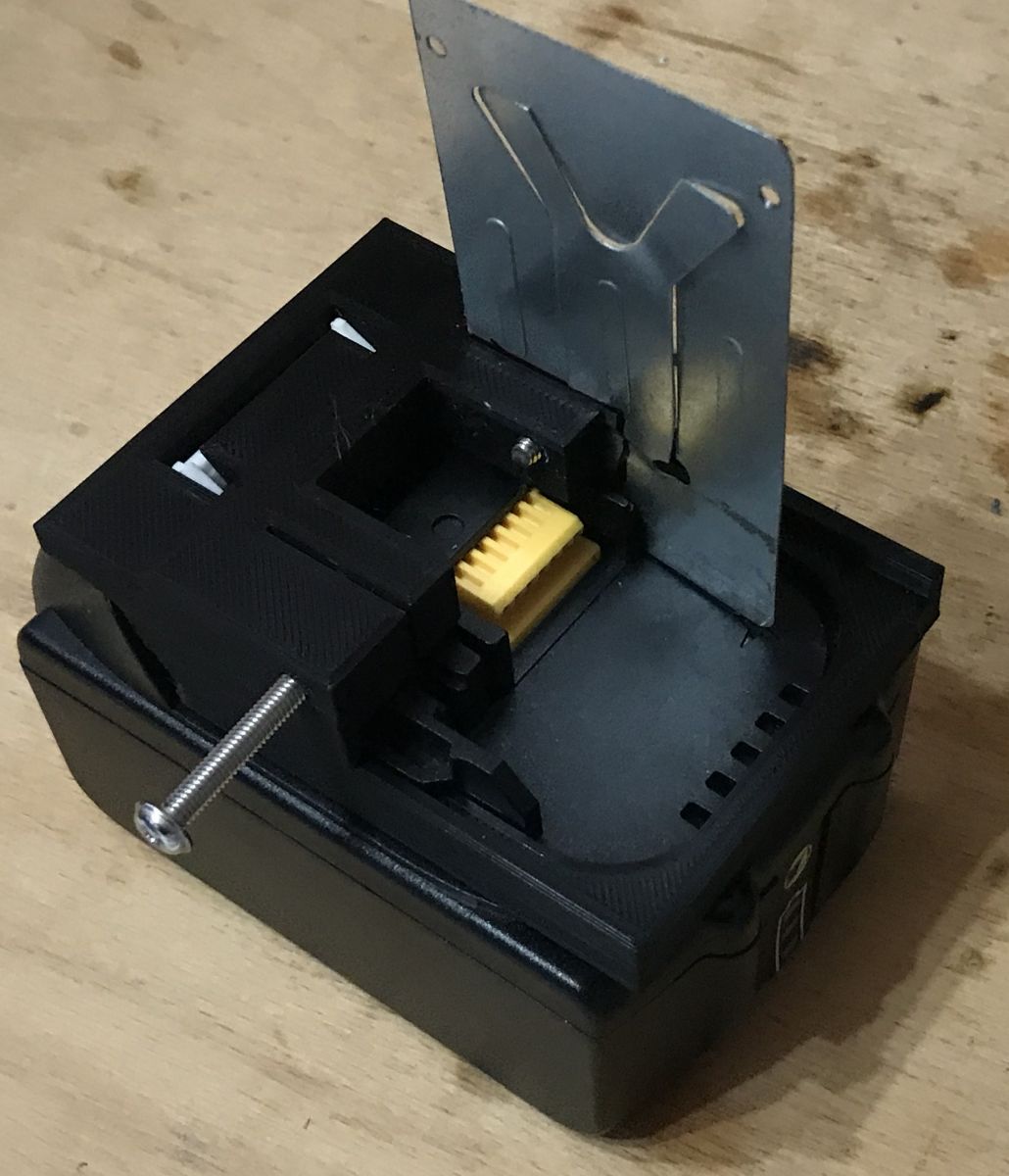
In terms of attaching it, I decided on a single screw hole, as long as the sheet metal matched the print that was enough. I made the holes using a Boolean modifier:
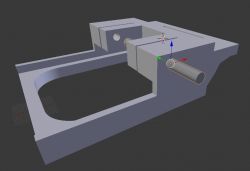
Just the thickness of this sheet metal fits:
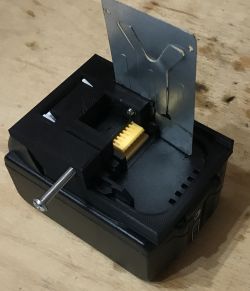
Cut the plate and the adapter base is ready.

Following topic
From this point, we can develop our project already in some specific direction. I can see at least a few different applications here:
- makita BL1830 adapter for screwdriver to another battery (with built-in step-down converter as needed)
- USB power bank powered by the BL1830 (if we bought a decent battery and it is e.g. under warranty or we carry it with us anyway, the idea is quite practical...)
- a high-power LED torch e.g. based on COB modules or similar
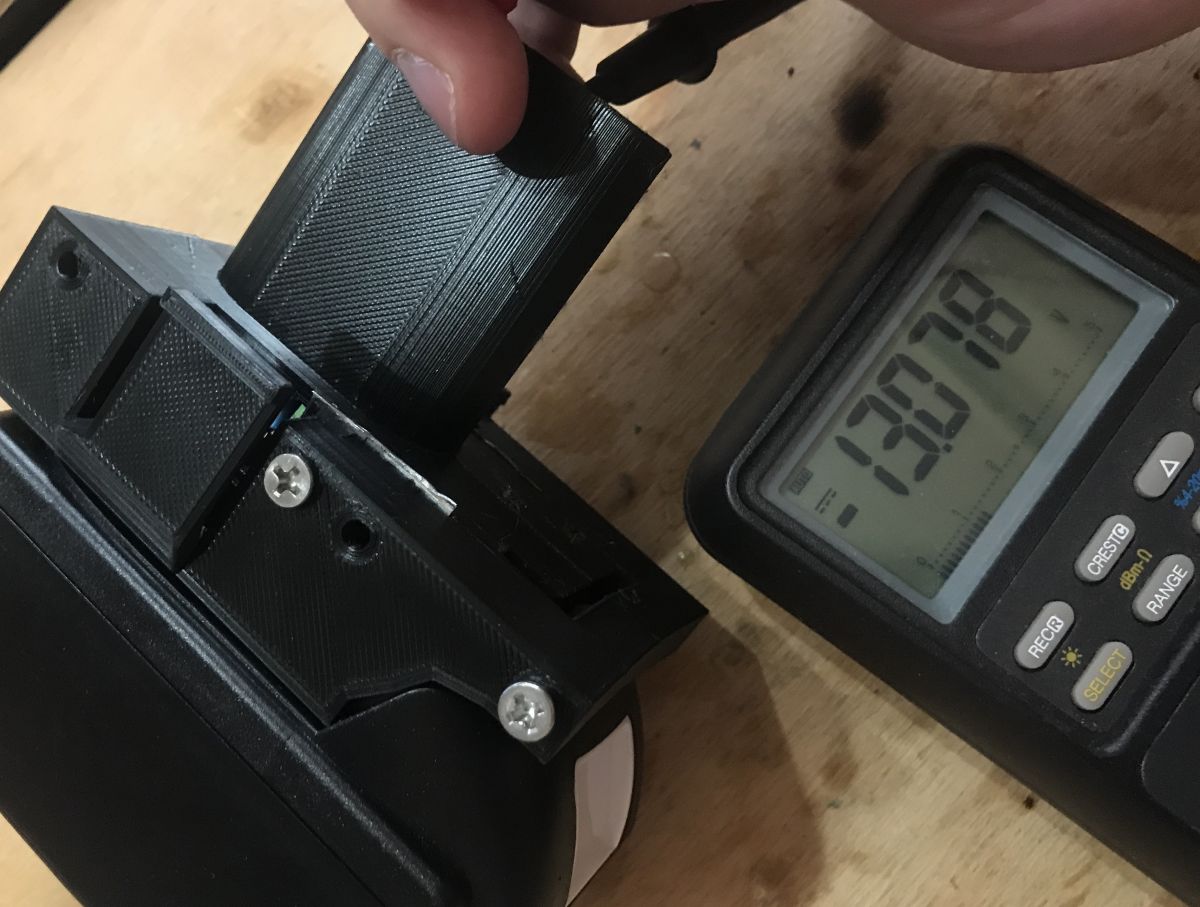
Personally, I have started working on the first idea on the list, which is a Makita adaptor for an old (found on the electro junk) Skil 12V:
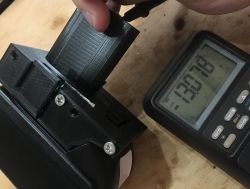
In the photo above, the adapter already includes a step-down converter, as the Makita gives 18V. But about that already in another topic.

Summary
3D printing is once again showing its usefulness, and using new batteries with old equipment is not only satisfying but also environmentally friendly.
Such an adaptor is simple and cheap to make (cheaper than off-the-shelf ones where available), and in the case of my equipment fully meets all requirements.
Now a question for you - what ideas do you have for using Makita batteries? What else could you do based on your own rechargeable battery adapter?
PS: But of course I take no responsibility for how you cause yourself a fire or spoil the battery by not connecting it properly or completely. Everything has to be done within common sense, and with cells there is no joke.
I attach the sources of the model:
Attachments:
  • makitaBL1830_14.blend.zip (77.12 KB) You must be logged in to download this attachment.
  • makitaBL1830_15.stl.zip (6.28 KB) You must be logged in to download this attachment.

About Author
p.kaczmarek2
p.kaczmarek2 wrote 14408 posts with rating 12345 , helped 650 times. Been with us since 2014 year.

Comments

puszak 04 Jul 2021 22:43

You can print e.g. a battery torch, usb charger etc., lots of it on https://www.thingiverse.com [Read more]

FAQ

TL;DR: Design a Makita BL1830 (18 V, 3.0 Ah) battery adapter in Blender, 3D‑print in PLA, add sheet‑metal contacts—“3D printing is once again showing its usefulness.” [Elektroda, p.kaczmarek2, post #19507007]

Why it matters: This FAQ helps makers quickly build safe, low‑cost adapters and accessories that reuse trusted Makita packs.

Quick Facts

What is this project and who is it for?

It’s a 3D‑printed adapter/cap that mates with Makita BL1830 batteries. Makers, repairers, and tool modders can build custom power accessories or cross‑brand adapters using common printers and simple sheet metal. The thread provides Blender design steps, fit checks, and ideas like a Makita→Skil adapter, USB power bank, and LED torch. [Elektroda, p.kaczmarek2, post #19507007]

Which exact battery does the adapter target?

The model targets the Makita BL1830 Li‑ion pack rated 18 V and 3.0 Ah. The post notes it’s popular and also cloned by various manufacturers. Designing the guides and clip recess to match this pack ensures a snug, tool‑like slide‑in fit and reliable contact pressure. [Elektroda, p.kaczmarek2, post #19507007]

How do I design the adapter in Blender?

Model one half and use Mirror for symmetry. Use Extrude to build the rails and walls, Bevel for rounding, and a Boolean cut for screw and contact holes. Fit tolerances are verified by test prints and slide‑in checks on the real battery. [Elektroda, p.kaczmarek2, post #19507007]

What printer, filament, and settings were used?

The author printed on an Ender 3 Pro using PLA. The emphasis is on accurate rail dimensions, clip recess, and sheet‑metal contact thickness matching the slots. Test‑fit early, then iterate if the slide is tight or loose. [Elektroda, p.kaczmarek2, post #19507007]

How are the electrical contacts made and mounted?

Contacts are cut from sheet metal of suitable thickness. The print includes a single screw hole per contact made via Boolean operations. Ensure the two contacts align with the pack terminals and maintain spring pressure for good conductivity. [Elektroda, p.kaczmarek2, post #19507007]

Do you have a quick 3‑step build process?

  1. Model rails, clip recess, and contact slots in Blender; mirror for symmetry.
  2. 3D‑print in PLA; test the slide‑in fit on the BL1830.
  3. Cut sheet‑metal contacts, drill the single screw hole, and assemble. [Elektroda, p.kaczmarek2, post #19507007]

What is a step‑down converter and why is it needed here?

A step‑down (buck) converter reduces higher DC voltage to a lower level. The example Makita→Skil build needs it because the BL1830 provides 18 V, while the Skil tool expects about 12 V. This protects the tool electronics and motor. [Elektroda, p.kaczmarek2, post #19507007]

Can I use this to make a USB power bank or LED torch?

Yes. The post proposes a USB power bank using the BL1830 and a high‑power LED torch, leveraging the pack’s capacity and portability. Community designs for similar ideas are also abundant on Thingiverse, as noted in replies. [Elektroda, puszak, post #19507653]

What files are shared, and in what formats?

The author provides the Blender source (.blend) and STL files for printing. This lets you tweak rail tolerances, contact geometry, or add housings for converters, USB modules, or LEDs before slicing and printing. [Elektroda, p.kaczmarek2, post #19507007]

How tight should the slide‑in fit and clip be?

Design the rails to mimic the tool’s guides and include the clip recess. The thread confirms a solid hold after printing and test‑fitting. If insertion is stiff, adjust rail width or bevels slightly and reprint the base. [Elektroda, p.kaczmarek2, post #19507007]

What is PLA filament, briefly?

PLA is a common 3D‑printing plastic that’s easy to print and dimensionally stable. It suits non‑high‑temperature parts like battery caps and jigs. Ensure contact areas don’t overheat from current; add metal where needed. [Elektroda, p.kaczmarek2, post #19507007]

Any safety warnings before powering tools?

Yes. Miswiring can damage packs or cause fire. The author cautions, “Everything has to be done within common sense, and with cells there is no joke.” Verify polarity, secure contacts, and load‑test carefully. [Elektroda, p.kaczmarek2, post #19507007]

What failures should I watch for during first tests?

Watch for loose slide engagement, poor contact pressure, or heat at the contacts under load. If the clip doesn’t latch or contacts spark, stop and correct alignment or thickness. Edge case: a too‑thin contact can overheat and deform PLA. [Elektroda, p.kaczmarek2, post #19507007]

Is there a statistic on available energy for planning add‑ons?

The BL1830 is 18 V and 3.0 Ah, which equals about 54 Wh nominal. That’s useful for sizing LED torches or USB modules and estimating runtime at moderate loads. Plan thermal paths for sustained current. [Elektroda, p.kaczmarek2, post #19507007]

Where can I find more printable accessories or ideas?

Community repositories like Thingiverse host battery torches, USB chargers, and more designs to adapt for the BL1830 footprint. Start with similar rail geometries and customize enclosures to your electronics. [Elektroda, puszak, post #19507653]

Can I adapt other 18 V tools using this base?

Yes. The base provides correct rails, clip recess, and terminal positioning. You can bolt on housings for converters or tool‑specific mounts, extending compatibility to older or off‑brand tools. Iterate with quick test prints. [Elektroda, p.kaczmarek2, post #19507007]
Generated by the language model.
%}