An ESP8266/ESP12 clock with a MAX7219 LED display and an MCP23017 relay board uses NTP time and firmware built in PlatformIO.
The ESP12 carrier combines a 3.3V LDO, I2C pull-ups, EEPROM, and optional UART-reset transistors; the relay board uses I2C address jumpers and S9014 transistors.
The OTA setup uses upload_protocol = espota, upload_port = 192.168.0.124, and the serial monitor runs at 115200 baud.
ArduinoOTA programming over WiFi works after one cable upload, and MD_Parola displays time and date fetched from NTP.
The display needs extra formatting for leading zeros, and the web server, calendar, and alarm features are still planned.
AI summary based on the discussion. May contain errors.
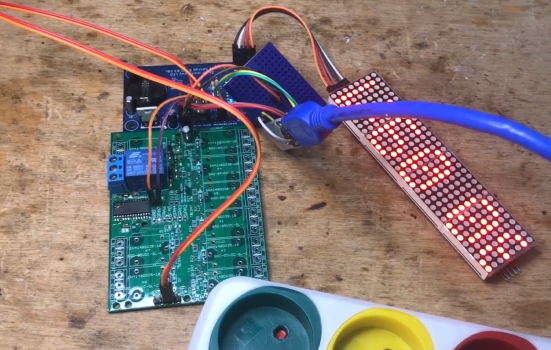
I will show here the design of a clock built on ESP8266 and MAX7219 based display, additionally enhanced with a relay module on MCP23017. The PCB under the ESP will come from the web, the relay module on the other hand I designed myself. I will assemble the firmware myself in PlatformIO from ready-made libraries. The time will be downloaded from the internet via NTP.
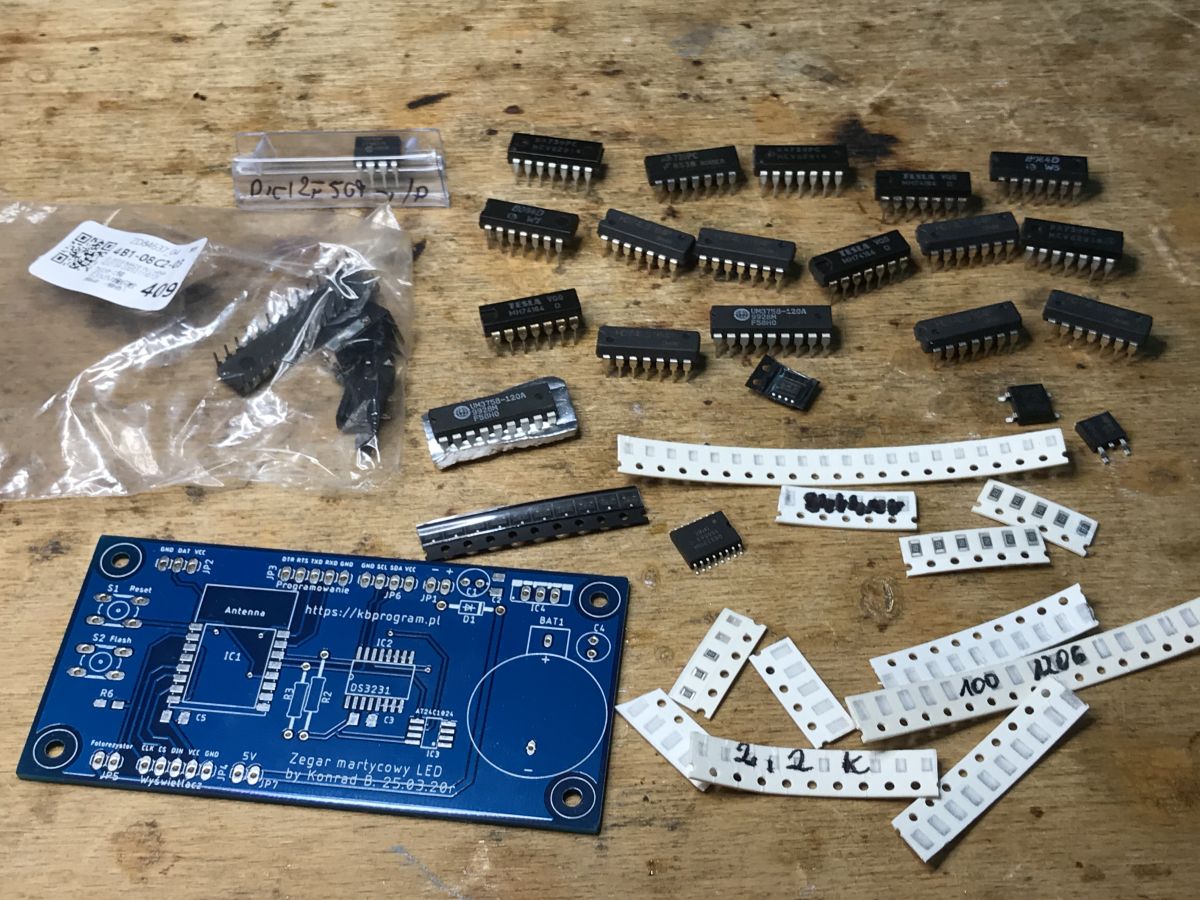
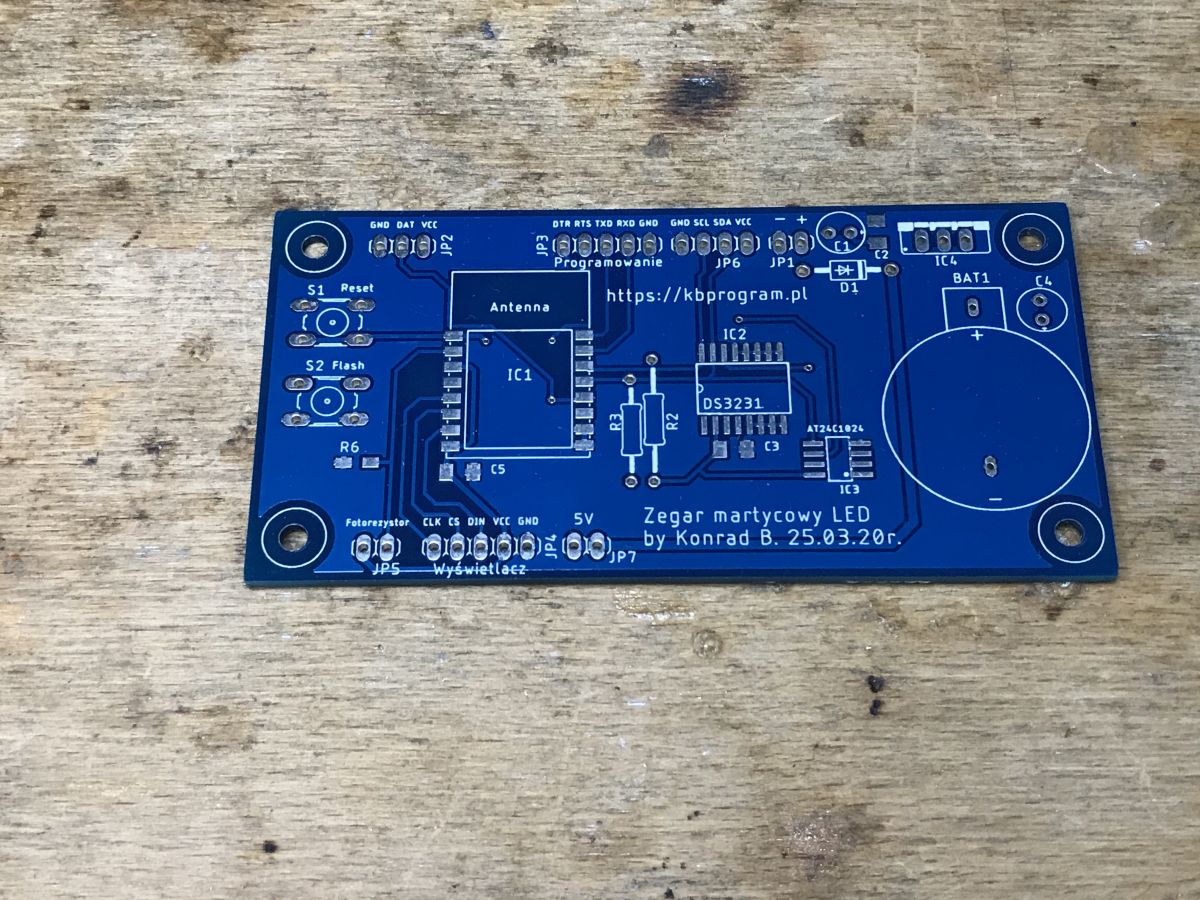
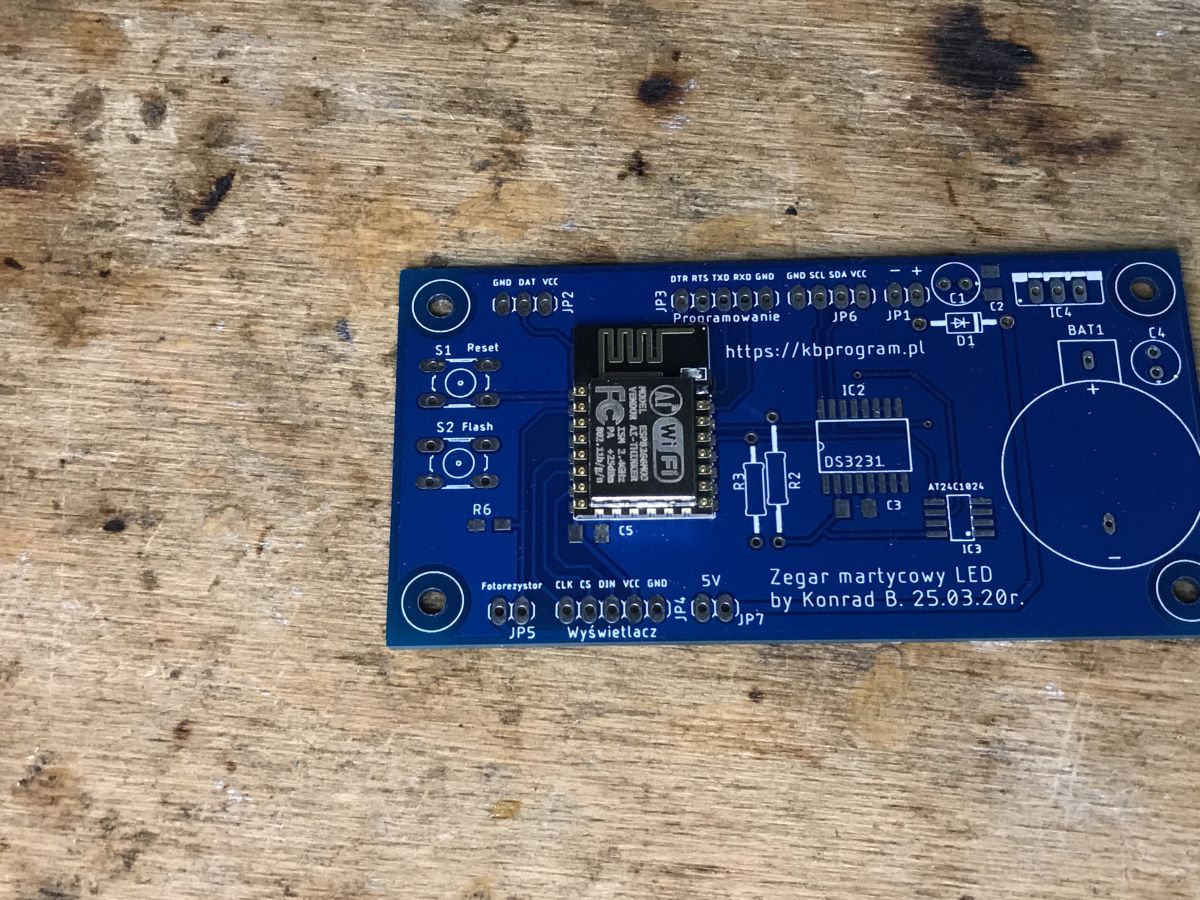
The main PCB for ESP12 used here is by "kbprogram" and was shared on his blog, and one of his pieces was sent to me by one of my readers (along with a bunch of other parts).
As a rule, ready-made kits (so-called kits) I never assemble and have never put together - even my first circuits made 6 or more years ago were DIY - including, for example, As a rule, I never put together a kit. with the TQFP tracing , or there with my PIC32 board , or with my Ethernet attempts on a PIC with everything I need built in .
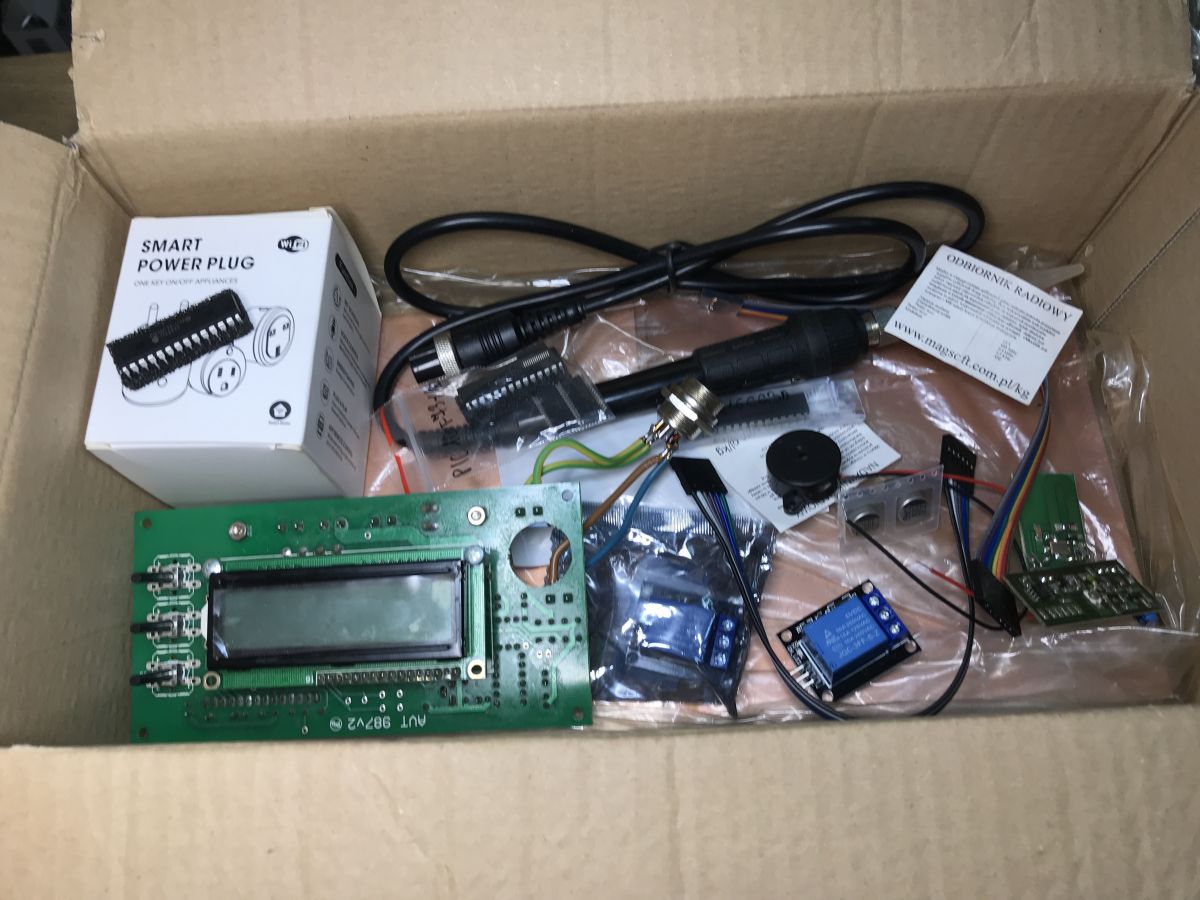
In this case, however, since I had already received a PCB from a reader, I just decided to use it. Here are the contents of the whole package I received (I will try to describe something else from it in the future):
Thank you for the package!
As for the relay module mentioned in turn, it was originally intended as an overlay for this project:
Home Assistant/Tasmota HTTP compatible relay controller + housing But when ordering the boards I got 10 pieces, so there are some left over for other projects.
So much for the introduction, here we go.
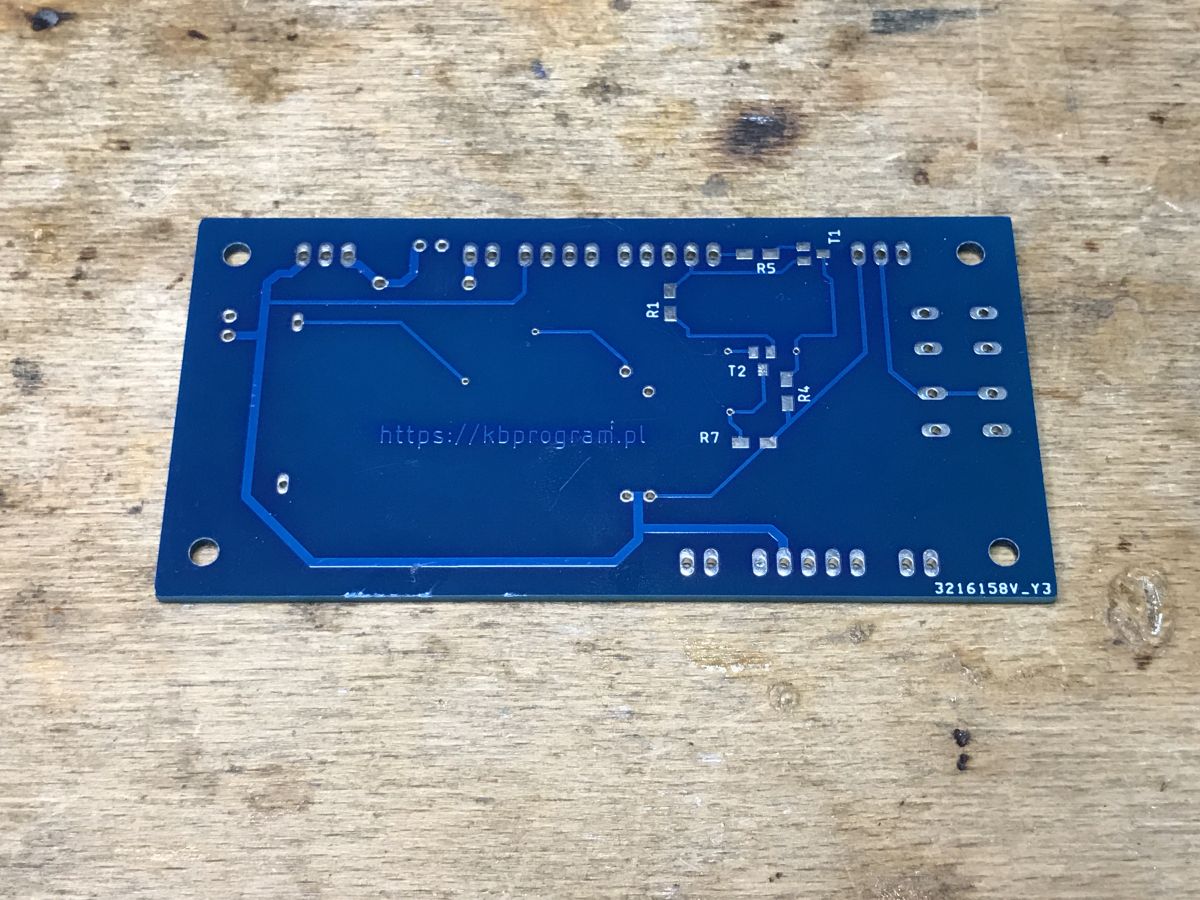
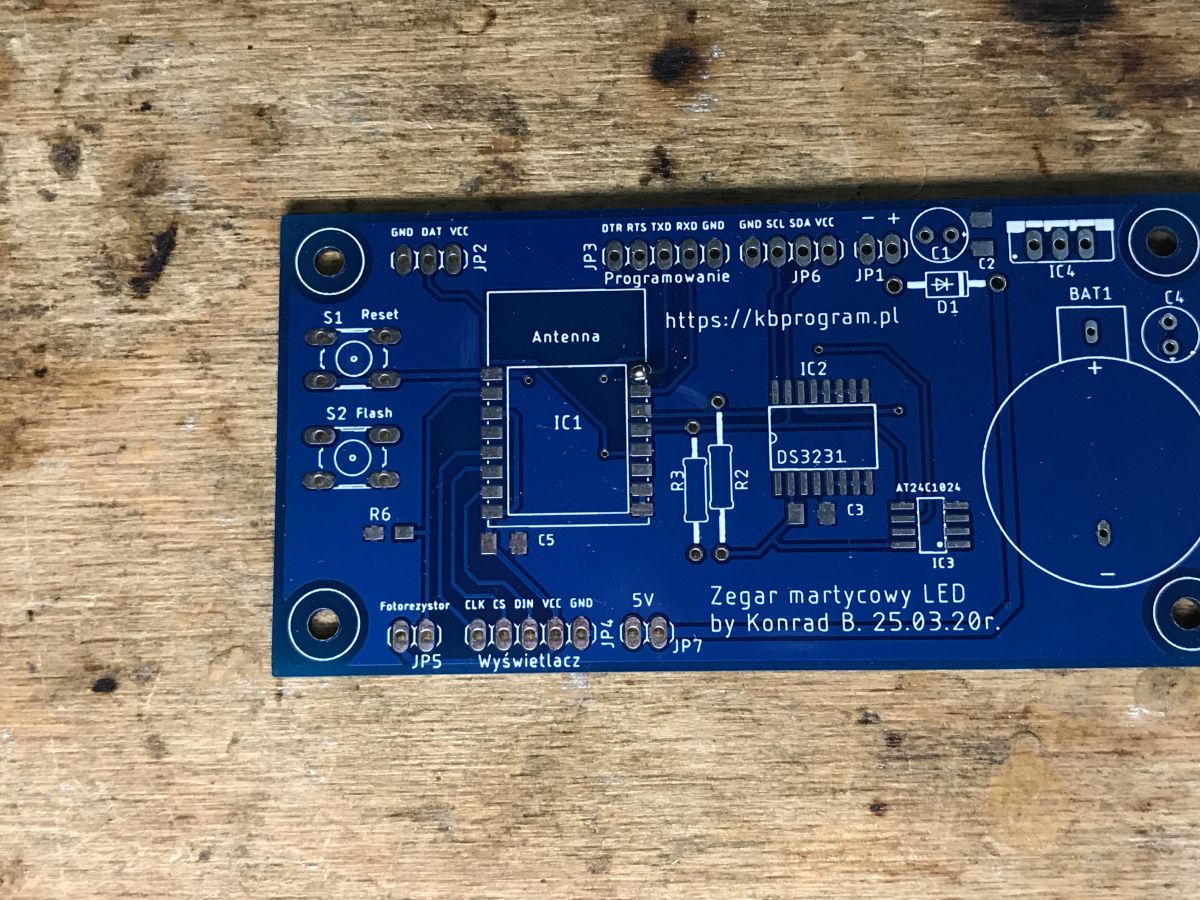
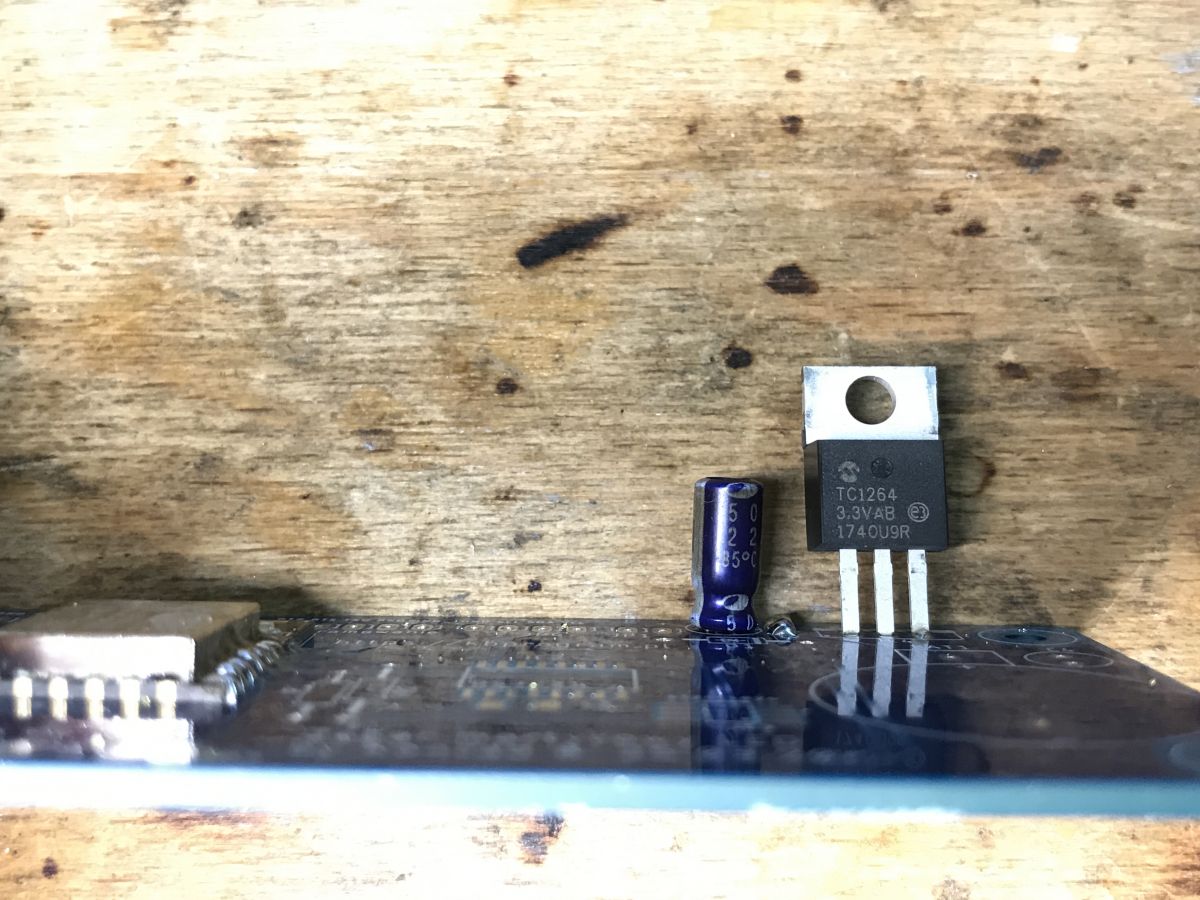
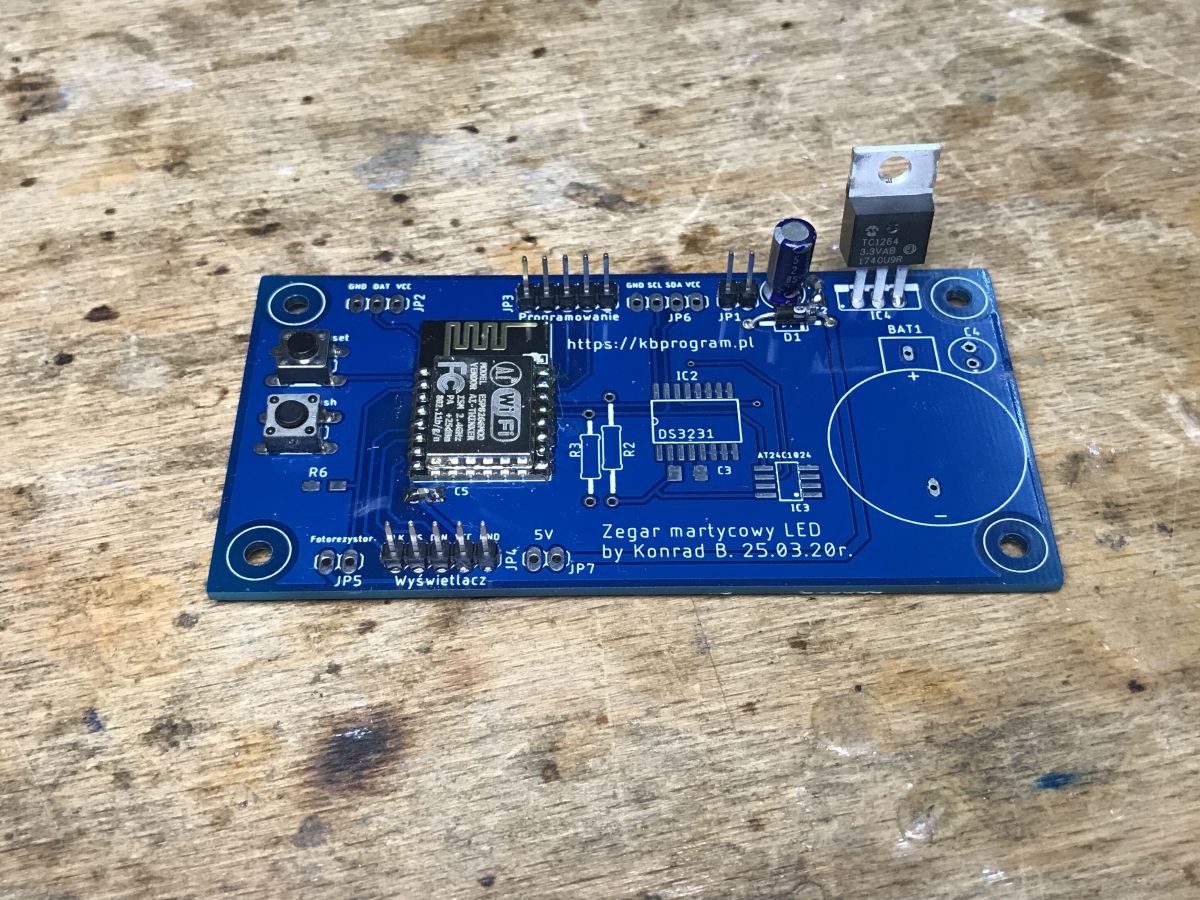
Soldering the board This board is a strange mix of THT and SMD. I don't know why exactly the author conceived it this way, maybe it was supposed to be a golden mean between size and soldering difficulty? You have the documentation of the project on the author's page given on the board. Basically, there is nothing to discuss here. Power block with a 3.3V LDO (I used a TC1264), ESP12, clock block with battery cage, I2C lines with pull up resistors, EEPROM also on I2C and basically that's it.
Those SMD transistors on the bottom of the board are only needed if you want to reset the chip with lines from the UART. I myself reset and entered the programming state with buttons.
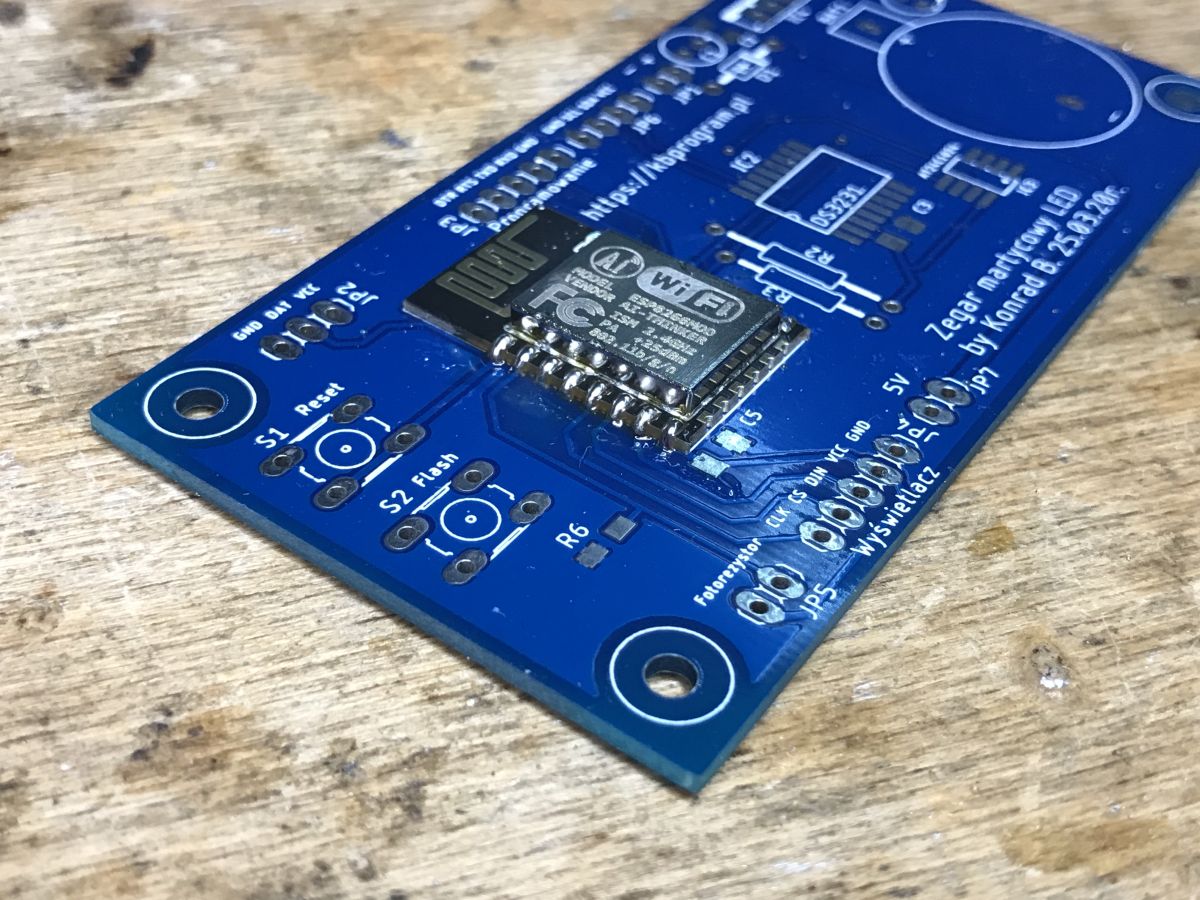
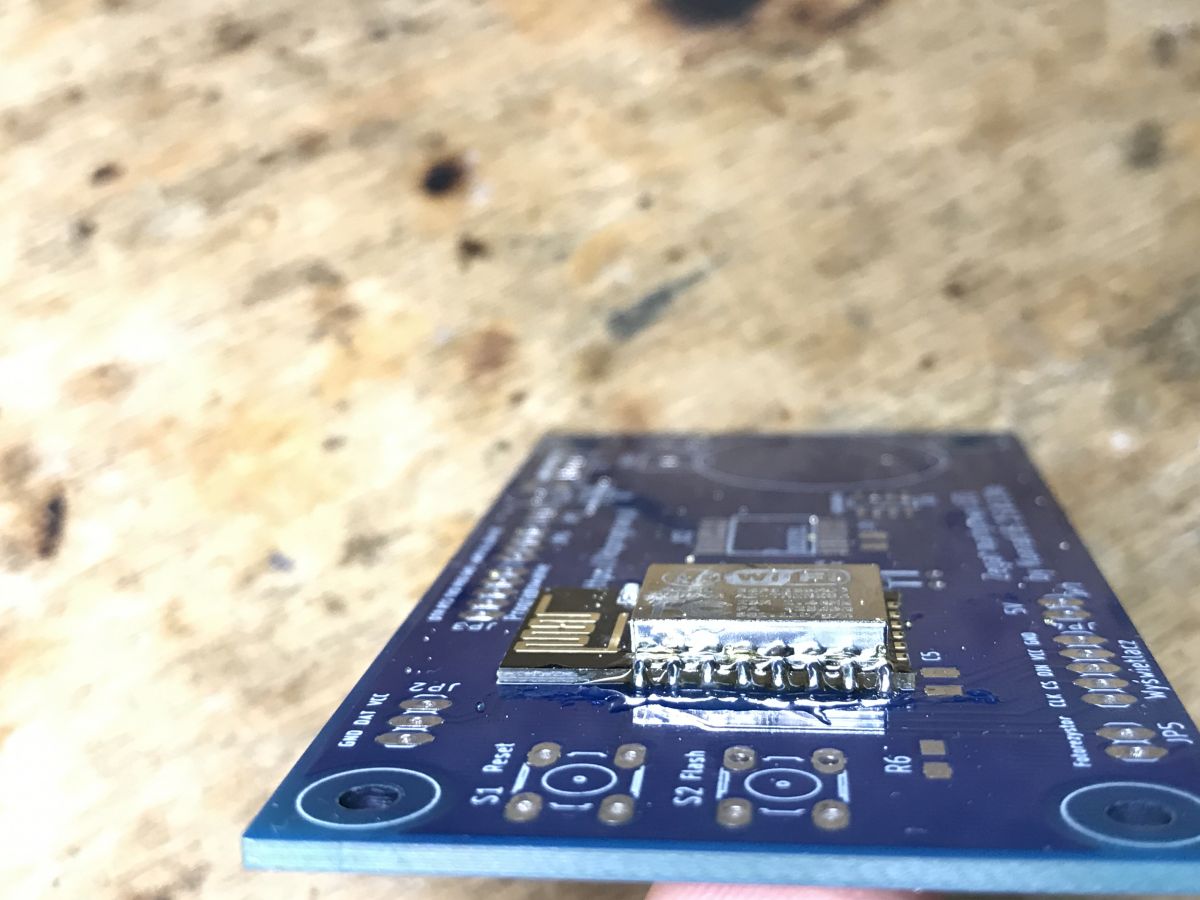
I soldered the WiFi module by making a drop of solder on one pad, grabbing that pad and then soldering the others.
I had the 100nF decoupling capacitors in slightly smaller enclosures:
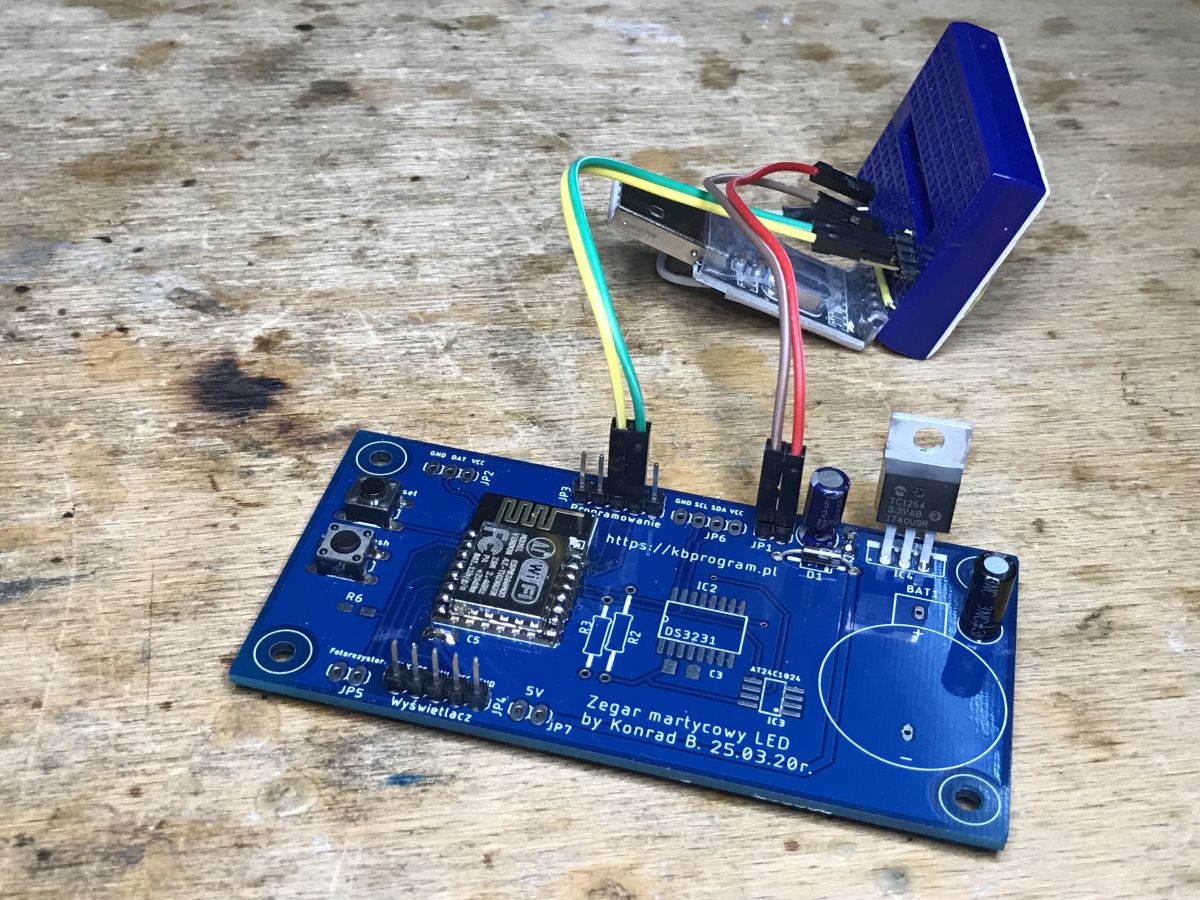
Almost ready, can be programmed:
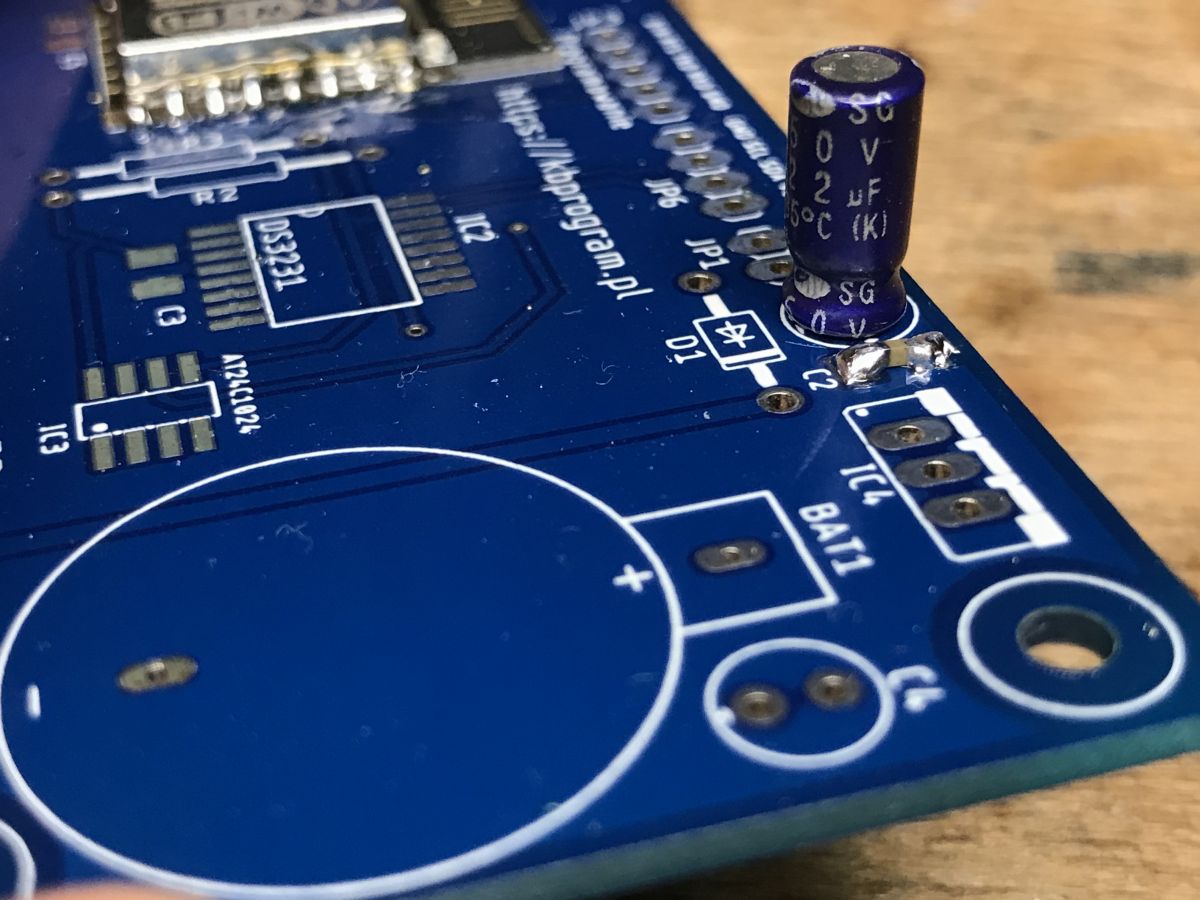
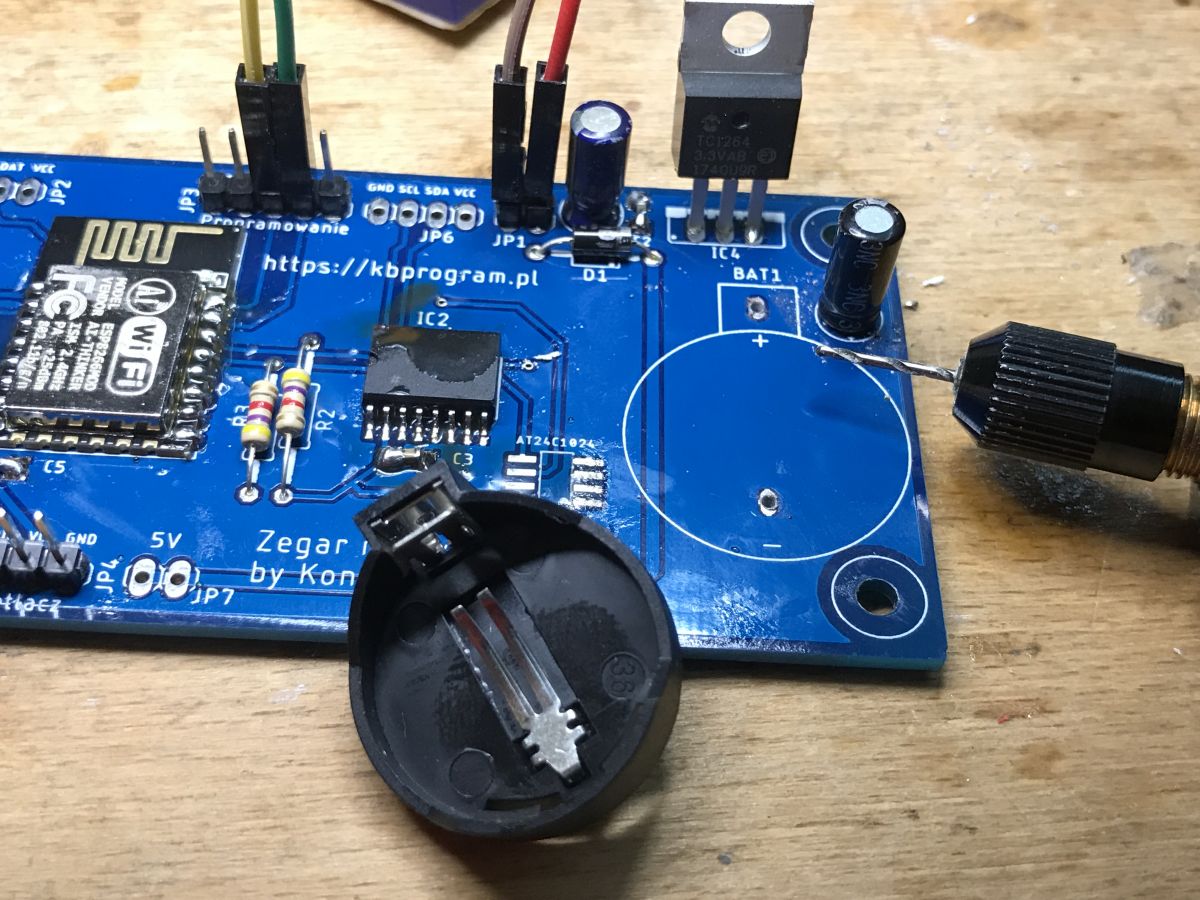
I still soldered the components, unfortunately the holes for the cage legs for the watch battery to hold the time were too small, I had to drill :
ArduinoOTA, or convenient batch uploading via WiFi For programming, I chose the PlatformIO platform. I have not been exposed to it before:
https://platformio.org/ Installation description for VSCode:
https://platformio.org/install/ide?install=vscode The installation is done in two steps. First the VSCode and then the PlatformIO addon. It went without any problems.
For uploading the batch, I chose ArduinoOTA - that is, uploading the batch over WiFi.
Here is the platform.ini file used:
The skeleton of the OTA application with a wildly added LED blink on GPIO2, that is the LED on board the very WiFi module I had:
Code: C / C++
Log in, to see the code
This batch has to be uploaded once 'via cable', then it can be uploaded via WiFi. The batch must be completed with the SSID and password of your WiFi network.
It is also important to set the IP as in the OTA configuration - in my case this is simply done by reserving an IP for the MAC of my ESP.
All without any problems. You can already program the ESP8266 over WiFi.
For a better configuration of our WIFi network the WiFiManager library could be plugged in:
https://www.arduino.cc/reference/en/libraries/wifimanager/ It would allow you to reset the WiFi configuration and roll back the device to AP configuration mode with a simple button, and then in AP mode enter our SSID and password, which is then remembered when switched off. A bit like the Tasmota.
But that's something I haven't implemented yet in this project.
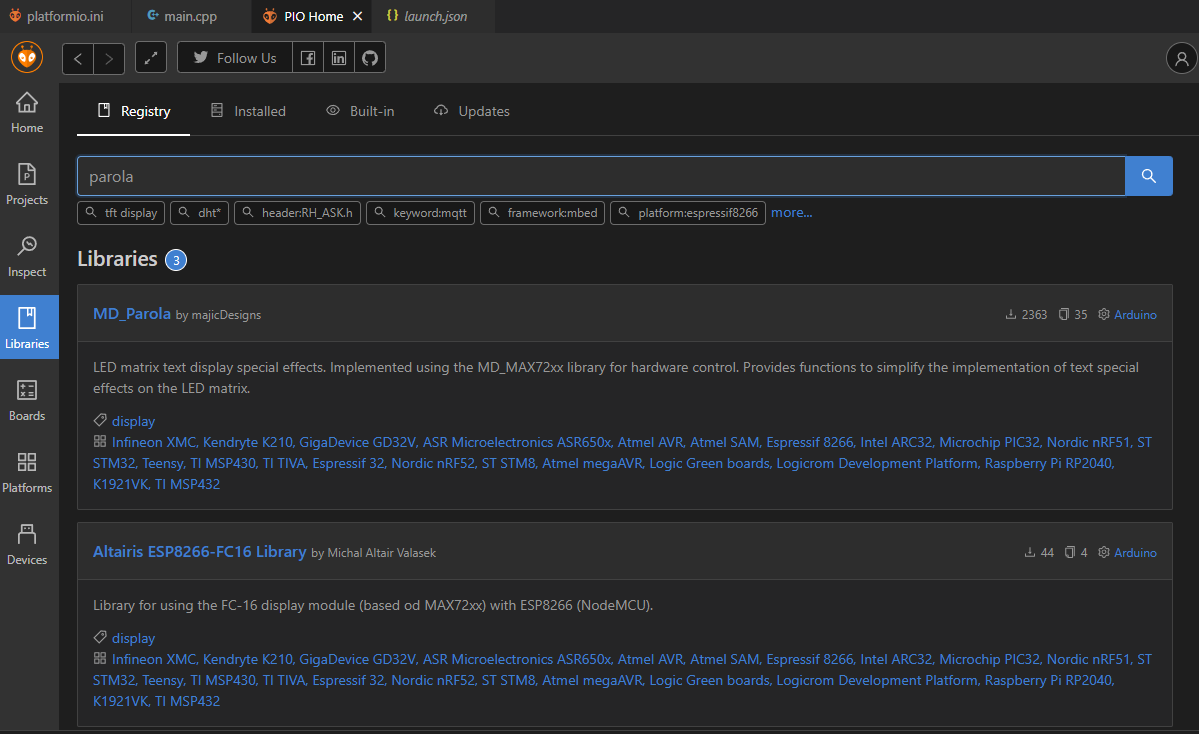
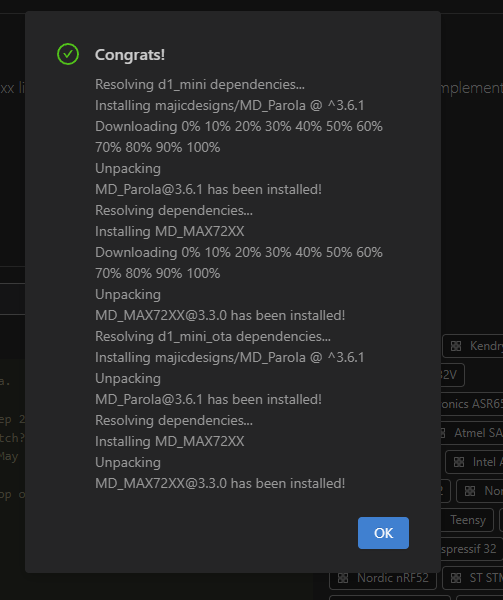
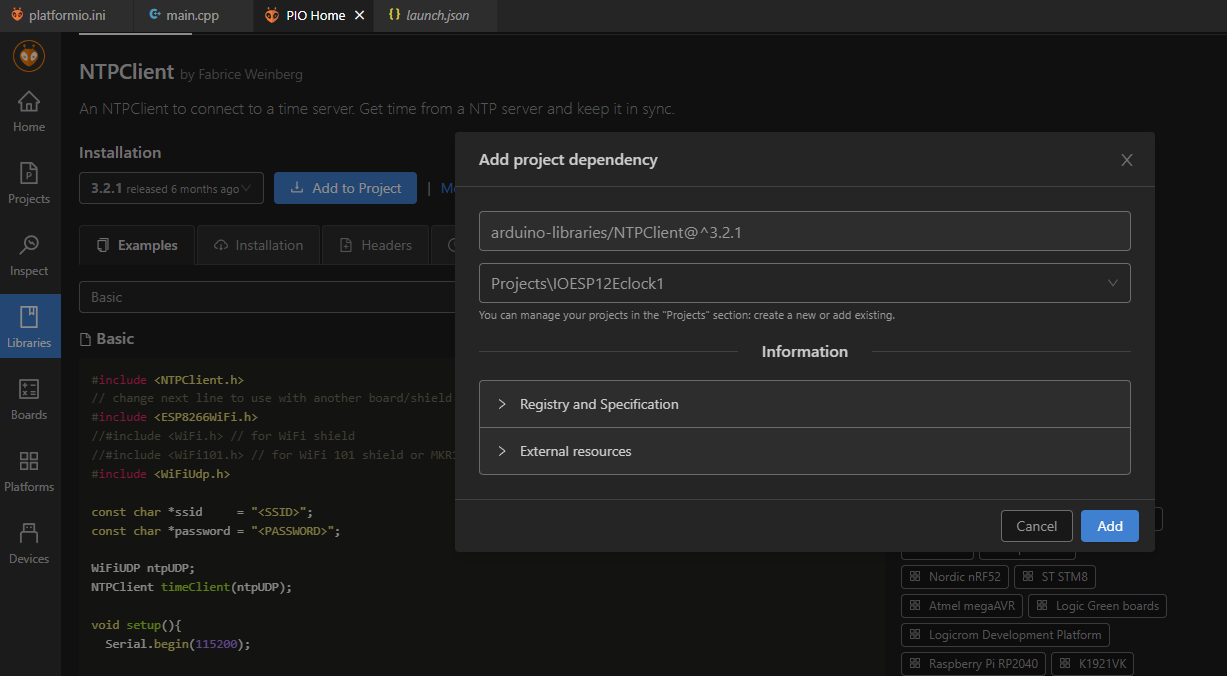
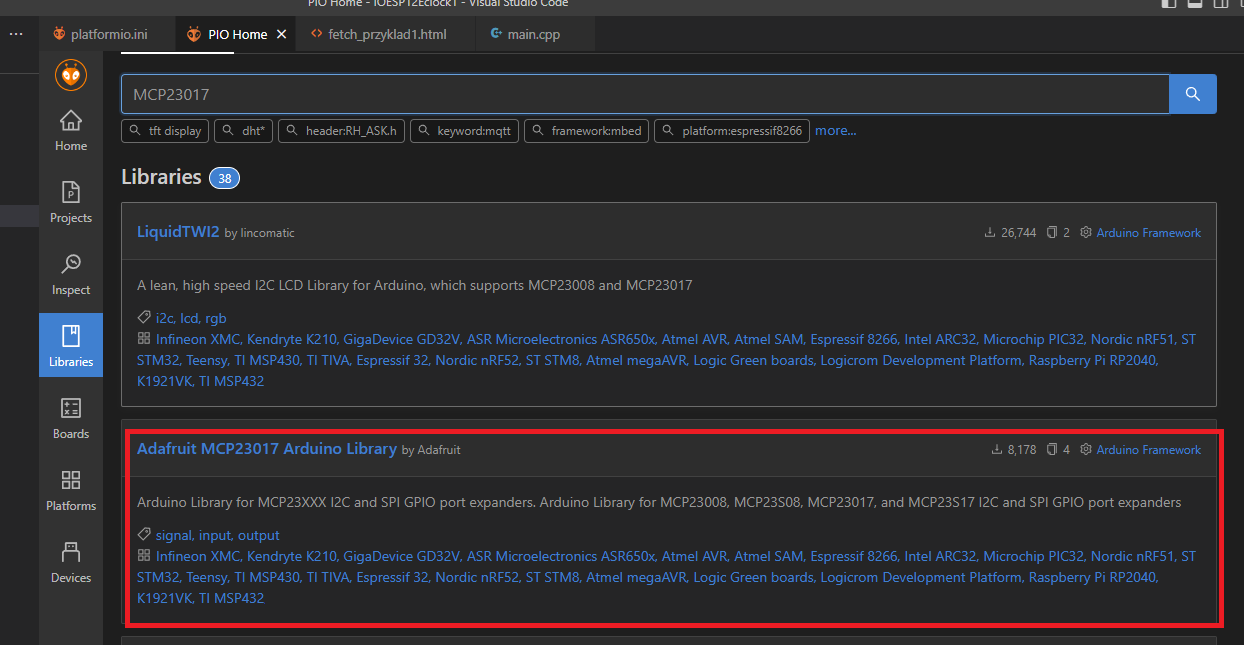
Library MD_Parol For the control of the MAX7219, I have chosen the MD_Parola library. It can be installed very easily via PlatformIO. Basically you just have to search for it and click through the installation process. Everything is automatic.
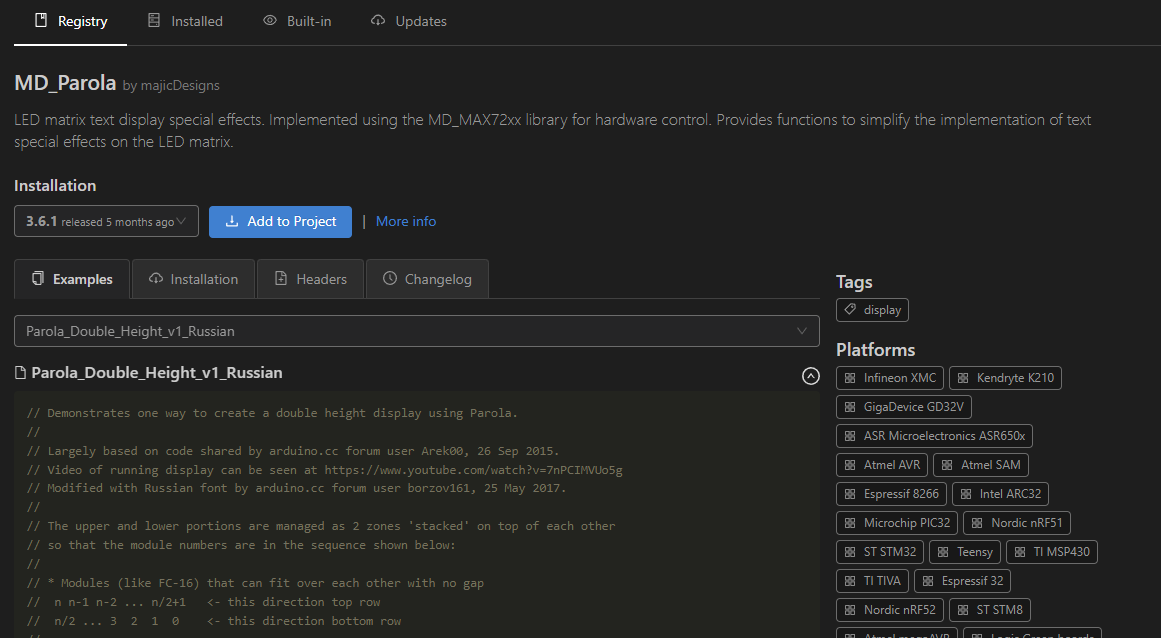
Once you have searched for the library, you can select the version and click "Add to Project".
Using MD_Parol is really quite simple. The documentation is here:
https://github.com/MajicDesigns/MD_Parola We define the type of display and its SPI pins (although this is truncated in his case, the communication is one way):
Code: C / C++
Log in, to see the code
We then initialise it via Begin:
Code: C / C++
Log in, to see the code
And then, already in the loop we can control and animate it.
Code: C / C++
Log in, to see the code
Below is my code with the library attached:
Code: C / C++
Log in, to see the code
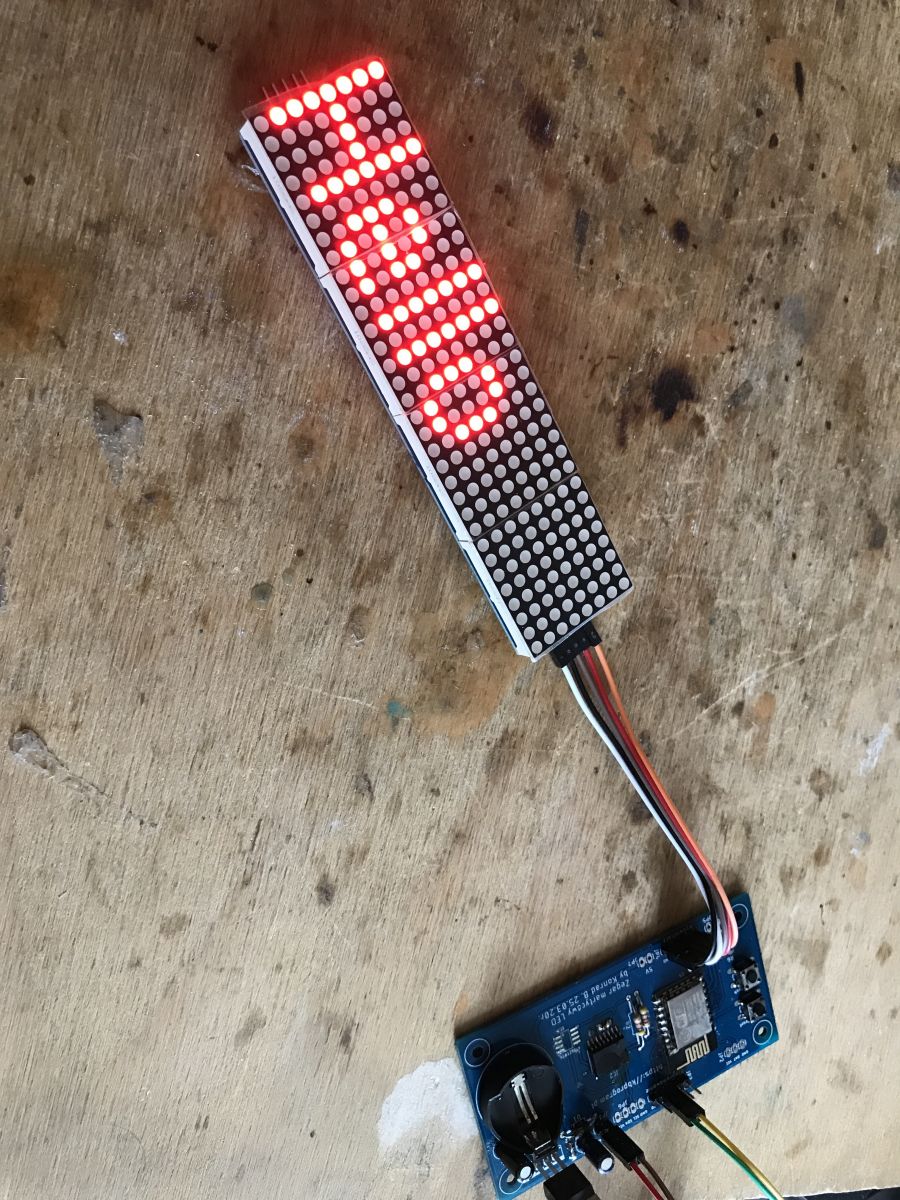
Effect:
NTP or internet time I've written about my own NTP client here, among other things, but with PlatformIO and the ready-made Arduino libraries, you don't even need to know what UDP is - there's a ready-made one here too.
We include the client header:
Code: C / C++
Log in, to see the code
We create the NTP client, it consists of two parts:
Code: C / C++
Log in, to see the code
The address of the time server can be changed. We set the time zone and start NTP:
Code: C / C++
Log in, to see the code
In a loop we update its operation:
Code: C / C++
Log in, to see the code
We still need to transfer the time to the display, but the Printf function already built into the Parola class will help us with this:
Code: C / C++
Log in, to see the code
All I had to do was add a few lines of code and there you go - we have a time display:
Code: C / C++
Log in, to see the code
NOTE: this hour one five will display what 1:5, there is no adding extra zeros here.
You can get the current date from NTP in a similar way, so it is very easy to expand on the previous example and get this effect:
Below is the full code for my date display, additionally relying on a helper function which formats the number by adding a preceding zero (so that, for example, 5 minutes past 10 is displayed as 10:05 rather than 10:5):
Code: C / C++
Log in, to see the code
Code: C / C++
Log in, to see the code
I haven't played around with checking the buffer size here, although it should be mentioned anyway. If the buffer given to sprintf is not of sufficient size then the sprintf operation has undefined effects, it will overwrite further memory contents. Consider using its safe counterpart, checking the size of the target buffer, for example sprintf_s.
It is worth noting that the text itself to the display is sent by this line:
Code: C / C++
Log in, to see the code
it also turns on the animation. Of course, there are other solutions, you can use a ready-made function to convert time to text:
Code: C / C++
Log in, to see the code
The advantage of this function is that it will not exceed the buffer size, so it is safer.
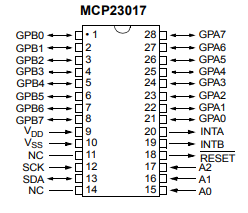
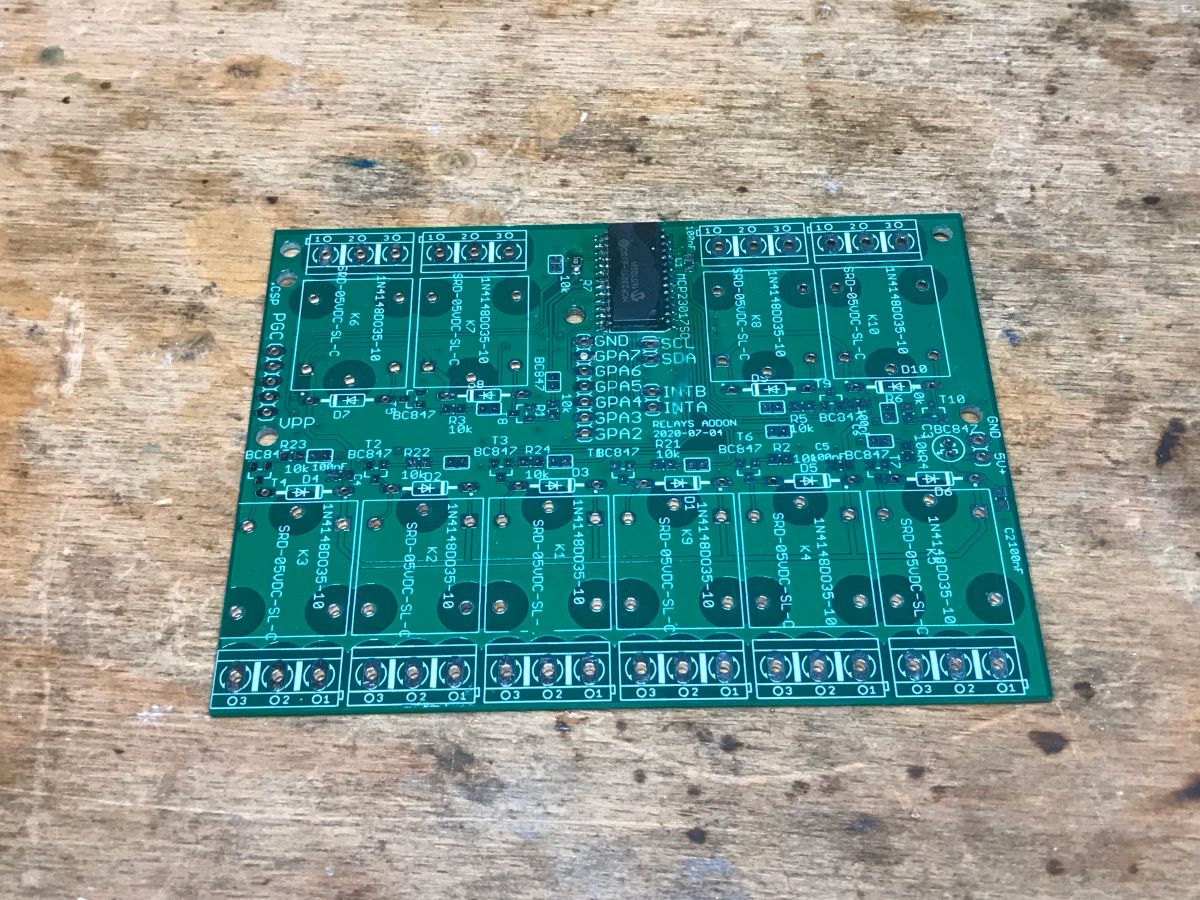
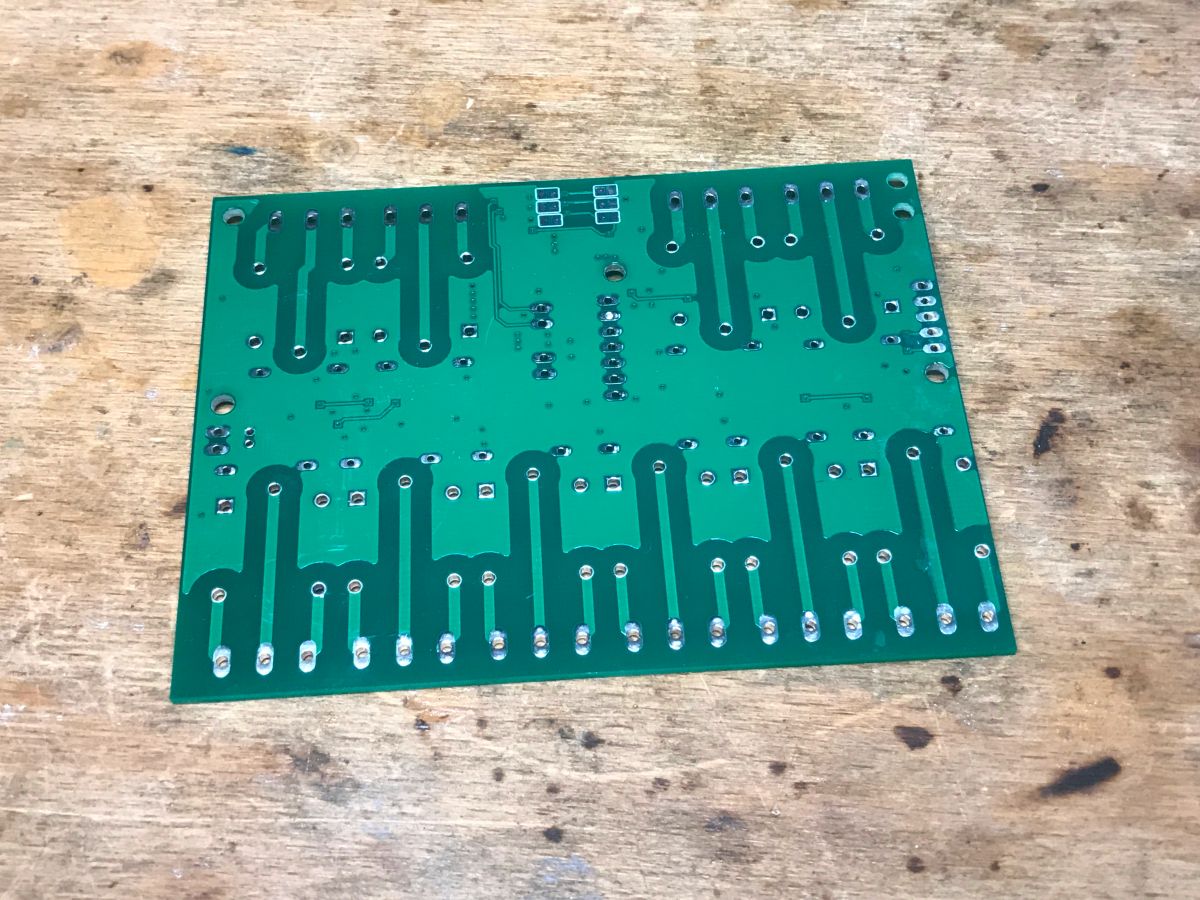
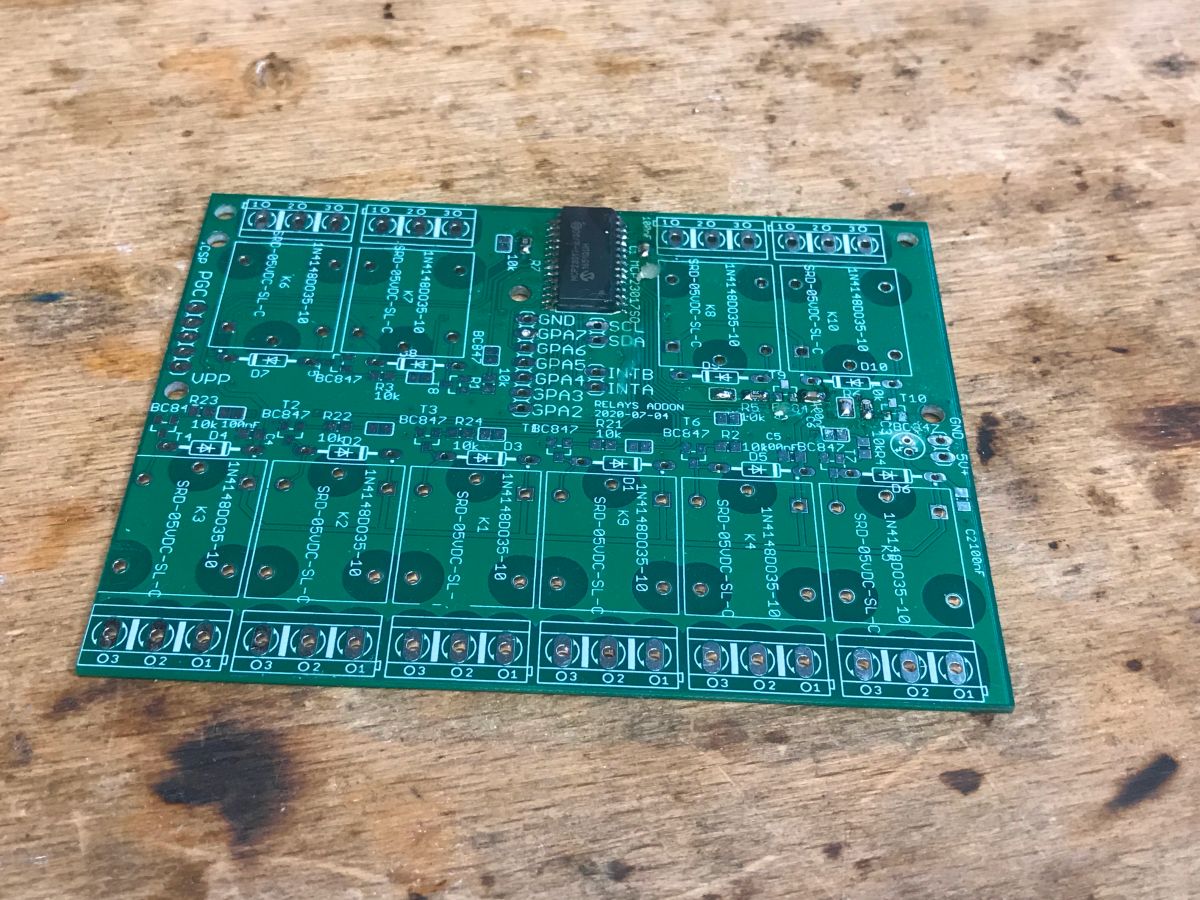
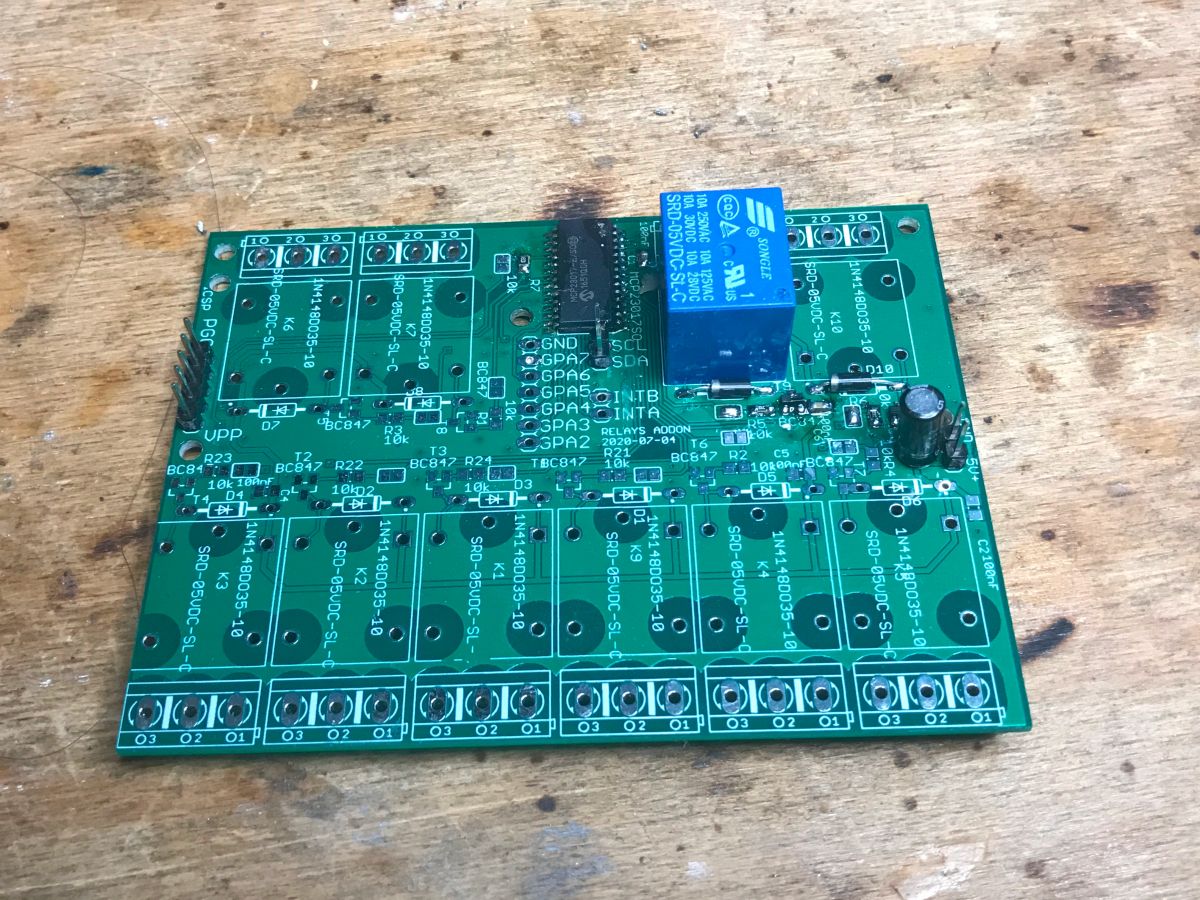
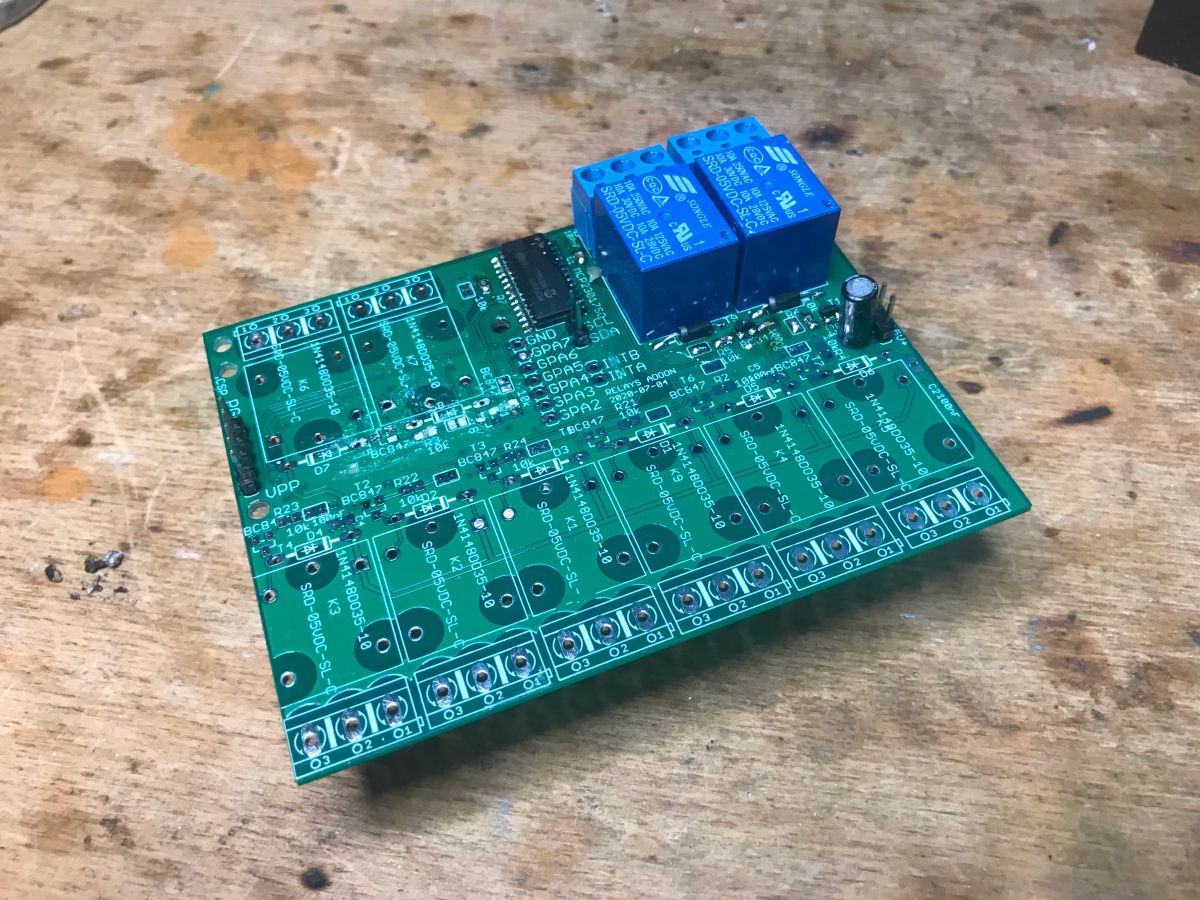
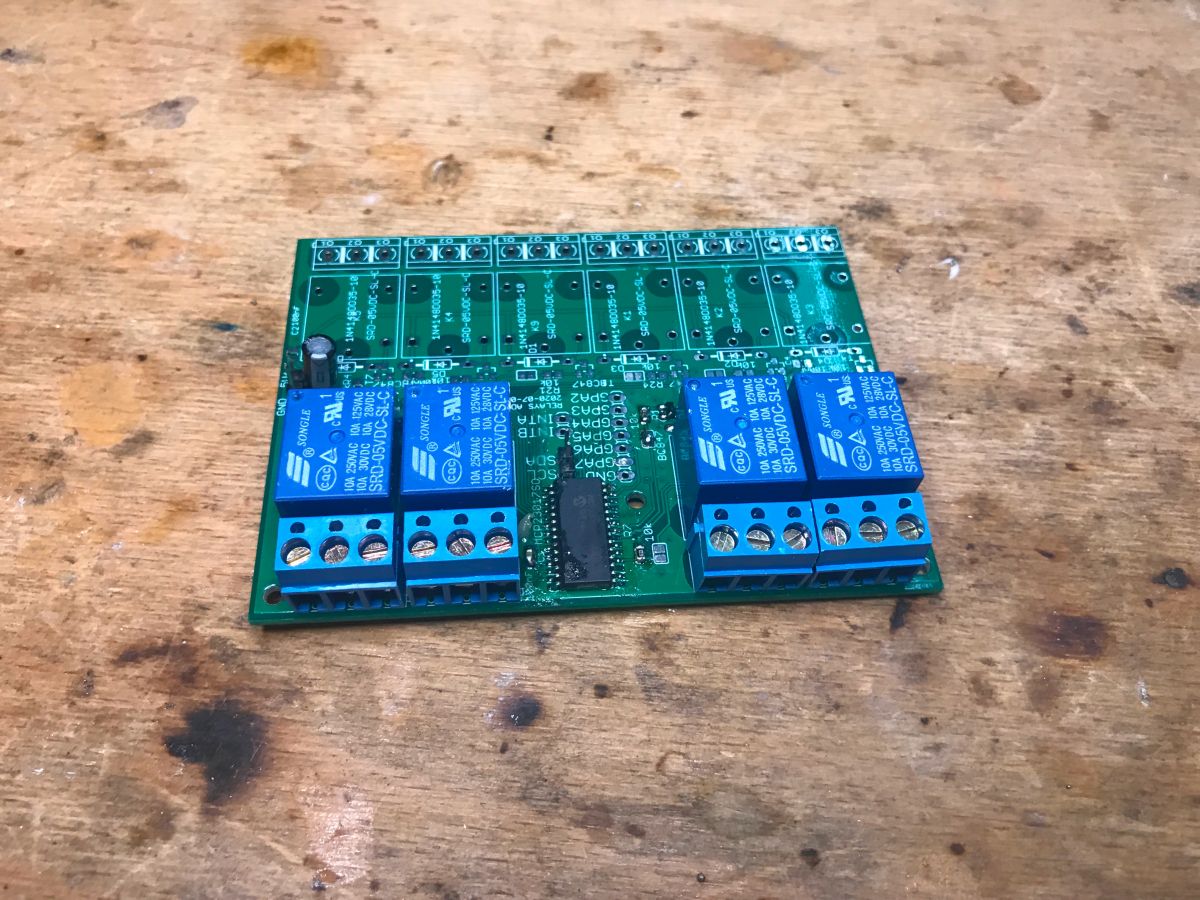
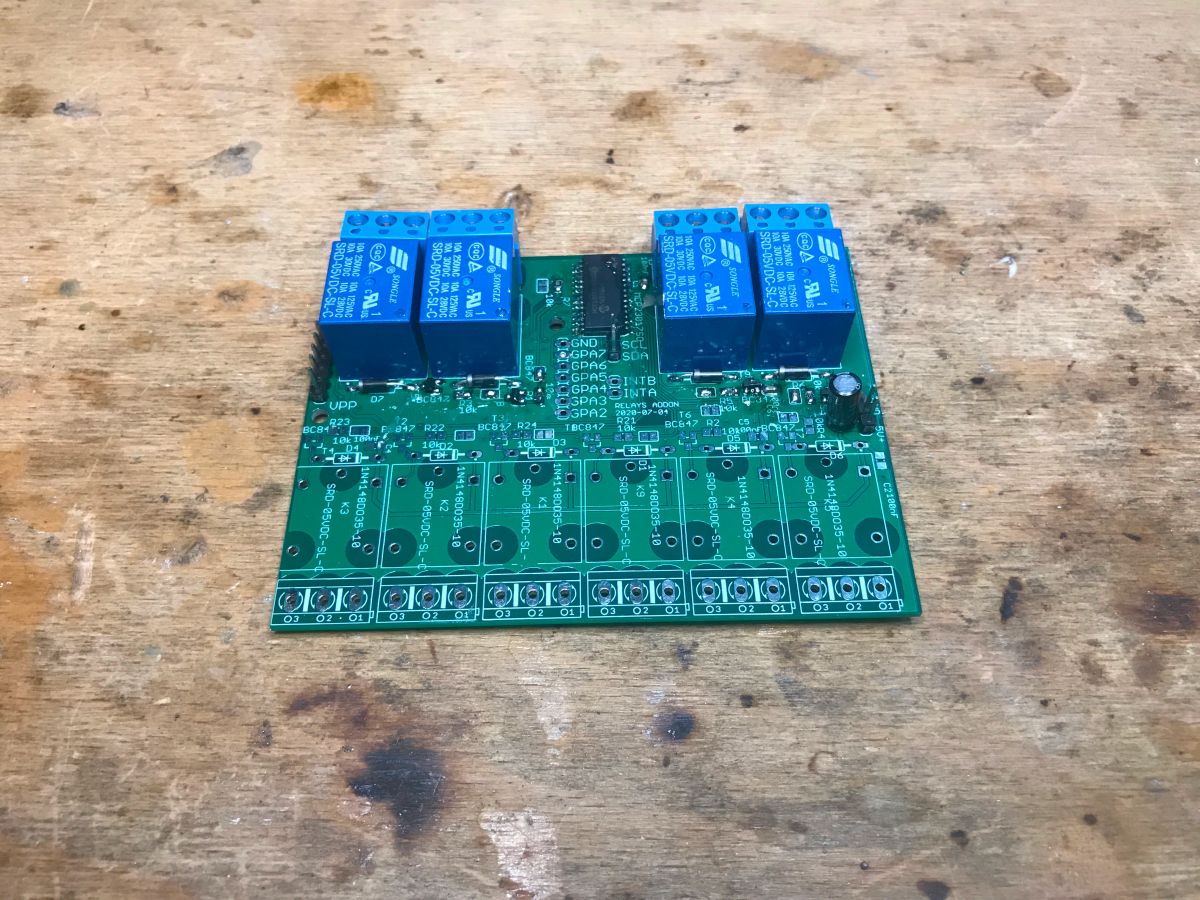
Relay board - MCP23017 As mentioned, this board is of my own making and on board it contains a port expander (16-bit) MCP23017 with I2C interface. For its control we need two lines - SDA and SCL. In addition, we need VDD - here 3.3V and relay supply - 5V. Some of the MCP23017 leads are brought out on goldpins, as I did not fit as many as 16 relays on the PCB. In addition, on the board there are pads allowing you to select the address of the expander (three address pins - A0, A1, A2), we can choose as many as 2^3 address combinations, so some of these expanders can be connected to the I2C bus.
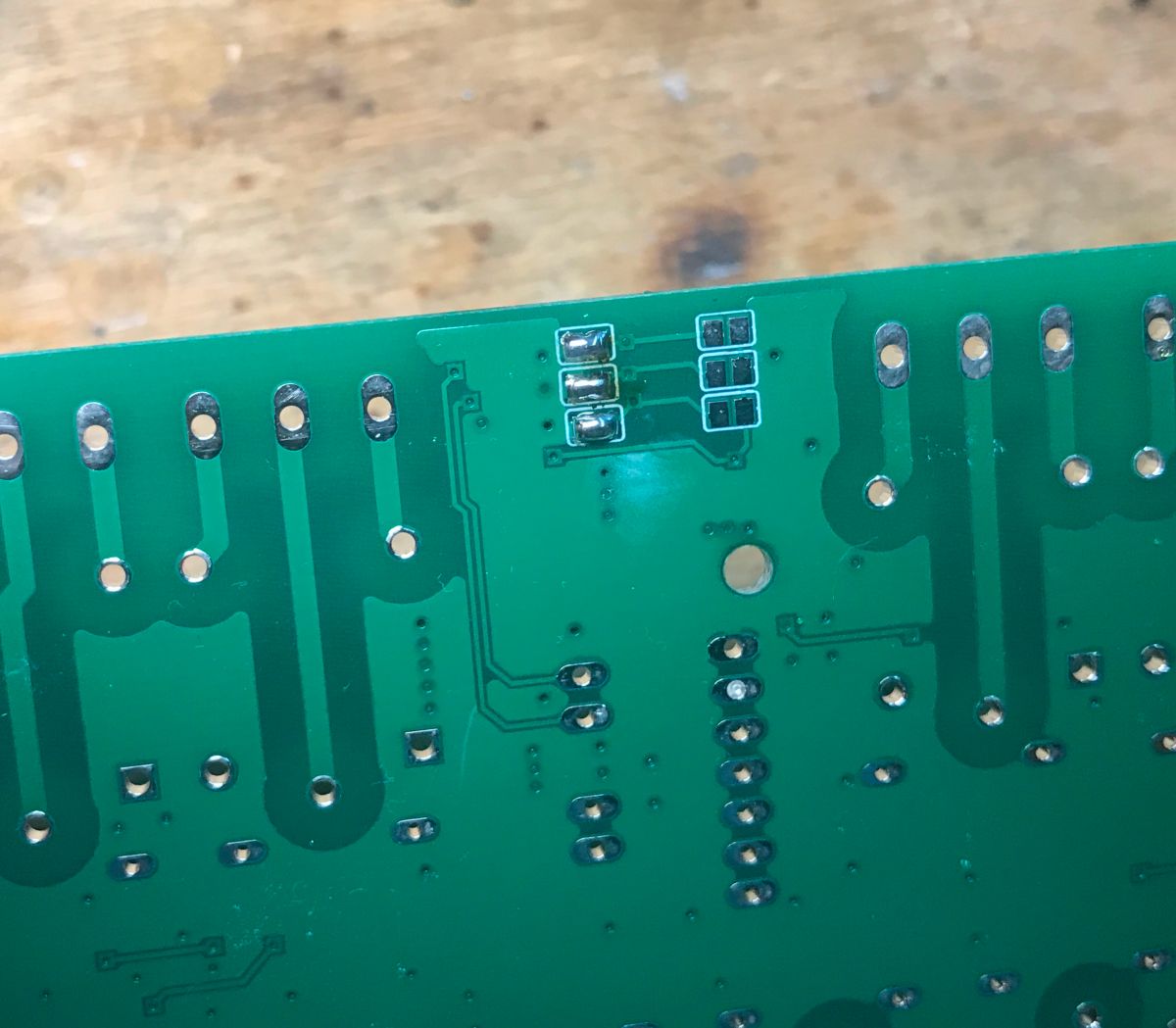
Time for soldering - I soldered the SMD in such a way that I first put the solder on one pad (with flux), then positioned the component with a pesette and melted this solder with a soldering tip, and then soldered its other leg.
Binder jumpers for address selection:
I used surface-mounted S9014 transistors:
Almost done:
The library assumes by default that we have connected all address pins to ground, as I also did, so you don't even need to specify the address. It really surprised me too, here everything is simplified to the absolute minimum, it's so very friendly novice that a beginner doesn't even need to know about I2C addresses to use MCP....
It remains to modify my flashing condition in the main loop:
Code: C / C++
Log in, to see the code
Yes - that's really all it takes, just mcp.digitalWrite!
Result (need to include audio):
You can hear the relay working - blink works.
Web server I then prepared a simple web server to configure the timer and relays based on AsyncWebServer, but.... i will put the details in the next section. The final plan is to develop a simple calendar on the web panel, where we can set when which relay switches on, preferably including the days of the week as well. Of course, there will also be an alarm clock based on a buzzer. But that is still some time away.
Summary I basically started the project just out of curiosity, for a reader, because he just sent me parts for it. Even the board for this clock was not mine, but a ready-made one from the web. The whole thing went (or is going, as it is not ready yet) very smoothly and pleasantly. The ready-made libraries under ESP and the mass of examples make it all come together from ready-made components, without the need for any deep understanding of what works and how it works. This is very different from what I usually do, like the clock project on the PIC18F2550 . In that project I had to run most of the things myself, knowing more or less how they worked, while here you don't even need to know what protocol the MAX7219 uses to display text on it! Just whether this is good for beginners? Opinions are probably divided...
About Author
p.kaczmarek2 wrote 14760 posts with
rating 12889 , helped 659 times.
Been with us since 2014 year.
I'm probably going to look into this PlatformIO, because I find the Arduino a bit annoying, especially when it comes to libraries. And here and OTA easy. I look forward to the next part with the web s... [Read more]
Kuniarz
30 Nov 2023 13:48
Nice project, but I have a question from another side - what are these SMD component feeders ? Can you elaborate ? ;-) [Read more]
p.kaczmarek2
30 Nov 2023 14:08
@speedy9 PlatformIO is really convenient and easy to use. Additionally, it resides in VSCode, which I also use for purposes other than microcontroller programming. For example, it is convenient to write... [Read more]
Anonymous
30 Nov 2023 14:29
There is nothing stopping you from writing programs for the ESP8266 using the RTOS SDK directly, instead of the Arduino. PlatformIO also supports this toolchain: https://docs.platformio.org/en/stable/... [Read more]
I have a different opinion, my beginnings with it were difficult and because the trauma remained, today I probably wouldn't be able to create a new project, add libraries, etc. in a short time but would... [Read more]
p.kaczmarek2
22 Nov 2025 18:40
Update after two years - I am working on this project again:
https://obrazki.elektroda.pl/3263592300_1763833201_thumb.jpg https://obrazki.elektroda.pl/2255219300_1763833201_thumb.jpg https://obrazki.elektroda.pl/3245452500_1763833201_thumb.jpg... [Read more]
max4elektroda
22 Nov 2025 19:00
Working - just synched today and fixed the berry part with NTP (since I changed to a general time source, using g_ntpTime directly is no longer possible (nor sensible), it's "Clock_GetCurrentTime()" now).... [Read more]
p.kaczmarek2
22 Nov 2025 21:13
No abnormal size increase on clock-disabled branches? What's current growth size for Beken and ... for BL602?
And here is my preparation for running MAX7219 clock on Windows:
https://obrazki.el... [Read more]
max4elektroda
22 Nov 2025 22:44
Please feel free to check yourself.
https://github.com/openshwprojects/OpenBK7231T_App/pull/1792#issuecomment-3533382149
BL602 is 1.6k smaller, Beken most variants unchanged 0 bytes difference. [Read more]
Ready, though over the night I realized, DS3231 driver maybe should have a default behavior that setting device clock should also set RTC time automatically?
Sure, this can be added later, will try in... [Read more]
p.kaczmarek2
23 Nov 2025 10:32
So you really want to match internal pin indexes with ESP indexes? Ok, I guess it's acceptable... we can bit the bullet and break configs on ESP8266 once.
I didn't have time to to check whole code... [Read more]
max4elektroda
23 Nov 2025 12:33
It's no problem to leave setting RTC to the user or do a more sophisticated approach. In the end we only need to set the RTC if the new time differs.
So maybe something like: set RTC regularly on every... [Read more]
p.kaczmarek2
23 Nov 2025 13:00
Any logic like "on every hour" seems to complicated, doesn't it? And timezone change should be outside RTC I think. RTC should always be in CET? I am not sure. I think the simplest is boolean bFirst to... [Read more]
max4elektroda
23 Nov 2025 15:25
checking (! g_secondsElapsed%3600) is easy, but that's not the point ;-)
And you are of course right, timezone change is independent from UTC time - RTC like local clock will represent UTC.... [Read more]
p.kaczmarek2
23 Nov 2025 16:31
Ahh, okay, the module solution is also acceptable. You can do it that way.
Just try to avoid too large code additions, as this feature seems to be mostly for us and more advanced users, so I think most... [Read more]
max4elektroda
23 Nov 2025 16:49
All "ntp_XY" commands are still present, calling the corresponding new "CLOCK_XY" commands to retain compatibility:
$ find src/driver/ -name "*.[ch]" | xargs grep -i 'CMD_RegisterCommand("ntp_'
src/driver/drv_ntp.c:... [Read more]
FAQ
TL;DR: Build a Wi‑Fi clock on ESP8266 + MAX7219 (4 cascaded modules) with OTA in PlatformIO; “This batch has to be uploaded once ‘via cable’, then it can be uploaded via WiFi.” [Elektroda, p.kaczmarek2, post #20839921]
Why it matters: This FAQ shows how to assemble, flash, and sync time (NTP/RTC) with practical fixes and code you can paste.
Who this is for: Makers wanting a reliable LED matrix clock with OTA updates, basic relay control, and clear time sync options.
Quick Facts
Hardware stack: ESP‑12 (ESP8266) + MAX7219 matrix (MD_Parola), typically MAX_DEVICES = 4 over SPI (CLK=14, MOSI=13, CS=12). [Elektroda, p.kaczmarek2, post #20839921]
How do I set up ArduinoOTA on ESP8266 with PlatformIO?
Create two envs in platform.ini (USB and OTA). Flash the cable build once, including your Wi‑Fi SSID/password. Then switch to upload_protocol=espota and upload_port=. The author notes: “upload once ‘via cable’, then… via WiFi.” [Elektroda, p.kaczmarek2, post #20839921]
What pins and library settings should I use for MAX7219 with ESP8266?
Use MD_Parola with MD_MAX72XX::FC16_HW. Typical pins: CLK=GPIO14, DATA(MOSI)=GPIO13, CS=GPIO12. Define MAX_DEVICES=4 for a 4‑module chain and call P.begin(). Then use P.print or P.displayText to show content. [Elektroda, p.kaczmarek2, post #20839921]
How can I display NTP time with leading zeros (e.g., 10:05)?
Use NTPClient + a helper to pad values or strftime for safe formatting. Example: formatWithLeadingZero() for hour/minute and P.printf or P.displayText. The author warns to size buffers correctly; prefer strftime to avoid overflows. [Elektroda, p.kaczmarek2, post #20839921]
What’s the simplest way to drive 16 relays with MCP23017?
Include Adafruit_MCP23X17, call mcp.begin(), then loop mcp.digitalWrite(i, state) for i=0..15. Default addressing works when A0–A2 are grounded. This lets one ESP8266 pin control many relays over I2C. [Elektroda, p.kaczmarek2, post #20839921]
Are there any assembly gotchas with the clock PCB?
Yes. The CR2032 battery cage holes were too small and required drilling. Also, SMD transistors for auto‑reset are optional if you use buttons to enter boot mode. Plan your tools accordingly. [Elektroda, p.kaczmarek2, post #20839921]
Is PlatformIO actually easier than Arduino IDE for this project?
The thread author states, “PlatformIO is really convenient and easy to use,” and it integrates with VS Code. Users noted OTA and library handling as benefits, though another member found the first steps challenging. [Elektroda, p.kaczmarek2, post #20840124]
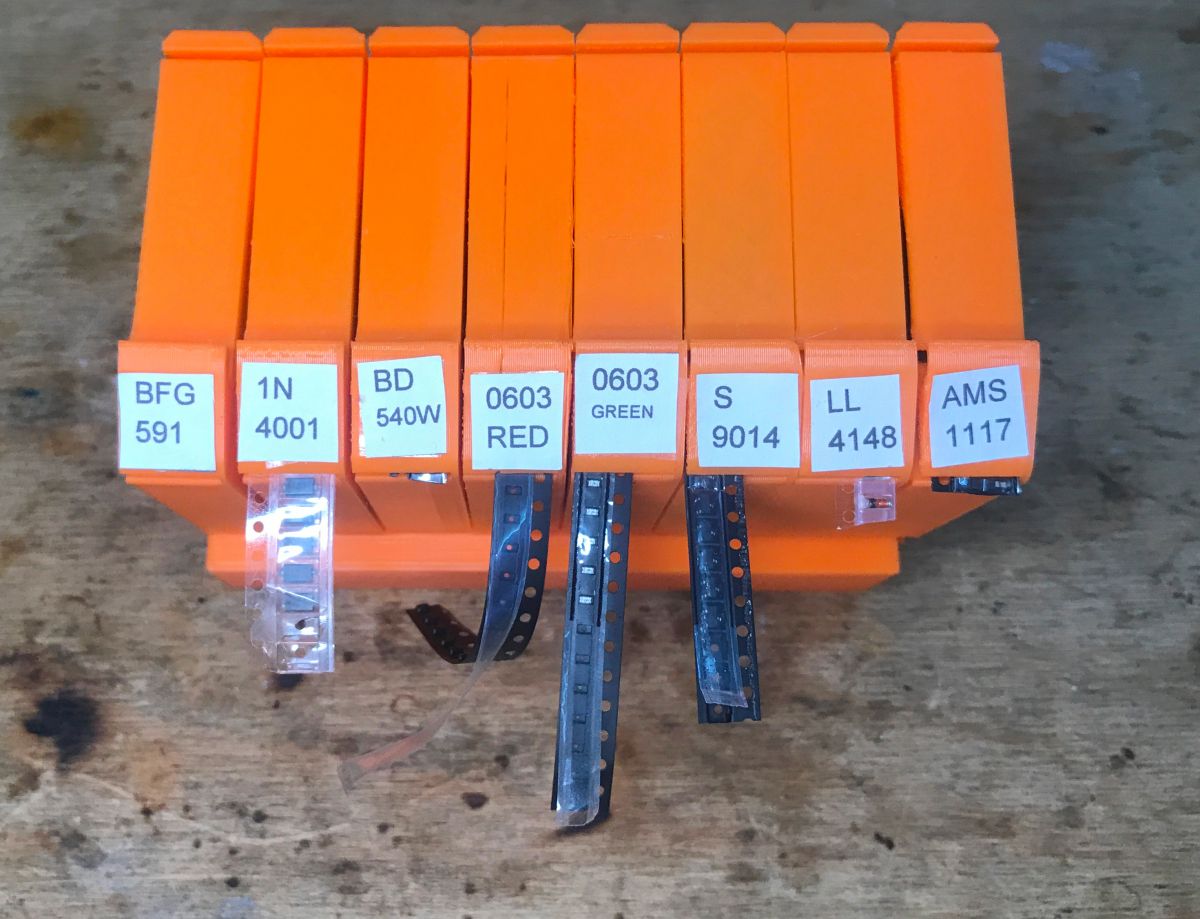
What are the SMD component feeders shown in the photos?
They are 3D‑printed SMD “tumblers”/feeders from Thingiverse, printed in PLA, used to stage SMD parts during soldering. They help speed up manual placement. [Elektroda, p.kaczmarek2, post #20840124]
Is there an alternative OTA method besides ArduinoOTA?
Yes. A community member suggests ElegantOTA as an alternative. It provides a web‑based update flow you can integrate later if desired. [Elektroda, pitsa, post #20841872]
How do I avoid sprintf buffer overflows when formatting text for the display?
Allocate buffers generously and use strftime for time strings. The author notes that incorrect buffer sizes yield undefined behavior; strftime respects buffer limits and is safer. “Use its safe counterpart.” [Elektroda, p.kaczmarek2, post #20839921]
What is OpenBeken (OBK) “Time” and how does DS3231 sync work now (2025)?
OpenBeken consolidated time handling under a “Time” driver. DS3231 can sync from device time after NTP updates, with logic refined and merged. This reduces confusion and preserves ntp_* command aliases. [Elektroda, max4elektroda, post #21766326]
How do I keep accurate time without Internet access?
Add a DS3231 RTC. The OBK flow can set RTC on first valid NTP time and then maintain time from RTC when offline. This preserves clock accuracy during outages or travel. [Elektroda, max4elektroda, post #21759479]
Can I simplify Wi‑Fi credential handling during setup?
Yes. Consider adding WiFiManager. It lets you reset Wi‑Fi and enter AP mode to capture SSID/password without recompiling. It’s optional but useful for field devices. [Elektroda, p.kaczmarek2, post #20839921]
How do I prototype the MAX7219 clock on Windows before flashing hardware?
The author shared a Windows workflow using OBK/Berry to script MAX72XX behavior and iterate quickly. You can simulate text, scrolling, and timing loops before deploying. [Elektroda, p.kaczmarek2, post #21759558]
What’s a quick 3‑step to show NTP time on MAX7219?
Connect Wi‑Fi, call ArduinoOTA.begin(), P.begin(). 2. Start NTPClient(timeClient.begin; setTimeOffset). 3. In loop: timeClient.update(); if (P.displayAnimate()) P.printf("%i:%i", h, m). [Elektroda, p.kaczmarek2, post #20839921]
Will there be a web UI to schedule relays and alarms?
Yes. The plan is an AsyncWebServer panel with a simple calendar, per‑day scheduling, and a buzzer alarm. It was deferred to the next installment. [Elektroda, p.kaczmarek2, post #20839921]
What’s the difference between IR drivers noted in the docs warnings?
The project builds only one IR driver per binary, preventing conflicts. Duplicate command docs exist because two IR implementations expose similar commands. It’s safe to ignore in the generator. [Elektroda, p.kaczmarek2, post #21768745]
AI summary based on the discussion. May contain errors.







Comments
I'm probably going to look into this PlatformIO, because I find the Arduino a bit annoying, especially when it comes to libraries. And here and OTA easy. I look forward to the next part with the web s... [Read more]
Nice project, but I have a question from another side - what are these SMD component feeders ? Can you elaborate ? ;-) [Read more]
@speedy9 PlatformIO is really convenient and easy to use. Additionally, it resides in VSCode, which I also use for purposes other than microcontroller programming. For example, it is convenient to write... [Read more]
There is nothing stopping you from writing programs for the ESP8266 using the RTOS SDK directly, instead of the Arduino. PlatformIO also supports this toolchain: https://docs.platformio.org/en/stable/... [Read more]
Can you elaborate on this thought? [Read more]
Try ElegantOTA. [Read more]
I have a different opinion, my beginnings with it were difficult and because the trauma remained, today I probably wouldn't be able to create a new project, add libraries, etc. in a short time but would... [Read more]
Update after two years - I am working on this project again: https://obrazki.elektroda.pl/3263592300_1763833201_thumb.jpg https://obrazki.elektroda.pl/2255219300_1763833201_thumb.jpg https://obrazki.elektroda.pl/3245452500_1763833201_thumb.jpg... [Read more]
Working - just synched today and fixed the berry part with NTP (since I changed to a general time source, using g_ntpTime directly is no longer possible (nor sensible), it's "Clock_GetCurrentTime()" now).... [Read more]
No abnormal size increase on clock-disabled branches? What's current growth size for Beken and ... for BL602? And here is my preparation for running MAX7219 clock on Windows: https://obrazki.el... [Read more]
Please feel free to check yourself. https://github.com/openshwprojects/OpenBK7231T_App/pull/1792#issuecomment-3533382149 BL602 is 1.6k smaller, Beken most variants unchanged 0 bytes difference. [Read more]
Acceptable, ready to merge now? [Read more]
Ready, though over the night I realized, DS3231 driver maybe should have a default behavior that setting device clock should also set RTC time automatically? Sure, this can be added later, will try in... [Read more]
So you really want to match internal pin indexes with ESP indexes? Ok, I guess it's acceptable... we can bit the bullet and break configs on ESP8266 once. I didn't have time to to check whole code... [Read more]
It's no problem to leave setting RTC to the user or do a more sophisticated approach. In the end we only need to set the RTC if the new time differs. So maybe something like: set RTC regularly on every... [Read more]
Any logic like "on every hour" seems to complicated, doesn't it? And timezone change should be outside RTC I think. RTC should always be in CET? I am not sure. I think the simplest is boolean bFirst to... [Read more]
checking (! g_secondsElapsed%3600) is easy, but that's not the point ;-) And you are of course right, timezone change is independent from UTC time - RTC like local clock will represent UTC.... [Read more]
Ahh, okay, the module solution is also acceptable. You can do it that way. Just try to avoid too large code additions, as this feature seems to be mostly for us and more advanced users, so I think most... [Read more]
All "ntp_XY" commands are still present, calling the corresponding new "CLOCK_XY" commands to retain compatibility: $ find src/driver/ -name "*.[ch]" | xargs grep -i 'CMD_RegisterCommand("ntp_' src/driver/drv_ntp.c:... [Read more]