






OLED display module 0.91 SSD1306 128x32 I2C - how to run with Arduino? How to connect?
TL;DR
- Tests a tiny 0.91-inch OLED module with SSD1306 controller, 128x32 resolution, and I2C control, driven from an Arduino.
- Uses the lexus2k SSD1306 Arduino library and changes the demo from 128x64 to 128x32 so text remains readable.
- The module costs around PLN5 and includes onboard pull-up resistors, so it connected directly to Arduino I2C, power, and ground.
- The library can draw text, lines, rectangles, loading bars, and sprite-based animations, plus support scrolling and row/column remapping.
- A limitation appears in eraseTrace: overlapping moving icons can corrupt each other, though simple single-icon animation works well.
Summary generated by AI based on the discussion content.
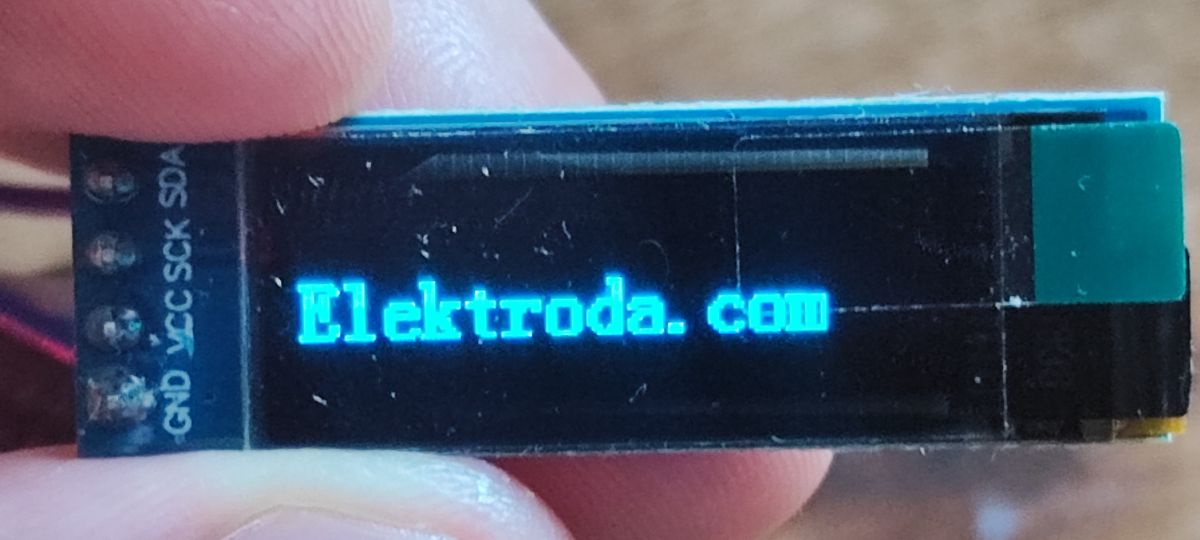
Today we are testing a tiny 0.91-inch OLED display based on the SSD1306 controller and offering control via I2C. The module discussed here offers a rather low resolution, at a mere 128x32, but this can easily be justified by its small price (around PLN5) and, of course, its small size. It will certainly be useful in many situations where we want to reduce the size of our product.
Here I will run it with an Arduino. But first a bit of information:
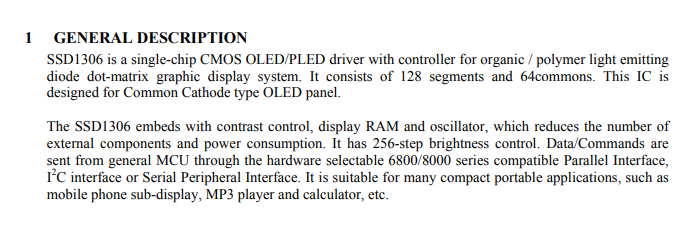
From the introduction, I guess what surprised me the most is that according to the manufacturer, this display fits an additional mobile phone display.... this must be from many years ago, anyone seen such a phone?
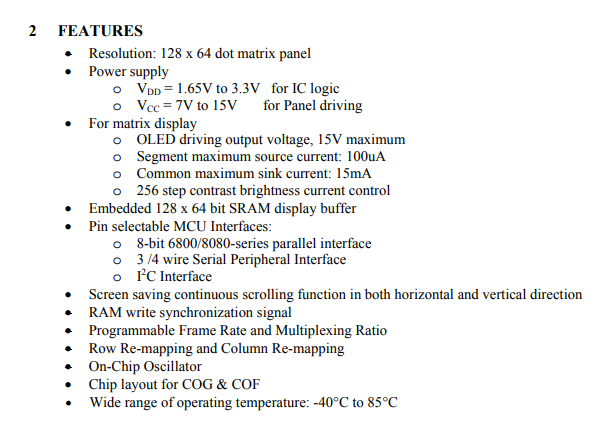
The SSD1306 has an embedded 128 x 64 bit SRAM, used for pixel storage. Here we only control the pixel's light state, on or off. In addition, we can control the brightness level of the entire display. The SSD1306 has three interfaces, which we select on its pins: 8-bit 6800/8080, 3/4-line SPI and I2C. In addition, it offers a programmable horizontal and vertical scrolling effect and allows row and column remapping.
Fortunately, we do not have to implement communication with the SSD1306 from scratch. We start the adventure by selecting a library:
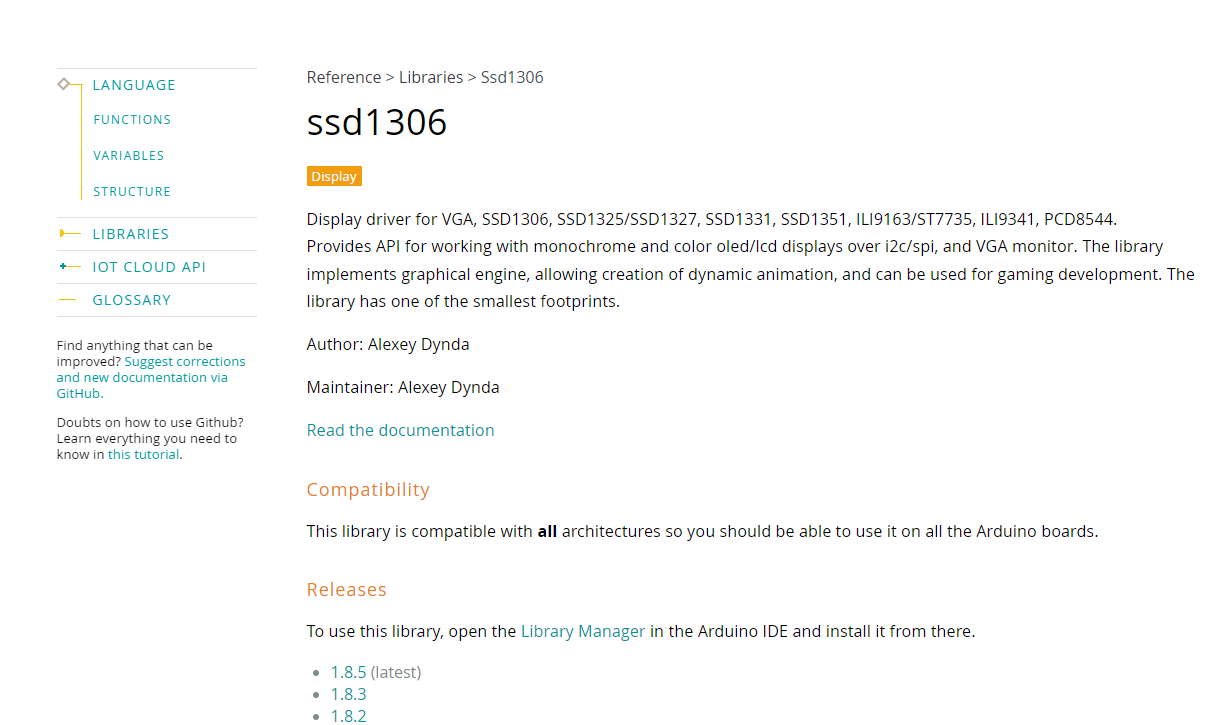
I chose the library from lexus2k.
In the Arduino IDE it is available to install in Libraries:
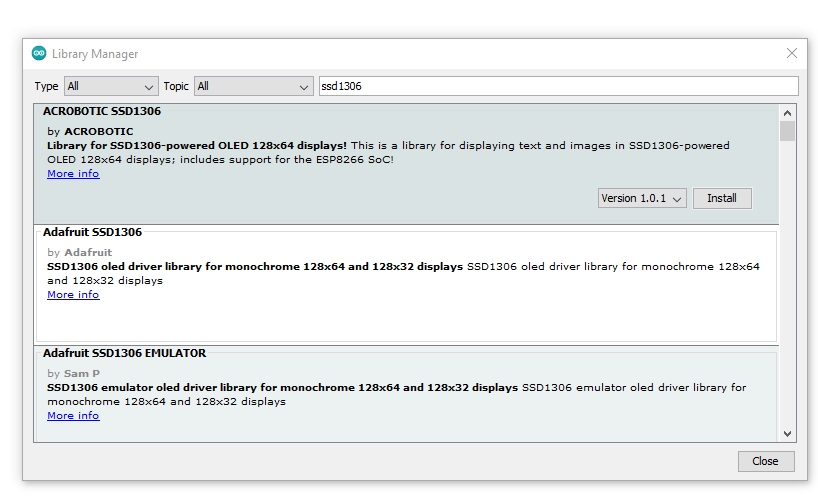
Let's try running its demo for the SSD1306:
https://github.com/lexus2k/ssd1306/tree/master/examples/demos/ssd1306_demo
Here is the first surprise. The example uses :
Code: C / C++
and we have a 128 by 32 display, so the above version will display unreadable text. We change to:
Code: C / C++
I connected the whole thing to the I2C lines from the Arduino, and of course ground and power too. I didn't need to give pull-up resistors to make it work, as they are already on the PCB.
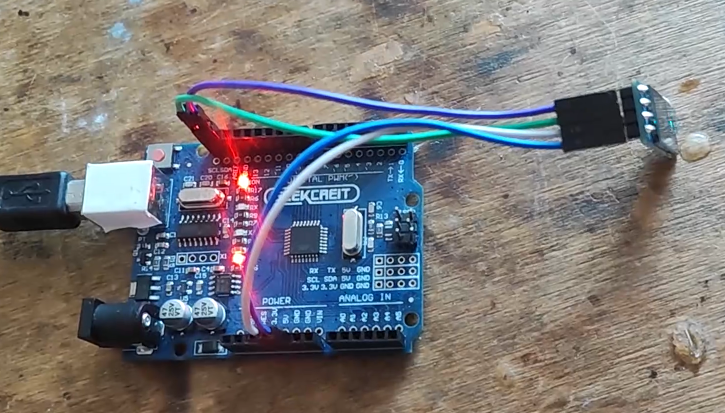
Result:
It works, but the demo is quite substantial, so we'll try to break it down into parts and discuss.
First - attach the header and initialise the display. You can also set the font:
Code: C / C++
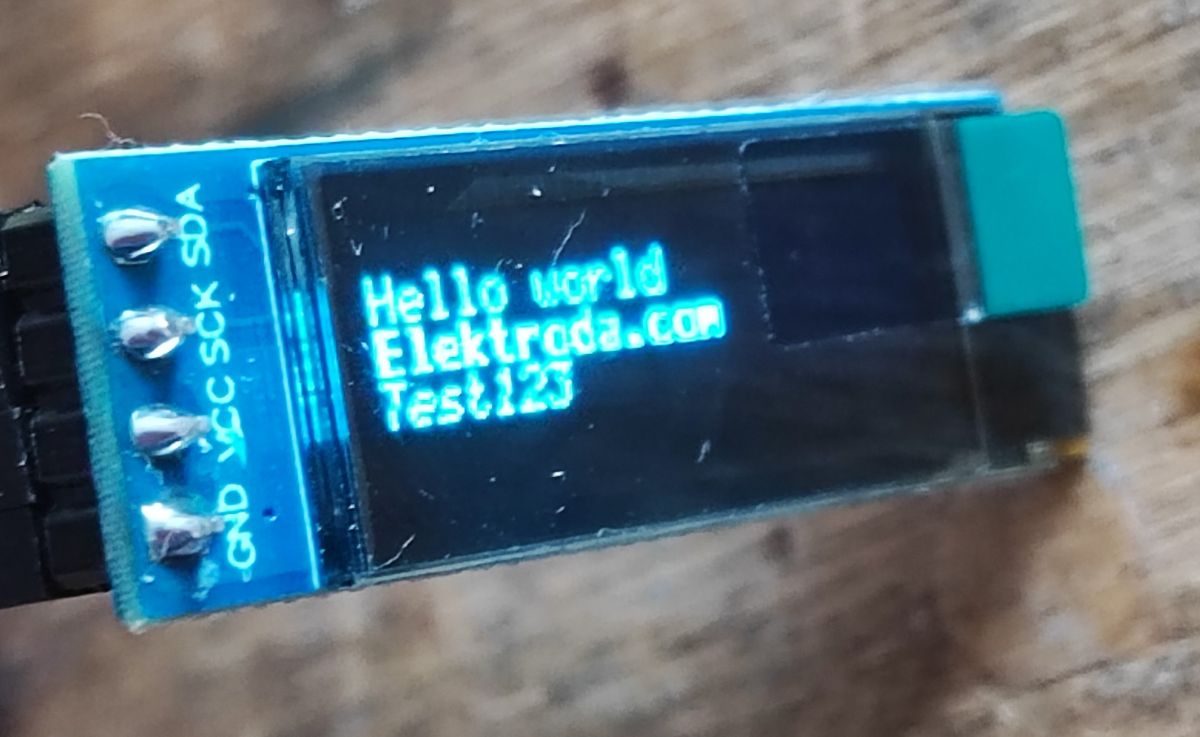
Then, in a loop, you can, for example, draw text with different font styles on the position we have chosen:
Code: C / C++
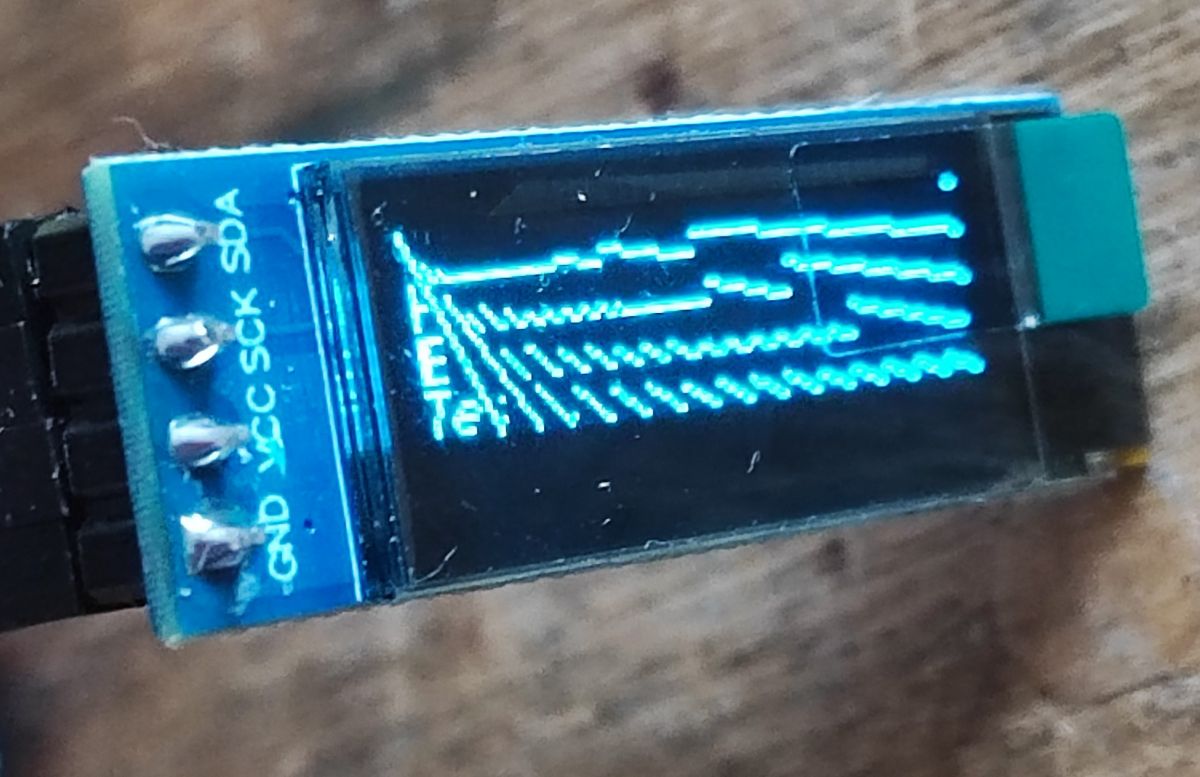
Similarly, you can draw lines between two points defined as X and Y positions:
Code: C / C++
Results:
I don't clean the screen, so lines form on the text:
For larger text you can simply choose a larger font - e.g. ssd1306xled_font8x16 :
Code: C / C++
It's now the shapes. Let's try to make a square to start with. We have a function that draws a rectangle, its first two arguments are the coordinates of one corner and the next two are the coordinates of the opposite corner.
Code: C / C++
Result:
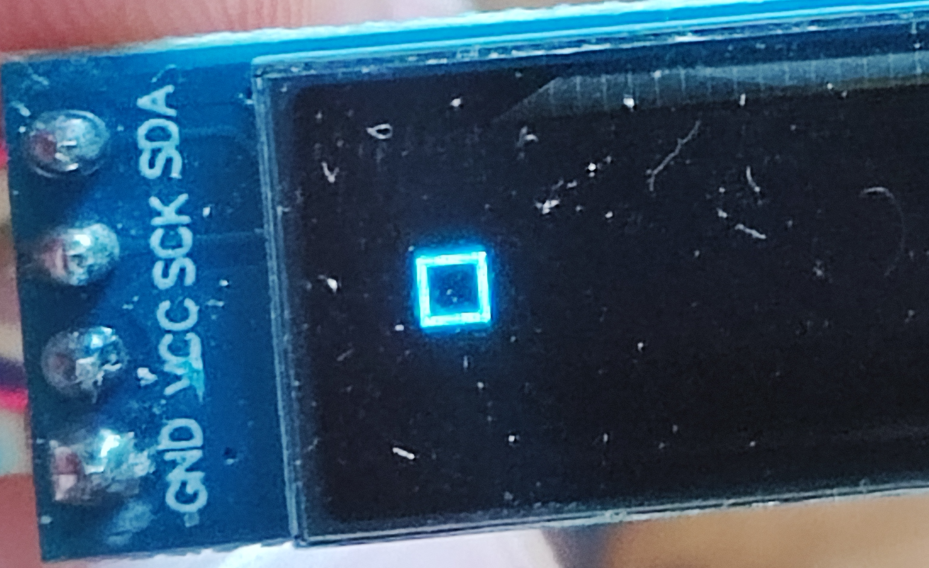
NOTE: The coordinates of the second corner must be larger than the first corner. For example, if you enter the first Y larger than the second Y, the corresponding sides will not show:
Code: C / C++
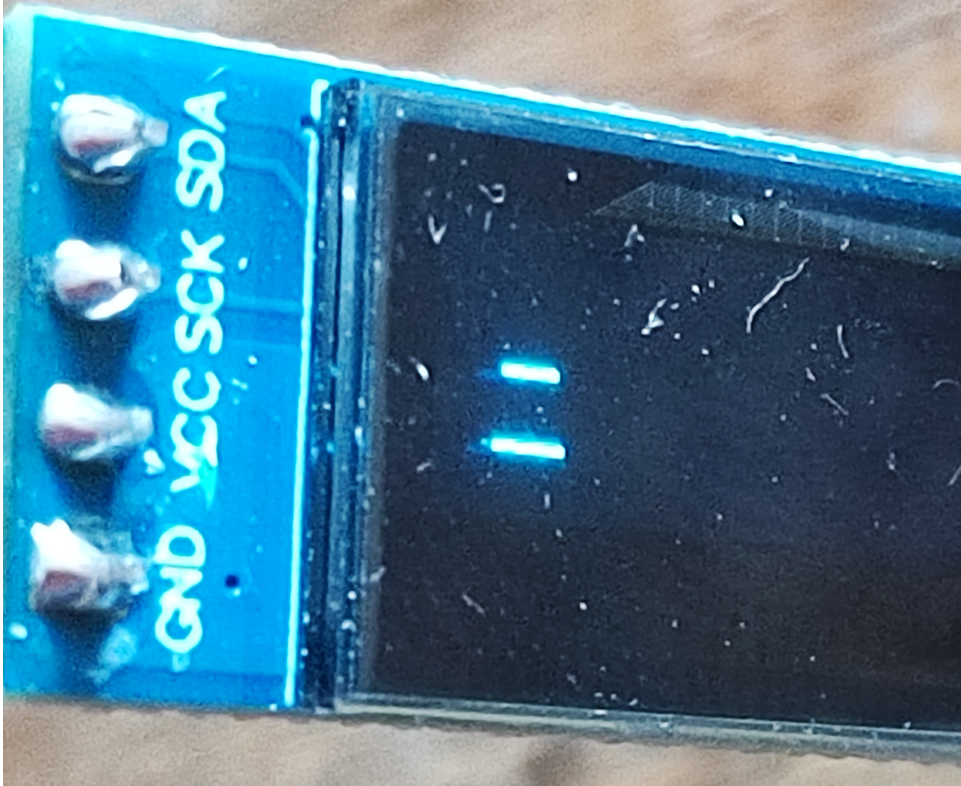
This is because ssd1306_drawRect uses a from the line-drawing function:
Code: C / C++
And in turn, the line-drawing function simply uses a for loop:
Code: C / C++
But this is a plus, because everything is optimised.
It's now a rectangle:
Code: C / C++
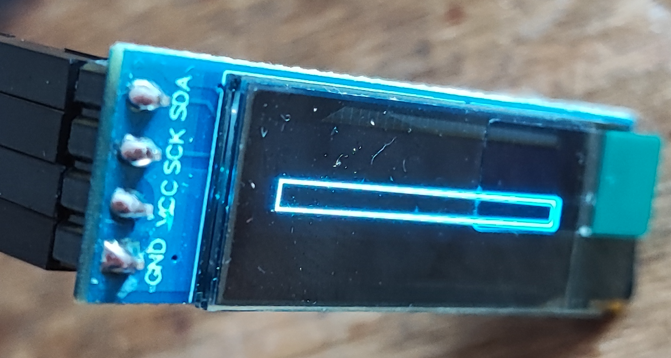
Now we can extend the idea and make a loading bar. Every fixed period of time we draw inside the first rectangle another increasing rectangle. We do not clear the whole screen. The first rectangle (frame) is on the screen all the time.
Code: C / C++
Result:
There is an example of icon use in the demo code too. I have trimmed it down to a minimum for you. We define an icon as bytes, where one bit is a pixel:
Code: C / C++
In the library, the SPRITE class is used to handle this. You need to create an object of this class using ssd1306_createSprite , specifying the dimension of the icon and its data there.
Code: C / C++
The code animates it in a rather interesting and efficient way:
Code: C / C++
The whole screen is not cleaned up here, it just calls eraseTrace that is, cleaning up where the icon was before and then the icon is redisplayed via draw .
However, eraseTrace is not ideal. In the case of overlapping icons it messes things up a bit. I created a demo with multiple moving icons to demonstrate this:
Code: C / C++
Result:
That is, you can draw text as well as shapes, and it is also possible to animate them to some extent. For more examples, please refer to the documentation of the library used.
Summary
The SSD1306 proved to be very easy to use. Pixels are a little scarce here, but at this display size (and price) this is justified. An additional plus here is that this display can be used on the I2C bus with other devices. This may seem strange, but many other chips with a similar communication protocol do not support addressing, for example such a TM1637.
Also useful here can be features that allow screen scrolling. This relieves us of the need to animate texts manually.
I really liked this animation of the loading bar, on a classic 2x16 I have not seen this (or at least not in this form - because in the form of 'blocks' yes).
This module is very much worthy of attention. Feel free to comment - has anyone used this 'narrow' version of the SSD1603 in a project, and if so, in which one?
[i]PS: A related topic but in a board version with ESP8266:
How to program ESP8266 NodeMCU V3 with OLED 0.96 128x64 SSD1306 via USB?

p.kaczmarek2 wrote 14684 posts with
rating 12712 , helped 656 times.
Been with us since 2014 year.
Comments
On the other side of the board (pictures on ali) is a 3.3V stabiliser for the matrix logic. The power supply for the matrix (according to DS) is from 7V and it works with a 5V supply (arduino). I wonder... [Read more]
Information from vendors suggests that this will run normally on 3.3V: https://obrazki.elektroda.pl/6798203800_1727687942_thumb.jpg https://obrazki.elektroda.pl/3097835600_1727687997_thumb.... [Read more]
These displays burn out at an express rate, also no wonder ;) [Read more]
What does burn-in look like in this oled? Do the pixels slowly darken or do they suddenly stop glowing? What is the real life expectancy of the pixels here? Technology probably similar in the 1.3" from... [Read more]
The problem is the lack of conversion on the control lines. 5V can whip them up. In the OLED (matrix) note, there is data on the burn-in time. This is usually 15-50tys of hours, depending on the manufacturer.... [Read more]
15k hours is 625 days (about 1 year o 8-9 months of continuous operation) of continuous illumination, almost a year, at this price it probably can be. The question is whether it makes sense to switch on... [Read more]
If you lower the brightness it probably comes out even higher. Besides, the time is calculated up to some brightness reduction there. So OLEDs are not that bad. Readability, contrast, response time - this... [Read more]
Should anyone be looking for routines for basic operation of the OLED I2C display (SSD1306 driver), written in the assembler of ATtiny/ATmega microcontrollers, these are now available: using the hardware... [Read more]
these displays are so terribly small - that they are impractical... it only becomes apparent when you get your hands on a working display... i am surprised - that the Chinese are still "sticking" them... [Read more]
This I agree - I have several devices with simple OLED displays and they beat the others. [Read more]
It all depends on the use of the display and the user's preferences. Since women's mechanical watches have been produced for many years with dials several millimetres in diameter, it is apparently possible... [Read more]