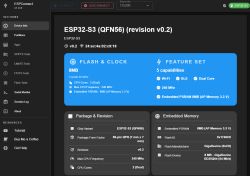
ESPConnect is an advanced tool for managing ESP family microcontrollers without having to install desktop applications. It allows you to read and upload the contents of the chip's Flash memory. It allows you to view detailed device information such as chip family, MAC, Flash size and clocking. It also has an extensive file system manager (SPIFFS, LittleFS and FATFS) with file viewing, writing and reading. ESPConnect offers a graphical representation of the Flash partition layout and tools for backing up or restoring them.
Let's test this tool with
ESP32-S3-Touch-LCD-4.3 .
Connect the board to the computer, open the
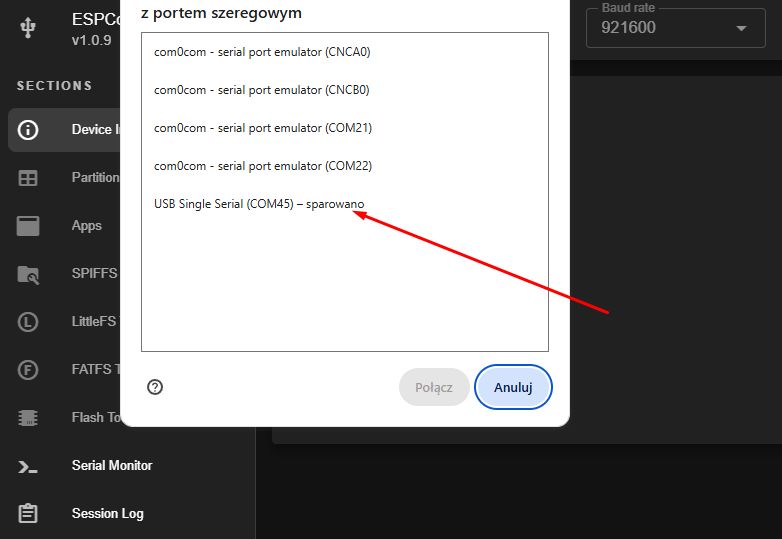
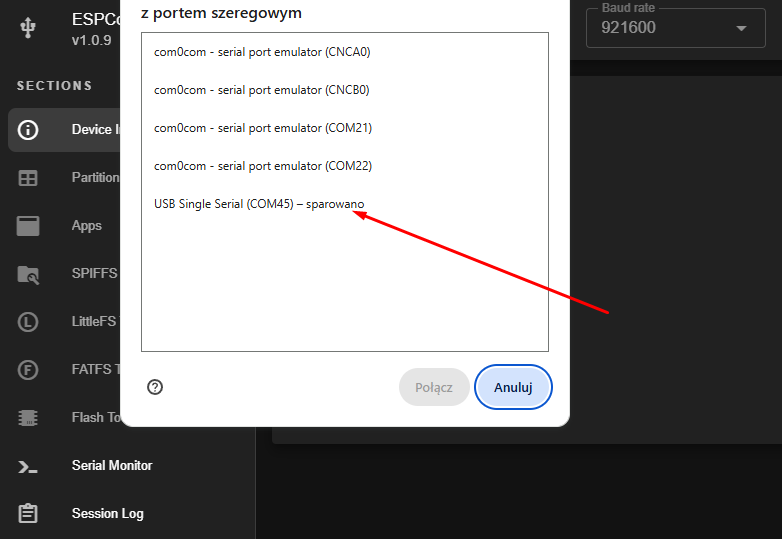
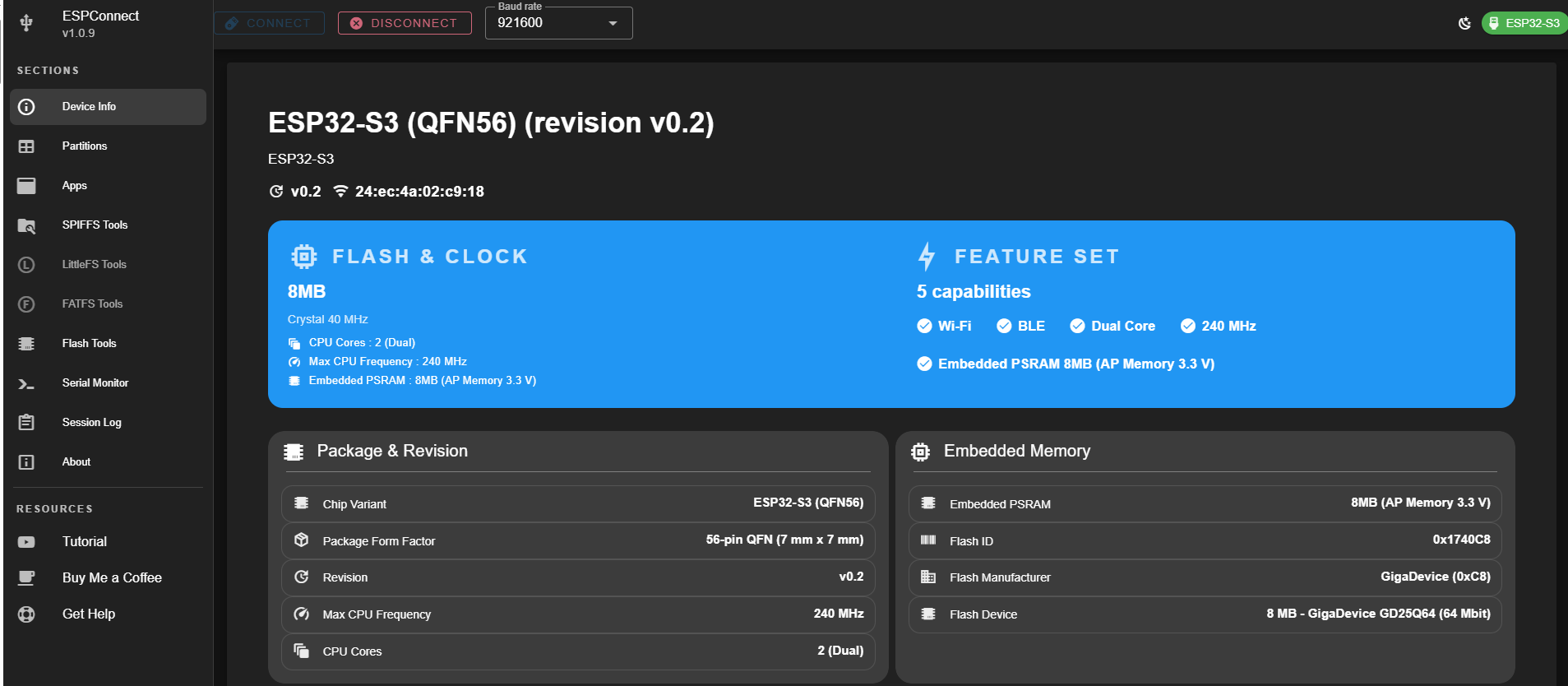
tool window . The serial port is selected. You don't need to load anything on the ESP32 - the program shown reads everything from outside via the virtual serial port. This works analogously to esptool.
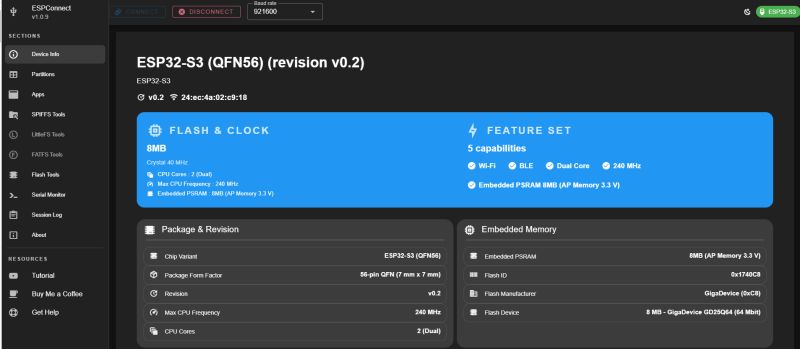
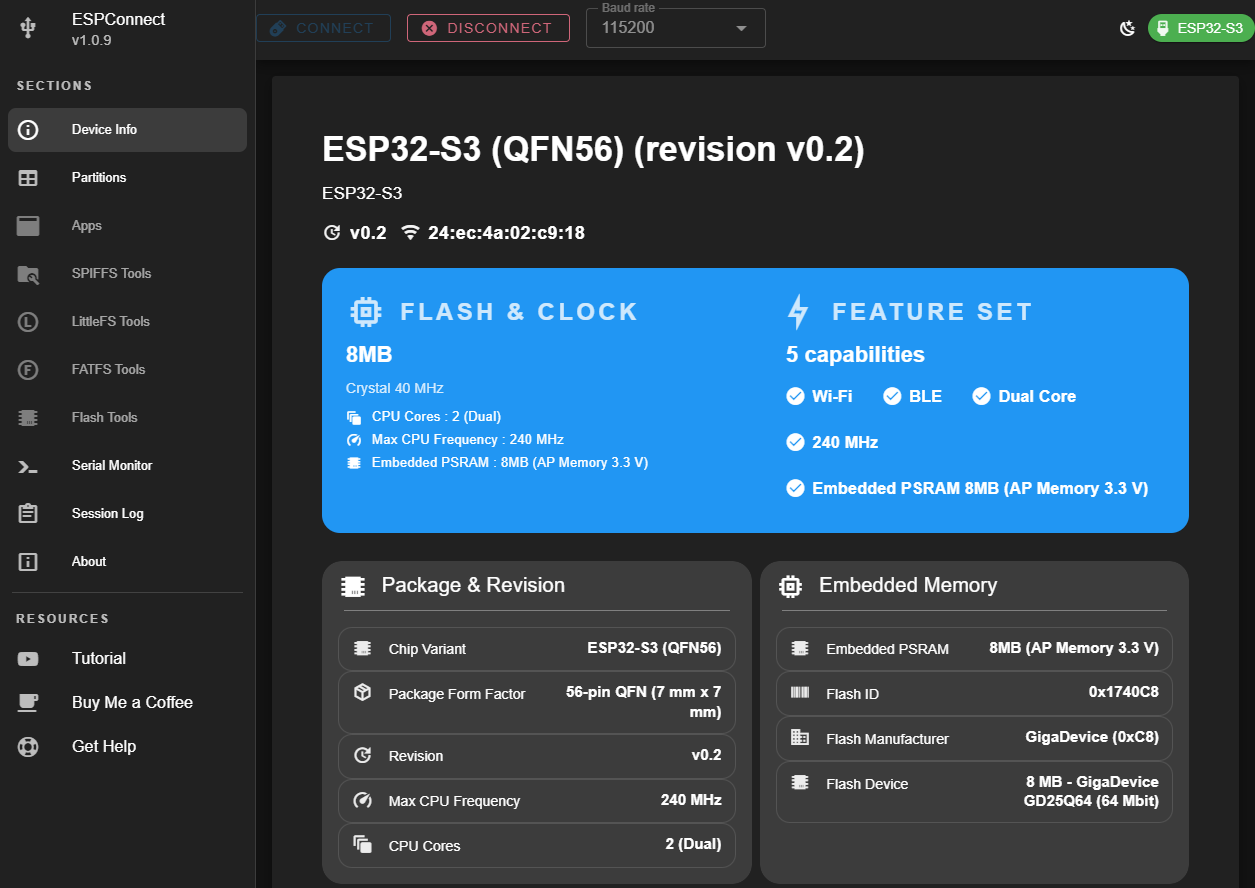
Immediately everything becomes clear - we see information about the CPU itself, the size of the Flash memory, the capabilities of the chip, the size of the external PSRAM bone and even the Flash ID.
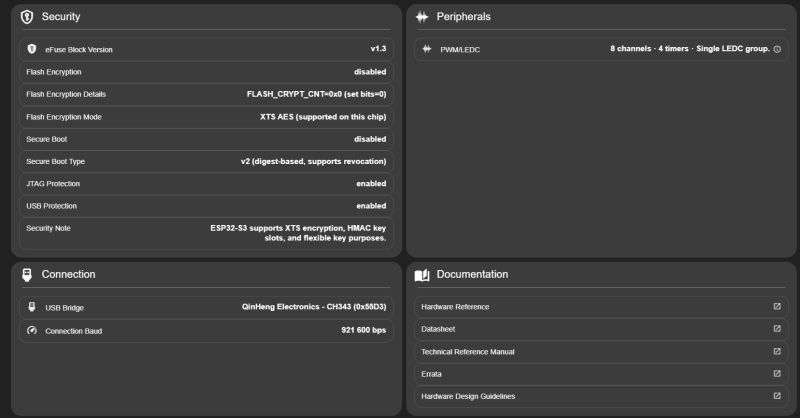
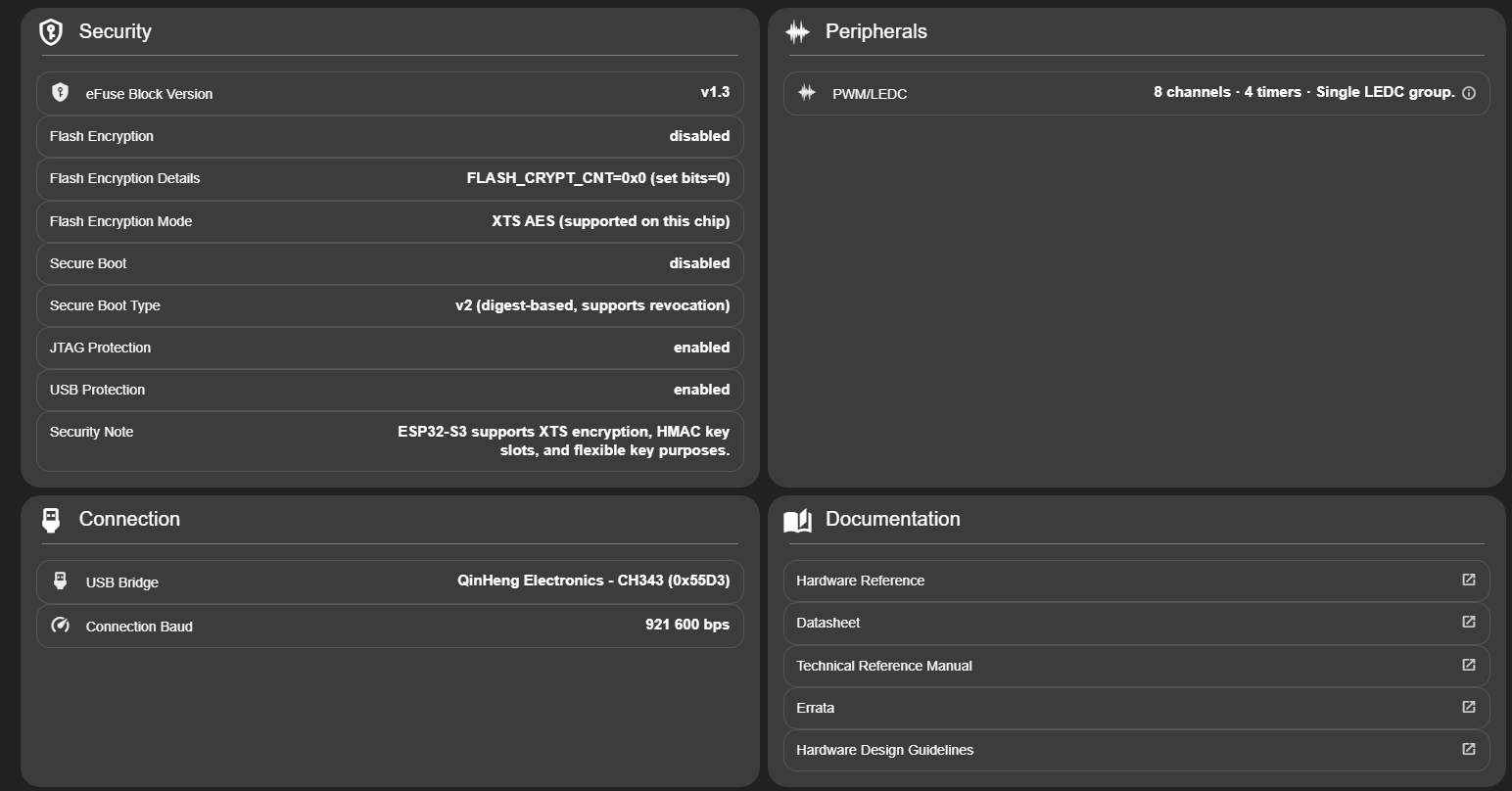
Similarly, we have information about Flash security and the USB-UART connection:
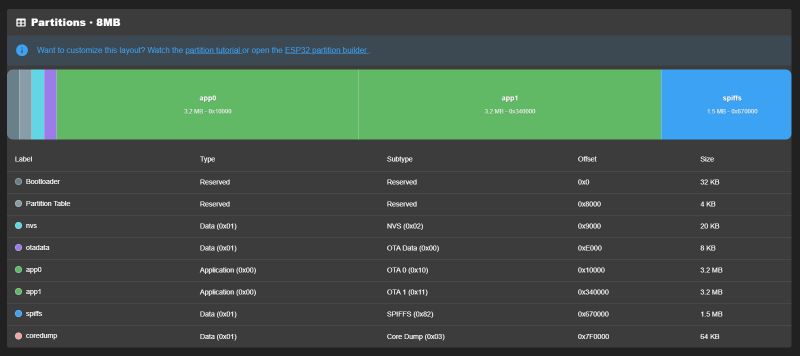
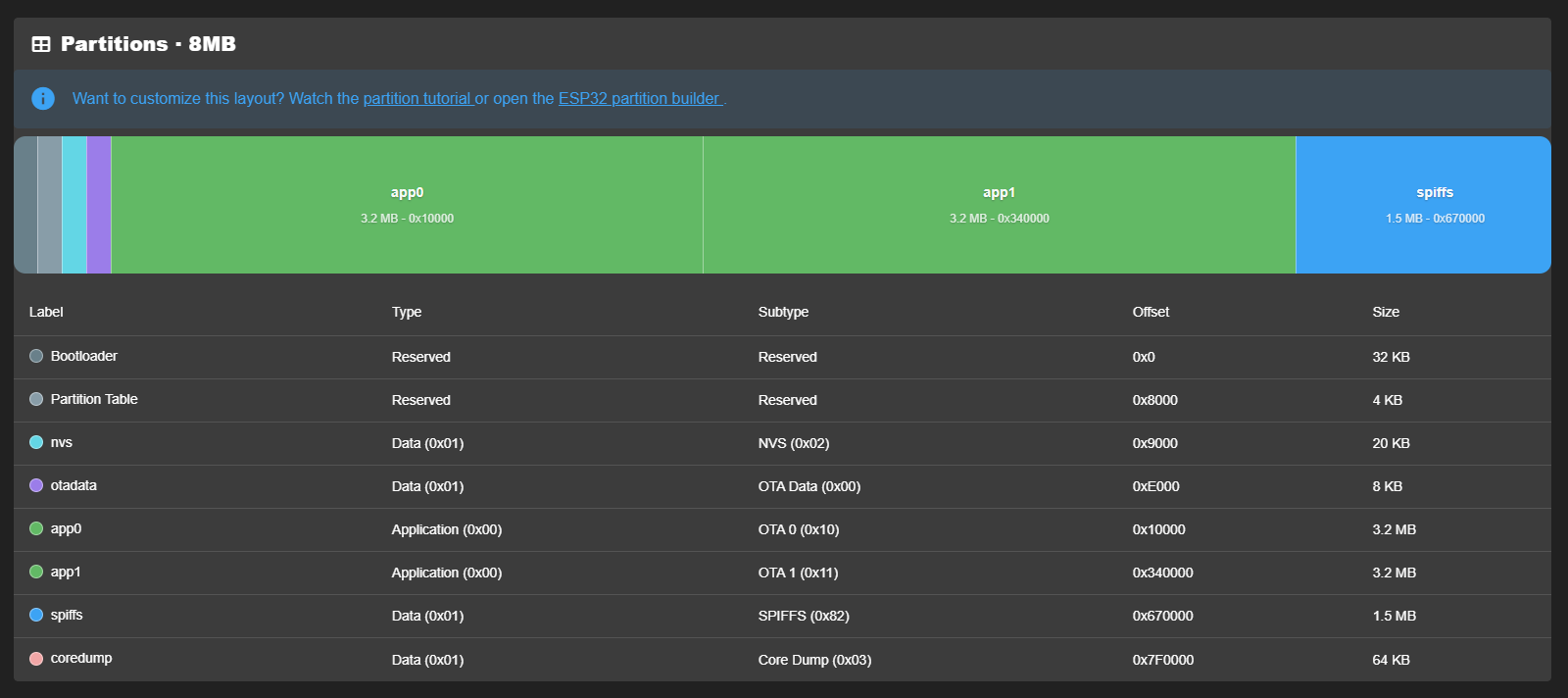
In the Partitions tab we have the partitions from the Flash format:
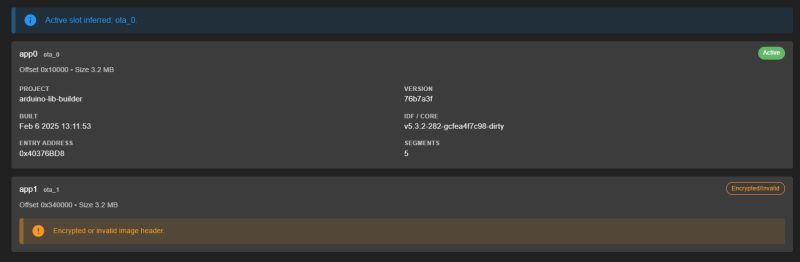
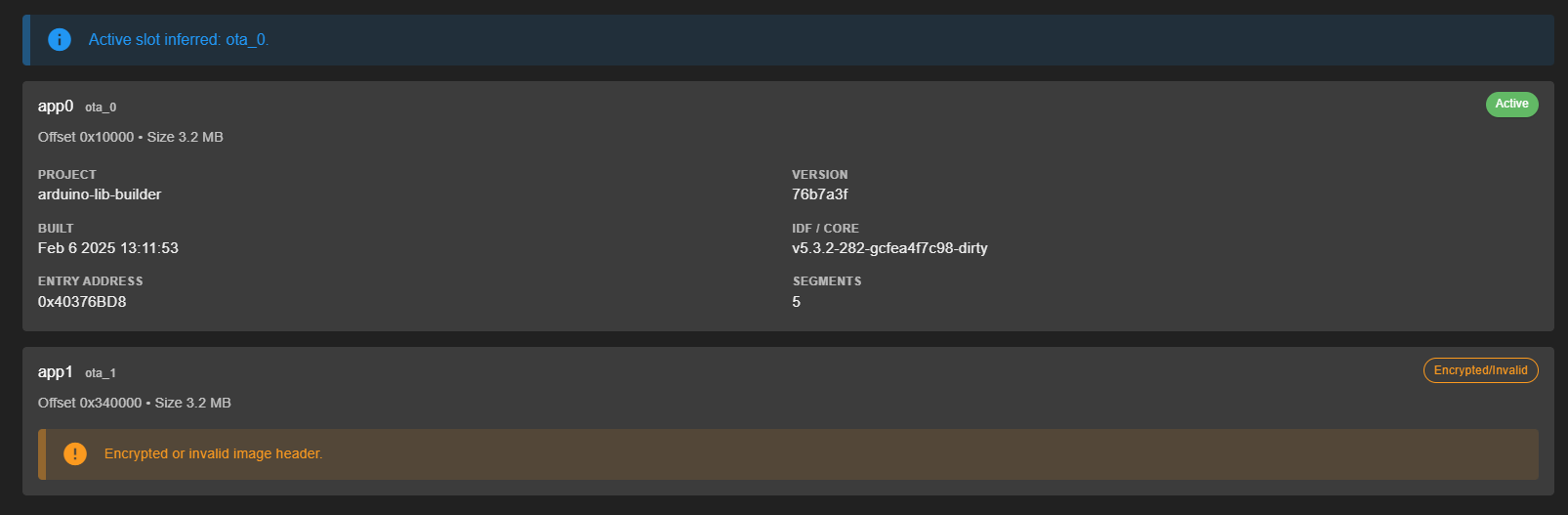
In the App tab we have information about the program, how it was compiled, etc:
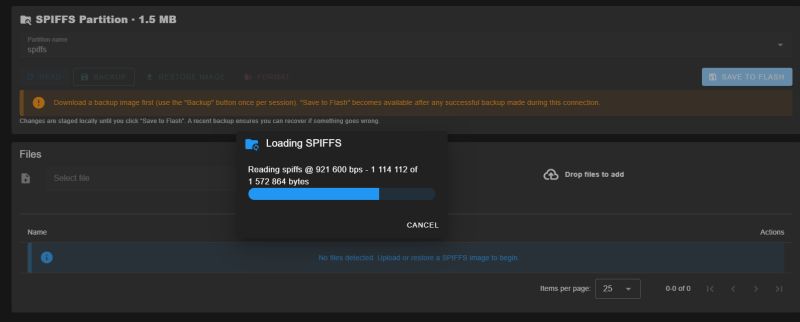
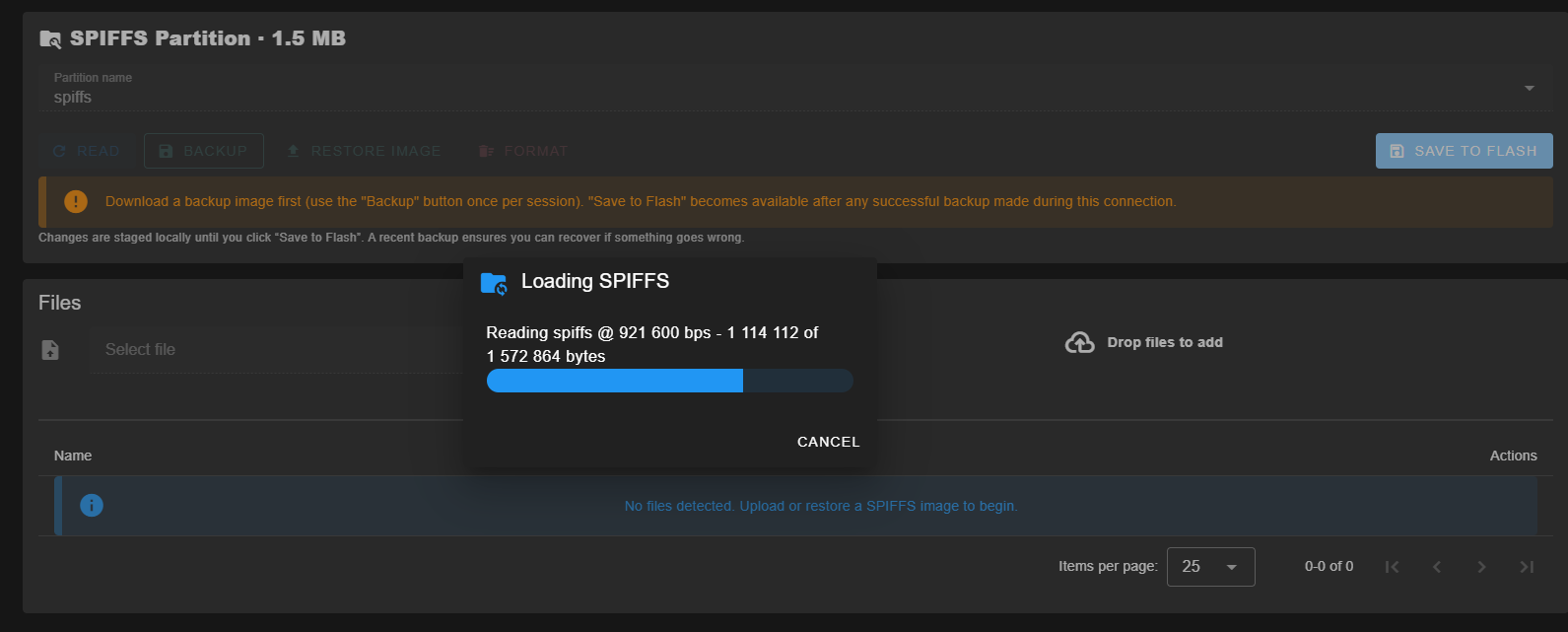
SPIFFS allows you to manage the file system on your device. The whole idea is that we have to back up all the memory first, so we are unlikely to lose anything, even if we mess something up.
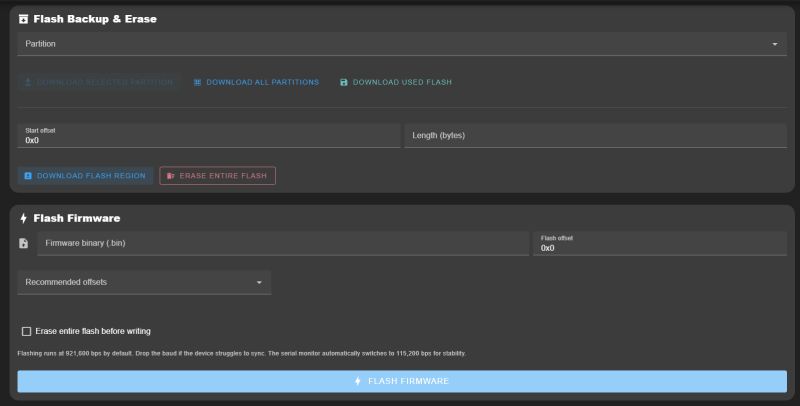
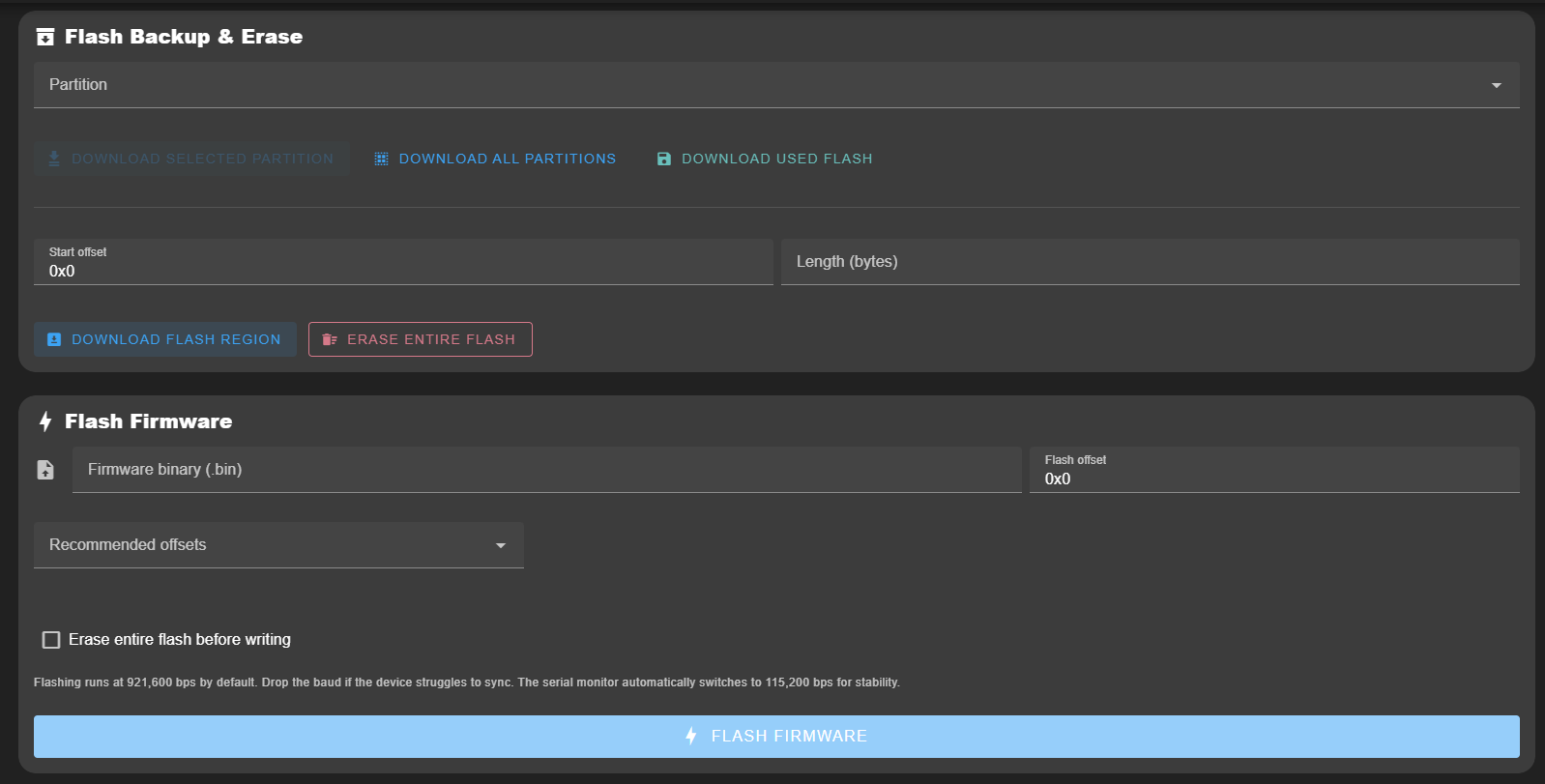
In Flash Tools we have the usual firmware write and read operations:
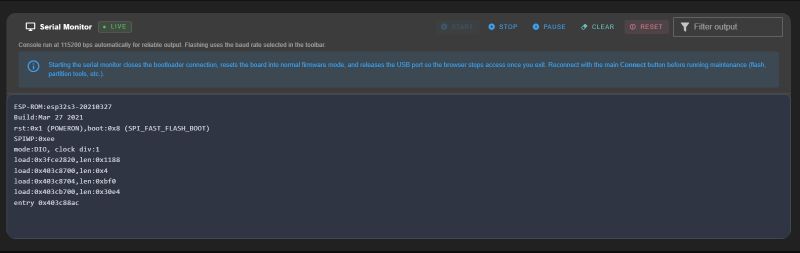
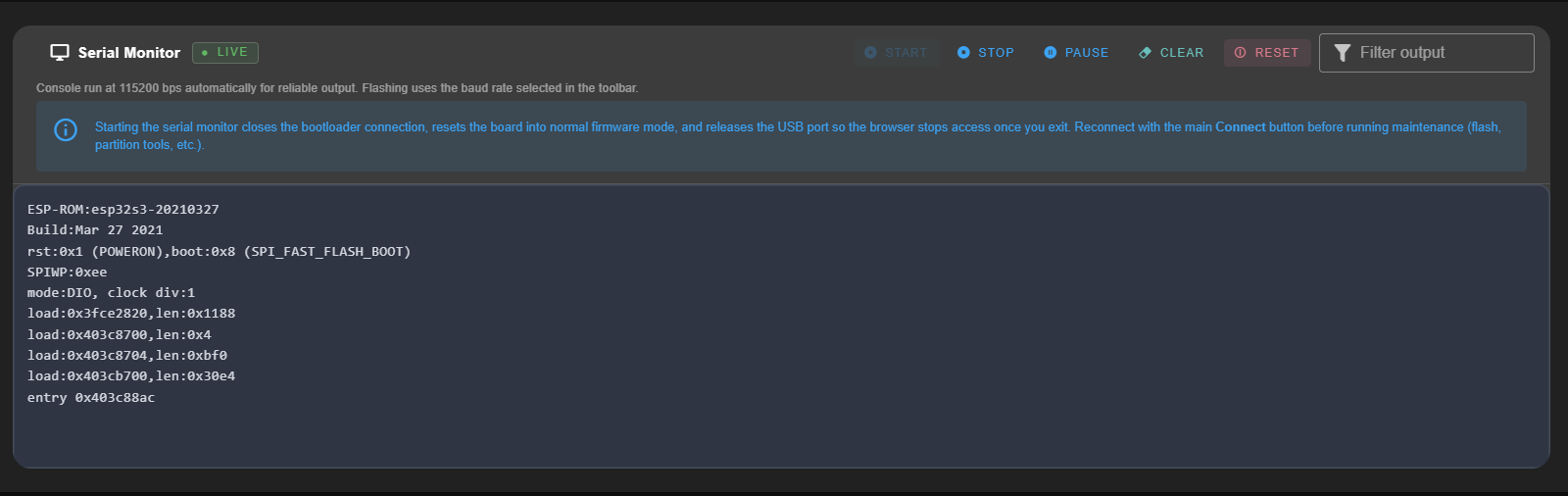
Serial monitor is simply a serial port console - RealTerm is no longer needed:
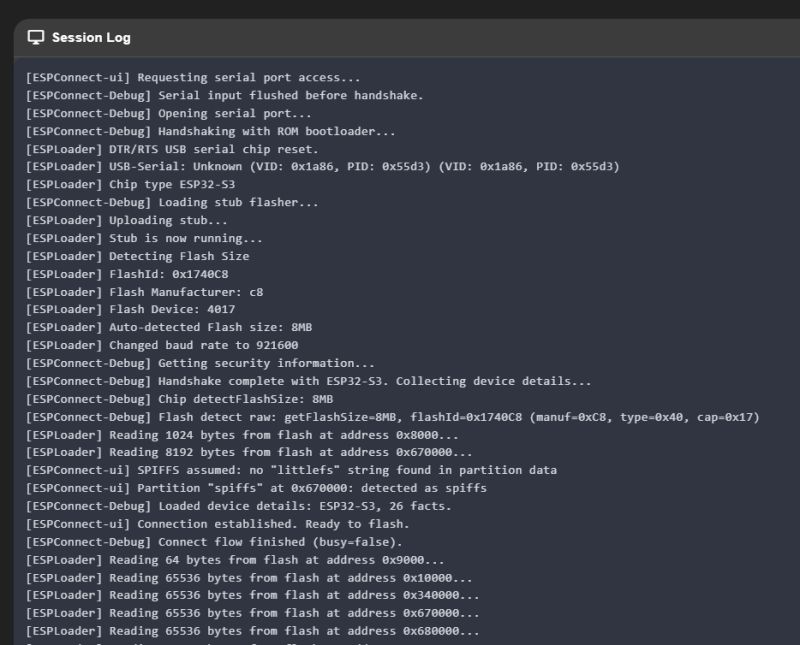
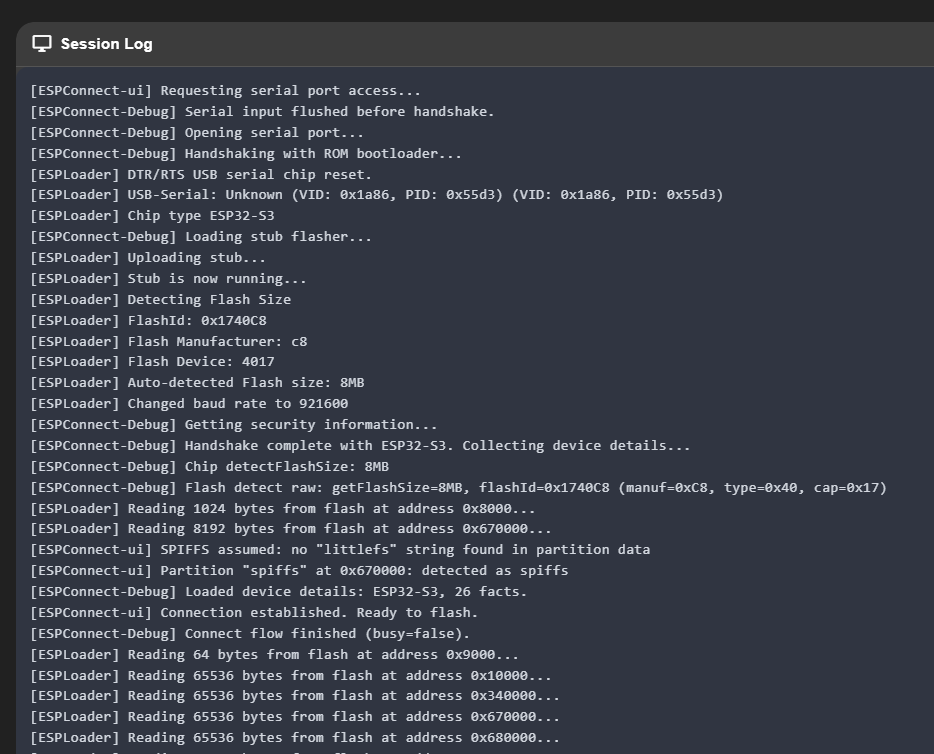
The Session Log, on the other hand, tells us what the ESPConnect was doing - you can view there what was read, what went wrong, etc:
 In summary, the tool looks very promising.
 The whole thing is very fresh, looking at GitHub it appeared about 3 weeks ago, but in my case it even has a chance to replace esptool. Everything in one place, convenient and accessible.
And what is your opinion? Which tools for ESP do you use?
Tool in question:
https://thelastoutpostworkshop.github.io/microcontroller_devkit/espconnect/
Project repository:
https://github.com/thelastoutpostworkshop/ESPConnect







Comments
1. Does not work with Firefox: This browser does not support the Web Serial API. Use Chrome, Edge, or another Chromium-based browser. 2. Under Opera (Chromium-based): Processing error An error occurred... [Read more]
Good idea to check it out. It doesn't work on Firefox for me either. On Edge it works: https://obrazki.elektroda.pl/2327325800_1766006001_thumb.jpg On my Opera it works: https://obrazki.elektroda.pl/1561157500_1766006066_thumb.jpg... [Read more]
Maybe it's an OS issue? I exclusively use Debian... [Read more]
My Opera is version 124.0.5705.42 on Windows 10. [Read more]
My Opera: 122.0.5643.24 but offers me an update to: 125.0.5729.21. I'll check at my leisure but I'm not promising myself much.... These problems concern the ESP32 S3 (with USB-OTG). I connected the ESP8266... [Read more]
It works on Firefox, but you need an add-on: https://addons.mozilla.org/pl/firefox/addon/webserial-for-firefox/ [Read more]
Interesting, I added this add-on to Firefox and now when opening the UART port the browser suggests me to download some exe.... https://obrazki.elektroda.pl/2094934200_1766008116_thumb.jpg I took... [Read more]
Have you installed anything offered by a new user ???? [Read more]
This add-on downloads the exe from its page on GitHub, looks authentic, but still doesn't work. It's easier to fire up Chrome. But yes - I agree with the comment, I strongly advise against downloading... [Read more]
Instead of downloading add-ons for FF it is better to use Chrome or Edge. There, UART support is built in. [Read more]
I Windows... Works... The description is quite laconic, it lacks even a linked video that explains everything, and it's available on Github. At first I thought it was a library for ESP32. [Read more]
Thanks for pointing this out. Sometimes it's hard to look at something from a beginner's perspective. I have added sentences saying that the tool reads data through the UART (virtual COM port) and does... [Read more]
Tasmota can be uploaded via WebSerial: Link . It's convenient because you don't have to install anything and you can always access the latest firmware. [Read more]
That's right, it's been tested: How to install Tasmota easily - online installer tasmota.github.io/install via web browser [Read more]