



logo elektroda
logo elektroda
X
logo elektroda

The interior of the Blaupunkt MS8BK radio, Flash memory analysis and the second life of the display

p.kaczmarek2  4 642 Cool? (+8)
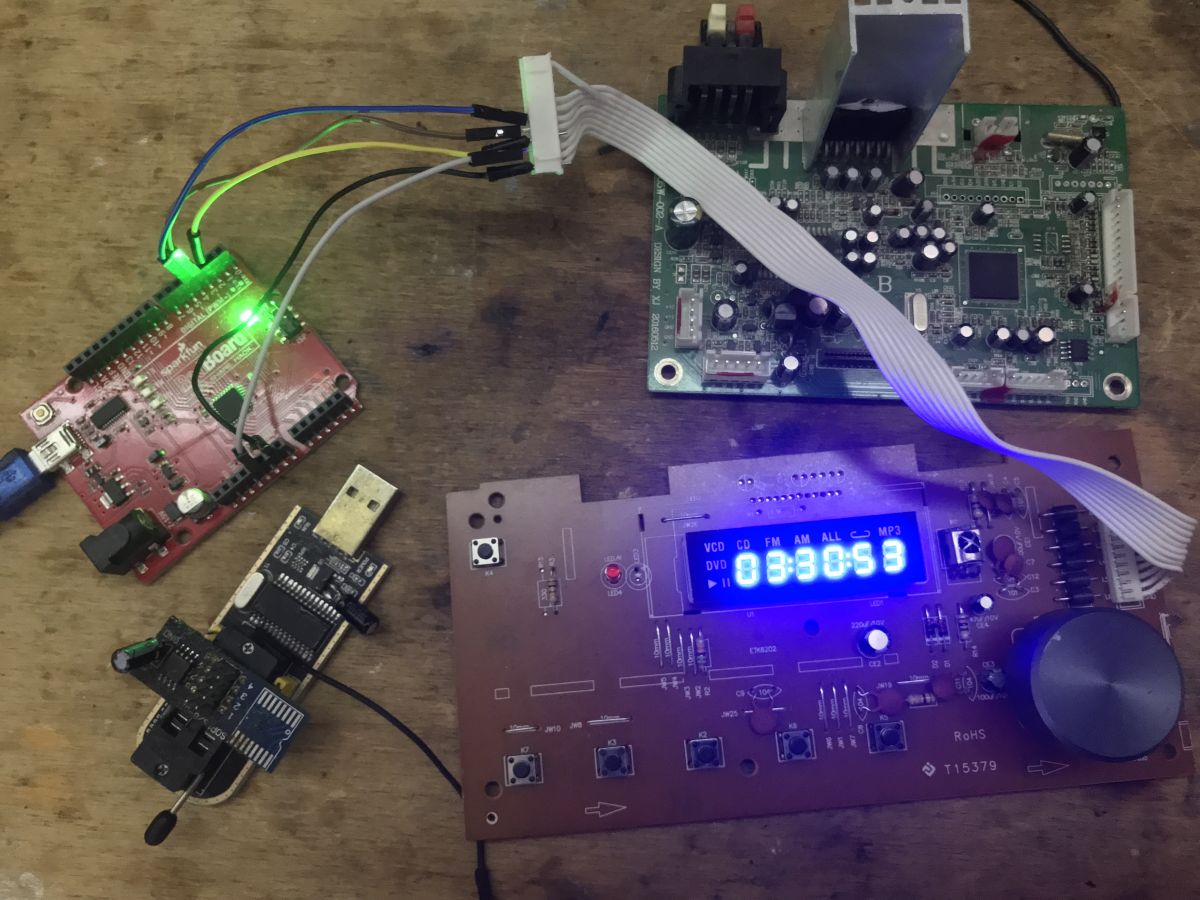
Arduino board connected to micro Hi-Fi front panel with LED display
Here is a short presentation of the inside of the Blaupunkt model MS8BK microwave with CD and USB player. I will check here how it is built, try to analyse its firmware from an unknown microprocessor and determine its architecture in Ghidra, and then run its display with Arduino.
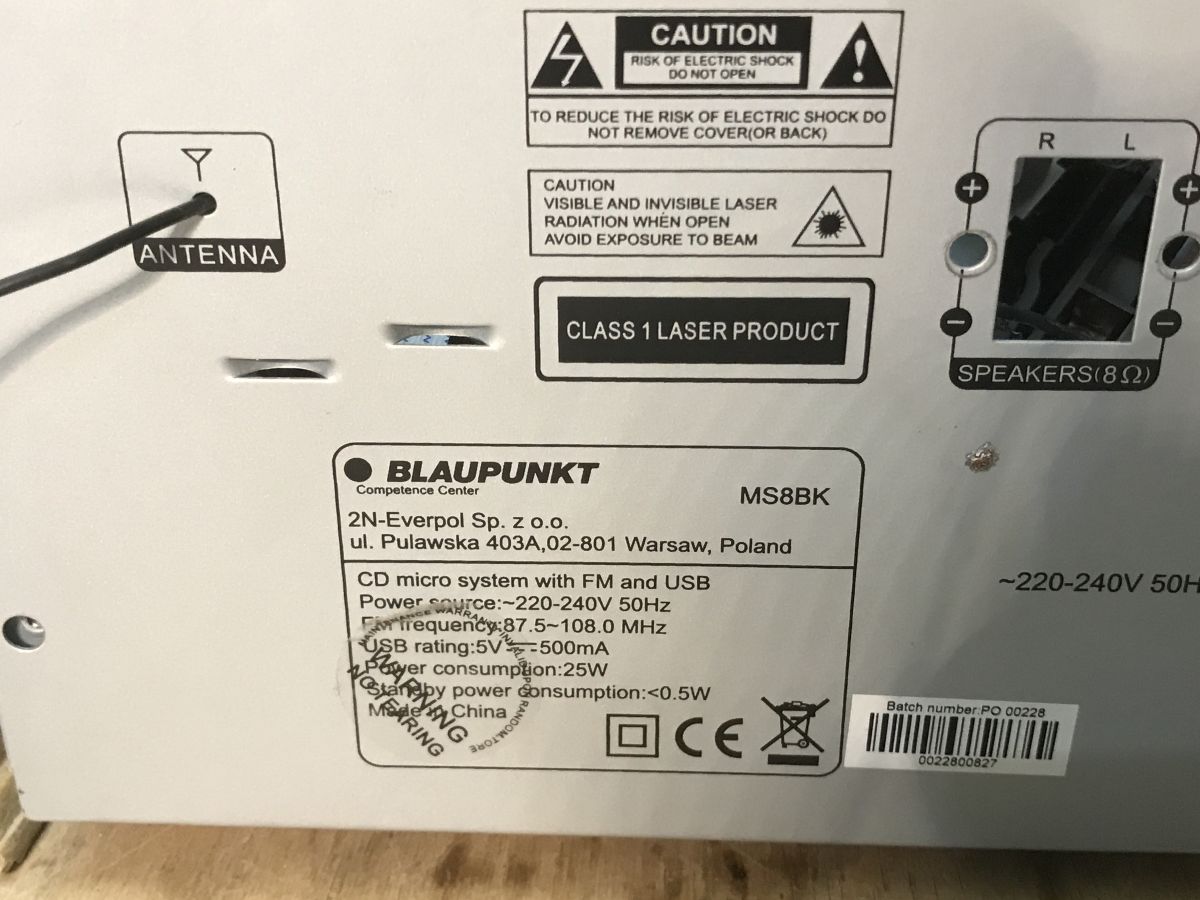
Rear label of Blaupunkt MS8BK micro system with power and model information

Interior of the MS8BK
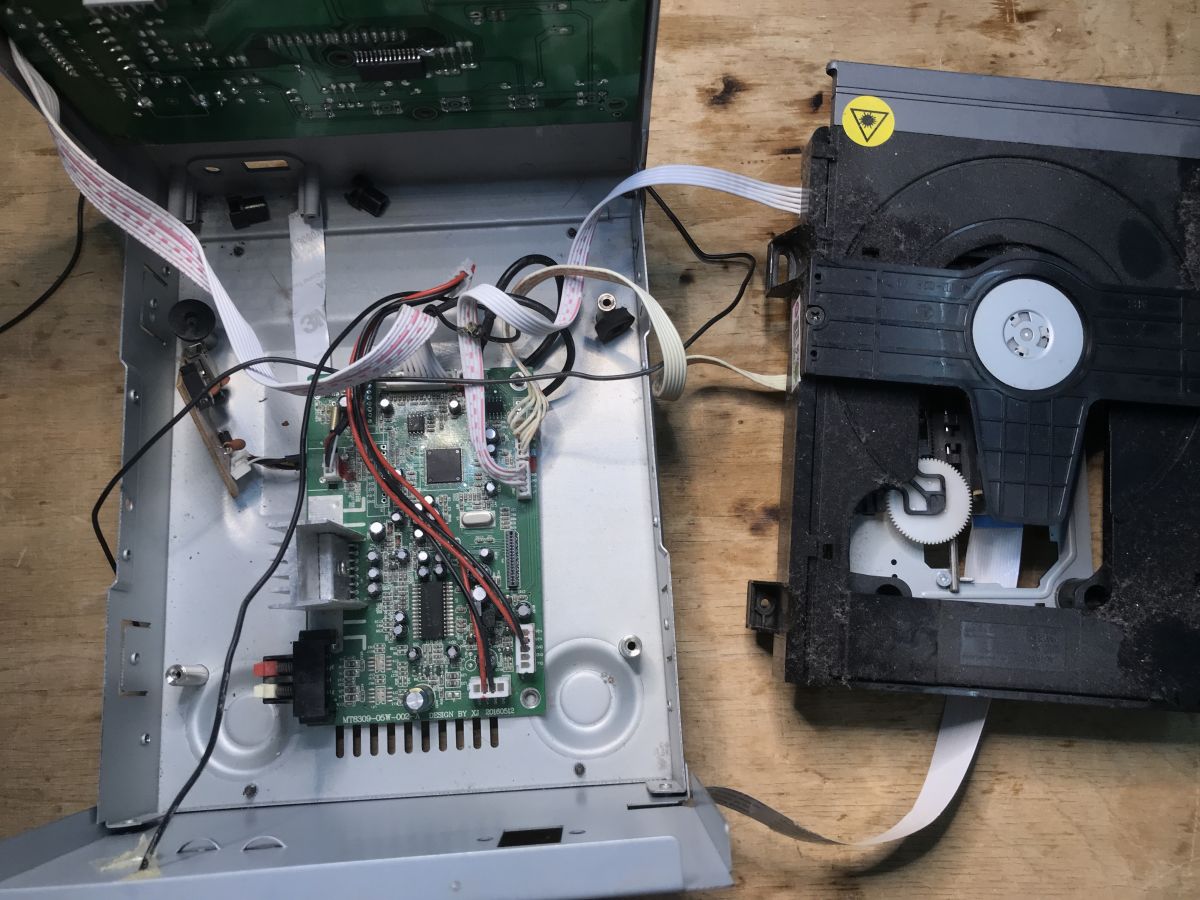
The equipment came to me decomposed, so the presentation does not include the power supply. I can infer from the board itself that it provided standard voltages such as 5 and 12 volts. It was probably already a switching power supply in a flyback topology - the type I see in modern equipment. Older audio towers used to have the classic 50/60 Hz transformers, but I see them less and less nowadays.
Disassembled Blaupunkt MS8BK micro hi-fi with mainboard and CD drive visible
Blaupunkt MS8BK micro stereo front and main PCBs with display and buttons
The motherboard rests on a Mediatek processor, I'll leave it for last. Right next to it you can see the 2 MB Flash memory, which perhaps houses the software, and in the corner there is also an EEPROM - maybe for configuration.
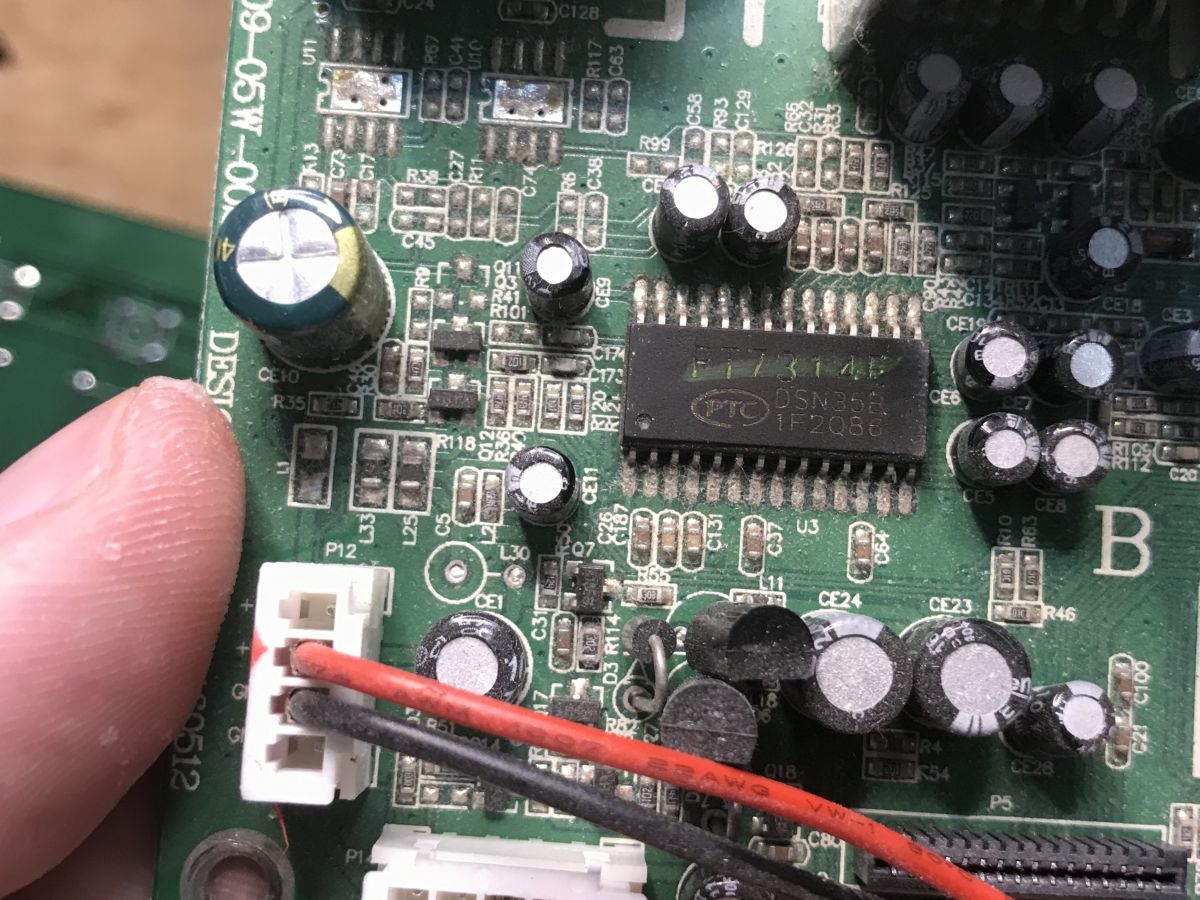
Close-up of PCB with PT7314E chip and connector with red and black wires
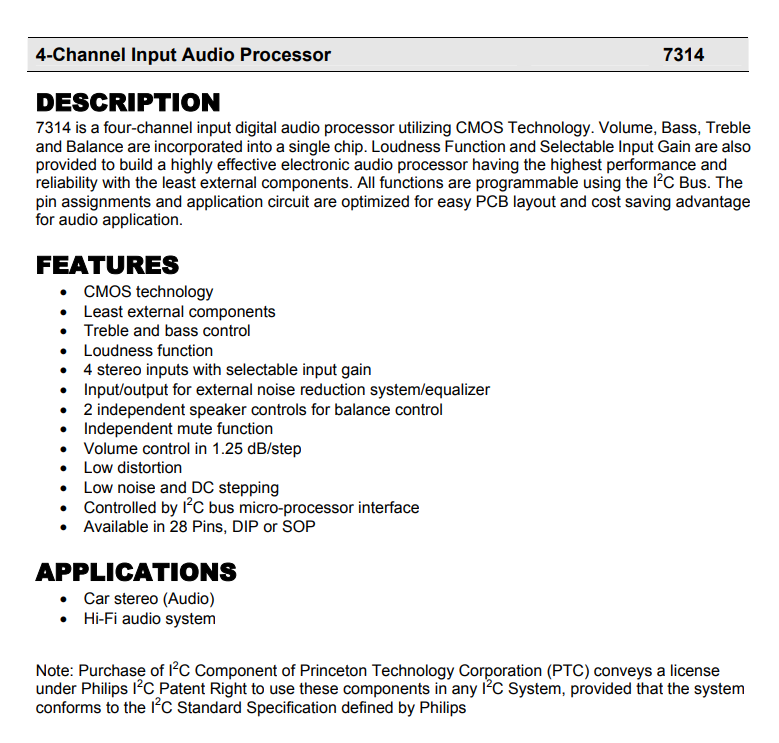
There is a separate four-channel processor for audio on the board - the PT7314E, the main CPU controls it via I2C:
Datasheet of PT7314E audio processor with description and features list.
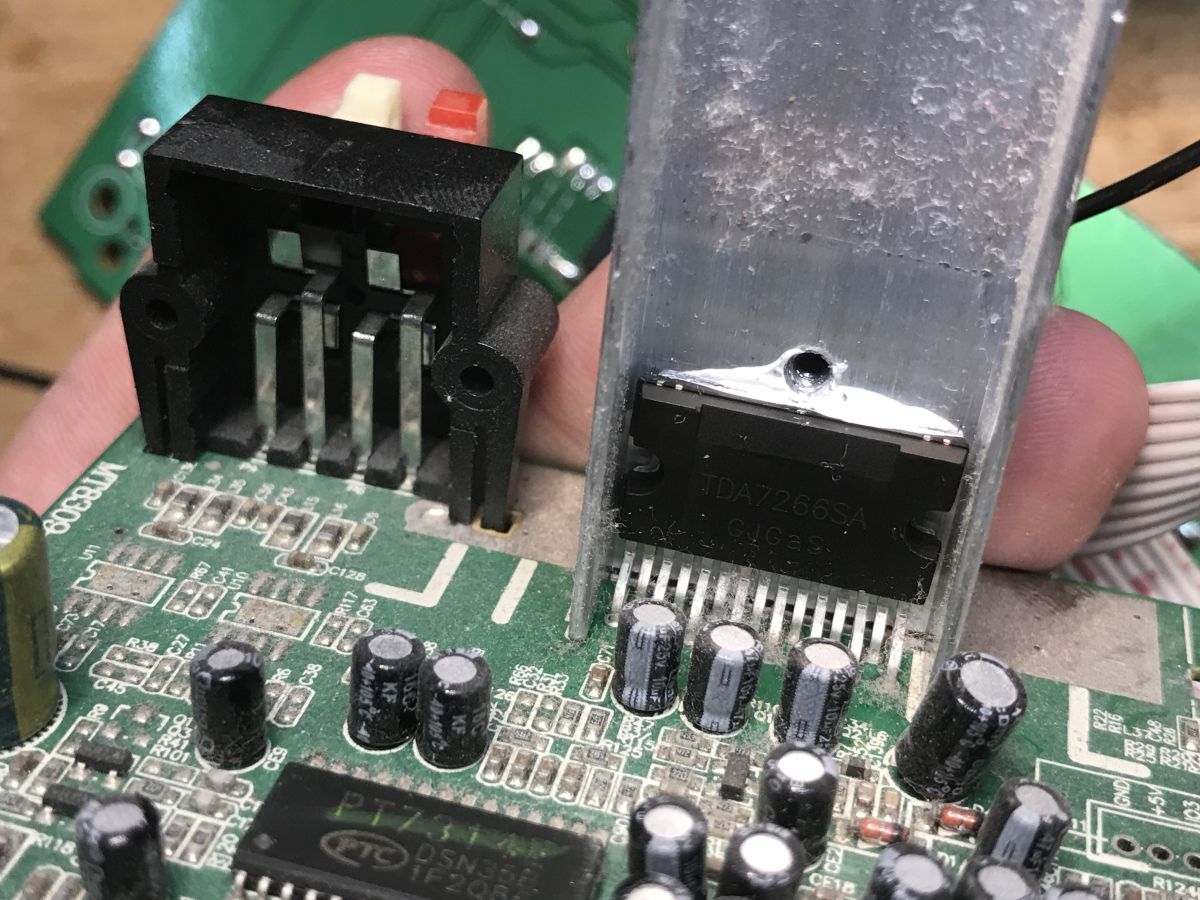
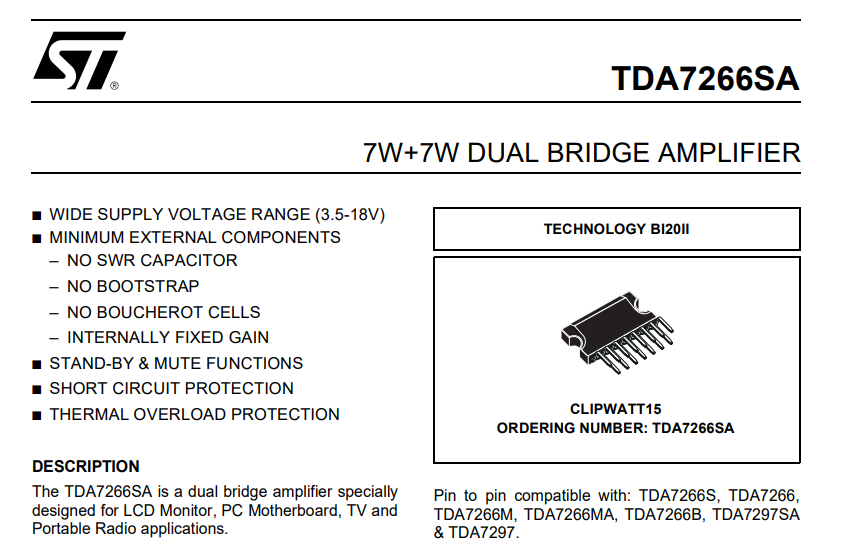
Separately, we have the amplifier - a dual 7W+7W, TDA7266SA, mounted on a large heatsink for adequate cooling:
Heatsink on TDA7266SA chip mounted on Blaupunkt micro system PCB
TDA7266SA amplifier datasheet showing specifications and package illustration
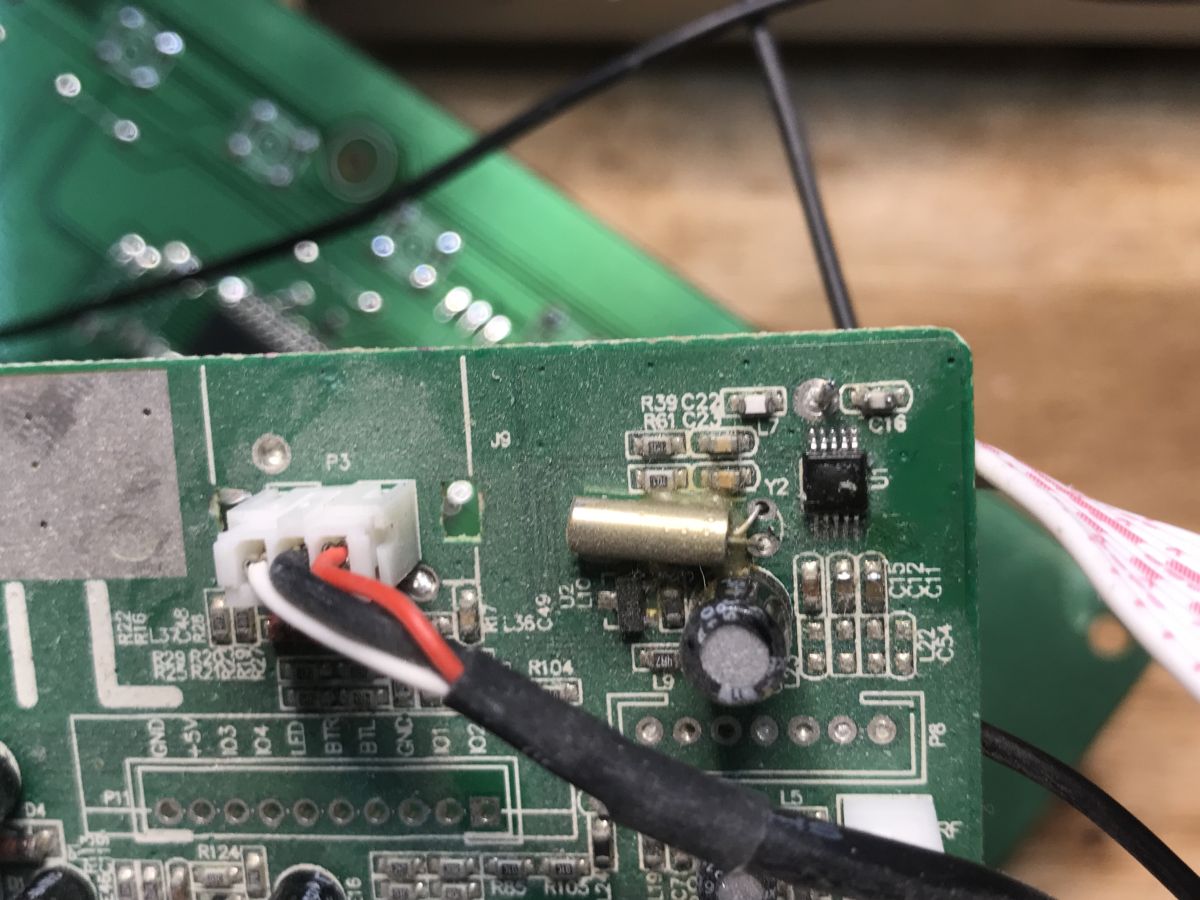
A watch quartz resonator and a small circuit in the corner still caught my eye - at first I thought it was an RTCC, but there's an antenna leading there. It's probably the radio's receiving circuit. Perhaps it would be possible to run it in bulk?
Close-up of a PCB with a resonator, connector, and IC near labeled components
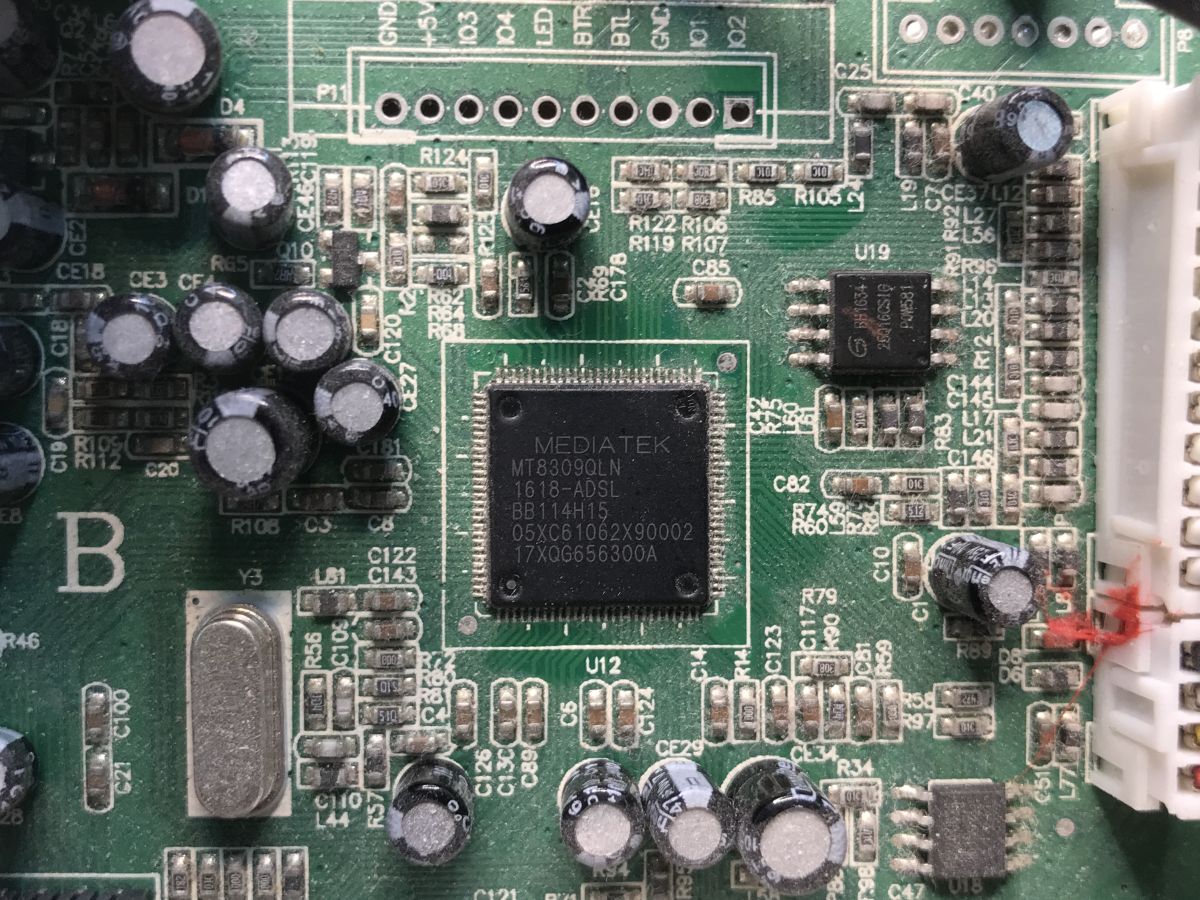
Well, that leaves the main MCU:
Close-up of PCB with Mediatek MT8309QLN chip and SMD components visible.
Mediatek MT8309QLN. I haven't found specific information about it on the web, although someone has already posted a batch from it on another forum:

So the MS12BT has a very similar design.

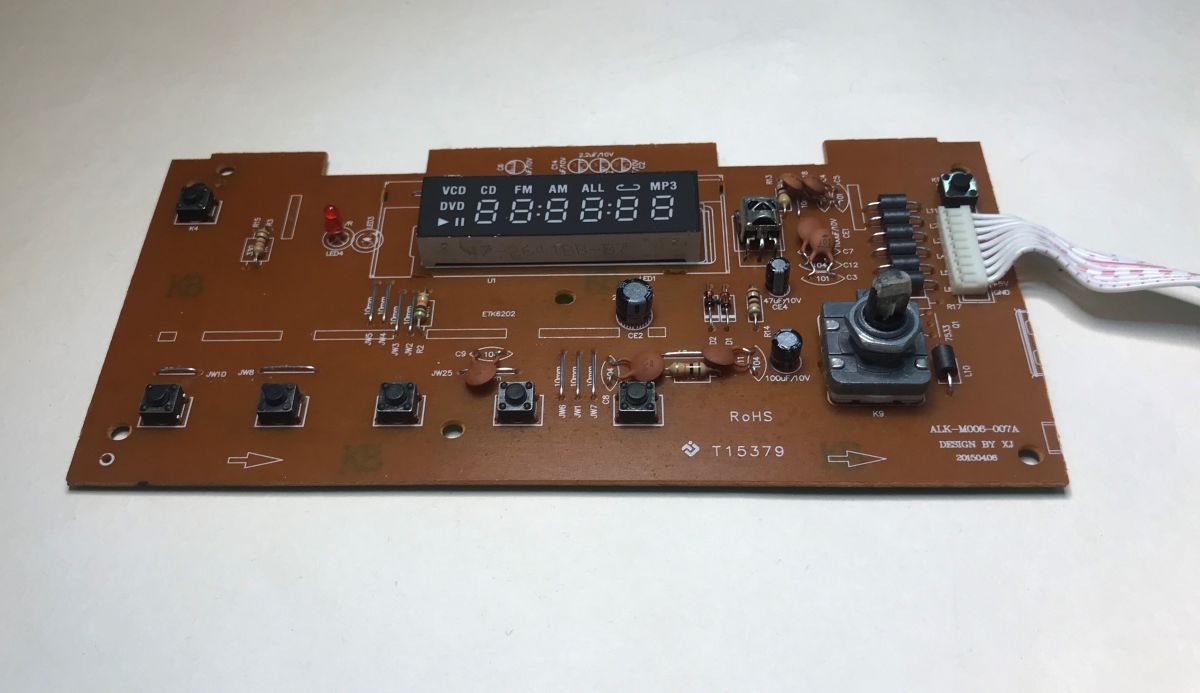
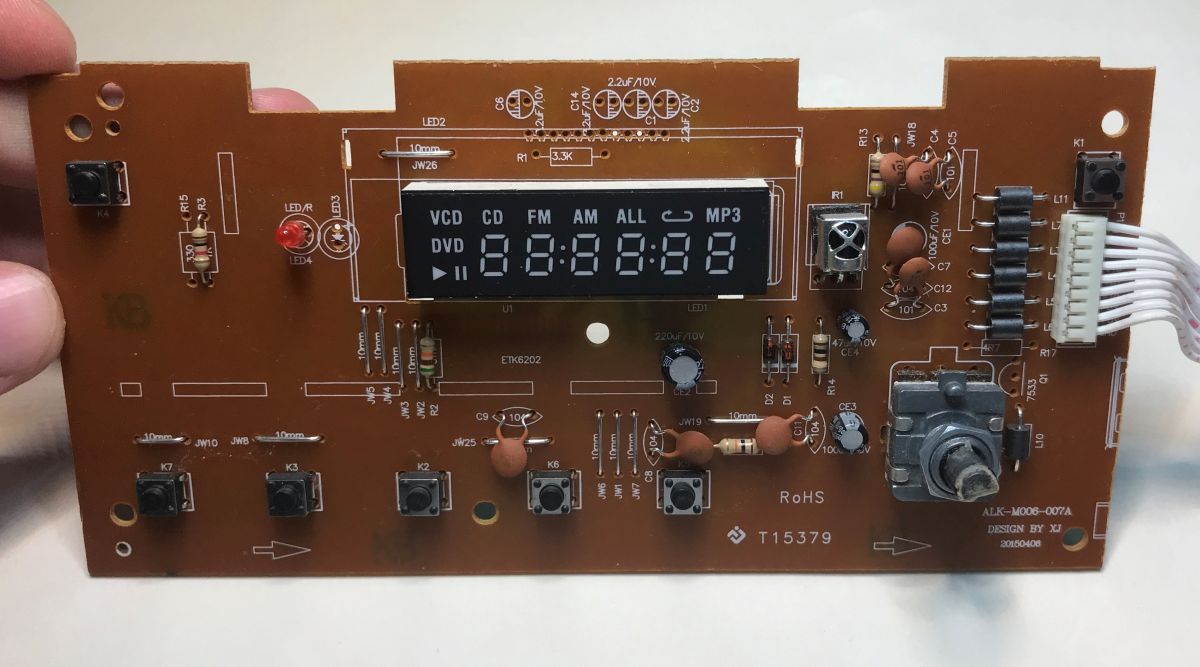
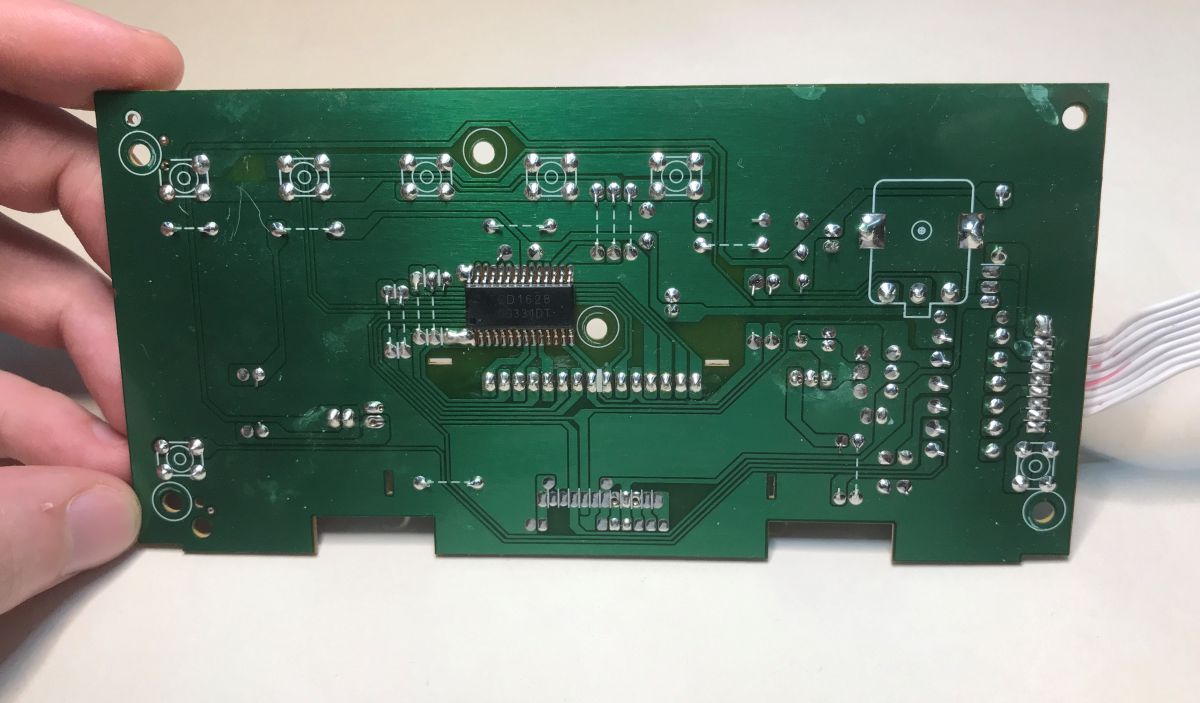
The display board is much simpler. The laminate is single sided, with only the main controller, the CD1628, surface soldered on the track side. It operates the buttons and the 7-segment display. In addition, we have an IR receiver, an encoder and a standby diode on the board.
Blaupunkt micro hi-fi front PCB with display and control buttons Control board from micro stereo with 7-segment display, buttons, and input connector PCB with CD1628 controller chip and visible trace lines on green substrate


Flash memory analysis
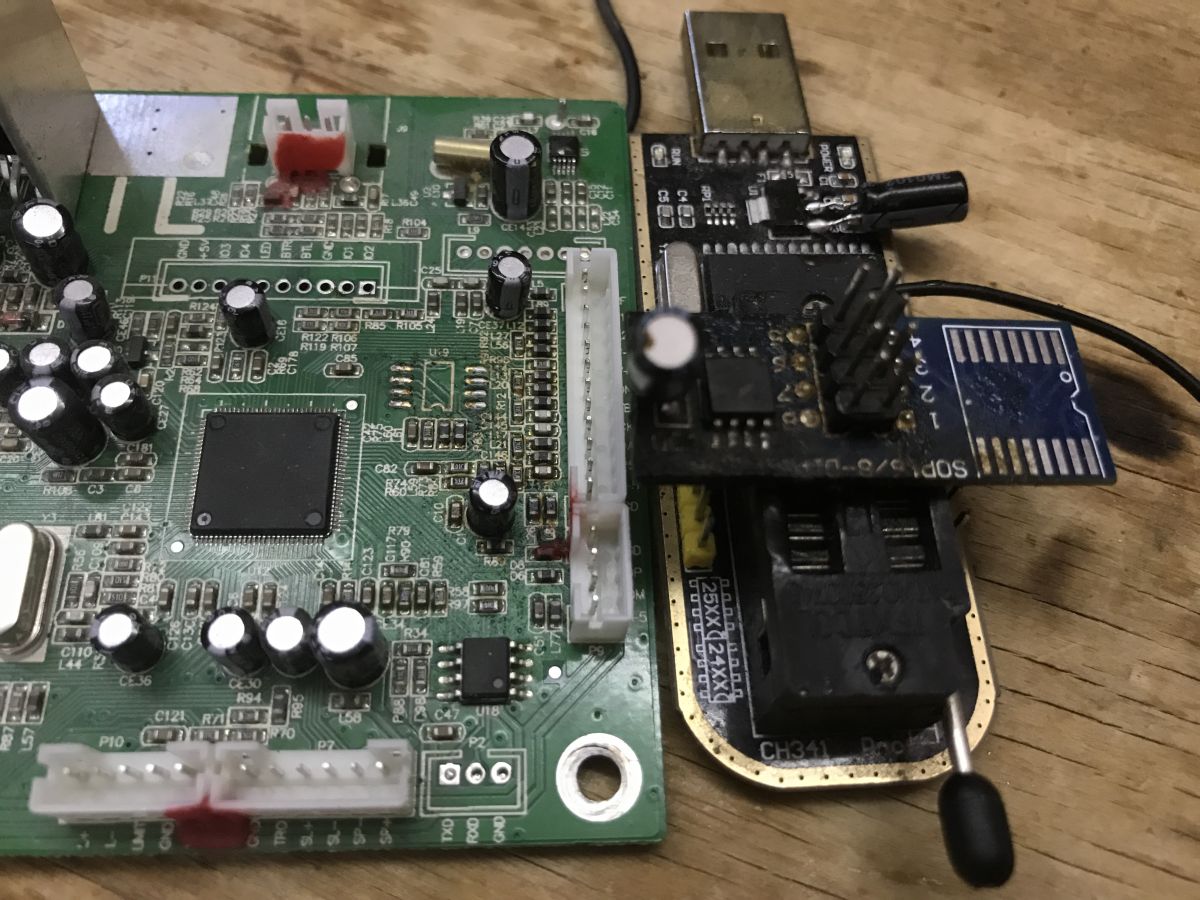
I soldered the Flash memory using hot air and read it with the CH341 programmer.
Blaupunkt micro hi-fi mainboard with connected CH341 programmer
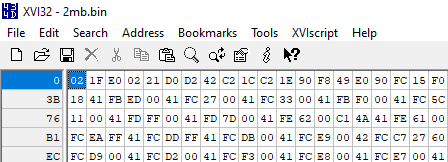
Binwalk found nothing interesting in it. I started looking through it in xvi32 . No header or partition structure is visible. The memory starts at bytes 02 1F E0, which is reminiscent of the 8051 jump instruction:
Hex editor screenshot showing binary Flash memory data
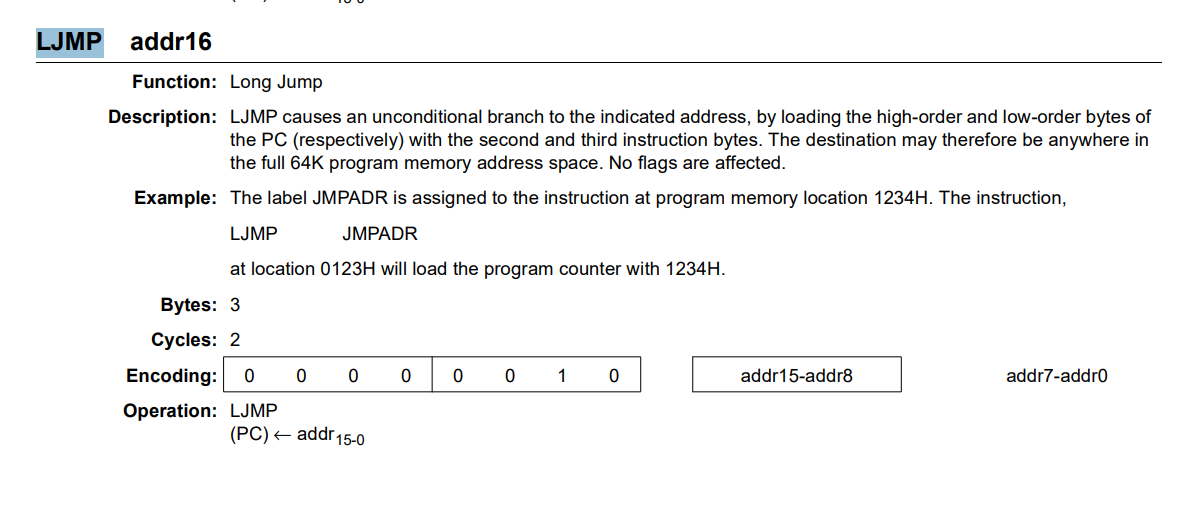
0x02 is the instruction code, 0x1FE0 is the jump address.
Description of the LJMP instruction in 8051 assembly with byte encoding and example
At offset 03 we again have jump instruction 02 21 D0. This matches with the interrupt position of the 8051. It looks like we do indeed have this classic core used here.
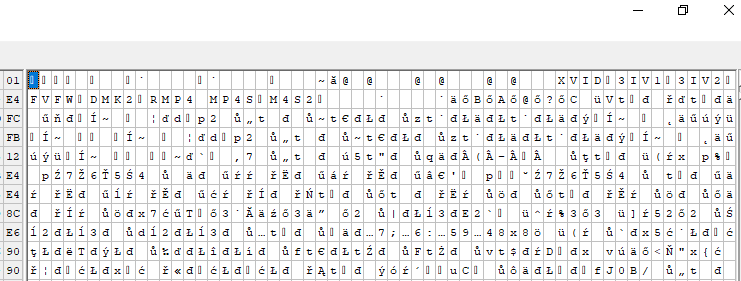
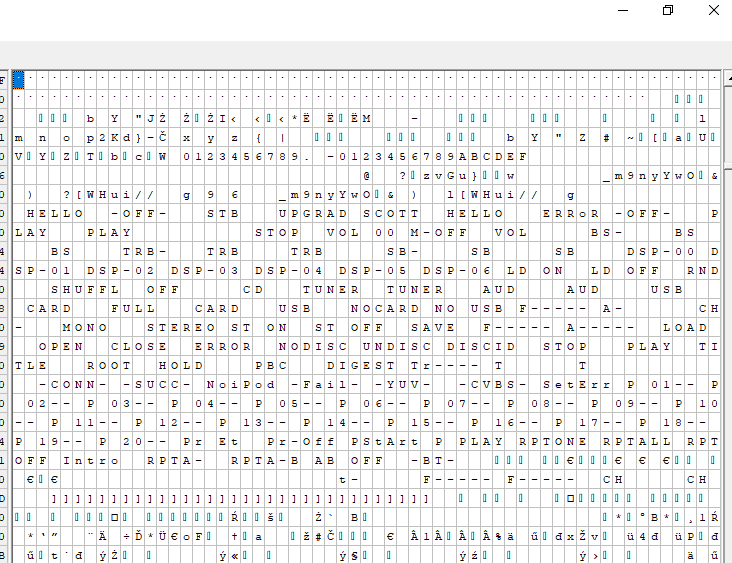
We'll try to decompile it, but it's still worth looking for ASCII captions, they can reveal a lot about the firmware.
Hex editor view showing binary data from the Flash memory of Blaupunkt MS8BK micro stereo system
XVID, 3IV1, MP4S, M4S2 codecs.
ASCII table from hex editor showing Flash memory data from Blaupunkt MS8BK
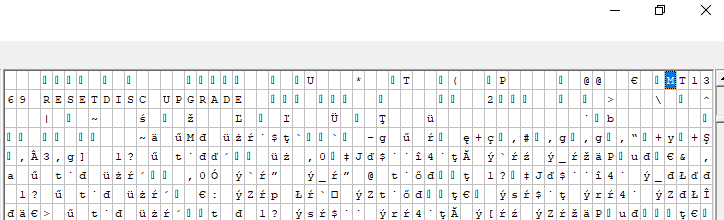
There's nothing more about booting or command line, so we probably won't run UART. UPGRAD only suggests batch updates. I wonder where SCOTT came from there - is that the author's signature?
Binary data dump from FLASH memory shown in XVI32 editor, with visible ASCII strings
MT1369? The internal name of the chip? There seems to be something wrong? Although here and here Mediatek....
https://www.elektroda.pl/rtvforum/find.php?q=MT1369
Looks like the chip from the DVD, strange. Maybe internally it's the same processor.

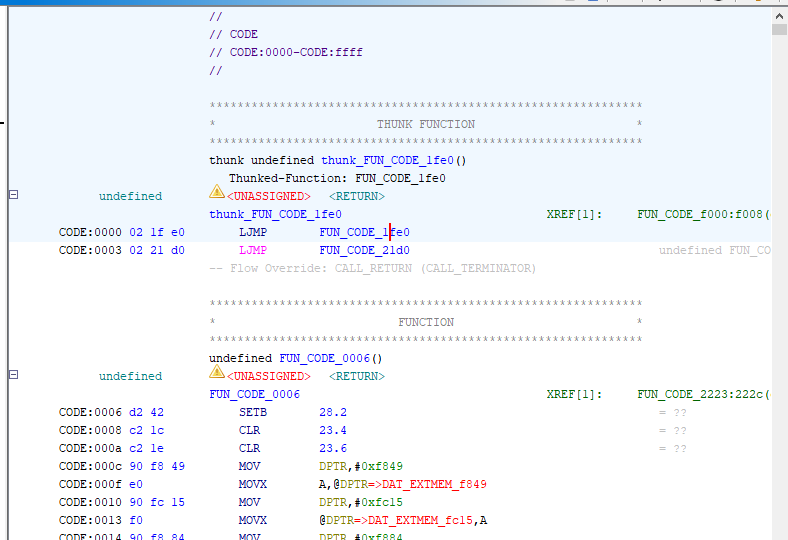
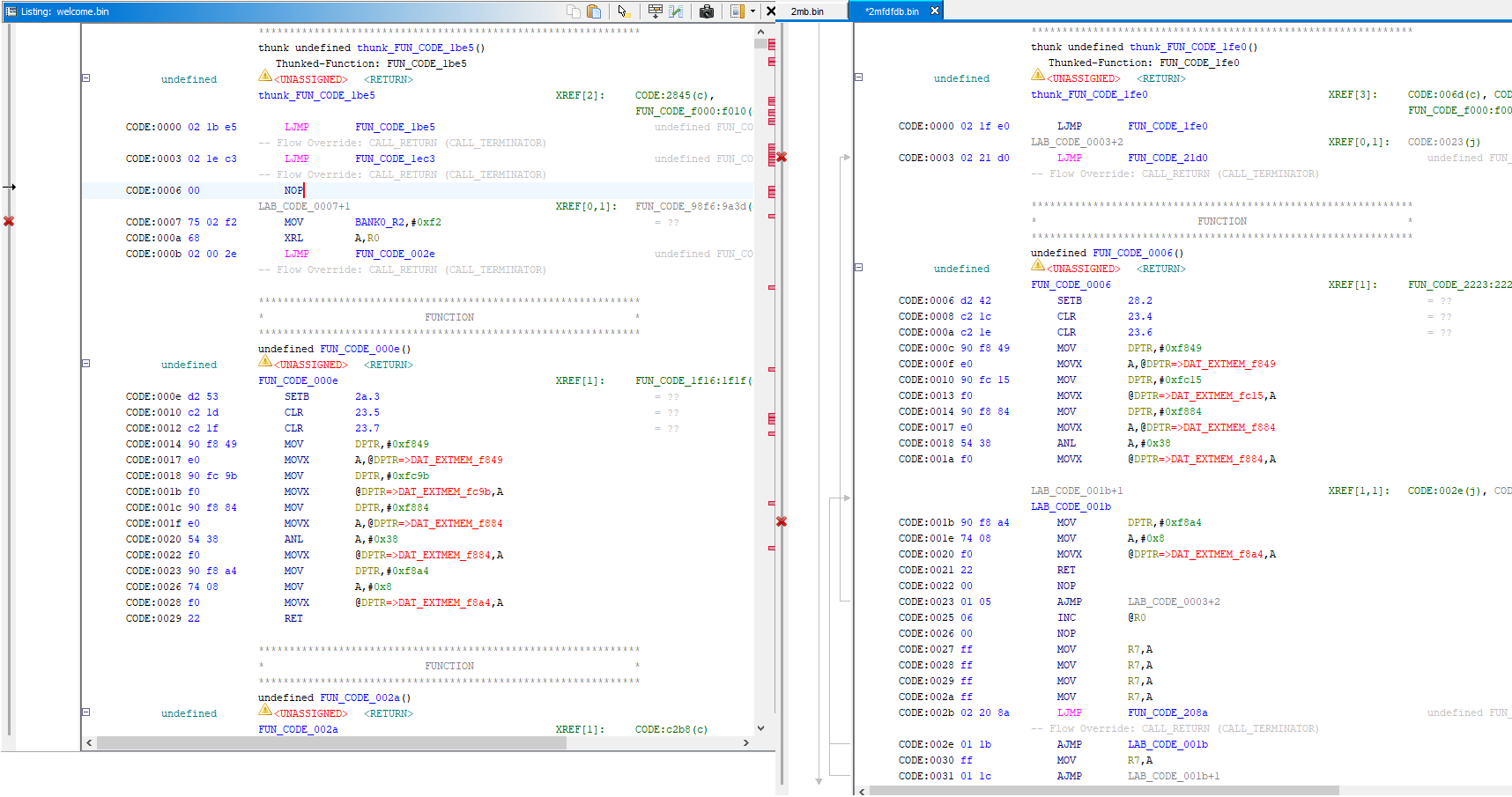
Time to move on though. I loaded the flash into the Ghidr decompiler and decoded it as 8051 instructions. The operations look correct, first we have a jump to the actual program from address 0x0, because we have interrupt vectors at the beginning:
Screenshot from the Ghidra decompiler analyzing assembly 8051 code
The first function resembles the initialisation of the three pins and the memory:
Code: C / C++
Log in, to see the code

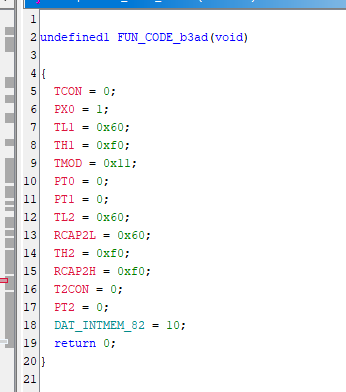
I also managed to find a separate function to initialise the timer, this clearly shows that the instructions are decoded correctly:
Ghidra screenshot showing disassembled 8051 code and decompiled function view
Screenshot from a decompiler showing a function configuring 8051 microcontroller registers
I've also looked for UART related commands, but haven't found anything that directly resembles sending or receiving, even though the standard UART registers of the 8051 are well documented and known.

Compare with the batch from MT1369?
However, I was curious as to why, according to our forum, the same writing appears in the memory dumps from the DVD.
I downloaded a copy of the batch from this post:
https://www.elektroda.pl/rtvforum/topic467658.html#2627620
Side-by-side assembly code comparison in Ghidra; left and right show 8051 firmware
It seems to be the same initialisation process (or bootloader). A quick comparison of the two firmwares in Ghidra shows a very strong similarity.
Code: C / C++
Log in, to see the code

This confirms the strong connection between the two firmware and the chips, although I did not perform a deeper analysis anymore.

I still made an attempt to compile a simple blink in SDCC for the 8051 but failed to detect any blink on the ports of my unknown processor. However, I don't know if it worked before - the radio supposedly had power and didn't start, so maybe there was something wrong with it before.

First step with the display
The display module is very attractive and useful - it doesn't require many pins to control, and it fits the watch just right. There are lots of digits, there are two colons, it will be worth the struggle.
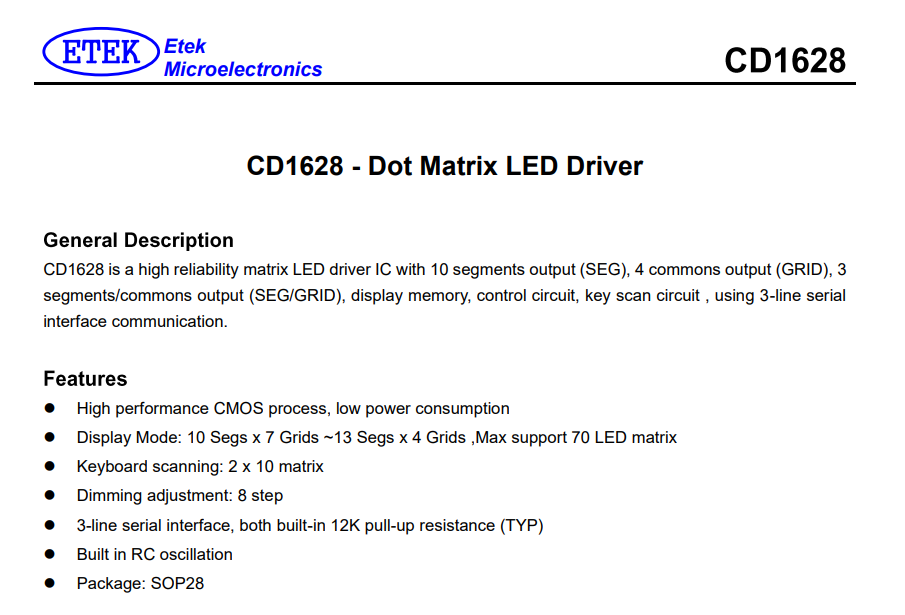
You need to start with the CD1628 datasheet note. Fortunately, it is available:
Part of the CD1628 datasheet showing LED driver features and description
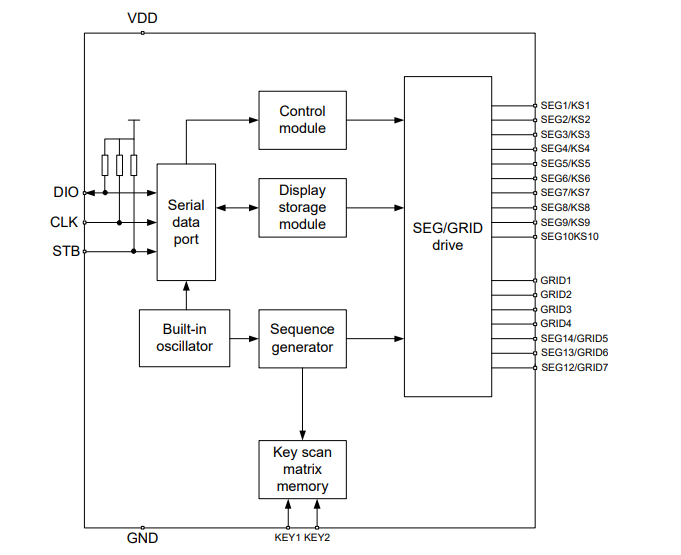
The CD1628 is controlled by three pins - DIO (data I/O), CLK (clock) and STB (strobe, chip select).
Block diagram of CD1628 display and keypad controller with labeled inputs and modules.
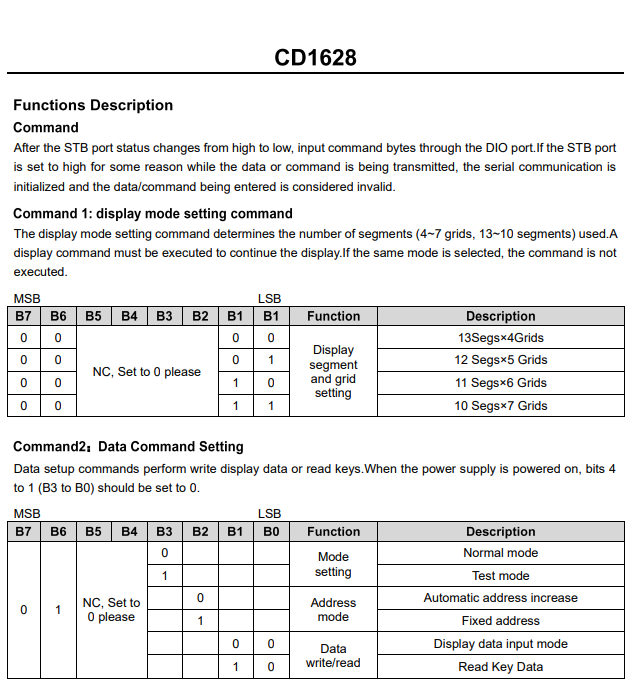
The protocol is described in the PDF:
CD1628 command table showing display modes and data configuration settings
A quick read of the note tells us that this is essentially the same circuit as the well-known TM1628 family, TM1637, TM1650, etc:
We are running the HD2015 display/button controller after reverse engineering, comparison with TM1637itd
7-segment displays on TM1637 - 4 and 6 digits - Arduino, protocol
The main difference is that instead of generating I2C-style start and stop conditions here, we operate the STB pin here.
It's time to put this into code - I've chosen Arduino for simplicity:
First pins - 0 and 1 are RX/TX, so I started with 2:
Code: C / C++
Log in, to see the code

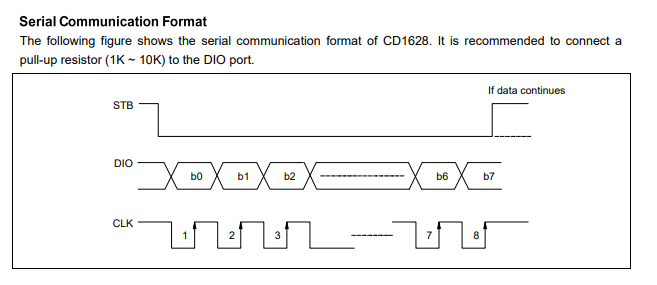
Then sending data - according to the datasheet note.
CD1628 serial transmission format with three signal lines: STB, DIO, CLK
The bits are loaded on the rising edge of the clock, so I first set the clock to the LOW state, then set the DIO state, then wait a moment and reset the clock to the high state.
Code: C / C++
Log in, to see the code

The strobe needs to be in the low state for communication, so I added an auxiliary function to send the command:
Code: C / C++
Log in, to see the code

This is the basic build of sending.
Now the question is what to send.
The register addresses and commands are the same as in the TM1650 and similar .
Sequentially:
- Command 1 - setting the display mode (how many segments, how many grids)
- Command 2 - setting the operating mode (normal mode)
- Command 3 - setting display address and data (segments)
- Command 4 - setting the display control (brightness level, on/off status)

Code: C / C++
Log in, to see the code

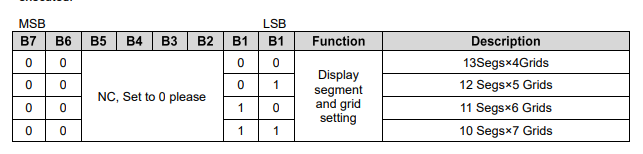
Here the only unknown is the first command - because we have four modes, how do you know which one is used on the board? Is it necessary to trace the paths?
Configuration table for segment and grid modes in CD1628 display controller
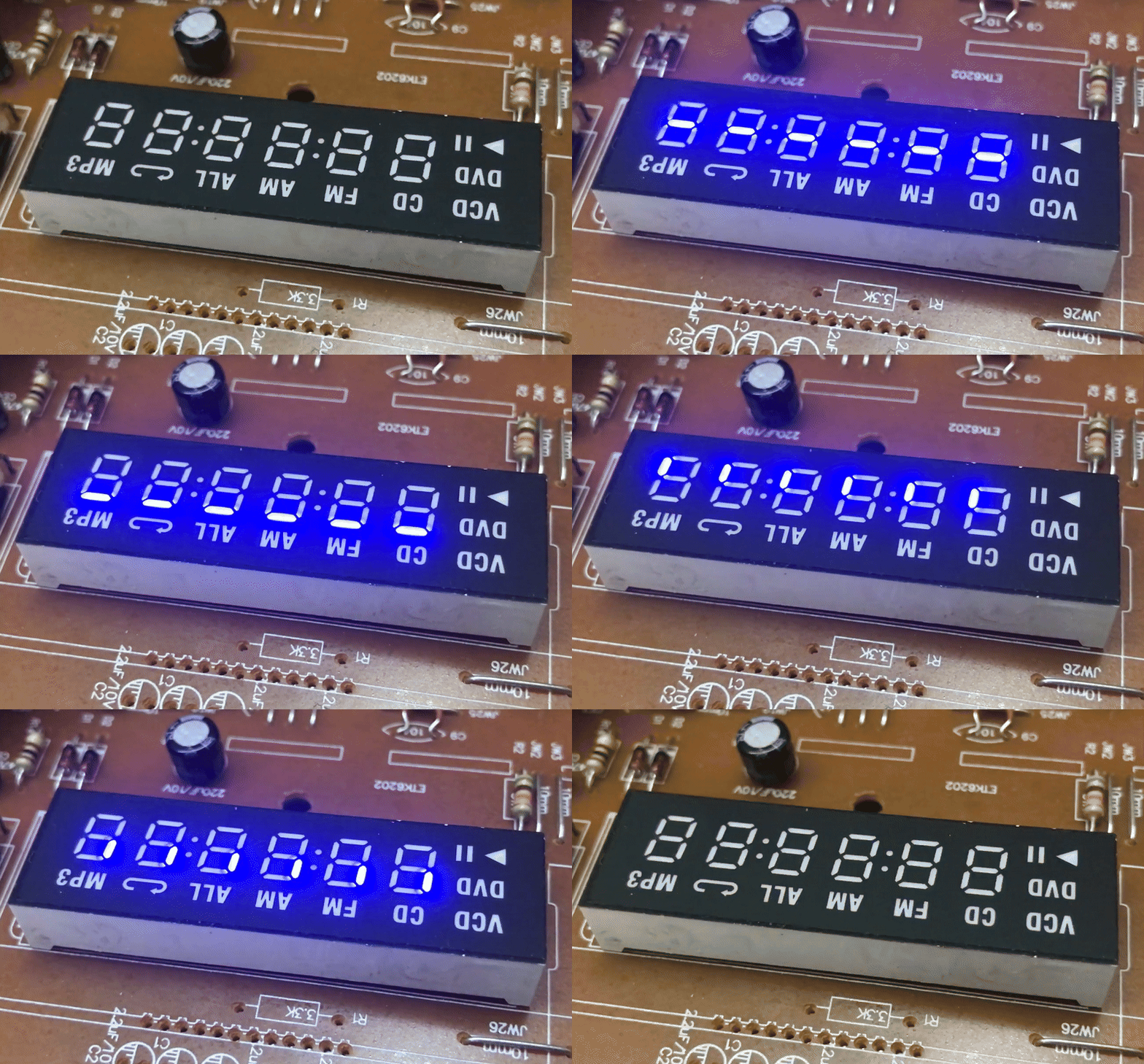
In my opinion, not necessarily - I just checked each of the 4 options and settled on the one that, with my test code setting all data alternately to 1 and 0, lights and extinguishes all fragments.
Code: C / C++
Log in, to see the code

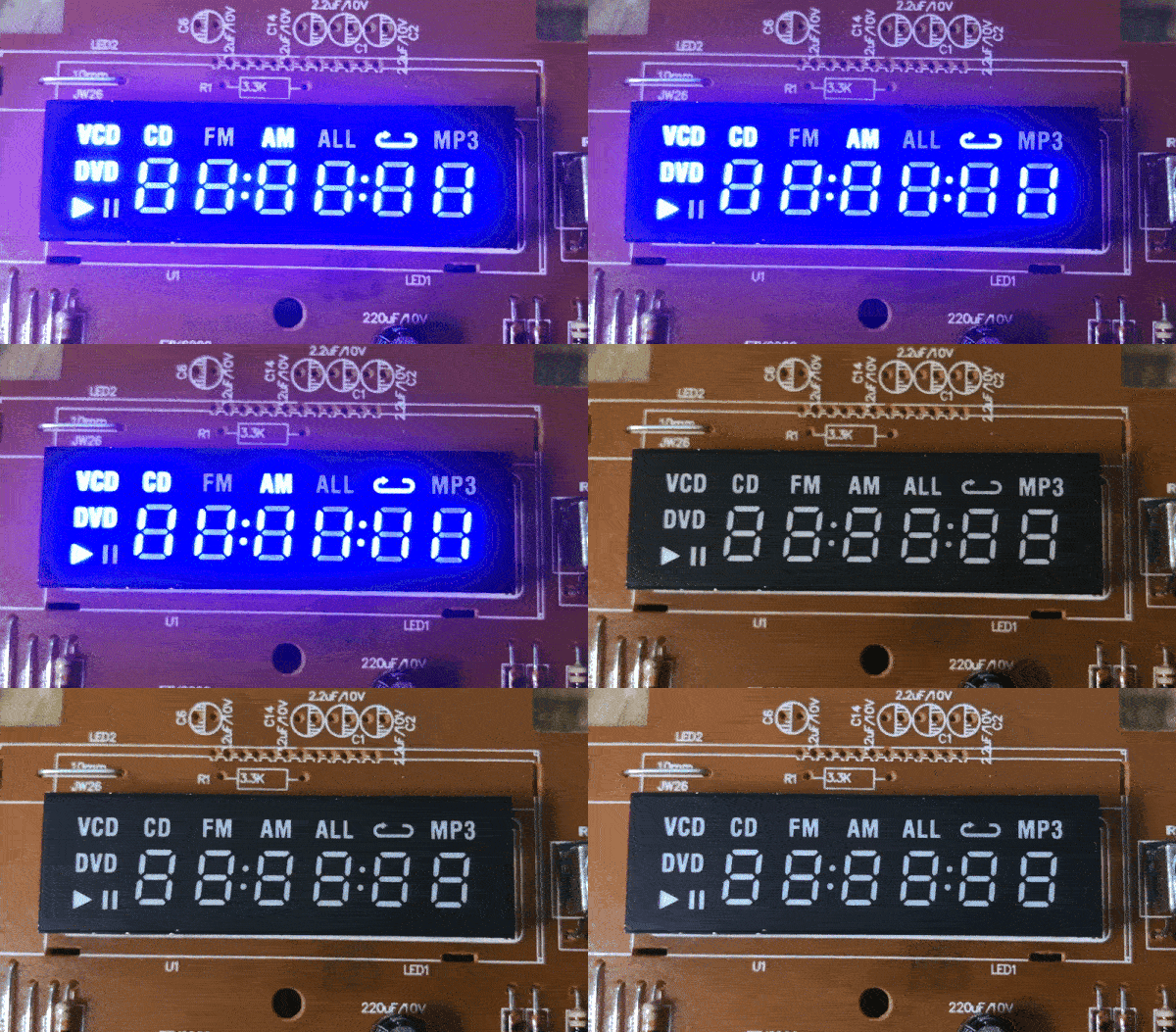
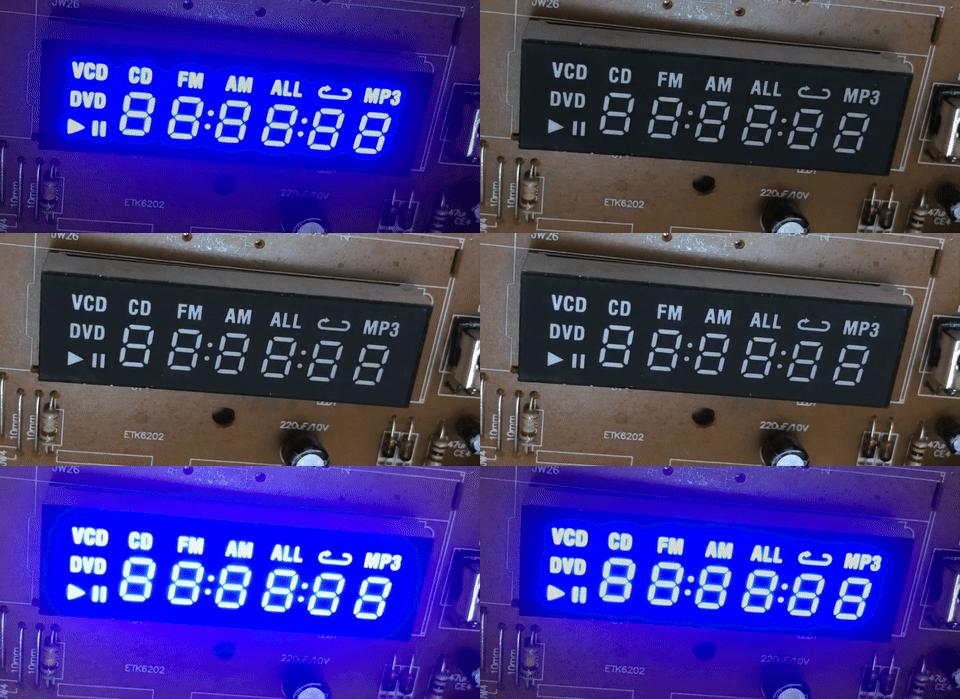
Result - first without setting the correct grid/segment configuration (0x03):
Blaupunkt MS8BK micro hi-fi display showing active icons and 7-segment clock
With correct configuration:
Blaupunkt micro hi-fi clock display with blue backlight and audio source icons

Segments
I then started experimenting with how to control the segments. It turned out that the segments of a single digit are scattered over different registers. That is, code like this:
Code: C / C++
Log in, to see the code

puts out the first digit:
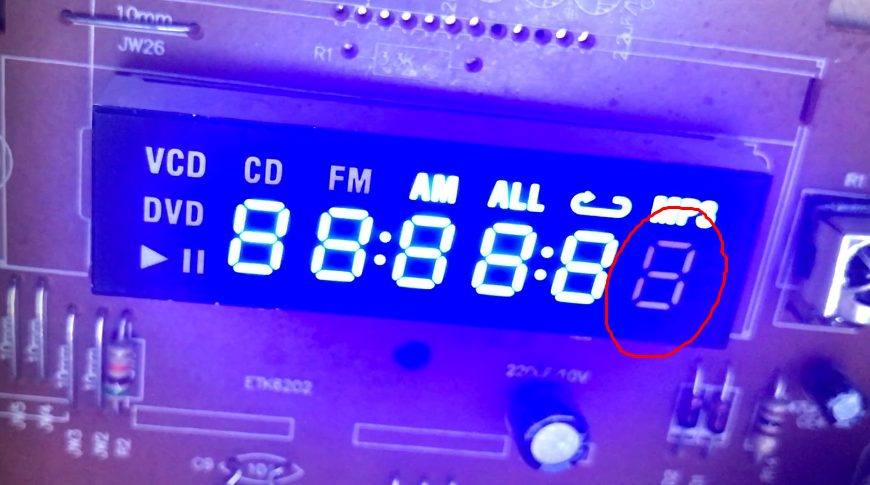
Blaupunkt micro hi-fi LED display with active mode icons and highlighted digit
All that remains is to manually check which position corresponds to which segment - then digit masks can be created based on this.
CD1628 7-segment display with active digits and icons on mounted circuit board


Digits
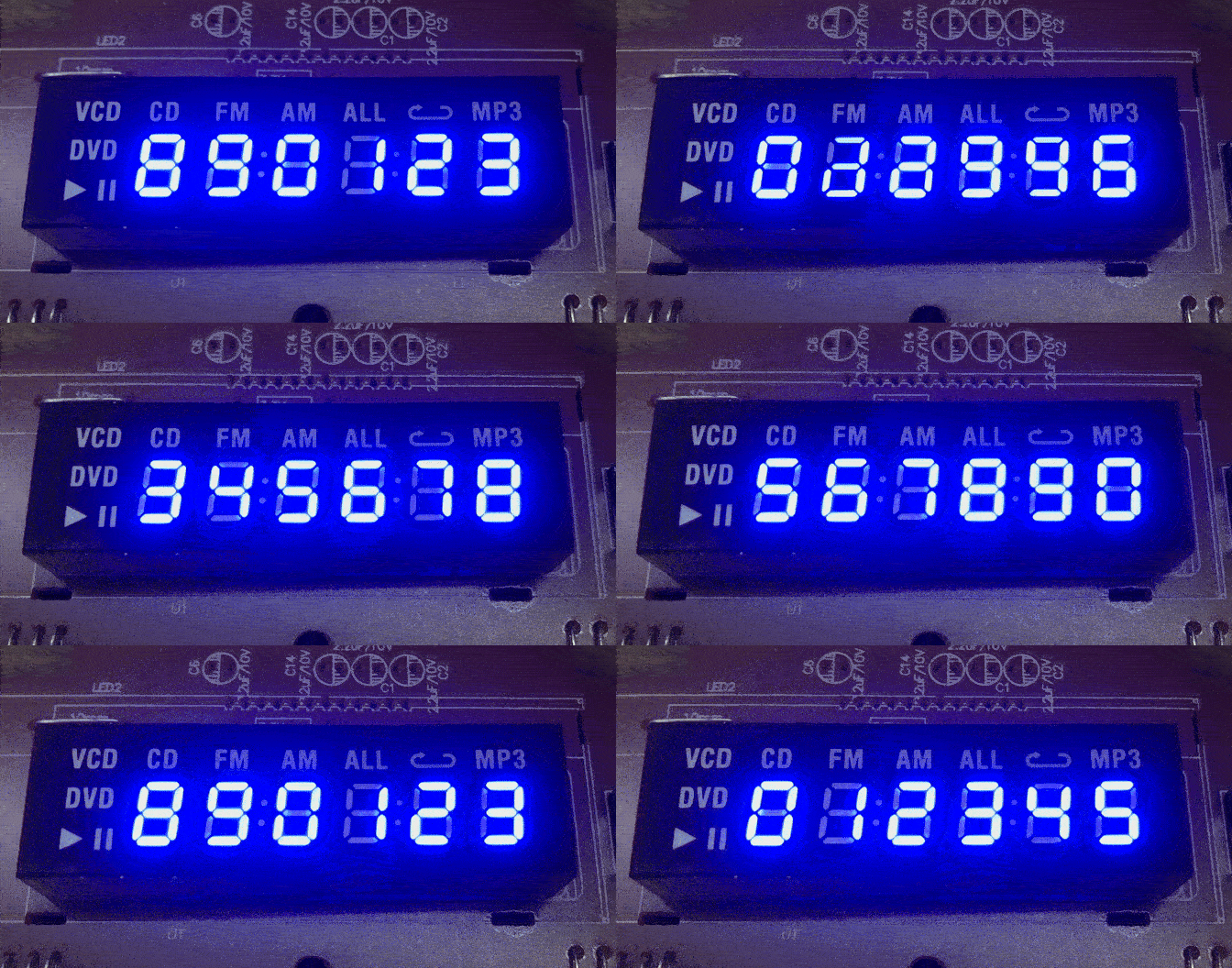
I also then identified which registers are associated with the digits at all - not all, basically every other register:
Code: C / C++
Log in, to see the code

A simple scrolling of the digits is realised above.
Blue-lit CD1628 7-segment display with digits and labeled icons active


Transform to a common buffer, icons and countdown
Now you could already do a normal countdown or timer, but you still need to separate the buffer so that it is shared with the icons. This is because the array that is there now represents all the segments - not just the digits themselves.
The array on is now global, and the function drawText lights or extinguishes all digit segments accordingly. Additionally i have isolated a helper function setIcon that lights or extinguishes a given segment defined by byte and bit index.
Most importantly, setIcon can be called once and subsequent drawText will not overwrite the changes.
We also managed to find both colons.
Code: C / C++
Log in, to see the code

Auxiliary functions for icons:
Code: C / C++
Log in, to see the code


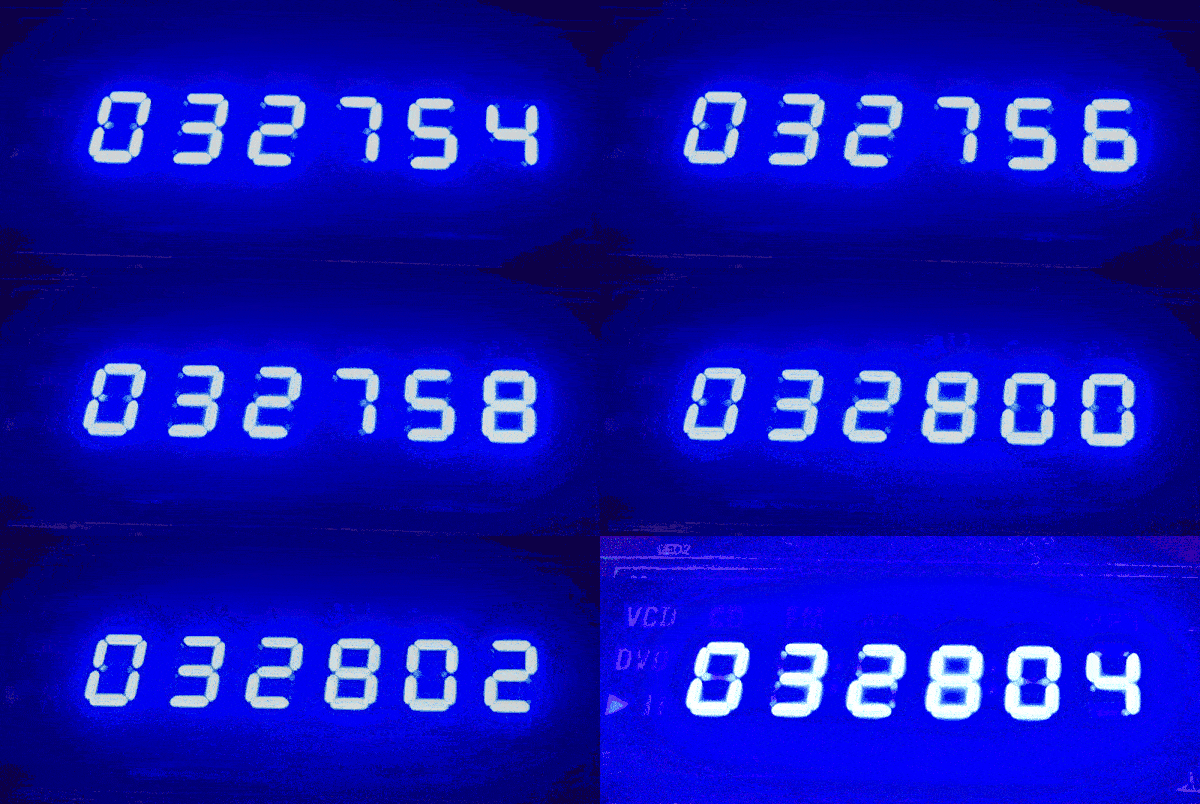
Blue 7-segment display showing scrolling digits 032754.


Decode the keys.
The reading is very simple. We simply send the appropriate command and then read the data from the same pin we sent it with. The controller outputs the data on the falling edge.
Timing diagram of data read using STB/DIO/CLK interface for display driver
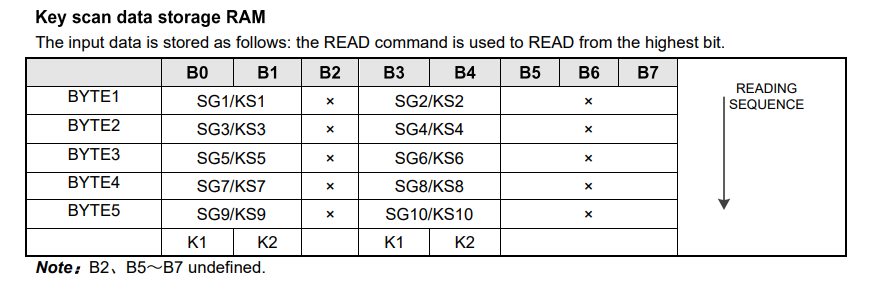
There's an interesting issue here too, because the CD1628 returns 5 bytes to us, and only selected bits of these relate to the keys - the rest are meaningless. I don't know where this design decision came from.
CD1628 key scan RAM table showing byte and bit mapping
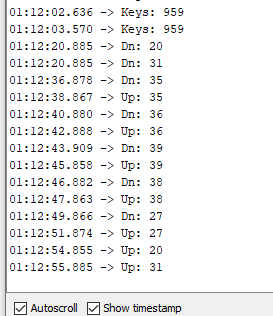
I've done away with specifying these bits, I just keep an array of five bytes and with each read I check which bits have changed, and then call the functions that handle the events, key press and key release separately.
Code: C / C++
Log in, to see the code

Result:
Key log data from Arduino serial monitor showing CD1628 button presses/releases
In this way you could make a functional clock or device controller with a display. You could still run an encoder and harness it too.

Summary
The equipment came to me incomplete, although I certainly know that the power supply was in working order and useful to the original owner.
In addition to the power supply there was the motherboard and front display PCB.
The motherboard turned out to be quite interesting, I was able to rip the Flash memory, determine the MCU architecture, analyse its firmware and even find its links to chips from DVD players. I also wanted to upload a simple "blink LED" to it, but unfortunately this one didn't start - I didn't experiment with it further, though, as I suspect something may have been corrupted earlier.
The front panel also caught my interest, and in this case managed to get it working easily from the Arduino. Almost all of it is realised using the CD1628 chip, a unified display and keyboard controller similar to the more popular TM1650, TM1637, TM1636, etc. Even the register addresses match.
All in all, the adventure was interesting.
I'm attaching the ripped 2MB batch, maybe someone wants to open it in Ghidra too:
https://github.com/openshwprojects/FlashDumps/commit/dae69584d40094af235c3fbebc51254746f39f4e

About Author
p.kaczmarek2
p.kaczmarek2 wrote 13505 posts with rating 11341 , helped 617 times. Been with us since 2014 year.

Comments

Nepto 19 Dec 2025 19:18

Maybe it's the RDA5807, the 10 pin chassis and quartz might suggest it. Could you take a clearer photo of this area so you can see the tracks? Maybe that would help confirm if it's this chip. [Read more]

p.kaczmarek2 19 Dec 2025 20:45

The RDA5807 could come in handy, from what I can see it has I2C communication, so you could also check with an I2C scanner. What makes things a bit difficult for me is that the PCB there is covered... [Read more]

Nepto 19 Dec 2025 21:18

Oh, great pictures. I'm 90% sure it's the RDA5807: https://obrazki.elektroda.pl/5394721600_1766174943_bigthumb.jpg https://obrazki.elektroda.pl/5506568000_1766175419_bigthumb.jpg You... [Read more]

p.kaczmarek2 19 Dec 2025 21:50

That electrolytic capacitor there is from the power supply, but the power supply switches on transistor U2, so there is no direct continuity to 5 V. They probably switch off the power supply to the RDA... [Read more]

%}