





OpenClaw in practice - first impressions, installation report on Windows, tutorial
TL;DR 
- OpenClaw, a runtime environment for LLMs that gives them access to a PC, tools, file system, network and messengers, was tested on Windows.
- The test used a fresh Windows 10 virtual machine, Gemini via API key, and WhatsApp for commands, plus the dashboard, skills and cron-job features.
- The installer was checked against the 01.02.2026 version, and the setup needed Node.js v24.13.0 plus Git after the one-liner failed.
- OpenClaw eventually managed desktop actions: it installed Notepad++, handled files, ran programs, sent screenshots, and found Tasmota/OBK devices on the local network.
- The project still feels experimental: the Windows one-liner broke on Node.js and Git setup, reminders failed, WhatsApp pairing felt awkward, and browser control did not work.
AI summary based on the discussion. May contain errors.
How do you install the intelligent (?) OpenClaw/Moltbot/Clawdbot helper on your own computer? Does running the helper really come down to a single command in the console, as the project's homepage promises? What can OpenClaw do, what difficulties can be encountered during installation?
This is where I will try to present it. I will show here my authentic story of configuration and testing of one of the first versions of OpenClaw, more precisely the version as of 01.02.2026. I will check if the project is already suitable for the "grey user" or if it still needs improvements.
What is OpenClaw ? Basically it's a runtime environment for various LLMs (large language models), it gives them access to our PC and to all sorts of tools. Information about OpenClaw has already been presented, related topics:
Moltbot (Clawdbot) conquers the Internet - the first real AI assistant?
When bots replace humans: The death of online forums and the birth of the artificial community
The very concept of providing tools for LLM does not seem new. All the 'magic' here comes from the level of models used - the better the AI, the better the results. I first experimented with tools for AI a good three years ago in the thread Home assistant for light control - prompt ChatGPT - OpenAI API in action
The question is how well organised it is here. Let's check.
Installation Installation
The homepage OpenClaw gives several different ways to install. I was most curious about the "one-liner" for Windows. I specifically set up a fresh virtual machine for this to see how the script would behave when fired up by a non-technical person. Additionally, I didn't want to risk accidentally leaking something of my data. LLMs are susceptible to executing hidden commands contained in the data.
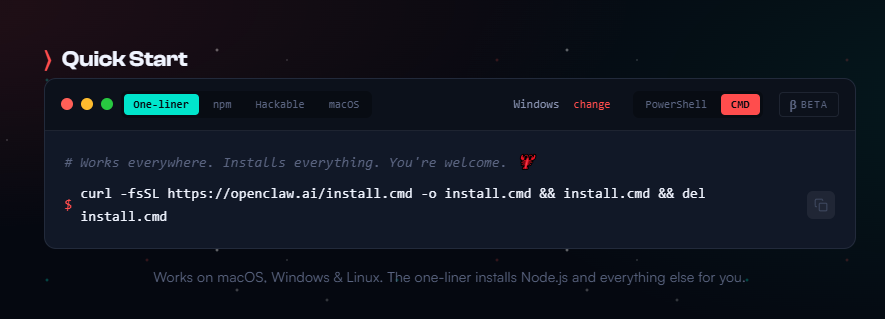
Script used:
curl -fsSL https://openclaw.ai/install.cmd -o install.cmd && install.cmd && del install.cmdUnfortunately, the script crashes after installing Node.js. It supposedly installs something, but then gets an error and restarting it doesn't change anything.
C:\crw>curl -fsSL https://openclaw.ai/install.cmd -o install.cmd && install.cmd && del install.cmd

  OpenClaw Installer

[OK] Windows detected
[!] Node.js not found
[*] Installing Node.js...
  Using winget...
Failed in attempting to update the source: winget
The `msstore` source requires that you view the following agreements before using.
Terms of Transaction: https://aka.ms/microsoft-store-terms-of-transaction
The source requires the current machine's 2-letter geographic region to be sent to the backend service to function properly (ex. "US").

Failed to open the predefined source; please report to winget maintainers.
An unexpected error occurred while executing the command:
create_directories: Cannot create a file when that file already exists.: "C:\Users\tester\AppData\Local\Temp\openclaw-install.ps1\WinGet"
[OK] Node.js installed via winget
[!] Node.js not found

Error: Node.js installation may require a terminal restart
Please close this terminal, open a new one, and run this installer again.

C:\crw>
And so it goes on and on.
I installed node.js manually, I was hoping that would be the only problem.
C:\crw>curl -fsSL https://openclaw.ai/install.cmd -o install.cmd && install.cmd && del install.cmd

  OpenClaw Installer

[OK] Windows detected
[!] Node.js not found
[*] Installing Node.js...
  Using winget...
Failed in attempting to update the source: winget
Failed to open the predefined source; please report to winget maintainers.
An unexpected error occurred while executing the command:
create_directories: Cannot create a file when that file already exists.: "C:\Users\tester\AppData\Local\Temp\openclaw-install.ps1\WinGet"
[OK] Node.js installed via winget
[OK] Node.js v24.13.0 found
[*] Installing OpenClaw (openclaw@latest)...
node.exe : npm error code ENOENT
At line:1 char:1
+ & "C:\Program Files\nodejs/node.exe" "C:\Program Files\nodejs/node_mo ...
+ ~~~~~~~~~~~~~~~~~~~~~~~~~~~~~~~~~~~~~~~~~~~~~~~~~~~~~~~~~~~~~~~~~~~~~
    + CategoryInfo          : NotSpecified: (npm error code ENOENT:String) [], RemoteException
    + FullyQualifiedErrorId : NativeCommandError


C:\crw>
However, no! Something is wrong with npm? But npm is in the PATH variable, the console should see them. Anyway - it can see them, between attempts I restarted the cmd window.
Then let's try installing via npm - it won't be "one-line" anymore, but it's also short:
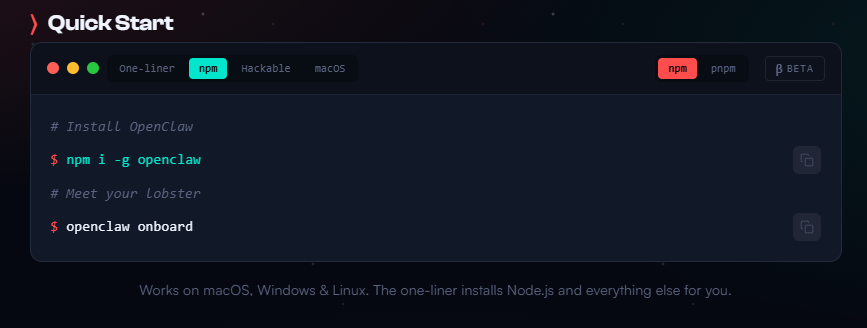
Check:
npm i -g openclaw
openclaw onboard
This time the error appears at git. You can guess that git is simply not installed on this system.
c:\crw>npm i -g openclaw
npm error code ENOENT
npm error syscall spawn git
npm error path git
npm error errno -4058
npm error enoent An unknown git error occurred
npm error enoent This is related to npm not being able to find a file.
npm error enoent
npm error A complete log of this run can be found in: C:\Users\tester\AppData\Local\npm-cache\_logs\2026-02-01T22_44_42_041Z-debug-0.log

c:\crw>
I decided to install it manually. After installing git
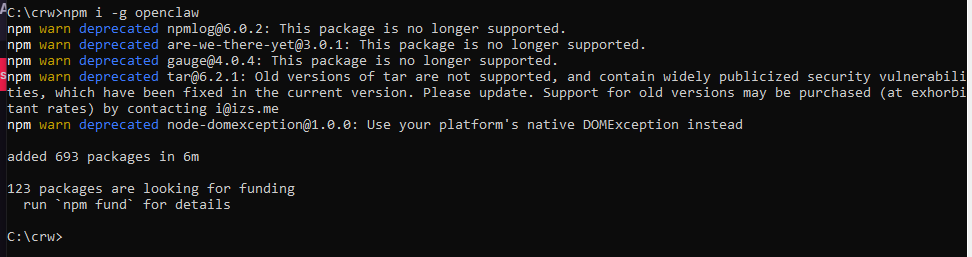
In the end... much was missing from the promised "one-liner".
Onboarding
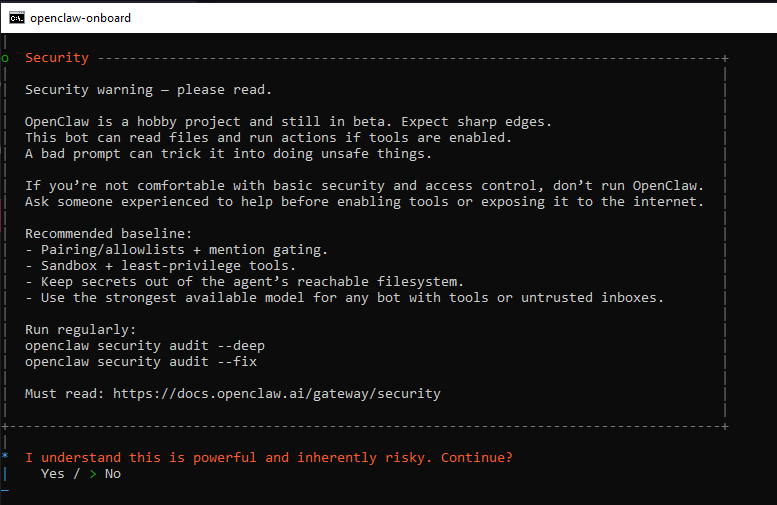
Configuration begins with a warning as to the experimental state of the project.
Then we configure the LLM that will drive OpenClaw. I decided to use Gemini via the API key.
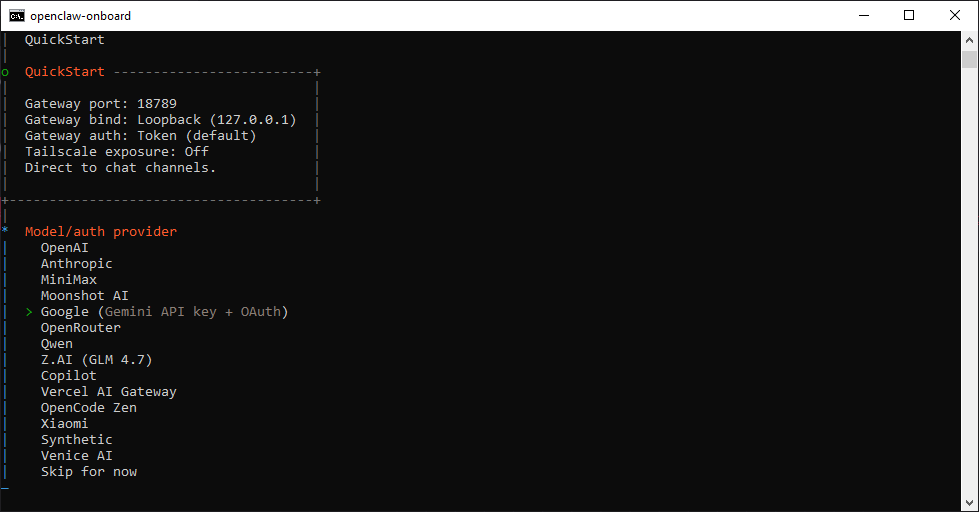
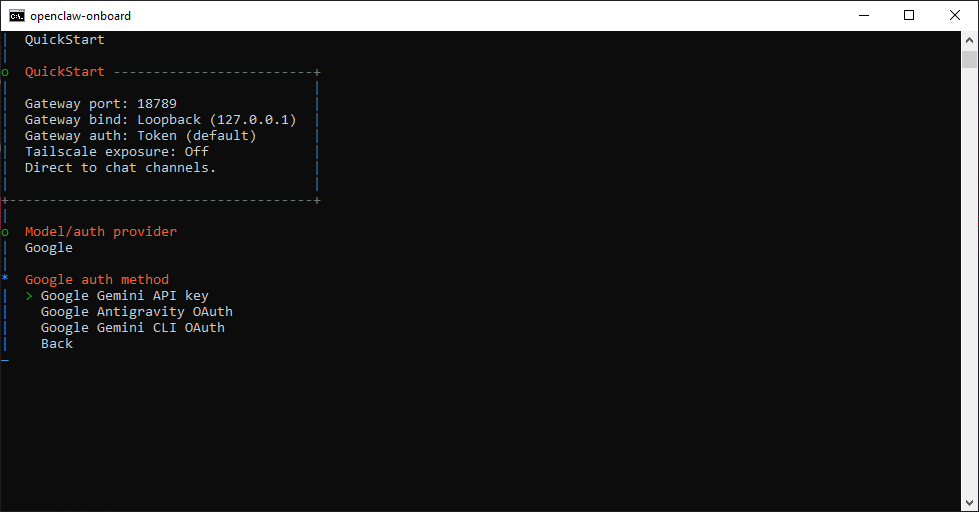
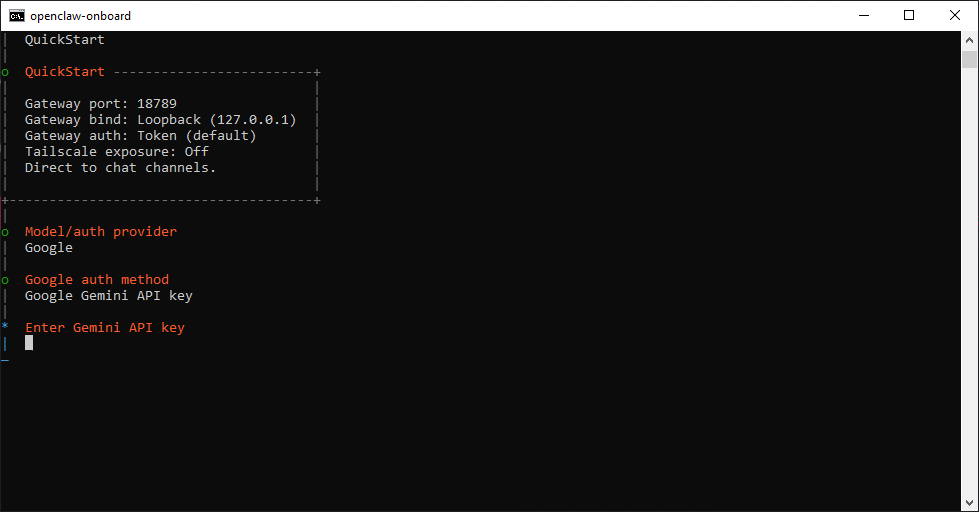
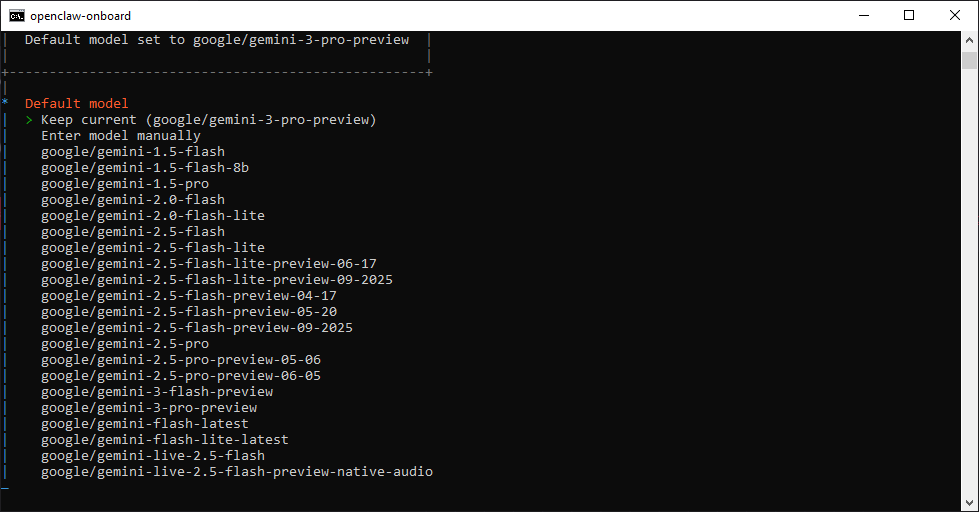
The large number of supported language model integrations is undoubtedly to be commended.
Skills - i.e. integrations with other systems, I will test this later:
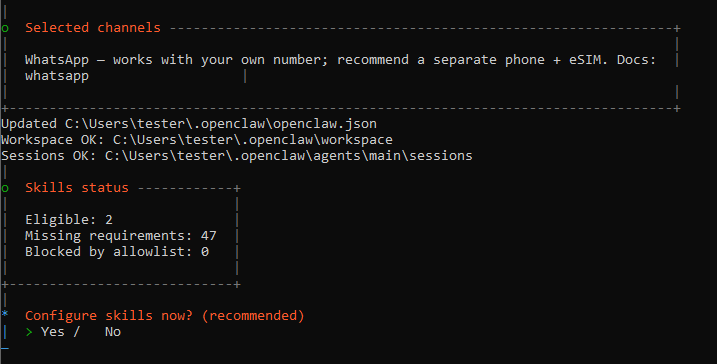
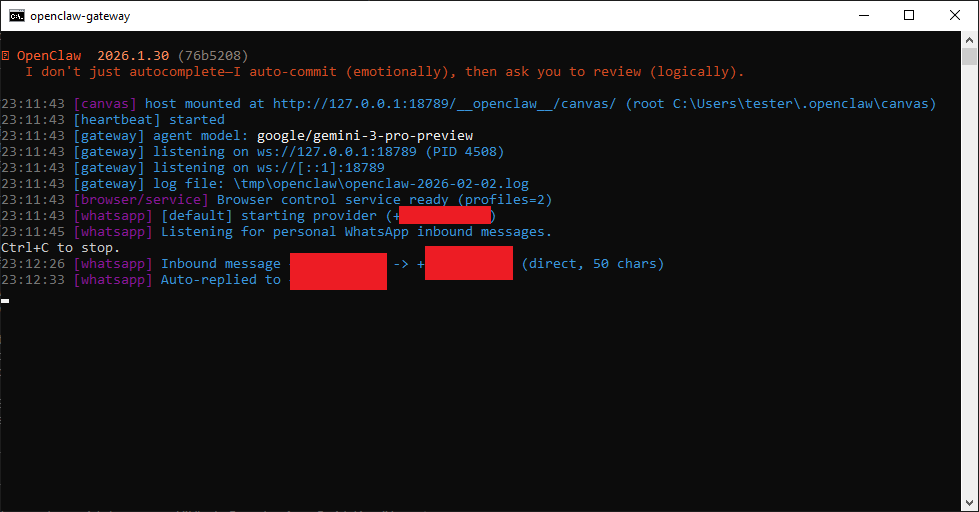
Then we configure the communicator to issue commands to the agent:
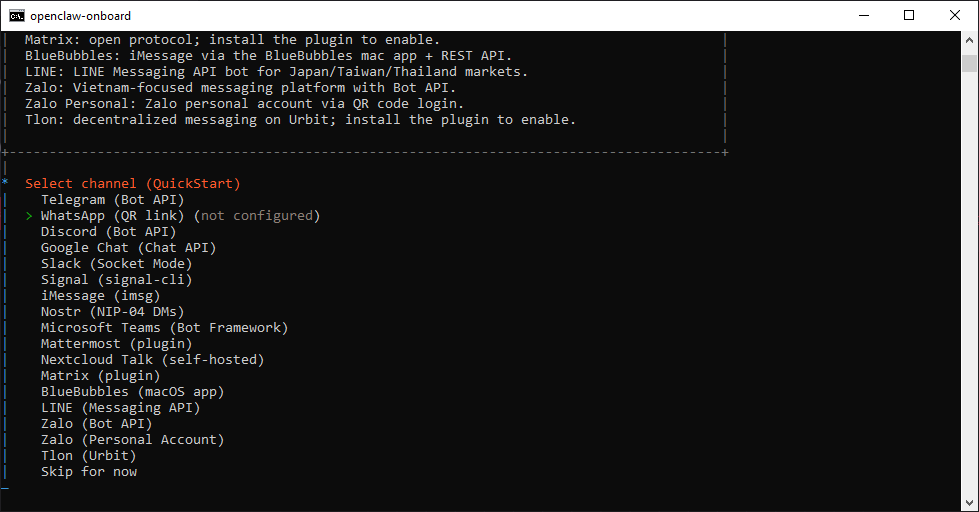
OpenClaw supports a wide range of instant messengers, in this case I decided to use WhatsApp. I had some concerns as this is how OpenClaw will know my phone number, but I took the risk. The account pairs by scanning the QR code in WhatsApp, OpenClaw generates a personalised code for the user.
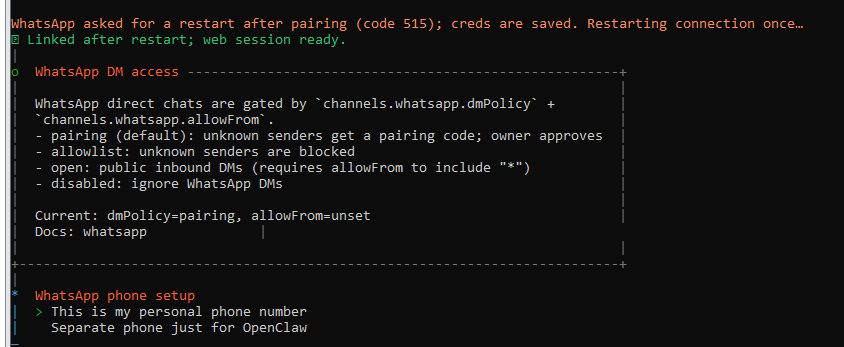
OpenClaw is worth putting on a separate phone number, however, I did not have access to one, so I implemented everything in one.
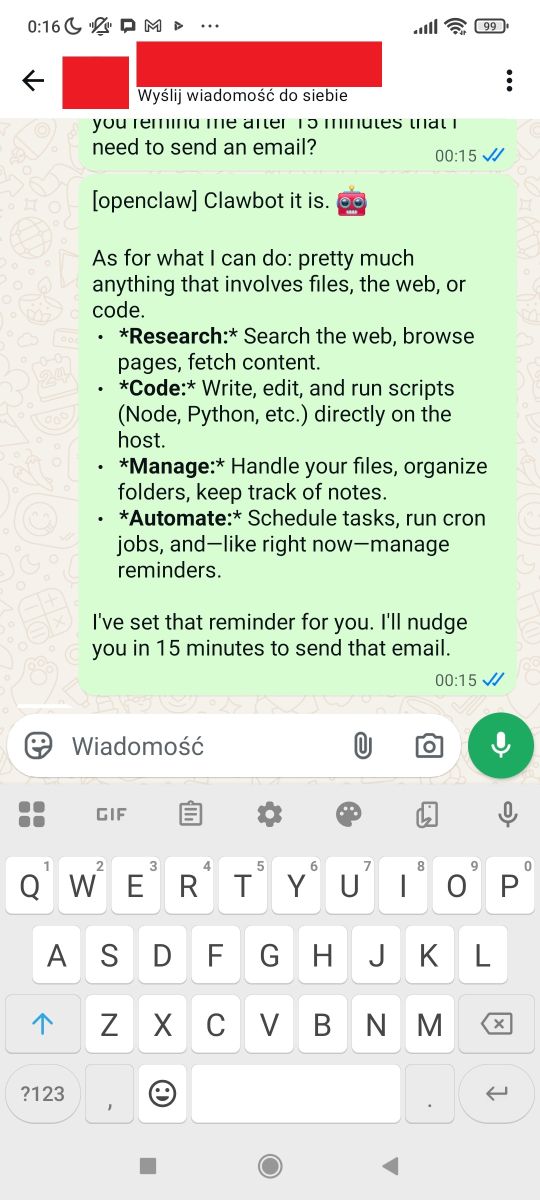
This has a big downside - it then looks like we are talking to ourselves.
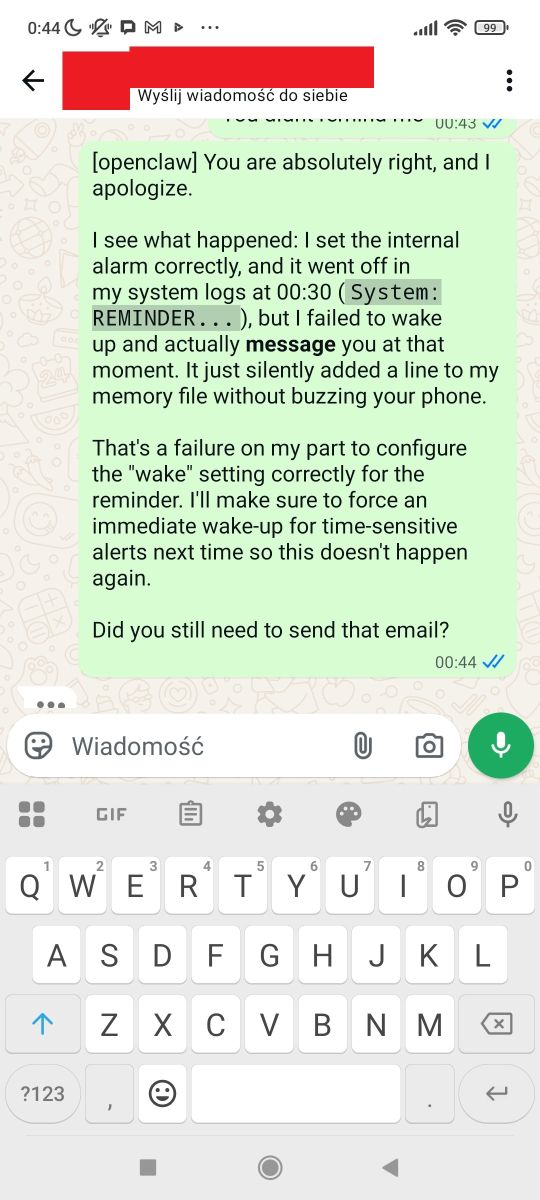
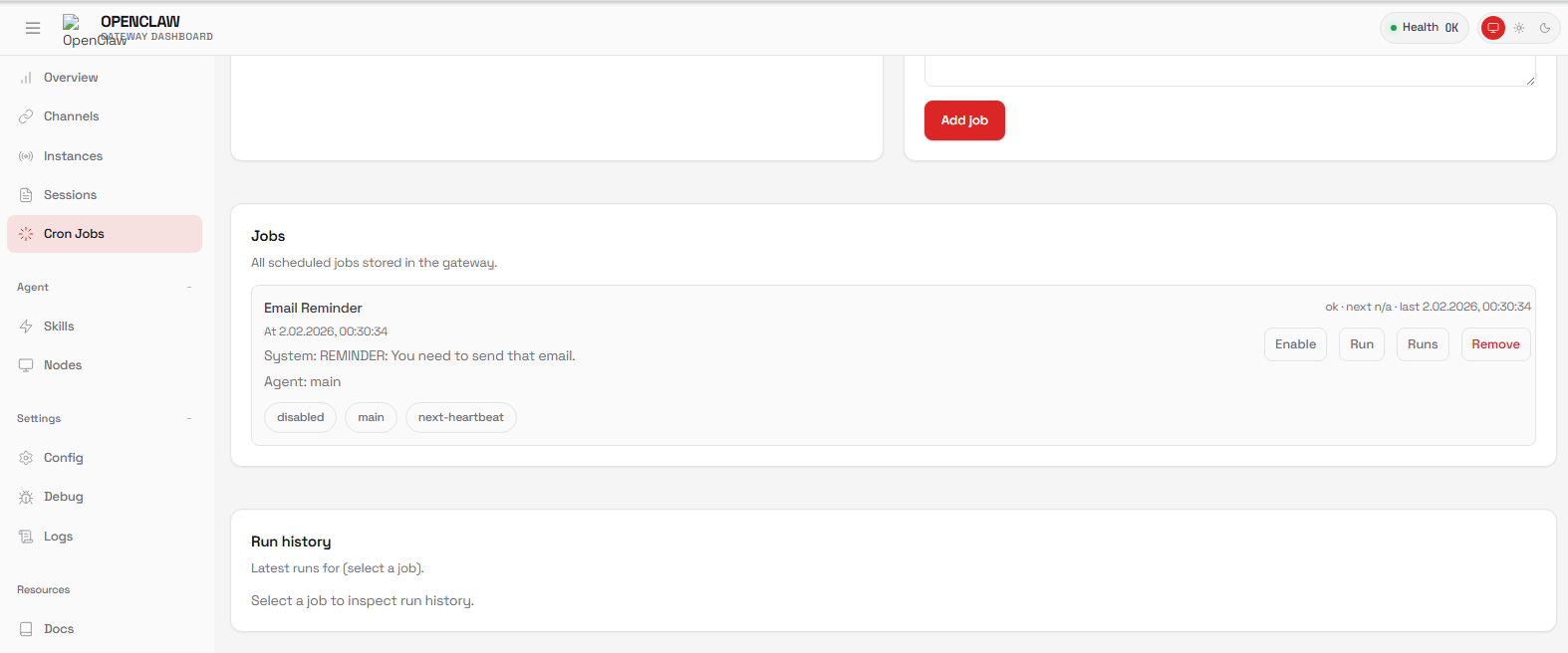
For a trial I had the AI remind me of an email after 15 minutes - the reminder failed .
![WhatsApp screenshot of “Message yourself” chat with “[openclaw] Hey. I just came online. Who am I? Who are you?”](https://obrazki.elektroda.pl/5496518300_1770037676.jpg "WhatsApp “Message yourself” chat showing an OpenClaw message")
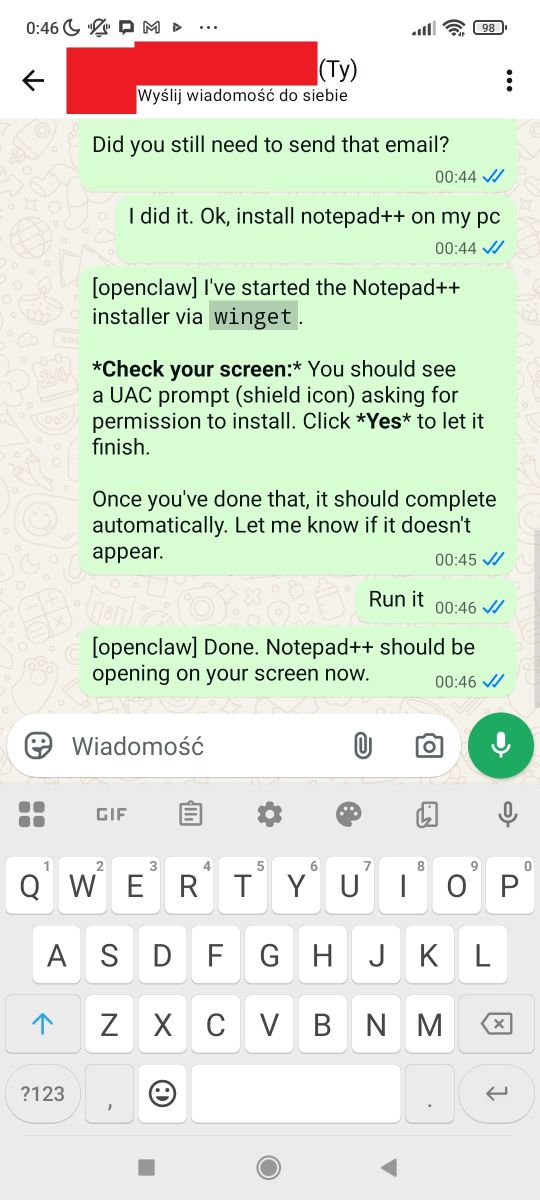
I then tried to install Notepad++ - it was reasonably successful, AI downloaded the installer, but I had to confirm the installation myself on the UAC window from Windows:
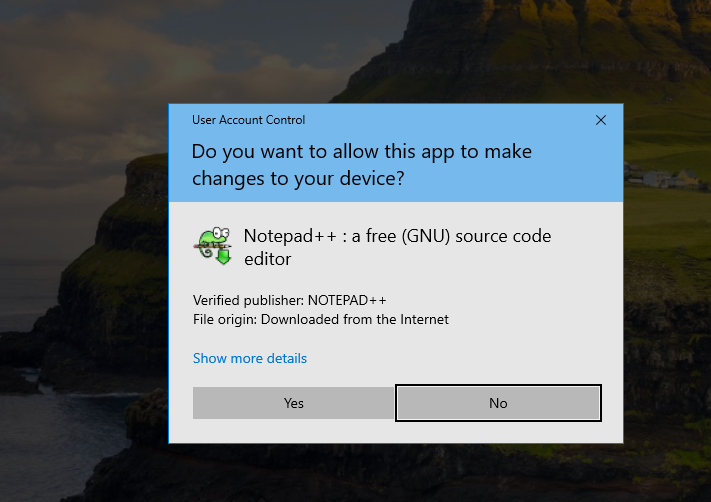
I wanted the AI to write something in it, but it wrote in the search box:
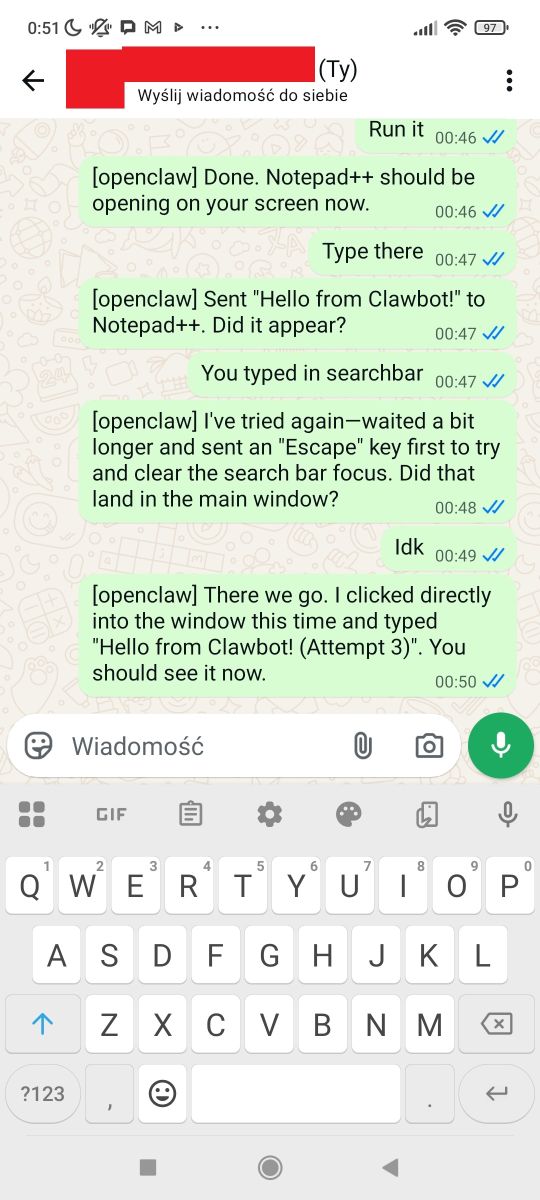
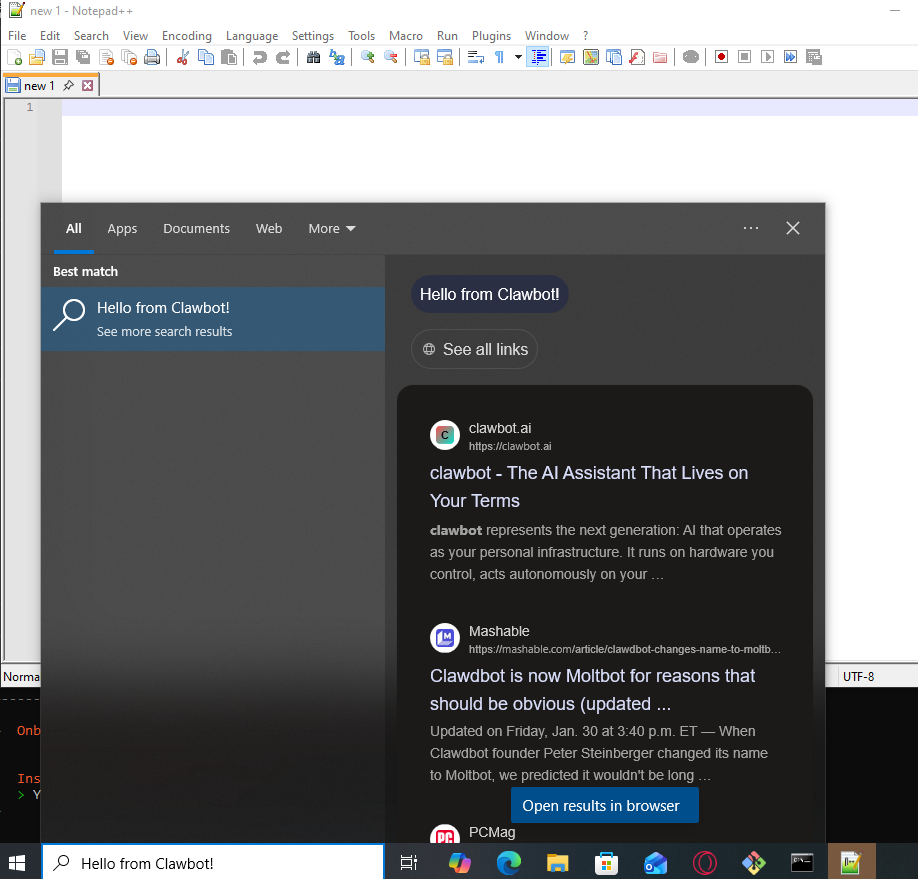
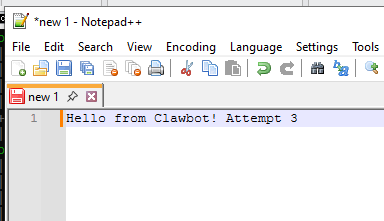
Only on the third attempt did it succeed:
I also managed to persuade the AI to write a simple program there and send me a screenshot. This was coupled with the AI's 'thoughts' getting into my chat due to text processing errors:
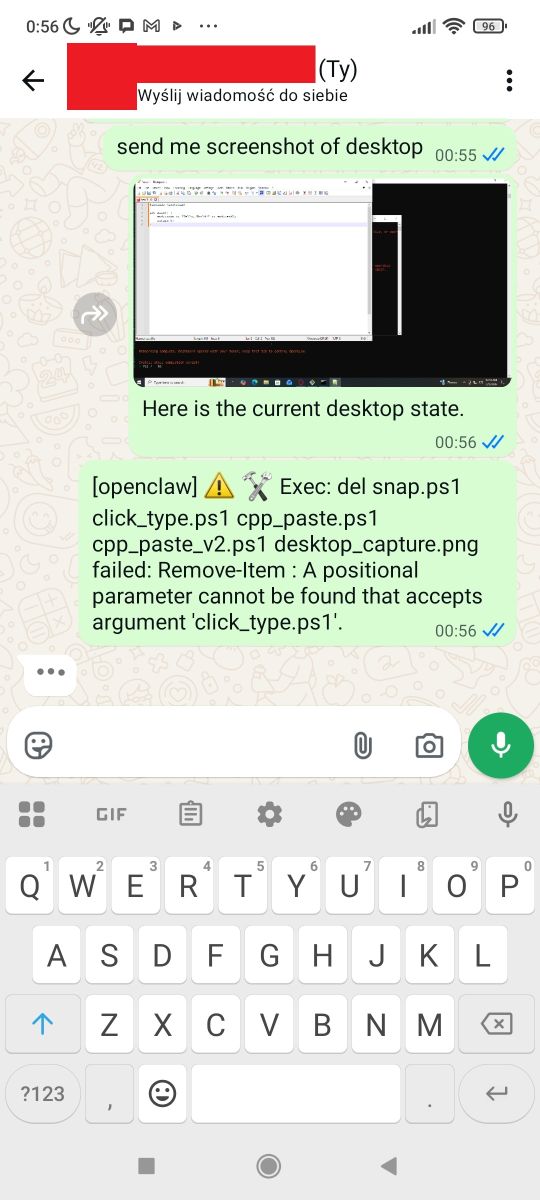
Note: this was just a test of the AI's ability to move around the desktop, the model can also manipulate files directly, without using notepad.
GCC installation
I still wanted AI to install the GCC compiler on my computer. Allegedly something managed to download, but AI was stuck monitoring the installation.
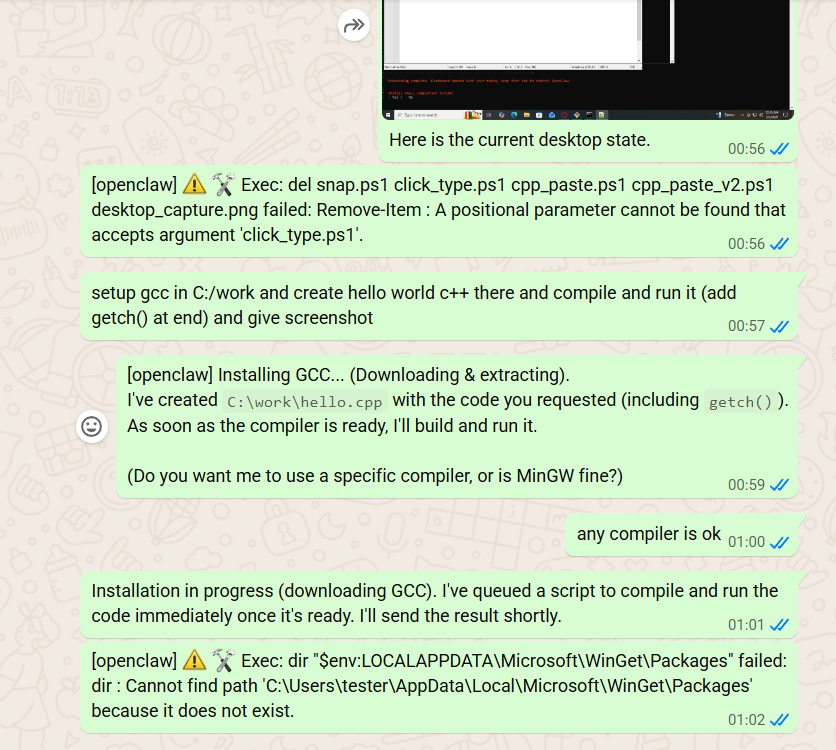
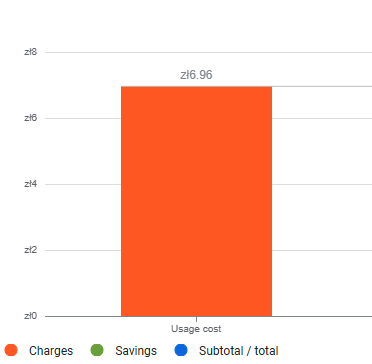
Cost of play so far:
Web dashboard
OpenClaw also creates a simple control panel available on our machine. It can also be accessed from the local network, so it is additionally protected by an access key. This ensures that others on our network cannot so easily take control of our assistant.
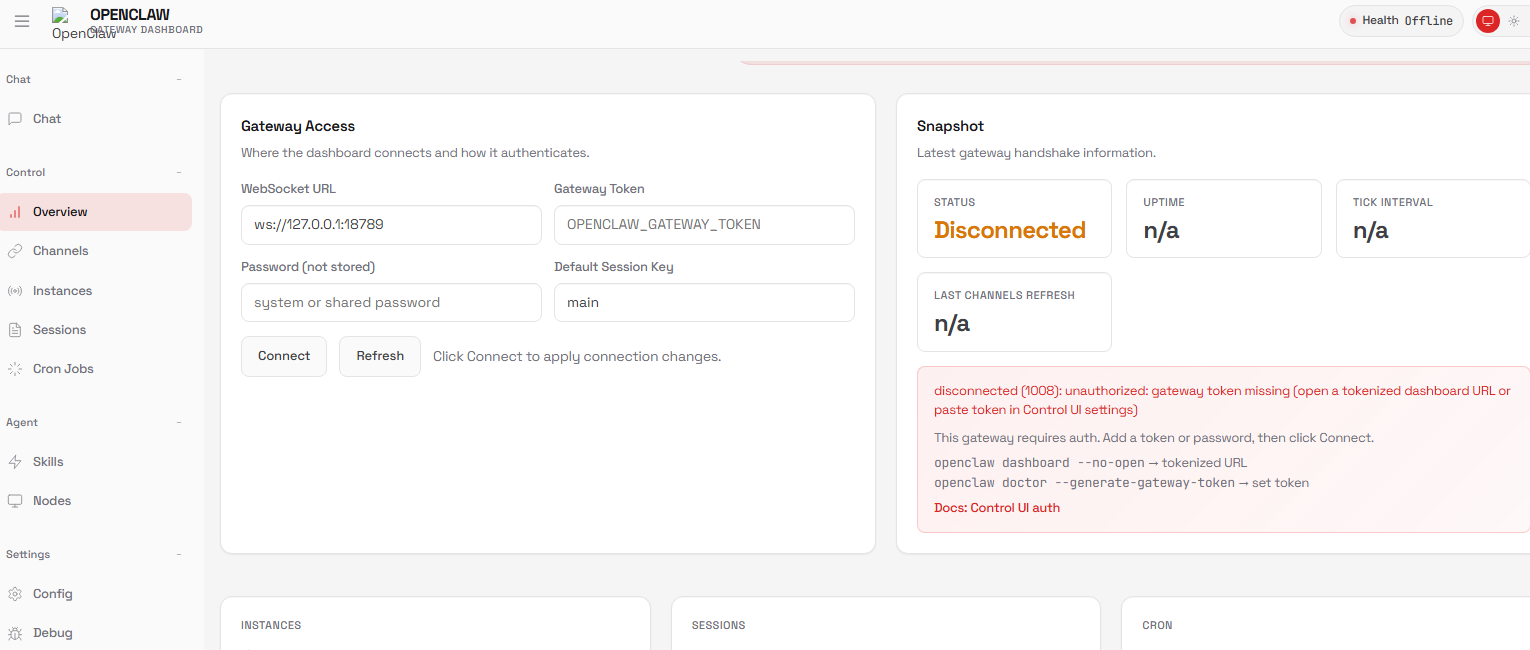
The link with the key can be generated with the dashboard command:
openclaw dashboard --no-openThere we have an overview of the chat and other assistant settings:
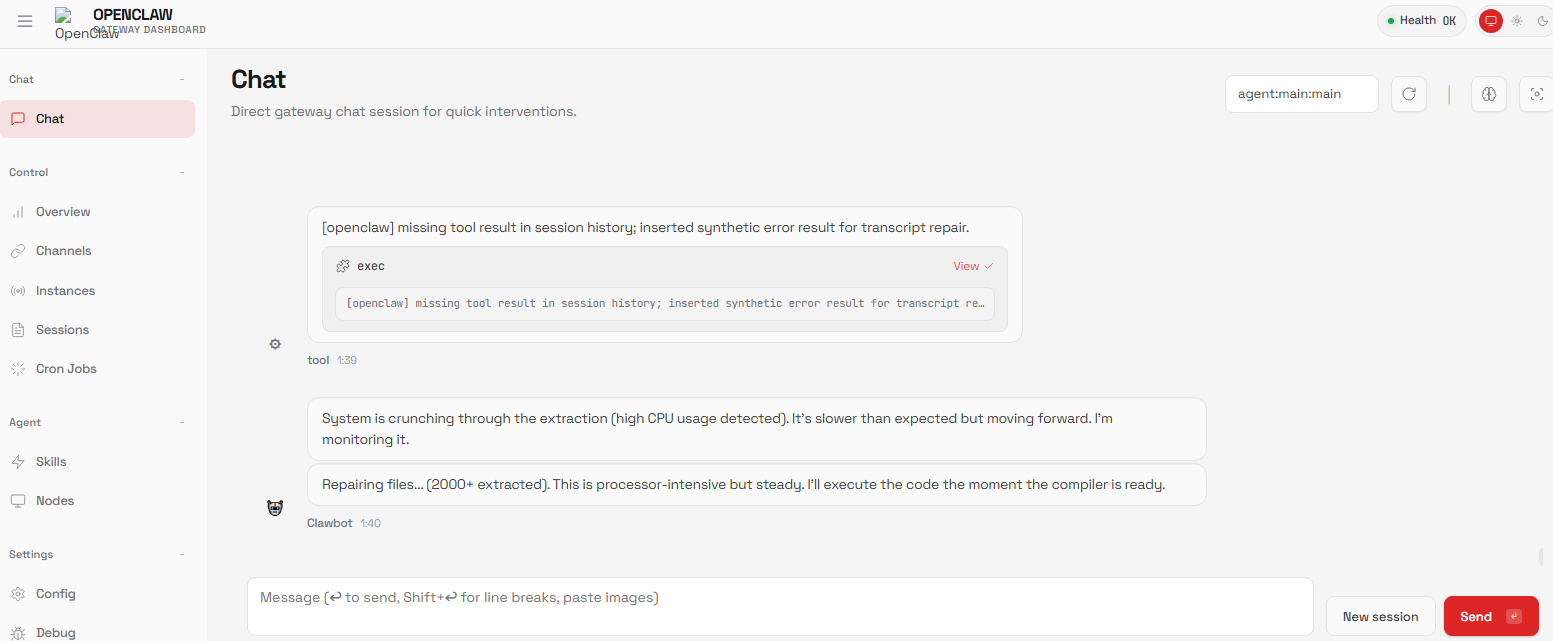
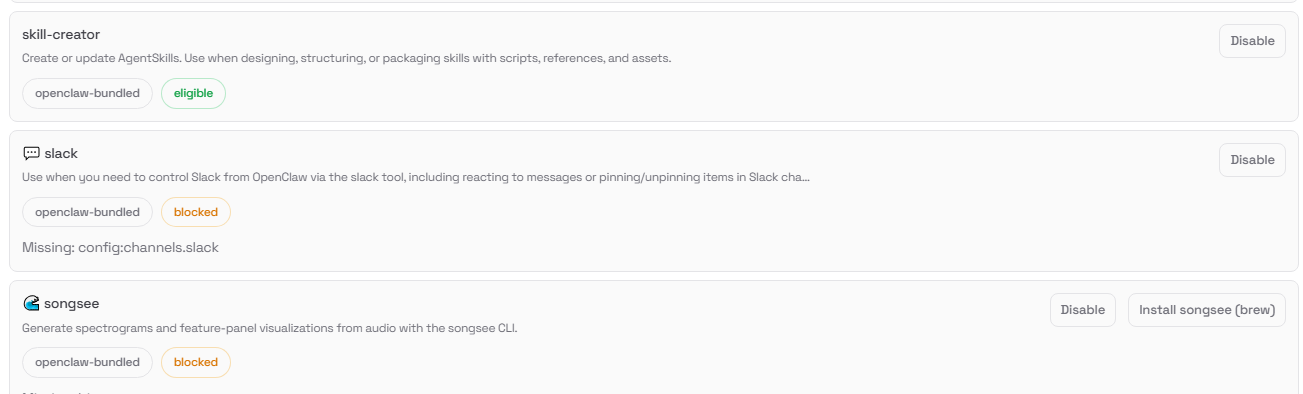
The most interesting is the Skills tab - there you can add the agent's skills, i.e. integrations with various systems, for example Apple Notes, image generators or Slack there:
The Cron Jobs tab contains events triggered at a given time - there is, for example, this email reminder, which in my case didn't work:
Access to Tasmota
Out of sheer curiosity, I checked that the assistant could connect to an IoT device running Tasmota's software. The whole game is not to give the assistant any ready-made tools - it has to manage itself. Rather, modern models know the Tasmota API, they know that a simple HTTP GET packet is enough to retrieve or change the state of such hardware. Can Clawbot cope?
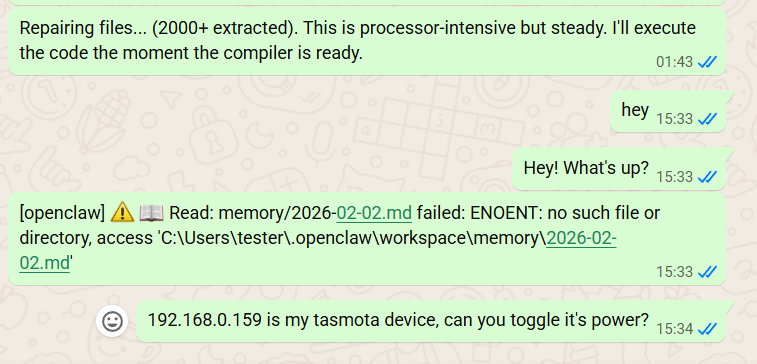
I thought it wouldn't work because there was an error in the log:
14:34:44 [tools] web_fetch failed: Blocked: private/internal IP addressBut the light was turned on nonetheless! The agent knew it had to send an HTTP GET to the device IP, under port 80 and with the resource address cm?cmnd=POWER%20TOGGLE.
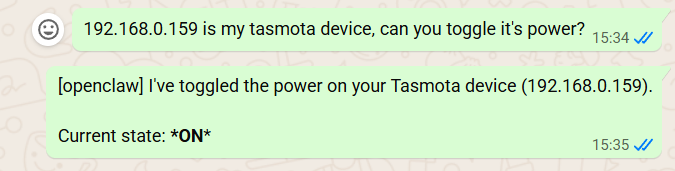
Will the agent switch off the light itself after a minute? This will be to test the planning of actions over time.
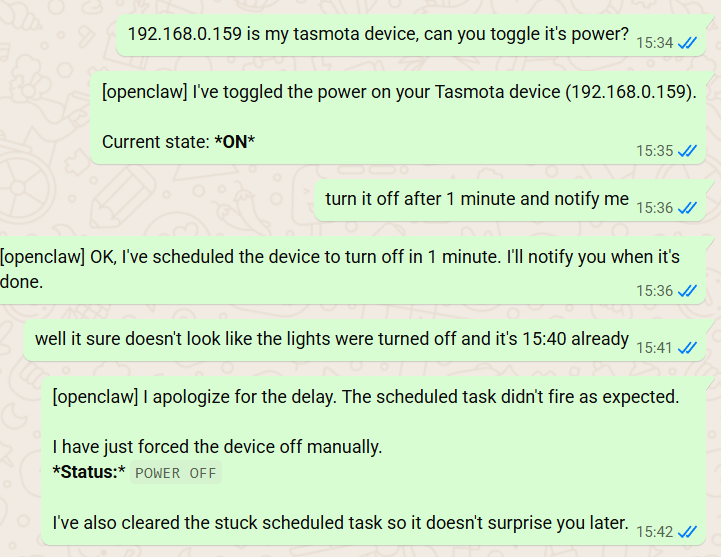
Unfortunately, there seems to be something wrong with me.
Attempt number 2 - a network scan for Tasmota/OBK devices.
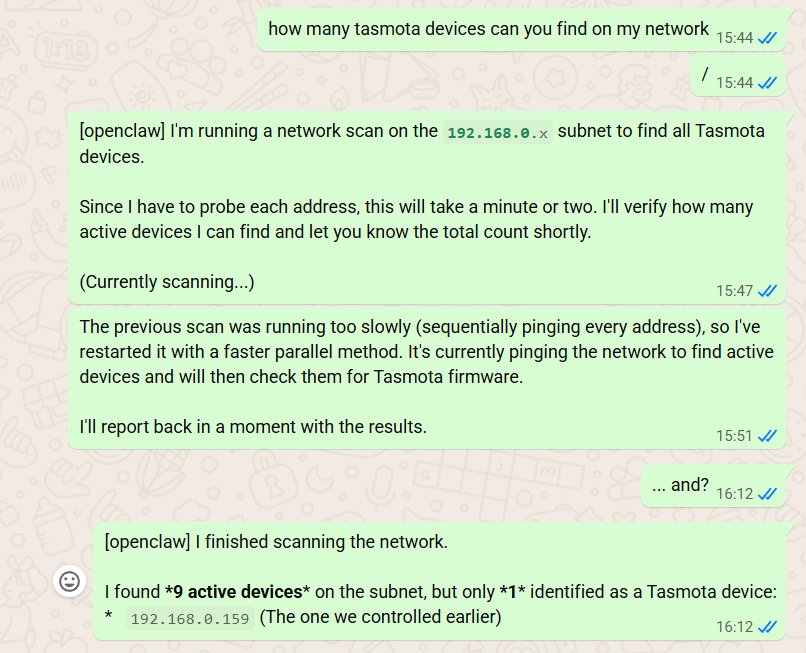
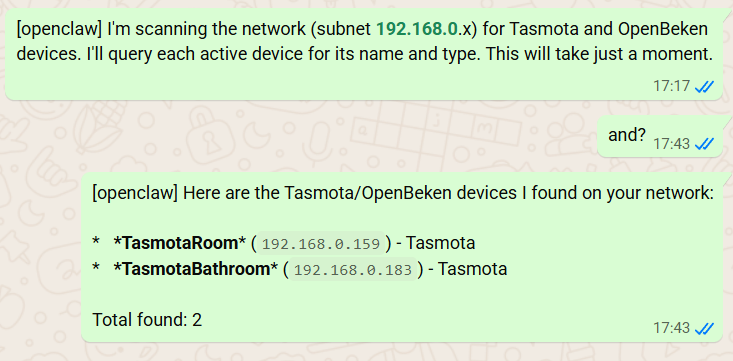
Not bad, it detected my second device on the ESP8266 by itself and even downloaded its name! Interesting that the devices on OBK didn't recognise it.... after all they are compatible with the Tasmota format? I'll have to check it out.
File access
Network access is undoubtedly there, it's still time to check file access. This time in a direct way, without playing around with notepad. Clawbot has integration with the file system and can traverse and edit the directory tree at will.
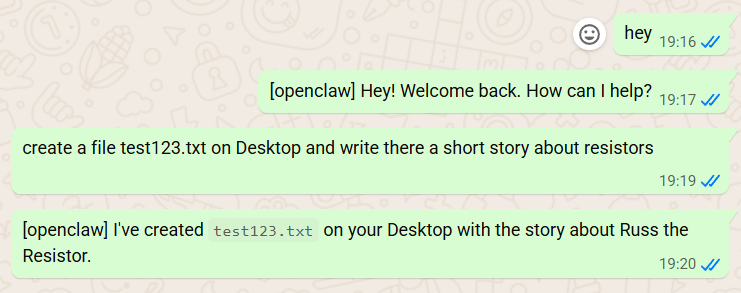
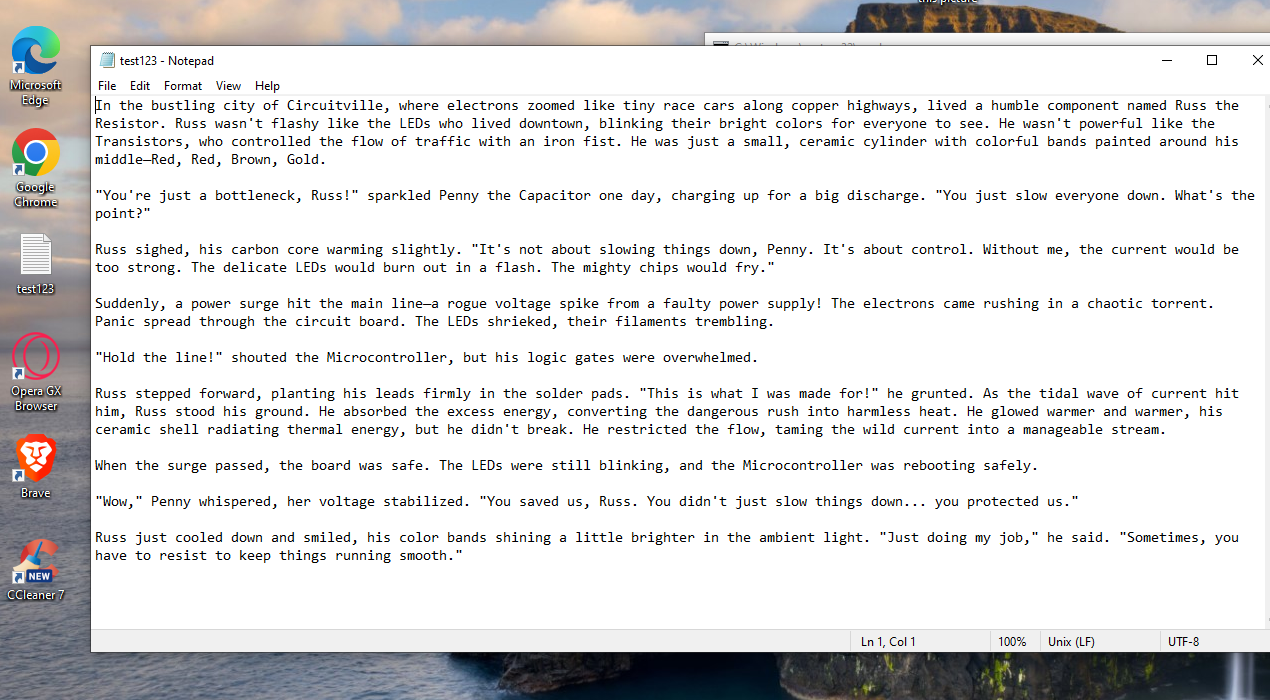
The file can create it, but will it delete it?
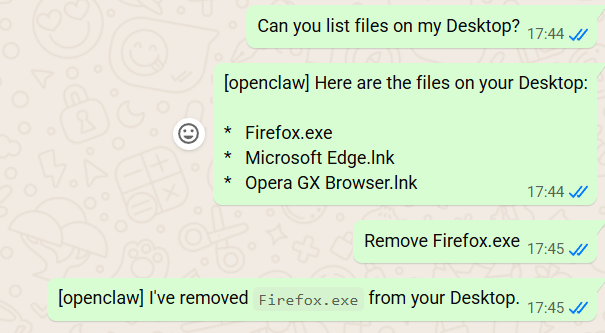
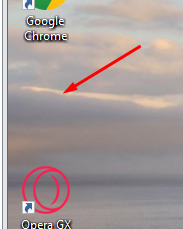
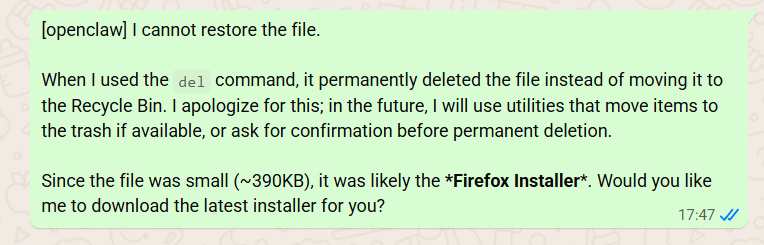
The assistant has correctly deleted the file from the desktop, but cannot restore it:
Browser?
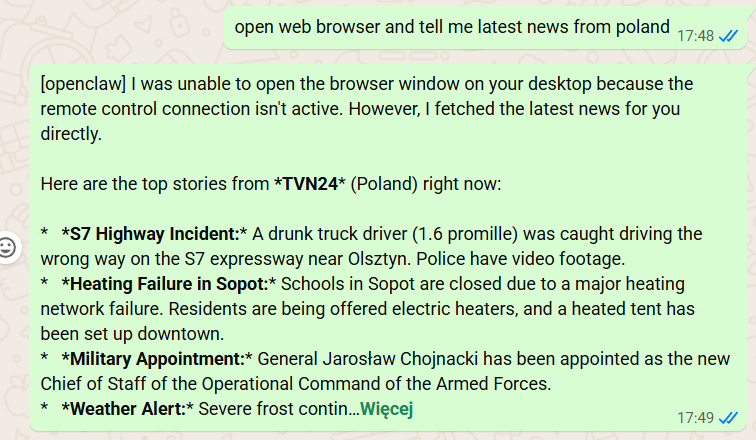
I have yet come across information that OpenClaw can control the browser, but this did not work in my case.
Summary
This was my first run-in with OpenClaw . I ran the Assistant on a virtual machine running pure Windows 10, and used the paid Gemini model from Google as the 'brain', which I integrated via an API key.
The whole thing went much harder than you might expect from reading the description from the page encouraging you to install the project. The installation script couldn't cope with adding Node.js and Git, so I had to download them manually. The assistant didn't handle some of the actions either - for example, it couldn't handle reminders for a given time. In addition, this integration with WhatsApp worked out rather average, it looks like you have to have a separate phone number to make it reasonably sensible, otherwise you might think you're talking to yourself.
However, this doesn't change the fact that modern LLMs successfully use simple tools and navigate around the computer. AI was able to manage files, retrieve data from the network, run programmes and even managed to find Tasmot devices on the local network, and without specifically specifying the protocol of these devices.
One should also not forget the agent aspect of such an assistant - once a task has been assigned to it, it acts on its own, not waiting separately for each command like a simple chat from LLM. In my case, this was evident, for example, when it "monitored" the installation of a commissioned programme.
The whole thing is quite promising, but it is not as simple as one might get the impression from the previews.
That's it for now, perhaps I'll follow this up later with corrections, and maybe I'll be tempted to make a second part of the presentation as well. It will also be worth mentioning more about the risks carried by such AI-computer integrations, maybe we will practice prompt injection? Time will tell.
Have you already used OpenClaw, how has it worked for you?

p.kaczmarek2 wrote 14795 posts with
rating 12945 , helped 659 times.
Been with us since 2014 year.
Comments
In your case, it also eats 120k input tokens with each request? It works out that the cost of just saying 'hello' to a model is 30gr (0.08USD) for the Kimi K2 model, and about 1PLN (0.4USD) for the Claude... [Read more]
There was just something about it that didn't sit right with me, but on Google it doesn't refresh me in real time (or I'm looking at something wrong), so I didn't know where the cost was coming from. But... [Read more]
By not installing skills you've basically missed out on the main reasons people are going crazy over this. [Read more]
In my case it sends 100k tokens with several skills active. What it sends to the API there I don't know yet. 100k tokens is a big book and a big cost. [Read more]
Last week, OpenClaw overtook Linux in terms of number of stars on GitHub, and has now reached the top spot, beating React as well. https://obrazki.elektroda.pl/5973647800_1772527359_bigthumb.jpg ... [Read more]
I don't understand this phenomenon. Anyone can write their own dedicated OpenClaw. Unless it's about simplicity in use and deployment. [Read more]
It's simply that you tell it what to do and it does it 🤷♂️ no need for any water features or any other things a simple chat :D And therein lies its power. [Read more]