





Portable hot air soldering iron 8898D - videotests, measurements
TL;DR 
- The 8898D portable hot air rework station offers up to 700 W, 100 °C–480 °C temperature control, up to 120 l/m airflow, and a three-digit LED display.
- The set includes up to three nozzles, and the manual also lists 600 W, heater error codes, calibration steps, and °C/°F switching.
- On junk PCBs, it removed small SMD parts in 30–40 seconds, SOICs in under two minutes, and a TQFP part in 1:40.
- Heat delivery weakens on copper-heavy boards, and 450 °C often measured below 300 °C on the sensor unless airflow was reduced.
- It feels similar to the 8858, slightly better, but still far behind the classic stationary 858 for raw heating performance.
AI summary based on the discussion. May contain errors.
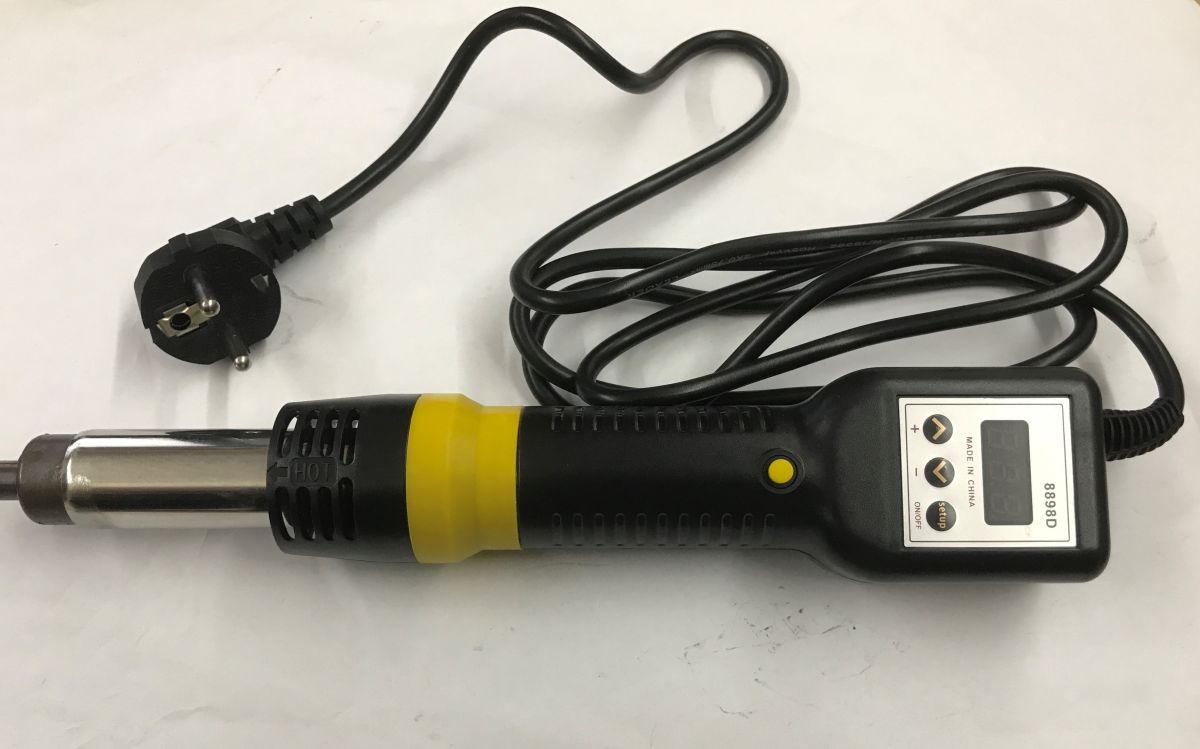
the 8898D is a portable hot air offering up to 700 W and adjustable temperature(100 °C - 480 °C) and blowing (up to 120 l/m). Current settings and measurements are displayed on an easy-to-read three-digit LED display. The whole thing is available to buy for just PLN80 and we get up to three nozzles in the set. The question is, is it worth it? Let's find out!
Set contents
The packaging quickly develops doubts as to the intended use - according to the manufacturer, this is not a tanner, but a 'hot air rework station' for SMD. In addition, the whole thing is framed by slogans such as "Original Quality", "Practical Innovation" or thereabouts "Pursuit of excellence".
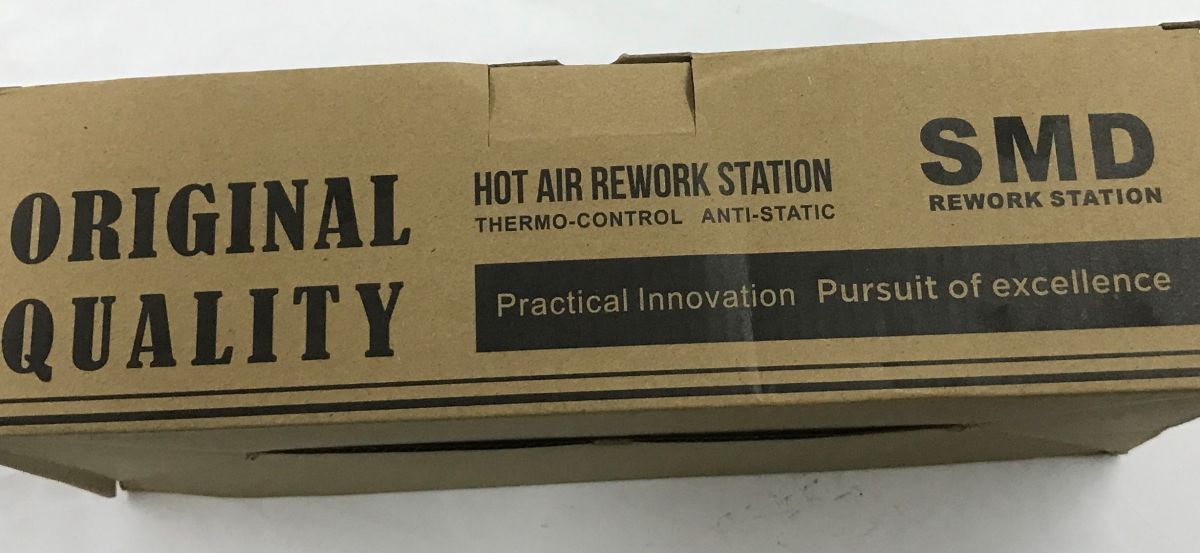
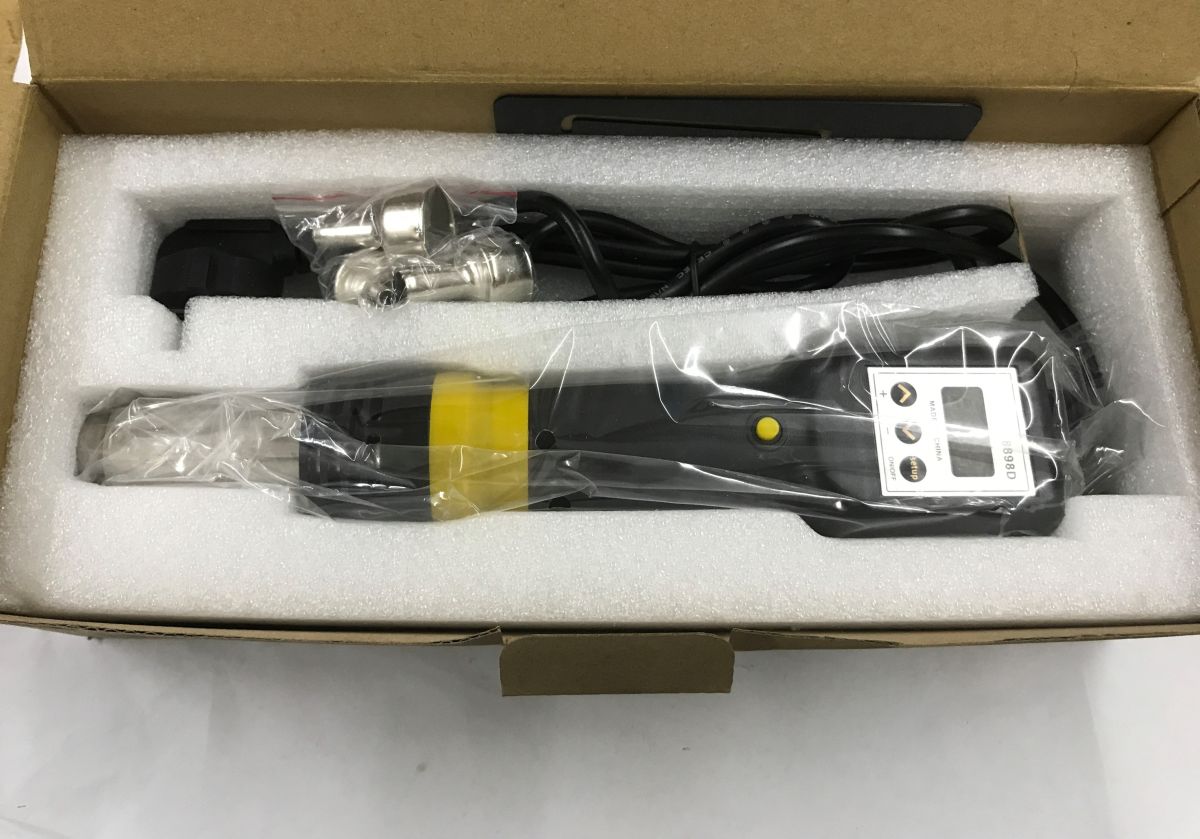
The box arrived a little battered, but the soldering iron doesn't seem to mind, as it is quite well protected for the journey.
A manual is also included. Interestingly, the manual mentions up to 600 W, so we already have a contradiction with what I bought on offer. In addition, we have there a mention of the codes displayed by the station (e.g. S-E means a faulty heater). The manual explains how to set the temperature, the blowing level, how to calibrate and how to change the unit displayed between °C and °F.
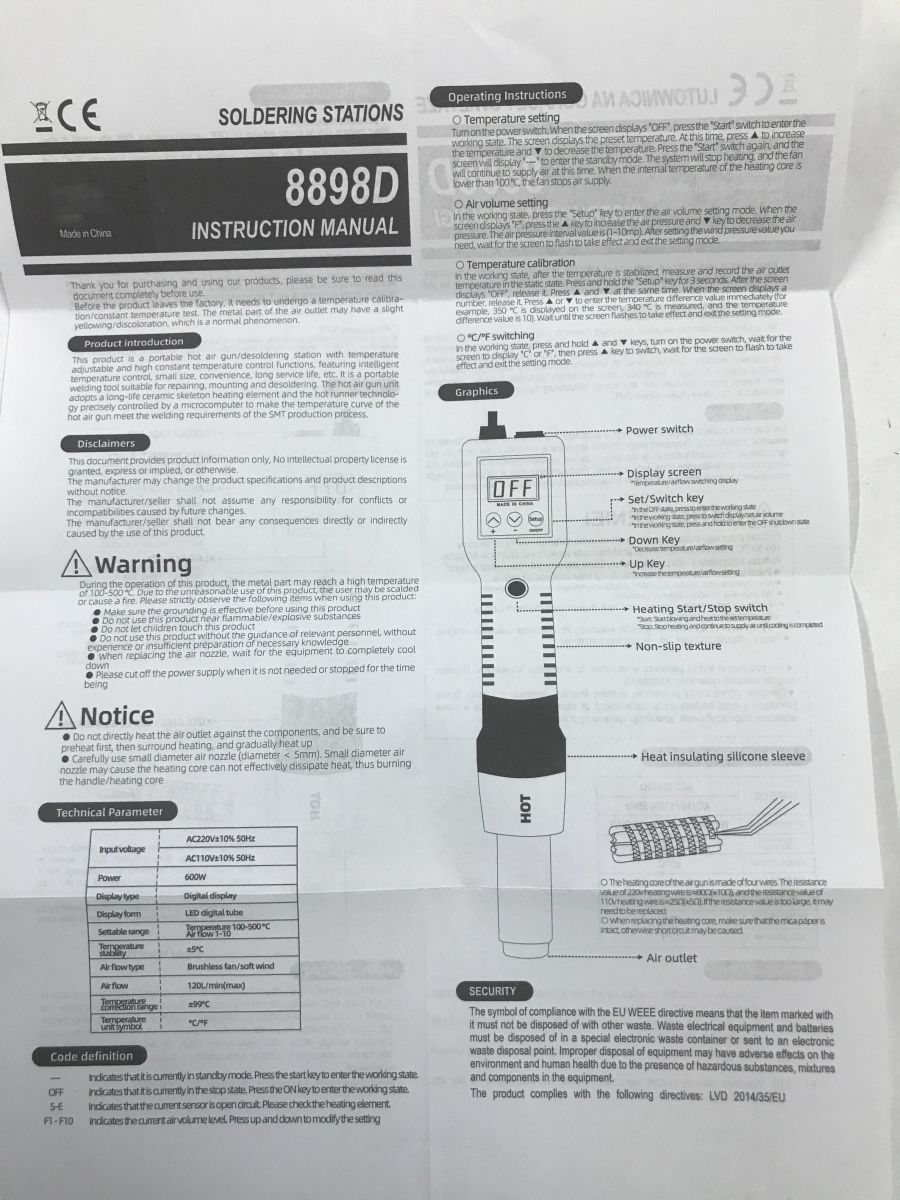
The manual also specifies the specification of the heating element and its expected resistance depending on the operating voltage version (220 V or 110 V).
Videotests
Here are the tests carried out on a junk board. They were not intended to show the correct soldering, I was more interested to see how hard this soldering iron heats.
F10, 350 °C
Potentially a simple situation, the edge of the PCB, although you can see the ground spout. Nevertheless, it took quite a long time to heat.
Just under four minutes to remove the component.
F10, 400 °C
F10, 400 °C:
Now the larger circuit. I heated without a nozzle. Large SOIC housing. I tried to make circular motions to heat the solder evenly. Managed to remove the component in less than two minutes.
F10, 400 °C:
Again without a nozzle. SOIC8. As you can see, smaller parts that are not on large copper spouts can come off in as little as 30-40 seconds.
F10, first 400 °C, in the middle (after 2 minutes) I switched to 450 °C:
However, the spouting of the mass is doing its job. It was necessary to increase the temperature in order to sensibly be able to remove the two mounted coil scrolls.
F10, 450 °C:
The medium component in the TQFP enclosure was successfully removed in one minute forty.
F10, 450 °C:
The medium element in the TQFP housing did not come off after more than four minutes. I gave up. A heater would have been useful, although with better stations it is not required.
Temperature and power measurements
I used my earlier post for testing:
OpenBeken configuration for hot air testing - MAX6675, temperature and power logging
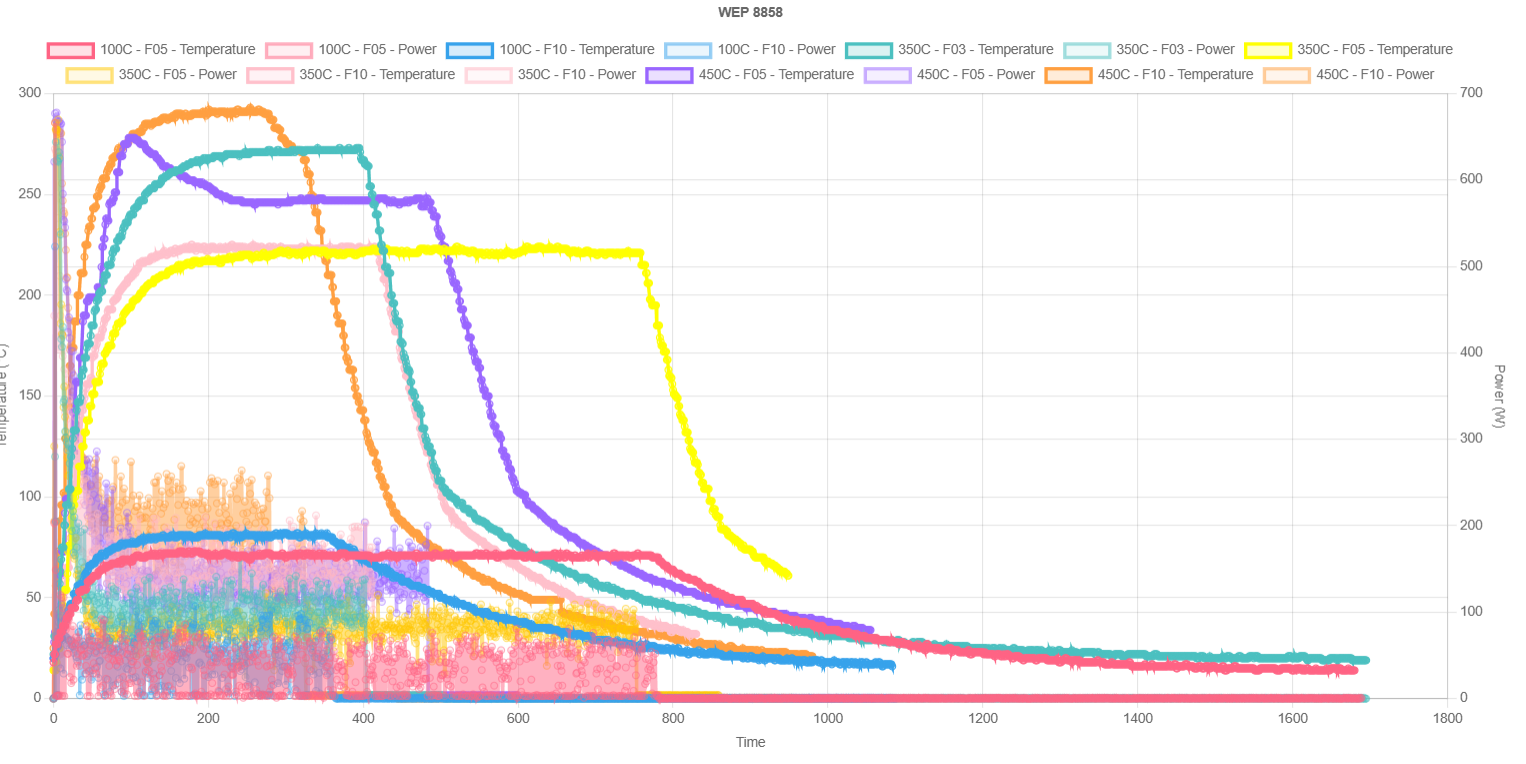
I measured temperature and power. I have collected the results for the 8898D in the interactive graphs:
Interactive version: https://openshwprojects.github.io/hotair/8898D.html
Let's start with a temperature of 100 °C. At full blast it managed to reach just over 80 °C, and at half blast only 70 °C. I guess in the case of my sensor, however, the small blowing does not serve as it should, the sensor does not get heat fast enough and cools down a bit faster.
In WEP 8858 this 100 °C setting was more precise.
At 350 °C, in the F05 and F10 blower settings, my sensor eventually measured only about 225 °C.
Only with a very low blowing setting of F03 was it possible to achieve a significantly higher temperature, only then, in turn, the larger PCB heats up more slowly because the air here is the carrier for the heat. In addition, the heating is spot on and it is easier to "bulge" the laminate.
With F05 and 450 °C blowing I have a rather skewed result, the probe must have moved, but it is already difficult. F05 and F10 at 450 °C has a similar situation as at 350 °C. 450 °C reaches less than 300 °C on the sensor.
Now comparison with other stations:
https://openshwprojects.github.io/hotair/version10/350c.html
https://openshwprojects.github.io/hotair/version10/450c.html
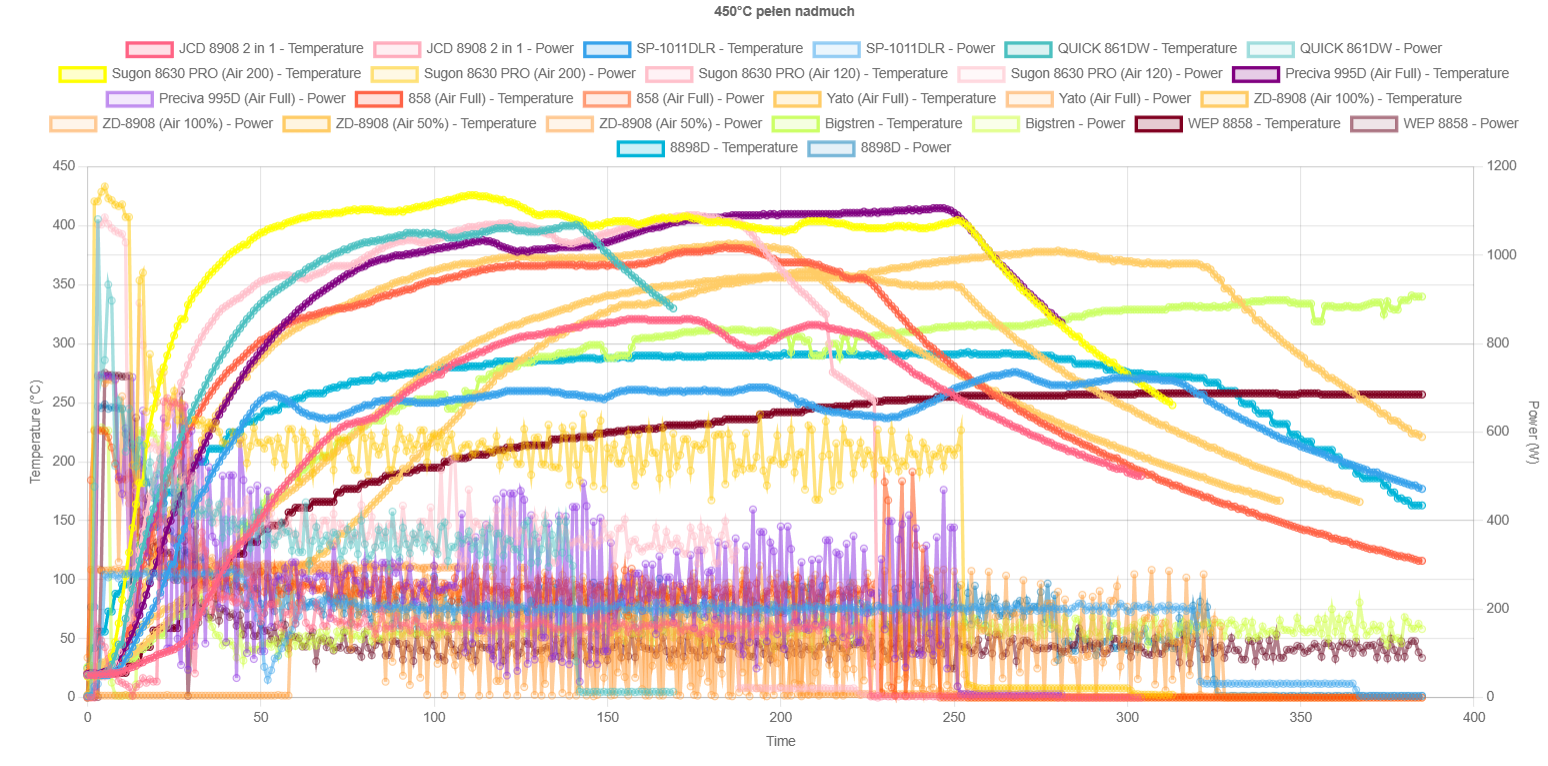
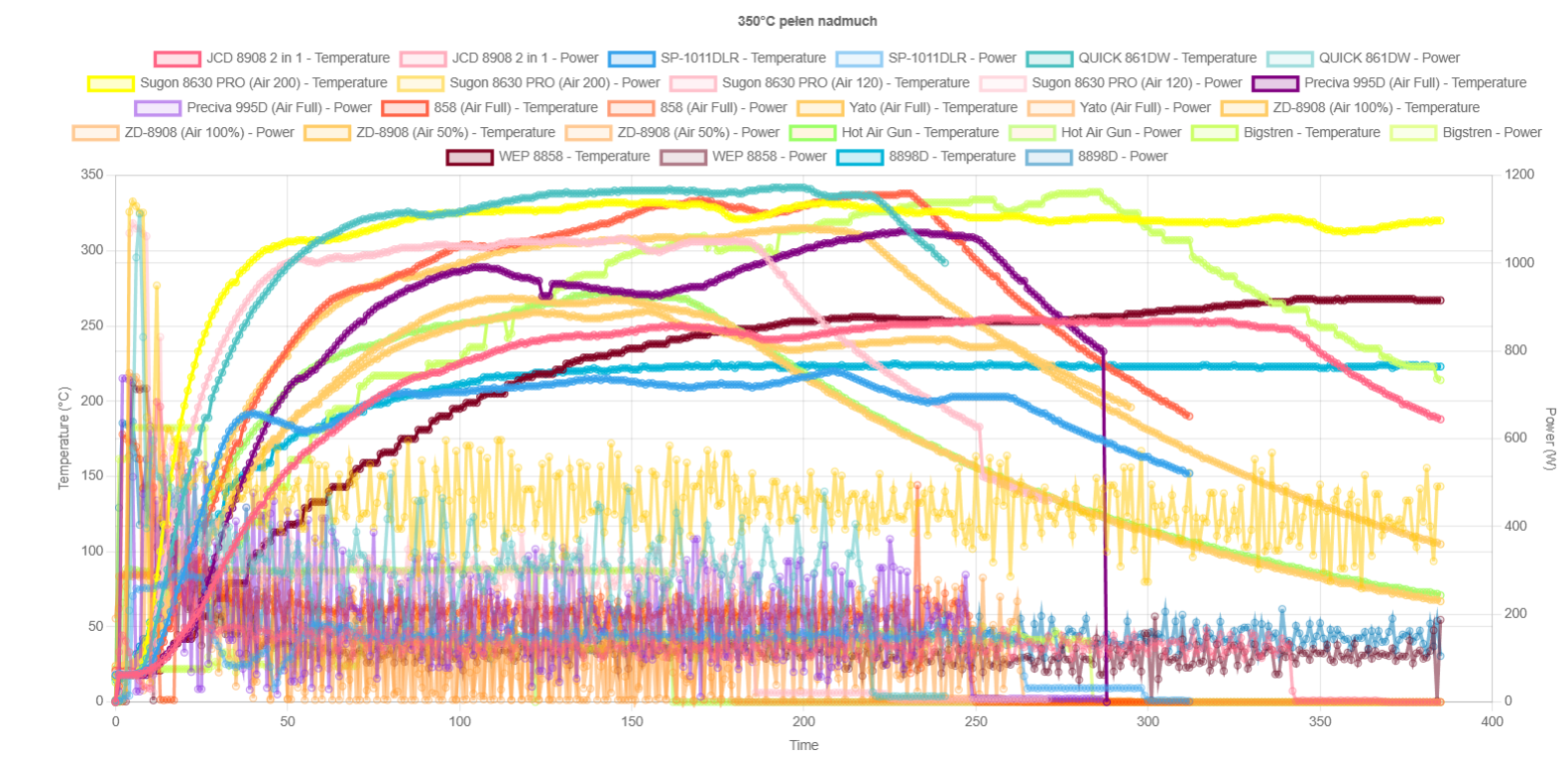
the 8898 seems to be quite similar to, although slightly better than, the 8858. Especially the 450 °C target temperature is better, with less than 300 °C achieved in practice. Unfortunately, the classic 858 is still a long way off - it reaches a good 75 °C more. The results correspond to the power measurements - the 8898 heats with slightly more power than the 8858, but less than the 858.
Summary
Given a choice between the 8898 and the 8858, I prefer to choose the 8898. Nevertheless, both of these stations are trumped by the classic stationary 858, only that it is a different type of device. If you have problems with heating, you can, of course, reduce the blowing, which I also managed to illustrate, but then you heat in spots and more slowly, it is also easier to "bulge" the PCB. Everyone has to test a new station on junk PCBs themselves and judge how they work better. I am most comfortable with fast heating of a large area, as I don't use a heater, but it still depends on what we are doing. That's what we have different sized nozzles for.
Overall, it's not bad, although with the size and weight of the classic 858, I don't know if there's any point in combining with the 8898D.
What hot air stations do you guys use?

p.kaczmarek2 wrote 14827 posts with
rating 13010 , helped 659 times.
Been with us since 2014 year.
Comments
It is better to preheat the board from underneath, especially if there is any spouting of compound. Then you don't have to heat the component as much. [Read more]
I use a hotplate to solder components, it is particularly helpful when you are dealing with 0402 or 0201 size passive components and some ubga circuits. However, it is not always possible to solder with... [Read more]
I have also been using the 853AA ad for many years and I am happy with it. The only thing I miss is the ability to program a few temperatures that I use most often, but you get used to that too. Of course,... [Read more]
I have been using this station for over a year now, so far I have not had any problems with temperatures. As far as modifications go, I have added goosenecks, lighting and a microscope to it and removed... [Read more]