The GC PowerProof 600 is a budget UPS for keeping a desktop PC and monitor alive long enough to save work after a power cut.
It uses an offline design with a 50 Hz mains transformer, relays, an inverter, and a modified sine-wave output, plus USB monitoring software.
The unit tested is rated 600 VA / 360 W, includes a 12 V/7 Ah battery and LCD, and cost just under PLN200.
A desktop plus monitor stayed running for over 3 minutes at 200 W, but the transformer reached 100 °C and the app gave unreliable battery readings.
It also showed instability with a laptop power supply using active PFC, which may make the modified sine wave unsuitable for some devices.
AI summary based on the discussion. May contain errors.
I'd like to invite you to a presentation and testing of the cheapest UPS bought with the idea of keeping a computer running for a few minutes after a power loss. Here I'll test it under various loads (including with a power supply with active PFC), I'll look at the output waveform, and finally I'll examine what heats up inside using thermal imaging. In addition, I will also test its PC-accessible application for monitoring load and battery status. Finally, I will find out where that characteristic overheating smell comes from when it is running....
What is a UPS? A UPS (Uninterruptible Power Supply), as the name implies, is an "uninterruptible" power supply unit whose function is to ensure the continuous operation of electrical equipment (here a computer) in the event of a power cut. It works on the basis of a battery and gives you time to safely save your work and shut down your equipment in the face of a failure.
We have different types of UPS:
- Offline (standby) UPS - normally powers equipment directly from the mains and switches to the battery (with a short interruption) in the event of a power failure. The simplest and cheapest.
- Line-interactive UPS - similar to offline, but has a circuit that stabilises the voltage without using batteries
- Online UPS (double conversion) - supplies power to the equipment all the time through energy conversion, thus giving the highest quality and no interruptions
In a similar way, power supplies can be divided according to the current waveform at the output. Here we have the cheaper power supplies, which generate the so-called "approximated sine wave", which I prefer to call simply "rectangular", and power supplies that generate a pure sine wave.
- the approximated sine wave (seen here in the photos) - this is a cheaper and simpler solution by design. Such a waveform, although it works with basic equipment, can cause equipment to become unstable or shut down, especially with modern power supplies with active PFC, it also does not work with inductive loads, classic transformers.
- pure sine wave - the waveform that is closest to that of the mains power supply. It ensures correct and stable operation of all equipment, including modern computer power supplies, audio equipment and equipment sensitive to power quality. Such UPSs are more expensive but much safer for equipment.
NOTE: in descriptions of UPSs on vendor websites, you will often see a general statement that an approximated sine wave is sufficient to power a laptop/computer/TV. I disagree - at least my ROQ gaming laptop has a power supply with active PFC, and it effectively 'resets' the UPSs I've tested that give 'rectangular'.
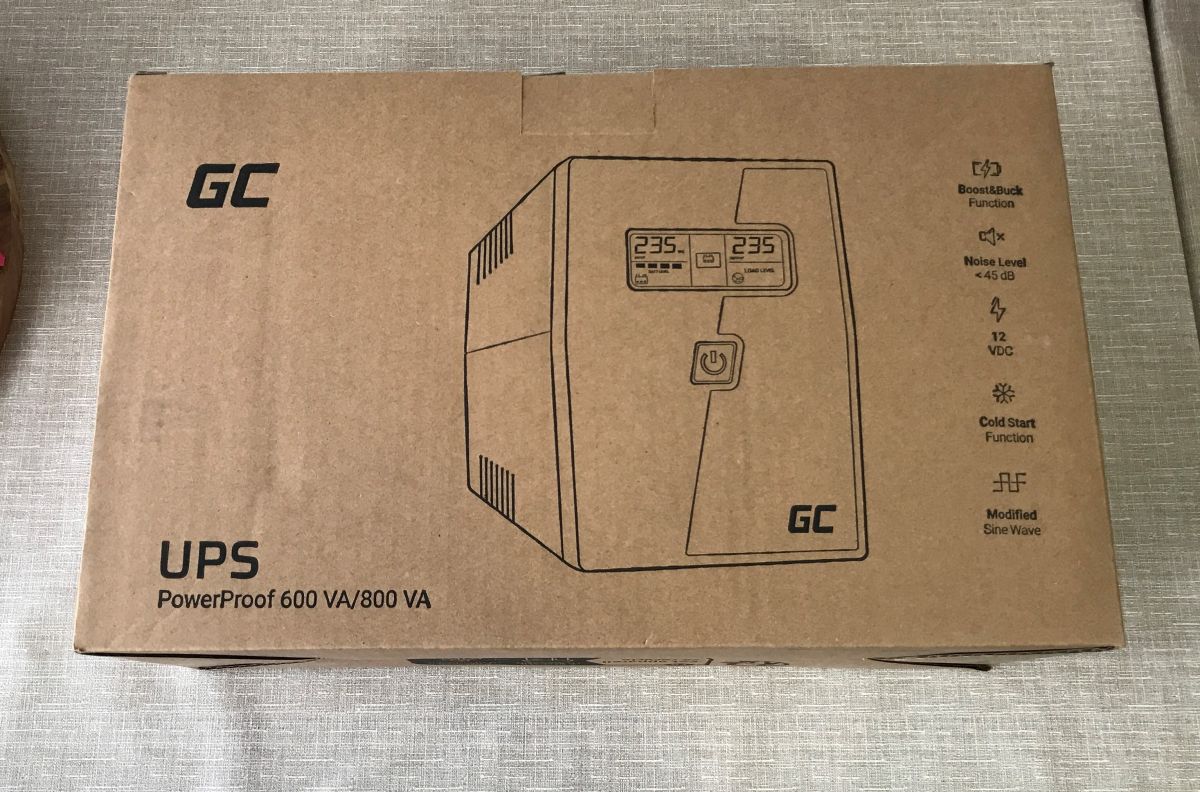
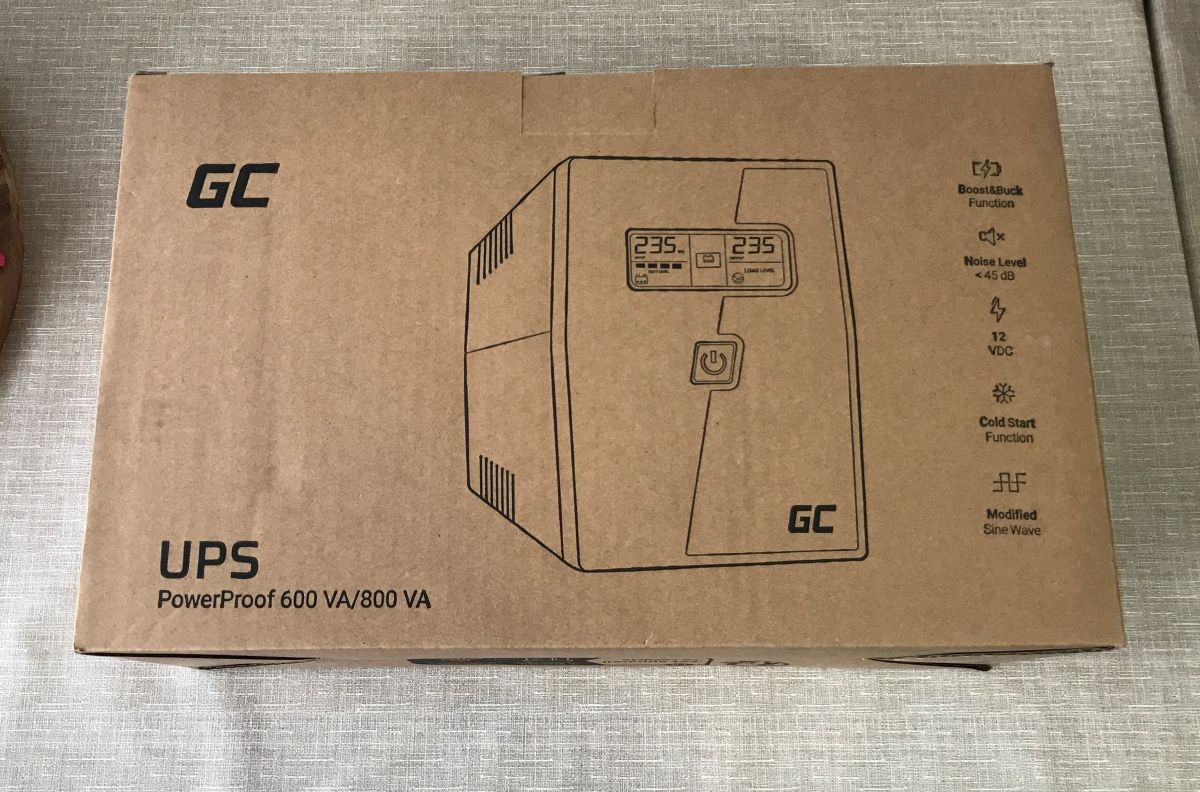
Here I will test the cheapest UPS purchased for office work with a desktop PC. We started the UPS selection by measuring the power required by the computer and monitor combo. I specifically overloaded the computer with a benchmark and added a considerable margin to the value, it came out to about 150 watts. I therefore marginally selected the model 600 VA 360 W , which I managed to buy for just under PLN200 , already with a 12 V/7 Ah battery and LCD display. UPS model GC PowerProof 600.
So let's see what the courier brought.
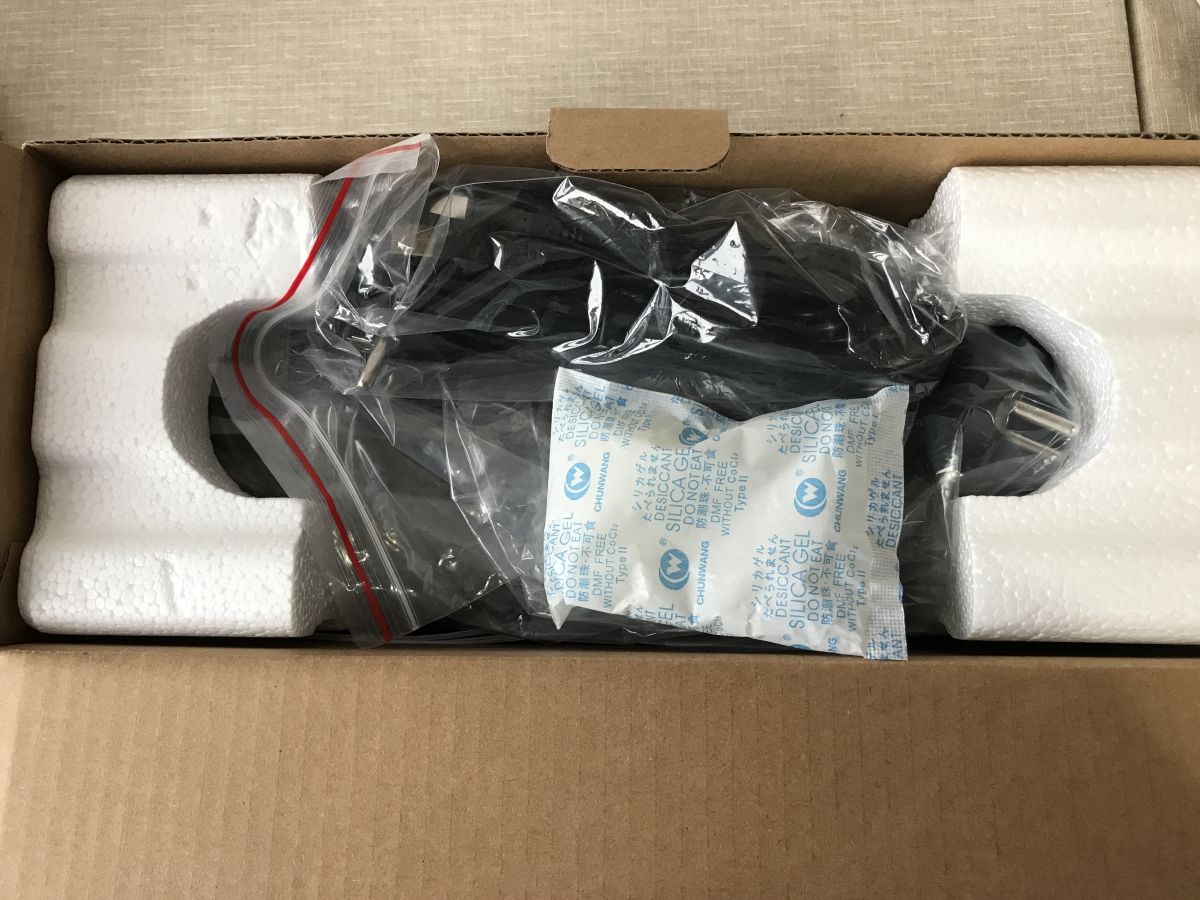
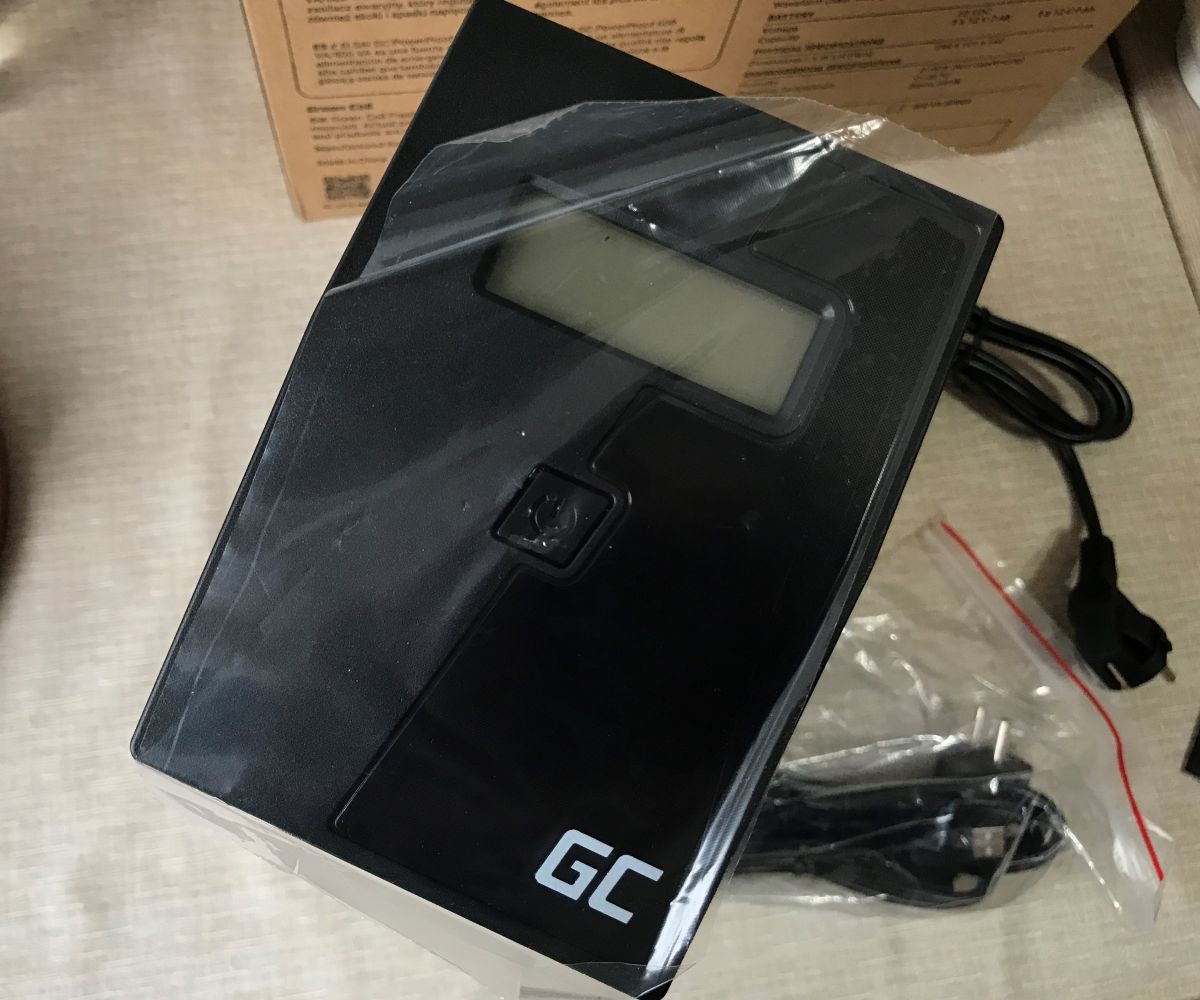
The power supply is securely packaged for travel. There is also a moisture absorber inside to keep the whole thing from getting soggy. We also get cables.
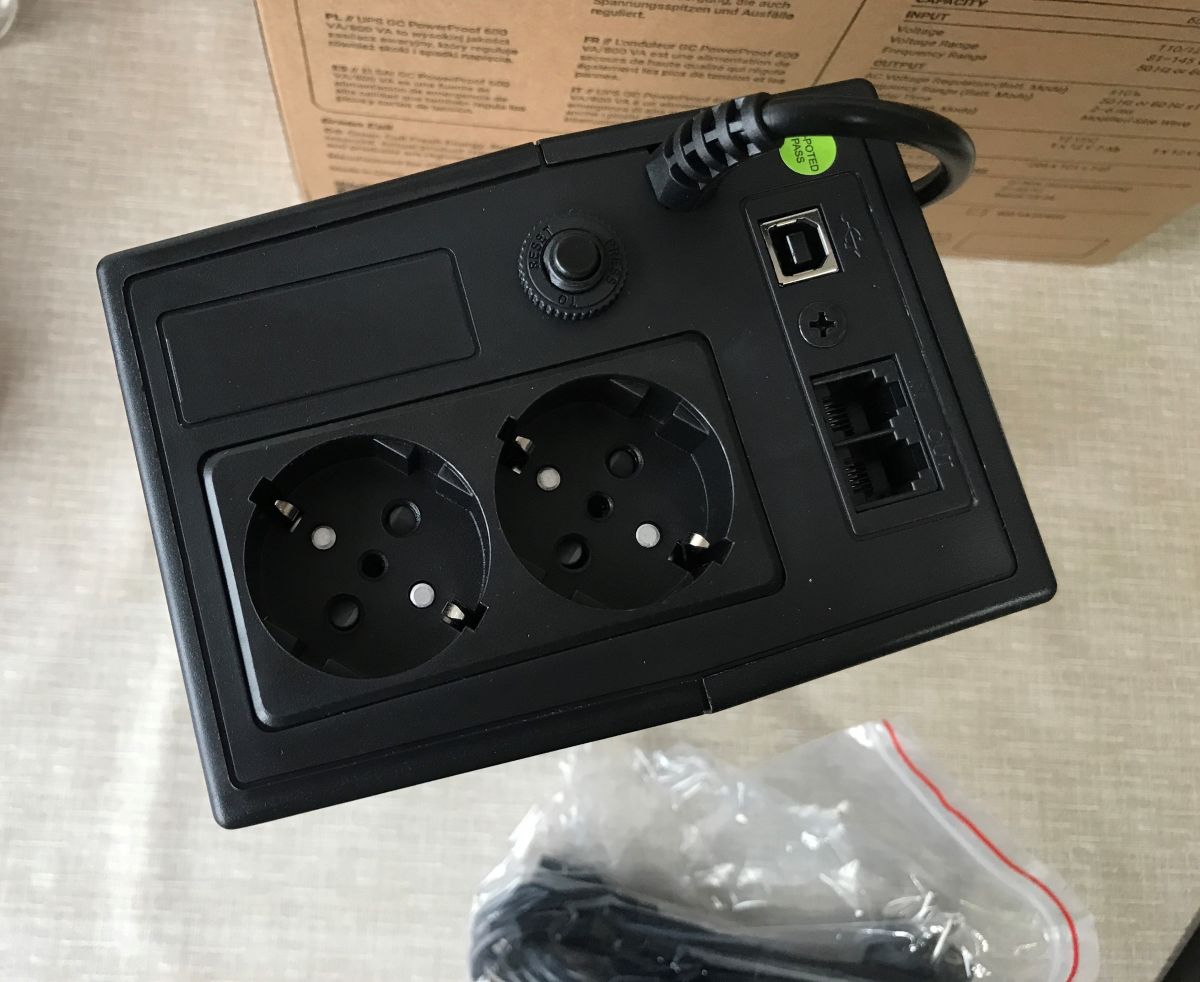
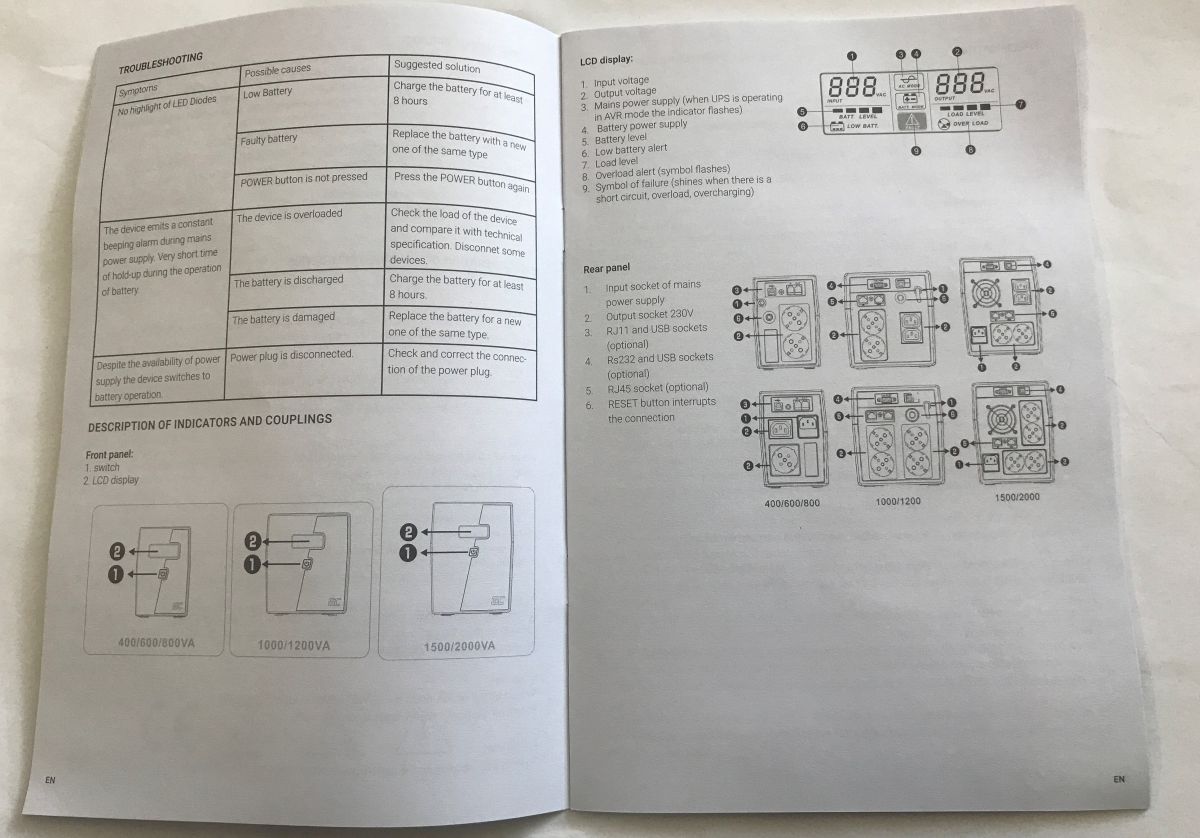
The power supply has two sockets on the back whose power is backed up. In addition, there is a USB for communication with the computer (with an app), and RJ11 sockets (filter).
Interestingly, I was supplied with a USB cable and a cloverleaf type power cable, I wonder what it's for? Probably with my devices in mind already.
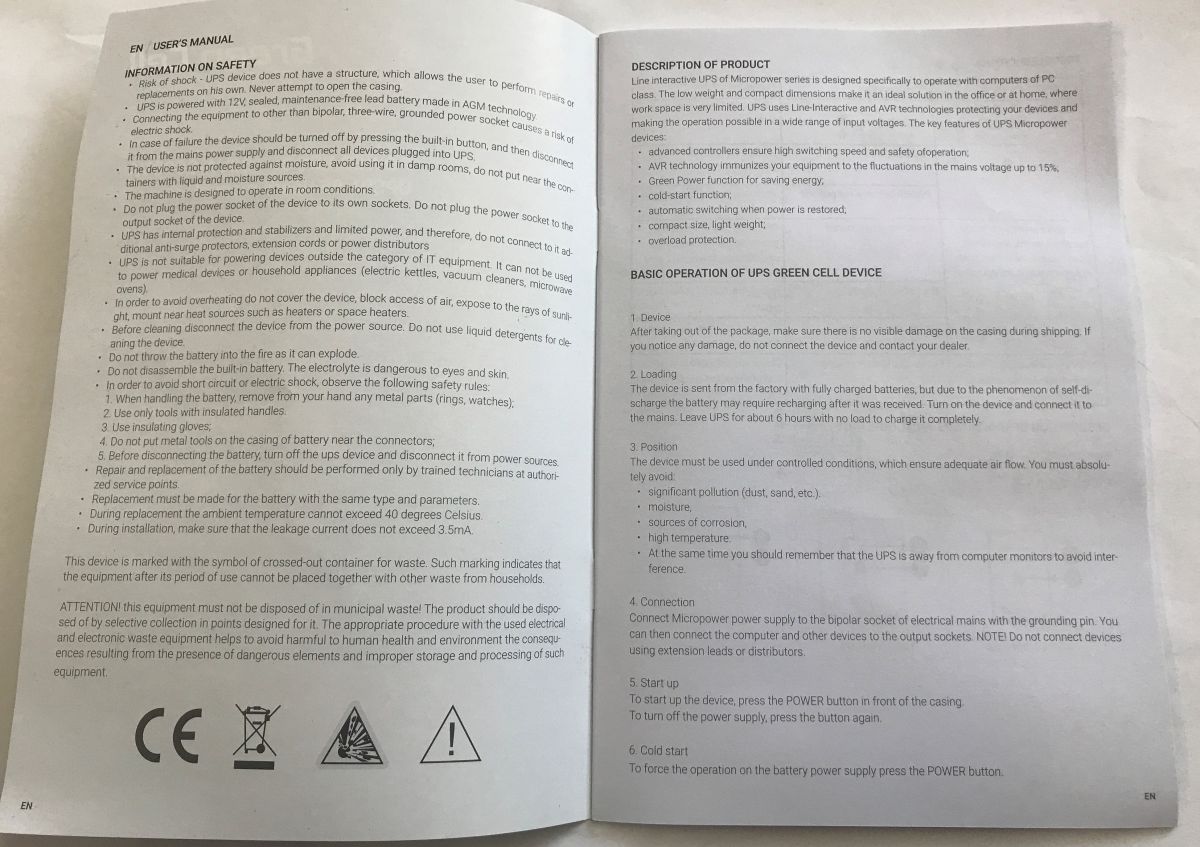
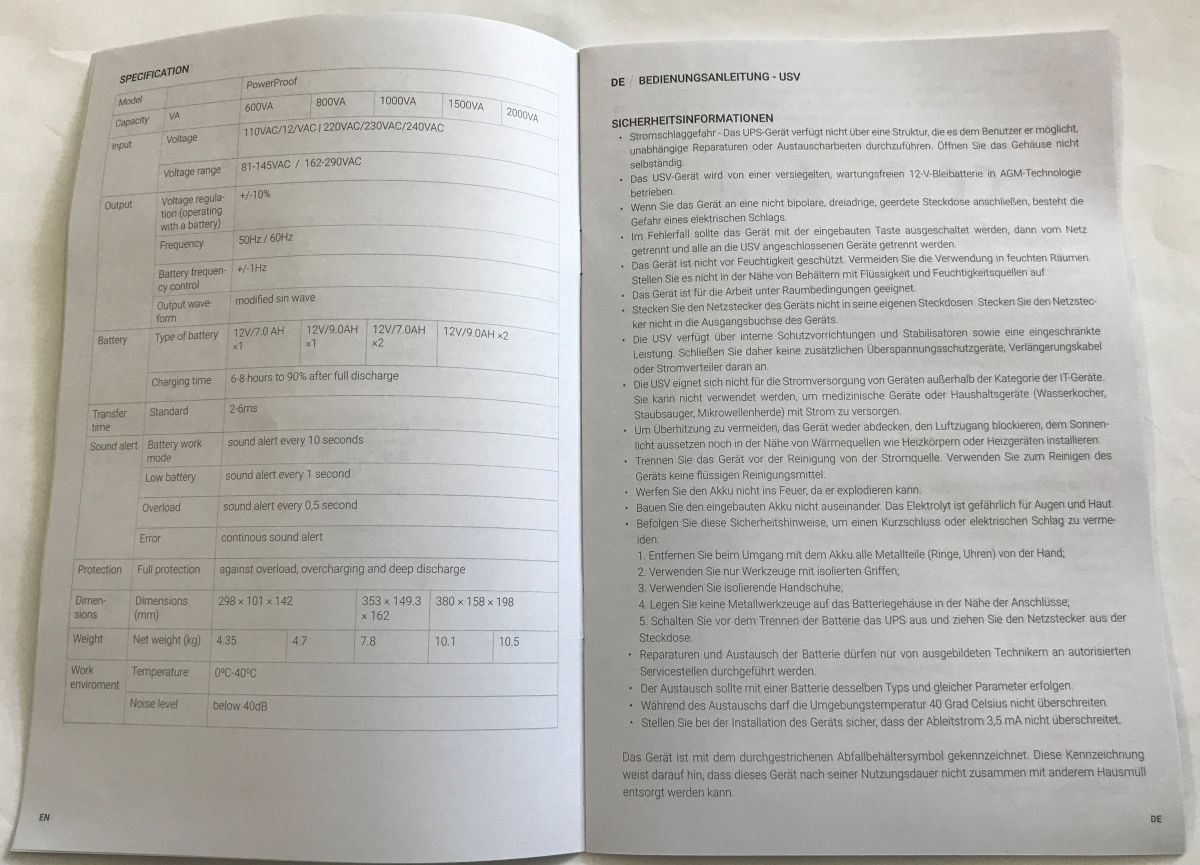
Instructions:
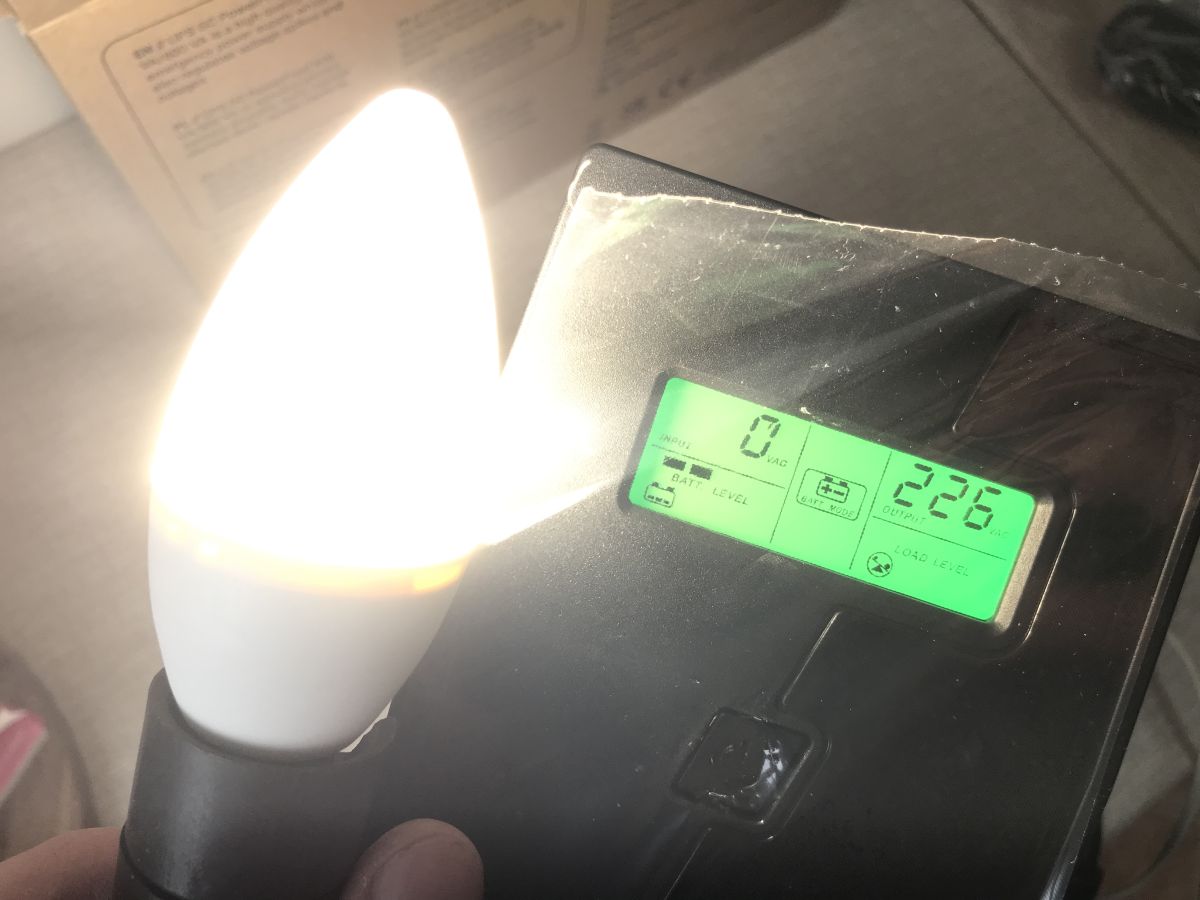
The first start-up shows that the power supply works and the display is quite clear.
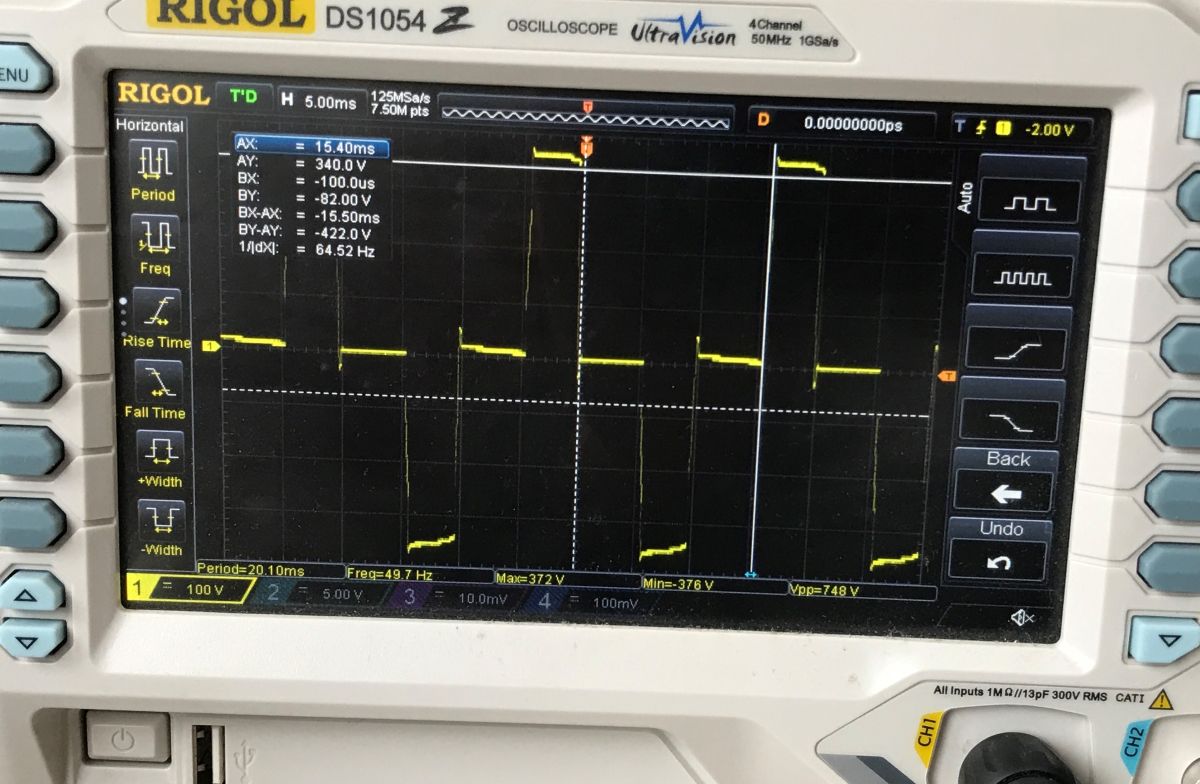
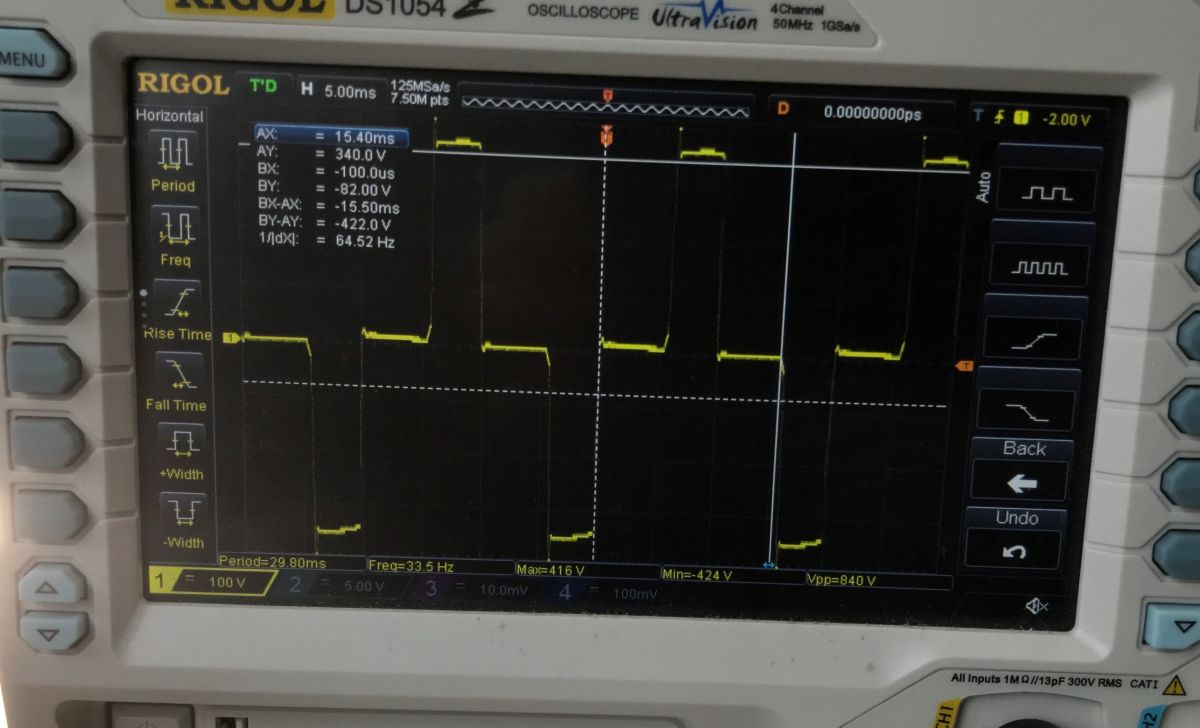
I started by checking the waveform. Indeed, it is 50 Hz. I also measured under load - the picture shows 30 Hz, but this is probably a measurement error. I'll repeat the test when I get a chance.
I then checked the overload behaviour (several hundred watts) - the power supply reacts quickly and shuts down:
Second overload test - 350 W approximately:
Separately, I tested a high load configuration, up to about 250 W, with the computer + my laptop with active PFC . You can immediately see great instability in operation and power spikes:
Finally went the actual test - computer, monitor, additionally loaded with 20 W incandescent bulbs. 200 watts in total.
There was no PFC laptop plugged in, so the whole thing held steady for over 3 minutes with a 200 W load. It probably would have lasted a bit more than that too, I only charged the UPS one night, so it may have run a bit short of full.
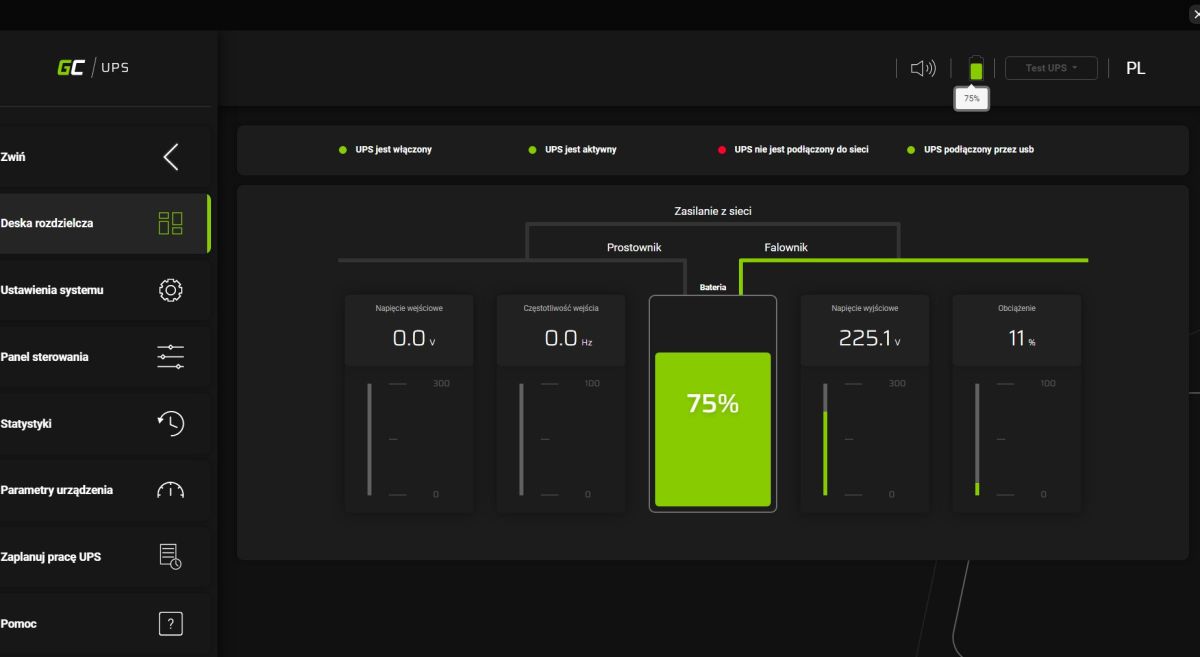
Application capabilities The UPS is connected to the computer via a USB type B cable and works with the GC UPS application available for free download from the manufacturer's website.
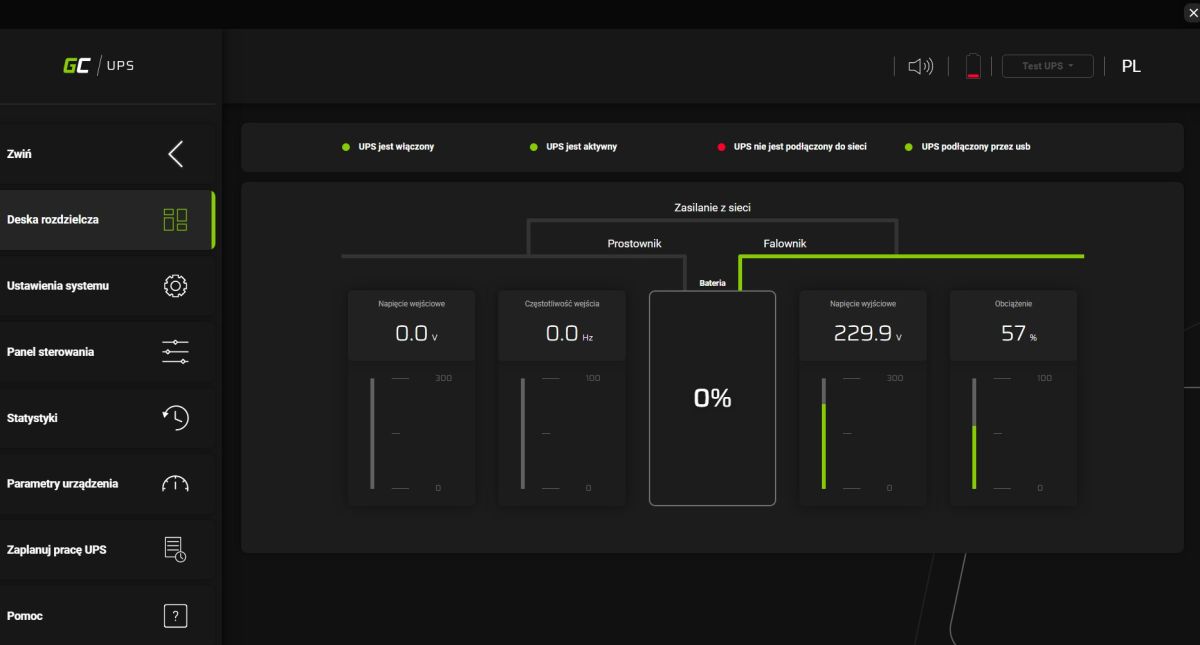
The main panel shows us the voltages (input and output), frequency and load. The load is shown as a percentage, which surprises me somewhat.
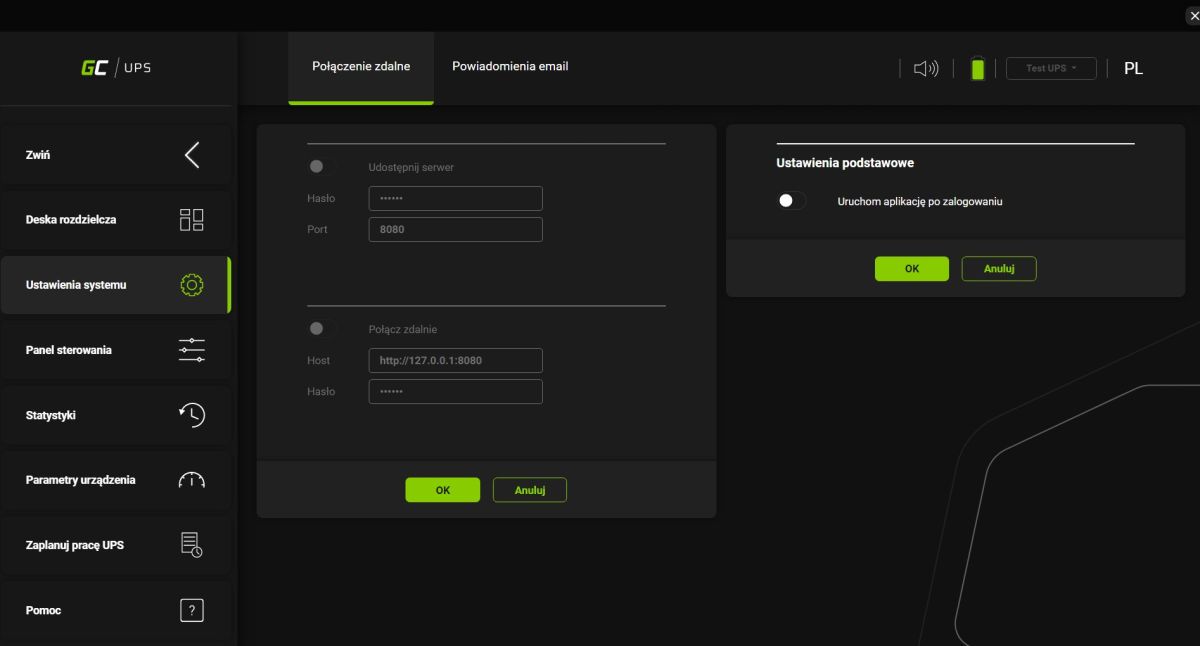
In the app we have support for remote connection and notifications to email address via SMTP. It can be started automatically after login.
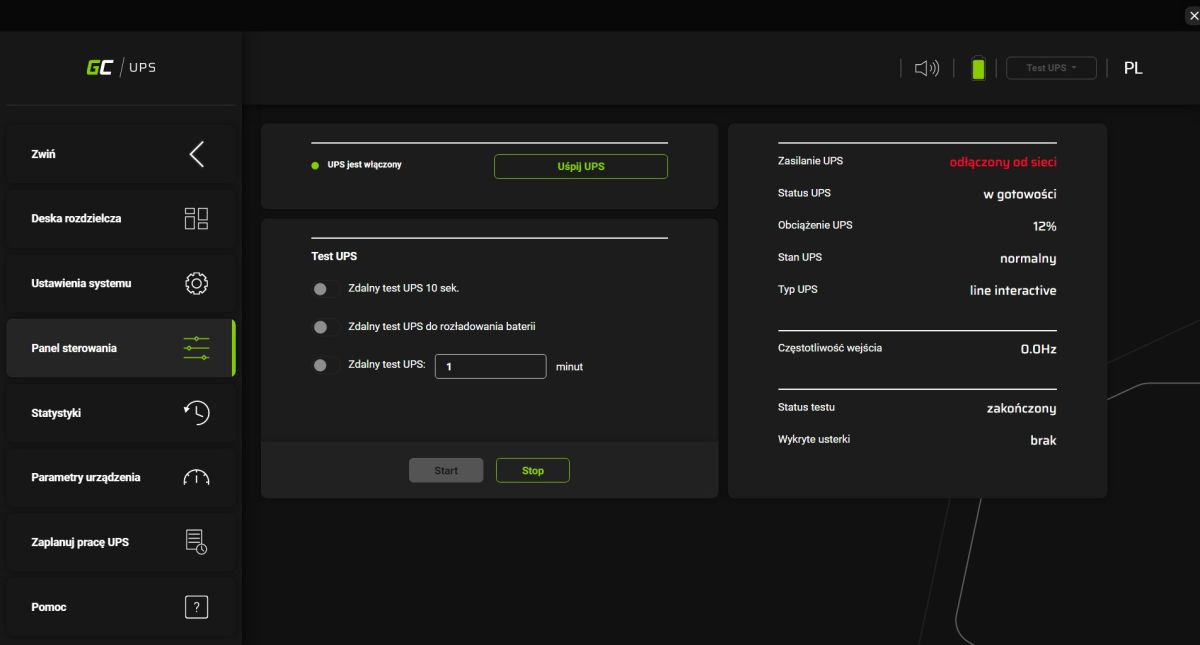
In the control panel there is more information about the device and the possibility to perform a power supply test. Unfortunately, here too the load is given as a percentage.
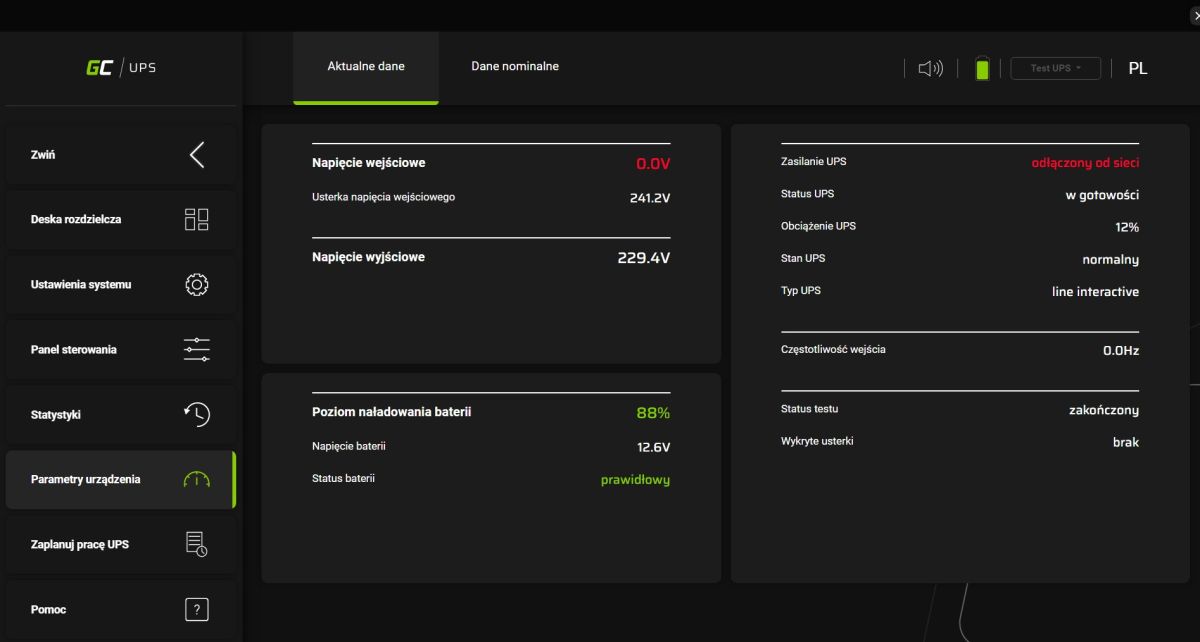
Device parameters - here is the battery voltage:
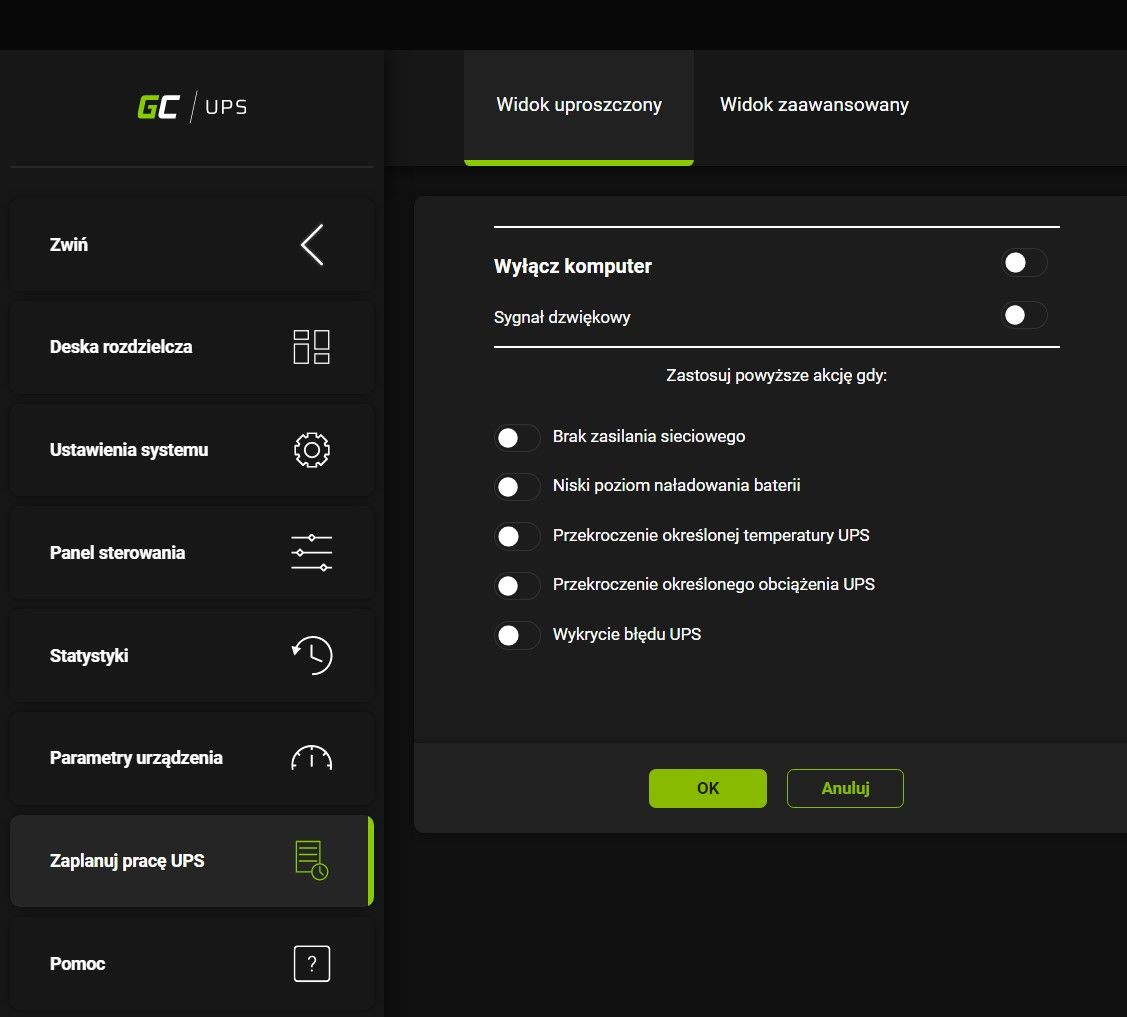
You can also schedule the UPS and trigger certain actions based on the battery status:
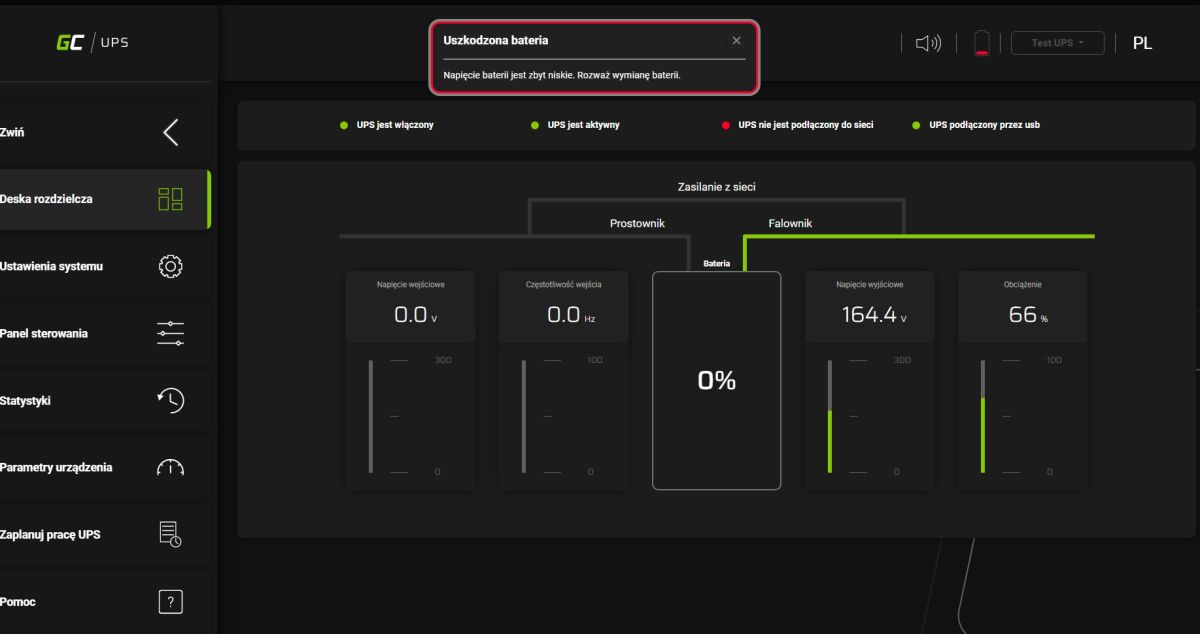
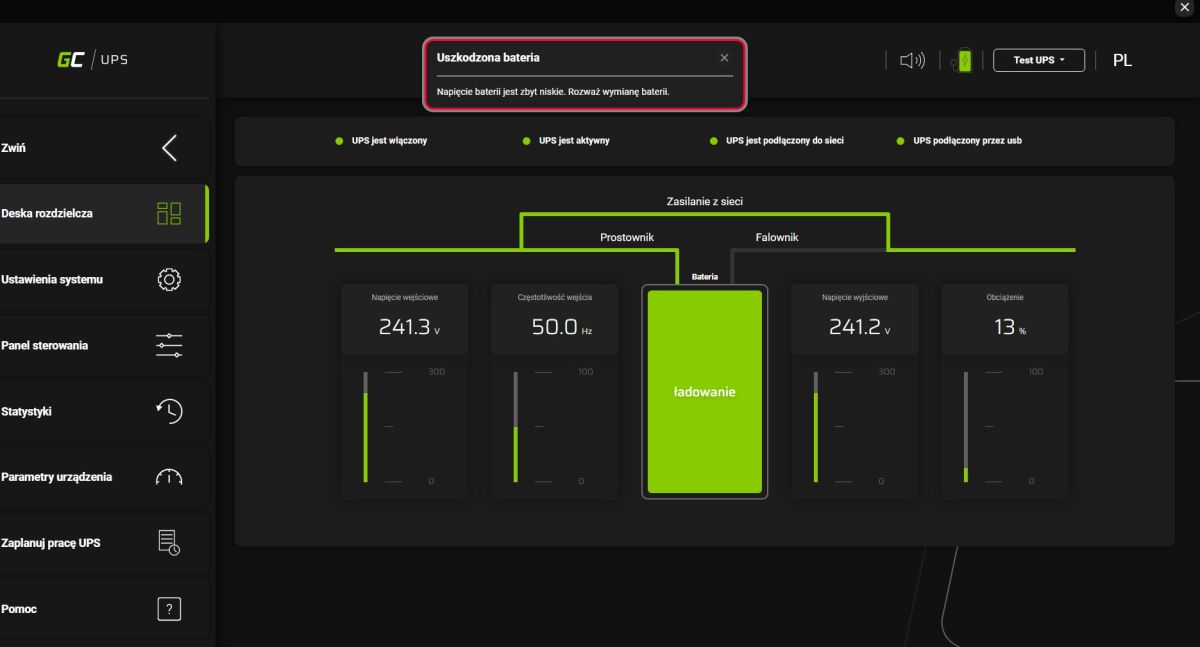
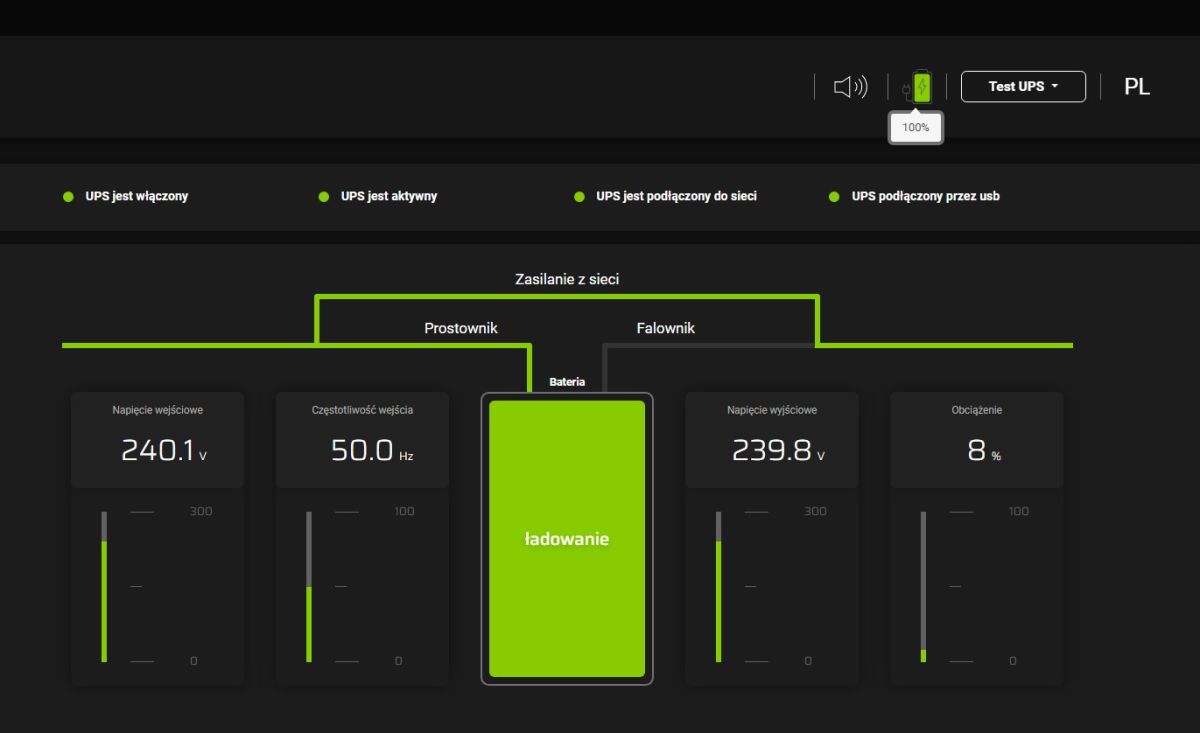
This charge level is not reliably shown either, here I show screenshots of 5 seconds, the panel changes its mind and first shows "Damaged battery" and then 100%.... i additionally thought that there should be over-discharge (and over-charging) protection so that such a situation could not occur.
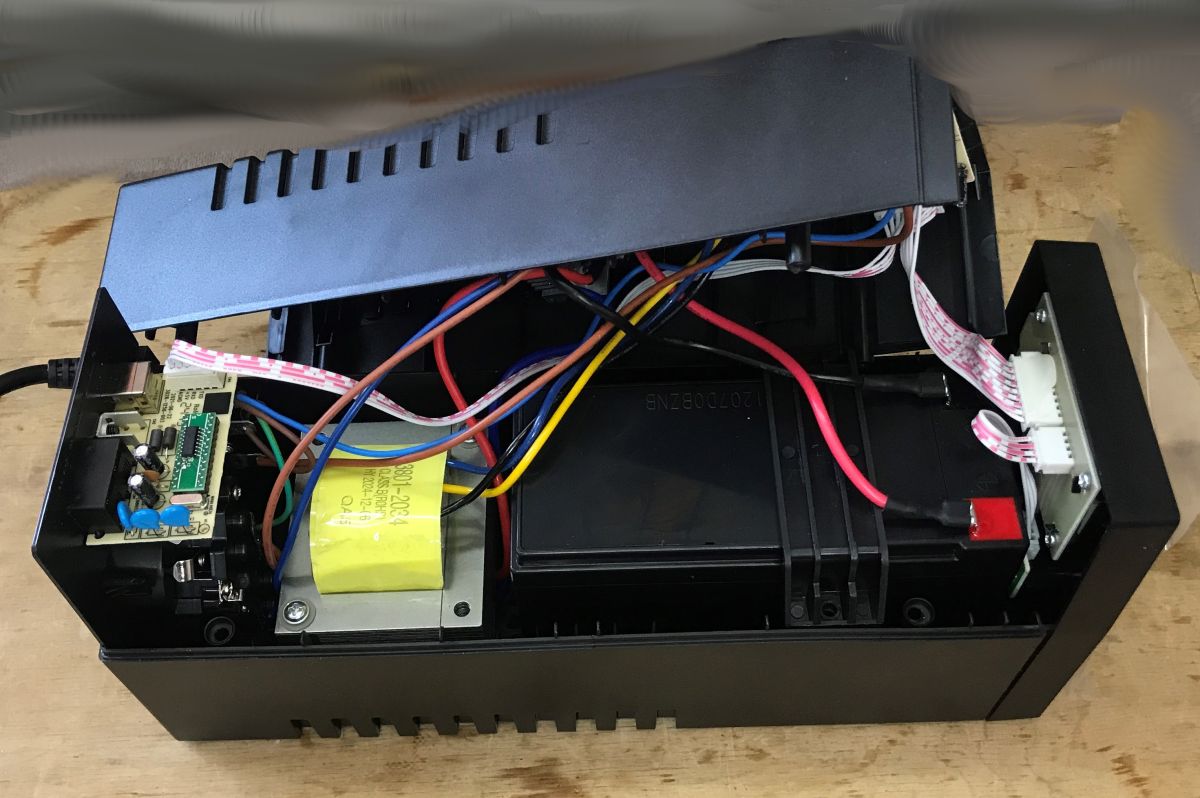
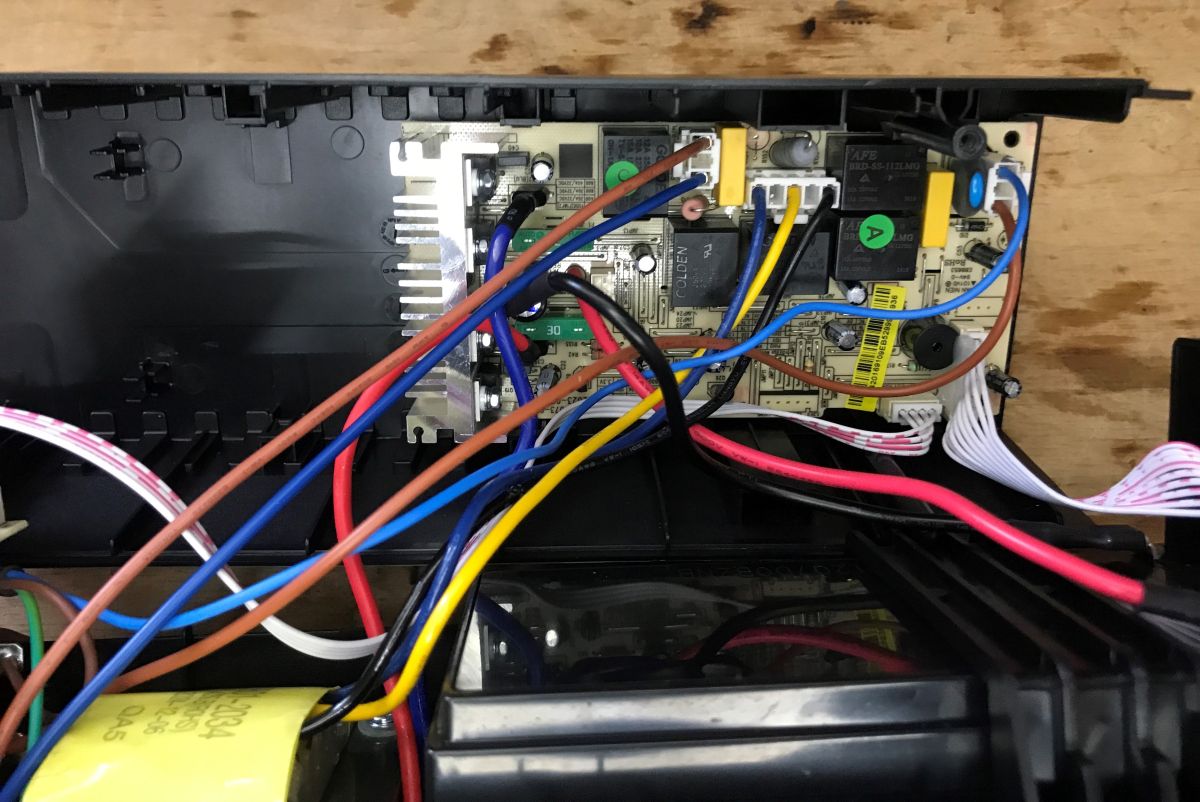
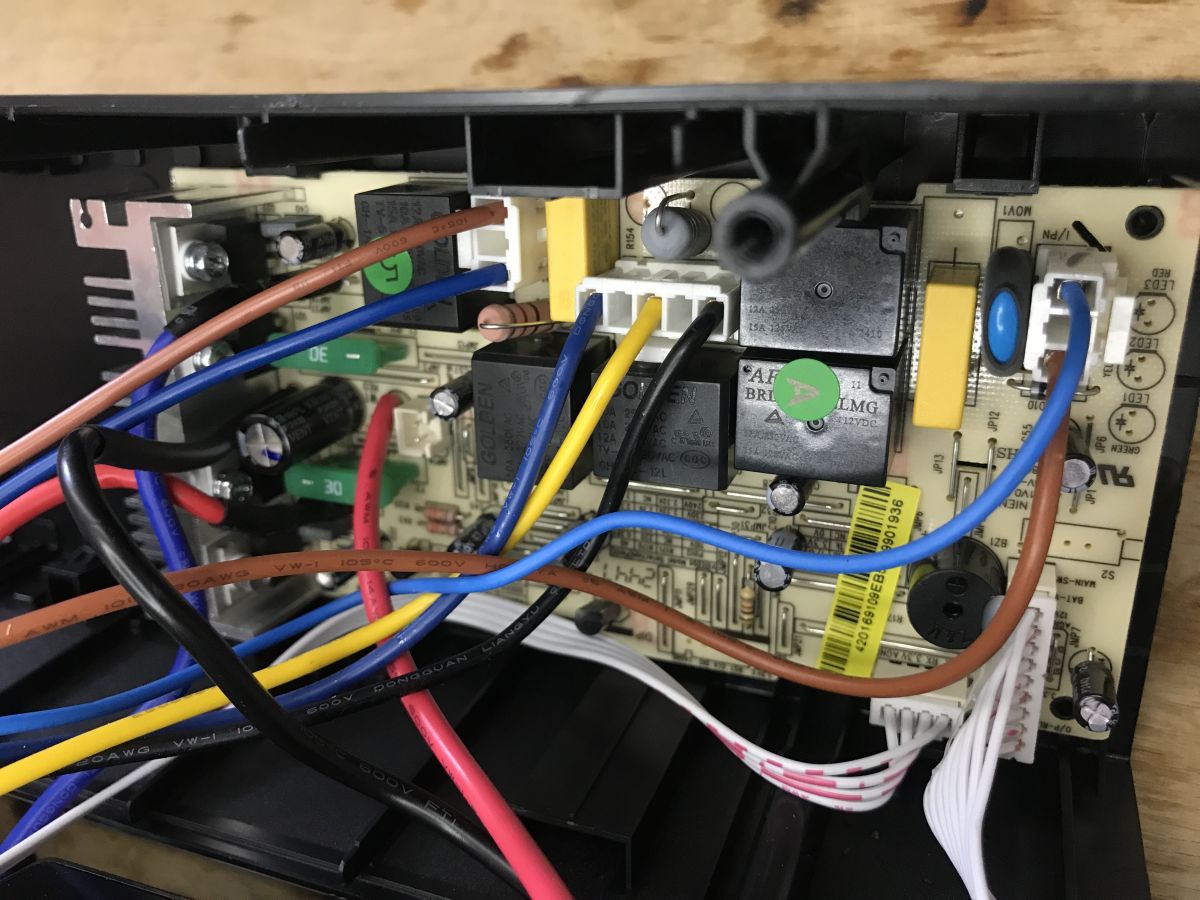
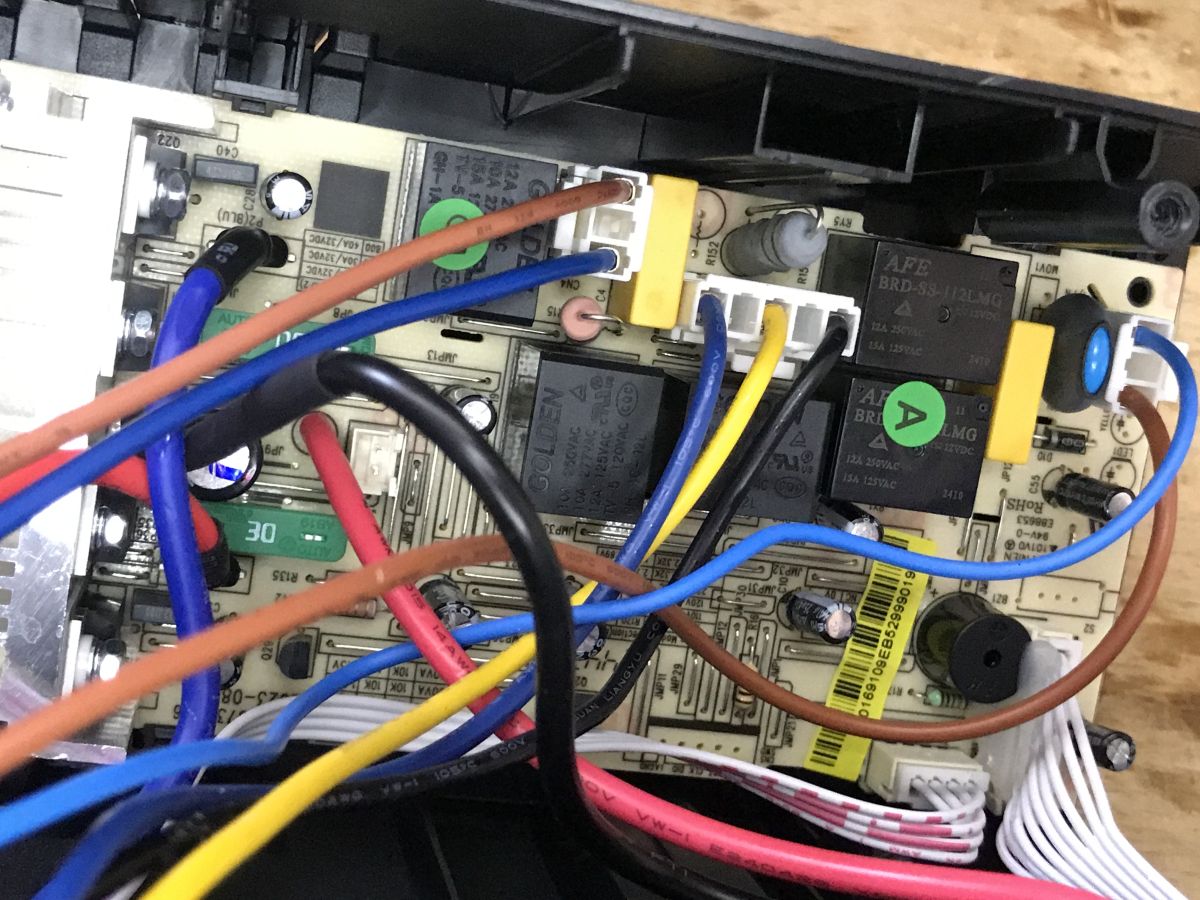
Interior of power supply Brief this time, I didn't want to do excessive disassembly. The whole thing is based around a 50Hz mains transformer, relays to switch from charge to power and an inverter.
Anyway, we already have a detailed description on the Elektroda channel:
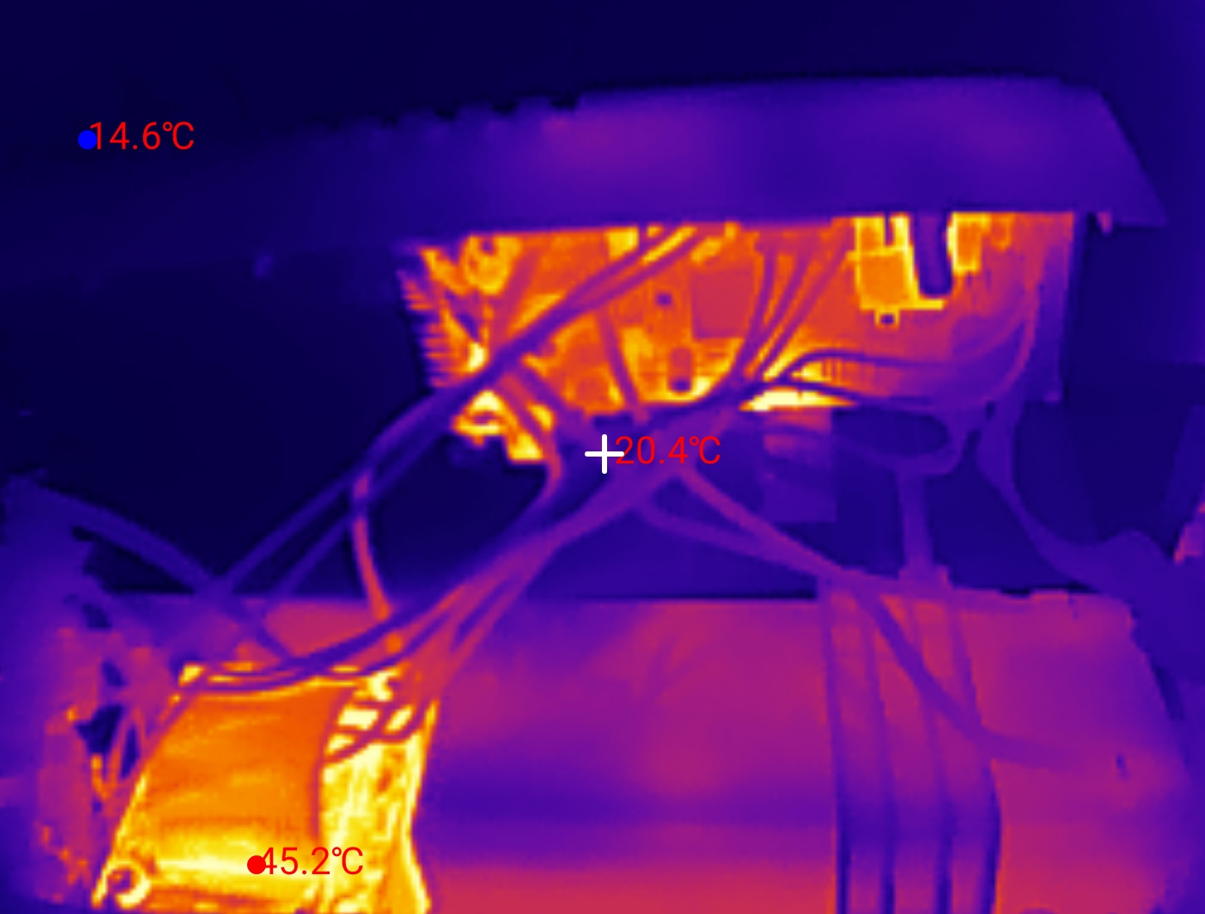
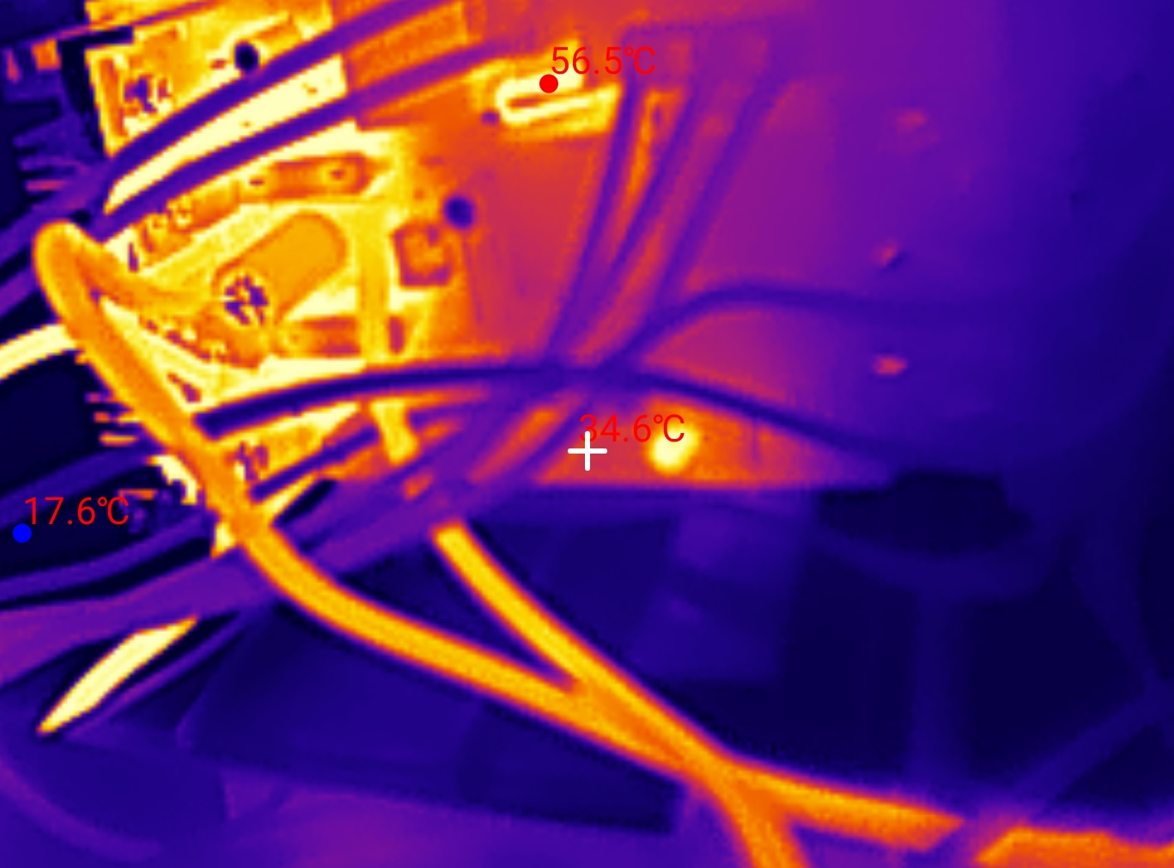
Heat-up tests What heats up the most on the board, does the power supply overheat? Checked with
InfiRay P2 PRO , for two load levels.
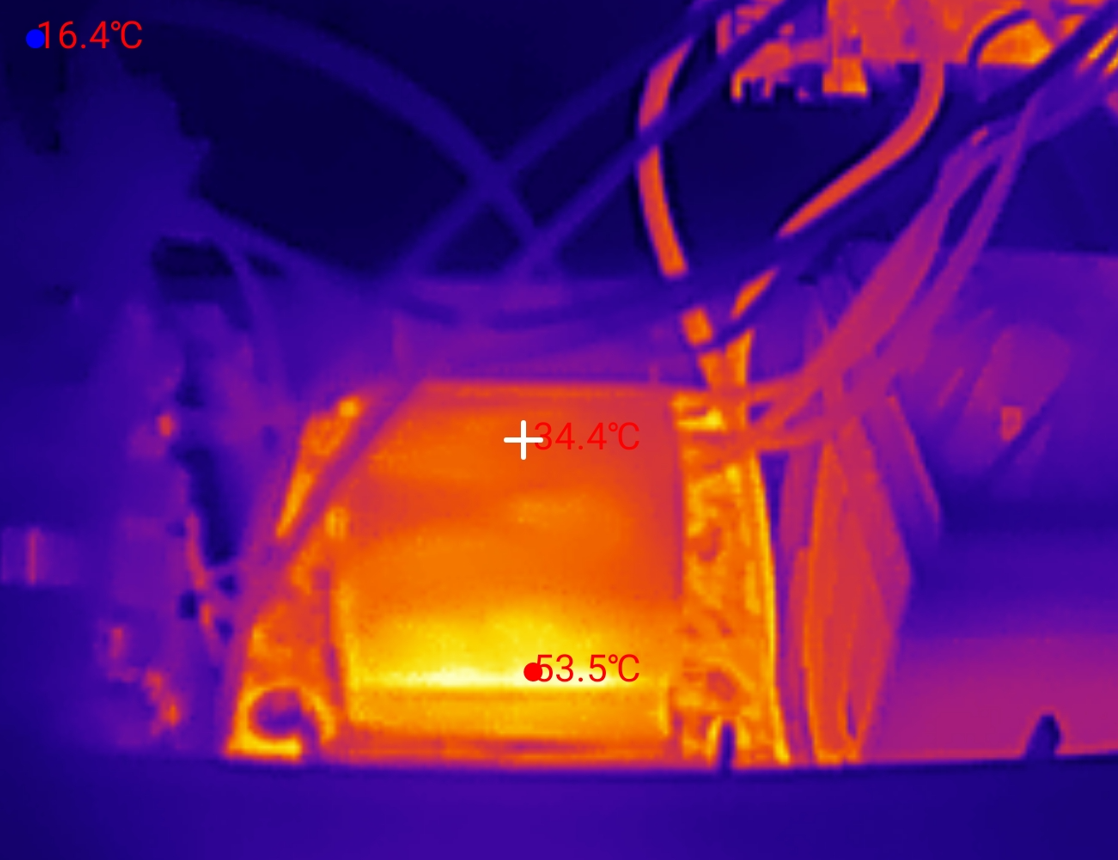
Heating test - 60W load: At 60 W it is acceptable, the transformer heats up a lot, up to 60 °C after a minute, the shunt resistor on the board also heats up, no excessive heating of the transistors can be seen.
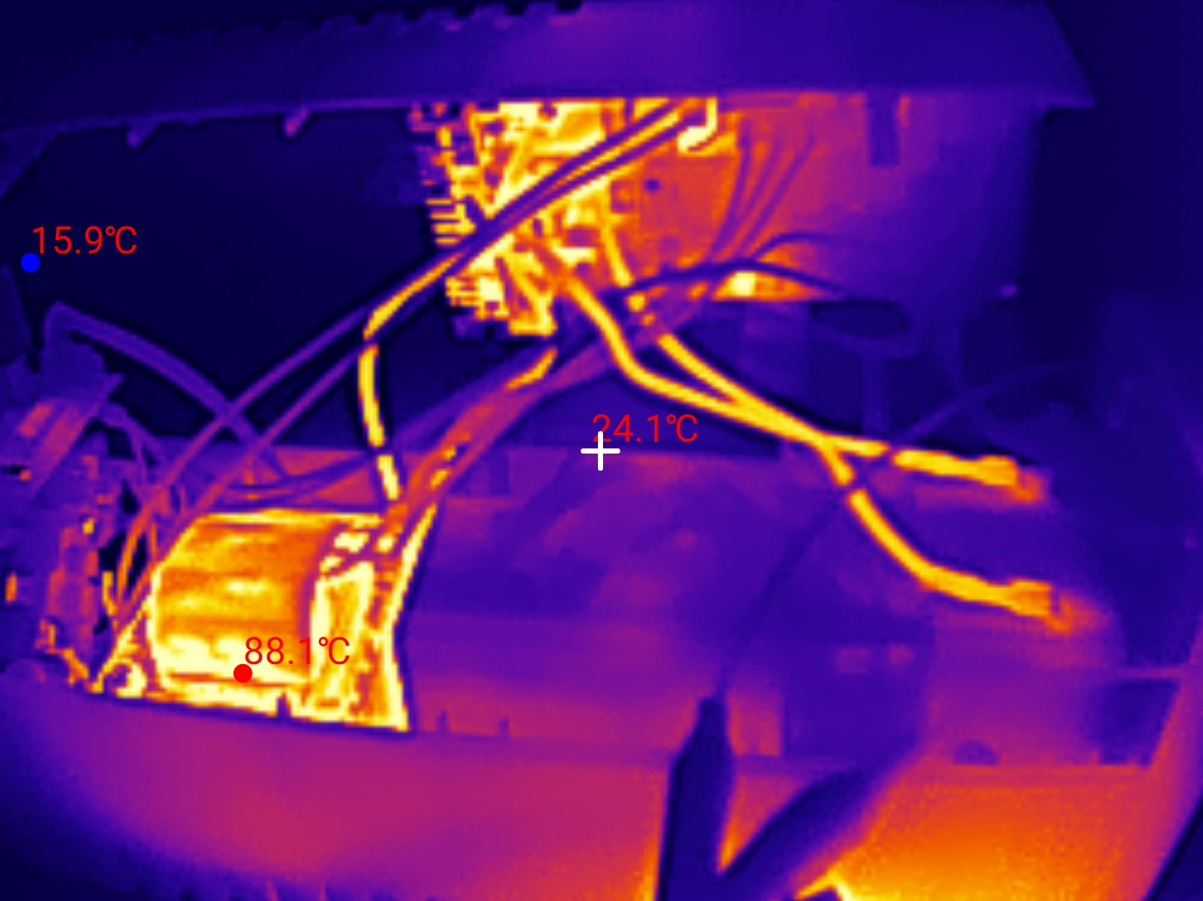
Now 180 W:
Here, unfortunately, it is worse, the transformer heats up to 100 °C, there is a characteristic smell of overheated electronics.
The shunt resistor and the transistor section are also heating up, to around 60 °C.
Summary Indeed, this UPS is able to keep the computer + monitor combo running for at least a good few minutes, allowing us to save our work and save our data, but this is where the revelations end. The vendor honestly admits that there is a "modified sine wave" in the output that some devices won't work with, although, interestingly, right next to it he adds that laptops will work with it - my gaming ROQ with an active PFC power supply is an example of how this rule doesn't always work. However, this is an extreme case, so I won't focus on that here. A slightly bigger problem for me is the excessive heating, although here it could be argued that even this 100 °C on the transformer will not hurt, as this power supply does not work in this state for more than a few minutes, and we get what we deserve for such a low price....
Additionally, I am thrown by the unreliable readings from the app.
In a nutshell, the pros:
+ the power supply passed the test with my desktop + monitor set-up and actually allowed work to be saved, additionally warning when the battery started to run out of power
+ dedicated application with data reading via USB, hassle-free installation, remote testing possible
Minuses:
- already at less than 200 W load the transformer heats up almost to 100 °C, even though nominally this UPS has 360 W
- the dedicated app cannot meaningfully determine the % of battery charge, it literally manages to show "battery voltage too low, consider replacing" and 5 seconds after connecting the power supply "100% charge", and this on a brand new configuration
Neutral comments:
-> there is a "modified sine wave" in the output, so the power supply does not work with some devices, including devices where the power supply has APFC
I will leave the final verdict to you however - is it worth it? Do you use UPSs?
About Author
p.kaczmarek2 wrote 14795 posts with
rating 12944 , helped 659 times.
Been with us since 2014 year.
In this price shelf and in this type of UPS it seems OK, and you can also see a different PCB design to the model we used to test.
I'm concerned about this change in output frequency, I don't quite... [Read more]
p.kaczmarek2
17 Mar 2026 22:02
I was also surprised by this frequency change, I already presented an old UPS on the forum once and when I compared the oscillograms for the loads there, only the voltage dropped. In this thread it is,... [Read more]
BANANvanDYK
17 Mar 2026 22:12
In this UPS, the output transformer is both a power transformer and a battery charging transformer.
I suggest you do a test with two wattmeters, or at least one with the UPS running at idle (no load).
I... [Read more]
zgierzman
17 Mar 2026 22:41
Maybe it's an oscilloscope error, because the cursors (although set incorrectly) show the same thing - about 15 ms. You can't see the scale in the second photo, but it looks like the period is about 20... [Read more]
mkpl
18 Mar 2026 11:27
I will defend the manufacturer a little.
In the inverter, the output frequency has no way of changing.
The change in frequency is due to an incorrect oscilloscope measurement (automatic measurement and... [Read more]
adambyw
18 Mar 2026 11:38
UPS is cool, but the app gives a mega bummer. It's terribly resource intensive, can take up over 2gb of ram and up to 30% of CPU resources. A bit much for a background application.
https://obrazki.elektroda.pl/7634243900_1773830214_thumb.jpg... [Read more]
p.kaczmarek2
18 Mar 2026 11:45
@mkpl Useful idea with that 3D printer.
@adambyw What are they counting that much RAM in there? Maybe there's an open source alternative? And if not... i might think about making some. I haven't checked... [Read more]
puchalak
18 Mar 2026 13:31
Generally, it is very difficult to determine the charge of this type of battery, in this type of device, especially since, in fact, by the charge level, one expects to know how long the ups will sustain... [Read more]
Mateusz_konstruktor
18 Mar 2026 15:07
Right.
@pkaczmarek2
Or did you have to perform a battery "touch-up" operation at the outset?
Does the instruction manual say anything in this regard? [Read more]
p.kaczmarek2
18 Mar 2026 18:49
@mateuszkonstruktor acct I always take care to read (and post) the instructions - you have clear pictures in the subject line showing what was included. Point 2 talks about the first charge.
@puchalak... [Read more]
Mateusz_konstruktor
18 Mar 2026 19:02
This is reminiscent of the situation found in mobile phones.
By this I mean shutting down at the moment of higher load, despite even a fairly high percentage charge level presented on the camera display.
It... [Read more]
Olkus
19 Mar 2026 00:56
Thanks for the test.
I was thinking of buying a similar one but with more power just mainly for the PC. Maybe worth the price though, because something too cheap seemed to me to be able to work well with... [Read more]
puchalak
19 Mar 2026 07:42
The battery charge indicator in such a simple ups, the only thing it can show is the voltage on the battery, so it is just an unnecessary gadget. The important information that should be signalled, and... [Read more]
sq3evp
19 Mar 2026 15:15
Back in the days of the fledgling Allegro, a colleague bought 2 APC UPS for a rack, something like 2kW each at scrap metal prices. It turned out that it was enough to buy batteries. Smaller versions of... [Read more]
Mateusz_konstruktor
19 Mar 2026 17:13
Many UPSs require a process called calibration or touch-up.
This is most often done through a programme from the respective manufacturer, and installed on a computer.
A cable is required for this. Nowadays... [Read more]
__Kai__
19 Mar 2026 19:39
A piece of good work!
My purely practical opinion is: stay away from this manufacturer.
Justification:
I have had five GC UPS of various wattages bought at a similar date (around the end of 2023).... [Read more]
sq3evp
15 Apr 2026 08:35
This is how we used to repair APC UPS's - the service had a soft and to the cost of the battery was the cost of the repair.
The total was 30-60% of the price of a new one because sometimes something more... [Read more]
FAQ
TL;DR: At a 200 W load, this budget UPS kept a PC and monitor alive for over 3 minutes, but one expert warning sums it up: "modified sine wave" models can misbehave with APFC loads. This FAQ helps PC buyers judge whether a low-cost UPS is good enough for safe shutdown, USB monitoring, and short outage survival. [#21864295]
Why it matters: A cheap UPS can save your work during a blackout, but the wrong waveform, hot transformer, or bad software can make it a poor fit for gaming laptops, APFC chargers, or long-term use.
Option
Output waveform
Reported behavior in thread
Best fit
GC PowerProof 600
Modified / approximated sine wave
Worked with desktop PC + monitor; unstable with APFC laptop
Cheap short backup
Pure sine wave UPS
Pure sine
Described as safer for modern PSUs and sensitive gear
PCs, laptops, audio
Used APC Smart-UPS + new batteries
Often higher-grade, sometimes pure sine
Forum users praised durability, but battery calibration may be needed
Value-focused buyers
Key insight: This UPS does the minimum job well: it gives a few minutes to save work. Its biggest limits are high transformer temperature near 180–200 W and unstable behavior with some active-PFC loads.
Quick Facts
GC PowerProof 600 was bought for just under PLN 200 and includes a 12 V / 7 Ah battery, LCD, USB communication, and two battery-backed outlets. [#21864295]
In the main runtime test, the UPS powered a computer, monitor, and extra lamps at about 200 W for more than 3 minutes after mains loss. [#21864295]
Thermal imaging showed the transformer reached about 60°C at 60 W after a minute, then nearly 100°C at 180 W, with a clear overheated-electronics smell. [#21864295]
The unit is rated 600 VA / 360 W, but forum replies stressed that waveform shape, reactive load, and PSU input behavior matter as much as the watt figure. [#21865148]
The manufacturer app can show input/output voltage, frequency, load, battery voltage, schedules, and email alerts, but users reported false battery-state readings and even over 2 GB RAM usage with up to 30% CPU. [#21865154]
What is an APFC power supply, and why can it make a cheap modified-sine-wave UPS reset or behave unstably?
An APFC supply can pull current in a way that stresses a cheap modified-sine-wave UPS. "APFC" is a power-supply feature that actively shapes input current to improve power factor, a behavior that can clash with a rectangular UPS waveform and cause resets or unstable startup. In this thread, a gaming laptop charger with active PFC made the tested UPS show major instability and power spikes under roughly 250 W combined load. [#21864295]
How does a modified sine wave UPS differ from a pure sine wave UPS when powering a desktop PC, gaming laptop, or 3D printer?
A modified sine wave UPS is cheaper, but a pure sine wave UPS is safer for demanding loads. The tested GC unit ran a desktop PC and monitor correctly, yet the same class of UPS became unstable with an APFC gaming laptop charger. One forum member also suggested this type can work well with a 3D printer, where a short outage can ruin hours of printing. [#21865148]
Why did the GC PowerProof 600 UPS transformer heat up to nearly 100°C at around 180–200 W even though the unit is rated at 360 W?
The transformer ran hot because real load stress was higher than the headline watt number suggests. A forum reply noted that waveform shape, reactive power, and capacitive PSU input filters can burden a small offline UPS differently than a simple resistive load. In the thermal test, the transformer reached about 100°C at around 180 W, even though the unit is labeled 360 W. [#21865148]
How long can the GC PowerProof 600 keep a computer and monitor running after a power outage at about a 200 W load?
It kept the computer and monitor running for more than 3 minutes at about 200 W. The test also added 20 W incandescent bulbs, and the setup stayed stable because no APFC laptop charger was connected. The author noted the battery had only charged overnight, so full runtime may have been slightly longer. [#21864295]
What is the real meaning of the VA and W ratings on a UPS, and how should you size a UPS for a PC plus monitor setup?
VA describes apparent power, while W is the real power the UPS claims it can deliver. In this thread, the buyer first measured the PC-plus-monitor load, got about 150 W under benchmark with margin, and then chose a 600 VA / 360 W model. For this class of UPS, sizing from measured load plus headroom worked better than trusting the label alone. [#21864295]
Why does a cheap UPS with an approximated sine wave have trouble with devices that use active PFC, such as some laptop chargers?
The rectangular output can upset the input stage of active-PFC chargers. One forum reply stated bluntly that with this waveform, “APFC in SMPS goes crazy,” and the author reproduced that behavior with a gaming laptop PSU. In practice, the UPS looked stable with a desktop setup, then became erratic when the APFC laptop charger was added. [#21864797]
How can you check whether a UPS output frequency reading is a real problem or just an oscilloscope measurement error?
Check the waveform period manually before trusting the oscilloscope’s auto-readout. 1. Compare cursor spacing to one full cycle. 2. Count grid divisions for a 20 ms, 50 Hz period. 3. Repeat the test under load and verify the scale. In this thread, a reply argued the apparent 30 Hz reading was a Rigol measurement error because the cursors still indicated about 15 ms and the visible period still looked near 20 ms. [#21864885]
Which parts inside this type of offline UPS typically get hottest under load, according to thermal imaging tests with the InfiRay P2 PRO?
The main transformer gets hottest, followed by the shunt resistor and the transistor section. At 60 W, the transformer rose to about 60°C after a minute, while the transistor area stayed moderate. At around 180 W, the transformer approached 100°C and the shunt plus transistor section reached roughly 60°C. [#21864295]
How do you connect a GC UPS to a computer over USB and use the manufacturer app to monitor voltage, frequency, load, and battery status?
You connect it with a USB Type-B cable and use the GC UPS application. 1. Plug the UPS into the PC over USB. 2. Install the free manufacturer app. 3. Open the main panel to read input/output voltage, frequency, load percentage, and battery voltage. The thread also shows options for email alerts by SMTP, scheduled actions, remote connection, and a built-in power-supply test. [#21864295]
What causes a UPS app to show 'damaged battery' and then '100% charge' a few seconds later on a brand new lead-acid battery setup?
The app is likely inferring battery state badly from voltage alone. Forum users explained that charge estimation in a simple lead-acid UPS is hard, especially when users really want remaining runtime, not open-circuit voltage. Another reply added that high internal resistance in a low-quality battery can also confuse status reporting even when nominal capacity looks acceptable. [#21865430]
How can you reduce the GC UPS application's very high RAM and CPU usage, or replace it with a lighter monitoring alternative?
This thread does not give a confirmed fix, but it does identify the failure clearly: the app can consume over 2 GB RAM and up to 30% CPU. The only practical alternatives mentioned were to look for an open-source replacement or create one after checking whether the UPS communicates over USB HID. No lighter official setting or workaround was provided in the discussion. [#21865160]
What is UPS battery calibration or 'touch-up', and when is it needed after replacing the battery in APC or similar UPS units?
Battery calibration, or “touch-up,” is a post-replacement procedure that updates the UPS with the behavior of the new battery. Forum users said some APC and similar units need this after battery replacement, especially if the old battery data remains stored or the device memorized a defective-battery state. Without calibration, a new battery may bring only limited improvement or be misreported by the UPS. [#21866073]
Why does the transformer placement near the lead-acid battery matter for battery life in low-cost UPS designs?
Heat from the transformer can shorten battery life. One reply noted that in this design the same transformer handles output power and battery charging, and it sits close to the lead-acid battery. The author’s thermal images showed the transformer reaching about 100°C under high battery operation, which makes that placement a real durability concern, not a cosmetic one. [#21864866]
Where is the characteristic overheating smell in a cheap UPS most likely coming from during high-load battery operation?
It is most likely coming from the overheated transformer area. In the 180 W thermal test, the transformer climbed to nearly 100°C, and the author reported the characteristic smell of overheated electronics at the same time. The shunt resistor and transistor section also warmed to around 60°C, but the transformer was the clear hotspot. [#21864295]
What are the practical trade-offs between buying a new budget UPS like the GC PowerProof 600 and a used APC Smart-UPS with new batteries?
A new budget UPS is cheap and simple, while a used APC Smart-UPS can offer better hardware with more setup risk. In this thread, the GC unit cost under PLN 200 and did deliver over 3 minutes at 200 W, but it ran hot and had software issues. Forum users said used APC units can be excellent value with fresh batteries, yet some need calibration, service software, or extra repair work beyond battery replacement. [#21866073]
AI summary based on the discussion. May contain errors.











Comments
In this price shelf and in this type of UPS it seems OK, and you can also see a different PCB design to the model we used to test. I'm concerned about this change in output frequency, I don't quite... [Read more]
I was also surprised by this frequency change, I already presented an old UPS on the forum once and when I compared the oscillograms for the loads there, only the voltage dropped. In this thread it is,... [Read more]
In this UPS, the output transformer is both a power transformer and a battery charging transformer. I suggest you do a test with two wattmeters, or at least one with the UPS running at idle (no load). I... [Read more]
Maybe it's an oscilloscope error, because the cursors (although set incorrectly) show the same thing - about 15 ms. You can't see the scale in the second photo, but it looks like the period is about 20... [Read more]
I will defend the manufacturer a little. In the inverter, the output frequency has no way of changing. The change in frequency is due to an incorrect oscilloscope measurement (automatic measurement and... [Read more]
UPS is cool, but the app gives a mega bummer. It's terribly resource intensive, can take up over 2gb of ram and up to 30% of CPU resources. A bit much for a background application. https://obrazki.elektroda.pl/7634243900_1773830214_thumb.jpg... [Read more]
@mkpl Useful idea with that 3D printer. @adambyw What are they counting that much RAM in there? Maybe there's an open source alternative? And if not... i might think about making some. I haven't checked... [Read more]
Generally, it is very difficult to determine the charge of this type of battery, in this type of device, especially since, in fact, by the charge level, one expects to know how long the ups will sustain... [Read more]
Right. @pkaczmarek2 Or did you have to perform a battery "touch-up" operation at the outset? Does the instruction manual say anything in this regard? [Read more]
@mateuszkonstruktor acct I always take care to read (and post) the instructions - you have clear pictures in the subject line showing what was included. Point 2 talks about the first charge. @puchalak... [Read more]
This is reminiscent of the situation found in mobile phones. By this I mean shutting down at the moment of higher load, despite even a fairly high percentage charge level presented on the camera display. It... [Read more]
Thanks for the test. I was thinking of buying a similar one but with more power just mainly for the PC. Maybe worth the price though, because something too cheap seemed to me to be able to work well with... [Read more]
The battery charge indicator in such a simple ups, the only thing it can show is the voltage on the battery, so it is just an unnecessary gadget. The important information that should be signalled, and... [Read more]
Back in the days of the fledgling Allegro, a colleague bought 2 APC UPS for a rack, something like 2kW each at scrap metal prices. It turned out that it was enough to buy batteries. Smaller versions of... [Read more]
Many UPSs require a process called calibration or touch-up. This is most often done through a programme from the respective manufacturer, and installed on a computer. A cable is required for this. Nowadays... [Read more]
A piece of good work! My purely practical opinion is: stay away from this manufacturer. Justification: I have had five GC UPS of various wattages bought at a similar date (around the end of 2023).... [Read more]
This is how we used to repair APC UPS's - the service had a soft and to the cost of the battery was the cost of the repair. The total was 30-60% of the price of a new one because sometimes something more... [Read more]