











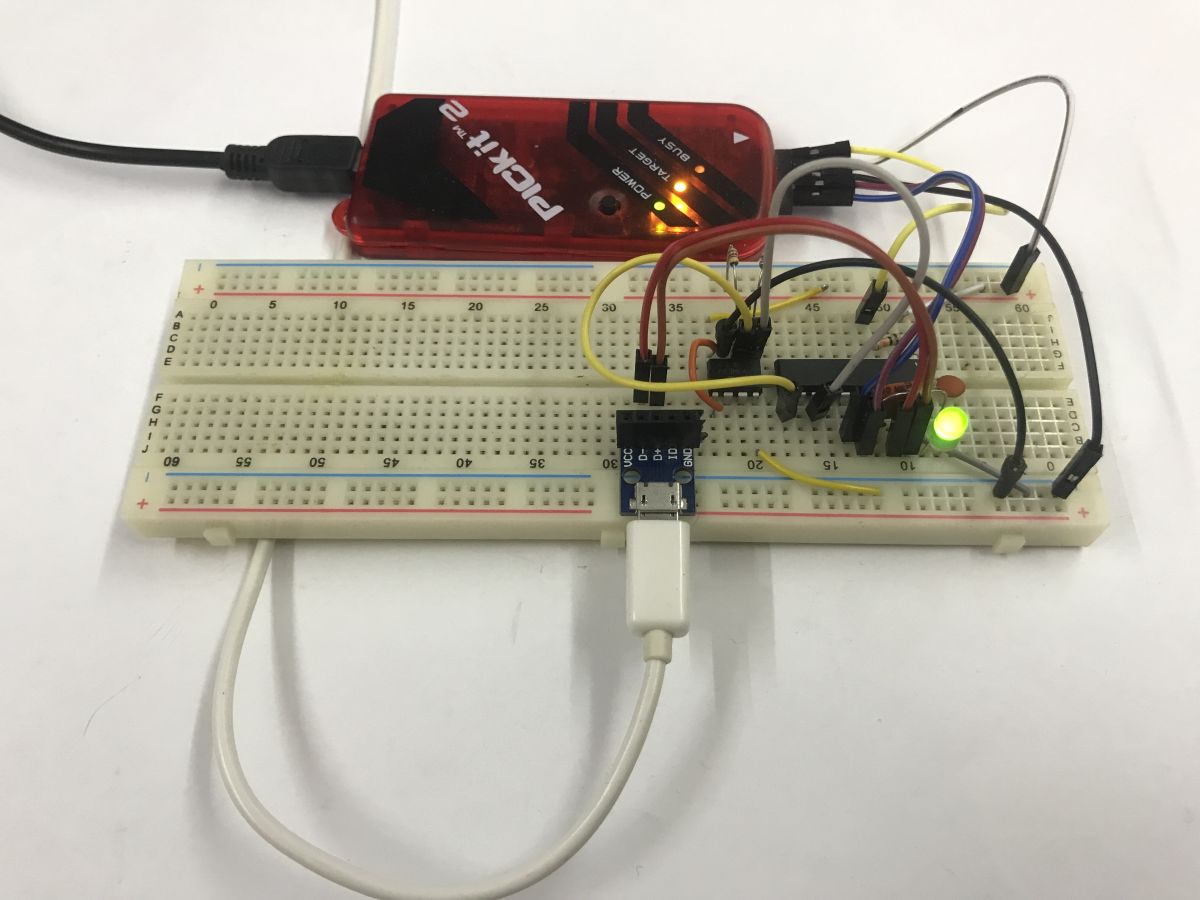
What does it look like to implement a storage device driver in C? Can the tiny PIC16LF1459 microcontroller, with a modest 14 KB Flash memory and an even smaller 1 KB RAM, simulate a pendrive? Will it manage to write a text file to an EERAM 47L16 connected to it via I2C? Today is the time for an "art for art's sake" project - but who can forbid a programmer?
I'll start by reminding you of two related topics I'll be building on here. About the PIC and the USB:
Tutorial PIC16LF1459 - USB HID support in the free SDCC compiler - LED, mouse and keyboard
Related, EEPROMs via I2C:
PIC12F1612 LED strip dimmer with EEPROM, using parts from scrap
Now let's consider the parts used for the demonstration. First, the PIC itself - the PIC16LF1459:
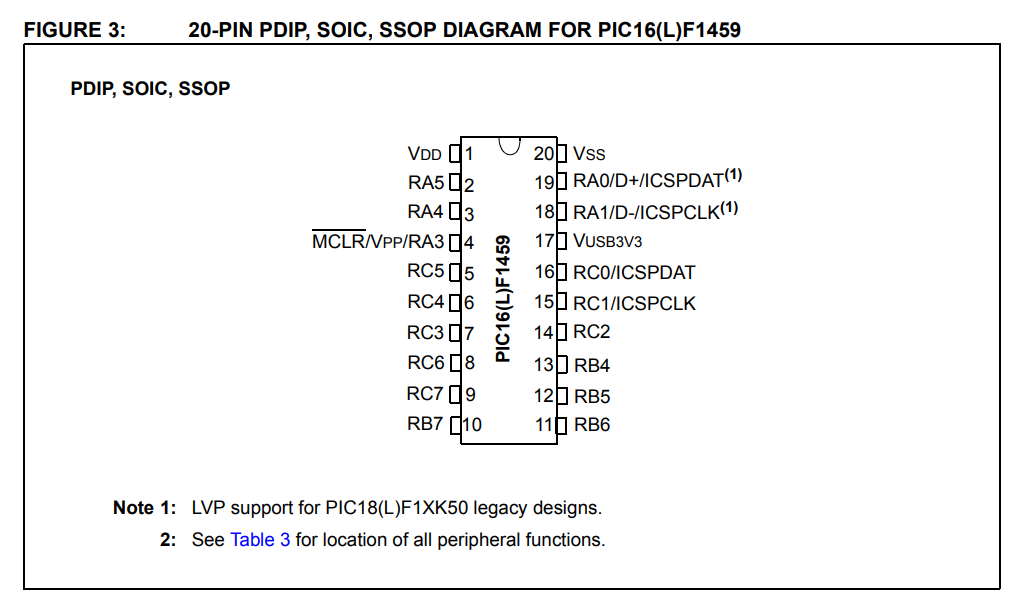
The PIC16LF1459 itself is a small, 8-bit microcontroller from Microchip with 14 KB of Flash memory per program, about 1 KB of RAM and a Full-Speed USB hardware controller. It operates at 2.0-3.6 V (the F version requires a higher voltage) and reaches up to 48 MHz (with PLL needed for USB), while offering several peripherals such as I²C, SPI, UART and ADC. Despite its very limited resources, the presence of a USB hardware module makes it suitable for experimental projects communicating directly with a computer. What's more, the whole thing requires a minimum of external components to operate - even an internal oscillator is sufficient, no 'quartz' is needed, and it comes in a hobbyist-friendly DIP enclosure.
Now the EEPROM... or rather, sorry - EERAM, which is RAM with EEPROM support.
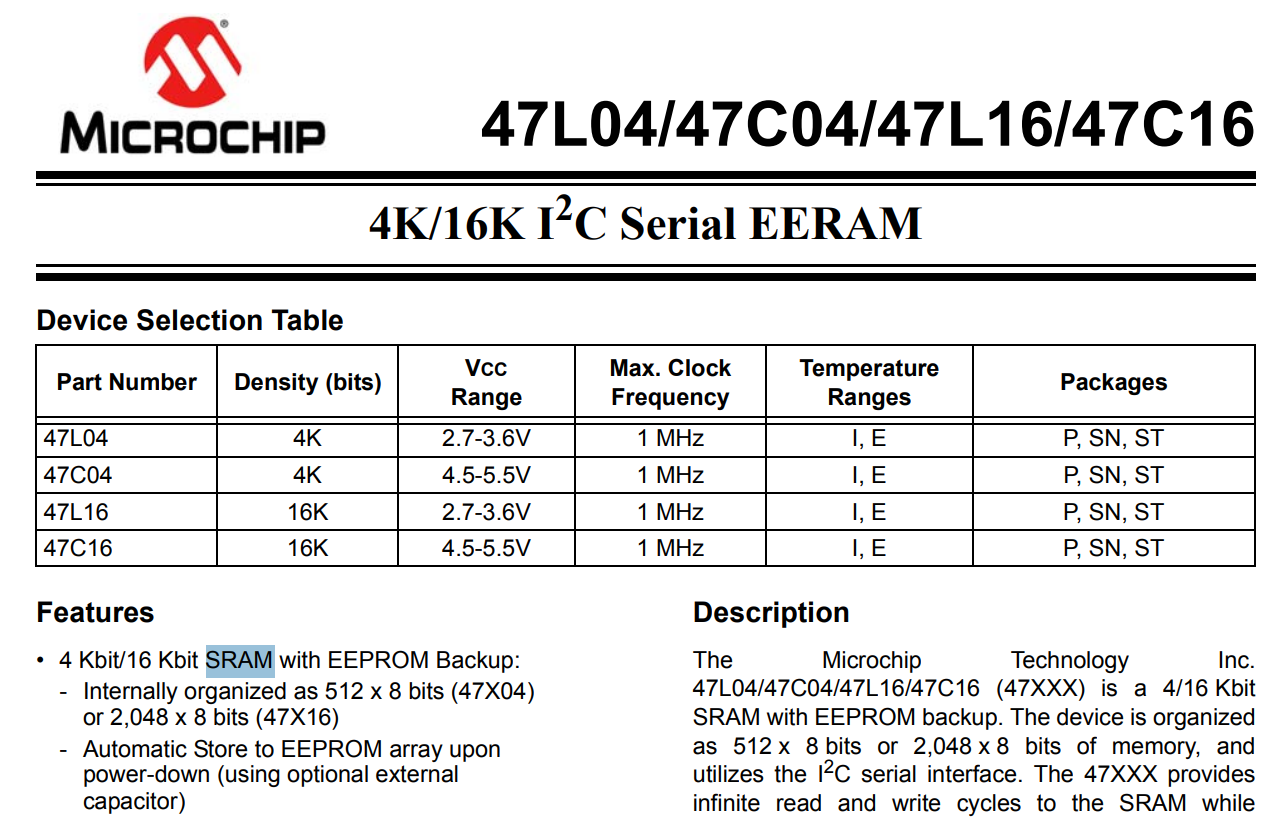
47L16, also in a DIP enclosure, with a staggering 16Kbit, or 2KB, size.
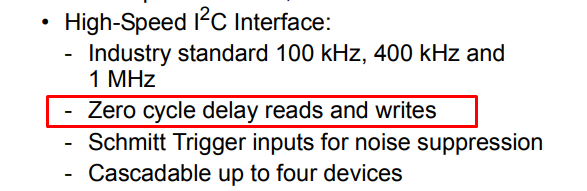
I chose this type of memory for a reason, and it's not just that I had it in the drawer. There is no latency when writing and reading with this bone - this may make the whole challenge a little easier for me and reduce waiting problems.
Memory boot
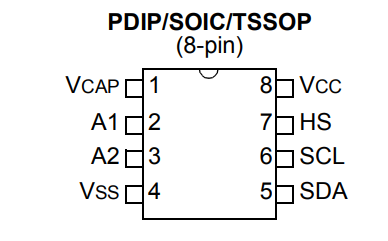
the 47L16 is connected to the PIC via the I2C bus. Two signals are needed, SDA (data) and SCL (clock), both with pull-up resistors for power supply.
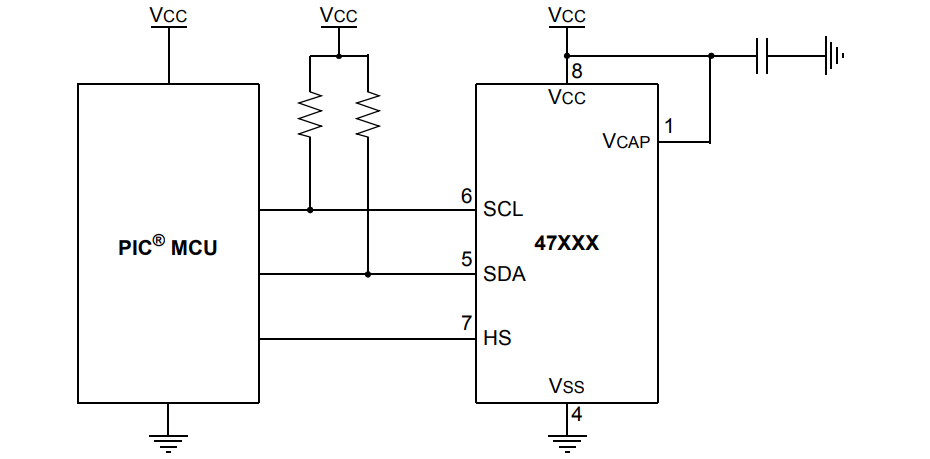
The HS pin forces a write (hardware store), but we can skip it here. I have connected it to ground. In addition, we have two more power pins, the mentioned ground and the address pins - these have internal pull down resistors, so I didn't even connect them.
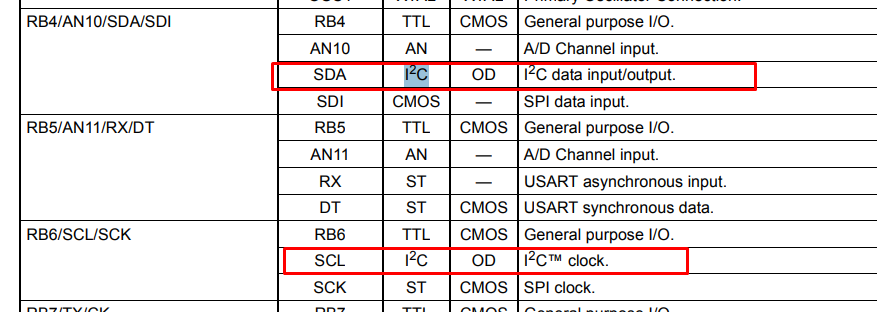
The PIC16LF1459 has hardware I2C, which is available on the hard-defined RB4 and RB6 pins. There is no PPS (Peripheral Pin Select) available on this PIC, allowing you to select any IO you like.
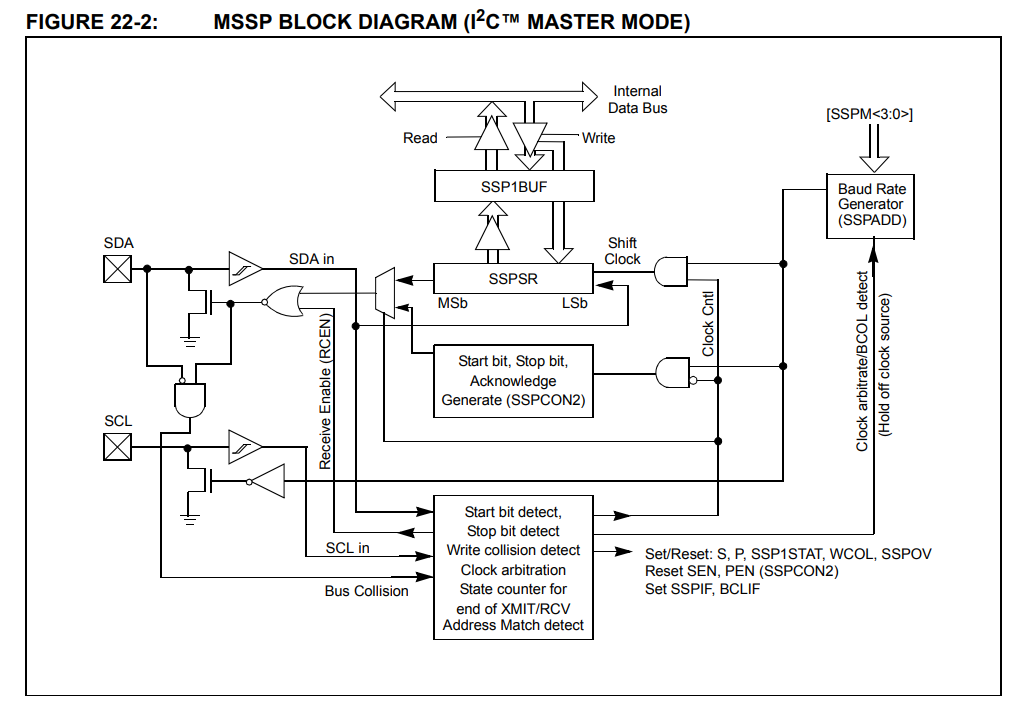
The PIC in question has hardware I2C, this means that we no longer have to manually swipe pin states using loops and delays in the program code. The microcontroller is equipped with a dedicated MSSP port system, which generates clock and data signals on the SDA and SCL lines independently and without our involvement. We only need to write a data byte into a special register (SSP1BUF) or issue a command by changing a single bit (e.g. SEN), and the rest of the work is taken over by the electronics. In this way, our task is virtually reduced to loading the data and waiting in a short loop until the hardware module signals that the sending is complete. Example implementation:
Code: C / C++
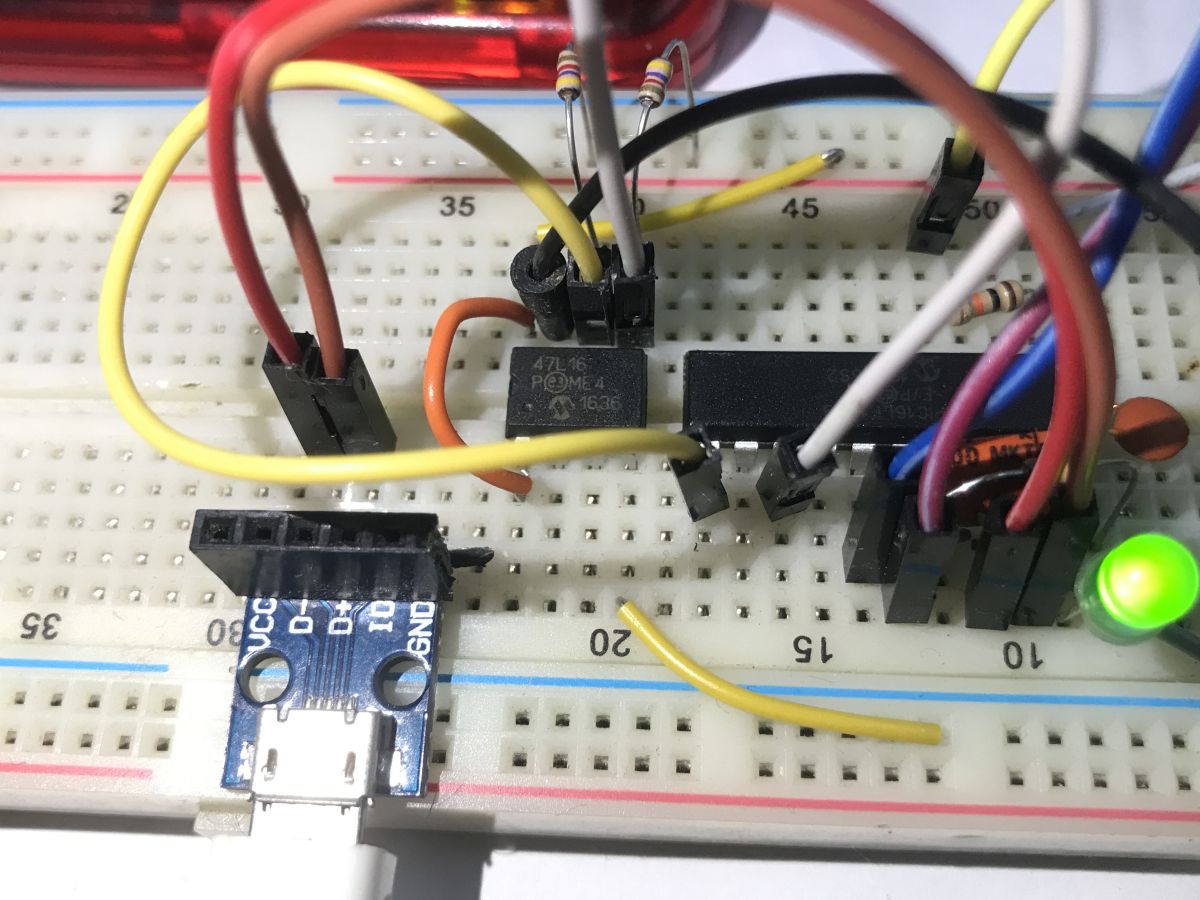
And this is what the completed connection looks like:
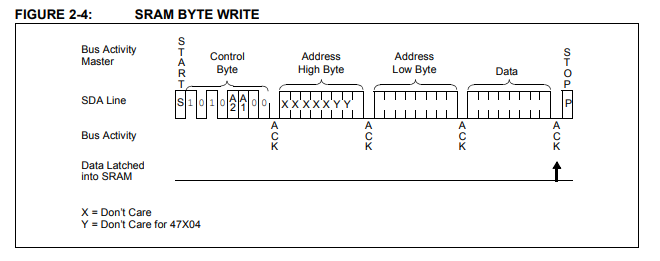
Now that we have I2C, we now need to do the communication with the memory - but this too is very simple, for example writing a byte is basically just establishing an I2C connection (after the memory address), specifying the address where we are writing (two bytes) and the destination data byte.
You just need to verify how this works - in my case it was implemented by a loop that wrote bytes sequentially and checked that the read returned what was written. If there were errors, I flashed the LED rapidly, and a correct read resulted in a slow flash.
USB boot - part 1 - detection by device manager (USB descriptor)
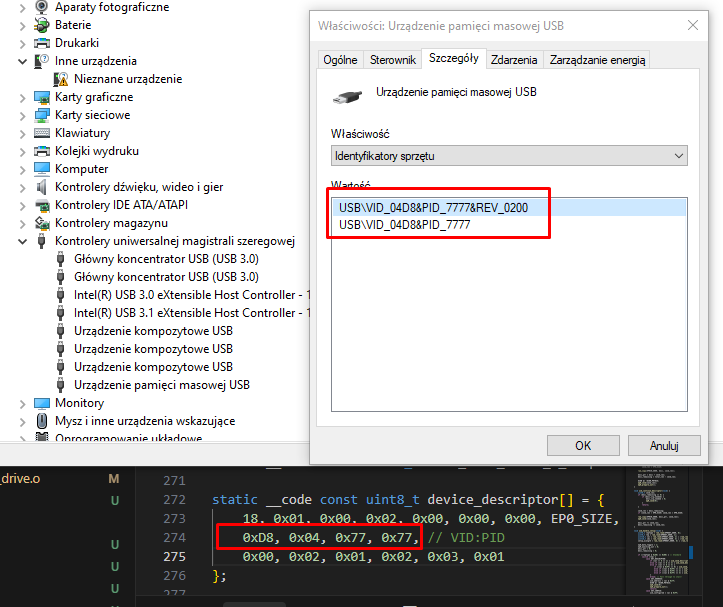
Previous projects have relied on simple HID (Human Interface Device) classes - perfect for mice or keyboards. However, in order for the system to recognise our microcontroller as a portable memory device (flash drive) out of the box, we need to replace the USB descriptor with class 0x08, the Mass Storage Class, using the restrictive BOT (Bulk-Only Transport) protocol. This will allow the device manager to detect the storage medium, unfortunately it is still a long way from communicating with the file system.
Code: C / C++
Using USB - Part 2 - Mass Storage Class
Unfortunately, Mass Storage Class operation is not as straightforward as with HID devices. Broadcasting simple packets of a few bytes is not enough. Storage support requires two new Bulk 'endpoints' (called Endpoints 1) to be reconfigured in the PIC - one to push data to the computer (IN) and one to receive it (OUT).
Code: C / C++
Code: C / C++
In addition to this, we need to start responding to the commands of the legendary SCSI standard, because it is in this archaic standard that Windows establishes a connection with us. SCSI (Small Computer System Interface) is a parallel data bus for transferring data between devices standardised back in the 1980s. USB Mass Storage still commands it today.
Using USB - Part 3 - SCSI commands
SCSI commands cover just the basic requests by which the system communicates with each medium. Our firmware has to play a specific role here: firstly, it presents itself as a disk and reports an artificial capacity (just 4 sectors of 512 bytes each). Secondly, it intercepts read and write requests for individual LBA numbers, redirecting data packets to the attached memory via I2C. The remaining supported items are merely diagnostic 'caps' that reassure the rigorous Windows driver and confirm the drive's continued operational readiness.
Code: C / C++
Startup USB - part 4 - FAT file system
The final piece of the puzzle is to serve the operating system a comprehensible format - most simply the FAT family file system. Since we have declared only a few sectors in the capacity of the virtual disk, it is sufficient to deftly listen for requests hitting their numbers (LBA) and serve static arrays performing the task of Boot Sector, FAT area and Root Directory. In this simple way, we simulate disk logic on the fly, generating a 'file' in memory even without the use of external flash memory.
Code: C / C++
This is an example of a rigidly created file/folder array for a root directory and a text document:
Code: C / C++
The whole thing is prepared based on the FAT12 documentation available on the web. For those interested, I have included an explanation of each byte in the table:
| Offset | Size | Description | |
| 00h | 8 bytes | Filename | |
| 08h | 3 bytes | Filename Extension | |
| 0Bh | 1 bytes | Attribute Byte | |
| 0Ch | 1 bytes | Reserved for Windows NT | |
| 0Dh | 1 bytes | Creation - Millisecond stamp (actual 100th of a second) | |
| 0Eh | 2 bytes | Creation Time | |
| 10h | 2 bytes | Creation Date | |
| 12h | 2 bytes | Last Access Date | |
| 14h | 2 bytes | Reserved for FAT32 | |
| 16h | 2 bytes | Last Write Time | |
| 18h | 18h | 2 bytes | |
| 1Ah | 2 bytes | Starting cluster | |
| 1Ch | 4 bytes | File size in bytes |
source: http://www.maverick-os.dk/FileSystemFormats/FAT12_FileSystem.html
Unlike a 'real' file system, here these arrays are fully static and 'pretend', and are not updated. You cannot, for example, create a file.
USB boot - part 5 - physical write to EERAM 47L16
That leaves the final piece of the puzzle, which, incidentally, I have already mentioned. Writing and reading from EERAM. This is plugged into LBA, which is the addressing of the logical blocks of the disk imposed on us by the SCSI protocol. When the system, in response to our artificial FAT array, sends a request to sector three (LBA 3), our program streams, byte by byte, the packets from the USB buffer straight into the bone over I2C and forces the data to be latched with a hard Software Store command. Such a trick significantly saves the microcontroller's already dramatically small RAM and, incidentally, makes the file immune in the event that the virtual pendrive is instantly unplugged from the socket.
The writing to the sectors itself is performed by bot_receive_chunk.
Code: C / C++
Similarly, reading:
Code: C / C++
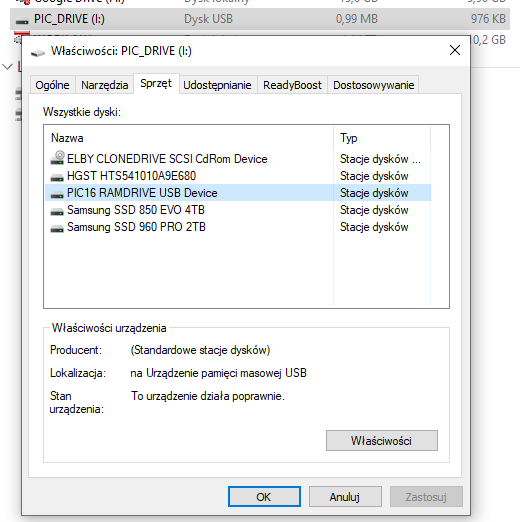
This is how writing and reading files works.
Tests and experiments
A flash drive prepared in this way is able to write a string of characters to a text file; moreover, the characters are able to survive a PIC reset and a complete power cut. On a side difficulty, I see that my Notepad++, after reading the file, sees additional NULL characters (null bytes) after the typed phrase, but I haven't diagnosed this - it probably doesn't respect the length of the file.
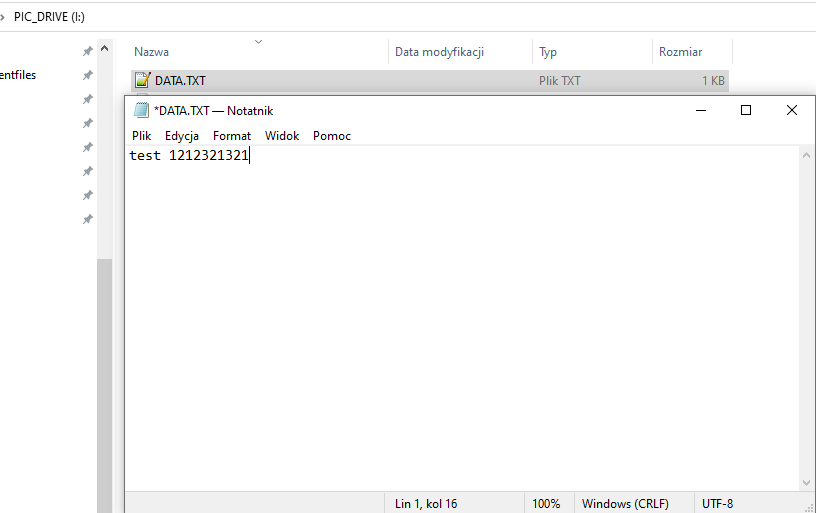
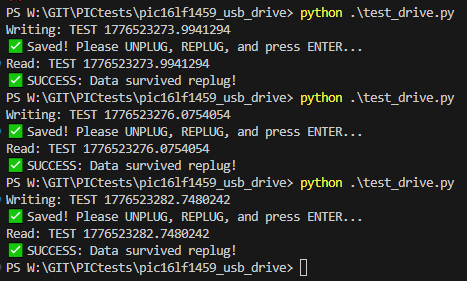
In addition, I have prepared a simple Python script to facilitate testing. I deliberately use r+ read operations there to avoid problems with the system trying to write to the next cluster....
Code: Python
Summary
In summary, creating your own pen drive substitute on an 8-bit PIC boils down to simulating a functional storage medium complete with a mock-up file system and sector access. In the case shown here, such simulation is limited to feeding rigidly prepared, residual FAT12 headers and arrays, crafted to pretend to be a storage medium with a single file on a well-defined sector. Reads and writes from this sector are intercepted and redirected to the EERAM, which is fortunately fast enough to write and read without interfering with the PIC's communications.
One could go a step further here, and do it as it should be - the flash drive would then not know of the existence of FAT12, it would just share sectors, and Windows could format it at will. Worse, there's no room for that here - you'd have to try with more memory, maybe Flash? That's perhaps in the next section.
Is there any practical aspect to the current form of the project? There was no purpose in principle, but it could be argued that on a slightly larger PIC such a mechanism would be suitable for updating the batch or just communicating with the device. I have a few ideas for future projects, perhaps something can be realised soon.
Have you already run this type of memory carrier on a microcontroller?
Cool? Ranking DIY Helpful post? Buy me a coffee.

