logo elektroda
logo elektroda
X
logo elektroda

Practical test of the Yihua 852D+ soldering station (2-in-1, hot air 700 W and 60 W 900M flask solde

p.kaczmarek2 609 9

TL;DR

  • Practical testing of the Yihua 852D+ 2-in-1 soldering station, combining a 700 W hot-air gun and a 60 W 900M soldering iron.
  • The station was tested on a motherboard, measuring solder-iron heating, hot-air component removal, temperature readings, power draw, and the diaphragm pump's behavior.
  • At 350°C, cold-board hot-air desoldering removed a coil in 50 seconds; at 450°C, a CPU came off in under three minutes.
  • Measured display settings of 100°C, 350°C, and 450°C did not match probe temperatures, while power briefly peaked near 700 watts.
  • The biggest drawbacks were extreme noise and table vibrations from the diaphragm pump, and the soldering iron felt no better than cheap portable irons.
Generated by the language model.
ADVERTISEMENT
Treść została przetłumaczona polish » english Zobacz oryginalną wersję tematu
📢 Listen (AI):
  • Practical test of the Yihua 852D+ soldering station (2-in-1, hot air 700 W and 60 W 900M flask solde
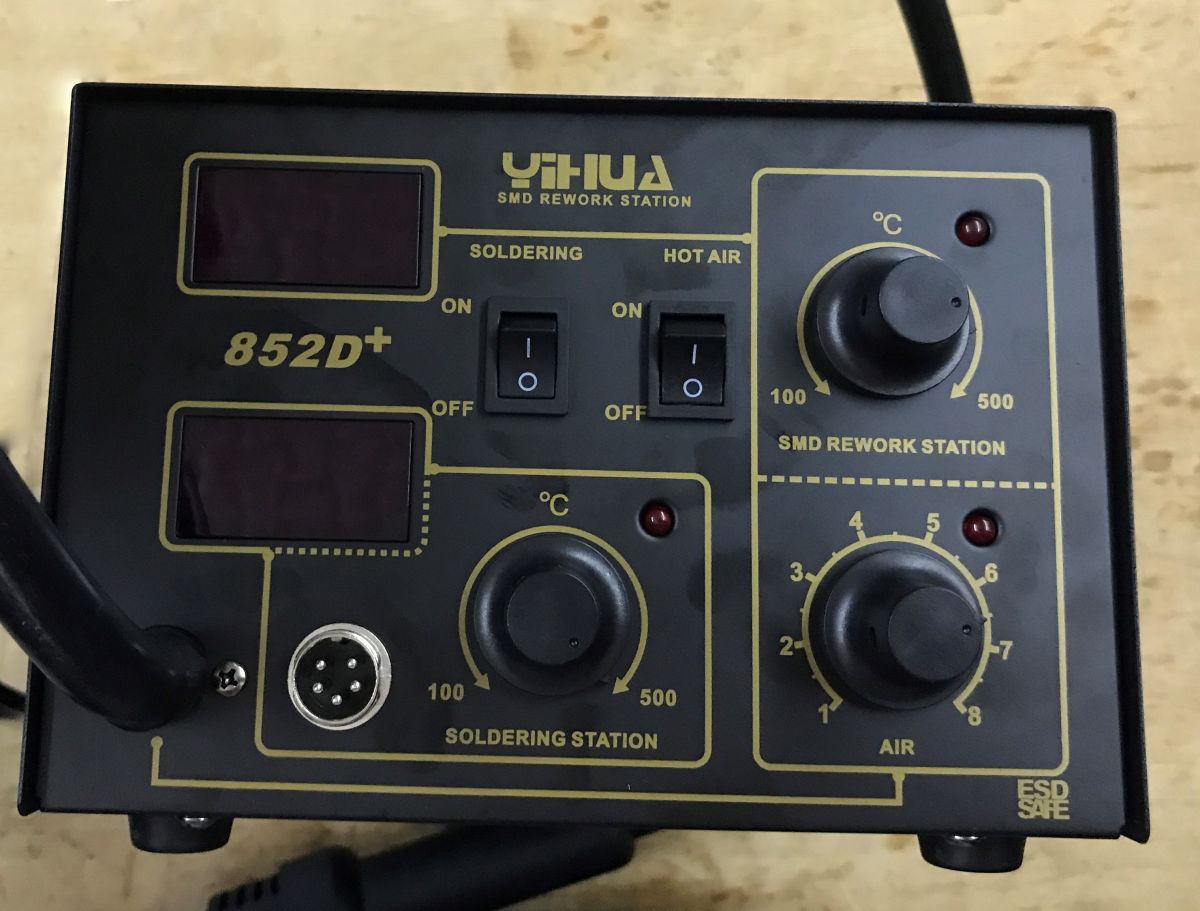
    Two soldering irons in one kit and for only PLN 300 - is that a good deal? Here I'll introduce the Yihua 852D+ station and see how comfortable it actually is to work on a motherboard with it. I will test both a hot air and a flask soldering iron. I will take measurements at the 100°C, 350°C and 450°C temperature settings and check how much the sensor will actually heat up to. I will check the advertised asset of this station - the 24L/min diaphragm pump from the centre.
    Practical test of the Yihua 852D+ soldering station (2-in-1, hot air 700 W and 60 W 900M flask solde Practical test of the Yihua 852D+ soldering station (2-in-1, hot air 700 W and 60 W 900M flask solde Practical test of the Yihua 852D+ soldering station (2-in-1, hot air 700 W and 60 W 900M flask solde
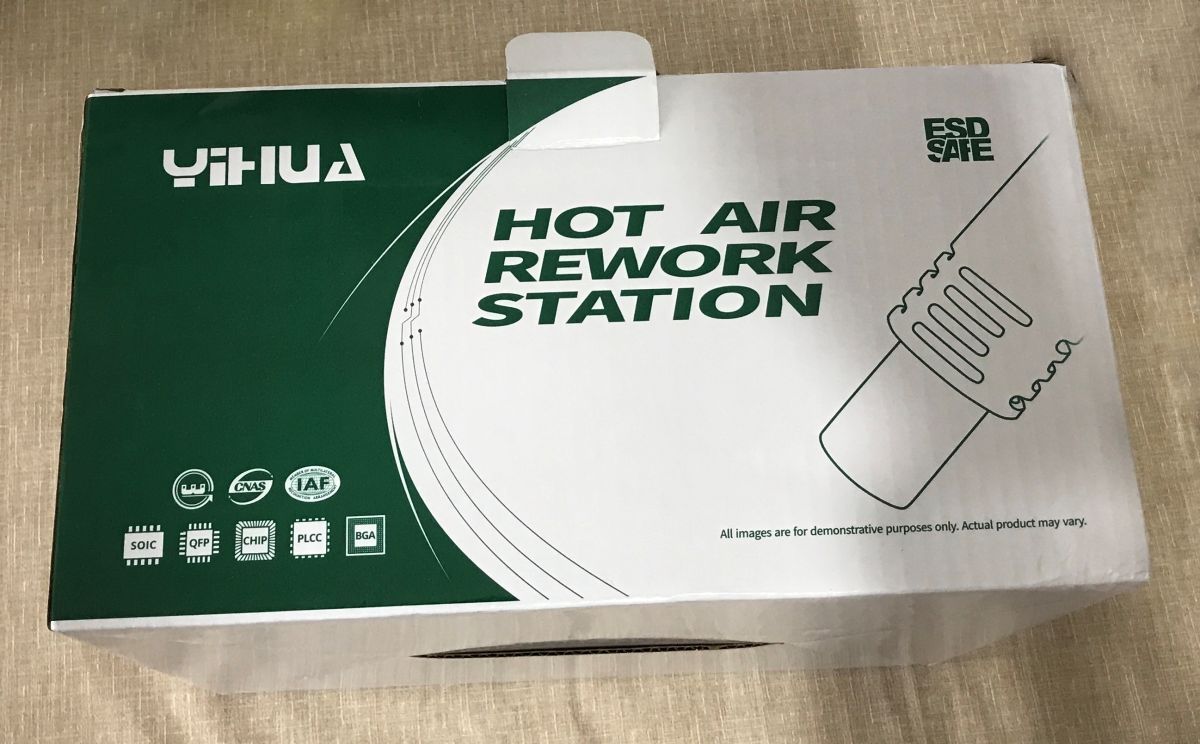
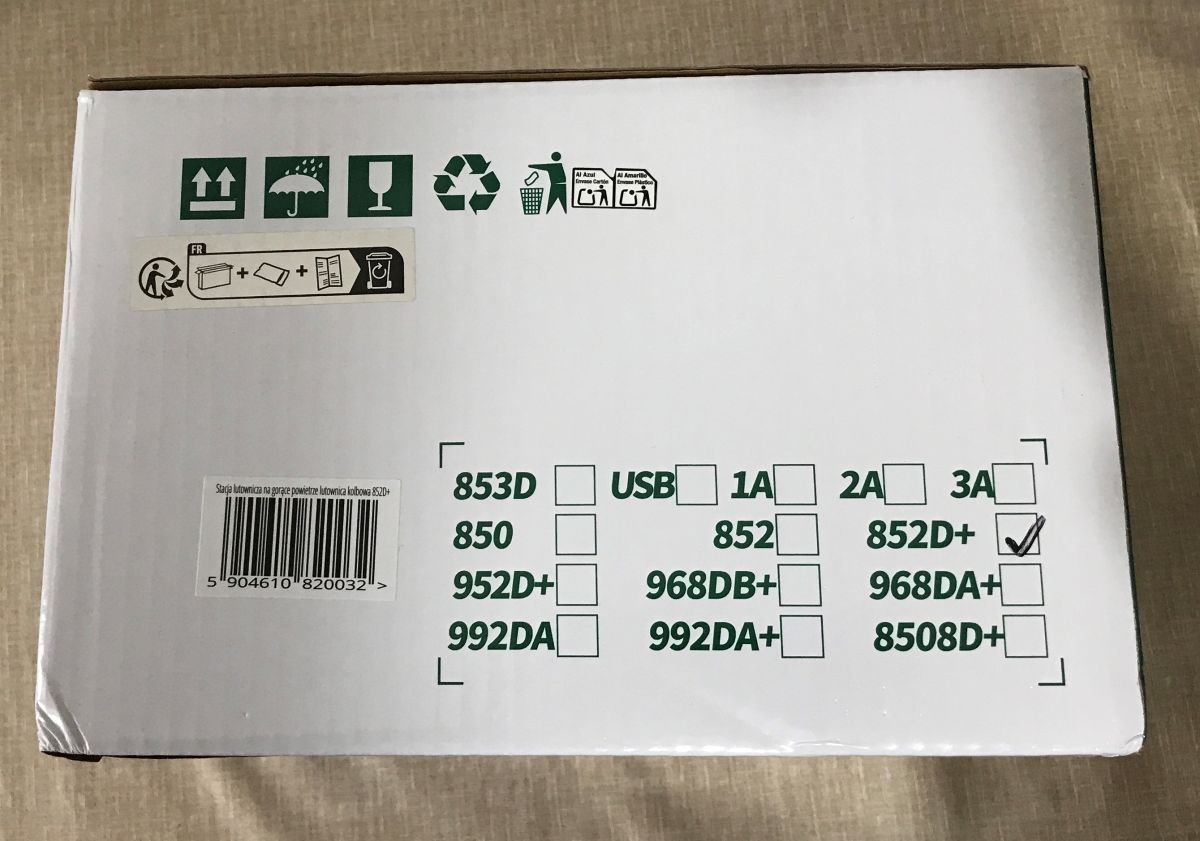
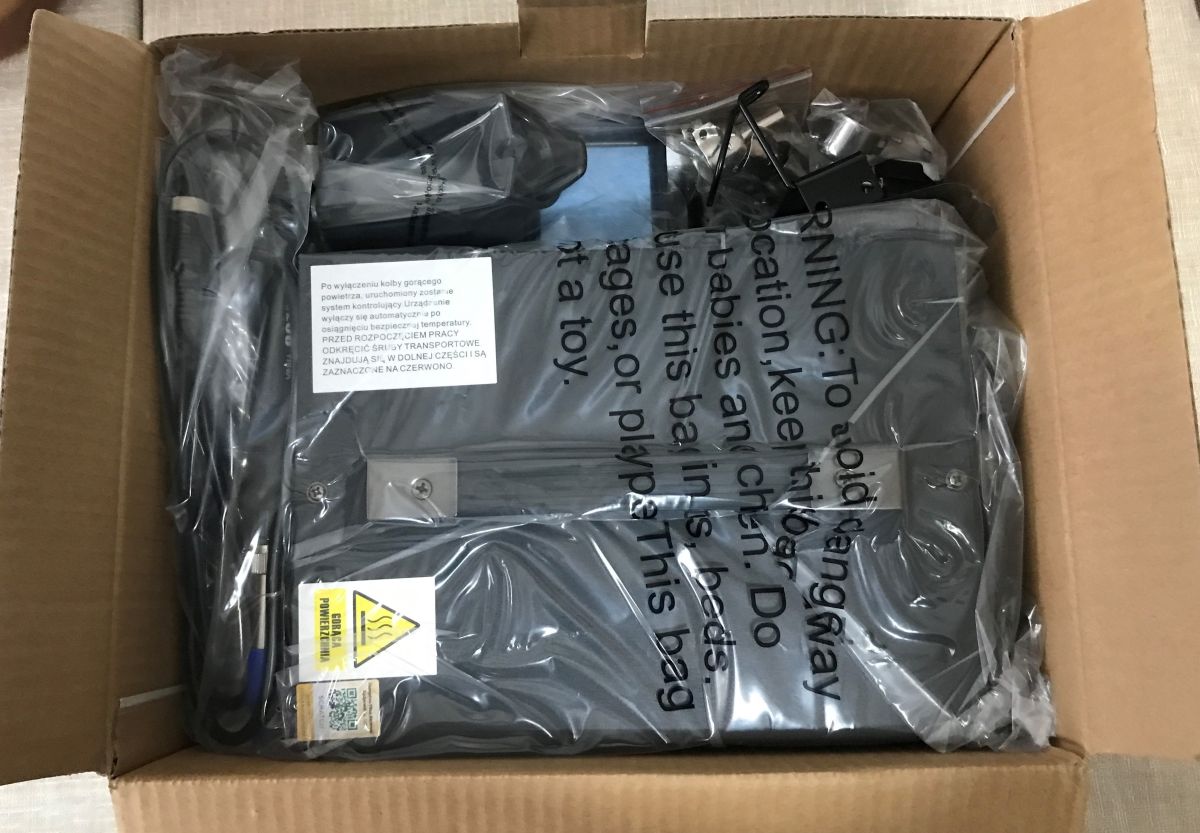
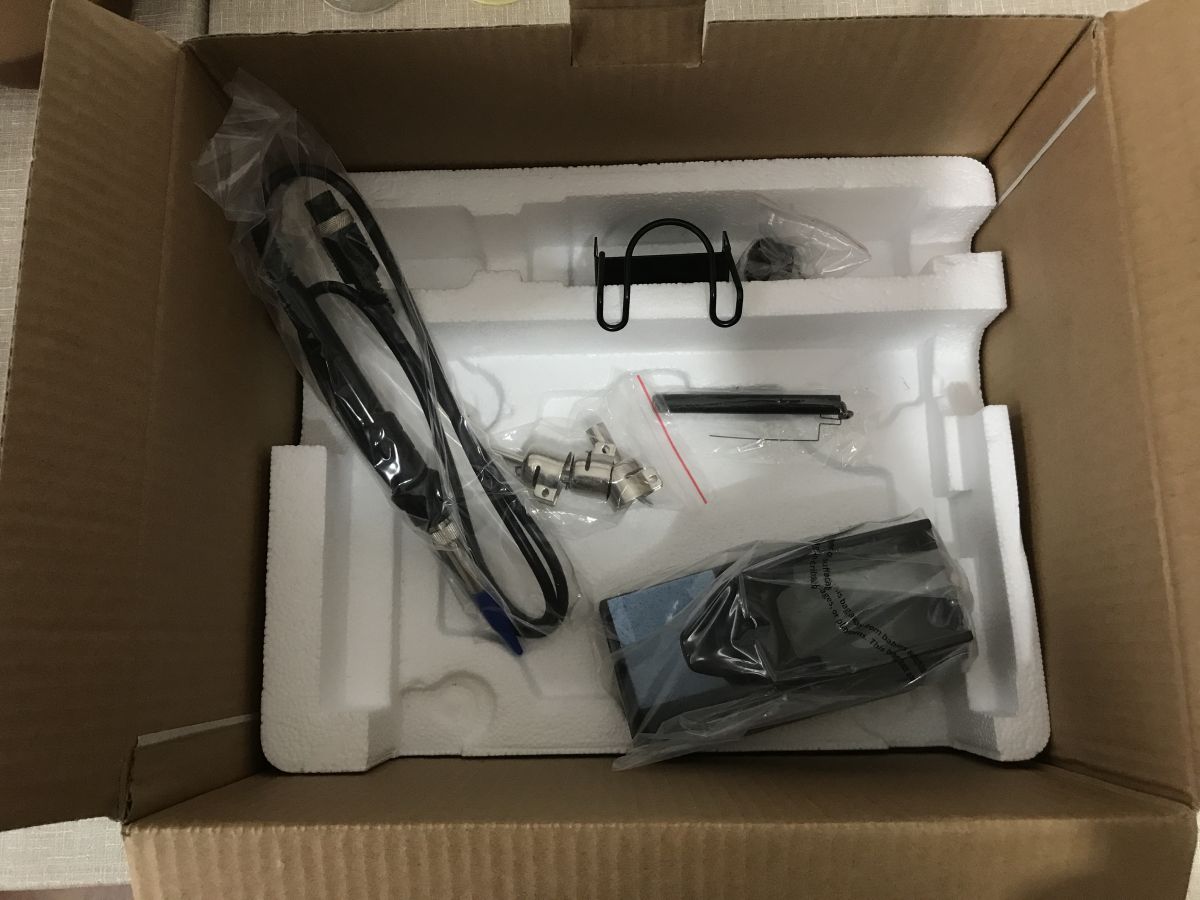
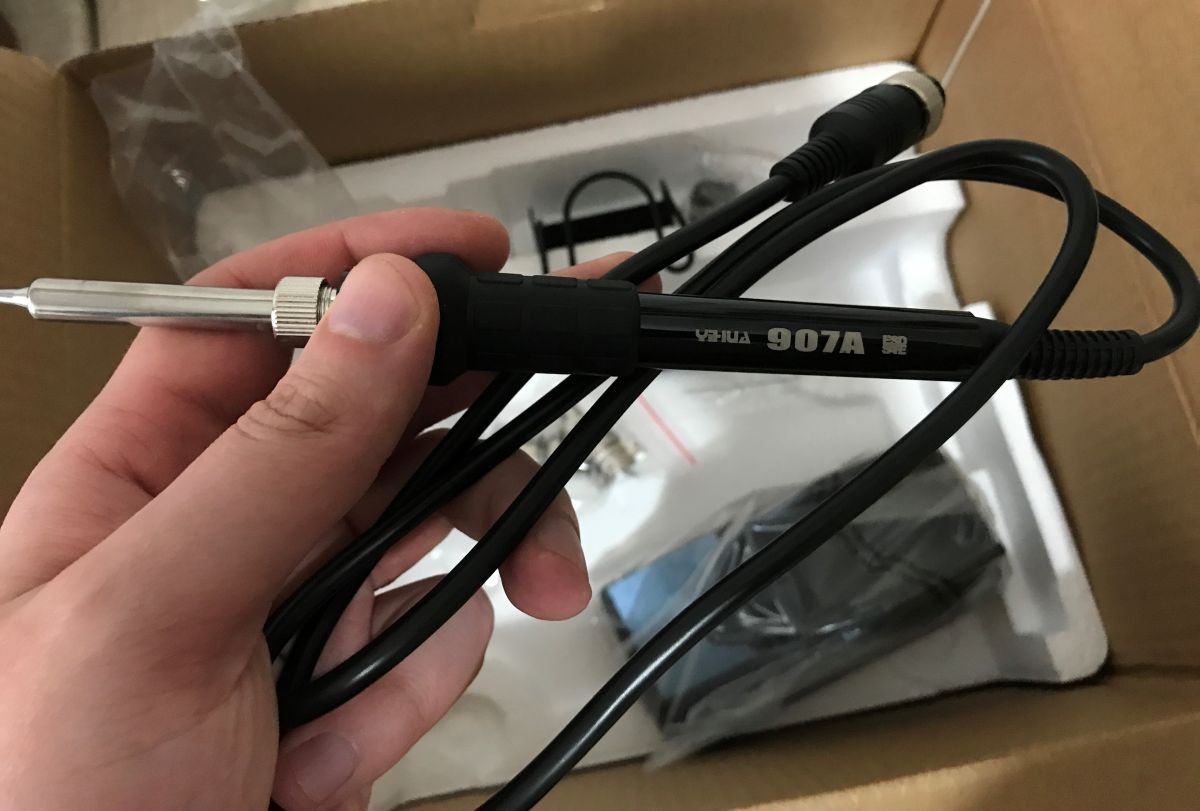
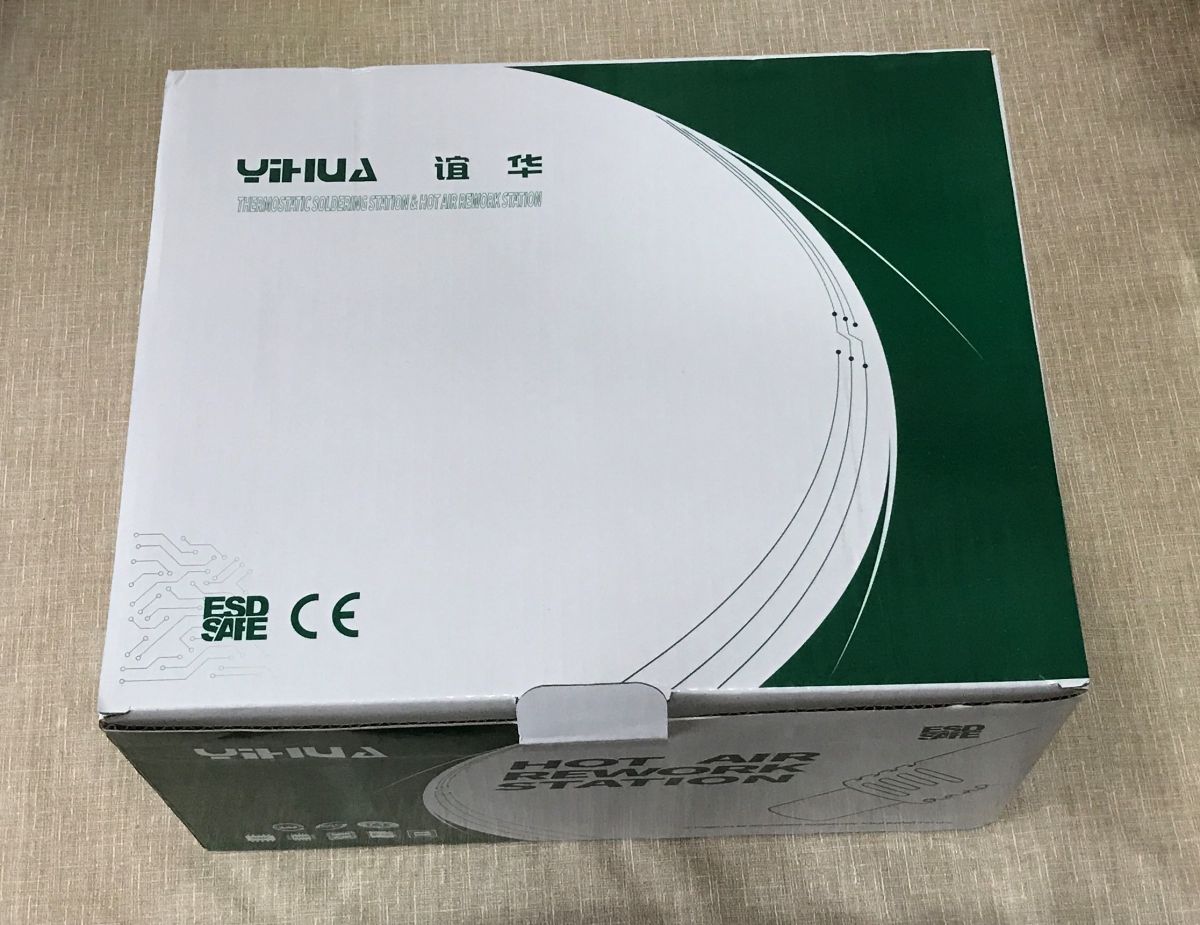
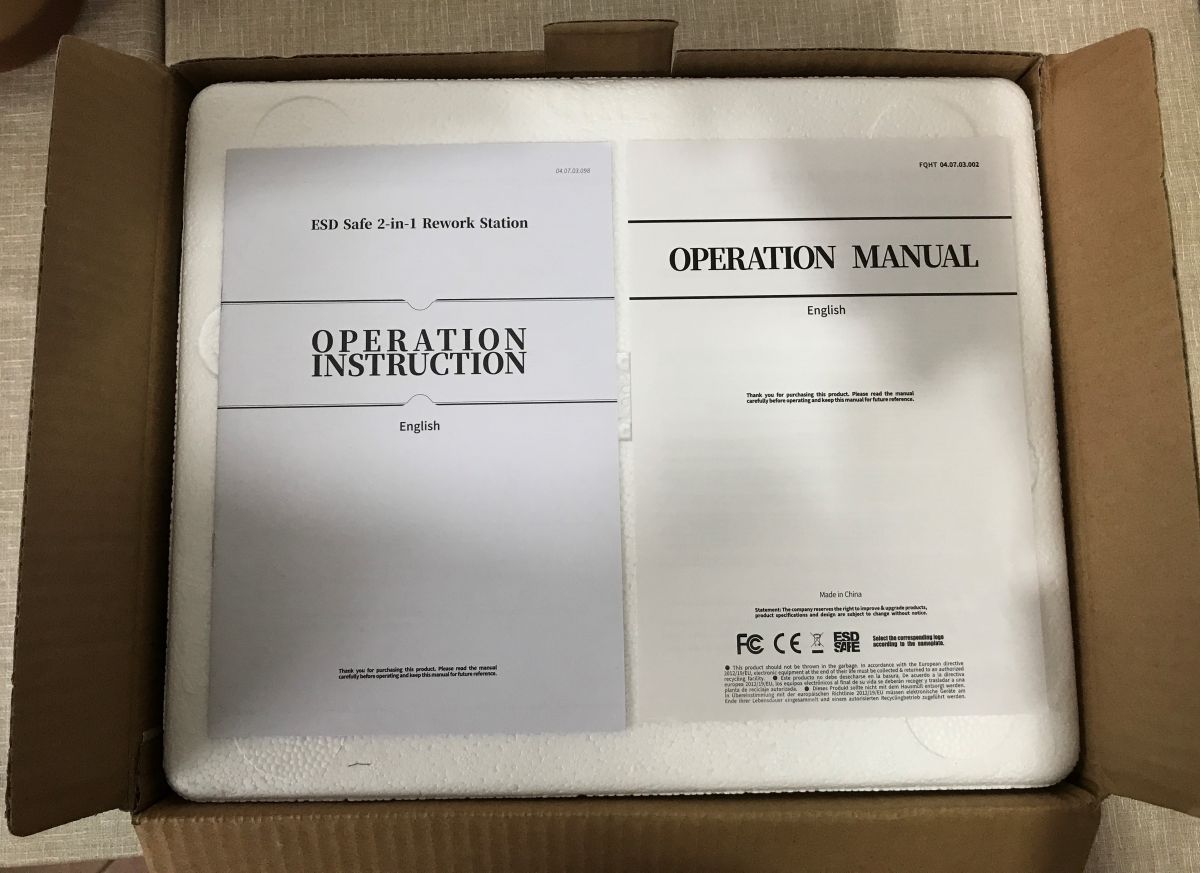
    Let's start with the packaging and contents of the kit. The packaging is for a whole series of different stations, including one bearing the mysterious name of USB. It will be interesting to see what the hardware is. The whole thing inside is safely packed for travel, wrapped in polystyrene, and a single manual in duplicate will help us get started with the equipment. In addition, I received three nozzles and a sponge soldering iron stand.
    Practical test of the Yihua 852D+ soldering station (2-in-1, hot air 700 W and 60 W 900M flask solde Practical test of the Yihua 852D+ soldering station (2-in-1, hot air 700 W and 60 W 900M flask solde Practical test of the Yihua 852D+ soldering station (2-in-1, hot air 700 W and 60 W 900M flask solde Practical test of the Yihua 852D+ soldering station (2-in-1, hot air 700 W and 60 W 900M flask solde
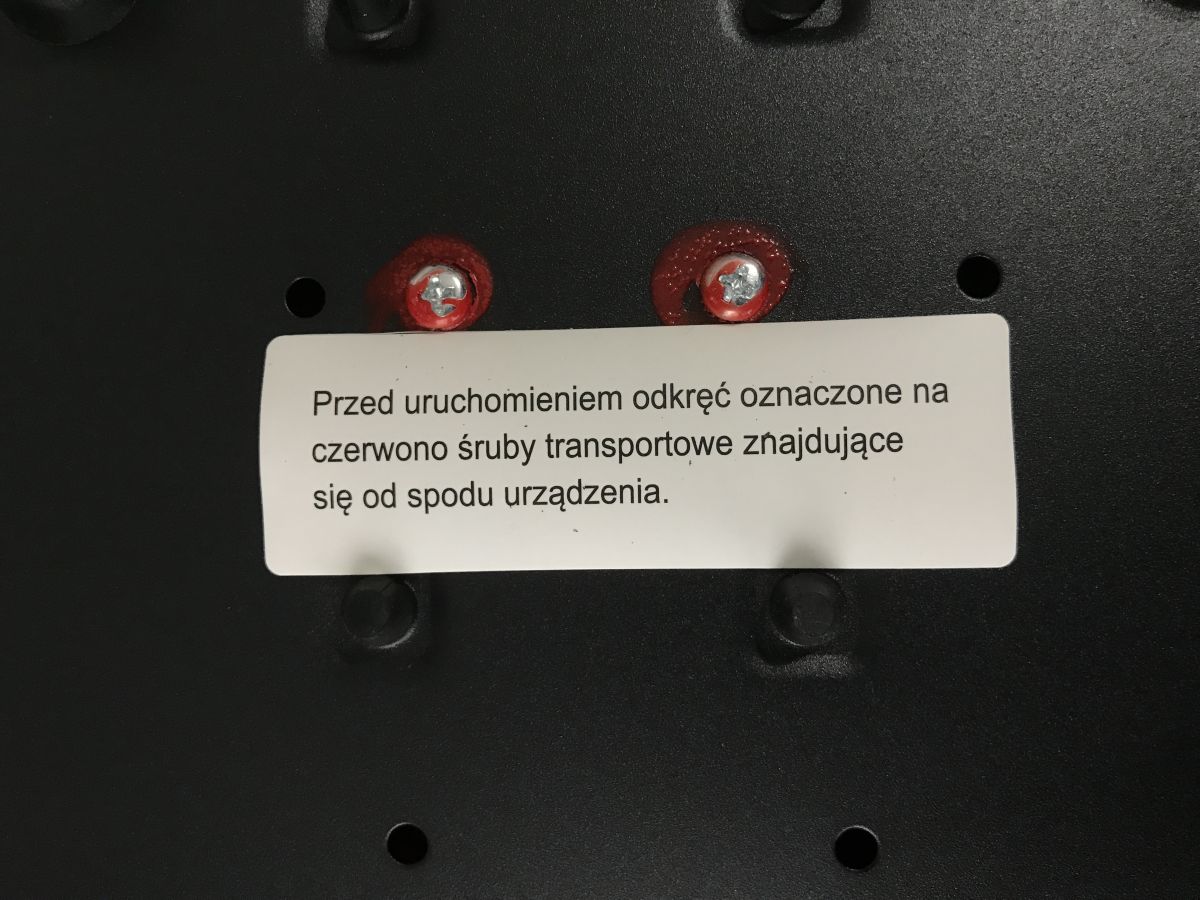
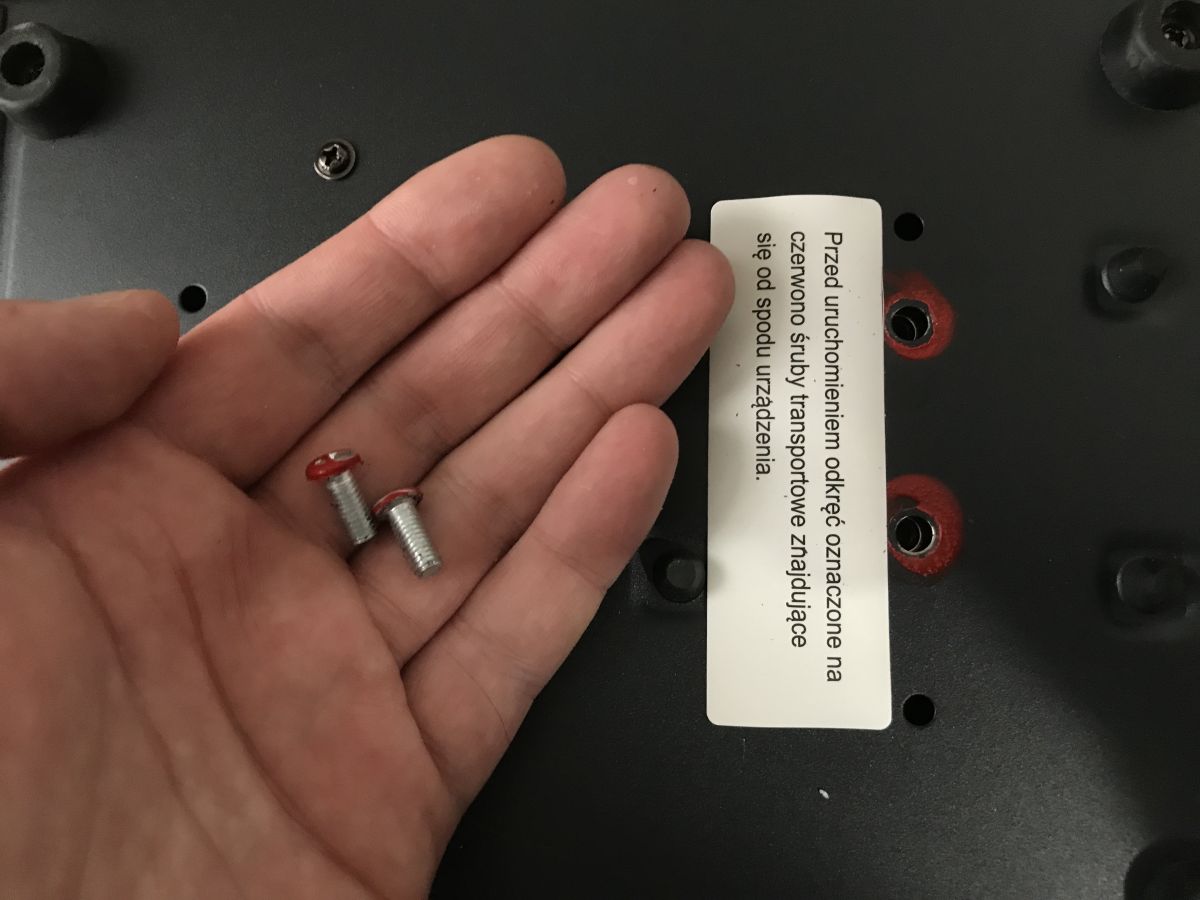
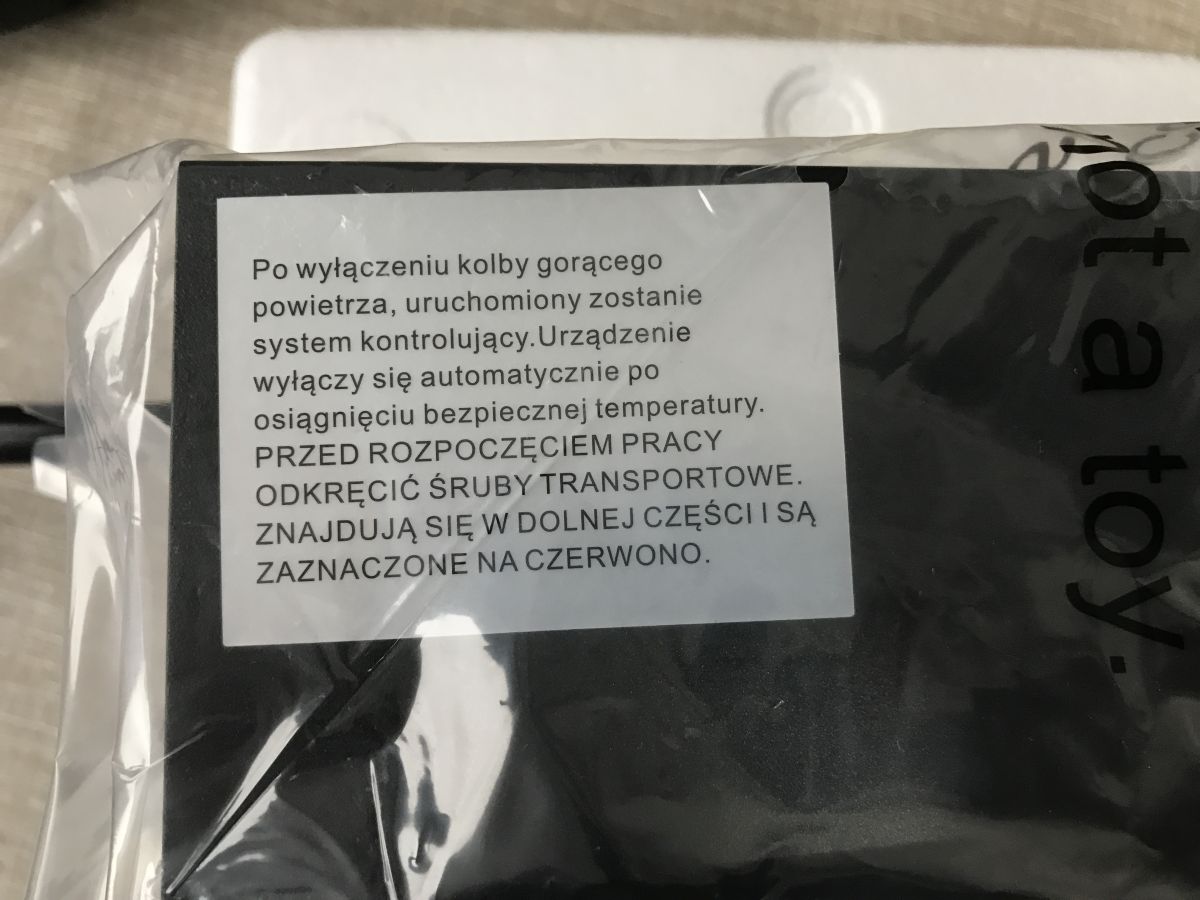
    Before starting, unscrew the transport screws located at the bottom, these are marked in red.
    Practical test of the Yihua 852D+ soldering station (2-in-1, hot air 700 W and 60 W 900M flask solde Practical test of the Yihua 852D+ soldering station (2-in-1, hot air 700 W and 60 W 900M flask solde Practical test of the Yihua 852D+ soldering station (2-in-1, hot air 700 W and 60 W 900M flask solde
    This frees this mighty giant of soldering from its cage, but is the enthusiasm justified?
    Practical test of the Yihua 852D+ soldering station (2-in-1, hot air 700 W and 60 W 900M flask solde
    Ostensibly a diaphragm pump in an enclosure has better reviews than blowing from a flask, but let's find out.

    Tests of the flask soldering iron
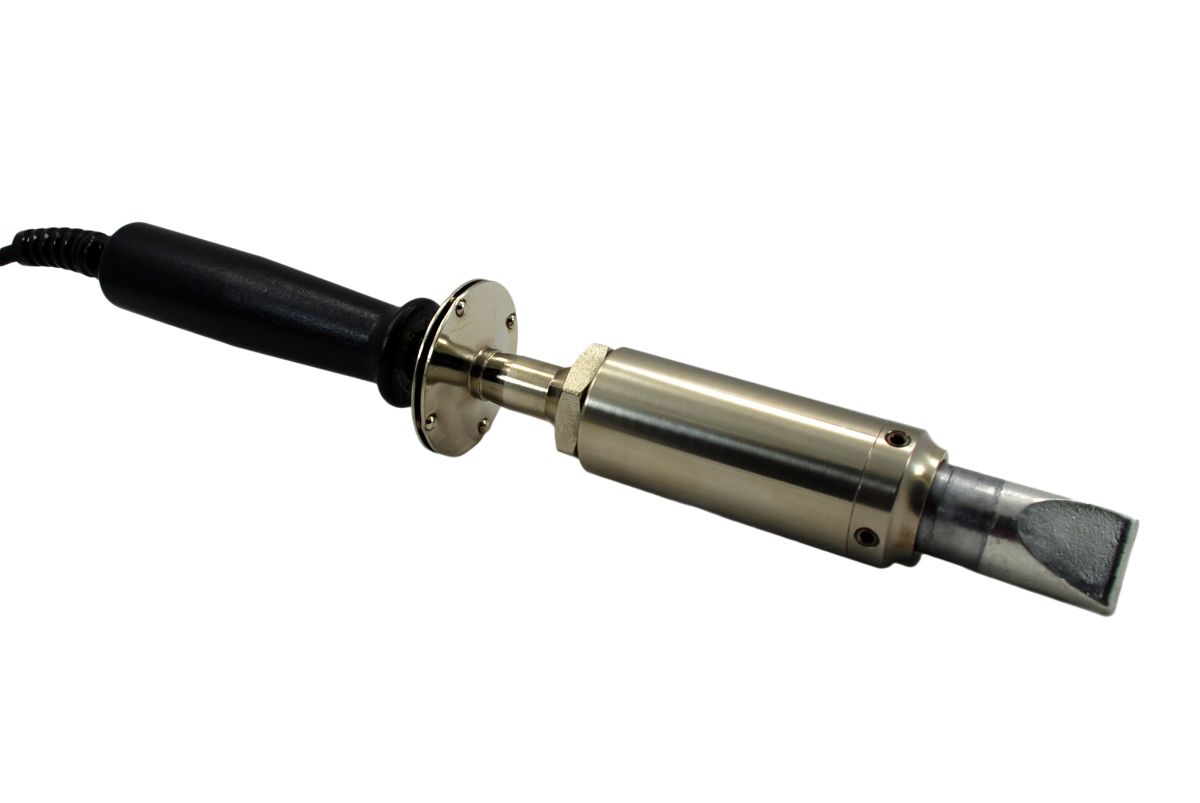
    At first glance, the soldering iron works well. You can solder goldpins, SMD capacitors, solder parts from an old TV board.... the stairs start when you have large mass spouts and it takes a lot of heat to get the solder hot.
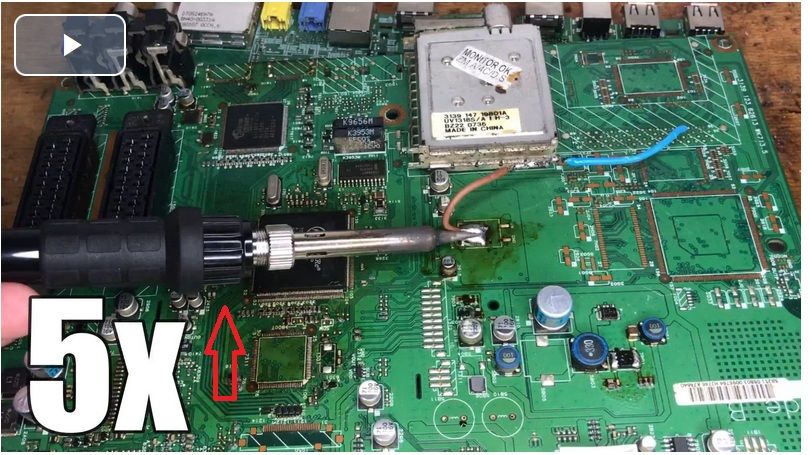
    I artificially prepared a test environment - a large motherboard with a copper spout, and a wire soldered to it.


    I started the test with a cold soldering iron. I set it to 400°C. After a minute the solder joint started to melt, but the soldering iron did not give. After a minute and a half I removed the wire.

    Same thing at 500°C:


    Similarly, also more than a minute needed.

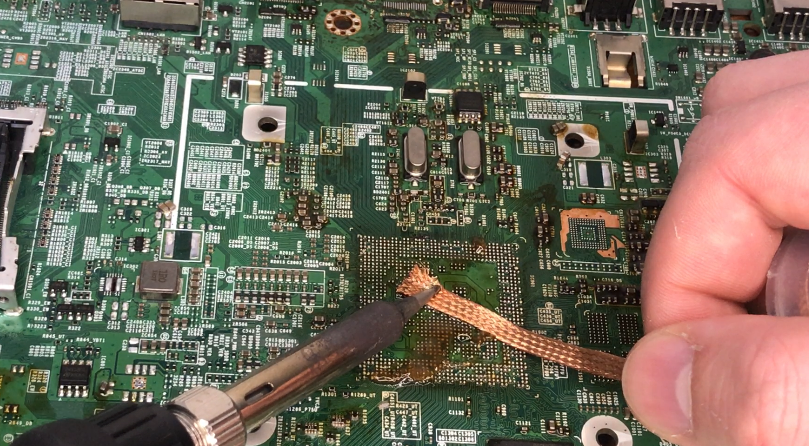
    I tried more difficult tasks, such as cleaning the pads after the BGA, but here the soldering iron can no longer cope - the board is too massive:
    Practical test of the Yihua 852D+ soldering station (2-in-1, hot air 700 W and 60 W 900M flask solde


    Hot air tests
    First a warning - the tests presented here do not show the correct method for flying out components and can be destructive to the PCB. Every test starts with a cold board and flask.

    The first test was at 350 °C and involved soldering the coil off the board. From cold PCB and soldering iron, it took 50 seconds to remove the component. However, something else caught my eye - noise and vibration :


    I've never had this, and I test a lot of hot air.... everything shakes! It's that diaphragm pump....
    Test number 2, the chip in 50 seconds:


    Attempt number 3, still the same settings, but without the nozzle. The elements are coming off nicely.


    Ok, now 400 °C. Continuing full blow. Managed to remove the tiny BGA chip in 40 seconds.


    Larger RAM? One minute and 20 seconds. That can be done too.


    Another 450 °C. In less than three minutes, the CPU was successfully removed.


    Second test - HDMI in over a minute:


    Heats well, just that comfort is poor.


    Measurements
    I took temperature and power measurements based on my post presented in a separate topic: OpenBeken configuration for hot air testing - MAX6675, temperature and power logging
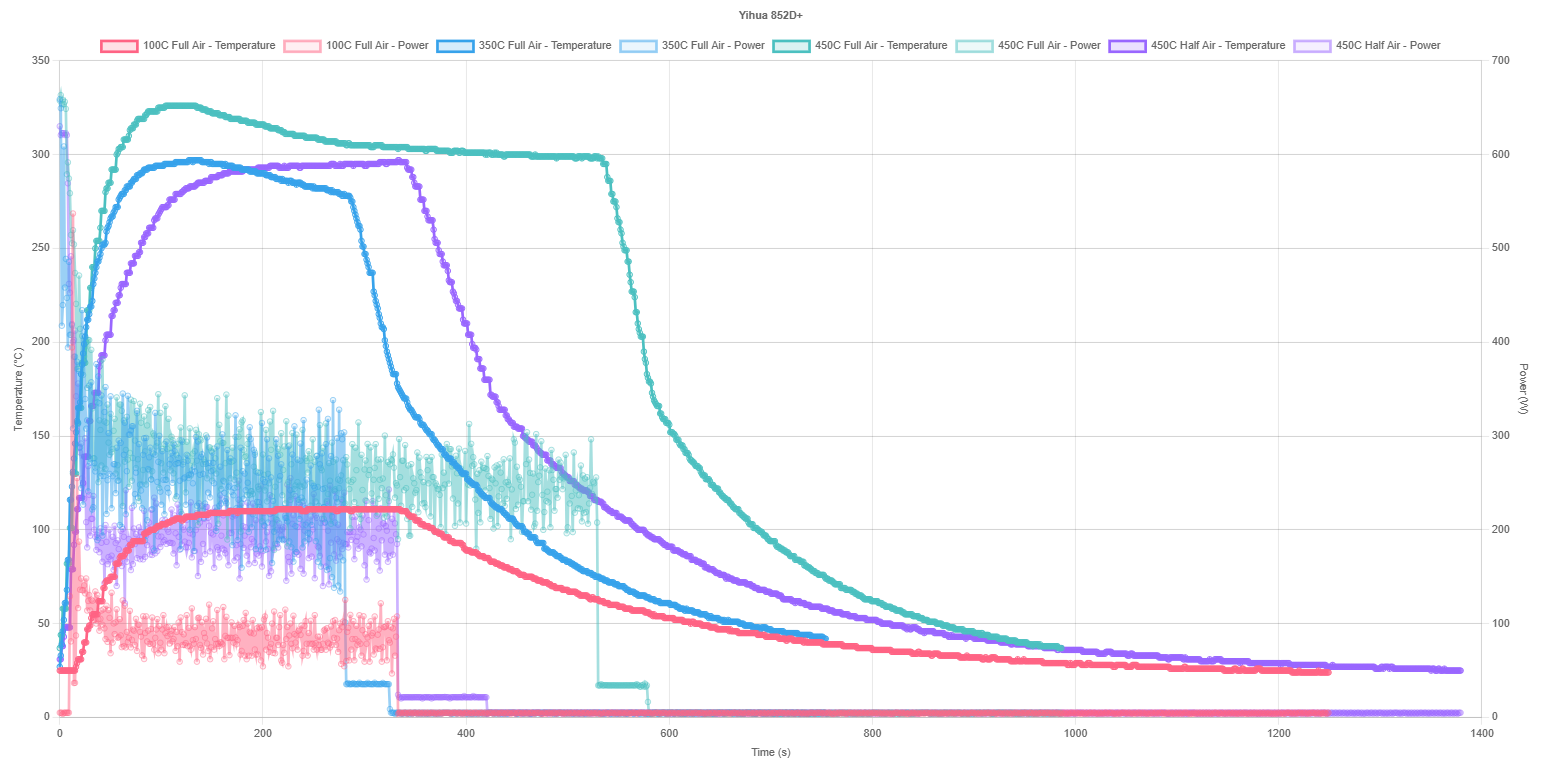
    I wanted to test the actual temperature on the sensor at settings of 100 °C, 350 °C and 450 °C. In addition, I compared the half blow setting to the full blow setting.
    Practical test of the Yihua 852D+ soldering station (2-in-1, hot air 700 W and 60 W 900M flask solde
    https://openshwprojects.github.io/hotair/852Dplus.html
    100 °C is overshooting a little. The other temperatures, as is usual in my tests, are much lower in practice at the probe. Less blowing in theory means more spot and slower heating, although my probe didn't show this as much.

    Comparison with other stations:
    https://openshwprojects.github.io/hotair/version11/450c.html
    https://openshwprojects.github.io/hotair/version11/350c.html
    Similarly, as with other stations, these temperatures from the display are not reached. These are only approached by the Sugon 8630 PRO and the Quick 861DW. Also the classic 858 slightly beats this station, although it could probably be better calibrated. It's also interesting to see how much power the station draws, at the initial stage it's almost 700 watts and then quickly drops and stays in the 200-300 watt range. Overall, it's not so bad, there's not the problem of, for example, the cheap and lightweight JCD, that you could heat and heat and the binder wouldn't melt anyway, because the temperature on the PCB was underestimated by a good 100 °C.

    Interior of Yihua 852D+
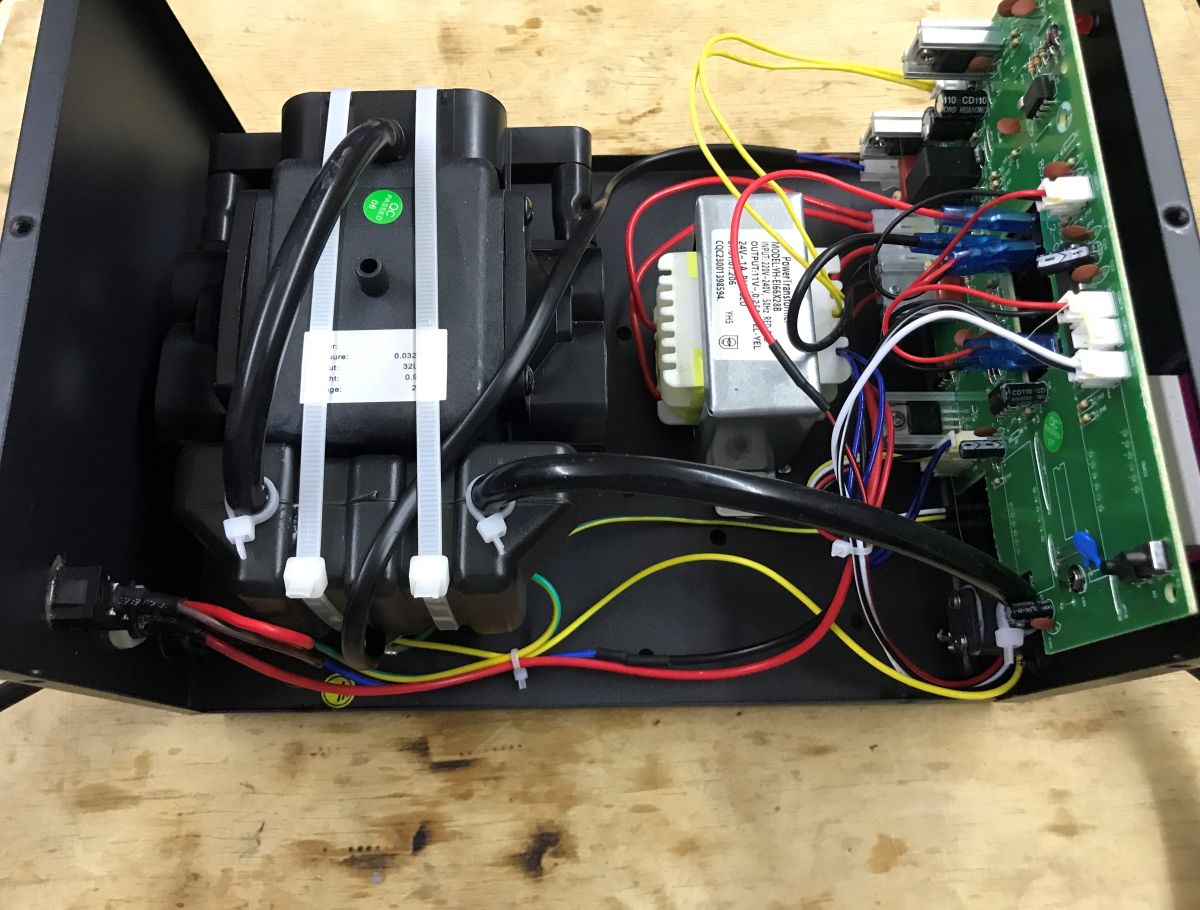
    Let's take a look inside. The first thing that catches the eye is the diaphragm pump attached with tritones. In addition, we see the classic massive mains transformer. All the electronics are one panel.
    Practical test of the Yihua 852D+ soldering station (2-in-1, hot air 700 W and 60 W 900M flask solde
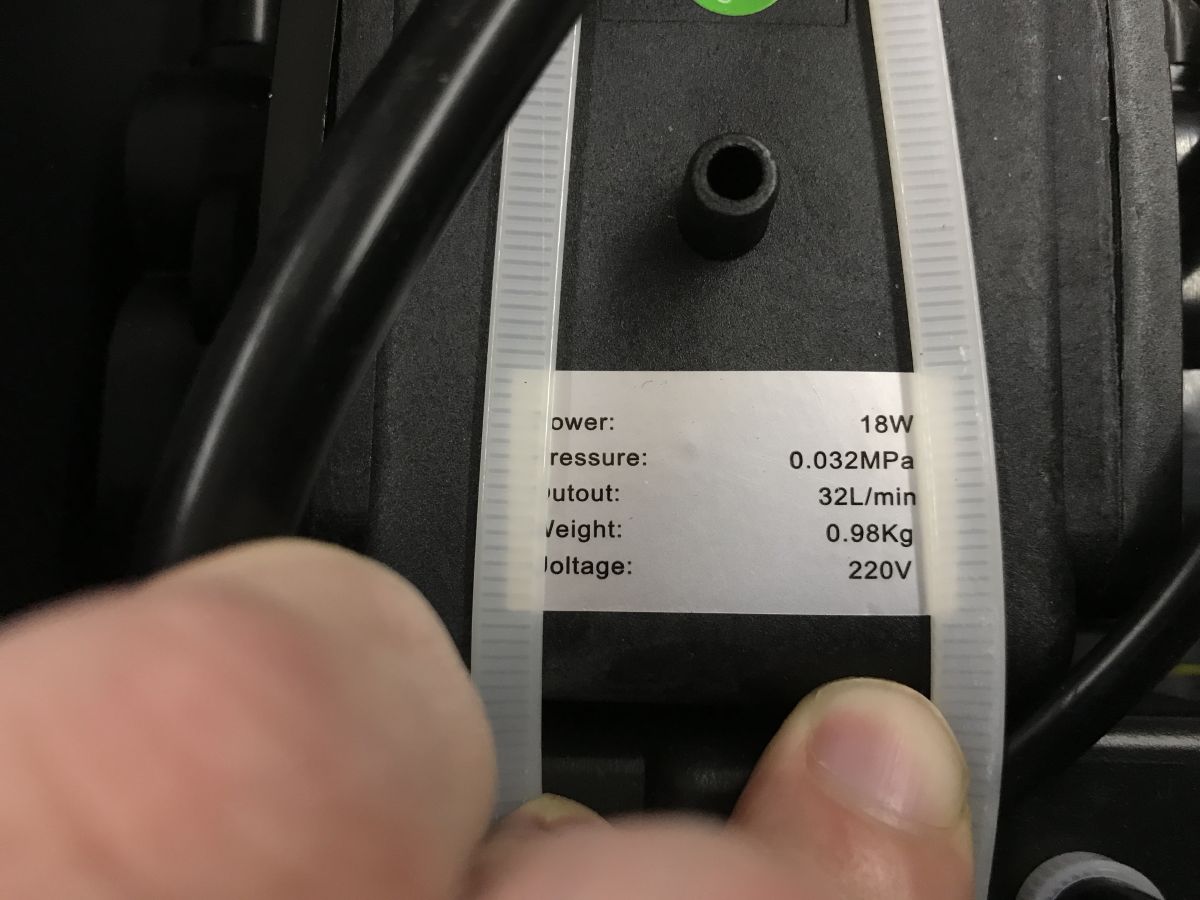
    Diaphragm pump 18 W, 32L/min... yes, 32L/min, not 120.
    Practical test of the Yihua 852D+ soldering station (2-in-1, hot air 700 W and 60 W 900M flask solde
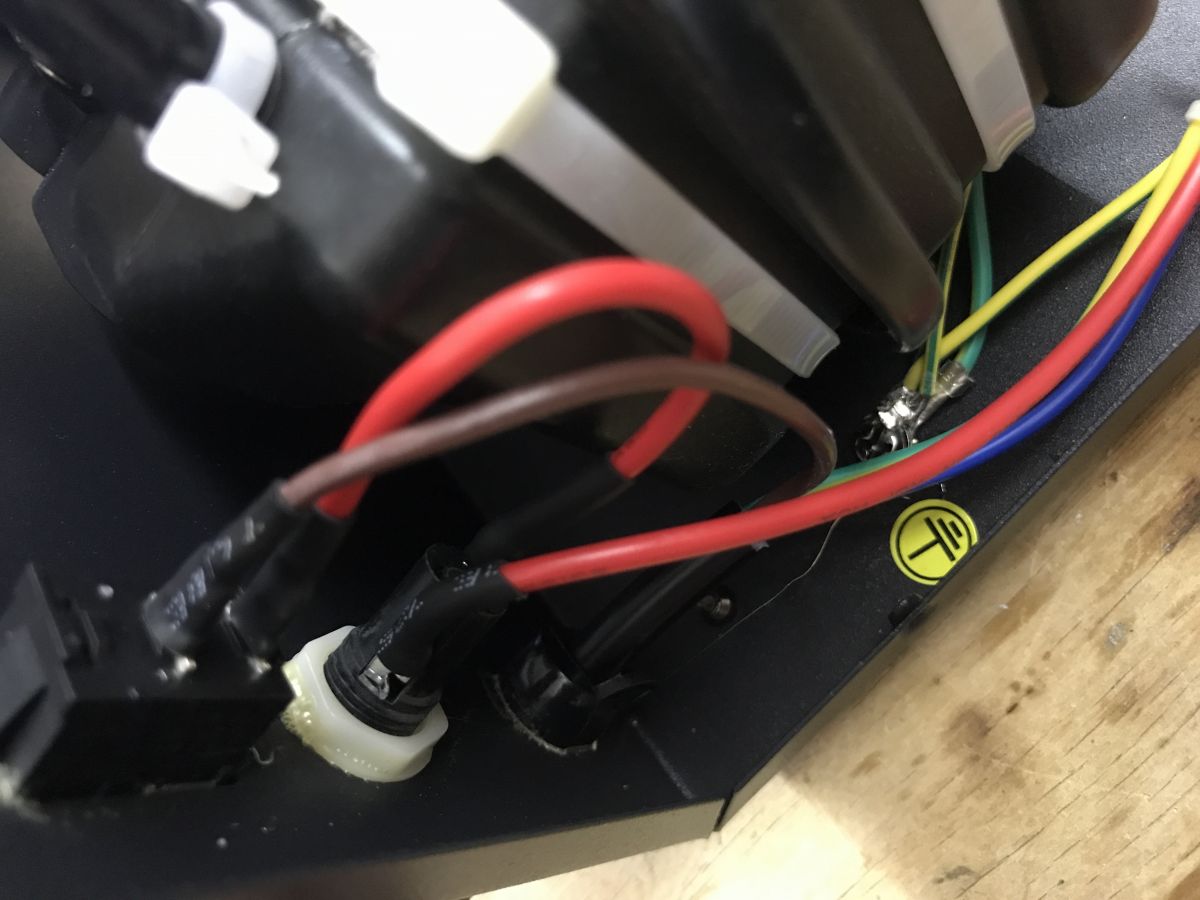
    The housing is earthed:
    Practical test of the Yihua 852D+ soldering station (2-in-1, hot air 700 W and 60 W 900M flask solde
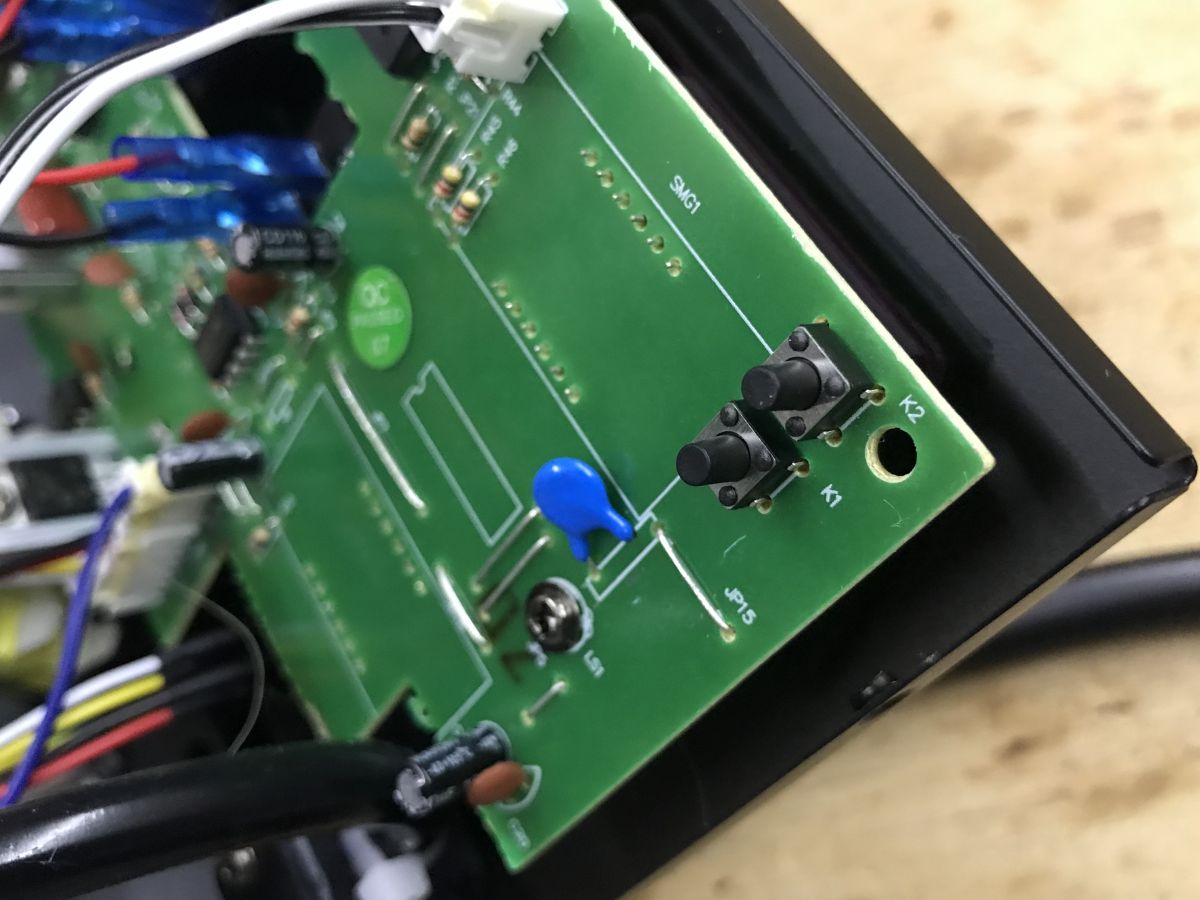
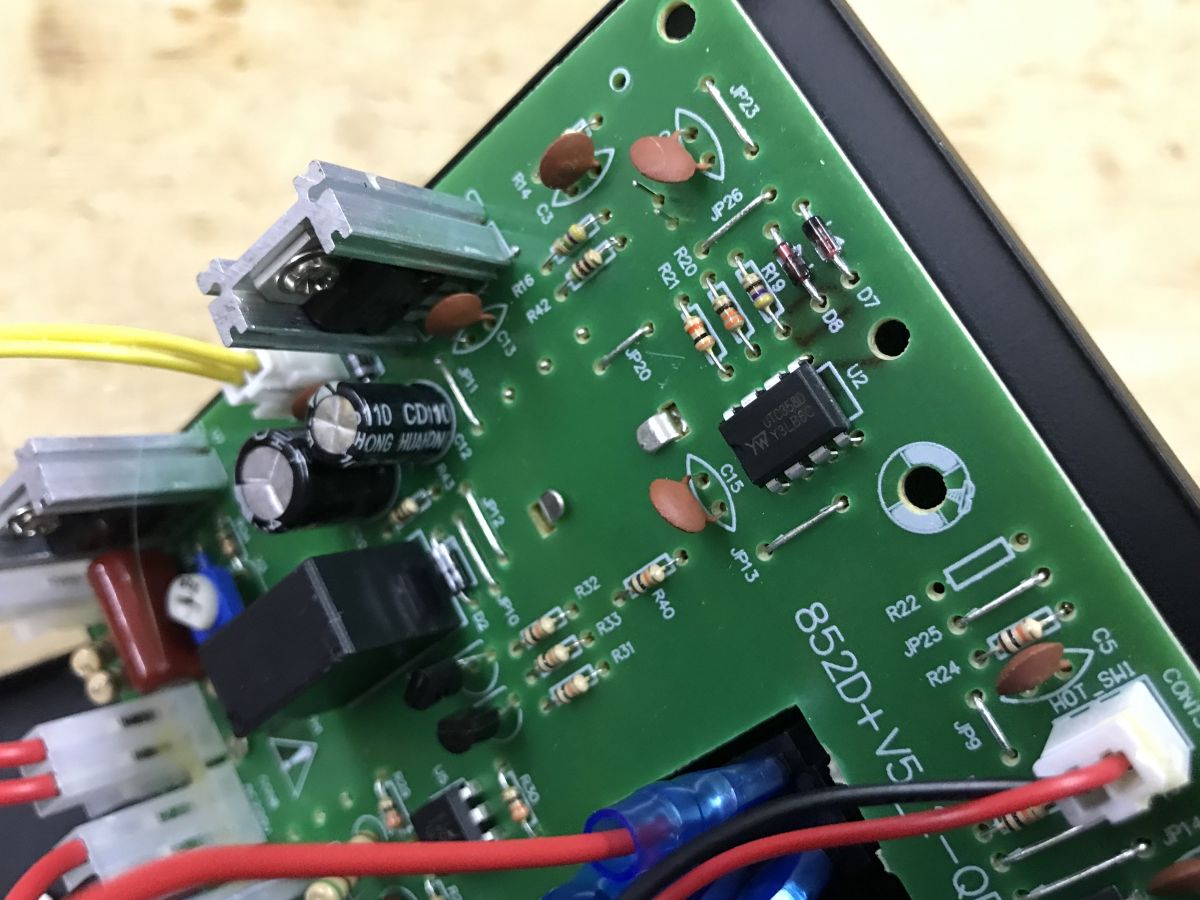
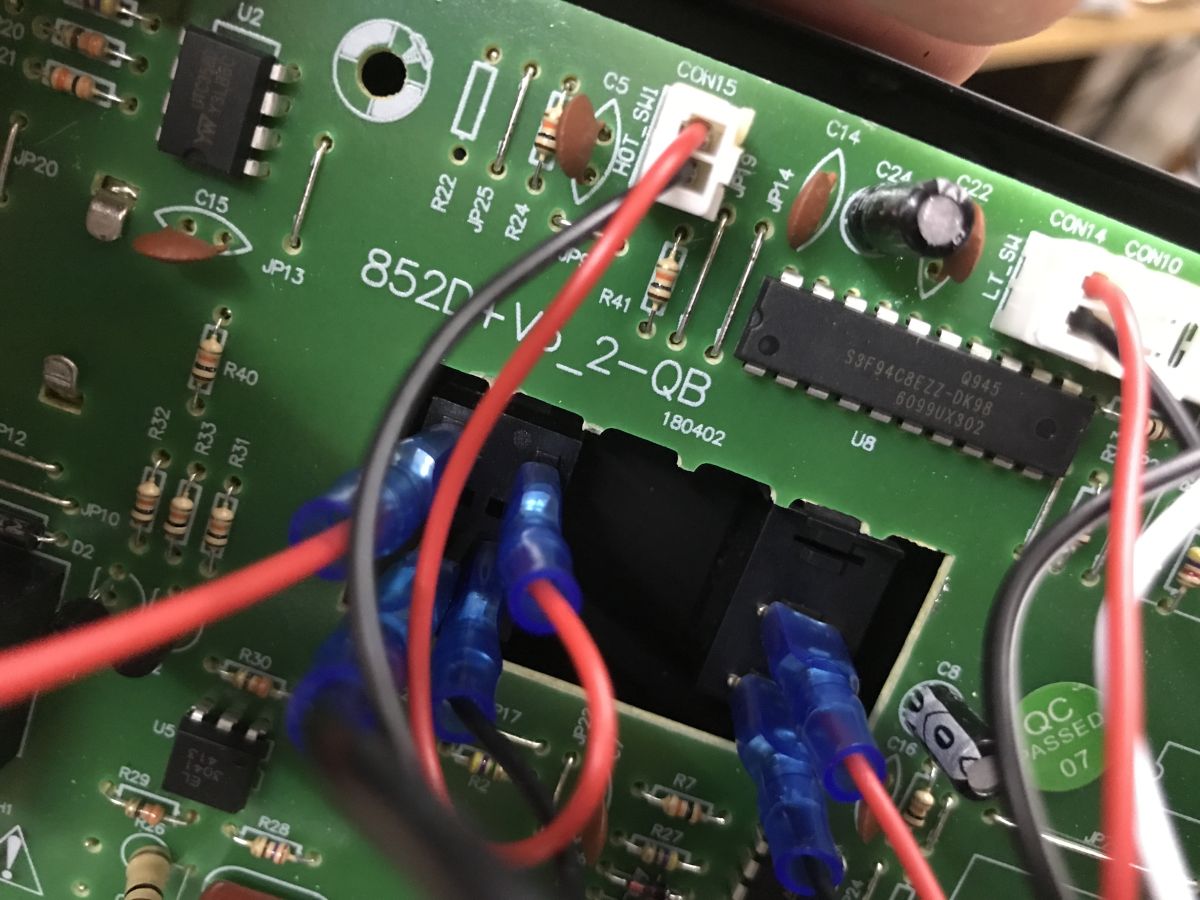
    PCB designation: 852D+V5_2-QB , you can see the UTC358D operational amplifier on the PCB:
    Practical test of the Yihua 852D+ soldering station (2-in-1, hot air 700 W and 60 W 900M flask solde
    Could it be the calibration buttons?
    Practical test of the Yihua 852D+ soldering station (2-in-1, hot air 700 W and 60 W 900M flask solde
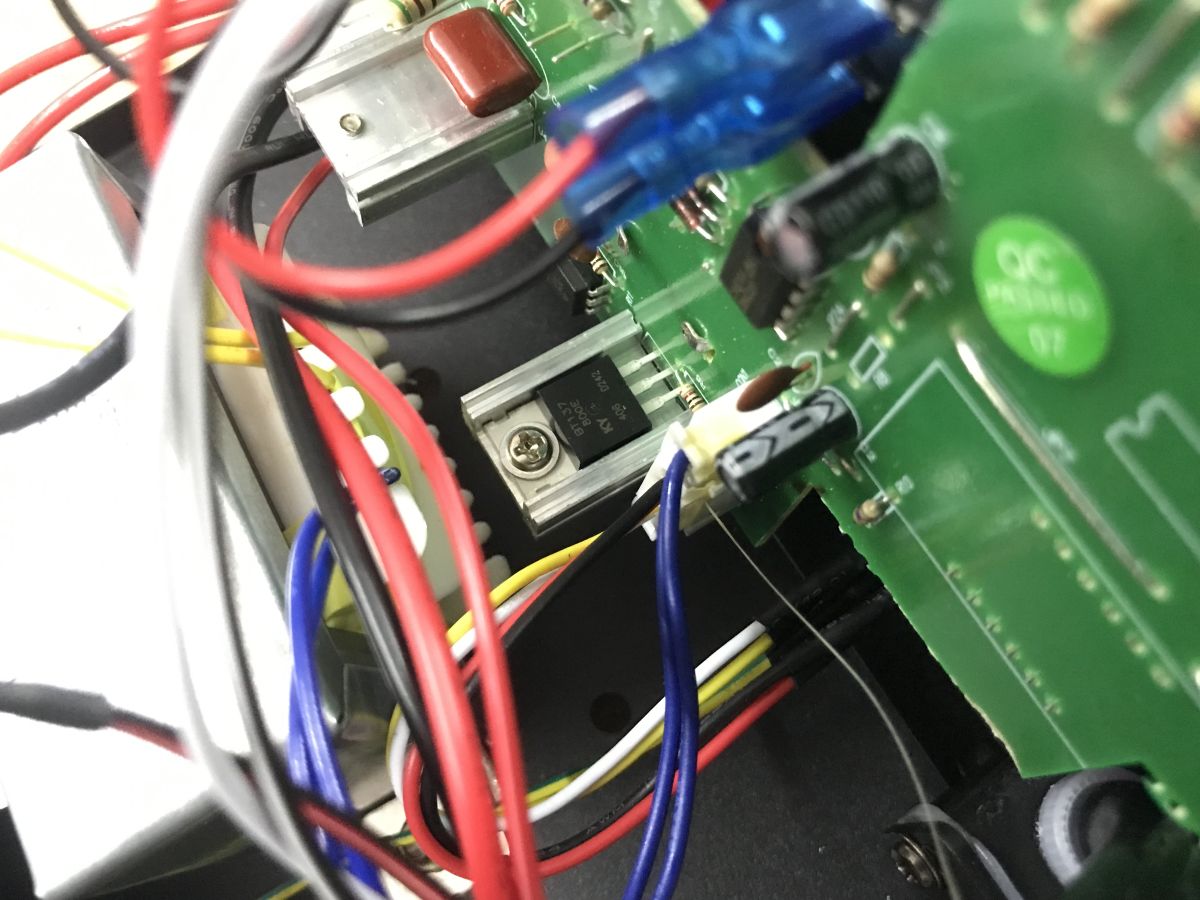
    BT137 triac for power regulation:
    Practical test of the Yihua 852D+ soldering station (2-in-1, hot air 700 W and 60 W 900M flask solde
    The station is based on the S3F94C8EZZ-DK98 8-bit microcontroller:
    Practical test of the Yihua 852D+ soldering station (2-in-1, hot air 700 W and 60 W 900M flask solde

    Instructions
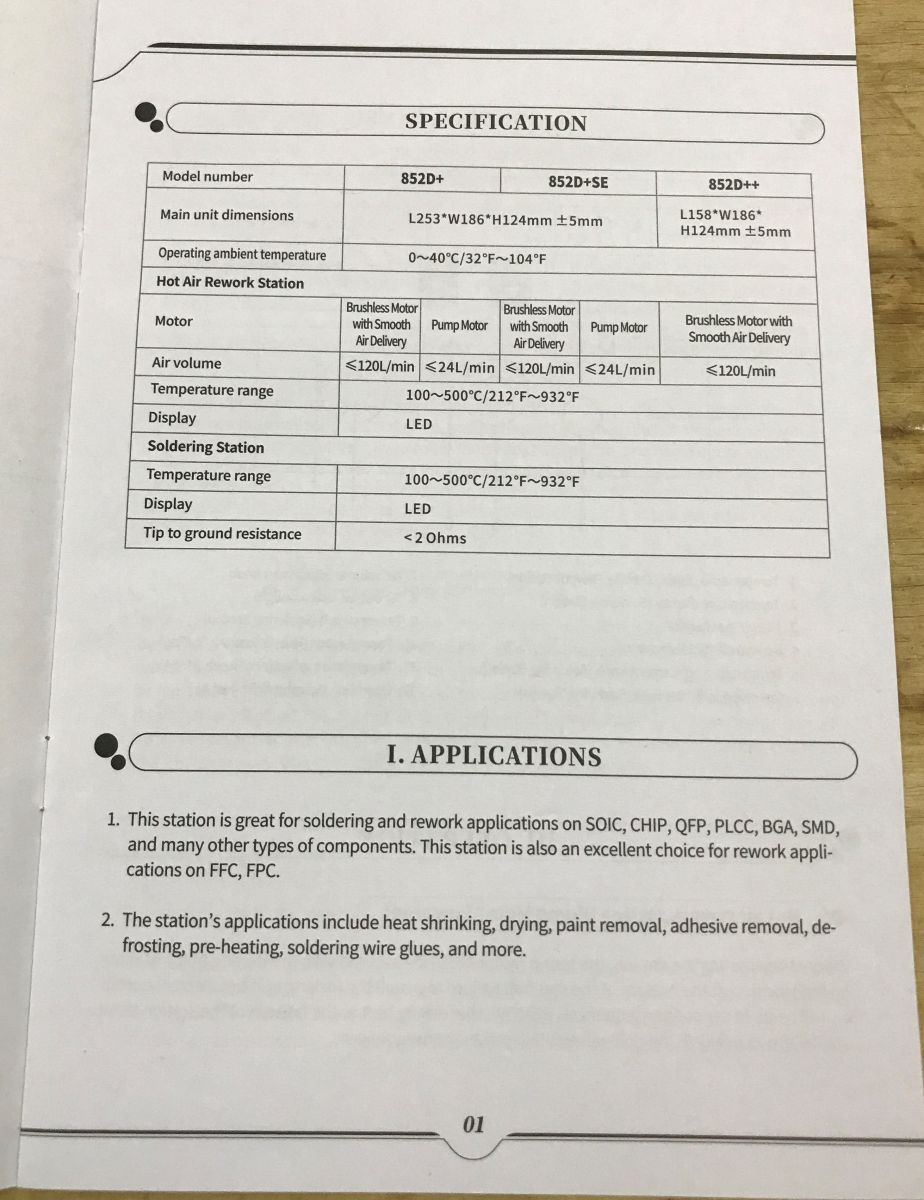
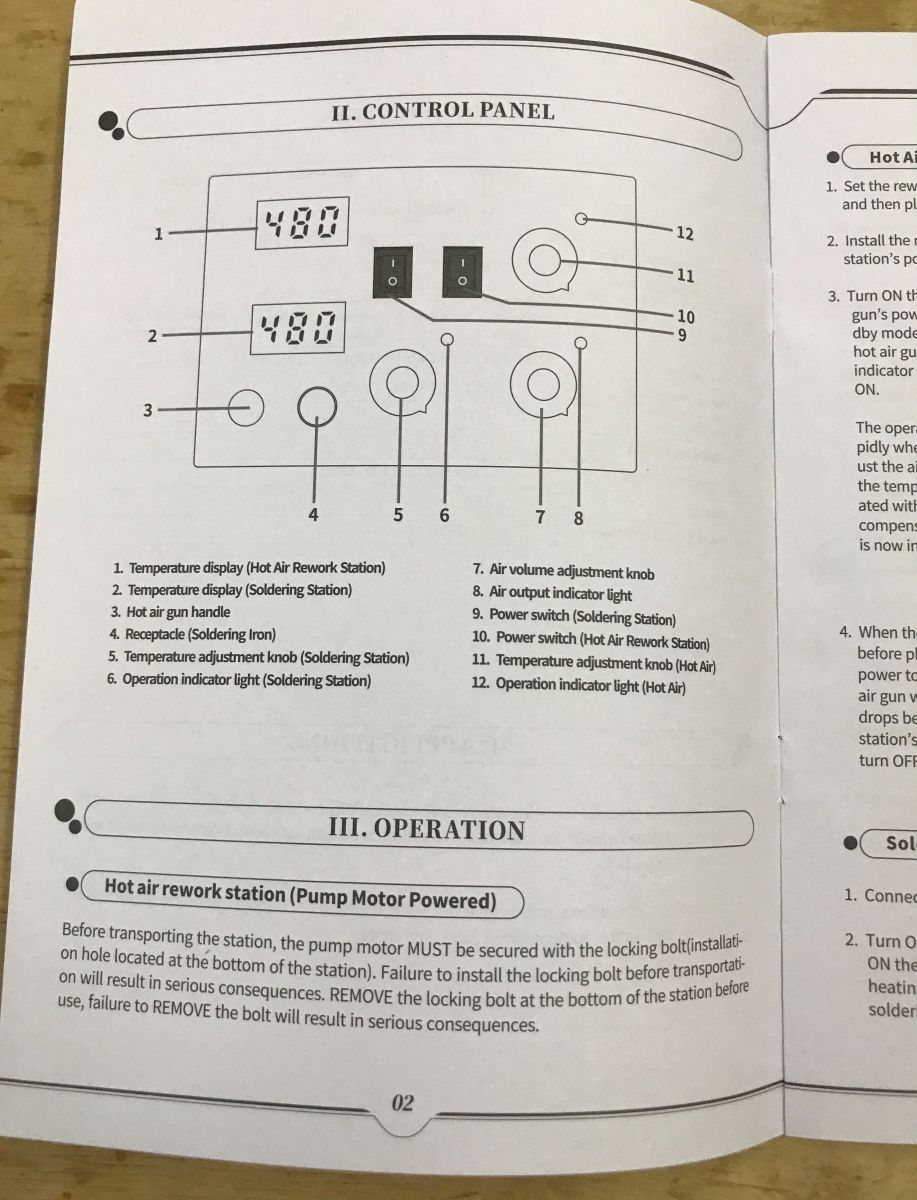
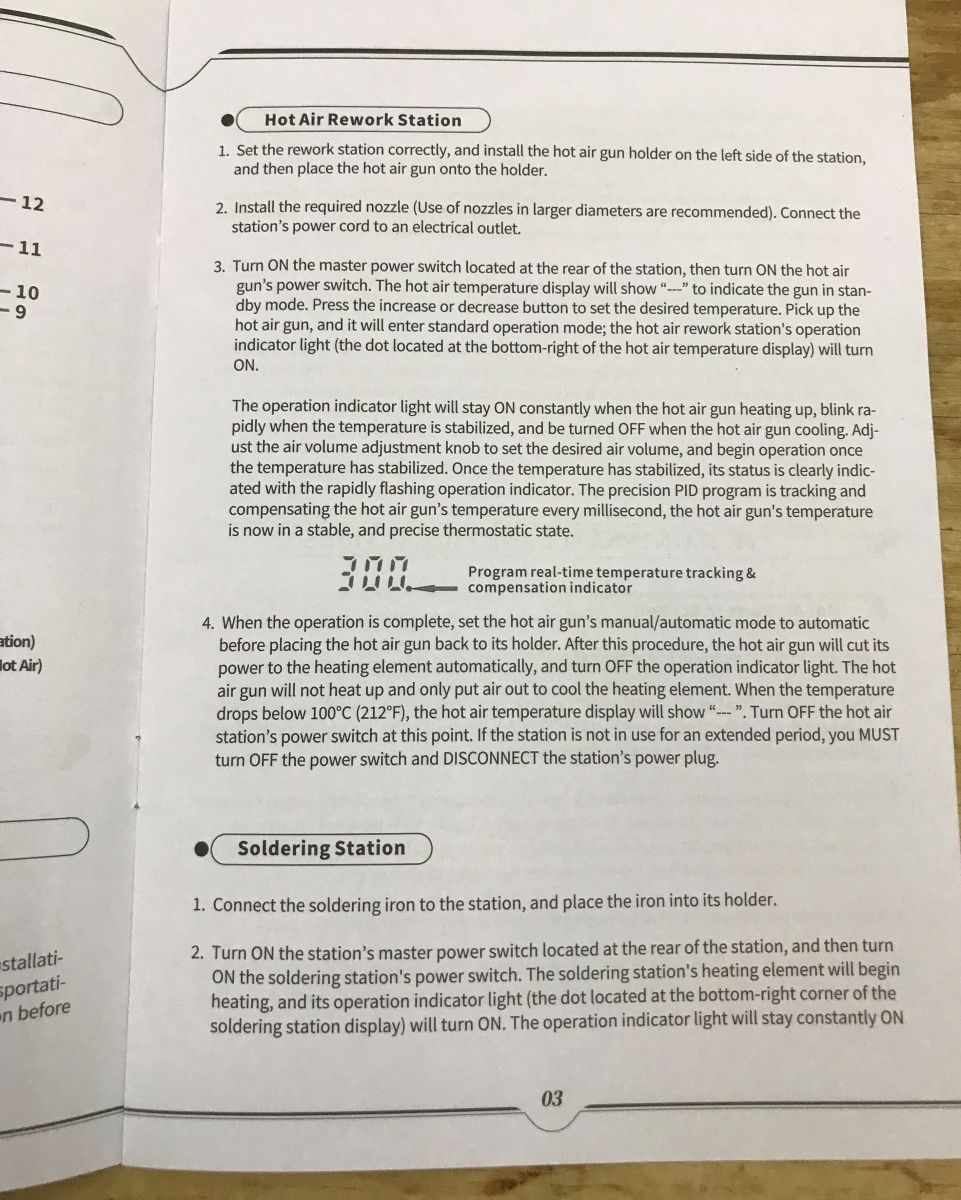
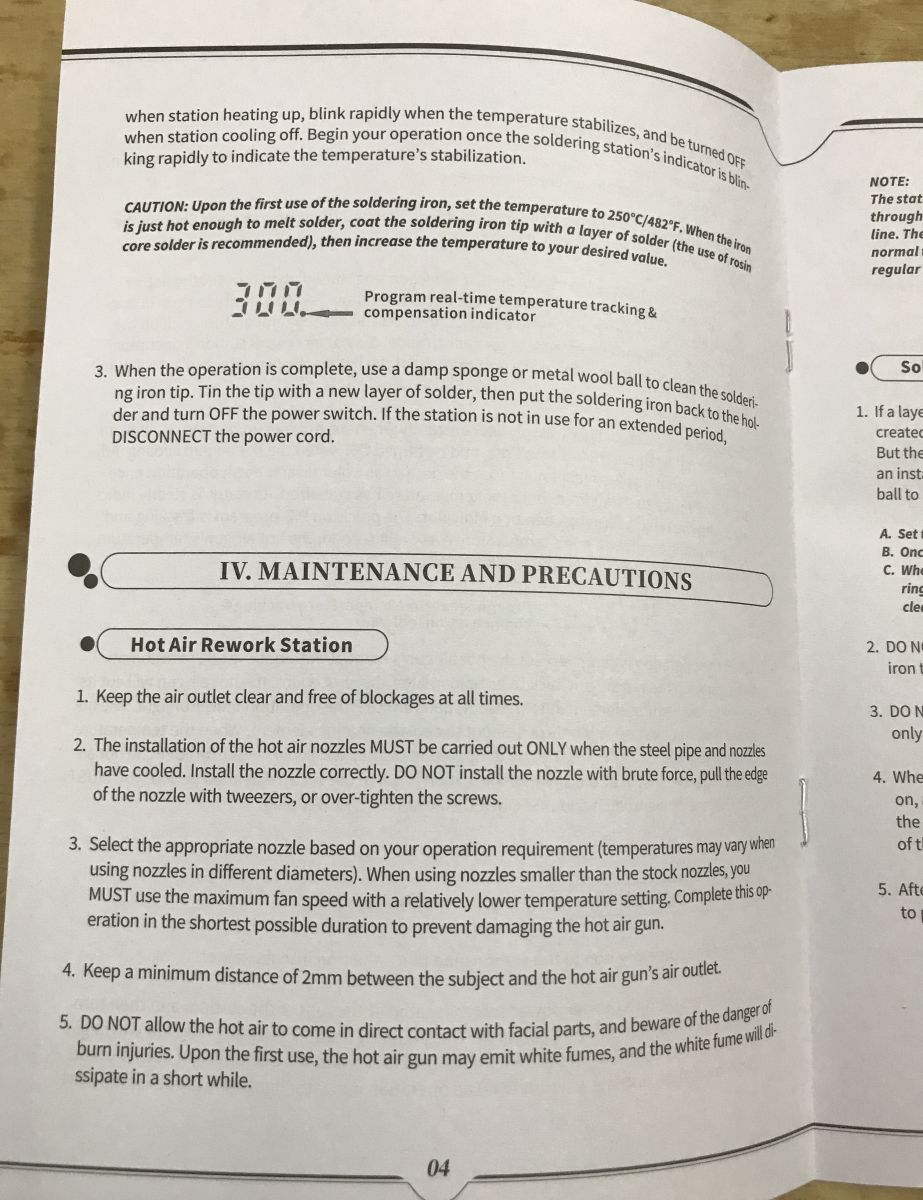
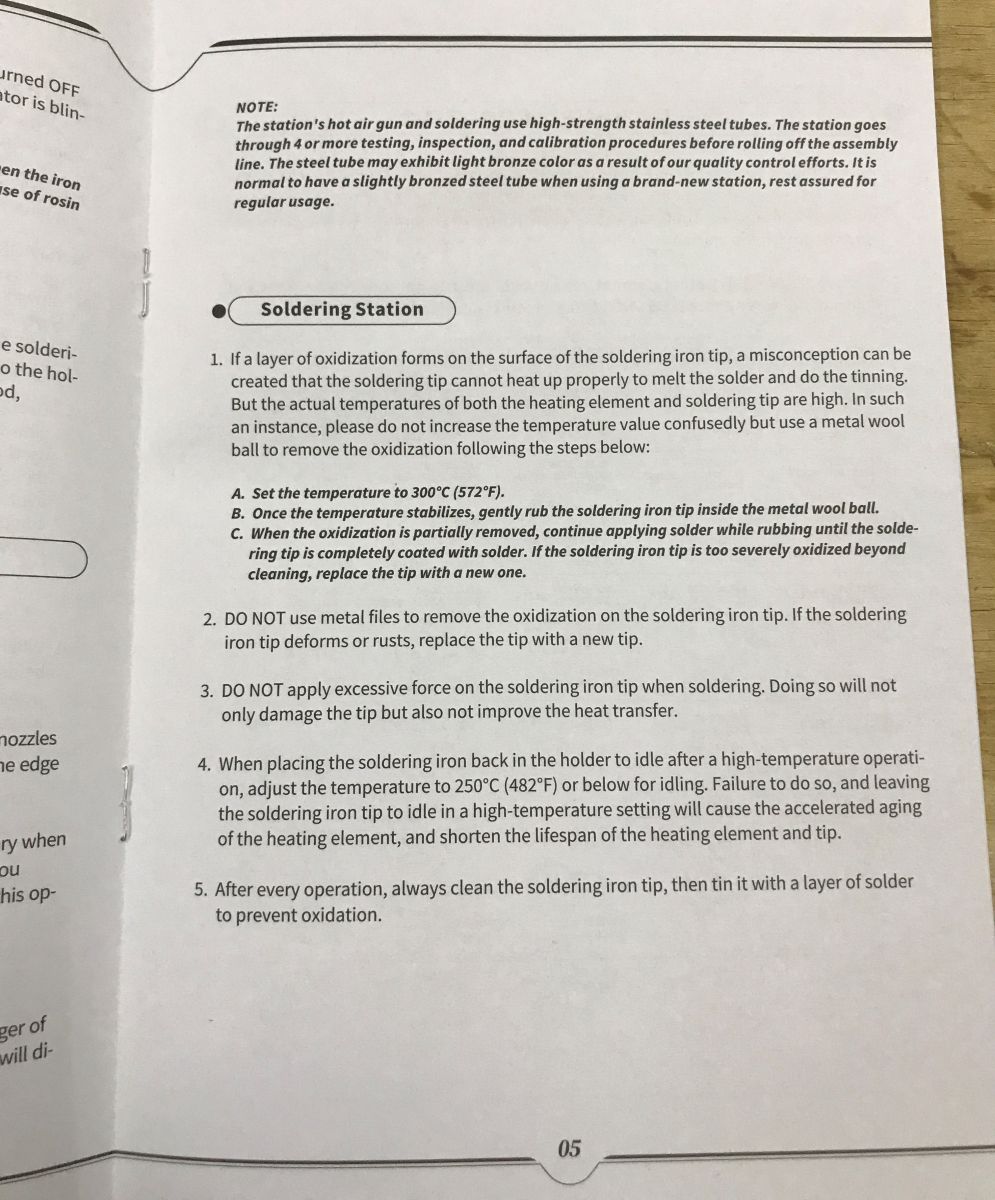
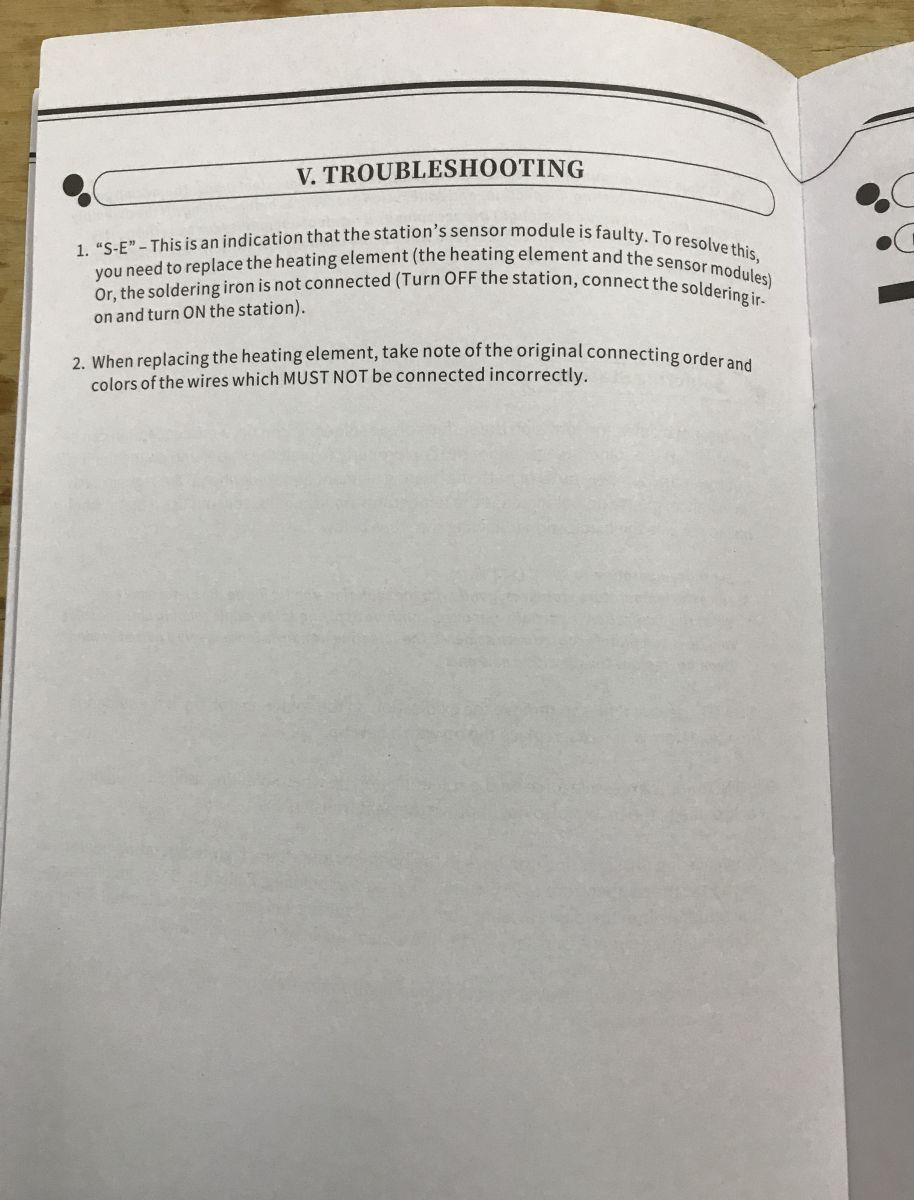
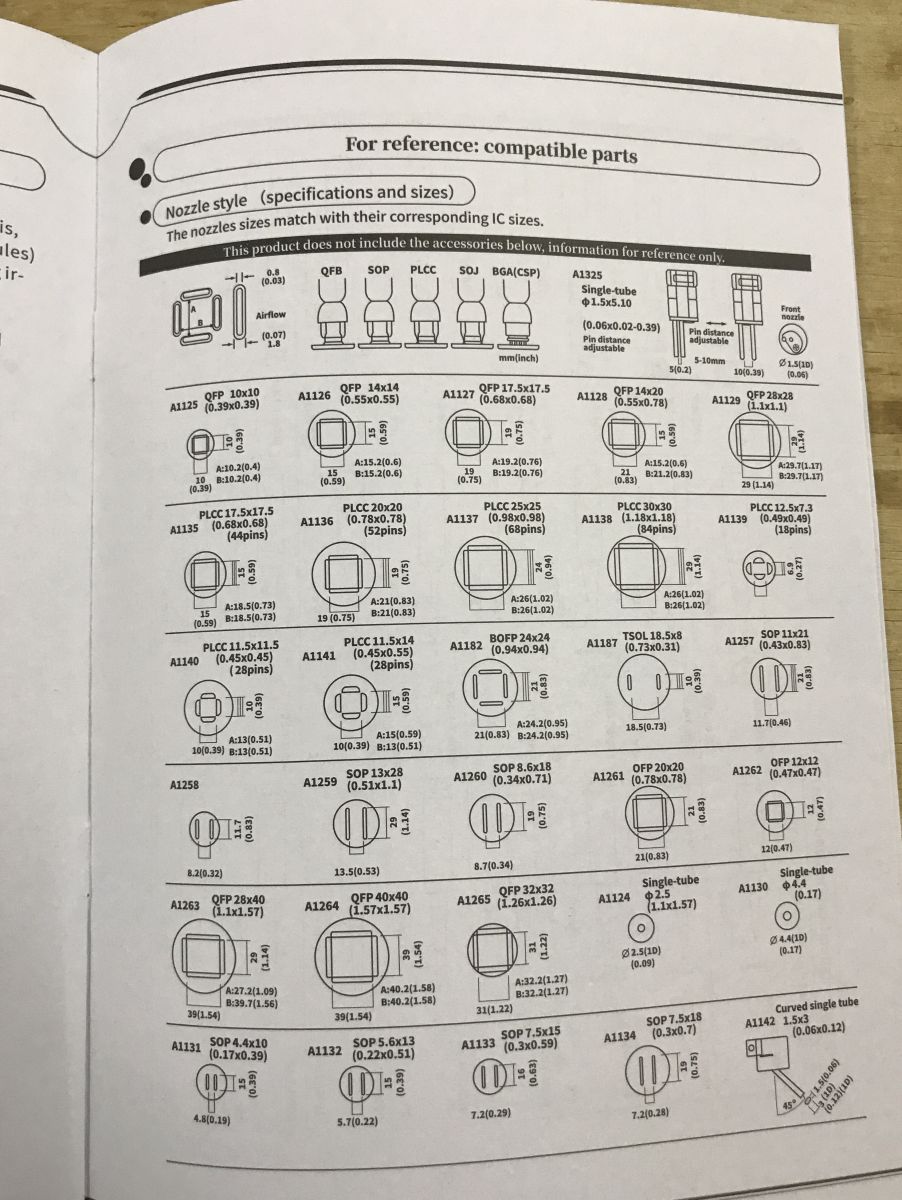
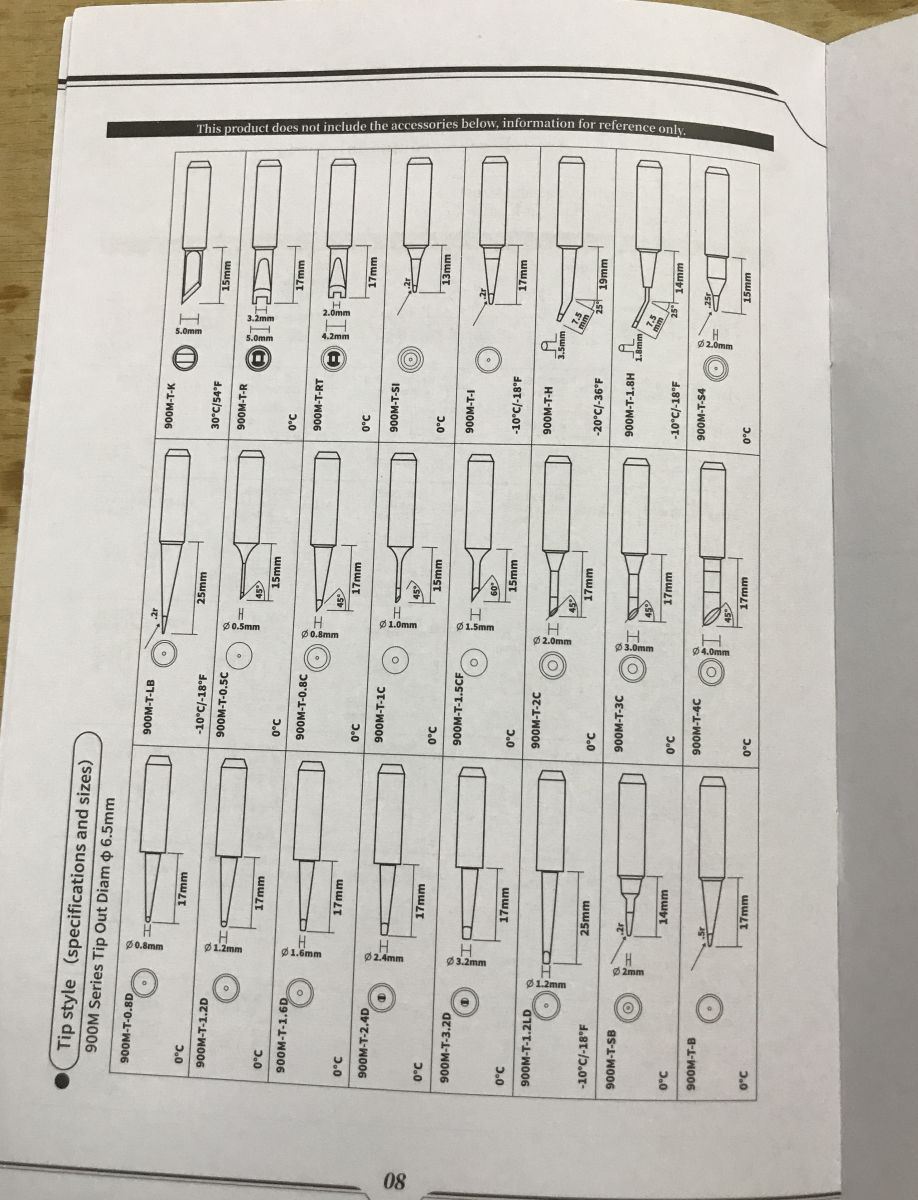
    Clear photos of the English-language manual:
    Practical test of the Yihua 852D+ soldering station (2-in-1, hot air 700 W and 60 W 900M flask solde Practical test of the Yihua 852D+ soldering station (2-in-1, hot air 700 W and 60 W 900M flask solde Practical test of the Yihua 852D+ soldering station (2-in-1, hot air 700 W and 60 W 900M flask solde
    Practical test of the Yihua 852D+ soldering station (2-in-1, hot air 700 W and 60 W 900M flask solde Practical test of the Yihua 852D+ soldering station (2-in-1, hot air 700 W and 60 W 900M flask solde Practical test of the Yihua 852D+ soldering station (2-in-1, hot air 700 W and 60 W 900M flask solde
    Practical test of the Yihua 852D+ soldering station (2-in-1, hot air 700 W and 60 W 900M flask solde Practical test of the Yihua 852D+ soldering station (2-in-1, hot air 700 W and 60 W 900M flask solde Practical test of the Yihua 852D+ soldering station (2-in-1, hot air 700 W and 60 W 900M flask solde
    The instructions also explain the blowing power - this depends on the version, we have either up to 120L/min or 24L/min. What's more, both versions come on the same model of station - am I interpreting this correctly? My version is pump-based, so I have about up to 24L/min.


    Summary
    I wasn't convinced by this 24L/min diaphragm pump though. I think I would prefer the cheapest classic 858 with a 120L/min fan.
    Basically, I have two complaints here:
    - this station is extremely noisy and spreads strong vibrations over the table, I have not encountered something like this in either the cheaper 858 or the very expensive Sugon and Quick
    - the cob part of this station doesn't offer any revelations, it's no different for me from cheap portable soldering irons, and it only has 60 watts, if I were to buy a set, I would prefer something more powerful. I'm not even pushing for T12 arrowheads here, but the power has to be there.
    The rest rather as expected, but so what, as the difficulties detected worsen my working comfort.
    And what is your opinion? Is such a station a good choice? Diaphragm pump - is it worth it?

    Cool? Ranking DIY
    Helpful post? Buy me a coffee.

    About Author
    p.kaczmarek2
    Moderator Smart Home
    Offline 
    p.kaczmarek2 wrote 14343 posts with rating 12245, helped 649 times. Been with us since 2014 year.
  • ADVERTISEMENT
  • #2 21885648
    CosteC
    Level 39  
    Does the 900 series mainsail have this "60 watts"?
    The transformer is poor enough....
  • ADVERTISEMENT
  • #3 21885664
    Nargo
    Level 23  
    I have this station at home, I use it occasionally for lack of space.
    I use the Hot Air instead of the tanning machine for heat shrink sleeves and SMD soldering.
    The flask has a big drawback for me in that the wire is too short.
    A spider on 2.5mm2 wire will not solder with this.
  • ADVERTISEMENT
  • #4 21885685
    398216 Usunięty
    Level 43  
    I apologise enormously, but I find the soldering iron test (first two videos) ... unreliable.
    Why? And who uses an SMD soldering tip to solder such a large pad? The situation here is similar - a thin tip of the soldering iron, so no wonder you had to wait so long for the tin to melt - just not enough "heat transfer". Use a tip with a wider and more solid tip and the result will be much better. Of course, a lot also depends on the temperature setting, but I don't think I need to write that in this case.
    To justify my post, let me remind you that I've had my 900's for many years and, although it's been powered for a long time at an undersized voltage (about 18V instead of 24), with the right arrowheads I've never had to wait so long for the tin to melt.
    I know that replacing the mainsheet is not as straightforward as on a T12, for example, but I know from experience that it is not beyond the capabilities of even me - with severe manual limitations. So this is not an excuse; so why didn't the Author replace the mainsail before he started the presentation?
    I am writing this for a reason;
    Well, I've already had the opportunity to read many times negative opinions about this soldering iron - these opinions are most often written by people who either have never dealt with soldering irons of this series, or just wanted to make a name for themselves in this way.... ;)
    No offence, but somehow I cannot find any other explanation for such opinions - opinions concerning one of the cheapest (and thus popular) soldering irons on the market. Let's measure our strength by our intentions - explaining: "Let's not require from this soldering iron the parameters as in a soldering iron several times (even) more expensive".
    I think that for this price it is a really sensational soldering iron.
    In the case of the station, or more precisely, the combo presented here - I have a colleague who bought such a set some time ago (not exactly the same, but of the same design and using the same components). Everything was fine until... The problem is the low quality of the pump - it is not very long-lasting. The problem is its poor quality - in particular a design fault in the construction of the diaphragm (the pump is of the diaphragm type, as the author mentioned, so nothing has changed here, rather?). The diaphragm cracks after time which automatically prevents air blowing - obviously at the least opportune moment.... Nowadays the diaphragms themselves are available as a spare part, but as far as I have noticed the defect that causes the cracking has not been removed. If the Author is interested he can check the way the drive is transferred to the diaphragms and analyse whether I may be right. If so I would advise looking for and buying a few of these diaphragms right away as a spare.... ;)
    Apart from that - I think that a station like a station - a little bit big for the required space inside occupied by components, and at the same time it takes up space on the desk/table. As for the work, however, I can not have major objections - taking into account the price is an interesting proposition for the majority of "Sunday electronic engineers".
    Regards.
  • ADVERTISEMENT
  • #5 21885724
    James596
    Level 29  
    I had the opportunity to use such a set.
    In fact, it is a howler, it also telephones impossibly. For occasional use, OK.
    With more intensive use, after a while the hot-air lost its properties, soldering became more and more difficult.
  • #6 21886027
    Xenlin93
    Level 13  
    >>21885685
    398216 Usunięty wrote:
    Well, I have already had the opportunity to read many times negative opinions about this soldering iron - these opinions are usually written by people who either have never had to deal with soldering irons of this series, or just wanted to make a name for themselves in this way...


    Nobody wants to appear. The only thing good about Yihua / WEP / Zhaoxin is the low price. These negative reviews don't come "out of thin air" because people have become so fixated on a cheap Chinese product.... they just come from the fact that this product is of mediocre quality.

    I used to work in the service department - actually on a WEP, which is a twin sister to the Yihua. It was fine (and I even soldered a KBC in a laptop with this freak of nature) until the flask literally fell apart in my hand during soldering and I ended up burning myself. Since then I have developed a loathing for this and the twin brands.

    I rewelded a Quick 236 on myself - the flask quality was a different league. The Yihua by comparison falls dramatically short. I sold because the 900M arrowheads at SMD are no longer sufficient.
    I've converted the Quecko / Quicko / KSGER to T12 standard. Changing to other soldering irons made a huge difference, but again, power is the limit - typically 65-72W max and larger soldering fields or laminates that pick up heat like mad are tiring.
    I'm currently rolling out an Aixun T3A on a 245 tip. 200W of power, high precision and even a small tip can handle large spouts of tin without a problem.
    In the open air, when a mechanic pulls me off to work on vehicle wiring harnesses, I roll out a "pen" (Chinese, by the way), also on 245 tips. The little device from a powerbank via USB-C pulls 100W of power without a stutter and gets the job done wherever I don't have 230V.

    398216 Usunięty wrote:
    I think that for this price it is really a sensational soldering iron.

    It is not sensational but at best average. And I personally would never recommend it to anyone. If someone doesn't insist on a "2-in-1 combo" then you can definitely go and buy better designs for the same money and with better blades.


    Of course, I'm not saying that it's a total piece of junk and a waste of money - for some weekend tinkerer who needs to heat up a thermocouple, solder a wire, occasionally replace a few electrolytes on a board, such equipment will probably be enough. The problem is that, unfortunately, modern electronics has become dramatically miniaturised and such a flask simply cannot cope. The same is true of laminates - this is no longer the era of Unitra-type boards, where touching the arrowhead often killed the path/strip (and the latter gleefully fell off the PCB), but multilayered constructions often acting as a "heat sink". Unfortunately, the high heat capacity of the laminate requires powerful equipment to do anything with it.

    From the perspective of -teen years of dabbling in electronics, I would sum it up like this:
    Pros:
    - purchase price of the station
    - cheap as a beetroot and there are quite a few to choose from.
    Minuses:
    - low quality - and I write this through the prism of a flask that flew apart for me while I was working on the board.
    - poor durability - as has already been said here, pumps can fail notoriously (also a familiar theme over the years)
    - poor workmanship - for me it is unacceptable for the equipment to vibrate excessively - especially as the rubber cushioning of the pump is not a fortune but as you can see the Chinese have not been able to improve this design for years. About noise it's hard to comment because any hot air will be noisy but it's also known that they are just noisy.
    - relatively low temperature precision - this problem particularly affects the hot air in these stations - if you get it wrong, temperature ripples can be as high as 60-80 degrees. In addition, the temperature readings themselves often have nothing to do with what is on the mainsail.
    - and for dessert, even in such a piece of equipment, the chinaman made a fool of himself and wrote down some unbelievable values for the air flow, putting in probably the weakest pump he could find.

    What you like - some will say it's good because it's cheap. Others (including me) will advise against this type of equipment and recommend that you save up for something better, which at least provides some quality and the declared parameters.... and once purchased, a decent piece of equipment will last for years.
  • #7 21886211
    398216 Usunięty
    Level 43  
    Xenlin93 wrote:
    until the flask literally fell apart in my hand during soldering

    One swallow does not make a spring....
    And seriously - I understand your colleague's resentment of this soldering iron, but (bearing in mind the above quoted proverb) is this immediately indicative of ALL soldering irons of this type? As I wrote - I've had my 900'k flask for a nice dozen years. All I have to do is periodically replace the tips in it. And it wasn't easy at all - less so now, but there were times when it worked several days in a row for several hours a day. Rarely for less than a few hours. For a soldering iron at such a high price and used for so many years, CHYBA (?) it proves something? And - not to make it sound like it's just my example - I have a few colleagues (also from the trade) who also own the same models and use them for about the same amount of time (maybe a little less intensively) and they don't complain either.
    Xenlin93 wrote:
    398216 Usunięty wrote:
    I think that for the price it is really a sensational soldering iron.

    It is not sensational but at best average.
    For the price ? I will continue to insist that you cannot judge anything without taking prices into account. And for a soldering iron (not even combining it with a station) at that price you will NEVER FIND anything better.
    And are there worse and equally cheap? Of course there are. Just as there are better ones, but a lot more expensive. Not everyone who wants to assemble themselves some KiT once a week has to buy a soldering "Mercedes" right away. And on the Forum there are not only professionals - there are also many such "Sunday" electronics engineers or (as I call them) "Young Talented" who like to tinker without much commitment - and thus without spending a fortune.
    Xenlin93 wrote:
    Electronics has dramatically miniaturised and such a flask simply can not cope. Laminates are the same - this is no longer the era of Unitra-type boards, where touching the arrowhead often murdered the pathway/strip (and it gleefully fell off the PCB) but multilayer constructions often acting as a "heat sink". The large heat capacity of the laminate unfortunately requires powerful equipment to do anything.

    I think the Colleague has gone a bit overboard? What is the difference between laminate from 40 or 50 years ago and today? The thickness of the copper is the same, the thermal conductivity of the copper is unlikely to have changed either. The only thing (which you have rightly pointed out) is the different type of substrate - FR4 did exist 40 years ago, but due to cost it was used in more professional equipment. And does a reduction in component size (SMD) require a more powerful soldering iron? With better thermal conductivity in the soldering tip? Rather the opposite - SMD can be successfully soldered with a 15W soldering iron as long as the soldering iron itself does not resemble a nail... ;) GND fields - yes, they require a bit more attention during soldering, but I have already written here what the point is - a pin-thin soldering iron is not for such semi-soldering, and for delicate elements (e.g. SMD), for GND fields or soldering 2.5mm2 cables, a different soldering iron is used - with a large diameter of the working part - and thus providing better thermal conductivity. 60W is not very little for a soldering iron - after all, nobody will use such a soldering iron to solder gutters, but even soldering a laminate housing with such a soldering iron (900'ka) is not a big problem - i write "bigger" because, like any soldering, you simply have to learn it - Yes - certainly a T12 or other soldering irons with heaters fused to the soldering tip will cope easier, but do we solder such things (laminate housings) every day?
    Practical test of the Yihua 852D+ soldering station (2-in-1, hot air 700 W and 60 W 900M flask solde Practical test of the Yihua 852D+ soldering station (2-in-1, hot air 700 W and 60 W 900M flask solde
    As for the HA in this station, I have to fully agree with my colleague. It is not the best solution both in terms of the pump operation itself, durability and temperature and flow parameters.
    But - again, the immortal question - does everyone need a several-thousand-thousand-dollar pump?
    In my opinion, it is a very good thing that such topics arise and that they generate such passionate discussions; thanks to them, everyone can decide for themselves, if necessary, whether they need a Mercedes S Class or whether a Panda will suffice... ;)
  • #8 21886396
    nostromo
    Level 15  
    I have had an original Zhaoxin 852D station for 15 years. Other companies made counterfeits (Chinese counterfeit Chinese). It works perfectly. The only problem I've had is that the air adjustment potentiometer died. The compressor is not quiet but nothing shakes.
  • #9 21886439
    Xenlin93
    Level 13  
    398216 Usunięty wrote:
    One swallow does not make a spring...

    Of course it doesn't but these are not isolated cases. We had 4 of them in the service and for pi times door 2 years of daily grind of 8-10h a day 6 cobs flew apart if my memory serves me right. The problem is simply the mounting point at the height of the heater - there is a plastic nut holding the flask together - the nut pops off and it's all over because literally the contents spill out onto the table. Fortunately, a new flask costs 25-35pln.

    398216 Usunięty wrote:
    nowadays less, but sometimes for a few days in a row it worked several hours a day.

    When I was doing my post-graduation work on industrial radio equipment, we had 3 workstations with Quicks 236. These soldering irons were used day in and day out for 8 hours non-stop (and I worked there for about a year and a half) - NEVER did anything break, nothing blew out, none of them had any problems with backlash, lack of power or inaccurate temperature indication. On top of that, they had a claimed power of perhaps 90W so with a spare for 900M arrowheads. And, as you say, it was only periodic replacement of the blades.

    398216 Usunięty wrote:
    In relation to price ? I will continue to insist that you can't judge anything without taking prices into account. And for a soldering iron (not even combining it with a station) at this price you will NEVER FIND anything better.


    Of course you will find one. First of all, the OSS Team T12-X in its revised version. You can get it for under 200pln - you get 75W of power, precision, better quick-change blades. The Quick 969B is also under 400PLN and the quality is a dramatic leap from the WEP.
    Ba. Even Techrebal has a C210 arrowhead station on offer with a modest output of around 180W - currently in the region of 320PLN.
    So it is possible to buy better equipment at a similar price.

    As I mentioned - the ONLY plus of this WEPa/Yihua/Zhaoxin is the low price. And even at this price, looking at the price/quality ratio, unfortunately there is not much to praise here. As they say - Is it cheap? It's cheap. Is it good? It is cheap.

    398216 Usunięty wrote:
    Not everyone who wants to assemble themselves some KiT once a week has to buy a soldering "Mercedes" right away. And on the Forum there are not only professionals - there are also many such "Sunday" electronics engineers or (as I call them) "Young Talented" who like to tinker without much commitment - and thus without spending a fortune.

    Of course - with this I agree. Not everyone needs a Mercedes. But neither does it make sense to buy a Trabant when you can have a Golf for the same money. That's why I pointed out in the previous post - for a "Sunday" tinkerer who needs to solder some THT elements or cables during a repair and heat up a heat shrink on it, even this WEP will be sufficient. For everything else, it is definitely better to think twice and shop around before clicking buy now.

    398216 Usunięty wrote:
    I think the colleague has gone a bit overboard? What is the difference between laminate from 40 or 50 years ago and today? The thickness of the copper is the same, the thermal conductivity of the copper is unlikely to have changed either. The only thing (which the colleague rightly pointed out) is a different type of substrate - FR4 admittedly already existed those 40 years ago, but due to the cost it was used in more professional equipment.


    Ano like if we think in terms of 'this is glass laminate and that is glass laminate'. The devil is in the detail - modern laminates have 4-6-8 or more layers of copper in them. On top of that, some layers are used as dedicated to dissipate heat passively and disperse it over a larger area. I recommend searching for "PCB passive heat dissipation" on google - there are quite a few interesting articles about designing such PCBs.
    Getting back to the point - in the age of miniaturisation with increasing component performance, unfortunately, but the struggle with this unwanted heat is increasing. I myself was once so surprised when I was doing a supposedly trivial socket replacement in probably an XBOX console - I ended up in a rather fierce fight with the PCB dissipating heat like mad and making the job considerably more difficult.

    398216 Usunięty wrote:
    And does reducing the size of the components (SMD) require a more powerful soldering iron?

    No. But it does require a soldering iron with the kind of tips that will allow you to accurately approach a 0402 or 0603 size component while holding it with tweezers. In addition, there is a terrible density of components on current boards, so you inevitably need to have this precision to avoid making a wreck by accidentally heating and soldering a component right next to it. In addition, some components are very sensitive to heat - a larger power reserve allows you to reduce the heating time to the necessary minimum. Also, a lot of components on laminates these days are plastic (see all the plugs in laptops) and you can't use the "I'll heat it up longer so the tin on the pad melts" approach.

    398216 Usunięty wrote:
    Ground fields - yes they require a bit more attention during soldering, but here I have already written what the point is - a tip as thin as a pin is not for such semi-soldering, and for delicate components (e.g. SMD just) for ground fields or soldering of 2.5mm2 cables serves a different tip - with a large diameter of the working part - and thus providing better thermal conductivity.


    In general, everything is right. Until it turns out that there are 8 capacitors, 2 transistors and some other additional SMD component at the cable grommet for this cable, and the large tip does not necessarily fit there, and the other side of the laminate is also full of small parts.

    398216 Usunięty wrote:
    finally no one will use such a soldering iron to solder gutters


    Practical test of the Yihua 852D+ soldering station (2-in-1, hot air 700 W and 60 W 900M flask solde

    Just enlarge it by 10 times and you get ;) (such a joke to loosen things up).

    398216 Usunięty wrote:
    because like all soldering you simply have to learn it

    And that's exactly the truth - even the best tool in the hand of an incompetent person will only do damage.

    398216 Usunięty wrote:
    Only - again the immortal question - does everyone need a harvester for several thousand?
    In my opinion, it is a very good thing that such topics arise and that they generate such passionate discussions; thanks to them everyone can decide for themselves, if necessary, whether they need a Mercedes S-Class or whether a Panda will suffice...


    Well, that's exactly what he doesn't need, and it's not because he doesn't have a choice, it's just that that choice has expanded significantly. Today, in the range 200-500PLN there is such a huge choice of soldering stations, power and tip standards that there is simply no point in pushing into a worn-out design from a bygone era - that is why I say that WEP even at the price of 300PLN does not represent anything of value. There are simply better devices on the market offering much more for the same money. It is logical that if a beginner is looking for equipment, we will not give him a BGA machine for 30 thousand zloty or even better to start with, but there is also no sense in pushing him into an archaic type of arrowheads, poor workmanship and working parameters made out of a Chinese finger.

    To make things funnier, it's currently quite a problem to buy, for example, a sensible soldering iron - and yes.... even I ended up with a WEP desoldering flask because there is just this market hole - either cheap and weak or a hell of a lot more expensive (Quick is charging 1500PLN for a 90W desoldering machine). After a long analysis of what was on the market I had a choice:
    - The archaic ZhongDi 915 known for its breakable guns.
    - The slightly newer ZhongDi 8915 (twin of some ProSSkit there) - these again are notorious for the suction tube being too tight and notoriously tin clogging them.
    - WEP probably the 942 (but I can't cut my hand off for the model because I can't remember) - slightly more expensive, some reviews just on the web that it's not a tragedy.
    - Expensive equipment like the Quick for some ridiculous money.

    The WEP was the obvious choice. And surprisingly it performs well. It is a newer version of their equipment in a newer visual appearance, but also with corrections eliminating the errors of previous models. It also happens to be clogged and you have to work hard to unclog it, but for a "more modern" WEP I can't say a bad word about it. WEP also has newer T12 or T245/C245 mainsheet stations, so it is possible to buy equipment from them that is not a relic of the previous decade. But it is up to others to say whether these devices are of better quality than their predecessors.


    To sum up - I am also glad that such a thread has been created and one can substantively exchange views on this equipment - surprisingly, unfortunately, the Internet is empty in this matter. I would also like to read other people's opinions on other WEP models (but the "modern" ones - in the new visual design) and equipment from other manufacturers.

    And for dessert... a colleague showed off his project. This, to make my point a little better and why I would advise against such an archaic WEP....

    Practical test of the Yihua 852D+ soldering station (2-in-1, hot air 700 W and 60 W 900M flask solde

    I solder these types of structures and it is through the prism of such electronics that I turn my attention to purchasing equipment that is supposed to make this job easier for me ;)
  • #10 21886489
    398216 Usunięty
    Level 43  
    Xenlin93 wrote:
    The problem is simply the mounting point at the height of the heater

    This is acutely patented by Yihuia or similar flasks. As far as I know there have been several different designs of the flask itself - including the mount you write about. My 900'ka doesn't have a screw - the whole thing is held in place by a nut screwed on the side of the heater. which simultaneously holds the heater itself and the whole plate inside the cradle. - apparently Yiuh's original idea did not work and the flask was redesigned in subsequent versions.
    Xenlin93 wrote:
    OSS Team T12-X in the revised version. It goes for under 200pln

    We have misunderstood again; I was writing about the flask itself - these can be, as you write, "bought" for a dozen or so zlotys max. The station is, of course, an accessory generating higher prices, but even these can vary ... and since we are already talking about the T 12 - the quality of spearheads for them also varies as far as I know - a large disparity in workmanship and, consequently, different resurs.
    Xenlin93 wrote:
    I once surprised myself in such a way when I was doing a supposedly trivial socket replacement in probably an XBOX console - I ended up having to fight quite hard precisely because the PCB was dissipating heat like mad and made the job significantly more difficult.

    Sorry Mate, but this just shows a lack of skill in working with multilayer laminates and lead-free tin. If that socket had been lead soldered you would have desoldered it without a problem...with a desoldering iron.
    Xenlin93 wrote:
    The devil is in the details - modern laminates have 4-6-8 or more layers of copper in them.

    NOT ALL laminates - that's for one thing. As far as beginners are concerned, this is quite important, because mostly no beginner (who has at least a basic knowledge of such laminates) is going to take the plunge into multi-ply laminate - it just requires a lot more practice and additional tooling (for example, a table for preheating the laminate) when working with this kind of laminate. Furthermore, most are at most double-sided or even single-sided laminates.
    Xenlin93 wrote:
    But it requires a soldering iron with such blades that you can accurately approach the size element

    Do you know what range of blades are offered for 90's? Personally, I have a J type for things like small SMD (although I don't take to it now due to age - you have to know your limitations and get on with it). Believe me (or not) these tips are really nothing like the many times more expensive SMD tips from T 12 or related soldering irons. I will immediately run down any potential accusations - the T 12 soldering tips are in great demand and there are better, worse or even completely useless ones. There is little or no difference in price between the different models, so that someone who is inexperienced can be fooled into buying crap and become discouraged for years. I myself have dealt with soldering tips which, after a few hours of soldering, can dissolve in the tin to such an extent that a bite remains instead of the tip. (I have written about this many times in other topics). There are, however, multi-layer arrowheads which, in terms of strength and thermal conductivity, do not cause such problems. I have been using a J-type for about 2 years now and it is a multilayer type (with, among other things, an iron coating on a copper core) and to this day it looks and works like new/ I have bought 10 of them and I think I will be buried with the other 9's... :)
    Xenlin93 wrote:
    For this, on current boards there is a terrible density of components so you necessarily have to have this precision in order not to make a wreck by accidentally heating and soldering a component right next to it.

    There is an old saying that always comes to mind for me in this kind of situation: "Don't make the father of the children do".... Mate I have been "sitting" in electronics (especially audio) for over half a century and I really know what I am writing about. I guarantee that with the aforementioned "j" arrowhead for 90's you will not have any problems with it. A few days ago (despite age and health restrictions) I was fiddling with just such a densely packed board and categorically had no problems. I'll repeat what I've written before - SELECTING THE RIGHT TOOL FOR THE WORK IS BASIC - in this case, selecting the right blade for the job at hand. Especially as there are many different types of blades for 900'tek and you can choose the one that best suits your application. There are soldering tips for 8900'tek which allow soldering of mass fields (or even laminates for the case) and there are also tips especially for SMD.... They are not, contrary to appearances, expensive - for the price of one arrowhead for T12 you can buy even several for 900'tki.
    Xenlin93 wrote:
    Well, it is not necessary and it is not because there is no choice, but just because the choice has increased significantly. Today, in the range 200-500PLN there is such a huge selection of soldering stations, power and standards of tips, that it simply does not make sense to push yourself into a worn-out design from a bygone era - that is why I say that the WEP even at a price of 300PLN does not represent anything of value.
    I guarantee that the owner of a station for several thousand at this point will consider that there is no one to talk to. After all, he has spent so much money on it that he simply cannot claim otherwise.... It's something like an audio geek, like voo-doo worshippers, who believe that a chip lubricated with paste for a few thousand dollars will sound better than an unlubricated one, and that speaker cables (not to mention network cables) have to cost a few thousand per metre to play at all. Of course, there are better stations that are more expensive and there are comparably priced ones that will work properly, but are they better? Or, to put it another way, does this "better" have to be associated immediately with a specific logo on the casing? The campaign against 900-type flask stations originates from the fact that, due to their high demand, many companies have emerged that want to "cook their sausages by the fire" - believing (and, as it turns out, not without reason) that they will sell their "disposables" or other such gadgets only thanks to the fact that they are in the standard of the most widespread 900's. As I wrote when discussing the different qualities of soldering irons - there are soldering irons and stations that are worth their price, and there are also those that you write about. This does not mean, however, that the whole offer of soldering irons or stations of this type is fundamentally bad. You have pointed this out yourself:
    Xenlin93 wrote:
    I fell for the WEP. And strangely enough it gives a good handle. It is already a newer release of their hardware in a newer visual design but also with fixes to eliminate the bugs of previous models.


    If among several apples there is one with a worm you don't have to throw them all away straight away do you? This is what I meant when I wrote about the swallow...
    Regards.
📢 Listen (AI):

FAQ

TL;DR: At 24 L/min, the pump version works, but "everything shakes" and the 60 W 900M iron struggles on heavy copper. This FAQ helps PCB rework users decide whether the Yihua 852D+ is good value or whether a classic 858, Quick 861DW, or Sugon 8630 PRO is the better buy. [#21885538]

Why it matters: Buyers often compare combo stations by wattage alone, but this thread shows that airflow design, vibration, tip choice, and real probe temperature matter more in daily rework.

Model or type Air system Reported airflow Noise/vibration Thread verdict
Yihua 852D+ pump version Diaphragm pump in base 24 L/min manual / pump marked 32 L/min High Usable, but uncomfortable
Classic 858 Fan in handle 120 L/min class Lower Preferred for comfort
Sugon 8630 PRO Higher-end hot air Closer to set temperatures Not criticized Better benchmark
Quick 861DW Higher-end hot air Closer to set temperatures Not criticized Better benchmark

Key insight: The main issue is not that the Yihua 852D+ cannot desolder parts. It can. The real drawback is that its diaphragm-pump design adds noise and table vibration while the 900M iron remains weak on large thermal masses.

Quick Facts

  • The tested station combines 700 W hot air with a 60 W 900M iron, and the hot air initially draws almost 700 W before settling near 200–300 W. [#21885538]
  • Real hot-air work from a cold PCB was possible: a coil came off in 50 s at 350°C, a small BGA in 40 s at 400°C, RAM in 1 min 20 s, and a CPU in under 3 min at 450°C. [#21885538]
  • The pump version is inconsistent in labeling: the manual mentions versions up to 24 L/min or 120 L/min, while the internal pump itself is marked 18 W, 32 L/min. [#21885538]
  • Setup matters before power-on: remove the transport screws from the bottom first, or the pump assembly stays mechanically constrained for shipping. [#21885538]
  • User reports add two practical limits: the iron cable feels too short, and the 900M iron will not comfortably solder a 2.5 mm² wire splice. [#21885664]

How does the Yihua 852D+ perform in real work compared with its advertised 700 W hot air and 60 W 900M soldering iron specs?

It performs acceptably on hot-air rework, but the 60 W 900M iron is the weak half. The hot air removed a coil in 50 seconds at 350°C, a small BGA in 40 seconds at 400°C, and a CPU in under 3 minutes at 450°C. The iron handled small parts, but it struggled badly on large motherboard pads and heavy copper areas. Real usability was therefore mixed, despite the 700 W and 60 W headline specs. [#21885538]

Why does the Yihua 852D+ hot air station cause so much noise and table vibration when the diaphragm pump is running?

It is noisy and vibrates because the airflow comes from a diaphragm pump mounted inside the base, not from a small fan in the handle. During the 350°C tests, the reviewer noted strong noise and table shake and said, "everything shakes." Another user also described the station as a howler that vibrates heavily. That points to the pump mechanism and its mounting as the main comfort problem. [#21885538]

What should you do with the transport screws on the bottom of the Yihua 852D+ before first use?

Remove the transport screws from the bottom before first use. The reviewer marked them in red and explicitly said to unscrew them before starting. Those screws lock the unit for shipping, so leaving them in place can keep the internal assembly constrained. This is the first setup step before any hot-air or iron test. [#21885538]

How accurate is the Yihua 852D+ temperature display at 100°C, 350°C, and 450°C in real measurements at the probe?

The display reads higher than the probe temperature at 350°C and 450°C, while 100°C overshoots slightly. The reviewer measured the station externally and said the higher setpoints were, as usual in these tests, much lower at the probe. He also noted that 100°C overshot a little. In short, the displayed values were not fully reached in real probe measurements. [#21885538]

What airflow does the pump version of the Yihua 852D+ actually provide, and why do some manuals mention 24 L/min while others mention 120 L/min?

The tested pump version should be treated as a 24 L/min-class station, even though the internal pump was marked 32 L/min. The manual shown in the thread describes two versions under the same model family: one up to 120 L/min and one up to 24 L/min. The reviewer concluded that his pump-based version was the lower-airflow one. That explains the conflicting numbers in listings and manuals. [#21885538]

Why did the 900M iron in the Yihua 852D+ struggle with large ground pads and heavy copper areas on a motherboard?

It struggled because large ground pads and thick copper planes pull heat away faster than this iron could replenish it. In the test, a wire soldered to a large motherboard pad needed over 1 minute at 400°C and similarly long at 500°C. The reviewer also could not clean BGA-area pads on a massive board. This is a classic thermal-mass limit, not a small-part soldering limit. [#21885538]

How much difference does the soldering tip shape make on a 900M iron when soldering large pads or thick wires?

Tip shape makes a major difference on a 900M iron, especially on large pads. A forum reply called the original iron test unreliable because it used a thin SMD-style tip on a large pad, which reduces heat transfer. The same reply said a wider, more solid tip gives much better results and reported years of acceptable use from 900M irons, even at about 18 V instead of 24 V. [#21885685]

What is a diaphragm pump in a hot air soldering station, and how is it different from a handle-mounted fan design?

"Diaphragm pump" is an air pump that moves air with a flexing membrane, sits in the station base, and sends airflow through a hose to the handle. In this thread, that design caused much more noise and vibration than fan-in-handle stations. The reviewer preferred even a cheap classic 858 with a 120 L/min fan because it felt more comfortable in normal PCB rework. [#21885538]

What is a 900M soldering iron tip system, and how does it compare with T12 tips for power transfer and ease of tip changes?

"900M tip system" is a replaceable tip family for basic soldering irons that uses separate tips and heater geometry, which makes tip choice important for heat transfer. In the thread, users said the 900M iron can work well with the right tip, but changing tips is less straightforward than on T12 systems. The reviewer still wanted more power than this 60 W implementation offered. [#21885685]

Yihua 852D+ vs classic 858 hot air station: which is better for PCB rework, noise, airflow, and everyday comfort?

The classic 858 came out ahead for comfort, noise, and perceived airflow. The reviewer said he would prefer the cheapest classic 858 with a 120 L/min fan over this 24 L/min diaphragm-pump Yihua. He specifically criticized the Yihua for extreme noise and strong table vibration. For everyday PCB rework, the thread favors the simpler 858 unless you specifically want the combo format. [#21885538]

What are the common failure points of the Yihua 852D+ diaphragm pump, including cracked diaphragms and loss of airflow over time?

The main reported failure point is the diaphragm itself, which can crack and stop airflow. One experienced reply described a design fault in how the drive transfers motion to the diaphragms and said the failure tends to appear at the worst moment. Another user reported that, with heavier use, the hot air gradually lost effectiveness and soldering became harder. Spare diaphragms are available, but the thread suggests the underlying weakness remains. [#21885685]

How can you calibrate or check the real temperature of a Yihua 852D+ using an external probe such as a MAX6675-based setup?

You can verify it with an external thermocouple setup and compare probe readings to the station display.
  1. Set the station to fixed points such as 100°C, 350°C, and 450°C.
  2. Measure the real probe temperature at half and full airflow.
  3. Compare the measured values with the display and note the offset.
The reviewer used a MAX6675-based logging setup and found that the displayed higher temperatures were lower in real probe measurements. [#21885538]

What components are inside the Yihua 852D+, including the transformer, BT137 triac, UTC358D, and S3F94C8EZZ-DK98 microcontroller?

Inside, the station uses a diaphragm pump, a large mains transformer, a single main PCB, a BT137 triac, a UTC358D operational amplifier, and an S3F94C8EZZ-DK98 8-bit microcontroller. The pump itself was marked 18 W and 32 L/min. The reviewer also confirmed that the metal housing was earthed. Those details show a conventional mains-powered analog-plus-MCU control layout. [#21885538]

How well does the Yihua 852D+ hot air handle tasks like removing coils, RAM chips, BGAs, CPUs, and HDMI ports from a cold PCB?

It handles those jobs adequately, but not quickly by higher-end standards. From a cold PCB, it removed a coil in 50 seconds at 350°C, a small chip in 50 seconds, a tiny BGA in 40 seconds at 400°C, RAM in 1 minute 20 seconds, a CPU in under 3 minutes at 450°C, and an HDMI port in over a minute. That is workable performance for occasional rework. [#21885538]

What is the best alternative to the Yihua 852D+ if you want less vibration and stronger hot air performance, such as a Quick 861DW, Sugon 8630 PRO, or even a cheap 858?

If you want less vibration on a budget, the thread points first to a classic 858. If you want stronger performance and temperatures closer to the display, the reviewer named the Sugon 8630 PRO and Quick 861DW as better references. He explicitly said the classic 858 slightly beat the Yihua and that those higher-end models came closer to real set temperatures. The best choice depends on whether price or performance matters more. [#21885538]
Generated by the language model.
ADVERTISEMENT