





What was the Tuya Wi-Fi module doing inside the computer? Updating the PC Power Switch Remote firmwa
TL;DR 
- A Tuya Wi‑Fi PCIe card remotely controls a desktop PC’s power and reset buttons, bypassing the case switches with optocoupler-isolated inputs and outputs.
- The board moved from a CBU BK7231N module to BK7238, and it can be flashed with OpenBK using a USB-to-UART converter and BK7231GUIFlashTool.
- It costs just over $10, comes in Wi‑Fi and Zigbee versions, and the seller warns that branded computers may need specific BIOS settings.
- Custom OBK scripts can map short and long presses to relay closures, add Home Assistant buttons, and enforce a child-lock condition that blocks power-on from the case.
- The final result is a cloud-free remote PC power/reset switch that can boot, reset, and lock a computer, though Wake-on-LAN may already cover some use cases.
AI summary based on the discussion. May contain errors.
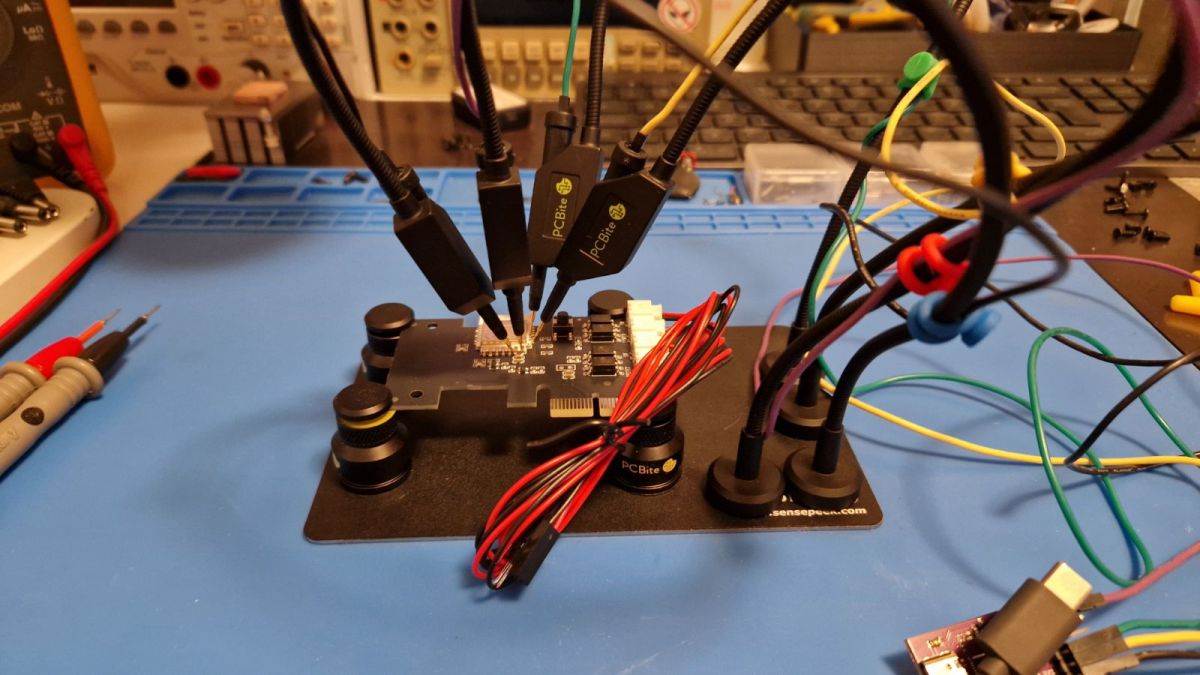
The PCIe card shown here allows remote control of two buttons on a desktop computer – power and reset. It is available in two versions, Wi-Fi and Zigbee; here we will be looking at the former. The original buttons are completely bypassed, and the module offers two inputs and outputs isolated by optocouplers. This means it can provide a child lock function – preventing the computer from being switched on from the case. All of this is also available in the RF version, but we’ve opted for the Wi-Fi-only version – for just over $10:
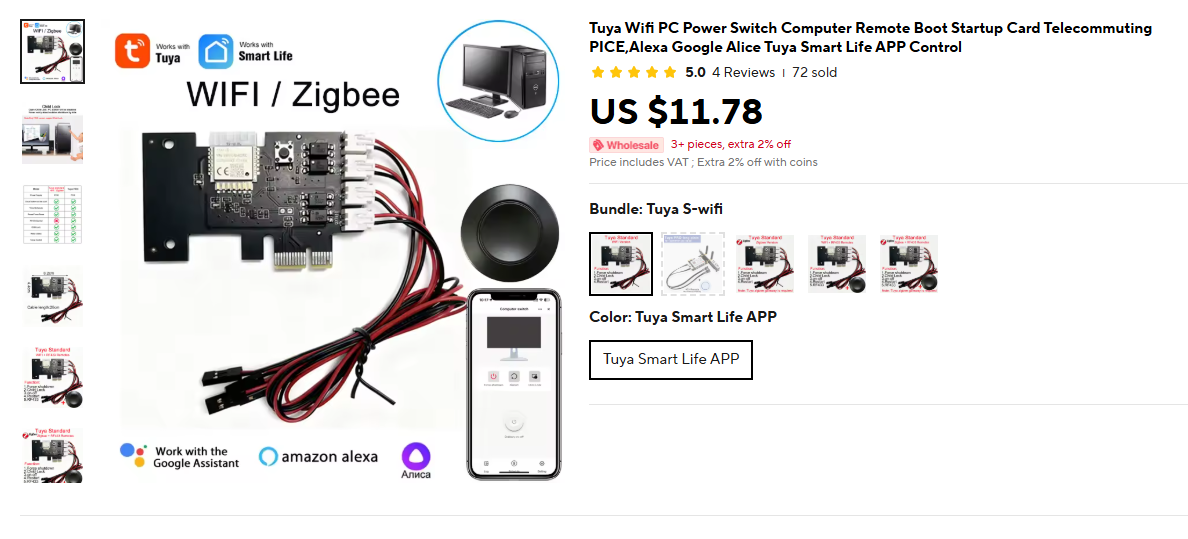
The seller warns that the device does not work on branded computers and requires appropriate BIOS settings.

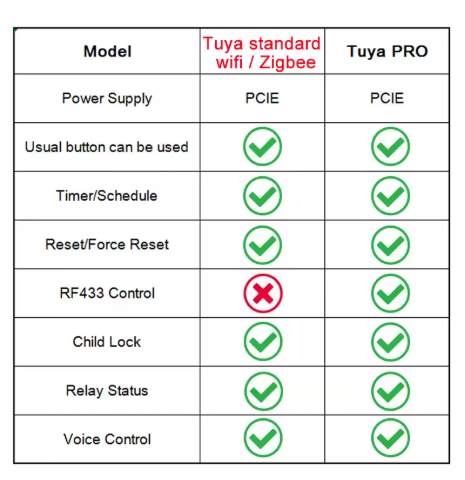
The whole thing is also available in a PRO version with an additional radio remote control:
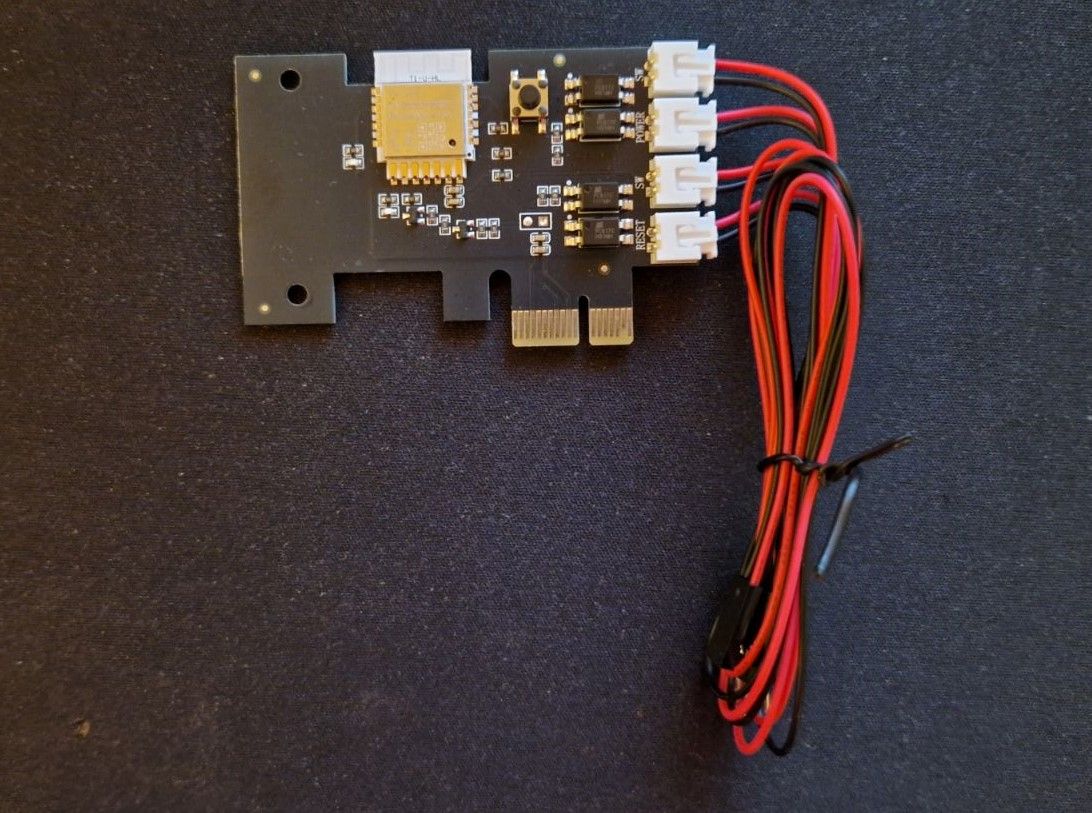
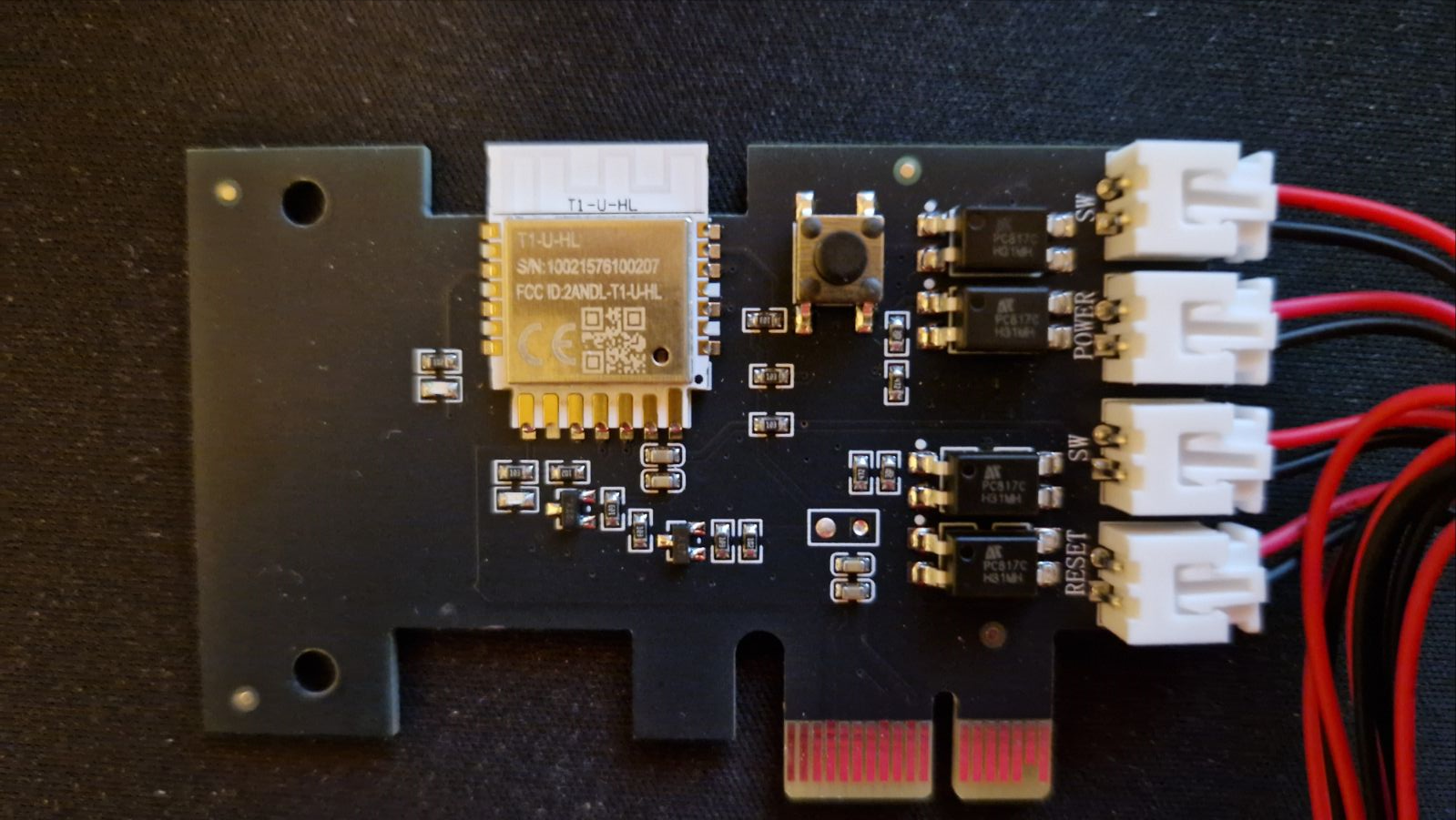
Here’s a close-up of the board – there are four pairs of wires, two pairs are inputs and two are outputs. The device, with its factory settings, automatically pairs them; short-circuiting one input (where the button will be) causes a short-circuit in the output (where we’ll connect the motherboard):
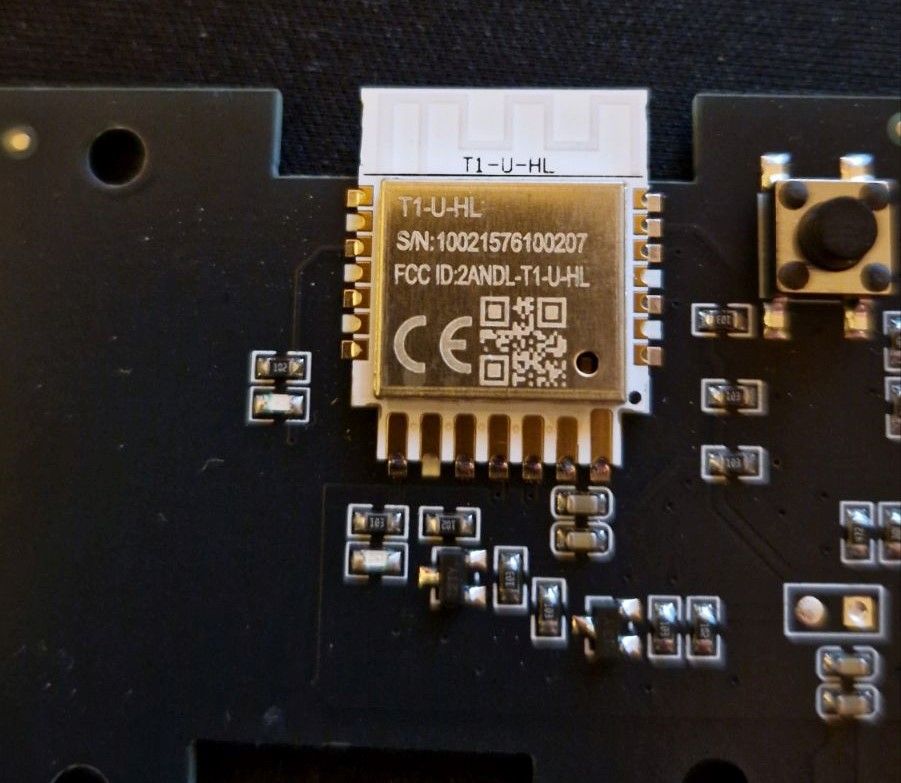
The whole thing used to be on a CBU module (BK7231N), but it’s now on the BK7238:
A few words about the app are also in order. Tuya comes pre-installed, allowing you to control it for free from anywhere in the world. It also features a timer and integration with Google, Alexa and similar voice assistants.
Firmware update
However, we wanted to experiment a bit more and flash our own firmware onto it. This is where you need to think carefully, because if you don’t have a server on the internet, there may be a problem with controlling it from behind your router, but this is normal for solutions such as Tasmota or ESPHome. Here, we’ll upload our multi-platform IoT firmware supporting as many as 32 platforms to the module.
We’ve already shown the T1-U-HL pinouts on the forum: Data sheet for the T1, T1-M and T1-3S Tuya BK7238 modules, pinouts and flashing, Home Assistant
You can change its firmware – all you need is a USB-to-UART converter:
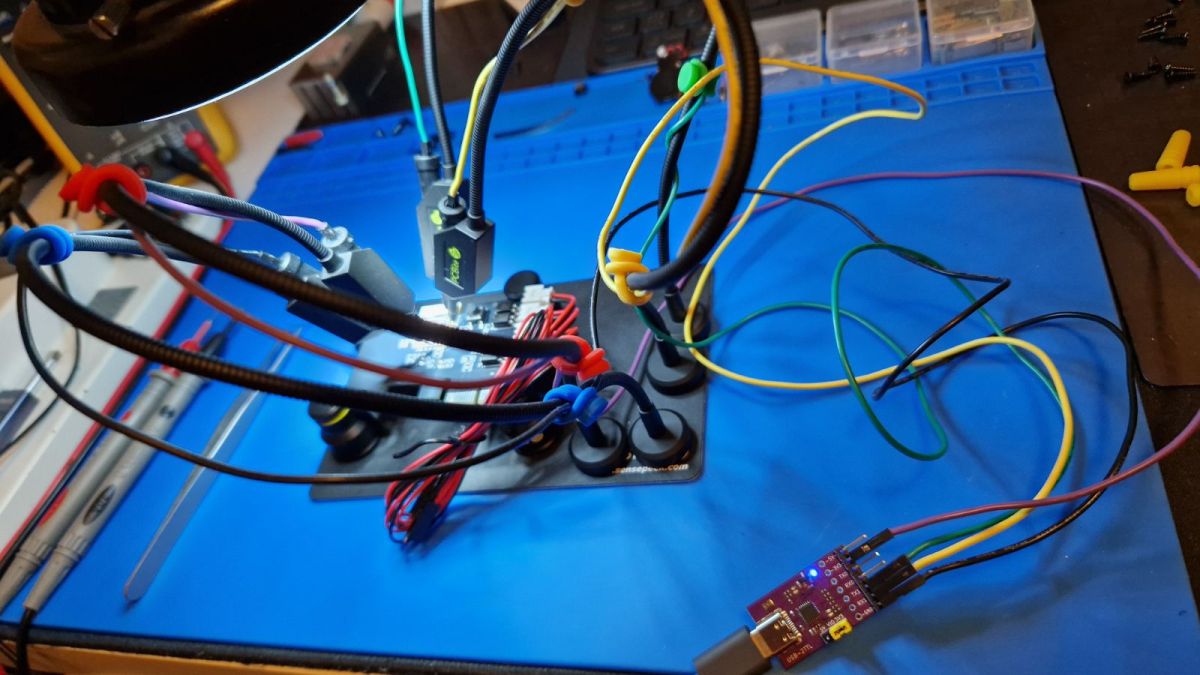
First, we burn the firmware using our Flasher, then we upload the OBK:
https://github.com/openshwprojects/BK7231GUIFlashTool
Copy of the firmware:
https://github.com/openshwprojects/FlashDumps/commit/f731ea9b6c9477ab72163f2231dbda793ee3239b
However, the Flasher did not detect the GPIO this time:
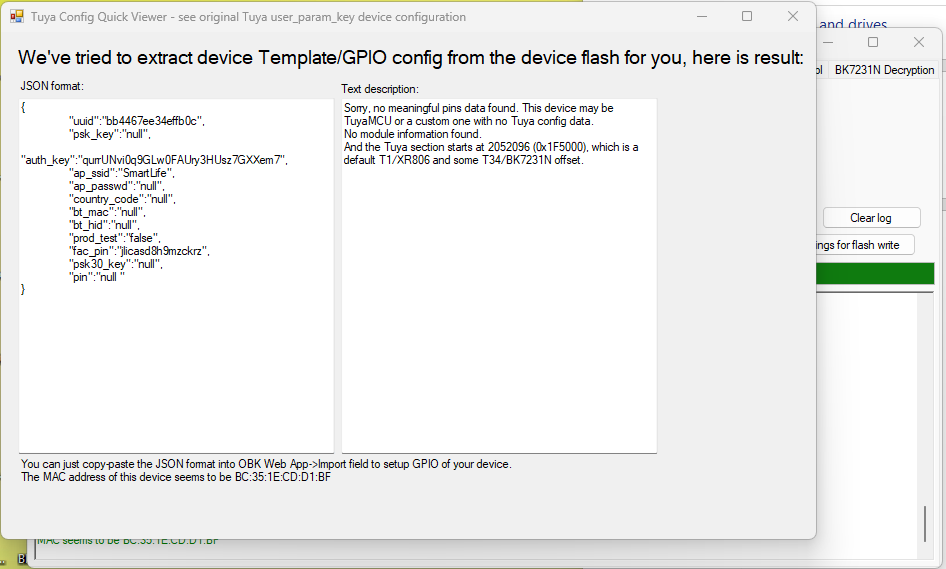
We determined the GPIO roles by tracing the paths:
Code: JSON
There are two ways to script the device.
1. in Home Assistant using their automations
2. on the Beken board itself, via autoexec.bat
Autoexec.bat allows the OBK to handle device events and add buttons to the main panel:
alias force_power_off backlog setChannel 1 1; addRepeatingEvent 5 1 setChannel 1 0
alias short_click backlog setChannel 1 1; addRepeatingEvent 1 1 setChannel 1 0

startDriver httpButtons

setButtonEnabled 0 1
setButtonLabel 0 "Toggle Power"
setButtonCommand 0 short_click

setButtonEnabled 1 1
setButtonLabel 1 "Force POWER off"
setButtonCommand 1 force_power_off

SetChannelLabel 1 PWR
SetChannelLabel 2 RESET
SetChannelLabel 3 PWR_ON

addEventHandler OnHold 21 force_power_off
addEventHandler OnClick 21 short_click
The script above:
- sets the channel names
- adds events that manually map a button click and a long press to a short and long relay closure respectively
- adds buttons to the UI that trigger these events – these will then also be visible in Home Assistant
Screenshot of a panel with a single scripted button:
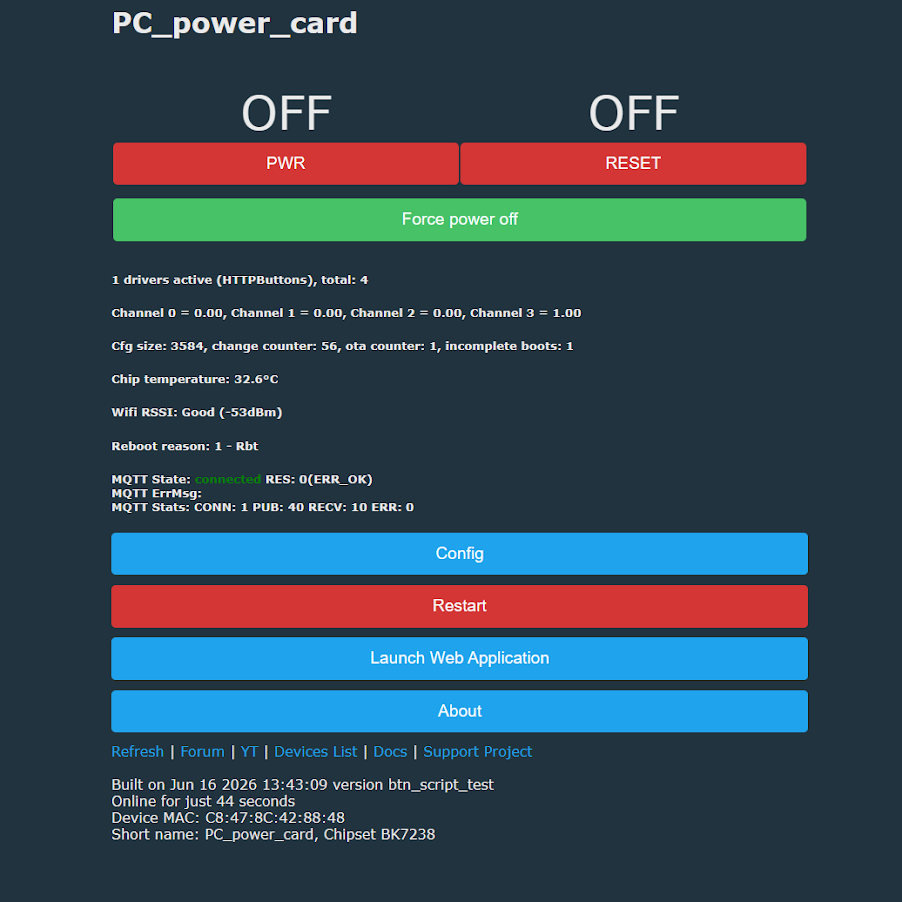
Similarly, you can add a RESET button (a second button and relay):
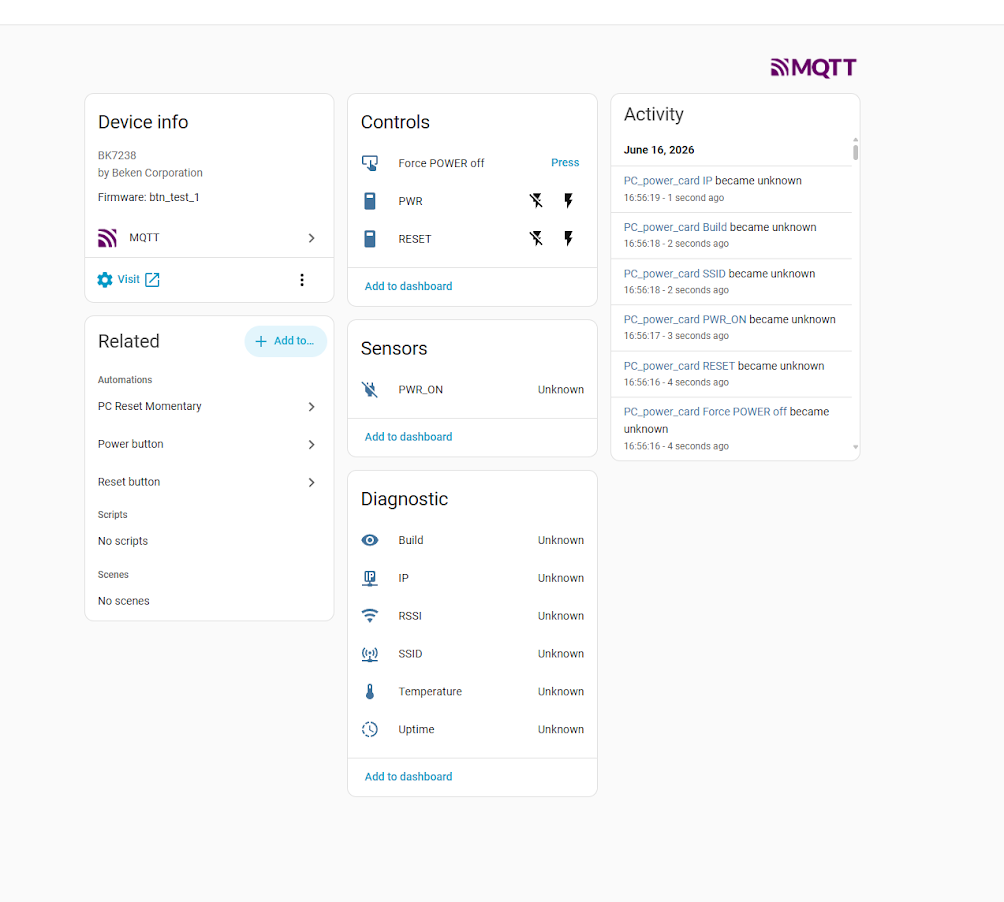
This way, you can bring this module to life without the cloud. There is still the matter of the child lock – the remote lock. This can be added by including an additional condition check in the button and event handling via if :
SetChannelLabel 10 "Child Lock"

addEventHandler OnHold 21 if $CH10==1 then force_power_off
Then, click events will only be triggered when we allow them to.
Of course, this is not the only way to configure it. One could, for example, try to hard-code the connection between the buttons and the relays by assigning the inputs the dInput role (digital input) and the same channels as the relays, but then we would lose remote control. The digital value from the inputs would be copied to the outputs. For this reason, scripting seems to be the sensible solution here.
For more information, please visit the project repository , the page with documentation and the examples of OBK scripts .
To sum up , the module seems quite useful. It works well both in its factory-set state, where you immediately gain remote access via the Tuya app, and after a firmware update, when using Home Assistant or a similar system connected to the internet.
The usefulness of this solution is somewhat diminished by the fact that many computers can be booted remotely via Wake-on-LAN. However, this is not always convenient to set up from outside the local network, and some hardware configurations do not support it at all. For this reason, such a module can still prove very practical as a simple way to boot a computer remotely, particularly when combined with a remote desktop configured to be accessible immediately after the system starts up.
In addition, there is the option to remotely reset the computer and use the ‘child lock’ function, which locks the physical buttons on the case.
Can you think of any interesting uses for such a remote PC switch?

p.kaczmarek2 wrote 14814 posts with
rating 12985 , helped 659 times.
Been with us since 2014 year.
Comments
I’m a bit disappointed. At first glance, I thought the computer was controlled via a bus (which would have been interesting). Unfortunately, it’s controlled via cables and the PCIe is just for power. In... [Read more]
A standby voltage is required (available on the PCIe 3.3V aux connector). Alternatively, you would need to tap into the power supply’s wiring (the 5V standby line, pin 9, purple wire) and convert the 5V... [Read more]
That’s an interesting idea about controlling it via PCIe – the question is, just how practical is it? Does anyone know whether controlling it via PCIe would make sense, whether it would offer any added... [Read more]
Hello. Half-jokingly, half-seriously, this topic reminded me of something like this. It doesn’t require any intervention on the computer, although you’ll need two of them for power and reset. And it won’t... [Read more]
I have this module and both the app controls and the buttons work. The buttons are connected to the motherboard via the supplied cables with a splitter, in parallel with the module. Are you sure that... [Read more]
@cms I did run multiple checks on the device and no with OBK FW inside it is not possible to turn the PC on by accident, with careful scripting bunch of features can be added as @pkaczmarek2 mentioned... [Read more]
I didn’t mention anything about it switching on accidentally. [Read more]
It’s a question of translation from English into Polish, but generally speaking, this module cannot power on the computer without being connected to the button pins on the motherboard. Although I’m still... [Read more]
I apologize if I answered incorrectly based on the wrong translation. [Read more]
Computer cases are made of metal. How does the signal cope? [Read more]
I’ve modified a module like this https://devices.esphome.io/devices/sinilink-xy-wpce by flashing it with esphome. I also soldered a wire from the power connector to a free GPIO pin to confirm that the... [Read more]
I bought one of these on ZigBee. After connecting and pairing it, the Z2M recognised it as a TS011F plug. The plug’s switch works. Each time it’s switched, it simulates a press of the Power button. Unfortunately,... [Read more]
Z2M allows you to create a new device definition. After some tweaking and with Claude’s help, I managed to define the device description for Z2M: import * as exposes from 'zigbee-herdsman-converters/lib/exposes'; import... [Read more]