FAQ
TL;DR: 0% crackle on the Linux test; “It doesn’t creak on Linux.” This points to a Windows/driver stack issue, not hardware. [Elektroda, haslo14, post #16646781]
Why it matters: This FAQ helps Windows 10 users fix Realtek/NVIDIA audio crackling when maximizing videos or opening game menus.
Quick Facts
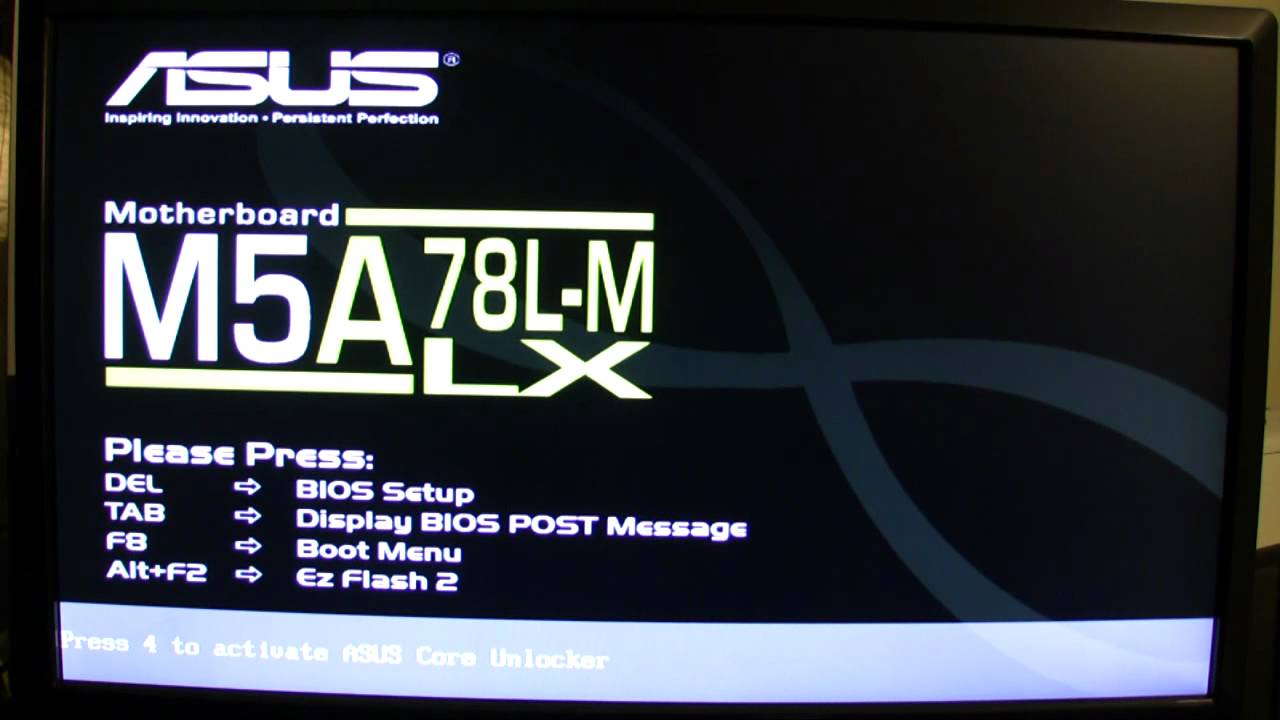
- Affected platform: Windows 10 Pro 64-bit with ASUS M5A78L-M LX3 and Realtek ALC887. [Elektroda, haslo14, post #16645673]
- Symptom trigger: sound creaks/cuts when maximizing video or entering game menus. [Elektroda, haslo14, post #16644900]
- Driver state: NVIDIA HD Audio showed install issues; advised to install the latest package. [Elektroda, irek6311, post #16645719]
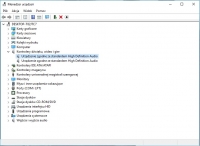
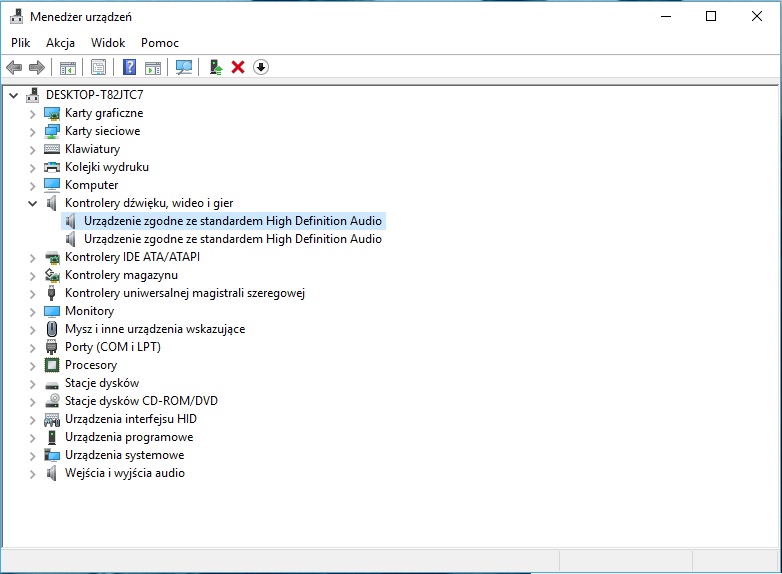
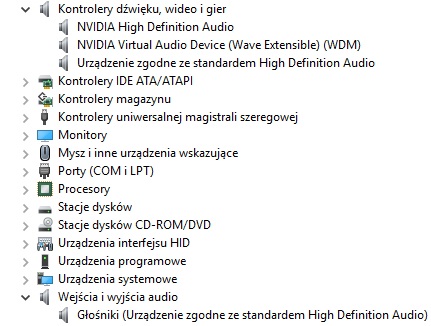
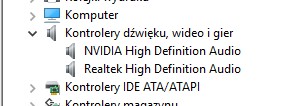
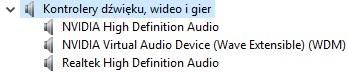
- After installing both Realtek and NVIDIA audio, the duplicate “High Definition Audio device” disappeared, but crackle remained. [Elektroda, haslo14, post #16646482]
- Final outcome in thread: after a CPU cooler swap and reboot, audio returned to normal. [Elektroda, haslo14, post #16646781]
How do I fix Realtek/NVIDIA crackling when I maximize videos or open game menus?
Remove current audio drivers, reboot, and block auto-install. Then install the ASUS Realtek driver from the board’s support page. If issues remain, test with a bootable Linux USB to rule out hardware. “Nothing installs itself. You don’t agree and that’s it.” [Elektroda, safbot1st, post #16644955]
Why are there duplicate “High Definition Audio device” entries in Device Manager?
Windows loads generic HDA drivers alongside vendor ones. Installing both Realtek and NVIDIA packages removed the extra HDA entry in this case, though crackling persisted. That indicates driver layering, not necessarily a fix for the audio artifact. [Elektroda, haslo14, post #16646482]
Does the Linux test really help diagnose this crackling?
Yes. The user’s Linux boot produced 0% crackling, proving the codec and analog path were fine. That shifts blame to Windows drivers, mixer settings, or GPU/driver handoff during fullscreen transitions. Use Linux live media to verify quickly. [Elektroda, haslo14, post #16646781]
How do I make a quick bootable Linux to test audio?
- Download Rufus and a small Puppy Linux ISO.
- Use Rufus to write the ISO to a USB stick.
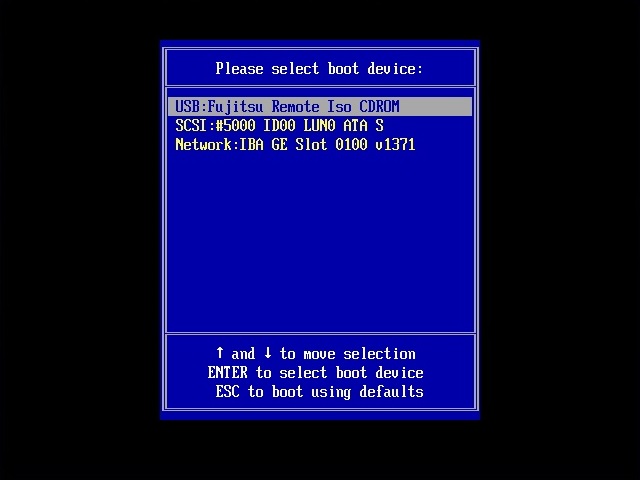
- Reboot, open the Boot Menu (F8), choose the USB, then play MP3/YouTube and listen.
Record a short sample if it crackles. [Elektroda, safbot1st, post #16646596]
Is my power supply causing the sound problem?
No. A PSU powers components but does not control the operating system’s audio stack. The helper requested the sound card model instead, guiding diagnosis toward drivers and codec identification. Focus on software and drivers first. [Elektroda, Math3oszek, post #16645580]
What is Realtek ALC887?
ALC887 is an integrated HD Audio codec on many ASUS motherboards, including the M5A78L-M LX3 in this thread. It handles analog I/O while Windows and drivers manage formats, effects, and routing. Identify it to install the correct vendor driver. [Elektroda, haslo14, post #16645673]
What is NVIDIA High Definition Audio?
It’s the GPU’s HDMI/DisplayPort audio function. Windows treats it as a separate output device. A failed or outdated NVIDIA HD Audio driver can cause device errors or confusion in output selection, especially around fullscreen transitions. Install the latest NVIDIA package. [Elektroda, irek6311, post #16645719]
Can Windows auto-install the wrong driver and bring the issue back?
Yes. After removing drivers, Windows may reinstall generic HDA on reboot. Disable automatic installation during setup, then load the official ASUS audio driver to keep a stable stack. Reboot once more and retest. [Elektroda, safbot1st, post #16644955]
Could a recent Windows or Flash update be the culprit?
It’s possible. If sound broke after updates, use a System Restore point to roll back. Test again. If the issue vanishes, block or delay the problematic update until a fixed driver or cumulative update arrives. [Elektroda, safbot1st, post #16646231]
Do Realtek and NVIDIA audio drivers conflict?
They can compete for default playback or add duplicate devices. In this case, installing both removed the generic HDA entry, but did not stop crackling. Set your intended default device and disable unused outputs. [Elektroda, haslo14, post #16646482]
What if it crackles under Linux too?
Then suspect hardware. “Clicks under Linux will mean that the audio system is damaged.” That points to the codec, jacks, or board traces. Proceed with hardware diagnostics or an external USB audio interface test. [Elektroda, safbot1st, post #16644955]
Why did a CPU cooler swap coincide with the fix?
The thread’s audio returned to normal after a cooler change and reboot. That suggests a thermal or mounting-related reset, or simply a clean reboot after driver changes. Re-seating components can reseat headers and clear transient issues. [Elektroda, haslo14, post #16646781]
How do I record and share the crackling for diagnosis?
Capture a short sample during the event and upload it for review. Provide context: which app, exact action (e.g., maximize), and current default device. This helps isolate driver or device switching problems during display mode changes. [Elektroda, safbot1st, post #16646596]
How do I stop Windows from switching outputs when going fullscreen?
Open Sound settings, set your Realtek speakers as Default, and disable unused NVIDIA/HDMI devices temporarily. Reinstall vendor drivers if needed, then retest fullscreen transitions in a browser and a game menu. [Elektroda, haslo14, post #16646482]
Should I install audio drivers from the motherboard CD?
Yes, if they match your OS. Otherwise use the ASUS support page. In this thread, using vendor drivers was the recommended path after deleting generics and blocking auto-install on reboot. [Elektroda, tronic1, post #16645593]
What does a third unknown “High Definition Audio device” mean?
It may be a USB audio-capable device (headset, webcam, or monitor). These appear as additional HDA endpoints. Unplug USB audio gear while testing to reduce confusion and ensure the right default output. [Elektroda, witoj, post #16646273]