logo elektroda
logo elektroda
X
logo elektroda

[Solved] Best LTE Router for Micro SIM PLUS Card: HUAWEI E5180 or Upgrade? External Antenna Options

Mraczka 3849 14
ADVERTISEMENT
Treść została przetłumaczona polish » english Zobacz oryginalną wersję tematu
  • #1 16754747
    Mraczka
    Level 8  
    Posts: 44
    Rate: 7
    Hello
    As a lajkonik, I'll get to the point
    I live (coordinates) 49.960262, 22.393193 - Siedleczka, commune Kańczuga
    According to the operator, LTE coverage is (and has been for 3 years - now it has been breaking up for about 5 months)
    I have a HUAWEI E5180 Router (without additional antennas - external)

    Should I buy a stronger / better router (if so what?)
    Should I buy an external antenna (if any)

    I am asking for specific answers
    If necessary, I will provide explanations, but I must admit that I do not know anything about it

    Can the router "by itself", ie without physical damage, begin to fail by breaking the connection? Can it be checked somehow free of charge?

    best regards
  • ADVERTISEMENT
  • Helpful post
    #2 16754810
    mery0000
    Level 9  
    Posts: 21
    Help: 1
    Rate: 2
    Hi
    I went through the topic at home and from experience I can say that the external antenna solves the problem. Changing the router did not help. You may have had some disruptions, so it may break connections.
    When I find what antenna model I will give the name.

    best regards

    Added after 6 [minutes]:

    The router I use is an older model, but I have been using it without failures for a long time - ZTE MF28D LTE / UMTS.
    For this external antenna and I recommend it with a clear conscience.
  • Helpful post
    #3 16754911
    makosuu
    Network and Internet specialist
    Posts: 2984
    Help: 369
    Rate: 369
    According to There is no BTsearch LTE database, i.e. unverified BTSs. On the map according to you should have LTE800 Sferia and LTE1800 Aero2 permits. Download the app: Link
    log in to the router and force LTE800 and LTE1800 one by one, and insert screenshots. After that, set it to the car back. You need to check whether these permits work and what the coverage looks like. It is worth adding that Plus resigns from Sferia's LTE800, so it is not worth investing in them.
  • ADVERTISEMENT
  • Helpful post
    #4 16755003
    matek451
    Level 43  
    Posts: 31046
    Help: 4313
    Rate: 5707
    The nearest BTS Plus is Żuklin. works on LTE1800 and LTE800sferii. As a colleague advises above, force LTE1800 and LTE800 in turn. Check the parameters of the signal, BTS CID and speed. The E5180As-22 from Plus has TS9 antenna connectors.
    Helpful post? Buy me a coffee.
  • #5 16755080
    Mraczka
    Level 8  
    Posts: 44
    Rate: 7
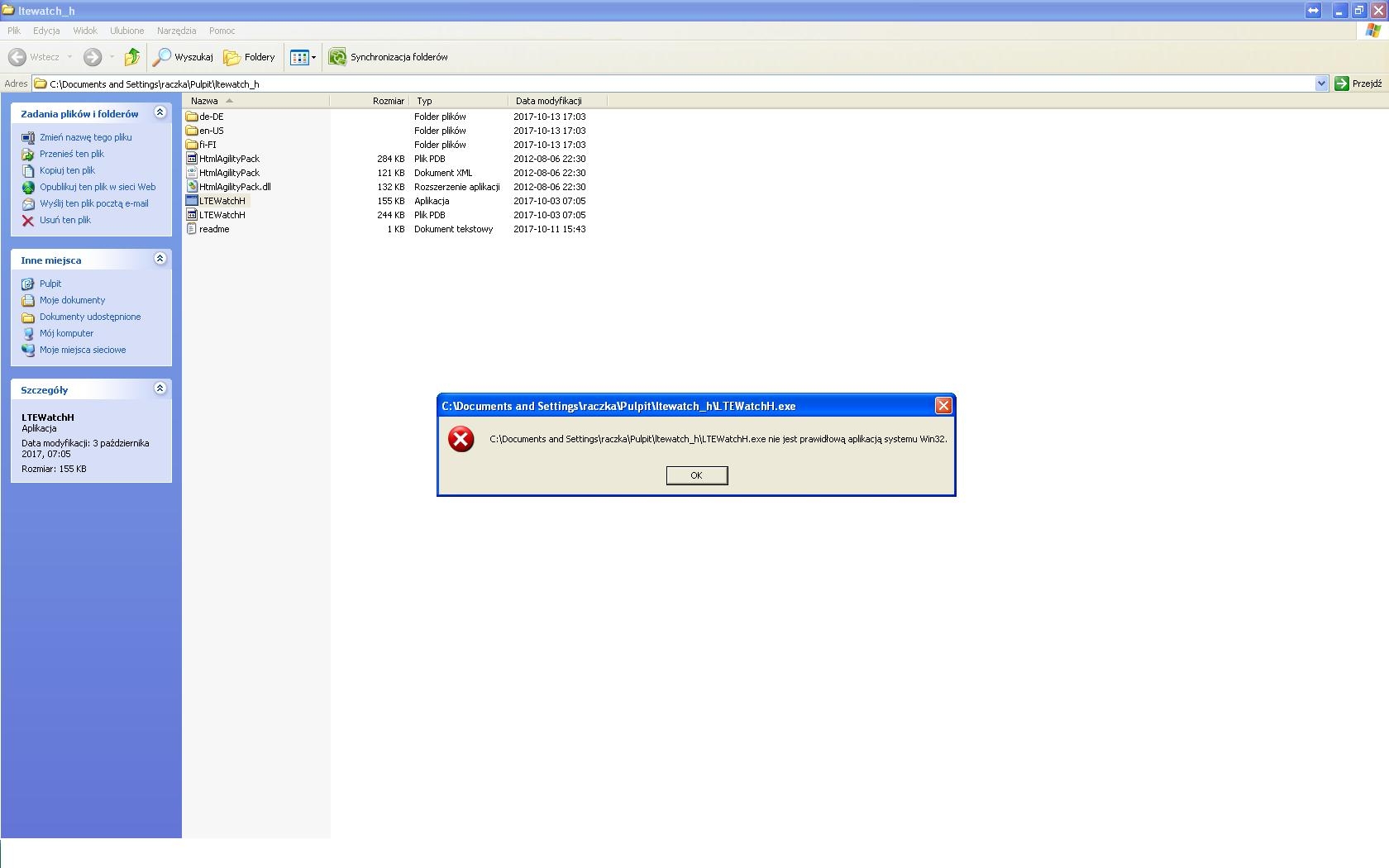
    Unfortunately, I can't install the application (win XP 32-bit)
    "... is not a valid Win32 application"
    Best LTE Router for Micro SIM PLUS Card: HUAWEI E5180 or Upgrade? External Antenna Options

    Of course I am asking for further help
  • Helpful post
    #6 16755130
    makosuu
    Network and Internet specialist
    Posts: 2984
    Help: 369
    Rate: 369
    Paaanie, Windolx XP, don't you have something newer? Honestly, I have never run this application on XP, so I do not know if it works, the application is probably not. If you don't have it, we'll think.
  • ADVERTISEMENT
  • #7 16755257
    Mraczka
    Level 8  
    Posts: 44
    Rate: 7
    Okay, gentlemen, I got Viste's wife (also archaism :) )
    As for Win XP, I know that it is a trick, but in my industry there are many useful programs that do not work on newer systems

    Unfortunately, I wasn't lying and I'm a Lajkonik
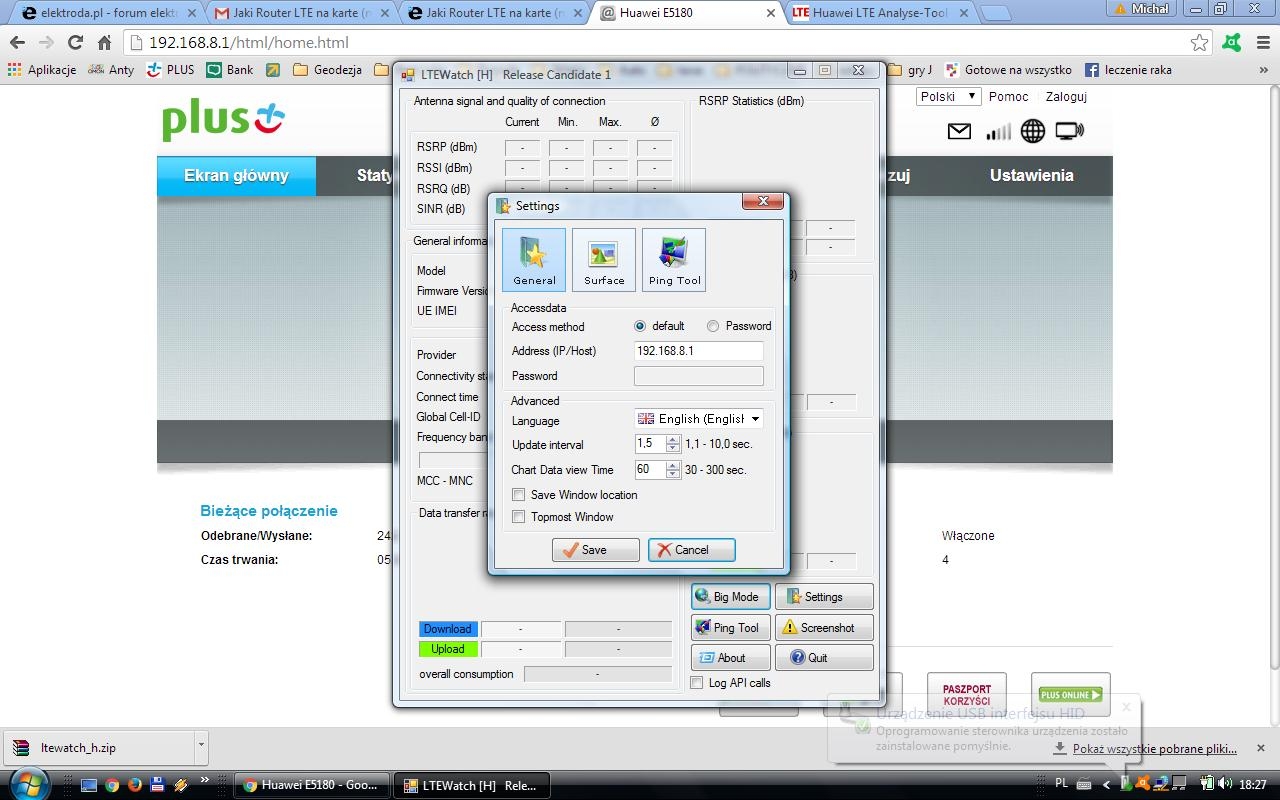
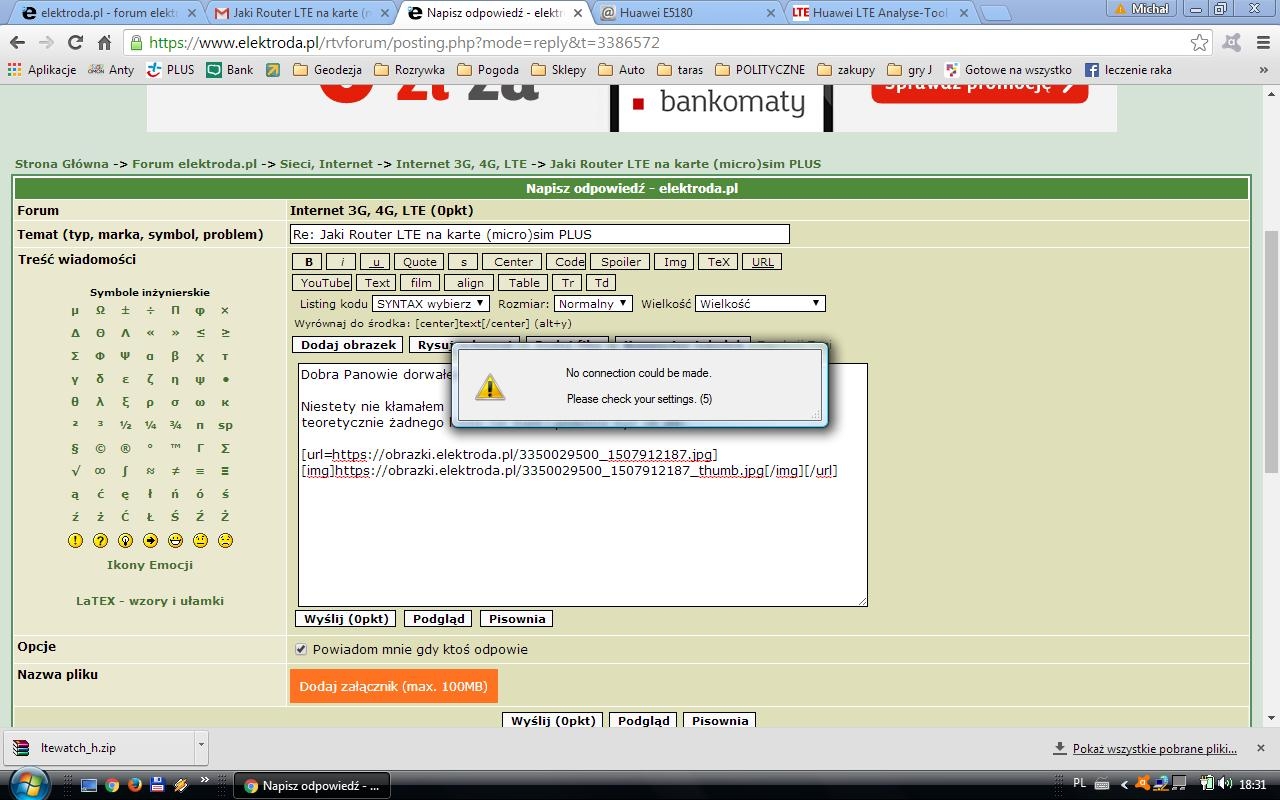
    theoretically, I don't have any password and it should be ok but I can't log in:

    Best LTE Router for Micro SIM PLUS Card: HUAWEI E5180 or Upgrade? External Antenna Options
    Best LTE Router for Micro SIM PLUS Card: HUAWEI E5180 or Upgrade? External Antenna Options

    Added after 8 [minutes]:

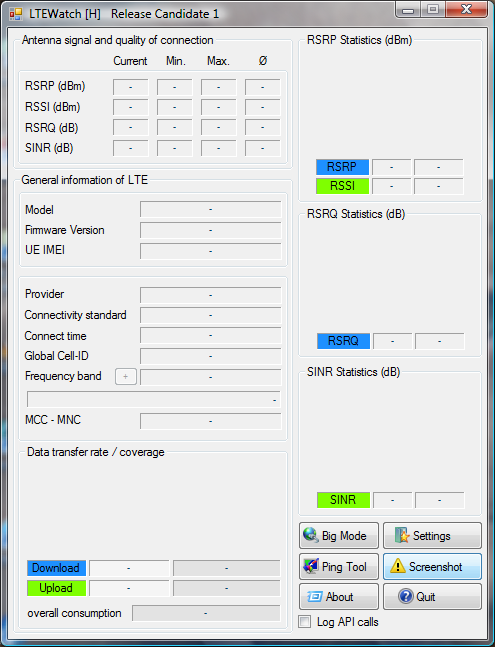
    what now?
    I am asking for a clear short instruction
    Best LTE Router for Micro SIM PLUS Card: HUAWEI E5180 or Upgrade? External Antenna Options
  • Helpful post
    #8 16755285
    matek451
    Level 43  
    Posts: 31046
    Help: 4313
    Rate: 5707
    You click Password and enter the same password as to connect to the router in the browser.
    Helpful post? Buy me a coffee.
  • #9 16755293
    Mraczka
    Level 8  
    Posts: 44
    Rate: 7
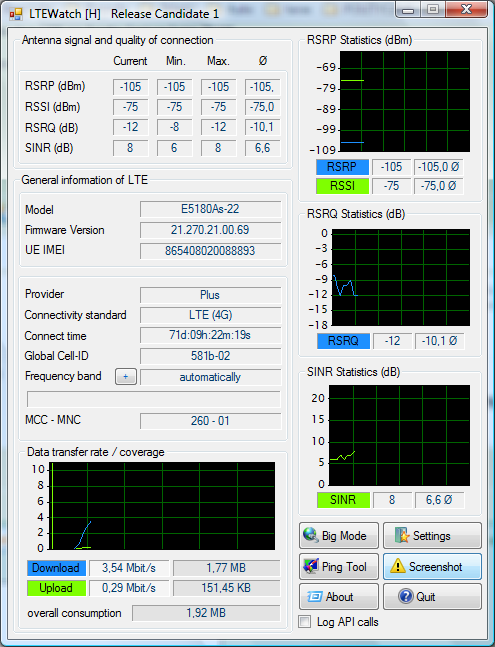
    something popped up

    Best LTE Router for Micro SIM PLUS Card: HUAWEI E5180 or Upgrade? External Antenna Options

    Added after 6 [minutes]:

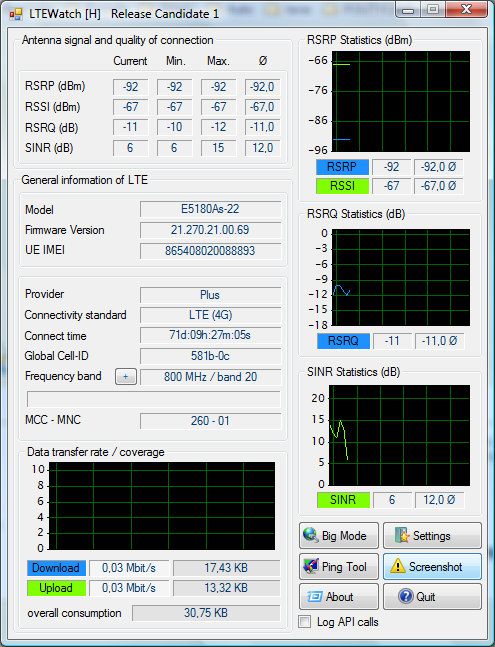
    I changed the frequency band once to 1800, then 800
    Best LTE Router for Micro SIM PLUS Card: HUAWEI E5180 or Upgrade? External Antenna Options
    Best LTE Router for Micro SIM PLUS Card: HUAWEI E5180 or Upgrade? External Antenna Options
  • #10 16755493
    makosuu
    Network and Internet specialist
    Posts: 2984
    Help: 369
    Rate: 369
    Do speedtest with setting 1800 then you can set it back to auto.
  • #12 16755562
    Mraczka
    Level 8  
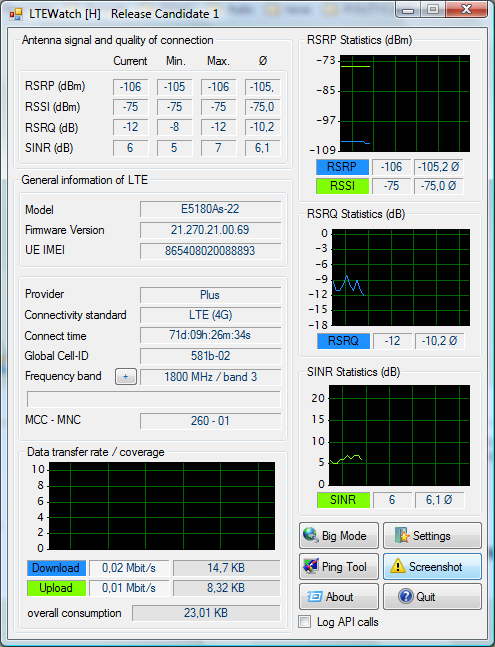
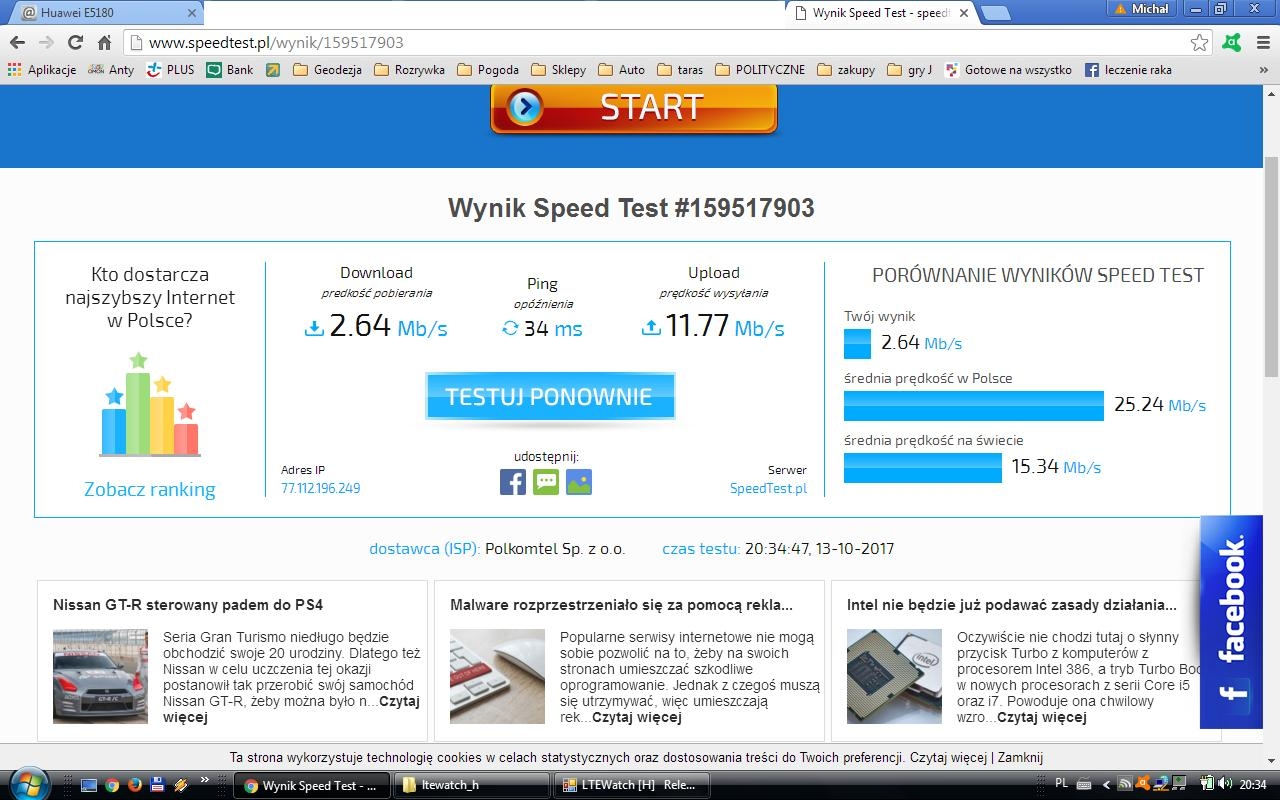
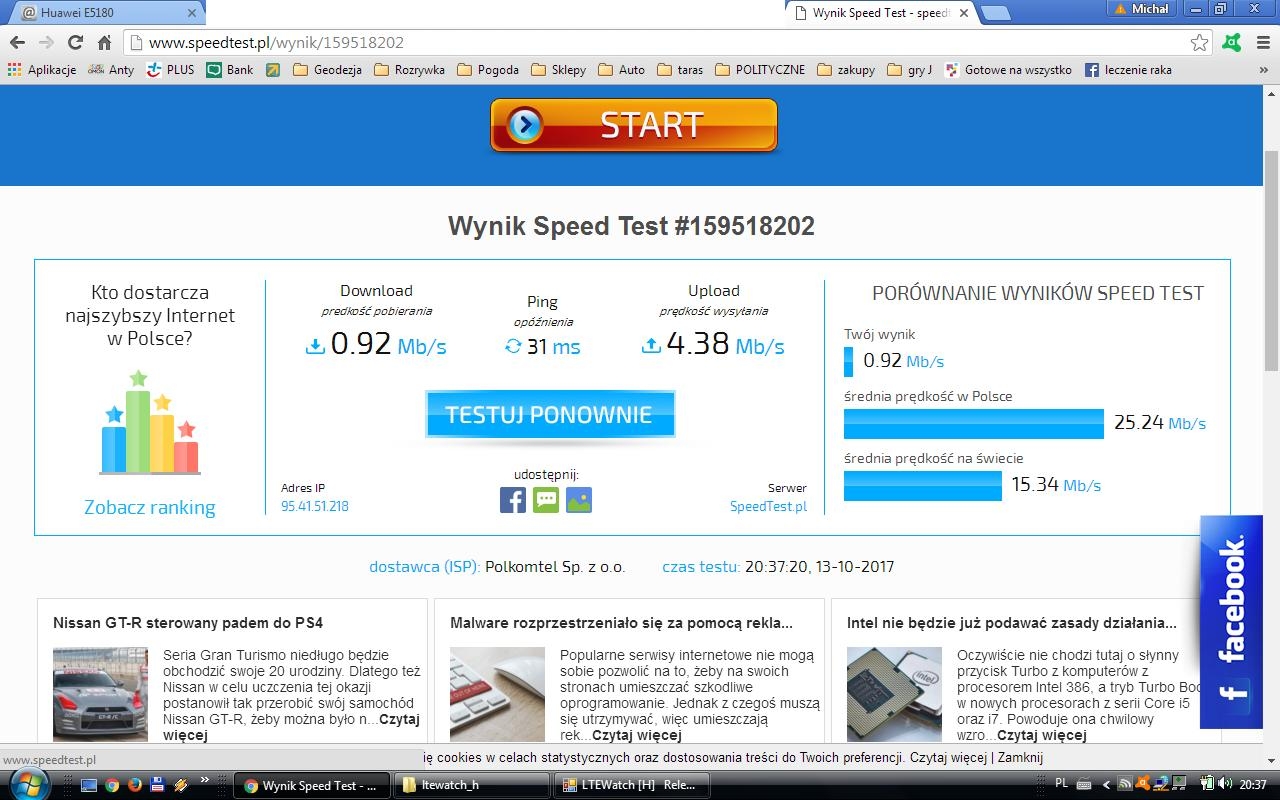
    Posts: 44
    Rate: 7
    1800
    Best LTE Router for Micro SIM PLUS Card: HUAWEI E5180 or Upgrade? External Antenna Options

    800
    Best LTE Router for Micro SIM PLUS Card: HUAWEI E5180 or Upgrade? External Antenna Options
  • Helpful post
    #13 16755624
    makosuu
    Network and Internet specialist
    Posts: 2984
    Help: 369
    Rate: 369
    Obviously both clogged but 1800 better. This is probably the fault of your internet overload problems. Because the range is pretty good. Unfortunately, you will not reduce the load.
  • ADVERTISEMENT
  • Helpful post
    #14 16755672
    matek451
    Level 43  
    Posts: 31046
    Help: 4313
    Rate: 5707
    Everything is clear, LTE Plus "works" according to their standards. It is not known if and how BTS LTE1800Aero2 from Markov and Widacz work. It's high time to change the operator, T-mobile is waiting with an unlimited internet offer for PLN 45/55 per month, in a subscription for PLN 1 the B525 router, i.e. LTE-A worth PLN 400-500. Coverage from BTS LTE1800NetWorks and LTE800 T-Mobile Polna in Kańczuga. In Husów, the LTE800 T-Mobile.
    Helpful post? Buy me a coffee.
  • #15 17540672
    Mraczka
    Level 8  
    Posts: 44
    Rate: 7
    I close the thread after a year because I stayed in Plus for another season and I wanted to see what it would be like
    - I did not replace the router and I did not install any additional antenna
    - I came across an article some time that plus reduces the transmission power because the greens forced it on them (some birds or something else)
    - it's pretty fine now. The Internet is there all the time, on average once a week, it breaks noticeably for fractions of a second, but survivable
    - probably if I was not tied to a smarthouse, I would have run away from the plus last year
    best regards

Topic summary

✨ The discussion revolves around the performance of the HUAWEI E5180 LTE router in a specific location with reported LTE coverage issues. Users suggest that an external antenna could improve connectivity, as changing the router alone did not yield better results. Recommendations include checking LTE bands (LTE800 and LTE1800) using a specific app, although compatibility issues with older operating systems like Windows XP were noted. Users also discussed the possibility of switching to a different operator, such as T-Mobile, which offers competitive plans and better coverage. The original poster reported improvements in internet stability over time without changing the router or adding an antenna.
Generated by the language model.

FAQ

TL;DR: For a Plus micro‑SIM in Siedleczka, adding an external antenna often fixes drops; a B525 LTE‑A router costs 400–500 PLN. “Everything is clear, LTE Plus ‘works’ according to their standards.” [Elektroda, matek451, post #16755672]

Why it matters: This FAQ helps home users decide whether to upgrade the HUAWEI E5180, add antennas, or switch operator to stabilize LTE internet.

Quick Facts

What’s the fastest fix: new router or external antenna for the E5180?

Start with an external antenna. A user solved dropouts that way, while a router swap didn’t help. The E5180 supports plug‑in antennas via TS9, so improvements are quick to test before investing in a new unit. [Elektroda, mery0000, post #16754810]

Which LTE band should I force first: 800 or 1800 near Kańczuga?

Force LTE1800 first, then LTE800, and compare speeds. Local feedback shows both bands can be busy, but LTE1800 delivered better results during tests at this location. Return to Auto after testing. [Elektroda, makosuu, post #16755624]

How do I connect an external antenna to the HUAWEI E5180?

The E5180As‑22 variant includes TS9 connectors. Use a dual‑lead MIMO antenna with TS9 pigtails, orient toward the serving BTS, and secure cables to avoid strain. [Elektroda, matek451, post #16755003]

Where is the nearest Plus BTS and what bands does it use?

The nearest Plus base station named in the thread is Żuklin. It runs LTE1800 (Aero2) and LTE800 (Sferia). Align antennas toward this site when optimizing signal. [Elektroda, matek451, post #16755003]

Can my router start dropping connections without physical damage?

Yes, symptoms can stem from cell congestion or weak signal rather than hardware failure. In this case, both LTE800 and LTE1800 showed load, and LTE1800 still worked better. Try band forcing and an external antenna before replacing hardware. [Elektroda, makosuu, post #16755624]

What’s a simple 3‑step method to compare bands on the E5180?

  1. Log into the router GUI and lock LTE1800.
  2. Run a speed test and note stability.
  3. Lock LTE800, repeat, then set back to Auto. Use screenshots to compare. [Elektroda, makosuu, post #16755493]

Is switching operator worth it here, and what plan/router was suggested?

Yes, a switch was recommended: T‑Mobile unlimited for 45/55 PLN monthly with a B525 LTE‑A router for 1 PLN up‑front. Quote: “Coverage from BTS LTE1800 NetWorks and LTE800 T‑Mobile…”. That balances capacity and price. [Elektroda, matek451, post #16755672]

What’s the practical difference between LTE800 (Sferia) and LTE1800 (Aero2)?

They’re different Plus bands in this area. LTE800 offers reach but fewer resources; LTE1800 provides more capacity. Local tests showed LTE1800 outperforming LTE800 during congestion at this site. [Elektroda, matek451, post #16755003]

I use Windows XP—why won’t the diagnostic app run?

The suggested application isn’t valid on 32‑bit Windows XP. A user got “not a valid Win32 application.” Use a newer OS (e.g., Vista or later) to run it. [Elektroda, Mraczka, post #16755080]

What results did band forcing show in this thread?

After locking bands, screenshots indicated both bands were loaded, with LTE1800 giving better throughput. The advisor concluded congestion caused the perceived instability. [Elektroda, makosuu, post #16755624]

Did service quality change over time if staying with Plus?

Yes. After about a year, the user reported mostly stable internet with only brief weekly micro‑drops. This suggests network changes or load balancing improved experience. [Elektroda, Mraczka, post #17540672]

Edge case: Is Plus discontinuing LTE800 Sferia, and should I avoid investing in it?

Advice here was to avoid investing in LTE800 Sferia because Plus was phasing it out. Prioritize equipment and settings that favor LTE1800 when possible. [Elektroda, makosuu, post #16754911]

What’s a reasonable upgrade path if antennas don’t help?

Move to an LTE‑A router like the B525 and consider an operator with stronger local capacity. The suggested T‑Mobile plan was 45/55 PLN per month and included the B525. [Elektroda, matek451, post #16755672]

Expert view: why do drops happen even with good signal numbers?

“Everything is clear, LTE Plus ‘works’ according to their standards.” That points to cell congestion and scheduling limits, not just signal strength. Band locking helps reveal this. [Elektroda, matek451, post #16755672]
Generated by the language model.
ADVERTISEMENT