logo elektroda
logo elektroda
X
logo elektroda

WEB server, ESP8266, Lua and transferring ASCII characters from the keyboard to the UART

cze333 1443 12
ADVERTISEMENT
Treść została przetłumaczona polish » english Zobacz oryginalną wersję tematu
  • #1 17058977
    cze333
    Level 8  
    Posts: 7
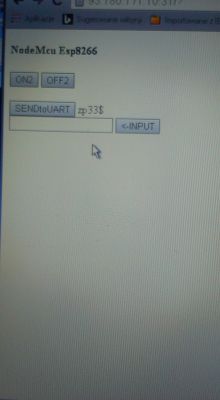
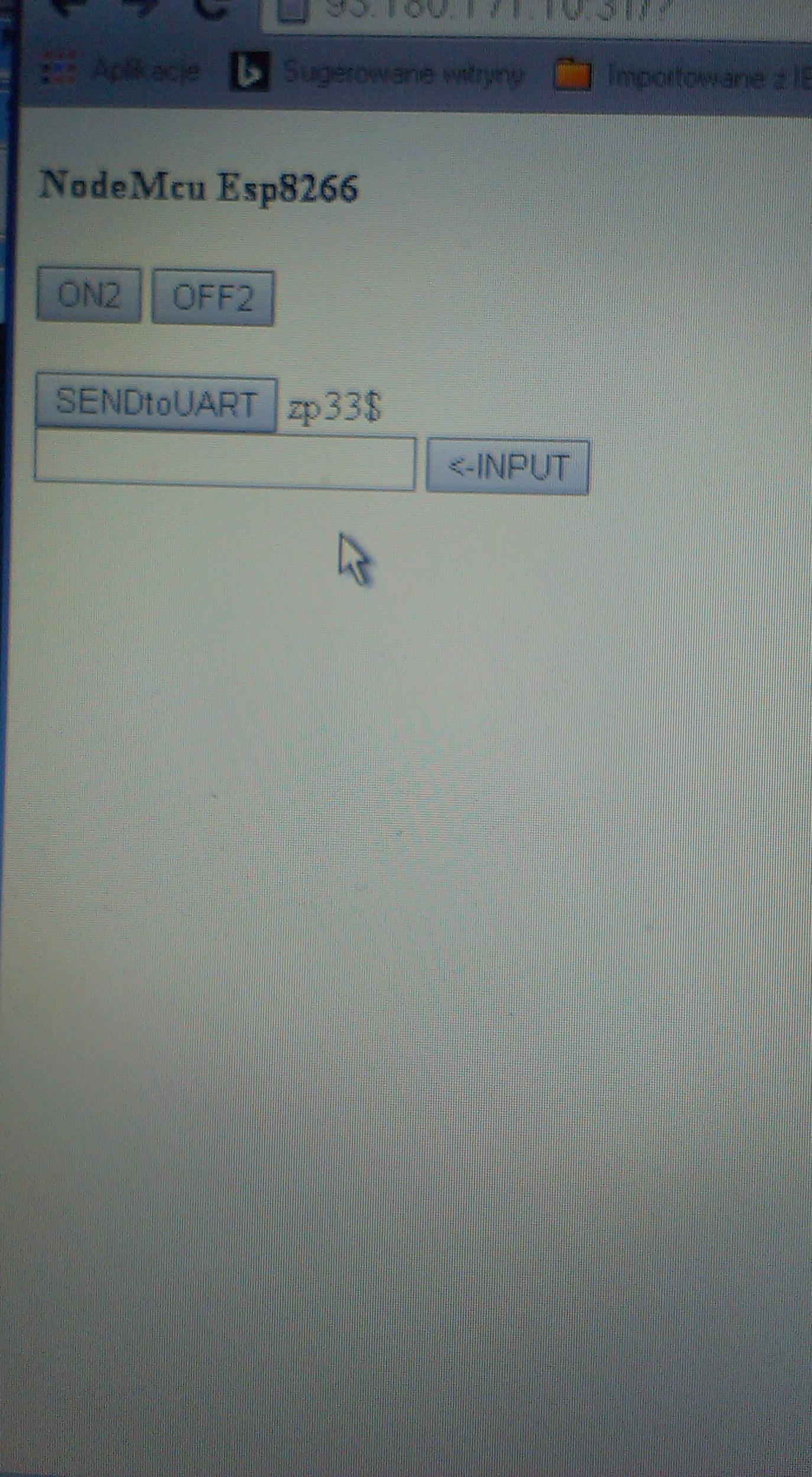
    As in the title, I'm attaching a photo of the server screen and the code which should implement the function of transferring ASCII characters from the keyboard to the UART but there is an error which I can't determine.
    The function of passing characters typed from the keyboard to the 'mycode' variable does not work.
    Lines of code where I think the error is supposed to be:

    Code: Lua
    Log in, to see the code
    .
    Perhaps a different method should be used?
    As you can see in the photo, the program generates a window and you can type characters into it. However after clicking '<--INPUT' the entered characters disappear from the window, nothing happens and the variable 'mycode' remains empty, it has the value 'nil'.
    To handle the programming of the board I used Flasher and ESPlorer as described:
    https://nodemcu.readthedocs.io/en/master/en/flash/#sdk-init-data

    There is a question and request to programmers who understand ESP8266 and LUA programming to look into this.
    All the code:

    Code: Lua
    Log in, to see the code
    .


    [img]WEB server, ESP8266, Lua and transferring ASCII characters from the keyboard to the UART .
  • ADVERTISEMENT
  • #2 17059560
    JacekCz
    Level 42  
    Posts: 8670
    Help: 760
    Rate: 1460
    You already have a lack of precision in the story itself.
    "A string of characters from a keyboard" implies a failure to encapsulate them into higher order groups, packets, transactions, etc.... Web does just that.
    Any minute now in this concept you will stand over the problem of timing, packetisation, threads, concurrency etc....
    The *) web server is one of the worse ideas to send character by character from the keyboard to the UART.

    *) and certainly the kind of server you understand on the uK. I could manage something like this in 90%, sorry maybe 80% realised on Apache Tomcat and Java EE, a sophisticated application with AJAX etc....
  • ADVERTISEMENT
  • #3 17059663
    cze333
    Level 8  
    Posts: 7
    JacekCz wrote:
    keyboard string"
    You enter a few characters from the keyboard into the box to the left of the 'INPUT' button (look at the attached photo) and then click on the 'INPUT' button and this typed sequence of characters is supposed to be transferred to the 'mycode' variable. But it is not transferred. This is the problem. The rest of the program function executes correctly. I don't know how to describe this more clearly?
  • ADVERTISEMENT
  • #4 17059681
    JacekCz
    Level 42  
    Posts: 8670
    Help: 760
    Rate: 1460
    cze333 wrote:
    JacekCz wrote:
    keyboard string"
    You enter a few characters from the keyboard into the box to the left of the 'INPUT' button (look at the attached photo) and then click on the 'INPUT' button and this typed sequence of characters is supposed to be sent to the 'mycode' variable . But it is not sent. This is the problem. The rest of the program function executes correctly. I don't know how to describe this more clearly?
    .

    You can and, in my opinion, need to be clearer. Programming is the domain of accuracy.
    E.g. "string entered into the window" (including not keyboard but e.g. pasted)

    The keyboard does not get blown up (although there has been such a case in the Middle East) and continues to generate characters.
  • #5 17063883
    cze333
    Level 8  
    Posts: 7
    JacekCz wrote:
    The keyboard does not blow up
    .
    The code has been updated. Note the lines with the code to send the characters contained in the 'mycode' variable to the UART.

    'if klik=="SENDtoUART" and mycode~=nil then uart.write(0, "zp"..mycode.."$") return end--send to UART string'

    The problem is the same, despite performing the operation to enter these characters with the appropriate clicks on the buttons in the browser i.e. '<--INPUT' and 'SENDtoUART' the contents of the 'mycode' variable remains empty. If you feel like it, please have a look at the attached code.
    I can send you the WEB address of my ESP board, so you can open the page in a browser, click on the buttons and check the messages in the browser console.
  • #6 17065009
    JacekCz
    Level 42  
    Posts: 8670
    Help: 760
    Rate: 1460
    On a point of order
    Code: HTML, XML
    Log in, to see the code
    .
    this is a comment, albeit an incomplete one. What do you expect from it?

    The rest is a chaffing of several languages (HTML/JS/Lua) , in several environments (client / server), which to my eyes is a haphazard and incomplete pasting. I don't see it coming together in a coherent way.

    As far as I understand (i.e. I understand "chaff") revert this project to simply sending one POST operation, without any JS, and dotest.
  • ADVERTISEMENT
  • #7 17065065
    cze333
    Level 8  
    Posts: 7
    JacekCz wrote:
    What do you expect from it?
    .
    It seems to me you did not read the post above with understanding. This code works and performs functions except for this one. There are comments posted that describe the various elements of the code. If I knew how to debug the attached code, or knew how to rewrite it correctly with other methods, I wouldn't bother anyone here. I think this is a matter of course. If I have taken up your valuable time then I am sorry.
    PS
    I have been struggling with this for weeks. I've been trying unsuccessfully to find an example on the web of working (because I haven't found it working) code on the ESP8266 that would implement (in a server set up ESP8266) the function of entering a string of characters typed from the keyboard into a variable, which variable could then be used in other functions of the program. This is what I would like to see.
    Perhaps someone has come across such an example?
  • #8 17065223
    JacekCz
    Level 42  
    Posts: 8670
    Help: 760
    Rate: 1460
    cze333 wrote:
    I've been struggling with this for weeks. I've been trying, without success, to find a code example on the web for the ESP8266 that would implement (in a server set up ESP8266) the function of entering a string of characters typed from the keyboard into a variable, which this variable could then be used in other functions of the program.
    Perhaps someone has come across such an example?
    .

    Is there an example of a web server entering the name and first name of a favourite actor?

    Break the problem down into such parts / functionality as it actually is. Server part one (thousands of examples), client part two, i.e. starting with a simple HTML form (millions of examples). This is linked by HTTP POST (millions of examples).

    I can't put it any clearer than that. It's a primer. You are stubbornly stuck with the wrong description of the issue (with this keyboard), it's hard to find examples too.
  • #9 17065252
    cze333
    Level 8  
    Posts: 7
    JacekCz wrote:
    Is there an example of a web server entering the name and first name of a favourite actor?
    Why the philosophising and fraying of the keyboard? I offered to email you a link to my ESP board, it is still attached so you can remotely open it in your browser, click on it and see how it works. Also, you have the code above with comments. Unfortunately you have to make an effort and take your time. Do you want to or not?
  • #10 17065464
    krzysiek_krm
    Level 40  
    Posts: 4612
    Help: 716
    Rate: 598
    Hello,
    I'm shooting a bit blind because I'm not generally familiar with this language.
    Maybe you should look for a working example that offers a login facility (user, password). Someone probably must have already created something like this.

    Greetings
  • #11 17065484
    xury
    Automation specialist
    Posts: 7071
    Help: 876
    Rate: 1486
    Maybe look for an example of how to make a telnet server on the ESP8266. That might explain a lot.
  • #12 17065750
    JacekCz
    Level 42  
    Posts: 8670
    Help: 760
    Rate: 1460
    xury wrote:
    Maybe look for an example of how to make a telnet server on the ESP8266. It might explain a lot.


    Telnet is a fresh (in a positive sense) look at the subject.

    Question for @cze333 whether, for what reasons and to what extent a webserver needs to be present in this - or is this just the idea found "because they showed it on YT".
  • #13 17066436
    cze333
    Level 8  
    Posts: 7
    xury wrote:
    Maybe look for an example of how to make a telnet server on the ESP8266. That might explain a lot.
    .
    Please enlighten me as to what a telnet server has to do here?
    What is it supposed to explain?
    JacekCz wrote:
    "because on YT they were showing".

    Do you get paid here on the forum for trolling?

Topic summary

✨ The discussion centers on implementing a web server on an ESP8266 module using Lua to transfer ASCII characters typed in a browser input field to the UART interface. The main issue is that the JavaScript function intended to capture the input field value and assign it to a variable ('mycode') does not work as expected, resulting in an empty variable when attempting to send data to UART. The code snippet includes HTML form elements and JavaScript embedded in Lua server responses, but the client-side input is not properly captured or transmitted back to the server. Suggestions highlight the complexity of sending character-by-character data over a simple web server, recommending breaking down the problem into standard HTTP POST form submissions without JavaScript for reliability. Alternative approaches such as using a telnet server on the ESP8266 are mentioned for direct UART interaction. The discussion emphasizes the need for clear separation of client-server roles, proper HTTP request handling, and possibly simpler, proven examples of web form data submission to Lua on ESP8266 for UART transmission.
Generated by the language model.

FAQ

TL;DR: 80% of a web approach is doable, but “the web server is one of the worse ideas” for per‑keystroke UART. Fix by submitting a named form field, parsing it server‑side, then uart.write(). [Elektroda, JacekCz, post #17059560]

Why it matters: This helps ESP8266/NodeMCU users who ask “how do I send browser text to UART reliably?” without fragile client‑only JavaScript.

Quick Facts

  • Use net.createServer(net.TCP) and conn:on("receive") to read HTTP payload and respond on ESP8266. [NodeMCU net module]
  • HTML forms submit only inputs with a name attribute; id alone is not submitted. [MDN: Sending form data]
  • uart.on("data", pattern) supports delimiter-based receive for framed UART data. [NodeMCU uart module]
  • ESP8266EX runs at 80 MHz (160 MHz optional) with approx. 96 KB data RAM. [ESP8266EX Datasheet]
  • WebSockets keep a persistent full‑duplex TCP link, avoiding repeated HTTP overhead. [MDN: WebSockets]

Why does my Lua variable mycode stay nil after clicking the HTML button?

Because you set mycode in JavaScript only. That does not change the Lua variable on the ESP. The server only sees data sent via an HTTP request. Also, inputs without a name attribute are not submitted. Edge case: calling event.preventDefault() stops the form from sending any body. Add name="mycode" to the input, submit the form, and parse it server‑side. [MDN: Sending form data]

How do I build a minimal POST-to-UART pipeline on NodeMCU?

  1. Serve a form with method="POST" and an input name="mycode".
  2. In conn:on("receive"), extract mycode from the payload.
  3. Call uart.write(0, mycode) and send an HTTP 200 response. This uses the net TCP callback to read the HTTP request and reply. [NodeMCU net module]

How do I parse the incoming POST body to get mycode?

Read the payload in conn:on("receive"). Split headers from body at the first blank line. Then find mycode with a Lua pattern, for example mycode=([^&]). URL‑decode the value before use. Edge case: + means space in application/x-www-form-urlencoded, and %XX encodes bytes. [MDN: Sending form data*]

How do I send the received string to the UART reliably?

Initialize UART once with uart.setup(0, baud, 8, 0, 1, 1). When you have the decoded mycode, call uart.write(0, mycode). Optionally add framing like start/end markers or newline so the receiver can parse messages deterministically. [NodeMCU uart module]

How can I avoid page reload but still send data to the ESP?

Use fetch() or XMLHttpRequest to POST asynchronously. Set the button type to button so it doesn’t submit the form by default. On click, fetch('/', {method:'POST', body:'mycode=...'}). Update the page with the response text when the promise resolves. [MDN: Using Fetch]

Is a web server good for per‑character UART streaming on ESP8266?

Not for keystroke‑by‑keystroke streaming. HTTP adds request/response overhead and timing issues. As one expert put it: “the web server is one of the worse ideas to send character by character from the keyboard to the UART.” Use batching or a persistent protocol. [Elektroda, JacekCz, post #17059560]

Should I use Telnet or WebSockets for interactive text instead?

Yes. Telnet or WebSockets keep a single open connection, which fits interactive text far better than repeated HTTP requests. This was suggested as a cleaner approach for your use case. [Elektroda, JacekCz, post #17065750]

Why don’t console.log messages appear in the ESP serial output?

console.log writes to the browser’s developer console on the client. The ESP never receives those logs. To debug server‑side, print() on the ESP serial port or send text in the HTTP response. [MDN: Console API]

How do I frame and read UART messages on ESP8266?

Use uart.on("data", pattern, callback). A pattern like "\r\n" or a specific character lets you read complete frames before processing. This prevents partial reads and simplifies parsing. [NodeMCU uart module]

What HTTP response headers should I send from NodeMCU?

Send a minimal valid header and CRLF sequence, for example: HTTP/1.1 200 OK\r\nContent-Type: text/html; charset=utf-8\r\nConnection: close\r\n\r\n. Then write your HTML. This ensures browsers render correctly. [MDN: Content-Type]

What performance can I expect from ESP8266 for this task?

ESP8266EX runs at 80 MHz by default, with a 160 MHz option. It has approx. 96 KB data RAM, so keep pages and buffers small. Batch characters before sending to reduce overhead and memory churn. [ESP8266EX Datasheet]

Which port should my ESP server listen on, and how do I expose it?

Use TCP port 80 for HTTP. To reach it from the internet, forward an external router port to the ESP’s LAN IP and port 80. Avoid exposing without authentication. [Service Name and Transport Protocol Port Number Registry]

How can I debug the HTTP payload reaching NodeMCU?

Inside conn:on("receive"), print(payload) to the serial console. Inspect headers and body to confirm form encoding and values. Reply with short status text to aid client‑side debugging. Keep connections short and close after sending. [NodeMCU net module]

Any security tips before putting this online?

Never hardcode credentials in public repos or screenshots. Avoid exposing raw UART control to the internet. Add authentication, input validation, and rate limiting. Prefer LAN access or VPN over direct port forwarding. [OWASP IoT Top 10]
Generated by the language model.
ADVERTISEMENT