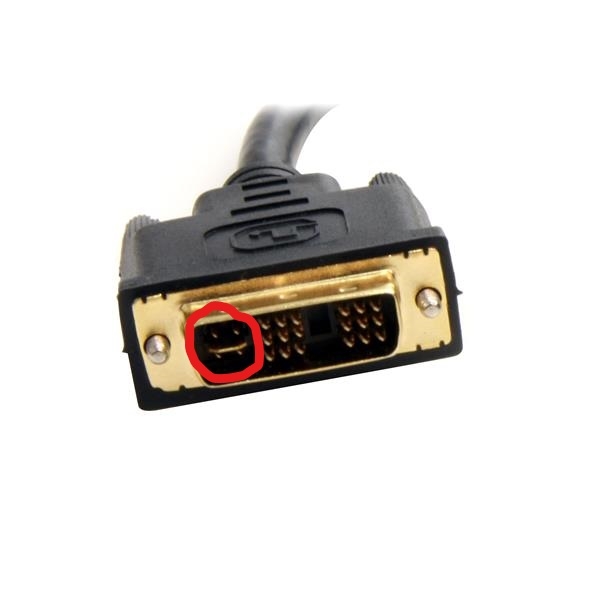
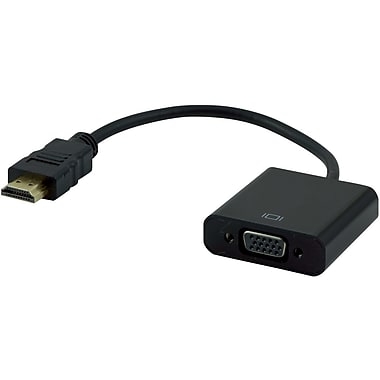
Hello, I bought an HDMI-VGA cable, when connected to the monitor shows no signal. A cable connected to the GTX 1050. Does this solution have the right to work? I also have a VGA-DVI cable, but the connector does not match, because the card has no input for these 4 pins marked in the picture below.
Theoretically, it should be different in practice. What is this adapter? Maybe some quinol that just pretends to be an adapter?
You have the VGA-DVI cable in the DVI-I version (box marked in red). The card probably supports DVI-D (i.e. without four pins).
However, you did not provide the card manufacturer, so it's hard to find anything here. Buy the appropriate cables by giving up adapters and then you have no right not to work.
This is not an adapter, just a normal HDMI and VGA cable. Card model given above. GF GTX-1050 Ti. How do I get rid of these four pins, will the cable work?
✨ The discussion revolves around the issue of connecting a monitor using an HDMI-VGA cable to a GTX 1050 graphics card, which results in a "no signal" error. Users clarify that the GTX 1050 outputs a digital signal, while VGA requires an analog signal, making the HDMI-VGA cable incompatible without a digital-to-analog converter. Suggestions include avoiding adapters and instead using a proper converter or cable that supports the necessary signal conversion. The GTX 1050 Ti model is specifically mentioned, and users express skepticism about the effectiveness of the HDMI-VGA cable based on its sales performance. Generated by the language model.